Categories
Mobile Syrup

Google Pixel Watch finally gets fall detection

Following a false start and multiple rumoured launches, Google is officially pushing fall detection out to the Pixel Watch.

Fall detection, for those unfamiliar, works exactly as it sounds. If the Pixel Watch detects that the wearer fell, it will automatically call emergency services for you. Now that it’s out, we know a little more about how Google’s take on fall detection will work.

First up, as noted by 9to5Google, the Pixel Watch should be able to tell between a hard fall and exercise (such as burpees, which could appear similar to a fall). Part of that is the Pixel Watch’s ability to check for recovery from a fall. For example, if the wearer doesn’t move for 30 seconds after a hard fall, the Pixel Watch will show the ‘Fall detected’ screen. It asks whether the wearer needs help or if they’re okay — tapping the “I’m OK” prompt will dismiss the screen.

The Fall detected screen also counts down and will vibrate and sound an alarm. After a minute of no response, the Pixel Watch will call emergency services and use an automated message detailing your current location and what happened. If the wearer can do so, they will be able to talk with the emergency operator.

9to5 reports there are some differences in how fall detection works depending on your Pixel Watch variant. The Wi-Fi model needs to be in the range of your phone and connected with Bluetooth in order to place a call to emergency services. However, the LTE variant of the Pixel Watch can place the call without your phone.

Fall detection is rolling out today — Pixel Watch owners can check the companion app on their phone and look for a card promoting the new feature in the ‘Updates’ feed (tap the speech bubble in the top-right corner). A prompt should also appear in the Personal Safety app. Finally, the Pixel Watch needs to be on version RWD9.220429.073 or newer.

At the time of writing, fall detection hadn’t appeared on my Pixel Watch even though it’s on the latest software. As with most things, Google is likely staggering the update — I expect it will arrive sometime soon.

Source: 9to5Google

Categories
Mobile Syrup

Microsoft’s latest Windows 11 update adds Bing Chat to the taskbar

Microsoft has unveiled its next big Windows 11 update, chock full of new features and capabilities. However, the star of the show is Bing.

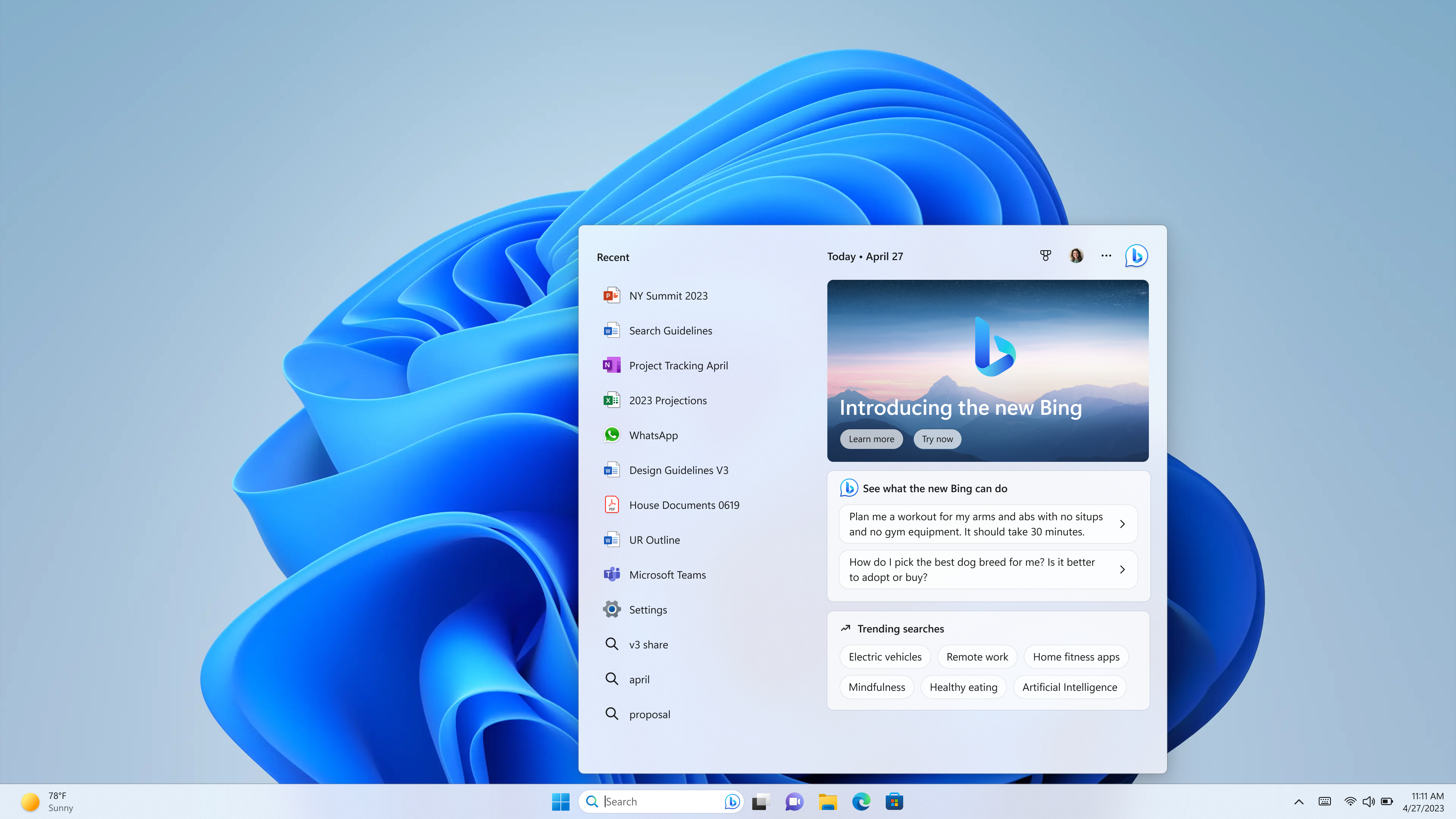
If it weren’t for the fact that Microsoft’s ChatGPT-powered Bing Chat dominated tech headlines for the last two weeks, I’d be shocked that Bing would be the standout addition to Windows 11. This is the world we live in now. In a blog post about the new Windows 11 update, Panos Panay, chief product officer, outlined that the Windows 11 taskbar would now include access to the new Bing in the search bar.

Bing Chat on the Windows 11 taskbar | Image credit: Microsoft

Microsoft didn’t say much more about Bing Chat in Windows 11, but it did explain that those in the Bing preview will have access after installing the new Windows 11 update. If you haven’t joined the waitlist for the Bing preview, you can learn more about how to do so here.

Beyond Bing

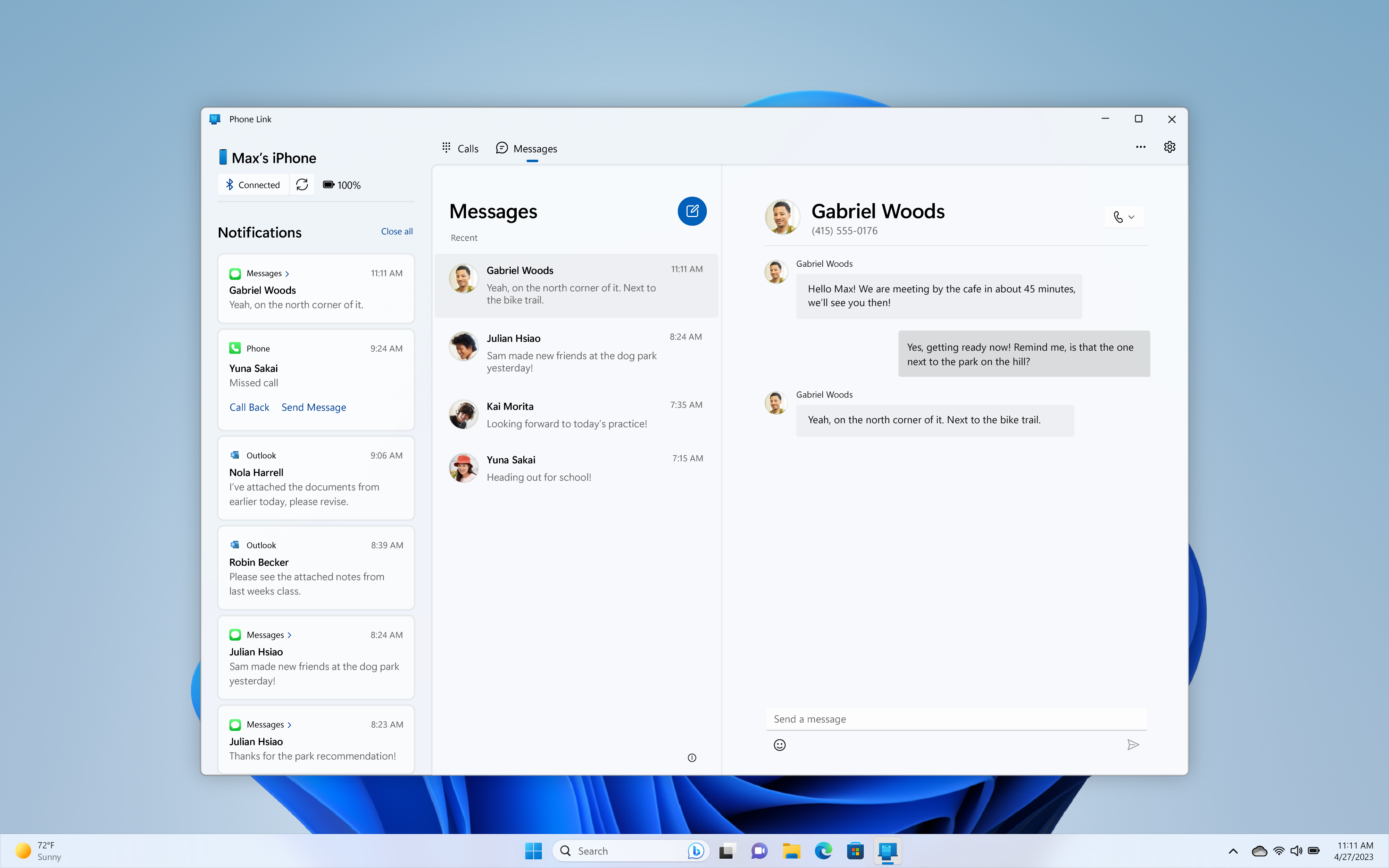
Phone Link for iOS | Image credit: Microsoft

Of course, Bing was one of many announcements. Microsoft also shared that Windows 11 would get a preview of Phone Link for iOS. Phone Link, for those unfamiliar, is a Windows feature for linking various smartphone features, such as access to messaging, apps on your phone, sharing photos and videos, and more. The iOS version of Phone Link will allow sending and receiving iMessages, as reported by The Verge.

So far, Phone Link has only really worked with Android, and Samsung phones getting the most feature support. It’s great to see Phone Link expanding to include iPhone. I suspect this was sped along by competition from the launch of Intel Unison, a similar phone-to-PC connection software that does support iPhones. Those interested in trying the Phone Link for iOS preview can learn more here.

Revamped touch taskbar | Image credit: Microsoft

Microsoft also highlighted recent Phone Link improvements for Android users, specifically mentioning the ability to activate your Samsung phone’s hotspot with a click from your PC, or the ‘Recent Websites’ feature that can transfer your browsing sessions from your Samsung phone to your Windows PC.

Microsoft says it updated Windows Studio Effects to make it easier to access the features from the taskbar. Along with that, Microsoft revamped the ‘Chat’ feature of the Windows 11 taskbar with a video preview to help streamline the process of jumping into a video call.

Snipping Tool will let you record your screen

Snipping Tool with screen recording capabilities | Image credit: Microsoft

Moreover, Microsoft added a revamped ‘Quick Assist’ app that should make it easier for the tech-savvy among you to help troubleshoot friends’ and family members’ Windows woes. Quick Assist includes the ability to switch between screen sharing and full control during a session, as well as a new “laser pointer” people can use to highlight icons, menus and more.

Perhaps one of the other exciting additions — at least for me — is that the Snipping Tool will now be able to record an area of the screen. This is a huge bonus as someone who often wants to record part of my screen to make a GIF for a story I’m working on.

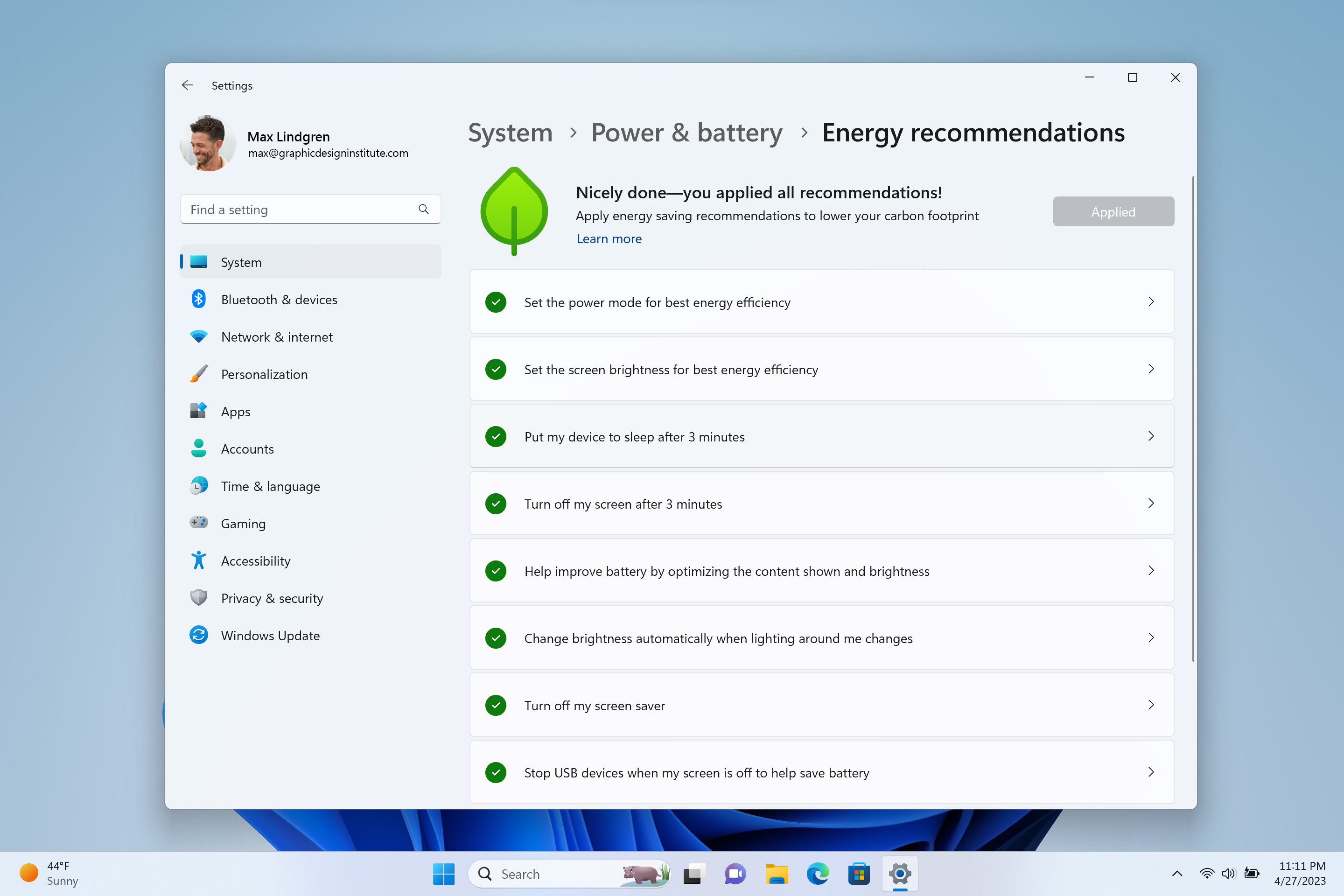
Windows 11 Energy recommendations | Image credit: Microsoft

Windows 11 is getting new energy-saving features too. In the Settings menu under System > Power & Battery, there’s an ‘Energy recommendations’ screen that suggests different settings people can tweak to improve energy use.

Wrapping things up, Microsoft expanded Windows 11’s Widgets system with new options from Phone Link, Xbox Game Pass and partners like Meta and Spotify, there’s an improved touchscreen mode with a minimized taskbar, Notepad now has tabs, and there are new accessibility options in the Windows 11 update.

You can check out everything new in Windows 11 here.

Update 2023/02/28 at 9:04am ET: Added a sentence about Phone Link for iOS supporting iMessage.

Categories
Mobile Syrup

15 apps to get more out of your iPhone

Hopefully, like me, you love your iPhone. But what makes our iPhone so beloved? The camera? The design? iOS? iMessage? Probably all of the above. But among the top reasons, I’d also say the apps.

There are many Apple-built apps that I adore and use regularly. Reminders for its integration with Siri, Fitness for Apple Fitness+, Home for HomeKit control, and Wallet for completely replacing not only my physical wallet but also my keys.

Excitingly, the iPhone has a vibrant platform of third-party app developers making absolutely incredible apps. Each app makes our lives better and our iPhones more functional in their own way. Previously I’ve written about iPad apps for students, Apple Watch apps to improve your health, and iPhone apps for editing photos and improving your financial health.

Continuing with app discovery, here are 15 apps to get more out of your iPhone.

Parcel
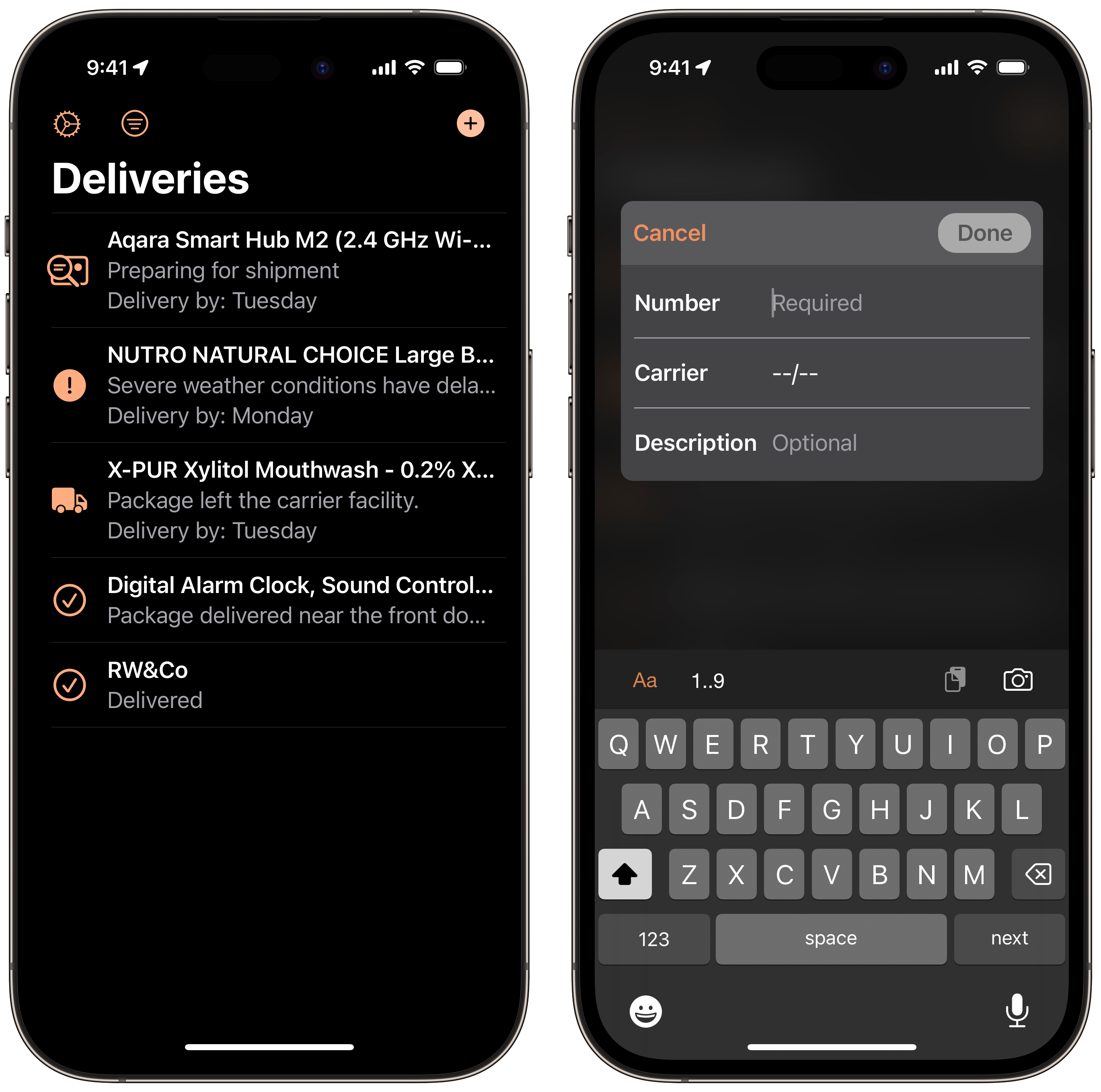
It’s surprisingly challenging to find a reliable delivery tracking app that is also well-designed. Thankfully, we have Parcel. Parcel is pretty straightforward — it tracks your packages. Parcel offers daily notifications, home screen widgets, and an Amazon integration to automatically add your orders.

Parcel is free and ad-supported to use for up to three packages. I highly recommend upgrading to the annual subscription for only $4.99 annually to track unlimited packages, remove the ads, and much more.

Timery for Toggl
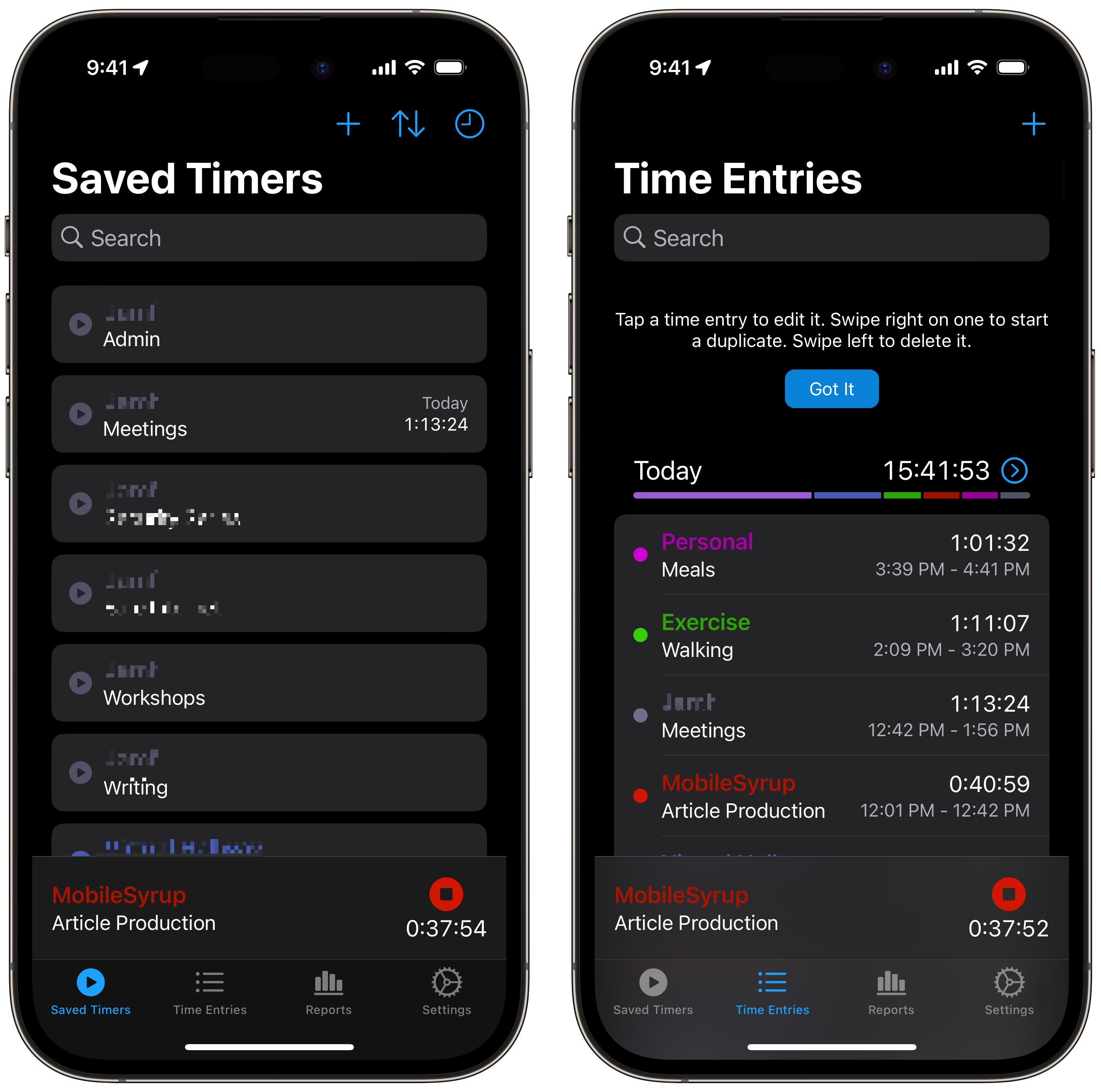
Toggl is a free time-tracking service to help you visualize where your time goes! However, Toggl’s iOS app isn’t the most well-designed or feature-rich. Thankfully, Toggl offers a robust API allowing Timery to create an excellent front-end while using Toggl’s time-tracking service.

Timery lets you save timers, view time tracking reports, and integrate with Siri Shortcuts. I wrote a piece on Siri Shortcuts if you want to learn more about it! Timery is a subscription service priced at $1.29 per month or $13.49 per year.

Overcast
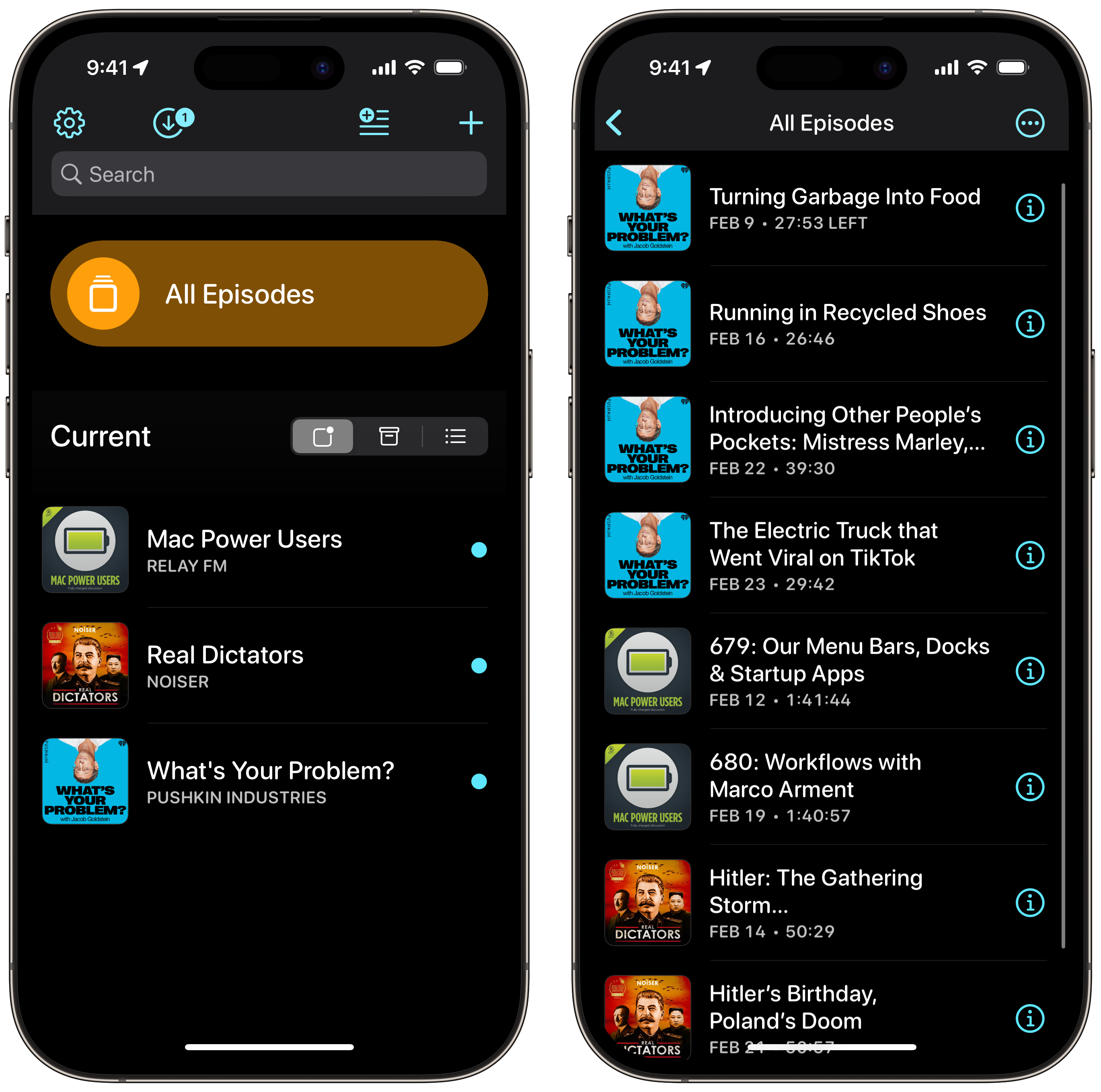
The Apple Podcasts app is the most popular podcast app available today. But that doesn’t mean that it’s the best one. Overcast is a popular indie-developed podcast app with a simple user interface and several customizable settings not available in more mainstream podcast apps.

Some top features include custom theming, Siri Shortcuts support, and a unique audio feature called Smart Speed. Smart Speed works to intelligently skip pauses in the podcast you’re listening to while protecting your preferred listening speed. Overcast is free to download with ads, or you can subscribe to Overcast Premium for $12.99 per year.

Cryptomator
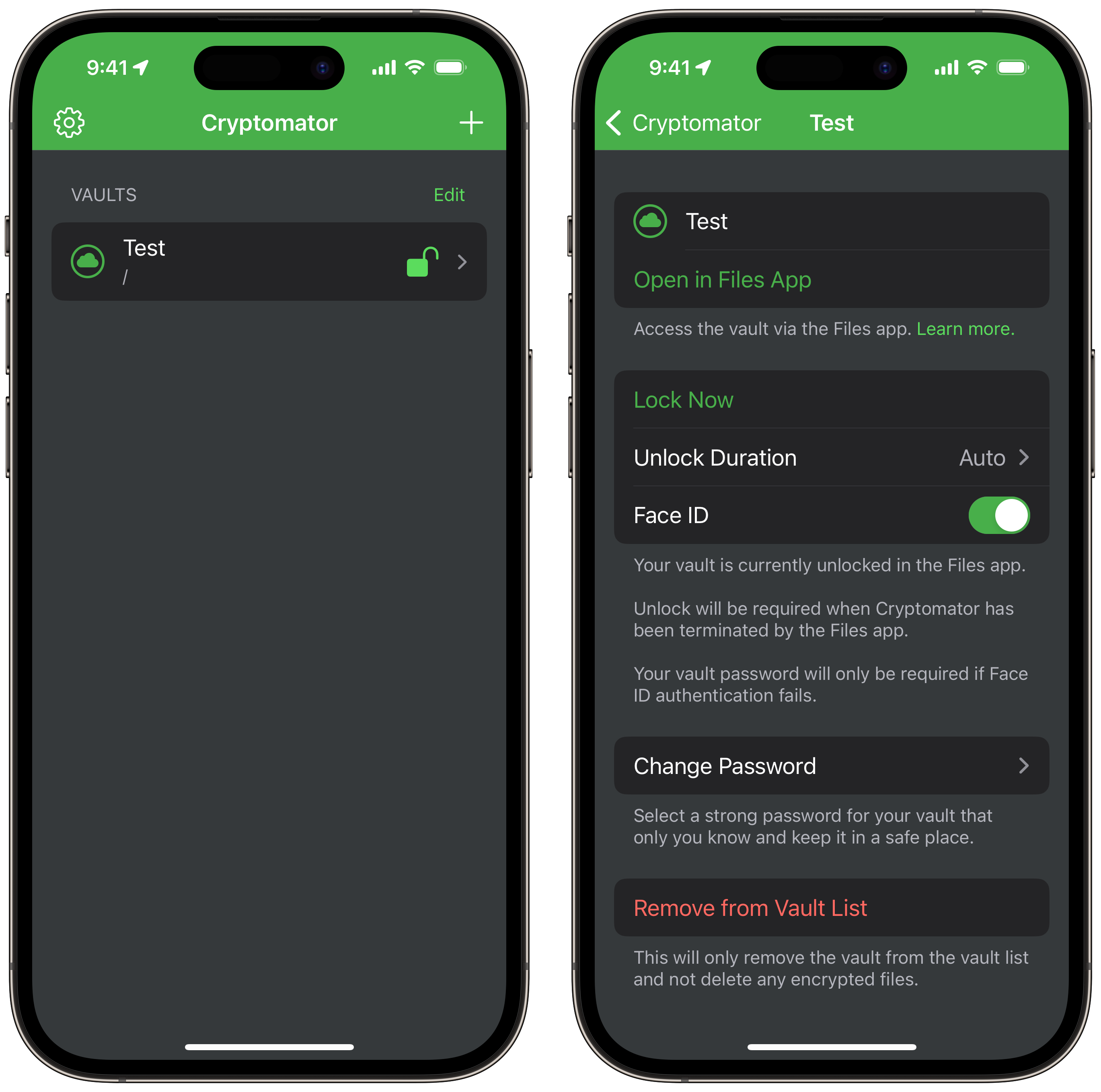
Cryptomator is an app for my fellow security-focused friends out there. Cryptomator is an open-sourced application that allows you to create encrypted, password-protected folders called “vaults” and store them in the most common cloud services such as iCloud Drive, Google Drive, OneDrive, and Dropbox.

Cryptomator is free to download with a one-time in-app purchase of $16.99 to unlock additional features.

Fantastical

For many of us, the default Apple Calendar app meets our needs. However, if you’re looking for a more feature-rich calendar experience, consider checking out Fantastical! Fantastical is a gorgeous calendar app featuring widgets, Siri Shortcuts support, live activities, support for the dynamic island, and focus filters. One of my favourite Fantastical features is generating a video call URL from Zoom or Microsoft Teams directly in Fantastical while creating an event.

Additionally, I love being able to create URLs where people can book meeting times with me through calendar sets I make. Fantastical also has a neat feature called proposals. You can send people a group of possible meeting times and have them select what works best for them, preventing the need to go back and forth to pick a meeting date. Fantastical is free to download and offers a premium subscription plan for $9.99 per month or $79.99 per year.

1Password 8
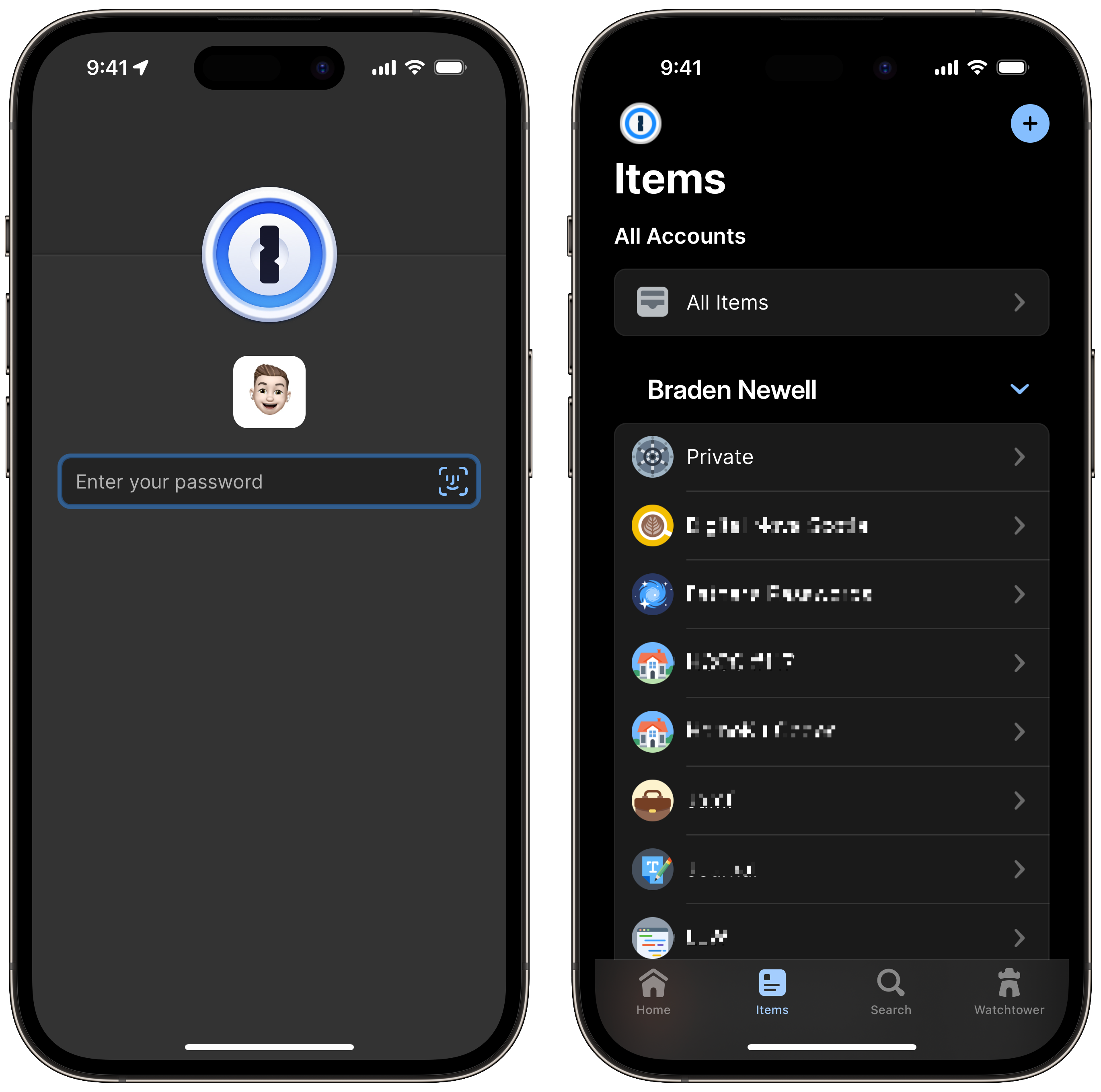
If you aren’t currently using a password manager, you should be. While Apple’s built-in iCloud Keychain is an excellent choice for most people, just like all of Apple’s first-party apps, it lacks many useful features. 1Password has been my password manager of choice for years. Not only does 1Password have a spotless security track record, but they are also always at the forefront of the latest Apple features.

1Password is available on iOS, iPadOS, macOS, and watchOS. Some of my favourite features include shared vaults with my family, sending temporary 1Password links, and saving basically any form of data, including credit cards, notes, and personal information. 1Password 8 is a subscription service costing $4.99 per month or $43.99 per year for an individual and $8.99 per month or $73.99 per year for a family plan.

Calory
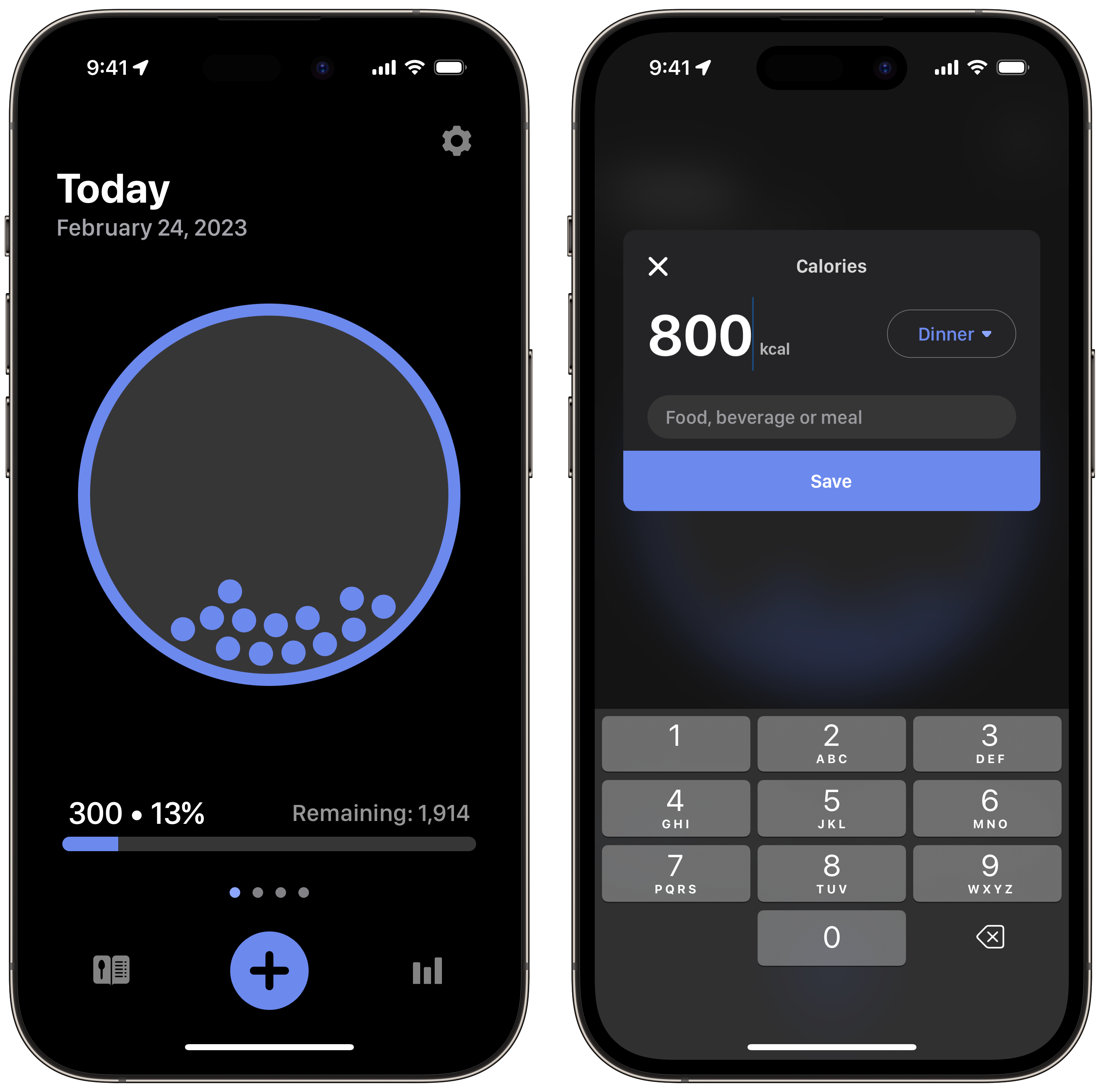
MyFitnessPal is likely the most popular calorie-tracking app on the App Store. However, I’ve found that since UnderArmour acquired the app many years ago, the overall experience has really collapsed, with the app being plagued with ads and fitness recommendations. Thankfully, I discovered Calory. Calory is intended to be a simple meal-tracking app that can log water, carbs, fat, proteins, and calories. Calory features Home screen widgets and a super simple user interface.

Calory is free to download and use with a subscription to unlock a more extensive food database. The subscription price is $3.99 per month, $21.99 per year, or $39.99 for life.

Spark
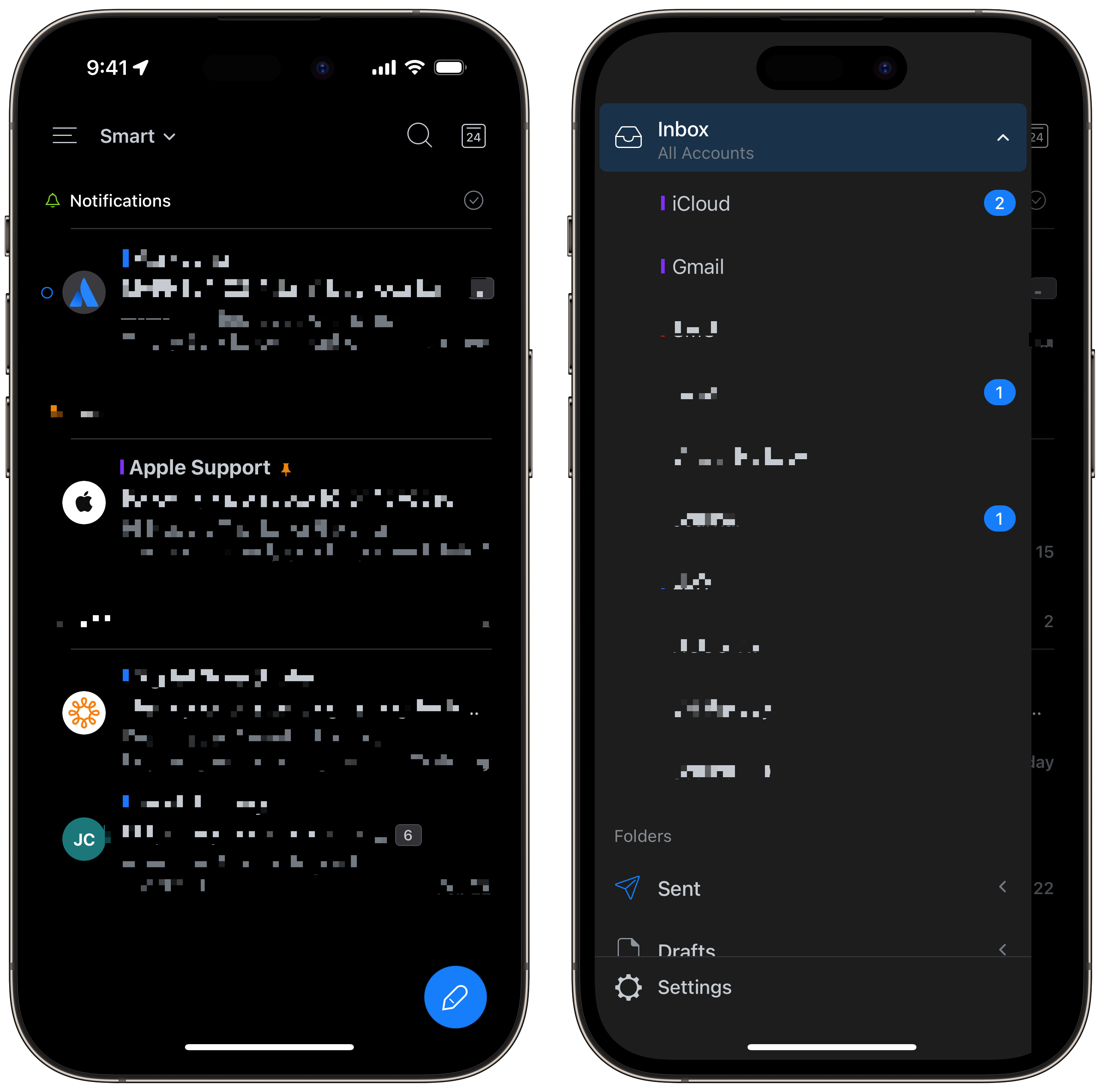
Finding a good email client is challenging. Apple Mail is likely the default for many. The Gmail and Outlook apps are also quite popular for their respective service. However, Spark is a powerful mail client available on iOS, iPadOS, macOS, and watchOS. My favourite Spark features include the modern UI, “snoozing” emails (hiding from your inbox) until a specific date, scheduled send later, and reminders for when someone doesn’t email you back.

Additionally, Spark syncs your accounts across your devices, preventing the need to sign in on every device you own. You can even specify which accounts send you notifications on specific devices or are a part of your unified inbox. Spark is free with most features but offers some premium features for $9.99 per month or $76.99 per year.

Dark Noise
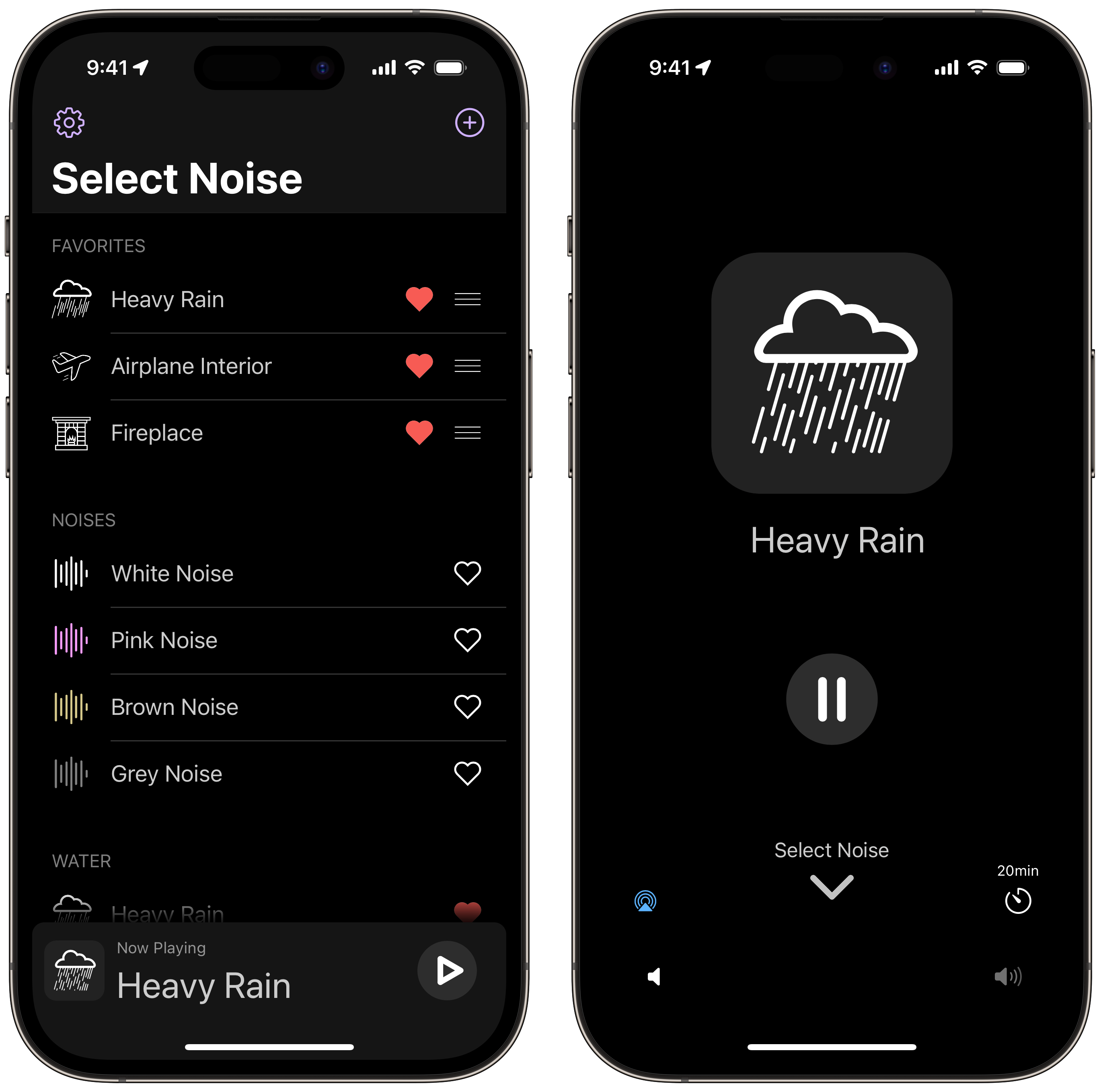
If you’re anything like me, you find it challenging to sit in silence. Dark Noise is developed by another indie developer, Charlie Chapman. The concept of Dark Noise is simple; it has a bunch of tracks ranging from white noises to public spaces to the environment. I’m a big fan of playing the fireplace track as I go to sleep.

Dark Noise features iCloud sync between devices, a timer to stop playing after a specific duration, and Siri Shortcuts support. Dark Noise is a one-time purchase for $13.99.

Slack
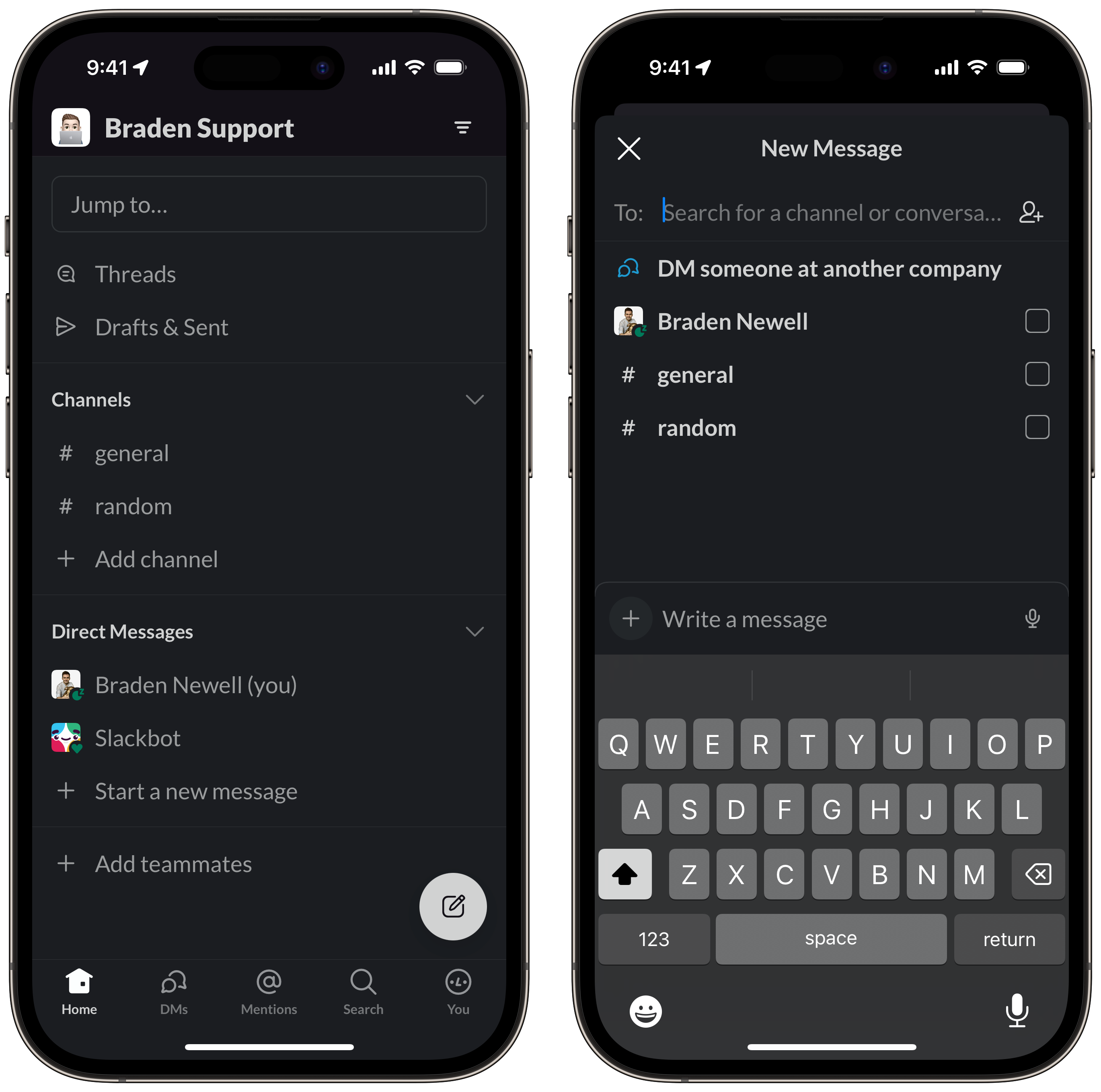
If you’ve heard of Slack at all, it’s likely because a company you currently or previously worked for uses it as an internal instant messaging platform. What a lot of people may not know is that anyone can set up a free Slack instance and have others join to communicate. Personally, I created two Slack instances, one for my university group projects and another for some small business client work. Another great use is for clubs and volunteer groups.

You might be thinking, why not just use a “normal” instant messaging platform? Well, first, Slack allows you to set separate do not disturb settings enabling you to create a barrier between your personal life and other activities. Second, Slack allows for emoji reactions, file uploads, pinned files, and user profiles. Slack is cross-platform and is downloadable for free, with professional paid plans offering additional features.

Carrot Weather
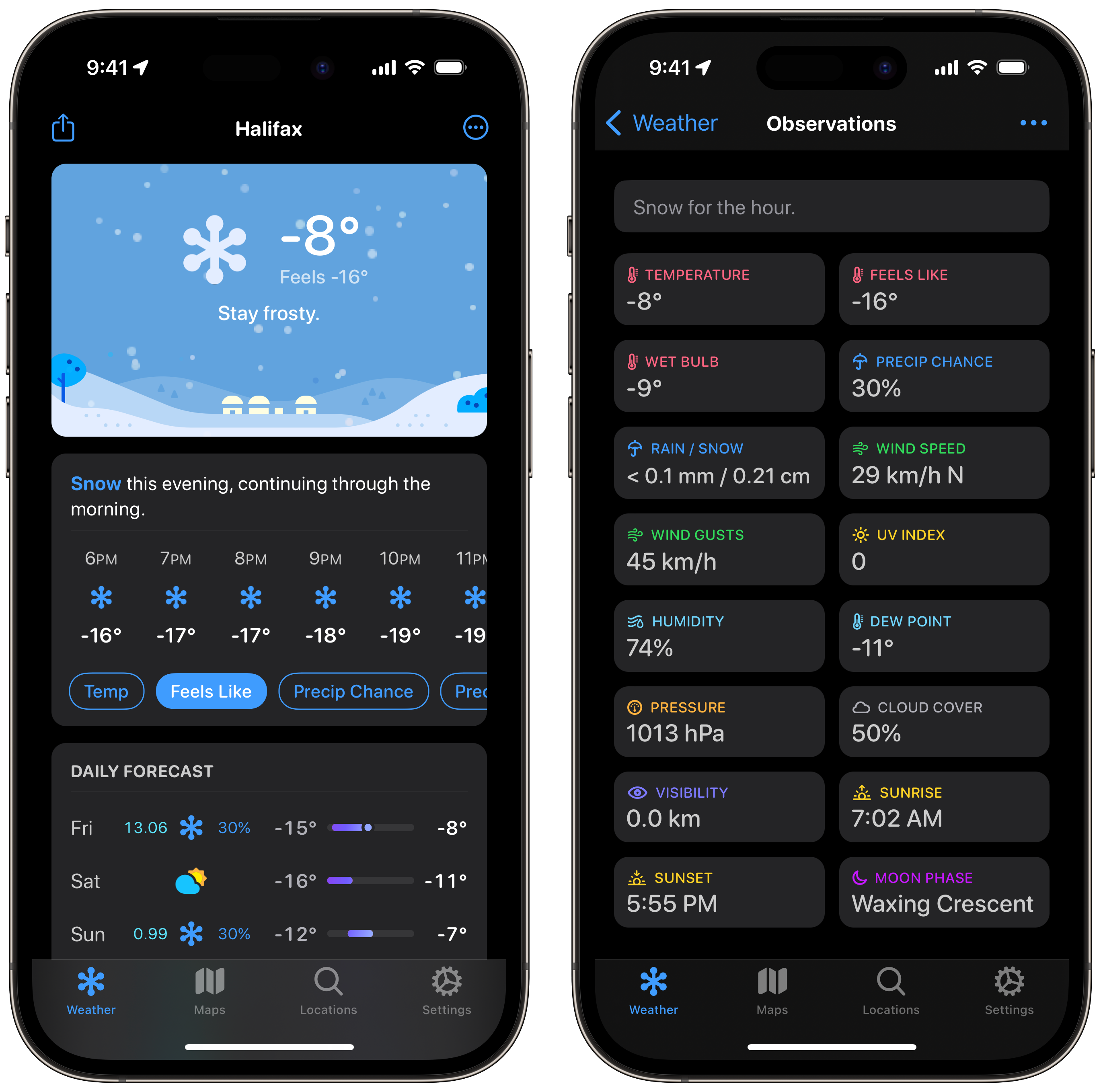
Have you ever wanted a sassy weather app? You probably never thought about it. But once you download one, you’ll probably love it. Carrot weather is a powerful yet hilarious weather app. Carrot weather features adjustable snarky remarks while delivering hyper-accurate weather. The app is fully featured, including Widgets, Apple Watch complications, and a beautiful UI. However, my favourite features are setting the temperate to display “feels like” instead of the actual temperature and selecting Weather Canada as the weather data source.

CarrotWeather is a subscription service starting at $6.49 per month or $26.49 per year for the Premium tier, $13.49 per month or $52.99 per year for Premium Ultra, and $19.99 per month or $79.99 per year for the family tier.

Credit Karma
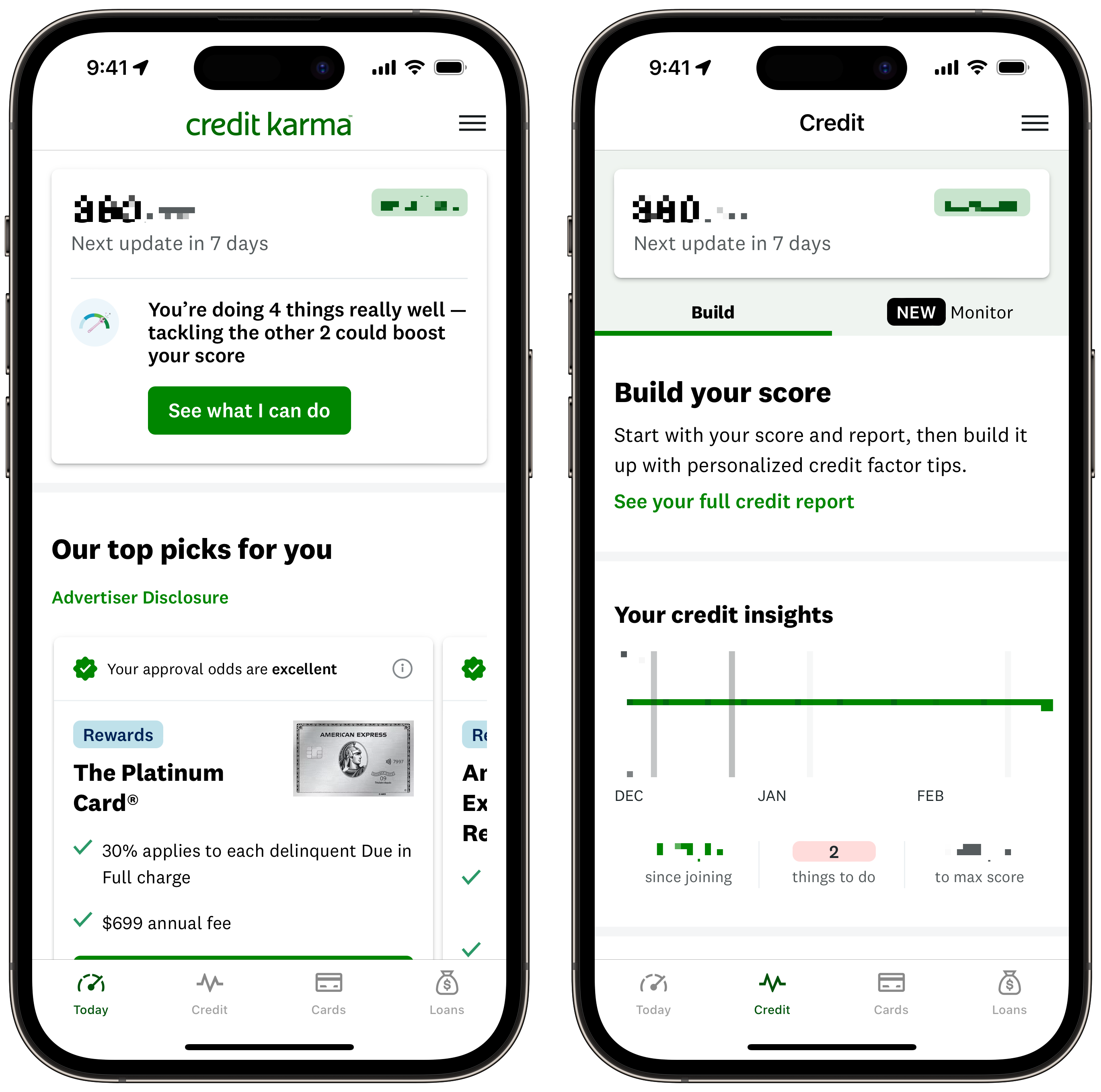
Understanding your credit score can be really daunting. One of the many perks of technology entering the financial space is more accessible access to your financial data. One of those areas is your credit score. Credit Karma is a simple, well-designed app that shows your credit score from TransUnion. Credit Karma features passcode protection, credit monitoring, and feedback to help improve your credit.

Credit Karma is free to download and is supported by providing you with tailored credit card, loan, and mortgage offers. If you’re interested in also getting insight into your credit score from Equifax, download Borrowell. Borrowell is nowhere near as well-designed or as feature-rich as Credit Karma. Still, it’s another free resource to help you gain insight into your financial health.

CANImmunize
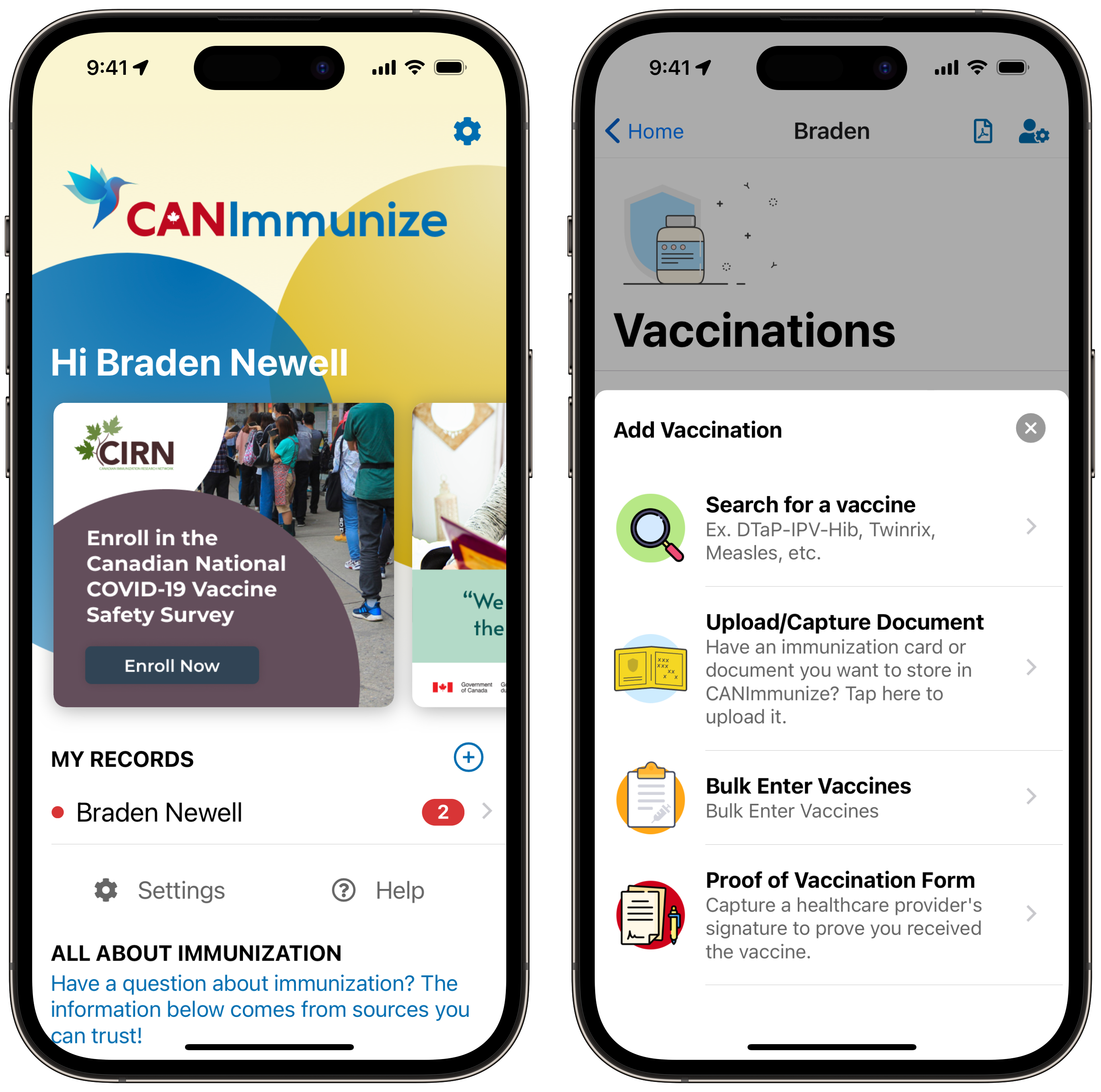
Just as your financial health is important, so is your physical health. Healthcare is another industry being dramatically improved with technology by granting people more accessible access to their data. CANImmunize is a Canadian-based company that makes it easy for users to track their immunizations.

Users can manually enter their previous immunizations and be alerted when they’re due for new ones. CANImmunize makes it much easier to have a complete immunization conversation with your doctor by having all your immunizations in one place! CANImmunize is available for free.

Reeder
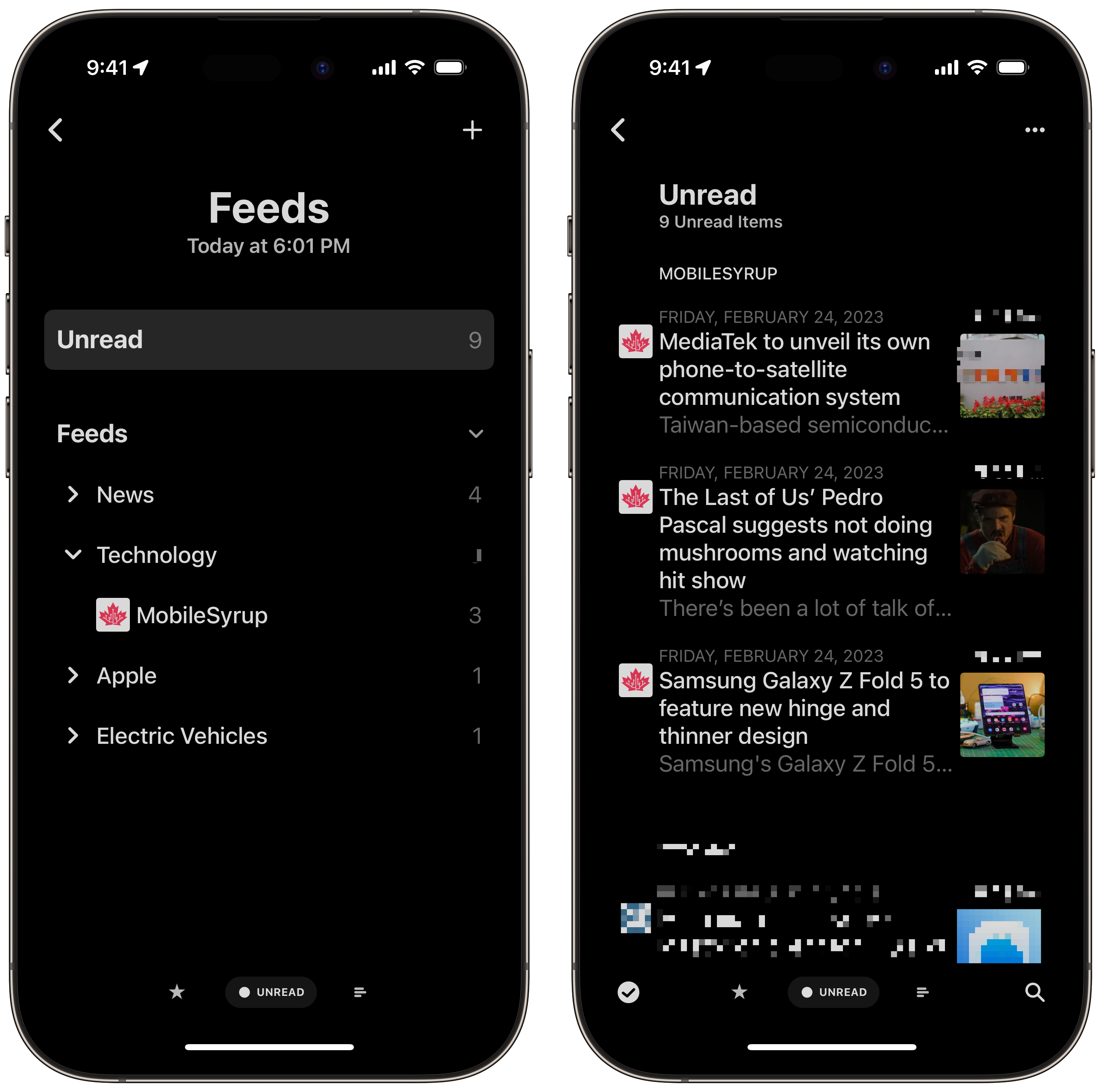
Are you tired of the chaos that is Twitter? Maybe you’re like me and are frustrated with the state of social media in general. Well, an RSS reader may be an acceptable alternative for you. Personally, I have always used Twitter as a news aggregator. I stayed off of other social media platforms to avoid unhinged comments. However, once Twitter axed support for third-party clients, I wanted to find a way to leave the platform but still get all the news I was after.

Enter Reeder. Reeder is a beautiful RSS reader that you can download for a single purchase of $6.99. Once downloaded, add the URLs to your favourite news sites and blogs, including MobileSyrup, of course. Reeder features a wide range of customizations and is also available on iPadOS and macOS with full iCloud syncing. However, the macOS app is an additional purchase in the Mac App Store.

Watch app for Tesla
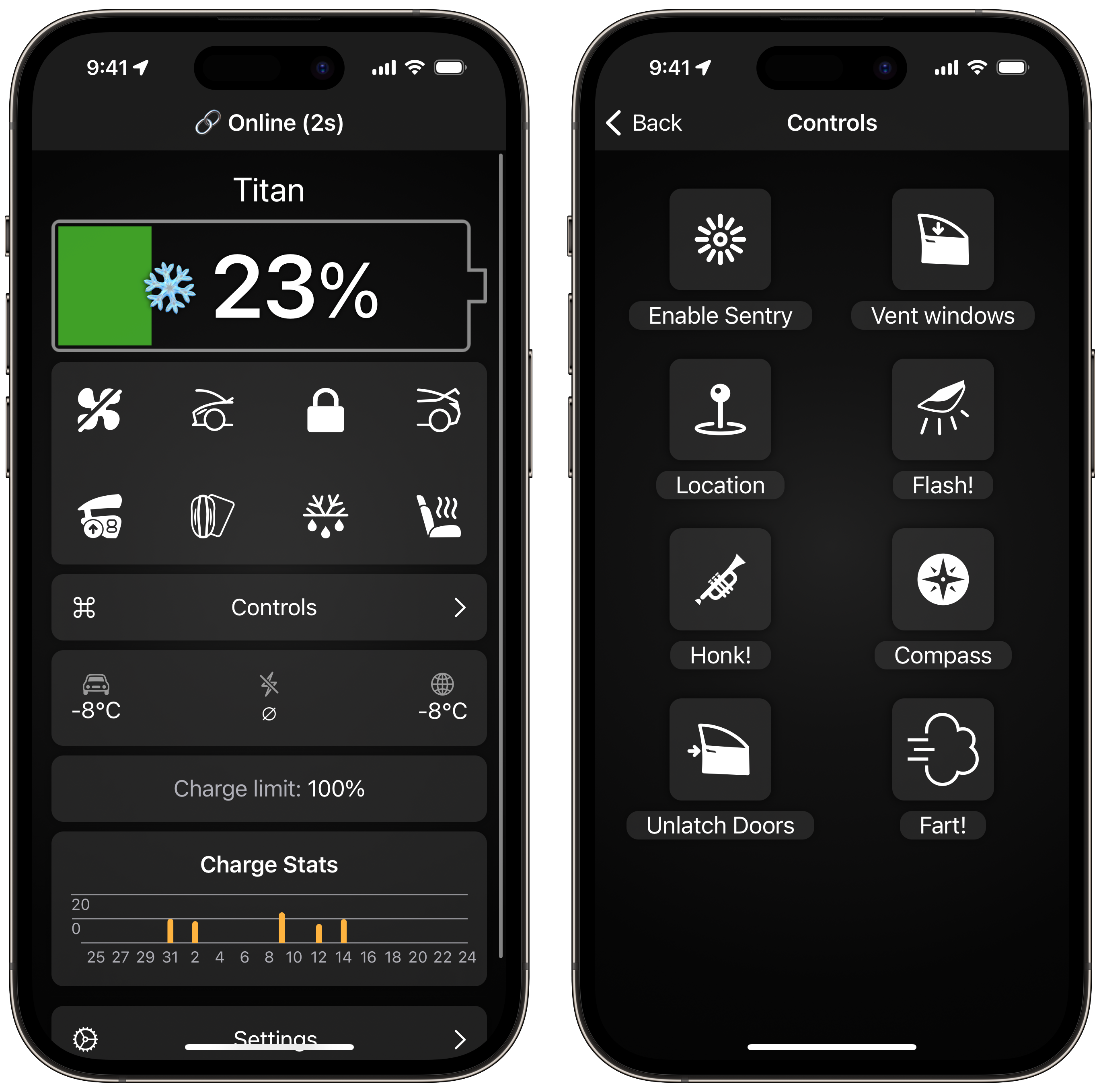
Admittedly, the Watch app for Tesla is, by far, the most niche app on this list. After all, you must be a Tesla driver to get any use out of it. However, as a Tesla driver, this app has been fantastic for expanding the functionality of my car. What the app lacks in an intuitive user interface makes up for in functionality.

The watch app for Tesla has wide-ranging support for Siri Shortcuts and allows you to use your Apple Watch as your car key. Watch app for Tesla is a one-time purchase of $27.99 and is developed by indie developer Kim Hansen.

Categories
Mobile Syrup

Anker charging accessories are up to 31 percent off

Anker is back again with another round of impressive discounts on its accessories. If you’re looking for hot deals, check these out below Amazon Canada below:

MobileSyrup utilizes affiliate partnerships. These partnerships do not influence our editorial content, though we may earn a commission on purchases made via these links that helps fund the journalism provided free on our website.

Source: Amazon Canada

Categories
Mobile Syrup

Here’s what to stream if you cancelled Netflix in March

Each month MobileSyrup does separate rundowns of what’s coming to streaming services. We also so a curated guide of the hottest shows and movies coming to streaming services each week.

However, if you don’t want to go through each and every one of our links, here is your television guide-like list of everything coming to Crave, Prime Video, Paramount Plus and Disney Plus this month.

If you want a more curated list, check out our weekly roundups here.

A Disney+ subscription costs $11.99/month or $119.99/year in Canada. While a Paramount Plus subscription costs $9.99 CAD/month.  Crave subscriptions start at $9.99/month for a Mobile plan, including HBO content access. A $5.99 Starz add-on is also available.

In this article, we didn’t separate Starz from other Crave content, so it’s worth noting some of the content will cost an extra $5.99. A Prime Video subscription costs $8.25 per month, and lastly,

Netflix is still on this list, for those who are still on it for the month. Netflix starts at $5.99, but plans increase depending on whether you want multiple viewers, ad-free, and 4K content.

March 1st

  • Monster Family — Crave
  • Women’s History Month Collections — Made By Women, Leading Women, Bechdel Test Approved, Funny Women, Biopics, Celebrating Pride, Docs, Gal Pals, Women in Music, Women in Sport, Oscar-Winning, Emerging Voices, and Women Who Kick Butt — Crave
  • Call It Love: Season 1 (New Episodes) — Disney+
  • Wild Crime: Season 2 (All Episodes Available) — Disney+
  • Wu-Tang: An American Saga: Season 3 (New Episode) — Disney+
  • Still Missing Morgan: Season 1 (All Episodes Available) — Disney+
  • Virgin: The Series: Season 1 (All Episodes Available) — Disney+
  • Star Wars: The Bad Batch: Season 2 (New Episode) — Disney+
  • Cheat — Netflix 
  • Tonight You’re Sleeping with Me — Netflix 
  • Wrong Side of the Tracks: Season 2 — Netflix 
  • Baby Mama — Netflix 
  • Couples Retreat — Netflix 
  • Fakes: Season 1 — Netflix 
  • Gran Torino — Netflix 
  • Hunt — Netflix 
  • The Intern — Netflix 
  • Léon: The Professional — Netflix 
  • Little Angel: Volume 2 — Netflix 
  • Men in Black — Netflix 
  • Men in Black II — Netflix 
  • Omertà — Netflix 
  • Promising Young Woman — Netflix 
  • Sense and Sensibility — Netflix 
  • Stepmom — Netflix 
  • The Threesome — Netflix 
  • When We Were Boys — Netflix 

March 2nd

  • Framed! A Sicilian Murder Mystery: Season 2 — Netflix 
  • Karate Sheep — Netflix 
  • Masameer County: Season 2 — Netflix 
  • Monique Olivier: Accessory to Evil — Netflix 
  • Sex/Life: Season 2 — Netflix 
  • Space Jam: A New Legacy — Netflix 

March 3rd

  • Barbarian — Crave
  • Bombshell — Crave
  • 8 Mile — Crave
  • Magic Mike XXL — Crave
  • Moulin Roug — Crave
  • Pulp Fiction — Crave
  • Stay The Night — Crave
  • W. — Crave
  • Walk the Line — Crave
  • Wipeout: Season 2A — Episodes 1-5 — Crave
  • Finding Michael (documentary) — Disney+
  • Soul of a Nation Presents: Black in Vegas — Disney+
  • Yilbasi Gecesi (New Year’s Eve) — Disney+
  • Schoolhouse Rock! 50th Anniversary Singalong — Disney+
  • Darienne Lake: Altered Boy — Paramount+ Original — Paramount Plus 
  • Special Forces: World’s Toughest Test: Season 1 — Paramount Plus 
  • The Friendship Game — Paramount Plus 
  • Transformers: Earthspark: new episodes — Paramount Plus 
  • Daisy Jones & Six — Prime Video
  • I Got a Monster — Prime Video
  • Coach Prime — Prime Video
  • Luden: Season 1 — Prime Video
  • Federico Chiesa Back on Track — Prime Video
  • Love at First Kiss — Netflix 
  • Next in Fashion: Season 2 — Netflix 
  • Split the Root– Netflix 

March 4th

  • Will: Season 1 — Crave
  • Tokyo Revengers: Season 2 (New Episode) — Disney+
  • Unreal: Seasons 1-4 — Prime Video
  • Chris Rock: Selective Outrage– Netflix 
  • Divorce Attorney Shin– Netflix 

March 5th

  • Bob’s Burgers: :Season 13 (New Episode) — Disney+
  • The Simpsons: Season 34 (New Episode) — Disney+
  • The Great North: Season 3 (New Episode) — Disney+

March 6th

  • Perry Mason (Season 2) — Crave
  • Rain Dogs — Crave
  • History of the World Part II (series) — Disney+
  • Tad, The Lost Explorer and the Emerald Table — Paramount Plus t
  • The Visitor — Paramount Plus 
  • Ridley Jones: Season 5 — Netflix 

March 7th

  • How I Met Your Father: Season 2 (New Episode) — Disney+
  • History of the World Part II (New Episodes) — Disney+
  • Across The Line — Paramount Plus 
  • Collette — Paramount Plus 
  • Lucky — Paramount Plus 
  • Paw Patrol: new episodes — Paramount Plus 
  • Second Act — Paramount Plus 
  • Good Will Hunting– Netflix 

March 8th

  • Disobey (Desobeir: Le Choix De Chantale Daigle) — Crave
  • Call It Love S1 (New Episodes) — Disney+
  • History of the World Part II (New Episodes) — Disney+
  • Grails: When Sneakers Change the Game: Season 1 (All Episodes Available) — Disney+
  • El Grito De Las Mariposas (The Cry of the Butterflies): Season 1 (All Episodes Available) — Disney+
  • The Mandalorian: Season 3 (New Episode) — Disney+
  • MPower (series) — Disney+
  • Surivivor: new episodes weekly — Paramount Plus 
  • The Challenge: World Championship: new episodes weekly — Paramount Plus 
  • Faraway — Netflix 
  • MH370: The Plane That Disappeared — Netflix 
  • Scream — Netflix 

March 9th

  • History of the World Part II (New Episodes) — Disney+
  • School Spirits: series starts with three episodes, then weekly — Paramount Plus 
  • Hugh Van Cuylenburg: G.E.M — Prime Video
  • You: Season 4 Part 2 — Netflix 

March 10th

  • Casablanca — Crave
  • Crisis — Starz — Crave
  • Erin Brockovich — Crave
  • The Girl on the Train — Crave
  • Hot Seat — Crave
  • Love at First Lie: Who’s a Couple and Who’s a Con? — Crave
  • Striptease — Crave
  • The Wizard of Oz — Crave
  • Chang Can Dunk (film) — Disney+
  • Killer Under the Bed — Disney+
  • UnPrisoned S1 (All Episodes Available) — Disney+
  • Bursa Bulbulu (The Nightingale of Bursa) — Disney+
  • Bebe Zahara Benet: Africa Is Not A Country –Paramount+ Original — Paramount Plus 
  • The Forgiven — Paramount Plus 
  • John Wick: Chapter 2– Prime Video
  • Meanwhile in the Kitchen (Exclusive Content) — Prime Video
  • John Wick — Prime Video
  • My Girlfriend’s Father — Prime Video
  • The Glory Part 2 — Netflix 
  • Have a nice day! — Netflix 
  • Luther: The Fallen Sun — Netflix 
  • Outlast– Netflix 
  • Rana Naidu — Netflix 

March 11th

  • Geronimo Stilton: Seasons 1,2 — Crave
  • Six: Seasons 1-2 — Prime Video

March 14th

  • The Journey with Andrea Bocelli — Paramount Plus 
  • Escape At Dannemora — Paramount Plus 
  • Every Day — Paramount Plus 
  • From the Vine — Paramount Plus 
  • Sleeping Giant — Paramount Plus 
  • The Patrick Star Show — Paramount Plus 
  • 17 Again — Netflix 
  • Ariyoshi Assists — Netflix 
  • Bert Kreischer: Razzle Dazlzle — Netflix 

March 15th

  • Turning the Tables With Robin Roberts: Season 2 — Disney+
  • My Family S1 (New Episode) — Disney+
  • Wedding Agreement the Series: Season 1 (All Episodes Available) — Disney+
  • Where is Private Dulaney?: Season 1 (All Episodes Available) — Disney+
  • Doogie Howser, M.D.: Seasons 1- 4 (All Episodes Available) — Disney+
  • Happy Endings — Prime Video
  • Adrift — Netflix 
  • File 13 — Netflix 
  • I, Tonya — Netflix 
  • The Law of the Jungle — Netflix 
  • Mommy– Netflix 
  • Money Shot: The Pornhub Story — Netflix 
  • Splice– Netflix 

March 16th

  • Class of ’07 — Prime Video
  • Angel Flight (Exclusive Content) — Prime Video
  • Interstellar — Netflix 
  • Shadow and Bone: Season 2 — Netflix 
  • Still Time — Netflix 

March 17th

  • Dangerous Liaisons (1988) — Crave
  • A Dolphin Tale — Crave
  • Just For Laughs 2022: The Gala Specials — Chelsea Handler — Crave
  • The Mauritanian — Crave
  • Power Book II: Ghost: Season 3 — Starz — Crave
  • See How They Run — Crave
  • Spider-Man — Crave
  • Spider-Man 2 — Crave
  • Spider-Man 3 — Crave
  • The Amazing Spider-Man — Crave
  • The Amazing Spider-Man 2 — Crave
  • Spider-Man: Homecoming — Crave
  • Bono and the Edge: A Sort of Homecoming With Dave Letterman (documentary) — Disney+
  • Boston Strangler (film) — Disney+
  • Swarm — Prime Video
  • Last Light (Exclusive Content) — Prime Video
  • Dom: Season 2 — Prime Video
  • Detective Knight: Independence — Prime Video
  • The Nigerian Trade — Prime Video
  • Dance 100 — Netflix 
  • In His Shadow — Netflix 
  • Maestro in Blue– Netflix 
  • The Magician’s Elephant — Netflix 
  • Noise — Netflix 
  • Sky High: The Series– Netflix 

March 18th

  • The Adventures of Little Penguin: Season 1 — Crave
  • There’s Something Wrong With The Children — Paramount Plus 

March 20th

  • Gabby’s Dollhouse: Season 7 — Netflix 

March 21st

  • Still I Sing — Crave
  • Bitch Ass — Paramount Plus 
  • Blades of Glory — Paramount Plus
  • Blue’s Clues & You — Paramount Plus 
  • Breakfast At Tifanny’s — Paramount Plus 
  • Clara — Paramount Plus 
  • Swiss Army Man — Paramount Plus 
  • The Neon Demon — Paramount Plus 
  • Through Black Spruce — Paramount Plus 
  • We Lost our Human– Netflix 

March 22nd

  • Grown-ish Season 5 (All Episodes Available) — Disney+
  • Car SOS: Seasons 8-10 (All Episodes Available) — Disney+
  • Invisible City: Season 2 — Netflix 
  • Jackass Forever — Netflix 
  • The Kingdom: Season 2 — Netflix 
  • Waco: American Apocalypse — Netflix 

March 23rd

  • Johnny — Netflix 
  • The Night Agent — Netflix 
  • The Suicide Squad — Netflix 

March 24th

  • Clerks III — Crave
  • Delia’s Gone — Crave
  • The Lost Boys — Crave
  • Warrior (2011) — Crave
  • Yellowjackets: Season 2 — Crave
  • Up Here (series) — Disney+
  • Flint — Disney+
  • Perfect Addiction — Prime Video
  • Bed Rest — Prime Video
  • The Pez Outlaw — Prime Video
  • Minuit, Le Soir: Seasons 1-3 — Prime Video
  • Dave Hughes: Ridiculous — Prime Video
  • Reggie — Prime Video
  • Atomic Blonde — Netflix 
  • Chor Nikal Ke Bhaga — Netflix /li>
  • Love is Blind: Season 4 — Netflix 

March 25th

  • Rabbit Hole — Paramount Plus 
  • ONEFC: One Fight Night 8: Bhullar vs Malykhin — Prime Video

March 26th

  • Succession: Season 4 — Crave

March 27th

  • Selfish — Prime Video
  • My Little Pony: Tell Your Tale: Season 1 — Netflix 

March 28th

  • Daddy’s Home — Paramount Plus 
  • Empire State — Paramount Plus 
  • Gotti — Paramount Plus 
  • Winnie Mandela — Paramount Plus 
  • Young Dylan — Paramount Plus 
  • InuYasha: Seasons 4-5 — Netflix 
  • Mae Martin: SAP — Netflix 

March 29th

  • Chibiverse — Disney+
  • Minnie’s Bow-Toons: Party Palace Pals: Season 2 (All Episodes Available)
  • My Family: Season 1 (New Episode) — Disney+
  • O Rei Da TV (The King of TV): Seasons 1-2 (All Episodes Available) — Disney+
  • American Renegades — Prime Video
  • Emergency: NYC — Netflix 
  • Unseen — Netflix 
  • Wellmania — Netflix 

March 30th

  • Rap Caviar Presents: Season 1 (All Episodes Available) — Disney+
  • Big Mäck: Gangsters and Gold — Netflix 
  • From Me to You: Kimi ni Todoke — Netflix 
  • Pulp Fiction — Netflix 
  • Riverdale: Season 7 — Netflix 
  • Unstable — Netflix 

March 31st

  • The Courier — Crave
  • Elliot the Littlest Reindeer — Crave
  • Firebird — Crave
  • Guest of Honour — Crave
  • Last of the Giants: Season 2 — Crave
  • Monster’s Ball — Crave
  • Popstar: Never Stop Never Stopping — Crave
  • Doogie Kamealoha, M.D.: S2 — Disney+
  • Prom Pact — Disney+
  • Rye Lane — Disney+
  • Monet X Change: Fist of Glory — Paramount+ Original — Paramount Plus 
  • Queen of the Universe — Paramount Plus 
  • The Power: Season 1 — Prime Video
  • Copycat Killer — Netflix 
  • Kill Boksoon — Netflix 
  • Love is Blind: Season 4 — Netflix 
  • Murder Mystery 2 — Netflix 
Categories
Mobile Syrup

Like a Dragon: Ishin! connected my love of Kyoto with a grand, emotional samurai story

Over three years ago, my friends (including MobileSyrup gaming editor Brad Shankar) and I visited Japan for the first time. Over the duration of nine days, we travelled to the busy izakayas in Tokyo, the spiritual streets of Kyoto and the vibrant Blade Runner-esque, neon-light-filled Osaka.

I was left awestruck by the country, and as soon as I returned to Canada, I was eager to go back to Japan. My trip left a lasting imprint on me and reaffirmed my desire to teach English there, with my ideal location being Kyoto.

However, the world changed shortly after returning home (can you believe that the COVID-19 pandemic started three years ago?), and so did the trajectory of my life. Suddenly, travelling to Japan seemed lightyears away and the itch to experience even a little bit more of the country grew stronger.



Then, I discovered Ryu Ga Gotoku Studio’s Yakuza 0.

What I thought would be a welcome distraction quickly became one of my favourite games of all-time. Though the gameplay is a simple 3D beat-em-up, I loved how it balanced wacky humour with deeply serious and emotional moments. It also cleverly combined the setting of Japan’s fascinating bubble economy with its gameplay, using huge stacks of cash to upgrade your move-set.

What added to my Yakuza 0 Japan trip simulation was the insane amount of mini-games that you can play, from disco dancing and karaoke to classic arcade games and billiards. At a time when I felt that big open-world games were starting to become more tiresome to play, having a smaller but vastly dense sandbox area was refreshing.

After my Yakuza 0 playthrough, I was hooked, finishing Kiwami and Kiwami 2 in quick succession, along with going back to revisit the minigames. Though I ended up taking a break from the series, I felt drawn back after seeing the announcement for Like a Dragon: Ishin!

Like a Dragon: Ishin! is a remastered version of the Japan exclusive of the same name, handled similarly to the Kiwami games, including graphical improvements and added content. It’s considered a spin-off, featuring the same characters from previous Yakuza titles (this time including beloved characters from Yakuza 0) but with different backstories and personalities.

Even though we’ve gotten more Edo-based samurai games recently, such as Sekiro: Shadows Die Twice and Ghost of Tsushima, Like a Dragon: Ishin! was more enticing because of the distinct charm that Ryu Ga Gotoku Studio adds to its games.

That said, Ishin! excels in its narrative and gameplay, though with a few shortcomings.

The undercover samurai in modern-day Kyoto

The story involves Ryoma Sakamoto (resemblance based on Yakuza hero Kiryu Kazama), a lone samurai coming back to his hometown Tosa after his sword training in Edo. In a span of a few hours, Ryoma becomes embroiled in a political civil war conflict between the Bakufu, the current authoritarian military government, and the Loyalist Party, a group dedicated to the Emperor with plans to overthrow the government. After a series of events, Ryoma ostracizes himself from Tosa to pursue his own investigation in the city of Kyo (modern-day Kyoto) with an undercover name.

This leads to an interesting dynamic in the story, as his sworn brother is the leader of the Loyalist Party while he becomes a high-ranking captain in Bakufu’s elite samurai army, the Shinsengumi. Without going into spoilers, I found the story to be quite interesting, especially compared to the more crime-focused Yakuza counterpart.

Like a Dragon: Ishin! crowd

However, while you get more out of the game if you played the past Yakuza titles, it also spoils a bit of the plot because some characters follow the same fate. This was quite apparent at the start of the game with Ryoma’s reasoning for leaving Tosa in the first place. Thankfully, the predictability does fade after you get into the real meat of the story, and despite this issue, the inclusion of the Yakuza 0 characters was fantastic, especially in regards to the boss fights.

Ryoma Sakamoto’s bizarre adventures

For a Yakuza/Like a Dragon title, sub-stories are just as important as the story, and Ishin! has some great ones.

From helping out a good-hearted loan shark to aiding a person who’s being ignored for talking literally all day, these side-quests provide lots of humour to keep players engrossed in Kyo.

There is also a lot to do in the city, and at times, it feels overwhelming when you’re trying to progress through the main story. Whether it’s the dozens of people that you can befriend or the countless mini-games, it can be a detriment because your progression is constantly interrupted (though you’re free to just ignore it).


On top of all this is ‘Another Life,’ a farming simulator where Ryoma can grow produce, cook food, own pets and sell various goods. It doesn’t help that despite the great narrative, Ishin!‘s pacing can be quite slow at times. If you’re trying to breeze past the story, you may find that there’s a lack of action set-pieces, especially if you’re a newer fan who started off with Yakuza 0.

Saying all of that, the advice that I have for playing this game will sound bizarre. If you have the time (which, as an adult, feels shorter as you get older), my recommendation would be to play the game at your own pace and not speed through the story. Complete the sub-stories you want, develop the farming business you desire and embrace Kyo’s wackiness and chaos without any constraints. You’ll get a more enhanced experience that way.

The art of the sword… and revolver

Like most of the Yakuza games before the switch to a traditional RPG system, Like a Dragon: Ishin! is a 3D beat-em-up where you use different battle styles to defeat multiple enemies.

There are four combat styles to choose between:

  • Brawler — the traditional battle style from previous Yakuza games where you fight with your fists or can pick up nearby objects to smack the living hell out of enemies
  • Swordsman — use your katana for highly damaging strikes at the cost of range and mobility
  • Gunman — prioritize a revolver to shoot enemies from afar with ease
  • Wild Dancer — uses both swords and revolvers to perform chaotic combos

Like a Dragon: Ishin! combat

Wild Dancer is especially devastating, as you can perform combos to a single enemy or use a spinning gun attack to blow away multiple people at once.

However, a new addition to the combat with this remaster are the Trooper Cards, which act like special moves that you can manually control or perform automatically. In the original game, you can only use Trooper Cards in the dungeon-crawler minigame, but now, they’re usable in regular gameplay.

It’s a bit similar to the deck system in Kingdom Hearts Re: Chain of Memories, where specific cards can perform combat moves, buffs, or healing. You can also assign three cards to each battle system, meaning you can have a deck of 12 catered to a specific play style. The Trooper Cards are great to use and add a bit more strategy to boss battles, specifically. However, it’s, thankfully, not complex compared to an RPG system, so you won’t constantly be shifting cards around for specific battles once you have a comfortable loadout.

Reliving Kyo through emotional connections

If Yakuza 0 was used to recreate my trip to Tokyo and Osaka, Like a Dragon Ishin! was my way of experiencing historic Kyoto and reminiscing over my own emotional connections to the city.

Thanks to the new graphical uplift, Ishin! looks really beautiful, especially at night when you can see the lanterns lit up near the river and towns. It’s by no means groundbreaking compared to current-gen games, but for someone who has an interest in Kyoto, it’s a great way to bring the Edo-period prefecture to light.

Like a Dragon: Ishin! town

This setting enhances the game, distancing itself from the urban locations of previous Yakuza games while offering a fresh sense of discovery. Personally speaking, it’s a dream combination of my favourite place in Japan with my interest in ancient history. Because of this, I’ll always connect my emotional experience of Kyoto to this game, which will encourage replayability because of the sheer amount of content and my own sentiments on the prefecture.

Overall, Like a Dragon: Ishin! is a great remaster that should be on your radar whether you’re a Yakuza fan or new to the series. It’s both familiar and distinct, allowing players to familiarize themselves with the series without knowledge of the past Yakuza games. Furthermore, it allowed me to reminisce about my first trip to Kyoto because of my ties to the area.

For that, Like a Dragon: Ishin! delivered an experience that was priceless to me, and as I revisit Japan later this year, it will be a game that I remember as I walk through the streets of Kyoto again.

Like a Dragon: Ishin! is available on the PlayStation 4, PlayStation 5, Xbox One, Xbox Series X/S, and PC via Steam.

Image credit: Sega

Categories
Mobile Syrup

Musk fires Twitter Blue head Esther Crawford, promises rewards for those who remain

Esther Crawford was responsible for various projects at Twitter after Elon Musk took over the company. But under Musk’s rule, no one is safe.

According to Zoë Schiffer, the managing editor at Platformer, Crawford lost her job at the company over the weekend. She was responsible for Twitter Blue and, as The Verge reports, oversaw the platform’s upcoming payments platform.

The publication also reports that other members of the product team were also let go, and there’s speculation Musk is getting ready to hire an entirely new team. Schiffer tweeted the latest round of layoffs impacted roughly 50 employees and follow several dismissals from a week prior.

Martijn de Kuijper, a senior product manager and founder of Revue, is among those laid off. Revue is a newsletter tool Twitter acquired in 2021.

More recently, Musk has reportedly announced the company will give remaining employees “performance-based stock and compensation awards,” Schiffer tweeted.

“He acknowledged that the recent round of layoffs were difficult and said Twitter employees who are still at the company are highly regarded by those around them.”

Source: @ZoëSchiffer Via: The Verge 

Categories
Mobile Syrup

Dashlane passkeys support coming to Android this year

Subscription-based password manager Dashlane will soon allow Android users to manage their passkeys.

As announced on Twitter, the Dashlane Android application will allow users to log in to their accounts using passkeys starting later this year.

Passkeys aim to eliminate the need for a primary password that’s used to log into all your online services, making browsing activities more secure on phones and tablets. Passkeys are generally end-to-end encrypted and allow the user to log in to a website or app without having to enter their credentials.

It’s worth noting that the passkeys feature is already available on Dashlane’s web browser extension. Later this year, the feature will be extended to the Android app.

The move by Dashlane comes as other password managers and login facilitators are also adopting passkeys as a more secure and convenient way to authenticate users. Toronto-based 1Password has announced plans to roll out passkey support by summer this year. Similarly, Apple integrated passkeys last year, and they are securely synced across all Apple devices, including your Mac, iPhone, iPad and Apple TV, and even work across platforms.

Image credit: Shutterstock

Source: @dashlane Via: AndroidPolice

Categories
Mobile Syrup

Nine new features are heading to Android and Wear OS

Google is releasing new features for Android users ahead of the March Pixel Feature Drop.

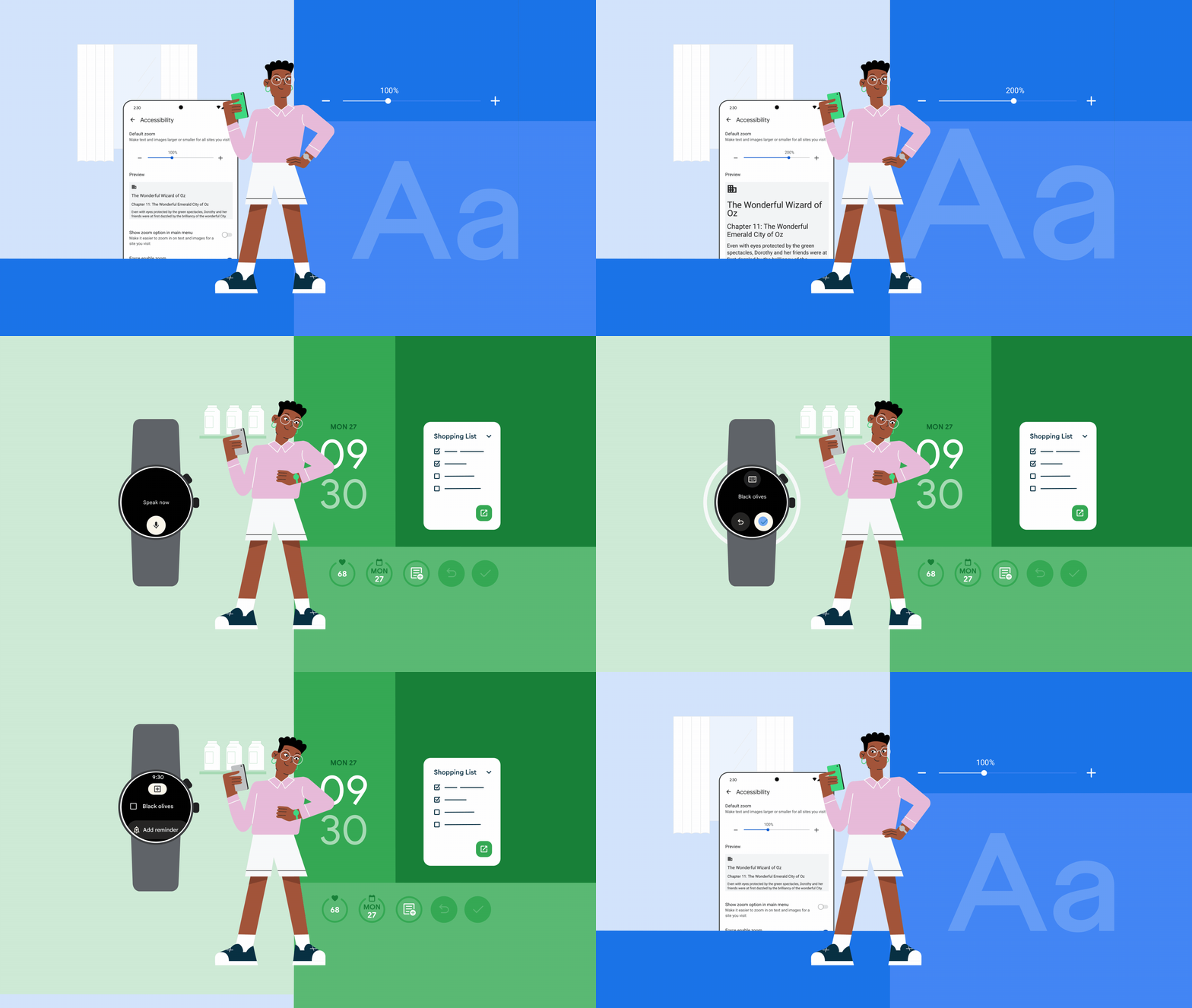
Starting soon, the Google Keep single note widget will help you manage check off to-do lists from your Home screen. This widget shows reminders, background colours and images added to notes from the Keep app and sync with your smartphone.

Using the Keep widget on an Android Home screen to check off a shopping list.

Google Keep is also introducing two new shortcuts for Wear OS that can help you create notes and to-do lists with a simple tap on your watch face. You can use a stylus or simply touch the screen to annotate PDFs in the Google Drive app for Android.

Google Keep now announces noise cancellation during calls on more Android mobile devices. Another feature coming is Fast Pair, which can connect new Bluetooth headphones to your Chromeback with just one tap.

Using Fast Pair to quickly connect new wireless earbuds.

There are new emoji combinations in the Emoji Kitchen, which you can mash up in Gboard. Additionally, new tap to pay animations on Google Wallet are coming next week.

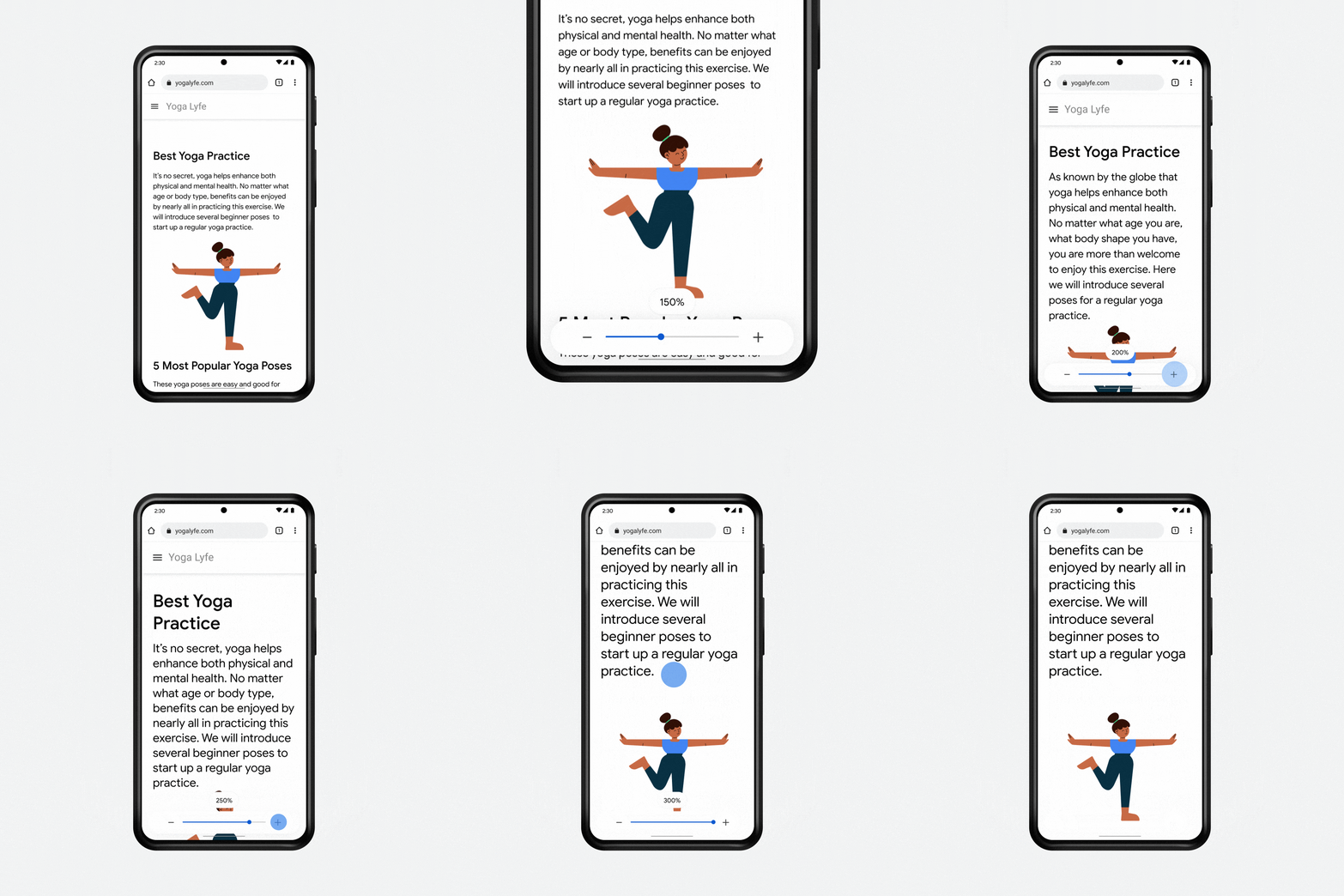
You can now increase the size of content on Chrome, including text, images, video and interactive controls, by up to 300 percent. You can do this within Chrome Beta via Settings Accesibility before it rolls out in March.

Using Page zoom on Chrome to double the size of text on a web page on Android.

Wear OS 3+ will showcase two new sound and display modes to help with watch accessbility. Mono-audio can help with disorientation that can be caused by split-audio, and colour correction/grayscape mode can help with the watch’s display. For all of the changes coming to Wear OS, follow this link.

Image Credit: Google

Source: Google

Categories
Mobile Syrup

‘Take It Down’ is allowing people to remove explicit online images

Meta is co-funding a new tool that will allow people to remove explicit content of themselves from the internet.

The National Center for Missing and Exploited Children operates ‘Take It Down,’ allowing people to remove explicit online content, taken before they were 18, anonymously.

As The Associated Press reports, the tool lets users create a digital fingerprint (also known as a hash) of the content they want taken down, which then goes into a database that lets participating companies remove images and videos from their platforms.

Only a couple of platforms are currently part of the program, including Facebook, Instagram, Yubo, OnlyFand and Pornhub. “If the image is on another site, or if it is sent in an encrypted platform such as WhatsApp, it will not be taken down,” the publication reports.

Twitter and TikTok have yet to sign on, says The Associated Press.

The tool works with real, AI generated images, and deepfakes. However, altered images that, for instance, are cropped are considered a new image and need a separate hash.

Image credit: NCMEC YouTube/screenshot

Source: NCMEC Via: The Associated Press