Categories
Mobile Syrup

OnePlus took a page from Samsung’s playbook for rumoured foldable names

OnePlus appears to have taken a page out of Samsung’s playbook when picking names for its upcoming foldable devices.

The company reportedly trademarked the names ‘OnePlus V Fold’ and ‘OnePlus V Flip’ in China, as shared by Mukul Sharma on Twitter (via Android Police).

Along with the names, Sharma said that OnePlus had begun internal testing of at least one of the devices in several regions, including Europe.

These names are very similar to Samsung’s Galaxy Z Fold and Z Flip, which are now on their fourth iteration, with rumours about the fifth already circulating.

Assuming OnePlus took inspiration from more than just Samsung’s names, the two devices in question here will likely be a handset that folds out into a tablet-size devices (the V Fold) and a handset that flips open into a smartphone-size device (the V Flip). Moreover, the ‘V’ arguably better represents how these devices fold than Samsung’s ‘Z.’

Anyway, it’s worth keeping in mind that these are rumours and, even if OnePlus did trademark the names, it doesn’t mean the company will launch foldables anytime soon. Companies have a tendency the nab trademarks and patents for things even if there aren’t immediate plans to make those products.

And, as Android Police pointed out, OnePlus CEO Pete Lau previously said foldables had too many shortcomings. Of course, Lau could have had a change of heart since then (and OnePlus did tease images of a hinge last year).

Rumours aside, the next big device coming from OnePlus will be the OnePlus 11, set to launch at a February 7th event.

Source: @stufflistings Via: Android Police

Categories
Mobile Syrup

Staples Canada signs on to exclusively sell Bell wireless plans, devices

Staples and Bell have entered a multi-year agreement to sell Bell, Virgin Plus and Lucky Mobile services.

Staples sales associates will man in-store kiosks that will come to Staples retail locations in “late spring.”

300 Staples locations will offer mobility services through the telecom brands. Internet, TV and home phone services through Bell and Virgin Plus will be available in most retail locations where Bell offers service.

“Staples is a leader in providing small and medium businesses the solutions they need to keep their businesses running smoothly, and we’re excited to partner with them to offer businesses superb internet, TV, phone, and mobility services on Canada’s largest and award-winning network,” Mirko Bibic, Bell’s CEO said.

The partnership will see Staples hire 800 employees across the country.

Source: Staples Canada 

Categories
Mobile Syrup

HomePod (2nd-Gen) Review: My sound system of choice

I recently spent time with Apple’s latest and greatest smart speaker, the HomePod (2nd-Gen). Apple sent me two HomePods and an Apple TV 4K, allowing me to test the smart speaker’s surround sound and spatial audio, while turning my living room into a better entertainment space. Before getting my hands on all this Apple tech, I only had my TV with a Panasonic sound bar we got from our neighbour, who was throwing it out. And for music, we used Nest Audio connected to my Spotify account.

Switching to dual HomePods drastically improved the home entertainment experience in my living room, offering more depth to the music, movies and games we play in the entertainment space. I’ll get into it more later, but I’m sold on this new 2nd-Gen HomePod feature.

My roommates and I use the living room quite often. When we eat dinner together, host movie nights and play board games, we often boot up some tracks to amp up our competitiveness. With that out of the way, here are the various ways Apple’s 2nd-Gen HomePod has improved my living room listening experience and how the new speaker compares to competitors.

Play that track

Music on the HomePod (2nd-Gen) is clean and clearly separates songs’ bass and treble. And with the help of spatial audio on Apple Music, the HomePods transport you into a figurative studio, creating depth in certain tracks that you wouldn’t hear otherwise. For the below experience, I used Apple Music as Spotify lacks Spatial Audio.

“Unholy” by Sam Smith and Kim Petras offers a creepy experience with acoustics that sound like they’re coming from every angle as the soundwaves bounce off walls, encompassing me with several background harmonies. “Hotel California” (Live on MTV, 1994) by The Eagles brings the listener back to the early-mid 90s like we’re at a concert venue with deep bass and the prominent acoustics of the instruments. The sound of attendees’ voices and The Eagles themselves are also layered, creating an immersive sound stage.
A fantastic song to test out spatial audio is also one of my favourite tracks for karaoke, “Bohemian Rhapsody” by Queen. It sounds decent at first, but after the “I see a little silhouette of a man” section of the song, the 2nd-Gen HomePod takes it to a whole other level, perfectly utilizing Dolby Atmos’ surround sound and spatial audio with harmonies and melodies to create an epic concert in the entertainment space. This was definitely my favourite song I tested out, and one I showed to several friends.

Of course, I also had to test out the hymns of my people and the songs of my past — dancehall and emo/punk music. Unfortunately, the dancehall songs didn’t use spatial audio, but the vocals were clean and crystal clear, and the bass was punchy. I’d personally like to have more bass when I’m listening to dancehall music, as I want it to feel like I’m destroying the speakers (like in my 2001 Mazda when I was 21). Switching over to my more punk/emo side, listening to “Stacy’s Mom” by Fountains of Wayne was probably the best music experience I’ve heard for this song in a home — and this was a go-to at house parties in my early ’20s. The vocals were pronounced and I felt like Adam Schlesinger was singing directly to me. There’s a soprano-like harmony in “Stacy’s Mom” that I don’t think I’ve ever heard before.

“To compare the HomePod (2nd-Gen) with the Nest Audio is like comparing a single apple to a grove of apple trees”

I also listened to songs like “I Write Sins Not Tragedies” by Panic! At the Disco (RIP), “1985” by Bowling for Soup, “Smooth Criminal” by Alien Ant Farm, “The Middle” by Jimmy Eat World, “Island in the Sun” by Weezer and “Welcome to the Black Parade” by My Chemical Romance. Again, the experience was great with these songs, with pronounced, clear vocals and phenomenal instrumentals. Not all of these songs offer Dolby Atmos, however.

Single experience

While Apple sent me two HomePod speakers to pair for stereo sound, this won’t be the experience for everyone. That said, I have one of the HomePod speakers up against a corner wall, and solo, it still produced a cage-like effect with sound waves, and while the sound experience isn’t as good as two speakers, it’s still enjoyable. I tested a few songs in the ‘Songs for Spatial Audio’ playlist on Apple Music, but the audio wasn’t as dynamic as it was with two speakers. The other speaker wasn’t near any walls, so it lacked the impact of the figurative sound cage, but the music was spread out evenly from every angle and still offered a decent listening experience.

To compare the HomePod (2nd-gen) with the Nest Audio is like comparing a single apple to a grove of apple trees. The Nest Audio provides a decent, loud listening experience, but its sound doesn’t feature the same level of detail that’s available from the HomePod (2nd-gen). While the speaker may actually be louder than the HomePod — I played the same song and went back and forth to test this out — the HomePod (2nd-Gen)’s acoustics and instrumentation are clearer and richer. Overall, the Nest Hub sounds hollow and lacks depth compared to the fullness of the HomePod. Of course, this makes sense, given Nest Audio is less than half the cost of Apple’s new smart speaker.

I found the HomePod mini’s sound experience comparable to the Nest Audio. I’ve spent weeks listening to Apple’s smaller smart speaker and never thought, “this is something I need to buy for myself.” I don’t have much experience listening to the 1st-generation HomePod, but based on my limited time with Apple’s original smart speaker, the 2nd-Gen HomePod sounds very similar to its predecessor. However, the new HomePod features spatial audio alongside the same room-sensing as its predecessor, resulting in more immersive audio.

Entertainment room
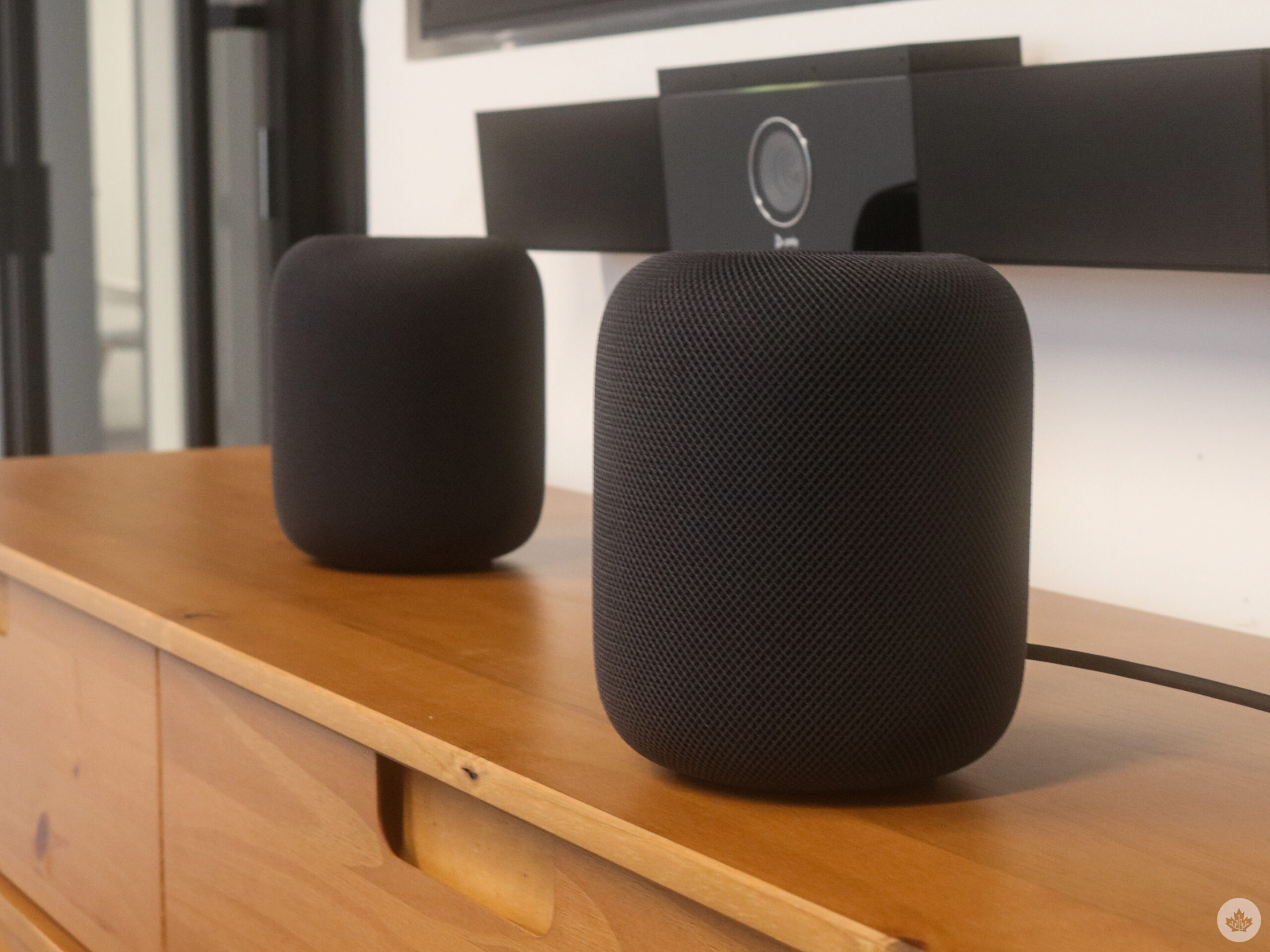
When I learned about the HomePod (2nd-Gen), one of the key new features I was interested in checking out was the Apple TV 4K connectivity. I love a good movie night with my roommates, so I tested several different movies and TV series on services like Crave, Apple TV+, Disney+ and Netflix, which all provide some surround sound experience with specific titles. Thankfully, connecting the HomePods to the Apple TV 4K was easy through Apple’s Home app.

First, I watched the second episode of The Last of Us (spoilers ahead, skip to the next paragraph to avoid them), but in this episode, Joel, Ellie and Tess traverse abandoned Boston to meet with a group of Fireflies. On the way to meeting with the rebels, the group encounters a type of infected called ‘Clickers’ for the sounds they make to echolocate prey. The clicking sound they make was chilling with spatial audio, and it hearing so distinctly made the creature seem much more daunting.

The “Jungles” episode of Our Planet was also a fun watch; the birds chirping and the cicadas singing in the background sounded distant but detailed, offering a layer of immersion that I never thought I needed but now don’t want to live without. Dune also featured interesting sound effects when characters used the ‘Voice.’ Encanto‘s melody and harmonies were enchanting, and “We Don’t Talk About Bruno” sounds more impactful and ominous when the acoustics come at you from different angles.
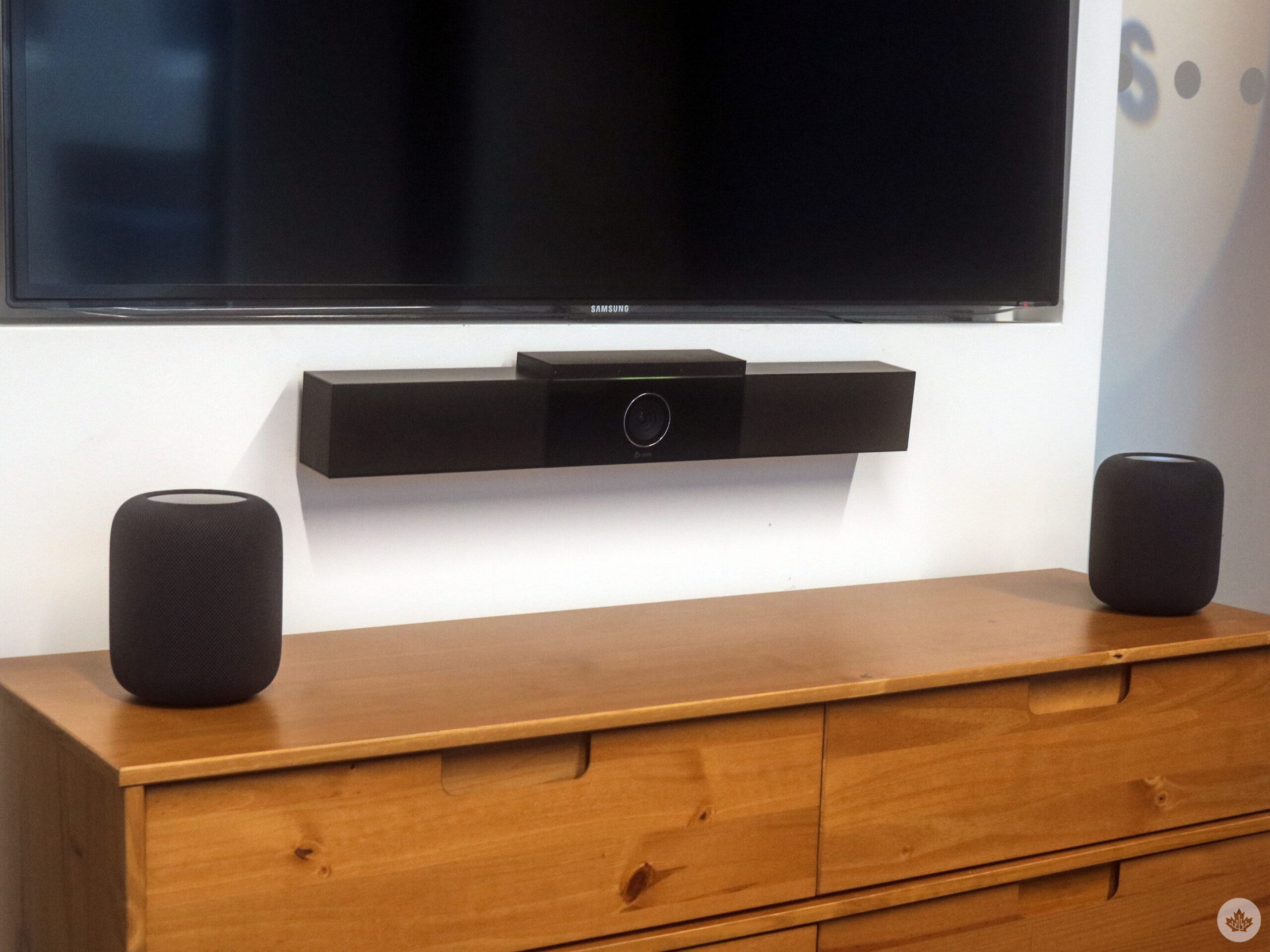
Lastly, I watched Spider-Man: Into the Spider-Verse, which, alongside its popping colours and visuals, offered an impressive audio experience with background music that popped but was still unintrusive.

Part of the entertainment in your room involves video games, and I tried out Dead Cells and Samurai Jack on Apple Arcade. Both provided an excellent sound stage. I typically play games on my PS5 (which you can use with the HomePod), and I use my Pulse 3D wireless headset, which provides surround sound. When playing these two Apple Arcade games, it felt like I was using my headset again. Dead Cells’ adaptive music sets the tone for the gruelling rogue-like adventure, whereas the voice acting and machine-destroying sound effects in the Samurai Jack game amplify the experience.

How the HomePod does it

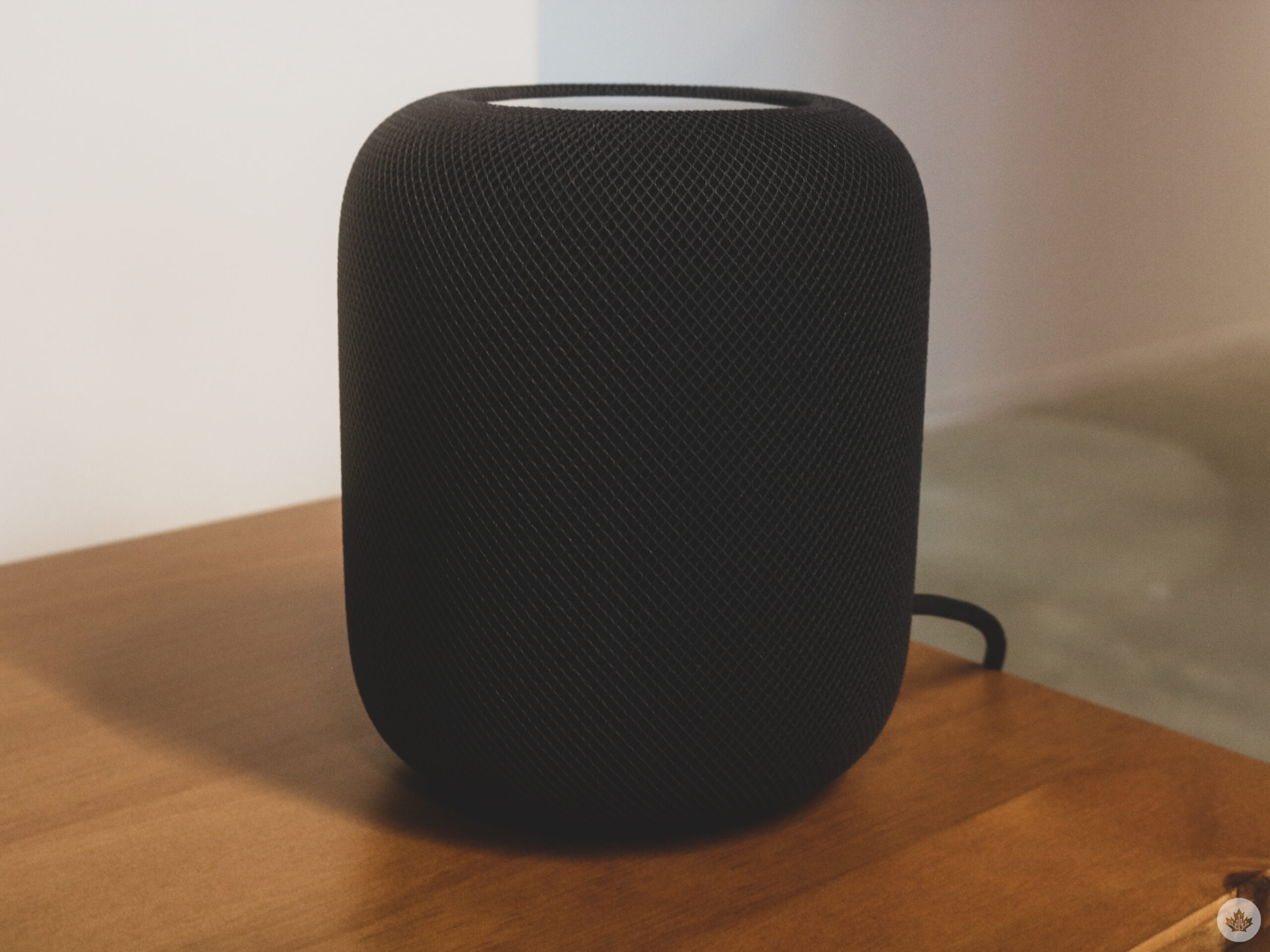
The smart speaker features a seamless, acoustically transparent mesh fabric with a backlit touch surface that brightens around the edges. It also offers a custom-engineered high-excursion, built-in bass EQ mic, and beamforming array of five tweeters around the base that work together for a better acoustic experience.

These tweeters send vocals toward the user with instrumentation going in other directions to bounce off walls, which was what I experienced when listening to “Stacy’s Mom” as I felt the vocals in the core of my soul. The HomePod can do this thanks to its S7 chip combined with software and system-sensing tech that offers computational audio. The speaker senses the room with sound (echolocation) to detect whether it’s positioned beside a wall or freestanding and adapts in real-time. Apple’s 1st-Gen HomePod also included similar functionality.

The Siri of it all
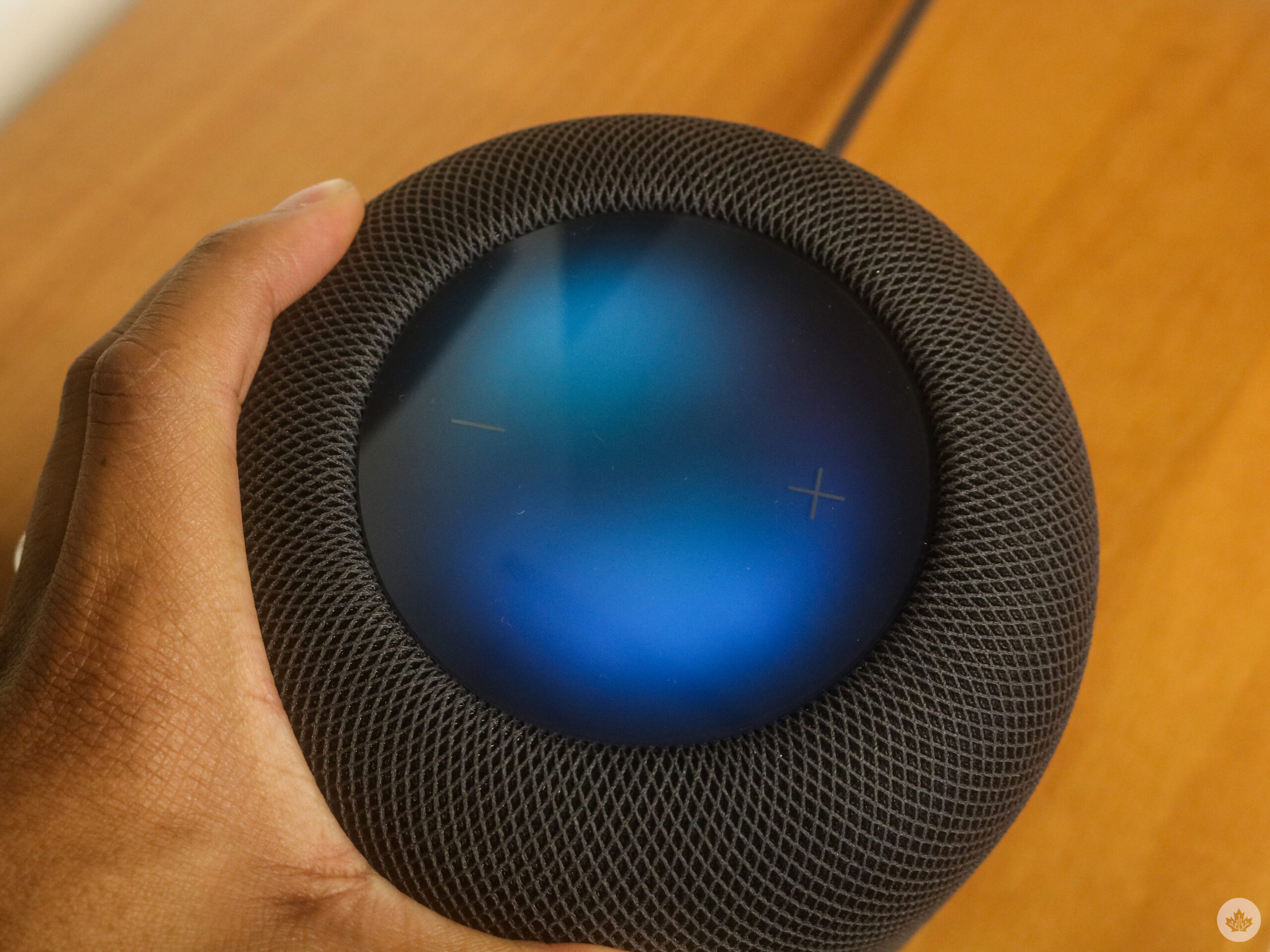
Apple’s speakers work alongside its smart digital assistant Siri, which allows users to say “Hey Siri” to activate it. With it, you can tell it to play Game of Thrones on Crave or play “Circles” by Post Malone on Apple Music without any issues. Sometimes if you don’t say which app you want, though, the assistant won’t be able to follow through with the command. Just saying, “Hey Siri, play Into the Spider-Verse,” will bring up the film on Apple TV to rent, but not Netflix, where you can stream it with a subscription.

“The new HomePod also offers Matter support, which enables home products to work across ecosystems while also maintaining the highest level of security.”

You can also activate ‘Find My’ on the HomePod, allowing you to ask the smart speaker to find the location of your phone. Another cool feature is Sound Recognition, which listens for smoke and carbon monoxide alarms and sends a notification directly to the user’s iPhone. Thankfully, I didn’t have to use it during my testing. The built-in temperature and humidity sensor can measure indoor environments, so a user can create automation that closes the blinds or automatically turns on the fan when a specific room temperature is reached. I don’t have any smart home technology that can take advantage of this feature, but it’s cool to have the option. And now, my Home app tells me the temperature inside my home, which is an added bonus.
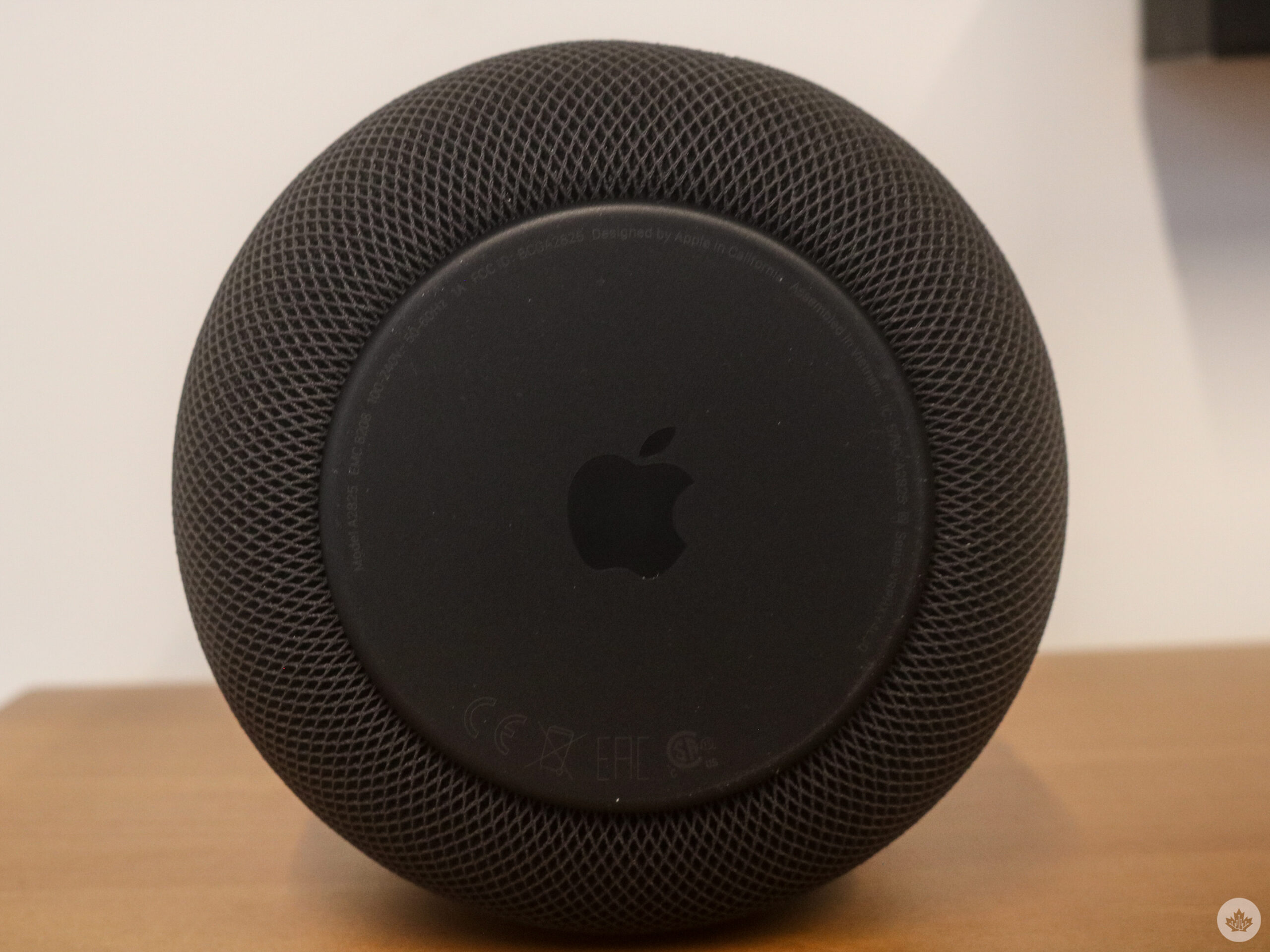
The new HomePod also offers Matter support, enabling home products to work across ecosystems while maintaining the highest level of security. Apple gave me a smart plug to try this out as well. Given that Matter technology is becoming increasingly popular, it’s great that the HomePod includes this functionality.

The smart speaker uses your home’s Wi-Fi, so you’ll need a good connection for the 2nd-Gen HomePod to work reliably. While the experience was great most of the time when my roommate hopped on Overwatch, and the other started playing World of Warcraft, the connection in my living room suffered. I noticed that when this happens, the HomePod has a more difficult time working alongside the Apple TV 4K. Playing music isn’t an issue, but using the speakers as my sound system seems to falter as only one (or neither) of them would connect to the Apple TV 4K. Of course, not everyone will have this experience, and it’s no fault of Apple as I need better Wi-Fi coverage in my home, but it’s something to consider.

Categories
Mobile Syrup

SaskTel rolls out 5G network to Lumsden, other rural communities

SaskTel is continuing to expand its 5G network to rural communities across Saskatchewan.

Its most recent expansion covers 11 locations, including the communities of Lumsden, Glaslyn, and Warmley. SaskTel’s expansion will also include Highway 80 and Highway 22.

“As Saskatchewan’s leading communications provider, we understand how important connectivity has become in the modern world and remain as committed as ever to ensuring our customers have access to the digital tools and technologies they need to connect to what matters most to them,” Doug Burnett, SaskTel’s CEO, said.

Tech giant Samsung powers the 5G network, which reaches speeds upwards of 1.2Gbps.

The expansion is part of SaskTel’s commitment to invest over $1.5 billion across Saskatchewan in the next five years. The company has made several other expansions under the same commitment, including bringing 5G to the Battlefords.

Image credit: SaskTel 

Categories
Mobile Syrup

Internet Archive’s calculator emulators offer a nostalgic trip back to high school math class

Do you ever have the urge to go back to a simpler time when teachers said you wouldn’t have a calculator in your pocket? Now you can travel back to the golden age of calculators thanks to the Internet Archive. In a recently launched collection dubbed the Calculator Drawer, you can access a series of 14 calculator emulators.

Some of the available calculators may look familiar depending on your age and the era you attended school. The Calculator Drawer features models including the Texas Instruments TI-83 Plus and TI85. HP’s 48GX is also available alongside the Electronic Number Muncher — all of your favourites. When you select a model, you’ll be able to hit each button and select each task as if they are sitting in Grade 12 algebra again.

Credit: The Internet Archive

The Calculator Drawer was made in part by MAME Team. This dedicated team utilizes the MAME Artwork System, an open-source framework, that helps recreate classic arcade games. This system, alongside Internet Archive, helps integrate actual images of classic calculators into each emulator. MAME Artwork System replaces vector-based drawings with an actual image to render an emulated device. In some instances, these emulators even offer sound.

The end result is an emulator where users need to click individual buttons to input numbers as if they’re using an actual calculator. While many “online” emulators mimic a calculator interface and lean on the user’s ability to input numbers on the keyboard, this emulator does much more. More advanced functions won’t work simply by typing numbers in. Therefore, the entire experience is better served by using a mouse and physically clicking each button.

A welcome added bonus is that The Internet Archive includes a digital version of most original calculator manuals. Even if you’re out of high school or college, it’s a neat addition in case you want to brush up on all that these calculators ancient have to offer.

Image credit: The Internet Archive

Source: The Internet Archive Via: The Verge

Categories
Mobile Syrup

Writing just got easier thanks to this Toronto-made AI app

Artificial Intelligence (AI) is either really cool or downright terrifying. Commonly abbreviated to simply AI, it’s a theoretical technology meant to give computers thinking and response capabilities similar to humans. Many people are psyched about future possibilities, while others fear the technology will take away their job. 

At the time of writing, AI is nowhere yet near the point of replacing humans. However, current-generation AI does have the unique opportunity to aid us in our everyday lives. One of the most practical applications for Artificial intelligence right now is when it comes to writing. 

Whether your issue is writer’s block when composing a message or your grammar is a mess, AI can help you. Making AI-powered writing easily accessible is ParagraphAI and its new iOS keyboard coming in an update on February 7th. Keyboard functionality is coming to the Android app in a future update.

What is ParagraphAI?

ParagraphAI is an iOS app, Android app, and Chrome extension designed to elevate your writing through the powers of AI. ParagraphAI leverages the GPT-3 database and API, meaning it has been trained on around ten percent of the knowledge on the internet. This includes millions of articles, emails, essays and more.

Simply put, ParagraphAI has access to a massive amount of literary data, allowing it to compose an assortment of text on your behalf or improve your writing in seconds. The goal of the service is to help people save time and money by assisting them in writing better quality work faster. While ParagraphAI aims to be plagiarism-free, the service recommends you run the generated text through a plagiarism checker before publication or submission.

ParagraphAI is free, forever, with up to twenty paragraphs generated per day. However, every generation has “written with ParagraphAI” at the bottom. This can be kept or removed manually. For $24.99 per month or $149.99 per year, users can get four times more generated text and 1,000,000+ words generated every month. Students can even get a discount when signing up on ParagraphAI’s website. 

How does it help me?

ParagraphAI touts 24+ use cases for its application ranging to benefit students to CEOs. These include generating emails, lists, social media posts, and essays. However, all use cases boil down to three primary functions; improved grammar, painless writing, and immediate replies. 

Suppose you have an existing piece, like an essay for school, but you want to ensure it’s void of spelling or grammatical errors. In that case, ParagraphAI can help you. Perhaps you want to generate an article outline or draft for your blog? ParagraphAI can help with that too. And if you want an app to write a text message reply or email for you, guess what? ParagraphAI can help with that too. ParagraphAI’s CEO, Shail Silver, told MobileSyrup that he uses ParagraphAI to generate nursery rhymes for his youngest child.

Personally, I think one of the best uses for AI and, by extension, ParagraphAI is its ability to help overcome writer’s block. AI can help generate titles or topic ideas with simple one-line input. The ideas generated by ParagraphAI can be just what you need to get moving on your next essay or article. 

How does the ParagraphAI app work?

Getting started with ParagraphAI is super easy. First, download the ParagraphAI app from the Apple App Store, Google Play Store, or Chrome Web Store. If you’re an Apple Silicon Mac user, you can download ParagraphAI’s iPhone app and run it on your Mac. The app is free to download, and you’ll be prompted to create an account when you first launch the app. On iOS, you may want to follow the prompted steps to enable the iOS keyboard. 

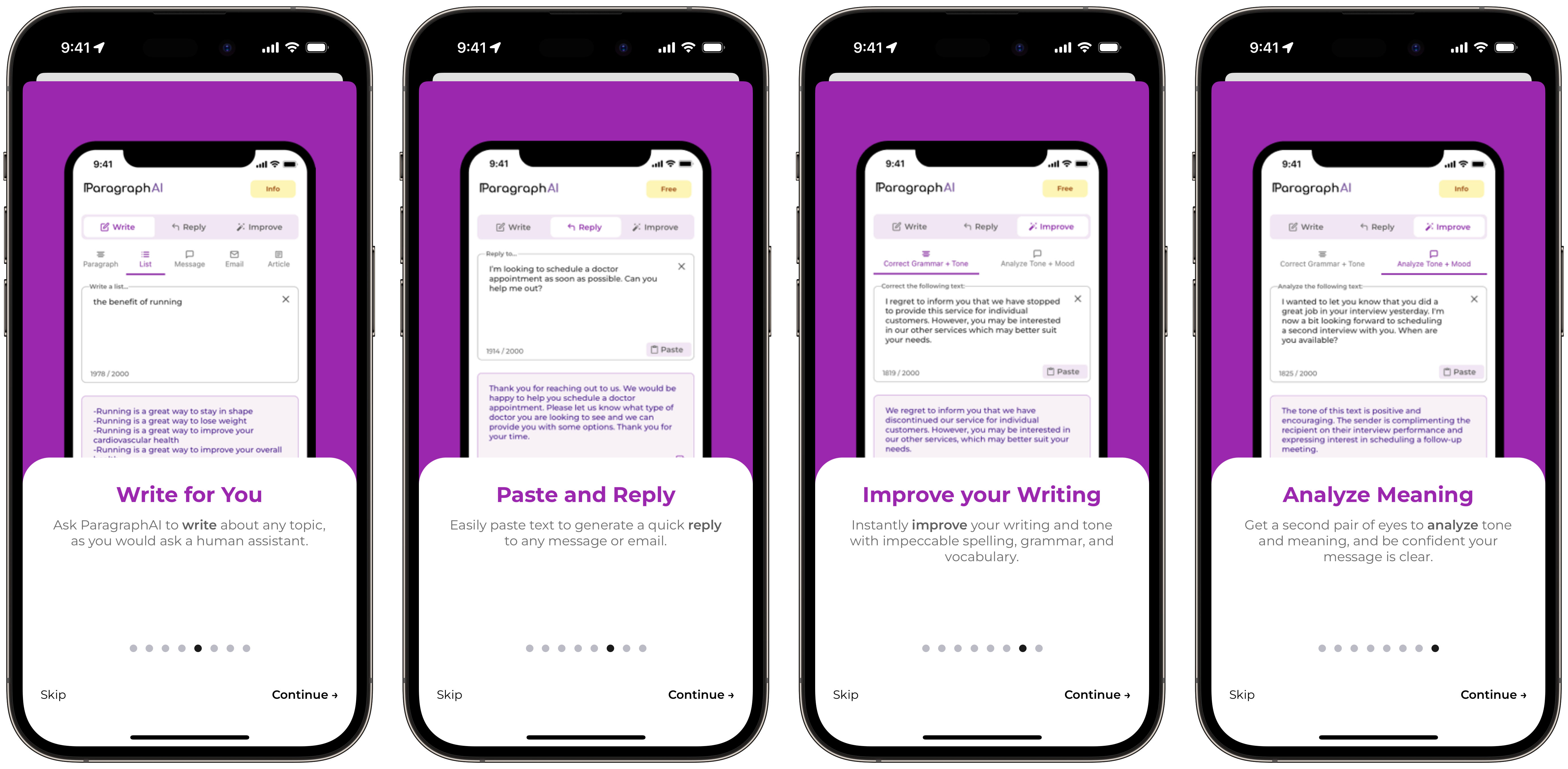
Inside the app, you can select whether you want freshly written text, a reply to a message, or to improve your own written piece. Under the ‘Write’ tab, you first choose the type of text you want generated: a paragraph, list, message, email or article. Next, add a description of what you want written about. The more specific, the better. Tap ‘Write,’ and ParagraphAI will generate text for you.

Under the ‘Reply’ tab, simply write a description of what you need ParagraphAI to generate a response to and tap ‘Reply.’ Lastly, under ‘Improve,’ select either ‘Correct Grammar + Tone’ or ‘Analyze Tone + Mood.’ Paste in your text and tap ‘Correct.’ ParagraphAI will generate the appropriate text or make the necessary corrections in either case. Copy the generated text and paste it where applicable! The ‘Improve’ tap is similar to a grammar-checking service like Grammarly, except the changes are applied automatically without user approval. Great for convenience and efficiency. 

At the bottom of all three tabs are writing tone slides. The top blue slider adjusts for formality. The middle green slide is for assertiveness. And the bottom orange slider is for length. Adjust these slides to meet the requirements of your text best. 

How does the iOS keyboard work?

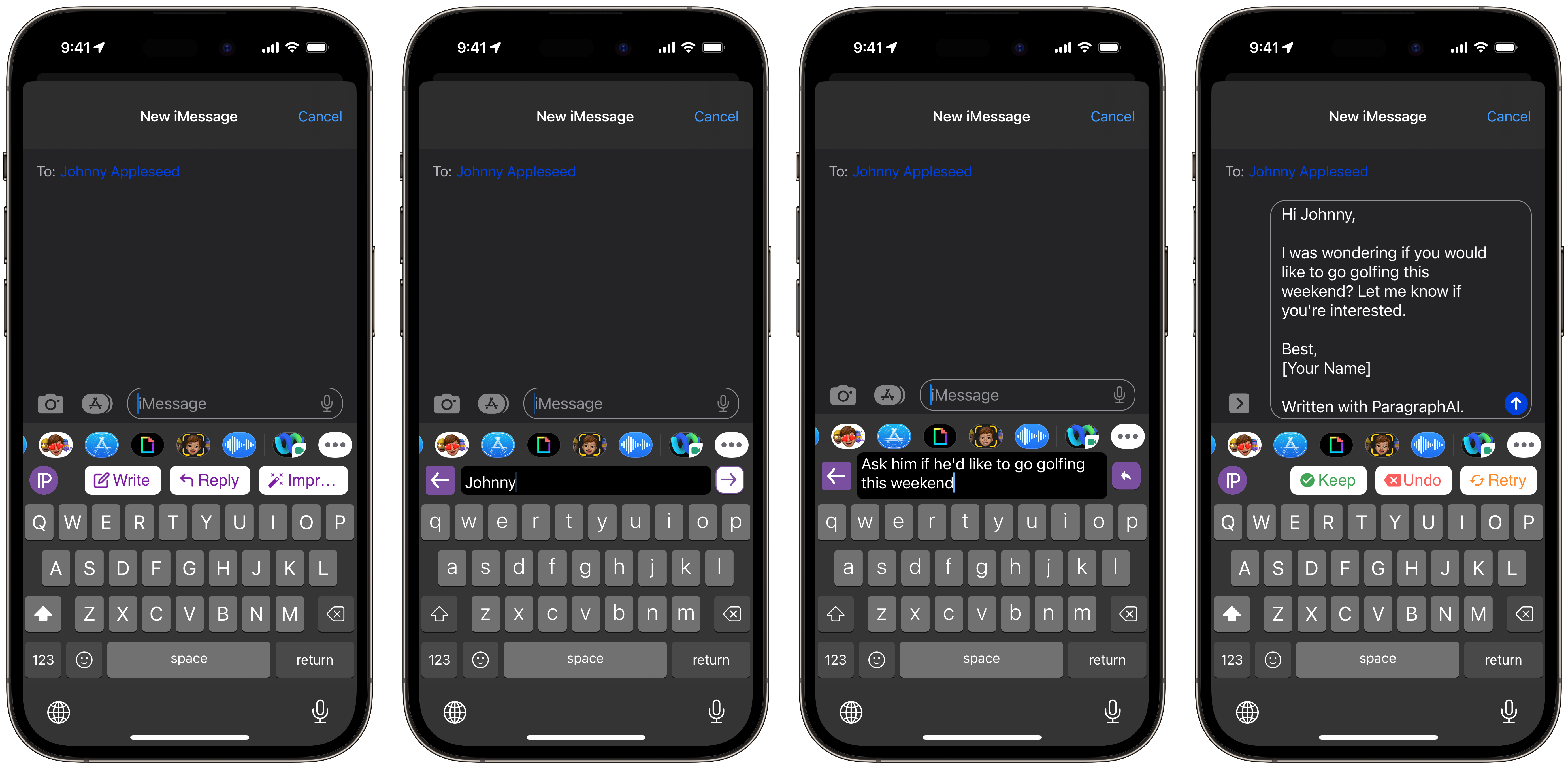
The iOS keyboard functions similarly to the main app. Once you grant the ParagraphAI app the appropriate keyboard permissions, you can switch between it and any other iOS keyboard by tapping on the globe in the lower left corner of your keyboard. 

Next, select ‘Write,’ ‘Reply,’ or ‘Improve,’ depending on your need. The functionality is identical to the main app except right on your keyboard! When selecting ‘Write,’ you’ll be prompted to describe the text you want to be generated. Selecting ‘Reply’ will have you write or paste the text you wish to adjust. This is great when personally composing a message, but you’ll want to clean it up of any errors. 

When you tap ‘Reply,’ you’ll first be prompted to add the name of the person you’re writing to, adding intimacy to the writing.

Next, type in a specific description of what ParagraphAI needs to generate a response to. Then, send the generated response unless you’d like to make any changes. 

Categories
Mobile Syrup

Apple’s next iPad mini could launch in early 2024

Apple’s 2021 iPad mini refresh was very well-received.

It brought the iPad Pro’s squared-off edges to the pint-sized 8.3-inch tablet, the A15 bionic chip and 2nd-gen Apple Pencil compatibility. But according to Apple analyst Ming-Chi Kuo, we’ll need to wait a bit longer for the next iPad mini refresh.

In a series of tweets where the analyst also mentions a foldable iPad is on the way, Kuo says there likely won’t be any new iPad releases in the next nine to 12 months and that the new iPad mini will ship in 2024, rather than the end of 2023 like some rumours indicated.

Likely, the new iPad mini won’t be as exciting as its predecessor, with the processor being the notable new feature. After all, Apple just refreshed the tiny tablet, so it makes sense that the tech giant wouldn’t want to change its design yet again so soon.

The current iPad mini features Apple’s A15 chip, so it’s likely that the refresh will offer the A16 processor, with Apple keeping its M1/M2 exclusive to its higher-end iPads.

Source: @mingchikuo

Categories
Mobile Syrup

Nothing CEO Carl Pei confirms Phone (2) launching in U.S. later this year

Nothing CEO and founder Carl Pei confirmed in an interview with Inverse that the company was working on Phone (2), set to launch later this year, including in the U.S.

“We decided to make the U.S. our No. 1 priority in terms of markets,” Pei told Inverse.

Pei, who previously co-founded OnePlus, made waves with the launch of Nothing and its fantastic, transparent hardware designs. However, when the company’s much-hyped Phone (1) launched in March 2022, North America was omitted.

Fast forward to this year, and it looks like things are changing for Nothing fans — at least, in the U.S. The company recently launched a beta program that let some U.S. residents purchase the phone with the caveat that it would have limited support on U.S. networks. At the same time, MobileSyrup got its hands on a Phone (1) to see what it would be like using the device in Canada — read about that here.

Moreover, while Pei confirmed a U.S. launch for the Phone (2), he didn’t say anything about Canada. MobileSyrup reached out to Nothing for more details, but the company did not respond in time for publication (we’ll update this story with any pertinent details).

“We couldn’t [bring Phone (1) to the U.S.] earlier because we were only in our second year and our hands were tied building the team as we were building the products. Now as we’re on a more solid footing, we can take a step forward,” Pei explained to Inverse.

Part of that comes down to growth. Pei talked financials with Inverse, noting that the company “did more than $200 million USD last year; the first year we did something like $24 million USD,” and that Nothing had “shipped over a million products already.”

Moreover, Nothing has doubled in size to 400 people and Pei noted the company is having better luck working with companies that wouldn’t work with Nothing before.

As for the Phone (2) itself, Pei only said that it would come later this year and that “we’re developing a smartphone that’s more premium than the Nothing Phone (1).” Software will also be a big focus area for Nothing.

Despite being “more premium,” Pei was adamant that the Phone (2) will be as much as flagship as the Phone (1) was.

On the software side, Pei noted that the software team is now close to 100 people and that he’s “confident” the beefed-up team can make a “fast and smooth experience.”

This all sounds very promising and definitely has me intrigued about what’s coming with the Nothing Phone (2). It’s great to see Nothin expanding into the U.S. — hopefully the company’s momentum carries to Canada as well.

For a look at the Nothing Phone (1), check out Brad Bennett’s in-depth look at the unique device.

Source: Inverse

Categories
Mobile Syrup

The Last of Us production designer says he was ‘shocked’ at ‘clean’ Alberta

Ever since it was revealed that Alberta would be home to the production of HBO’s The Last of Us series, many have made jokes about how the Canadian province is the perfect fit for a post-apocalyptic setting.

However, one of the key players behind bringing the PlayStation video game’s zombie-infested world to life feels differently.

Speaking to Vanity Fair, John Paino, production designer on The Last of Us, praised Alberta for its beauty. Over the course of a year, the series was shot all around the province, including in Edmonton, Calgary, Fort River and Canmore, so he clearly spent a lot of time there.

Neil Druckmann on The Last of Us set

Co-creator Neil Druckmann on the set of The Last of Us.

To start, Paino notes that it was easy to find Western-looking towns around Alberta to stand in for Texas during the show’s pre-pandemic opening scenes. But for many of the parts of the show that required run-down areas, Paino said they ran into some challenges:

When you go to major areas, cities, states, there’s always a liminal area that used to be an army base, or maybe it was an old factory. Children of Men, they shot a lot of that in old factory areas and old shipping yards. And I thought, Oh, Canada’s got lots of that, there’ll be a bunch of places that we’re going to just run around and augment it. We couldn’t find any of that. I swear to you, we couldn’t even find an abandoned gas station. We had a slow realization that many things that we thought we would just shoot on location, we would be building. Also, the architecture just wasn’t there. If we’re careening down streets and knocking things down—I was really shocked. It’s a very clean country. There’s like no, “Oh, yeah, over there, there’s all these abandoned buildings.” No American, uh, grit. [Laughs]

Therefore, this meant that he and his team had to actually build a lot of the sets from scratch. Given that the series is believed to be the biggest TV production in Canadian history with a Game of Thrones-level budget, they certainly had the resources to do so.

Joel (Pedro Pascal), Tess (Anna Torv) and Ellie (Bella Ramsey) in The Last of Us.

Joel (Pedro Pascal), Tess (Anna Torv) and Ellie (Bella Ramsey) in The Last of Us.

This work includes the construction of a 20-foot (6.1-metre) wall for the quarantine zone (QZ) that’s featured in the pilot. Of the QZ, Paino said the following:

I would say that that was at least two or three acres of scenery, and that was just one backlot. Just the amounts of things we had to order! And in Calgary, you’re kind of in the middle of Canada, so there’s not a lot there. It’s kind of like if you were working in the middle of the United States; you’d go to the coasts to get things. Canada is cold and rainy and a lot of our sets are outdoors. In the QZ, there is electricity for certain times of the day because it’s a bastion of civilization, for what it’s worth. So making the hodgepodge lights and things like that, making them feel like they’ve been reworked and repaired—kind of like the chairs, that idea, that metaphor was throughout. 

Overall, the interview is a really interesting read, offering a lot of insight into the kind of work that goes into creating the look and feel of a big-budget show. In particular, Paino mentions how he played some of the game for reference but looked more towards images from real-life refugee camps, slum areas and council housing in the likes of England, India and France. He also notes that there wasn’t “an extensive amount of green screen” on sets, so what you see was, often, actually hand-crafted.

Paino isn’t the only person from The Last of Us creative team who’s praised Alberta. Last month, stars Pedro Pascal (Joel) and Ellie (Bella Ramsey), as well as creators Neil Druckmann and Craig Mazin, raved to MobileSyrup in an interview about the experience of filming there.

In other The Last of Us news, the series was just renewed for a second season, which is set to adapt The Last of Us Part II. However, Mazin has previously stated that they’d likely need multiple seasons to fully cover the sequel, so it remains to be seen whether HBO will give them the greenlight. (Given its massive success so far, though, that seems likely.) In the meantime, fans are celebrating the series’ third episode, “Long Long Time,” which has received widespread acclaim.

The Last of Us is now streaming on Crave.

Image credit: HBO

Source: Vanity Fair

Categories
Mobile Syrup

New CRTC chair promises revamped internet pricing model coming soon

Canadians pay some of the highest internet prices in the world, and Vicky Eatrides wants to change that.

It’s a lofty goal, but in her new position as the chair of the Canadian Radio-television and Telecommunications Commission (CRTC), Eatrides wants Canadians to know the plan has precedence.

“It’s a top priority for the organization because what we’ve done is not working,” Eatrides told MobileSyrup. Clarity on a new model will come soon, she promised. “We’re talking about within the coming months; we’re not talking about a year away.” The lack of specifications doesn’t bode well for the long-sought-after promise to lower internet prices, but Eatrides has made commitments that beg for a little patience. “This is, I would say, imminent.”

After all, Eatrides is only in her fourth week on the job, and she has already taken action on another important file: mobile virtual network operators (MVNOs).

MVNOs operate in addition to existing networks, similar to how independent service providers (ISPs) use existing broadband infrastructure to provide Canadians with internet access. Back in October, the CRTC published the terms and conditions for MVNO agreements between regional providers and incumbents Bell, Rogers, Telus and SaskTel. The hope is that MVNOs will increase competition in the wireless market.

Last week, the commission published a letter asking the incumbents to share a status update on negotiations. They have until February 8th to answer which regional providers requested to begin negotiations, the status, and when they’ll set agreements.

“[We] are holding large wireless providers to account,” Eatrides said.

Despite her leading goals, the two files aren’t the only things she wants to accomplish during her time at the CRTC. With hundreds of “complex files” on the go, along with the potential responsibilities of Bills C-11 and C-18, there is a lot to tackle.

The two bills, which are currently making their way through the appropriate avenues, will see the CRTC govern streaming content and the way online platforms use news content. Eatrides confirmed the CRTC has started to prepare internally to “gear up” if the bills are passed.

Critics have looked at Eatrides’ appointment with optimism. She brings over 20 years of experience and has worked both in the private and public sectors, including the Competition Bureau. She also served as the Assistant Deputy Minister at Innovation, Science and Economic Development Canada (ISED) before taking her current role at the CRTC.

Eatrides says the experiences she acquired in her previous roles will assist her in this new venture.

“I really want for the CRTC to be able to make a difference in the lives of Canadians, and I really want people to associate the CRTC with doing good things for them”

Image credit: CRTC