Categories
Mobile Syrup

The Last of Us takes over Google Search with creepy easter egg

Google now features a little fungal easter egg to celebrate HBO’s new The Last of Us series.

When you search “The Last of Us” on Google, a little mushroom will pop up. Clicking the fungus will then cause an outgrowth to appear on your screen. Amusingly, you can keep clicking the icon and the infection will grow and spread to cover more and more of the Google page.

Of course, the easter egg is referencing the Cordyceps infection that decimates humanity in The Last of Us. Notably, Cordyceps is a real life fungus that affects insects and arthropods, but The Last of Us takes creative liberty and extends that to humans.

Based on PlayStation’s 2013 game of the same name, HBO’s The Last of Us just premiered its second of nine episodes on January 22nd. In the series, a hardened smuggler is hired to escort a teenager across a pandemic-ravaged U.S.

The Last of Us was created by Neil Druckmann (the original PlayStation game’s writer/co-director) and Craig Mazin (Chernobyl) and stars Pedro Pascal (The Mandalorian) and Bella Ramsey (Game of Thrones).

The series is currently streaming on Crave. For more on The Last of Us, check out our interview with Druckmann, Mazin, Pascal and Ramsey.

Image credit: HBO

Categories
Mobile Syrup

Fix Joy-Con drift with DIY replacement for $33

No matter what kind of controller you use, joystick drift is an inevitable annoyance that will knock on your door at least once per a controller’s life. A company called Gulikit is trying to change that, at least with the notoriously drifty Nintendo Switch Joy-Cons.

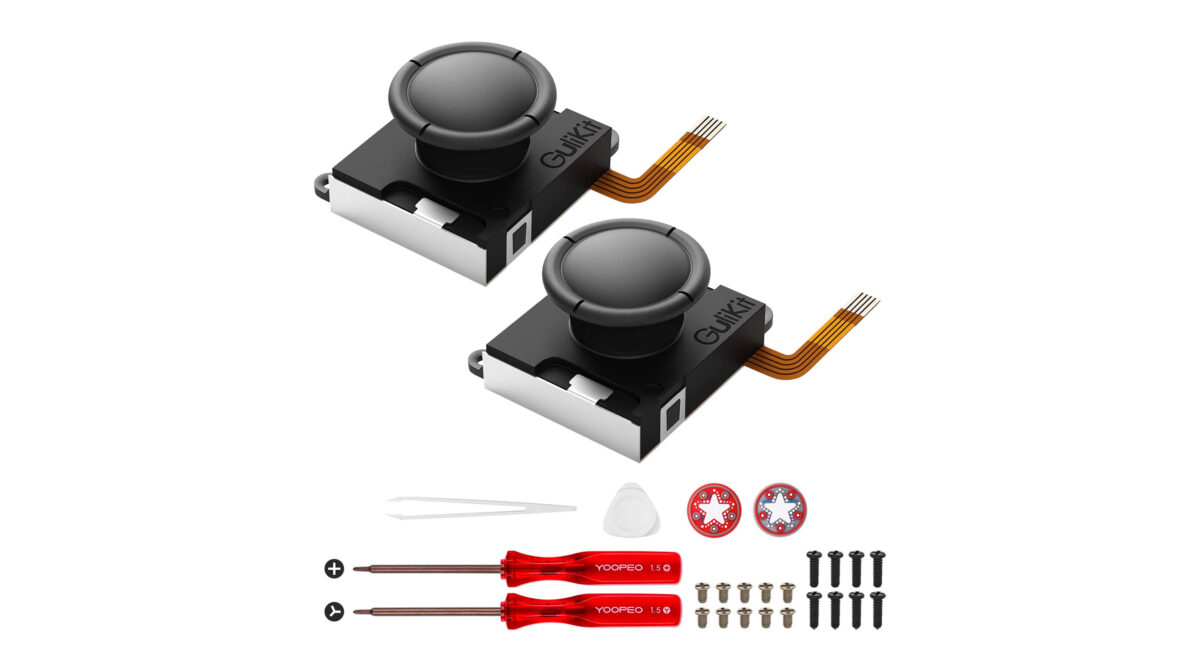
Gulikit has created a set of replacement joysticks for the Switch that use ‘Hall effect sensors,’ technology, the same technology used in Sega’s 90s-era Saturn and Dreamcast controllers, to prevent drift, as shared by Gizmodo.

Unlike the Joy-Cons’ potentiometers, which deteriorate over time and cause incorrect readings, the Hall effect sensors use magnets to detect movement and do not wear out as easily.

Gulikit has its replacement Switch joysticks available for $33.21 CAD on Amazon, with mostly positive reviews on the website. It’s worth noting that installing replacement joysticks are likely to void the warranty on your Switch and Joy-Cons. Additionally, some users have reported a small gap between the replacement joystick and the ring that prevents dust and debris from entering the controller. However, it is unclear if this will affect the overall performance of the replacement sticks.

Check out how you can replace the Switch’s Joysticks at home below:

Image credit: Amazon

Source: Gizmodo

Categories
Mobile Syrup

Spotify announces layoffs in bid to cut costs

Spotify is laying off six percent of its workforce.

The figure was hidden deep in a lengthy letter from CEO Daniel Ek outlining structural reorganizations and the need to cut costs.

Ek says the company’s operating expenses “outpaced our revenue growth by 2X” last year. Spotify has made other efforts to cut costs, the CEO said, but those alone weren’t enough.

“Like many other leaders, I hoped to sustain the strong tailwinds from the pandemic and believed that our broad global business and lower risk to the impact of a slowdown in ads would insulate us,” Ek wrote. “In hindsight, I was too ambitious in investing ahead of our revenue growth.”

Spotify is the latest tech company to announce layoffs. Google laid off 12,000 employees last week, following Microsoft and Meta’s steps.

In other changes, the company will move most of its engineering and product work under its Chief Product Officer and its business aspects under the Chief Business Officer.

Despite the changes, Ek hints that innovations are in store for 2023. Spotify will likely share more details at its Stream On event in March.

Source: Spotify

Categories
Mobile Syrup

Globalive seeks wireless return through Xplore Mobile

Globalive’s rejected bid to acquire Freedom Mobile hasn’t stopped its work to re-enter the wireless market.

The company is now looking to acquire airwaves from Xplore Mobile, The Globe and Mail reports.

“We are building a national independent wireless carrier across Canada and we are acquiring spectrum in all markets to realize our long-term vision of a globally competitive telecom market,” Anthony Lacavera, Globalive’s founder and CEO, tweeted.

Xplore Mobile served Manitoba alongside Bell, Telus, and Rogers, before it shut down in August. It was created in 2018 after Bell took over Manitoba Telecom Services (MTS). Telus sought to acquire the company’s spectrum, but Innovation, Science and Economic Development Canada (ISED) denied the application in September.

It’s unclear how much Globalive is offering for the spectrum, which needs approval from Xplore Mobile and ISED.

“This acquisition in Manitoba will facilitate our goal to bring prices down for Manitobans, just as we already did previously for consumers in Ontario, Alberta, and British Columbia,” Lacavera tweeted.

Globalive founded Wind Mobile before selling it to Shaw, which rebranded the company to Freedom Mobile. Globalive attempted to reacquire the company in a $3.75 billion bid after Rogers announced it was looking to sell to gain regulatory approval for its merger with Shaw. Rogers’ rejected Globalive’s offer in favour of Québecor subsidiary Vidéotron.

The company now has two campaigns urging federal officials to stop Rogers’ acquisition of Shaw. The second campaign, which specifically targets MPs, launched on January 17th.

The Globe reports Globalive is looking to expand its “tentative network- and spectrum-sharing deal” with Telus to include the province. Lacavera’s aim is “to create a national, wireless-only carrier” by acquiring spectrum from auctions, the publication says.

Source: Globalive Via: The Globe and Mail 

Categories
Mobile Syrup

Fitbit’s Irregular Heart Rhythm Notifications showing up on some Pixel Watches

Some Pixel Watch owners report getting access to the heart health ‘Irregular Rhythm Notifications’ feature despite it not being officially supported.

Pixel Watch owners took to Reddit to share the revelation, and Android Police and 9to5Google also picked up the story confirming some of their Pixel Watches had the feature. Even my Pixel Watch appears to have Irregular Rhythm Notifications. If you’re curious about yours, you can check by opening Fitbit and going to Discover > Assessments & Reports > Irregular Rhythm Notifications.

For most Pixel Watch owners, the Assessments & Reports page only shows ‘Wellness Report’ (if you’re subscribed to Fitbit Premium) and ‘Heart Rhythm Assessment,’ a manual version of the Irregular Rhythm Notifications.

This brings up an information screen with details about irregular rhythm notifications, noting that they can be a sign of things like atrial fibrillation (AFib). In short, the feature runs in the background, monitoring users’ heart rhythm data and will notify them if an irregular rhythm is detected.

Moreover, users can tap ‘View notifications’ to see a list of irregular rhythm notifications as well as the last time Fitbit analyzed data.

The thing is, these alerts aren’t officially supported on the Pixel Watch. Several Fitbit devices, including the Sense series, Versa series, Charge 3, 4, and 5, Luxe, and Inspire 2 and 3, support it — the Pixel Watch, however, doesn’t list support for the feature in support documents, product pages, or in specifications.

It remains unclear whether the feature is active for those who have it or if it’s showing up by mistake. Moreover, some Reddit users think that the feature is showing up in the Fitbit app for people who previously connected a Fitbit device that supports the feature. That would be true for me — I used several Fitbit devices on my Fitbit account prior to using the Pixel Watch — but it’s not certain if the two are connected yet.

Source: Reddit ‘Working-March‘ Via: 9to5Google, Android Police

Categories
Mobile Syrup

Apple’s M2 Pro beats last year’s M1 Max in CPU performance: MacBook Pro and Mac mini (2023)

In a surprise move, Apple quietly revealed its M2 Pro/M2 Max chips last week, alongside a refreshed 14-inch/16-inch MacBook Pro and Mac mini (2023).

Visually, both devices look identical to their predecessors, which makes sense given the MacBook Pro was redesigned back in 2021, and the Mac mini doesn’t really need a new look because of its comparably low-cost and straightforward design (how much more could you really do with it?).

The main question surrounding both new devices is how the M2 Pro/M2 Max chip benchmark compares to the M1 Pro/M2 Max, and if Apple’s upgraded chips offer a notable improvement over the somewhat disappointing M2, which was only a marginal upgrade over the M1.

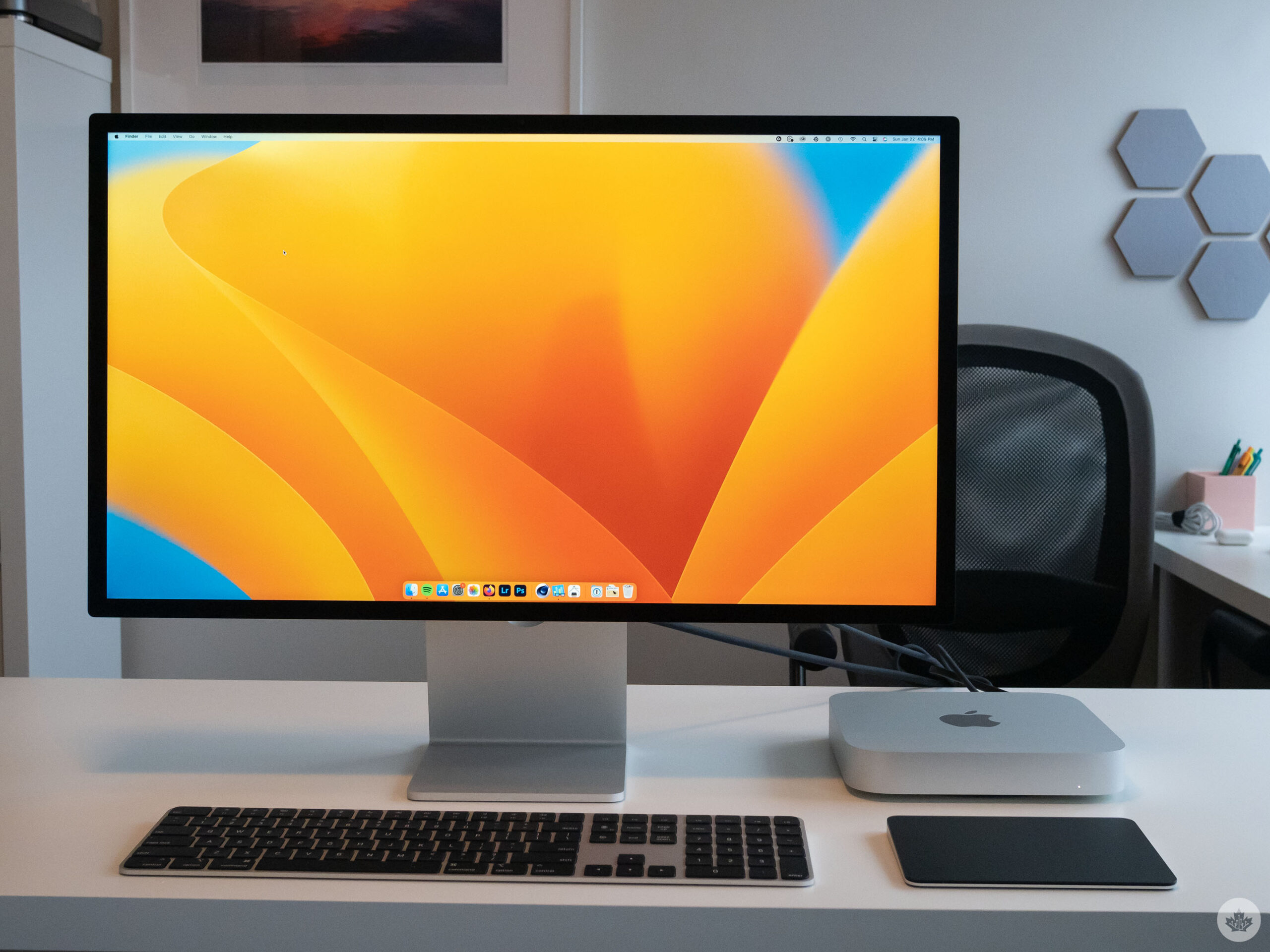
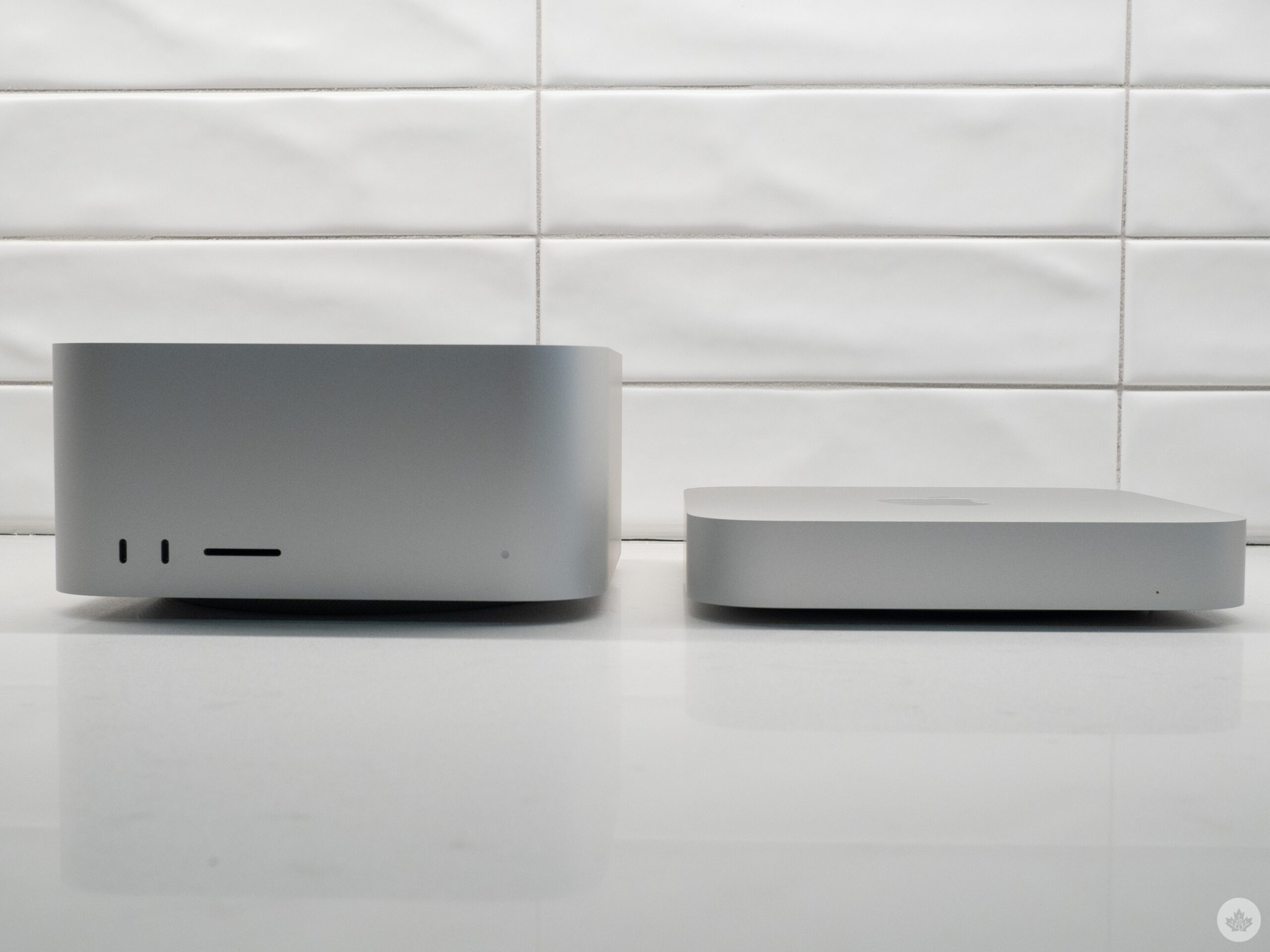
Mac mini with Studio Display

Unfortunately, I wasn’t able to get my hands on a MacBook Pro with the M2 Max chip, but with the below M2 Pro benchmarks in mind, it’s safe to assume that it would surpass all existing M2 Apple chips and likely come close to matching last year’s M1 Ultra regarding performance (I’ll update this story with M2 Max benchmarks if I’m able to put one through its paces). I also have not tested the 16-inch version of the MacBook Pro (2023).

But before diving into the benchmarks, let’s examine the subtle hardware changes the 14-inch MacBook Pro and Mac mini (2023) offer.

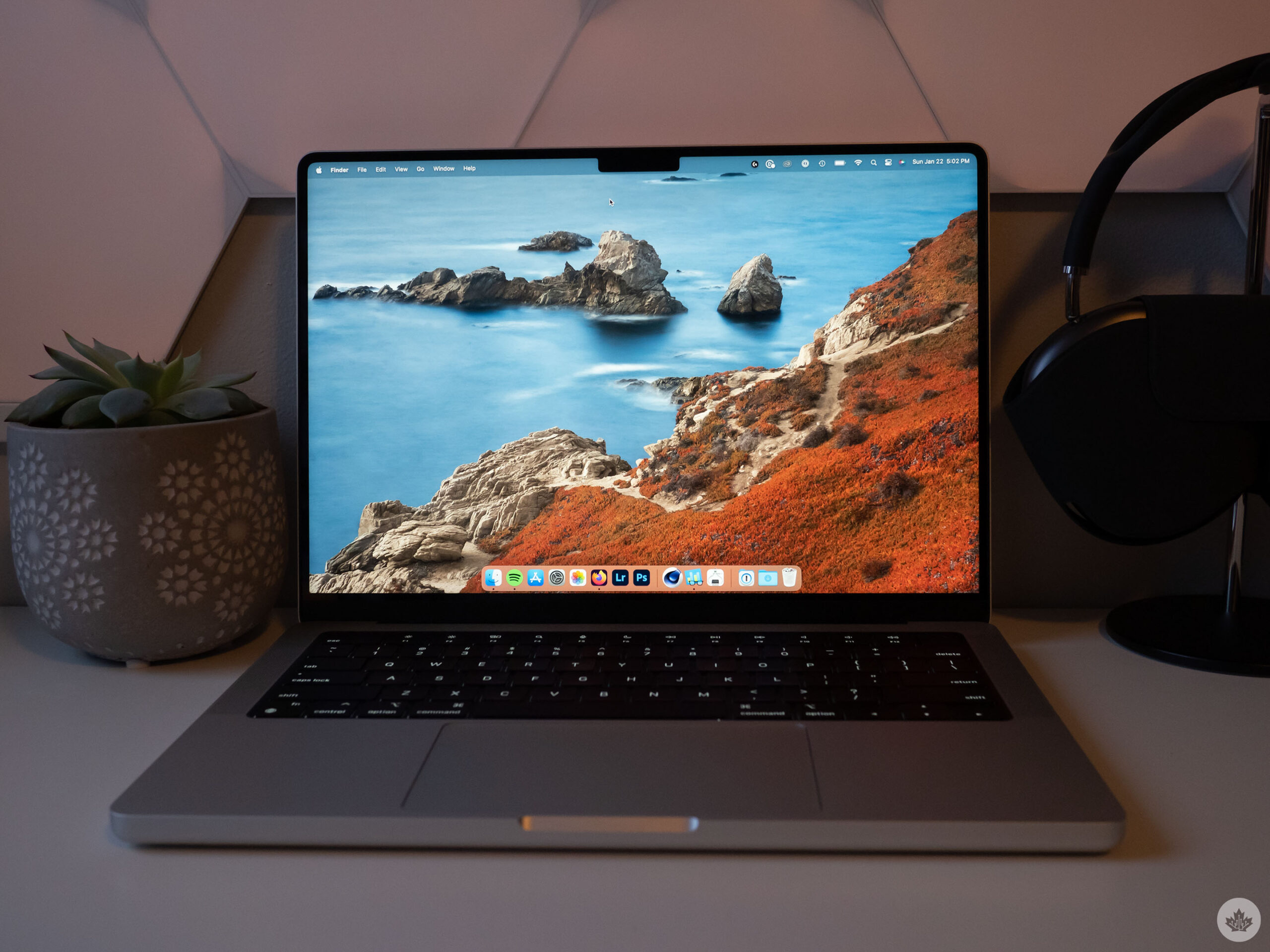
14-inch MacBook Pro (2023)

While the overall design of Apple’s flagship laptop is the same, there are minor hardware changes under the hood with the new MacBook Pro.

First off, the MacBook Pro (2023) supports Wi-Fi 6E, an upgrade over the Wi-Fi 6 the M1 Pro and M1 Max versions offered. This gives the new 14-inch/16-inch MacBook Pro access to a 6GHz frequency band as long as you have a router that supports it (Google’s recently released Nest Wifi Pro includes Wi-Fi 6E, for example).

The laptop also supports Bluetooth 5.3 and, finally, HDMI 2.1, which could be a notable upgrade if you own a high-end monitor that offers a refresh rate above 60Hz (it’s baffling that the 2021 redesign didn’t already include HDMI 2.1).

Apple’s MacBook Pro (2021) features an HDMI 2.0 port, which offers output to a single 4K display at 60Hz. You can hit higher refresh rates via a USB-C/Thunderbolt 4-to-display port adapter, despite Apple’s claims (this is what I did with my LG UltraGear monitor). However, this requires an expensive cable rather than a standard HDMI 2.0 cord.

With the MacBook Pro (2023), you can now use the laptop’s built-in HDMI 2.1 port to connect to an 8K display at up to 60Hz or a 4K display at 240Hz, as long as you have a compatible HDMI cable. This makes taking advantage of the higher refresh rate some 4K monitors offer more straightforward.

Apple also claims there is roughly a 1-hour improvement regarding battery life with the M2 Pro/M2 Max. I’ve only spent a few hours with the laptop, so I’ll have to take the tech giant’s word on that estimate, though to Apple’s credit, its battery life estimates are usually mostly accurate.

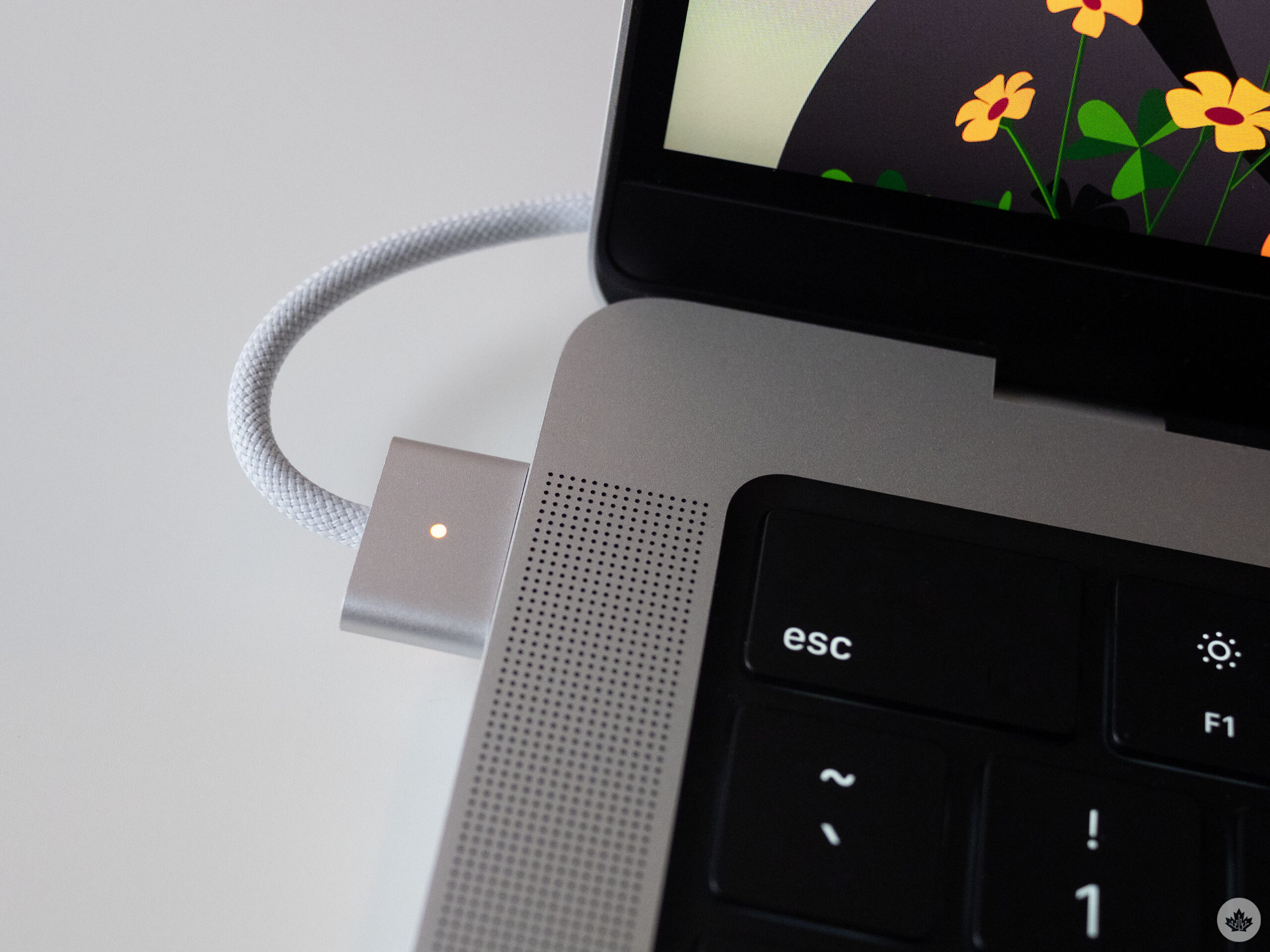
And finally, both the ‘Space Gray’ and ‘Silver’ versions of the MacBook Pro (2023) feature a colour-matching braided MagSafe cable, just like the MacBook Air (2022). This obviously doesn’t improve the laptop’s performance, but it’s still a cool design change.

Mac mini (2023)

On the Mac mini (2023) side, the situation is pretty much the same regarding hardware upgrades beyond the new M2 or M2 Pro chip (there’s no M2 Max mini, with Apple keeping that chip exclusive to the Mac Studio). The new desktop device features Wi-Fi 6E, HDMI 2.1 and Bluetooth 2.1, just like its 14-inch and 16-inch laptop counterparts.

Updates unique to the Mac mini (2023) include an optional 10GB ethernet port, additional RAM (8GB, 16GB or 24GB) and storage options (512GB, 1TB 0r 2TB).

It’s also worth mentioning the slightly cheaper $799 price tag ($100 cheaper than the M1 Mac mini was) for the entry-level M2 Mac mini is a rarity in Apple’s world, given the company typically charges more money for newer devices. If you already own a mouse, keyboard and monitor, the new M2 Mac mini is an even better deal now.

The benchmarks

This is likely what you clicked on this story for, so let’s get into it.

As far as Geekbench 5 single-core and multi-core power is concerned, the MacBook Pro (2023)’s M2 Pro 12-core CPU and the Mac mini (2023)’s M2 Pro 10-core CPU perform well above the M1 Max 12-core CPU and M1 Max 10-core CPU included in the Mac Studio and Macbook Pro, respectively.

Given the somewhat disappointing benchmarks we saw with the 13-inch M2 MacBook Pro last year, I didn’t expect this much of a boost and assumed the new chip would only come close to matching the M1 Max and not surpass it, so this is a welcome surprise.

Next up, we have GPU performance. These results are slightly disappointing but also make sense given the M1 Max Mac Studio I benchmarked features a 24-core GPU, and the M1 Max MacBook Pro includes a 32-core GPU. Fewer cores in an integrated GPU typically equate to lower performance, and that's what we have on display here.

Still, both devices outshine last year's 14-core M1 Pro, but not by a wide margin. As noted in the chart, Apple's M1 and M2 chips aren't compatible with Heaven's 'Extreme 'setting and only work with 'Basic,' skewing these results when compared to the Windows devices. All the Mac comparisons are accurate, however.

Finally, we have Cinebench R23 CPU scores that yield similar results to Geekbench 5. Both the M1 Max-powered devices in the chart are one-upped by the new M2 Pro, an impressive feat on Apple's part. That said, as you can tell from the results, the MacBook Pro and Max mini (2023) don’t benchmark that much better.

My main takeaway from these benchmarks is the M2 Pro outperforms the M1 Pro and, in my tests, even the M1 Max in CPU power. That said, it lags slightly behind the M1 Max in pure GPU power since both variants I tested offer fewer cores. This means that if, like me, you're currently using an M1 Max-powered MacBook Pro and do a lot of GPU-intensive tasks (Premiere, Photoshop), the performance is so close between chip generations (with the M1 Max pulled out of the mix), that it's not worth the upgrade. That said, in real-world performance, I'm not sure if I'd notice that much of a difference, at least with how I use my MacBook Pro. I've only spent a few hours with the MacBook Pro (2023) so far and will update this story if I encounter any notable performance issues with my day-to-day use.

This should make anyone that paid the extra money for an M1 Max-powered Apple device in the last few years feel a little better about their purchase. Still, it's surprising to see the M2 Pro take down the M1 Max in some of the above benchmarks.

Apple's 14-inch M2 MacBook Pro starts at $1,999 for the 10-core CPU/16-core GPU version. In this story, I benchmarked the pricier $2,499 32GB 12-core CPU/19-core GPU iteration. Regarding the Mac mini, the desktop device starts at $599 for the M2 8-core/10-core GPU version. For this story, I benchmarked the 10-core/16-core GPU iteration with 16GB of RAM, which costs $1,299.

Categories
Mobile Syrup

Give Forspoken a chance — it’s actually pretty solid

Forspoken is a fascinating game.

It’s developed by Luminous Productions, the Japanese team comprised of many former Final Fantasy XV creators. But the actual story of the game hails from Todd Stashwick (12 Monkeys) and Allison Rymer (Shadowhunters), based on concepts by Gary Whitta (Rogue One: A Star Wars Story) and Amy Hennig (Uncharted series). While this mixture of East and West doesn’t always mesh well, the end result is a uniquely compelling experience with exceptional gameplay and some decent narrative moments.

A diamond in the rough

In Forspoken, you play as Frey Holland (Ella Balinska), a 21-year-old New Yorker who’s struggling to get by. Upon discovering a magical vambrace she calls “Cuff” (Jonathan Cake), she’s whisked away to the mysterious world of Athia, where she must survive the threat of the tyrannical rulers known as the Tantas. Now, much has been made about this Alice in Wonderland-style premise and its awkward juxtaposition of Frey’s quippy ‘Whedonesque’ dialogue and this fantastical setting. It’s at the centre of why this game has basically been the internet’s punching bag.

But I think that’s largely undeserved. Beneath some admittedly clunky and edgy dialogue lies a game with more heart than you’d expect, and that all starts with Frey. Previously hidden from marketing and media previews, the entire first chapter of the game takes some time to explore Frey at rock bottom, revealing her to be a sympathetic character whose abrasiveness in the trailers feels a lot more justified in context. This sets the reluctant hero up on a compelling — and, at times, even emotional — journey to discover her own self-worth. Meanwhile, Cuff’s dulcet English tones and dry humour make for an engaging foil to the rambunctious and insolent Frey, all brought to life through solid performances from Balinska and Cake. Admittedly, some have found this banter grating, so Luminous has thankfully added an option to turn down the frequency of it. I actually mostly enjoyed these snarky exchanges, as they were reminiscent of an early 2000s buddy cop movie and a fun departure from the endearing “road trip between bros” vibes of Final Fantasy XV. My issues instead was that they simply lack variety; after just a few hours, I grew tired of hearing the same lines ad nauseum.

Forspoken Frey

Frey’s attitude makes a lot more sense once you learn more about her tragic backstory.

What only grew on me more over time, however, was Athia itself. When Frey arrives, she finds it in a state of disarray due to a mystical corruption known as the Break. It’s decimated most of the world’s population, turned the wildlife into zombified beasts and forced humanity’s sole survivors to shack up in the bustling city of Cipal. Finding out the cause of the Break and what corrupted the once benevolent Tanta matriarchs proved to be a real highlight, especially towards the latter hours of the game when several revelations are made. I didn’t much care for the supporting cast beyond Frey and Cuff (the game even repeatedly tries and fails to make the death of a girl that Frey meets early on feel impactful), but the actual lore behind everything is rather interesting. You’d be hard-pressed to say any of this is great writing, but it’s definitely a lot better than people might have thought.

Enough spells to make Dr. Strange jealous

But even if the story and characters don’t grab you, Forspoken is absolutely worth playing for its gameplay. At its core, Forspoken is basically a superhero game, and a really engaging one, at that. Through a constantly growing set of powers, controlling Frey becomes a genuine power fantasy.

First, there’s her magical parkour, known as ‘Flow.’ Simply holding down the circle button will cause her to quickly zip forward, maintaining momentum with confident, rhythmic strides as she vaults over low-reaching obstacles like ledges and tree stumps. Over the course of the story, you’ll automatically develop powers that expand her mobility, including the ability to kick off walls for extra verticality, a zipline to quickly reach ledges or launch yourself upward and an ephemeral surfboard to glide across water. There’s also a handful of unlockable moves that further enhance your parkour — my favourite being Shimmy, which lets you stylishly spring off the ground with a well-timed tap of the jump button to maintain momentum.

Forspoken Flow

Running and jumping around Athia makes for some stylish entertainment.

All of these abilities work in tandem to create a remarkably fluid traversal system. It’s downright euphoric to bound towards the side of a canyon using Shimmy, parkour up the side of it, swing around a branch with my zipline to launch forward and land and glide over a body of water — all quite seamlessly, no less. The layout of the world is open enough to give you the freedom to reach pretty much anywhere once you have the necessary abilities, but also curated in places — such as through carefully placed floating platforms — to require you to be a bit precise so as to not overshoot your jumps. Through and through, it’s some of the most enjoyment I’ve had on a mechanical level of navigating an open-world since Insomniac’s two Marvel’s Spider-Man games.

The other half of the gameplay equation, combat, is equally rousing. In the lead-up to the game, Luminous has (for)spoken about there being 100 spells for Frey to use. I’ll confess that a part of me was skeptical; surely this is just marketing speak and many of these are palette swaps of one another. But much to my pleasant surprise is the fact that Frey’s magical arsenal is staggeringly diverse. On a base level, she has four different magic types — Purple (rock), Red (fire), Blue (water) and Green (electricity). But the utility of each can vary drastically when you get into all of the underlying abilities.

Forspoken water

Frey’s powers offer quite the spectacle.

To start, each power has a few different base Attack Magic spells that can be charged into even more moves. Purple Magic’s standard Burst Shot has her blasting enemies with clump of dirt as you mash the shoot button, but you can unlock alternative firing methods that unleash a steady stream of pebbles (Scatter Shot) or a sturdy rock shield to protect you then explode to push enemies back (Shield Shot). Charging Burst Shot, meanwhile, will conjure up a large boulder that can be hurled at enemies to send them flying. Naturally, the use case for each can vary drastically, like carefully aiming your giant rocks to get around enemy shields. That’s to say nothing of the other powers’ base attacks, like Red Magic’s fiery sword for speedy melee attacks, Blue’s exploding balls of aquatic energy or Green’s jolts or electricity.

But it’s her Support abilities that really liven up combat by deviating from being purely elemental-based attacks. For instance, Purple’s powerset includes a Piranha Plant-esque sprout that fires projectiles at an enemy while Green’s Compulsion and Displacement summon floating exploding mines and create an illusory decoy of Frey to distract enemies, respectively. There are also moves that provide Frey with direct buffs, such as Blue’s Inundation to increase the critical hit rate of spells. Each Support ability has its own cooldown timer that can be sped up by using Attack Magic, an effective way to push you to alternate between offensive and defensive magic. To that point, using a mixture of both will charge your a devastating power-specific supermove called Surge Magic. My favourite of these was the Genesis Purple Magic, which calls forth barbed branches to come piercing through the earth to slam crowds of enemies.

Forspoken Surge

Genesis never gets old.

What I most appreciated, though, is that using Mana (acquired by levelling up or finding collectibles on the map) to upgrade Surge Magic doesn’t simply improve their usefulness; you actually see the scope expand. Take Genesis; Level 1 only summons a moderately sized coil of branches, but Level 2’s range dramatically increases and Level 3 is so big that it’s like a giant Poison Ivy-esque outgrowth, venomous bulbs and all. In this way, Frey’s progression actually feels tangible and satisfying besides simply raising behind-the-scenes damage calculators. Upgrading Attack and Support Magic, meanwhile, is handled a bit differently. Here, you’re required to actually use the abilities to increase their usefulness, which I appreciated as a means to get me to experiment more and even play a little differently, like leaping over enemies to attack them from behind to upgrade my flaming sword. A particularly joyful move to discover was Green Magic’s Pulse Dart, which has you puncturing enemies with electric needles in quick succession that effectively paints targets for far more damaging piercing lightning bolts.

In other words, Forspoken‘s combat often has a satisfying brutality to it, enhanced by the spell-specific haptic feedback and adaptive triggers on the PS5’s DualSense controller. What’s more, each spell type is rendered with a dazzling display of particle effects that really sell the raw intensity of Frey’s powers. While the visual splendour definitely takes a hit in Performance Mode, it’s worth the resolution hit to get that consistent 60fps smoothness. An engrossing score from composers Bear McCreary (God of War Ragnarök) and Garry Schyman (BioShock) only further enhances the vibe.

Athia looks pretty, but it’s unfortunately pretty empty.

What holds Forspoken‘s gameplay back from true greatness, though, is its open-world. My biggest concern even after playing a three-hour preview in December was that it would be too empty, and that remains true even now. Unfortunately, there just isn’t much to do in Athia’s largely barren outdoor environments beyond the exhilarating parkour. Sure, there’s a bunch of activities littered throughout, but they’re mostly just variations on “defeat these enemies” to unlock rewards. There’s even a spin on the tired map-revealing ‘Ubisoft Towers,’ known here as Belfries, which only further makes Athia’s open-world design feel painfully dated.

Oddly, you’ll exclusively get actual sidequests — referred to as ‘Detours’ — from NPCs in Cipal, and the bulk of these take place within the city. These are at least more interesting and character-driven than the almost purely combat-focused fare in the open-world, but Forspoken still would have benefited from not relegating them all to a single setting. As it stands, though, Forspoken has a lot content for content’s sake, and little of it feels legitimately rewarding to complete. Thankfully, the game only includes two types of gear (cloaks and nail paintings) and you can unlock new equipment and craftable upgrades through these sidequests. With so many games featuring convoluted gear systems nowadays, I appreciated that it was streamlined so you can focus your time on magical parkour and combat — the real highlight of the game — instead of navigating through menus.

A mostly magical experience

Forspoken fire

Burn baby burn.

Forspoken is a prime example of why it’s important to go into a game with an open mind. Regardless of how you felt based on admittedly spotty marketing material, there is much to like about the actual experience as a whole. Yes, Forspoken‘s uneven writing and unfortunately lifeless open-world will be off-putting to some, but at the game’s core lies a fundamentally joyful and even euphoric gameplay experience that mixes thrilling traversal with fulfilling, empowering combat. Ultimately, a game should be enjoyable to play, and on that level, Forspoken is certainly worth your time.

Forspoken will launch exclusively on PlayStation 5 and PC on January 24th, 2023.

Image credit: Square Enix

Categories
Mobile Syrup

Anker slashes accessories by up to 33 percent

Leading into the last week of the month, Anker has significantly discounted most of its tech accessories. If you’re in the need of any charging options, cables or plugs, check out these deals below.

MobileSyrup utilizes affiliate partnerships. These partnerships do not influence our editorial content, though we may earn a commission on purchases made via these links that helps fund the journalism provided free on our website.

Source: Amazon Canada

Categories
Mobile Syrup

HP Spectre x360 14 Review: Stylish 2-in-1 marred by issues

It’s been a while since I last used an HP laptop, and particularly one of HP’s Spectre devices. Back in 2019, I reviewed the Spectre x360 and was generally impressed with it – the laptop offered a stylish design and decent specs and performance with a few issues.

Fast forward to 2023, and I’ve been using the latest Spectre x360 for a few weeks (I started testing it last year, actually, but thanks to a busy holiday season and some well-deserved time off, the review is only coming out now).Generally, the new Spectre keeps some of the main stylings of the 2019 variant but swaps out the edgy, chiselled chassis for one with rounded edges. Moreover, the new Spectre only comes in one boring ‘Natural Silver’ colour – I miss the lovely green/gold colours featured on the 2019 model.
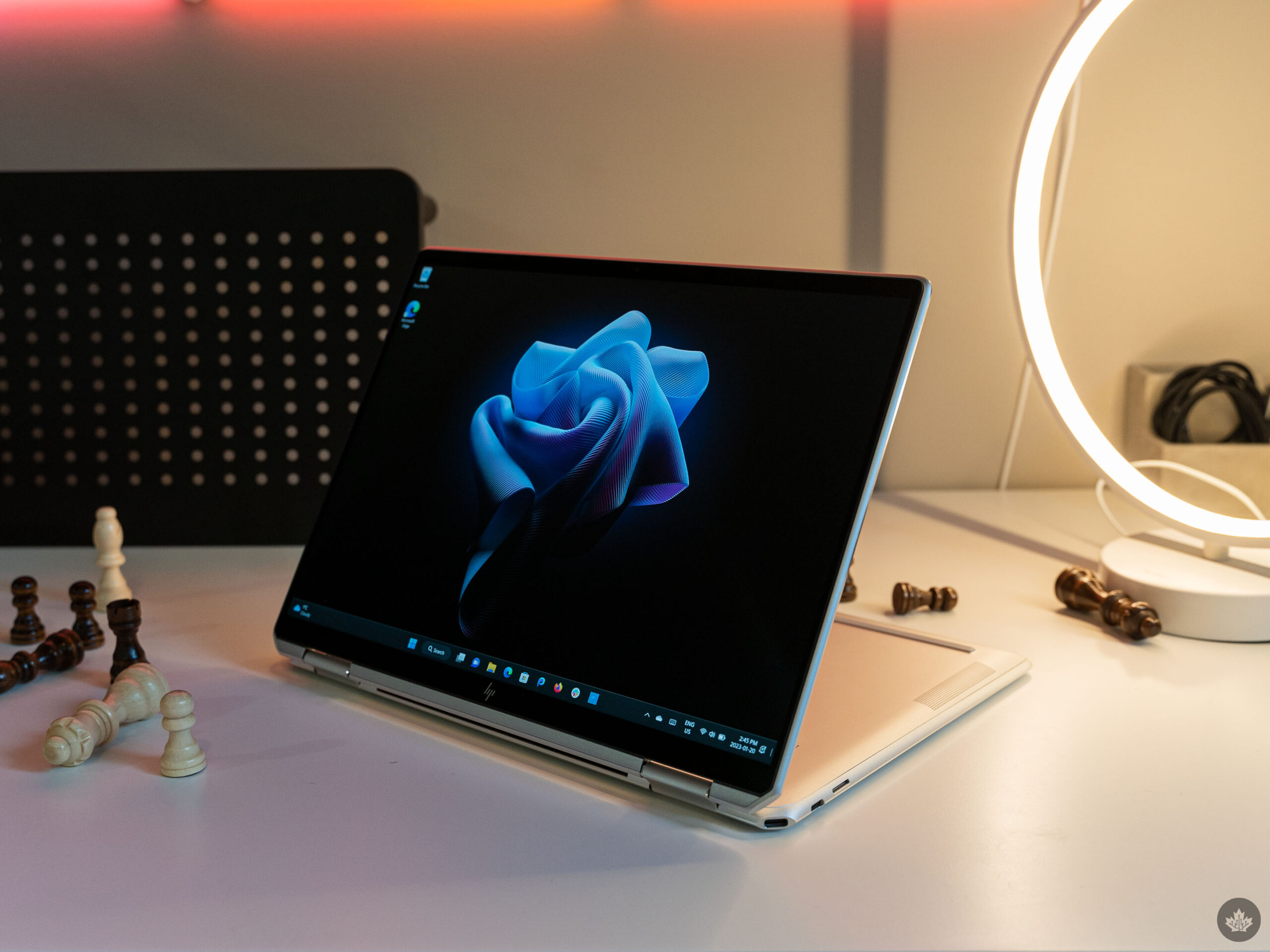
But colours and design only mean so much on a laptop, and in the other areas that matter, the Spectre x360 disappointed more than it impressed. I’ll get into it more below, but an assortment of audio and performance issues dampened my experience with the laptop despite the Spectre x360 generally getting everything else right.

Specs
  • Display: 13.5-inch WUXGA+ IPS 1920×1280 pixel 3:2 multitouch display with 400 nits brightness
  • Processor: 12th Gen Intel Core i5-1235U
  • Memory: 16GB
  • Storage: 1TB SSD
  • Dimensions: 29.8 x 22.04 x 1.69 cm
  • Weight: 1.36 kg
  • Camera: HP True Vision 5MP IR camera
  • Operating System: Windows 11
  • Battery: 66Wh lasts “up to 16 hours”
  • Connectivity: Wi-Fi 6E, Bluetooth 5.3
  • Sensors: Fingerprint, accelerometer, eCompass, colour temperature light sensor, gyroscope, IR thermal sensor
  • Ports: 2x Thunderbolt 4, 1x ‘SuperSpeed’ USB Type-A, 1x headphone/mic combo
  • Graphics: Intel UHD

Note: The above specs are for the specific laptop I tested. You can view all configurations for the Spectre x360 14 here.

Feelin’ old school

Initially, I wasn’t a huge fan of the more rounded design of the Spectre x360. However, after using the laptop for a bit, I came to appreciate the rounded edges as they made the laptop more comfortable when in use. For example, the rounded edges didn’t rub my wrists when typing in the same way as squared-off edges do.

Moreover, the rounded edges made for a slightly more old-school feel, reminiscent of the days before every laptop was a samey metal slab.

Of course, not everyone will appreciate the style of the Spectre x360, but I found it unique enough to feel different without being a totally alien device.

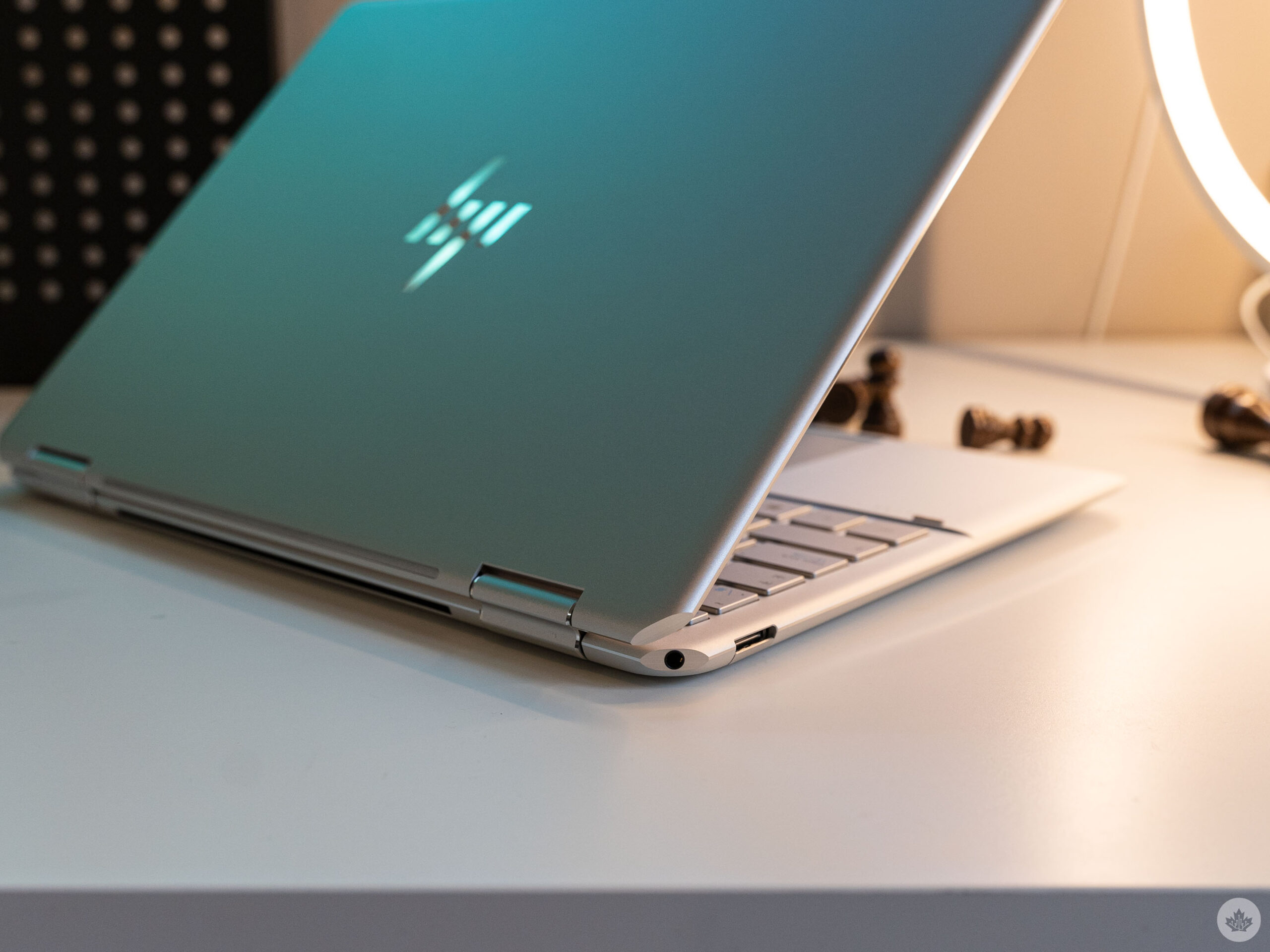
I also appreciate that the cut corners returned, although they do feel incongruous with the rest of the laptop’s design. Like with the 2019 model I tested, the cut corners reside on the hinge side of the laptop, and only two of the four corners are cut this way, making the laptop asymmetrical in a way I don’t prefer. That said, the asymmetric design is less offensive on the 2022 Spectre since the non-cut corners match the rounded aesthetic present elsewhere.
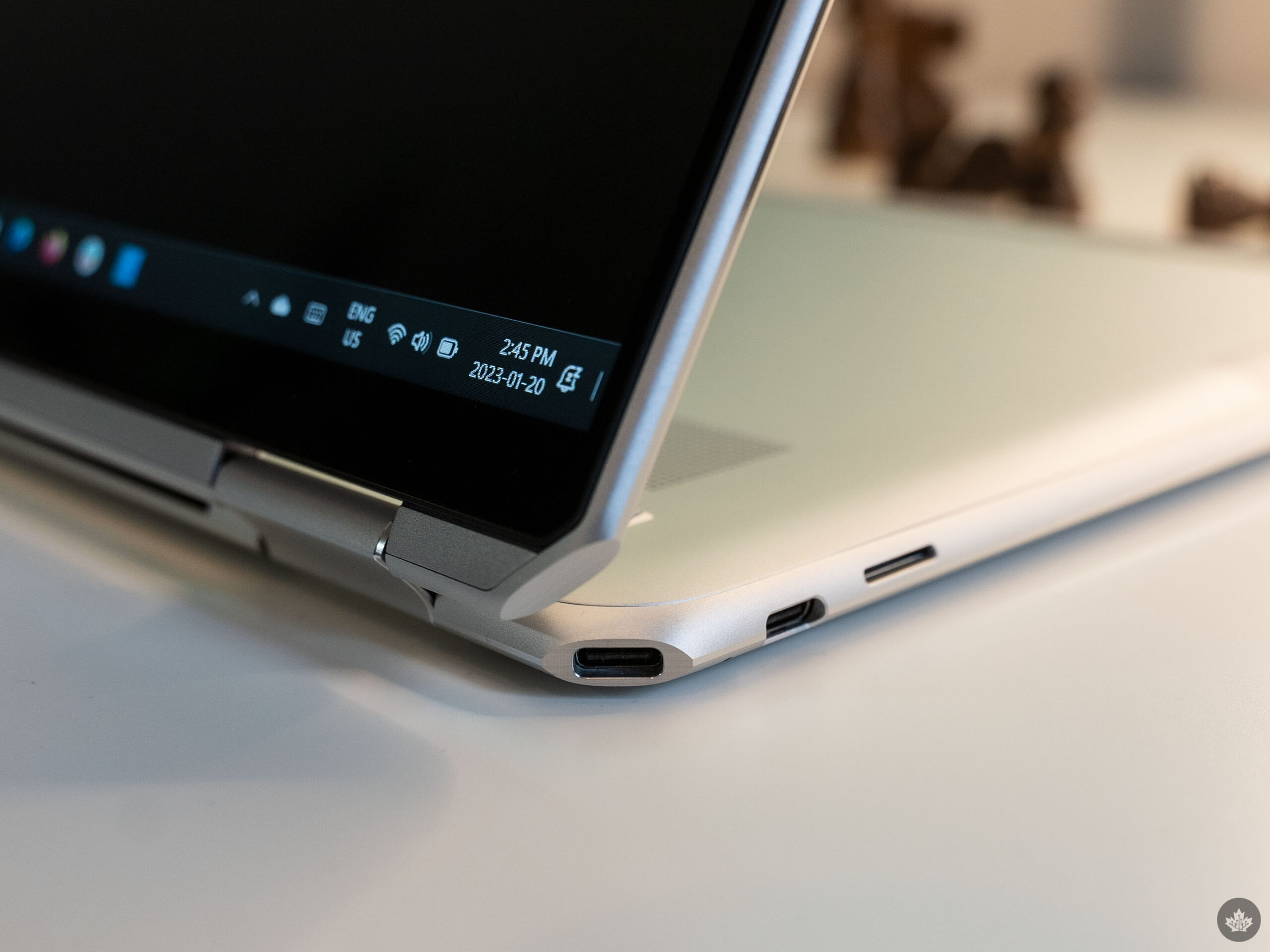
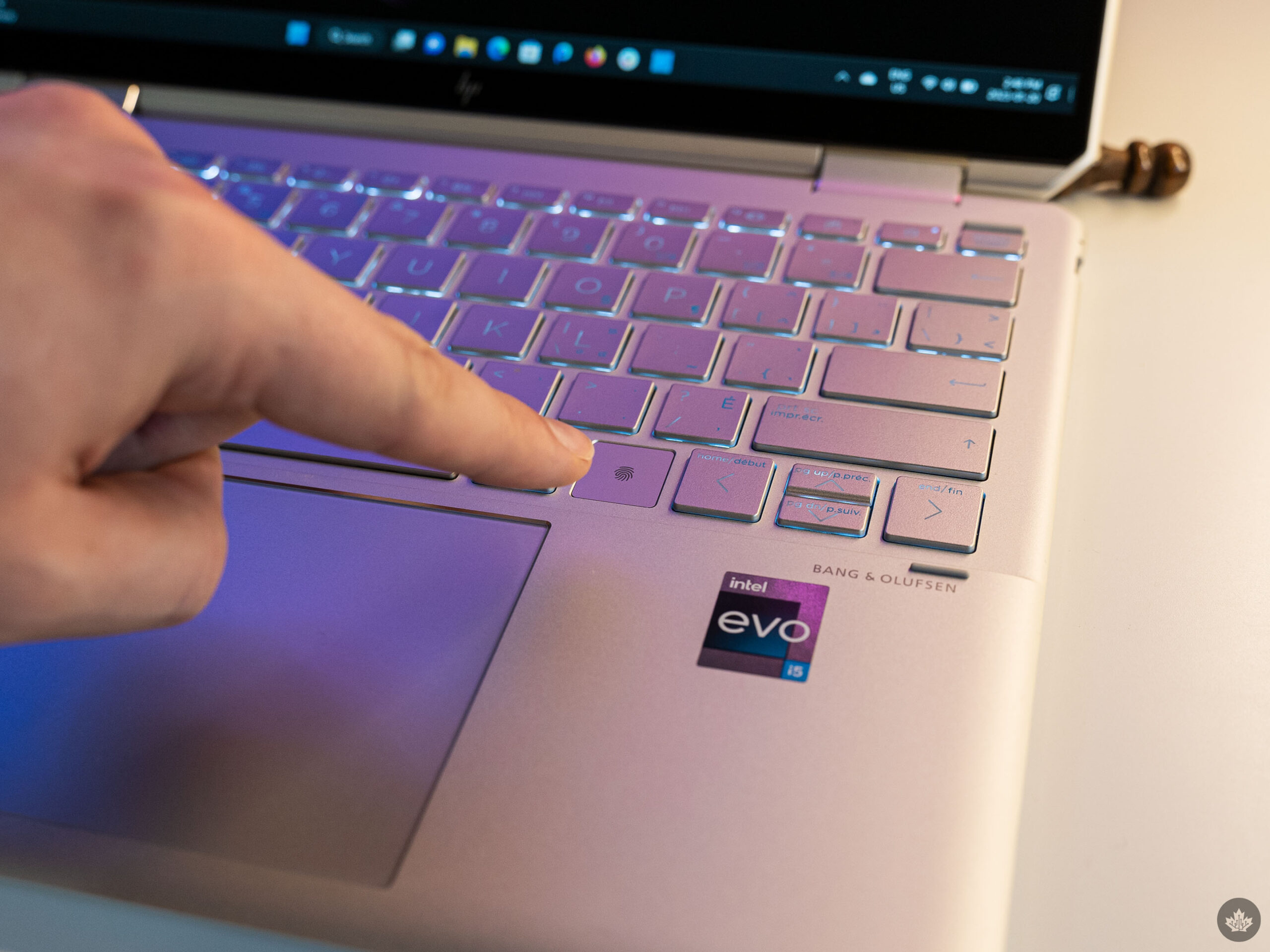
One major difference from 2019 is that the new Spectre x360 sports the headphone/mic jack on the top-left corner instead of the power button, which now resides on the top-right corner of the keyboard. Practically, I prefer not having a power button on the side of the laptop, but I’d also prefer if it was set apart from the keyboard rather than disguised to look like any other key.

The top-right corner of the laptop once again sports a USB-C port (both USB-C ports on the Spectre x360 14 are Thunderbolt 4 as well). The angled port is great for charging since it keeps the cable out of the way of your mouse – it’s a great middle ground between the accessibility of side-mounted ports and the clean look of tucking your cables away with rear-mounted ports.

I do wish the left corner also had a USB-C port since my desk setup would prefer cables on the left side of my laptop, but that’s a niche complaint for me.

Hardware chops (and flops)

The Spectre x360’s display is decent. While not the best display I’ve ever seen, it definitely gets the job done and I have no complaints. The 3:2 aspect ratio is welcome as always, and the 1920×1280 pixel resolution – while not a super high resolution – was still plenty sharp. I’ve written it before, and this won’t be the last time I write it, but I often find 4K displays to be overkill on laptops.

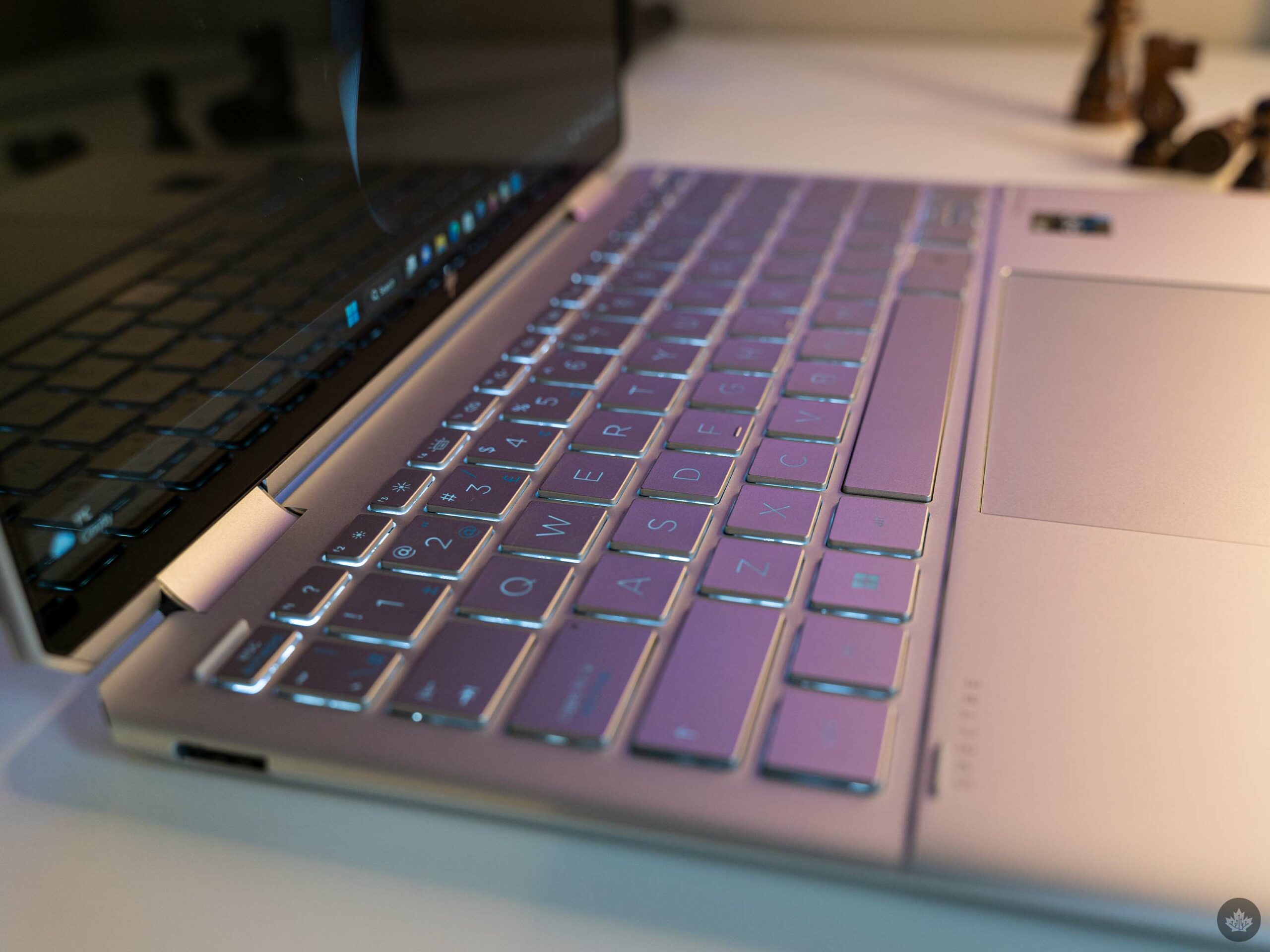
The keyboard and touchpad are also both excellent this time around. I quite liked the keyboard on the 2019 Spectre but had some issues with debris getting underneath the keys. I haven’t had a similar issue with the new Spectre x360, and the keys have remained tactile throughout the review period. I’d place this keyboard on about the same level as what you’d get from Microsoft’s Surface laptops, which is to say, among the best available on Windows PCs.

The touchpad, on the other hand, is a marked improvement over 2019. It’s much bigger but still offers a wonderfully tactile click when pressed. It’s also a very smooth trackpad and I found it handled my inputs well enough that I didn’t hate using it.

On the other hand, the laptop’s speakers were less stellar. Despite sporting Bang & Olufsen branding, the Spectre x360 sounded hollow and tinny when watching videos or listening to music. If you need the speakers in a pinch, they work, but don’t expect the best sound experience.

Struggling with the basics
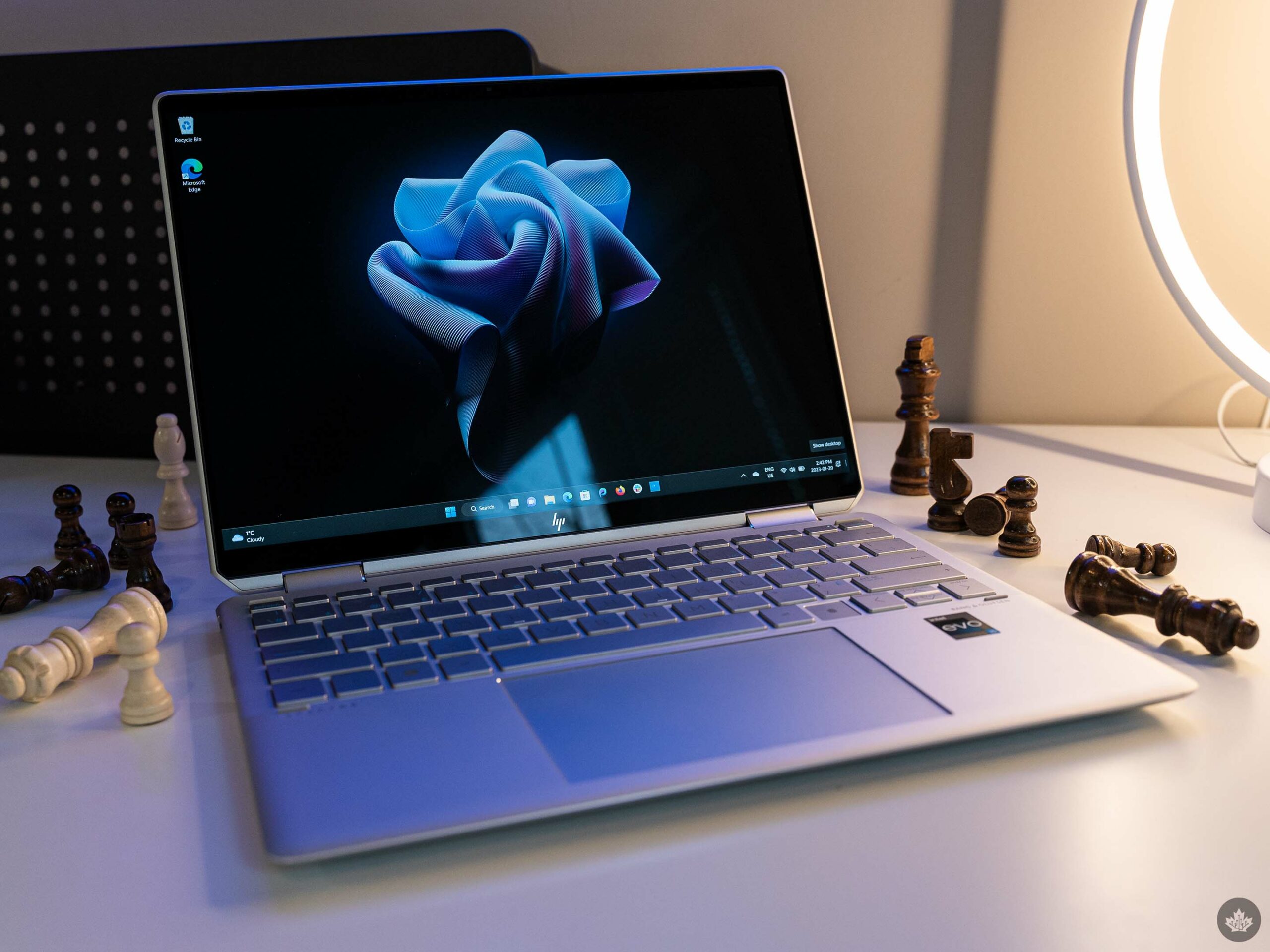
As someone who regularly tries new laptops as part of their job, I’ve tuned my workflow to be almost entirely browser-based so I can swap from device to device with minimal set-up time. Generally, this works out well for me, but I was surprised to find the Spectre x360 didn’t always play nice with web browsers.

I often had performance issues when using the laptop, ranging from minor issues where my web browser would slow down or feel less snappy than usual to more serious crashes or freezes. I usually use Firefox, but I bounced around to some Chromium-based browsers as well during testing and found they only fared slightly better.

It wasn’t just my browser impacted by the weird performance either – OneDrive, which I use to backup photos I take for work, was weirdly slow on the Spectre x360 and seemed to cause File Explorer to hang from time to time. At the same time, some apps – like, much to my surprise, Photoshop – seemed to work fine with just the occasional hiccup.

Looking at the benchmark results, it's not totally surprising to see where the Spectre x360 landed in both Geekbench and Cinebench tests. Sporting a 12th Gen i5, it lands behind all the laptops sporting 12th Gen i7 chips, which makes sense. It also barely beat out the Surface Pro 8 with an 11th Gen i7. Benchmarks obviously don't tell the whole story when it comes to performance, but it reinforces my surprise at the odd performance I experience in day-to-day use.

Meeting misery
Aside from pure performance issues, I also had several problems with connecting Bluetooth devices. It wasn’t that the Bluetooth didn’t work – I had no problems pairing Bluetooth earbuds, for example, and I often used my trusty Surface Earbuds, which have served me well for years.

However, with the Spectre x360, Bluetooth audio was anything but reliable. Connecting the earbuds sent the whole audio system into disarray. In the weeks I used the Spectre x360, I found myself in countless video meetings where I couldn’t hear what people were saying, or they couldn’t hear me (or both!). There was one bizarre meeting where the volume was locked at an uncomfortably high level and even though Windows showed the volume being turned down when I adjusted it, the actual volume never changed.

I’m still unsure what caused the problems, and whenever I thought I’d fixed them, connecting an audio device would introduce some new problem.
Beyond the audio issues, I was also disappointed by the amount of pre-installed bloat that shipped on the Spectre x360. While admittedly nearly every Windows laptop ships with some level of bloat, what was particularly frustrating about the Spectre x360 was that it felt like the added apps were gumming up the works. For example, things like the HP Omen Gaming Hub were constantly hogging resources even after disabling the app from running at startup.

I’d strongly recommend anyone buying an x360 take the time to purge the bloatware to help boost performance (typically, this is something I’d do with a laptop but with reviews, I’d rather leave the bloat alone to see what, if any, impact it has on the system).

A tougher sell

Despite the issues, I generally really like the Spectre x360. It’s got a big trackpad, which makes using it while on the go much easier. Plus, it’s got one of the better laptop keyboards available, which is a big win for people like me that type all day. But when you factor in the price, it becomes a tougher sell.

HP Canada’s website listed three configurations of the Spectre x360 with the following prices (and, at the time of writing, some discounts):

Core i5, 16GB RAM, 1TB SSD - $1,839.99
Core i7, 16GB RAM, 1TB SSD - $2,049.99 (on sale for $1,699.99)
Core i7, 16GB RAM, 2TB SSD - $2,249.99 (on sale for $1,999.99)

Compared to some other recently reviewed laptops, like the Lenovo Yoga 9i, Microsoft Surface Laptop 5, and the LG Gram (2022), the base i5 Spectre x360 doesn’t seem like a great option. For example, the Yoga 9i I tested all sported a 12th Gen i7 (although not the same one as the x360), but cost around $1,880 when I reviewed it. The LG Gram is a little pricier, though it also boasts a larger display. The Surface Laptop 5 is definitely pricier, but for some, the reliability might be worth the cost.

However, the $1,699.99 sale price is more tempting while it sticks around, and it shouldn’t have the same performance struggles as I experienced with the i5 model. I can’t say whether it'll dodge the Bluetooth issues as well, but hopefully, those are a one-off problem my review unit had.

I also checked Best Buy to see what they had, but only the larger 16-inch variant was available.

Categories
Mobile Syrup

Dyson’s Zone is a love letter to over-engineering

When I first learned about Dyson’s Zone earphones/air purifier, I wasn’t sold on the wacky concept. However, after spending time with an engineer at CES 2023 who worked on the headphones/air purifier, I began to really like the precision this weird device offers.

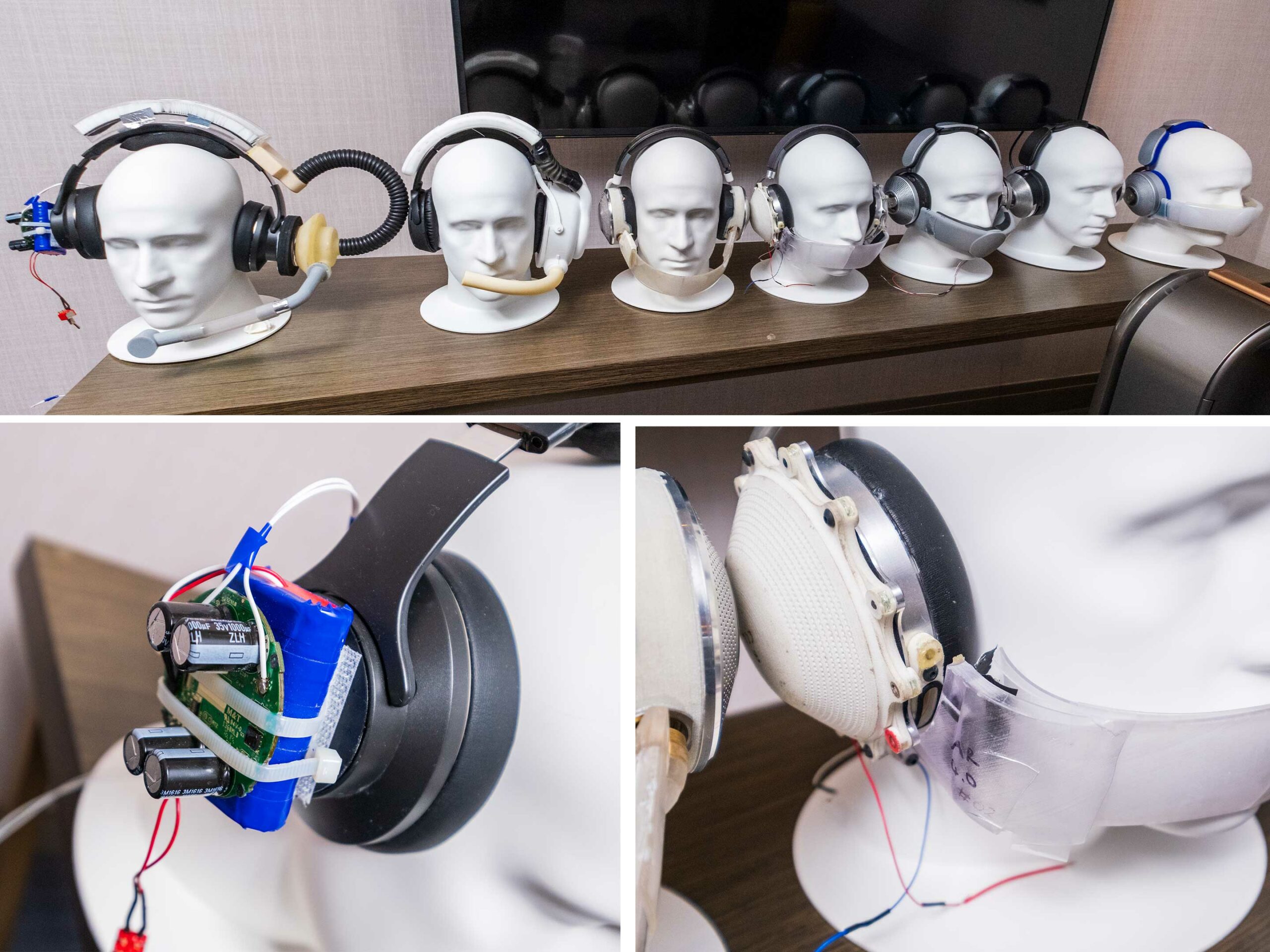
The first thing that struck me when I sat down to learn about the new headset was the row of prototypes staged along the wall. You can see where Dyson started with air filtration and how it slowly started adding its own audio solutions to the process. It’s cool to look at how the design process for a complicated product like this evolves with sometimes not-so-subtle iterations.

The next thing that really took me aback was how flexible the face shield is. I expected hard plastic, but it’s more rubbery than I anticipated. It sounds implausible, but I swear you can fold it up and jam it into a pocket if you want. The shield is also magnetized to the headset, so you can easily remove it. For a quick chat, it also features hinges that allow you to drop the mask for a quick conversation. When you do this, the headphones’ noise-cancelling disables so you can hear the person you’re talking to.

Dyson appears to have thought of everything from cleaning the headset to making it fit with multiple face shapes, while still allowing you to get gulps of fresh air with ease.
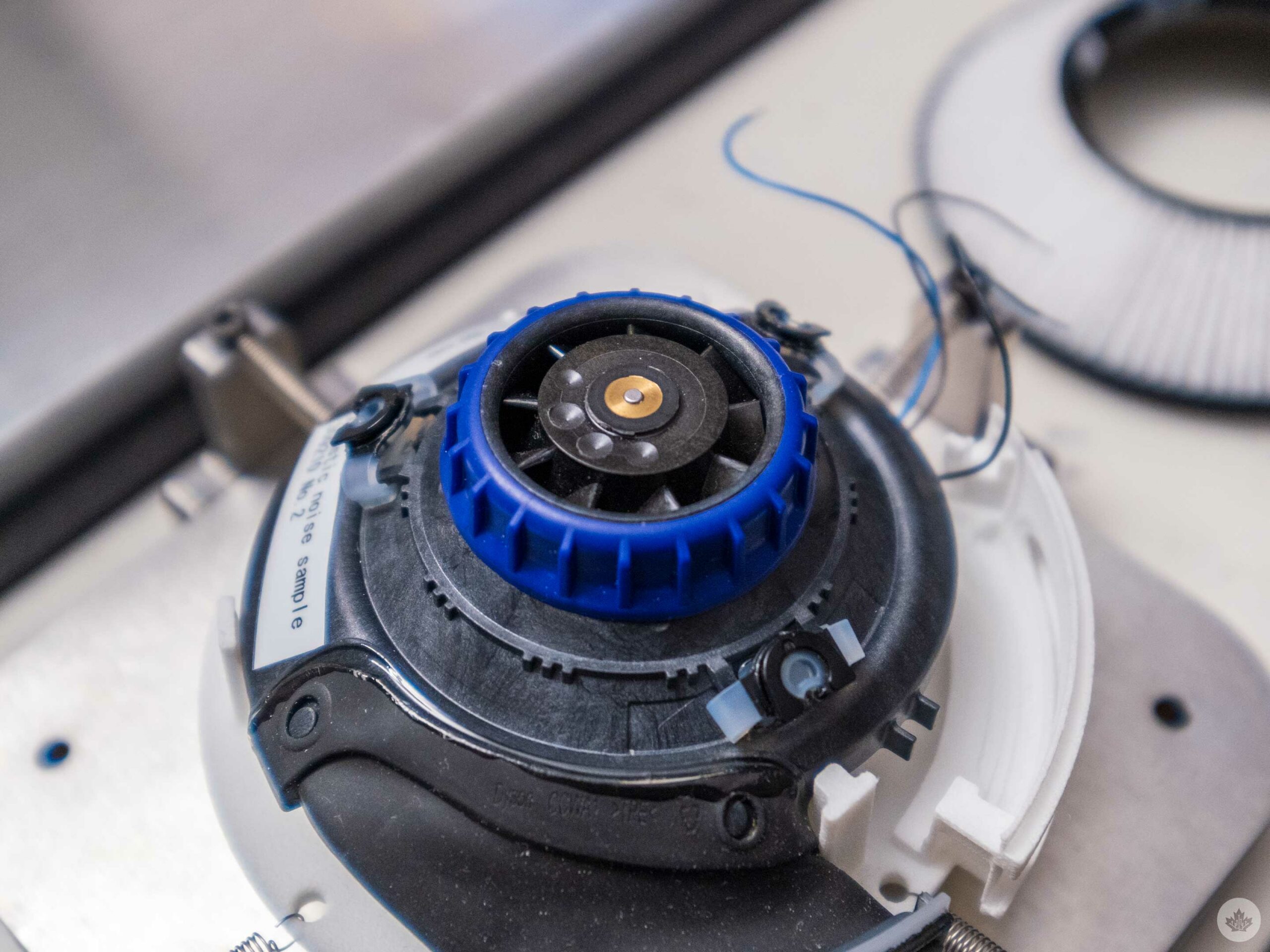
Moving back over to the headphone/air filtration aspect, the company has paid significant attention to this portion of the device. When you strip off parts, you can see where Dyson has milled out little plastic holes to ensure that the earcups’ fans don’t wobble and stay as quiet as possible. It’s an incredibly small attention to detail, but it’s also what you’d expect from a product with a $949 USD (roughly $1,269 CAD) cost.

Other notable features are the plush earcups that pull double duty as strong sound dampening to help improve the noise-cancelling. Still, even with these earcups, the headphones are comfortable, and the foam lining inside the over-head arc is plush and soft. Compared to the rigid metal bars of my AirPods Max, for example, Dyson’s Zone felt like wearing a cloud.

A view of the milled holes used to balance the fan.

However, as lux and detailed oriented as this headphone system is, I worry about it being a tough sell to consumers. It’s not certified to be used in factories, it’s too expensive and bulky to compete against regular headphones, and the most significant use cases for the mask seem to be people with long public transit commutes.

There’s likely a small niche that care about good-sounding headphones and breathing clean air that also have over $1,000 CAD to spend on a device like this, but for most of us, the ZOne feels like a concept detached from reality.