Categories
Mobile Syrup

Google Assistant’s sleep timer to pause music broken on some Nest devices

Google’s Assistant devices are handy little gadgets that can help you keep up with the latest news, set reminders and alarms for you, play music, control smart home accessories, and much more.

Lately, however, a bug has been affecting Google’s smart displays like the Nest Hub, preventing them from abiding by sleep timers for stopping music after a specific period, as reported by 9to5Google.

Normally, when you’d play music on your Google Assistant device, like a Nest Hub, Nest Mini or Google Home speaker, and you tell it to “stop playing music in one hour,” or “set a sleep timer for 12am,” the feature reliably stopped music, or even sleep sounds from playing after the set period of time.

Recently, the feature has failed to stop the sounds from playing when a sleep timer is set. Community member John McGeough shared their experience on Google’s community blog.

“Up until the last couple of days I could instruct my mini nest to “sleep in 20 minutes” and 20 minutes later is would stop. But now it although it acknowledges the command, it keeps on playing after the time period. I have tried saying “stop in 20 minutes” as well as specifying an actual time, but all to no avail. I have two speakers, and they both are doing the same.”

Google replied that it is aware of the issue and is currently investigating. It’s worth noting that it has been over a month since the issue was reported, and it still hasn’t been fixed.

Google also acknowledged the issue in a Twitter reply, saying that it removed the sleep time functionality intentionally because “one hour is insufficient” and the feature wasn’t working for timers longer than one hour. “We’re currently investigating ways to build a comparable solution and we appreciate your patience,” wrote Google.

In a different reply, the search giant wrote, “Our team is aware about the sleep timers not working on Google Home devices and is already working on a fix. In the meantime, we suggest you keep your Google connected to a stable network for any updates.”

Source: 9to5Google

Categories
Mobile Syrup

Competition Bureau updates its arguments against Rogers-Shaw approval

The Competition Bureau has updated its appeal on the Competition Tribunal’s decision to approve Rogers’ takeover of Shaw.

If the $26-billion merger is approved, Vidéotron will acquire Freedom Mobile under a separate acquisition. The side deal played a major role during the weeks-long tribunal hearing that ultimately favoured the Rogers-Shaw merger.

The case is now heading to the Federal Court of Appeal. The bureau filed its initial appeal on December 31st, arguing the hearing should’ve solely focused on the larger merger at hand, despite the tribunal stating it would’ve reached its conclusion either way.

The bureau updated its appeal on Friday, according to The Globe and Mail, to argue the tribunal failed to explain why it would’ve reached the same conclusion, resulting in a legal error. The updated appeal further states the tribunal failed to properly apply the legal test analyzing mergers.

The parties will present their cases on January 24th.

Image credit: Shutterstock 

Via: The Globe and Mail 

Categories
Mobile Syrup

Apple could replace Wi-Fi, Bluetooth, cellular modem with in-house chips in 2025

Apple has long been working to replace components in its devices with its own chips, most notably aiming to replace the Qualcomm 5G modem with its own modem. According to new details published by Bloomberg‘s reliable Mark Gurman, Apple could drop a key Broadcom component in 2025, while its modem chip could be ready for late 2024 or early 2025.

Gurman cites people familiar with the situation who asked not to be identified because the plans are private. The Broadcom component in question handles Wi-Fi and Bluetooth on Apple devices. Apple has started developing its in-house replacement and aims to use it in devices in 2025. Moreover, Apple is reportedly working on a follow-up chip that would combine Wi-Fi, Bluetooth, and cellular modem capabilities into a single component.

Apple is Broadcom’s largest customer and accounted for roughly 20 percent of the company’s revenue in the last fiscal year, Gurman reported.

Meanwhile, Apple’s work on a cellular modem has been moving along slowly. Rumours have swirled for years about Apple’s plan to replace Qualcomm chips in the iPhone with an in-house modem chip, and the company supposedly planned to make the transition this year. However, Apple reportedly delayed the switch after encountering issues with overheating, battery life, and more.

Gurman reports that Qualcomm received 22 percent of its annual sales from Apple.

If these details are accurate, it sounds like the 2025 iPhone could offer some significant changes in the wireless connectivity department. However, given Apple’s troubles with the in-house modem chip so far, it’s possible that other delays could push back the company’s plans. It also remains to be seen what, if any, benefit Apple’s in-house chips would bring. If Apple fails to make its chips at least as good as the components from Broadcom and Qualcomm, it could make the iPhone less compelling compared to other phones.

Source: Bloomberg

Categories
Mobile Syrup

Google Docs’ voice transcription expands to ‘most major browsers’

Google Docs has long offered users the ability to type and edit text using their voice. It works well enough to be used as an independent transcription software for interviews and meetings, although with an error or two here and there.

Now, Google is making a few key enhancements to the platform that will make transcriptions on the platform better.

According to the search giant’s blog, it is making enhancements that would “help reduce transcription errors and minimize lost audio during transcription,” making Google Docs stand out as a competent transcription software.

Furthermore, voice transcription on Google Docs has only been available on Google Chrome up until now. According to the search giant, it is also expanding the feature’s availability to “most major browsers.” Google did not mention which other browsers would gain the feature for Docs, though “major browsers” are likely to include Safari, Firefox and Microsoft Edge.

Lastly, the Mountain View, California-based company said that captions in Google Slides will now contain automatically generated punctuations that display a speaker’s words in real-time.

The feature started rolling out on January 9th for Rapid Release domains, and it can potentially take over 15 days for the feature to be widely available. It will start rolling out for Scheduled Release domains starting February 6th and can take up to 15 days for feature visibility. Also worth noting is that the new feature will be available to all Google Workspace customers, as well as legacy G Suite Basic, Business customers and users with personal Google Accounts.

Learn more about the rollout here.

Source: Google

Categories
Mobile Syrup

Instagram to remove Shopping tab from Home Screen in February

Meta-owned Instagram rolled out its redesigned Home Screen layout with a dedicated shopping tab in late 2020, and it’s been front and centre since.

Currently, the Shopping tab sits on the right of Reels on the Home Screen, but that’s about to change. As shared by the Meta-owned company, beginning February, Instagram will remove the Shopping tab from the main bar on the Home Screen, and the button to create a new post (currently situated on the top right) will move to the bottom-aligned bar.

The Reels tab, which sits at the centre of the bottom bar, will replace the Shopping tab.


View this post on Instagram


A post shared by Adam Mosseri (@mosseri)

According to Instagram CEO Adam Mosseri, the idea here is to simplify Instagram and focus it more on trying to bring people together over what they love. To do that, Instagram is targeting three things: Inspiring people to express themselves, helping people discover what they love, and sparking connections between people over what they find

You will still be able to shop on Instagram via your Feed, in stories, Reels and through ads. “You will still be able to set up and run your shop on Instagram as we continue to invest in shopping experiences that provide the most value for people and businesses across feed, stories, reels, ads and more,” wrote Instagram in its Home Page navigation update.

Image credit: Adam Mosseri

Source: Instagram

Categories
Mobile Syrup

Samsung Galaxy S23 series warm-up video leaks

Samsung is gearing up to launch the S23 series, which is rumoured for February. Of course, while it’s prepping material for the launch, some of it is getting leaked.

The most recent details about the handset come from the well-known Twitter leaker Ice Universe. The leaker shared two marketing videos for the upcoming S23 Ultra highlighting the phone’s low-light prowess.

While Ice Universe says that these are the S23 Ultra warm-up videos, I’m leaning on this being advertising material for the two lower-end devices. Both videos showcase three camera lenses, but the S23 Ultra is rumoured to sport four lenses, not three. In contrast, the S23 and the S23+ are rumoured to sport three lenses.

However, the second video talks about “megapixels that’ll make you say wow,” which might refer to the S23 Ultra’s rumoured 200-megapixel primary shooter.

That’s just my two cents; however, we won’t officially know until Samsung reveals the Galaxy S23 series at Unpacked, rumoured for early February.

Source: Ice Universe

Categories
Mobile Syrup

Google Pixel Watch gets minor January 2023 update

Google’s new Pixel Watch is getting another update, although it doesn’t seem like there are many major changes in this one.

As spotted by Android Police, Pixel Watch firmware build RWD9.220429.073 is rolling out but doesn’t appear to include any new features. Google’s official release notes detail one user-facing change: “Fix to address 3rd party watch faces turning off after 15 mins with always on display (AOD) enabled.”

Unfortunately, that means the update doesn’t enable anticipated features like fall detection, which already started appearing for a small number of users earlier this month. Google promised the fall detection feature would come this winter, so there’s still time for it to arrive.

Google notes the update will roll out “over the next week in phases depending on carrier and device,” so don’t fret if the update doesn’t appear immediately. Keep an eye out for a notification to appear on your Pixel Watch once the update becomes available. Alternatively, you can try and force the update by heading to Settings > System > System updates and tapping on the ‘Your watch is up to date’ screen.

Android Police notes this is the second consecutive monthly update for the Pixel Watch since it was released last year.

Source: Google Via: Android Police

Categories
Mobile Syrup

Android 13 QPR2 beta 2 lets you force themed icons for your home screen

Monday, Google dropped the Android 13 QPR2 beta 2, giving users a look at what to expect for the March Feature Drop. Now, we’re learning more about what’s available in the beta.

While some of the new features and tweaks, like Unicode 15.0 emojis, and the Google Home app icon in the device controls, were spotted yesterday, more and more features are still being found.

Today, we’re learning about a new feature that made its way to QPR2 beta 2.

Spotted by the well-known Mishaal Rahman of Esper and the Google News Telegram channel, you can force icons on your home screen. The feature is hidden behind the flag named “ENABLE_FORCED_MONO_ICON” and has a description that reads, “Enable the ability to generate monochromatic icons, if it is not provided by the app.”

This will force icons that don’t provide a themed icon into a monochromatic variant that can match your wallpaper.

Personally, I’m not a fan of themed icons, but if you’re someone who likes the feature, this will be great for you. Hopefully, this makes it past the beta stage for those who like the feature.

Source: Android Police, Mishaal Rahman

Categories
Mobile Syrup

Chrome’s new ‘Instance Switcher’ lets you have multiple instances open at once

Chrome is undoubtedly the most used browser globally, and Safari, which takes the number two spot, doesn’t even come close. 

Chrome is user friendly, with its intuitive UI, highly customizable, fast and secure. However, the Chrome experience on PC doesn’t equally translate to the Chrome experience on Android or iOS.

For example, PC users can have multiple instances of Chrome running at once, while Android and iOS user can only run one instance of the browser, with different tabs open. Android users do have a workaround, however. Installing a Chrome Canary build or a dev build allows you to run the Chrome app and the Canary/Dev app as separate instances.

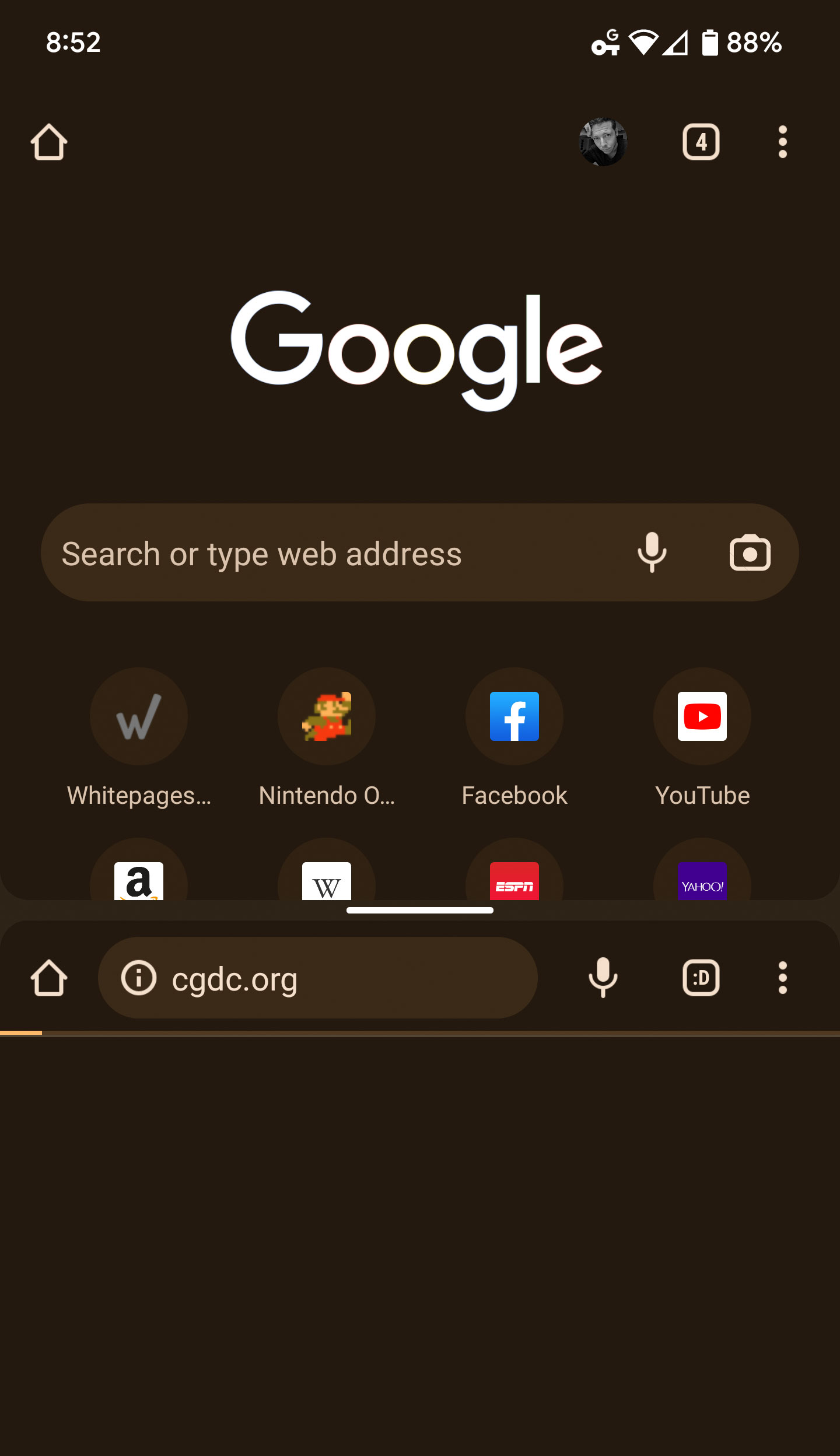
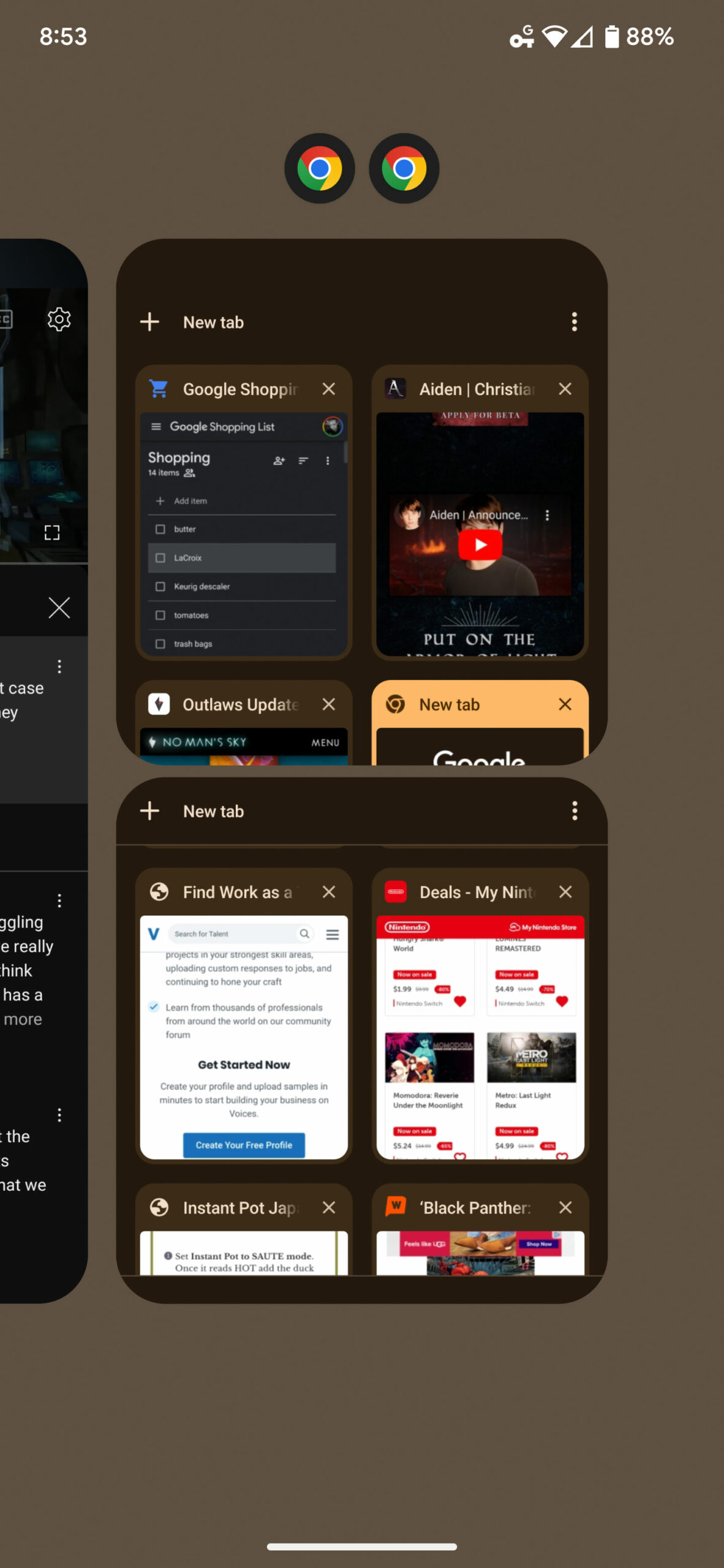
Now, according to ChromeUnboxed, the days of having to find workarounds to have multiple instances of Chrome running on your Android device might just be numbered. According to the publication,  Chrome added a feature in its beta build last year called ‘Instance Switcher.’ With the feature enabled, users would be able to tap the three dots on the top right of Chrome and select a ‘Manage Windows’ option that displays ‘Windows’ in the same way that separate Chrome browser instances would appear on a desktop or a laptop.

The feature, which was limited to the beta version of Chrome, is now making its way to the stable build of the app on Android.

Tapping ‘Manage Windows’ opens up a full-screen window that shows your active instances, and you can open more than two instances if required. Opening a new instance opens the Android App Overview menu and adds the new Chrome instance below the one that you’re currently using. This makes it very easy to alternate between your Chrome instances or view them in a split-screen configuration.

You’ll also be able to sign-in to the different instances with different Google accounts, which means each instance would be able to maintain its own browsing history, bookmarks, passwords, etc.

Google hasn’t officially announced the feature yet, though according to ChromeUnboxed, the ‘Manage Windows’ option is rolling out with Chrome version 108.0.5359.128.

Source: ChromeUnboxed

Categories
Mobile Syrup

What’s new on Xbox Game Pass on console, PC and mobile in late January 2023

Every month, Xbox brings new titles to its Xbox Game Pass subscription service.

Normally, these come in two waves and now, the company has revealed what’s coming to Game Pass in the second half of November. Note: ‘Cloud’ refers to a game that can be streamed via Xbox Cloud Gaming to a variety of devices, including Android and iOS.

The second-half of January is rather light, with just three new launches. Check them out below:

  • Persona 3 Portable (Cloud, Console, and PC) – January 19th
  • Persona 4 Golden (Cloud, Console, and PC) – January 19th
  • Monster Hunter Rise (Cloud, Console, and PC) – January 20th

In case you missed it, here are the games that were added to the subscription service recently:

  • Mortal Shell: Enhanced Edition (Cloud, Console, and PC) – Available now
  • Stranded Deep (Cloud, Console, and PC) – Available now
  • Valheim: Mistlands Biome Update (PC) – Available now

Here’s what’s leaving Game Pass on January 15th:

  • Danganronpa: Trigger Happy Havoc (Cloud, Console, and PC)
  • Nobody Saves The World (Cloud, Console, and PC)
  • Pupperazzi (Cloud, Console, and PC)
  • The Anacrusis (Game Preview) (Cloud, Console, and PC)
  • We Happy Few (Cloud, Console, and PC)
  • Windjammers 2 (Cloud, Console, and PC)

As always, Game Pass subscribers can take advantage of an exclusive 20 percent discount to purchase any game on the service and keep playing even after it leaves the catalogue.

Find out what came to Game Pass in December 2022 here.

Image credit: Atlus

Source: Xbox