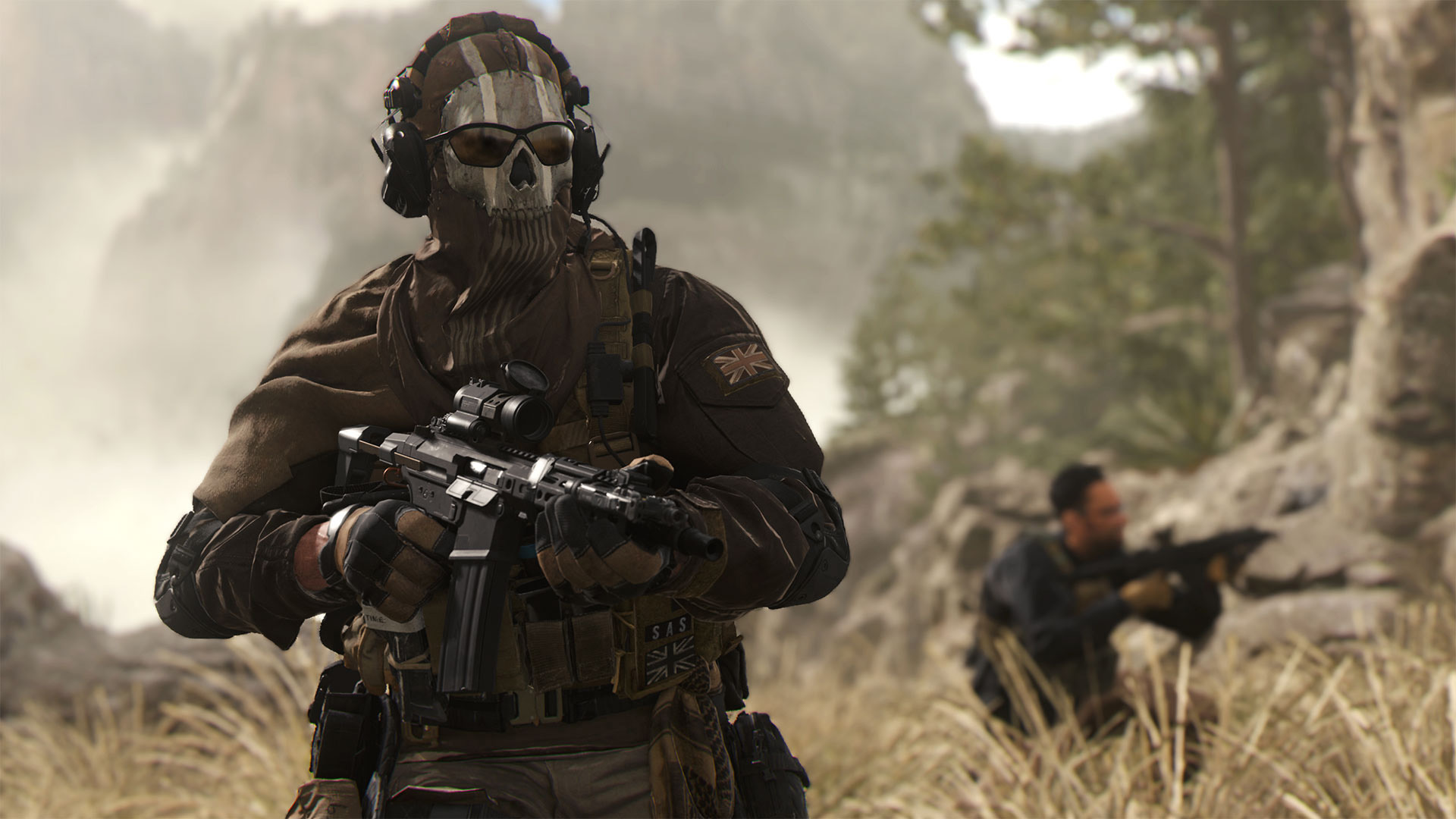
For unclear reasons, only PlayStation players can turn off crossplay in Call of Duty: Modern Warfare II, and Xbox and PC players can’t.
Though most people will likely opt to leave crossplay on, there are several reasons why some players might want to stick to their own platform. For example, hacking is far more common on PC and in some situations, mouse and keyboard input offers advantages over a controller. PC players might also want to avoid controller players, and the ample aim assists they benefit from.
According to The Verge, there’s an option to disable crossplay in the settings menu on Xbox, but when you load into a playlist, you’re forced to still enable crossplay. On PlayStation, you can dismiss this prompt and stick to PlayStation 4 and PlayStation 5 players.
The only way to get around this issue is to turn off crossplay on a system level through the Xbox console’s Settings menu under the ‘Online safety & family option.’
Since the option to turn off crossplay is still featured in the menu on Xbox, the feature will likely eventually make its way to Microsoft’s console and PC through an upcoming update.
While MWII’s singleplayer campaign has been available for the past week, the game’s anticipated multiplayer mode only launched today. In other Modern Warfare II-related news, the game’s physical disc only features 72.23MB of data, prompting players to download over 100GB when they boot up the title.
Apple’s new 10th-Gen iPad finally brought a new design and a USB-C port to the company’s low-cost tablet (although the Lightning-equipped 9th-Gen iPad is still available). But the USB-C port isn’t all it’s cracked up to be. Aside from not working with the first-gen Apple Pencil — which bizarrely is the only Apple Pencil that works with the 10th-Gen iPad — the USB-C port is also slower than other USB-C iPads.
The Verge noted as much in its review of the new iPad, and a ‘Max Tech’ YouTube video (via MacRumors) demonstrates this as well. In short, the iPad’s USB-C port is limited to USB 2.0 speeds (up to 480Mbps for a data transfer). Not only does that make it the slowest USB-C port available on an iPad, it also means the new 10th-Gen iPad offers the same data transfer speed as the 9th-Gen iPad’s Lightning connector.
MacRumors notes that the iPad Pro models with the M1 chip offer Thunderbolt 3 and data transfer speeds of up to 40Gbps, while the fifth-gen iPad Air is capable of up to 10Gbps. The fourth-gen iPad Air and the latest iPad mini both support 5Gbps data transfer speeds. Moreover, Apple doesn’t mention the speed limit on the 10th-Gen iPad’s spec page.
Depending on what you want to use the new iPad for, the data transfer speed limit may not matter much. I imagine most people buying the 10th-Gen iPad just want a tablet for media consumption and games. Those looking for something for productivity or to replace their laptop likely will want the iPad Air or Pro, both of which offer much faster transfer speeds.
At the same time, given the price increase the 10th-Gen iPad got, it’s frustrating to see these small limitations, which ultimately serve to make the 9th-Gen iPad better value (even though Apple also raised that iPad’s price).
The long-running battle to deeply integrate smartphones with Windows PCs has heated up in recent months, with Intel debuting its Unison software to take on other software like Microsoft’s Phone Link app. Meanwhile, Microsoft is working on a way to automatically connect Windows PCs to the hotspot on Samsung Galaxy smartphones through Phone Link.
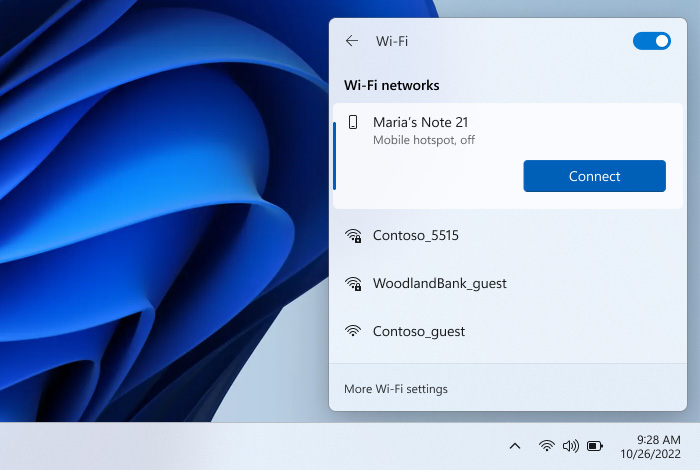
Android Police spotted the feature, which is mentioned in Microsoft’s announcement blog post for the latest Windows 11 Preview Build, version 25231. According to that blog post, Phone Link enables an “instant hotspot” feature that lets you “securely start and connect to your phone’s Wi-Fi network without touching your phone.” Microsoft goes on to describe how it works:
“When your phone is within range it will appear in the Wi-Fi network list on your PC where a single click turns on the phone’s hotspot and connects to it. No more remembering and typing passwords or searching for hotspot settings on the phone. This provides an easier and faster way to repeatedly connect to your hotspot when you are on the go.”
To try out the feature, you’ll need a few things:
A Samsung device running One UI 4.1.1 or higher
A PC with both Wi-Fi and Bluetooth
SIM card with a hotspot-capable plan
Windows 11 version 22H2 Build 22621 or higher
Phone Link desktop app in version v1.22082.111.0 or greater
Link To Windows phone app (pre-installed on Samsung devices) in version v1.22082.142.0 or higher
Microsoft notes that users should see a ‘What’s New’ dialogue on their PC, which they can use to set up the new Phone Link feature. Alternatively, open the Phone Link app and head to settings > Features > Instant Hotspot.
This feature will be particularly useful for those with Windows 11 PCs that don’t have built-in cellular (like the new Surface Pro 9). Of course, it won’t be available for everyone yet, in part because it’s still in preview, and in part because it’s limited to Samsung devices for the time being.
Similar to the move to a physical capacitive Touch ID button that doesn’t click with the iPhone 7, a new report indicates Apple could have plans to take the same route with the iPhone 15 Pro and iPhone 15 Pro Max next year.
According to often-reliable analyst Ming-Chi Kuo, Apple’s iPhone 15 Pro devices will ditch clickable volume and power buttons for touch-sensitive buttons that don’t click. This means that the smartphones will feature Taptic Engines “on the internal left and right sides” that provide force feedback when you touch the button.
(1/6) My latest survey indicates that the volume button and power button of two high-end iPhone 15/2H23 new iPhone models may adopt a solid-state button design (similar to the home button design of iPhone 7/8/SE2 & 3) to replace the physical/mechanical button design.
While a minor change, if the Taptic Engine technology replicates what Apple did with the iPhone 7’s Touch ID button, I don’t have an issue with the iPhone 15 Pro and iPhone 15 Pro Max ditching volume and power buttons that physically move.
A Quebec man has been charged with a phone scam targeting seniors.
According to Toronto Police, a group of people would call elderly people over the phone and pose as relatives or lawyers, demanding money to cover legal fees.
24-year-old Kevin Murenzi has been charged with fraud over $5000.
Police are asking anyone with information to contact police at 416-808-5200. People can also leave an anonymous tip at Crime Stoppers by calling 416-222-TIPS (8477) or visiting www.222tips.com.
Elon Musk’s Twitter acquisition is complete, per an SEC filing submitted Friday morning. While there hasn’t been a formal announcement made yet about the buyout, Musk shared several not-so-subtle hints about it, like tweeting “the bird is freed,” walking into the Twitter headquarters with a sink, letting the fact that his buyout has been completed ‘sink in’ and the fact that the company is being removed from the S&P 500 index (since it’s going private) all point to the fact that the acquisition has been completed and Musk is now ‘Chief Twit.’
With the buyout finished, Musk is now in charge of multiple companies, including Tesla, SpaceX, Neuralink, The Boring Company, and now, Twitter.
Post-acquisition, Musk reportedly fired several top executives, including Twitter’s CEO Parag Agrawal, CFO Ned Segal and policy head Vijaya Gadde, unnamed sources told CNN News. Musk also reportedly got rid of Twitter’s general counsel, Sean Edgett (per The New York Times), and chief customer officer Sarah Personette (via Insider).
Segal’s Twitter bio reads “former CFO,” while Gadde’s Twitter bio no longer mentions Twitter. Agrawal’s bio, however, still read “ceo @twitter” at the time of publication.
According to Reuters, “Agrawal and Segal were in Twitter’s San Francisco headquarters when the deal closed and were escorted out.” Currently, Musk intends to be the interim Twitter CEO, until a formal CEO can be appointed.
Musk also finally revealed why he acquired Twitter yesterday, stating that “it is important to the future of civilization to have a common digital town square, where a wide range of beliefs can be debated in a healthy manner, without resorting to violence.” Read the full story here.
Each month, Netflix adds new original content to its platform.
This November, shows and movies like Wednesday, the newest seasons of Elite, Dead to Me, The Cuphead Show and The Crown, Enola Holmes 2, Blood & Water Season 3, and more.
This list is curated for Canadians that primarily use Netflix for its original content. If you’re looking for all of the shows and movies coming to Netflix in November, click here.
Coming Soon
The Last Dolphin King — Netflix Documentary
November 1st
Gabby’s Dollhouse: Season 6 — Netflix Family
The Takeover — Netflix Family
The Final Score — Netflix Series
Young Royals: Season 2 — Netflix Series
Killer Sally — Netflix Documentary
November 3rd
Blockbuster — Netflix Series
The Dragon Prince: Season 4 — Netflix Family
Panyotis Pascot: Almost — Netflix Comedy
November 4th
Buying Beverly Hills — Netflix Series
Elesin Oba: The King’s Horseman — Netflix Film
Enola Holmes 2 — Netflix Film
The Fabulous — Netflix Series
Lookism — Netflix Anime
Manifest: Season 4, Part 1 — Netflix Series
November 5th
Orgasm Inc: The Story of OneTaste — Netflix Documentary
November 7th
Deepa & Anoop: Season 2 — Netflix Family
November 8th
Behind Every Star — Netflix Series
The Claus Family 2 — Netflix Film
Minions & More Volume 2
Neal Brennan: Blocks — Netflix Comedy
Triviaverse — Netflix Special
November 9th
The Crown: Season 5 — Netflix Series
FIFA Uncovered — Netflix Documentary
The Soccer Football Movie — Netflix Film
November 10th
Falling for Christmas — Netflix Film
Lost Bullet 2 — Netflix Film
Love Never Lies: Destination Sardinia — Netflix Series
State of Alabama vs. Brittany Smith — Netflix Documentary
Warrior Nun: Season 2 — Netflix Series
November 11th
Ancient Apocalypse — Netflix Documentary
Capturing the Killer Nurse — Netflix Documentary
Don’t Leave — Netflix Film
Down to Earth with Zac Efron: Season 2: Down Under — Netflix Series
Is That Black Enough for You?!? — Netflix Documentary
Monica, O My Darling — Netflix Film
My Father’s Dragon — Netflix Film
November 14th
Stutz — Netflix Documentary
Teletubbies — Netflix Family
November 15th
Deon Cole: Charleen’s Boy — Netflix Comedy
Johanna Nordström: Call the Police — Netflix Comedy
Jurassic World Camp Cretaceous: Hidden Adventure — Netflix Family
Run for the Money — Netflix Series
November 16th
In Her Hands — Netflix Documentary
The Lost Lotteries — Netflix Film
Mind Your Manners — Netflix Series
Off Trac — Netflix Film
Racionals MC’s: From the Streets of São Paulo — Netflix Documentary
The Wonder — Netflix Film
November 17th
1899 — Netflix Series
Christmas with You — Netflix Film
Dead to Me: Season 3 — Netflix Series
I Am Vanessa Guillen — Netflix Documentary
Pepsi, Where’s My Jet? — Netflix Documentary
November 18th
The Cuphead Show!: Part 3 — Netflix Family
Elite: Season 6 — Netflix Series
Inside Job: Part 2 — Netflix Series
Reign Supreme — Netflix Series
Slumberland — Netflix Film
Somebody — Netflix Series
The Violence Action — Netflix Film
November 21st
My Little Pony: Winter Wishday — Netflix Family
StoryBots: Answer Time — Netflix Family
November 22nd
Trevor Noah: I Wish You Would — Netflix Comedy
November 23rd
Blood, Sex & Royalty — Netflix Documentary
Christmas on Mistletoe Farm — Netflix Film
Lesson Plan — Netflix Film
The Swimmers — Netflix Film
Taco Chronicles: Cross the Border — Netflix Documentary
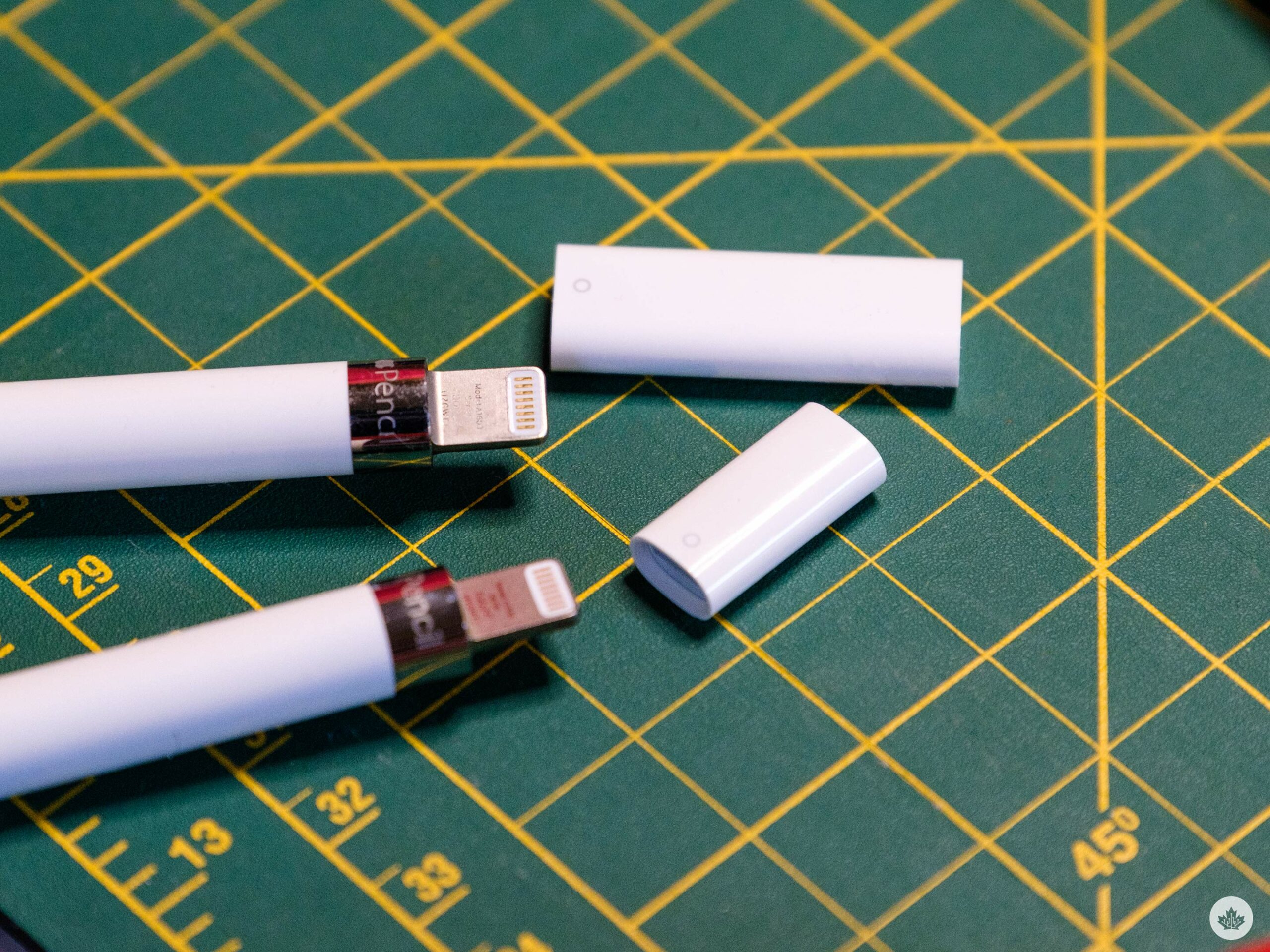
This sounds fine, but the new iPad has a much-praised USB-C port instead of a Lightning jack. This makes connecting most accessories pretty easy, but plugging in the first gen Apple Pencil is impossible without a $10 dongle.
Don’t get me wrong, I think USB-C is the right step for the iPad to make, but it’s a tough pill to swallow nonetheless. There’s nothing inherently intrusive about the new USB-C to Apple Pencil Dongle, either. As far as dongles go, the price isn’t absurd, and it’s small and easy to slip into a pocket or a bag.
Setting it up is easy too. The new iPad comes with a USB-C to USB-C cable in the box, so if you have an Apple Pencil and this updater, all you need to do is chain them together, and voila, your Pencil and iPad are wirelessly connected from now on.
“If I had to guess, I’d expect the company to be saving the magnetic Apple Pencil support for next year”
However, there’s likely going to be a huge contingent of people that have to buy it just to use it for that single connection phase. You need the dongle to pair the Pencil to your iPad, but beyond that, I think most people will charge the pencil another way, such as plugging it into an iPhone. Having the dongle is handy for charging, but like many Apple Pencil owners already know, taking a small dongle like this outside is always a risk.
The USB-C to Apple Pencil adapter is about twice as long as the Lightning adapter.
I’m sure some might have to keep this thing around to charge the stylus every so often, but at that point, you better have a safe home for it since these little adapters can slip away at any moment.
I would have loved to see Apple add support for both Pencils to this new iPad to help people bridge the gap from the Lightning to USB-C generations of iPads, but if I had to guess, I’d expect the company to be saving the magnetic Apple Pencil support for next year.
If you really care about drawing on iPad, and can afford it, the new Apple Pencil 2 and the iPad Air is a better bet, but it costs significantly more. If you can’t afford it, the new iPad is still a good experience, but be aware of the hassles of this new dongle.
Within the first hour of Bayonetta 3, I was riding atop a giant dragon, zipping down hellspawn-infested New York highways using boats as surfboards and swinging my hips without a care in the world.
This level of delightfully batshit energy defines Platinum Games’ Bayonetta series, and it’s at its absolute best in the threequel. In the day and age of bloat — when so many games seemingly must be dozens of hours long, open-world and/or grindy live services — the tight, linear and oh-so-stylish Bayonetta experience feels even more standout.
That all starts with our heroine. The controversy surrounding original Bayonetta actress Hellena Taylor aside, Canadian voice acting veteran Jennifer Hale is splendid in the role, fervently delivering her lines with the character’s ever-endearing sultriness. Honestly, Bayonetta’s devil-may-care attitude, unrelenting confidence, and propensity to just break out in dance continue to be such a refreshing departure from what we’ve traditionally come to expect from a “badass” video game character.
All the while, we get to see other sides of Bayonetta, as her journey this time around — travelling across the multiverse to stop a mysterious threat known as the Singularity — brings her into contact with different versions of herself, including a Cleopatra-esque Egyptian variant. That said, while Bayonetta 3 can largely be enjoyed without prior knowledge of the series, you’ll certainly appreciate the multiverse angle more if you’re familiar with the characters. On the flip side, the narrative twists and turns of Bayonetta 3 have already proven to be controversial for some diehard fans, so you might even be better off coming in without any such attachment.
Witch Time remains so satisfying to pull off.
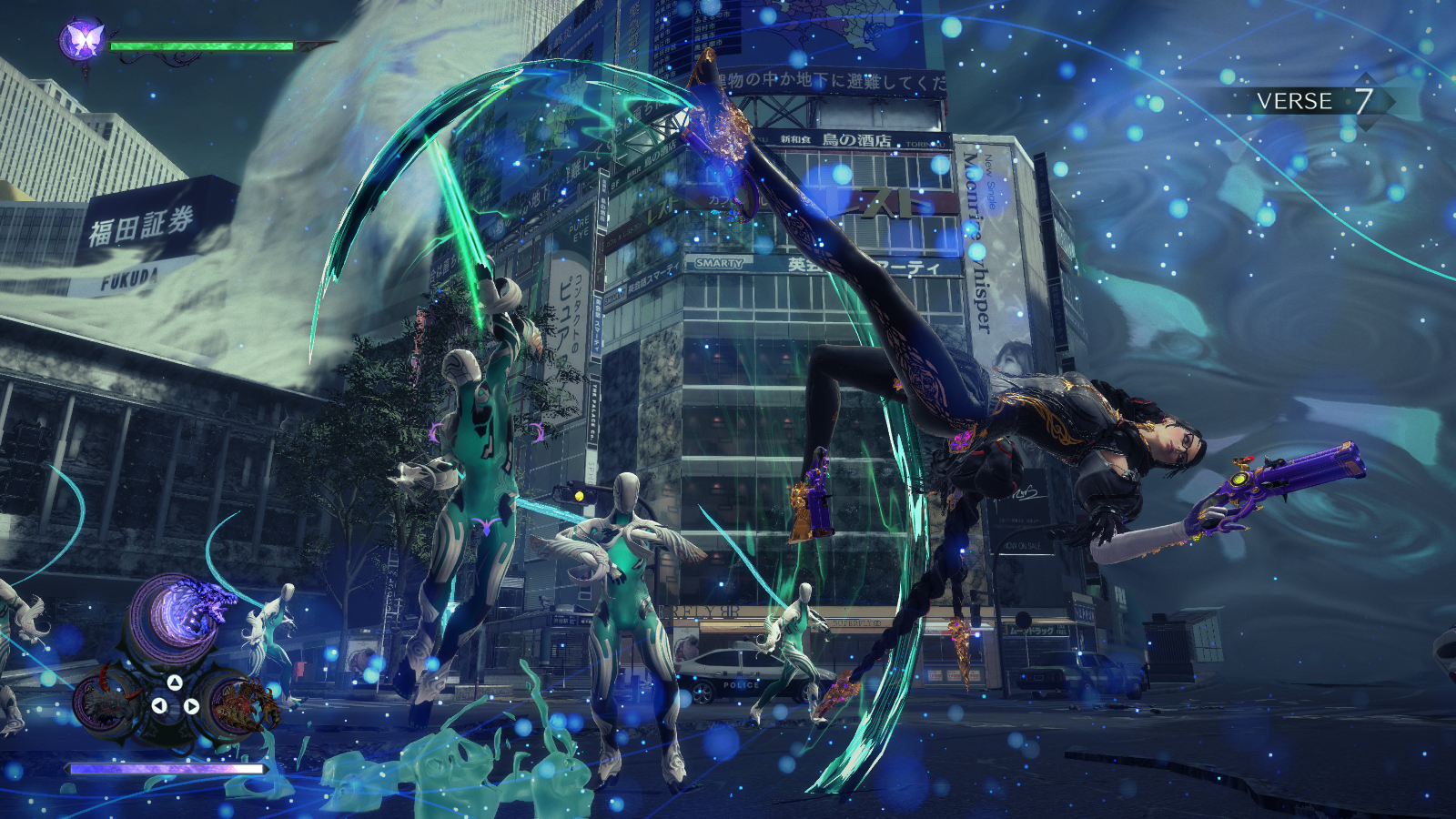
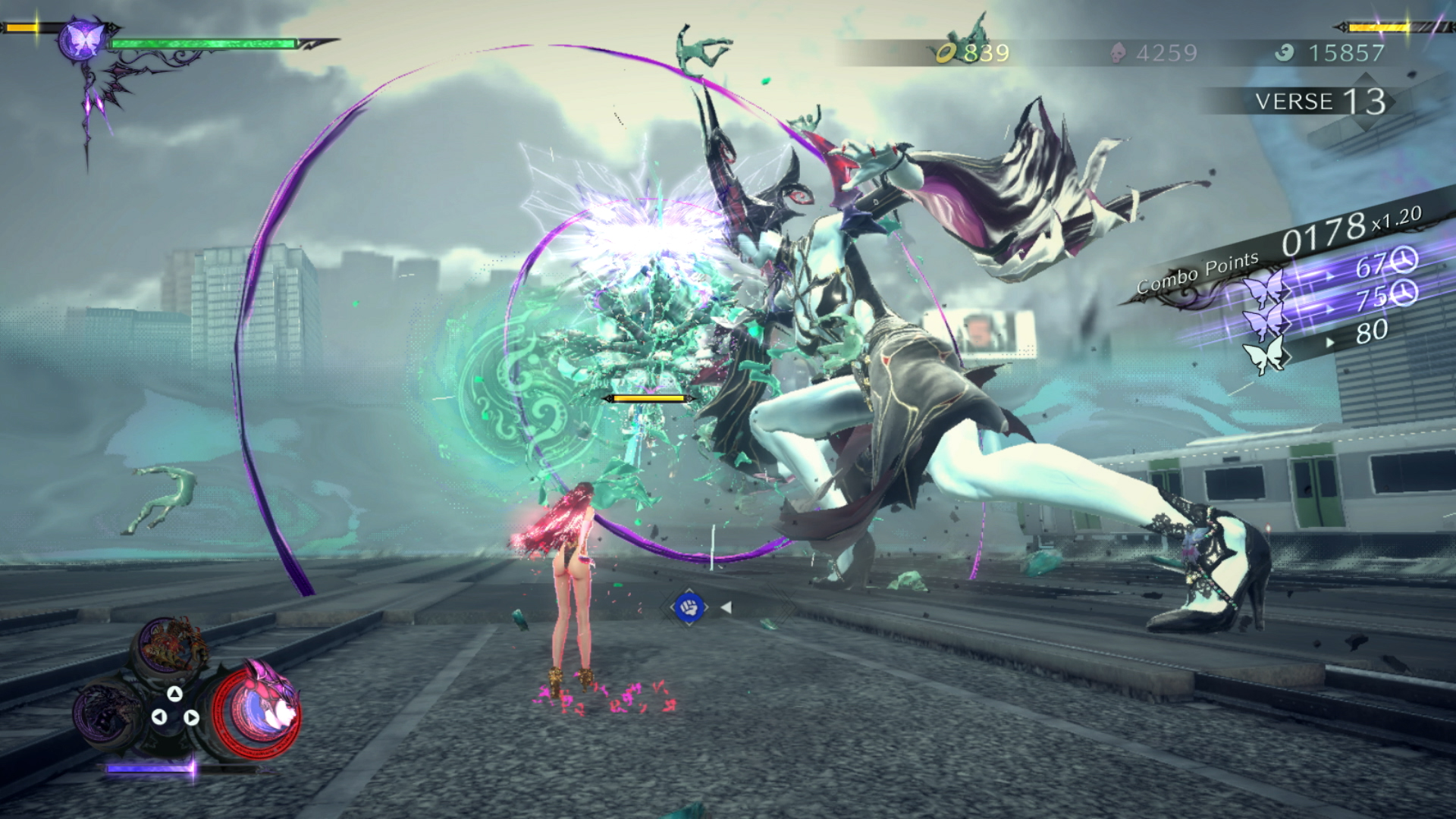
In any case, this didn’t bother me because I don’t go into Bayonetta for the story, but rather, the aforementioned moment-to-moment insanity. At the heart of that is Bayonetta‘s top-notch combat, which Platinum has refined and iterated upon in a number of brilliant ways. Bayonetta’s melee attacks and handguns remain your bread and butter, while the Witch Time mechanic — a brief slow-mo period enabled by perfectly timed dodges — is just as rewarding to pull off as ever. The wide variety of delectably over-the-top weapons, ranging from a massive rocket launcher made out of a demon’s tissue to mini chainsaw-equipped trains and a weaponized microphone stand that’s literally called ‘Ribbit Libido,’ ensures that there’s never a dull moment in combat.
But the biggest addition this time around is the Demon Slave mechanic, which lets Bayonetta command massive creatures that are, naturally, made out of her own hair. In previous games, these beasts were relegated to button-mashing finishing moves, but now, you get full control of them. There’s something viscerally satisfying about having these giant, almost Kaiju-esque monstrosities crush enemies both big and small, while Bayonetta herself grooves left and right like she’s in a Zumba class in Hell. At the same time, there’s a balanced risk-reward dynamic to Demon Slaves, as you relinquish control of Bayonetta herself while piloting them, leaving her open to attacks. Some enemies can even one-shot your Demons, which will lock your summoning ability for a while. All of these mechanics come together to deliver the rare combat system that is easy to pick up and play but also deceptively deep — a potent mix of both style and substance.
The Demon Slave mechanic is also quite cheeky.
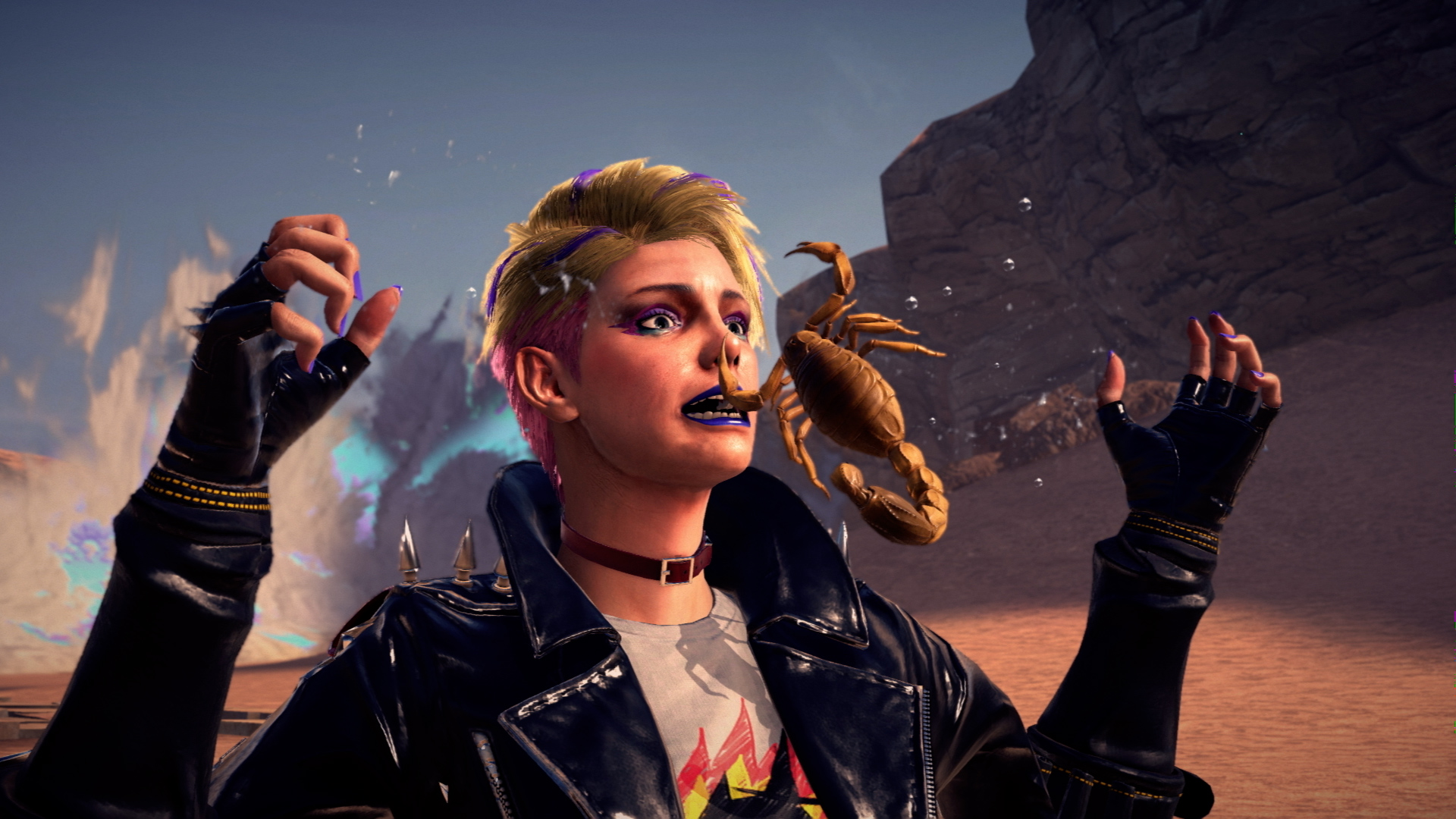
Further diversifying the moment-to-moment gameplay is the addition of Viola, a witch-in-training who’s also a new playable character. Her punk rock attire and gruff attitude provide a charming foil to the more experienced and self-assured Bayonetta, making their interactions a particular highlight. But beyond that, Viola just has an enjoyably different feel in combat. Her fighting style is centred around the katana, and instead of dodging to activate Witch Time, she needs to time her parries. In a way, it’s reminiscent of how Raiden plays in Platinum’s excellent Metal Gear Rising: Revengeance, and it’s just a fun change of pace from using Bayonetta. The giant Cheshire cat Viola can summon also operates on its own, unlike the Demon Slaves, which graciously frees you up for more slicing and dicing.
Less successful in adding gameplay variety are the levels featuring fan-favourite Jeanne, Bayonetta’s best friend and rival. These play out as Mark of the Ninja-like 2D stealth missions, which might sound cool, but they never really get more interesting than running from Point A to Point B. Platinum definitely deserves some credit for trying something decidedly different, but the execution, unfortunately, just falls flat. Thankfully, these are skippable side chapters, although they do offer some narrative context regarding Jeanne’s search for the doctor key to stopping the Singularity.
The rough-around-the-edges is the perfect foil for Bayonetta.
But while you can avoid Jeanne’s lacklustre sections, you won’t have such luck with Bayonetta 3‘s greatest shortcoming: the Switch itself. Unfortunately, Platinum’s wonderfully inspired character, monster and setpiece designs are somewhat held back by muddy textures and bland environments. Bayonetta 3 also struggles to maintain 60fps at times, and it’s not uncommon for some of the grander action sequences to chug. None of this is game-breaking, but it’s nonetheless a blemish on an otherwise exceptionally well-crafted experience.
Frankly, though, it’s a miracle we even get games like Bayonetta 3, especially published by the maker of family-friendly games like Mario. Even nearly 15 years after its debut, Bayonetta remains fresher than ever thanks to an unparalleled sense of style and identity and masterful, gratifying combat. Some less-than-stellar gameplay additions and technical issues aside, Bayonetta 3 is an absolute gem, and a fine addition to the Switch’s ever-impressive catalogue.
Bayonetta 3 is now available on the Nintendo Switch.
Sennheiser is having quite a banger of a sale on Amazon Canada today. If you’re in the market for some earbuds or headphones, check out these deals that could save you up to 44 percent.
MobileSyrup utilizes affiliate partnerships. These partnerships do not influence our editorial content, though we may earn a commission on purchases made via these links that helps fund the journalism provided free on our website.