Categories
Mobile Syrup

Apple exec confirms there will be a USB-C iPhone

An Apple executive confirmed the company will make a USB-C iPhone following the European Union’s new law mandating all phones sold in member countries use the connector.

“Obviously, we’ll have to comply; we have no choice,” Apple senior vice president of worldwide marketing Greg Joswiak said when asked about replacing the proprietary Lightning connector with USB-C on an upcoming iPhone by The Wall Street Journal’s Joanna Stern (via The Verge). Stern brought up the USB-C issue during a talk with Joswiak and Apple’s VP of software, Craig Federighi, at the WSJ‘s Tech Live conference.

However, Joswiak made it clear Apple isn’t a fan of the new rules and was fairly ambiguous about when the USB-C iPhone would arrive, and where it would be available.

“The Europeans are the ones dictating timing for European customers,” Joswiak said when asked when the USB-C iPhone would arrive. The law dictates that all mobile phones and tablets will need to use USB-C by the fall of 2024. Moreover, Joswiak wouldn’t say whether Apple would launch USB-C iPhones outside of the EU (although his comments seem to indicate it won’t).

Joswiak also went on a bit of a rant about how Apple prefers to go its own way rather than be forced by lawmakers to adopt hardware standards. Moreover, Joswiak claimed that charging bricks with detachable cables mostly solves the issue the new regulations seek to fix, and said that switching iPhones from Lightning to USB-C would generate lots of e-waste.

Unfortunately, those arguments aren’t particularly compelling. In the long run, having all smartphones use the same port will reduce e-waste by eliminating the need to change cables when you change phones. Plus, when you consider that Apple makes a lot of money from Lightning accessories (and thus stands to lose out if the iPhone has USB-C), its aversion to the change makes more sense.

Finally, it’s worth noting that Joswiak didn’t mention anything about Apple considering options to avoid putting USB-C on the iPhone. Rumours have circled for years that the company would launch a portless iPhone and, technically, an iPhone that only used wireless charging would be allowed under the new EU rules. Joswiak didn’t lend any fuel to that fire, however. It seems Apple is resigned to USB-C on the iPhone.

Source: The Verge

Categories
Mobile Syrup

New on Netflix Canada: November 2022

In November 2022, Netflix Canada is set to stream several new TV shows, films and documentaries, including Wednesday, the newest seasons of Elite, Dead to Me, The Cuphead Show and The CrownEnola Holmes 2, Blood & Water Season 3, and more

Coming Soon

The Last Dolphin King — Netflix Documentary 

November 1st

  • Gabby’s Dollhouse: Season 6 — Netflix Family 
  • The Takeover — Netflix Family 
  • A Bad Moms Christmas
  • A Quiet Place
  • Attack on Finland
  • The Big Short
  • The Captive
  • Death at a Funeral
    Eddie the Eagle
  • Everybody Loves Raymond: Seasons 6-9
  • Fifty Shades Darker
  • The Firm
    Get Out
  • The Imitation Game
  • Just Like Heaven
  • Madagascar
  • Open Water
  • Penelope
  • Red Dragon
  • Road to Perdition
  • Shrek
  • Shrek 2
  • Single White Female
  • The Sum of All Fears
  • Vampire Dog

November 2nd

  • The Final Score — Netflix Series
  • Young Royals: Season 2 — Netflix Series
  • Killer Sally — Netflix Documentary 

November 3rd

  • Blockbuster — Netflix Series
  • The Dragon Prince: Season 4 — Netflix Family 
  • Panyotis Pascot: Almost — Netflix Comedy 

November 4th

  • Buying Beverly Hills — Netflix Series
  • Elesin Oba: The King’s Horseman — Netflix Film 
  • Enola Holmes 2 — Netflix Film 
  • The Fabulous — Netflix Series
  • Lookism — Netflix Anime 
  • Manifest: Season 4, Part 1 — Netflix Series

November 5th

  • The Fall of the American Empire
  • Orgasm Inc: The Story of OneTaste — Netflix Documentary 

November 7th

  • Deepa & Anoop: Season 2 — Netflix Family 

November 8th

  • Behind Every Star — Netflix Series
  • The Claus Family 2 — Netflix Film 
  • Minions & More Volume 2
  • Neal Brennan: Blocks — Netflix Comedy 
  • Triviaverse — Netflix Special 

November 9th

  • The Crown: Season 5 — Netflix Series
  • FIFA Uncovered — Netflix Documentary 
  • The Soccer Football Movie — Netflix Film 

November 10th

  • Falling for Christmas — Netflix Film 
  • Lost Bullet 2 — Netflix Film 
  • Love Never Lies: Destination Sardinia — Netflix Series
  • State of Alabama vs. Brittany Smith — Netflix Documentary 
  • Warrior Nun: Season 2 — Netflix Series

November 11th

  • Ancient Apocalypse — Netflix Documentary 
  • Capturing the Killer Nurse — Netflix Documentary 
  • Don’t Leave — Netflix Film
  • Down to Earth with Zac Efron: Season 2: Down Under — Netflix Series
  • Is That Black Enough for You?!? — Netflix Documentary 
  • Monica, O My Darling — Netflix Film 
  • My Father’s Dragon — Netflix Film 

November 14th

  • Stutz — Netflix Documentary 
  • Teletubbies — Netflix Family 

November 15th

  • Deon Cole: Charleen’s Boy — Netflix Comedy 
  • Goosebumps
  • Johanna Nordström: Call the Police — Netflix Comedy 
  • Jurassic World Camp Cretaceous: Hidden Adventure — Netflix Family 
  • Run for the Money — Netflix Series

November 16th

  • Due South: Seasons 1-4
  • In Her Hands — Netflix Documentary 
  • The Lost Lotteries — Netflix Film 
  • Mind Your Manners — Netflix Series
  • Off Trac — Netflix Film
  • Racionals MC’s: From the Streets of São Paulo — Netflix Documentary 
  • The Wonder — Netflix Film 

November 17th

  • 1899 — Netflix Series
  • Bantu Mama
  • Christmas with You — Netflix Film 
  • Dead to Me: Season 3 — Netflix Series
  • I Am Vanessa Guillen — Netflix Documentary 
  • Pepsi, Where’s My Jet? — Netflix Documentary 

November 18th

  • The Cuphead Show!: Part 3 — Netflix Family 
  • Elite: Season 6 — Netflix Series
  • Inside Job: Part 2 — Netflix Series
  • Reign Supreme — Netflix Series
  • Slumberland — Netflix Film 
  • Somebody — Netflix Series
  • The Violence Action — Netflix Film 

November 20th

  • Austin Powers: The Spy Who Shagged Me

November 21st

  • The Hangover
  • The Hangover: Part II
  • My Little Pony: Winter Wishday — Netflix Family 
  • StoryBots: Answer Time — Netflix Family 

November 22nd

  • Trevor Noah: I Wish You Would — Netflix Comedy 

November 23rd

  • Blood, Sex & Royalty — Netflix Documentary 
  • Christmas on Mistletoe Farm — Netflix Film 
  • Lesson Plan — Netflix Film 
  • The Swimmers — Netflix Film 
  • Taco Chronicles: Cross the Border — Netflix Documentary 
  • The Unbroken Voice — Netflix Series
  • Wednesday — Netflix Series
  • Who’s a Good Boy? — Netflix Film 

November 24th

  • First Love — Netflix Series
  • The Noel Diary — Netflix Film 

November 25th

  • Blood & Water: Season 3 — Netflix Series
  • Ghislaine Maxwell: Filthy Rich — Netflix Documentary 

November 28th

The Action Pack Saves Christmas — Netflix Family 

November 29th

  • The Creature Cases: Season 2 — Netflix Family 
  • Crime Scene: The Texas Killing Fields — Netflix Documentary 
  • Romesh Ranganathan: The Cynic — Netflix Comedy 
  • Vikings: Season 5

November 30th

  • A Man of Action — Netflix Film 
  • My Name is Vendetta — Netflix Film 
  • The Lost Patient — Netflix Film 
  • Snack Vs. Chef — Netflix Series
  • Take Your Pills: Xanax — Netflix Documentary 

Last Call:

  • From Dusk Till Dawn: Seasons 1-3 (November 1st)
  • Everybody Loves Raymond: Seasons 1-5 (November 9th)
  • National Security (November 14th)
  • The Matrix Reloaded (November 29th)
  • The Matrix Revolutions (November 29th)
  • White Chicks (November 30th)

It’s worth noting that Netflix is introducing an ad-supported subscription tier on November 1st that costs $5.99 per month.

  • Netflix Basic — $9.99/month, up to 720p (this is now the standard quality for Basic, up from 480p), can only stream on one screen at the same time
  • Netflix Standard — $16.49/month, up to 1080p, can stream on up to two screens at the same time
  • Netflix Premium — $20.99/month, up to Ultra HD (4K HDR), can stream on up to four screens at the same time

To learn more, check out our article about the ad-supported subscription tier. 

Categories
Mobile Syrup

Starlink to ship satellite internet service for RVs in December

Canadians can get their hands on Starlink for RVs this December, but it comes with a not-so-pretty price tag.

According to Starlink’s website, the service costs $170 monthly in addition to the one-time hardware fee of $759.

The service, brought forward by SpaceX, will provide high-speed, low-latency internet wherever Starlink provides coverage. According, to the company’s coverage map, at least half of Canada, including Northern Canada, is included in the “no coverage category.”

However, Starlink says services will be available in Q1 2023 but provides no specifics beyond that.

You can visit Starlink’s website to see if Starlink for RVs is available for you.

Image credit: SpaceX

Source: Starlink

Categories
Mobile Syrup

Champagne lays out conditions for Videotron’s acquisition of Freedom

Industry Minister Francois-Philippe Champagne has rejected the original merger proposition put forward by Rogers and Shaw.

“Today, I officially denied that request,” Champagne said Tuesday evening. “My decision formally closes that chapter of the original proposed transaction.”

But the merger is still open to be completed, granted Champagne’s conditions attached to the sale of Freedom Mobile are approved.

Champagne’s conditions include Videotron agreeing to keep wireless licenses it acquires from Freedom for 10 years. He also expects wireless bills to drop by 20 percent in Ontario and Western Canada, keeping in line with Quebec.

“A new service provider needs to be in it for the long run,” Champagne said.

A response released by Quebecor CEO Pierre Karl Péladeau signals the company is open to accepting Champagne’s conditions.

“We intend to accept the conditions stipulated by the Minister and incorporate them into the new version of the Rogers-Shaw/Quebecor-Freedom Mobile transaction, which has already been negotiated,” Péladeau’s statement read.

“They are in line with our business philosophy, which has proved highly successful in Quebec, where we have taken a significant market share in a very short span of time.”

However, critics are not in support of Champagne’s plans. OpenMedia says the Minister is backing telecom companies and failing Canadians. Speaking on the condition to lower wireless prices, OpenMedia says Champagne’s office hasn’t shared methods for how they will monitor and enforce the rule.

“Any version of the Rogers-Shaw deal means higher prices and fewer choices for ordinary consumers,” Matt Hatfield, OpenMedia’s campaigns director, said in a press release.

Champagne provides only one avenue of approval for the merger. The Canadian Radio-television and Telecommunications Commission (CRTC) approved the broadcasting part of the merger earlier this year. The third avenue of approval, through the Competition Bureau, will be examined later this week when the parties enter a scheduled meditation.

According to The Globe, the parties will discuss a settlement proposal from Rogers to see the company sell its fibre-optic infrastructure to Quebecor. Doing so will reportedly quash concerns the company doesn’t have enough infrastructure outside of Quebec to support the growth of Freedom Mobile.

However, the mediation may end with no resolution, as seen in the past. If that’s the case, the parties will enter a hearing with the Competition Tribunal early next month.

Source: The Canadian Press, Quebecor, OpenMedia, The Globe and Mail 

Categories
Mobile Syrup

Apple’s iPad (2022) and iPad Pro (2022) are now available

Apple’s iPad (2022) and iPad Pro (2022) are now available to order in Canada.

The new entry-level iPad (2022) starts at $599 and comes in ‘Blue,’ ‘Pink,’ Silver’ and ‘Yellow.’ While the redesigned entry-level iPad with more squared-off edges and a USB-C port is a cut above its predecessor in design, it also costs $150 more than the 9th-gen iPad.

For more on the 10th-gen iPad, check out our review of the tablet.

On the other hand, the iPad Pro (2022) Apple’s iPad Pro (2022) starts at  $1,099 for the 11-inch and $1,499 for the 12.9-inch version. The new high-end tablet is nearly identical to its predecessor, with the move to the more powerful M2 chip being the notable exception.

For more on the M2-powered iPad Pro (2022), check out our look at the high-end tablet.

MobileSyrup utilizes affiliate partnerships. These partnerships do not influence our editorial content, though we may earn a commission on purchases made via these links that helps fund the journalism provided free on our website.

Categories
Mobile Syrup

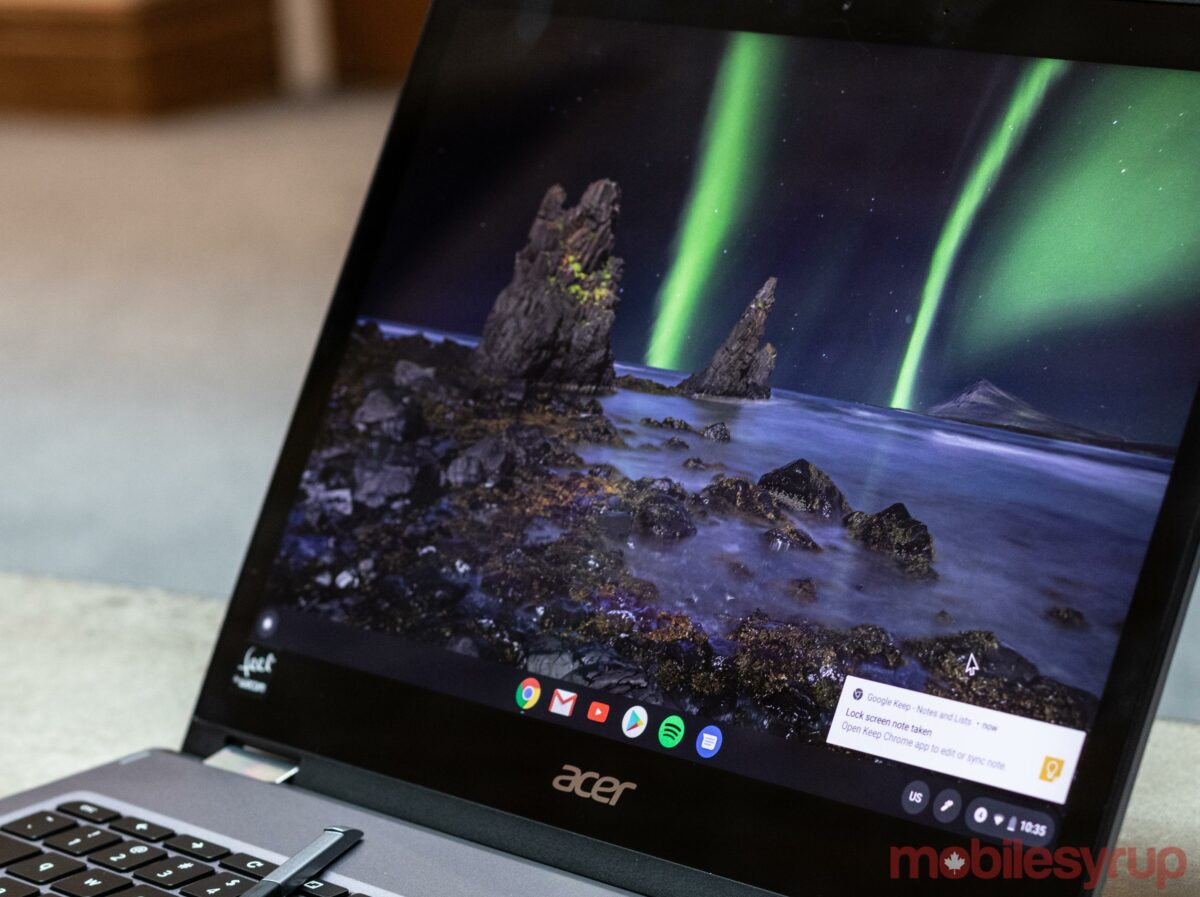
Acer sales brings 35 percent off select hardware

The economy is in a tailspin and that means manufacturers are doing anything to clear inventory and earn some of your cash. Acer has dropped the prices of select Chromebooks, laptops and desktop computers by up to 35 percent off.

MobileSyrup utilizes affiliate partnerships. These partnerships do not influence our editorial content, though we may earn a commission on purchases made via these links that helps fund the journalism provided free on our website.

Source: Amazon Canada

Categories
Mobile Syrup

Bell launches new capital initiative called Bell Ventures

Bell has launched a new initiative focusing on the development of companies that use its network to adopt technological solutions.

Bell Ventures will provide investment for early-stage and growth companies that create various solutions for Bell customers, including network security and augmented and virtual reality.

Companies that received investments will be able to access Bell’s “technological expertise” and use its network and relationships to build cases. Bell Ventures has previous invested in Tiny Mile and Metaverse Mind Lab, among other companies.

Source: Bell

Categories
Mobile Syrup

Shutterstock partners with OpenAI to integrate DALL-E 2

Stock image giant Shutterstock today announced a partnership with OpenAI that will bring AI-generated content to its platform.

Shutterstock will sell stock images generated by OpenAI’s DALL-E 2 AI image generator, said the company in a blog post, with DALL-E 2 being directly integrated to Shutterstock within the coming months.

In instances where pictures contributed by Shutterstock creators would be used to train the text-to-image AI models, those creators would be compensated through a new “Contributor Fund.” Further, creators would also receive royalties when their intellectual property, in the form of images, are used by DALL-E.

“The mediums to express creativity are constantly evolving and expanding. We recognize that it is our great responsibility to embrace this evolution and to ensure that the generative technology that drives innovation is grounded in ethical practices,” said Shutterstock CEO Paul Hennessy.

Further, Shutterstock will ban AI-generated images that were not produced via its DALL-E integration. Doing this will allow Shutterstock to accurately compensate the creators whose images are being used by DALL-E.

According to a statement given to The Verge, “Contributors will receive a share of the entire contract value paid by platform partners. The share individual contributors receive will be proportionate to the volume of their content and metadata that is included in the purchased datasets.”

Shutterstock says creators will receive payouts on earning from images used to train the AI model and royalties every six months.

Source: Shutterstock Via: The Verge

Categories
Mobile Syrup

Fitbit Sense 2 Review: Running in reverse

Fitbit unveiled its newest smartwatch, the Sense 2, alongside the Versa 4 and the Inspire 3 fitness tracker back in August. Since then, both Apple and Google launched new smartwatches, with Google’s Pixel Watch largely stealing the show from Fitbit thanks in part to its inclusion of the company’s tracking tech.

That leaves the Fitbit Sense 2 in a lurch. At $399 in Canada, it’s about $50 cheaper than the base Wi-Fi/Bluetooth Pixel Watch. It’s also $100 more than the Versa 4, and $200 more than the Charge 5. One upside to this price is it’s less than the original Sense retailed for. The problem is that a lot has changed since then.

Previously, the Sense series was the pinnacle of Fitbit wearables – it offered the best tracking tech and a smartwatch experience. Now that the Pixel Watch exists, the Sense series doesn’t hold the crown for best Fitbit smartwatch. While it still offers the premiere tracking experience, it’s hard to justify paying as much as $200 more for the few extra benefits the Sense 2 offers. And if you’re looking for a smartwatch first, with the added benefit of Fitbit tracking, the Pixel Watch is a much better option.
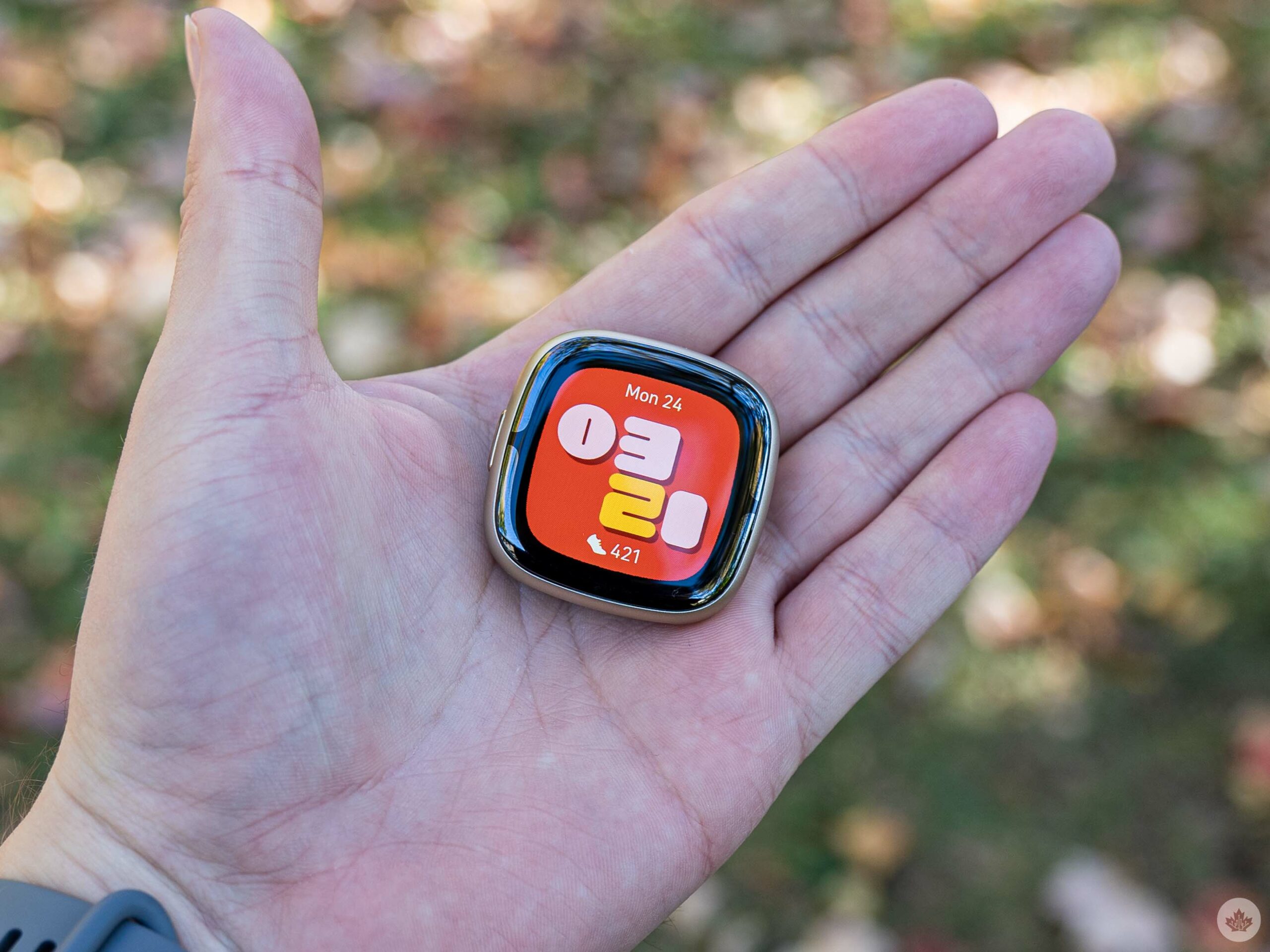
None of that is to say the Sense 2 doesn’t have a place – it certainly does. Unfortunately, it feels like a more niche option, ideal for those who want Fitbit fitness tracking first and foremost, plus a taste of smartwatch functionality. Alternatively, it could be an option for iPhone users who want a smartwatch with fitness-tracking tech, but don’t want to go with the Apple Watch. Unfortunately, the Sense 2’s few smart features are further restricted in Apple’s smartphone ecosystem.

I could see the Sense series having a place as the ‘budget’ Google smartwatch (i.e. as a spiritual Pixel Watch Series-A), but that only works if the Sense series offers Wear OS and smart features like Google Assistant. The Sense 2, however, sports what can best be described as a cheap imitation of Wear OS, and abandoned smart features like Google Assistant that were available on its predecessor.

Specs
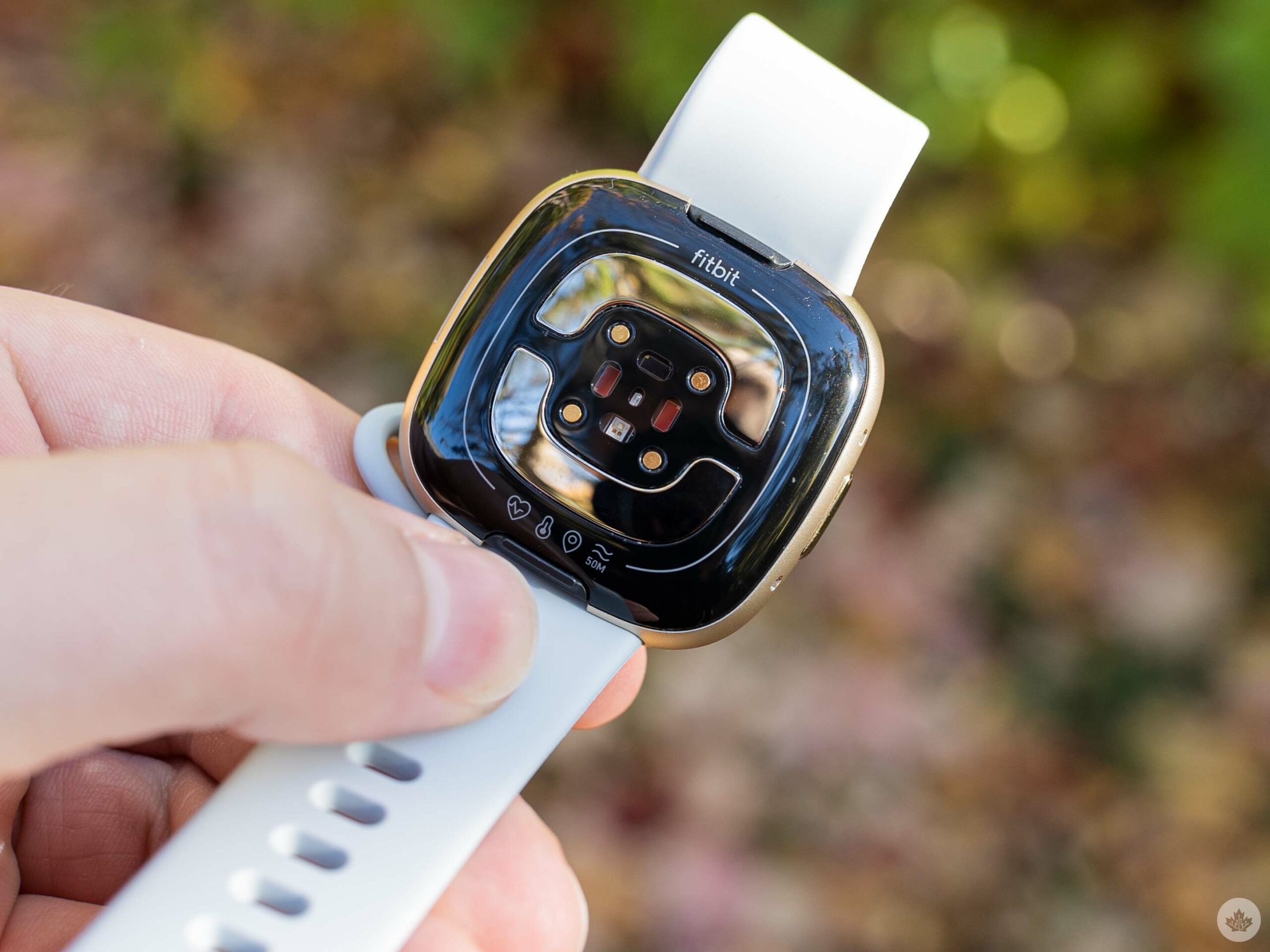
  • Connectivity: Wi-Fi/Bluetooth
  • Case: Aluminum
  • Dimensions: 40.5×40.5×11.2mm
  • Display: AMOLED with Corning Gorilla Glass 3
  • Sensors: Multi-path optical heart rate sensor, ECG, electrical sensor for continuous EDA, red and infrared sensors for SpO2, gyroscope, altimeter, 3-axis accelerometer, ambient light sensor, NFC, skin temperature sensor, GPS
  • Water resistance: 5 ATM
  • Smartphone compatibility: Android 8+ and iOS 13.3+

Thinner, sleeker design
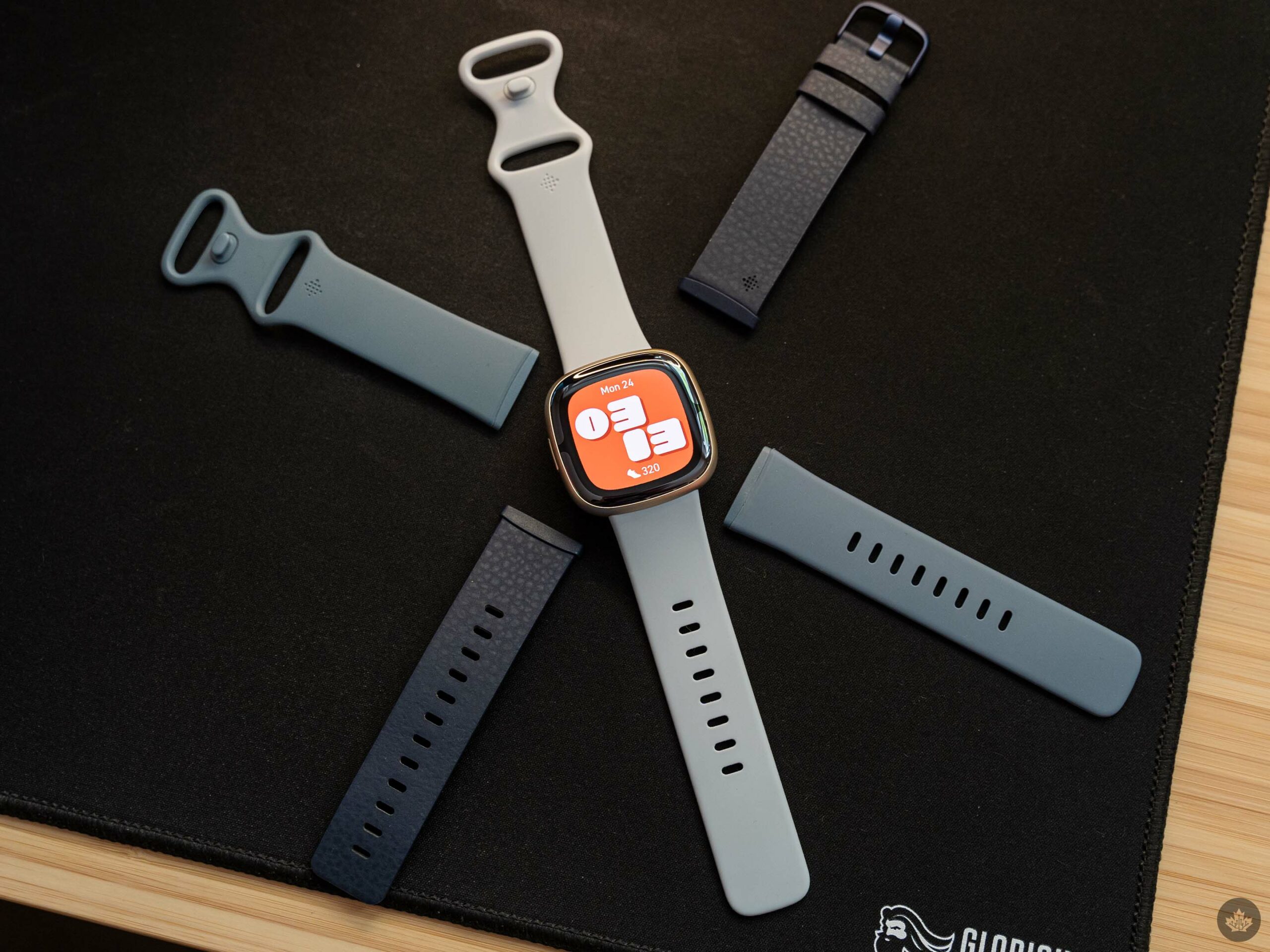
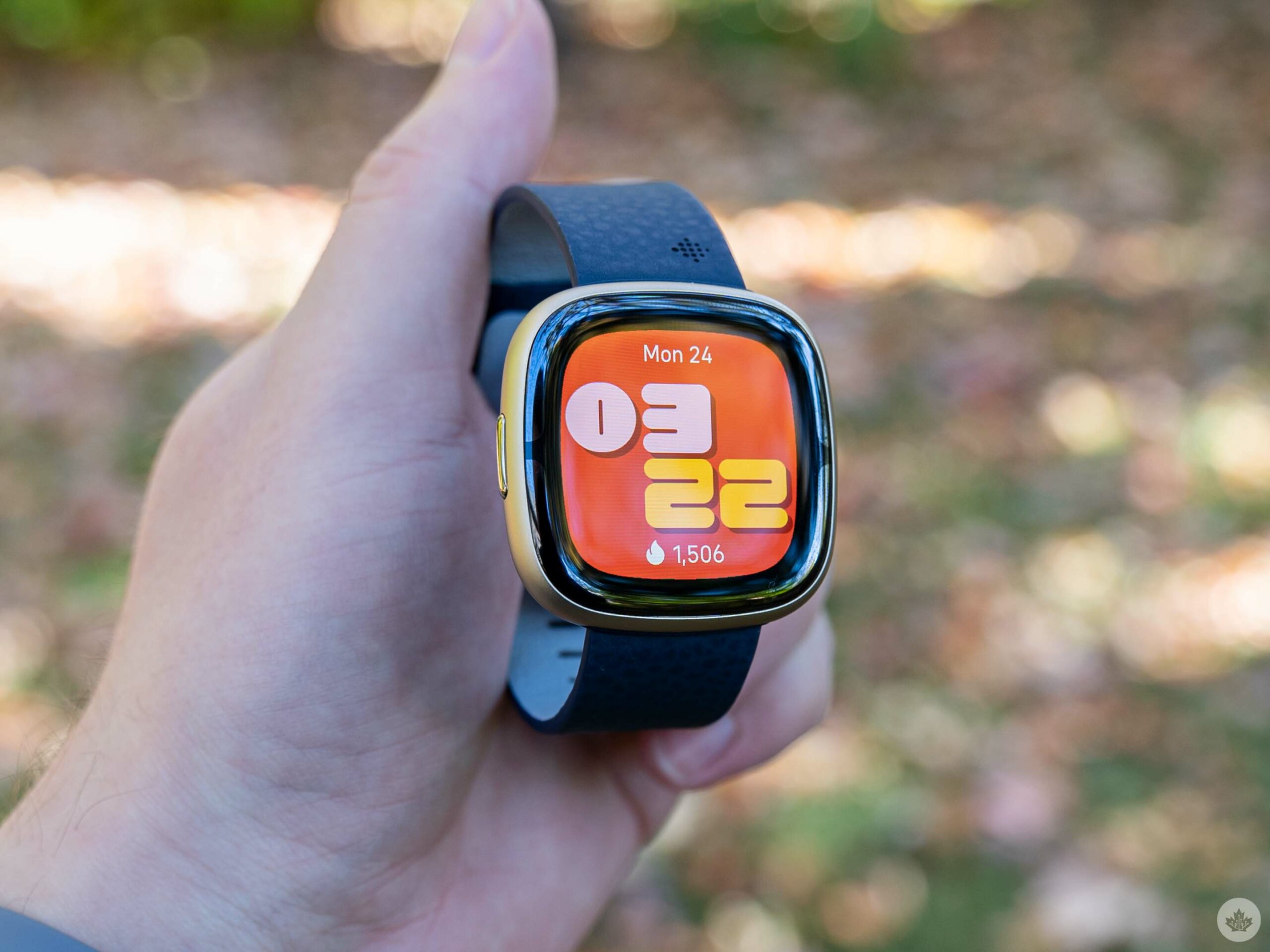
One of the best overall improvements with the Sense 2 over its predecessor is the design. The Sense 2 is the same length and width as the original Sense, but is a fair bit thinner and lighter (although the Sense 2 is still heavier than the Pixel Watch).

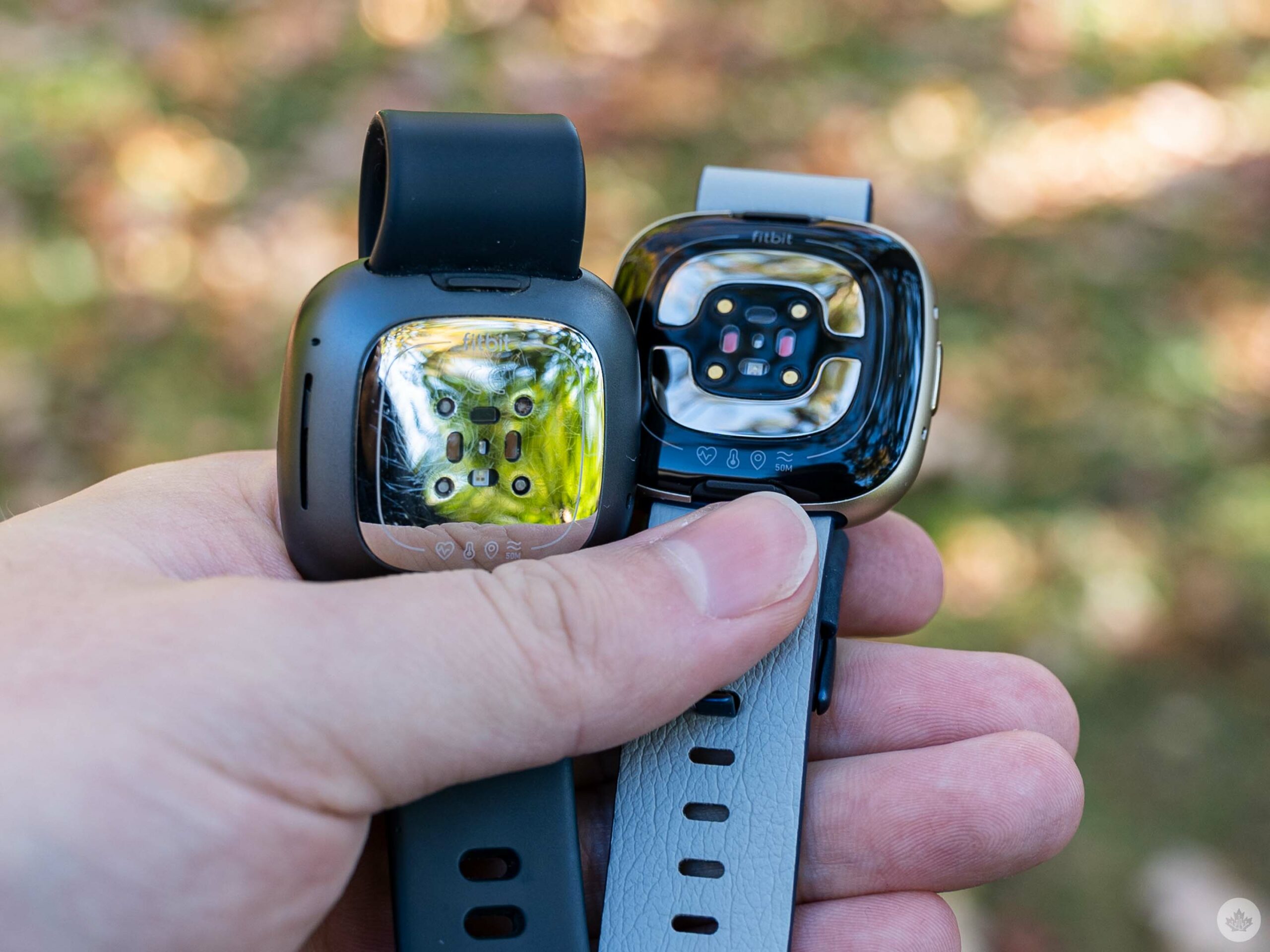
Beyond that, the Sense 2 doesn’t really change much. It sports the same squircle shape as the original Sense. It’s got the same band mechanism too, which means if you loaded up on cool bands for the Sense, they’ll still work with the Sense 2. Fitbit did move the metal band used for electrocardiogram (ECG) measurements. Instead of wrapping around the edge of the watch, the Sense 2 moved the ECG band to below the glass so it wraps around the screen like a slight extension of the bezel. It makes for a bit of an odd look and, while I don’t think it’s bad, it contributes to the Sense 2 display appearing “deep” in the watch.
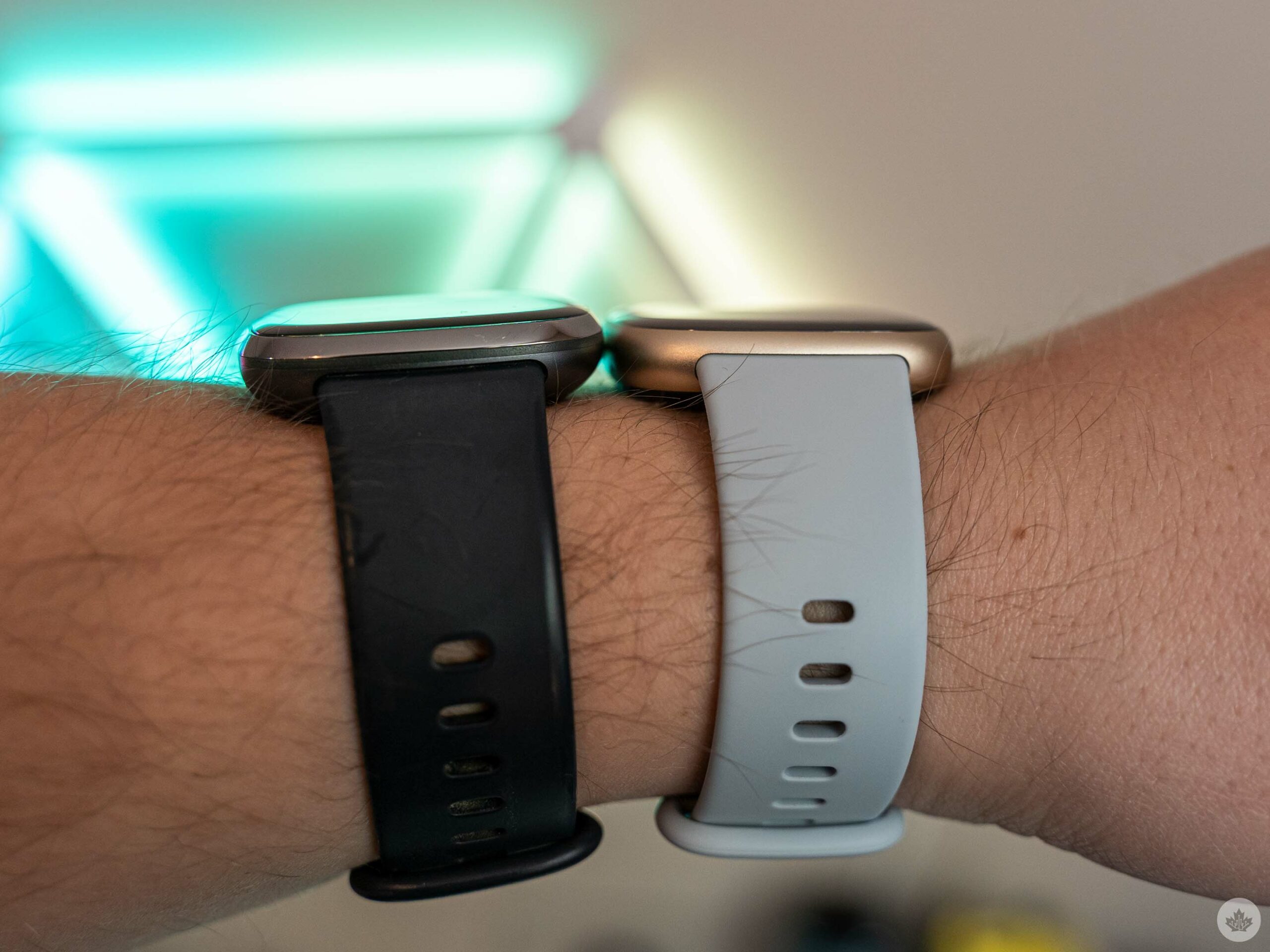
Fitbit Sense (left) and Sense 2 (right) on a wrist for size comparison.

Perhaps it’s a side-effect of coming from the Pixel Watch, but the Sense 2 display appears sunken into the glass. On most devices, the screen appears to be at least on the same level as the glass, even if it’s not. That’s not the case with the Sense 2.

Weird depth aside, the Sense 2 display is otherwise fine. It’s not significantly better than the display on the original Sense, but it’s not worse either.

What’s the big deal about a button, anyway?
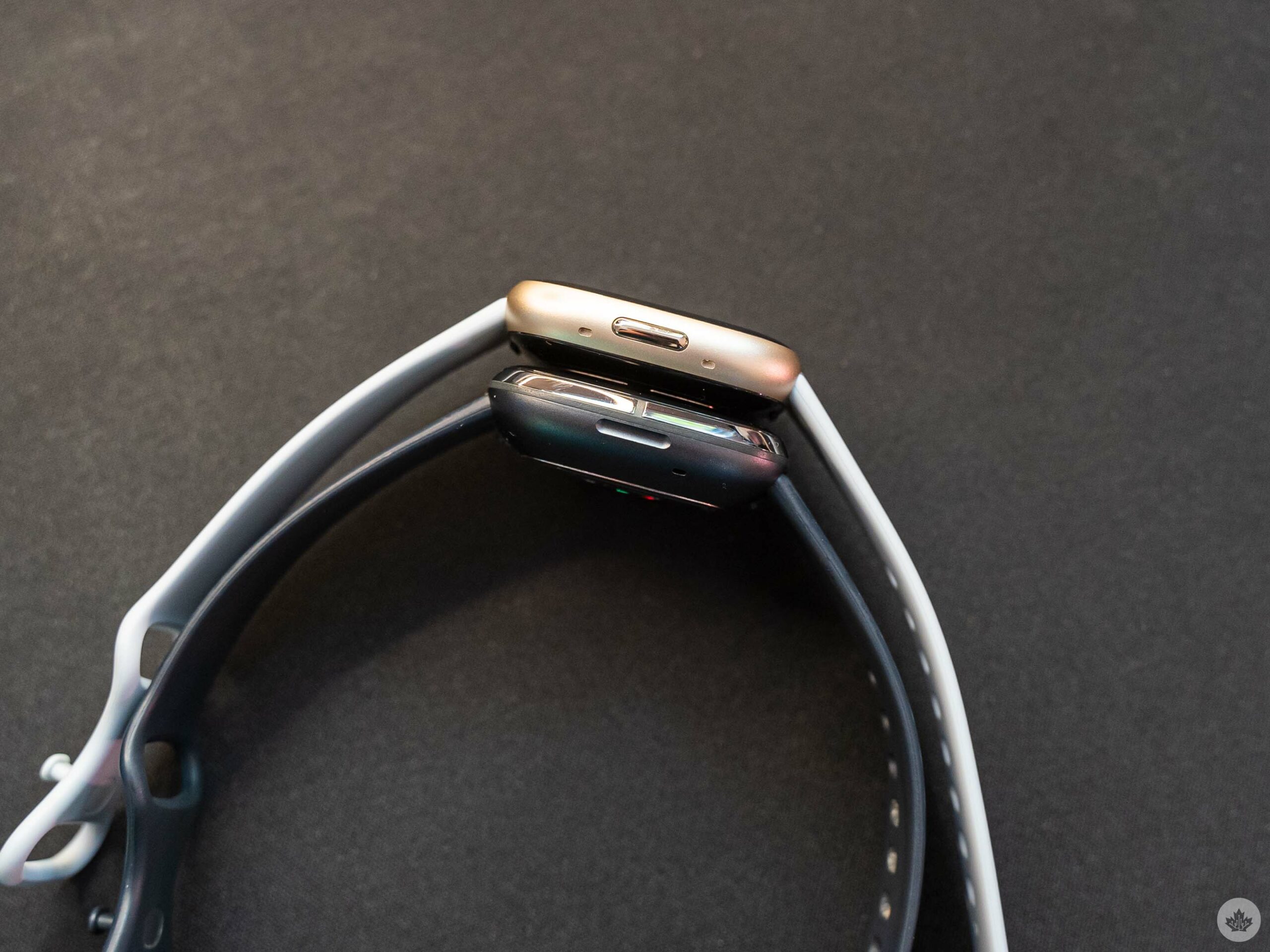
The button on the Fitbit Sense 2 (top) and the button-that-wasn’t-a-button on the Sense (bottom).

If you’ve followed Fitbit news, you’ve likely heard by now that the Sense 2 has a physical button. Indeed it does, and it’s not a bad button, although it doesn’t offer a satisfying tactile click. For some people, that’s more than enough of an improvement, while others might wonder why it even matters.

Before the Sense 2 (and Versa 4), most Fitbit devices had an inductive “button,” button here referring to a small, touch-sensitive divot on the side of Fitbit wearables. The button-that-wasn’t-a-button was a frustration for many users, although I never had an issue with it on the original Sense (older Fitbit trackers I tried did have some issues with the button, however).

The move to a physical button thus will please the few who abhorred the fake button and will make no real difference to the vast majority of users since, functionally, nothing has changed.

Trying really hard to be Wear OS
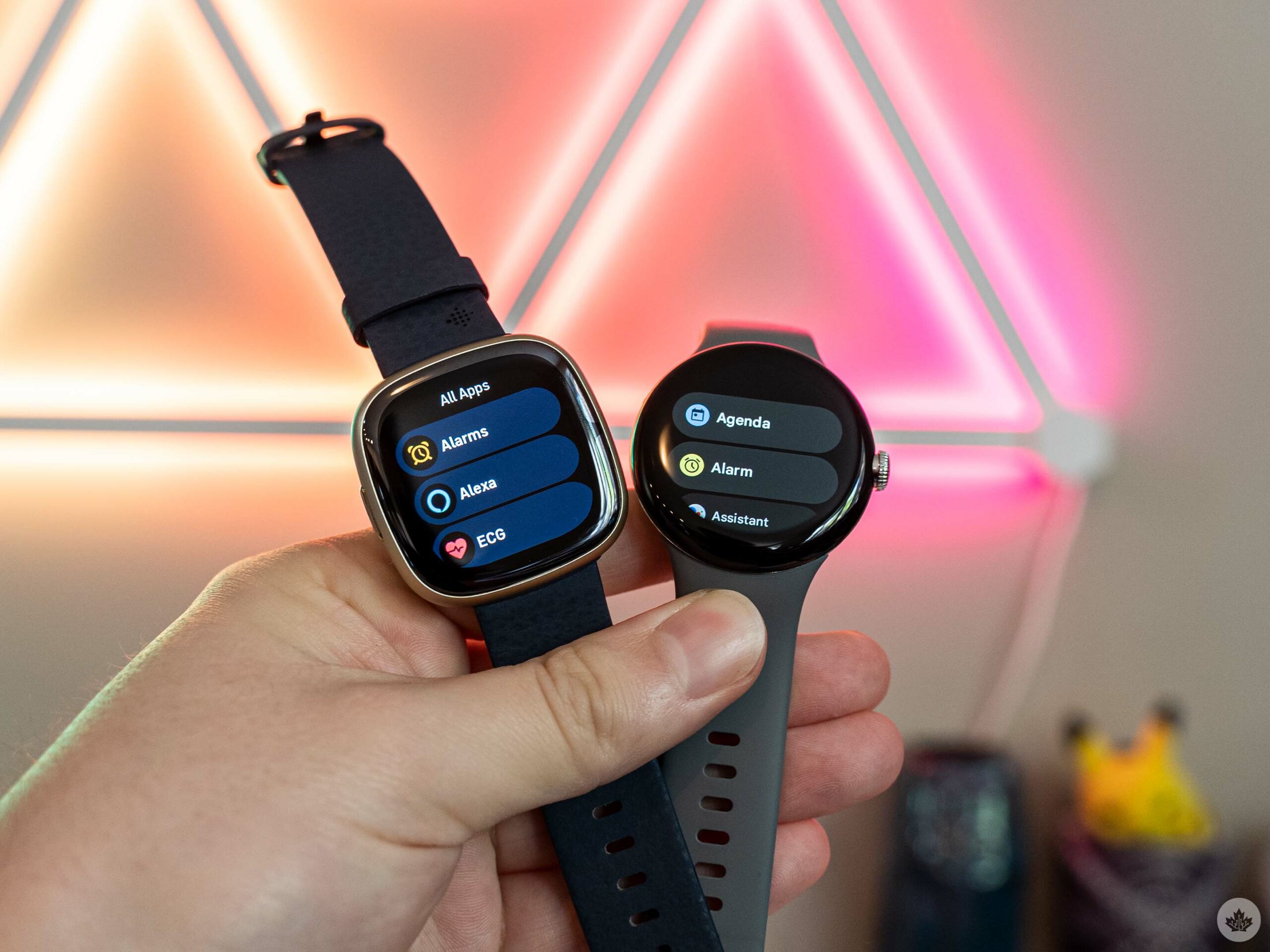
The app list on the Fitbit Sense 2 (left) and Wear OS-powered Pixel Watch (right)

With the hardware portion out of the way, let’s talk software. Unfortunately, this was where the Sense 2 started to fall apart for me.

First, Fitbit told me that the Sense 2 doesn’t run Wear OS, but that didn’t stop the company from loading a mediocre copy of it onto the device. The Sense 2’s user interface (UI) is a nearly 1:1 replication, including the same swipe gestures, tile system, and more. It also completely changes how you use the Sense 2 compared to older Fitbit smartwatches, which will likely cause confusion for anyone upgrading from a Fitbit. If you’re coming to Fitbit from Wear OS, first: why? And second, you’ll feel a little more at home on the Sense 2 thanks to the similarity to Wear OS.

Swiping down on the Sense 2 opens the quick tiles for adjusting common settings on the fly (on the OG Sense, this was a swipe in from the left). Swiping up on the Sense 2 shows notifications (on the OG Sense, this was a swipe down).
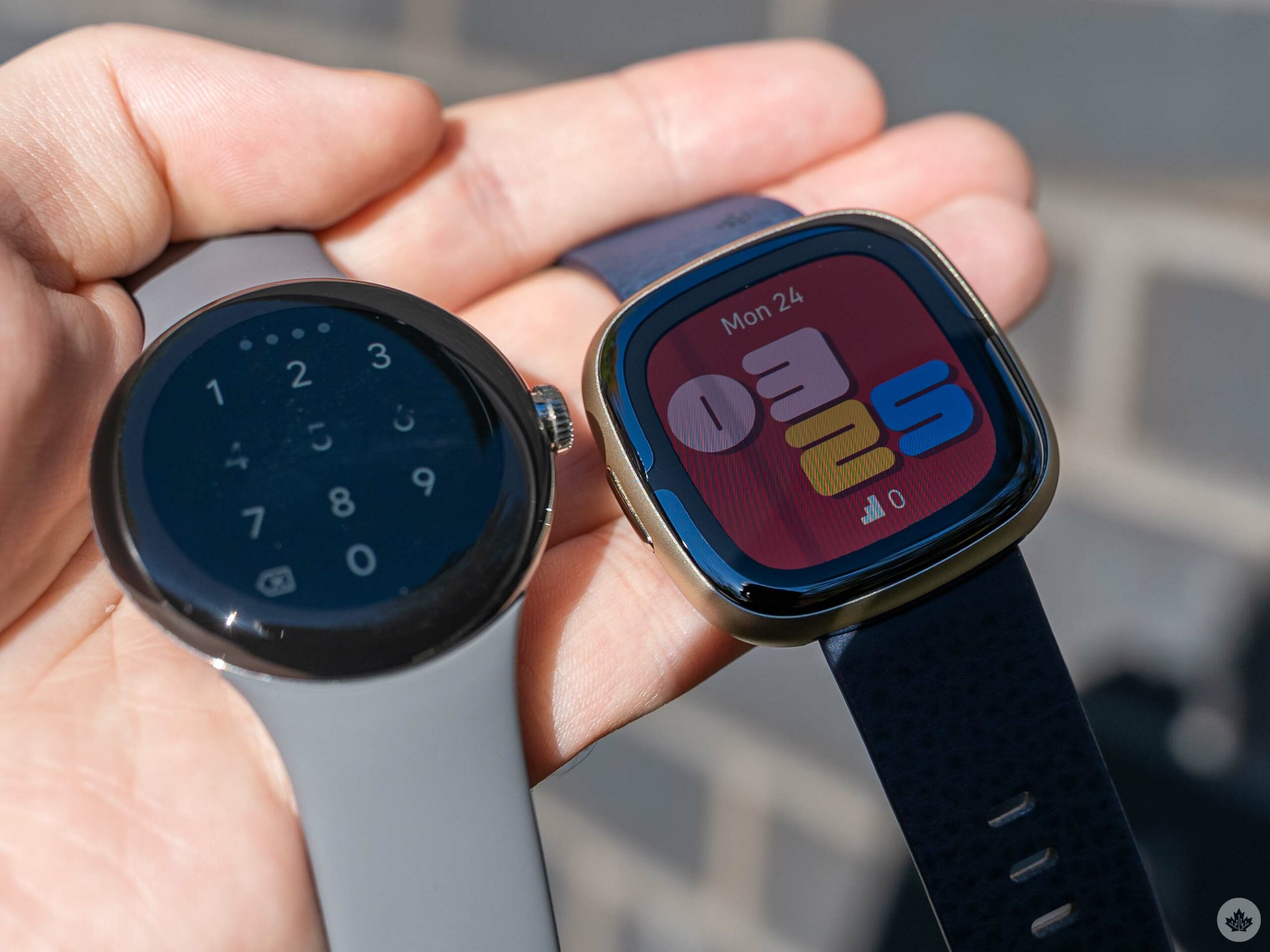
In direct lighting, the Fitbit Sense 2 bezel is more apparent.

Left and right swipes on the Sense 2 cycle through ‘tiles,’ which are currently dedicated to showing various fitness metrics. That’s similar to the system on Wear OS, and like Wear OS, users can edit the order of tiles through the companion app.

Finally, like Wear OS, the button acts both as the home button to return to the main watch face, and also as a way to open the app drawer, which is also designed to look just like the app drawer on Wear OS. (On the OG Sense, you swiped in from the right side to access apps.) The physical button also offers a few shortcuts, like a press-and-hold action to activate a shortcut of your choosing, such as payments or Amazon Alexa. You can double-click the button to launch a shortcut menu with access to Alexa, Settings, Notifications, and Fitbit Pay.

Performance is lacking
Regarding lag and UI performance, I’m usually a little more forgiving of smartwatches. By their nature, they aren’t as powerful as smartphones, which are expected to offer a buttery-smooth experience all the time. With that in mind, there’s a fairly stark difference between a responsive watch with the odd bout of jitter, and an unresponsive, laggy watch. Unfortunately, the Sense 2 is more often in the latter category.

The Wear OS-like UI is fairly swipe-heavy, and as you try to navigate around, you can often see frames dropping and animations jittering. The watch is useable, but it often feels like I’m waiting for it to catch up to me.

If the Fitbit Sense 2 were more of a smartwatch and less of a fitness tracker, the performance might be a bigger problem. I mostly used the Sense 2 as a fitness tracker, which was generally fine. But when trying to engage with the ‘smart’ features, the performance often made using the watch more trouble than it was worth.

One bright spot, however, is battery life. In my testing, the Sense 2 easily hit the six-day claim Fitbit made. That said, I didn’t make much use of the GPS features since I’m not a runner – heavy GPS users will likely see shorter battery life.

Less smart before
It doesn’t help that Fitbit seems to have stripped away many of the features that helped the Sense line feel like a smartwatch. Basics like calls and notifications showing up on your wrist are still there (but only Android users can reply to texts or notifications from their wrist). Other features like Google Assistant are missing. That’s a particular frustration for me, given that Google Assistant was the main thing I used on my OG Sense. I also praised on-wrist Google Assistant in my Pixel Watch review, in part because it feels like a necessity.

Voice commands make using the minuscule display on a smartwatch much, much better. And what’s strange is the Fitbit Sense 2 still has Amazon Alexa, so it clearly has the chops to run a voice assistant.

When I asked Fitbit about the missing features, a spokesperson told me the company completely redesigned the watch and prioritized integrating the most important features for Fitbit users, like fitness tracking. Moreover, they warned that some features “will take longer than others to release.” That includes things like Google Maps and Wallet, but when I asked specifically about whether Google Assistant would come to the Sense 2 in the future, Fitbit couldn’t “confirm or deny” whether it would happen.
I’m interested to see how Maps and Wallet will work when they arrive, but I don’t have high hopes. I also find it exceptionally odd that the Sense 2 would support some Google services like Maps and Wallet, but not Assistant.

Moreover, there’s a lack of third-party apps too. I was never a big fan of apps on watches, but my OG Sense had a few useful options like Spotify or Starbucks. Those are nowhere to be found on the Sense 2, with the Fitbit App Gallery only listing a handful of Fitbit apps, all of which came pre-installed on the watch.

Fitness remains the star of the show and the Sense 2’s Achilles’ heel
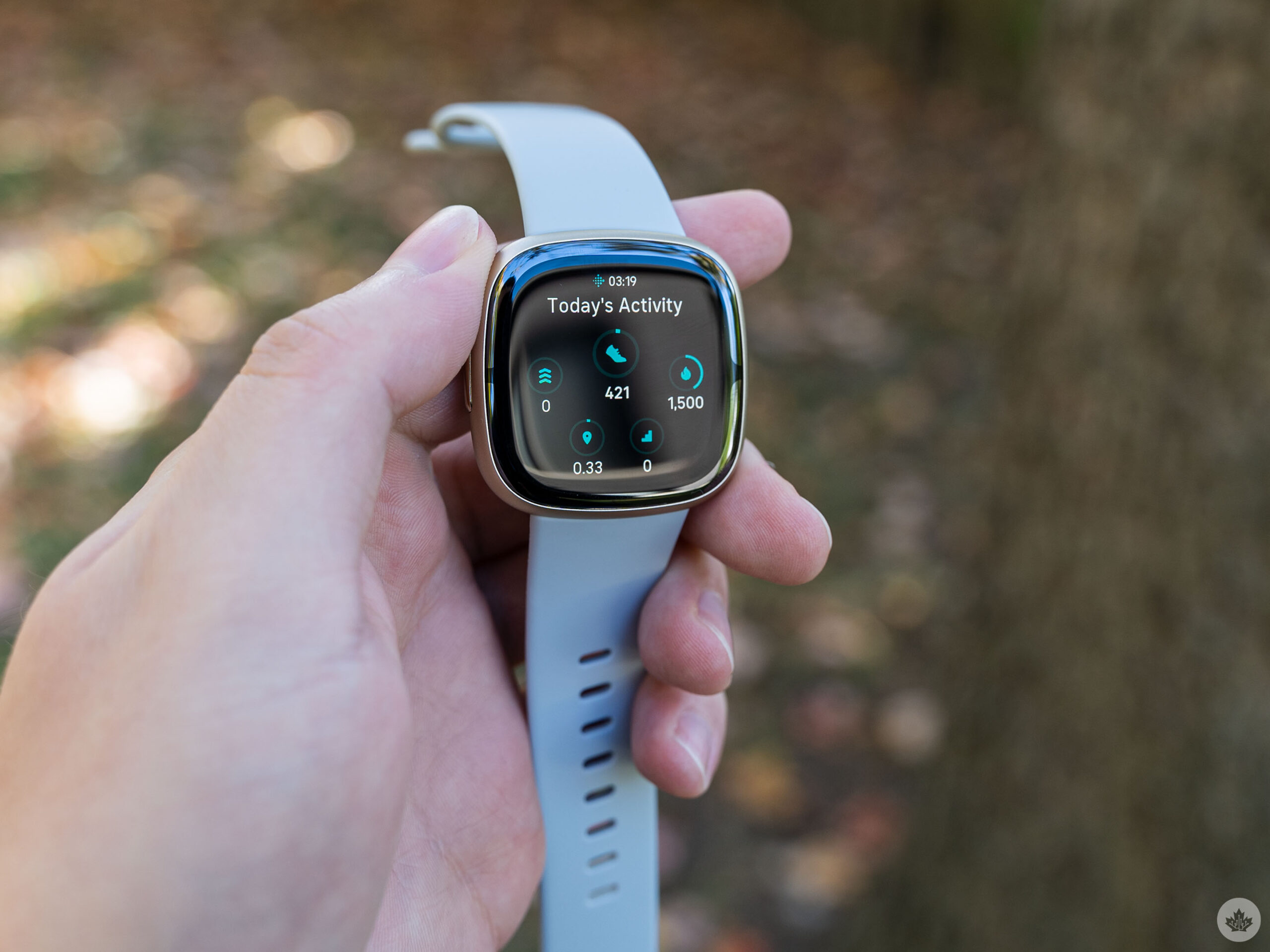
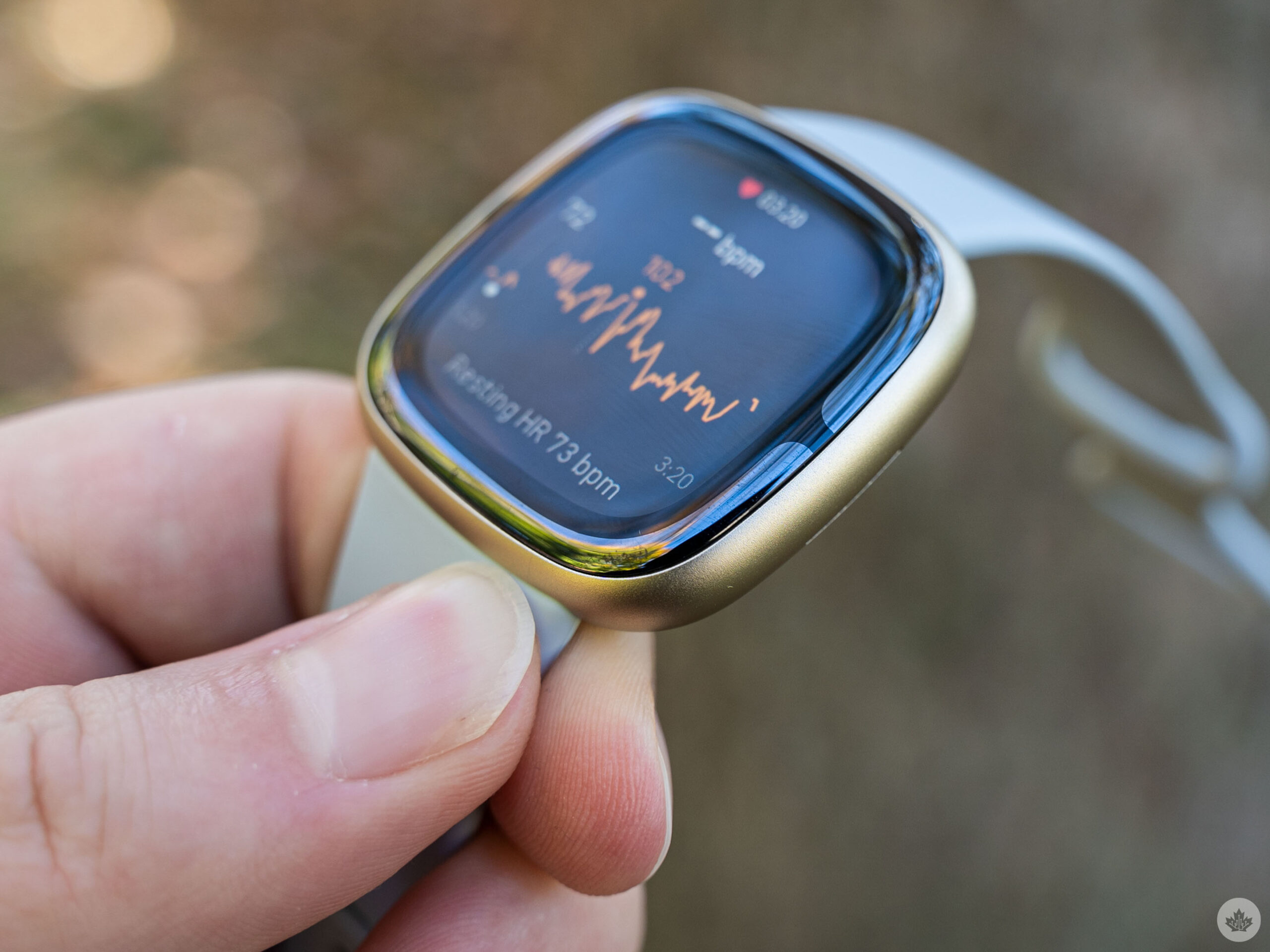
Despite all the other issues, the Fitbit Sense 2 still handles fitness tracking well. It’s got the most fitness features of any Fitbit device, including the Pixel Watch, and remains the best option for those who want the ultimate Fitbit tracking experience.

Tracking options include SpO2, heart rhythm and heart rate, skin temperature, breathing rate, and a wealth of stress-tracking features (to name a few). The problem, however, is that aside from a small selection of the stress tracking features, most of the fitness tracking capabilities are also available on the Versa 4 or Charge 5, which are both quite a bit cheaper.

In other words, if you’re not a particularly stressed person (or if you’re not interested in keeping an eye on stress), you’ll probably do just fine with other Fitbit devices. The Versa 4 offers almost all the same features, minus the stress stuff and ECG, for $100 less. The Charge 5 has ECG, lacks the stress features and several of the smart features, but clocks in at half as much as the Sense 2.
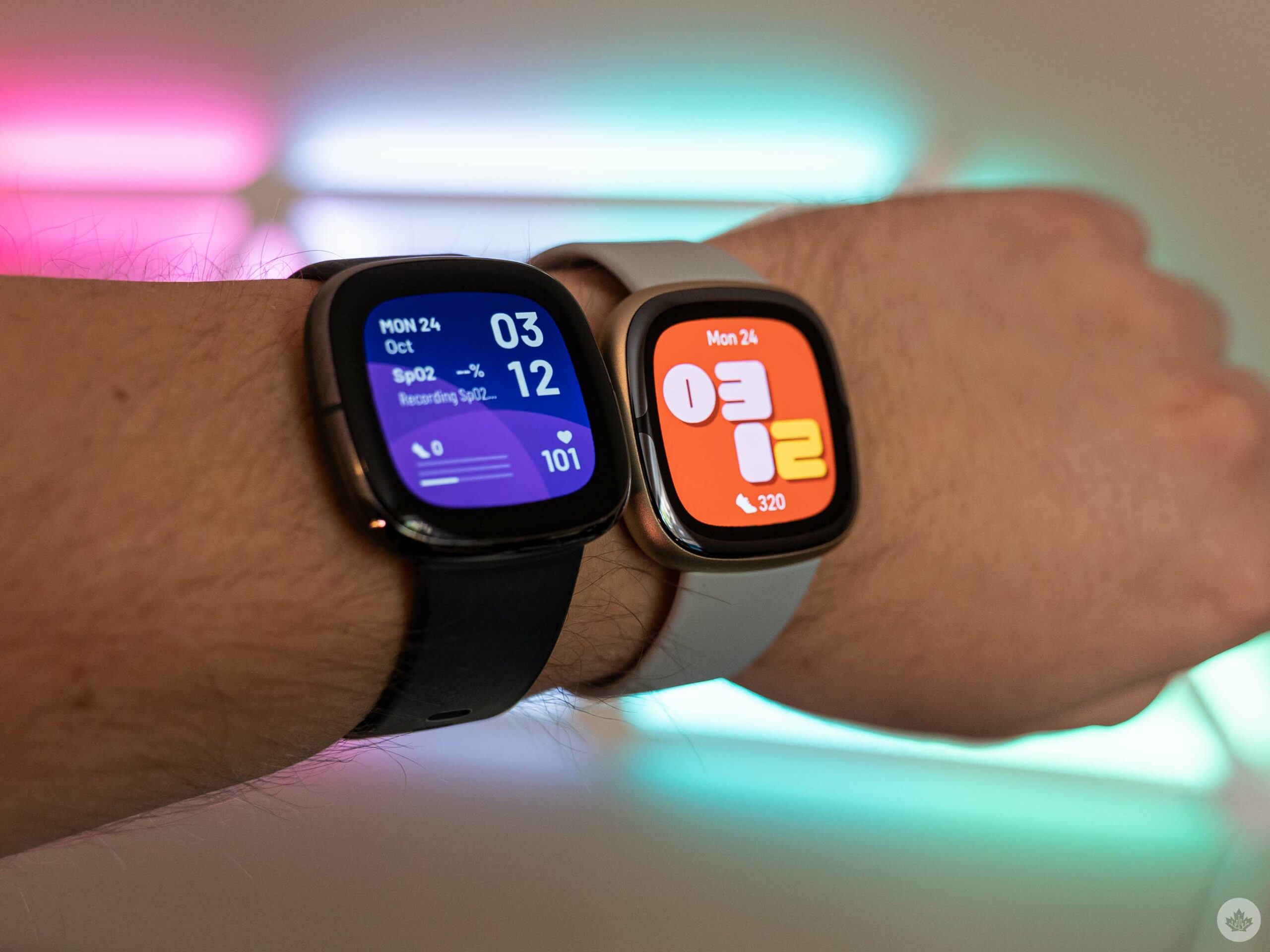
Fitbit Sense (left) and Sense 2 (right) wrist comparison.

One other interesting note I have about the Sense 2 tracking is that, at least in my experience, it’s significantly different from what the Pixel Watch reported. For example, the Sense 2 almost always listed my daily step count at around 1,000 steps more than what the Pixel Watch said. At first, I thought this was due to wearing the Sense 2 on my right wrist, as I’m right-handed. However, after swapping it to my left wrist, there was still a significant disparity in reporting. Other things, like Active Zone Minutes (a measure of activity based on heart rate) and calories burned, were similar with smaller discrepancies between the devices. Given some other testers have also reported issues with the Pixel Watch’s tracking accuracy, I’d lean towards the Sense 2 numbers being correct.

Categories
Mobile Syrup

Nintendo eShop has Wolfenstein 2 and several other Bethesda games on sale

The Nintendo eShop currently has several Bethesda games, including Wolfenstein: Youngblood, The Elder Scrolls V: Skyrim, and Doom titles available on sale.

Check out the deals below:

Quake: $5.39 (regularly $13.49)

Doom 64: $2.59 (regularly $6.49)

Doom 3: $5.19 (regularly $12.99)

Doom 2 (Classic): $2.59 (regularly $6.49)

Doom (1993): $2.59 (regularly $6.49)

Wolfenstein 2: The New Colossus: $16.04 (regularly $53.49)

The Elder Scrolls V: Skyrim: $39.99 (regularly $79.99)

Doom: $21.39 (regularly $53.49)

The Elder Scrolls V: Skyrim Anniversary Edition: $55.79 (regularly $92.99)

The Elder Scrolls V: Skyrim Anniversary Upgrade: $21.59 (regularly $26.99)

Doom Eternal: The Ancient Gods – Part Two: $13.49 (regularly $26.99)

Doom Slayers Collection: $26.79 (regularly $66.99)

DOOM Eternal: The Ancient Gods – Part One: $13.49 (regularly $26.99)

DOOM Eternal Deluxe Edition: $29.99 (regularly $119.99)

Wolfenstein: Youngblood Deluxe Edition: $11.99 (regularly $39.99)

Image credit: Nintendo

MobileSyrup utilizes affiliate partnerships. These partnerships do not influence our editorial content, though we may earn a commission on purchases made via these links that helps fund the journalism provided free on our website.