Categories
Mobile Syrup

Every paid service Apple offers in Canada

When you visit Apple’s website, you’ll see an obscure header between ‘TV & Home’ and ‘Accessories’ labelled “Only on Apple.” Clicking on the ‘Only at Apple’ tab takes you to a page featuring most (but not all) of Apple’s services.

The California-based tech company has been aggressively expanding its services portfolio. As a result, services now make up around 15 to 20 percent (depending on the quarter) of Apple’s revenue. Moreover, services are second only to the company’s flagship product, the iPhone. That’s right — Apple’s services business not only, beats out the iPad and the Mac as individual product lines, but it beats them both out combined.

While Canada has yet to see Apple Cash and Apple Card, we do have Apple Pay. Additionally, Canada is lucky to typically be one of Apple’s first choices for future service expansions. Canadians have access to nearly every other one of Apple’s services. Free services like Apple Maps and Siri work relatively well and are reasonably popular. Apple Podcast subscriptions, Apple Books, and the App Store are also services available here in Canada. Still, they’re more based on Apple acting as a distributor by taking a cut of the final sale on finished work.

That leaves us with seven core paid services that Apple offers to consumers directly, and the fruit company has been pushing these services hard. Everything from free trials to notifications on your iPhone — Apple wants to see every Apple user sign up for one (if not more) of their services. Who can blame it? Buy an iPhone once but subscribe forever.

Let’s dive into the seven paid services Apple offers to Canadians:

AppleCare+
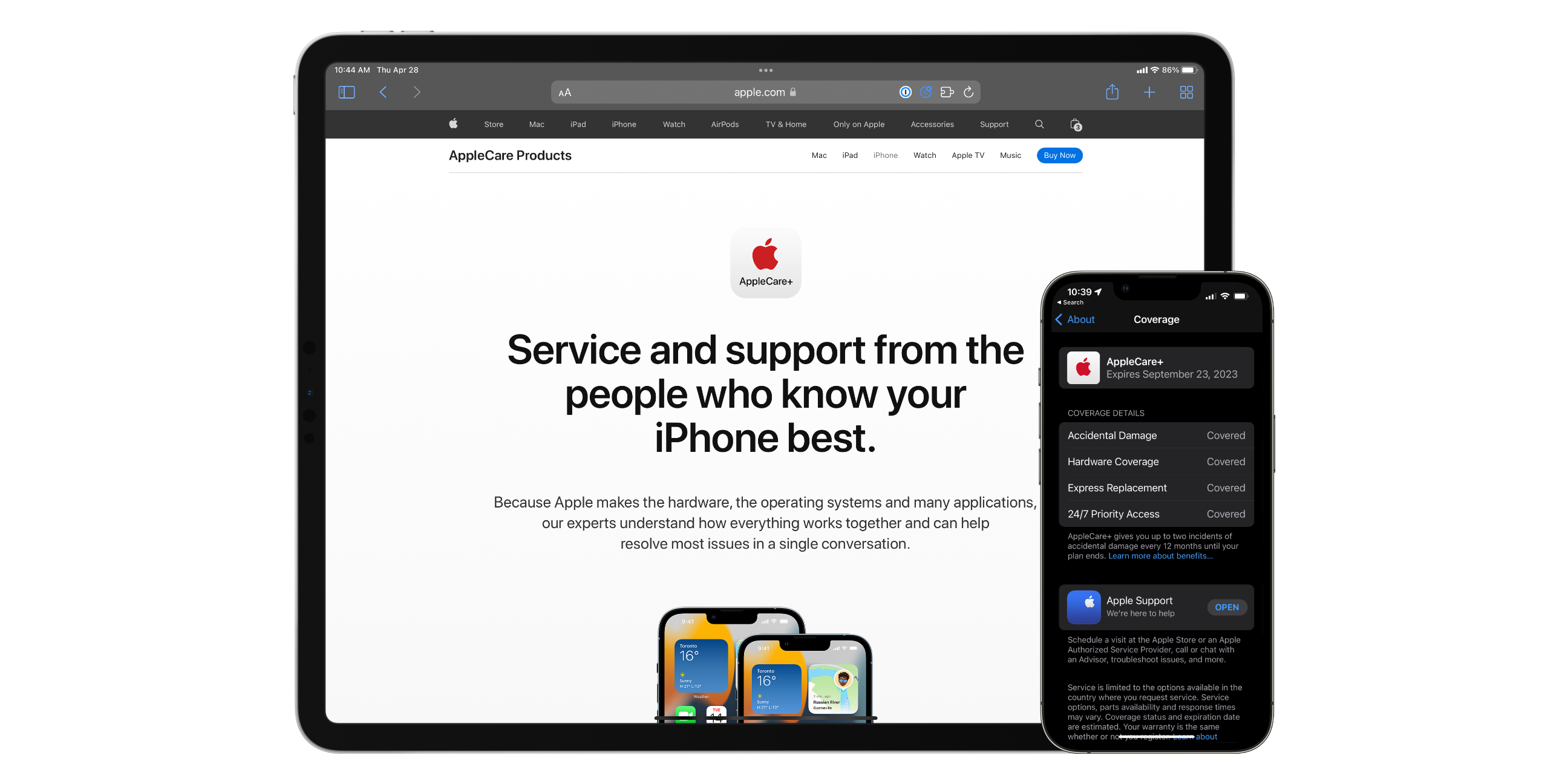
AppleCare+ has been around for a long time. However, most Apple customers are pretty divided on the purchase. If you’re not aware—AppleCare+ is essentially Apple’s extended warranty for most of their products. Apple charges either a one-time fee that covers two or three years (depending on the product) or a reoccurring monthly subscription at a slight premium.

AppleCare+ extends your device’s manufacturer’s warranty from one year to however long you’re subscribed to the service. Additionally, if your device has a broken screen or liquid damage, you pay a “service fee,” aka a deductible, to get either a repair or replacement. This is instead of paying a large out-of-warranty repair or replacement cost. Lastly, you also get 24/7 priority technical support through Apple Support by calling 1-800-MY-APPLE.

Consumers who opt to go with the one-time fee can extend their AppleCare+ cover at the monthly rate. Or suppose they opt to cancel their AppleCare+ subscription early. In that case, Apple will send them a prorated refund (minus a small fee) on an Apple gift card. Consumers who opt to go monthly can cancel their subscription at any time.

The cost of AppleCare+ and its service fees varies by device. Most devices only offer AppleCare+ as a one-time fee for a specific duration. However, AppleCare+ is available monthly for iPhones, iPads, and Apple Watches.

Apple Music
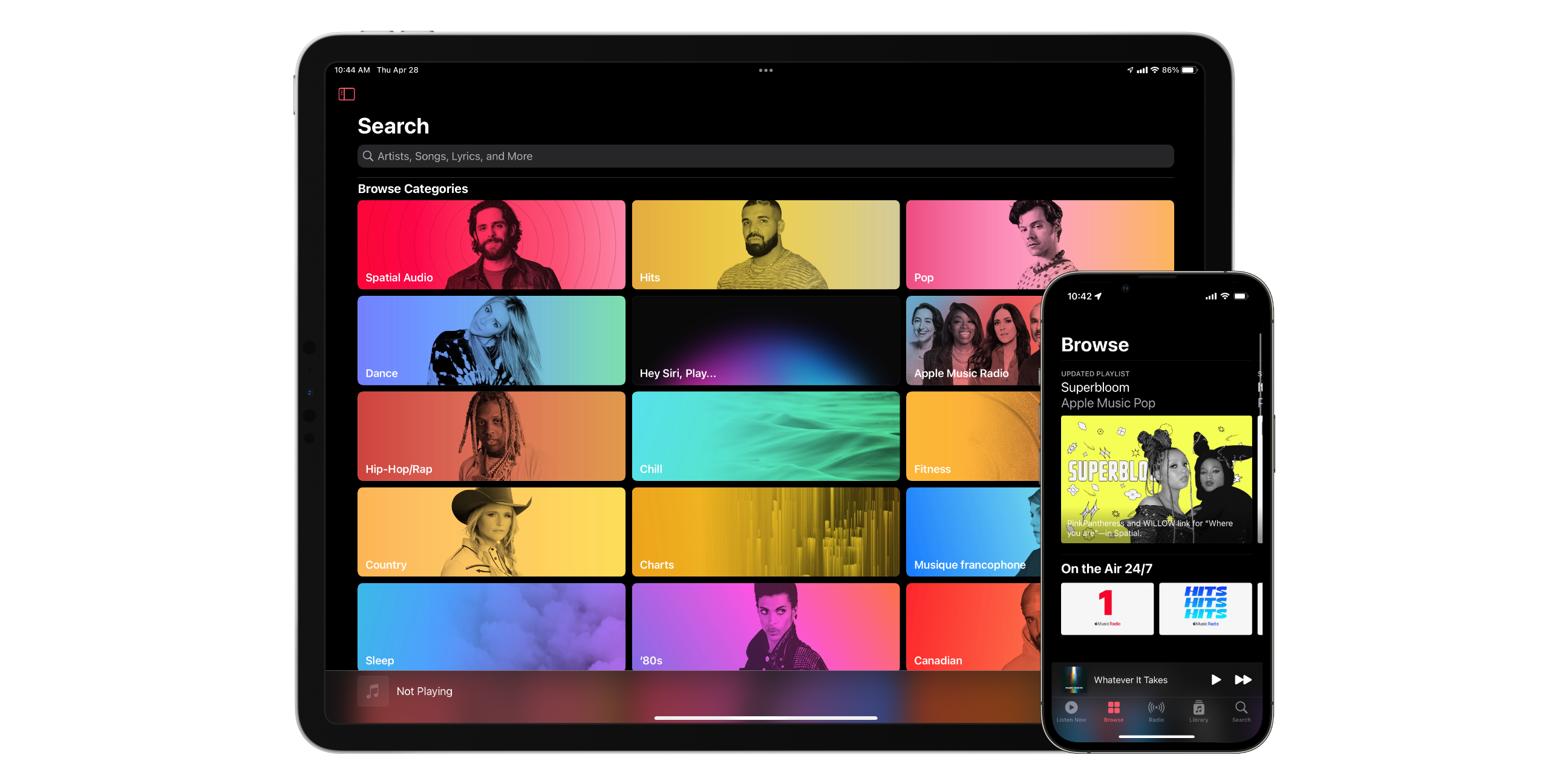
Apple Music is perhaps one of Apple’s most popular services, with around 80+ million subscribers as of 2021. Apple Music launched in 2015 and is now the second most popular music streaming service on the market. With approximately 90 million songs, Apple Music offers more than double Spotify’s 40 million.

In addition, Apple Music features ad-free streaming, Spacial audio with Dolby Atmos, Lossless Audio, Siri integration, CarPlay support, and the ability to download up to 100,000 songs for offline listening.
Interestingly, Services seem to be a business where Apple has been willing to venture onto devices that aren’t within their walled garden. For example, Apple has made Apple Music available on all of their first-party platforms, as well as Android, Windows, Sonos, Google Nest, Amazon Echo, the PS5, and Smart TVs from Samsung and LG.

Apple Music offers several different pricing options for different types of customers. Their two most cost-effective options start at $4.99 per month for students or “voice-only” functionality. An individual can subscribe to Apple Music for $9.99 per month or $99 per year. If you have a family, you can pay $14.99 per month for access for six people. You get one month free as a first-time subscriber or six months free when buying an eligible Apple or Beats device.

iCloud+
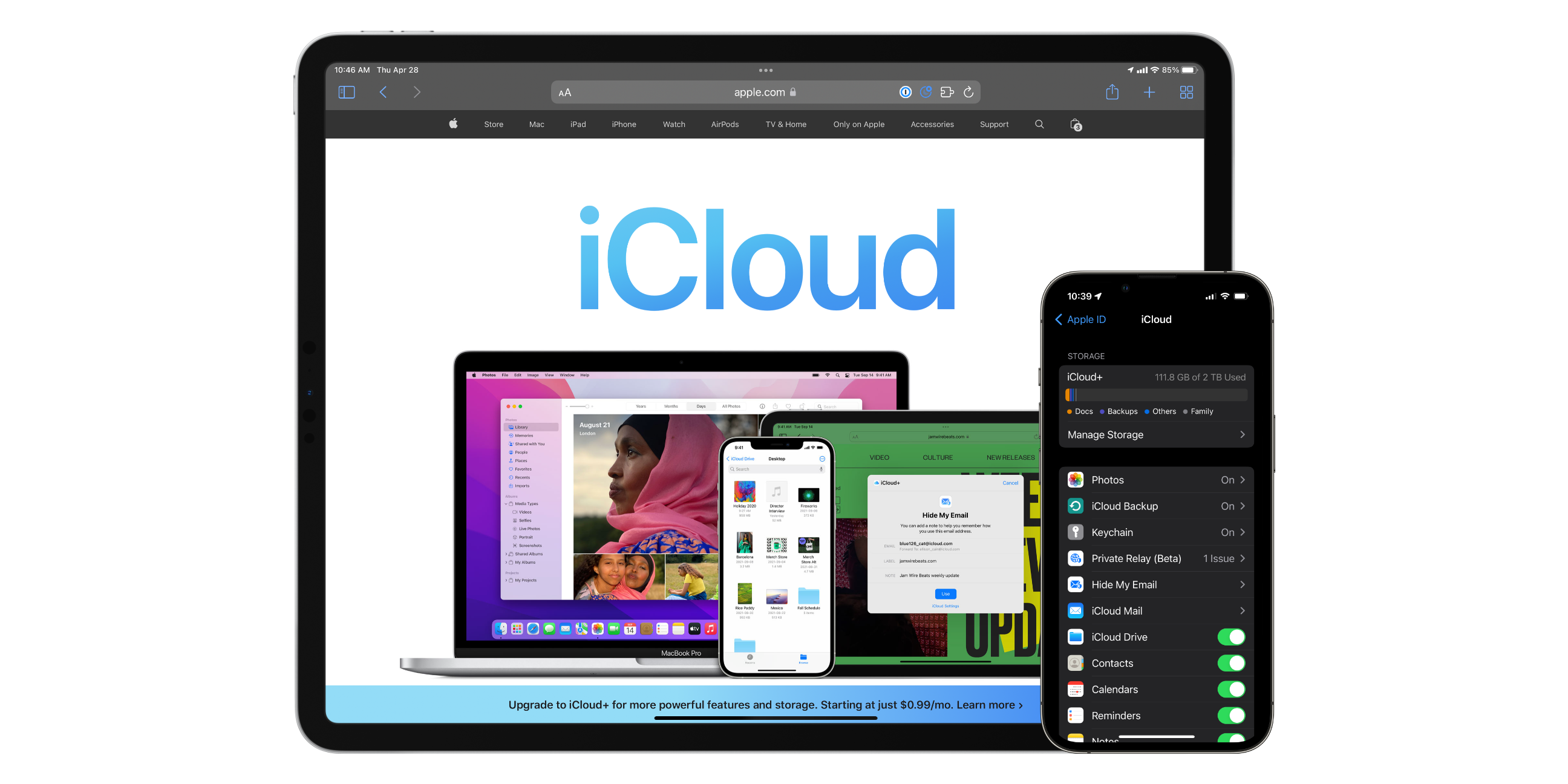
iCloud+ is perhaps one of Apple’s most convenient but least-loved services. iCloud is a cloud storage and backup service for your files and data on your Apple devices. You get 5GB for free when you first create an Apple ID. However, 5GB is not a lot of storage for any modern user. Enter iCloud+. iCloud+ is Apple’s paid tier that doesn’t just grant users more iCloud storage but also access to iCloud Private Relay, Hide My Email, HomeKit Secure Video, and the ability to use a custom email domain.

Private Relay is a VPN-like feature currently in beta that masks your IP address and encrypts unencrypted website traffic. iCloud Private Relay is only available when using Safari. It offers a more secure and private way to browse the internet.

Hide My Email is a feature where iCloud allows you to create endless disposable email addresses that automatically forward to your actual email address. Then, suppose a company starts to spam your inbox. In that case, you can delete the disposable address, and emails will stop getting forwarded to your primary email.

HomeKit Secure Video is Apple’s secure way to ensure that your home security camera footage is processed and stored securely. HomeKit-compatible cameras that support HomeKit Secure Video don’t send your video through the manufacturers’ servers. Instead, your home hub, like a HomePod or Apple TV, does all the intelligence processing and encryption on device and only sends it to Apple for storage in an unreadable form.

Finally, if you own your a domain, like mobilesyrup.com, you can now create your own emails ending in that domain and have them hosted by Apple. This feature is called Custom Email Domains.

iCloud+ is $1.29 per month for 50GB of storage and a single HomeKit Secure Video camera. $3.99 gets you 200GB of storage and support for five cameras. Lastly, for $12.99, you get 2TB of storage and support for unlimited HomeKit Secure cameras. The 200GB and 2TB iCloud+ tiers are sharable with up to six family members.

Apple Fitness+
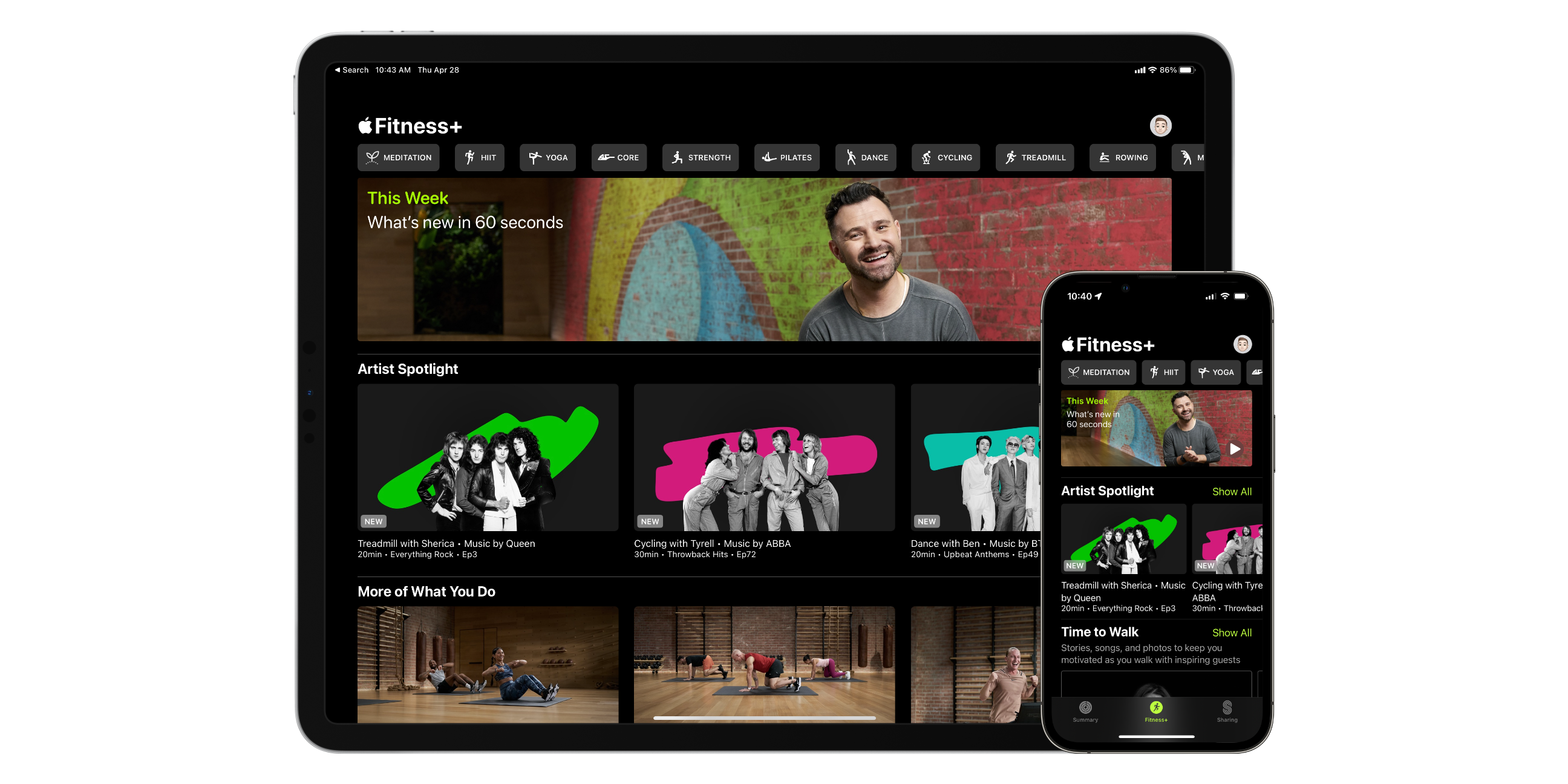
Apple Fitness+ is a fitness service designed to work exclusively with the Apple Watch. Fitness+ gives you access to high-quality on-demand video workouts that showcase regular, advanced, and alternate workouts in every video. What’s unique is that your heart rate, activity rings, timer, and calories burned show up on the screen so you can track your progress as you proceed with your workout.

Fitness+ features categories of workouts including strength, core, HIIT, yoga, pilates, meditation, treadmill, cycling, dance, rowing, and mindful cooldowns. Additionally, Apple Fitness+ offers Time to Run and Time to Walk workouts that share celebrity stories. All of the music featured in Apple Fitness+ even shows up in Apple Music playlists for you to enjoy later on. If you’re elderly, pregnant, postpartum, or just starting, Apple Fitness+ has workouts for you.

Apple Fitness+ is available on iOS, iPadOS, and tvOS with the ability to AirPlay to other displays. Fitness+ is $12.99 per month or $99.99 for a year. Both plans allow for sharing with up to six family members. First-time Apple Watch buyers can even get three months of Apple Fitness+ for free!

Apple TV+
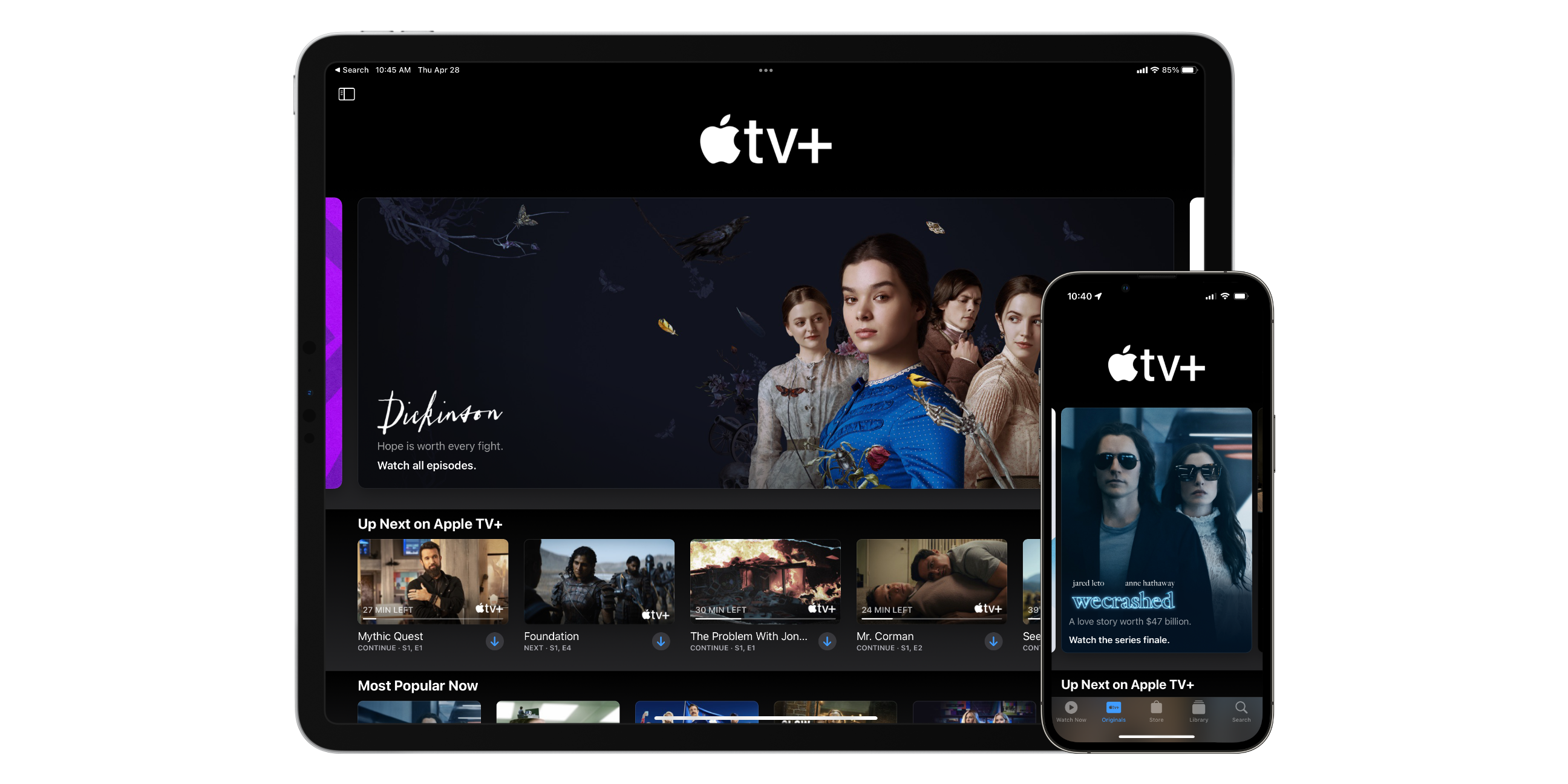
When Apple TV+ first launched on November 1st, 2019, people criticized the lack of a backlog of content. However, in 2022 while Apple TV+ doesn’t have the most extensive library, it does have one of the most well-loved and highest quality libraries. Apple’s content teams have focused on empowering Hollywood and hiring top talent. This has created amazing stories like Ted Lasso, Severance, and WeCrashed.

Meanwhile, Apple has ensured that all of its content is 4K quality and supports Dolby Vision and Spacial audio with Dolby Atmos. Apple TV+ is available on all of Apple’s platforms and nine other smart TVs, media boxes, and gaming systems. You can even watch Apple TV+ at tv.apple.com.

Apple TV+ is entirely ad-free except when watching their newly added MLB Friday night baseball series live. You can subscribe to Apple TV+ for $5.99 per month or $59.99 per year and receive seven days free. If you purchase a new iPhone, iPad, Mac, or Apple TV, you can get three months for free. Apple TV+ is available for up to six family members and offers offline downloads.

Apple Arcade
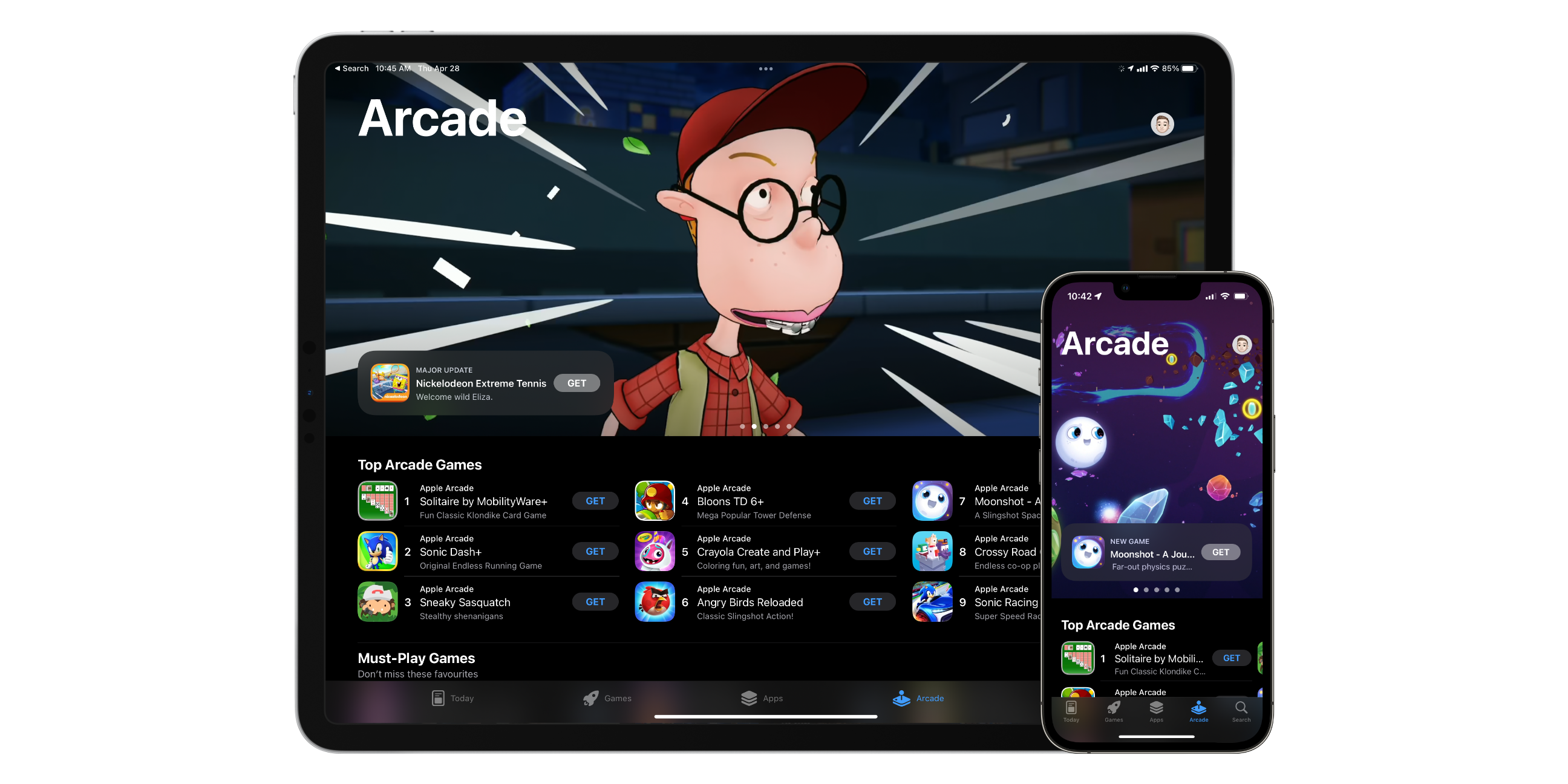
Apple Arcade might be your service if you’re interested in mobile gaming. Apple launched Apple Arcade, intending to deliver high-quality ad-free games with no in-app purchases for a single monthly fee. The mobile gaming service offers over 200 games, with the company’s plan to keep adding more titles.

Apple Arcade games are built to run on iPhone, iPad, Mac, and Apple TV! Many are even compatible with an Xbox or PS5 controller. New Apple Arcade subscribers get one month free and then pay $5.99 per month or $59.99 per year after the trial ends. Your price even includes family sharing, so up to six people can access Apple Arcade.

Apple News+
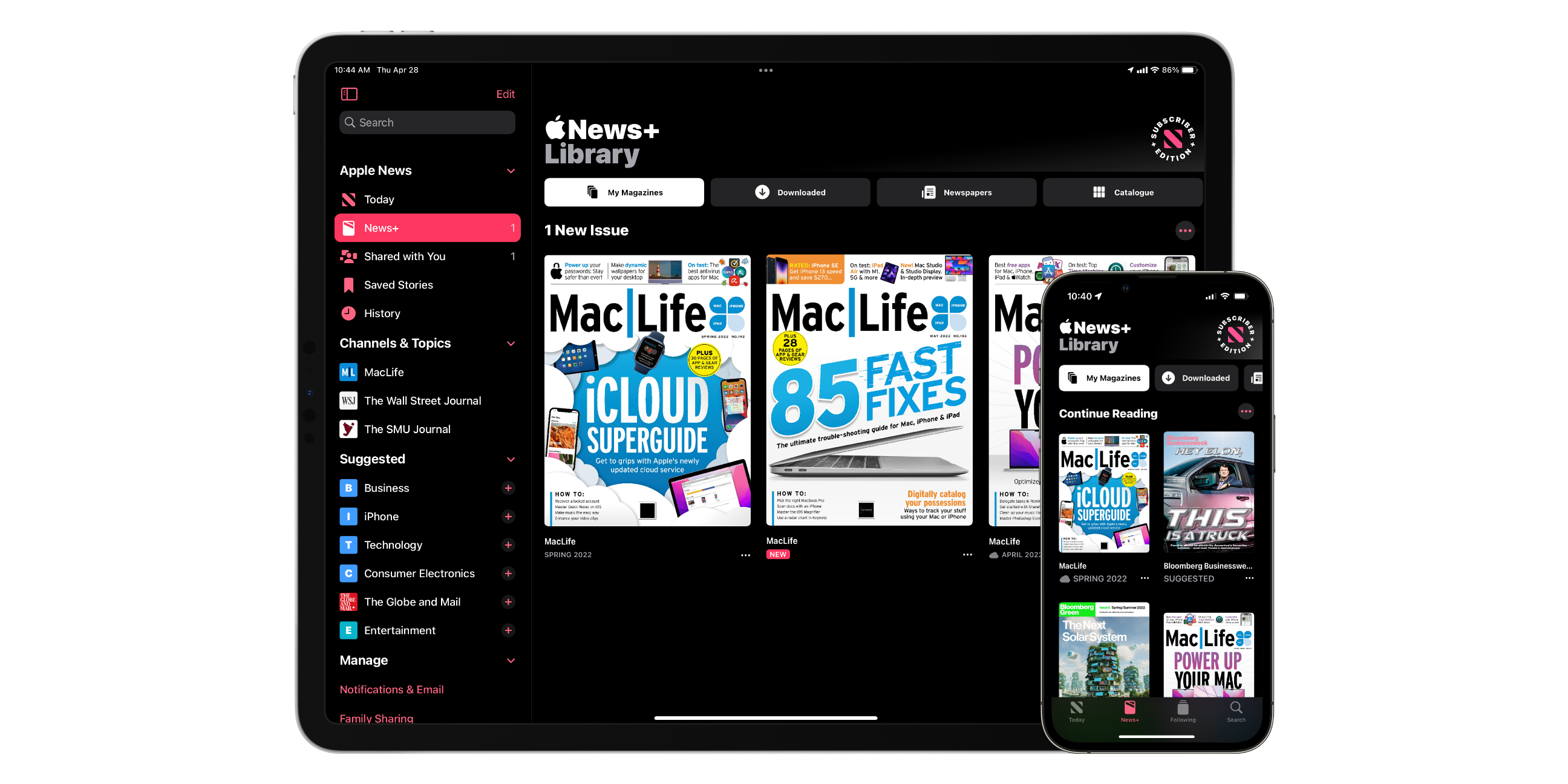
Apple News+ provides a collection of hundreds of newspapers and magazines, all for one monthly fee. While Apple News+ lives in the Apple News app, it is a separate paid service. Apple News is a curated collection of publicly available news sources brought into one place. Apple News+ bundles what would traditionally be separate paid magazine or newspaper subscription services and brings them under one service.

Some Apple News+ content is PDFs, while others are specially designed content specifically for News+. You can access Apple News+ from the Apple News app on iPhone, iPad, and Mac. In addition, magazines and articles can be saved for offline use when not connected to the internet.

Subscribing to Apple News+ will give you access to big names like The Global and Mail, The Wall Street Journal, and Maclean’s. News+ is $12.99 per month with no additional paywalls after a one-month free trial for new users. Additionally, News+ is available for up to six family members with family sharing.

Apple One
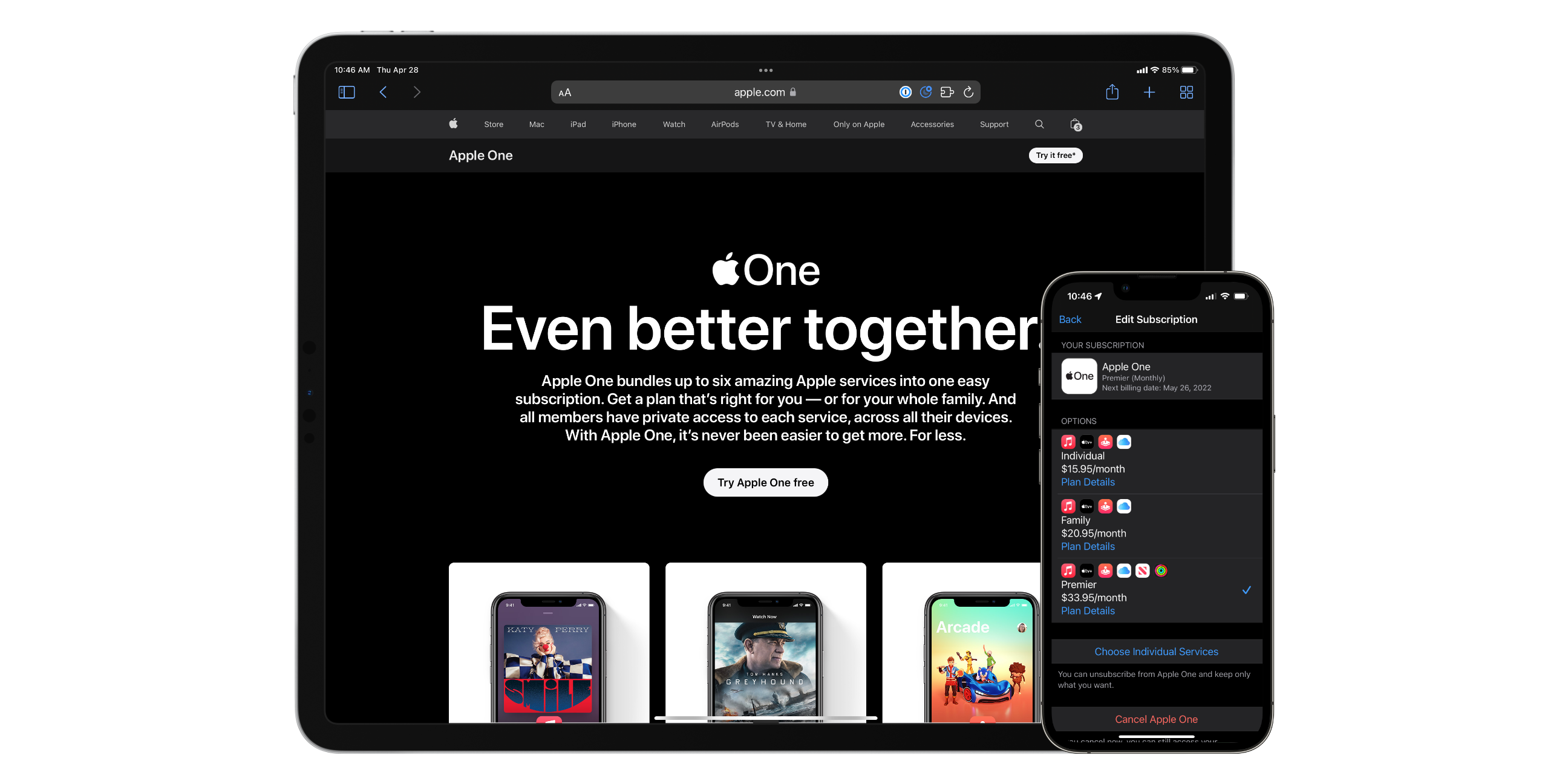
We explored the seven paid services Apple offers in Canada in the above sections. However, subscribing to each of them can get a tad pricy. Apple offers three Apple One bundles as a way to subscribe to multiple of their services and receive a slight discount while you’re at it. The only service Apple doesn’t include in any of their bundles is AppleCare+. Still, all of their bundles come with a one-month free trial for first-time subscribers.

For $15.95 per month, you can get Apple One Individual. This plan includes Apple Music’s individual plan, Apple TV+, Apple Arcade, and 50GB of iCloud+. Subscribers will save $7 per month. Apple One Family includes Apple Music for families, Apple TV+, Apple Arcade, and 200GB of iCloud+. Apple One Family costs $20.95 per month, saving subscribers $10 per month. Lastly, there’s Apple One Premier which is $33.95 per month and includes Apple Music for families, Apple TV+, Apple Arcade, Apple News+, Apple Fitness+, and 2TB of iCloud+. Apple One Premier subscribers will save $32 per month compared to subscribing to each service individually.

Categories
Mobile Syrup

Google will release another Pixel 3a and 3a XL update by July: report

While Google only guaranteed that the Pixel 3a and 3a XL would see updates until May 2022, it seems like the duo of handsets will get one more update after all.

In a statement to 9to5GoogleGoogle had the following to say:

In May 2019 at the launch of the Pixel 3a and Pixel 3a XL, we announced that the devices would receive three years of software updates and three years of security updates from when our devices first became available on the Google Store. The final update for Pixel 3a and Pixel 3a XL will rollout to users by July 2022.  

It doesn’t seem like the Pixel 3a or 3a XL will get an update alongside the QPR3 or be a part of the Android 13 beta (we already knew this) but thankfully, they will receive a new update in either June or July.

Source: 9to5Google

Categories
Mobile Syrup

Samsung and Google’s rumoured foldables to sport similar-sized folding displays

Google’s and Samsung’s rumoured foldables will reportedly have similar-sized folding displays, according to the well-regarded display consultant Ross Young.

According to Young’s tweet, the two devices will have similar-sized folding displays. Previous rumours indicate that the Fold 4 hosts a similar design to its predecessor. With that in mind, the Fold 3 may sport a 7.6-inch primary screen, and Google’s phone might feature something similar. This would correlate with previous rumours that indicate that Google’s folding Pixel will sport a 7.6-inch display made by Samsung.

However, the main difference between the two phones is what’s on the inside. The Pixel foldable will reportedly sport a smaller 5.8-inch display with a wider aspect ratio than the taller 6.19-inch panel on the Fold 4. The wider aspect ratio on the Pixel foldable will make it look slightly more like a regular-sized phone from the phone.

It’s unclear when Samsung or Google will unveil its upcoming smartphones. Rumours indicate that Samsung’s foldable will launch in August or September, whereas Google’s device handset may launch in October during the company’s Pixel launch.

Source: Ross Young

Categories
Mobile Syrup

Mayo Clinic-developed algorithm allows the Apple Watch to detect weak heart pumps

Mayo Clinic is developing an algorithm that leverages the Apple Watch’s electrocardiograms (ECG) to detect if a person’s heart is not pumping blood optimally, as reported by StatNews.

The study, which was presented at the annual Heart Rhythm Society conference in San Francisco on Sunday, May 1st found that the algorithm correctly diagnosed weak heart pumps in a small number of individuals from the study.

Researchers from Mayo Clinic updated a regular 12-lead ECG algorithm to interpret the Apple Watch’s single lead ECG data. “This demonstrates that you can design studies to explore the utility of single-lead (EKG) from devices like Apple Watch for clinical problems, and the researchers need to be commended for that. This should be viewed as a first step, but by no means is it ready for prime time,” said Collin Stultz, a cardiologist at Mass General Brigham in Boston.

The clinic is currently working to polish the algorithm by working on a one million-person research that will test various cardiac function algorithms. Its purpose is to detect heart problems in people in earlier stages and prevent the said problem from aggravating.

“If you’re a person who has high blood pressure and diabetes and you’re over 60, you may have a weak heart pump and not know it,” said Paul Friedman, the head of the study. “You may not be going to your doctor too often, but a watch you buy at the store could tell you there’s an important signal that needs to be screened.”

Source: StatNews

Categories
Mobile Syrup

Amazon Kindle begrudgingly accepts ePub book files

Amazon has held firm over the past 15 years by keeping the widely accepted (some would even say ‘default’) digital book format, ‘.ePub’, off its digital reading devices, but a truce has finally been struck.

A new update to the ‘Send to Kindle’ extension/app now ingests ePub files and converts them to a compatible Kindle file type before sending them over to your e-reader.

Obviously, this isn’t an ideal situation and requires a bit of a workaround, but at least it seems to be a step in the right direction. Perhaps in another 15 years, Amazon will actually tear the walls down and let anyone read anything on Kindle.

You can get the Send to Kindle app on Android, PC, Mac, Chrome or you can just send your documents through the email address associated with your Kindle. You can learn more about it on Amazon’s website.

It’s also worth mentioning in this story that Amazon’s long-standing .Mobi and .AZW files will no longer be supported by the Send to Kindle programs at some point later in 2022. Most people should be fine, since, over the years, these have updated into KF8/AZW3/KFX files. Existing ‘.Mobi’ and ‘.AZW’ files on your Kindle should also still work.

Source: Amazon, (1)

Categories
Mobile Syrup

TekSavvy is now offering 1Gigabit Fibre internet in Tilbury, Ontario

TekSavvy has launched its fibre-to-the-home (FTTH) service in Tilbury, Ontario, as part of an investment to provide connectivity to Chatham-Kenty via a high-speed fibre-optic network.

Fibre service is now available to 830 homes and businesses in Tilbury and will continue to roll out to completion for early summer 2022.

Tilbury is a vital community that straddles one of the busiest highways in Canada,” said Chatham-Kent Mayor Darrin Canniff. “It’s more than appropriate that it be part of the fastest information highway available.”

The service will deliver internet speeds up to 1Gigabit per second. Additionally, all TekSavvy Fibre plans have unlimited usage for customers to game, stream, and surf the internet without any overage charges. No terms committed are required, but customers can choose to sign up for a Fibre 1,000 Unlimited package for a 24-month commitment and receive a $20 bill credit for the first 12 months.

Source: TekSavvy (2)

Categories
Mobile Syrup

Apple accuses startup company Rivos of poaching engineers with company secrets

Apple is reportedly suing Rivos, a stealth startup company for poaching engineers with knowledge of company secrets. Rivos largely operates in Austin, Texas. Apple accuses the company of hiring staff who stole proprietary information from the iPhone maker.

Within job listings, Rivos is said to have targeted silicon engineers for onboarding to the company. Apple believes the company is set on designing in-house chips to compete with Apple silicon. However, the company also accuses Rivos of doing so using company secrets and information.

Apple has since filed a formal complaint. In it, the company states, “Starting in June 2021, Rivos began a coordinated campaign to target Apple employees with access to Apple proprietary and trade secret information about Apple’s SoC designs.”

Apple has also sent Rivos a letter, prior to filing a legal complaint. In it, the company states its confidentiality agreement that all former employees must adhere to. However, Apple did not receive a response from Rivos.

As the complaint states, Apple accuses multiple employees now working with Rivos of stealing “gigabytes of sensitive SoC specifications and design files.” The company believes USB storage devices were used to “offload material to personal devices.” Additionally, it’s believed AirDrop was also used as a way to transfer proprietary information. Apple also accuses one employee of using Time Machine to make a full backup of his Apple device, transferring data onto an external drive.

Within the full filing, Apple names two former engineers who worked in Apple’s in-house silicon division. Bhasi Kaithamana and Ricky Wen allegedly took thousands of files and then began working with Rivos in late 2021.

Apple is asking the court to stop Rivos from utilizing trade secrets and order the former employees to return the sensitive data. Apple also requests an unknown amount of money for harm and damages to the company.

Image credit: Apple

Source: 9to5Mac

Categories
Mobile Syrup

Developer gets closer to running Windows 11 on Surface Duo

A developer has been working on a project that aims to get Windows 11 running on a Surface Duo. What can only be described as a passion project, Gustave Monce is making incremental advancements in this pursuit and has hit a new milestone.

In a new video Monce recently shared, the developer explains that the performance is now better than they expected. They compare the performance to a Lumia 950 XL, and notes that the difference is an “ocean.” Monce also confirms that the thermals of the Surface Duo are “very good.”

Although it’s far from perfect, Monce can run a form of Windows 11 across the two screens of the Surface Duo. The video shows the File Explorer window being dragged across the left to the right before snapping to the right screen. Monce also briefly demos Microsoft Edge running on the left screen.

Following the initial clip, Monce shows that the Adreno GPU and shaders are all working well. The developer controls the systems and apps using a Bluetooth mouse. They states that there is no touch support currently but say that it’s coming “soon.”

However, there are some glaring issues. For example, there are on-screen glitches during the demo and there’s no LTE support. With Windows 11, the Surface Duo’s camera and gyroscope are also not working.

It’s also worth noting that Monce’s work is on the original Surface Duo. None of these advancements appear to be operational on the Surface Duo 2.

It’s unclear why Monce is putting so much work into getting Windows 11 running on the device, especially since the Surface Duo is already a pretty niche device. That said, seeing Windows 11 work across the Surface Duo’s dual-screen is still still pretty impressive.

Image credit: @gus33000

Source: @gus33000 Via: Windows Central

Categories
Mobile Syrup

Switch Sports recaptures the motion-controlled magic of its predecessor

Wii Sports was a cultural phenomenon when it released 16 years ago as a pack-in title for Nintendo’s Wii.

For a few years, the game was everywhere, including on mainstream news broadcasts featuring anchors awkwardly waving Wiimotes and talking about the latest “Nintendo,” retirement homes, and living rooms worldwide.

While the novelty of motion-controlled gaming has faded over the past decade, with a few Switch titles and virtual reality controllers being the notable exceptions, it remains the most pick-up-and-play way to control a game, especially for those not familiar with the medium.

Fast-forward to 2022 and we have Switch Sports, a reimagining of Wii Sports designed for the Switch. Though late in the home console-portable’s life, Switch Sports is, for the most part, just as compelling as its predecessor — especially when it comes to online and, more importantly, local multiplayer.

First, let’s look at the several sports included in Switch Sports. Currently, there are only six activities available: tennis, badminton, soccer, bowling, volleyball and chambara.

As you likely already assumed, all of these sports require you to perform some sort of physical motion with the Switch’s Joy-Con controllers.

Badminton plays like tennis, but feels faster-paced. 

For example, tennis plays very similarly to its Wii Sports counterpart, though with an added level of control. You really feel like you have the ability to shift the ball’s direction based on your timing and whether you opt for a forehand or backhand shot. Badminton plays similarly to tennis and offers real precision over the birdie’s direction, though it’s far more frantic and can only be played solo.

Soccer feels like the most full-fledged title in Switch Sports’ lineup, but it’s also an outlier. The game is controlled with two Joy-Cons, with one being used to move your player around and the other for motion-based kicking and the camera.

Soccer feels like a slightly less chaotic, albeit slower-paced, take on Rocket League, and has a surprising amount of depth and strategy to it, whether you’re playing 4-on-4 or 1-on-1.

Switch Sports bowling

Bowling is just as fun as you remember.

Because its controls are more complicated, soccer is also the most difficult sport to pick up and immediately understand. However, this makes it great for solo online play, and I can see it evolving into a go-to sport when I have time to kill and want to play on my own. If you’re deciding between the physical or digital version of Switch Sports because you think you need the included leg strap, just opt for the digital version. Soccer’s shoot-out mini-game is purely timing-based and isn’t very fun.

Next, there’s bowling, the true Wii Sports classic. Bowling is just as fun as it was years ago, but there’s an interesting twist this time around: you can bowl simultaneously against other players. This means there’s no waiting involved and everyone is bowling at once, making the game move much faster. Further, when you’re playing online, things become battle royale-like, with players with lower scores slowly being eliminated in subsequent rounds.

Switch Sports volleyball

Volleyball is nearly entirely focused on timing.

Chambara — which was included in Wii Sports Resort — is a strategic sword fight with either a single sword or dual-wielding swords. Though the sword is surprisingly responsive to my Joy-Con movements, I found that most games devolve into a flaying match devoid of blocking, similar to Wii Sports‘ Boxing. As a result, I’ve spent the least amount of time with chambara so far.

Finally, there’s volleyball, the most timing-focused of all of the title’s sports. When you’re playing with a partner co-operatively, volleyball can feel great as you time your bumps, volleys and strikes perfectly as a team, but solo, it quickly becomes repetitive. Unlike tennis and badminton, volleyball doesn’t seem to offer precise control over where the ball is headed and primarily emphasizes timing and rhythm. It’s worth noting that my partner is a big fan of volleyball’s focus on timing, so whether or not the sport appeals to you will come down to personal preference.

There’s a lot to like about Switch Sports’ various sports, but there are a few notable omissions, including Wii Sports’ favourites like boxing and baseball. Nintendo may have plans to bring these games to the title down the line, but nothing has been confirmed yet. So far, we only know that the ability to play soccer with the leg strap and golf are coming later this year.

Chambara is too chaotic for me.

Strangely, Wii Sports‘ ‘Challenges’ are absent from Switch Sports. As someone who spent most of his time playing Wii Sports solo, this is disappointing and a perplexing move on Nintendo’s part. Some of my fondest memories of Switch Sports involve various tennis challenges like returning a specific number of serves or hitting moving targets.

Like the arrival of additional sports, I wouldn’t be surprised to see Challenges make their way to Switch Sports in the future, but nothing has been confirmed yet.

Thankfully, what Switch Sports does feature is a surprisingly robust online mode that’s playable solo or with another player locally. I’ve spent most of my time online playing tennis and soccer with my partner and can confirm it’s a great experience. You can opt to play a specific sport or rank several different sports in the order of how interested you’re in playing them. After 10 matches in any given sport, you unlock a ranked mode that ensures play remains balanced and that gives you something to work towards, though I’ve only unlocked this feature with tennis and soccer so far.

Switch Sports Soccer

Soccer is great but more complicated than other sports.

Playing and accomplishing specific goals in sports, like hitting the ball on the line in tennis or even just winning, gains you points that let you earn new in-game items like rackets, swords, balls, reactions and player titles that can often be reworked into amusing phrases (for example, my partner’s title is ‘Former Child’).

It may sound silly, but this kept me playing longer than I expected as I continued to try to unlock that coveted black toque for my tennis pro. It’s important to note that these items can only be unlocked in online play and that there’s no way to get them offline.

I like to imagine that my character looks like they’re unapproachable and smokes roughly a pack of cigarettes a day, despite being a tennis pro.

Overall, the customization options for your character in Switch Sports are rather limited, but Nintendo could have plans to add more in the future (you’re likely sensing a theme here).

Switch Sports offers solid foundation that’s missing a few key features Wii Sports fans will likely wish were included in the game. That said, the sports that are here are great, especially classics like tennis and bowling. Hopefully, Nintendo has plans to continue to add new sports and challenges to the game in the future.

Switch Sports is available now for $64.99 on Amazon on Nintendo’s Switch.

MobileSyrup utilizes affiliate partnerships. These partnerships do not influence our editorial content, though we may earn a commission on purchases made via these links that helps fund the journalism provided free on our website.

Categories
Mobile Syrup

Samsung’s Galaxy Flip 4 will reportedly sport minor battery size increase

Samsung’s Galaxy Flip 4 might feature an only a slightly bigger battery than its predecessor.

According to a new rumour from the Dutch publication GalaxyClub, the upcoming foldable will feature a pair of batteries with the model numbers ‘EB-BF721ABY’ and ‘EB-BF722ABY.’ According to the leak, the cells will measure in at 2,400mAh and 903mAh, equalling 3,303mAh in total. With this in mind, Samsung will likely advertise the Flip 4’s battery as featuring 3,400mAh (typical) in capacity.

This battery improvement is minimal as the Flip 3 sports a 3,300mAh battery. In my review of the Flip 3, I noted that the phone’s battery doesn’t last all day, citing it as one of the otherwise solid smartphone’s most significant issues.

I find that if I used the device consistently starting at 9am, it only makes it until roughly 7pm. Checking the Flip 3’s Battery settings reveals that I only ever get at most four and a half hours of screen-on time out of the device.

I doubt that the Flip 4 will offer a better battery experience than its predecessor, unless Samsung has new battery life management techniques in the works. The Galaxy Z Flip 4 is expected to launch sometime in August or September.

Source: GalaxyClub