Categories
Mobile Syrup

Nothing is pushing tech forward with new ways of over-hyping products

Carl Pei took the stage to announce what’s new from his ‘Nothing’ startup and said, “tech companies aren’t on the consumer’s side anymore, and no one is innovating.”

Then he proceeded to show off a skinned version of Android, some LSD-fueled hieroglyphics and then asked the community for $10 million USD (roughly, $12.5 million CAD).

I’ll give Pei credit. He almost had us in the first half, but after building this much hype and then not revealing a product, he’s starting to come off as more of a salesman and less of the saviour who’s actually going to shake up the tech world.

But I guess that’s the promise of Nothing.

What we learned at the event (NOT THE TRUTH)

To start off, Pei dropped several fun stats about the Nothing Ear (1)s and the Nothing company in general. The wireless earbuds have almost sold half a million units in half a year, and there are now over 300 people working at Nothing.

He also clarified the company’s supply chain is ready even though a large tech company tried to block them. Regardless of that, Pei claims the company has large partners like Google, Samsung and Qualcomm on board to help push the first Nothing phone out this summer.

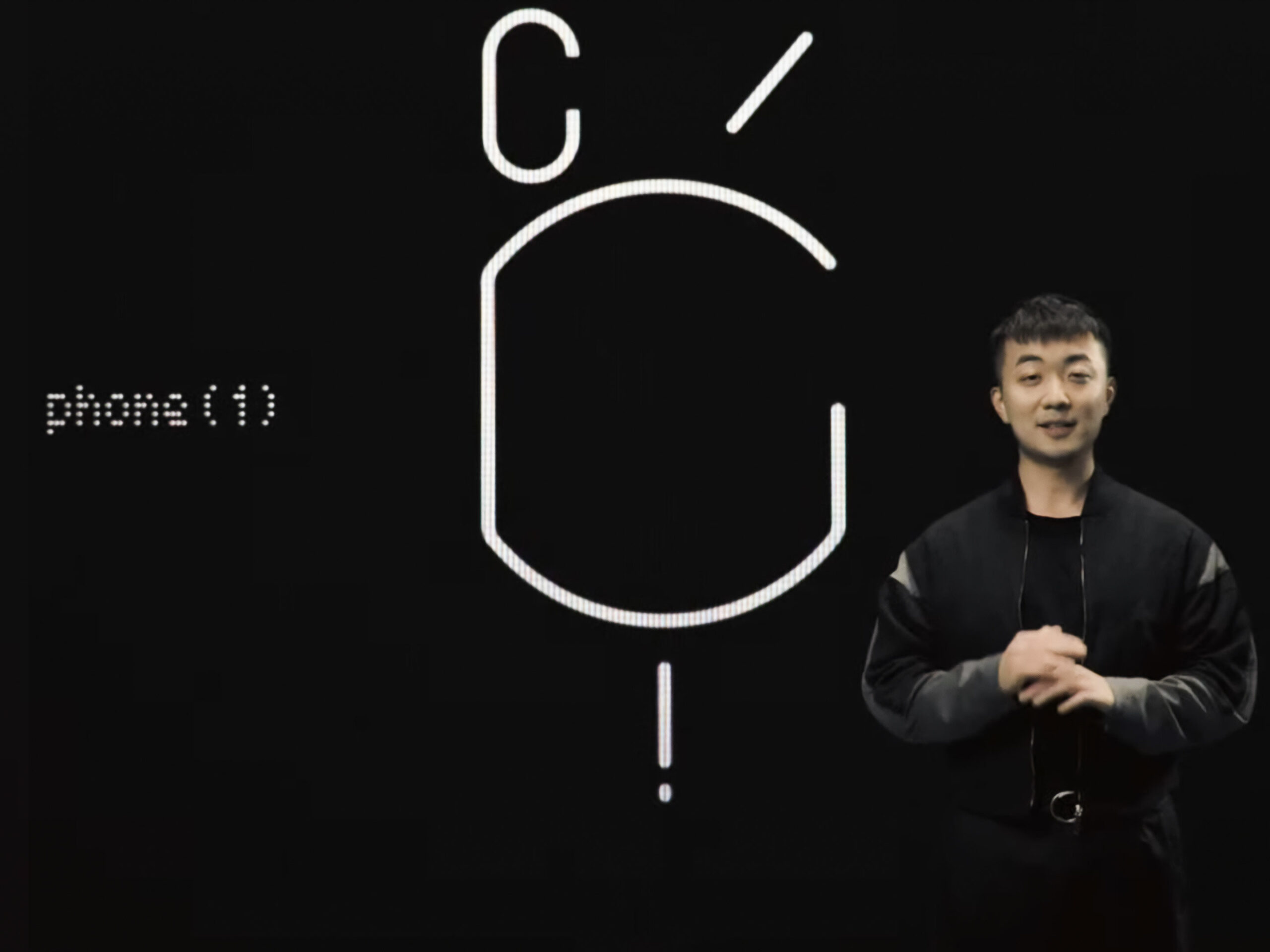
Carl Pei standing beside the Nothing Phone (1) symbol. This is all that was shown on the phone at the event.

The company even cut the presentation to give us a trailer showing off this symbol. I’m sure people will be unpacking it over the coming weeks, but to me, the bottom exclamation mark stands for fast charging, the symbol in the centre is wireless charging or some sort of MagSafe ripoff. Furthering my speculations, the top left ‘C’ is likely the camera, and the ‘/’ symbol is the antenna for 5G.

Perhaps this symbol will also look similar to the back of the phone since we’re expecting it to be transparent like the Nothing Ear (1)s.


View this post on Instagram


A post shared by Nothing (@nothing)

In his whirlwind of hype, Pei started talking about the phone by painting a picture of Nothing as the only true alternative to Apple and the enclosed fortress known as the Apple ecosystem.

The Nothing ecosystem, by comparison, will be open and designed to work with a wide variety of tech products ranging from AirPods to Telsa vehicles. However, he never really gave us any clear specifics about what this might mean. To me, it seems more like Pei is just trying to do a better job at marketing the openness of Android than Google is.

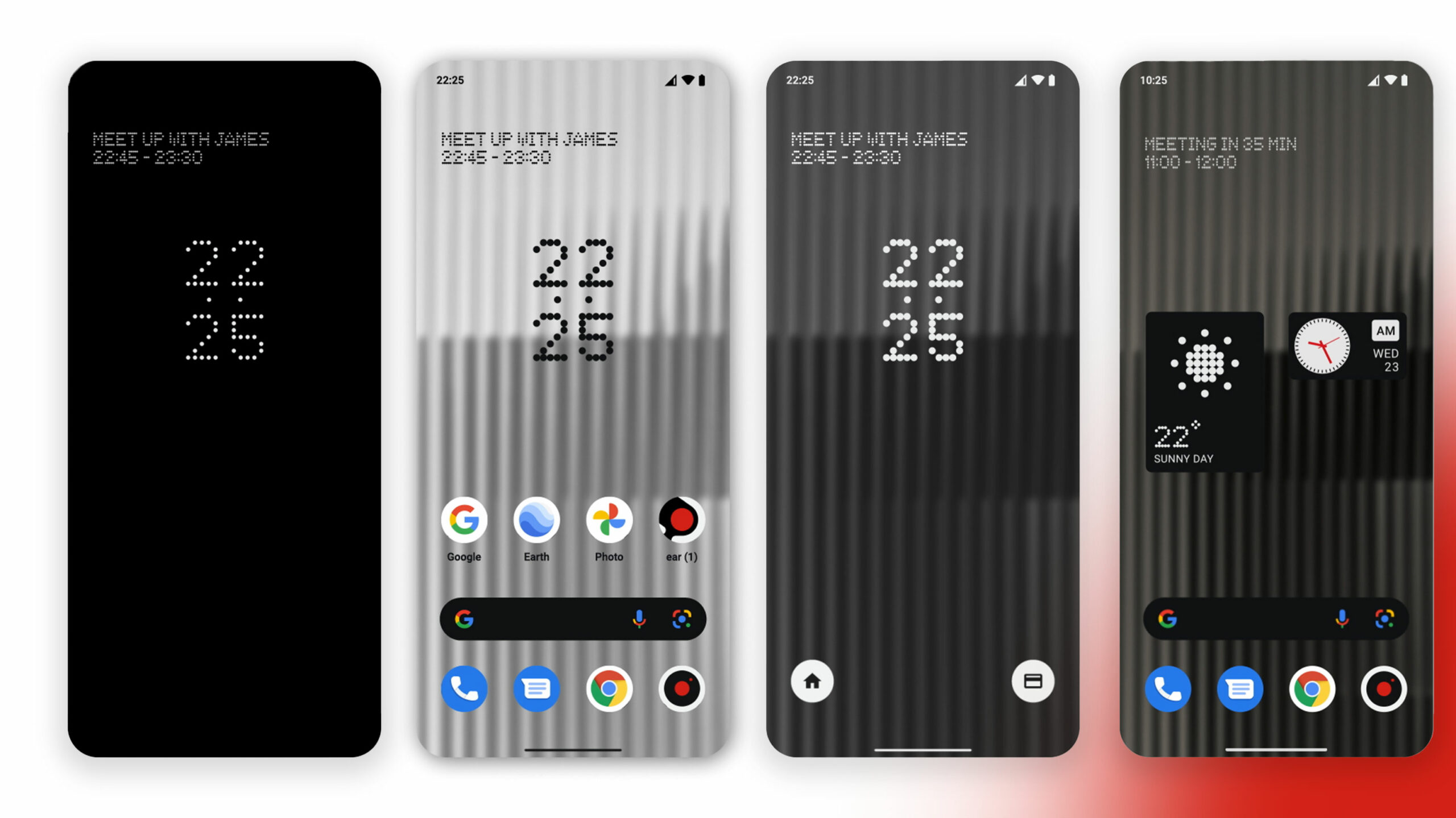
Nothing OS from left to right: Always-on display, the home screen, lock screen and home screen with Nothing widgets.

It was also hard to listen to Pei talk about taking on Apple and innovating in ways that we can’t even comprehend while showing off Nothing OS, which looks like a lightly skinned version of Android 12.

Sure the design is cool and uniform, but design is subjective, and while I might find this one cool, I’m pretty sure my mom isn’t going to be into the cyberpunk aesthetic.

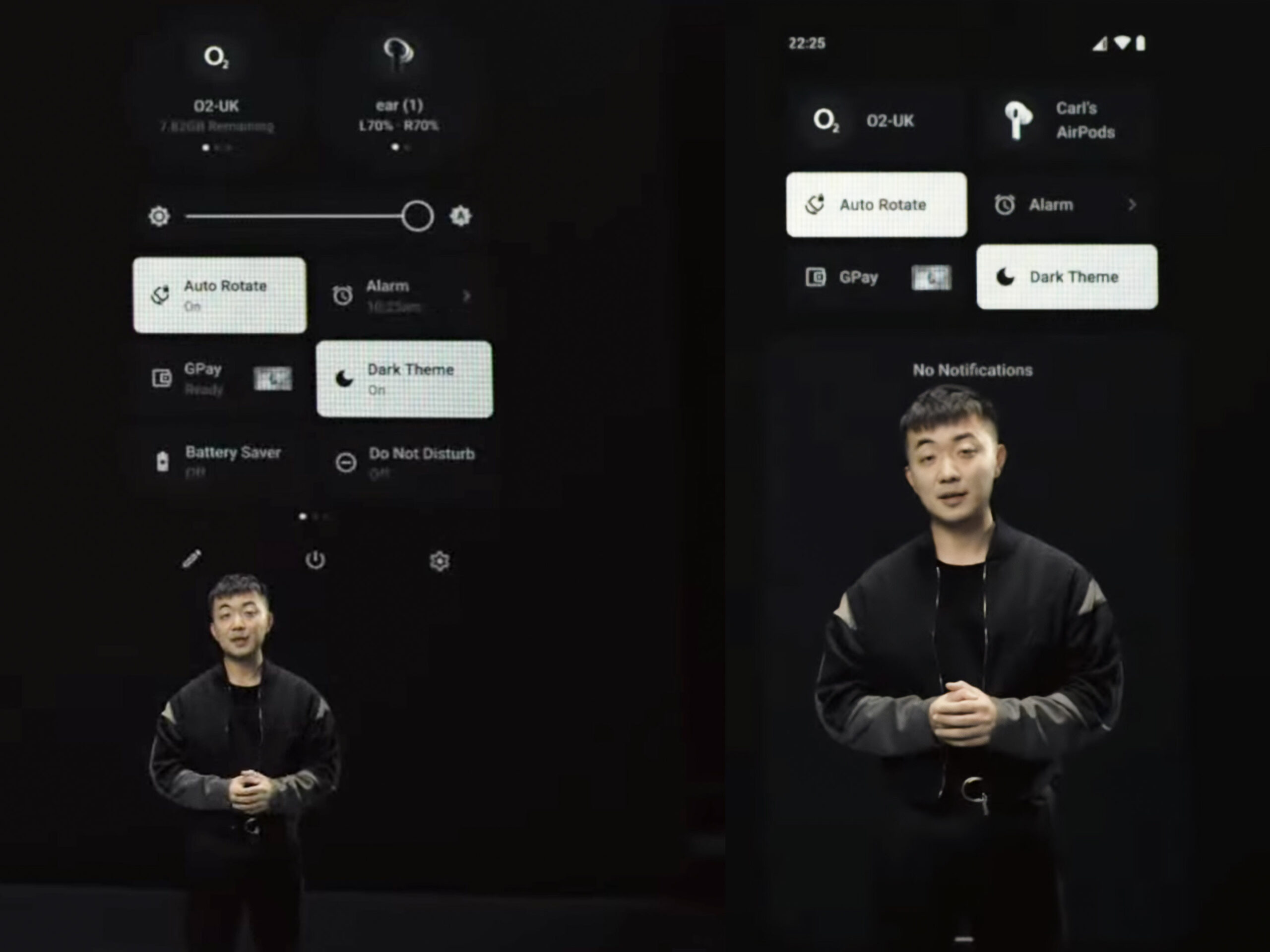
A look at Nothing’s take on Android’s Quick Settings.

The Nothing Launcher for Android is going to launch this April, so I’ll withhold judgment until I can get my hands on it. Pei did mention that it will only be available on select smartphones. My guess would be Pixels and Samsung devices due to the previously mentioned partnerships. However, I’d be excited to see it running on an Essential phone or a modern OnePlus device.

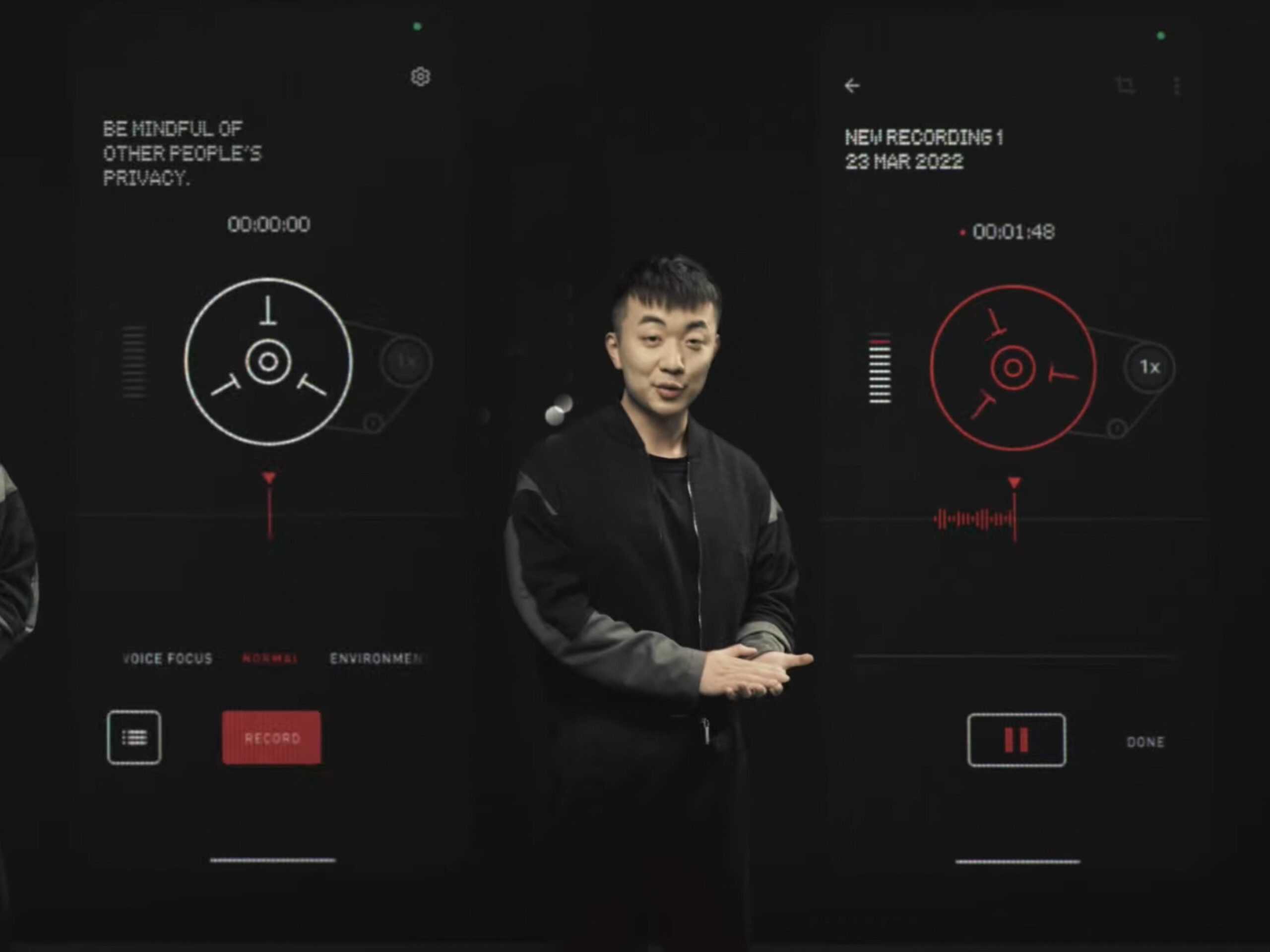
The launcher is supposed to have minimal animations and a high level of brand uniformity. This just looks like a pixel filter on the app ions and a lot of dot matrix design elements to match Nothing’s logo. That being said, the company did show off a cool-looking recorder app that pushes the cyber-punk aesthetics much further than the launcher.

A few angles of the Nothing Recorder app.

Pei also promised smarter RAM management, but that’s only coming in the Nothing phone, not the launcher. This seemed like an odd thing to bring up on stage since most modern phones with 4-6GB of RAM seem fine to me. Perhaps the Nothing Phone (1) will truly feel faster or maybe Pei is prepping us for a phone with less RAM than its competitors?

Nothing is promising three years of OS updates and four years of security updates when the phone launches.

Image source: Nothing

Source: Nothing, (1)

Categories
Mobile Syrup

TeraGo launches 5G mmWave to connect multi-dwelling units with high-speed internet

TeraGo has launched its 5G mmWave service to connect multi-dwelling units in Ontario.

The company uses the multiple gigabit solution to provide internet services to buildings that were previously hard to service.

“With this positive step to leverage our advanced services in Ontario, we hope to continue to expand these capabilities across Canada,” Blake Wetzel, the company’s chief revenue officer, said.

The company provides wireless connectivity to businesses across Canada. The launch is the company’s first strategic venture to align with larger organizations and support Canadians.

“TeraGo remains laser-focused on the further development of mmWave 5G fixed wireless technologies to better the lives of Canadians,” Wetzel said. 

Image credit: Shutterstock

Source: TeraGo

Categories
Mobile Syrup

Here’s what’s new on Netflix Canada in April 2022

In April 2022, Netflix Canada is set to stream several new TV shows and films, including Ozark: Season 4, Part 2, Elite Season 5, Heartstopper, Russian Doll Season 2, the new Netflix anime Bubbles and the final episodes of Grace and Frankie.

Coming Soon

April 1st

April 4th

  • Angel Has Fallen
  • Better Call Saul: Season 5

April 5th

April 6th

April 7th

April 8th

April 9th

April 10th

  • House of 1,000 Corpse

April 11th

  • Aileen Wuornos: American Boogeywoman

April 12th

April 13th

April 14th

April 15th

April 16th

April 17th

  • Richie Rich
  • Selena

April 19th

April 20th

April 21st

April 22nd

April 26h

  • American Gangster
  • David Spade: Nothing Personal — Netflix Comedy 

April 27th

April 28th

April 29th

Last Call

  • Anchorman 2: The Legend Continues (April 1st)
  • Anchorman: The Legend of Ron Burgundy (April 1st)
  • Despicable Me (April 5th)
  • Despicable Me 2 (April 5th)
    Minions (April 5th)
  • The Bourne Identity (April 30th)
  • The Bourne Legacy (April 30th)
  • The Bourne Supremacy (April 30th)
  • The Bourne Ultimatum (April 30th)
Categories
Mobile Syrup

Xbox unveils two cloud-based support tools for developers at GDC 2022

At Game Developers Conference (GDC) 2022, Xbox revealed two new initiatives that aim to support developers working on games for the cloud.

The first, titled Azure Game Development Virtual Machine, is designed to leverage Microsoft’s extensive Azure network to provide a pre-built game development kit. This will include core game development solutions like Unreal Engine, Parsec, Blender and DirectX.

Per Microsoft, this will allow developers to boot up a game dev workstation or server “in around five minutes,” more easily validate their pipeline performance and save hours of downloads and configurations for game dev tools. Studios can also use Azure Game Development Virtual Machine to migrate and test cloud-native remote game creation.

The Azure Game Development Virtual Machine is now available in public preview to developers.

Xbox’s second GDC announcement, meanwhile, relates to ID@Azure, an extension of its ID@Xbox indie game publishing division. Through ID@Azure, indie developers will receive free tools, resources and support on cloud services. Specifically, ID@Azure will provide some funding opportunities, as well as a dedicated education portal, 24/7 support from Azure experts and more.

ID@Azure was available in limited beta in December, but Microsoft is now opening it up for general availability. The company adds that the program will be offered to any developer, regardless of which platforms it might be targeting.

Categories
Mobile Syrup

PlayStation is rolling out a new system update for PS5 and PS4 consoles

Sony is now rolling out its next system update for PlayStation 5 and PlayStation 4 consoles.

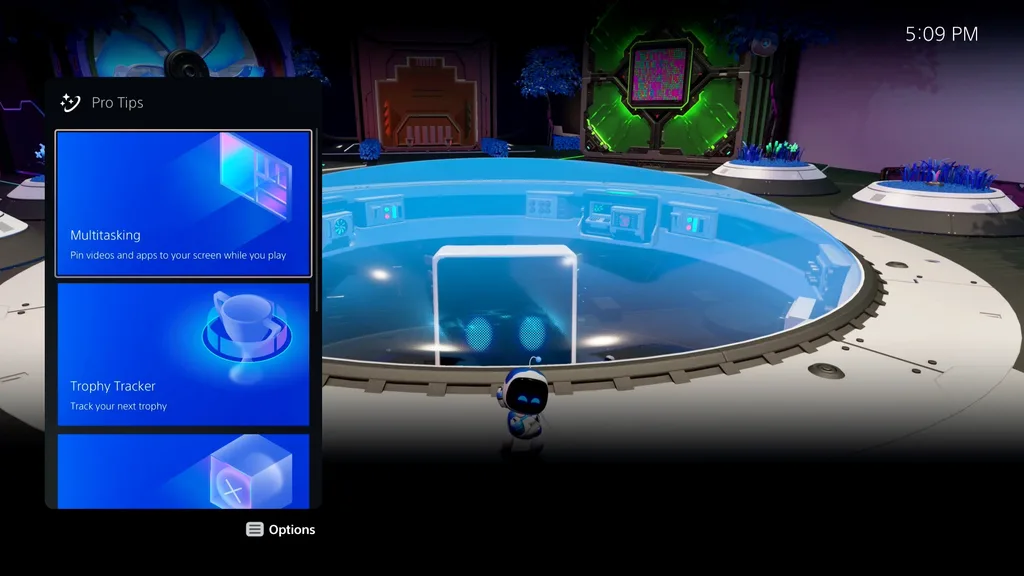
One of the new features is ‘Pro Tips,’ which are cards in the Control Center that offer hints like how to pin videos and apps to your screen while you play, apply game presets and share your screen with friends.

The PlayStation mobile app is also getting new Remote Play enhancements. According to PlayStation’s blog post, PS App users will be able to join or create open and closed parties through the app. That said, it’s unclear how new this feature is as I’ve joined parties through the PS App several times over the past few months. Additionally, PlayStation says it’s easier to access your friends, parties and messaging features with the PS App’s user interface.

The PS Remote Play app also gets a dark mode based on your smartphone’s settings. Further, Sony added more Screen Reader languages on iOS and Android, including Portuguese (both Brazil and Portugal), Finnish, Swedish, Turkish, Greek, Thai and Chinese (traditional and simplified).

That’s it for this update, but PlayStation says it plans to bring variable refresh rate (VRR) support to the PlayStation 5 in the coming months. On HDMI 2.1-compatible TVs and PC monitors, VRR automatically changes the refresh rate of the connected display to match the console’s output. According to the PlayStation Blog post, VRR eliminates issues like screen tearing or frame rate pacing issues and results in crisper graphics and reduced input lag. You can also apply VRR to PS5 games that don’t support it, which could improve the video quality of some games.

When this feature gets closer to release, PlayStation says it will send out a list of all fully compatible games. It’s important to note that the update is currently causing connectivity issues for some players with a PS Plus subscription.

Finally, in the U.S and U.K., PlayStation is enabling a Voice Command preview that lets users open games, apps, settings and control media playback via voice (in English only). It’s unclear if this feature will eventually come to Canada.

Source: PlayStation Blog 

Categories
Mobile Syrup

Telus uses 5G to bring ultra-fast internet speeds to rural communities for the first time

Telus is bringing faster internet speeds to rural communities in Western Canada.

The company utilizes its Smart Hub technology and 5G network to provide internet speeds up to 100 Mbps in 60 communities across B.C. and Alberta by year’s end. The communities of Leduc, Alberta and Terrace, B.C. currently have access.

Homes in these communities will be the first in Canada to access this internet speed, which is four times faster than the internet currently available through 4G networks.

“No matter where you live, you should have access to fast, reliable and secure wireless and internet services,” Zainul Mawji, president of home solutions and customer excellence, said.

The company uses a 5G powered fixed wireless connection to deliver internet speeds. Telus is the first Canadian company to use 5G to bring rural households with internet speeds up to 100Mbps.

“It’s an innovation that bridges digital divides and ensures people in remote communities have the same online access as those living in urban areas,” Mawji said.

Source: Telus

Categories
Mobile Syrup

Steam finally arrives on Chrome OS in alpha, only for select Chromebooks

After a long wait and a premature announcement, Chromebook owners can finally install Steam on their devices.

Well, some Chromebook users. Those with a specific and short list of devices. Moreover, the version of Steam on Chrome OS is in alpha, and it requires running a beta version of Chrome OS (specifically, the ‘Dev’ channel of Google’s operating system).

In other words, if you’ve eagerly awaited the arrival of Steam on Chrome OS, you likely will have to wait a little longer unless you have a supported device and are willing to deal with bugs, glitches, and tons of other potential problems running beta software.

According to a Google blog post, the supported Chromebooks include:

  • Acer Chromebook 514 and 515
  • Acer Chromebook Spin 713
  • Asus Chromebook Flip CX5
  • Asus Chromebook CX9
  • HP Pro c640 G2
  • Lenovo 5i Chromebook

Moreover, you’ll need to have one of the above Chromebooks with Intel Xe graphics, an 11th Gen Intel i5 or i7 processor, and at least 8GB of RAM. Plus, the company notes that games that require a lot of RAM — for example, 6GB — may not work well on Chromebooks with 8GB of RAM. Finally, Google warned of performance and scaling issues on devices with screens with resolutions higher than 1080p (the company is working on a fix).

Google also has a list of recommended games that people can try with Steam on Chrome OS, some of which come with caveats. Further, the company says that Chrome OS will “typically” play the Linux version of a game, but there is Proton support for running Windows games too. Proton, for those unfamiliar, is a compatibility layer developed by Valve to help run Windows games on Linux.

As for the install process is that users need first to switch their Chromebook to the Chrome OS Dev channel, then change a flag in ‘chrome://flags.’ After that, rebooting and punching in a terminal command will start the Steam install process. Once installed, users should be able to install games through Steam as they would on Windows. You can find more details on the process here.

It’s great to see Steam finally arriving on Chrome OS, even in such an early state. However, I wouldn’t recommend trying it to anyone not comfortable with using alpha software and contending with bugs. Still, now that it’s actually available, it hopefully won’t be much longer before Steam moves from alpha to beta, and then to full release.

Source: Google, (2) Via: The Verge

Categories
Mobile Syrup

Amazon’s new Eero 6+ and Eero Pro 6E are available to pre-order in Canada

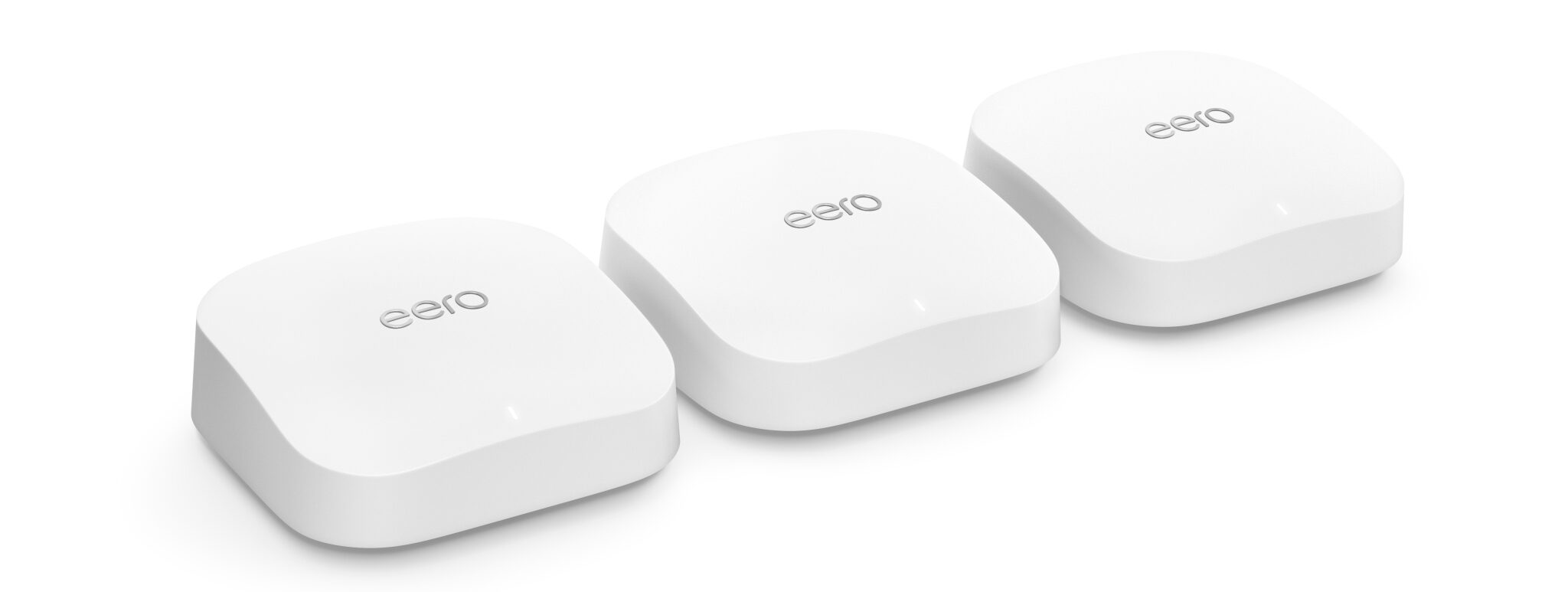
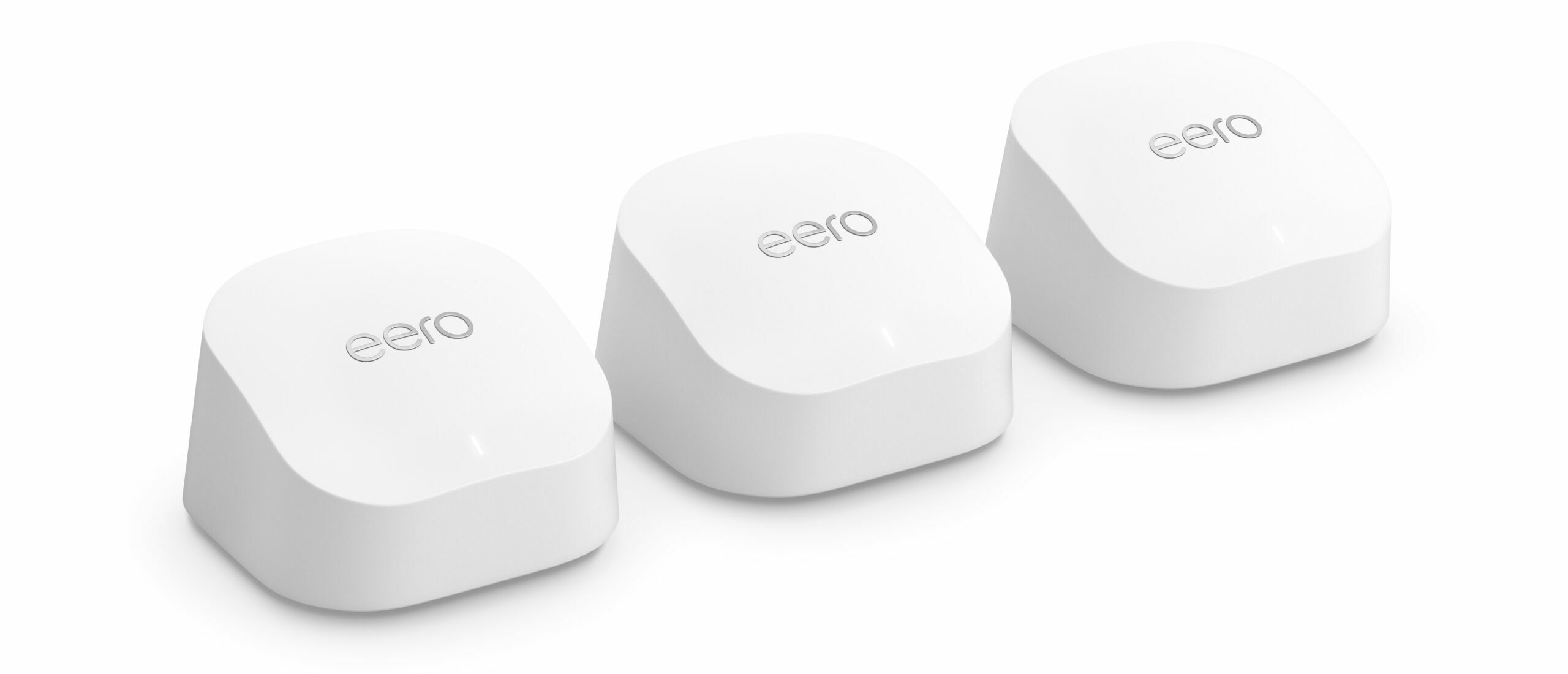
Amazon’s Eero 6 and Eero 6 Pro‘s successors are here. Amazon introduced its latest Eero 6+ and Eero Pro 6E to its range of mesh Wi-Fi systems, with the latter giving users access to Wi-Fi 6E.

For reference, the 6+ and Pro 6E’s predecessors only supported Wi-Fi 6, so technically, they could only use 2.4 GHz or 5GHz radio bands, whereas the new Eero Pro 6E mesh Wi-fi systems can operate on the 6 GHz band, allowing multiple devices to use the internet at once without congestion, great for dense network environments like offices. In simple terms, it works like a Wi-Fi 6 system, but operates on the 6 GHz radio band. Learn more about the differences between the two here.

It’s worth noting that to be able to access the advantages of Wi-Fi 6E, you’ll need devices that are compatible with the spectrum. If you have a device that isn’t Wi-Fi 6E compatible, it’ll give you regular Wi-Fi 6 performance.

“Since Eero’s beginning a little over eight years ago, we have had a vision to provide every home around the world with wifi that just works,” said Nick Weaver, co-founder and CEO of Eero in a statement.

“Wifi has changed a lot since then, and we’ve worked hard to expand our portfolio and make our easy-to-use, fast, secure, and reliable whole-home wifi systems more accessible and affordable for everyone. With the introduction of Eero Pro 6E and Eero 6+ alongside our existing eero 6 series devices, we’re taking a big step in delivering our highest performing and most affordable wifi systems for everyone.”

The new Eero Pro 6E can support over 100 devices simultaneously, with speeds up to 2.3Gbps, which is great for gaming, streaming 8K videos or live streaming. Additionally, since the device has two ethernet ports (2.5 GbE and 1.0 GbE), the Eero Pro 6E can support multigigabit internet plans.

A single Eero Pro 6E covers up to 190 square meters and a 3-pack covers up to 560 square meters. The Eero Pro 6E is available as a single unit or as a 3-pack from Amazon or Eero.com for $429 and $999, respectively.

Similarly, the Eero 6+ can support over 75 devices at once, though it does not support Wi-Fi 6E, so you’ll have to make do with Wi-Fi 6, which in itself is novel technology and shouldn’t result in a bad experience. The Eero 6+ is ideal for those with a gigabit internet connection, with a single unit covering up to 140 square metres and a 3-pack covering about 420 square metres.

The Eero 6+ is available as a single unit or as a 3-pack from Amazon or Eero.com for $199 and $429, respectively.

In addition to the new releases, the last-gen Eero 6 (which is still a great buy for those with 500Mbps to 900Mbps plans) has now been discounted. The one-pack is now available for $129 (was $179), whereas the three-pack is available for $279 (was $399).

Image credit: Amazon

Source: Amazon

Categories
Mobile Syrup

Kirby and the Forgotten Land isn’t open-world, but that’s okay

[/article_padding]

Kirby and the Forgotten Land is one of the strangest Nintendo titles I’ve ever played.

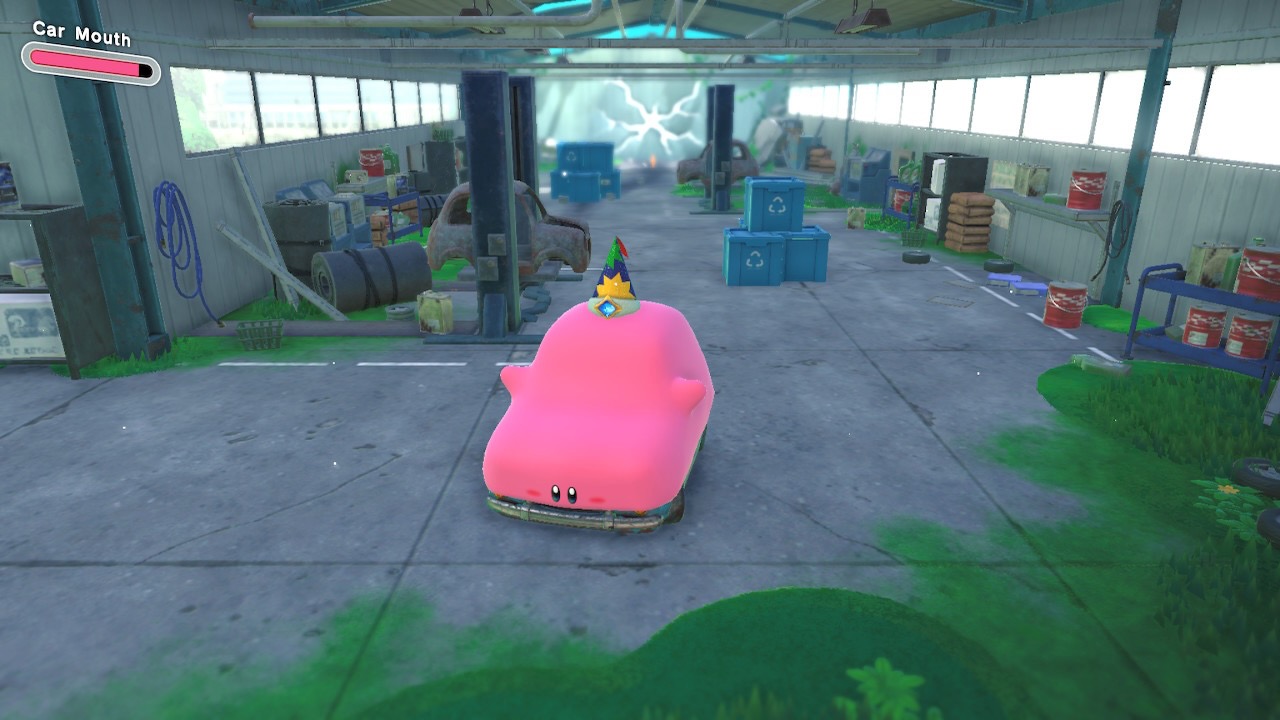
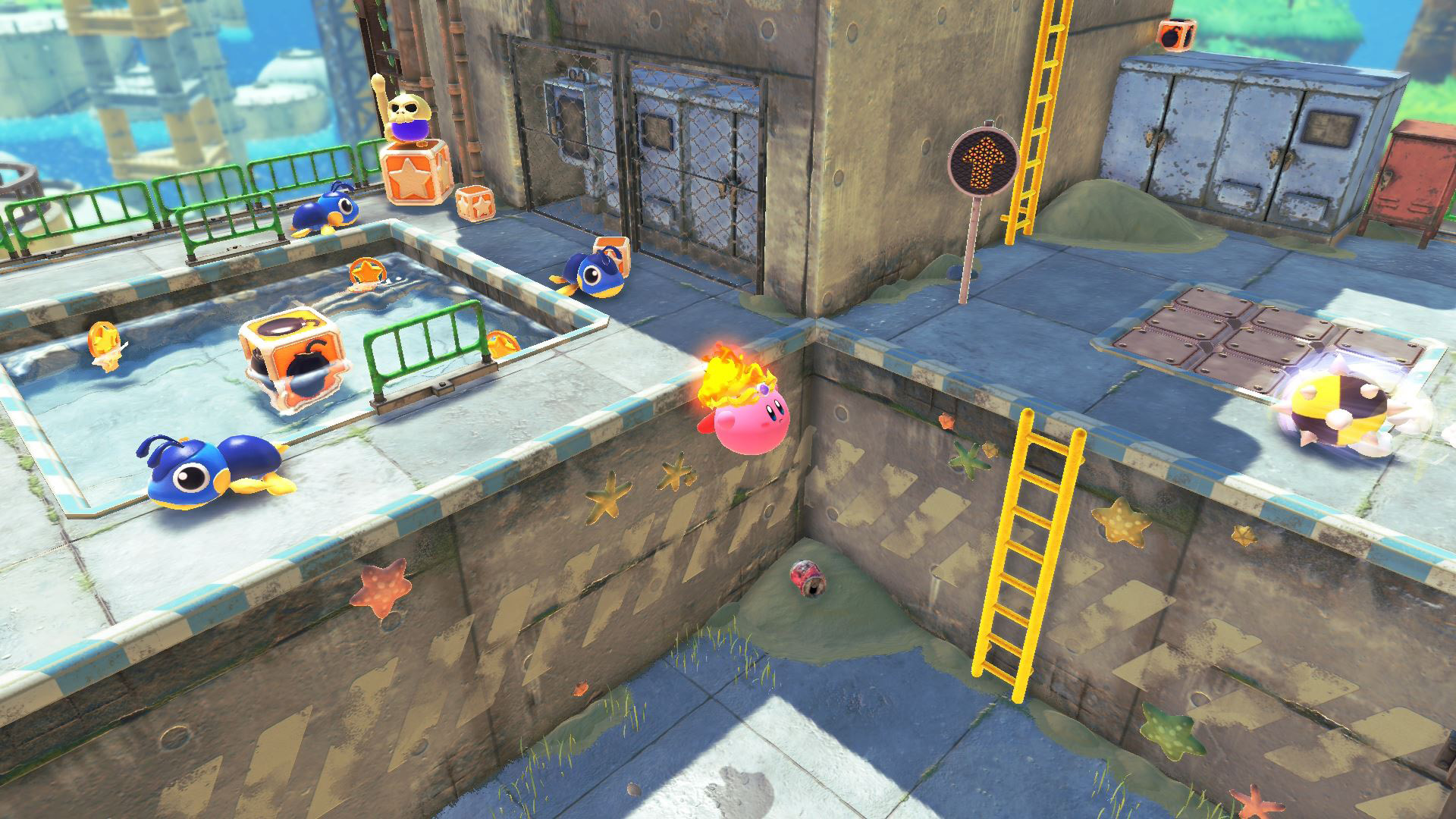
With abilities ranging from filling Kirby with water to becoming a vending machine or a car (yes, “Karby” is a thing), to say The Forgotten Land is weird would be an understatement. The latest entry in the long-running Kirby franchise rewrites the script on what to expect from the series, similar to 2017’s Super Mario Odyssey, while still holding true to what makes it unique in the platforming genre.

But to be clear, this isn’t an open-world, The Legend of Zelda Breath of the Wild-like take on the Kirby franchise. While inventive and new, The Forgotten Land is still divided into worlds and individual stages, offering players a very linear experience.

That’s not to say these worlds aren’t fascinating to explore. During my time with Kirby and the Forgotten Land, I’ve sucked my way through a carnival land full of bright lights and actually became a glowing light bulb at one point (I told you this game is strange), bounded through an abandoned mall full of overgrowth and dodged enemies as a car ripping around a race track.

‘Mouthful Mode’ is the title’s most interesting and arguably compelling feature. Rather than inhaling up the soul of his foes and stealing their powers like in most Kirby titles, the pink puffball puts everyday items he can’t digest in his mouth and literally becomes them. You’ll suck up a car, a vending machine, a ring, stairs, lockers and even a traffic cone in The Forgotten Land. Some of these Mouthful Mode creations are also painfully cute, like the car version of Kirby, for example.

The little pink bubblegum boy takes over the entire upper half of the vehicle, with his eyes and rosy cheeks acting as the grill. In the case of transforming into a vending machine, the look is very similar to Karby and features Kirby’s stubby little arms wobbling as you waddle forwards and shoot pop cans at your foes. These subtle touches go a long way toward convincing you that Kirby has actually become these inanimate objects.

It’s a bizarre addition to the series that somehow works and sits perfectly beside more traditional copy abilities gathered by inhaling enemies, including ‘Frosty Ice,’ ‘Clutter Needle,’ ‘Toy Hammer,’ and more. In fact, Kirby’s various abilities and Mouthful Mode powers often need to be used together to solve The Forgotten Land‘s various puzzles. These abilities can also be upgraded in sometimes hilarious ways in the game’s hub world, Waddle Dee Town, which slowly expands with new buildings as you progress through The Forgotten Land.

Beyond Kirby’s unique abilities, it’s worth noting that Kirby and the Forgotten Land plays like a typical 3D Kirby title. You’ll move from the start to the end of a level while floating through the air, sucking up foes and putting weird objects into your mouth. You’ll also encounter familiar enemies like Awoofy, Bernard Scarfy (my personal favourite) and, of course, Digguh.

Difficulty-wise, The Forgotten Land is still a little too easy, even when played on its most challenging level. Kirby games have always been accessible and aimed at a younger audience, but I had hoped this latest entry would offer a challenge on par with Nintendo’s more recent Mario platformers. However, like in most 2D Mario games, if you want to kick the difficulty up a few notches, all you need to do is focus on each stage’s specific goals or beat the several mini-game levels’ top times.

There are straightforward tasks like freeing trapped Waddle Dees and taking out a specific boss or powerful foe, but sometimes, these goals are more abstract. For example, in one stage you need to find specific flowers, while in another, you’re tasked with bringing a small group of baby ducks back to their mother, Super Mario 64 penguin style.

There’s also a decent local co-op mode included in Kirby and the Forgotten Land, where the second player takes control of Bandana Waddle Dee. In classic co-op mode fashion, Bandana Waddle Dee doesn’t have the same capabilities as Kirby and is only able to stab foes with their spear and use the weapon to fly through the air like a helicopter. That said, beyond a few camera-related issues, the co-op mode is pretty fun and can make hunting down optional mission objectives easier, especially when it comes to finding that last missing imprisoned Waddle Dee.

If you go into Kirby and the Forgotten Land with appropriate expectations, you’ll walk away impressed with the title. It might not be the open-world Kirby title some assumed it would be, but it’s still a compelling game that manages to shake up the series’ formula in a few notable ways. Plus, you can become a car.

Kirby and the Forgotten Land releases on March 25th on the Nintendo Switch. You can buy the game directly from Nintendo or at retailers like Best Buy and Amazon for $79.99.

MobileSyrup utilizes affiliate partnerships. These partnerships do not influence our editorial content, though we may earn a commission on purchases made via these links that helps fund the journalism provided free on our website.

Image credit: Nintendo 

[/article_padding]

Categories
Mobile Syrup

A real-world comparison between the Apple Studio Display and LG UltraFine 5K

On March 8, 2022, Apple unveiled the Apple Studio Display and its new Mac Studio. Apple fans rejoiced as Apple re-entered the consumer display market with an alternative display option that isn’t the Pro Display XDR.

Ten days later, I received my own Studio Display order. I’ve been using the LG UltraFine 5K display for two years. Since Apple discontinued their Thunderbolt Display, the LG UltraFine 5K has been viewed as the best display for Mac users.

The LG UltraFine 5K was actually designed in partnership with Apple. However, now that Apple has released such a comparable display, how do the two stack up? I’ve been using both displays over the last few days, and I wanted to give MobileSyrup readers a real-world comparison of the two.

Here’s a breakdown of everything you need to know when deciding between the LG UltraFine 5K display and the Apple Studio Display:

The Display

LG’s UltraFine 5K display and Apple’s Studio Display feature the same 5K panel. In fact, LG has been manufacturing similar panels for Apple since 2014 with the release of the 27-inch iMac with a retina 5K display. Both 27-inch monitors feature an LCD panel with a 5120-by-2880 resolution (218 pixels per inch), a P3 wide colour gamut, 16:9 aspect ratio, and a 60Hz refresh rate. However, despite these similarities, there are still some differences.

Both displays support Apple’s True Tone feature that attempts to match your display’s colour temperature to the lighting in your workspace. However, LG’s UltraFine 5K can only use True Tone when connected to a supporting Apple computer with its webcam exposed. Meaning if you’re like me, you can use a MacBook in clamshell mode and get the benefits of True Tone. Apple’s Studio Display improves upon this weakness by having the appropriate light sensor built into the display.
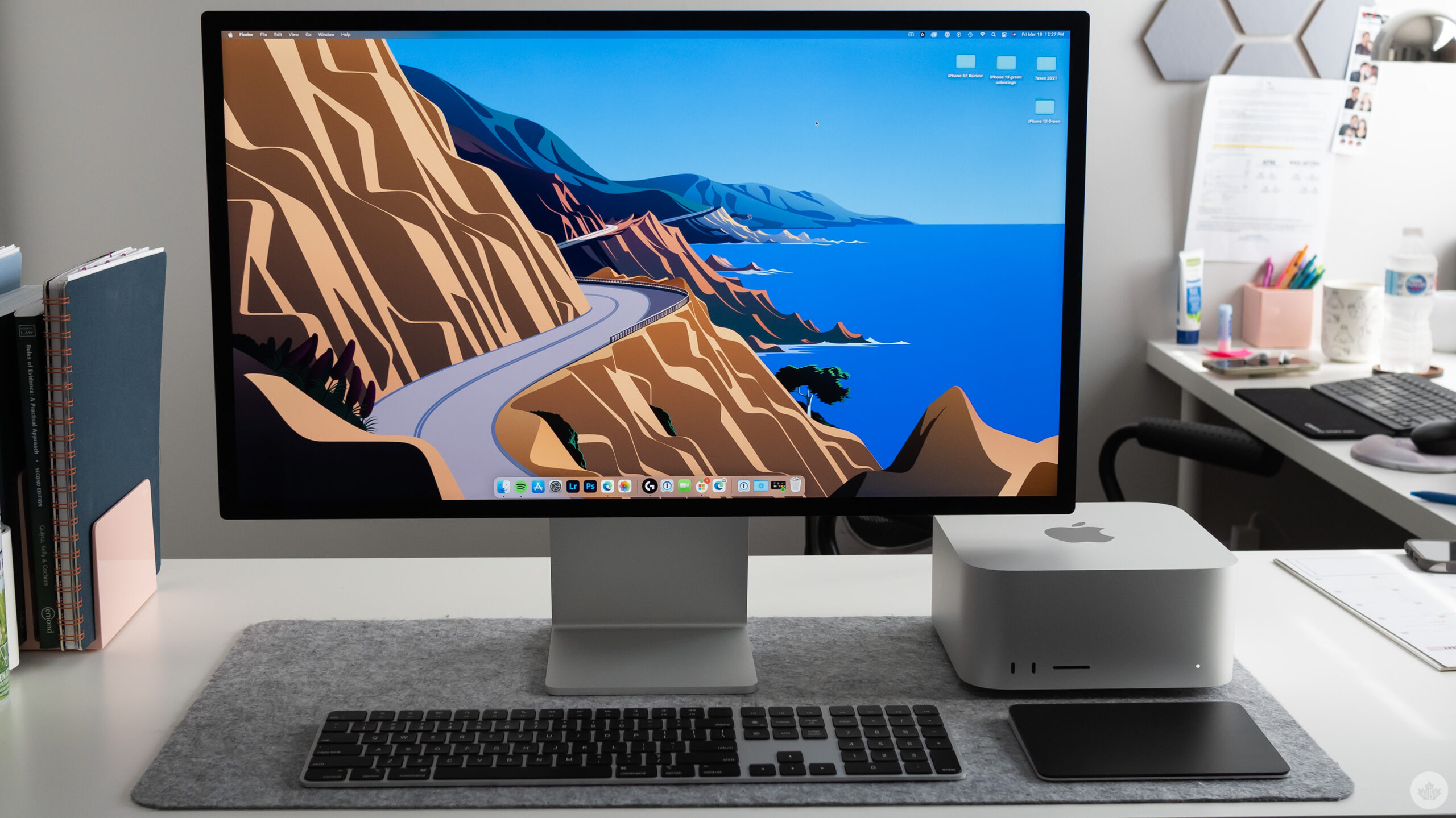
Apple Mac Studio and Studio Display

LG’s UltraFine 5K supports up to 500 nits of brightness, while Apple’s Studio Display supports up to 600. This is likely because the backlighting panel has been changed while the display is the same. One other noticeable difference between these two displays is that the LG UltraFine 5K features a plastic display meanwhile the Apple Studio Display features a glass panel.

The LG UltraFine 5K has an anti-glare finish, while Apple’s Studio Display includes an anti-reflective finish. For an additional $400, you can “upgrade” Studio Display’s finish to a nano-texture option. I place upgrade in quotations because, frankly, I think nano-texture looks terrible. I personally purchased the anti-reflective finish, and it looks incredible.

Nano-texture is a matte finish that’s supposed to drastically reduce glare but keep colours vibrant. Unless you work in a very bright space where glare is a serious issue, I cannot recommend the nano-texture finish.

In short, both of these displays look amazing. The glass display and the additional 100 nits of brightness with Apple’s Studio Display certainly make welcomed improvements over the LG UltraFine 5K. However, while both displays look stunning, the Studio Display wins out in this section.

Stand Options

Apple’s Studio Display can be purchased in three configurations; a tilt-adjustable stand, a tilt-and-height-adjustable stand, or a VESA mount. Both the tilt-adjustable stand and VESA mount are included in the base price. In contrast, the tilt-and-height-adjustable stand costs an additional $500.

The tilt-adjustable stand sits about 11.4cm off the table and can be adjusted from a -5-degree to +25-degree tilt. The tilt-and-height-adjustable stand also sits about 11.5cm off the table at its lowest but adds about 10.2cm of height along with the same -5-degree to +25-degree tilt. The VESA mount option is compatible with any 100mm x 100mm VESA stands or mounts and can work in portrait or landscape orientation.
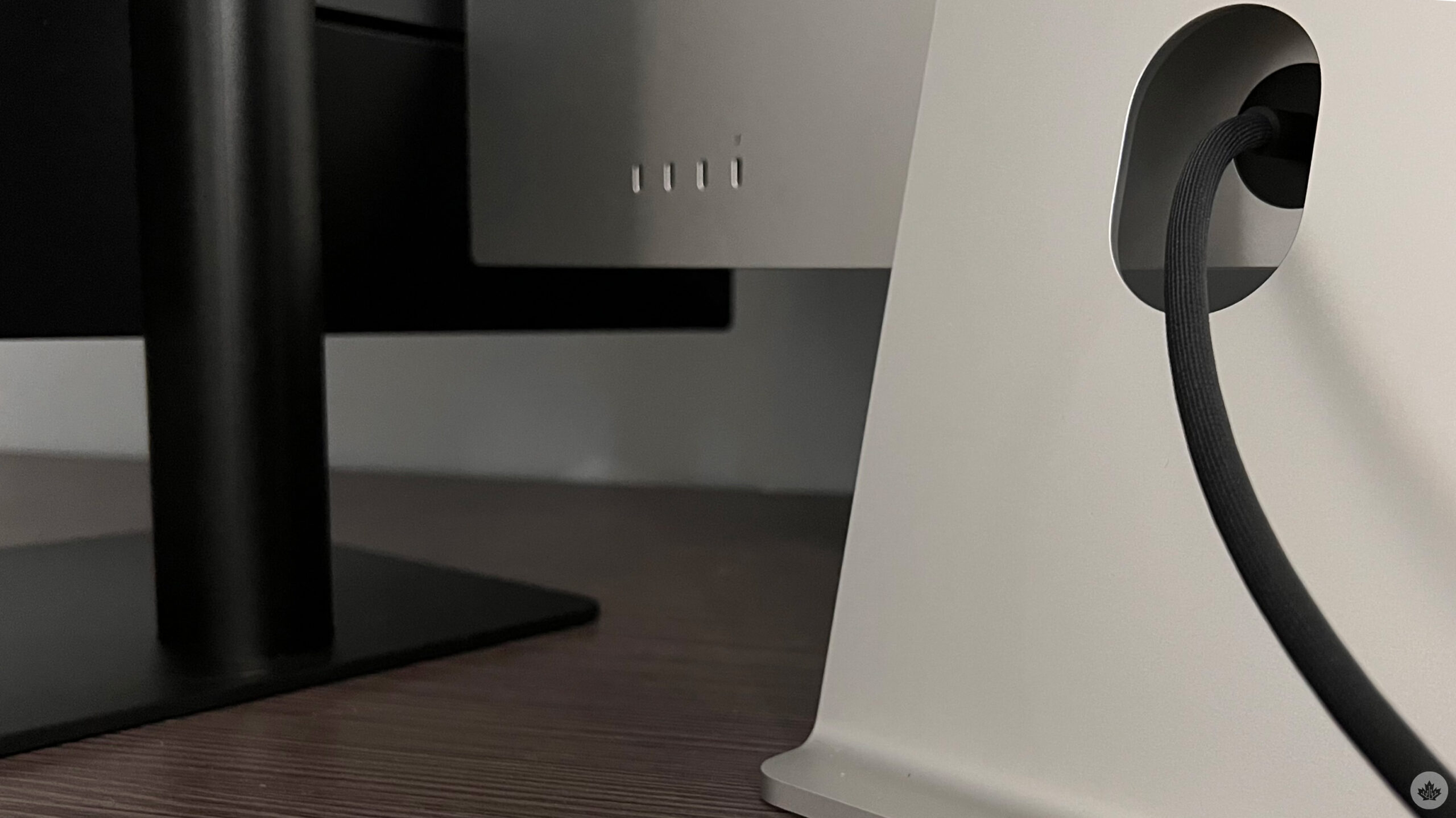
I’m about 5-foot 8-inches in height, and I find the tilt-adjustable display is a fine height, ergonomics-wise. If you’re a little taller, you may prefer the tilt-and-height-adjustable stand. If you’re shorter, you may want to investigate the VESA mount option. You need to decide what stand option you’d like before purchasing as swapping out the stand is not user upgradable. Apple does offer a 15-day return period on all purchases if you want to try a Studio Display and see if it suits you.

LG’s UltraFine 5K Display is quite generous in this category. You receive a VESA mount and a tilt-and-height-adjustable stand in the box. Unlike the Apple Studio Display, the LG UltraFine 5K allows users to easily swap out the stand with the VESA mount.

The LG UltraFine 5K stand ranges from about 9cm high at its lowest and about 17cm at its tallest. The tilt is the same as Apple’s Studio Display at -5-degrees to +25-degrees. The UltraFine’s VESA mount will also support any standard 100mm x 100mm mount or stand. My two biggest criticisms of the LG UltraFine 5K’s stand are its massive foot and horrible wabble.

If you prefer flexibility in your displays, you’ll probably want to opt for the UltraFine 5K. Having a user-changeable stand and VESA mount is quite nice, especially if you think your work environment might change. However, suppose the UltraFine’s shake is a concern for you, and flexibility isn’t a factor. In that case, the Studio Display is a fine choice.

Build Materials & Aesthetics

Build materials are one area where these two displays are very different. The LG UltraFine 5K display is made of plastic minus the metal stand. Compare this to Apple’s Studio Display which features a stunning aluminum body and stand plus a glass display.

The LG UltraFine 5K and Apple Studio Display have similar bezels measuring about one centimetre, except for the UltraFine’s forehead, which measures about 2.5cm.
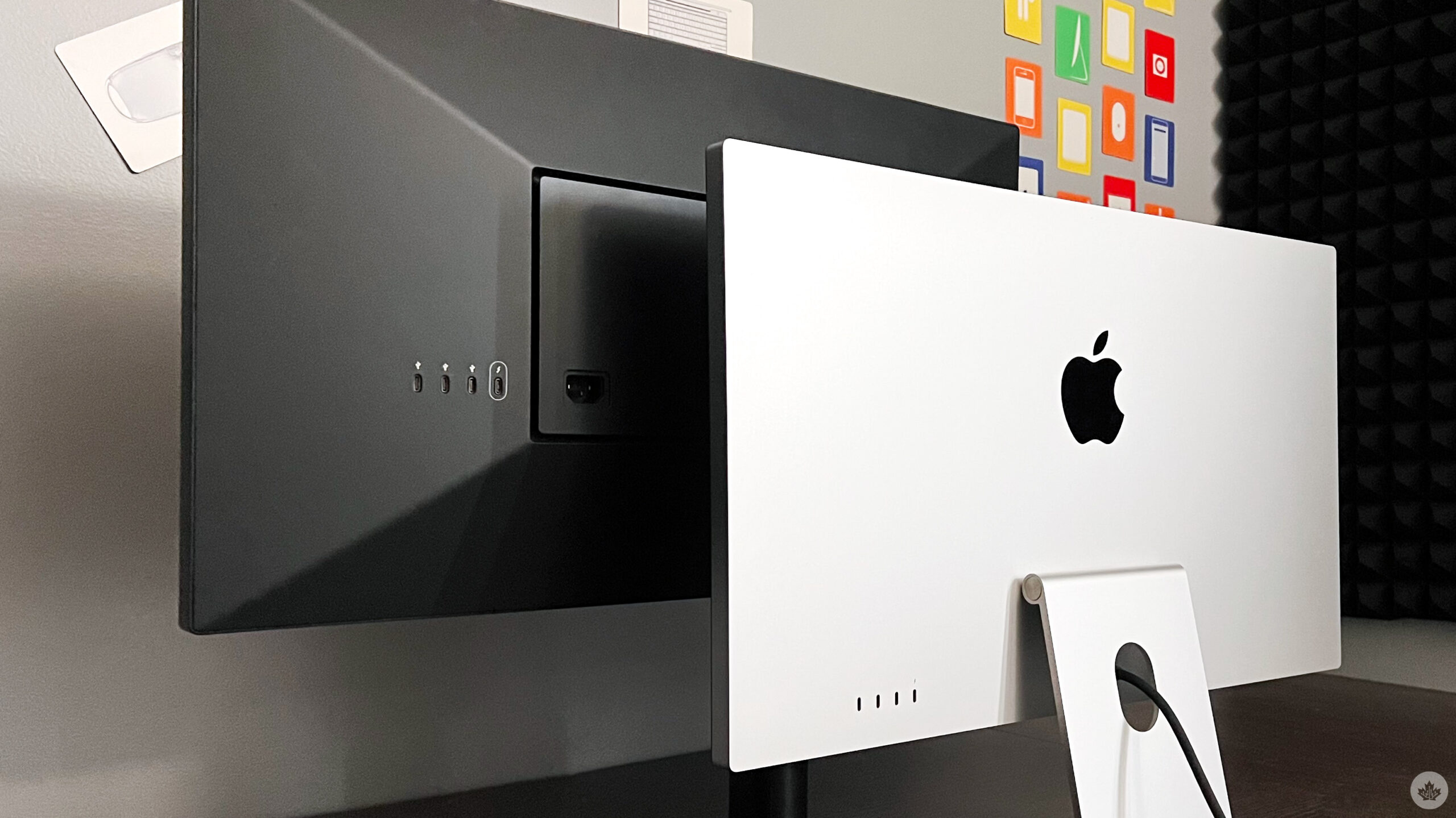
I like how both displays have a built-in power supply meaning there’s no external power brick to deal with, like with the 24-inch iMac. However, the UltraFine does feature a small LG logo in the bottom centre on the display’s bezel, while the Studio Display only features an Apple logo on the rear of the enclosure. The LG logo on the front never bothered me, but many podcasters have complained about it.

A crucial thing to note is that Apple clearly states that the Studio Display’s power cable is not removable, according to this support article.

Webcam

Apple’s Studio Display features the same 1080p 12-megapixel ultra-wide camera used in the company’s iPads. In addition, the camera offers a 122° view and an f/2.4 aperture. The Studio Display also features Apple’s Centre Stage feature and has Apple’s advanced image signal processing (ISP) thanks to the display’s built-in A13 Bionic chip. The LG UltraFine 5K also features a 1080p camera but lacks Centre Stage and Apple’s ISP.

Quality-wise, both cameras are reasonably similar. The above screenshots were using Zoom with no additional lighting. The Studio Display’s Centre Stage and ISP made the image tighter and added some artificial lighting. Meanwhile, the LG UltraFine caught a wider picture with truer lighting.
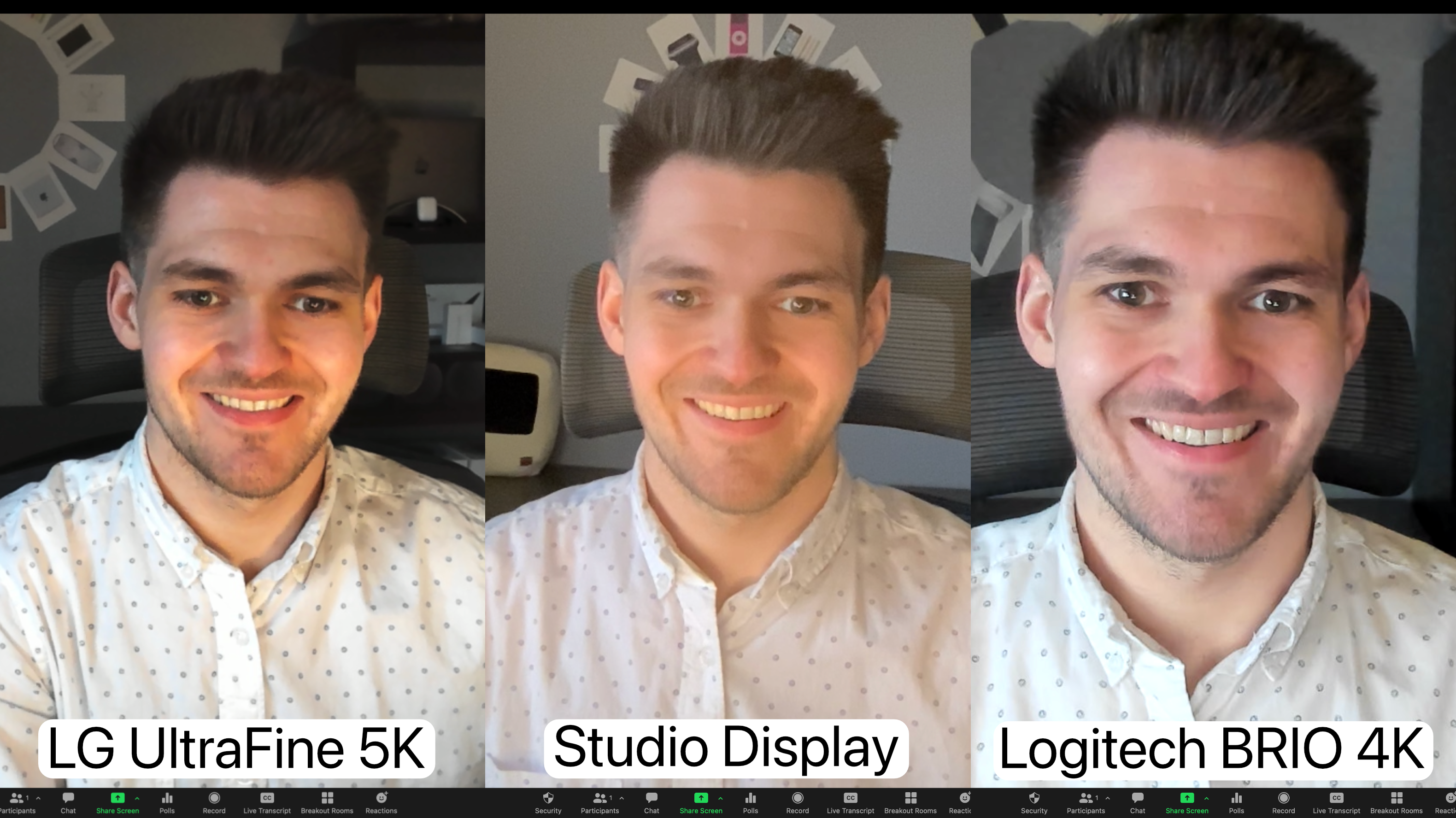
Personally, I don’t think either of these webcams are amazing–they’re both just okay. If you’re just doing some video calls with these webcams, get some additional lighting, and they’re both fine. However, I will say that Apple’s advantaged image signal processing and Centre Stage features are points in the Studio Display’s favour. But at least for now, I’ll be sticking with my Logitech BRIO 4K webcam.

Microphone

Both displays feature a built-in microphone. The LG UltraFine 5K has a microphone located next to the webcam in the display’s forehead. The Apple Studio Display has what Apple calls a “studio-quality 3-microphone array”.

I recorded three audio samples comparing the LG UltraFine 5K, the Apple Studio Display, and the Yeti X microphone. I centred myself to the display for each test and measured myself out to be 22-inches away for each sample.

Frankly, every one of the three audio samples was good. While Apple’s Studio Display was better than the UltraFine, the difference wasn’t tremendous.

However, I’ll be sticking with my Yeti X, at least for the near future. The microphones in these two displays are completely fine for video calls. Still, even Apple’s “studio quality” microphone array won’t replace a nice microphone if you’re recording audio professionally.

Speakers

For speakers, the LG UltraFine 5K features a stereo speaker system with two five-watt speakers. On the other hand, the Apple Studio Display features a six-speaker system with Spatial Audio. The speakers are located at the bottom of each display.

While microphones feel pretty comparable between the two displays, there is no competition when it comes to speakers — Apple’s Studio Display sounds beautiful. Recently, I bought Razer speakers to replace the LG UltraFine 5K’s speakers. I immediately returned them once I tested out the Studio Display.

The Studio Display’s speakers are clear, crisp, and powerful. Meanwhile, the UltraFine’s speakers sound washed out and crinkly.

Ports & Cables

Both the LG UltraFine 5K and the Apple Studio Display feature four ports plus power. This includes a single Thunderbolt 3 port used for the upstream connection to a Mac and three USB-C ports. The LG UltraFine 5K’s USB-C ports are USB 3.0, providing 5Gbps data transfer speeds. Meanwhile, the Apple Studio Display offers speeds double that with its USB 3.1 Gen 2 ports delivering 10Gbps speeds.

The LG UltraFine 5K comes with a two-meter rubber Thunderbolt 3 cable compared to the Studio Display’s shorter but much higher quality one-meter braided Thunderbolt 3 cable. Power delivery to a connected MacBook is nearly identical at 94W of power for the UltraFine 96W for the Studio Display.
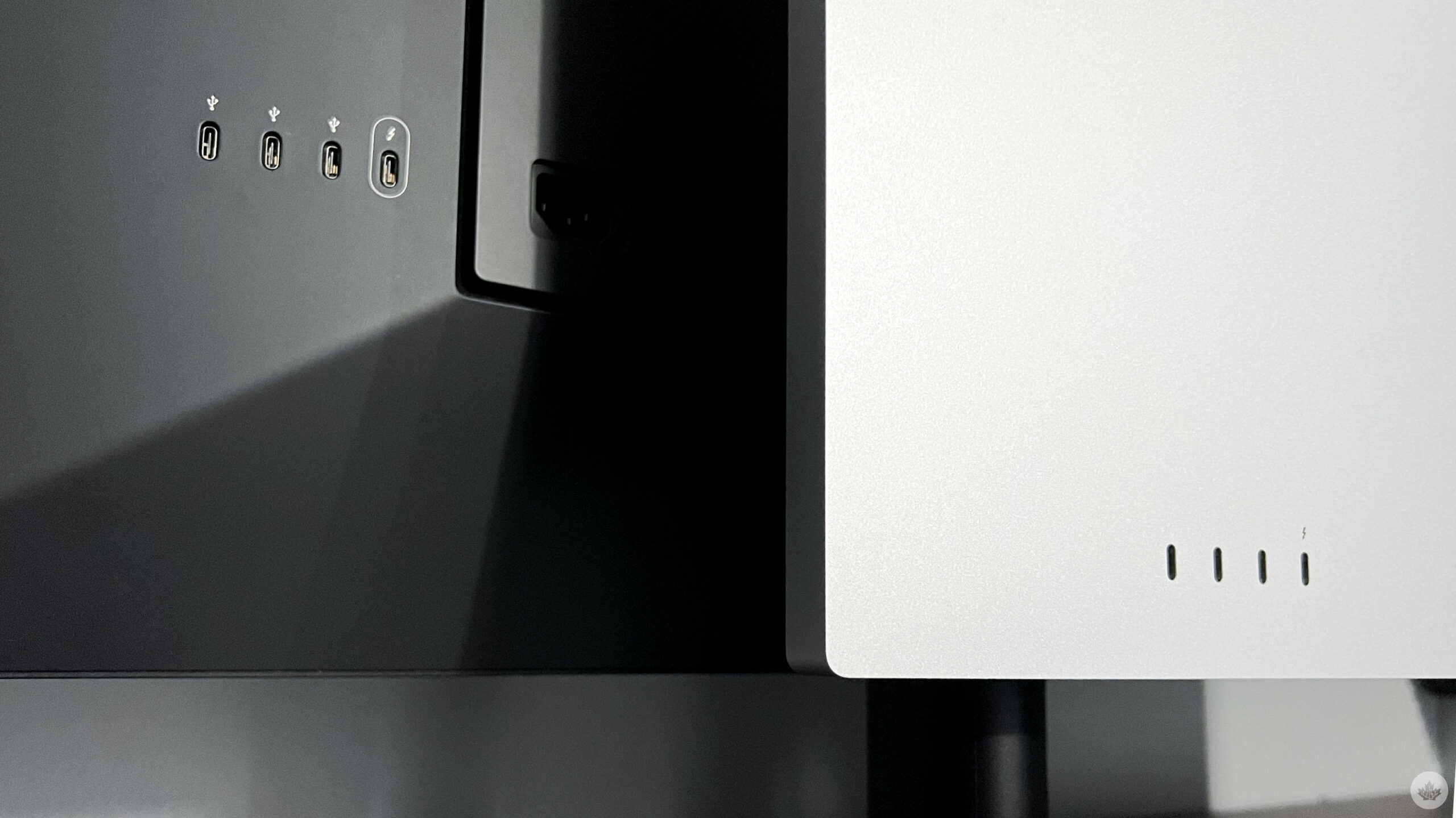
Both displays provide enough power to charge a 16-inch MacBook Pro and USB-C port transfer speeds fast enough for any peripheral device like a webcam or microphone. However, if you frequently use external storage, the Studio Display will be a more attractive offering.

My only big gripe about the ports is that the UltraFine’s USB-C ports aren’t flush with the display’s enclosure. Instead, the display acts more like a shell around them. The USB-C ports in the Studio Display are flush with the display’s enclosure. Functionally, there’s no issue — this is purely an aesthetic complaint.

Warranty

Warranty is one area that’s hard to beat Apple in. The LG UltraFine 5K offers a one-year limited manufacturer’s warranty provided by LG when bought from LG or an authorized reseller.

For comparison, Apple’s Studio Display also offers a one-year manufacturer’s warranty provided by Apple when bought from Apple or an authorized reseller. However, Apple does provide technical support over the phone through Apple Support, an Apple Store network of over 500 stores, and thousands of Apple-authorized service providers (AASP).

This means Apple gives you phone, mailing, and in-person support options compared to LG’s over-the-phone and mailing service options.

Additionally, suppose you’re like me and enjoy having AppleCare+ for your Apple devices. In that case, you can get that on the Studio Display too. AppleCare+ for the Apple Studio Display costs $179. Purchasing AppleCare+ grants you 24/7 priority technical support through Apple, an additional two years of manufacture coverage for a total of three years, and two accidental incidents every twelve months that are subject to a $99 or $299 service fee.

While I’ve never had to use LG’s warranty, it’s hard to imagine it would be easier than visiting my local Genius Bar or doing a mail-in replacement through Apple Support. Plus, if you enjoy having a little extra protection for such an expensive purchase, AppleCare+ is a no-brainer and an option the LG UltraFine 5K doesn’t offer.

Price

Neither of these displays are budget options. But, they are designed for consumers and professionals alike. These are premium displays targeted at folks with disposable income or who can justify the purchase as a business expense.

If you can find an LG UltraFine 5K in stock, it’s likely around $1,749. I found inventory on Amazon and Canada Computers at that price. Meanwhile, Apple’s Studio Display retails for $1999 for standard glass and either the tilt-adjustable stand or VESA mount.
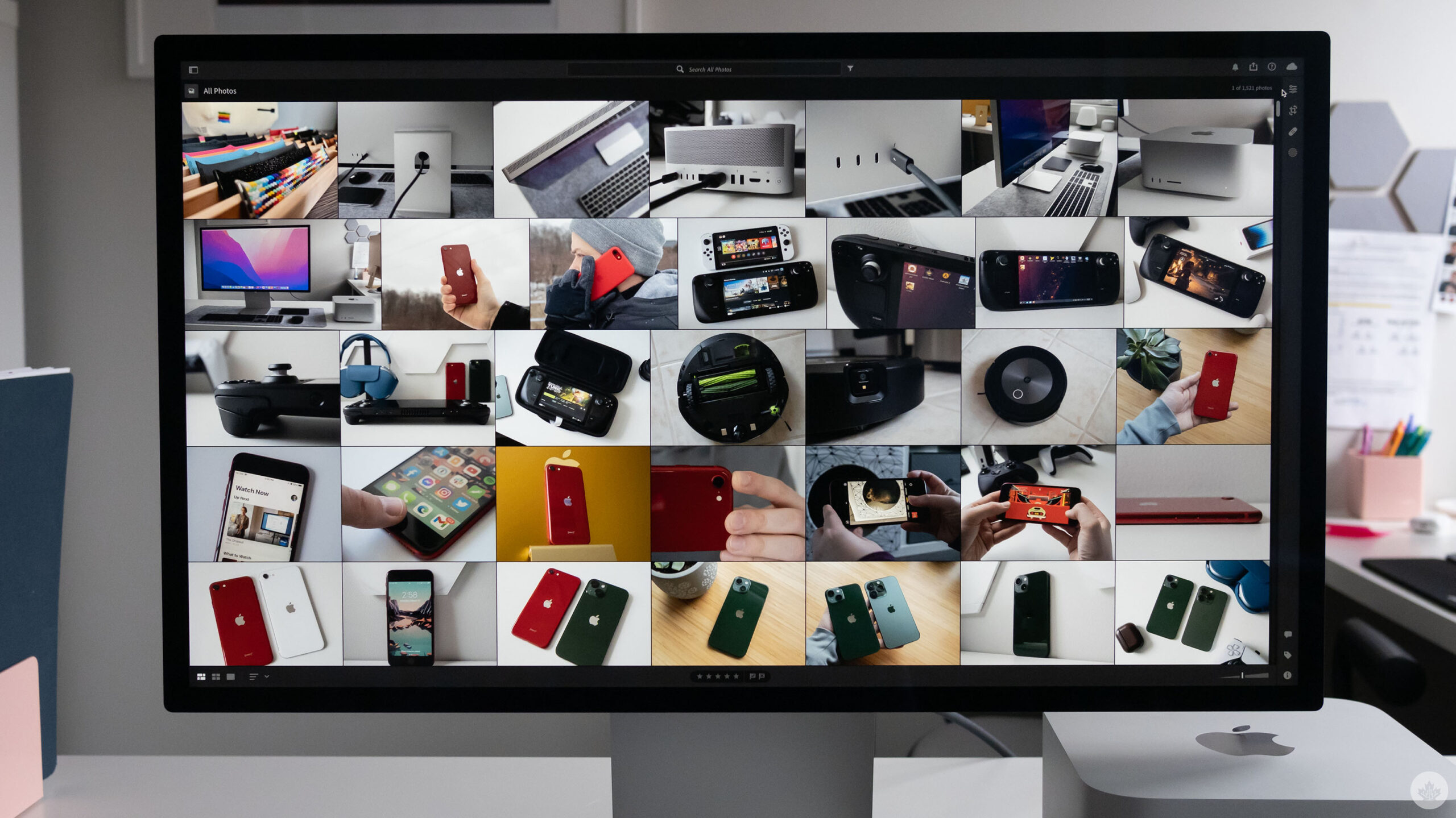
Apple Studio Display

Apple is charging $2499 for the standard glass and tilt-and-height-adjustable stand.

Add $400 if you want the nano-texture glass and another $179 for AppleCare+. LG’s UltraFine 5K has the win when it comes to price. It’s the least expensive. But, when spending around $2000 or more on a display, you’re likely not after what’s the least expensive. Instead, you’re after what offers the best value to you.

Final Thoughts

In the end, neither display is a bad choice. These are both high-quality displays targeted at Mac users. Before the Apple Studio Display was released, the LG UltraFine 5K was, by far, the best Apple display that wasn’t the Pro Display XDR.

They’re both fantastic displays, and I feel comfortable recommending either. But it’s clear after some real-world testing comparing both displays that Apple’s Studio Display stands ahead. It’s beautifully designed, the speakers sound great, and the macOS integration has been stellar. However, the LG UltraFine 5K is still a high-quality professional-level display with excellent macOS integration.

Tl;dr: if you’ve already purchased the LG UltraFine 5K and you’re happy with it, you don’t need to upgrade. But, if you’ve been waiting for an Apple-branded display and can afford it, buy a Studio Display — you won’t regret it.

The LG UltraFine 5K is available for $1,749 on Amazon, whereas you can pick up the Mac Studio Display with a tilt-adjustable stand for $1,999 from Apple.

MobileSyrup utilizes affiliate partnerships. These partnerships do not influence our editorial content, though we may earn a commission on purchases made via these links that helps fund the journalism provided free on our website.