Along with Resident Evil, Mortal Kombat,Assasin’s Creed and Dota, Netflix is currently working on another working on Tekken: Bloodline, an anime adaption of Bandai Namco’s popular fighting game franchise.
The streaming service announced the adaption via its Twitter on Saturday, March 19th, and dropped a one-and-a-half-minute trailer.
“Power is Everything.” the Tekken: Bloodline trailer is here 👇 💪🥋 “El poder lo es todo.” Ya está aquí el tráiler de Tekken: Bloodline pic.twitter.com/ZuzwNv8fa3
“Jin Kazama learned the family self-defense arts, Kazama-Style Traditional Martial Arts, from his mother at an early age. Even so, he was powerless when a monstrous evil suddenly appeared, destroying everything dear to him, changing his life forever. Angry at himself for being unable to stop it, Jin vowed revenge and sought absolute power to exact it. His quest will lead to the ultimate battle on a global stage — The King of Iron Fist Tournament.” reads the trailer’s description.
The trailer doesn’t fail to excite long-time fans of the franchise, as it shows other pivotal Tekken characters, including Heihachi Mishima, Kazuya Mishima, Paul Phoenix and the jaguar-masked King, alluding that they’ll be a part of the Netflix anime as well.
Jin’s mother, Jun Kazama will likely play a scene-setting role in the adaptation, as the trailer shows her training a young Jin, with following events leading him to the King of Iron Fist Tournament.
Netflix didn’t share a tentative release date for the new adaptation, other than the fact that it is coming in 2022.
Google’s 2021 flagships, the Pixel 6 and 6 Pro, brought a lot of new and interesting things. Chief among them was Google’s Tensor chip, which has surprisingly carved out a tiny space in the market.
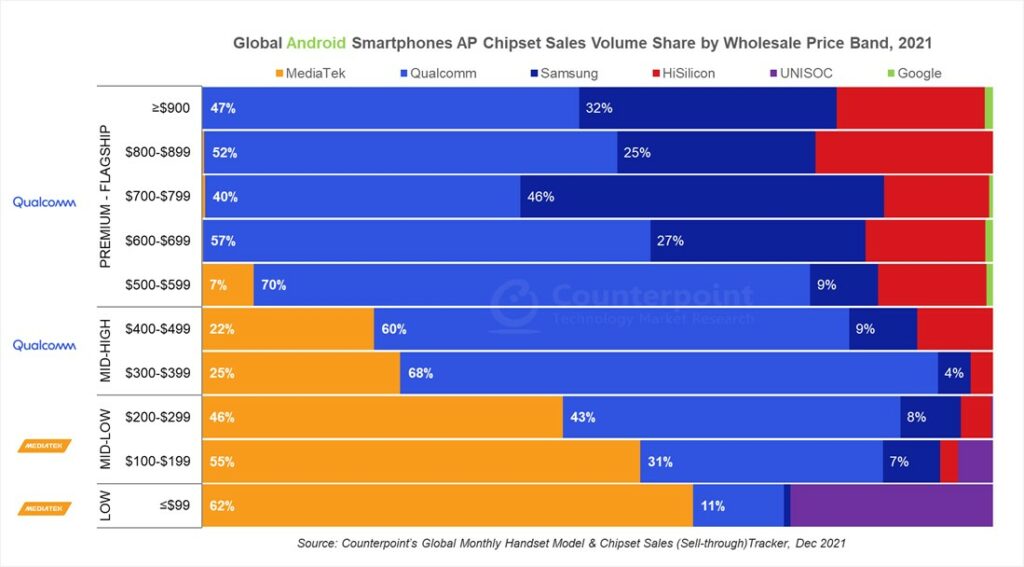
Despite only being available in two phones, which themselves are only sold in about a dozen countries worldwide, it appears Tensor nabbed a tiny 1 or 2 percent space at the high-end of the Android phone chipset market.
Counterpoint Research recently published a breakdown of the global Android chipset market. Unsurprisingly, it shows Qualcomm and Samsung dominating the high-end and premium segments. Qualcomm also holds the majority of the mid-to-high end market, with MediaTek covering the majority of the lower end.
Moreover, the report looks at 2021. That means for the Pixel 6 and 6 Pro’s impact only came in the last two months’ worth of data included in the chart. So, while Tensor’s impact is small, it’s still impressive considering the timeline.
If Google continues to pump out impressive Pixel devices sporting Tensor chips, in a couple of years we could Google make a larger impact on the global chip market.
Judging by the rumours, Google’s upcoming Pixel 6a will use Tensor, so Google could soon make an impact in the lower end of the chart too.
Regina, Saskatchewan-based 54e Studio’s OneShot Golf might just be the most engaging and enjoyable mini-golf game I’ve played.
OneShot Golf is a free-to-play mobile title that offers the authentic golf experience from anywhere, anytime, and it’s simple to learn — you just aim, set the shot power and try to hit an ace. So how exactly is it engaging, you might be wondering? It sounds like any other mobile golf game at first glance.
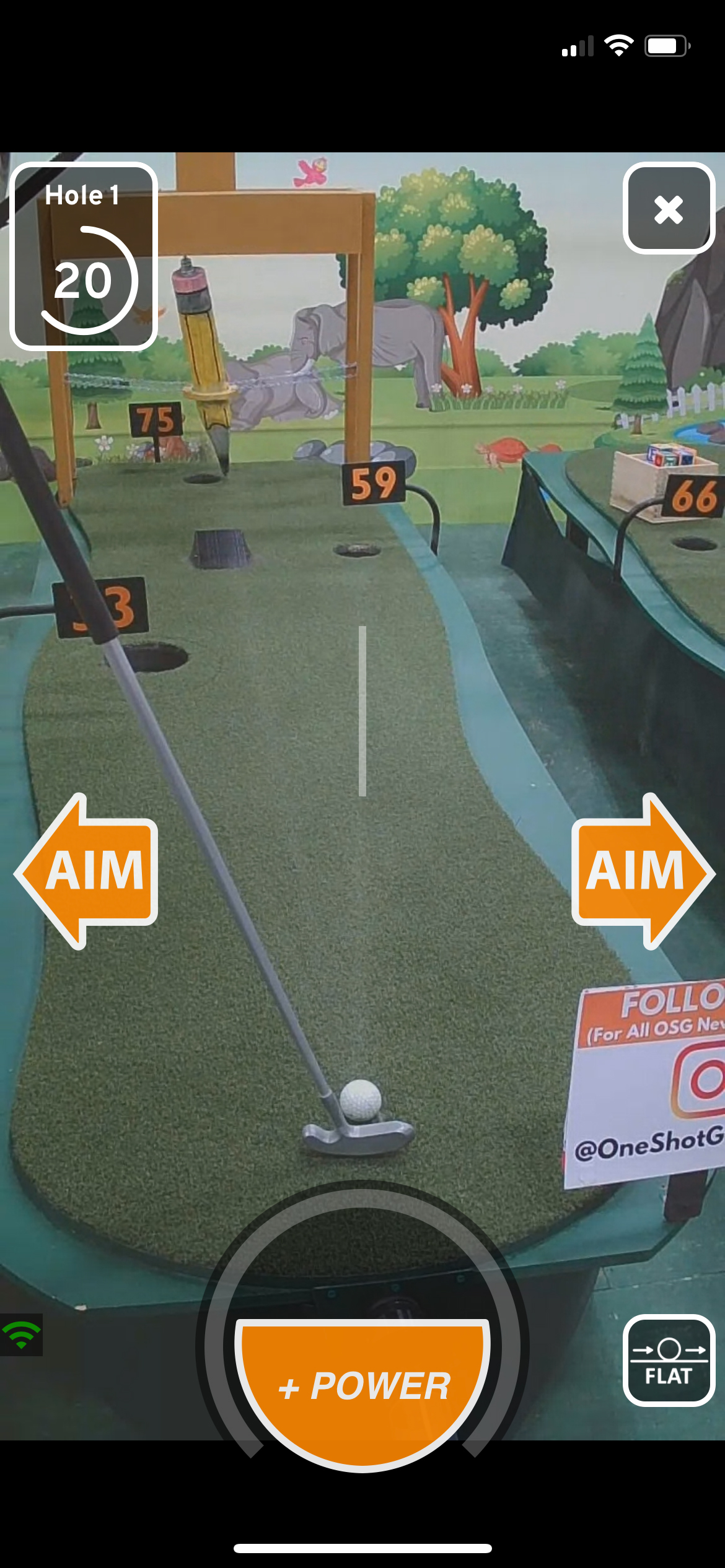
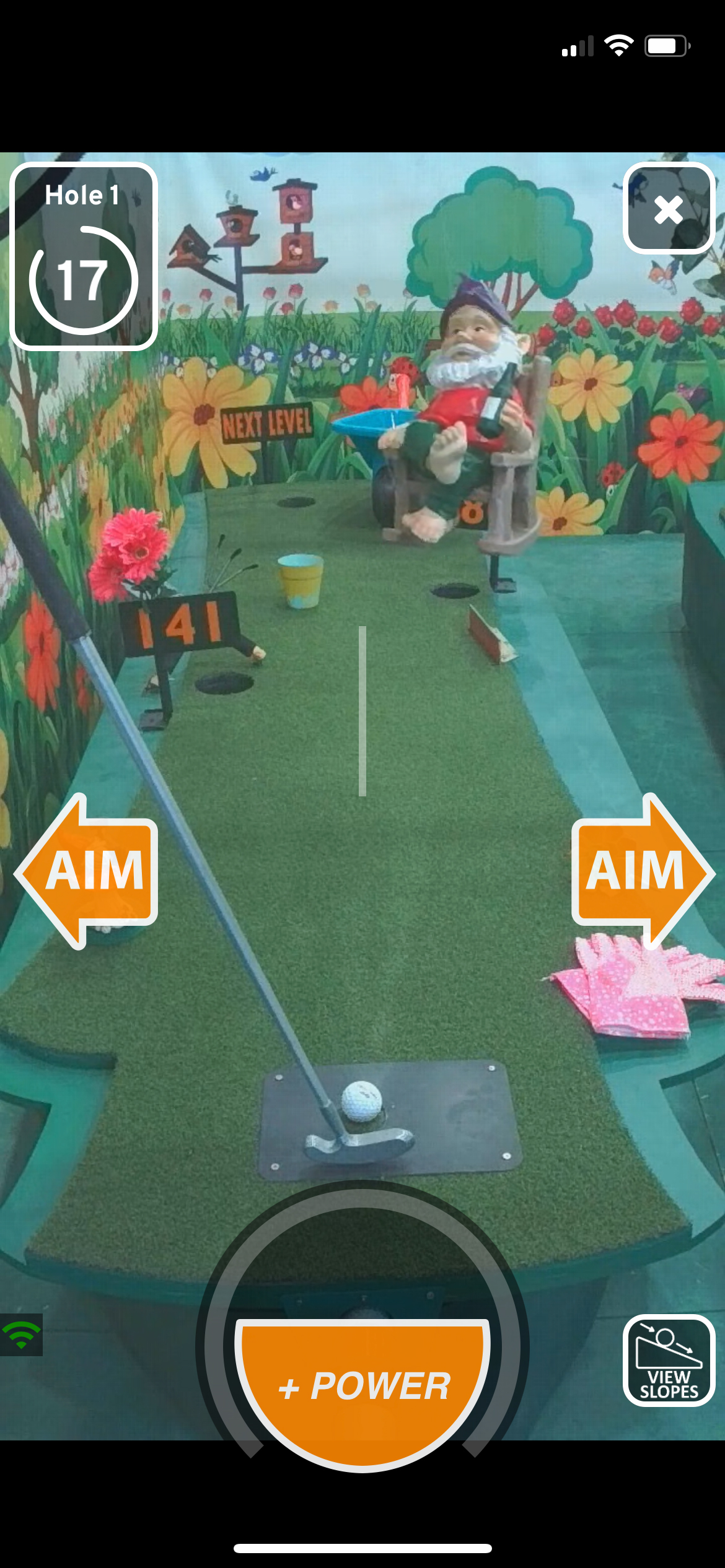
For starters, the game isn’t animated, and instead consists of a live stream of a real-life mini-golf course in a warehouse in Saskatchewan. The stream comes from a camera attached to a robot’s body, which also holds a putter that you control.
On the screen, you’ll see controls that let you move the putter to the left or right, along with power controls. If you move the putter in any direction in the game, it also moves in real-time. Similarly, depending on the shot power you set, you’ll see the robot winding back the putter. All the actions happen in real-time, and it’s surprising how accurate these robots can be, albeit, on your command.
The game was released in January 2021 and since has hit 4.8 stars on both Google Play Store and App Store.
The developers behind OneShot Golf are active on social media, and often post tips and tricks about the game, along with publically sharing winners of special events.
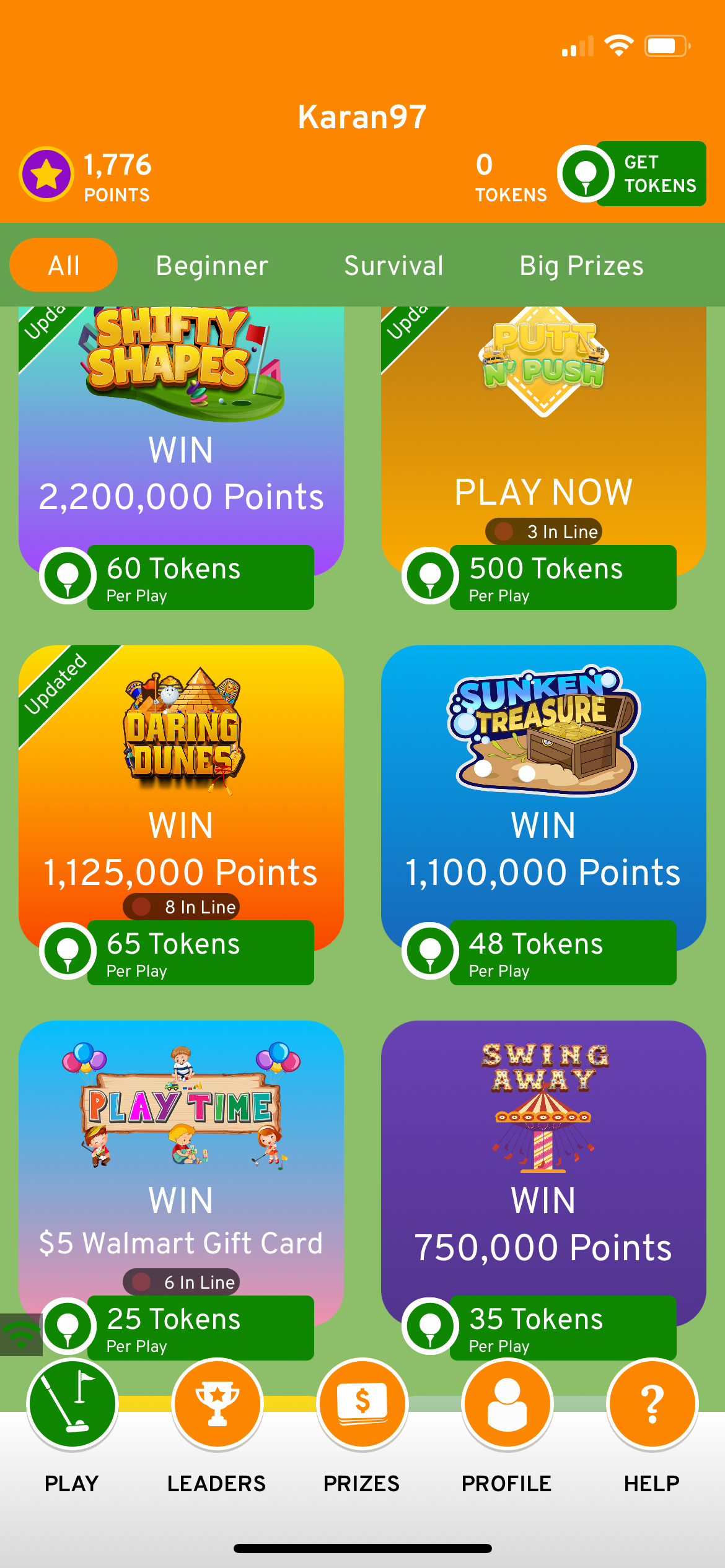
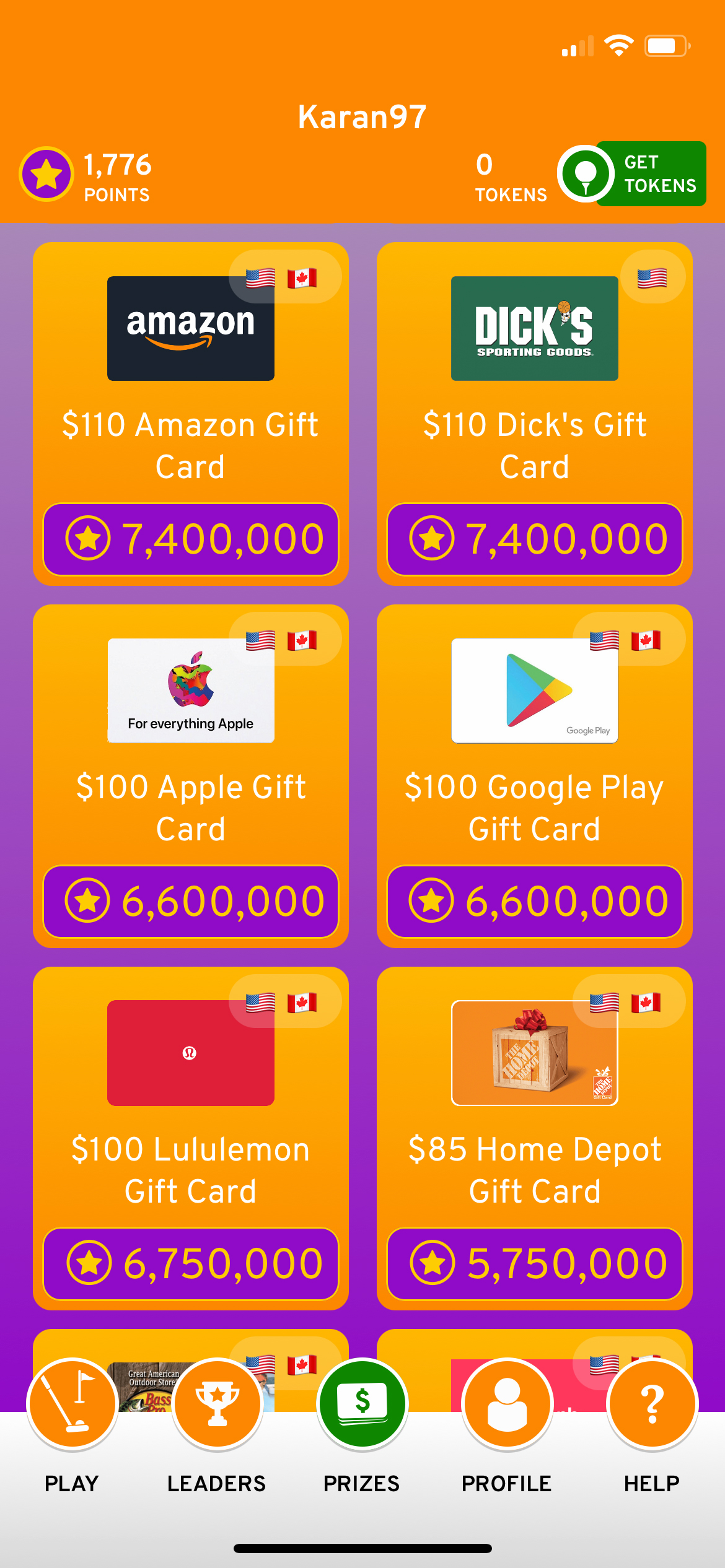
There are multiple golf course themes that you can play, including ‘Fun Factory,’ ‘Carnival Crazy,’ ‘Shifty Shapes,’ ‘Sunken Treasure’ and more, all with different obstacles to get through. Each course has five holes, and depending on how you score, you’ll be rewarded with points. Points can be used to claim merch, gift cards and more from the in-game marketplace, though it isn’t an overnight job to accumulate points, and will take a good chunk of your time if you want to claim a freebie.
As seen in the screenshots above, you need tokens (the ones in green) to play any course. It’s like an admission fee. The higher the entry price, the better the prizes. You get two free games per day, after which you’ll have to spend your tokens to gain admission to the course or wait until the next day. Micro-transactions are common in games these days, and like it or not, they’re a part of OneShot Golf.
You’ll also likely have to wait for your chance to play. 54e has close to a hundred robots installed in their warehouse, which means, if hundreds people are currently playing the game, you’ll have to wait for your chance. That said, in the past week, I haven’t had to wait longer than five minutes to get in.
While waiting is an annoyance, I can’t think of a workaround. Stepping in 54e’s shoes made me quickly realize that solving the wait issue would require exponentially scaling the game layout and adding hundreds more robots, and probably securing a bigger warehouse, all of which are easier said than done.
Happy #mememonday! How many of you have felt this pain?😩
Since the game takes place in real-time, you’ll also need a reliable internet connection to play OneShot Golf. Mobile data works fine, though you might occasionally encounter the stream freezing for a few milliseconds.
All-in-all, OneShot Golf is an innovative and well-thought-out mobile game, and even though traffic congestion can cause wait times to go up, it alludes to the fact that people flocking to play the title.
It’s worth noting that as of right now, OneShot Golf is only available to users in Canada and the United States for Android and iOS.
After testing so many earbuds from reputable brands, I wanted to try a pair from a less known manufacturer.
This is where the EarFun Free Pro 2 wireless earbuds come in. They’re a sub-$100 pair of earbuds sold on Amazon with overwhelmingly positive user reviews. These particular buds have even received honours for being the best budget wireless earbuds of 2021 from CNET. However, I’d argue that all of these accolades should be taken with a grain of salt
During my time with the Free Pro 2s, they showed me that though a lot of features can be packed into low-cost buds, they still don’t compare to higher-end alternatives.
Sound quality
While the sound quality is bearable, the profile is crunchy and leagues lower than pretty much every other earbud I’ve tested. They’re passable, and I used them for a week and lived to tell the tale, but I was glad when it was over. The EarFun Free Pro 2s are either really poorly tuned or just feature a really terrible speaker driver, and for $90 that’s disappointing.
In an attempt to improve their sound quality, I even tried to level out the EQ on an iPhone using Apple Music’s built-in sound profile. This didn’t work very well, leading me to assume that the Free Pro 2s’ sound issue stems from its speaker hardware rather than tuning. I should clarify that I’m not just talking about a slightly higher base kick like you might expect from older Beats headphones; the EarFun Free Pro 2s have a weird sonic crunch that sounds like you’re holding an 80’s boombox up to your ear.
I’ve heard really good things about the AKG N400 earbuds, and they’re only $47 on the company’s website right now. If you’re reading this story and looking for a good pair of budget wireless earbuds, I’d take a chance on those instead. AKG is a legacy speaker company that Samsung bought when it acquired Harman back in 2016. This is also roughly when its earbuds started to get really good.
I’d be remiss not to mention that the EarFun Free Pro 2s’ noise-cancelling is surprisingly pretty decent, but it’s still not enough to improve their sound quality significantly. For some songs, the earbuds are fine though. For example, listening to lo-fi music with the Pro 2s is cool, but that’s not saying a lot.
They’re passable for calls and listening to podcasts. I wish it wasn’t the case but stay away from the Free Pro 2s if you care about sound quality.
Fun features
Regardless of the poor sound quality, the EarFun Free Pro 2s still offer a few excellent features that big-name earbud makers should take note of.
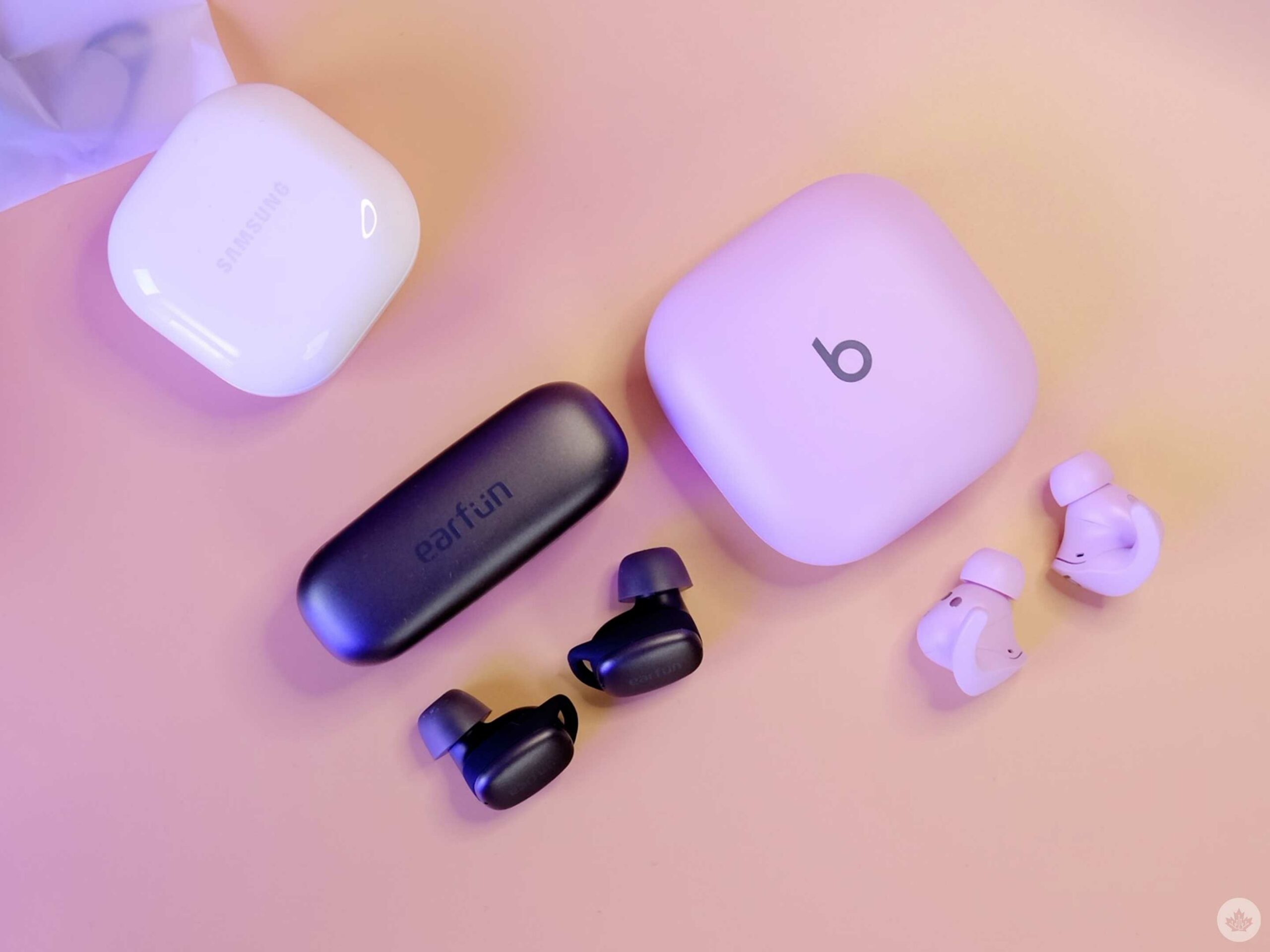
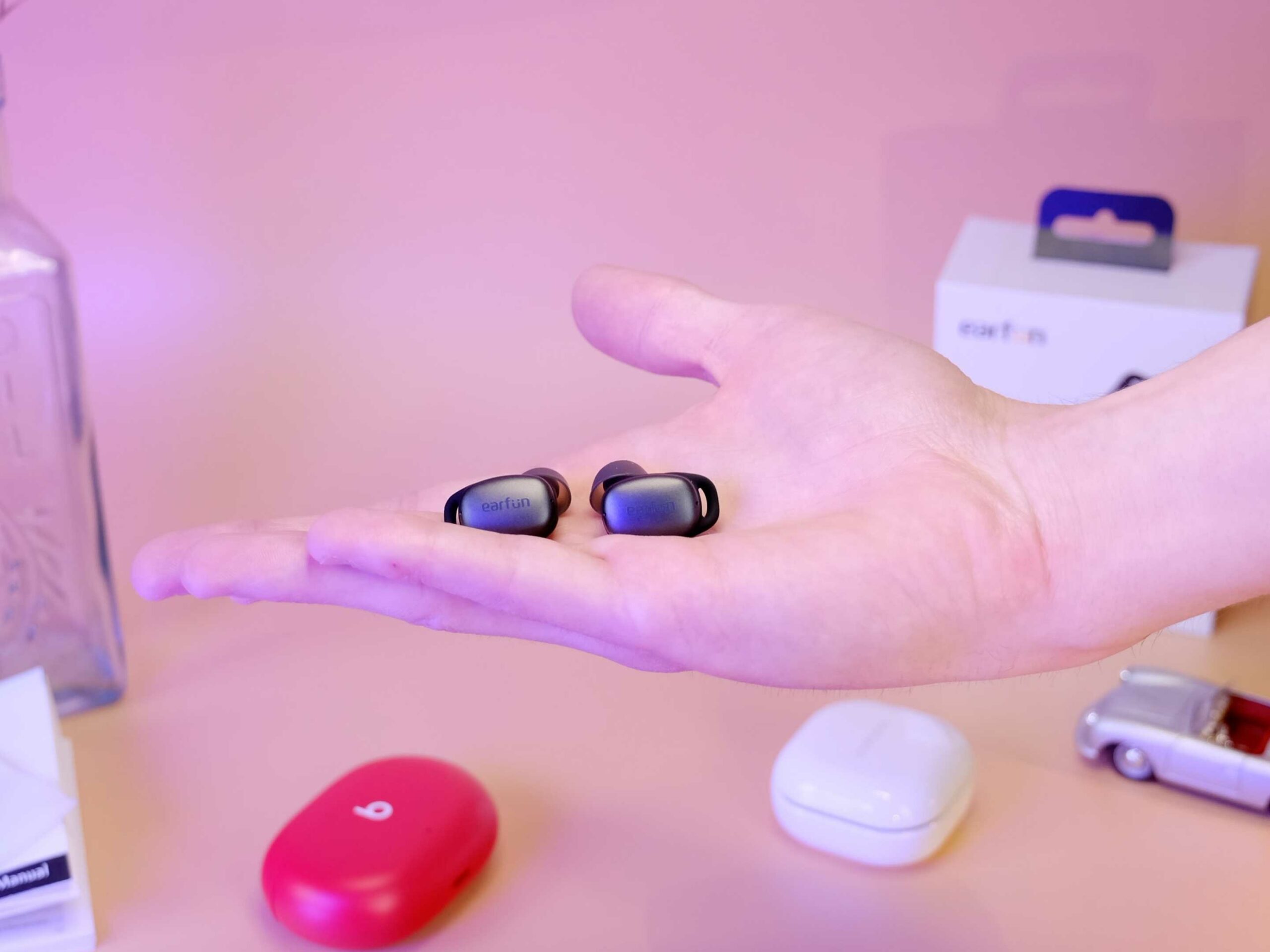
The first notable feature is the Free Pro 2s earbud case is amazing. EarFun says it has 30 hours of battery to top up the earbuds quite a few times before they run out. The best part, though, is that they’re incredibly tiny and even support wireless charging — they’re even smaller than Apple’s/Beats’ tiny Beats Fit Pro case.
The earbuds get about four hours of battery life with active noise-cancelling on and six with the feature off, which is enough for working at a desk. I didn’t have any issues with battery life in my test, but I only wore them for a week. If you plan to make these your road dogs, I’d look for something with a better battery life reputation like OnePlus.
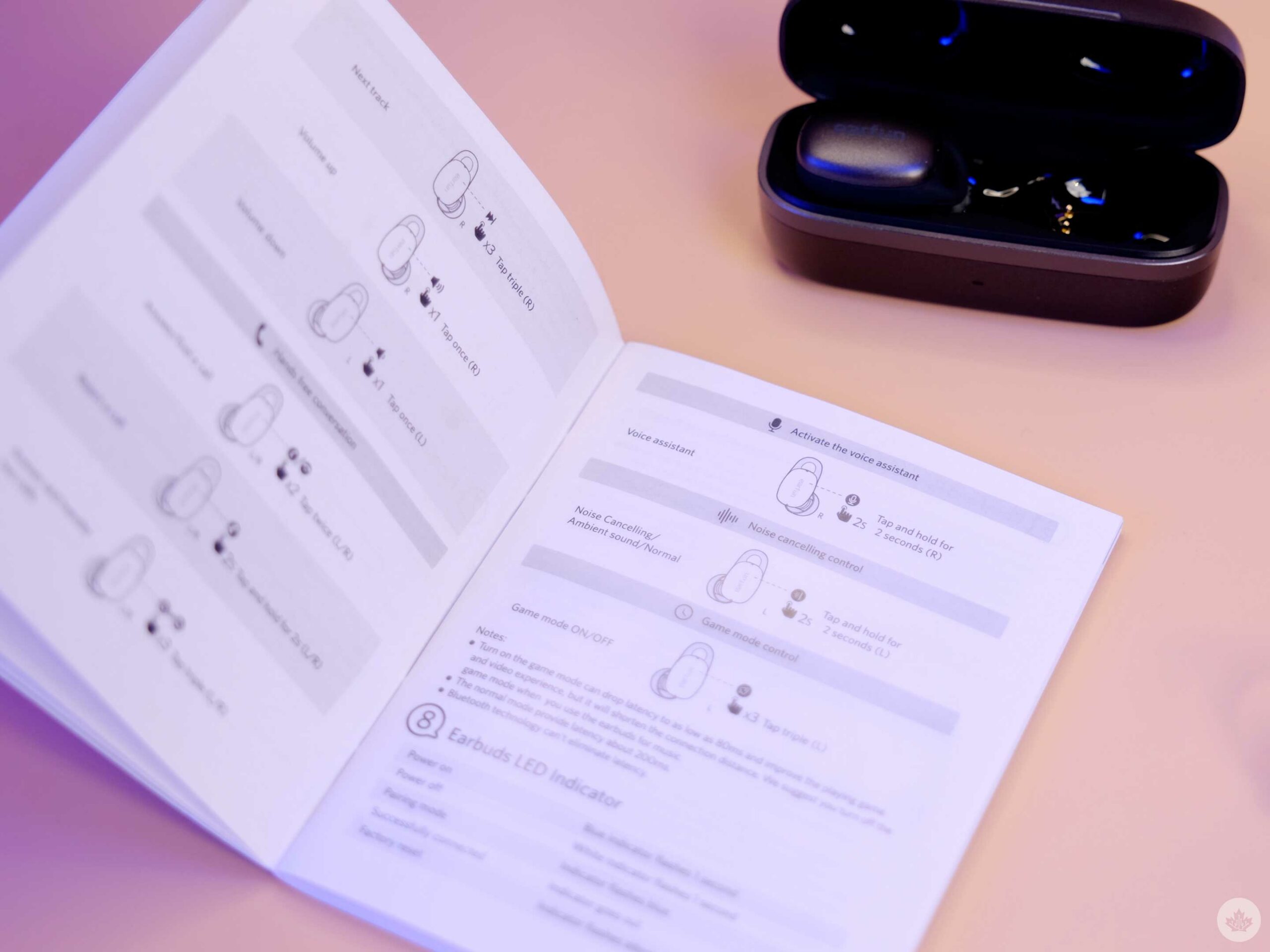
The EarFun Free Pro 2s feature pretty responsive and accurate touch control panels, but the control scheme is unorthodox and often annoying. Since there’s no companion app for these buds, more controls are mapped to the touchpads than most earbuds. For example, a single tap will play/pause on almost every other pair of earbuds. With the Free Pro 2s, depending on which bud you press, a single tap raises or lowers the volume. It’s not difficult to get the hang of, but it’s annoying, and I’d rather have fewer physical controls on my earbuds.
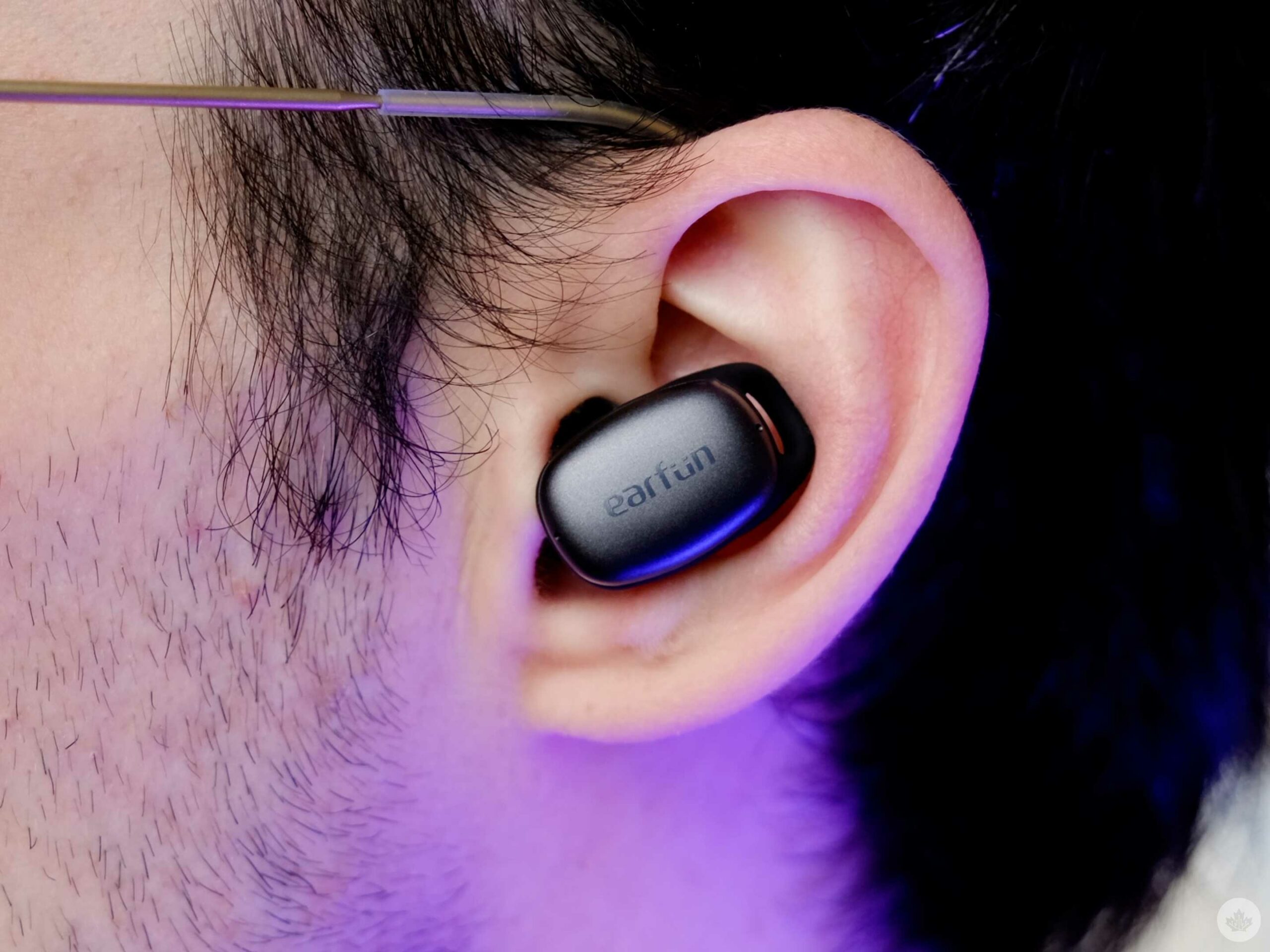
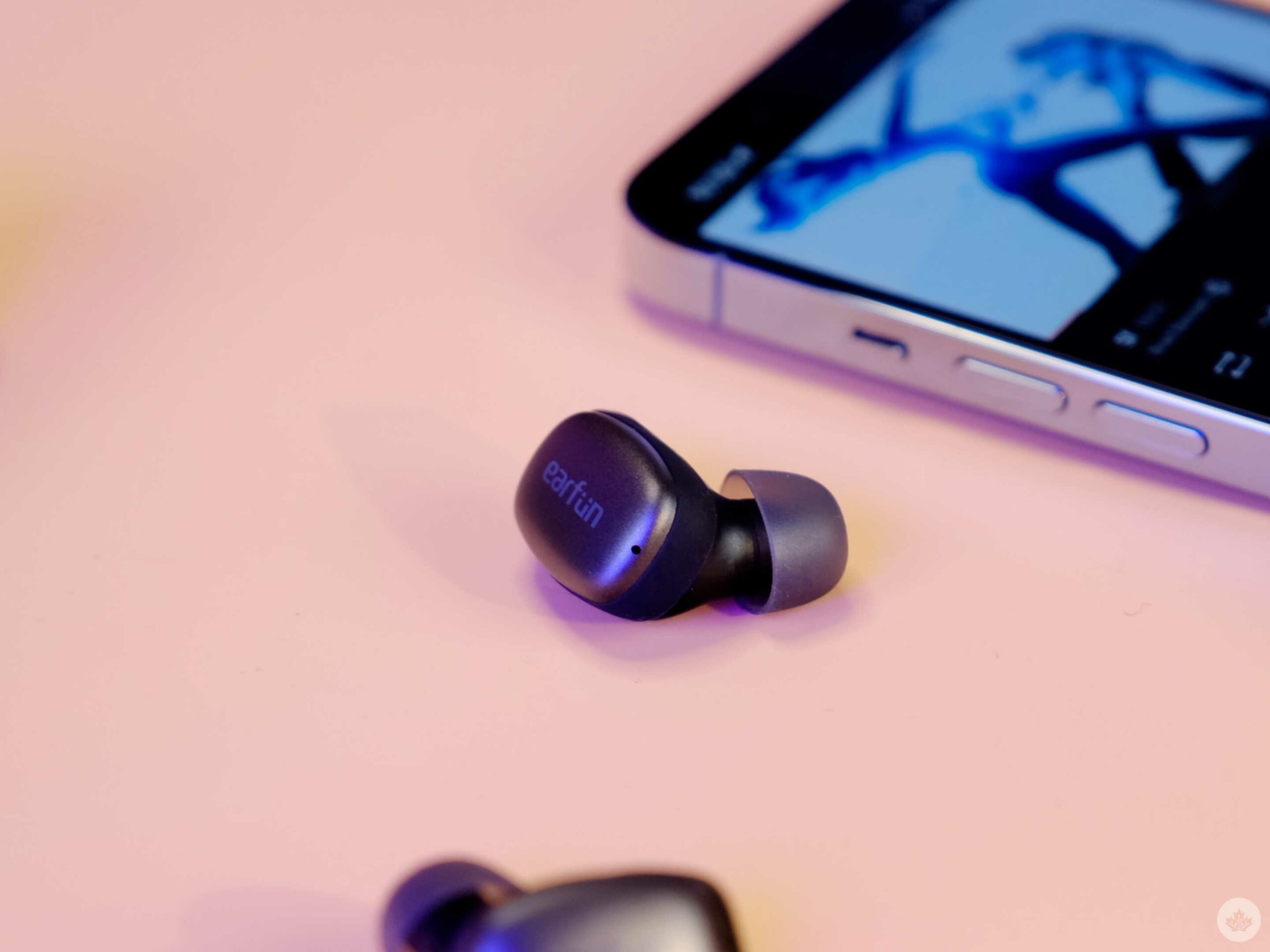
Beyond just a tiny case, the buds themselves are quite minuscule and fit into my ears comfortably. They’re not amazing like the LG Free Tone FP9 earbuds, but the small soft wing tip puts less pressure on my ear than the Beats Fit Pros. I was even able to sleep with them in. However, I didn’t find that they fit securely, so I’d be hesitant to use them for sports or while working out.
The final thing I’ll mention is that the earbuds come with four different ear tip sizes and a cleaning stick, which would be nice to see as a pack-in item with more expensive earbuds in the $200 range as well. These buds prove you don’t need to jump up to high-end Sennheiser’s to get nice ear tips and an included cleaning tool.
Mic test
The mic test begins at 4:46 in the full review video above.
If you skipped out on the video, I can confirm that the mic in the Free Pro 2s is passable. Maybe they’d work for the odd call, but you likely don’t want to be using them with Discord every day.
We’ve jumped our clocks ahead by an hour, which means there are more hours in the day to enjoy the tech we love. That’s how that works, right? This week’s Top Deals from Best Buy include discounts on TVs, wireless earbuds, and smartwatches that you don’t want to miss.
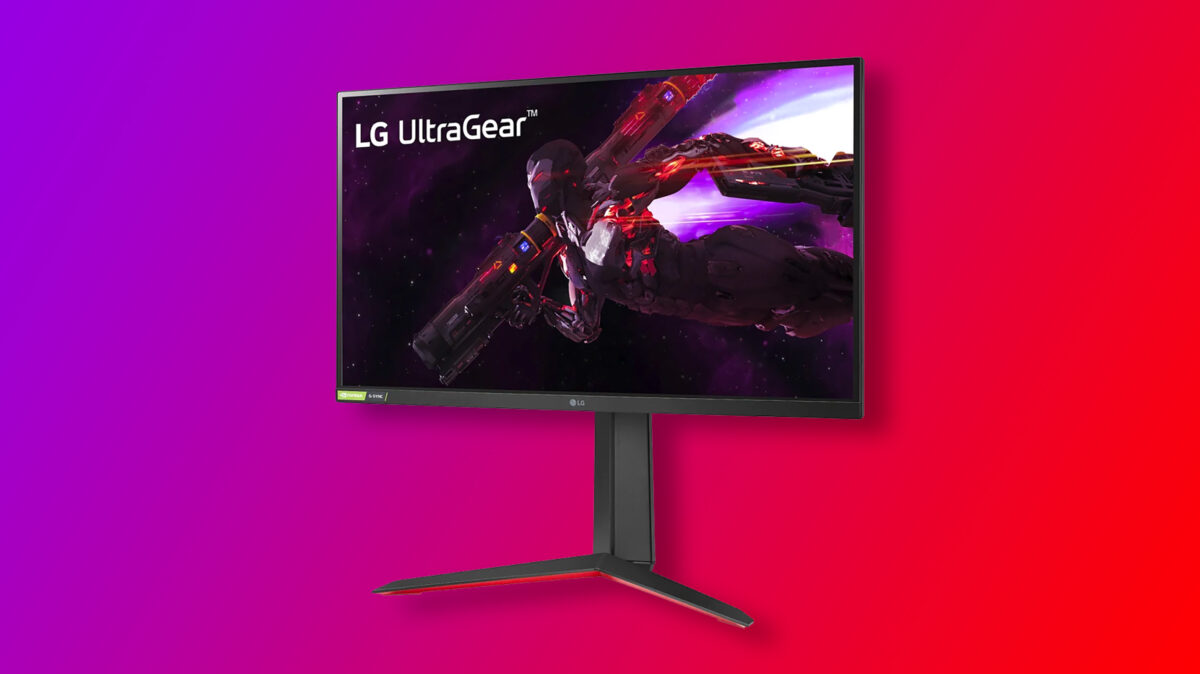
Our top pick this week is LG’s Ultragear 27-inch gaming monitor. The 1440p display has a 165Hz refresh rate and 1ms response time, so you’ll have to blame your ping for losing from now on. And for $150 off its regular price, it’s an absolute steal.
If you manage to snag any of these deals before they disappear, let us know down in the comments below. Check back for the top deals from Canadian retailers each week.
MobileSyrup utilizes affiliate partnerships. These partnerships do not influence our editorial content, though MobileSyrup may earn a commission on purchases made via these links that help fund the journalism provided free on our website.
Companies often release their tablets, smartphones, laptops and more in a variety of colours to attract the attention of consumers. While black-coloured devices are typically the bestsellers, many like myself, prefer their tech devices in an array of different hues.
Last week, I wrote about installing GrapheneOS, an open-source, Android-based privacy operating system, on a Pixel 3. I shared some initial impressions, but now I’m back after using the GrapheneOS Pixel 3 as my daily driver for a week.
As I said in my initial impressions, GrapheneOS offers a low bar for entry from a technical perspective thanks to a straightforward install process (if you follow the guide on their website).
Using GrapheneOS once it’s installed, however, isn’t quite at the “it just works” level. I think that’s something important to keep in mind for anyone interested in trying out GrapheneOS. To be clear, GrapheneOS works, and works quite well (more on that below). But it’s often not a seamless experience like using an unmodified Pixel or an iPhone.
I don’t blame GrapheneOS for this — it’s entirely Google’s fault. Android, in its current form, is a hodgepodge of open-source software and proprietary Google-made software. Often, the Google software forms the backbone of the modern Android experience most people are familiar with.
GrapheneOS is an excellent way to reveal how much of the Android experience is reliant on Google because it takes Google out of the equation entirely. That’s what surprised me the most in my week using GrapheneOS — there are so many things, both big and small, obvious and not so obvious, where Android relies in part (or whole) on Google software.
Google, apps, and sandboxes
In my first impressions post, I mentioned running into an issue with my contacts not syncing. My solution was to manually export my contacts from another phone, upload them to Google Drive, then download that file on my Pixel 3 and import the contacts into the default Contacts app on GrapheneOS.
That small, but significant hurdle became something of a pattern for my week using GrapheneOS. Throughout the week, I kept stumbling across small issues. Many could be resolved by downloading an app or tweaking the way I used the phone. Others were more challenging.
There are no Google apps installed on GrapheneOS when you first boot it up. If you want Google apps, you need to install the Play Store, Play services and the Google Services Framework from an ‘Apps’ app that comes with GrapheneOS. It’s worth noting you don’t need to install these things if you don’t want to use the Play Store, and you can use other sources for apps (for example, F-Droid or Aurora, two open-source app stores). However, some apps need the Play Store and its requisite services to power things like notifications.
The beauty of GrapheneOS is it lets you run these apps with a compatibility layer that sandboxes them (i.e. isolates them from other parts of the system) and makes the Google apps run like normal Android apps with permissions and other restrictions. In other words, those who want to run Google apps can do so while maintaining some privacy (although you are still running Google apps). Plus, you can also use GrapheneOS’ built-in profiles to, for example, divide your apps between ‘Personal’ and ‘Work’ use, adding extra layers of separation between your data.
One of the more interesting consequences of this was I had to give the Play Store permission to install apps on my phone by toggling the option to let it ‘Install unknown apps.’ I also noted seemingly improved standby battery life on the Pixel 3 with GrapheneOS. There was one day where I took the phone off the charger at 100 percent at 8am and after a day of light use, it still had 80 percent left in the tank at 4pm. Using the phone still drains the battery quickly, but the standby time impressed me.
All of this worked without a hitch in my experience, and I had no problem installing and using apps from the Play Store.
Filling a G-shaped hole
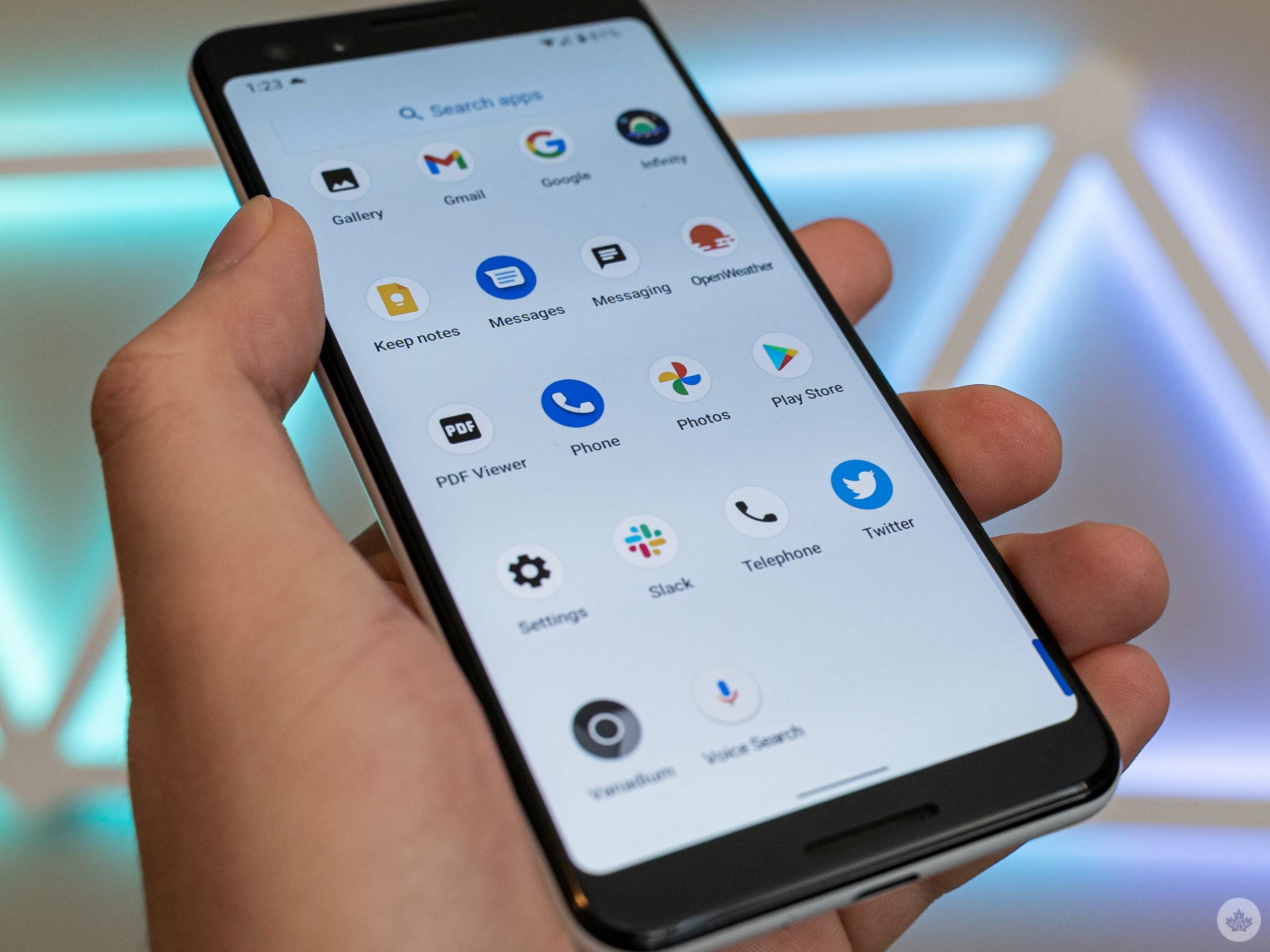
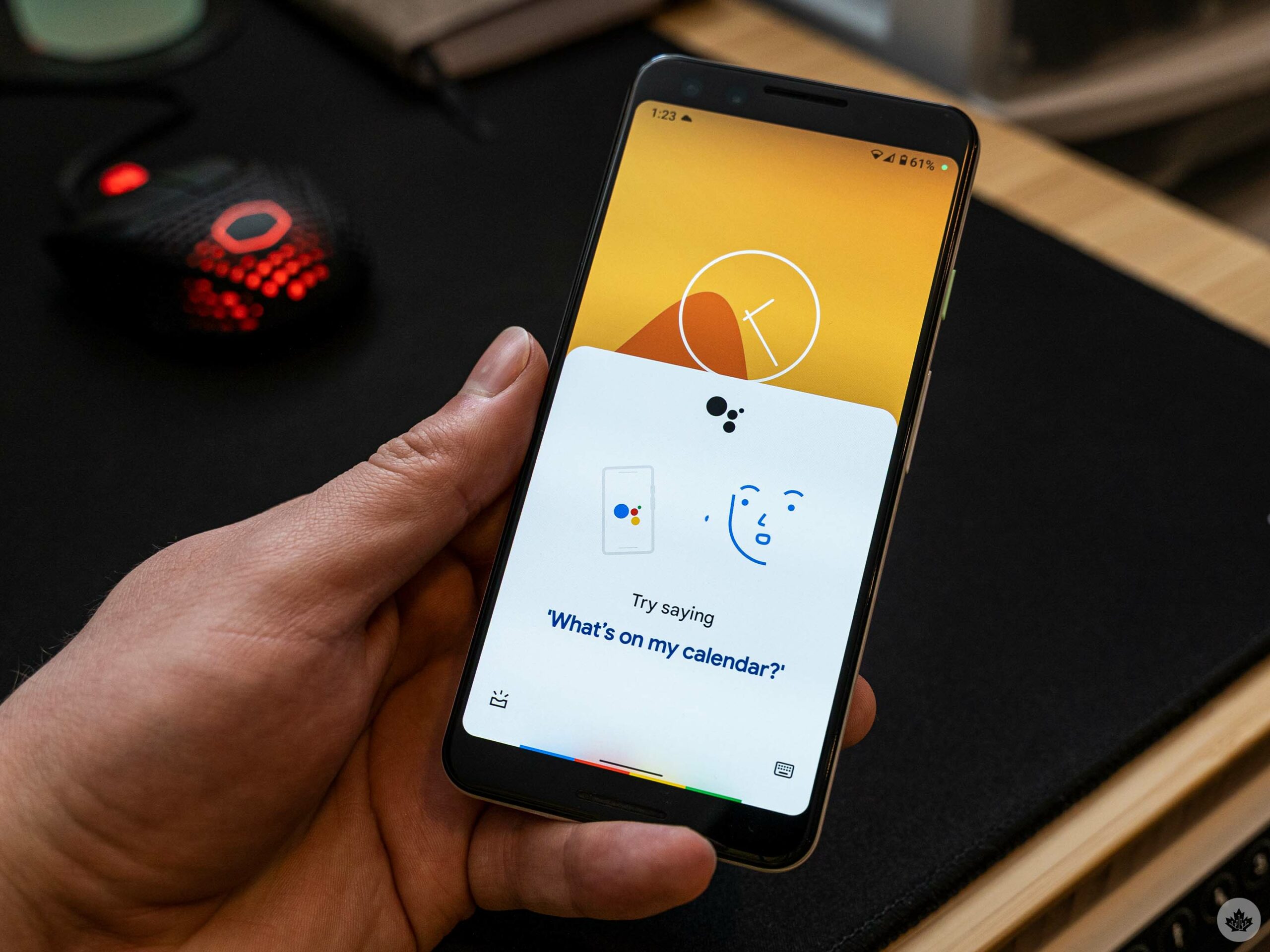
With the Play Store set up, you can also download the various Google apps, although it isn’t entirely necessary unless you expect certain things from your Android experience. For example, there’s no voice assistant on GrapheneOS. Instead, I had to download the Google Assistant and Google apps from the Play Store and change a few settings (such as setting Google as the default assistant app) before I could use Assistant like I would on an unmodified phone.
Once I made it through the hurdles, Assistant worked as well as it would on any other Android phone. It’s worth noting that fans of the ‘Hey Google’ wake word can’t use it on GrapheneOS — the feature is flat-out disabled and I couldn’t see a way to enable it. But, if you care about privacy, disabling the wake word is for the best.
Other Google apps worked fine as well once I installed them. That includes Gmail, Google Photos, Drive, Keep, and Google’s Phone and Messages app (Messages did give me some issues until I enabled some permissions for it, then it worked fine). Google Pay also appeared to be present and functional, but since I don’t use Google Pay normally I didn’t test it. On that note, banking apps might be a pain point for some (I was able to install mine, but since GrapheneOS isn’t an official Android release, it may cause problems).
Still, some of the “smart” features I’ve grown used to were still missing. For example, Google’s Phone app didn’t have Call Screen, a feature I’ve come to rely on. The keyboard also threw me for a loop — GrapheneOS includes a default keyboard that looks just like Google’s Gboard, but with worse autocorrect and missing features like swipe typing and surprisingly no emoji.
Likewise, the default camera app is functional, but it felt less intelligent than Google’s Pixel camera app.
Private OS, not so private apps
Of course, if any of these things are deal-breakers, you can work around them by installing the Google versions from the Play Store. But I found myself wondering if my privacy was actually better off for using GrapheneOS if I still frequently used Google software.
Again, you don’t have to use any of these apps or features. Gmail and Keep were the only Google apps I downloaded out of need — the others I grabbed because I wanted to test if they worked.
However, there’s a difference between getting by and flourishing — and I was just getting by with GrapheneOS. I attribute that to my over-reliance on Google apps.
Ultimately, those considering giving GrapheneOS a try need a few things to really make it work. First is a willingness to trade convenience for privacy. Like I wrote in my initial impressions, GrapheneOS works great, but I often found it lacked features I’ve come to rely on, features that make using my smartphone easier and more convenient. These are almost always tied to one Google service or another. Those who don’t care about Google’s apps or who are happy with a more basic smartphone experience will find a lot to like in GrapheneOS.
Basic troubleshooting skills are also a must to make the most out of the mobile OS. It’s not a matter of if, but when you’ll run into a problem. It could be a small hiccup like not having emojis or something more drastic like an app not working because you’re missing some integral Google software it relies on.
I never had to get technical to solve these problems, but I did have to think outside the box. The issue with my contacts is a prime example — instead of relying on Google’s broken sync software, I manually transferred my contacts through Google Drive. It wasn’t difficult, but not everyone would think to try something like that.
Overall, I really liked GrapheneOS, but it was generally incompatible with how I use my phone (and with my job, which generally revolves around writing about the latest tech features). I think I could run GrapheneOS as my daily driver and be perfectly happy in a world where my smartphone wasn’t such an integral part of both my career and my life. I’ll be keeping an eye on GrapheneOS going forward, but my SIM is going back to the Pixel 6 for now.
Every week, MobileSyrup outlines some of the most notable movies and TV shows that recently hit Canadian streaming platforms.
Our ‘Streaming in Canada’ column typically focuses on new content from Amazon Prime Video, Crave and Netflix, but other services like Apple TV+ and Disney+ will be mentioned when relevant. Premium video on demand (PVOD) platforms are also fair game as movies continue to come to digital early amid the COVID-19 pandemic.
Finally, we’ll highlight shows or movies that are made by Canadian companies, involve notable Canadian cast or crew and/or are filmed in Canada.
Amazon Prime Video
Deep Water [Amazon Exclusive]
A husband and wife who have fallen out of love begin to play mind games with one another — with fatal consequences.
Based on Patricia Highsmith’s 1957 novel of the same name, Deep Water was directed by Adrian Lyne (Fatal Attraction) and stars Ben Affleck (Argo) and Ana de Armas (Knives Out).
Amazon Prime Video premiere date: March 18th, 2022 Genre: Erotic psychological thriller Runtime: 1 hour, 55 minutes
The full list of movies and shows hitting Amazon Prime Video in March can be here.
Apple TV+
WeCrashed [Apple Original]
WeCrashed explores the rise and fall of WeWork, the true story of one of the world’s most valuable startups.
Based on David Brown’s book, WeCrashed: The Rise and Fall of WeWork, WeCrashed was created by Lee Eisenberg (The Office) and Drew Crevello (Deadpool) and stars Jared Leto (Dallas Buyers Club) and Anne Hathaway (Les Misérables).
Apple TV+ Canada premiere date: March 18th, 2022 (first three episodes, new episodes every Friday) Genre: Drama Runtime: Eight episodes (around one hour each)
A child lives through the events of the 1990 Oka Crisis at Kanesatake, in which Mohawk protestors held a 78-day standoff with law enforcement over disputed land.
Beans was co-written and directed by Kahnawake, Quebec’s Tracey Deers (Mohawk Girls) and stars Akwesasne, Ontario’s Kiawentiio (Anne with an E). It’s also worth noting that Kiawentiio will co-star in Netflix’s live-action adaptation of Avatar: The Last Airbender as Katara.
Original premiere date: September 13th, 2020 (TIFF)
Crave premiere date: March 18th, 2022 Genre: Drama Runtime: 1 hour, 32 minutes
Paul Atreides and his noble house are thrust into a war on the deadly desert planet of Arrakis.
Adapted from Frank Herbert’s iconic 1965 novel of the same name, Dune was directed by Bécancour, Quebec’s own Denis Villeneuve (Blade Runner 2049) and stars an ensemble cast that includes Timothée Chalamet (Call Me By Your Name), Rebecca Ferguson (The Greatest Showman), Oscar Isaac (Inside Llewyn Davis), Rebecca Ferguson (The Greatest Showman), Josh Brolin (True Grit) and Zendaya (Euphoria).
It’s important to note that this is the first in a two-part adaptation from Villeneuve; the sequel is set to release in theatres in October 2023.
Original theatrical release date: October 22nd, 2021
Crave premiere date: March 18th, 2022 Genre: Sci-fi Runtime: 2 hours, 36 minutes
In 1970s Los Angeles, a young feminist teams up with a low-rent publisher to create the first erotic magazine for women.
Minx was created by Ellen Rapoport (Desperados) and stars Ophelia Lovibond (Elementary) and Jake Johnson (New Girl).
Crave/HBO Max premiere date: March 17th, 2022 (first two episodes, two new episodes every Thursday) Genre: Comedy Runtime: 10 episodes (around 30 minutes each)
A standard Crave subscription is priced at $19.99/month, with Starz costing an additional $5.99/month. A mobile-only subscription is also available for $9.99/month.
The full list of movies and shows hitting Crave this month can be found here.
Disney+
Cheaper by the Dozen [Disney+ Original]
A blended family of 12 balances regular home life with a breakfast business.
A remake of the 1950 and 2003 films of the same name, Cheaper by the Dozen (2022) was directed by Gail Lerner (Will & Grace) and stars Gabrielle Union (Being Mary Jane) and Zach Braff (Scrubs).
Disney+ Canada premiere date: March 18th, 2022 Genre: Family comedy Runtime: 1 hour, 47 minutes
Netflix’s former Marvel shows, including Daredevil
As you’ve probably heard, all of Netflix’s original Marvel series have been removed from the service as the rights return to Marvel. What that means is that they’re now, as of March 16th, all streaming on Disney+. For reference, this includes:
Marvel’s Daredevil (three seasons)
Marvel’s Jessica Jones (three seasons)
Marvel’s Luke Cage (two seasons)
Marvel’s Iron Fist (two seasons)
Marvel’s The Defenders (one season)
Marvel’s The Punisher (two seasons)
So far, Daredevil has had ties to Spider-Man: No Way Home and Hawkeye, on top of rumours of a Disney+ reboot, so that might be one you’d especially want to watch. (It’s also, by far, the best of the bunch.)
An ambitious carnival worker with a shady past takes massive risks to advance his career.
Based on William Lindsay Gresham’s 1946 novel of the same name, Nightmare Alley was co-written and directed by Guillermo del Toro (The Shape of Water) and stars Bradley Cooper (A Star is Born), Cate Blanchett (Carol), Rooney Mara (Carol), Toni Collette (Hereditary) and Willem Dafoe (Eternity’s Gate).
It’s worth noting that the film was primarily shot in and around Toronto.
Original theatrical release date: December 17th, 2021
Disney+ Canada premiere date: March 16th, 2022 Genre: Neo-noir, psychological thriller Runtime: 2 hours, 30 minutes
The full list of movies and shows hitting Disney+ this month can be found here.
Netflix
Human Resources [Netflix Original]
In the world of Big Mouth, monsters are assigned to a group of human adults to serve as representations of their feelings.
Hailing from the same creators as Big Mouth, Human Resources features the voices of Aidy Bryant (Shrill), Randall Park (Fresh off the Boat), Keke Palmer (Hustlers) and David Thewlis (Harry Potter franchise).
Netflix Canada premiere date: March 18th, 2022 Genre: Animated comedy Runtime: 10 episodes (26 to 28 minutes each)
A state trooper dreaming to join an elite K-9 unit winds up partnering with a clever but naughty shelter dog named Ruby.
Based on a true story, Rescued by Ruby was directed by Katt Shea (Poison Ivy) and stars Grant Gustin (The Flash), Scott Wolf (Party of Five) and Vancouver’s Kaylah Zander (Chilling Adventures of Sabrina). It’s also worth noting that the film was shot in Vancouver.
Netflix Canada premiere date: March 18th, 2022 Genre: Family drama Runtime: 1 hour, 33 minutes
A break-in attempt at a tech billionaire’s vacation home is interrupted when the mogul and his wife return unexpectedly.
Windfall was directed by Charlie McDowell (The Discovery) and stars Jason Segel (How I Met Your Mother), Lily Collins (Emily in Paris) and Jesse Plemons (The Power of the Dog).
One of the biggest movies of all time is finally available for viewing at home.
Following the events of Spider-Man: Far From Home, Peter Parker/Spider-Man seeks Dr. Strange’s help to magically make everyone forget his identity, only for the spell to become botched and villains from alternate realities to enter.
Spider-Man: No Way Home was directed by Jon Watts (Spider-Man: Homecoming and Far From Home) and features an ensemble cast that includes MCU Spider-Man stars Tom Holland (Peter Parker/Spider-Man), Zendaya (MJ) and Jacob Batalon (Ned Leeds), as well as Benedict Cumberbatch (Dr. Strange), Willem Dafoe (Spider-Man) and Alfred Molina (Spider-Man 2).
Original theatrical release date: December 17th, 2022
PVOD premiere date: March 15th, 2022 Genre: Superhero Runtime: 2 hours, 28 minutes
Apple’s AirTags helped spike the popularity of Bluetooth-powered tracking hardware, but the scale offered by AirTags and the Find My network also boosted the use of trackers for stalking.
In short, people have started using AirTags to track the location of other people by slipping them into bags or even attaching them to cars.
Now Bluetooth tracker-maker Tile is launching its own tool to help users fend off stalkers. Like the various safety measures implemented by Apple, Tile’s new ‘Scan and Secure’ tool will check for nearby, unknown Tile or Tile-enabled devices travelling with users.
Tile released an overview of how to access and use the feature, which you can view here. It’s worth noting you need to download Tile’s app to use it, although you don’t need to make an account or sign in to perform a scan.
Scan and Secure is the first part of Tile’s efforts to improve user safety. Tile also plans to work with experts to further improve safety.
While good to see Tile take steps to protect people, it’s frustrating that both Tile, Apple and other tracking companies created potentially dangerous systems that facilitate stalking, then require people to use the systems to make sure they’re not being stalked. I don’t use Tiles or AirTags because I’m not interested in sharing my location data with these companies (for good reason) and yet I may need to use these apps now to protect myself.
Good news for those waiting: the beta will start on April 26th. The bad news is it’ll be PC-only to start, and you’ll need to own a copy of Overwatch to participate in the Overwatch 2 beta.
The Verge spotted a frequently-asked-questions (FAQ) page about the beta, which is worth checking out if you’re interested. Plus, if you haven’t signed up yet, you should do so here. Highlights include that Blizzard will select testers based on their region and the specs of their PC. Invites will be sent out via email — anyone who doesn’t receive one will want to keep an eye out when Blizzard eventually expands the test group.
Blizzard also detailed the minimum and recommended specs for Overwatch 2 on the FAQ page, which are worth checking out if you have an older machine.
Unfortunately, it’s still unclear when Overwatch 2 will be released. We do know that Blizzard plans to decouple the player vs. player (PVP) and player vs. environment (PVE) experiences to push out competitive elements sooner. However, we could learn more soon as the beta test draws near and with plans to start season five of the Overwatch League in May using an early build of the new game.