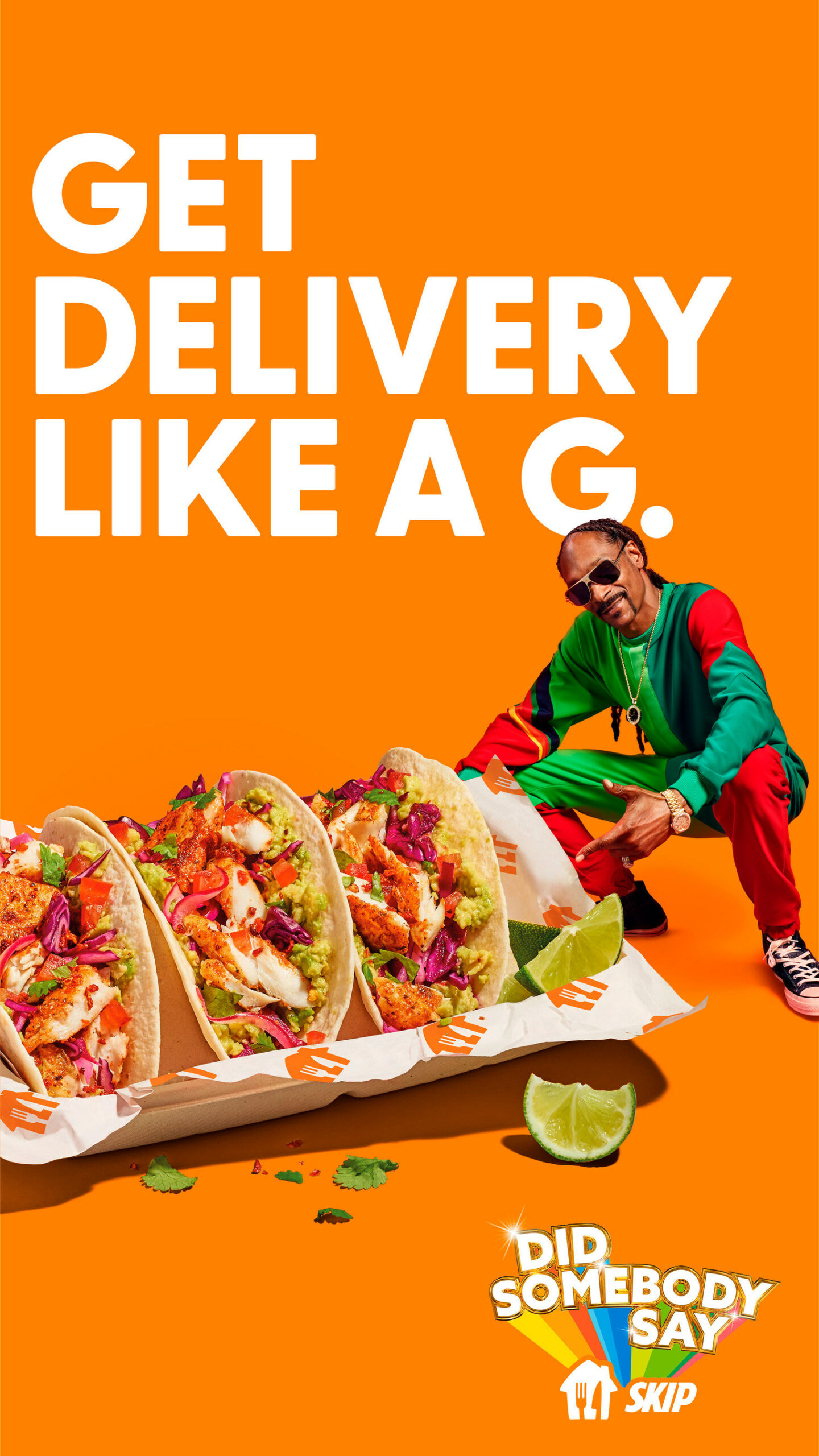
American rapper and celebrity Snoop Dogg has teamed up with Canadian food delivery service SkipTheDishes for the company’s latest “Get delivery like a G” campaign.
Snoop even released a 30-second track (video above) for the campaign, titled ‘Did Somebody Say Skip.’ Check out the lyrics to the track which surely has the potential to win the 2022 Grammy award for best rap song.
“Me! Get delivery like a G. See, hungry Dogg’s gotta eat. I get mines every day, every week, chicken wings to the crib I’m sitting in. Tacos to the Château, please. Did somebody say… Skip? Wonton on the catamaran. Oodles of noodles, thank you my man.”
Talking about the track, Snoop said, “People said it could never be done — a Skip track that you can get down to. That’s why they brought me in, to put some spice on it.”
“Skip has always brought entertainment and great food to Canadians,” says Cheryl Radisa, SkipTheDishes vice president of marketing, in a news release.
“This year, we have a little help from the master of entertainment himself, Snoop Dogg, who is helping us turn up the volume on our new campaign with a track that captures the joy that Skip brings to any occasion.”
As part of the campaign, SkipTheDishes is setting up a free hot dog cart at Forno Cultura located at 1056 Queen St. W. in Toronto. The cart will be open to the public on Friday, February 11th from 11am ET to 4pm ET.
In addition, any orders placed through the delivery service’s Skip Express Lane will have a limited-time order incentive of Snoop-inspired sticker sheets included for free.
Read more about Snoop and Skip’s food campaign here.
The Canadian government announced 21 more projects funded by the Universal Broadband Fund (UBF).
Located throughout rural Alberta, the 21 projects will receive a combined $21 million in funding that will help bring high-speed internet to 2,676 households.
Canada’s UBF backs projects to expand high-speed internet to underserved regions. The government considers high-speed internet to be service with download speeds of at least 50Mbps and upload speeds of at least 10Mbps. Further, the government aims to make sure 98 percent of Canadians have access to high-speed internet by 2026.
The new projects in Alberta are detailed below:
ATG Arrow Technology Group Limited Partnership received:
$2,668,118 in funding for Sunchild First Nation.
$3,496,100 in funding for O’Chiese.
$1,504,661 in funding for Fort McMurray #468 First Nation, Fort McMurray #468.
$4,336,078 in funding for Peavine Metis Settlement.
$1,311,220 in funding for Duncan’s First Nation.
$2,835,569 in funding for Driftpile Cree Nation.
$3,704,500 in funding for Spitnow.
$794,729 in funding for Bigstone Cree (Jean Baptiste Gambler No.183).
$2,890,251 in funding for Montana.
$51,240 in funding for Zama City.
Accelerate Communications received:
$1,737,572 in funding for Bushe River.
$1,692,369 in funding for Meander River.
Beaver Lake Cree Nation received $2,566,832 in funding for itself.
Canadasurfs High Speed Internet received $307,547 in funding for Alberta Beach, Sunset Point, Yellowstone, Val Quentin and rural areas near the Hamlet of Gunn.
GPNetworks received $609,430 in funding for Bezanson, Rio Bend Estates.
Mighty Peace Wireless received $521,990 in funding for Bluesky, Whitelaw.
Missing Link Internet received $388,520 in funding for Sunbreaker Cove, Kayton Estates of Red Deer County.
QFLAN Systems Group Inc. received $1,257,739 in funding for Mikisew Cree.
Stoney Tribal Administration, operating as Stoney Nakoda Telecom, received $2,884,748 in funding for Morley, Eden Valley, Benchlands, Ghost Lake Reserve lands of the Stoney Nakoda.
Xplornet Communications Inc. received $1,812,254 in funding for Sundre.
Yellowhead County received $4,525,975 in funding for rural areas in the county.
You can learn more about the funding here, or check out a map of all of Canada’s UBF projects here.
At its ‘ Unpacked ‘ event today, Samsung officially unveiled its latest S-Series flagship devices, including the S22, S22+ and the S22 Ultra. While the devices are now available for pre-order in Canada, it’s a good idea to know how the tech giant’s latest flagships compare to its predecessors.
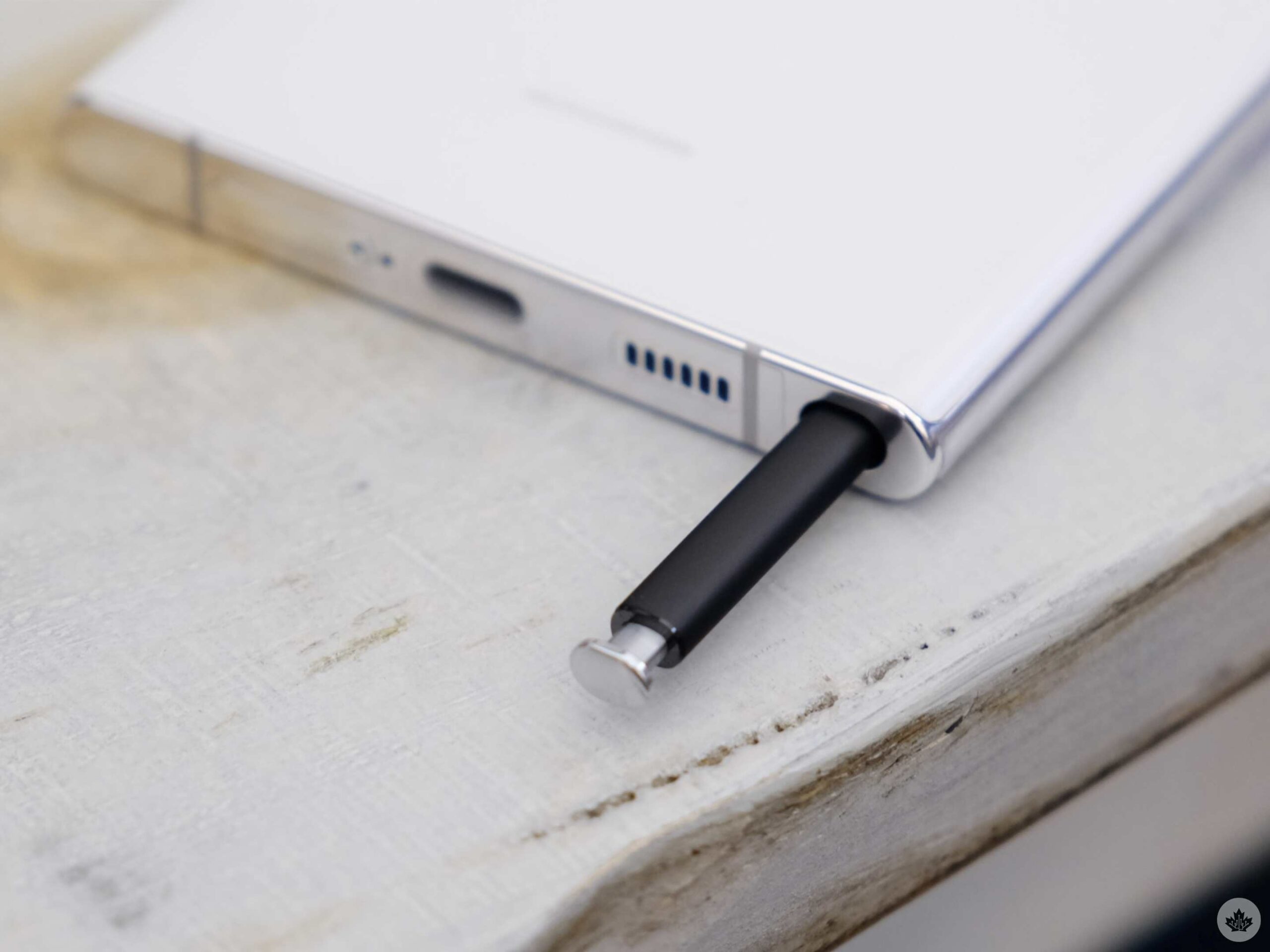
You may be wondering why we decided to add the Note to the mix. In a sense, this year’s S22 Ultra looks like the S21 Ultra and the Note 20 Ultra had a baby. It features S-Pen support — and even comes with one — along with a considerably higher price tag, something the discontinued Note series is known for.
Let’s dive in and see how the S22 series — released over the past three years — compares to each other.
Samsung Galaxy S22 Ultra
Samsung Galaxy S21 Ultra
Samsung Galaxy Note 20 Ultra
Display
6.8-inch Curved Dynamic AMOLED, 1,440 x 3,200 pixels, 20:9 aspect ratio, 120Hz display (variable 1-120Hz), HDR10+, 240Hz Touch Sampling in Games
Colours: ‘Phantom Black,’ ‘Phantom White,’ ‘Green,’ ‘Burgundy,’ and Samsung exclusive colours ‘Gray,’ ‘Light Blue,’ and ‘Red.’ & S Pen with 2.8 m/s latency
Colours: ‘Phantom Black,’ ‘Phantom White,’ ‘Green,’ ‘Burgundy,’ and Samsung exclusive colours ‘Gray,’ ‘Light Blue,’ and ‘Red.’ & S Pen with 2.8 m/s latency
Colours: Mystic Black, Mystic White, Mystic Bronze | S Pen
Display and design
The latest S22 Ultra features a 120Hz Quad HD+ 6.8-inch display with a peak brightness of 1,750 nits, which is higher than the S21 Ultra’s 1,500 nits 6.8-inch 120Hz Quad HD+ display. While less bright than the S22 Ultra, the Note 20 Ultra features 1,609 nits of brightness, which is higher than its successor, the S21 Ultra. The Note 20 Ultra also features a slightly bigger screen, measuring in at 6.9-inches along with a 120Hz Quad HD+ display.
All three devices have a Corning Gorilla Glass Victus screen, along with always-on displays and HDR10+ support. It’s worth noting that all three devices are IP68 dust and water-resistant too, which means they can be submerged up to 1.5m underwater for about 30 minutes.
Surprisingly, the Note 20 Ultra weighs the least of the bunch, coming in at 208g, followed by the S21 Ultra at 227g and the S22 Ultra (heaviest) at 228g.
The odd one out is the 2021-released S21 Ultra, as it doesn’t come with a stylus, and the other two devices do. t’s worth noting that while the S21 Ultra doesn’t come with a stylus, it does support stylus functionality, which means you can purchase an S-Pen separately, and it will work with the device.
Cameras
Samsung takes great pride in its camera tech, and rightfully so. Its introduction of 100x zoom with the S20 Ultra was unprecedented, and the tech has only gotten better since then.
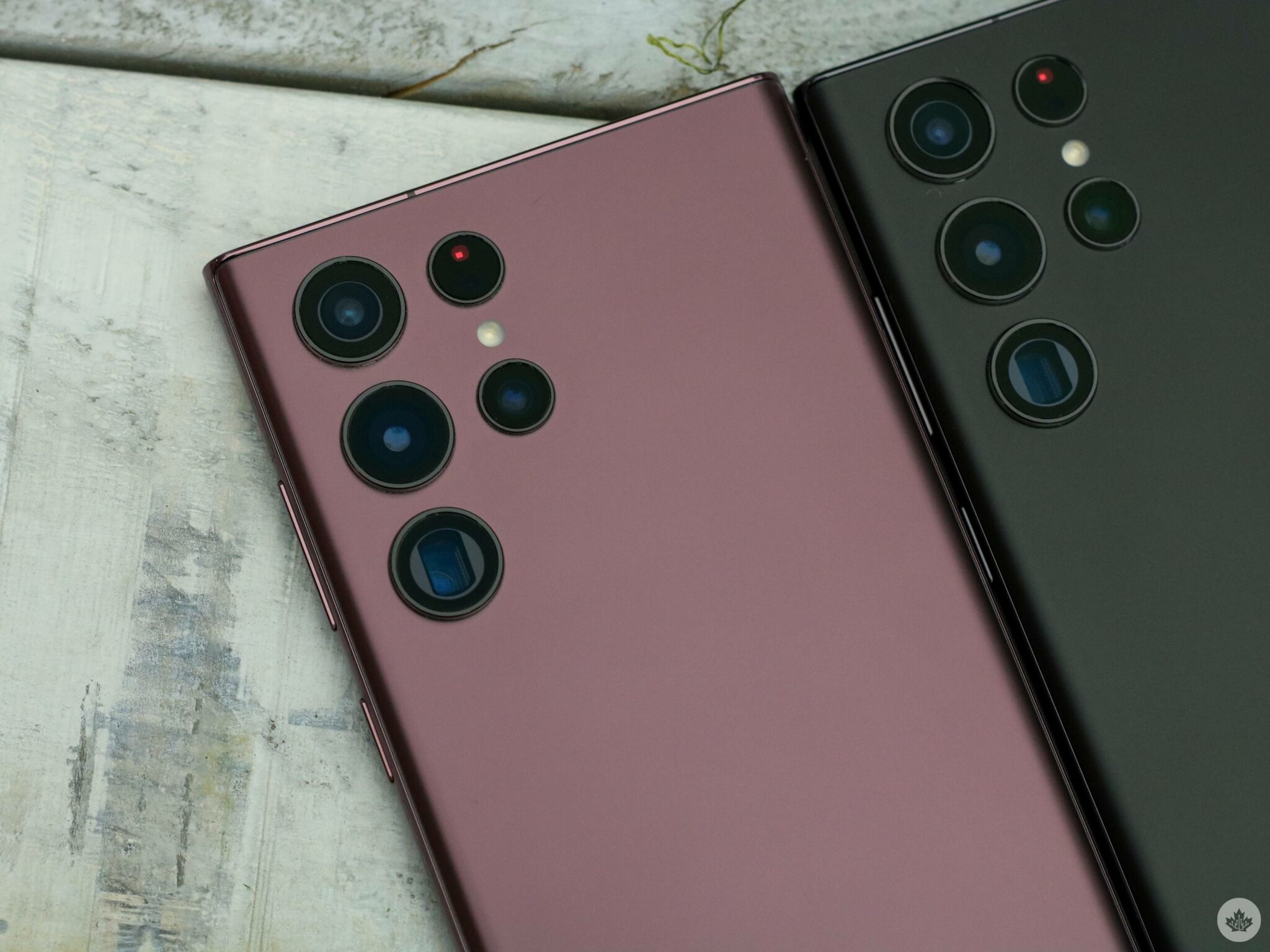
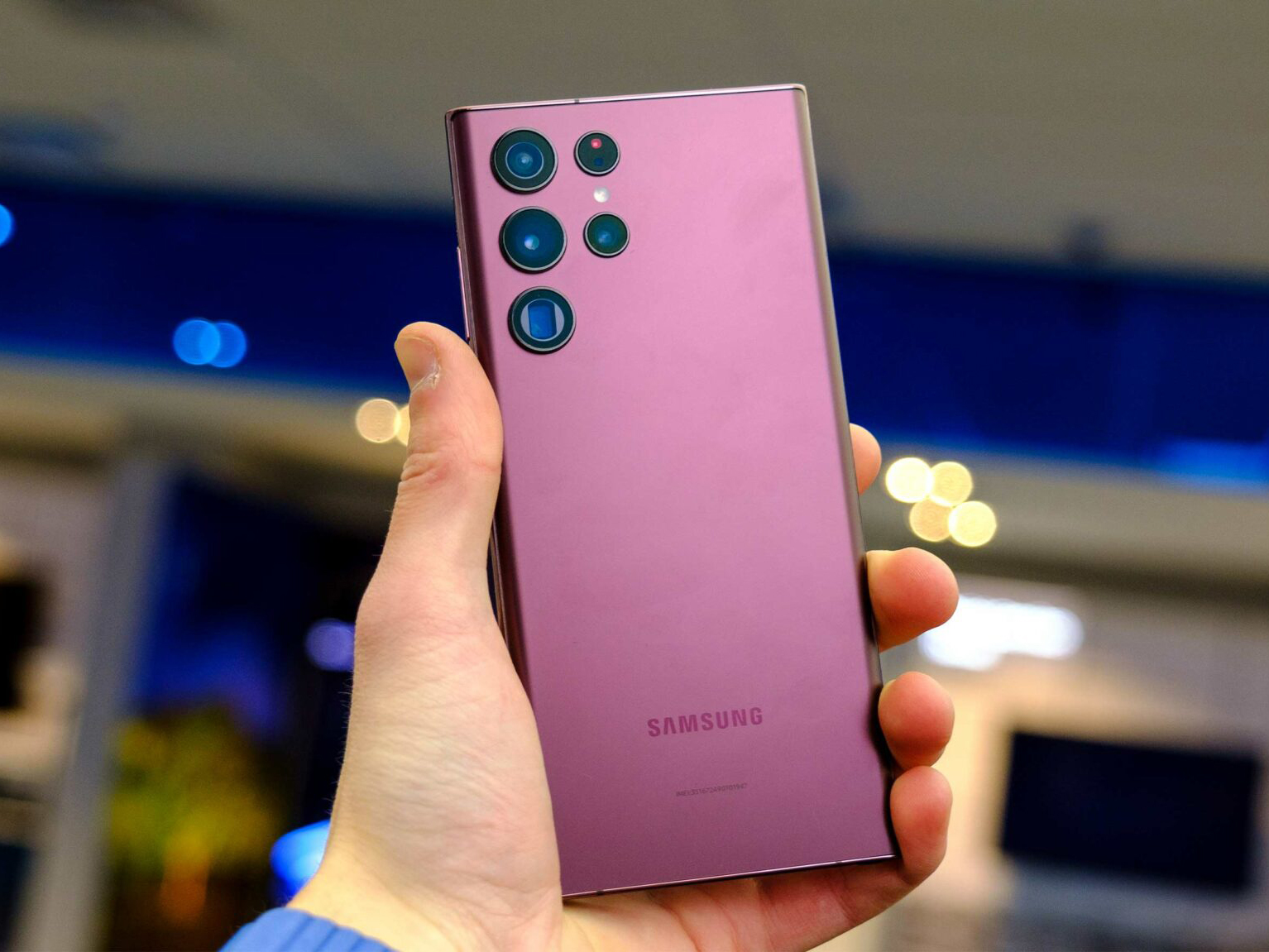
The latest S22 Ultra comes with a quad-camera setup with a camera bump that doesn’t protrude all the way out, but it doesn’t sit flush with the rear either. It features a 108-megapixel f/1.8 main sensor, a 10-megapixel telephoto lens, a 10-megapixel periscope lens and a 12-megapixel ultrawide shooter.
The rear shooters can record 8K at 24fps, 4K at 30 and 60fps and FHD at 30, 60 and 240fps.
On the front, the flagship sports a 40-megapixel selfie camera that can shoot 4K videos at 30 and 60fps and FHD videos at 30fps.
The camera setup on the 2021-released S21 Ultra isn’t that much different. It also sports a 108-megapixel f/1.8 main sensor along with a 10-megapixel periscope lens, a 10-megapixel telephoto lens and a 12-megapixel ultrawide shooter with the same video recording resolutions as the S22 Ultra. The selfie camera on the S21 Ultra is a 40-megapixel f/2.2 one and records 4K at 30 or 60fps.
The Note 20 Ultra, on the other hand, featured a triple camera setup, with a 108-megapixel f/1.8 primary shooter, a 12-megapixel f/3.0 periscope lens and a 12-megapixel ultrawide shooter. The Note 20 Ultra also shoots video at the same resolutions as the S22 Ultra.
The front camera on the Note 20 Ultra however shows that it’s an older device. It features a 10-megapixel f/2.2 shooter that records video in 4K at 30 or 60fps and 1080p at 30fps.
OS, internals and memory
The S22 Ultra ships with the latest Android 12 operating system update and Samsung’s One UI 4.1.
While the older devices shipped with Android 10 (Note 20 Ultra) and Android 11 (S21 Ultra), they too have already received the Android 12 update and can now run on the latest OS.
The Galaxy S22 Ultra sports up to 12GB of RAM, up to 1TB of storage and Qualcomm’s latest Snapdragon 8 Gen 1 processor.
Last year’s S21 Ultra was released with a Snapdragon 888 chipset and features up to 16GB of RAM and up to 512GB of storage, though Samsung Canada currently only has the 12GB RAM, 128GB storage variant listed.
The oldest device in the mix, the Note 20 Ultra, sports a Snapdragon 865 5G+ chipset and features up to 12GB RAM and 512GB storage. Samsung Canada currently has the 12GB RAM/128GB storage and 12GB RAM/512GB Note 20 Ultra storage variants listed on its website.
All three devices feature an in-display fingerprint scanner, an accelerometer, gyro, proximity and compass sensors.
Battery
The S22 Ultra and the S21 Ultra both feature a 5,000 mAh battery. The former, however, supports 45W fast charging whereas the latter only supports 24W fast charging.
The Note 20 Ultra, on the other hand, features a slightly smaller 4,500 mAh battery with 25W fast charging.
All three devices are capable of reverse wireless charging at 4.5W.
Colours
The Note 20 Ultra offers the least colour variants of the bunch. The device comes in ‘Mystic Bronze,’ ‘Mystic Black’ and ‘Mystic White’ colourways, though only the bronze and black variants are currently available on Samsung’s website.
On the other hand, the S21 Ultra comes in ‘Phantom Black,’ ‘Phantom Silver,’ ‘Phantom Titanium,’ ‘Phantom Navy’ and ‘Phantom Brown’ colourways, though Samsung only has the black variant listed as of right now.
The latest S22 Ultra is available in seven colours, namely, ‘Burgundy,’ ‘Phantom Black,’ ‘Phantom White,’ ‘Green,’ ‘Graphite,’ ‘Sky Blue’ and ‘Red.’ Samsung Canada has the S22 Ultra available in all the colour variants.
Square Enix’s Pixel Remaster series takes the first six Final Fantasy games from the NES and SNES eras and gives them a visual update. Specifically, the games feature updated pixel character designs from Kazuko Shibuya, the original Final Fantasy pixel artist.
Other enhancements include a rearranged soundtrack overseen by original Final Fantasy VI composer Nobuo Uematsu, auto-battle options and a bestiary.
The first five Pixel Remasters all launched on mobile and Steam last year. Square Enix hasn’t yet confirmed any console releases.
Originally released on the SNES in 1994, Final Fantasy VI tells the story of a young girl with mysterious powers named Terra as she gets swept up in a rebellion against a ruthless empire. VI is widely considered to be one of the greatest games ever made, making the Pixel Remaster release particularly exciting for fans.
As usual, Wednesday’s Samsung Unpacked event was chock-full of hardware announcements. However, there were several interesting software announcements alongside the S22 series reveal, including a Google announcement about Duo live sharing.
Live sharing is a new feature coming to Google’s video chat app Duo. It’s similar to Apple’s SharePlay for FaceTime and allows Duo users to via notes, photos, videos, and more simultaneously when in a video call. Like FaceTime, Duo live sharing will only work with a limited number of apps, including YouTube, Google Maps, Samsung Notes and Gallery, and Jamboard, Google’s interactive whiteboard app.
Another catch: Duo live sharing will only be fully supported for Galaxy smartphones and tablets, and Pixel smartphones. Engadgetexplains that only people with supported Samsung or Pixel devices will be able to host live sharing Duo calls, while people with other Android devices will be able to join live sharing calls but not host them.
It’s a bummer that the feature is restricted like this, especially considering Duo’s wide availability. Although FaceTime can be used on Android, it’s extremely limited; Duo, however, has a full app experience on both iOS and Android. If Google fully supported live sharing on multiple devices and platforms, it could potentially go toe-to-toe with FaceTime and SharePlay. Plus, Duo live sharing supports YouTube and SharePlay does not — another advantage Duo could leverage if it didn’t restrict live sharing.
Beyond the Duo feature, Samsung’s Galaxy S22 line will also get access to some other new Android features, like YouTube link previews in Messages and the ability to watch full YouTube videos in Messages without leaving the app. Unlike live sharing, however, the YouTube x Messages features will eventually roll out to all Android devices (except Android Go).
If you order a new Galaxy S22 from a telecom or Best Buy, you can only buy it in ‘Phantom White,’ ‘Phantom Black,’ ‘Green’ or ‘Pink Gold.’ There’s no denying that the Pink Gold and Green colours are very appealing, but once you see the colours on Samsung’s site, it’s a different story.
My favourite of the exclusive colours is ‘Cream,’ which was the flagship colour on the Galaxy Flip 3. The other hues include ‘Sky Blue’ and ‘Graphite,’ both of which are Galaxy S22 Ultra exclusive colours as well. The final exclusive option is ‘Violet.’
A new PS4 and PS5 beta is now rolling out to select participants in Canada, the U.S., Japan, U.K., Germany and France.
Additionally, participants in the U.S. and U.K. can now preview a feature that enables voice commands for finding and opening games, apps and controlling media playback.
If you aren’t selected for this beta, the full update will launch globally later this year. Here’s what the beta includes:
Party Chat Update
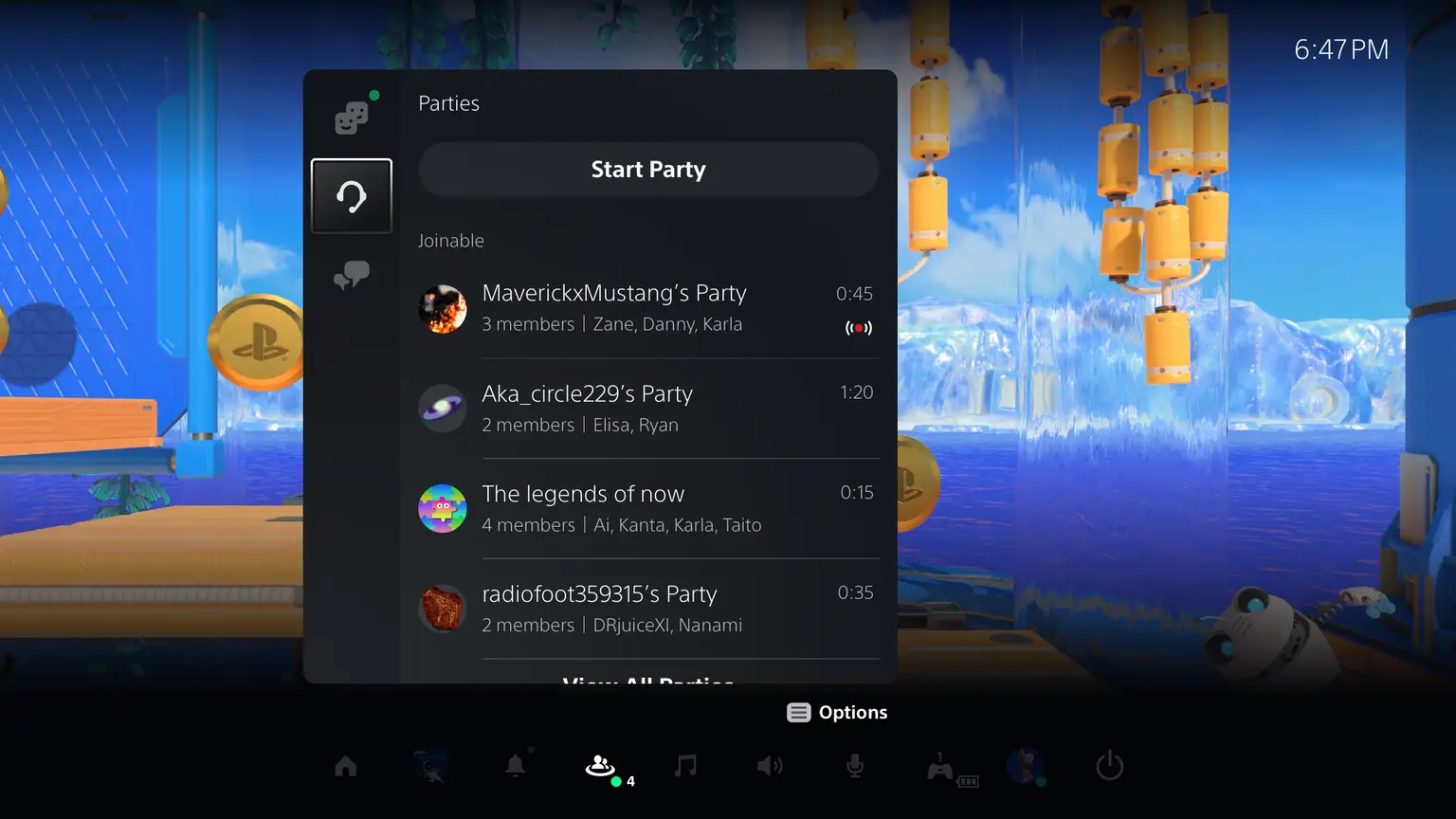
When you start a party, you can select whether to create an open or closed party. An open party lets friends see and join a party without an invite, and friends of party members can also join. A closed party is only for players you invite. Open and Closed parties were already a feature, but now you don’t have to go into any menus to start them.
There’s also now a voice chat reporting feature, so if you want to report something that someone said, there are now visual indicators for you to identify who was speaking.
Additionally, in the PS5 beta, you can start a Share Play directly from the voice chat card; this means you don’t need to start Share Screen first to use Share Play.
On the PS4 beta, you can individually adjust the voice of each player in a party, similar to PS5.
Voice chats are also called ‘Parties’ again, and the Game Base menu is now divided into three tabs: ‘Friends,’ ‘Parties,’ and ‘Messages.’
Two other Game Base updates include an “on-air” icon when someone is sharing their screen and a button that will let users quickly decline a friend request.
New PS5 UI Features
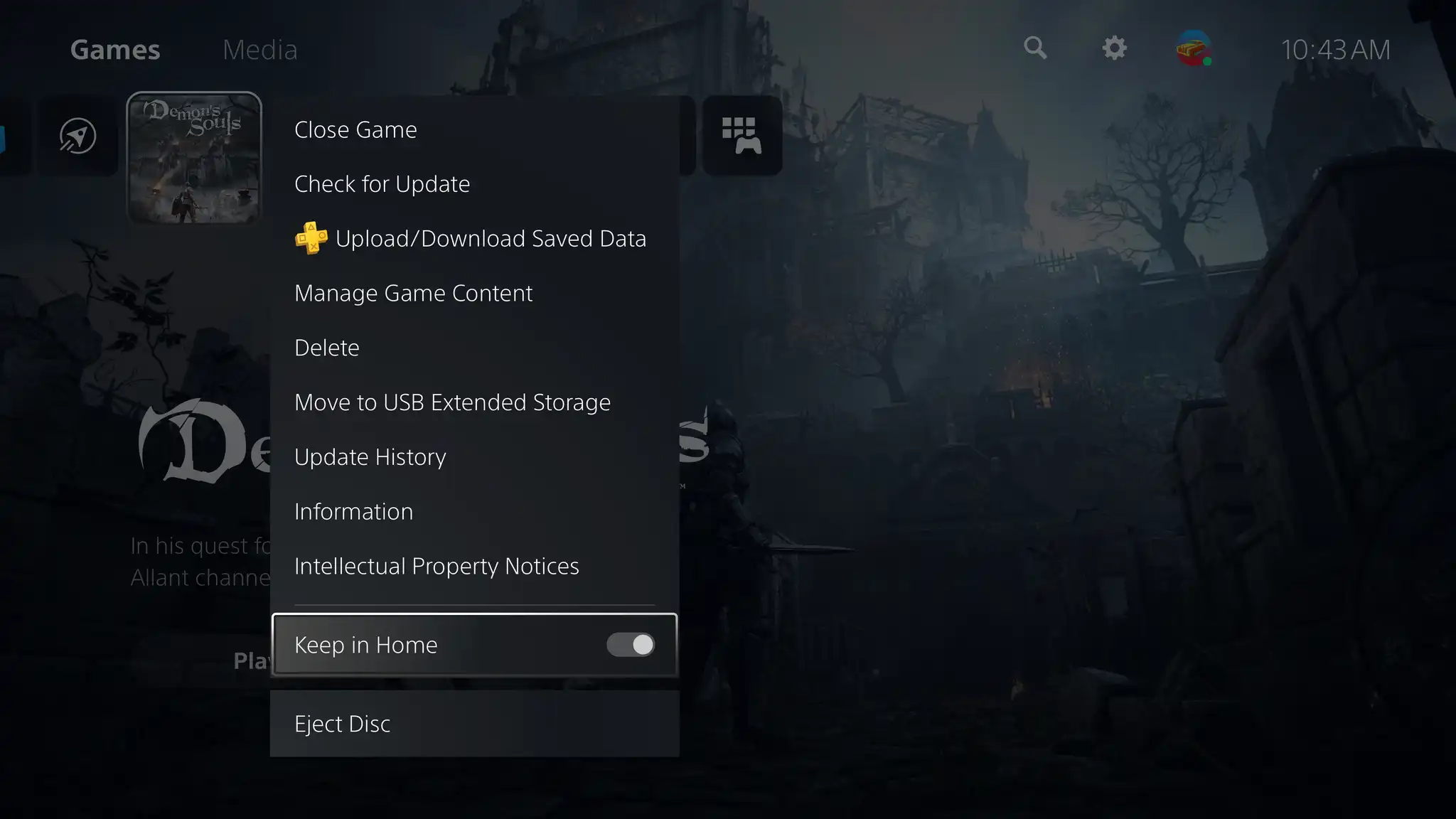
Beta participants will now be able to filter their game collection by genre. You can also choose up to five games or apps to keep on the home screen by selecting “Keep in Home” with the options button. However, you can also keep up to a total of 14 games and apps on your home screen.
There’s now a new trophies UI update that shows a cool visual design of trophy cards on the trophy list and sees suggestions for which trophies you can earn on the trophy tracker.
You can also start the Share Screen from the Create menu and stream your gameplay to an open party.
Accessibility features
There are new accessibility features, including a screen reader, which reads aloud on-screen text and spoken guidance for operating the console. Additionally, there’s now mono audio for headphones instead of a stereo or 3D audio sound mix. This should provide a better experience for players with unilateral hearing loss.
You can also show a checkmark on enabled settings so you can see which settings are turned out.
Carl Pei’s tech startup Nothing has rolled out an update for the Nothing Ear (1) buds that makes them more functional with voice assistants.
The most significant update allows users to triple-tap on the earbud’s touch pannels to initiate their phone’s default voice assistant. This is likely not something everyone will use, but it was odd that Nothing launched the buds without it.
Beyond that, the company also optimized the buds to be more stable when swapping between Bluetooth devices. Adding to that, the company is also claiming that the update will allow a stronger connection with third-party apps and laptops, so all around, this update should make these more stable.
The final aspects of the update improve the battery readout in the Nothing app and the functionality of the in-ear detection feature.
You can update your Nothing earbuds in the Nothing app (Android/iOS). The update is version 0.6700.1.86.