McMaster University has partnered with Canadian company TeraGo to jointly build and deploy the first university-based 5G millimetre wave (mmWave) private network for research. With a private 5G mmWave network, the two entities can develop new technologies for manufacturing and ‘Industry 4.0’ in Canada.
As a quick refresher, mmWave (or high-band 5G) is one of a few types of 5G. The main difference between high-, mid- and low-band 5G is the spectrum they use. In Canada, carriers recently purchased chunks of 3,500MHz spectrum, which is part of mid-band (or Sub-6) 5G. High-band 5G can offer much higher speeds than mid-band 5G, but the radio waves can’t travel as far. Ultimately, high-band 5G will likely help spark innovative new technologies that benefit from the high speeds and lower latency, such as what TeraGo and McMaster will experiment with on their private mmWave network.
Those interested in the differences between mmWave and Sub-6 can learn more here.
McMaster and TeraGo say that the high speeds and low latency of mmWave 5G are a “prerequisite to advanced manufacturing and logistics.” Leveraging mmWave’s benefits along with machine learning, remote automation, edge computing and other technologies will help improve current manufacturing processes.
Further, McMaster is the first university in Canada to adopt the technology, and students will be able to leverage it in classrooms. McMaster researchers Dr. Stephen Veldhuis, Dr. Ali Emadi, Dr. Saiedeh Razavi, Dr. Natalia Nikolova and Dr. Tim Davidson will spearhead the project.
You can check out more of the deals on Microsoft’s website, here.
MobileSyrup utilizes affiliate partnerships. These partnerships do not influence our editorial content, though MobileSyrup may earn a commission on purchases made via these links.
The Canadian video game industry has grown 23 percent since 2019 to contribute $5.5 billion to Canada’s GDP, according to a new biennial report from The Entertainment Software Association of Canada (ESA Canada).
Commissioned by Nordicity, theCanadian Video Game Industry: 2021 report examines the state of the country’s gaming sector, particularly amid the COVID-19 pandemic. Of that $5.5 billion GDP contribution, an estimated $3.2 billion came directly from the industry, with a further $1.2 billion stemming from “indirect and induced impacts.”
Some of the biggest games available are made in Canada, including EA’s FIFA series (EA Vancouver) and Mass Effect series (BioWare Edmonton), Ubisoft’s Far Cry series, (Ubisoft Montreal and Toronto), and, most recently, Square Enix’s Marvel’s Guardians of the Galaxy (Eidos Montreal).
Further, there are now 937 active game studios in Canada, a 35 percent increase over 2019. The vast majority (80 percent) of these companies are located in Quebec, Ontario and British Columbia, although the survey found that the rest of Canada (Atlantic, Manitoba and Saskatchewan) experienced a notable growth with 45 and 41 companies added, respectively.
In terms of the actual workforce, the 2021 Industry Survey found that there are now 32,300 full-time employees in the Canadian gaming space, a 17 percent increase from 2019. Further, 57 percent of companies said they have more employees now than they did in 2017. The average full-time gaming worker makes $78,600 per year, up four percent ($75,900) from 2019.
In terms of employment, 83 percent of full-time gaming industry workers are at foreign-owned companies, while 17 percent are at Canadian-owned companies. This all represents how Canada is “making a global impact,” said Jayson Hilchie, president and CEO of ESA Canada, in a statement.
“…the pandemic has, understandably, shaken up how companies are approaching where employees can work.”
Another way the lack of women in gaming could be addressed is through equity, diversity and inclusion (EDI) plans. According to ESA Canada’s 2021 report, 56 percent of Canadian video game companies have not developed any such EDI program. However, this share varied greatly depending on the size of the company, with 81 percent of large companies claiming to have adopted at least one type of EDI program.
Finally, there’s the “COVID” of it all. The report found that larger studios with 100 or more employees — which represented three-quarters of all full-time workers — went from 97 percent in-office work to 100 percent remote work during the pandemic. This led to nearly 60 percent of Canadian companies reporting a drop in worker productivity during the pandemic.
That said, the pandemic has, understandably, shaken up how companies are approaching where employees can work. {er the survey, only one out of ten large companies intend to go back to a fixed-office mode, with the rest planning some sort of hybrid model. Specifically, 61 percent of ‘Standard’ sized (five to 99 employees) companies say they expect to use a hybrid model, while 24 percent will shift to a fully remote model.
Nordicity’s findings come from an online survey that ran between May and July 2021.
The full Canadian Video Game Industry: 2021 report can be found here.
Twitter Blue, a $3.49 subscription service that offers exclusive features on the microblogging platform, launched on iOS devices in Canada and Australia back in June. Now, the service is expanding in terms of the features it offers and the regions it’s available in.
Twitter Blue is now accessible in the United States and New Zealand on Android, iOS and the web.
Let’s dive into some of the features Twitter Blue offers:
Ad-free articles
Twitter Blue subscribers will automatically get access to ad-free reading when they get redirected to websites like The Washington Post, USA Today, The Atlantic, The Daily Beast, Rolling Stone, BuzzFeed, Insider and The Hollywood Reporter directly from Twitter. While this feature would appeal to the American audience, Twitter says, “This is just the beginning for Ad-free Articles with much more ad-free content to come as we continue to build more partnerships, with more publishers, in more markets.”
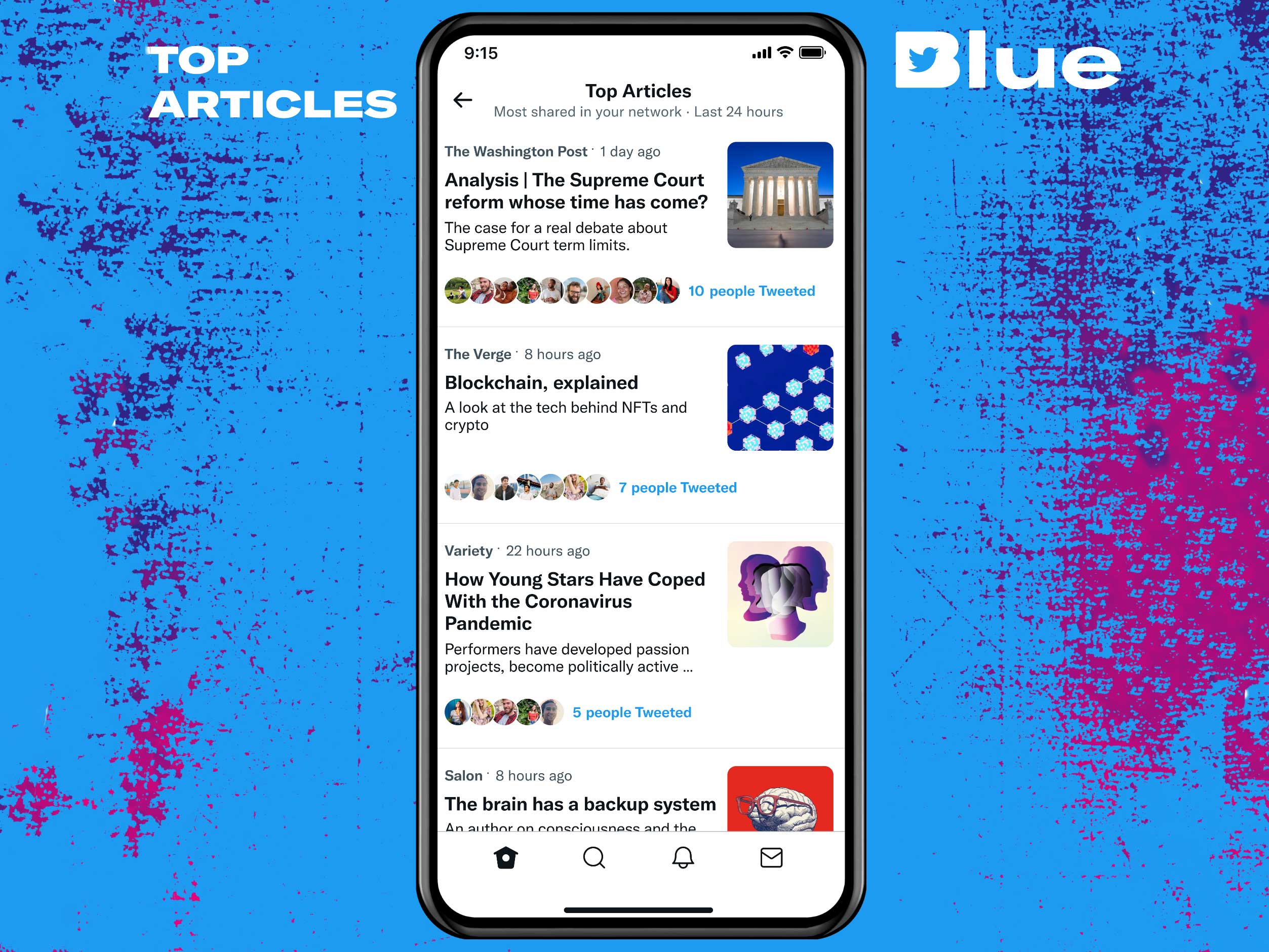
Top Articles
‘Top Articles’ is a summary of the most-shared articles from the people you follow. These Top Articles will update every 24 hours for Twitter Blue subscribers, giving you a new way of catching up on the latest on Twitter.
According to The Verge, the ‘Top Articles’ feature is currently only available on Android and Web, with support for iOS coming “very soon.”
Customization
Twitter Blue subscribers will also get access to some customization options, such as setting themes, exclusive app icons, and Custom Navigation. The new feature allows you to decide what appears on the bottom navigation tab, such as Twitter Spaces, Bookmarks, Top Articles, Communities, Lists, Notifications, etc.
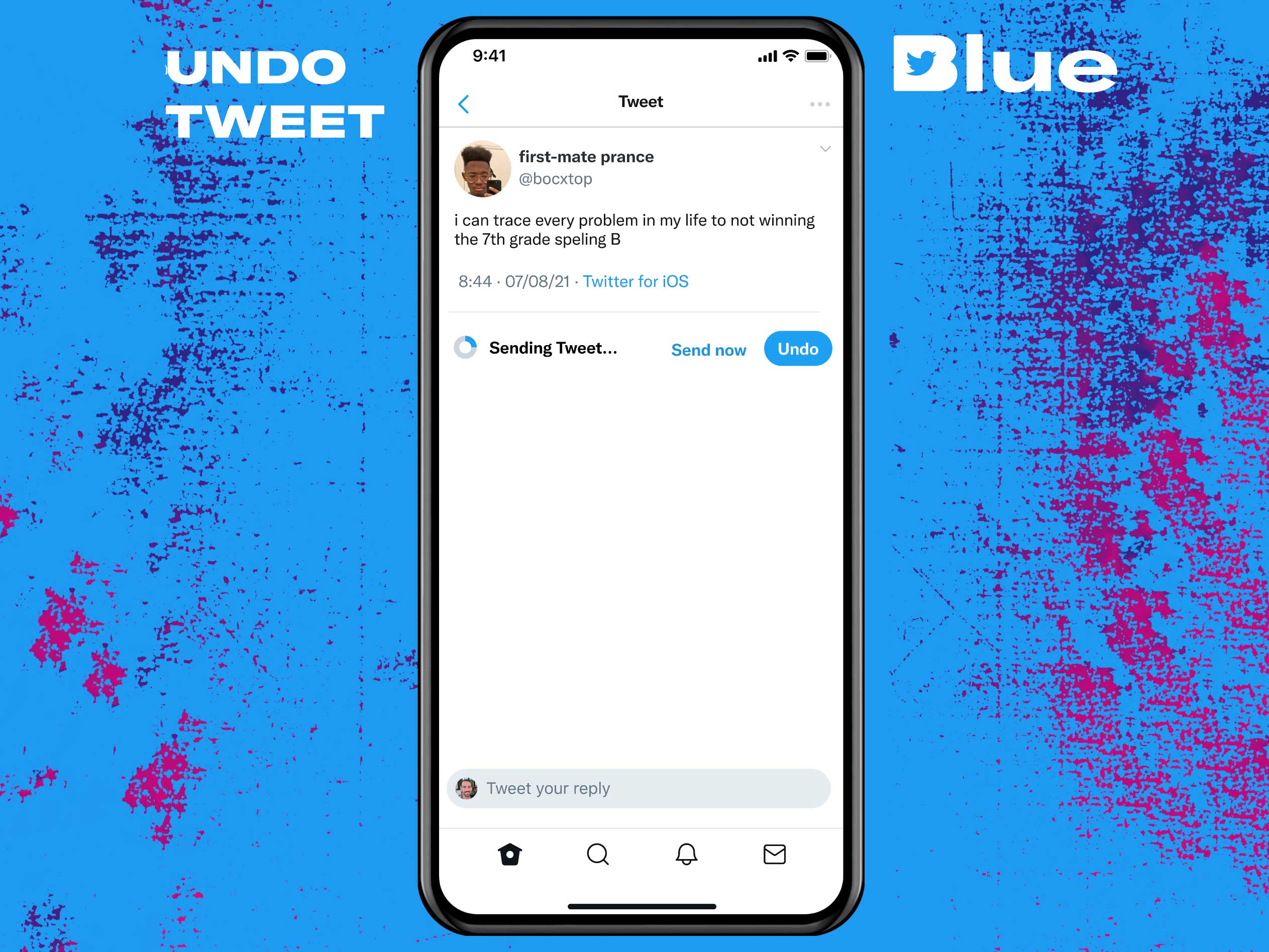
Edit Undo Tweet
Unfortunately, one of the most requested features — an ‘Edit’ button, is still not available. However, Twitter Blue subscribers will get access to an ‘Undo Tweet’ feature that allows users to notice typos and rectify them before their tweet is live, but it does not allow users to modify tweets already published.
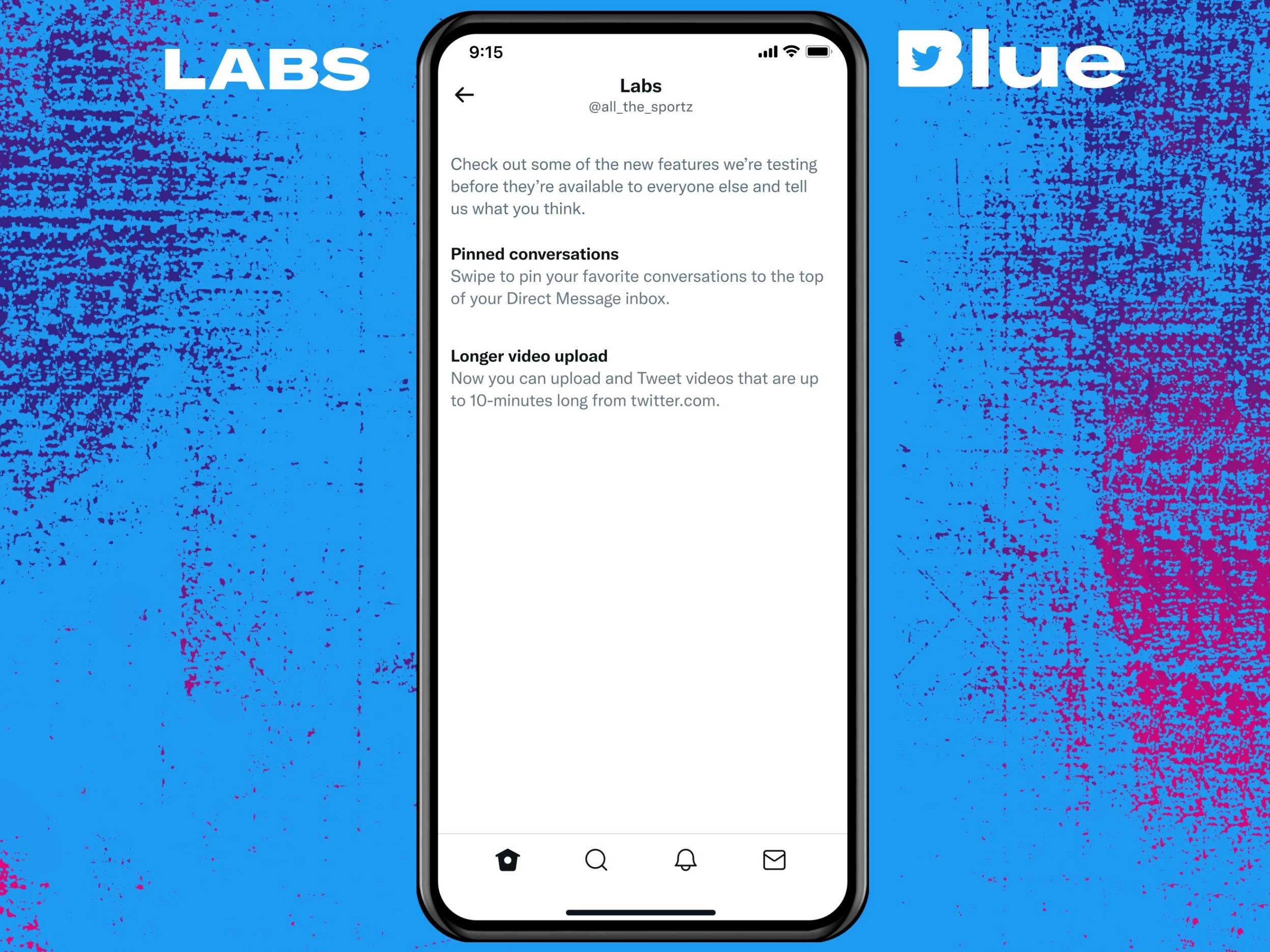
Twitter Blue Labs
Twitter Blue subscribers will also get access to what the platform calls ‘Labs.’ Through Labs, users will get access to in-development test features before anyone else. “These features might eventually become available to the rest of Twitter, graduate to a feature of Twitter Blue, or sunset based on feedback we hear from subscribers,” reads the social media platform’s blog post.
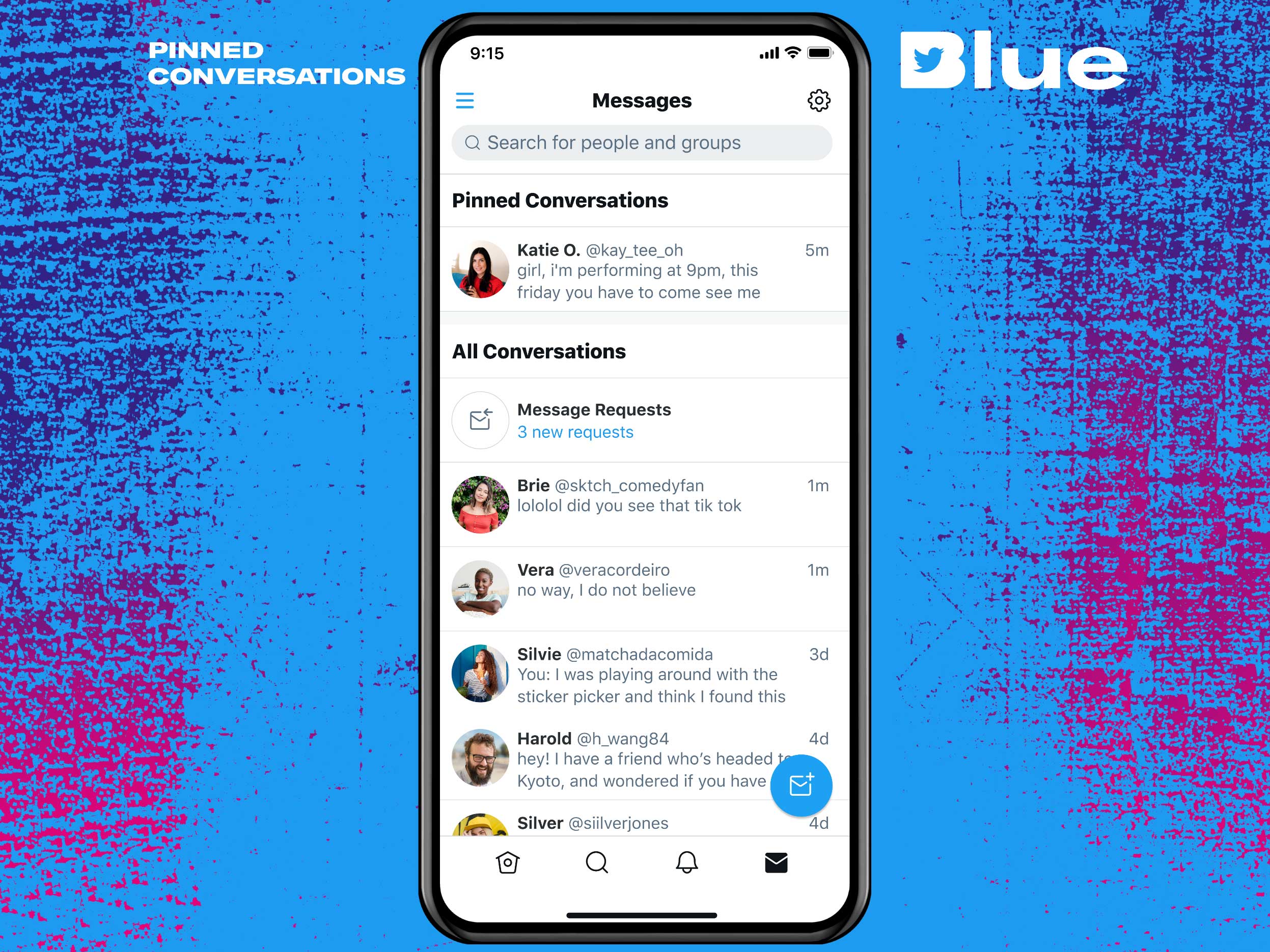
Starting now, subscribers will be able to use ‘Longer Video Uploads’ to upload videos up to 10 minutes long (as opposed to 2 minutes for non-subscribers) and Pin conversations to the top of their DMs.
Pokémon Go developer, Niantic has released its “Lightship Augmented Reality Developer Kit” to facilitate the creation of “real-world metaverse” applications and to “enable developers across the world to realize their visions for augmented reality.”
The first set of Lightship Developer Kit tools are now available to developers globally at Lightship.dev.
— Niantic – BUILDING THE REAL-WORLD METAVERSE 🚀 (@NianticLabs) November 8, 2021
“Transforming humanity’s relationship with technology by merging the physical and virtual worlds will require the ideas and perspectives of as many people as possible,” said John Hanke, founder and CEO of Niantic. “That’s why we’re so excited to open the vault of technology that powers our own games, so developers, creators and brands globally can build inclusive experiences that push the boundaries of what’s possible in AR.”
The Augmented Reality Developer Kit (ARDK) is a cross-platform software development kit that runs on Android and iOS devices worldwide. According to Niantic, it combines the tools and technology that power the top three augmented reality features: mapping in Real-Time, Semantic Segmentation, and Multiplayer Experiences.
The toolset is free, however, but Niantic will charge for a feature that allows several devices to access shared AR experiences at the same time. In addition, Niantic is allocating $20 million to finance new companies developing AR software and applications.
“With an initial $20 million fund, Niantic Ventures will invest in companies building applications that share our vision for the Real-World Metaverse and contribute to the global ecosystem we are building,” reads the blog post
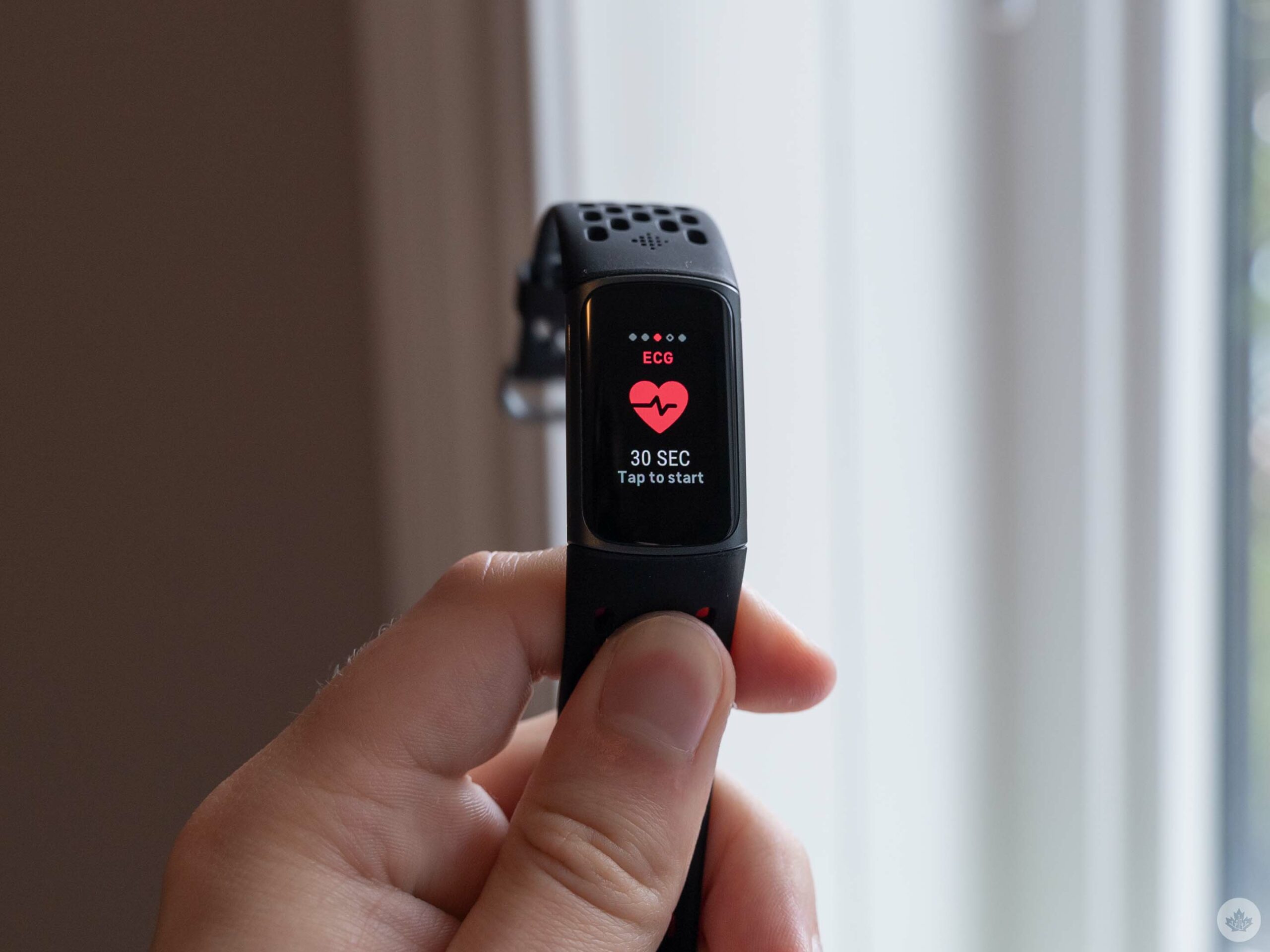
First up, the new Fitbit Charge 5 fitness tracker now has on-device electrocardiogram (ECG). This marks the first time a Fitbit fitness tracker has offered the feature (previously, it was only available for the company’s smartwatches).
The ECG feature works similarly to other wearables, including Fitbit’s Sense smartwatch. You can access it by swiping to the ‘ECG’ screen on your Charge 5 (for me, it was one swipe left or six swipes right). Then, tap it to activate and start the process, which involves pressing your index finger and thumb to the stainless steel panels on either side of the Charge 5 and holding still for 30 seconds.
At the end of the scan, the Charge 5 will tell you whether your sinus rhythm is normal. If not, it could be a sign of atrial fibrillation (an irregularity in your heartbeat). It’s important to note that the ECG feature isn’t a replacement for going to the doctor.
If you don’t see the ECG app on your Charge 5, you might need to install the ECG app first. You can do so by opening the Fitbit app on your phone > tapping your profile picture in the top-left corner > Charge 5 > Apps > ECG. Make sure it’s installed and up-to-date.
Image credit: Fitbit
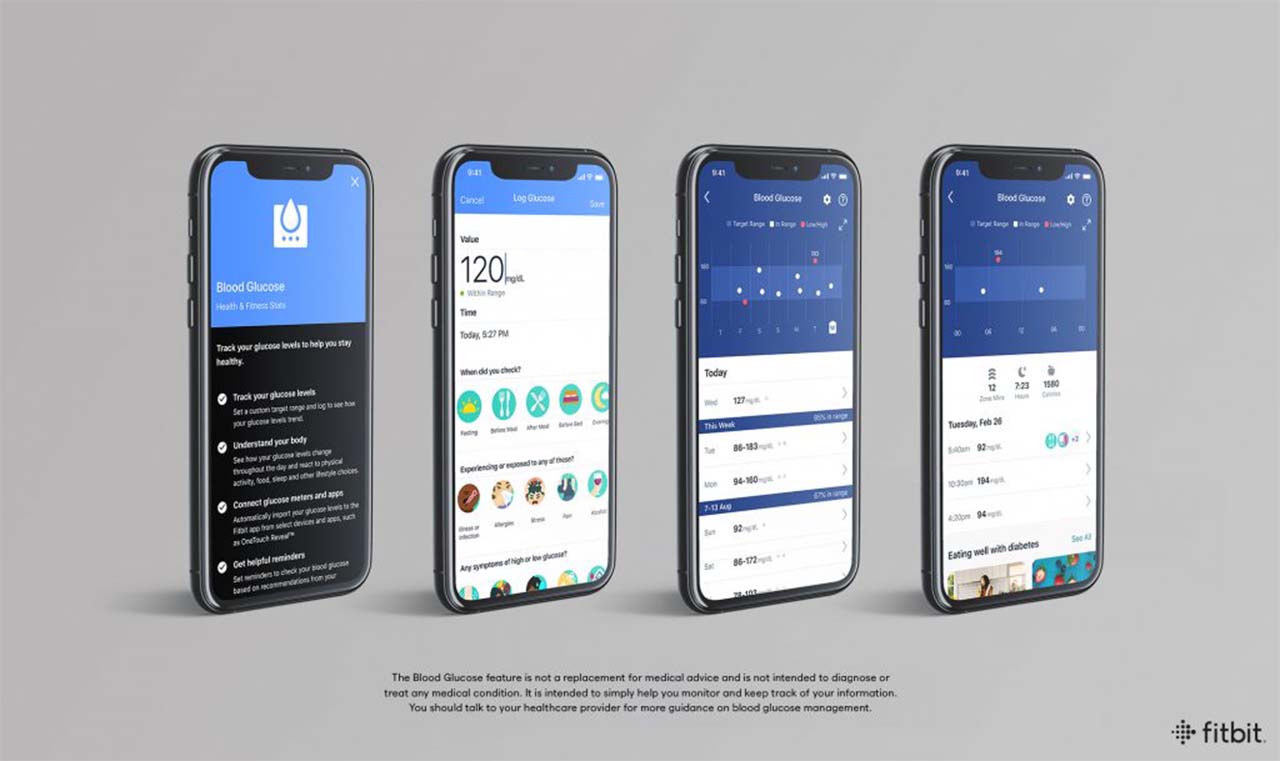
The other feature arriving for Fitbit users today is the ability to do blood glucose logging in the Fitbit app. Now available for users in Canada, Australia, France, Germany, Hong Kong, India, Ireland, New Zealand, Singapore, Spain and the U.K., the feature should prove beneficial to those who need to monitor their blood sugar level. You can learn more about blood glucose logging in Fitbit here.
First up, the new Fitbit Charge 5 fitness tracker now has on-device electrocardiogram (ECG). This marks the first time a Fitbit fitness tracker has offered the feature (previously, it was only available for the company’s smartwatches).
The ECG feature works similarly to other wearables, including Fitbit’s Sense smartwatch. You can access it by swiping to the ‘ECG’ screen on your Charge 5 (for me, it was one swipe left or six swipes right). Then, tap it to activate and start the process, which involves pressing your index finger and thumb to the stainless steel panels on either side of the Charge 5 and holding still for 30 seconds.
At the end of the scan, the Charge 5 will tell you whether your sinus rhythm is normal. If not, it could be a sign of atrial fibrillation (an irregularity in your heartbeat). It’s important to note that the ECG feature isn’t a replacement for going to the doctor.
If you don’t see the ECG app on your Charge 5, you might need to install the ECG app first. You can do so by opening the Fitbit app on your phone > tapping your profile picture in the top-left corner > Charge 5 > Apps > ECG. Make sure it’s installed and up-to-date.
Image credit: Fitbit
The other feature arriving for Fitbit users today is the ability to do blood glucose logging in the Fitbit app. Now available for users in Canada, Australia, France, Germany, Hong Kong, India, Ireland, New Zealand, Singapore, Spain and the U.K., the feature should prove beneficial to those who need to monitor their blood sugar level. You can learn more about blood glucose logging in Fitbit here.
If you were waiting to watch the latest James Bond flick at home, you’re now in luck.
No Time To Die, the 25th James Bond film and actor Daniel Craig’s last outing as the iconic British superspy, is now available on premium video on demand (PVOD) services in Canada. This marks one month since the film opened in North American theatres following multiple COVID-19 related delays.
Picking up after the events of 2015’s Spectre, No Time To Die follows Craig’s Bond as he’s pulled out of retirement by the CIA to investigate a kidnapped scientist who holds the key to a deadly bioweapon. The film was directed by Cary Joji Fukunaga and co-stars Léa Seydoux, Rami Malek, Lashana Lynch, Ben Whishaw, Naomie Harris, Jeffrey Wright, Christoph Waltz and Ralph Fiennes.
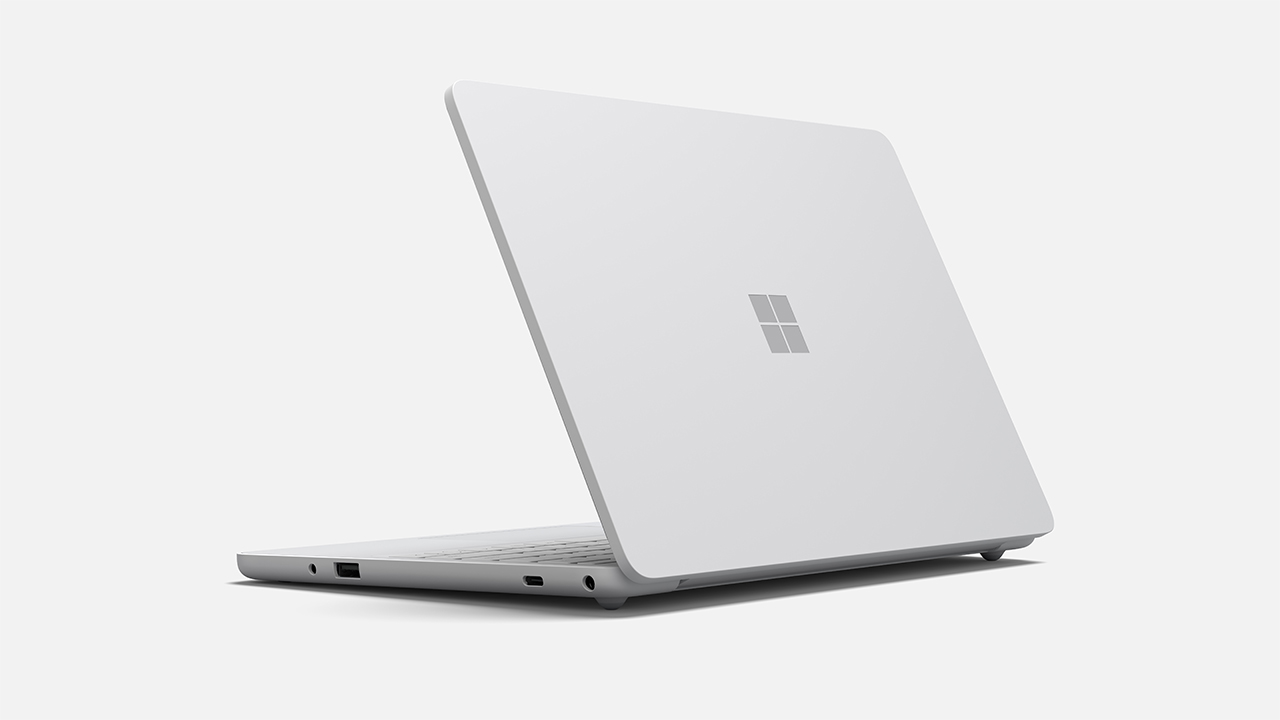
Microsoft has unveiled two new products aimed at students — Windows 11 SE and a low-cost Surface Laptop SE. The company positions the software and new Surface hardware as a great option for students and educational institutions, which sounds a lot like a way to take on Google’s Chromebooks.
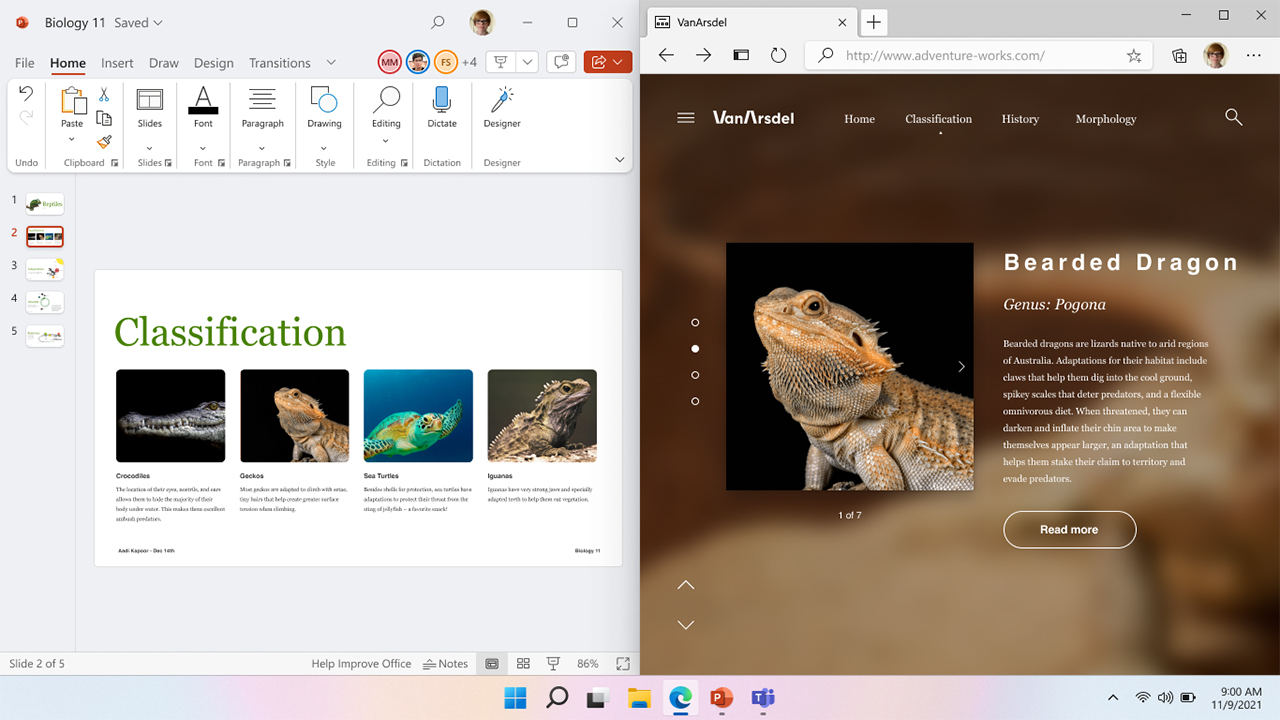
Starting with Windows 11 SE, Microsoft says it built the new OS with feedback from teachers and school IT admins to make the software simple, distraction-free, secure and easy to deploy. Further, Microsoft says it optimized Windows 11 SE for “the most-used education experiences,” which, naturally, includes Microsoft 365.
Interestingly, Microsoft touted that Windows 11 SE devices don’t need persistent internet access, noting that up to 16 million K-12 public school students in the U.S. don’t have persistent internet access outside of school. As such, Microsoft says Office apps, like Word and PowerPoint, work offline on Windows 11 SE. OneDrive also stores files locally and can back files up when students can reconnect to the internet.
Although this all sounds like a no-brainer, it seems like a shot at Google’s Chromebooks, which tend to rely more heavily on web-based platforms and can lose functionality without an internet connection. Still, Google has also done a lot to make Chromebooks less dependent on internet connections in recent years.
Another benefit to Windows 11 SE is that it supports third-party apps. I was particularly surprised by that announcement (especially because Microsoft mentioned Zoom and Chrome as examples, both of which directly compete with Microsoft services like Teams and Edge).
That should allow schools that opt to use Windows 11 SE to work with whatever tools they want, even if that means they won’t use Microsoft’s services. That said, the choice is left up to schools, since Microsoft says only IT admins can download and install apps and services.
Surface Laptop SE and other low-cost Windows 11 SE devices
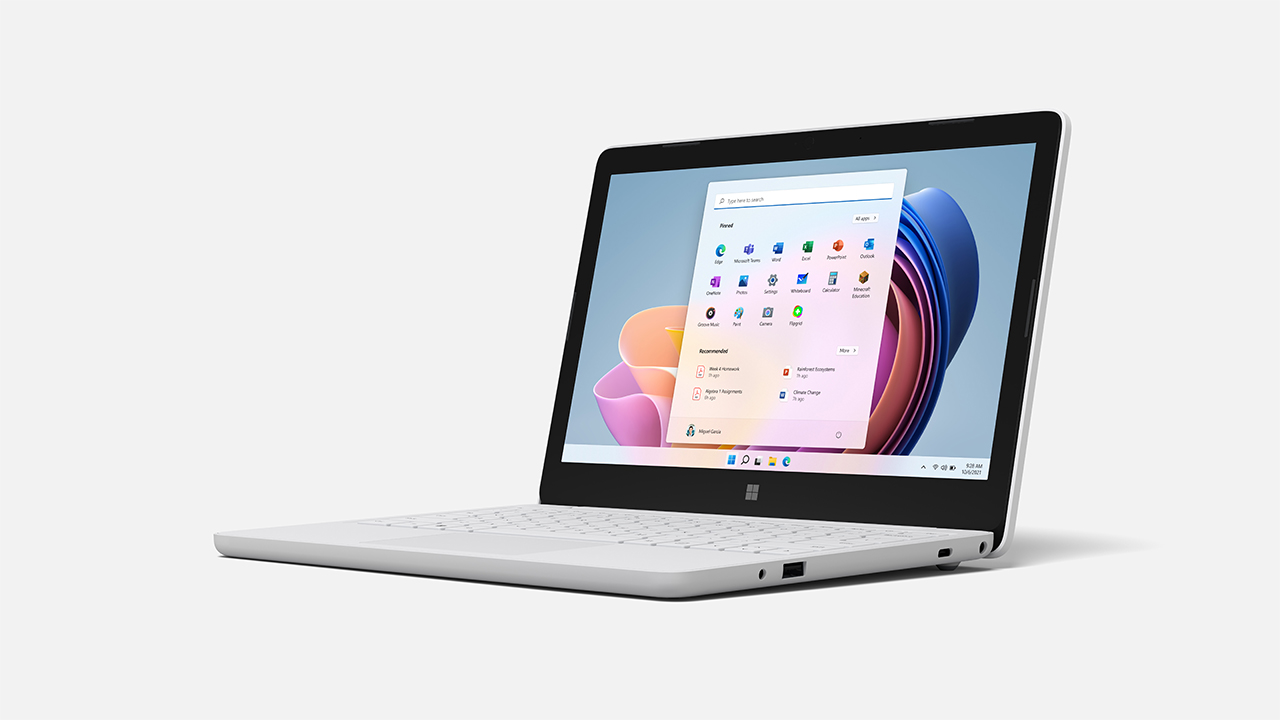
To showcase the new education-oriented operating system, Microsoft announced its most affordable Surface device — the Laptop SE. Coming in at $319.99 in Canada, Microsoft says the tiny laptop is made specifically for K-8 students.
The Laptop SE offers an 11.6-inch screen, 720p HD front-facing camera, stereo speakers and “the same high-quality typing experience as the rest of the product portfolio.” Moreover, Microsoft says the Laptop SE offers “new levels of repairability,” allowing IT admins to easily repair the laptops on-site.
While the Surface Laptop SE will lead the charge for Microsoft’s new education push, the company also announced that other partners would launch education devices. That includes Acer, Asus, Dell, Dynabook, Fujitsu, HP, Lenovo and more will soon offer Windows 11 SE laptops running on Intel or AMD platforms.
Ultimately, it sounds like Microsoft will soon have an extensive fleet of education options tailored for schools. It remains to be seen if Windows 11 SE and the new education-oriented laptops from Microsoft and partners will sway schools away from Google and ChromeOS. Either way, the education space just got a lot more interesting.
Those interested can learn more about Windows 11 SE and the Surface Laptop SE here.
Update 11/09/2021 at 12:42pm ET: Added Canadian pricing to the article.
Netflix is preparing to launch a new feature for kids that will utilize TikTok-style short snippets of videos to promote children’s movies and shows.
As reported by Bloomberg, the feature is called ‘Kids Clips’ and will initially roll out on the Netflix iOS app in Canada, the United States, Australia, Ireland and some Spanish-speaking countries in Latin America.
Steve Moser, an iOS developer, initially uncovered hidden code for the feature, later published by Bloomberg, with Netflix later confirming the feature’s existence.
Netflix’s short-form content for kids will feature “Funny, silly and musical short-form clips from TV shows & movies”. When Netflix was working on this feature internally it was called Bits instead of Clips. $NFLXhttps://t.co/nUKN7eKupe
According to the report, ‘Kids Clips’ will feature short videos from Netflix’s kid-friendly shows and movies catalogue. Each video will be viewed horizontally on the screen, unlike TikTok or Instagram Reels’ vertical format. Further, only about 10 to 20 clips will be available to watch at once to avoid addiction.
‘Kids Clips’ expands on a similar feature called ‘Fast Laughs,’ which was launched to promote the streaming service’s comedy shows. While both the features had their differences, such as the fact that ‘Fast Laughs’ were viewed horizontally, both have a similar goal: to promote Netflix’s content through short snippets of video.
‘Kids Clips’ is launching in the aforementioned countries this week, with no word on support for Android.