Rogers has partnered with the Ontario township of Ramara to expand its fibre internet network in the region.
According to the press release, Rogers is investing $4 million to build new infrastructure to service “800 homes and business” in Ramara, which is located along the northeastern shore of Lake Simcoe.
That new infrastructure includes erecting two new wireless towers in the township, with the help of Ruralwave — a local internet service provider that Rogers purchased in 2020.
Rogers says the project will span “38 square kilometers of underserved area” and should be completed by halfway through next year — i.e. mid-2022.
To ensure connectivity throughout the community, two wireless towers will be installed to provide wireless home internet to more than 80 homes delivering reliable connectivity to residents that are harder to reach with a fibre-optic network
Earlier this week, Rogers announced that it had completed the national rollout of its 5G standalone core network.
The same week has seen Rogers at the centre of a highly-publicized leadership struggle, as conflict continues between the company’s board of directors and founding family.
If you’ve seen Apple’s new MacBook Pro (2021), you likely have an opinion on its display notch. While it’s not a significant issue for a majority of people (including myself), there are some inconsistencies in how it works.
For instance, if an app has lots of taskbar options, then there’s a chance that you might lose one under the notch, as illustrated by a very joyful Quinn Nelson from Snazzy Labs.
I’d expect most apps that suffer from issues like this will update over the next year to support the notch, but if you do hate it, you can disable it on a per-app basis by clicking get info on an app and selecting ‘Scale to fit below built-in camera.’
You’ll need to be on the latest macOS 12.0.1 to enable the feature. You can watch a demo of the setting in action in a tweet below.
Good news for notch haters! If you've got an app (or apps) with menus that collide with the notch, just Get Info on the app, and enable “Scale to fit below built-in camera”.
As a third-party opinion, I’ll mention that I bought a 14-inch MacBook Pro the other day and I don’t find the notch too distracting. However, I primarily use the laptop hooked up to a display so most of my apps appear on the notchless screen.
Perhaps this would be more of an issue if you only used the MacBook screen, but even then I haven’t run into an app that pushes menu bar items that far toward the centre of the screen.
Every month, PlayStation offers a few games at no additional cost to those subscribed to its PlayStation Plus service.
Now, the company has revealed the batch of games that will land on PS Plus in November. This time, there are six free games up for grabs, instead of the usual three, because of the fifth anniversary of PlayStation VR. To celebrate the occasion, PlayStation Plus is offering three free PS Plus games in addition to the trio of PS4/PS5 titles.
To start, there are two PS5 games this month — the dodgeball multiplayer title Knockout City and the social deduction party title First Class Trouble. Notably, both the PS5 and PS4 versions of these games are free with PS Plus; normally, the service only offers one or the other.
Meanwhile, the last of the main three free PS Plus games is the action-RPG Kingdoms of Amalur: Re-Reckoning on PS4. All three games will be available to download for free through PlayStation Plus from November 2nd to December 6th.
As for the PS VR freebies, you can claim the procedurally generated horror game The Persistence, first-person shooter survival title The Walking Dead: Saints & Sinners (Standard Edition) and the first-person sword fighter Until You Fall.
The PS VR titles will be free from November 2nd to January 3rd.
If you haven’t claimed them yet, October’s free PS Plus games will remain free until November 1st — read up on those here.
Google’s Pixel 6 and 6 Pro are the company’s newest and probably most anticipated flagships and because of that, the company seems to be struggling to keep up.
In the U.S. the Google Store put out a notice today saying that the Pixel 6 Pro may be out of stock or have long delivery times, according to 9to5Google.
Canada, on the other hand, doesn’t seem to have the same notice; however, when you’re buying a Pixel you’ll notice that delivery times aren’t anywhere close to now.
With the ‘Stormy Black’ Pixel 6 Google’s delivery time says November 23rd, which is almost a month out. Some of the other Pixel 6 models are just plain sold out, such as the Pixel 6 128GB in ‘Sorta Seafoam,’ or the ‘Kinda Coral’ model. The 256GB ‘Sorta Seafoam’ model seems to be the best bet as it’s starting to ship on November 8th.
The Pixel 6 Pros are another matter entirely. It. seems the earliest you can get a Pixel 6 Pro is December 14th for the ‘Cloudy White’ model. The 128GB ‘Stormy Black’ won’t ship out until December 30th and the ‘Sorta Sunny’ Pixel 6 Pro has a January 18th shipping date. Additionally, the 256GB ‘Stormy Black’ 6 Pro is just completely sold out.
It seems that the Pixel 6 is easier to get at Best Buy, though the device is sold out at stores, you can purchase it online. Further, the Pixel 6 Pro are all sold out it would appear.
It’s likely carriers will have similar stock issues. You can check out the Canadian carrier availability list, here.
Unless you pre-ordered a Pixel 6 series device it’s unlikely you’ll be getting any soon. Currently, MobileSyrup has a contest where you can win the chance to get the Pixel 6, if you weren’t lucky enough to obtain a pre-order.
To learn more about the Pixel 6 or 6 Pro, check out our reviews of the devices.
It’s worth noting that products on the list have varying ‘sale end dates. Make sure you check when the sale price is ending if you’re going to sit on the idea of purchasing a device.
MobileSyrup utilizes affiliate partnerships. These partnerships do not influence our editorial content, though MobileSyrup may earn a commission on purchases made via these links.
Bell and its flanker brand Virgin Plus have finally released Pixel 6 and 6 Pro pricing after basically skipping the pre-order period.
If you were expecting any crazy awesome pricing, well, I’ve got some bad news. Bell appears to be more or less in line with Rogers and Telus on the Pixel 6 and 6 Pro cost.
The Pixel 6 starts at $0 down with $28.30/mo financing ($679.20 over the 24-month term). On the surface, it sounds like a deal, but that pricing is based on Bell’s Device Return Option. In other words, at the end of the two-year contract, you’ll either need to give back the phone or pay $120 to keep in. All in, that means you’d get the phone for $799.20 from Bell through financing, which is the same as buying the phone outright from Google.
If you don’t do the Device Return Option, the monthly financing cost jumps to $33.30 (which works out to $799.20 over two years).
The story is very similar with the Pixel 6 Pro, which also costs $0 upfront and $39.12/mo financing ($938.88 after 24 months). Adding on the Device Return Option fee of $240 brings the grand total to $1,178.88, just a few cents shy of the $1,179 outright price for the Pixel 6 Pro. If you don’t do the Device Return Option, you’re looking at $49.12/mo financing ($1,178.88 total).
Keep in mind that this is all on top of at least an $80/mo plan.
At Virgin Mobile, the Pixel 6 costs $0 upfront and $33.30/mo financing ($799.20 over two years), but plans start at a lower $50/mo. In other words, while the phone costs the same, Virgin Plus customers can get a little relief on the monthly cost.
For the Pixel 6 Pro, Virgin charges $379 upfront plus $33.34/mo financing ($1,179.16 total).
Those interested can check out the Pixel 6 Pro pricing for all carriers offering the phones here.
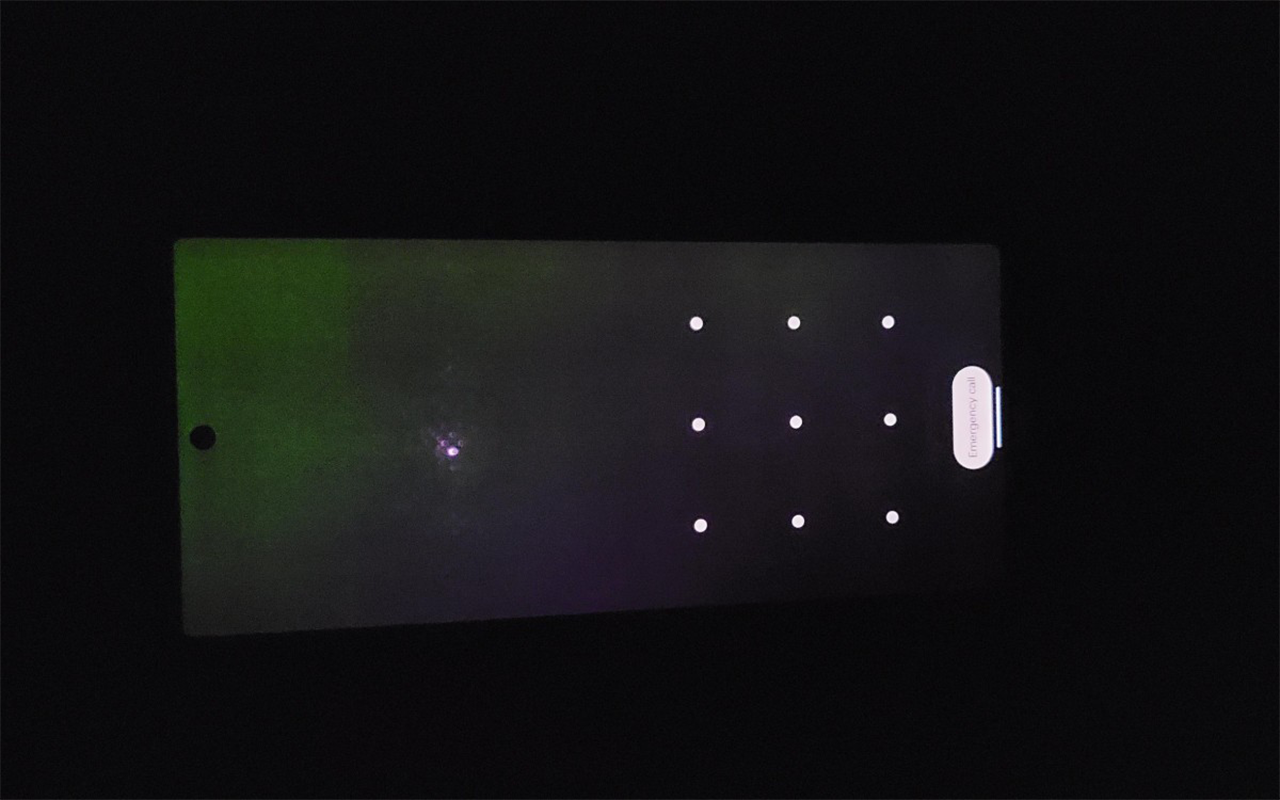
It, unfortunately, seems that Google’s Pixel line has a knack for issues at launch and this year’s Pixel 6 and 6 Pro are, unfortunately no different. Several reports are cropping up from sources like Reddit of people with display issues on the Pixel 6 and 6 Pro.
GSMArenadetailed a few different cases, including a screen flicker issue when the phone is turned off, a green display tint and, in one case a Pixel 6 Pro display adding another hole-punch cut-out. Android Policealso reported on the screen flickering issue.
Let’s start with the screen flickering issue. This one primarily appears to affect the Pixel 6 Pro, judging by the reports from users on Reddit. Android Police does note that the people occupying smartphone subreddits might be enthusiasts who are more likely to buy a Pixel 6 Pro, which could be why the issue is skewed in that direction. I can confirm my Pixel 6 doesn’t have this issue (and neither does Dean Daley’s Pixel 6 Pro for that matter).
For most impacted users, pressing the power button on the Pixel 6 Pro causes the screen to flicker — one video shows green lines briefly appearing on the screen. So far, it seems specific to the power button, although one user did report the issue happening while the phone was on, which is more concerning. Redditors also suggested the problem could be caused by static discharge, but it’s still not entirely clear what’s causing the problem.
Although my Pixel 6 didn’t exhibit the screen flickering issue as described above, it did have some other display problems. First, as I noted in the review, I saw a flicker issue on the display when in use under direct sunlight. Since posting the review, I’ve also noticed a very slight flicker when using dark mode in apps with a grey background, although this appears to be related to the phone shifting between 60Hz and 90Hz refresh rates (locking the Pixel 6 to one refresh rate stops that from happening).
My Pixel 6 also has a green tint at low brightness on dark grey screens, although not as severe as what was reported by GSM. Green tints aren’t uncommon on OLED panels and I’ve seen this issue before (including on previous Google phones like the Pixel 4). Still, it’s a frustrating issue, especially if you encounter it on your new, expensive smartphone.
We kind of concluded that it is not display damage, as poking it doesn't make it bleed or warp. Also debug drawing over it didn't work. This display was hole punched twice. #Pixel6Propic.twitter.com/pRLcxfXTaO
Finally, the display cut-out issue seems like more of a one-off, but it’s still strange to see. I haven’t encountered anything like that, even when I was messing around with Android’s built-in display cut-out simulator in the developer options screen.
With over 13 wireless carriers in Canada, it can be difficult to keep track of the latest promotions and cell phone rate plan changes.
MobileSyrup will compile the latest weekly rate plan deals every week. You can also check out our guide on plans across Canada to find the right plan for you. You can compare from 47,842 options and 13 carriers in Canada to find the best option.
It’s worth noting that rate plans are always subject to change and that we’ll do our best to keep this list updated as accurately as possible.
Canadian carrier rate plan changes this week
New deals:
Get six months of Crave on us.
Get our unlimited talk and text plan for just $30/mo.
Ongoing deals:
$55 Promo plan with 15GB data (QC). For new activations only.
Promo on Unlimited Share 20 for $80 with new activations and upgrades only; the Canada-US version is $100/mo. (main regions)
$50 Promo plan with 8GB data (QC). For new activations only.
Save $50 when you buy online.
Save $15/mo. for every family member you add to your account.
Get 20% off any Samsung smartwatch with Bell SmartPay
Various monthly phone credits on select smartphones with SmartPay or SmartPay + Device Return Option
Unlimited and Connect Everything share plans are $15/mo. cheaper in MB, QC & SK compared to main regions
100MB bonus data on $25 Prepaid plans or 500MB bonus data on $30+ Prepaid plans with allowance or auto-allowance top-up
Get up to 500 MB bonus data/mo. when you sign up for Automatic Monthly or Automatic Monthly/Low Balance Top-Up option on eligible plans.
Save $40 on the intelliARMOR UV Shield+ portable sanitize
Get three months of Apple Fitness+ free when you buy an Apple Watch
Up to $700 trade-in credit with any smartphone purchase or min. $100 trade-in credit with eligible phone trade-in and purchase of a new one
$50 referral credit for both when referring a friend after they join on a postpaid plan.
Get six months of Apple TV+ and Apple Arcade when you get an iPhone and three months when you get a certified pre-owned iPhone.
Shop online and save the $50 connection fee
Bonus 500MB data per month with Automatic Top-Up on the $30+ talk, text & data prepaid plans – both Canada-wide and Province-wide calling plans (all regions)
Various plans: Increase pricing on Samsung Galaxy A12 32 GB, Galaxy S20+ 128 GB, Galaxy S20 Fe 5g 128 GB, Galaxy Z Flip3 5g 128 GB, Galaxy Z Fold3 5g 256 GB, Galaxy A32 5g 64 GB, Galaxy A52 5g 128 GB
Various plans: Dropped pricing on Samsung Galaxy S20 Ultra 128 GB, Galaxy S21+ 5g 256 GB
Google Pixel 6 128 GB, Pixel 6 Pro 128 GB are now available
Various plans: Increase pricing on Apple iPhone 11 64 GB, iPhone 12 64 GB, iPhone 12 Pro 512 GB, iPhone 13 512 GB, iPhone 13 Mini 128 GB, iPhone 13 Pro Max 128 GB
Various plans: Dropped pricing on Apple iPhone 12 Pro Max 128 GB
Various plans: Increase pricing on Motorola Moto G Power 64 GB
New deals:
Get up to 20GB of Bonus Data when you sign up on select plans.
Get up to 20GB of Bonus Data when you sign up on select plans.
BYOD Big Gig Unlimited plans: get 20 GB bonus date on the $85/$115 Canada/US plans
Freedom plans: Get 3GB bonus data on the $35 plan
Ongoing deals:
Add a line with 8GB data for $35/mo
Get Talk, Text and 1.5GB of Fast LTE Data for $24/mo.
Freedom plans: Get 7GB bonus data on the $45 plan
BYOD Big Gig Unlimited plans: get 15GB bonus data on the $85 plan
BYOD Big Gig Unlimited plans: get 7GB bonus data on the $50/$60 plans
Freedom plans: Get 6GB bonus data on the $40 plan
BYOD Big Gig Unlimited plans: get 9GB bonus data on the $65 plan
BYOD Big Gig Unlimited plans: get 10GB bonus data on the $75 plan
Refer a friend and get a $25 service credit for each referral. Save up to $250 a year
Freedom plans: Get 10GB bonus data on the $50 plans
Get three months of Apple TV+ included when buying an Apple iPhone (except iPhone 12 series)
Prepaid Freedom Talk + Text – 12 Month plan for $99/year
Get $5/mo. on BYOD Big Gig Unlimited plans
Get up to 15GB of Bonus Data when you sign up on select plans.
Get one month of Visual Voicemail for Free
Save the $10 connection fee when you order and activate a Prepaid SIM Card online
Switch and save $10/mo. for 24 months. Plus, save an extra $20/mo. if you bring your own device.
Save $20/mo. off any voice & data plan when you bring your own phone or buy a phone at a full price.
Ongoing deals:
Bring your Google Pixel and save $600
Save up to $200 when you purchase a new iPhone and Apple Watch.
Sign up for a noSTRINGS Prepaid Talk, Text & Data or Unlimited plan and save $10/mo. for eight months.
Get three months of Apple Fitness+ free when you buy an Apple Watch.
Switch and save $10/mo. for 24 months when you sign up for wireless service on any unlimited or shareMORE plan. Plus, save an extra $20/mo. if you bring your own device. Conditions apply.
500MB bonus with Automatic Top-Up on $24, 3.5GB bonus with Automatic Top-Up on $33, 11.5GB bonus with Automatic Top-Up on $43 plans for QC
Ongoing deals:
$50 referral credit each when referring a friend after they activate
250MB bonus with Automatic Top-Up on $15, 1GB bonus with Automatic Top-Up on $25, 3GB bonus with Automatic Top-Up on $35, 5GB bonus with Automatic Top-Up on $40, 10.5GB bonus with Automatic Top-Up on $50, 15.5GB bonus with Automatic Top-Up on $70 ( main regions )
I was one of those kids who got a hole in their hand after playing Mario Party‘s ‘Tug o’ War‘ minigame on the Nintendo 64.
After the lawsuits and the fingerless gloves back in the late ’90s, I assumed the controversial minigame wouldn’t return in Nintendo’s nostalgic celebration of all things Mario Party for the Switch, Mario Party Superstars.
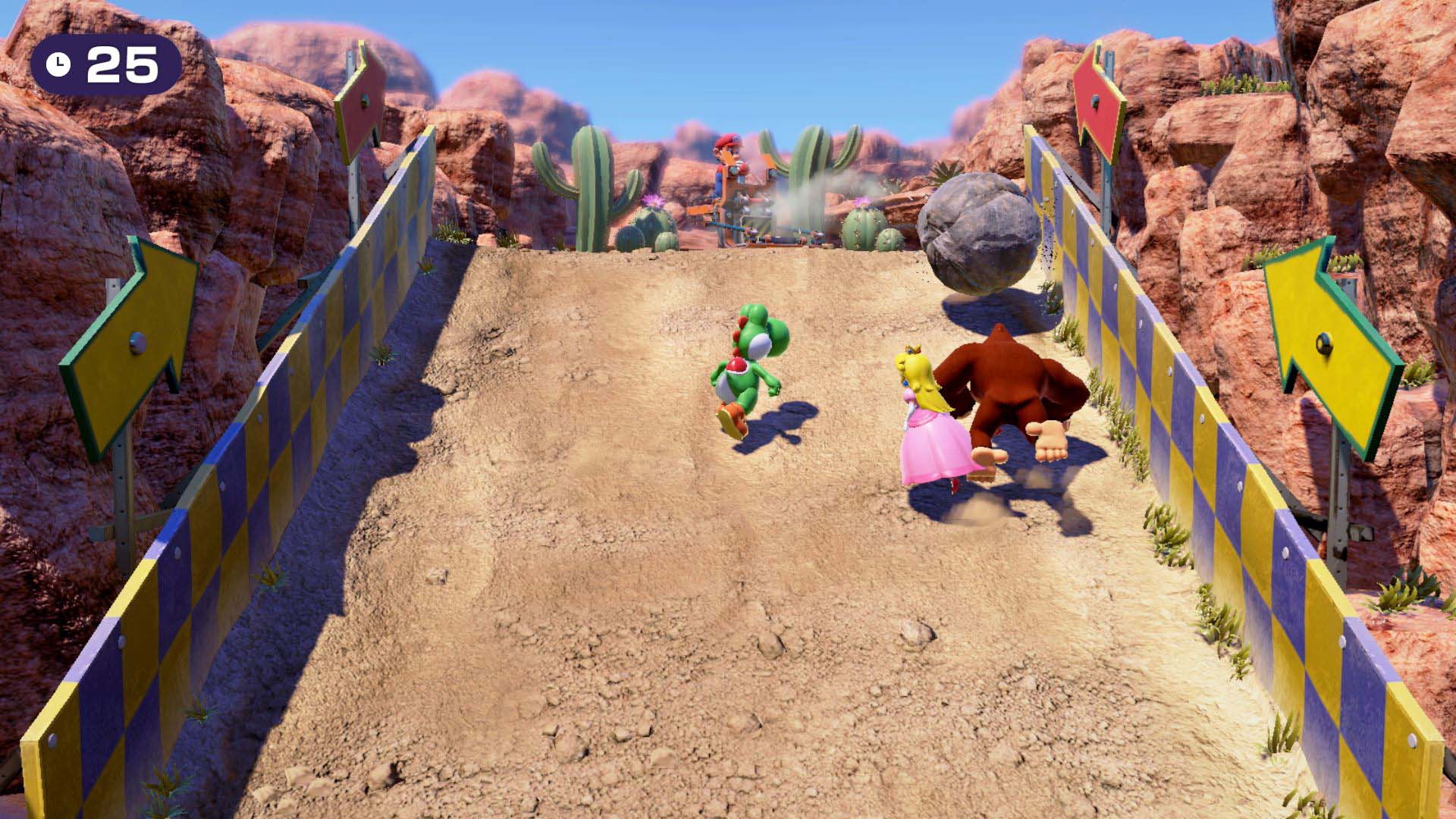
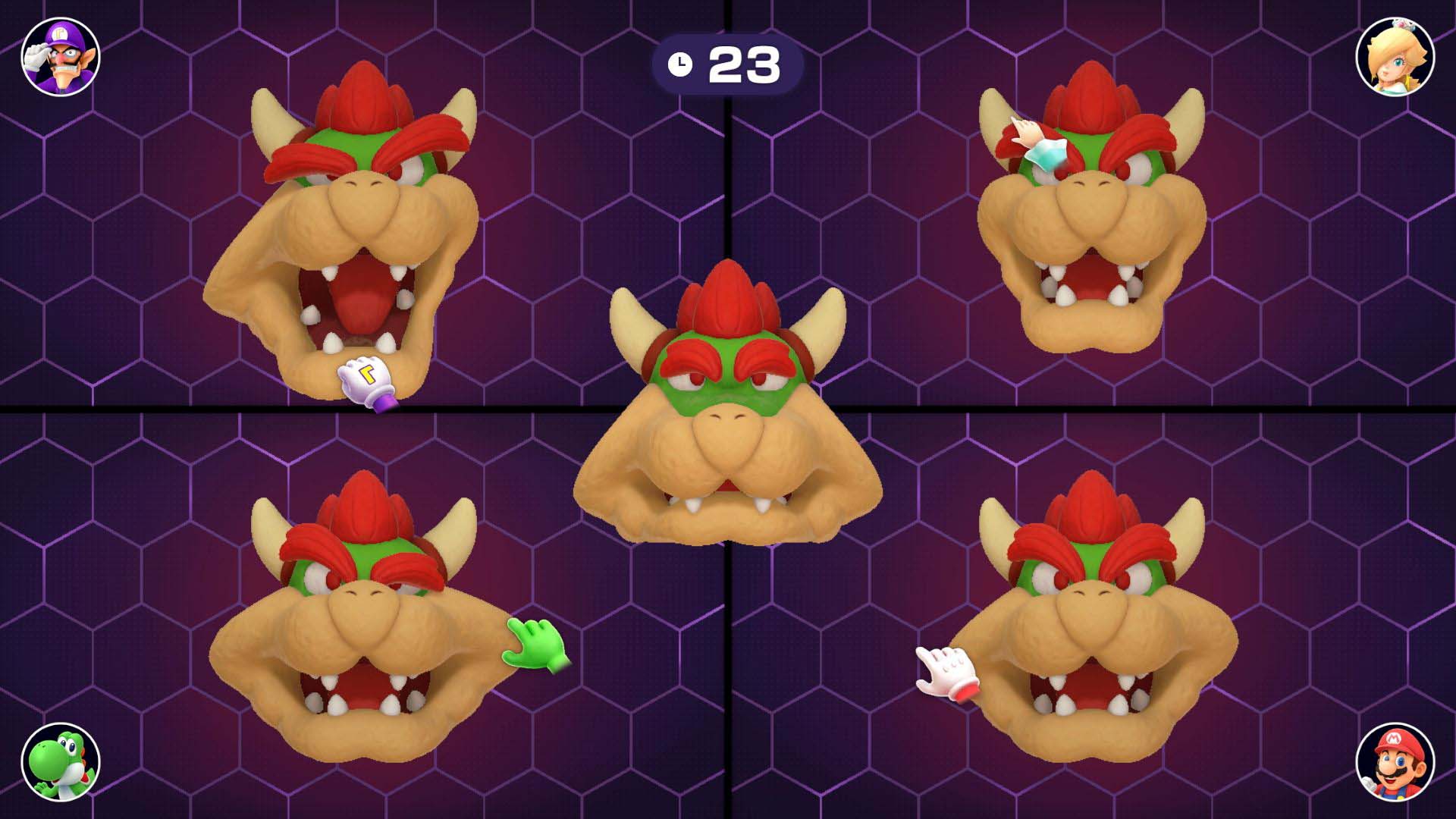
Surprisingly, Tug o’ War is part of the list of 100+ games spanning the long-running series’ 11 titles, along with a cautionary notification that reminds players “to avoid irritation to your skin and/or damage to the control stick, do not rotate it with the palm of your hand.”
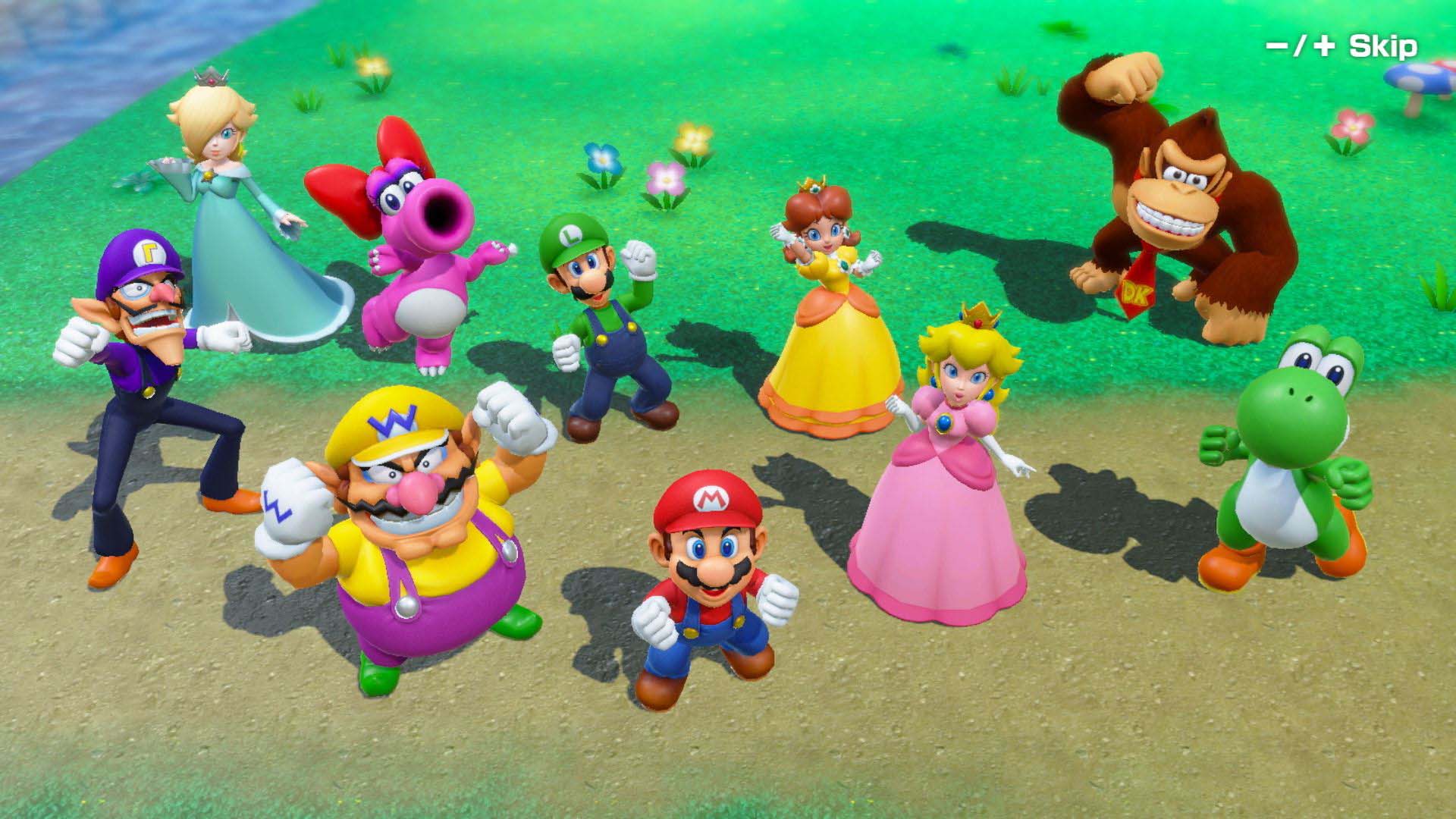
With that side anecdote out of the way, Mario Party Superstars doesn’t do a lot to shake up the long-running virtual board game/party series’ formula. Instead, it aims to fix Super Mario Party‘s shortcomings with a collection of some of the best boards and minigames from the series, coupled with surprisingly extensive online play options that I, unfortunately, haven’t been able to test out yet. After I spend time with Mario Party Superstars’ online modes once they go live, I’ll add my impressions to this story.
First off, there are a few changes to the series’ formula in Superstars. For example, Stars now cost 20 coins to purchase again instead of just 10 like in Super Mario Party, and you can also add more turns to a game, allowing you to extend the action if you choose to.
Thankfully, it’s finally possible to save your game and dive back into the experience later, making a 30 turn game more feasible than it was before. While small additions, these quality-of-life changes go a long way towards making Mario Party Superstars feel more modern.
But as with all Mario Party titles, it’s the minigames that truly matter. As someone who has only played the Nintendo 64 titles and a few GameCube entries at friends’ places over the years, I was thrilled to see classics like ‘Bombs Away,’ ‘Shy Guy Says’ (I’ve always been awful at it), ‘Bumper Balls, ‘ ‘Trap Ease Artist’ and more featured in the title. If you’re a fan of the series, or like me, have only played a couple of games in the franchise, your most fondly remembered minigames are likely included in Superstar.
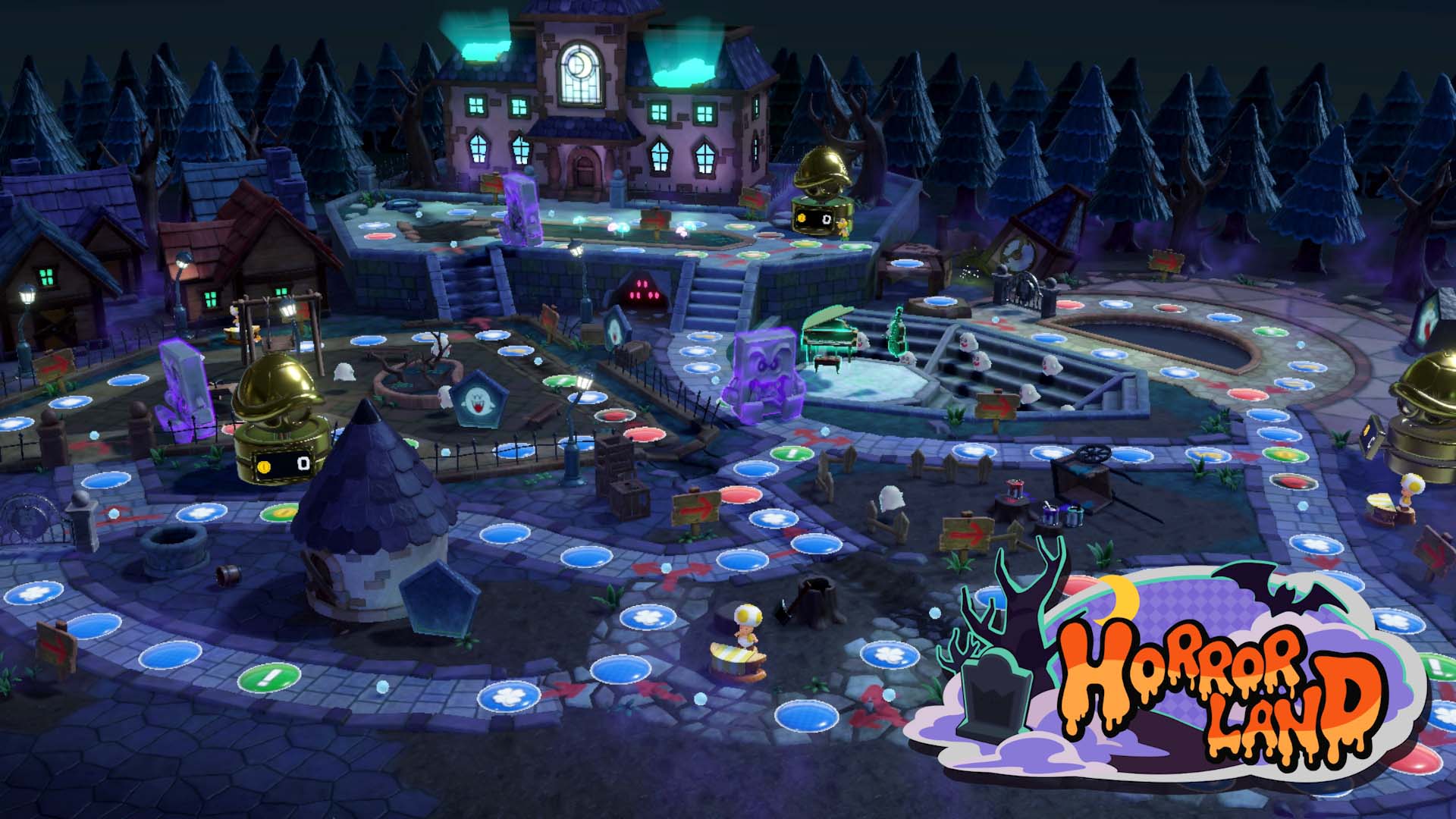
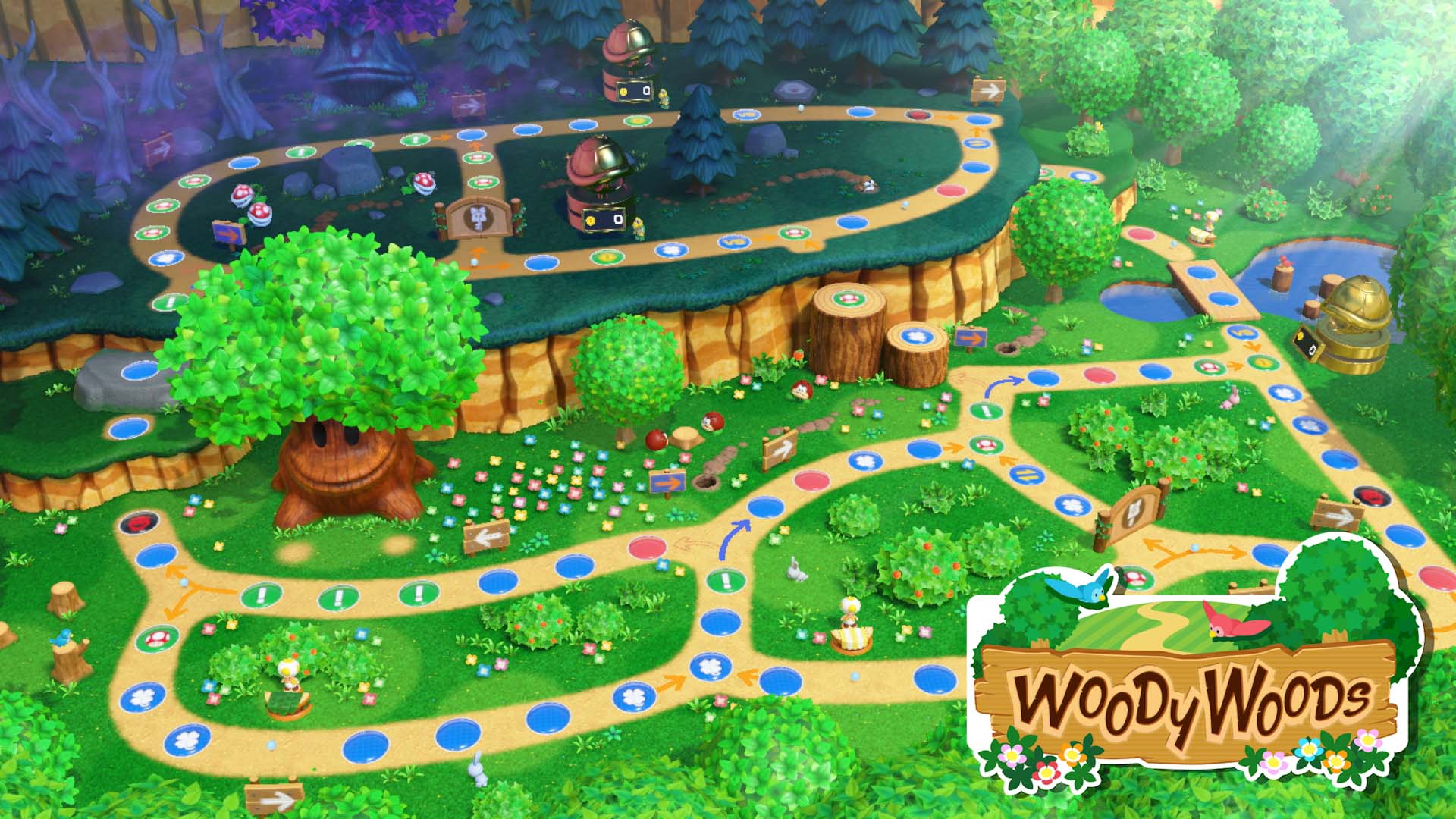
On the game board side of things, classics like Yoshi’s Tropical Island, Space Land, Horror Land and more return. I can’t help but wish more classic boards were included in Mario Party Superstars, especially those not from the N64 entries, but I wouldn’t be surprised to see them added to the game at a later date through free DLC.
Along with the standard board game action the series is known for, there’s also a new area called Mt. Minigames. This section of Mario Party Superstars lets you play all 100 minigames in a variety of modes like ‘Freeplay,’ ‘Coin Battle,’ ‘Trio Challenge,’ ‘Daily Challenge’ and more. I’ve always preferred to just play a collection of minigames in Mario Party titles rather than slog across the game board — especially if I’m playing with AI opponents — so I’m glad to see these options included in Superstars. Some minigames also feature selectable stage variations, which is a nice touch on Nintendo’s part.
There are other additions to the series in Superstars, too, including emotive stickers you can make appear on the screen in the middle of matches, and a slew of unlockable music tracks, card designs and more.
It’s also important to mention this is the first Mario Party game for the Switch that can be played entirely in handheld mode. 2018’s Super Mario Party, on the other hand, featured motion controls, making it incompatible with handheld mode. This means the game works with all of Nintendo’s Switch consoles, including the handheld-only Switch Lite.
If you’ve enjoyed Mario Party titles in the past, you’ll likely find a lot to like about Mario Party Superstars, but if you’re expecting the game to shake up the franchise in a significant way, that’s definitely not the case here. However, what does make Superstars unique is that it’s a collection of all of the series’ best courses in one title.
With this in mind, it’s sure to appeal to anyone with a nostalgic connection to the franchise.
MobileSyrup utilizes affiliate partnerships. These partnerships do not influence our editorial content, though MobileSyrup may earn a commission on purchases made via these links.
Colours: Cloudy White, Sorta Sunny, Stormy Black | IP68 water and dust resistance
Pixel 6 Pro
Colours: Cloudy White, Sorta Sunny, Stormy Black | IP68 water and dust resistance
For those not interested in getting the latest Google flagship from Google itself, you can purchase the phones from various Canadian carriers (we’re still waiting on Bell’s Carrier pricing).
You can check out our full reviews for the Pixel 6 and 6 Pro on MobileSyrup, alongside our video about Real Tone.
Additionally, you can check out carrier pricing, here.
MobileSyrup utilizes affiliate partnerships. These partnerships do not influence our editorial content, though MobileSyrup may earn a commission on purchases made via these links.