Categories
Mobile Syrup

Xbox’s expensive expansion cards are likely about to get a bit cheaper

Microsoft is seemingly working with new manufacturers on additional storage expansion card options for Xbox Series X/S.

As spotted by The Verge, a since-deleted listing on Best Buy’s U.S. website showed a 1TB Western Digital expansion card priced at $179.99 USD ($242 CAD). For context, this is $40 USD ($53.85 CAD) cheaper than the $219.99 USD ($296.05 CAD) 1TB model offered by Seagate, the only company to currently produce Xbox’s current-gen expansion cards.

In Canada, the official pricing for Seagate’s 1TB card is $289.99. It’s unclear what the Canadian pricing for Western Digital’s 1TB card would be.

Since launching in November 2020, the Xbox Series X/S have only supported Seagate’s pricey expansion cards. Given that current-gen games take up increasingly large portions of console storage space, this has left Xbox consumers with few options. Outside of buying the expansion cards, your only alternatives are to delete games when possible or use Xbox Cloud Gaming to stream titles without the need for downloads.

It remains to be seen when Xbox and Western Digital will formally unveil the new expansion cards.

Image credit: Xbox

Via: The Verge

Categories
Mobile Syrup

This is when you should use your leftover rolls for Tim Hortons Roll Up To Win

An Ontario professor has nailed down the ideal time to increase your chance of successfully winning a round of Tim Hortons Roll Up To Win.

According to Michael Wallace, an associate statistics professor at the University of Waterloo, that time would be 3:16am.

He came to the conclusion after rolling 30 virtual rolls at what he calculated to be the best time to play, winning 23 of them. He also played 30 times during the worst calculated time and only won five times.

“So my win rate was about five times higher playing at the optimal time or nearly 80 percent,” he told Global News.

The worst time to try and win is between 11am and 12pm. However, he cautions the 3:16am time frame could change now that he has revealed the details.

While the contest is officially over, you might want to try this method with any remaining rolls you have left.

Image credit: Tim Hortons 

Source: Global News

Categories
Mobile Syrup

Rogers offering $95/50GB Canada-U.S. plan until end of day

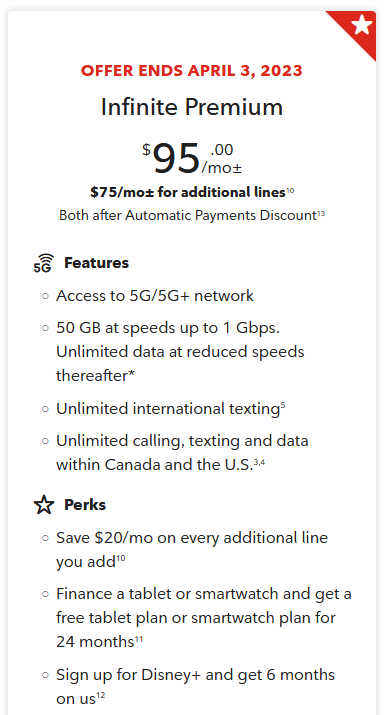
Rogers has a small, limited-time promotion offering its $95/mo 50GB ‘Infinite Premium’ plan with Canada-U.S. calling and texting instead of the regular Canada-only version.

iPhone in Canada spotted the promo over the weekend, but it ends on April 3rd, 2023.  As far as promos go, it’s not that crazy — the bump from Canada-wide talk and text to Canada+U.S. talk and text, as well as the ability to use data in the U.S., is small but nice. For frequent travellers, it could add up to significant savings compared to the $12/day Roam Like Home rate.

If I were paying that much money per month, I think I’d rather pay the extra $10/mo for the $105 Canada-U.S. plan with 100GB of data instead. But also, I’m not going to pay that much per month for my phone.

Rogers’ Canada-U.S. $95/mo promo.

Ultimately, this seems like another small shot at Telus and Bell after they upped the cost of daily roaming in the U.S. and international destinations. Rogers hasn’t followed suit, but the carrier has offered a free day of roaming and now a discounted Canada-U.S. plan. That said, Rogers isn’t innocent when it comes to price hikes — it has previously increased the daily roaming cost and more recently jacked up the price for calling long-distance from Canada to the U.S. to $1/minute.

You can check out the Canada-U.S. deal here.

Image credit: Shutterstock

Source: Rogers Via: iPhone in Canada

Categories
Mobile Syrup

Twitter changes legacy verified descriptions after missing April 1 removal deadline

Elon Musk’s self-imposed April 1st deadline to remove blue checkmarks from legacy verified accounts on Twitter has come and gone, and it appears most accounts have kept their status.

Roughly a week and a half ago, a tweet from the company’s verified account stated the company would “begin winding down our legacy verified program and removing legacy verified checkmarks.”

Twitter said anyone wanting to keep their verified status needed to sign up for Twitter Blue. Individual accounts start as low as $8.75/month, and organizations have a $1,000 price tag.

It’s unclear if the move was part of an April Fool’s day joke, as no clarification has been provided since the original tweet was made. News reports indicate the only account to have its blue checkmark removed is the primary New York Times account.

According to Reuters, the publication said it won’t pay for the service “hours after it lost the verified badge.” The publication said it wouldn’t reimburse employees subscribing to the service unless it’s needed for reporting purposes.

However, one change has occurred. The description attached to verified badges has changed. “This account is verified because it’s subscribed to Twitter Blue or is a legacy verified account,” the description now reads.

The descriptions previously differentiated between legacy verified and Blue accounts.

The description for Twitter Blue accounts previously mentioned the subscription, while accounts verified in Twitter’s past life read, “this is a legacy verified account. It may or may not be notable.”

Via: Reuters, Variety

Categories
Mobile Syrup

Today is the last day to get $60/20GB and $65/30GB plans

It looks like today will be the last day to take advantage of double data deals at Koodo, Fido and Virgin Plus.

Both Koodo and Fido have added notices to their respective websites warning that the double data bonuses offered for roughly the last month will end on April 3rd, 2023. Virgin Plus hasn’t added an end date to its website yet, but historically the three providers move in lockstep, and I expect Virgin will drop the offers within a few days of Koodo and Fido ending them.

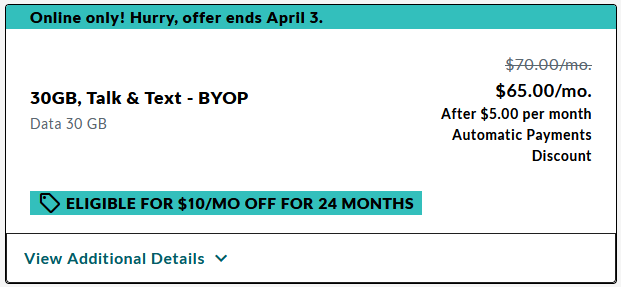
As a quick refresher, the plans in question were a $60/mo 20GB plan (usually 10GB) and a $65/mo 30GB plan (usually 15GB). There was also a $10/mo credit for 24 months available to bring-your-own-phone (BYOP) customers.

Moreover, Koodo appears to have already ended the $10/mo credit offered to BYOP customers. Fido and Virgin both still offer the credit, however.

Virgin and Koodo kicked off the double data deal at the end of February, and Fido matched the deal a day later. Over the first couple weeks of March, Virgin, then Koodo, and finally Fido added the $10/mo credit.

It’s a real bummer to see the deals go away. $55/mo for 30GB of data isn’t bad, and it’s the best offer we’ve seen since the $45/50GB deal over Black Friday. Until we see another decent offer from these providers, it’s probably best to hold off on switching or upgrading.

Categories
Mobile Syrup

Hogwarts Legacy was the best-selling game in Canada in February 2023

The Entertainment Software Association of Canada (ESAC) has revealed February’s top 10 best-selling games in Canada.

See below for the full list, which comes in partnership with the market research firm NPD Group:

  1. Hogwarts Legacy (PS5/Xbox Series X and S/PC)
  2. Call of Duty: Modern Warfare II (PS4/PS5/Xbox One/Xbox Series X and S/PC)
  3. Dead Space (PS5/Xbox Series X and S/PC)
  4. NHL 23 (PS4/PS5/Xbox One/Xbox Series X and S/PC)
  5. FIFA 23 (PS4/PS5/Xbox One/Xbox Series X and S/Nintendo Switch/PC)
  6. Octopath Traveler II (PS4/PS5/Nintendo Switch/PC)
  7. Elden Ring (PS4/PS5/Xbox One/Xbox Series X and S/PC)
  8. The Last of Us Part I (PS5)
  9. Metroid Prime Remastered (Nintendo Switch)
  10. Mario Kart 8 Deluxe (Nintendo Switch)

Canada best-selling games Feb. 2023Unsurprisingly, Hogwarts Legacy was the best-selling game of the month. That said, this only accounts for the current-gen and PC versions of the Harry Potter game; PS4, Xbox One and Nintendo Switch versions are set to release later this year. The former two versions drop in May, while the latter will release in July, so it remains to be seen whether the game will reappear on those respective monthly charts.

Meanwhile, Call of Duty: Modern Warfare II and Dead Space placed second and third in February, respectively. The Call of Duty sequel was Canada’s best-selling game last month, while the Dead Space remake was also in the third spot last month behind Fire Emblem Engage. Interestingly, the strategy game — which the ESAC told MobileSyrup got Nintendo fans especially excited to see ranked so high in January — fell off the top 10 entirely in February.

It’s worth noting that both Modern Warfare II and Dead Space have Canadian connections. Dead Space was developed by Montreal’s EA Motive, while the PC port of Modern Warfare II — a game otherwise developed by California’s Infinity Ward — was handled by Quebec City-based Beenox handled the PC port. Additionally, the fourth and fifth games on the list, NHL and FIFA 23, respectively, were both developed by EA Vancouver.

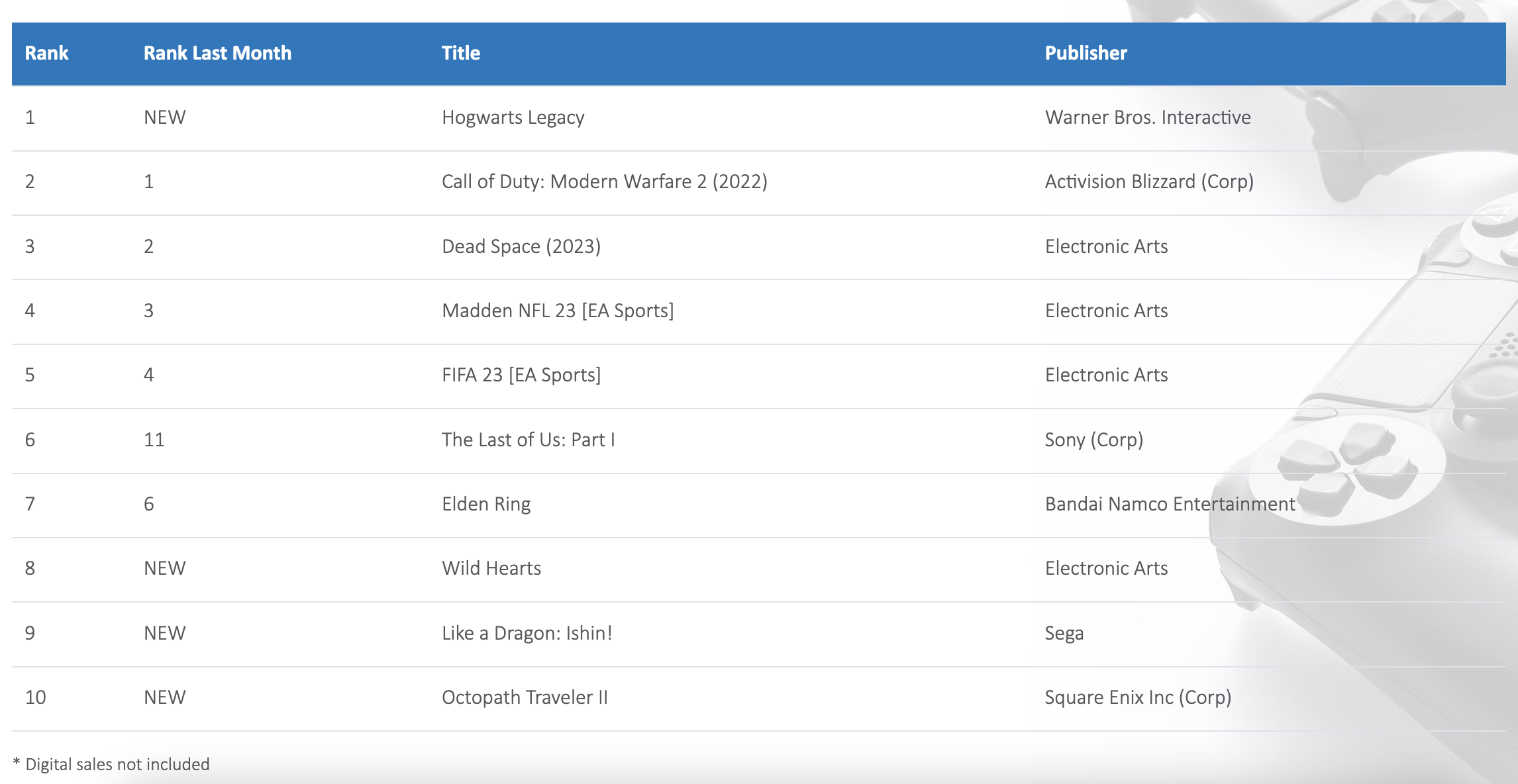
For comparison, here’s the NPD’s U.S. list of best-selling games in February:

NPD U.S. February's best-selling games

In general, the Canadian and U.S. charts are quite similar, besides the obvious exception of NHL 23 being on the former list due to our bigger love of hockey. The Last of Us Part I charting in both countries makes sense, given the popularity of the Alberta-shot HBO series.

That said, Octopath Traveller II placed sixth in Canada compared to only tenth in the U.S., which, alongside Fire Emblem Engage ranking higher here than there last month, suggests that Canadians sure do like their old-school JRPGs. As well, Metroid Prime Remastered didn’t crack the U.S. top 10 but came in at nine in Canada — particularly notable considering NPD doesn’t track digital sales for Nintendo games and physical copies of the remaster have seemingly been more limited than other Switch titles.

Ultimately, data like this is interesting, especially since we’ve historically not had any insight into Canada-specific findings. We’ll have more on March’s sales data when it becomes available.

Image credit: Warner Bros. Games

Categories
Mobile Syrup

Save up to 25 percent on Amazon Fire TV Sticks

Following up from last weeks fire sale is yet another round of discounts on Amazon’s popular streaming sticks.
If you’re in the market for a new device in your house, check out these deals on the Fire TV Sticks.

The Amazon Fire TV Stick with Alexa Voice Remote and the Fire TV Stick 4K are both streaming devices from Amazon that provide access to a variety of streaming services and enable users to watch TV shows and movies. The Amazon Fire TV Stick with Alexa Voice Remote is a compact streaming device that connects to your TV’s HDMI port and the internet, offering access to popular streaming services like Netflix, Amazon Prime Video, and others.

It includes a remote with Amazon’s voice assistant, Alexa, which lets you control your TV with voice commands and search for content across multiple services. The Fire TV Stick 4K provides similar functionality, but also supports 4K Ultra HD streaming and features a more powerful processor, making it suitable for more demanding applications.

MobileSyrup utilizes affiliate partnerships. These partnerships do not influence our editorial content, though we may earn a commission on purchases made via these links that helps fund the journalism provided free on our website.

Source: Amazon Canada

Categories
Mobile Syrup

2023 Hyundai Ioniq 6 Hands-on: Taking on Tesla

Hyundai is putting a lot of stock on the Ioniq 6 as a banner electric vehicle for the company, suggesting it will roll off assembly lines as one of the industry’s best options in 2023.

That could be true, though you can expect a certain exclusivity resulting from the limited supply of 2,500 currently earmarked for the Canadian market. Except for Tesla, Hyundai sold more EVs in Canada in 2022 than any other automaker, largely spearheaded by the Ioniq 5 and Kona EV.
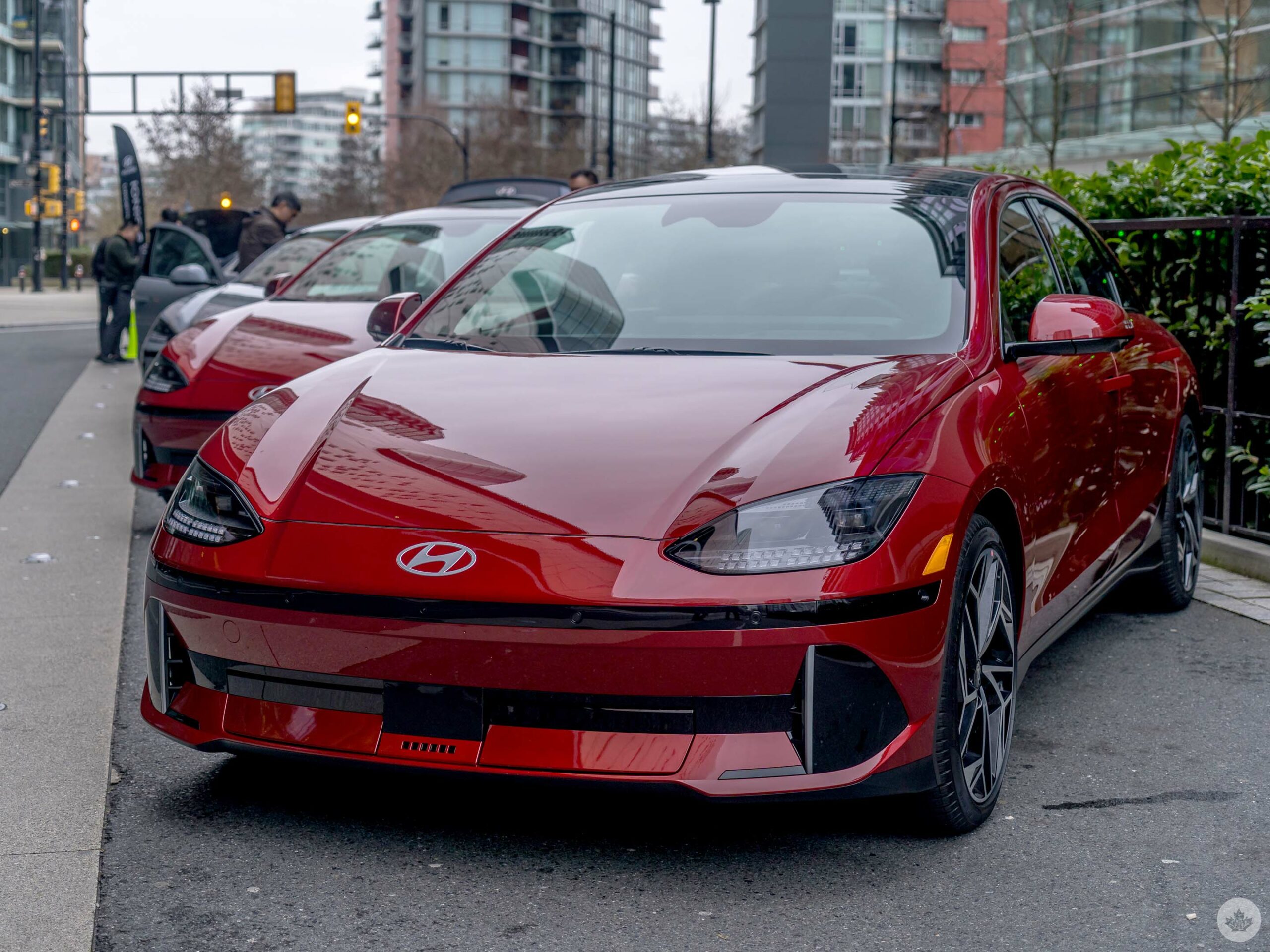
Indeed, the company sees the Tesla Model 3 and Polestar 2 as the biggest competitors for the Ioniq 6 going forward.

I got to test drive it myself in and around Vancouver, where I was given the Preferred AWD trim with Ultimate Package, meaning I pretty much had all the trappings the Ioniq 6 can offer. As backlogged as Hyundai already is to fulfill orders for its predecessor, it says it’s committing to bringing the new EV to the Canadian market as of April 2023.

The details

Hyundai will release the Ioniq 6 in three trims. Here’s the breakdown for range based on estimates coming from both Hyundai and Natural Resources Canada, as well as confirmed pricing:

These ranges are purely estimates that don’t account for the variables involved with EVs, like cold weather and city versus highway driving, for example. The Ioniq 6 can handle 800V charging from 350 kW chargers, which could theoretically charge the battery from 10-80 percent in 18 minutes. If you’ve got a 240V charger at home, you can expect a full charge to take about seven hours. That’s pretty good when keeping it plugged in overnight.
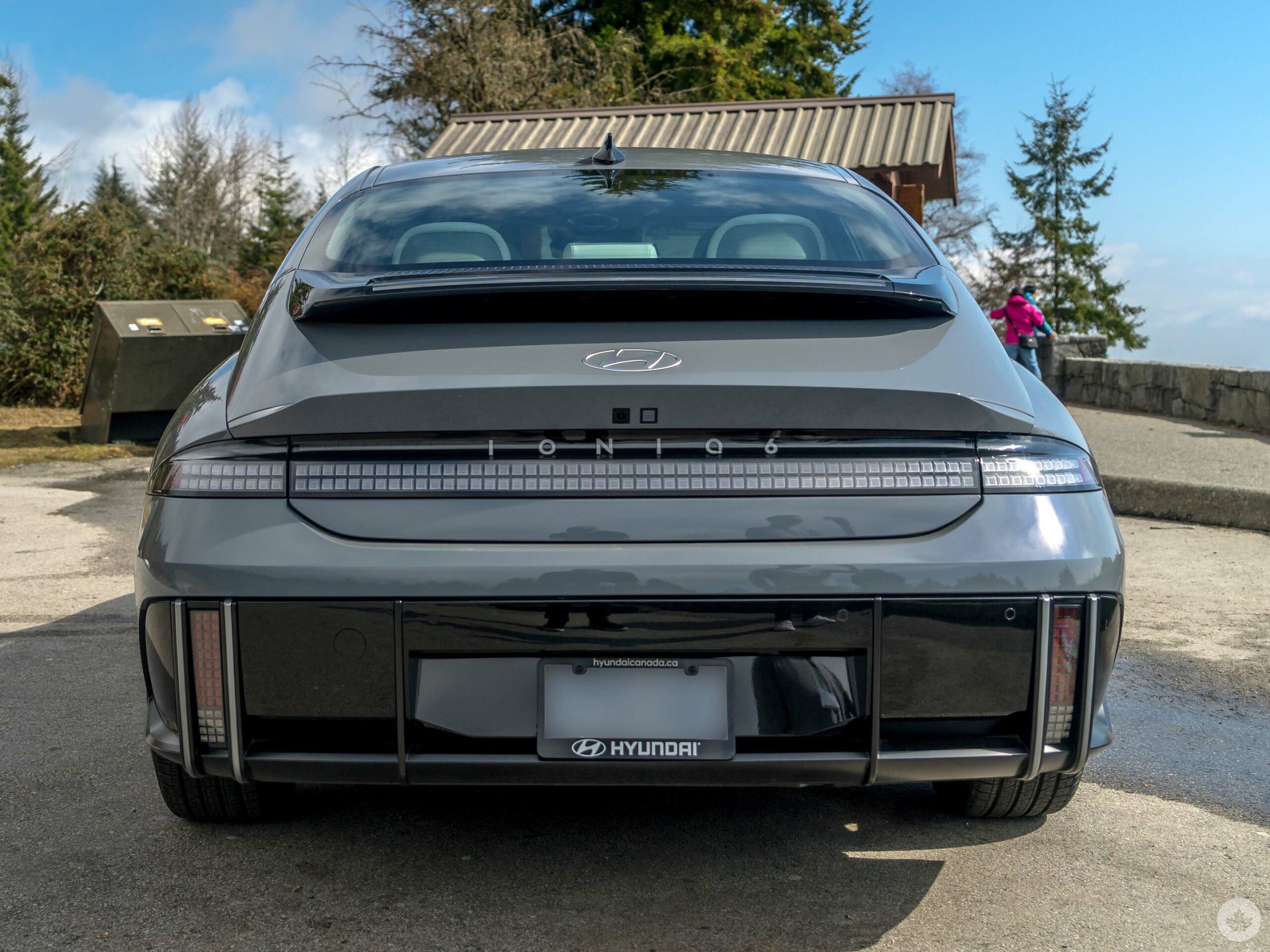
This may also depend on the trim because the Preferred RWD model is rear-wheel drive only, meaning it runs on one motor instead of the two the AWD (all-wheel drive) models have as part of Hyundai’s Electric-Global Modular Platform (E-GMP). Hence, it has a longer range than its dual-motor counterparts. Horsepower ranges from 225 to 320 depending on the trim, the fastest of which can go from zero-to-100 in 5.1 seconds.

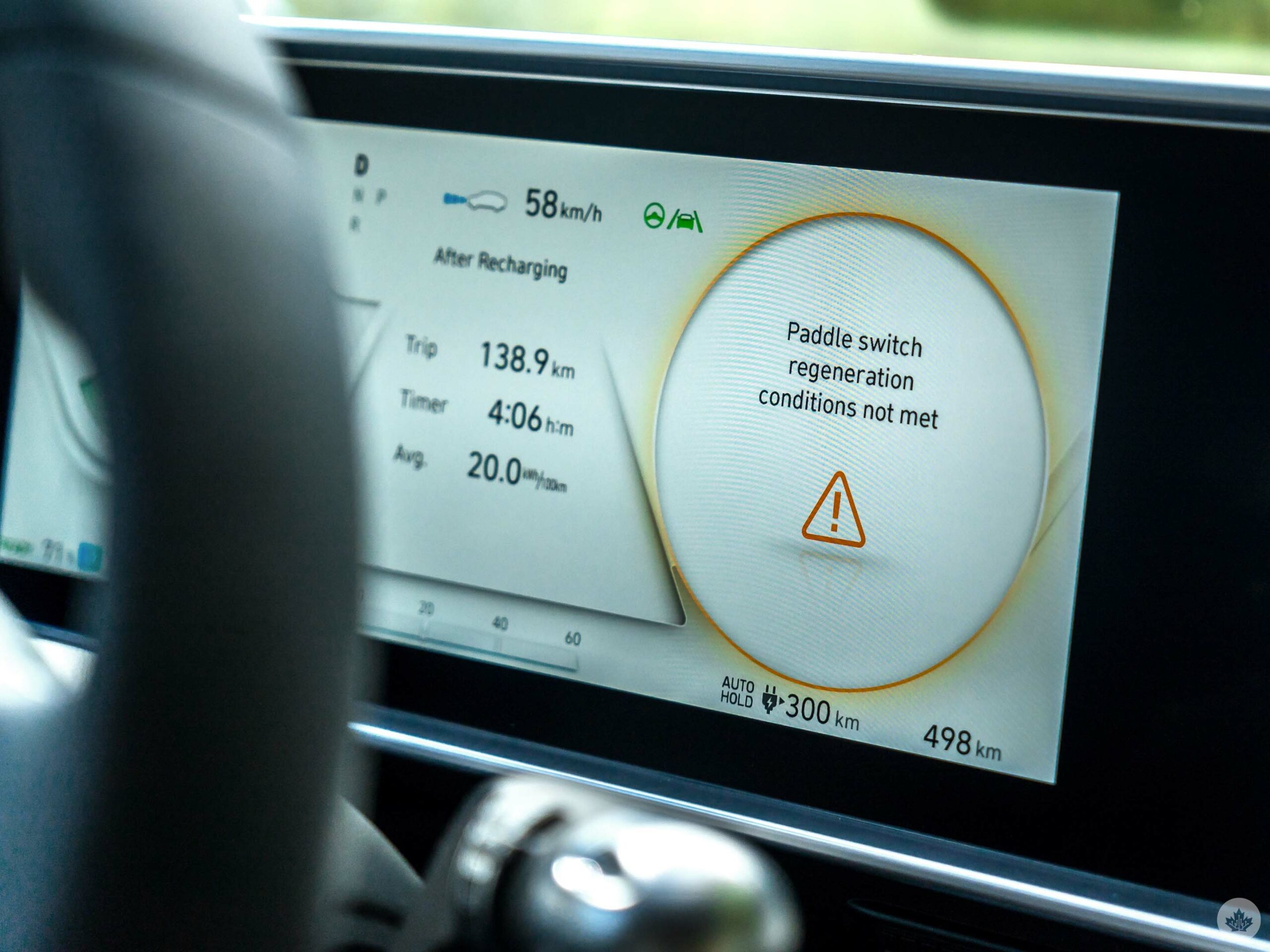
Regenerative braking also applies here, courtesy of the paddles flanking the steering wheel. You can shift the paddles between four levels, the last of which is i-Pedal, where you can fully stop the vehicle using the accelerator pedal. Smart Regenerative System (SRS) 2.0 uses the car’s radar detection to automatically adjust the regen coasting itself, thus helping draw back some power towards the battery.

While I found it easy to switch between them, I wasn’t driving long enough to get a good feel for how well they work.

  • Preferred RWD Long Range (18-inch wheels) (581km range): $54,999
  • Preferred AWD long Range (18-inch wheels) (509km range): $57,999
  • Preferred AWD Long Range Ultimate Pkg (20-inch wheels) (435km range): $63,999
  • Freight and PDI: $1,925

Interior and connectivity

Being a sedan, the Ioniq 6’s chassis and structural design make some room in the interior that I personally found comfortable as a tall person, albeit with a few adjustments, like lowering the seat because the roof was a bit too close to the top of my head. I even sat in the back for a short distance and found it roomier than I would’ve expected. This is partly because of a slightly longer body, including a longer overhang in the rear to also make extra room for the motor, and give the vehicle a lower centre of gravity for improved cornering and aerodynamics. More impressive is the amount of trunk space, which is larger than I expected, given the overall design of the EV.

To some degree, Hyundai went with a fairly minimalist approach in the Ioniq 6’s layout, though it’s not like that of a Tesla. Both the instrument cluster and infotainment screen have identical 12.3-inch displays, with mostly touch-sensitive buttons below for climate control, and mercifully, there’s a knob to control audio volume, similar to the Ioniq 5. You’ll find the physical buttons on the steering wheel to access various features.
The centre console includes a Qi wireless charging pad, good-sized cup holders and decent cargo space, including an undercarriage that is super useful for keeping things safe and out of sight for a cleaner look inside. For me, it was odd to see window controls in the centre console instead of on the door, especially considering the speaker grilles are arguably larger than they need to be.

Both CarPlay and Android Auto are available to use, except for one big caveat — no wireless connectivity. I had to plug in via USB to get either platform running, and the reason why is that Hyundai includes its own factory navigation. Reps told me that Apple and Google tend not to like that, and so, there’s no wireless CarPlay or Android Auto. Thankfully, there are workarounds.

The screens, infotainment system, charging pad, and indoor LED accent lights come standard across all trims. Where things change between them is in the interior fabrics, sound system and other design or functional elements.

I didn’t get the chance to try the Bluelink app, but it serves the same purpose it already does on other Hyundai EVs, like seeing current battery status, scheduled charging, remote climate control and locating nearby charging stations.

Don’t call it ‘autonomous’

Hyundai resists using the word “autonomous” to describe its driver assistance system. If you’ve driven other Hyundai models, particularly those with Highway Driving Assist (HDA), you know it as a system that works to keep a vehicle centred in its lane. Adaptive cruise control (including stop-and-go traffic) maintains speed relative to an assigned distance from other vehicles in front. This is Level 2 semi-autonomous technology, and it generally works well enough to really trust it if you’re not reckless.

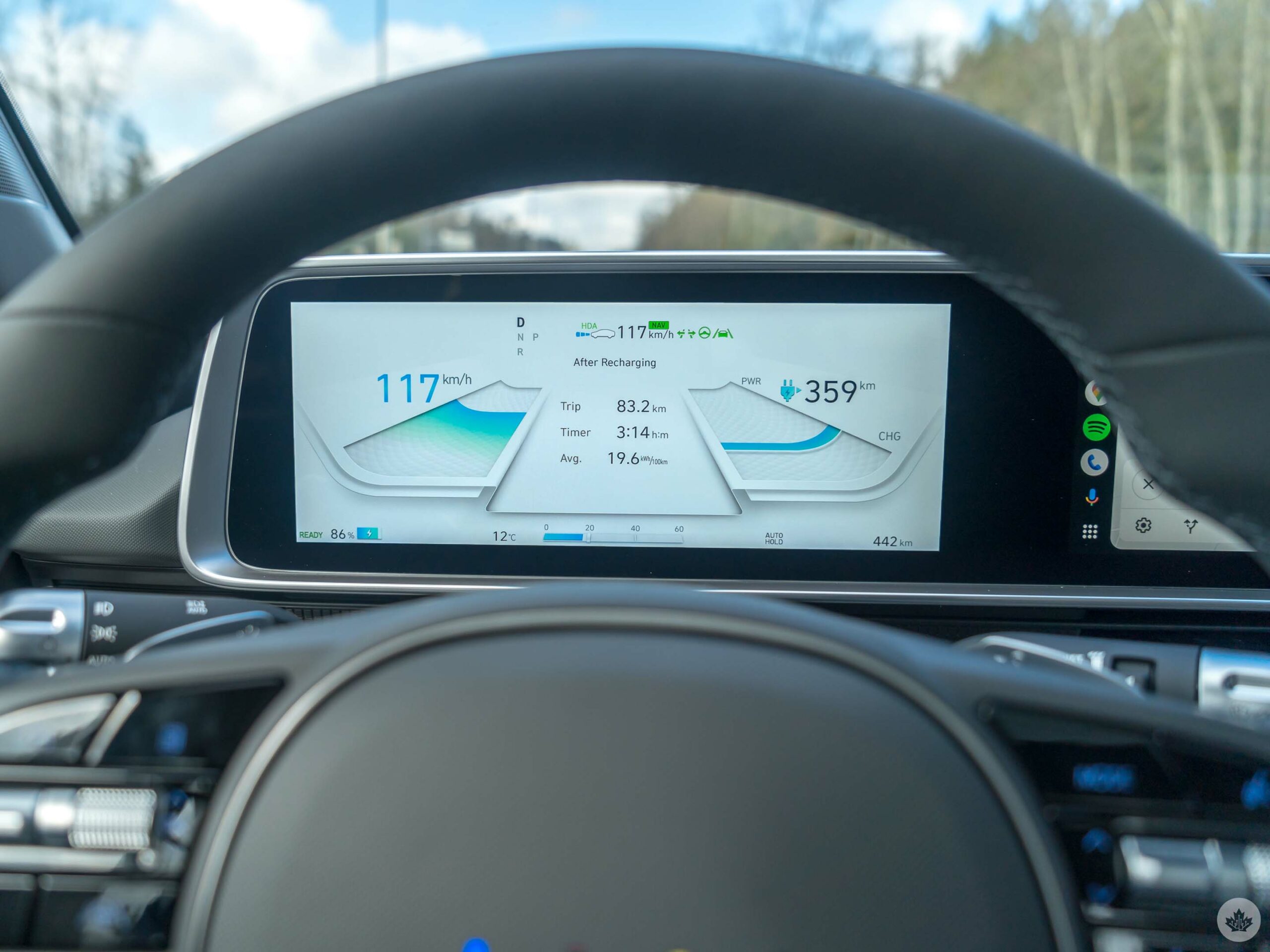
The Ioniq 6 has HDA 2, which uses lane-keeping assist with adaptive cruise control and collision avoidance. Green icons on the instrument cluster indicate when they’re active. If both the steering wheel and lane lines are green, the car will stay in its lane on its own. If the left and right arrows next to them also turn green, then lane change assist can kick in by pulling the signal light switch halfway for a few seconds before it moves over. Sensors in the blind spot will look out for vehicles that are too close, and when it works, the lane change is smooth. Still, I had to keep my eyes open because the sensors can’t always tell when another vehicle is coming up fast until it’s within range of the sensors.

Hyundai also says machine learning will learn a driver’s tendencies to adapt to how they typically accelerate and coast when other vehicles are in front. I never got to see this in action, so it’s unclear how effective it is.
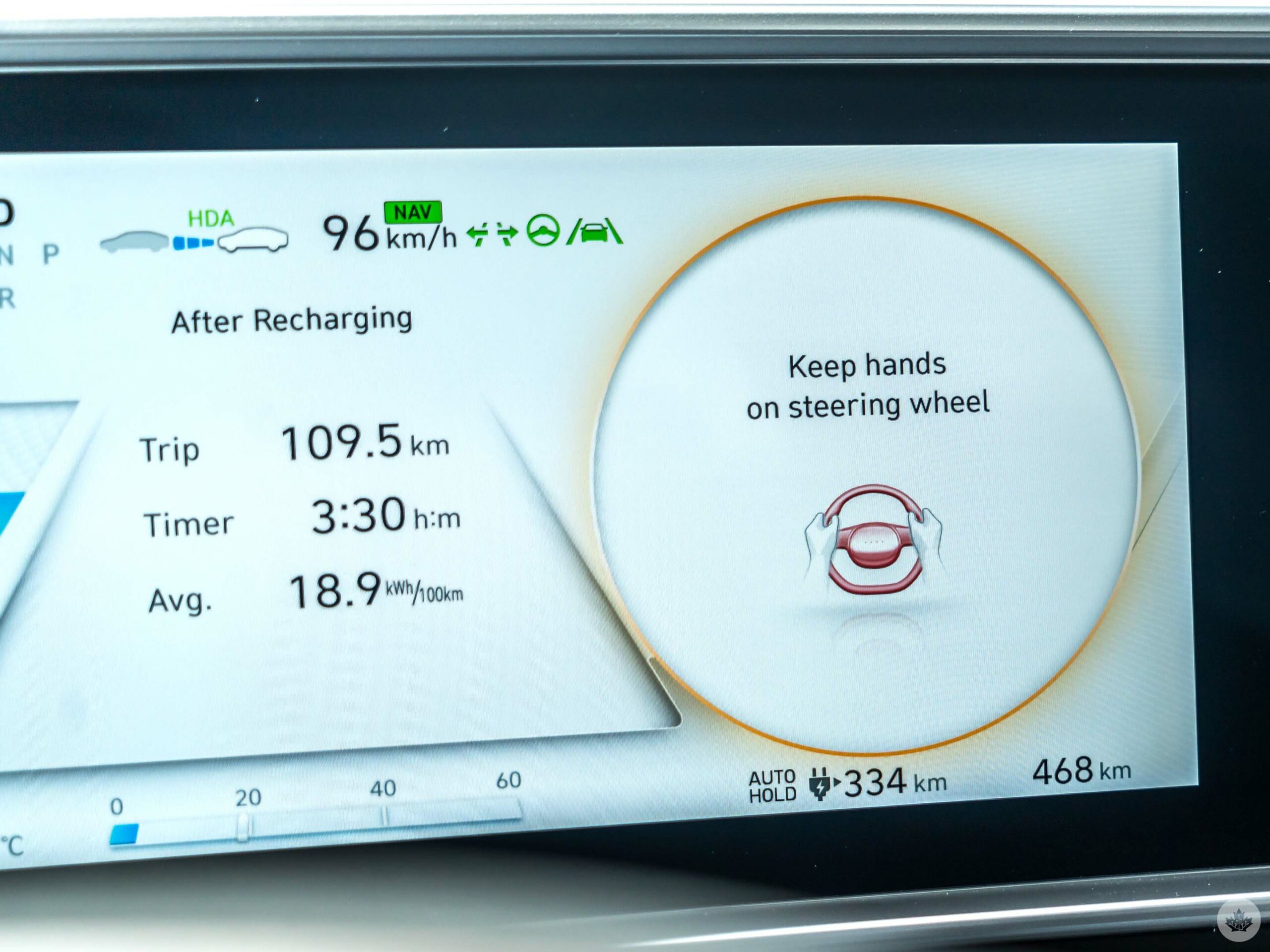
Unlike other similar systems, Hyundai’s wants you to touch the steering wheel at all times, so that you can override it anytime you want. Without in-cabin cameras facing me as the driver, I had nothing within the system to keep me honest on whether I was actually looking at the road. After 10 seconds without touching the steering wheel, a warning appeared on the cluster, followed by an audible tone that sounded for 60 seconds before all of the HDA 2 features disengaged and forced me to take over.

Mind you, the steering wheel’s sensors don’t respond based on the heat from hands, but rather the pressure applied by fingers or a palm. That’s why I fooled it when leaving my hands free and pressing my knee against it instead. I suspect it may even be possible to literally strap and tighten something around it to achieve the same result. It was also a little jarring to see the car’s assisted driving work (with my hands on the wheel) when I averted my eyes from the road for more than 10 seconds. It was a reminder of how GM’s Super Cruise acts up under similar circumstances.
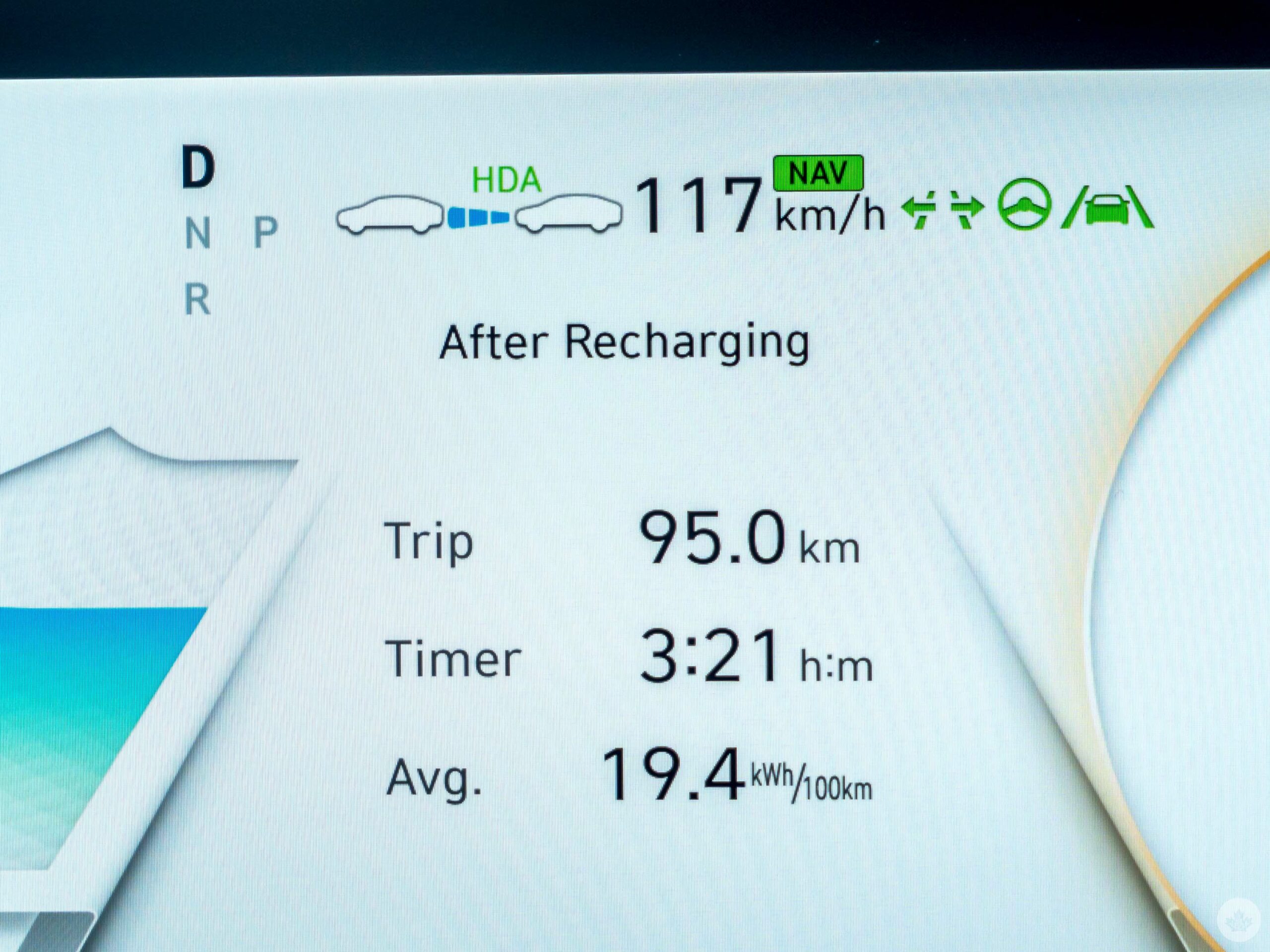
HDA 2, much like its name implies, is most useful on highways. Onboard cameras will look for lane markings on all roads, but I found it could get easily confused with forks and no markings on side roads where there was only one line. It can only kick in at 60 km/h, thus doing nothing when driving slower.

Driving around

Hyundai found ways to optimize performance while on the road, like disconnecting the front motor from the rear one in certain cases. For example, Eco mode only drives in RWD, even if it is one of the AWD trims. In Normal mode, it will only tap into the front motor (on the AWD trims) upon acceleration, then disconnect it to let the rear motor run on its own. Sport mode uses both at all times, made all the more evident by the extra torque and tighter cornering when driving with it on. You lose more battery life in Sport, but I found it the best way to gauge how well the Ioniq 6 handles itself.
Smooth, sturdy and quiet, it was easy to appreciate driving this car. Its level of comfort and elegance inside also suggests to me it won’t feel as tiring on a road trip. The range is certainly good enough, give or take distance and weather conditions. Driving it for only one day is hard to draw lasting conclusions, but I liked my experience with the Ioniq 6.

Ready to roll

The Ioniq 6 RWD trim is eligible for the federal government’s iZEV rebate program based on the current $55,000 limit, though the AWD models may still qualify under a provision that raises the limit to $65,000 for higher trims. That would cut the price down by $5,000 unless you lease the car, which prorates the rebate based on how long the lease is.

If you live in a province with its own rebate program, you could also cut the price down further that way. Hyundai dealerships should receive the first units as early as April 2023, starting with the AWD Preferred and Ultimate Package. There will be six colours to choose from: ultimate red and nocturne grey in a metallic finish, serenity white, transmission blue and abyss black in a pearl finish, and digital green in a matte finish.

A recent price cut from Tesla also made the Model 3 eligible for the same rebate, making its pricing very competitive relative to the higher-trim Ioniq 6 models. Either way, this is a statement EV for Hyundai, one that it will push hard as one of the best available.

Categories
Mobile Syrup

Nothing Ear (2) Review: Stepping into the sweet spot

Nothing started its journey in 2021 with the Ear (1), and the sequel shows that the company isn’t standing still.

While the wireless earbuds look very similar to their predecessors, there are essential upgrades in usability, portability and, of course, sound quality. They’re a little pricier than the original’s launch price, but they still offer fantastic value compared to the 2023 earbud landscape.

If you’re a fan of product design, things that look like they belong in Ridley Scott’s Alien universe or earbuds that just offer good value, keep reading.

Great expectations

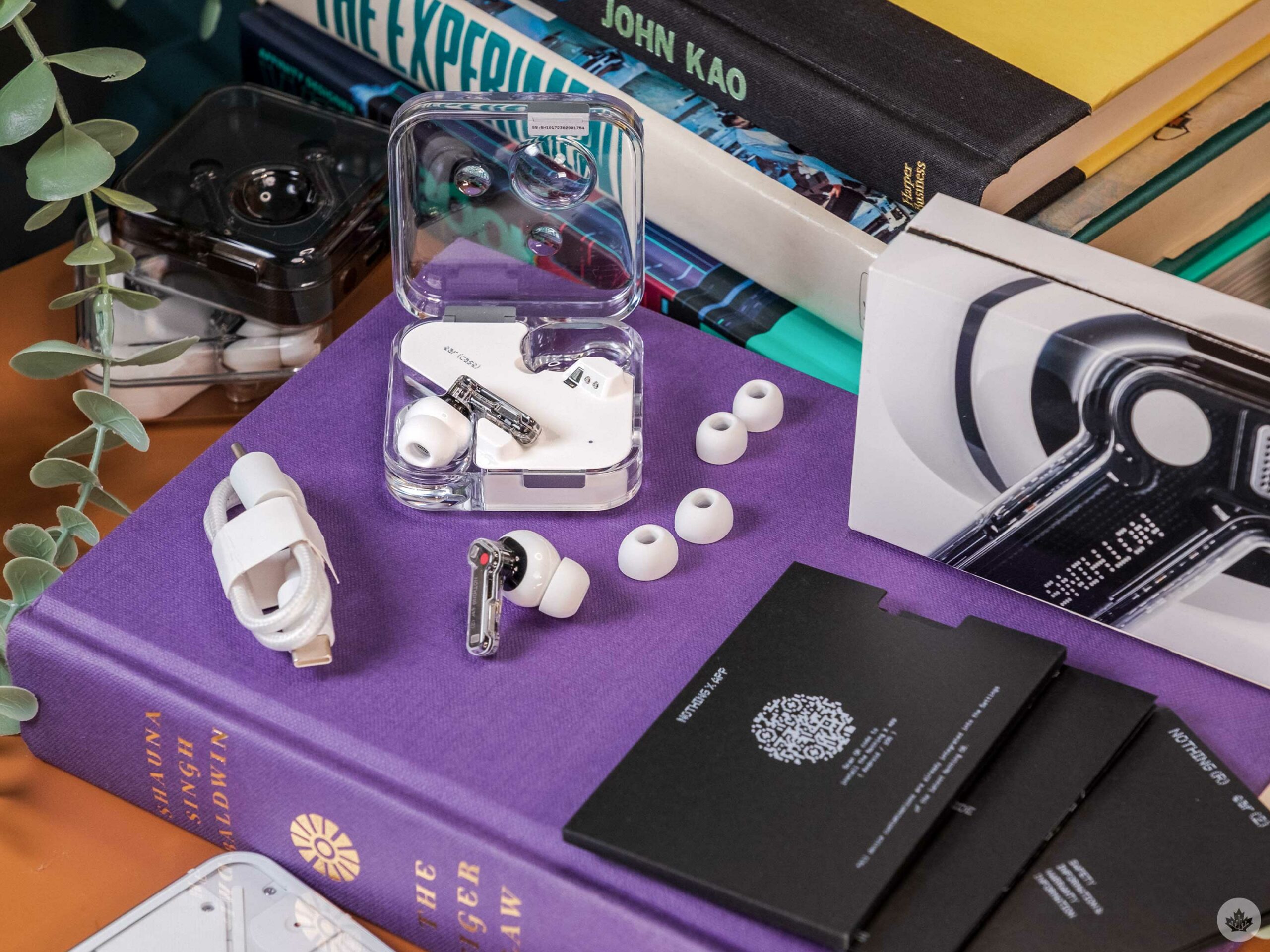
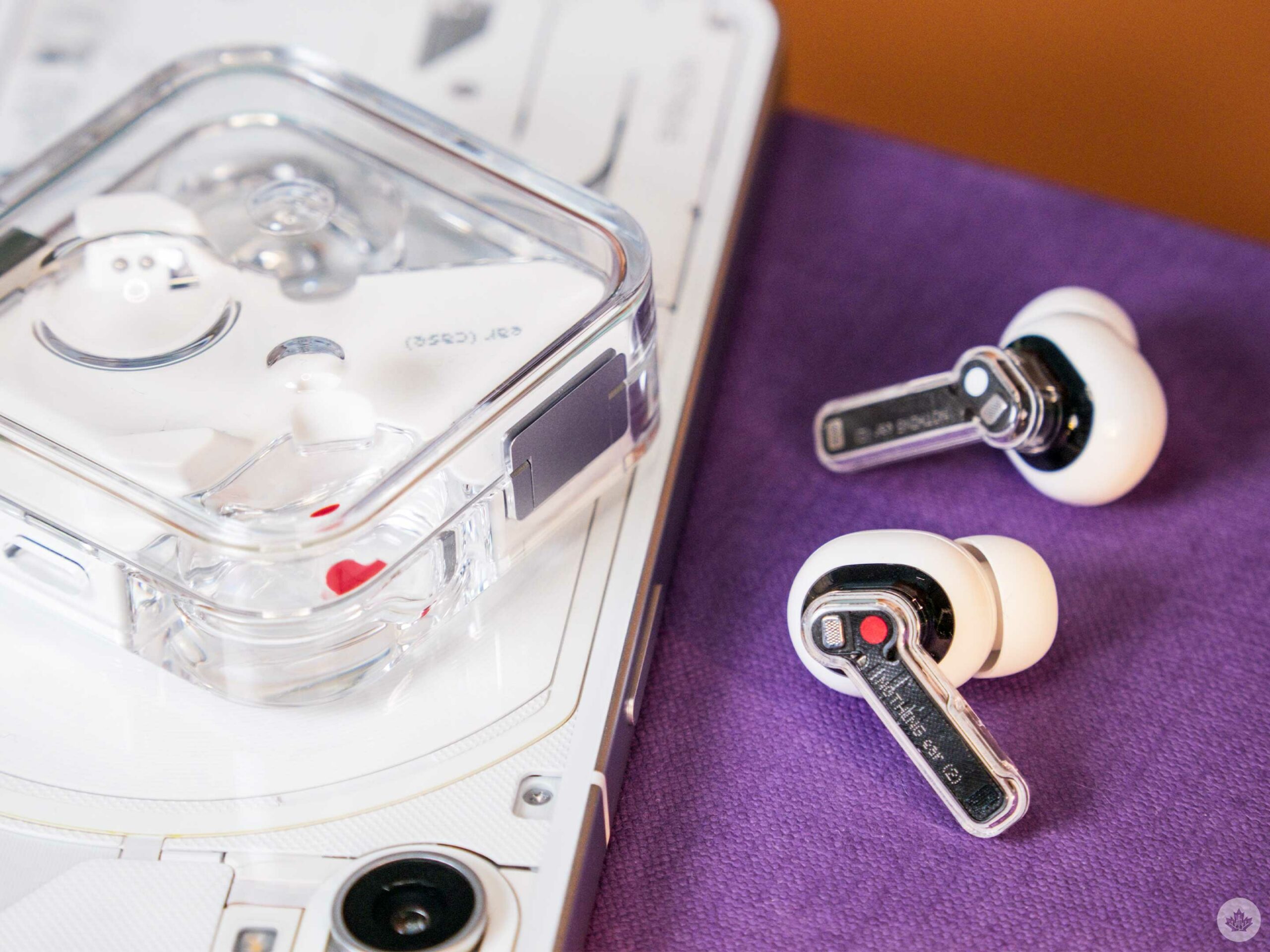
The contents of the Ear (2) box.

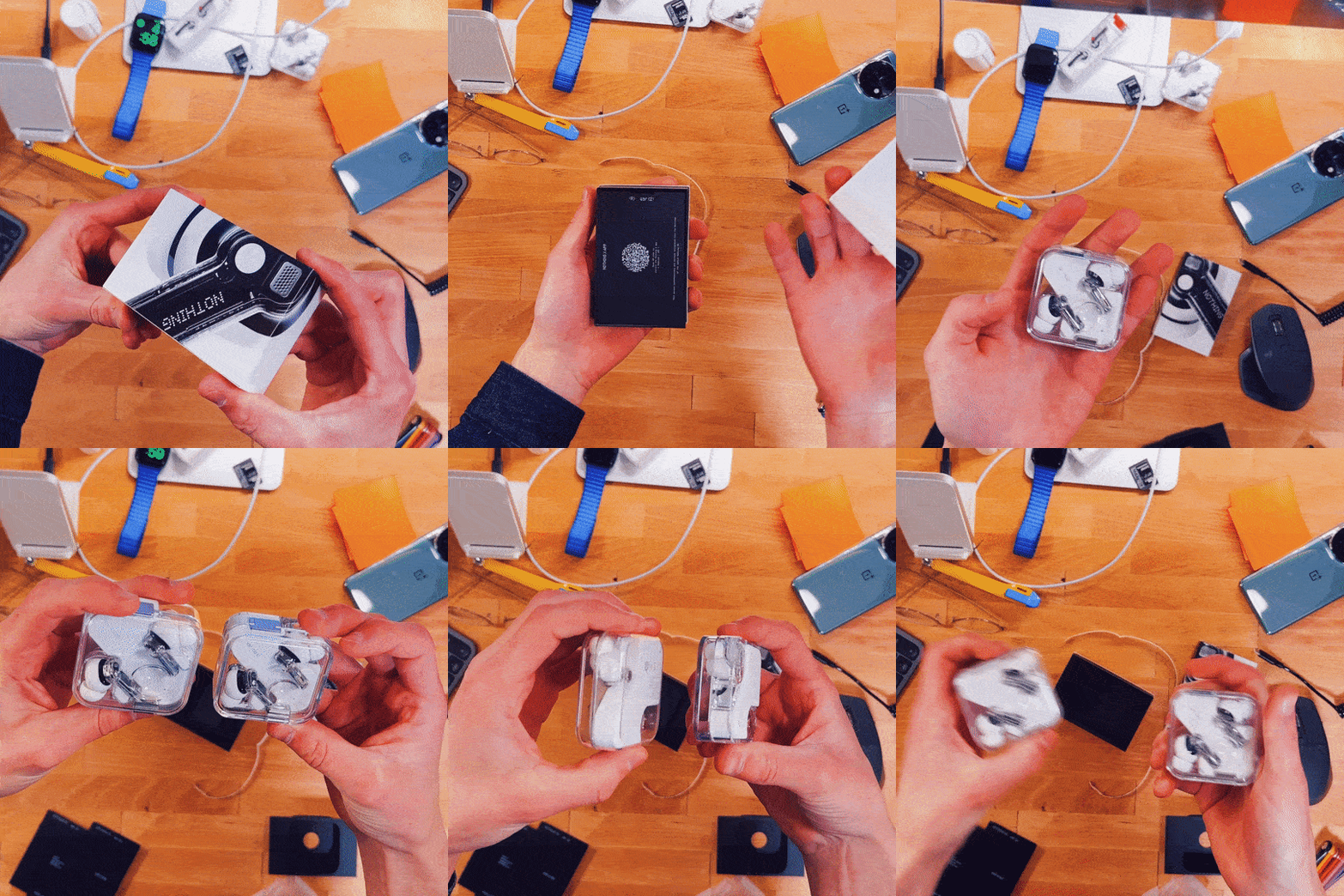
Nothing has never shied away from a fun unboxing experience, and the Ear (2) follows the trend. The buds arrive in a small box with a detailed macro shot of them wrapped around the top. Pull a little tab to open the box, and you’re presented with the earbuds. Digging a little deeper reveals two other earbud tip sizes and a short USB-C cable for charging.

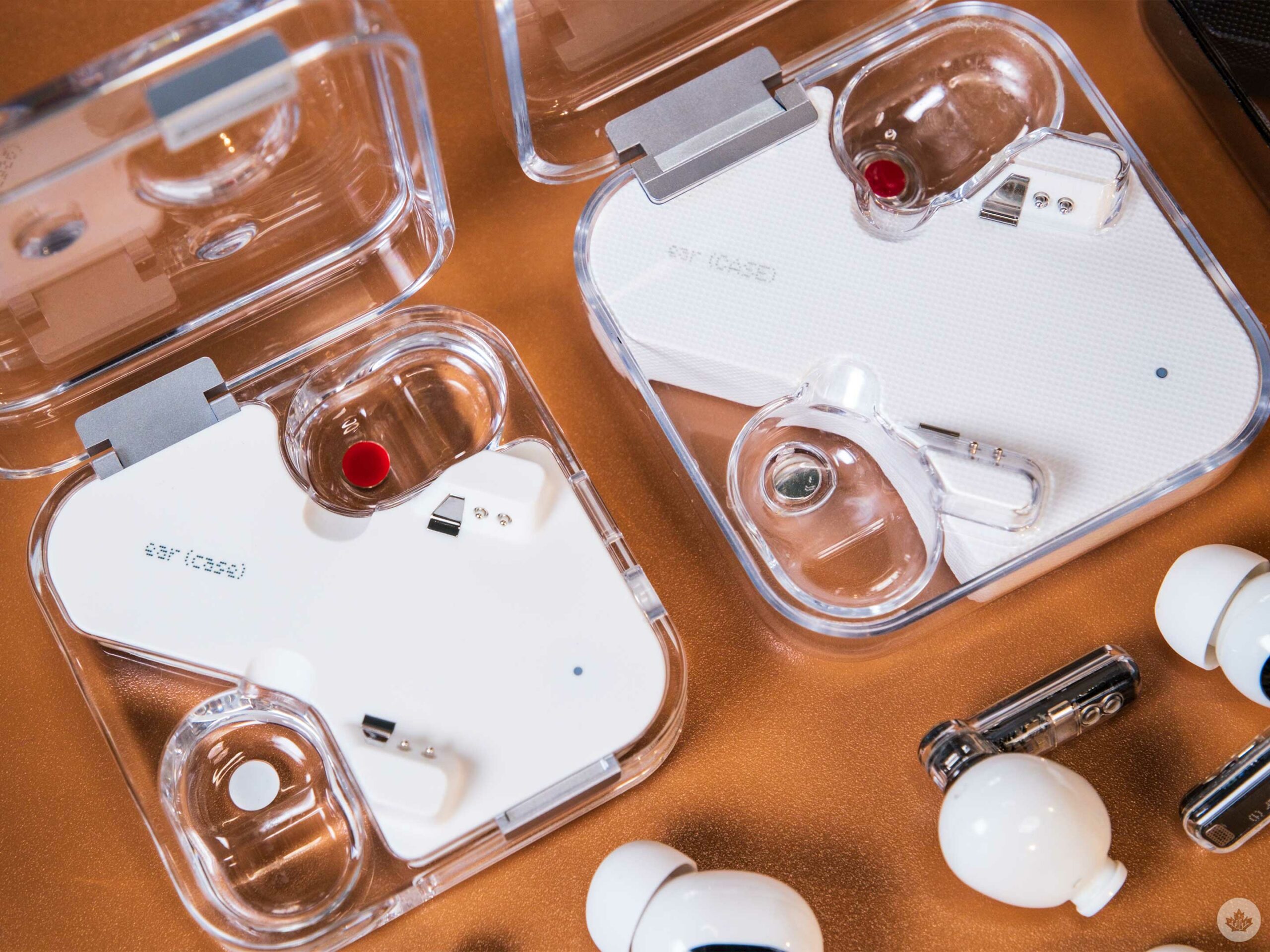
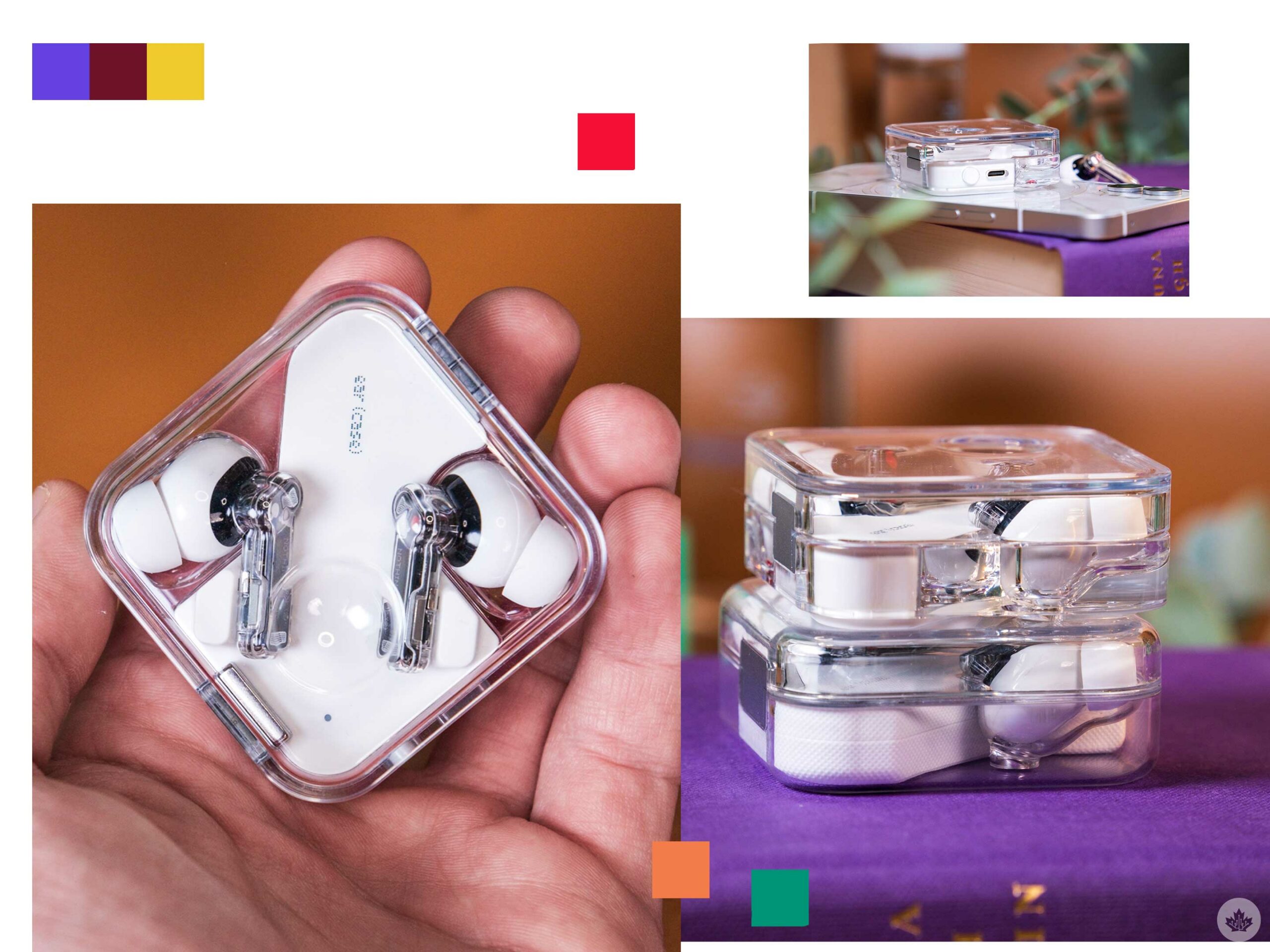
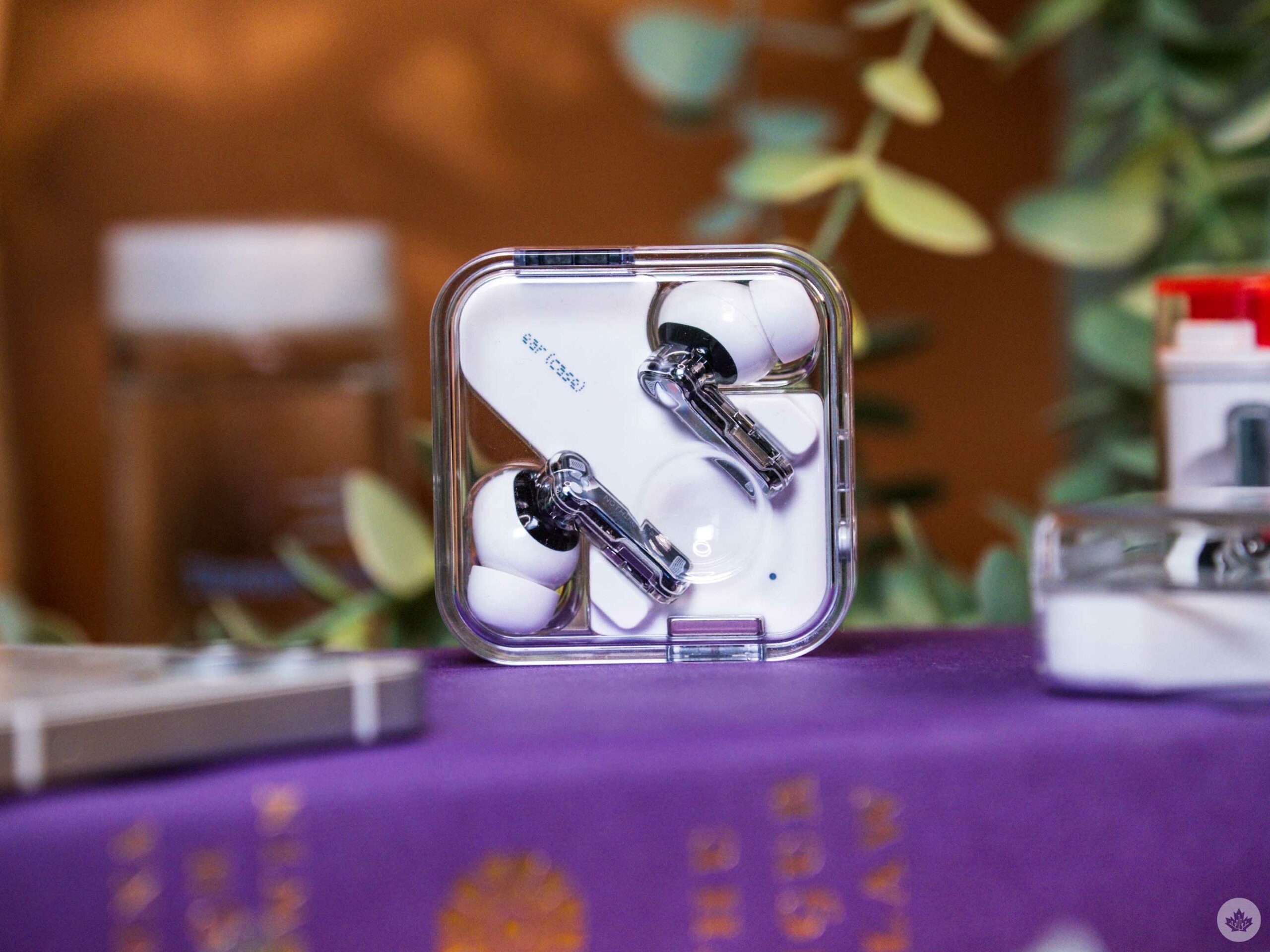
The Ear (2) charging case is a bit more compact than the Ear (1), but it’s not that noticeable in your pocket. Where it sets itself apart is in the details — or in some instances, the lack of them.

The downside of clear cases is that you need to clean them often because earwax that rubs off your buds is very noticeable. Ear (2) case pictured on the left.

Side-by-side, the new case seems to be made of more robust plastic that looks more premium than last year’s. You can still tell it’s plastic, but the case sparkles more in the sun, and from the side profile, it almost looks like the buds are submerged in water. It’s not as stunning as glass or crystal, but it feels about as close as we can get while keeping the weight and moldability of plastic.

The premium feeling continues when you pick up the case, as the lid is more snug than the flimsy top half of the Ear (1) case. On the older model, you could push the lid side to side since the tolerances on the hinge weren’t perfect. That’s no longer a problem as the lid locks in a small grove giving the case a more refined feel.

The white centre channel also acts as a foot on the bottom to raise the case’s transparent elements up a millimetre. This sounds inconsequential, but combined with the denser plastic, it allows light to pass through the case in more interesting ways, creating a slight glow around the unit. It’s a small change, but it adds to the sophisticated look. The subtle micro waffle texture has been removed from the white part of the case, which was sad to see at first, but after spending some time with the new buds, the cleaner look of the matte white helps the other details shine.

One such detail is the new magnets holding it shut. At first glance, it looks more complete than the single magnet on the Ear (1). But when you examine the case from the top down, it reveals that this magnet rework matches the size of the hinge. Offering welcome symmetry between the front and back of the case. It’s not a perfect match, but it tells the story of Nothing’s ability to obsess over the smallest details that make its products feel more premium than their price tags.

Still the coolest buds around

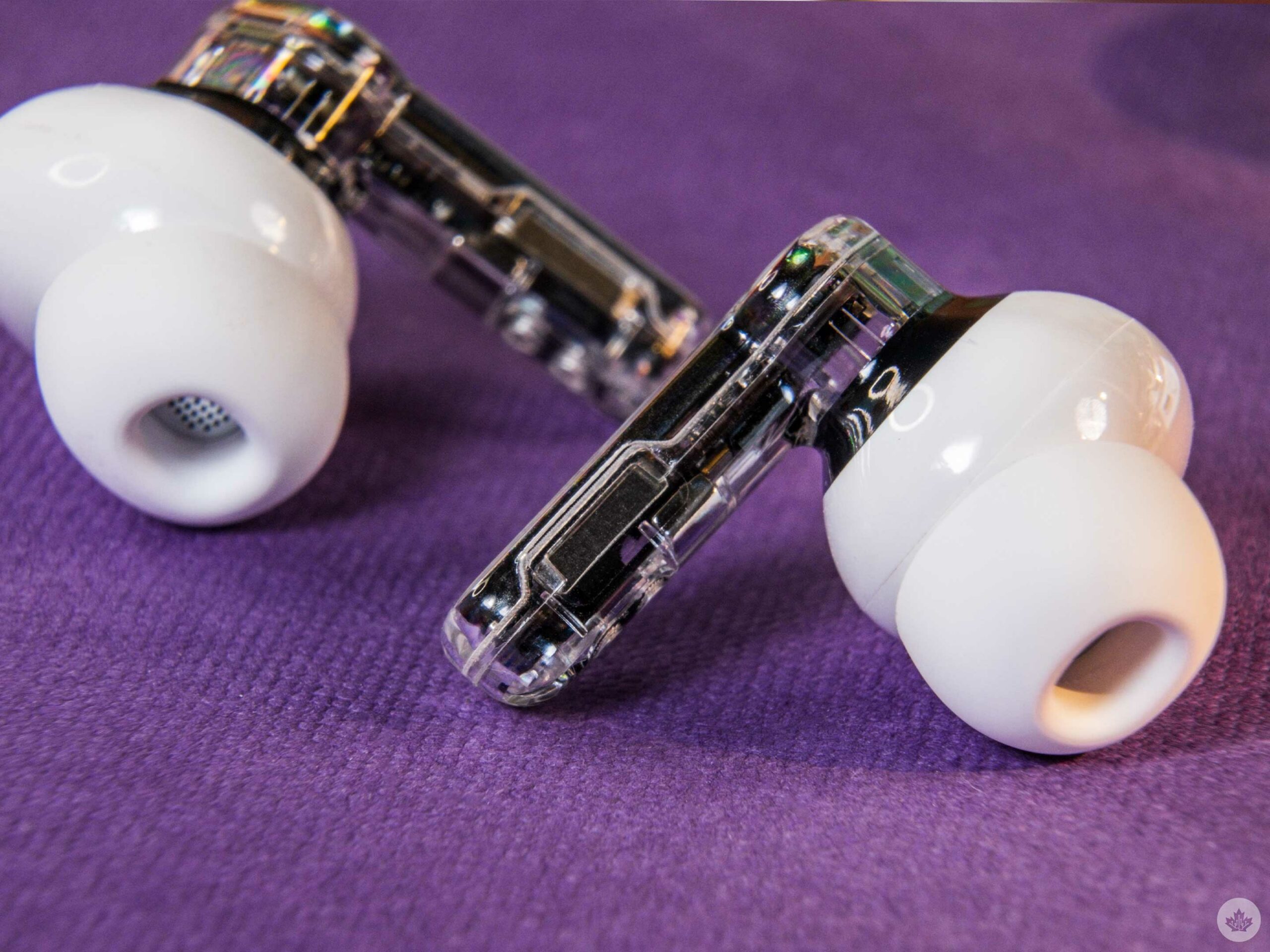
The Ear (2) still retain the semi-transparent design from the other Nothing buds, but there are tiny changes upon closer inspection.

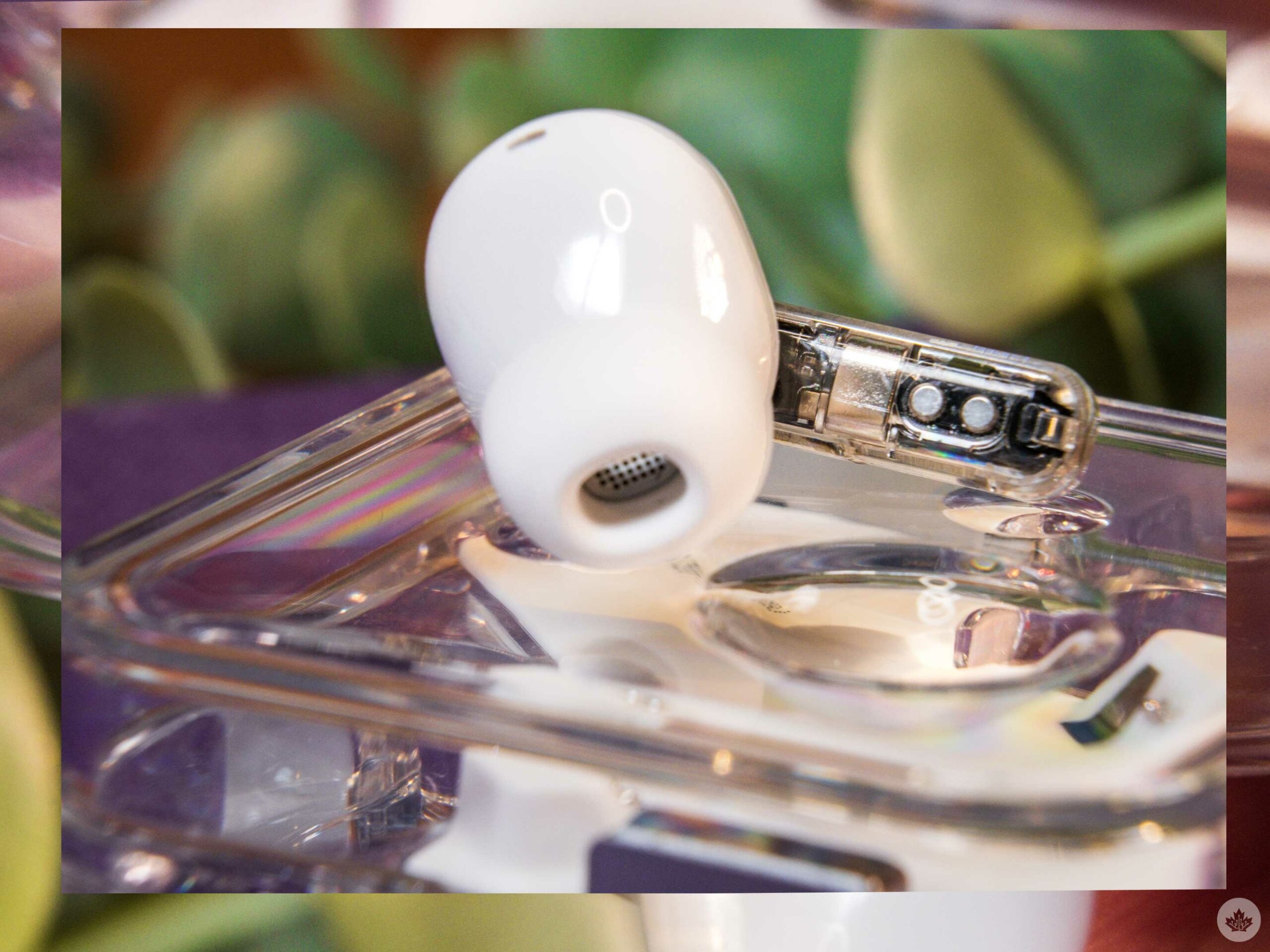
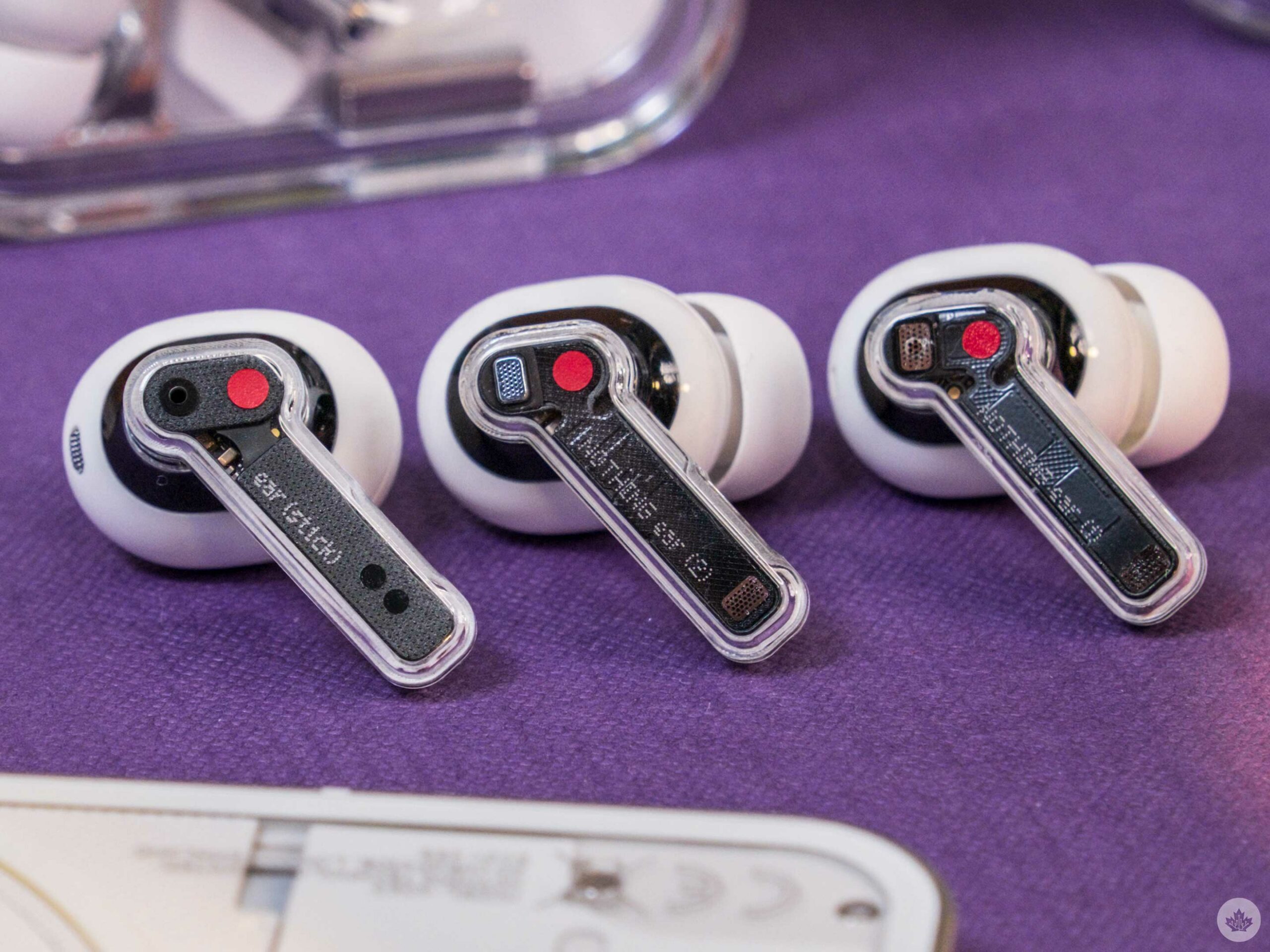
My favourite change is that the air pass-through hole on the face of the bud has been replaced with a small metal vent, giving the earbud a higher-end look. Previously this was a small hole drilled into the plastic above the vent. Now it sits flush with the plastic shell removing the need for the hole at all. It’s a small design change, but the hole on the Ear (1) felt like Nothing added the vent to look cool. Now it looks like a functional element, a more impressive achievement.

From left to right: Ear (stick), Ear (2), Ear (1).

There still appears to be a fake vent on the bottom of the stem. It’s disappointing, especially after iFixit tore down the Ear (1) and revealed it would probably look cooler if Nothing showed off the small circuit board inside the buds.

When looking at the top inside of the buds’ stem, there are fewer transistors, but you really have to look closely to spot this change. Overall, these are micro changes that don’t significantly change how they feel or fit. This is a good thing for me since I found the original Ear (1) quite comfortable.

Big sound improvements

While the first generation Ear (1) was fine, the successor offers a notable improvement. The noise-cancelling (ANC) is much stronger, the performance offers more balance, less hum and a wider, more immersive soundstage. While I didn’t mind using the Ear (1), I truly enjoy listening to music with the Ear (2).

Nothing is still using an 11.6mm speaker driver, but the tuning is much better, with support for Hi-Res audio frequencies up to 24 bit/192 kHz. But I think most people will be impressed with how they sound and how much background noise they block out. It seems that something happened around the launch of the Google Pixel Buds Pros in 2022, and now most high-end buds, ranging from OnePlus to Apple, all seem to offer phenomenal active noise-cancellation. The new Nothing Ear (2) are no exception and undercuts the popular competition on price.

Squeeze the side of the Ear (2) to activate its controls.

The transparency mode could be better, but since I use it so rarely, it’s not something that affected me. Alongside that, users get treated to new sounds when toggling ANC and switching to transparency. Turning ANC on/off uses a subtle drum beat that’s tuned slightly differently for each function. Interestingly, when you initiate Transparency mode, the sound is a human letting out a quick breath. It makes sense since turning on Transparency feels like relief as you hear the world again, but it’s likely to be divisive amongst Nothing fans.

The lag has been reduced on the Ear (2), so watching videos is now much less frustrating, but there is still a delay when I connect them to my MacBook. On mobile, there seems to be less noticeable lag. This is a problem most wireless earbuds suffer from, but I hope Nothing works to fix it in the future. There is a low-lag mode in the app, but it’s labelled for gaming, and I don’t think there’s a way to implement it on a desktop. However, I’m still happy that I can at least watch YouTube without lag on my way to work.

This slideshow requires JavaScript.

The mic hasn’t changed much, but I’ve only tested it on indoor calls, and so far, it’s been passable. However, no wireless earbuds really have great mics, so I would say that the Ear (2) is usable but not for any professional audio recording.

And most importantly, Nothing has dropped its barely-functioning touch controls in favour of straightforward squeeze controls like the OnePlus Buds Pro and AirPods Pro (2nd-Gen). The company also used this superior method on its Ear Sticks.

Refinement through software

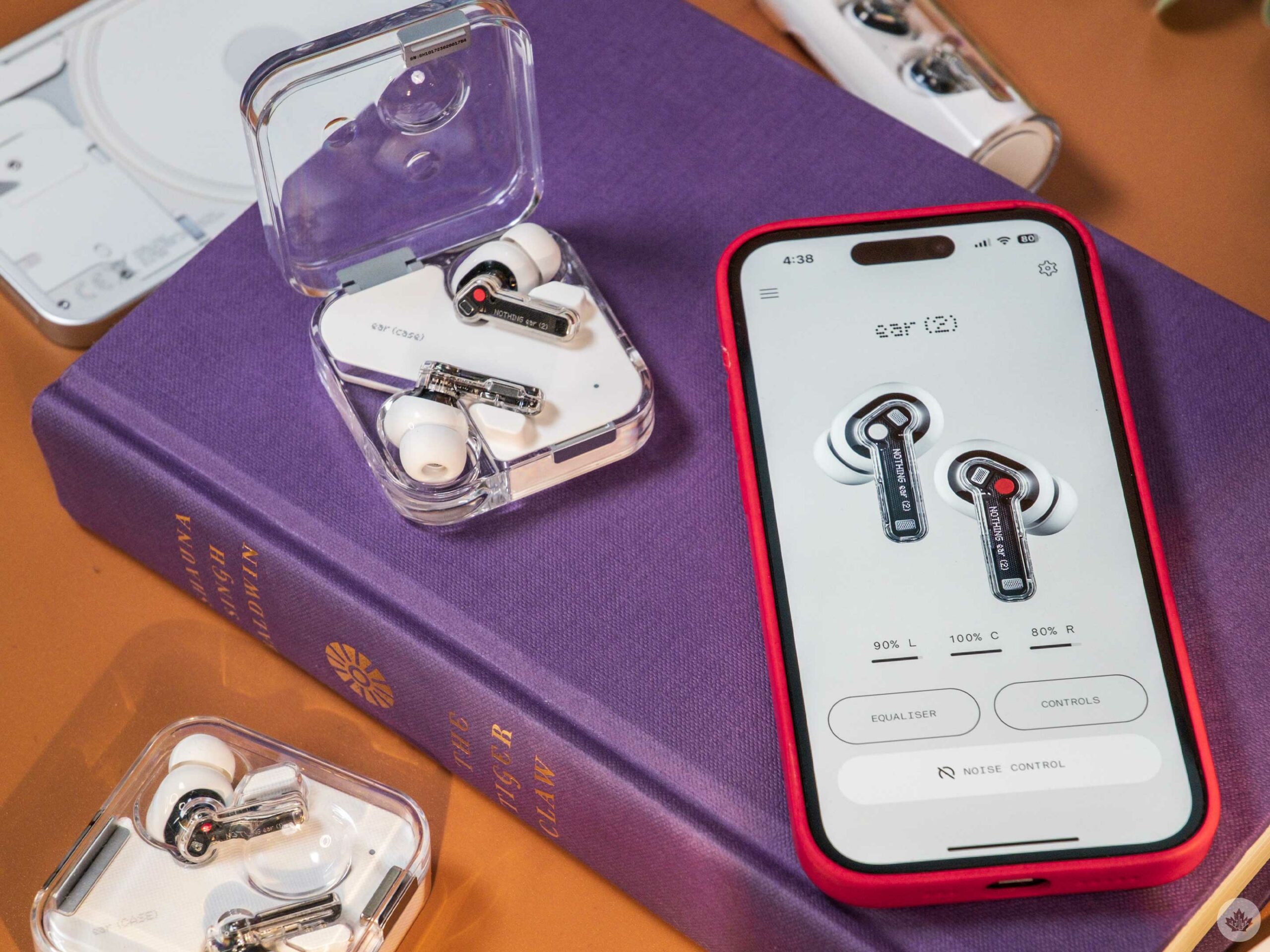
Compared to the app that launched with the original Nothing buds in 2021, the updated Nothing X app (iOS/Android) is full of features and tweaks to help users get the most out of their earbuds.

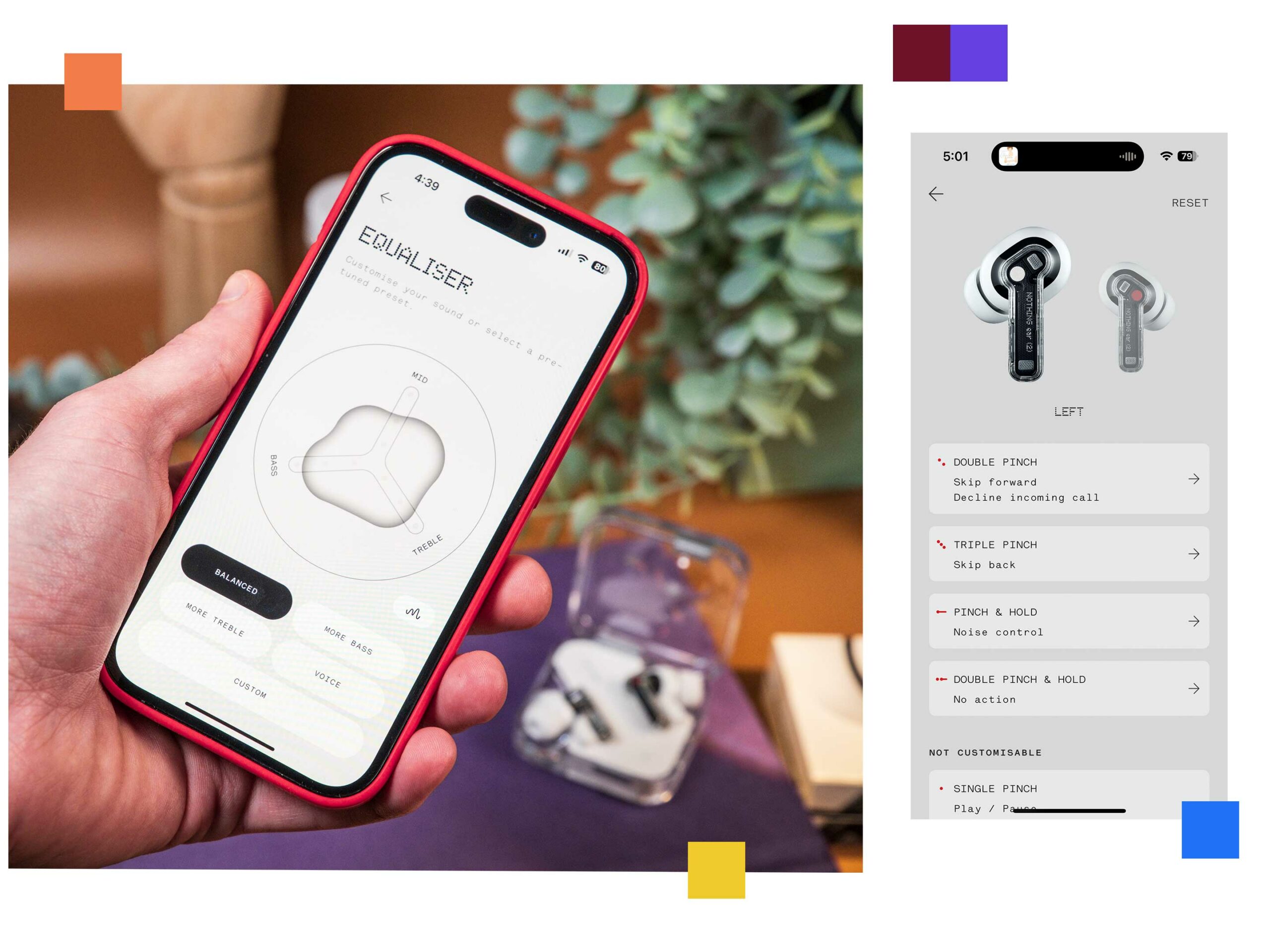
Beyond the low-latency toggle I previously mentioned, there are systems to personalize the sound levels and ANC for your hearing. There’s also a fit test, a dual connection toggle, and a button to make your earbuds chirp if you’ve lost them. This isn’t as effective as the Find My network that’s built into modern AirPods, but that’s one of the things you lose since these buds are roughly $130 less than the competing AirPods Pro.

If the music isn’t perfect, you can tune it with a standard in-app equalizer to personalize it to your taste. You can also tweak the playback controls if you’d rather have volume controls on the buds or want to tweak which bud does what.

I’m sure audiophiles will be annoyed with how basic the equalizer is, but for most people, the app is easy to use and offers several controls and tweaks to help make your buds suit you. While I tried the automatic sound profile test, I ended up turning it off and bumping the bass down a notch which felt balanced to me.

Overall, there’s a lot of functionality in the app, and enjoy how much personalization you can add to the earbuds through a few tweaks in the app. It’s not much, but it gives me a nice sense of ownership over these buds compared to my Apple earbuds. With AirPods, you get what you get, and there’s a beautiful simplicity there, but the Nothing Ear (2) allows you to make them your earbuds, and combined with the care that went into the look, they feel like a product you can connect with.

Categories
Mobile Syrup

Now that Vidéotron owns Freedom Mobile, would you make the switch?

After being stuck in regulatory approval for years, Canada’s Innovation Minister, François-Philippe Champagne, has finally approved Rogers’ merger with Shaw and Vidéotron’s acquisition of Freedom Mobile.

Now that Vidéotron has officially acquired Freedom, it has agreed to expand its 5G network in areas where Freedom Mobile already operates within the next two years. The company also says it will make its plan options 20 percent cheaper than major competitors, and data allotments for Freedom’s customers will increase by 10 percent.

All of the details are still unclear, but with Vidéotron now taking on Freedom Mobile, are you willing to make the switch if the brand’s service is available in your area?

Personally, I’d make the move. Vidéotron offers pretty good plans that offer 20GB of data for $50 per month with 100GB in your bucket for the year, and data at full speeds, the entire time. That said, it’s unclear if Vidéotron will bring these plans to Freedom Mobile, but if the company does, I’d definitely go through the hassle of changing providers. Who wouldn’t?

Let us know in the comments below if you’d make the switch.