Categories
Mobile Syrup

Age of Empires II’s Xbox edition features surprisingly great gamepad controls

Playing Age of Empires II (AoE II) on an Xbox Series X with a controller is a surreal experience for me.

After all, even though AoE II has received several solid re-releases and expansions (Dynasties of India dropped just last year), the iconic real-time strategy (RTS) title is still the same 23-year-old game I spent hours playing as a child on my parents’ chunky, grey-coloured desktop.

But real-time strategy (RTS) games can really only be enjoyed with a mouse and keyboard, right? With very few exceptions to this rule, including Halo Wars and Halo Wars 2, this is the opinion I’ve held for decades, particularly with titles from the late-90s-to-early-2000s golden era of the genre (I blame StarCraft 64).

Thankfully, Age of Empire II Console Edition for Xbox breaks this trend with surprisingly intuitive and fluid gamepad controls.
“I have to be honest with you and say that the work [on the controls] was more challenging than we originally anticipated. When we first started, we did what everybody does, ‘let’s just take the whole PC game to console and just map to controller.’ It works, but it doesn’t feel great — it’s not smooth…” said Earnest Yuen, executive producer at World’s Edge, in an interview with MobileSyrup.

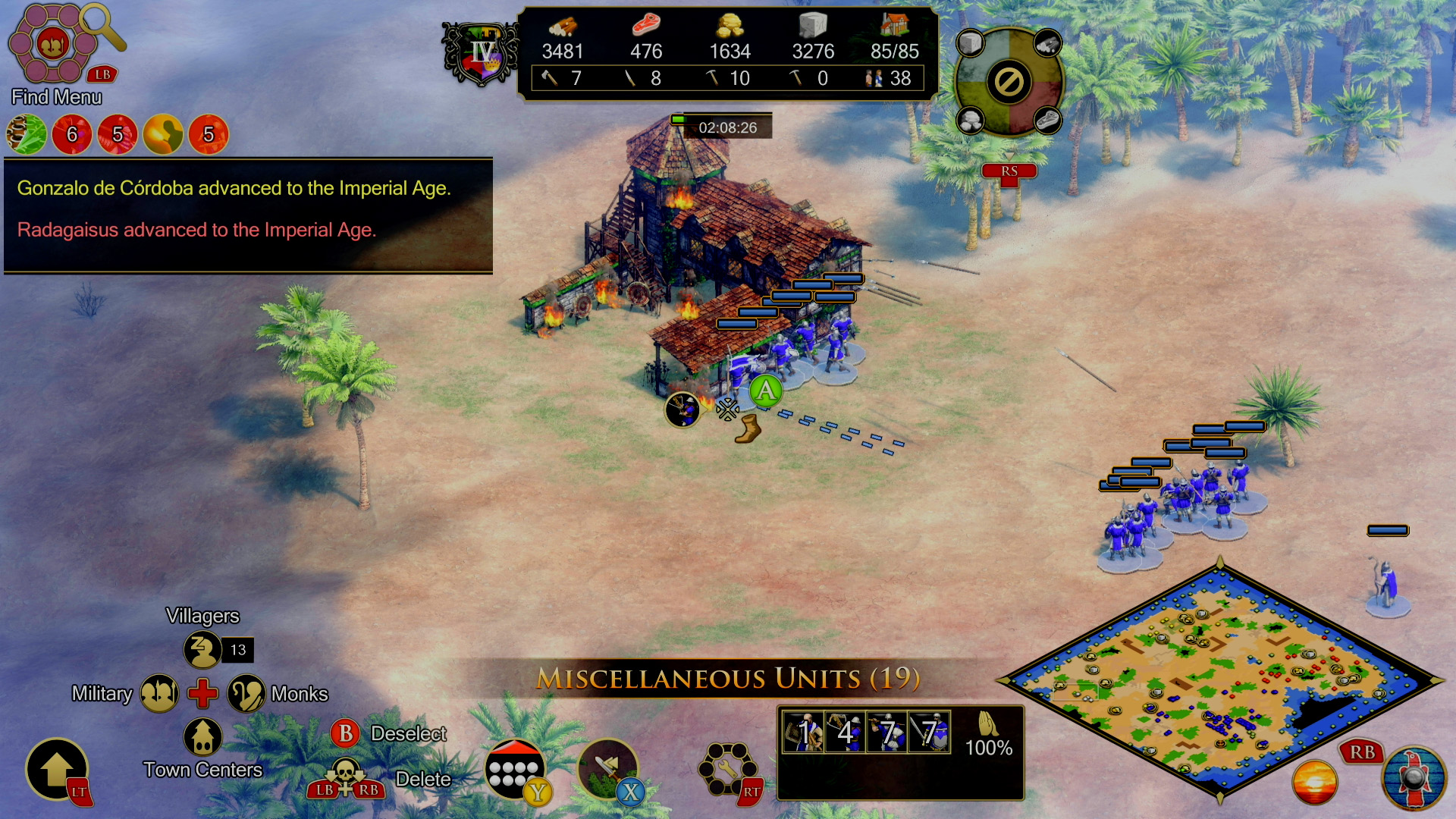
In A0E II‘s Console Edition, every aspect of commanding your units is cleverly mapped to a controller button. For example, instead of making a square around your troops with a mouse like you would in the PC version of the game, on Xbox, you form a green circle by holding down the A button. You can also select idle Villagers by pressing up on the D-pad, any military unit by hitting left, and access villager properties by clicking the right joystick. Other easy-to-access actions include the left trigger to chain commands, the right bumper to access the mini map and the X button for attack move/special actions.

“The first challenge that we encountered is moving the cursor on the screen, because the PC version of Age of Empires II is all about clicking, in a sense. Translating that experience to a controller using an analogue stick is cumbersome. The first thing we tried was a multi-cursor — that didn’t feel right,” said Alex Liu, design director at Microsoft.
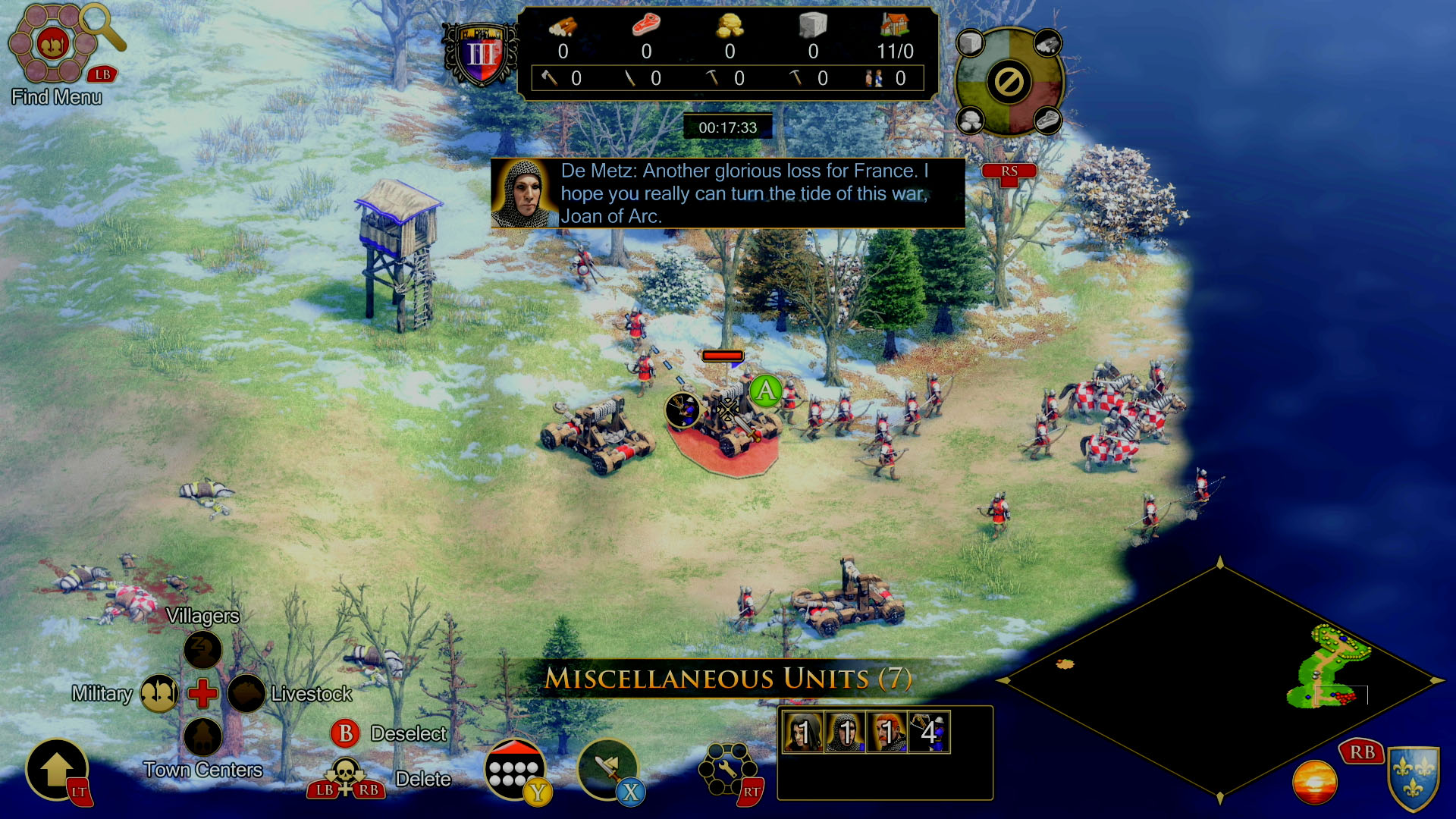
Liu explained that to do Age of Empires II justice, the team needed to reimagine how to control the game.

“How can we make a game that’s 20 plus years old and beloved by fans feel fresh, new and welcoming for new players… The Xbox game introduces quite a few new features, from automation to new ways to build stuff and to control units — all of these are things we developed in the process in order to make the game more accessible for people.”

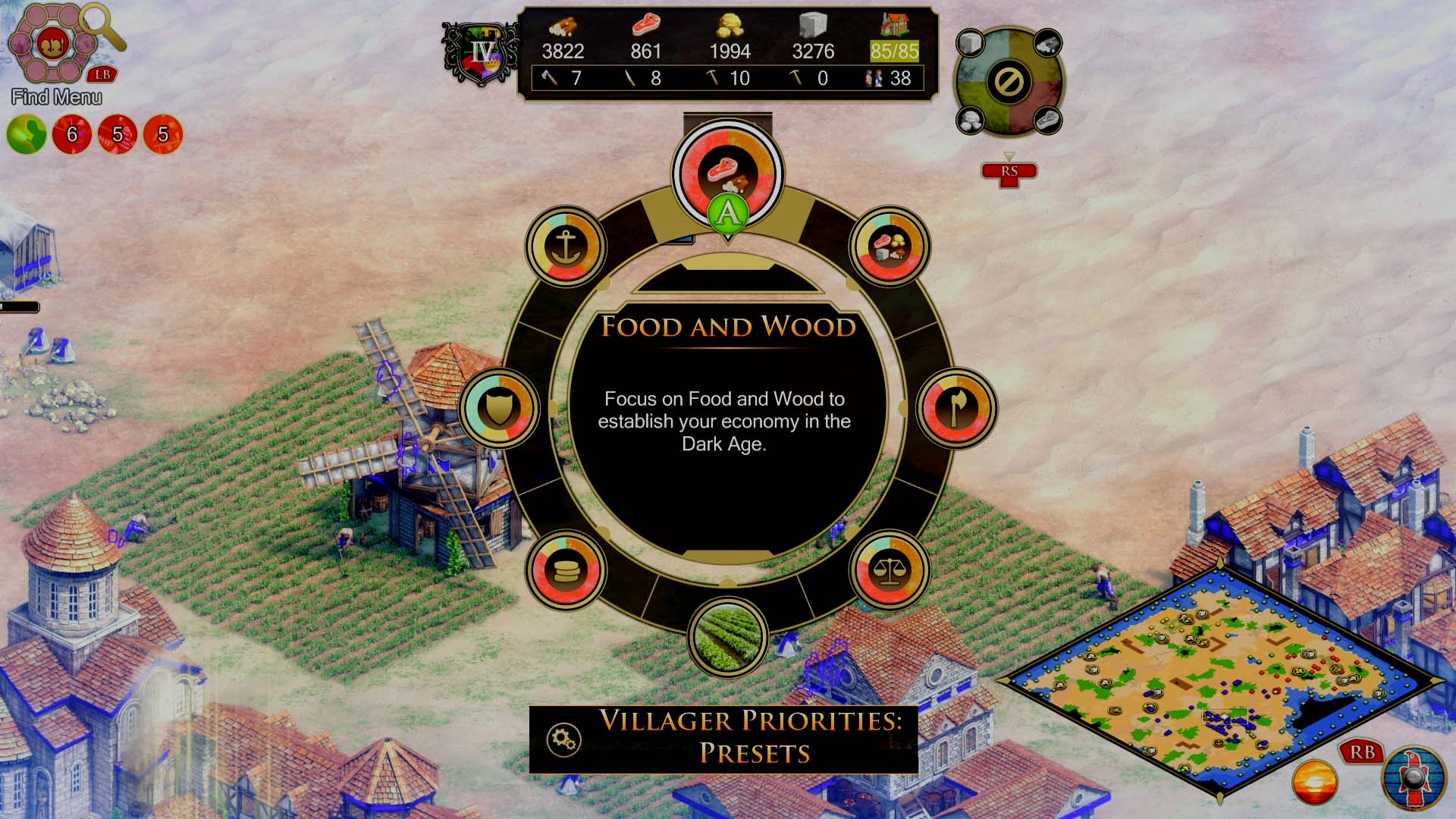
Additions to the AoE II include automation mechanics, a first for the Age of Empires franchise, but a move Yuen and Liu say was necessary to adapt the title to console. You can set Villagers to automatically build farms around town centres or ask them to seek out and gather resources with defined automatic presets like ‘Food and Wood’ foraging, allowing you to concentrate more on building military units and battle.

If this sounds complicated, you aren’t wrong, but after moving through AoE II‘s comprehensive tutorial, the actions became second nature; except for switching to different Command Menus with the Y button (for some reason, that didn’t click with me — at least not yet). Still, I never felt my controls were limited in the few hours I’ve spent with AoE II on the Series X. In fact, I enjoyed leaning back in my computer chair and playing familiar campaigns like ‘William Wallace,’ ‘Joan of Arc,’ ‘Atila the Hun’ and more with only a gamepad. Sometimes I found myself wishing my cursor would move a little more accurately via the joystick, but for the most part, the experience was excellent.
Another critical aspect of Age of Empires II Console Edition worth highlighting is how good the game looks running on the Xbox Series X in 4K. Of course, AoE II is over two decades old, and a remake should look this great on a modern console, especially given it’s a port of 2019’s Definitive Edition for PC. I constantly zoomed in and out of the battlefield and marvelled at its detail. As a long-time fan of AoE II that remembers the game looking stunning back in 1999, even though it didn’t, the fresh coat of 4K paint lines up perfectly in my imagination (our minds have a funny way of preserving gaming memories and making them look better than they actually did).

Of course, you can ditch the gamepad for more traditional mouse and keyboard controls, which I spent a few hours doing. With this control method selected, everything plays exactly like the game’s PC version, only on an Xbox console.

“I personally feel it’s important to give players choice… Let players play the game the way that they want to. If a player wants to play with mouse and keyboard, let them,” said Yuen, when asked why it was necessary to still offer more traditional RTS controls in AoE II‘s console version.

Other things worth noting about AoE II‘s Console Edition include that saved files are transferable between the Xbox and PC, making it simple to start a ‘Skirmish’ on Xbox and then continue that same battle on your PC (this feature definitely would have come in handy for me in the ’90s).
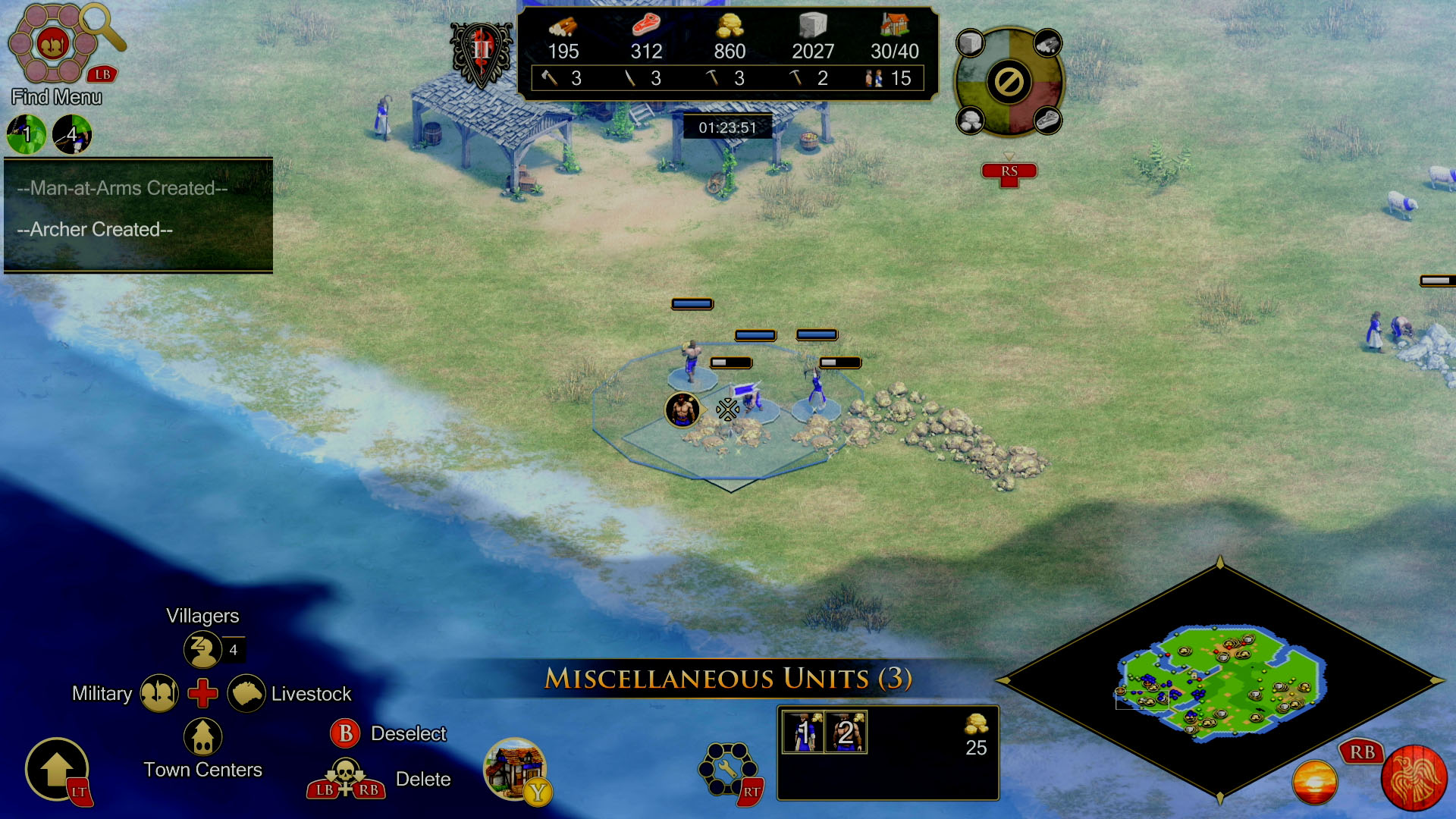
While playing Age of Empires II on Xbox, one of the key things running in the back of my mind was how similarly the Age of Empires IV console port will play when it releases later in 2023. It makes sense for World’s Edge to use the title’s surprisingly capable gamepad controls as a testing ground for AoE IV‘s console release later this year, and that is precisely what the studio plans to do.

“That’s definitely the goal. Alex worked with the design lead on Age IV console as well, so they do exchange notes. Our goal is to make sure that once you learn how to play on console through II, you’ll be able to play Age of Empires IV on console as well in a similar fashion,” said Yeun.

As someone who has spent a lot of time playing AoE II over the past few years, first with the HD remake back in 2012 and then the Definitive Edition in 2019, I’m more interested in diving back into AoE IV on the Series X. While I played the game on PC back when it released, my desktop’s aging hardware didn’t allow it to run at top settings or in 4K. Will I opt for mouse and keyboard controls or gamepad, though? I’m still not sure, but after spending a few hours with the Console Edition of Age of Empires II, I’m leaning more towards the chilled-out experience playing with a controller offers.

Age of Empires II Definitive Edition launches on Xbox consoles on January 31st. It’s worth noting that if you own the PC version of AoE II: DE, you’ll already have access to the Xbox version, and the same goes for the Console Edition.

Categories
Mobile Syrup

Anker slashes prices on portable chargers and robot vacuums

You know what you need to make your life better? A portable charger and a vacuum.

Think about it… while you’re out and about using your phone taking pics and videos you can charge it with the portable charger and also control clean your home on the go by commanding your vacuum to do work. Best of both worlds. Here are some deals:

MobileSyrup utilizes affiliate partnerships. These partnerships do not influence our editorial content, though we may earn a commission on purchases made via these links that helps fund the journalism provided free on our website.

Source: Amazon Canada

Categories
Mobile Syrup

What’s leaving Netflix Canada, Crave and Prime Video in February 2023

As is the case every month, several shows and movies are leaving Netflix Canada, Crave and Prime in February.

It’s worth noting that the streaming services may only be removing certain shows and movies for a specific amount of time.

Series like Avatar: The Last Airbender and Gossip Girl and movies like Mean Girls have all left Netflix and then returned to the service months or years later. If you’re more interested in what’s coming to Crave, Prime Video, and Netflix, check out our respective ‘what’s coming to’ posts.

Below are all the shows and movies leaving Netflix, Prime Video and Crave in February.

Everything leaving Amazon Prime Video

  • Eternal Sunshine of the Spotless Mind (February 1st)
  • Backdraft (February 1st)
  • Steve Jobs (February 1st)
  • The Game (February 1st)
  • Salt (February 1st)
  • City of Lies (February 1st)
  • Grown Ups 2 (February 1st)
  • Falling Water (February 14th)

Here’s what’s leaving Netflix

  • Wonder Woman 1984 (February 12th)
  • The Departed (February 13th)
  • Hereditary (February 14th)
  • New Amsterdam: Seasons 1-2 (February 14th)
  • Heartland: Seasons 1- 15 (February 28th)
  • Kim’s Convenience: Seasons 1-5 (February 28th)
  • Murdoch Mysteries: Seasons 1-15 (February 28th)
  • Schitt’s Creek (February 28th)
  • The Great Canadian Baking Show: Seasons 1-5 (February 28th)
  • When Calls the Heart: Seasons 1-5 (February 28th)

Leaving Crave in February

  • David Crosby: Remember My Name (February 2nd)
  • High Fidelity: Season 1 (February 13th)
  • Supervillain: The Making Of 6IX9INE (February 20th)
  • The Sit-In: Harry Belafonte Hosts the Tonight Show (February 21st)
  • We Broke Up (February 21st)
  • Another Day (February 24th)
  • Casino Royale (February 24th)
  • Diamonds Are Forever (February 24th)
  • Dr. No (February 24th)
  • For Your Eyes Only (February 24th)
  • From Russia With Love (February 24th)
  • GoldenEye (February 24th)
  • Goldfinger (February 24th)
  • License to Kill (February 24th)
  • Live and Let Die (February 24th)
  • The Living Daylights (February 24th)
  • The Man with the Golden Gun (February 24th)
  • Moonraker (February 24th)
  • Never Say Never Again (February 24th)
  • Octopussy (February 24th)
  • On Her Majesty’s Secret Service (February 24th)
  • Quantum of Solace (February 24th)
  • Skyfall (February 24th)
  • Spectre (February 24th)
  • The Spy Who Loved Me (February 24th)
  • Thunderball (February 24th)
  • Tomorrow Never Dies (February 24th)
  • A View to Kil (February 24th)
  • The World Is Not Enough (February 24th)
  • You Only Live Twice (February 24th)
  • French Exit (February 24th)
  • Four Weddings and a Funeral (February 25th)
  • Detroit (February 27th)
  • The Fighter (February 28th)
  • News of the World (February 28th)
  • Ottolenghi & The Cakes of Versaille (February 28th)
  • Tyler Perry’s Meet the Browns (February 28th)
  • I Am Paul Walker (February 28th)
  • Hilarious House of Frightenstein: Season 1 (February 28th)
  • Aliens Stole My Body (February 28th)
  • Candyman (1992) (February 28th)
  • Come Play (February 28th)
  • Creation Stories (February 28th)
  • Curious George: Go West, Go Wild (February 28th)
  • Four Good Days (February 28th)
  • Golden Arm (February 28th)
  • Who Let Dogs Out (February 28th)
  • Phantom Boy (February 28th)
  • Promising Young Woman (February 28th)
  • Safer At Home (February 28th)
  • Battle Royale (February 28th)
  • Confidence (February 28th)
  • Draft Day (February 28th)
  • Feris Bueller’s Day Off (February 28th)
  • Next Day Air (February 28th)
  • Pitch Perfect (February 28th)
  • Supergirl (February 28th)
  • Three Kings (February 28th)
Categories
Mobile Syrup

Understanding the differences between Canadian wireless providers

Most Canadians know the Big Three carriers — Rogers, Bell and Telus.

But for those who only think about their carrier when its time for a phone upgrade (or those who aren’t avid MobileSyrup readers), it might come as a surprise to know that most wireless service providers in Canada are owned by the Big Three. Even if you know that, figuring out the differences between, say, Rogers, Fido, and Chatr can be tough.

So here’s everything you need to know about the differences between Canada’s wireless providers, though this isn’t an exhaustive list of every provider operating in Canada (it’s also worth noting many of these brands offer other services, like internet or cable TV, but we’re going to focus on wireless).

National providers

First up, the national providers. These are your Big Three, Rogers Bell and Telus. If you have cell service in Canada, you’re probably using one of these three or a provider owned by one of these three. Unless you want to dig into the technical nitty-gritty, there isn’t a lot that’s different between the Big Three carriers and, in all the ways that matter to most Canadians (like price), they’re effectively the same.
What makes the national providers stand apart from the others on this list is that they offer 5G services (most of the others cap out at 4G or 3G), service bundles (such as family discounts if you have multiple lines, or discounts if you have multiple services with one provider), and they’re also the most expensive.

Here are some of the things you can get with the Big Three that might not be at other providers:

  • Plans starting around $85/mo and up
  • 5G/5G+
  • “Unlimited” data (what you actually get is a data cap at a set speed, and then unlimited usage throttled at a maximum speed of 512Kbps)
  • Speed caps of 250Mbps to 1Gbps, depending on the plan
  • Canada/U.S. plans
  • Multi-line/multi-service bundles
  • Streaming bonuses (Bell offers Crave with some plans, Rogers offers Disney+, and Telus has a streaming bundle, though it’s also available at Koodo)

Flanker brands

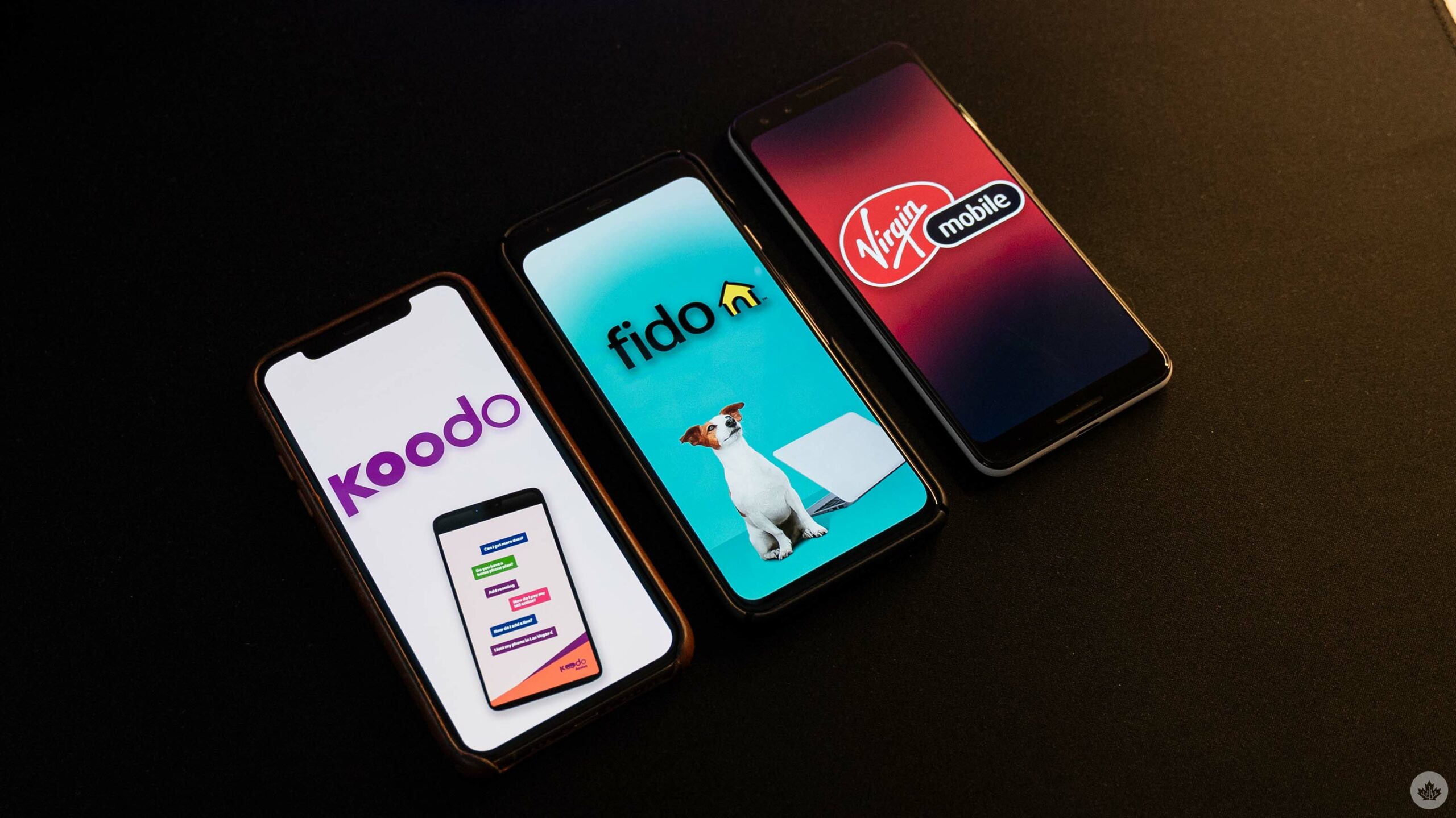
Koodo, Fido, and Virgin Plus logos on smartphones.Next up, we have the flanker brands. Chances are you’ve heard of these guys: Fido (owned by Rogers), Virgin Plus (owned by Bell) and Koodo (owned by Telus). Despite looking and acting like separate entities from the Big Three, the flanker brands are very much part of the Big Three’s strategy. Moreover, they operate on the same wireless network as what’s offered by the respective Big Three carrier — in other words, if you have poor service at home with Rogers, switching to Fido probably won’t help.
The flanker brands tend to add value compared to the Big Three offerings, if you’re willing to take a hit on network performance. You might also get worse customer service with flanker brands, though your mileage may vary with that (in my experience, I’ve had better customer service from Koodo than from Telus, Bell, Rogers and Fido.)

Here are some things you’ll get with the flanker brands that you might not get from other providers:

  • Plan prices ranging from $30-$70 per month
  • Conventional data allotments with overage fees
  • Up to 4G LTE service
  • Speed caps of 100Mbps to 150Mbps (depending on provider)
  • Special perks or bonuses (Koodo’s Pick Your Perk plans, Virgin’s Member Benefits, Fido Xtra)
  • Refer a friend perks
  • CRTC-mandated ‘Starter’ plans

It’s also worth noting that at the time of writing, Koodo was the only flanker brand that hadn’t switched over to the device financing model offered by the other flanker brands and the Big Three.

Budget brands

There are several budget brands available in Canada as well that are owned by the Big Three. This includes Chatr (Rogers), Lucky Mobile (Bell) and Public Mobile (Telus). Like the flanker brands, the budget brands offer service on the Big Three networks but at a reduced price (and usually at a reduced quality, such as capping data speeds at a 3G level).

Moreover, budget brands only offer a small number of cheap phones but focus on bring-your-own-phone service, often with no-commitment plans and no credit check. While the service can be basic, it’s often cheaper than flanker brands or the Big Three.

Here are some of the things you can get with the budget brands that might not be available at other providers:

  • Plan prices ranging from $15-$70/mo
  • 3G or 4G speed (depending on the provider)
  • No credit check
  • Monthly data bonuses
  • Service credits for things like helping the community or referring a friend

Regional and other players

Finally, Canada has a variety of regional providers that are only active in certain areas of the country. Sometimes these providers also offer service that falls back on the Big Three networks if you leave their coverage region.

Regional players include providers like Freedom Mobile, Shaw Mobile, Vidéotron, Eastlink, Tbaytel, Sasktel and more. When shopping for mobile services, it’s almost always worth exploring regional options since they tend to offer lower prices than the Big Three, although service might be unreliable or restrictred outside of the regional provider’s footprint.

Most regional players offer at least 4G service, with some offering 5G as well.

Categories
Mobile Syrup

Seth Rogen’s Donkey Kong in the Mario movie is the stoned ape we all need

Forget the discourse surrounding Chris Pratt as Mario — the most important voice has finally been revealed.

Yes, we’re talking about Vancouver’s own Seth Rogen as Donkey Kong in the The Super Mario Bros. Movie.

In a brief trailer posted out of nowhere on a Sunday, we see a bit more of a previously teased fight between Mario and Donkey. After the Italian plumber dons his cat suit, Donkey Kong starts laughing at him, and we hear Rogen’s iconic wheezing stoner laugh.

This is the first time we’ve heard Rogen as Donkey Kong, as previous trailers have only offered up Pratt’s Mario, Charlie Day’s Luigi, Jack Black’s Bowser and Anya Taylor-Joy’s Peach. In the end, Rogen’s Donkey Kong pretty much sounds exactly as you’d expect, but then, would we have it any other way?

The Super Mario Bros. Movie will hit theatres on April 7th.

Image credit: Illumination/Nintendo

Categories
Mobile Syrup

Here’s how you can use a PS5 DualSense controller with your PC

I’m a PC gamer that primarily games on keyboard and mouse, but from time to time, I like to play more casual titles with a controller. Recently, I’ve been obsessed with FIFA 23 and developing a strong ‘Ultimate Team’ Squad.

I have a DualShock 4 that I bought roughly three years ago, but joystick drift inevitably got to it. The controller is usable, though micro adjustments and moving the analog sticks precisely is almost impossible, as the sticks automatically drift wider than I want them to.

I invested in a new PS5 DualSense, considering that it is compatible with PC just like its predecessor. The simplest way to connect a DualSense to your PC is via a USB-A to USB-C cable. You can also use a USB-C to USB-C cable if your PC/laptop has a USB-C port and enjoy your favourite titles on the go. Similarly, the DualSense can connect to your PC via Bluetooth, so you can game completely wireless on your PC, but there are some configurations that you’ll have to perform.

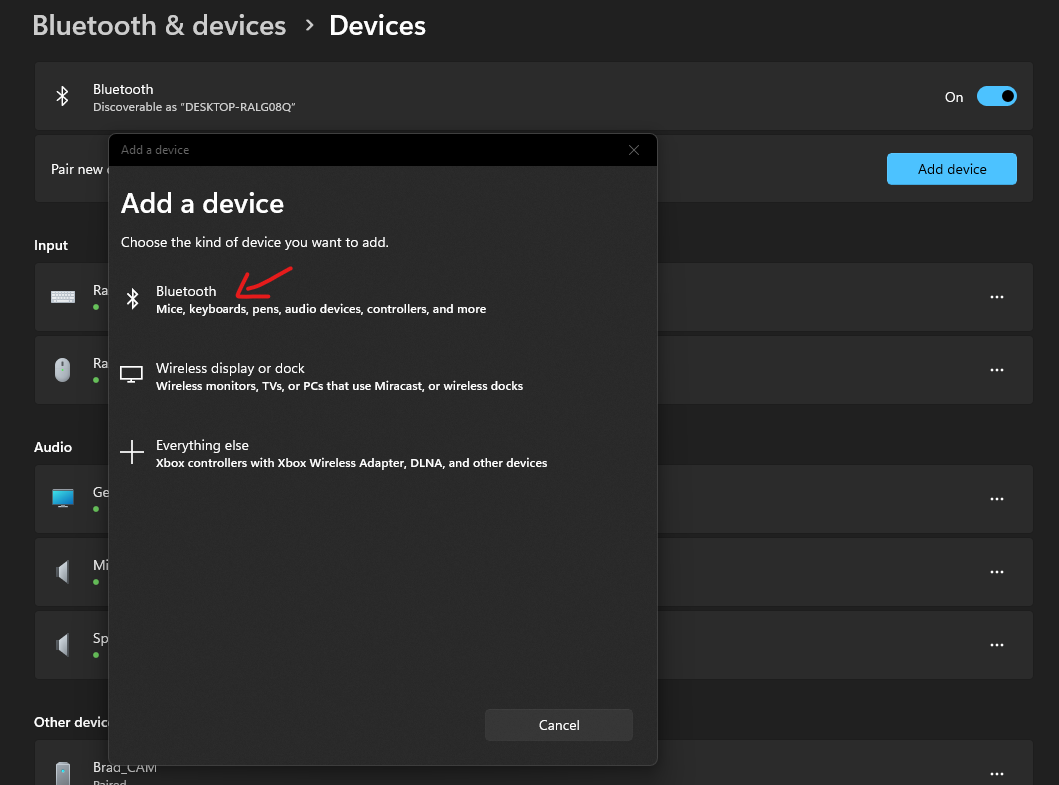
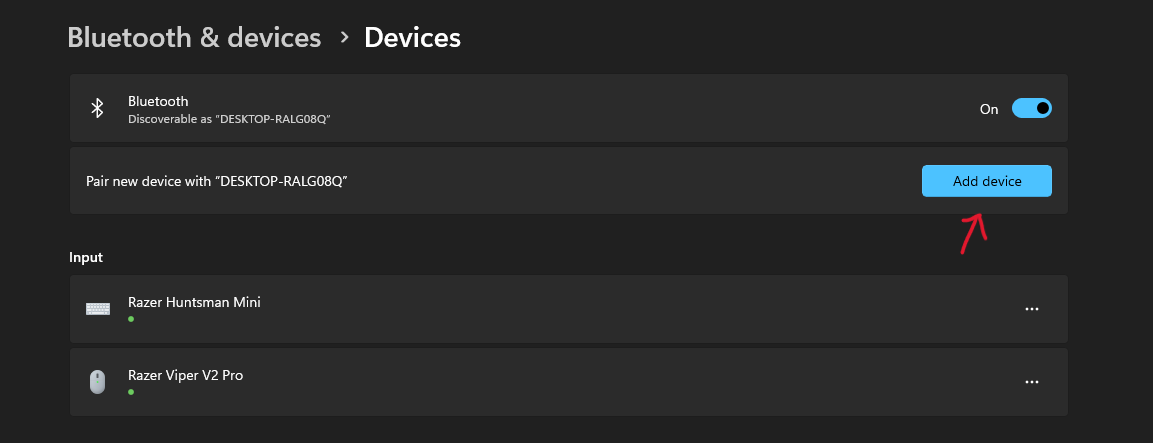
Firstly, you need to pair the DualSense with your PC:

  • Press the Windows button on your keyboard to pull up the taskbar and type in “Bluetooth”
  • Click on ‘Bluetooth and other device settings’ to pull up the Bluetooth settings screen, as seen the first screenshot below
  • Toggle Bluetooth on and click on ‘Add device’
  • Click on ‘Bluetooth’ in the ‘Add a device’ list, as seen in the second screenshot below
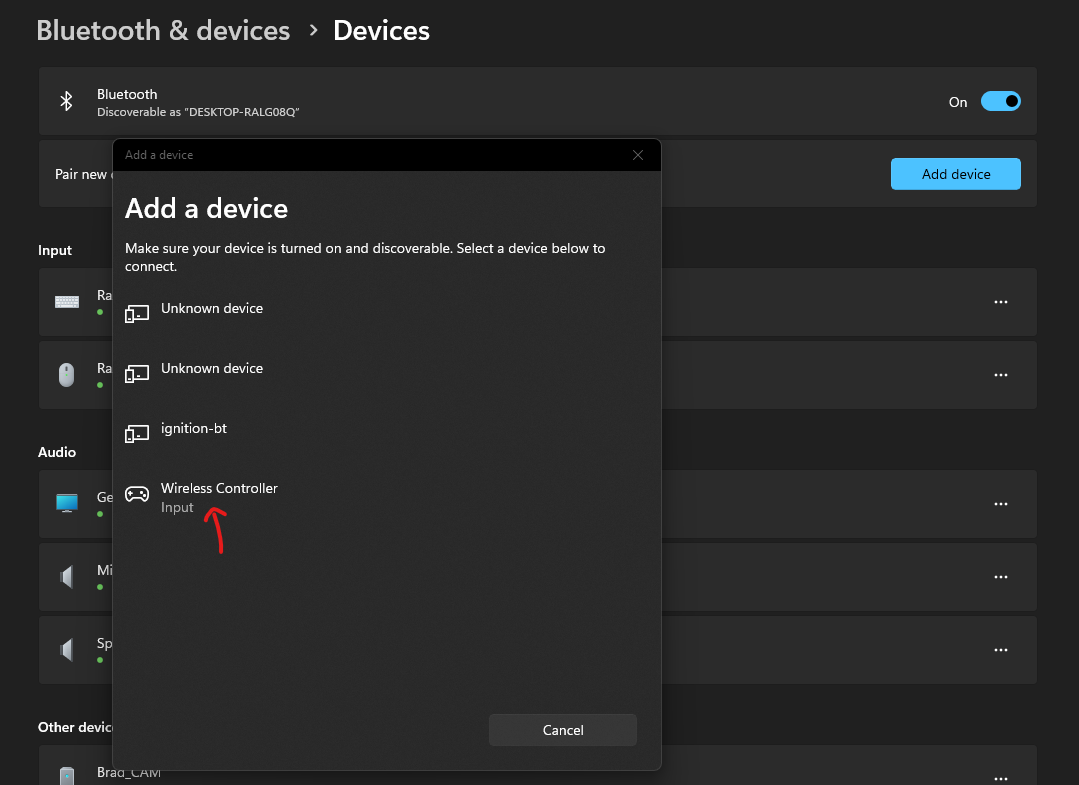
  • Now, press and hold the PS button and the Create button on your DualSense 5 until the lights on it start blinking
  • The controller should pop up in the list of Bluetooth devices nearby
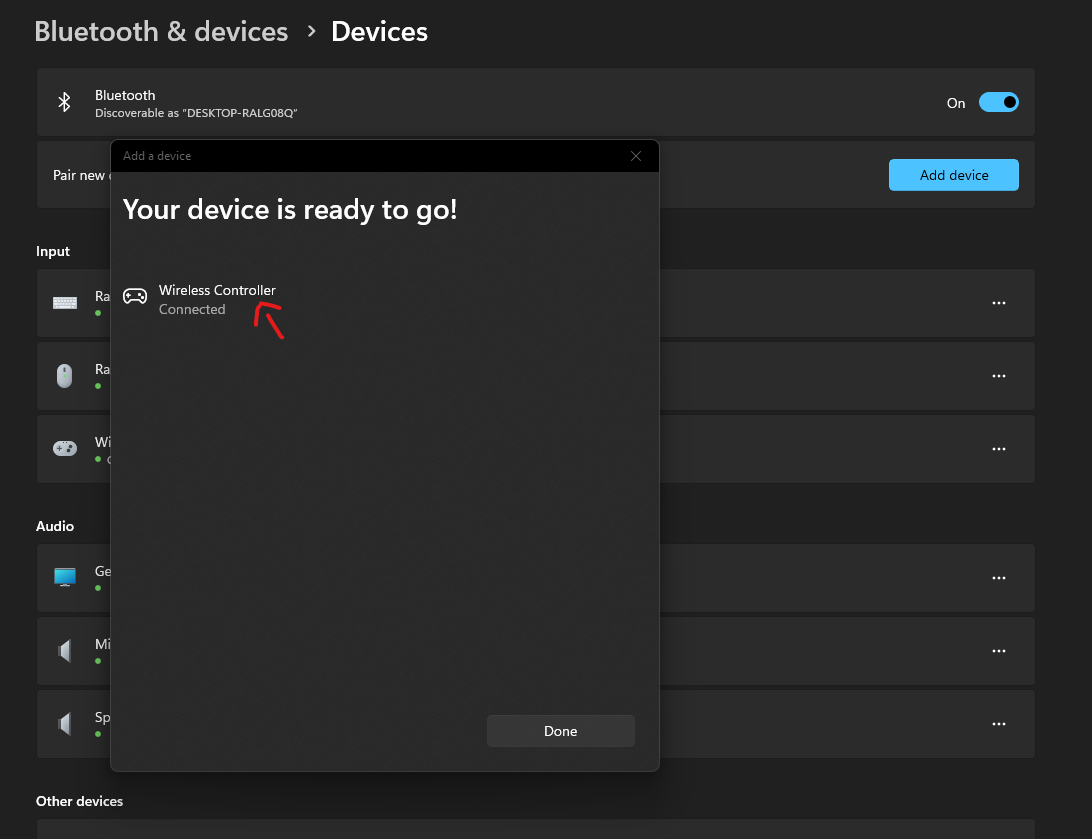
  • Click on ‘Wireless Controller’ to pair. The screen will say, “Your device is ready to go” once pairing is successful

Your DualSense is now connected to your PC via Bluetooth, but it’s not completely functional yet. Your PC would read the controller as an Xbox Gamepad, so we need to make some changes and tweaks to make the experience seamless, and make your PC read the controller as a PlayStation gamepad.

If you’re playing titles via Steam, the configuration process is rather simple:

  • Run Steam and click on ‘Steam’ in the top left corner
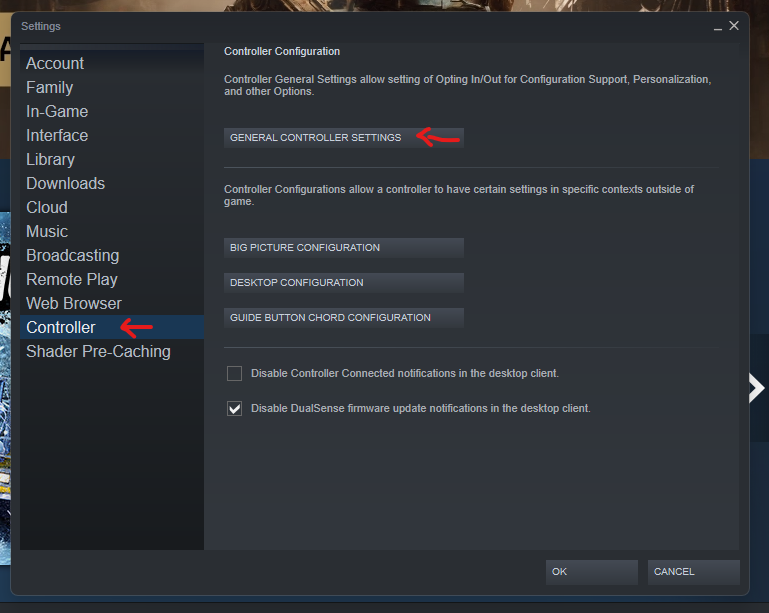
  • Click on ‘Settings’ and then choose ‘Controller’
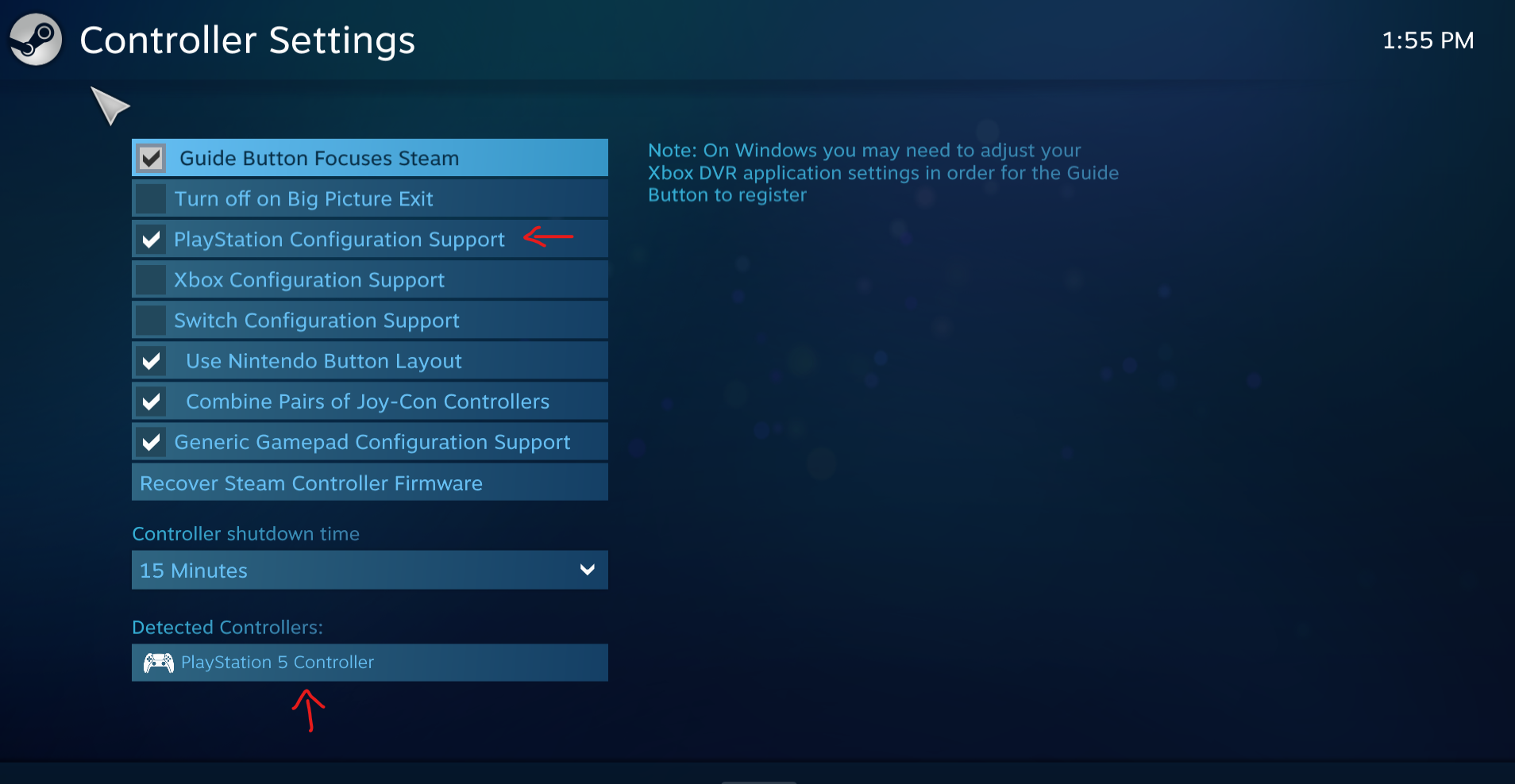
  • Click on “General Controller Settings” and enable “PlayStation Configuration Support”

Steam will now automatically configure your controller, which it’s reading as an Xbox controller, into a PlayStation one. On the same screen, you’ll see ‘PlayStation 5 controller’ under the ‘Detected Controller’ tab. From here, you can calibrate your controller and adjust the dead zones on the analog sticks, and even define the layout in case you want customized binds.

This setting will work for all games initiated through Steam. If you want to play a title from a launcher other than Steam, you’ll have to use a community tool called DS4Windows (follow the link to download — no virus, I promise).

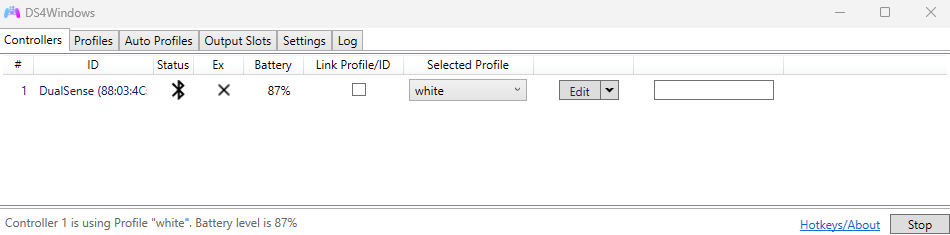
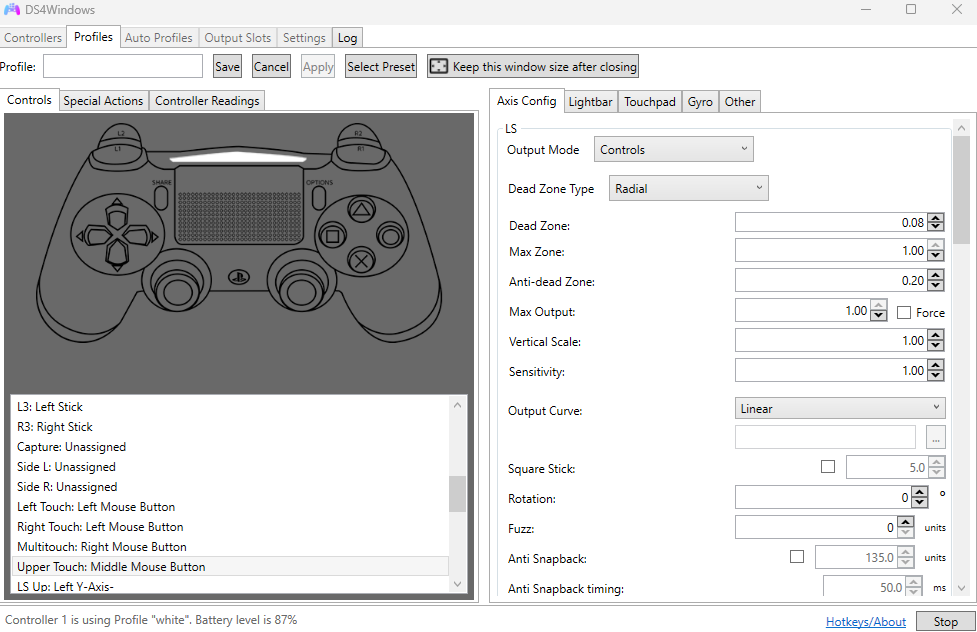
Once downloaded, the tool might download any missing drivers that are required to run the controller. With the DS4 app open, connect your controller to your PC via Bluetooth, and it should appear under the list of controllers, as seen in the first screenshot below. You can now head to the ‘Profiles’ tab and set assign custom buttons, change analog stick dead zones, customize the lightbar colour, customize the touchpad, gyro and more.

Many PC games let you unlock the full potential of the DualSense. Games like Marvel’s Spider-Man: Miles Morales, Sackboy: A Big Adventure, F1 22, Ghostwire: Tokyo, and many others support haptic feedback and adaptive triggers on PC. Check out a full list of supported games at PCGamingWiki.

Categories
Mobile Syrup

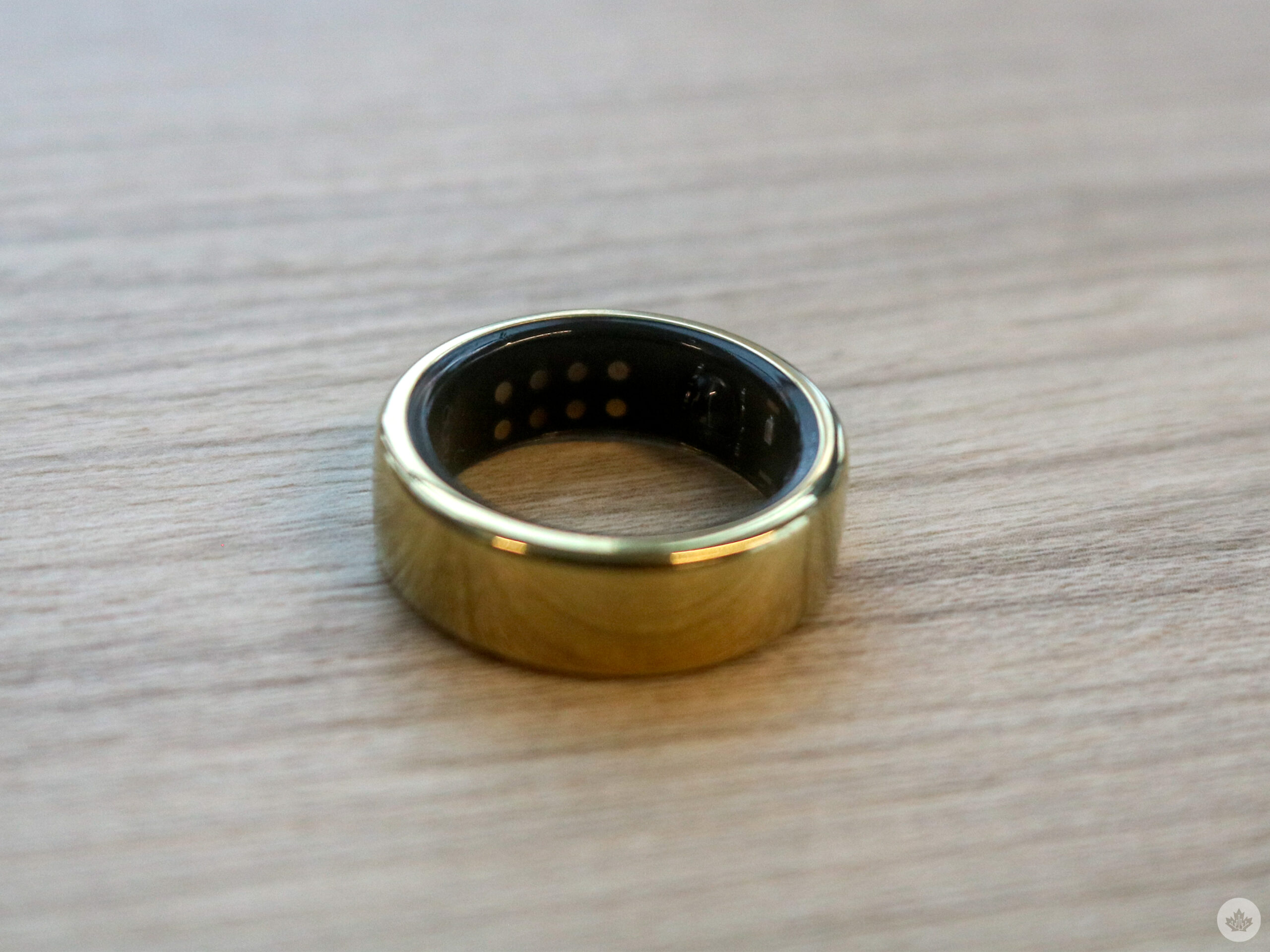
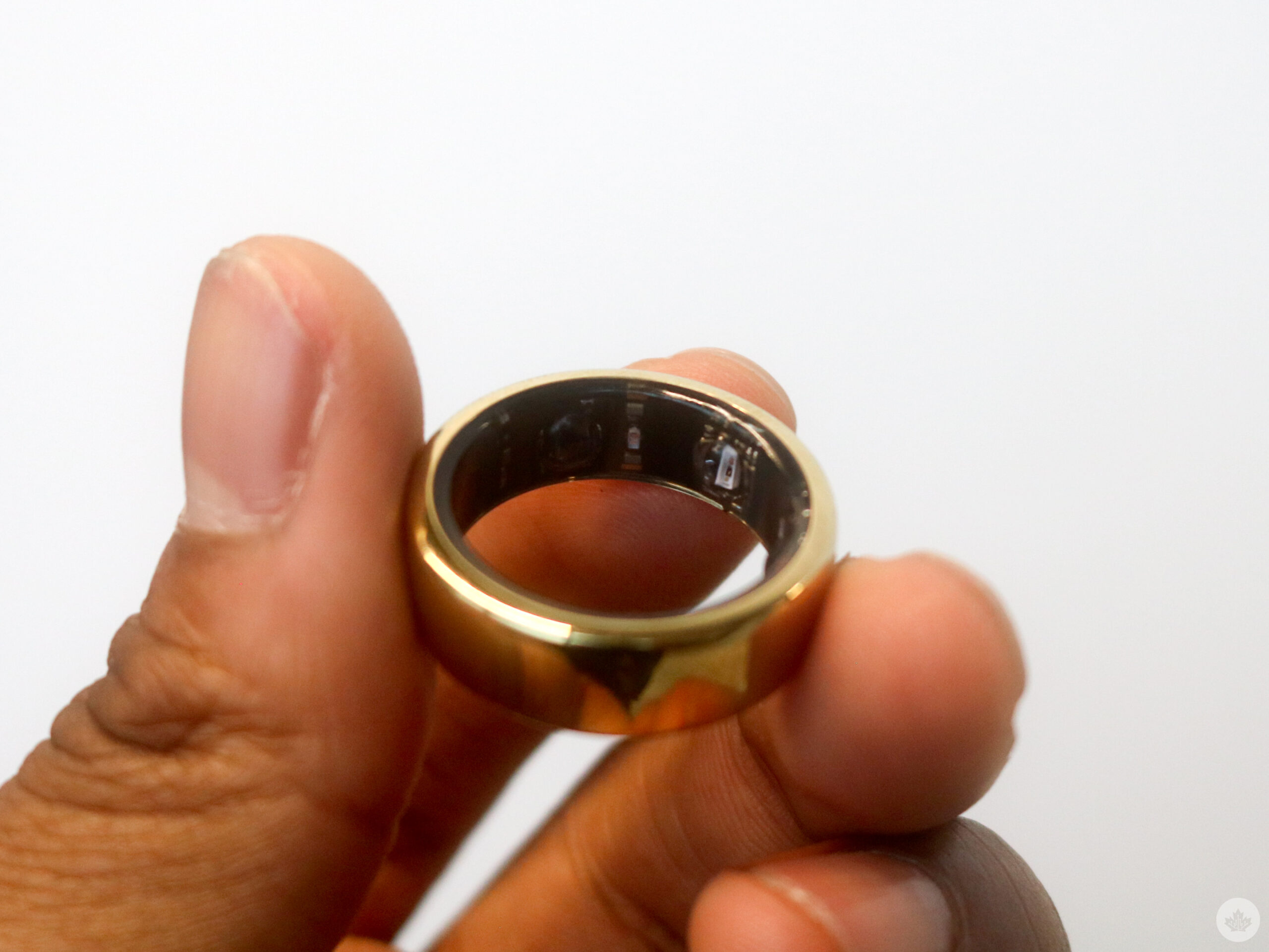
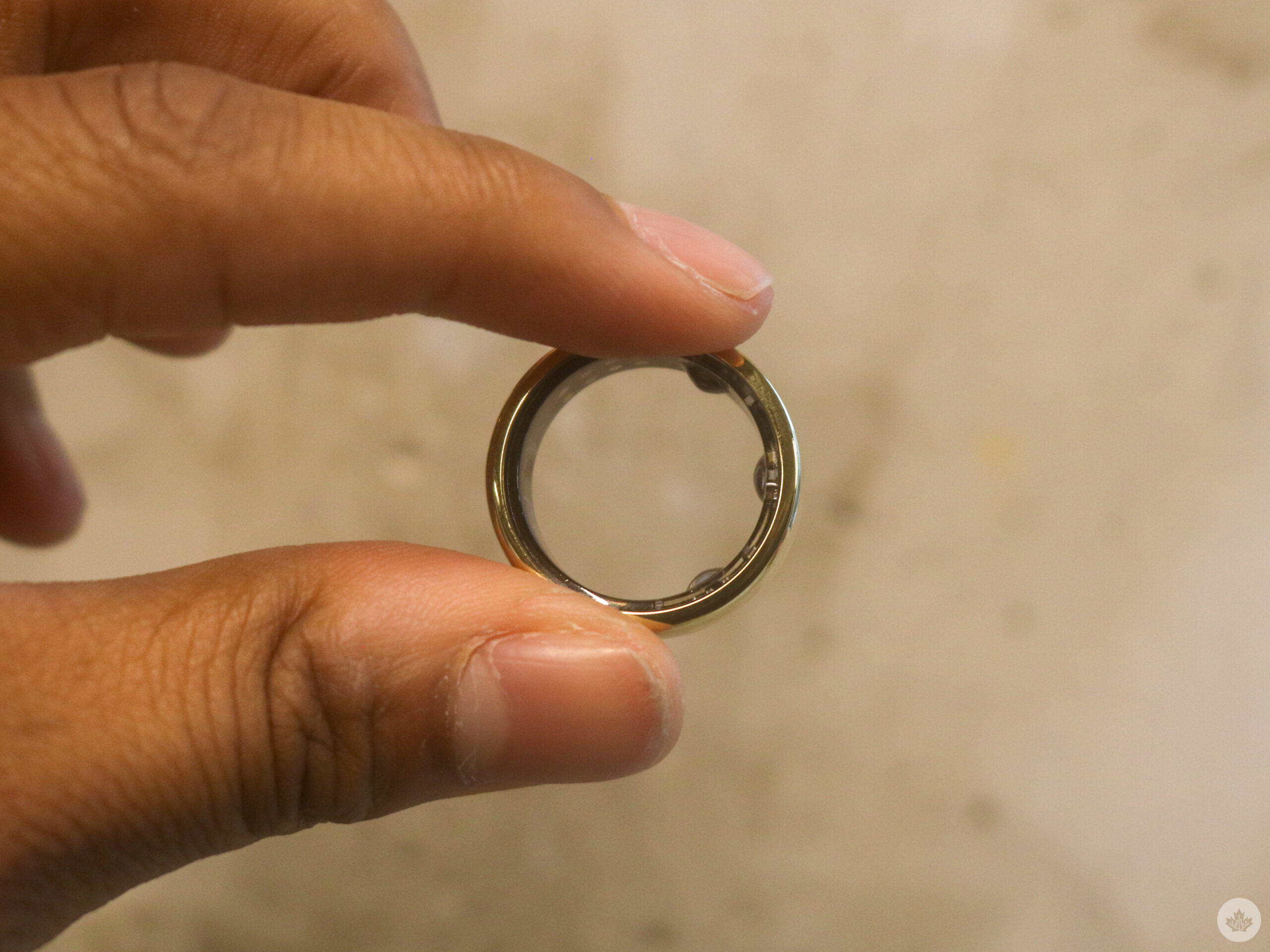
Wearing the Oura Ring Gen 3 Horizon helped me sleep

I’ve been using the Oura Ring Gen 3 Horizon for several months, and after extensive usage, including wearing it almost every night while I sleep, I have thoughts I want to share about the wearable and how it improved my sleep, alongside some of its shortcomings. Let’s start from the beginning.

The setup

When you get an Oura ring, the first step is sizing. Oura will send you a sizing kit that comes with 12 different options, and following that, you have to tell them which sample ring fits the best. The company then sends over your Oura. You also get to pick a colour – I chose the beautiful golden variant.

After getting the Oura, you’ll need to download the Oura app from either the Play Store or App Store. Since the Oura ring doesn’t have a screen, the app is where all the information is shown.

The app showcases data about your sleep, readiness, and your activity and tells you what your body needs throughout the day. The ‘Readiness Score’ provides information about your health using more than 20 biometric signals, including your temperature, heart rate and sleep, to tell you if you’re ready for the day ahead of you. A low score means that you’re stressed and that you need to take it easy. It can also be a sign that you’re sick; however, that’ll also be met with your app going into ‘Rest Mode.’ Rest Mode adjusts your daily goals, as your body is under stress and needs to prioritize rest and recovery.

The ring also tracks your activity, such as your workout heart rate; it can detect if you started exercising and tells you how many steps you’ve taken and how many calories you’ve burnt. You can also tell how active you are throughout the day and if you moved a lot. I used the Oura Ring during a time when I felt depressed and wasn’t working out a lot, so this is the feature I used the least. However, while I’ve been doing better and started back at the gym, I’ve noticed that smartwatches are better at seeing exactly how activities affect your health, but more on that later.

Why I needed an Oura Ring

Now, the Oura Ring’s pièce de resistance is its sleep tracking. It tracks your total amount of sleep, how long you spent in bed, your REM sleep, deep sleep, and sleep latency (how quickly it takes you to go to sleep), the efficiency of your sleep, what time you go to sleep, your oxygen saturation, breathing regularity, how often you wake up and move during the night.. Sleep efficiency is measured by the restfulness of your sleep, which tracks your wake-ups, excessive movements and getting up from your bed during sleep.
It also tracks your heart rate variability, which measures how much your heart rate fluctuates.

Weirdly, my naturopath suggested that I get an Oura ring. During my sessions, we started to notice that I no longer felt rested in the morning after a night of sleep. I know I have sleep apnea, and I’m still waiting for a CPAP machine, but he thought perhaps the Oura ring could provide me with more insight while I wait. And that it did.

I learned a lot about my sleep with the ring. When I started, I’d have decent sleep scores in the 70s range; it would continuously say that I’d need to watch my ‘timing’ and my ‘restfulness.’ Timing is something that I’ve never succeeded at in my several weeks with the Oura Ring. Essentially, the timing score takes into account your sleep, including naps, and the midpoint of your sleep cycle, which should fall between midnight and 3am, according to the app. As someone who typically falls asleep anywhere from 10am to 1am, this score often isn’t great. However, the timing score, while important, isn’t what I’ve been the most concerned about.

The app also tells me to pay attention to my restfulness score, which is likely due to me tossing and turning and waking up multiple times to go to sleep. Thankfully, the app teaches you how to improve this score. It suggests optimizing the environment by making sure the mattress is comfortable, the bedroom quiet, dark, and cool (around
18 degrees Celsius), avoiding spicy meals and alcohol as well, and stopping drinking caffeine in the afternoon and evening. The app also suggests completing workouts 1-2 hours before you go to bed.

While I thought this was concerning, after a trip to Hawaii that completely messed up my sleep cycle, I had low scores in the 50-60 range for almost a week. I started to feel pretty sick with shivers, couldn’t eat, and when I did, it tasted weird, and what was worst of all, I just couldn’t sleep. The app then gave me a warning that I need to be concerned about my sleep, and I took that seriously.

So for several weeks, I really focused on improving my sleep. I avoided alcohol and caffeine, cooled down my room, made sure I went to bed earlier, as suggested by my ring, and took some GABA and Magnesium, which was recommended by my naturopath. After several days, I started receiving better scores, with the occasional low REM sleep scores, which can be explained by my sleep apnea. And even though my timing still loses on occasion, I started receiving optimal sleep scores, with REM Sleeps around the two-hour mark, deep sleep around the three-hour mark and good restfulness. And I felt better, more energized; I could eat again and wasn’t feeling too cold.

Who doesn’t love a good night’s rest?

As someone who has sleep apnea and sometimes insomnia, I found the Oura Ring very useful. While smartwatches can track your sleep, I typically find them too heavy to actually sleep with.

Some of them I can use throughout a week or two of testing, but I occasionally find the weight of a watch keeps me up as well. Having the very light ring-sized tracker was optimal to track my sleep. I’ve reviewed Samsung Galaxy Watches in the past, and while I think they’re at tracking your activities and workouts, the Oura Ring is definitely better for sleep tracking and great for me. This isn’t the solution for everyone, but if you’re tired every morning after a night’s rest and want to know what’s going on with your sleep, like myself, I’d suggest buying an Oura Ring.

Also, as someone who likes jewelry and fashion, adding a sleek gold ring to the collection doesn’t hurt.

The Oura Ring Gen 3 Horizon costs $349 USD ($464.84 CAD), but the gold variant is $499 USD ($684.63 CAD).

Categories
Mobile Syrup

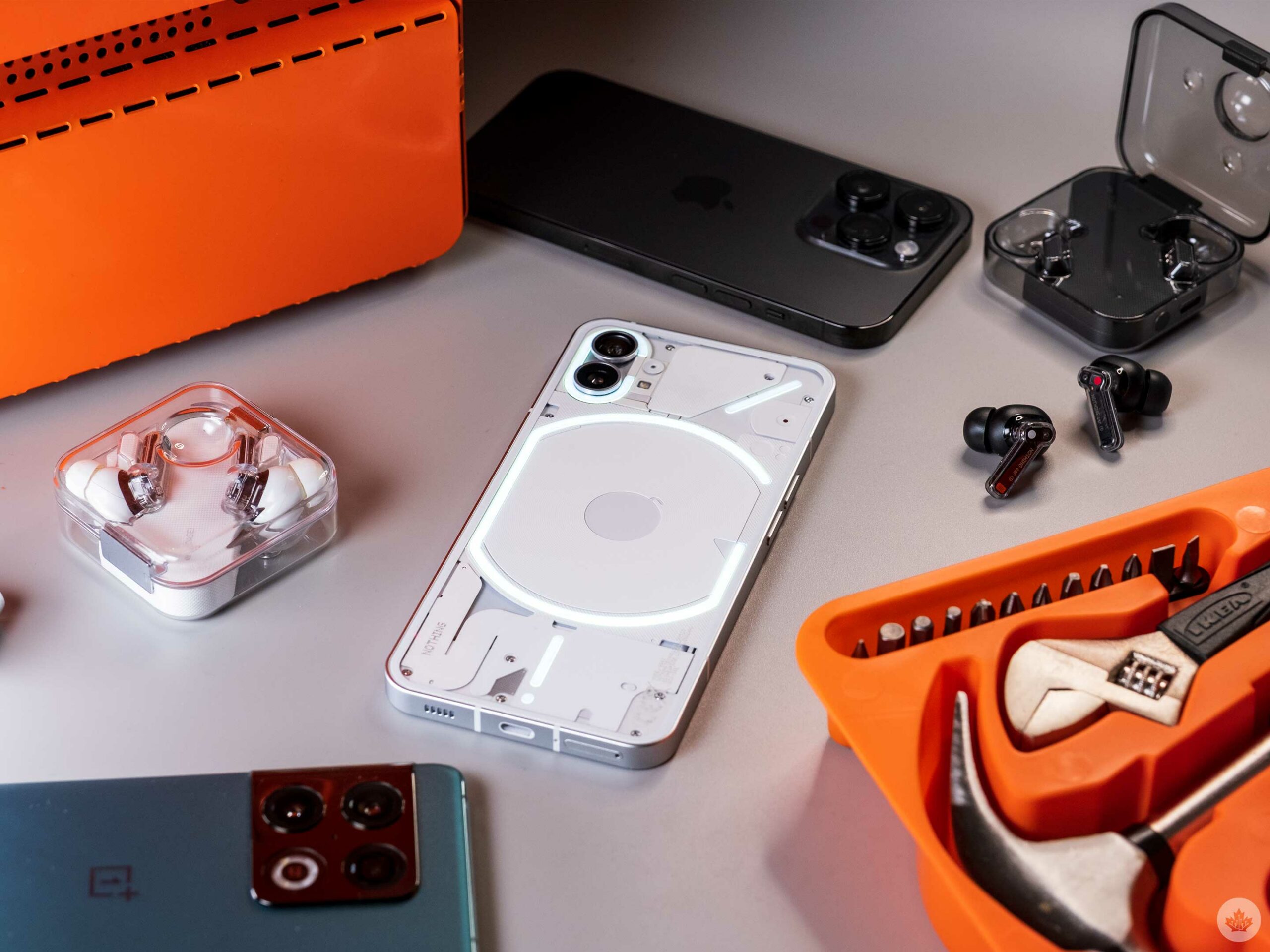
A week with the Nothing Phone 1: Style and substance make a splash

The Nothing Phone’s fair price, ambitious design and incredible price-to-performance ratio make it one of the most appealing devices I’ve used in a long time.

The phone isn’t officially available in Canada, but with Nothing’s recent launch of a U.S. beta test, there’s hope it might soon be available here. If you manage to import one, I can confirm it worked well on Bell’s and Telus’ networks in Ontario.

How it felt to use

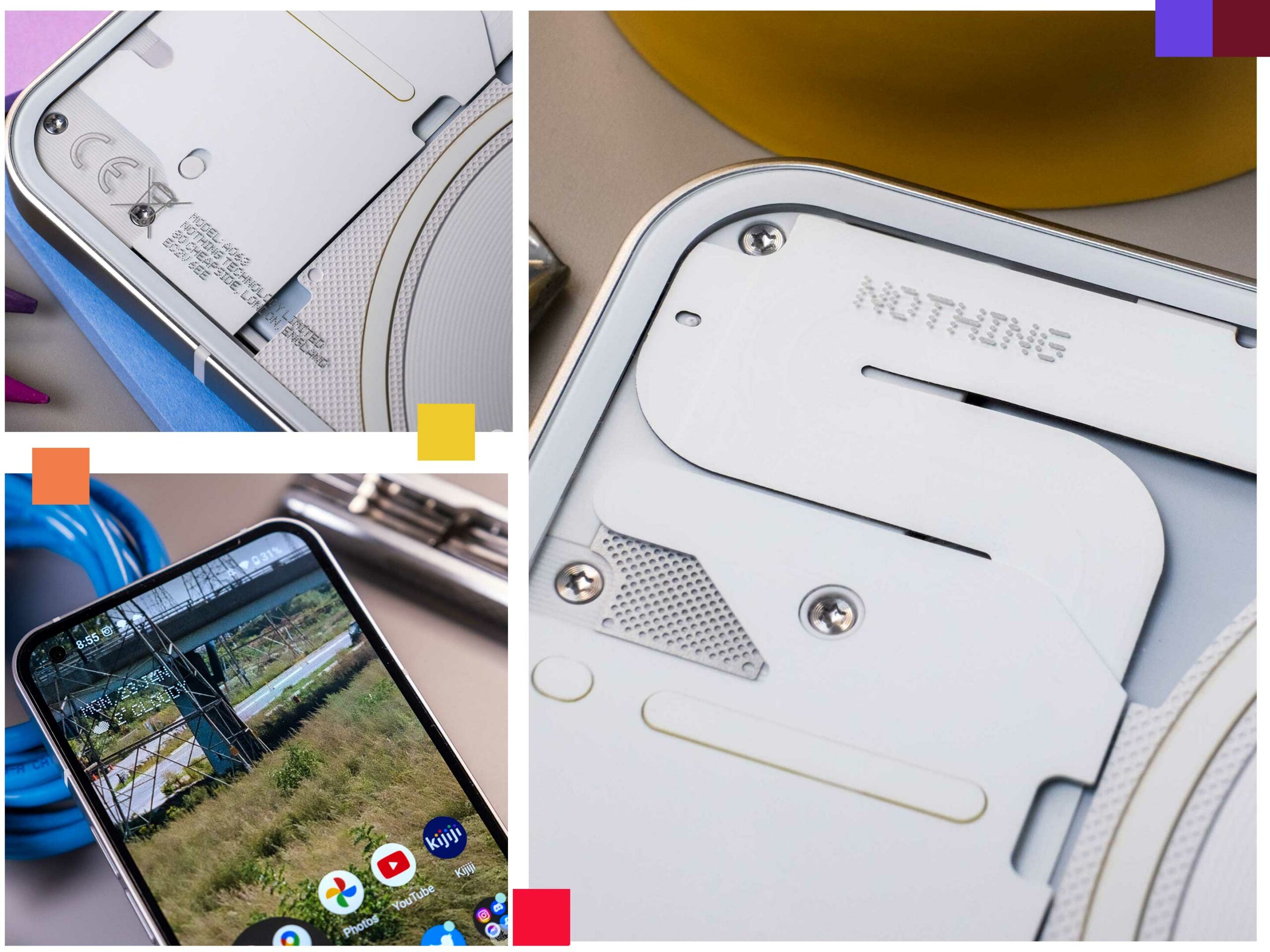
Nothing’s collaboration with Teenage Engineering leads to incredible-looking products.

The model Nothing sent us features 8GB of RAM and 256GB of storage, and while it isn’t the top spec, it felt good to use and, in most cases, is snappy enough. What is immediately noticeable is the Nothing Phone’s great size-to-weight ratio. At 193.5g, it clocks in at slightly lighter than the iPhone 14 Plus (203g) with a very similar in-hand feel. I found it a pretty appealing screen for watching videos or reading social media feeds on the couch, but it was big in my pocket.

For its price, there’s nothing out there like it. The company is smartly giving everything it’s got with its first phone to make a good impression, and it’s working. Coming from the mind of Carl Pei, it’s not surprising that the Nothing Phone is running the same playbook as OnePlus. It’s a good strategy, and if Google weren’t constantly discounting the Pixel 7, it would likely be the best deal in phones.

The metal sides are premium, the design is stellar (if you’re into sci-fi), and there’s a capable chipset under the hood. The phone also has good haptics, which can be hit-and-miss in the mid-range space, so it’s nice to see here.
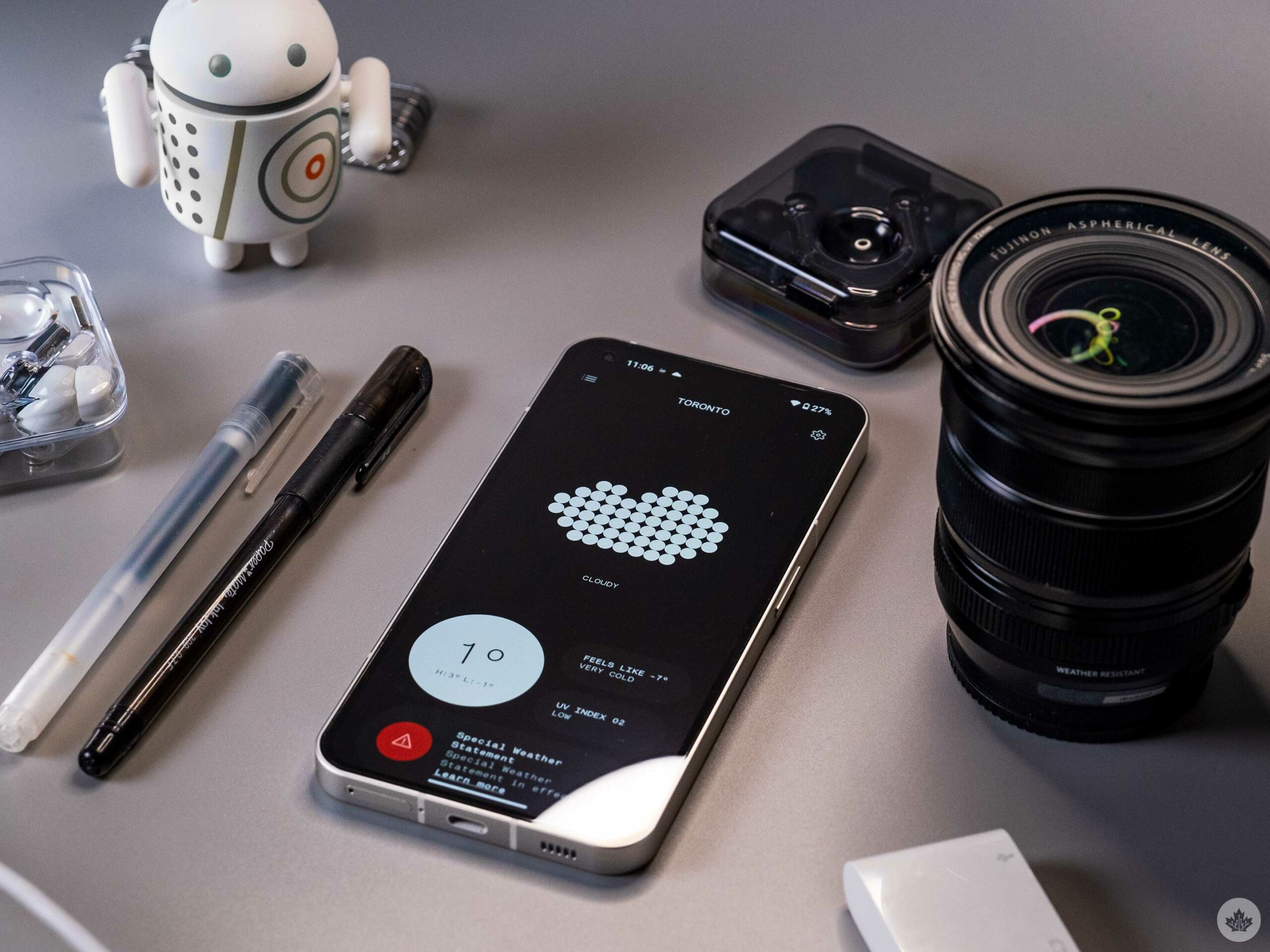
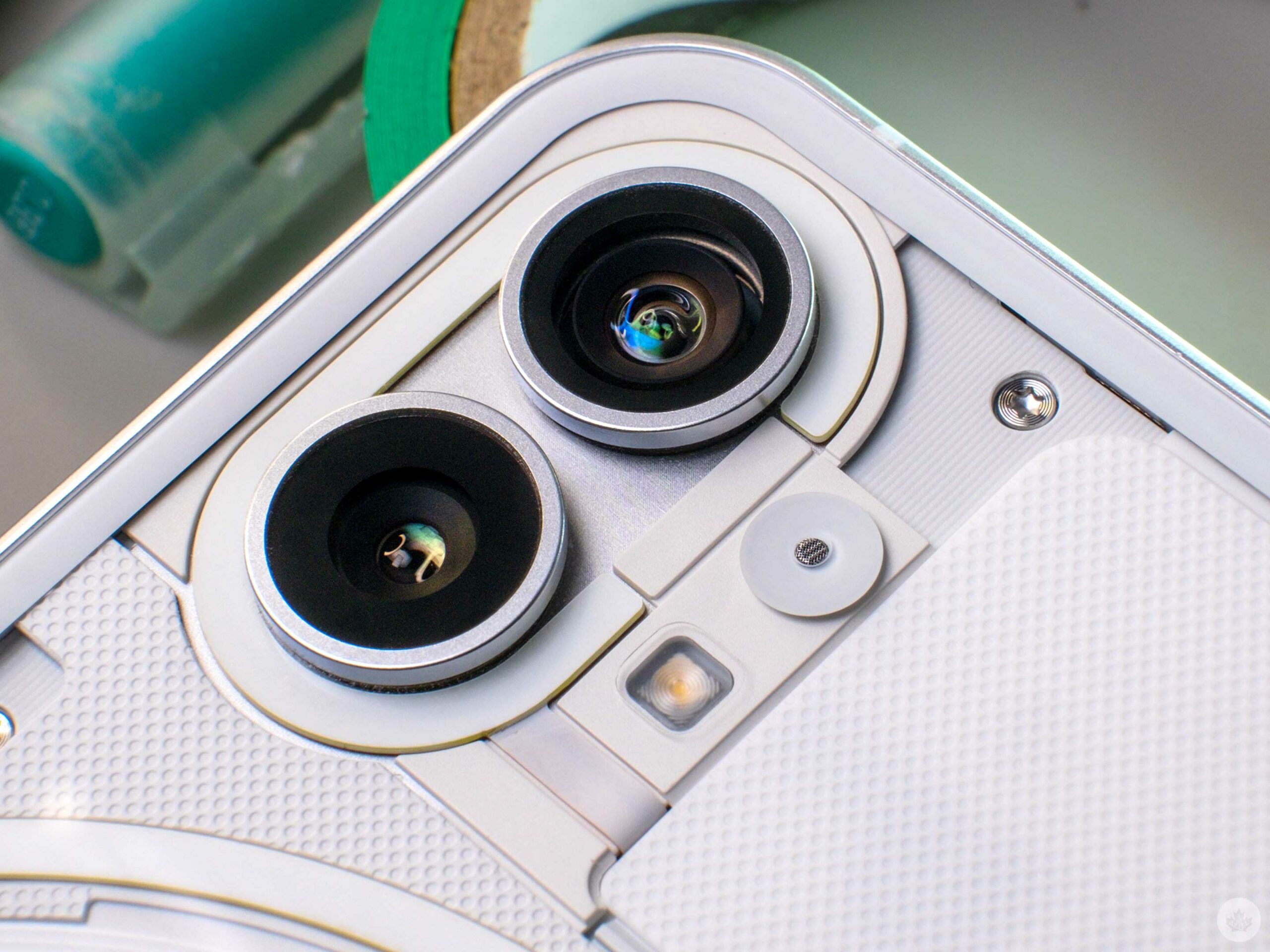
The other standout feature is the Glyph light, which is fun to use and cool to show off, but beyond being a notification light, there isn’t much to do with it in normal use. It’s the first thing people noticed in many cases, so it helps the phone make a splash in a crowded phone market. It can also be used as a sizable flashlight for videos, and it’s fun to customize to give contacts special light patterns, but at the end of the day, I don’t like putting phones face down since it runs a risk of getting a scratch on the screen.

A phone built with the right tradeoffs?

Before I get into the cons, I should clarify (if it’s not already clear) that I love this phone.

My main pain points with the phone stem from a few personal issues and the fact that Nothing is a new entry into the handset market. For instance, the Nothing Launcher is super minimal to the point where the Nothing (1) feels like a Pixel with a custom weather app. This isn’t necessarily a bad thing, but temper your expectations accordingly.

Other design inconsistencies include the device’s use of greys throughout. For instance, the Nothing widgets in dark mode are dark grey, while the folders and other dark aspects of Android are light grey. As a design nerd, I was hoping small visual issues like this wouldn’t be a problem, but instead, it still feels a little fractured. It’s not bad since it’s basically the same great-looking version of Android as Pixel phones, but don’t expect the software to match the cyber-punk aesthetic of the hardware without a lot of modding.

The other issue several other reviewers have already touched on is the Nothing Phone’s camera. Under perfect lighting conditions scenarios, it’s great, but as with other phones in this price range, it’s slower than the flagships I’m used to. With this in mind, catching fast-moving subjects like cars and people walking can be a problem in auto mode. As a photographer, I enjoy the colour science, which is a nice base for editing, and the fact that the video has a fun red light on the rear to show people when you’re recording like a real camera is a fun touch. The video mode also seemed decent in the few instances I tried it.
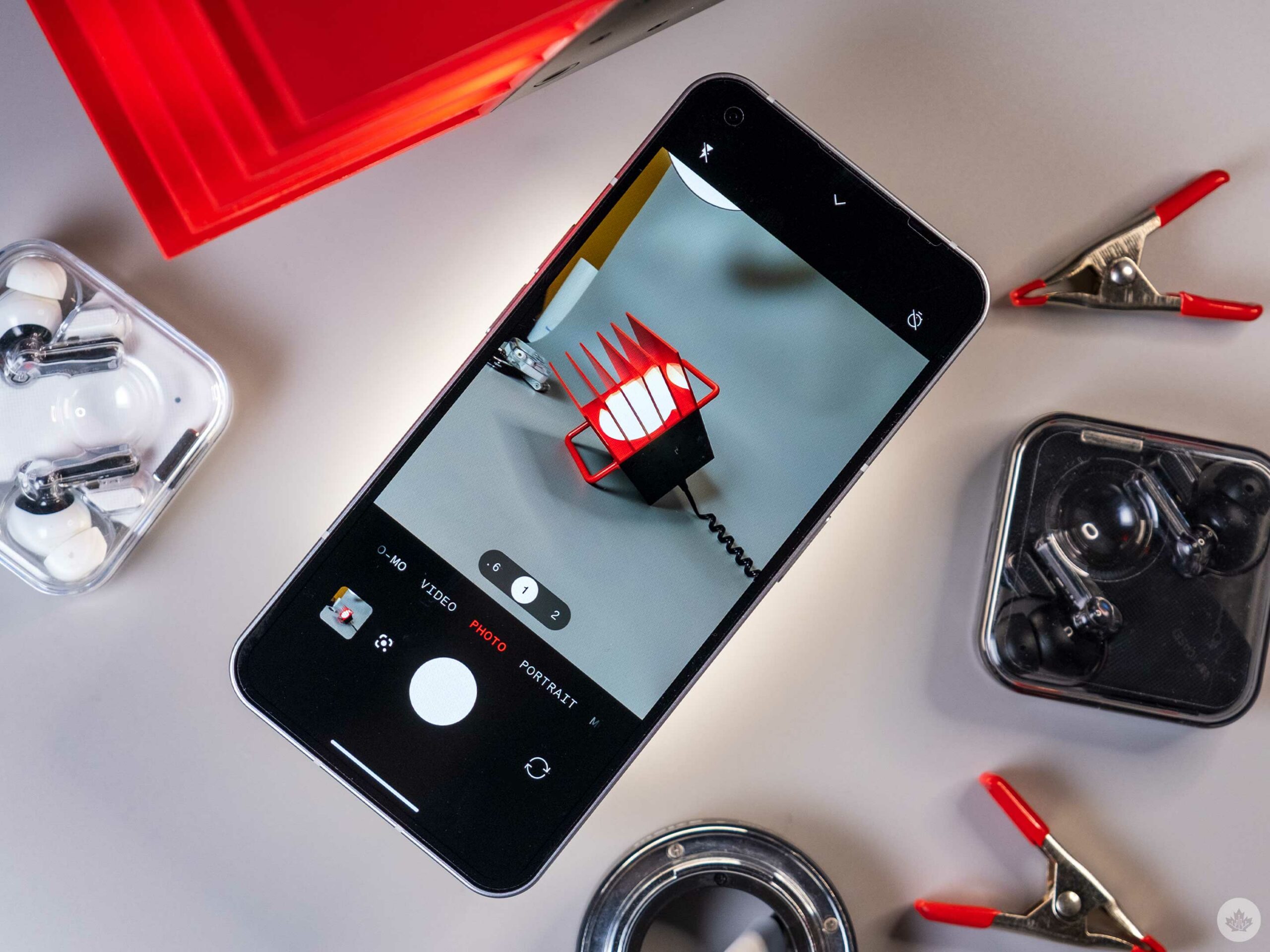
The last thing I wish the Nothing (1) featured was some level of water resistance. Since many phones sport at least IP67 in 2023, this isn’t a piece of mind I like sacrificing.

Where that leaves me

After walking away from the Nothing Phone 1, I miss it. The phone felt like it was made for me. The size and design are perfect, and my love for Teenage Engineering makes the design side of me drool over this device. The reviewer inside of me feels really happy with the price/performance ratio of this phone. If I were a gamer, maybe I’d be tempted to get the 12GB RAM model, but for me and my standard social media habits, the 8GB version works just fine.

If you can get your hands on a Nothing Phone and you don’t think you’ll need to ride it for more than two years, then I think this is a stellar device. If you do want to buy a phone to invest three years or more into, then the Pixel 7 still feels like a safer choice if you can get it on sale.

Regardless, I know I’m waiting for this phone to become available in Canada because our market is ripe for disruption from a new contender. I also hope that the next Nothing phone can build on this aggressive ‘style and substance’ approach and not give in and chase the flagship crown like OnePlus did years ago.

Categories
Mobile Syrup

Streaming in Canada on Amazon Prime Video, Apple TV+, Disney+ and Netflix [Jan. 23-29]

Every week, MobileSyrup outlines some of the most notable movies and TV shows that recently hit Canadian streaming platforms.

Our ‘Streaming in Canada’ column typically focuses on new content from Amazon Prime Video, Crave and Netflix, but other services like Apple TV+ and Disney+ are mentioned when relevant. Premium video on demand (PVOD) platforms are also fair game as movies continue to come to digital early.

Finally, we’ll highlight shows or movies that are made by Canadian companies, involve notable Canadian cast or crew and/or are filmed in Canada.


Amazon Prime Video

Shotgun Wedding [Amazon Original]

Amazon Prime Video Canada premiere date: January 27th, 2023
Genre: Romantic action-comedy
Runtime: 1 hour, 40 minutes

When their wedding party is taken hostage, Tom and Darcy have to work together to save their loved ones.

Shotgun Wedding was directed by Jason Moore (Sisters) and stars Jennifer Lopez (Hustlers), Josh Duhamel (Las Vegas), Sônia Braga (Kiss of the Spider Woman), Jennifer Coolidge (The White Lotus) and Lenny Kravitz (The Hunger Games).

Stream Shotgun Wedding here.

Poker Face

Amazon Prime Video Canada premiere date: January 27th, 2023 (Citytv+ exclusive)
Genre: Mystery-comedy
Runtime: 10 episodes (around one hour each)

Armed with an extraordinary ability to determine whether someone is lying, Charlie hits the road in her Plymouth Barracuda to solve mysteries with different casts of characters.

Poker Face was created by Rian Johnson (Knives Out series) and stars Natasha Lyonne (Russian Doll), Benjamin Bratt (Star), Joseph Gordon-Levitt (500 Days of Summer), Adrian Brody (The Pianist), Lil Rel Howery (Get Out), recent Oscar nominees Stephanie Hsu (Everything Everywhere All At Once) and Hong Chau (The Whale) and more.

Stream Poker Face here. Note that a $4.99/month Citvtv+ add-on is required.

An Amazon Prime Video subscription is included at no additional cost with an Amazon Prime membership, which is priced at $99/year.

The full list of movies and shows hitting Amazon Prime Video Canada this month can be found here.


Apple TV+

Shrinking [Apple Original]

Apple TV+ Canada premiere date: January 27th, 2023 (first two episodes, new episodes every Friday)
Genre: Comedy-drama
Runtime: 10 episodes (around 30 minutes each)

A grieving therapist begins to reveal his full unfiltered thoughts to his patients, changing everyone’s lives in the process.

Shrinking was created by Ted Lasso‘s Bill Lawrence and Brett Goldstein and How I Met Your Mother‘s Jason Segel and stars Segel, Jessica Williams (Fantastic Beasts series), Luke Tennie (Players), Michael Urie (Ugly Betty), Lukita Maxwell (Generation), Christa Miller (Cougar Town) and Harrison Ford (Star Wars series).

Stream Shrinking here.

An Apple TV+ subscription costs $8.99/month in Canada.

Find out what’s coming to Apple TV+ in January and February here.


Crave

Grind Now, Shine Later: The Chris Boucher Story [Crave Original]

Crave premiere date: January 25th, 2023
Genre: Documentary
Runtime: 47 minutes

This documentary tells the story of Canadian-Saint Lucian basketball player Chris Boucher, who grew up in poverty in Montreal and rose to stardom with the Golden State Warriors and Toronto Raptors.

Stream Grind Now, Shine Later: The Chris Boucher Story here.

standard Crave subscription is priced at $19.99/month, with Starz costing an additional $5.99/month. A mobile-only subscription is also available for $9.99/month.

The full list of movies and shows hitting Crave this month can be found here.


Disney+

Extraordinary [Disney+ Original]

Disney+ Canada premiere date: January 25th, 2023
Genre: Superhero comedy
Runtime: Eight episodes (28 to 33 minutes each)

In a world where every adult has superpowers, Jen has to cope with being the only one who doesn’t.

Extraordinary was created by Emma Moran (Have I Got News For You) and stars Máiréad Tyers (Belfast), Sofia Oxenham (Poldark), Bilal Hasna (Screw) and Luke Rollason (Jack).

Stream Extraordinary here.

A Disney+ subscription costs $11.99/month or $119.99/year.

The full list of games hitting Disney+ Canada this month can be found here.


Netflix

You People [Netflix Original]

Netflix Canada premiere date: January 27th, 2023
Genre: Comedy
Runtime: 1 hour, 58 minutes

Two LA professionals from different backgrounds fall in love and have to deal with each others’ parents.

You People was directed by Kenya Barris (black-ish) and stars Jonah Hill (Moneyball), Lauren London (The Game), Eddie Murphy (Beverly Hills Cop), Julia Louis-Dreyfus (Veep), Nia Long (NCIS: Los Angeles) and David Duchovny (The X-Files).

Stream You People here.

Netflix’s ‘Basic with Ads’ subscription costs $5.99/month, a ‘Basic’ subscription costs $9.99/month, a ‘Standard’ subscription (HD-supported) costs $16.49/month and a ‘Premium’ membership is priced at $20.99/month (4K-supported).

The full list of movies and shows hitting Netflix Canada this month can be found here.


What are you planning on streaming this week? Let us know in the comments.

For more suggestions, check out last week’s Streaming in Canada column.

Image credit: NBC Universal

Categories
Mobile Syrup

Super Brad’s odyssey: Buying a Wii U in 2023

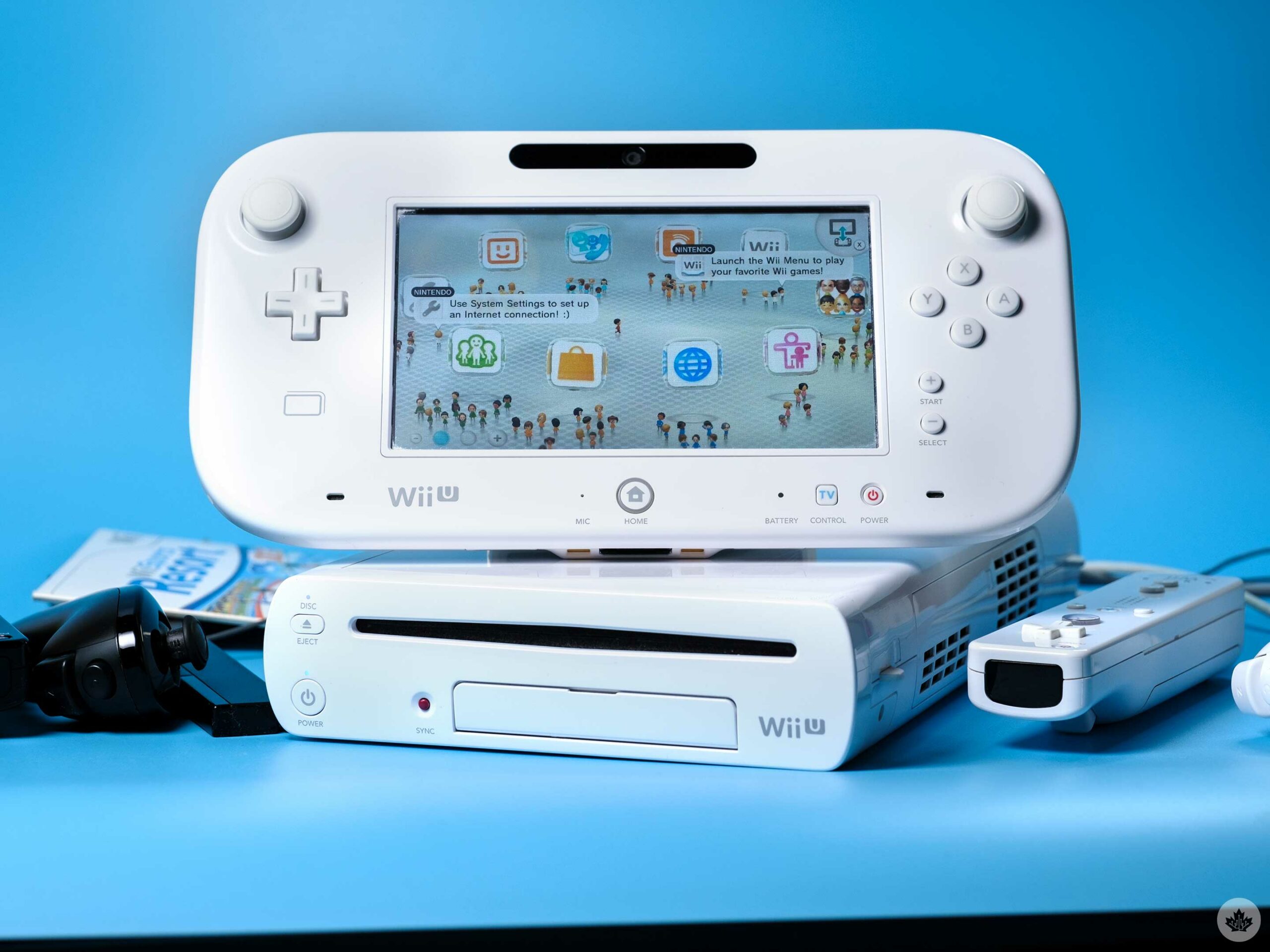
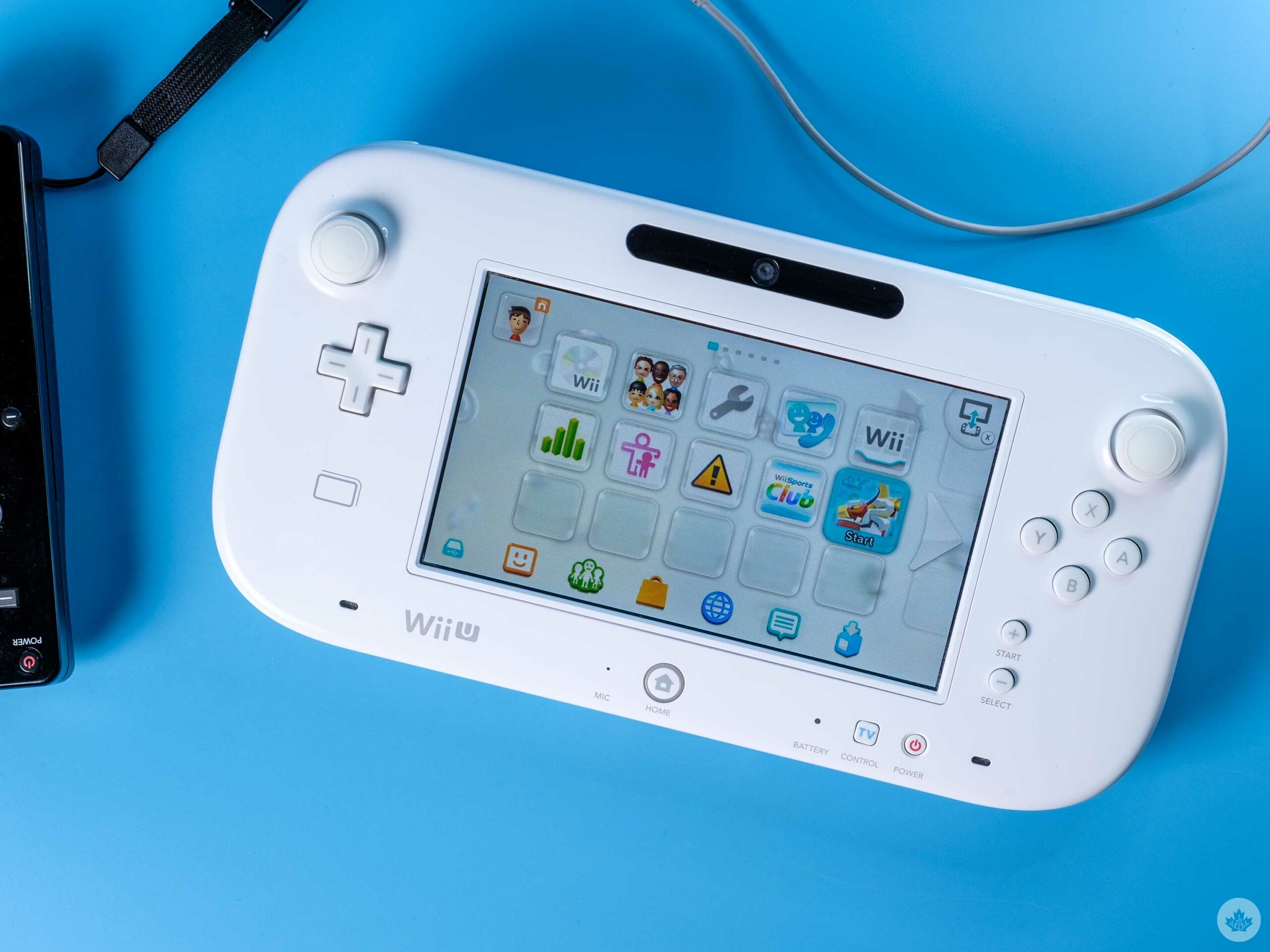
There were few reasons to own a Wii U back when I bought my original unit in 2013 and even fewer to own one now, but alas, it’s the best way to get access to the Wii’s catalogue in 2023, and Zelda fans know that HD Wind Waker and Twilight Princess are the best way to play both those games.

You may laugh at my quest to recapture the nostalgia of the Wii era, but as someone born in 1996, the Wii was a staple of every household I knew growing up, meaning I was never far away from a match of Wii Sports or some other weird motion controlled game. I also never had a PlayStation 2, so all of my elementary school gaming was done via Nintendo consoles and handhelds until I finally got an Xbox 360 to play Halo 3 on in 2010.

My fondness for the Wii U doesn’t hold as much nostalgia, but I still have some good reasons for why I decided to buy one in 2023.

Where it all began

This journey started a few weeks ago when the golf update finally hit Switch Sports. My friends and I started playing it more and, by proxy, the rest of the Switch Sports games. This made me start to feel nostalgia for Wii Sports Resort. A spin-off of Wii Sports with tons of other games like archery, frisbee and even a plane-flying minigame.

If I wanted to get the sports from Wii Sports Resort into my next local multiplayer match, I’d need to get a Wii, four Wii remotes (with Wii Motion Plus built-in) and four nunchucks. Wii Motion Plus is needed for the extra sports games in Wii Sports Resort since it adds extra gyroscopes to give the remote more precision. This originally started as an attachment that slotted into the bottom of the remote, but newer controllers called the ‘Wii RemotePlus’ built it all into the simple Wiimote form factor.

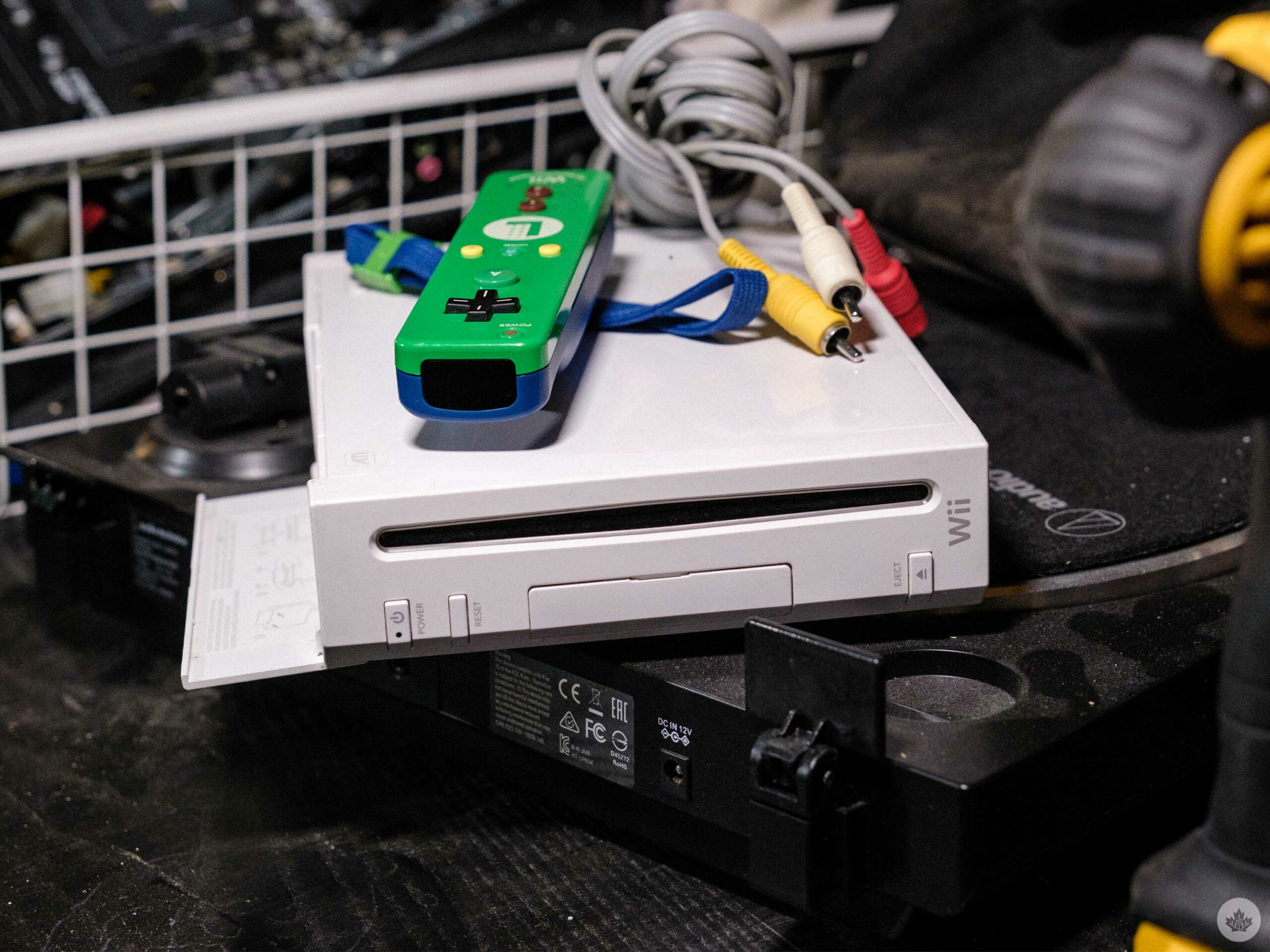
After digging through my basement, I found a Luigi-themed Wii RemotePlus and my old homebrewed Wii, but no cables. Since the Wii is homebrewed, you need a GameCube controller to access the menu too, so it’s more or less out of commission. The remote still works, but the batteries inside had corroded so it did need a lot of cleaning.

From there, I went to Facebook Marketplace, and much to my surprise, Wii U consoles were fairly cheap. “Do I dare?” I asked myself. It would be cheaper to get a Wii, but having access to the HD remakes of Twilight Princess and Wind Waker is very appealing. After a bit of searching online, I discovered I could also buy the Metroid Prime Trilogy on the Wii U eShop, and I was sold.

As luck would have it, I started this journey right before the eShop is set to close down for good on March 27th. While this seems unlucky initially, it gives me at least a slim chance to buy some of these games for a fair price online before it’s resale only.

Bringing it home

After a few days scouring the used market in Toronto, I stumbled across a 32GB unit that a videogame shop was selling for $170. That felt like a good deal to me, and since these small shops generally offer small warranties, I jumped at the chance. After work, Alex and I jumped in my car and drove over there to catch them before closing, but when we got there, they only had a white 8GB model, which they sold to me for $150.

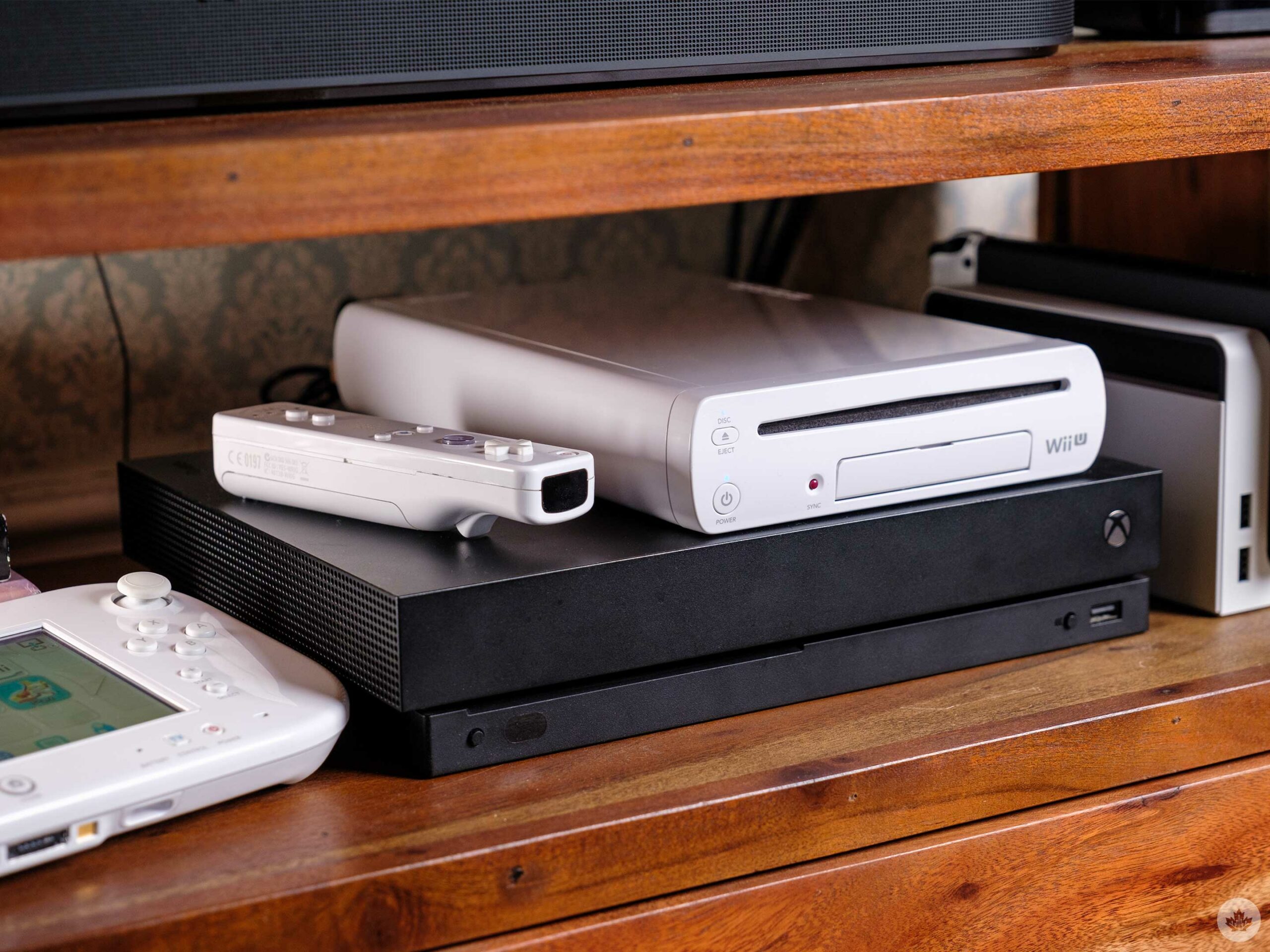
The unit came with a Wii RemotePlus, Nunchuck and all the other necessary cables you’d need for a Wii U. To top it off, I bought another RemotePlus/Nunchuck combo, and the store threw in a copy of Wii Sports Resort for free since they weren’t sure if they’d work (it did). All this also came with a two-week store credit warranty, which I was happy with. If I had been willing to drive further or wait longer, I think I could have found a better deal on the used market.

When I got home, I plugged the console in, and much to my surprise, it spit out a copy of Wii Play, another mini-game-focused Wii title from my childhood.

Then I needed to factory reset the system and log in with my own Nintendo Network ID, notably a different login system than the Switch. This is where things got complicated. I kept trying to input my password, and it wouldn’t work for some reason.  Then I discovered that the 3DS uses the same login info, so I dug my 2DS out of storage. I found my login info there, but it still wouldn’t work.

After even more research deep in Reddit forums, I discovered that the Wii U suffered a hack a few years ago, which kneecapped a lot of the safety on the console. Therefore I would need to call Nintendo to recover my account. The other alternative would be to make a new account, so I just did that instead, sacrificing my online copy of Pikmin 3 linked to my old username.

This is now two hours after I initially started setting up the console. From there, I hopped into the Wii U eShop and attempt to buy Wind Waker HD. Luckily for me, the game is only $30, which is cheaper than a lot of resellers online. I add it to my cart and went to add my credit card to the console, and I learned that you can’t add credit cards to the Wii U post-hack. Bummer, but I can buy a $35 eShop card on Amazon, which should cover the game and taxes. I try to load that into the Wii U, and I’m again stopped.

Ok, Back to Google to find out how to solve this.

It turns out I can merge my Nintendo Network ID and my Switch Nintendo account, add the funds to that, combine the two wallets and then buy my Wii U game. My first attempt at this is through my phone, and unsurprisingly at this point, it errors out. Whenever I input the code, it sent me to a blank Nintendo website page. I grab my Switch, and it finally accepts the eShop code. I go back to my phone, log into my Nintendo account again, and merge the two accounts and wallets. I’ll mention that these are two specific ‘merging’ steps, not something that happens automatically when you link accounts.

There’s a lot jammed into the back of my Wii U, but it looks great on the big screen!

Three hours later, after a simple Wii U reset, I finally had enough money on the console to buy the game. I hit download only to realize that the 8GB of storage is unusable for downloading games. After a bit more digging around in my house, I found a 4GB USB stick that was big enough to hold Wind Waker HD.

It was a hassle, but I’ve got a smaller 32GB stick on order from Amazon that only cost me $13, and so far I’ve been having a blast reliving my childhood Wii and Wii U games. I even plugged in the MClassic that I reviewed a long time ago, and it’s really helpful for making Wind Waker look extra crisp.

This slideshow requires JavaScript.

If you have any Wii or Wii U game recommendations, let me know in the comments. I’ve already got my eye on Battalion Wars 2 and Fire Emblem Radiant Dawn for Wii, but I’m looking for other recommendations before March 27th!