Categories
Mobile Syrup

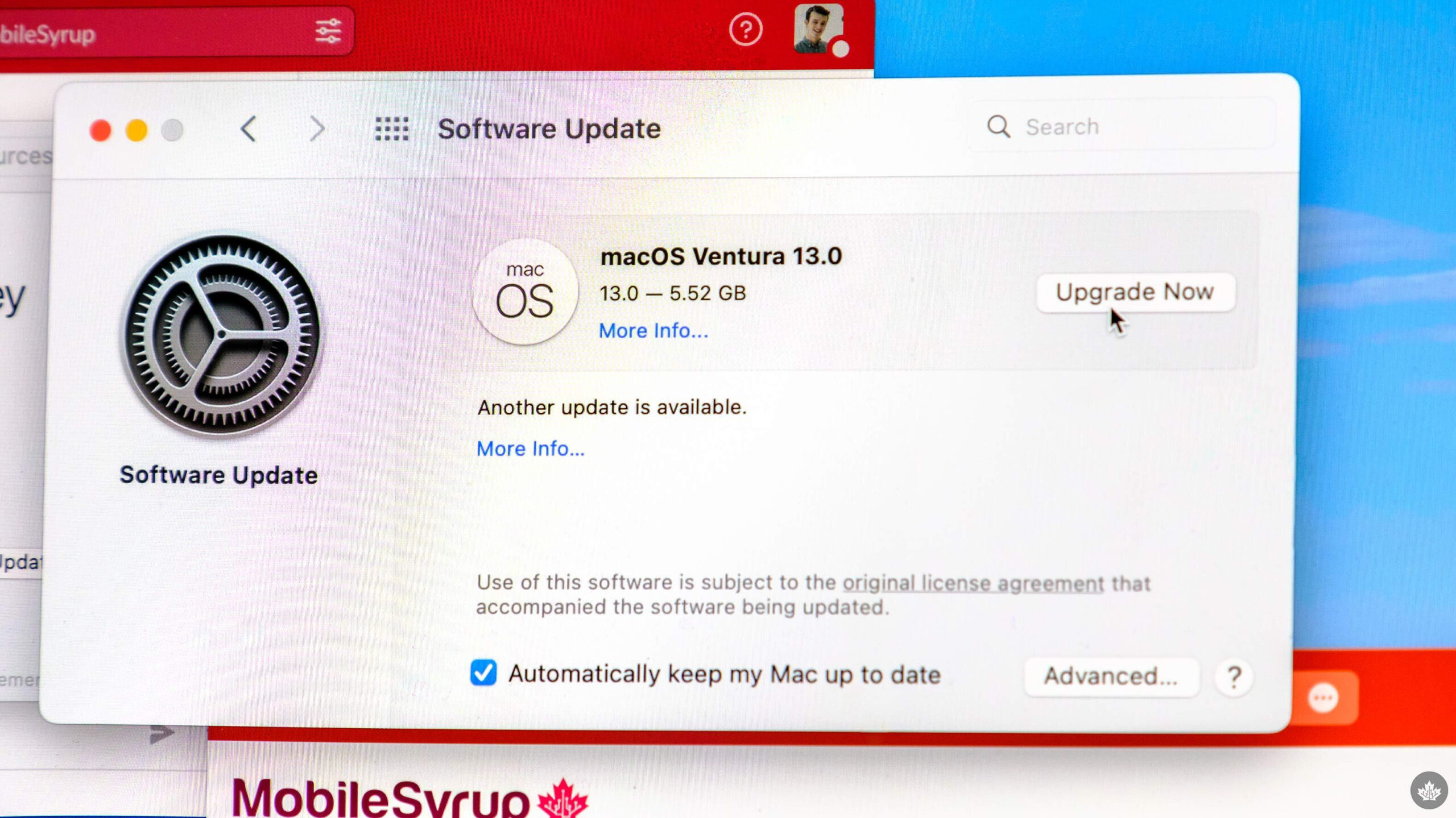
Apple’s macOS Ventura and iPadOS 16 are now available

macOS Ventura and iPadOS 16, the latest version of Apple’s desktop and tablet operating system (OS), are now available.

While the OS update is relatively low-key, there are a few standout features worth highlighting, including ‘Continuity Camera,’ which allows you to use your iPhone as a webcam wirelessly. macOS Ventura also offers ‘Stage Manager,’ a feature that’s received a lukewarm reception that offers a new way to organize apps on your desktop

Other new features include changes to Apple’s Mail app, new Safari collaboration tools, enhancements to Messages and more.

macOS Ventura


To download macOS Ventura, click the Apple logo in the top left corner of your desktop, then select ‘System Preference’ and finally, ‘Software Update.’ If you don’t see the update immediately, it could take a few minutes. For example, it took two minutes before the macOS Ventura update appeared on my MacBook Pro (2021).

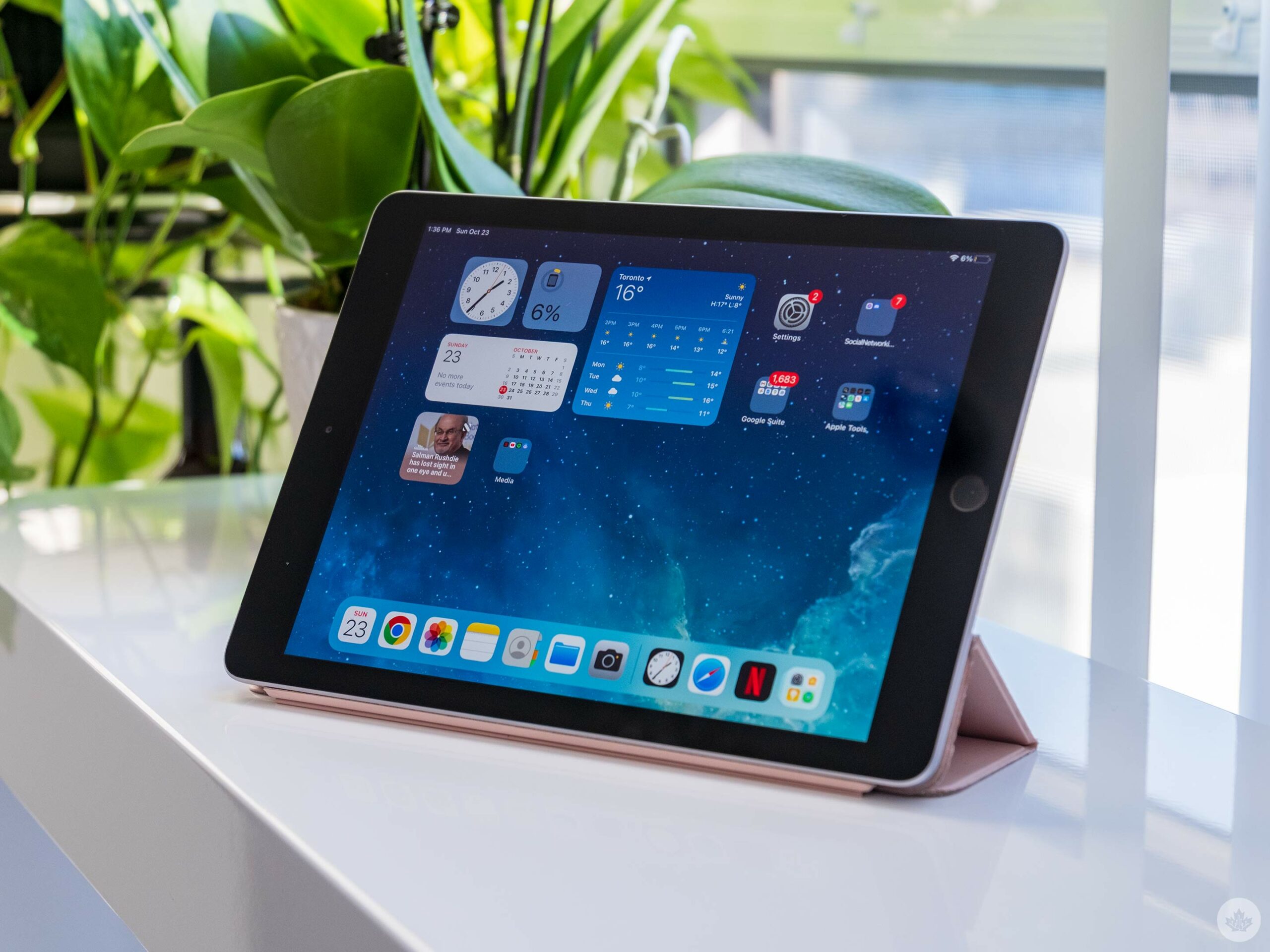
On the iPadOS 16 side, the update includes Stage Manager, which like its desktop counterpart, has received a mixed response. While I like Stage Manager more than the iPad’s other forms of multitasking, it can be glitchy and confusing. It will be interesting to see if the final version of Stage Manager is more stable.

Other features include an iPad Weather app (finally) and changes to Mail, Safari, Messages and more. To download iPadOS 16, head to the ‘Settings’ app and then ‘Software Update.’ You’ll then see an ‘Upgrade to iOS 16 at the bottom of the page.

iOS 16.1 has also dropped and offers shared iCloud photo libraries and support for Apple Fitness+ without an Apple Watch.

Source: Apple

Categories
Mobile Syrup

Oddly, the Pixel Watch charger can charge the Pixel Buds

For some reason, you can’t charge your Pixel Watch with your Pixel phone or a Qi charger, but according to 9to5Google, the Pixel Watch charger can be used to top up the Pixel Buds and Buds Pro.

9to5‘s Damien Wilde put his dead Pixel Buds on the magnetic Pixel Watch charger to see if it’d work. It did, but Wilde believed it was a fluke, so he tried it again and again, and each time it did, in fact, work.

What’s pretty nice about the situation is that the Pixel Watch charger will magnetically stick to the earbuds’ case. The shape of the buds case doesn’t exactly match the Pixel Watch charger, but it’s good enough.

Source: 9to5Google

Categories
Mobile Syrup

Tony Staffieri confident Rogers-Shaw merger will close

The Rogers-Shaw merger has faced several roadblocks, but Rogers CEO Tony Staffieri’s confidence isn’t wavering.

In an interview with The Globe and Mail, Staffieri is “confident the deal will close” despite the Competition Bureau’s work to block it. The bureau originally filed its application in May, stating the merger will lead to higher cellphone bills for Canadians, among other issues.

In order to sway the bureau, Rogers stated it will sell Freedom Mobile, Shaw’s wireless business, to Quebecor to increase competition. “Quebecor will have a better cost structure than they would have had on their own,” Staffieri said.

However, the Competition Commissioner doesn’t agree with that logic. Documents filed by the commissioner in September label the transaction as anti-competitive.

“The sale of Freedom “fails to eliminate the substantial lessening and prevention of competition the proposed transaction will cause,” the document states.

Mediations will begin this week. If talks fail, as they previously have, a hearing will be held next month.

Source: The Globe and Mail

Categories
Mobile Syrup

Bono apologizes for infecting your iPhone with U2’s album

U2’s Bono says he’s sorry for Apple automatically downloading his band’s 2014 album Songs of Innocence to every iTunes user’s account.

In an excerpt from his memoir Surrender: 40 Songs, One Story published by The Guardian, the man with no last name says that his “vaunting ambition” was why he approached Apple CEO Tim Cook with the idea.

During a meeting with Cook, Eddy Cue, Apple’s senior vice president of services, and Phil Schiller, current Fellow at Apple and former head of the App Store, Bono explained the Cupertino, California tech giant should pay U2 for the album and then “give it away free, as a gift to people.”

“Wouldn’t that be wonderful?,” the Vertigo singer said. Cook, however, wasn’t convinced and explained that he didn’t feel right about giving away the band’s “art” for free. Regardless, the deal eventually happened, prompting the album to appear on everyone’s iPhone like a rampant virus.

“I take full responsibility. Not Guy O, not Edge, not Adam, not Larry, not Tim Cook, not Eddy Cue. I’d thought if we could just put our music within reach of people, they might choose to reach out toward it. Not quite,” writes Bono in an excerpt from the memoir.

Thanks, Bono, what a wonderful gift. At least we now know how one of the strangest big tech moves of the mid-2010s happened.

Back in 2014, I remember spending the better part of an hour trying to find a way to remove Songs of Innocence from my iTunes library. While I eventually was able to ditch the album, the process was far more complicated than it needed to be.

On the bright side, it doesn’t seem like U2 will appear on your iPhone for free again when the band’s next album drops.

Source: The Guardian Via: Variety

Categories
Mobile Syrup

Apple increases cost of Apple Music, Apple TV+ and Apple One in Canada

Apple has officially confirmed that it’s increased the cost of several of its services, including Apple Music, Apple TV+ and Apple One.

Each price increase is relatively substantial, with the base-level Apple Music subscription going up by $1, Apple TV+ jumping by $3 and Apple One increasing by $3. Other than increasing the cost of its Apple Music ‘Student’ plan by $1 back in June, 2022, this is the first time the tech giant has increased the cost of these services in Canada.

Below is a full price breakdown of all of the increases in Canada:

Apple Music

Individual: $10.99 (previously $9.99)
Family: $16.99 (previously $14.99)
Annual: $109 (previously $99)

Apple TV+

Monthly: $8.99 (previously $5.99)
Annual: $89 (previously $59.99)

Apple One

Individual: $18.95 (previously $15.95)
Family: $24.95 (previously $20.95)
Premier: $37.95 (previously $33.95)

While these price increases are likely tied to inflation, Apple TV+’s price jump is the least surprising given the amount of content the platform currently offers compared to its launch in Canada back in 2019. While AppleTV+ launched with a disappointing line-up or originals, content like Severance, Ted Lasso, See, For All Man Kind and more round out the platform’s offerings.

Apple One’s $18.95 base-level subscription includes Apple Music, Apple TV+ Apple Arcade and iCloud (50GB), its $24.95 Family plan features all of the same platforms but with 200GB of iCloud storage. Finally, ‘Premiere,’ includes everything in the other Apple Once tiers, alongside News+, Fitness+ and 2TB of iCloud storage.

Regions these services are available in outside of Canada are also getting similar price hikes. Current subscribers will receive notifications of the price increase before the service renews at the higher cost.

All of the price increases are currently live on Apple’s website.

Categories
Mobile Syrup

Google working on Wear OS backups, according to teardown details

One frustrating missing feature on Wear OS is that there’s no backup option for your settings and data. Coupled with the need to start from scratch whenever you need to pair a smartwatch with a new phone, it makes the upgrade process more complicated than it should be.

Thankfully, that should change soon. 9to5Google performed a teardown on version 22.42.12 of Play Services and found work on a Wear OS backup solution. Specifically, the solution looks like it will cover ‘app data,’ ‘device settings,’ and ‘watch faces and tiles.’

All three are fairly straightforward in terms of what they back up. Watch faces and tiles encompass watch face customizations, which can be quite deep. On the Pixel Watch, most watch faces let you customize colours, style, and which complications/shortcuts are available on the face. Tile order is also a helpful backup if you like to customize the different screens you can swipe to.

9to5 reports that app data includes, well, data from apps. That should prove helpful for anyone rocking a ton of third-party apps. Meanwhile, device settings would back up details, including Wi-Fi passwords and permissions.

Finally, 9to5 found details noting that Wear OS backups would be opt-in and occur automatically when users charge their smartwatch, as long as it’s also connected to Wi-Fi. Users would be able to manage backups from the watch’s settings app or from the companion app on their phones. Backups will be stored using Google One.

That covers all the details for Wear OS backups. It’s good to see Google working on the feature, although it’s a bummer that it wasn’t ready for the Pixel Watch at launch. It’s not clear how much longer we’ll have to wait before backups roll out to Wear OS watches.

One final note: when it comes to teardowns, it’s important to take information with a grain of salt. Teardowns involve cracking open APK files and interpreting lines of code to gather information about upcoming and work-in-progress features. With that in mind, it’s possible for misinterpretations to happen, or for features to change or even be cancelled. Teardowns still offer excellent information about upcoming features, as long as you maintain a healthy level of skepticism.

Source: 9to5Google

Categories
Mobile Syrup

Google testing AR glasses prototype in Canada, likely with Focals’ tech

Google has announced it’s expanding its real-world augmented reality (AR) testing to Canada in November.

The tech giant says that this “small-scale testing” features devices that “look like normal glasses with an in-lens display.” Tests include translating, speech transcription and navigation. The real-world tests will be handled by Google employees in Waterloo and Toronto, Ontario, according to the company’s blog post.

Google launched its real-world AR testing in August in the U.S. with a “few dozen Googlers and select trusted testers.”

“In November 2022, we will extend this small-scale testing with select Googlers in Waterloo and Toronto, Canada under the same privacy and safety measures originally outline,” wrote Google in the blog post. The company’s FAQ on privacy can be found here.

It’s worth noting that Kitchener-Waterloo was the home of North and its Focals AR glasses. Google acquired North in 2020, but the company has been relatively quiet about its plans for the technology the Canadian company was working on since the acquisition.

While I was impressed with North’s Focals in 2019, the glasses were very limited in their field-of-view. For example, to view the Focals’ heads-up display, you needed to have the glasses situated very specifically on your face and look in a particular location on the lens. Slight movements would entirely ruin the AR effect.

The last time Google showed off anything related to VR/AR glasses was at I/O 2022 where the company revealed a pair of translation glasses it’s currently developing.

Source: Google Via: 9to5Google 

Categories
Mobile Syrup

Meta says it might block Canadians from sharing news stories on Facebook if Bill C-18 becomes law

Meta says the Liberal government’s pending Online News Act “misrepresents” the connection between platforms like itself and news publishers.

The federal government introduced Bill C-18 in April. It subjects digital platforms to pay news outlets to share their articles.

In a blog post, Facebook’s parent company Meta says current assumptions that Meta “unfairly benefits from its relationship with publishers” is untrue.

“We have repeatedly shared with the government that news content is not a draw for our users and is not a significant source of revenue for our company.”

Meta says they don’t scrape content or links related to news content. Less than three percent of what people see on their feeds is related to news articles. In turn, the company claims they help publishers who share links from their websites. This allows the content to reach a wider audience and leads to more readership, subscription sales, and advertising.

The company further says that if the bill becomes law, they might reconsider allowing Canadians to share news on Facebook. The act will force Meta to pay for news that publishers voluntarily add to the platform.

“We are being asked to acquiesce to a system that lets publishers charge us for as much content as they want to supply at a price with no clear limits,” Meta says. “No business can operate this way.”

The company says it was “surprised” not to be invited to participate in the study for the Online News Act and is urging the government to reconsider the bill.

Image credit: Shutterstock

Source: Meta

Categories
Mobile Syrup

M2 iPad Pro: Big iPad, big dreams

It’s no secret that I love iPads.

I don’t use one daily for work since a lot of my time is spent editing videos now, but I’ve always had a soft spot in my heart for the minimalism of tablets.

My first iPad experience was back in 2010 when my grandparents purchased Apple’s tablet. My techie uncle had bought one, and much to everyone’s surprise, both my grandparents were very into it. To them, the iPad represented a way to finally get online in their rural home. Plus, a 3G iPad and a data plan were still cheaper than satellite internet and a computer, and the iPad was cool as hell.

“…there’s intoxicating big dog energy attached to the 12.9-inch iPad Pro.”

Fast forward two years, and I’m in high school. Apple just added a lightning port to the iPad and dropped the price to a more affordable $399. I loved that tablet and the ultra-minimal iPad Smart Cover.

I wrote hundreds of small essays on the touchscreen keyboard, edited presentations, browsed the web, and, of course, played dozens of games on it. I loved that simple computing time in my life, and even with all the computers, I’ve used since, that experience felt distinctly futuristic.

An iPad and a case like this took me through high school.

Following this era, I was laptop bound until I finally rejoined team iPad with a 7th-Gen iPad I covered for MobileSyrup. From then on, I’ve reviewed several iPads and even fell in love with the refreshed iPad mini in 2021, but nothing has really sparked as much joy as the 12.9-inch iPad Pro (2022) with Apple’s new M2 chip. 

All iPads are arguably good tablets, but the giant iPad Pro is likely the only tablet in Apple’s lineup that’s a good computer and a great tablet. It features an impressively bright, colour-accurate screen, and nearly all content looks impressive blown up on it. Even movies/TV and YouTube get a boost from the speakers, which sound awesome at all volumes in my brief testing.

IMG_0048 2
IMG_0050 2
IMG_0052
IMG_0054
IMG_0056
IMG_0058
IMG_0059
IMG_0062

There’s something undeniably humorous about walking around with a giant tablet, but there’s also a slice of confidence this brings that makes you feel — as my favourite YouTuber always says — “Big for Business.” I’d compare it to the wacky businessman confidence that comes from strapping a phone in a hip holster and still thinking you look cool.

For example, when my partner Alex and I were recently walking around taking sample photos with the new iPad, she kept referring to me as her assistant since I was holding the smaller iPad. I’m not sure if she said it subconsciously or if the giant iPad just pulled her into high-power CEO mode through the influence of its captivating screen.

All of this is to say there’s intoxicating big dog energy attached to the 12.9-inch iPad Pro.

Seriously, stretching out and typing on the full-sized iPad Pro Magic Keyboard feels luxurious compared to the cramped keyboard smaller iPad are forced to use.

The unit Apple sent me that I’m about to use to launch the next great Canadian startup, is even more powerful than the M2 MacBook Air I reviewed earlier this year, given it features 1TB of storage and 16GB of RAM. It’s overkill for most people, but for iPad diehards, why not? Sometimes it feels good to go over the top.

All of this is to say that if you really like Apple’s iPad and you believe that you can do most of your work on one, it doesn’t get much better than the M2-powered iPad Pro.

Apple’s iPad Pro (2022) starts at $1,099 and is available on October 24th.

MobileSyrup utilizes affiliate partnerships. These partnerships do not influence our editorial content, though MobileSyrup may earn a commission on purchases made via these links.

Categories
Mobile Syrup

iPad (2022) Review: Impressive, but it’s time to rethink the iPad lineup

Apple’s latest attempt at re-making the iPad is its best yet. Although, its naming scheme and pricing are a little confusing this year.

The base-level iPad (9th-Gen) is still the ‘iPad,’ but so is the new iPad (2022). Further, instead of Apple dropping the price on the older model like usual, it increased it by $20 in Canada and released the new 10th-Gen model with a substantial $170 price bump.

It seems like Apple is possibly adjusting the cost based on inflation by still keeping around the older products and raising the prices of the new tablet. While fair from a business perspective, I still think the company could have restructured its iPad offerings lineup to fit this new tablet into the lineup more slyly.

When Apple redesigned the iPad Air last year, it should have been renamed to the iPad Studio to better align with the company’s semi-professional Mac branding. Then, this iPad could have been released as the new iPad Air instead of the entry-level iPad, allowing it to slot in alongside the MacBook Air in terms of performance expectations.

Apple didn’t do that. Instead, this tablet is just an iPad with a $599 starting price, making it one of the most expensive entry-level iPads to date. Adjusted for inflation, the first iPad’s $549 launch price would be $717 in 2022. That said, iPads have become much more than just tablets in the past twelve years, so in a sense, is this price justified? Let’s find out.

Designed out of thin Air
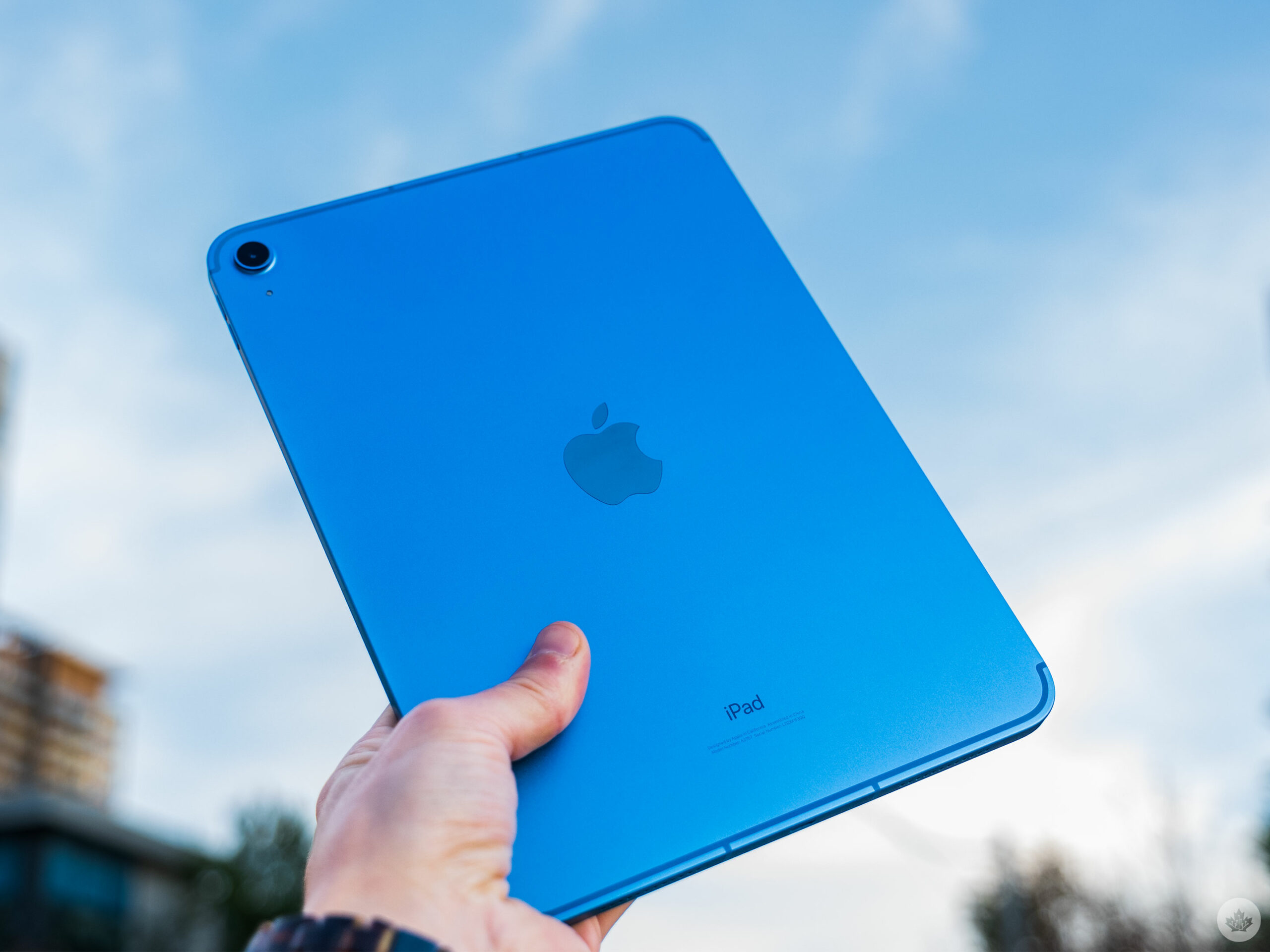
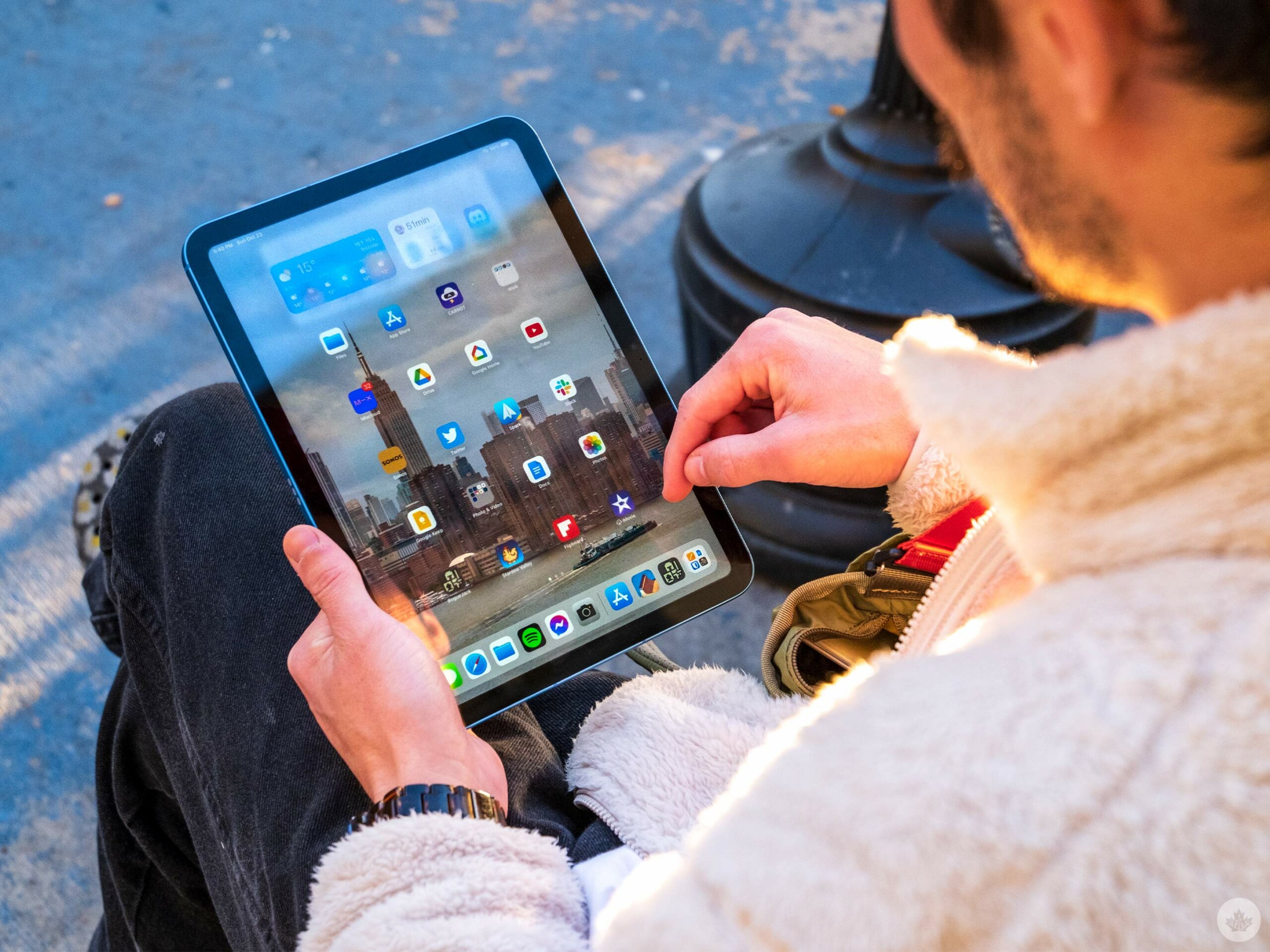
Holding the new iPad will be a familiar experience for anyone that has used the modern iPad Air or the 11-inch iPad Pro. The form factor of the metal shell is identical. The screen is the same 10.9-inch size, and even if it’s not laminated, it still looks good, if not great, under most conditions.

At 500 nits of brightness, it could be better in sunlight, but for most tasks, it’s fine. I’ll also mention that the iPad still features a 60Hz display refresh rate like the iPad before it and the iPad Air. Only Apple’s iPad Pro offers the 120Hz panel so far.

The tablet also offers a comfortable weight that feels premium but isn’t too heavy. Out of all the colours, ‘Yellow’ and ‘Pink’ stand out the most, but the ‘Blue’ variant I have is still eye-catching.
The iPad (2022) features a similar 12-megapixel camera system to the Air’s, and the fabled USB-C port is here to take us to the future, even if it means you need to buy an adapter ($10) to work with the Apple Pencil. It would have been ideal to see Apple add support for both Pencil generations to this iPad since it has flat sides that could easily fit a magnetic Pencil dock, but unfortunately, that’s not the case. I would not be surprised if that upgrade comes around in the next model or whenever Apple finally kills the lightning port in the iPhone.

Beyond the inclusion of USB-C, the other nice improvement is the iPad’s front-facing camera has finally been moved to the long edge of the iPad, making video calls feel more natural with the iPad horizontal. This camera is 12 megapixels and looks fine, but it’s not spectacular. ‘Center Stage’ is useful too, but being unable to fully punch out to the full ultra-wide camera during a FaceTime call feels like a miss.
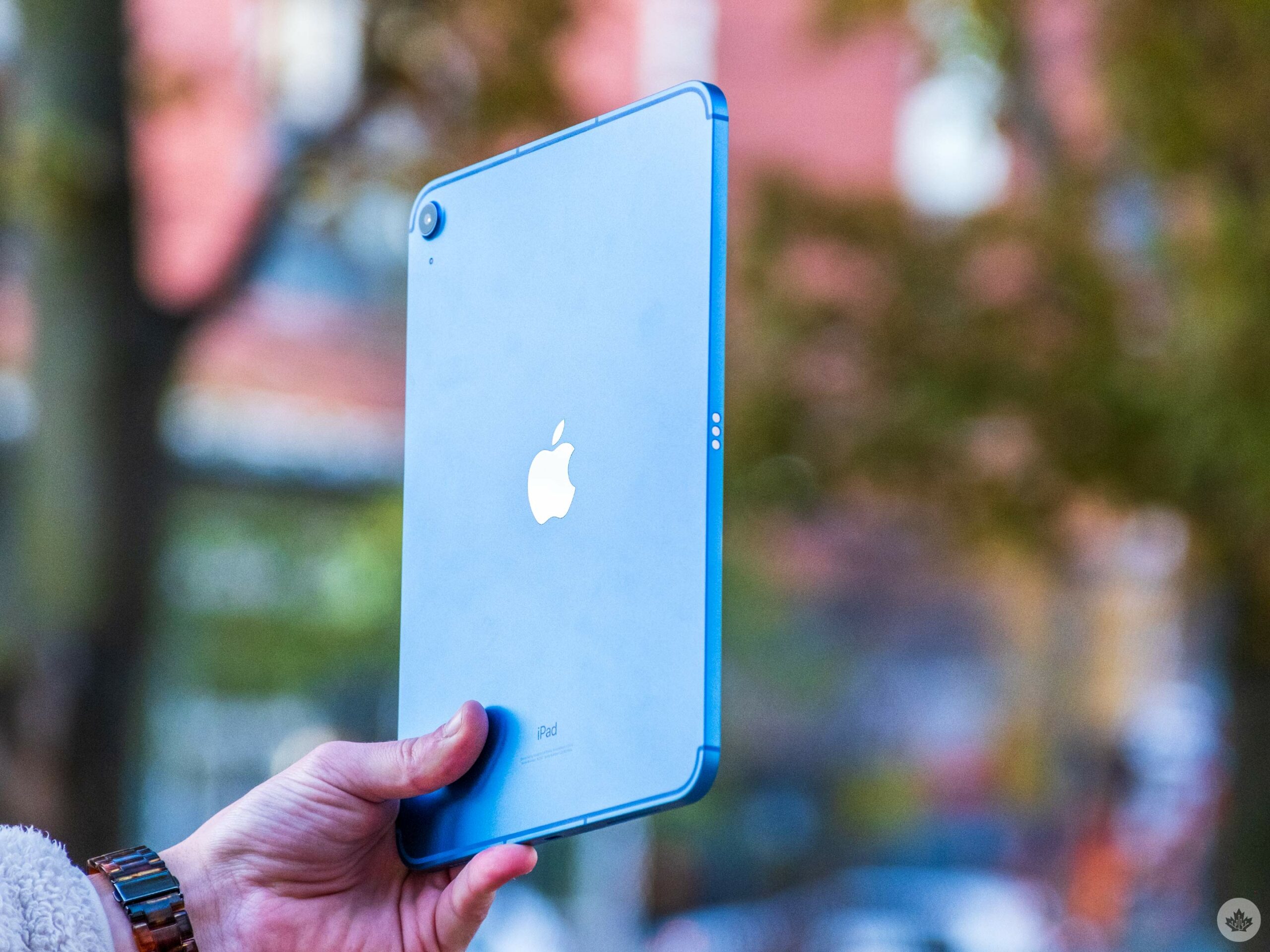
The rear camera is a significant upgrade and people (like your grandma) that take photos with the tablet will notice a welcome increase in clarity and sharpness over the older 8-megapixel sensor in the 9th-Gen iPad. But again, the improvement isn’t substantial, and the camera isn’t nearly as good as any modern iPhone I’ve tested from the iPhone 11 onwards.

One excellent upgrade is in the speakers. They easily fill a small room, and as I wrote this review with the iPad’s on-screen keyboard while jamming out to the new Arctic Monkeys album, I enjoyed how great they sound. The speakers sound substantially more full at max volume than the 9th-Gen iPad and the iPad mini. Plus, they feature ample stereo separation when you’re using the tablet in front of you. It’s nice, but does it compensate for the headphone jack’s removal? It’s hard to tell in a world where everyone seems to have wireless earbuds.

IMG_0014
IMG_0017
IMG_0024
IMG_0026
IMG_0032
IMG_0034
IMG_0035
IMG_0036
IMG_0037
IMG_0042
IMG_0048
IMG_0050

I’ll mention that the three random USB-C-to-AUX adapters I have that are designed for Android phones didn’t work with the iPad (or any of Apple’s tablets), so you’ll likely need to buy one from Apple if you want to go down this route. USB-C earbuds, on the other hand, do work.
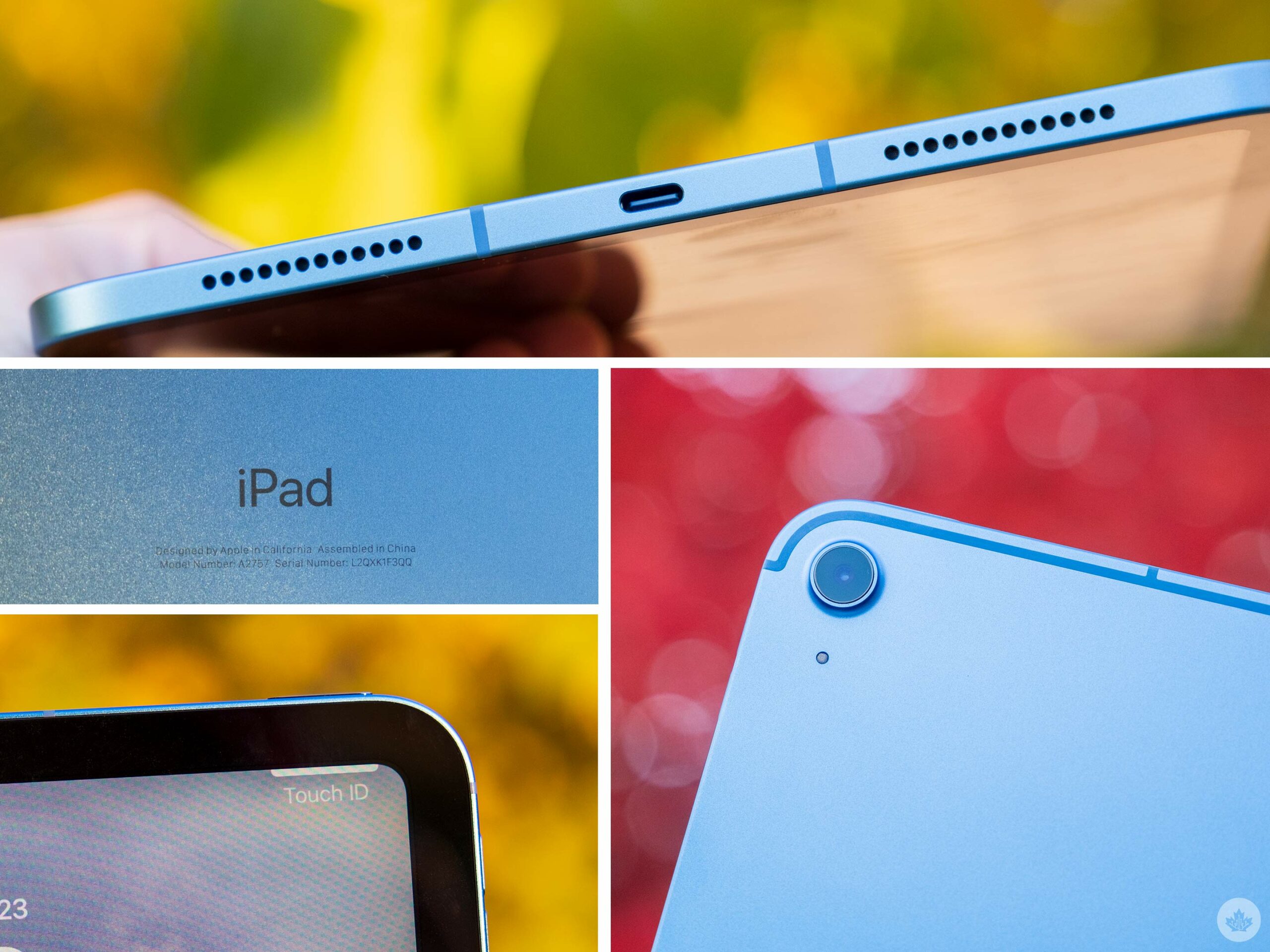
Alongside the new screen size, Apple also brought over the Touch ID sensor from the iPad Air that’s embedded in the power button. It works well here but is not as seamless as Face ID or Touch ID on the home button. It’s a minor gripe, but I often open the iPad expecting it to unlock before I remember to rest my finger on the power button to sign in.

Overall it’s an expertly designed iPad with a great screen, and the bump up in size makes typing on the display or with a keyboard case a little less cramped. There’s no denying it’s an improvement over the 9th generation iPad, and in terms of build quality, it’s close to offering the same excellent quality as the new iPad Air.

Specs

iPad (2022)

iPad (2021)

iPad Air (2022)

Display

10.9-inch IPS Liquid Retina display, 1640 x 2360 pixel resolution

10.2-inch IPS Retina LCD display, 2160 x 1620 pixel resolution

10.9-inch IPS Liquid Retina display, 2360 x 1640 pixel resolution

Processor

A14

Apple A13 Bionic

M1 chip

RAM

Storage

64GB, 256GB

32GB, 128GB

64GB, 256GB

Dimensions (in.)

248.6 x 179.5 x 7mm

250.6 x 174.1x 7.5mm

247.6 x 178.5 x 6.1mm

Weight

477g

490g

458g

Rear Facing Camera

12-megapixel (f/1.8 wide)

1.2-megapixel (f/2.4 aperture)

1.2-megapixel (f/1.8 aperture)

Front Facing Camera

12-megapixel (f/2.4, ultrawide)

7-megapixel (f/2.2 aperture)

12-megapixel (ultrawide)

OS

iPadOS 16

iPadOS 16

iPadOS 15

Battery

Network Connectivity

LTE/5G

Wi-Fi up to 802.11.ac, LTE (23 bands), Bluetooth 5.0, GSM / CDMA / HSPA / EVDO / LTE

LTE/ 5G

Sensors

Fingerprint (top-mounted), accelerometer, gyro, compass, barometer

Touch ID, Three axis gyro, Accelerometer, Ambient light sensor, Barometer

Touch ID, Three axis gyro, Accelerometer, Ambient light sensor, Barometer

SIM Type

Nano SIM, eSIM

Nano SIM, eSIM

Launch Date

March 18, 2022

Misc

Colours: Silver, Blue, Pink, Yellow

Silver, Space Gray

Colours: Space Grey, Starlight, Pink, Purple, Blue

Display

iPad (2022)

10.9-inch IPS Liquid Retina display, 1640 x 2360 pixel resolution

iPad (2021)

10.2-inch IPS Retina LCD display, 2160 x 1620 pixel resolution

iPad Air (2022)

10.9-inch IPS Liquid Retina display, 2360 x 1640 pixel resolution

Processor

iPad (2022)

A14

iPad (2021)

Apple A13 Bionic

iPad Air (2022)

M1 chip

RAM

iPad (2022)

iPad (2021)

iPad Air (2022)

Storage

iPad (2022)

64GB, 256GB

iPad (2021)

32GB, 128GB

iPad Air (2022)

64GB, 256GB

Dimensions (in.)

iPad (2022)

248.6 x 179.5 x 7mm

iPad (2021)

250.6 x 174.1x 7.5mm

iPad Air (2022)

247.6 x 178.5 x 6.1mm

Weight

iPad (2022)

477g

iPad (2021)

490g

iPad Air (2022)

458g

Rear Facing Camera

iPad (2022)

12-megapixel (f/1.8 wide)

iPad (2021)

1.2-megapixel (f/2.4 aperture)

iPad Air (2022)

1.2-megapixel (f/1.8 aperture)

Front Facing Camera

iPad (2022)

12-megapixel (f/2.4, ultrawide)

iPad (2021)

7-megapixel (f/2.2 aperture)

iPad Air (2022)

12-megapixel (ultrawide)

OS

iPad (2022)

iPadOS 16

iPad (2021)

iPadOS 16

iPad Air (2022)

iPadOS 15

Battery

iPad (2022)

iPad (2021)

iPad Air (2022)

Network Connectivity

iPad (2022)

LTE/5G

iPad (2021)

Wi-Fi up to 802.11.ac, LTE (23 bands), Bluetooth 5.0, GSM / CDMA / HSPA / EVDO / LTE

iPad Air (2022)

LTE/ 5G

Sensors

iPad (2022)

Fingerprint (top-mounted), accelerometer, gyro, compass, barometer

iPad (2021)

Touch ID, Three axis gyro, Accelerometer, Ambient light sensor, Barometer

iPad Air (2022)

Touch ID, Three axis gyro, Accelerometer, Ambient light sensor, Barometer

SIM Type

iPad (2022)

iPad (2021)

Nano SIM, eSIM

iPad Air (2022)

Nano SIM, eSIM

Launch Date

iPad (2022)

iPad (2021)

iPad Air (2022)

March 18, 2022

Misc

iPad (2022)

Colours: Silver, Blue, Pink, Yellow

iPad (2021)

Silver, Space Gray

iPad Air (2022)

Colours: Space Grey, Starlight, Pink, Purple, Blue

Inside the iPad, Apple added the A14 Bionic chip from the iPhone 12 series. This 64-bit six-core chip should be more than capable of the modern iPad workload.

Compared to the 4th Generation iPad Pro with the A12Z, I’m finding its performance more than comparable. Nevertheless, stacked up against Apple’s modern iPad suite, it falls into place a little behind the iPad mini, but it’s a decent jump over the last three generations of iPad at least.

This slideshow requires JavaScript.

I didn’t try to edit video with the iPad since all I expect from it is solid playback and the ability to cut up short clips shot on the iPad or the iPhone. Still, for gaming, the tablet held up well and had me cruising through matches of Apex Legends and into the mines of RogueJack. It’s not playing Divinity 2 with console-level graphics like the M-series of iPads, but for 98 percent of apps, it gets the job done efficiently.

An iPad or a computer?
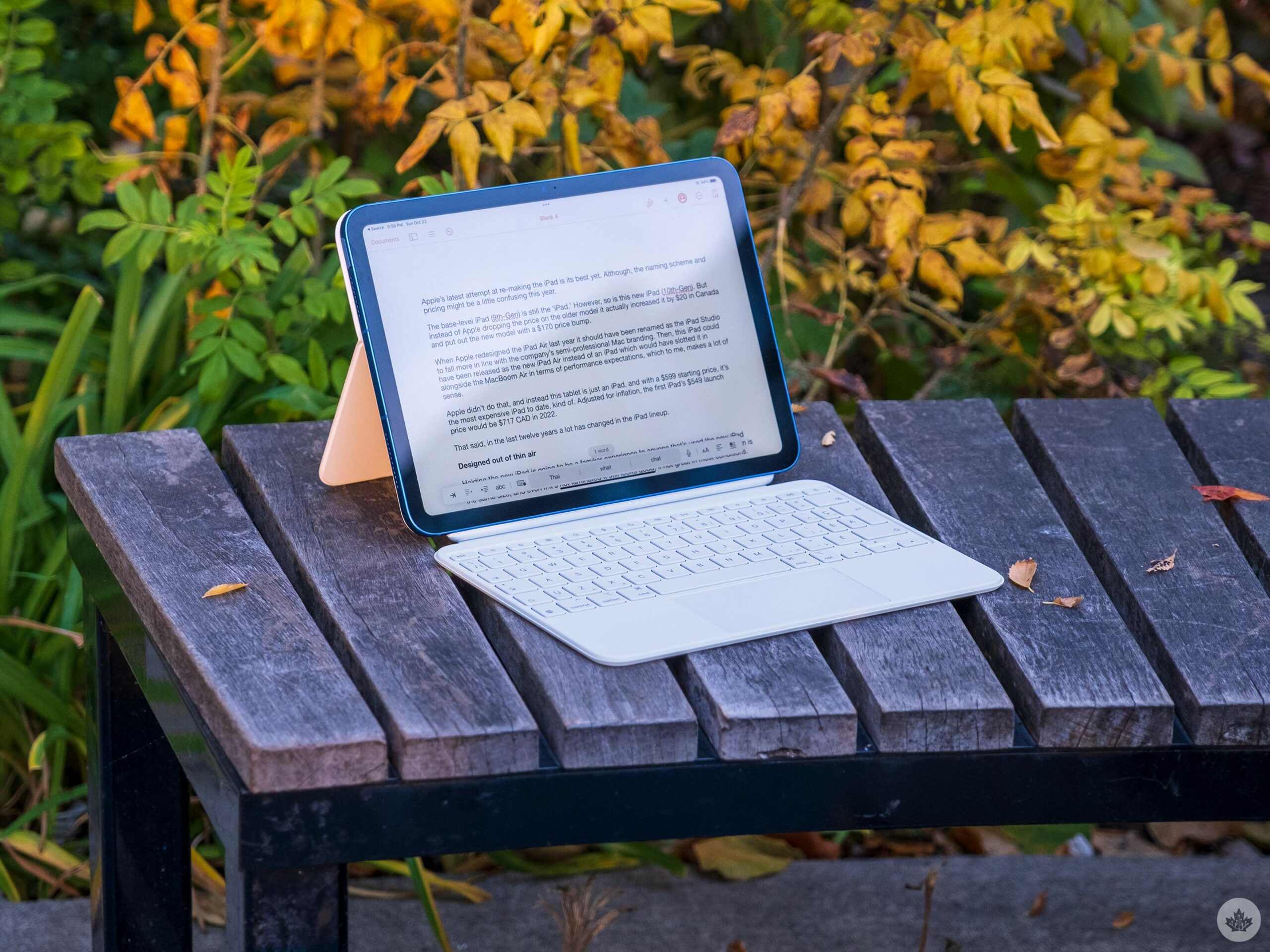
Alongside the new iPad, Apple also released a new Magic Keyboard Folio ($329) that turns this iPad into more of a computer like the existing Magic Keyboards ($399-$449) for the iPad Air and Pro lineup.

The key travel is just as clicky on the new keyboard as the other Magic Keyboards, but it doesn’t fold up as elegantly. Instead, it’s two pieces, with the back being a kickstand that you can use with or without the keyboard half. This is useful and, unlike the standard Magic Keyboard, works well for media consumption and heavier typing. The new Folio version is arguably better, with a larger trackpad and an entire row of function keys, but at the end of the day, both are quite similar.

I wrote 90 percent of this review with the Smart Folio case (not the keyboard) and typing on the iPad’s screen. To me, there’s still something to be said about how much you can do with an iPad without any accessories, but I know that most people seem to like the keyboard attachments, so to each their own, but I think for light work, it’s not necessary.

“There’s still something to be said about how much you can do with an iPad without any accessories”

I will say that when using the keyboardmouse, I found it easier to type and work in Apple’s apps like Pages instead of Google Docs since Google’s apps aren’t updated to work with the adaptive cursor when you’re using a mouse with an iPad.

This iPad also doesn’t get Apple’s fancy new ‘Stage Manager’ software that allows you to run concurrent windows on iPad, so you’re forced to multitask the old way. I’ve been testing Stage Manager on the M2-powered 12.9-inch iPad Pro, and it makes using the Magic Keyboard more intuitive.

Apple recently announced that Stage Manager will come to the iPad Pro (2018), which scores very similarly to this iPad when benchmarked. This suggests it’s not lack of power holding Stage Manager back from the new iPad. It’s worth noting that only M-series chip iPads include the option to use Stage Manager with a secondary display.