Categories
Mobile Syrup

Here are the games hitting PlayStation Plus Extra and Premium in October 2022

Every month, PlayStation adds a bunch of new games to the PlayStation Plus Extra and Premium catalogues.

As a reminder, those who are subscribed to PS Plus Extra get all of the perks of PS Plus Essential, including this month’s free games, while Premium members get both Essential and Extra benefits.

All of these games will hit their respective catalogues on October 18th. Read on for what’s coming to Extra and Premium this month.

PlayStation Plus Extra

  • Assassin’s Creed Chronicles: China (PS4)
  • Assassin’s Creed Chronicles: India* (PS4)
  • Assassin’s Creed Chronicles: Russia* (PS4)
  • Assassin’s Creed Syndicate* (PS4)
  • Assassin’s Creed III Remastered (PS4)
  • Assassin’s Creed Odyssey (PS4)
  • Dragon Quest Builders (PS4)
  • Dragon Quest Builders 2 (PS4)
  • Dragon Quest XI S: Echoes of an Elusive Age – Definitive Edition (PS4)
  • Dragon Quest Heroes: The World Tree’s Woe and the Blight Below (PS4)
  • Dragon Quest Heroes II: Explorer’s Edition (PS4)
  • Grand Theft Auto: Vice City – The Definitive Edition (PS4/PS5)
  • Hohokum (PS4)
  • Inside (PS4)
  • The Medium (PS5)
  • Naruto to Boruto: Shinobi Striker (PS4)

*It should be noted that while the vast majority of PS4 games are playable on PS5, these titles are only playable on PS4.

PlayStation Extra costs $17.99 CAD/month, $49.99/three months or $114.99/year.

PlayStation Premium

  • Castlevania: Lords of Shadow (PS3)
  • Everyday Shooter (PS3)
  • Limbo (PS3)
  • Ultra Street Fighter IV (PS3)
  • Yakuza 3 Remastered (PS4)
  • Yakuza 4 Remastered (PS4)
  • Yakuza 5 Remastered (PS4)

PlayStation Premium costs $21.99/month, $59.99/three months or $139.99/year.

Image credit: Square Enix

Source: PlayStation

Categories
Mobile Syrup

Pixel Watch Review: Jack of all trades, master of some

Google’s Pixel Watch is finally here after years of rumours. The Google smartwatch rumour mill kicked into overdrive when the company acquired Fitbit, and now Google’s first smartwatch has arrived.

But a device as widely hyped and anticipated as this comes with a lot of pressure. Expectations are high – some want to see the Pixel Watch take on the Apple Watch, which has long reigned as one of the best smartwatches available (at least, if you have an iPhone). Others want the Pixel Watch to revive the stagnant Wear OS ecosystem. And some expect the Pixel Watch to propel Google’s Pixel ecosystem into the mainstream.

It’s a lot of pressure, and while time will tell if Google’s smartwatch will achieve any of that. For now, it passes the most important test: it doesn’t totally suck.
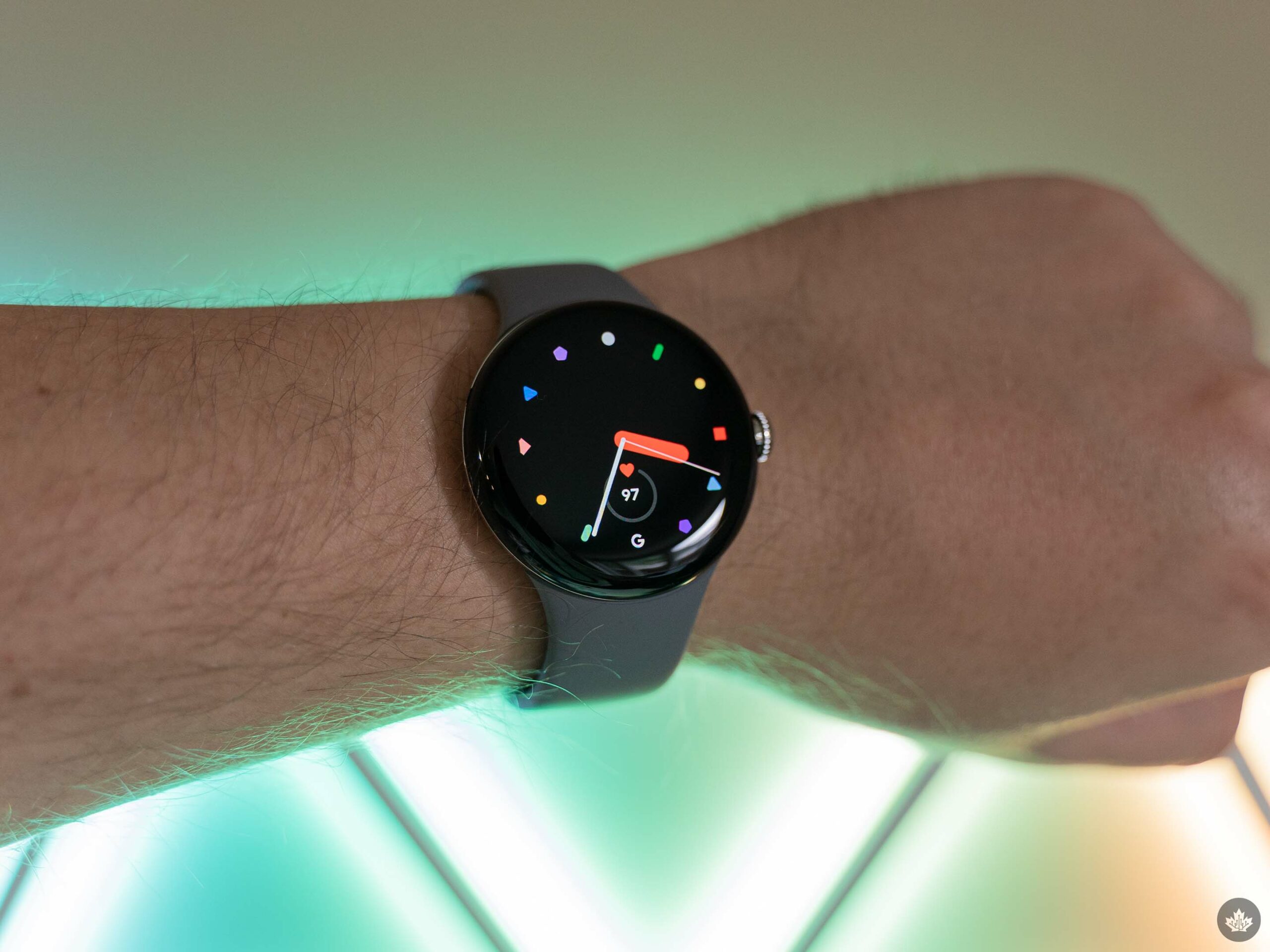
In fact, I’d venture so far as saying it’s actually pretty good — at least for a first attempt at a smartwatch. The Pixel Watch certainly isn’t perfect, but it does the basics well and lays the groundwork for future improvement. As with any Google product, there may be questions around the “future,” but the company’s senior vice president of hardware, Rick Osterloh, seems committed to the wearable. At least, he told The Verge as much, which may be about as close to a guarantee as we’ll get.

If you’re curious about Osterloh’s thoughts on the Pixel Watch’s future, I recommend reading that interview. But we’re here to talk about the Pixel Watch’s present, and presently, it feels like a jack of all trades. Thankfully, it’s also a master of some.

Specs
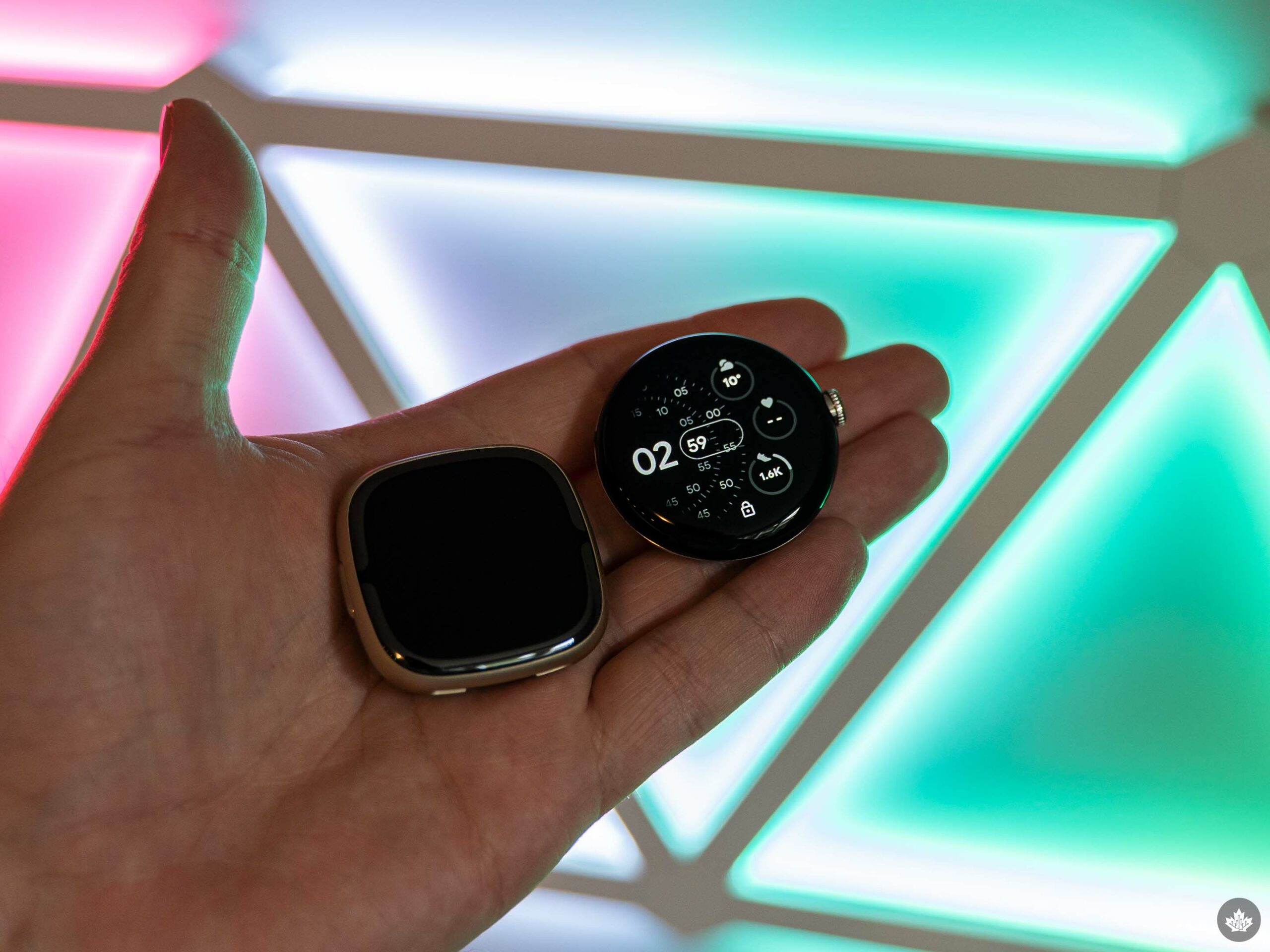
Fitbit Sense 2 (left) and Pixel Watch (right).

Before we get deeper into my thoughts on the smartwatch, it’s worth taking a look at what it brings to the table in the spec department. Like some of Google’s Pixel line, the Pixel Watch isn’t exactly the most powerful smartwatch on the market, but as I’ll get into below, that doesn’t matter as much as you might think. Once again, Google’s optimization magic seems to be running at full capacity here.

The Pixel Watch is available in the following colours ([watch colour]/[band colour]): ‘Matte Black/Obsidian,’ ‘Polished Silver/Charcoal,’ ‘Polished Silver/Chalk,’ and ‘Champagne Gold/Hazel’ (Google provided a Polished Silver/Charcoal LTE Pixel Watch to test for this review). Regardless of the colour option, each Pixel Watch case is made of 80 percent recycled stainless steel and comes with an ‘Active band’ made of “Fluoroelastomer with so-touch coating.” Bands come in small (130-175mm wrists) and large (165-210mm).

  • Dimensions: 41mm diameter, 12.3mm height
  • Weight: 36g (without band)
  • Connectivity: 4G LTE (Cellular version), Bluetooth 5.0, Wi-Fi 802.11 b/g/n 2.4GHzm, NFC
  • Compatibility: Android 8.0+
  • Display: Custom 3D Corning Gorilla Glass 5, 320ppi AMOLED with DCI-P3 colour, up to 1,000nits brightness
  • Power: 294mAh lithium-ion battery, USB-C magnetic charging cable
  • Chip: Exynos 9110 with Cortex M33 co-processor
  • OS: Wear OS 3.5
  • Storage and memory: 32GB eMMC flash and 2GB RAM
  • Sensors: Compass, altimeter, blood oxygen sensor (SpO2), multipurpose electrical sensor, optical heart rate sensor, accelerometer, gyroscope, ambient light sensor
  • Water resistance: 5 ATM (can withstand pressures equivalent to a depth of 50 metres)

Smart, healthy, stylish
Google’s main pitch with the Pixel Watch is that it offers health (courtesy of Fitbit), help from Google intelligence, and a beautiful design. For the most part, those three pillars align with some of the best parts of the Pixel Watch, at least based on my experience with it over the last five days (which, unfortunately, isn’t enough time to test everything). From tracking my health metrics like heart rate and sleep, to taking advantage of the convenience of Google Assistant available at all times on my wrist, the Pixel Watch definitely checks the ‘health’ and ‘help’ boxes. As for design, well, that’s a little more subjective.

I’ll get into the health and help features as I go, but I want to start with design because that’s the first thing most people will engage with when they see the Pixel Watch. Moreover, I’ll focus on the watch itself since I haven’t tried any of the bands outside of the included Active band (which, for the record, feels really durable and comfortable on the wrist).

The Pixel Watch’s domed design looks fantastic. I’ve always preferred circular smartwatches to square options (although I don’t mind Fitbit’s squircle design for the Sense and Versa series). While the Pixel Watch isn’t the first to do a circular design, the dome styling feels very modern and lends the watch a unique look.

Some might critique the bezels, but frankly, they’re not nearly as bad as some claim. They’re not small, but the domed design does a fantastic job minimizing the bezels, plus most of the watch faces available are designed to blend into the edges of the display in such a way that it feels like the screen almost falls over the edge of the dome. To even see the bezels, you need to examine the watch from odd angles in direct light. It was rare to see where the screen ended and the bezels started in typical use unless I specifically sought it out.

Thick but light
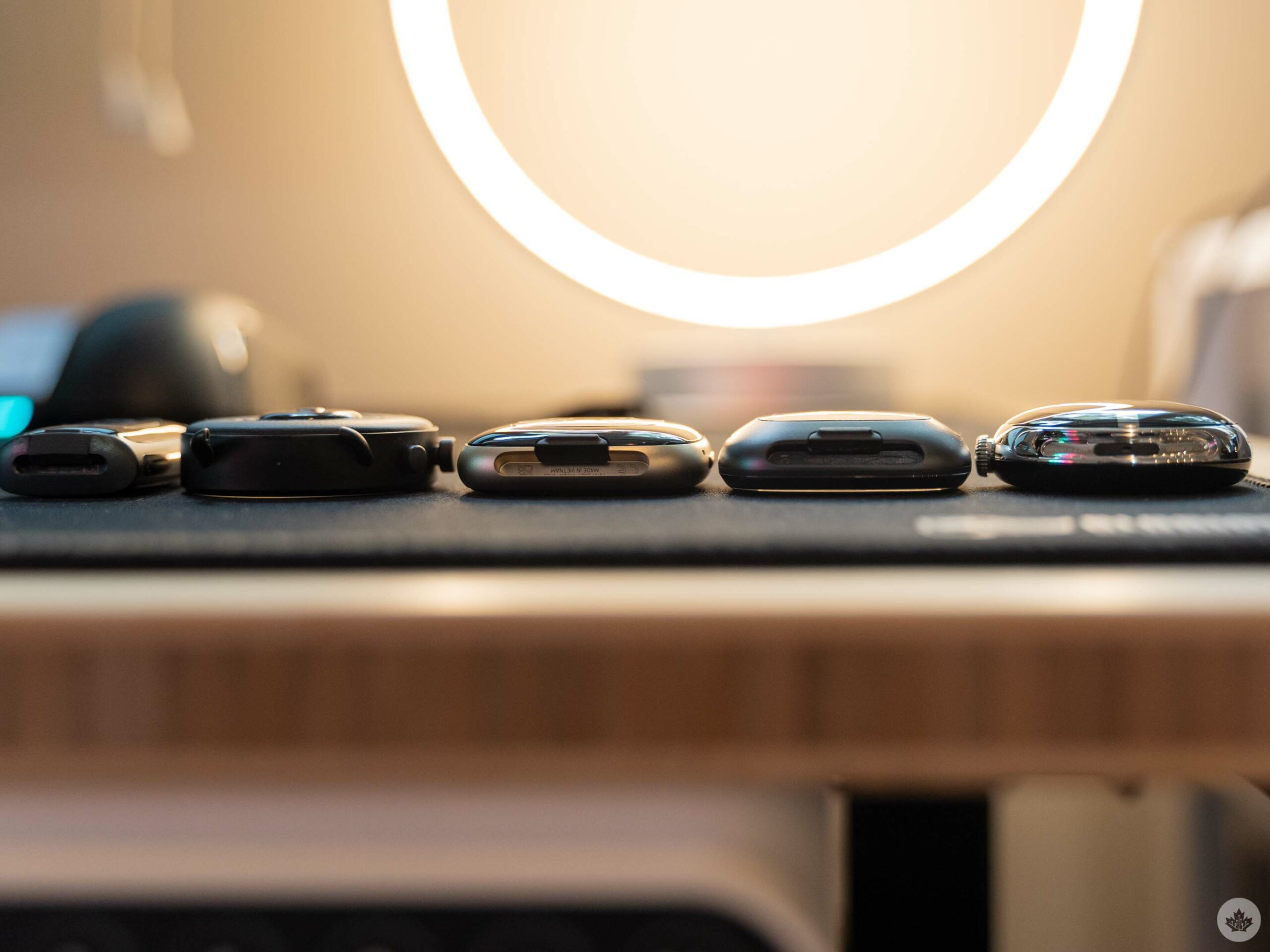
From left to right: Charge 5, Fossil Gen 6, Fitbit Sense 2, Fitbit Sense, Pixel Watch.

While I quite like the Pixel Watch design, I will note it’s a bit on the thick side. It’s certainly not egregious by any stretch, and the rounded design helps it feel great on the wrist. Still, side-by-side with other smartwatches, the Pixel Watch is a tad thicker (as shown in the pic above). It’s worth noting I didn’t have an Apple Watch Series 8 to compare with in photos, but the 41mm Series 8 clocks in at 10.7mm thick, a little less than the Pixel Watch’s 12.3mm.

Despite the thickness, the Pixel Watch is among the lighter smartwatch options. At 36g, it beats Fitbit’s thin and svelte new Sense 2 (45.9g) and the stainless steel variant of Apple’s 41mm Series 8 watch (42.3g). However, the same-sized aluminum Series 8 comes in a little lighter than the Pixel Watch at 31.9g, while the 40mm and 45mm Galaxy Watch 5 models are also lighter at 28.7g and 33.5g, respectively.

Weight might not seem like a big deal, but keeping things light can help avoid the feeling that the smartwatch is weighing down your wrist. Plus, with a fitness focus, having a lower weight is a benefit when you’re moving around.
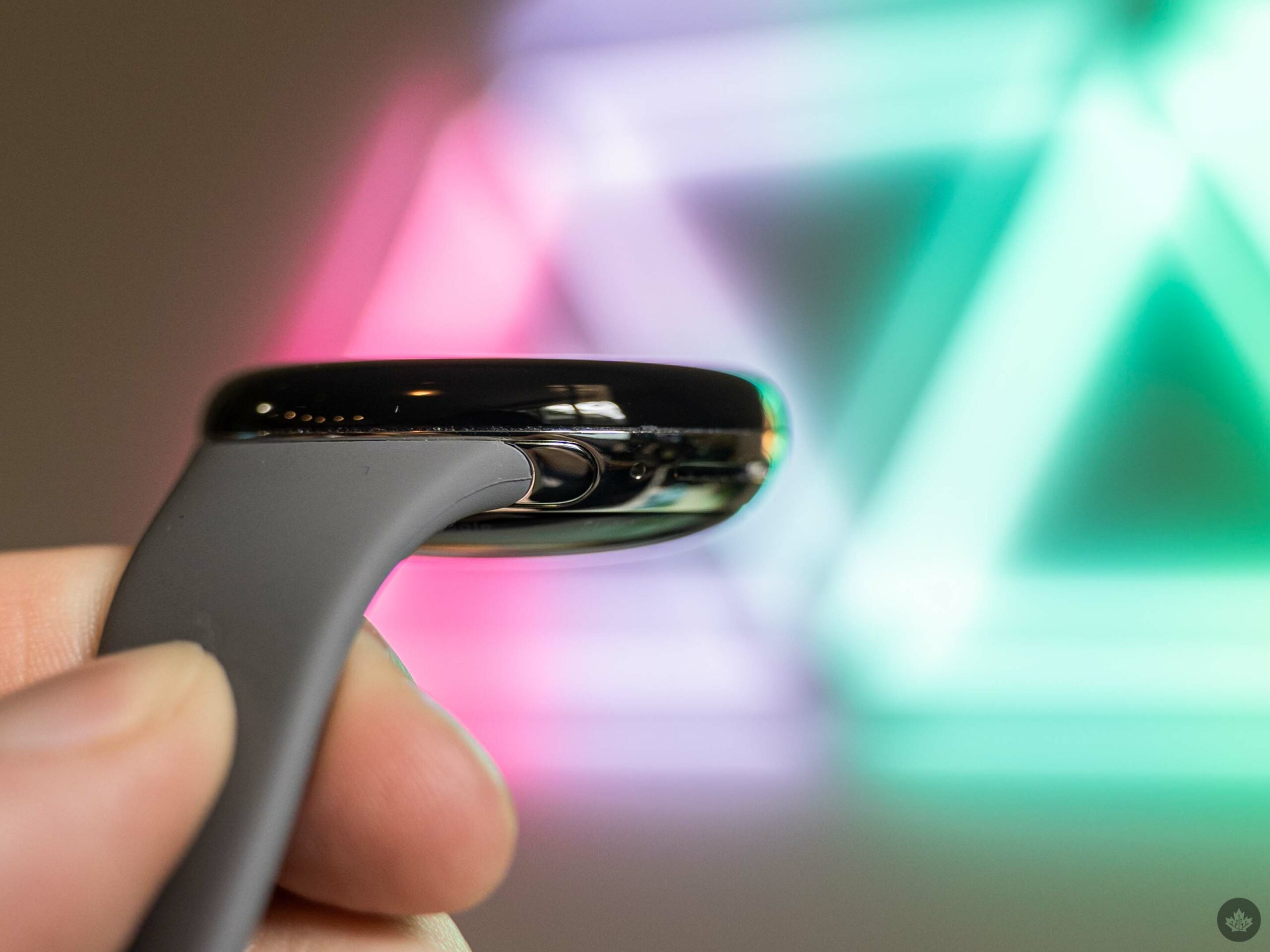
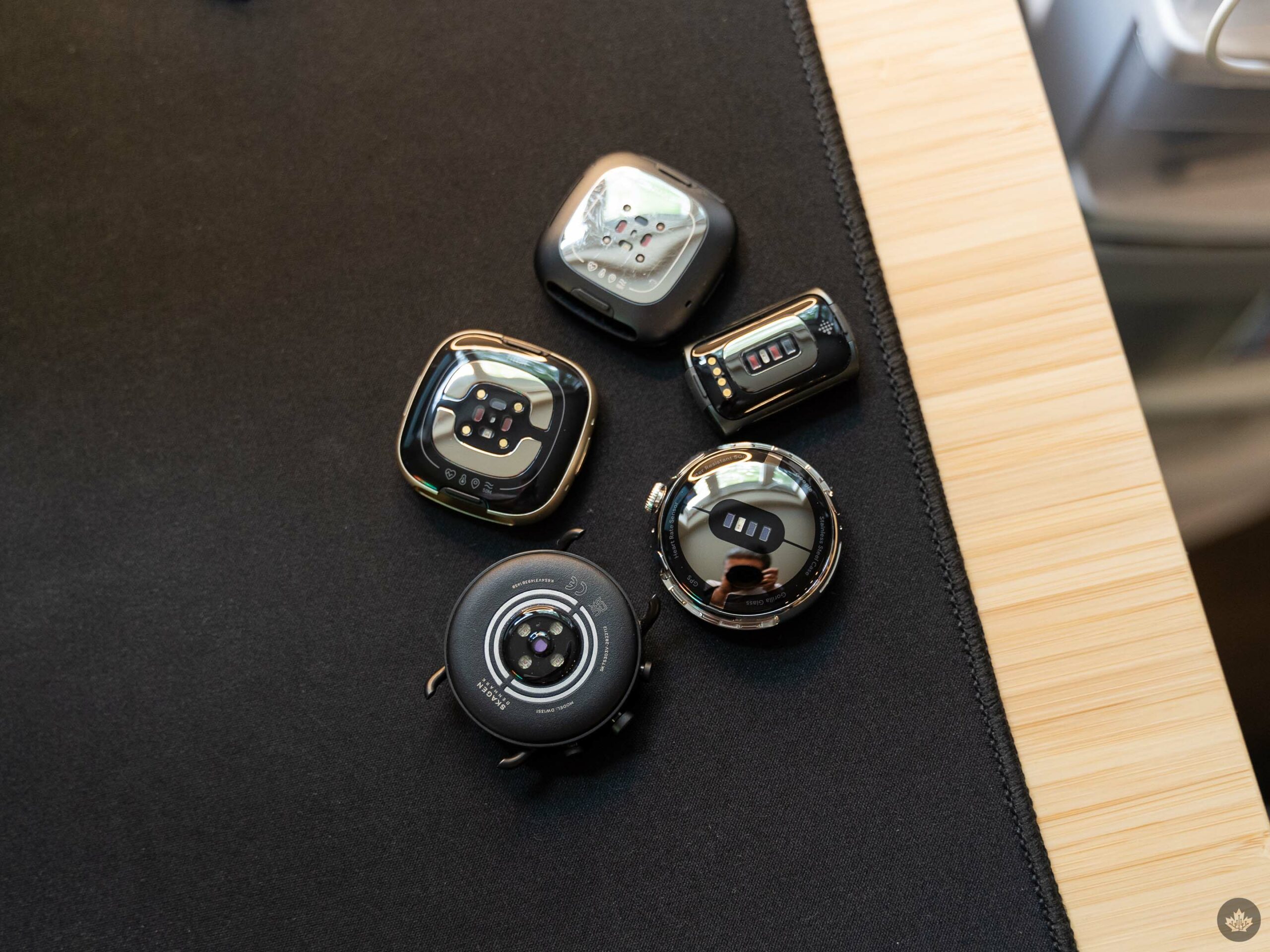
To keep this section short, I’ll run through a few other notes about the Pixel Watch hardware. The haptics felt pretty good, offering subtle feedback to interactions with the watch. The buttons were clicky and tactile with no play, and the crown offered a smooth scrolling experience punctuated by haptic responses. The health sensors grouped on the bottom of the Pixel Watch appear to match Fitbit’s Charge 5 tracker.

As for the display, it looks great most of the time. If you get up close to it, you can see the pixels, but like the bezel, you likely won’t notice them much in typical use. You will notice slight discolouration at lower brightness levels, especially with grey shades. It’s not a dealbreaker, but it’s worth noting that the discolouration is present.
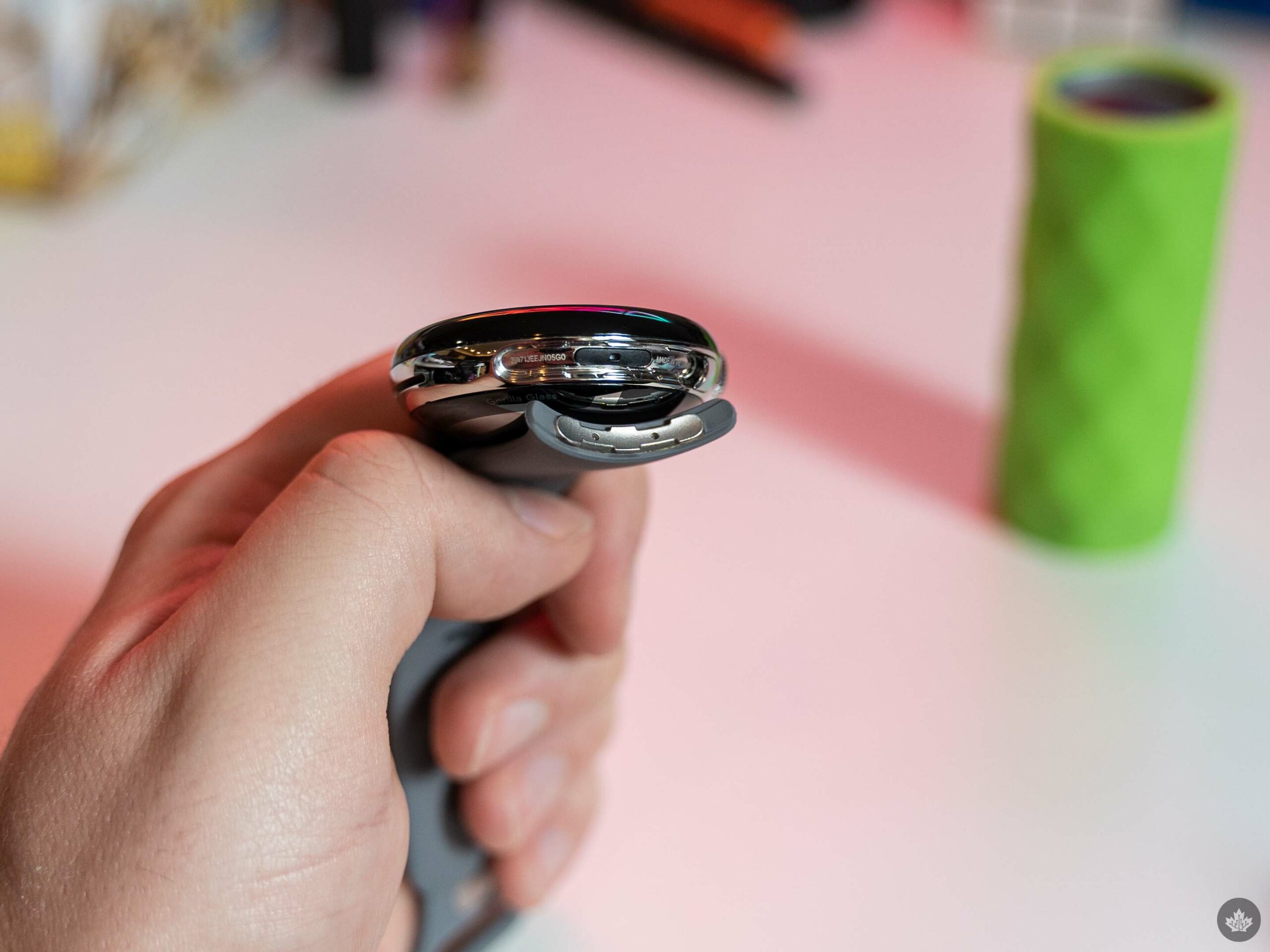
Finally, the Pixel Watch’s mechanism for attaching and swapping bands is excellent. The way the bands seamlessly flow out of the smartwatch looks great, and the mechanism is subtle and out of the way, but feels reliable. My only real complaint was that pressing the release button to disconnect the band felt a bit finicky, but I chalk that up to fat fingers.

Can’t have it all
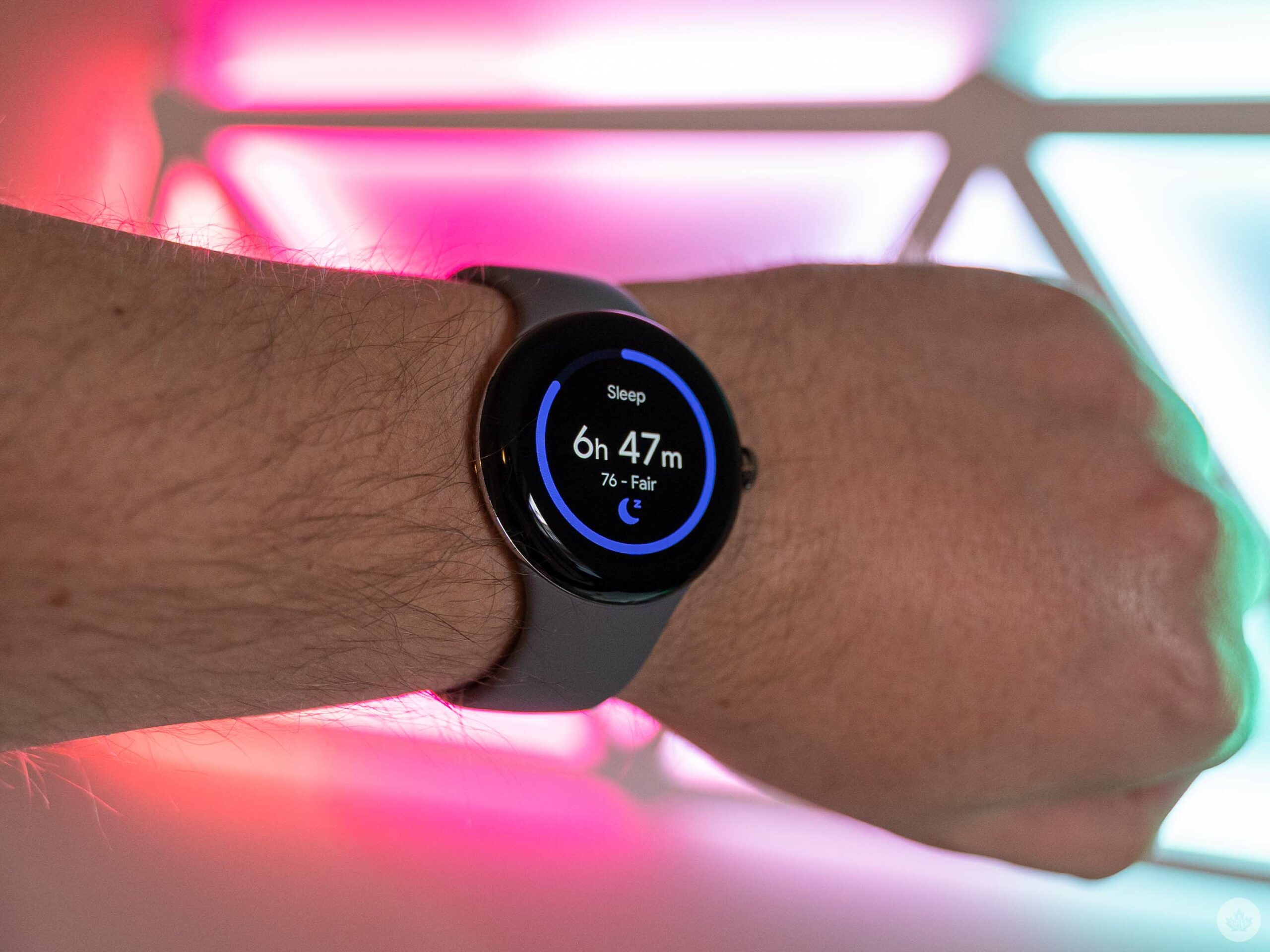
One of my main worries about the Pixel Watch was that the Fitbit integration would feel second fiddle or tacked on to the Wear OS experience. I also had concerns about the added complexity of having to hop between multiple apps, in part because I was used to Fitbit devices where the fitness app and the wearable management app were one and the same.

Thankfully, both fears were largely unfounded. On the app side, after set-up, you can largely ignore the Pixel Watch app and just use the Fitbit app to check on health details. The Pixel Watch app does include access to some settings you won’t need often, as well as tools for customizing watch faces, but those same tools are available on the Pixel Watch and work just as well, if you don’t mind fiddling with them on a small display.

Moreover, the Fitbit integration didn’t feel tacked on at all. Instead, it was very front-and-center, with much of the default Pixel Watch set-up leaning into showing your health metrics. You can add plenty of Fitbit complications to watch faces, and the various screens you can swipe through on the watch are dominated by Fitbit health options, like steps, heart rate, sleeping details, and more.

The Fitbit experience actually felt very at home on the Pixel Watch and, in many ways, was better than my experience with it on Fitbit’s own wearables, thanks to the smooth navigation enabled by the crown. Opening Fitbit to get deeper insights into health metrics felt fast and fluid, whereas on Fitbit devices like the Sense (I, unfortunately, haven’t spent as much time as I’d like on the Sense 2 yet), doing the same felt janky. This extends beyond Fitbit to other apps on the Pixel Watch, but I’ll get into that more later.
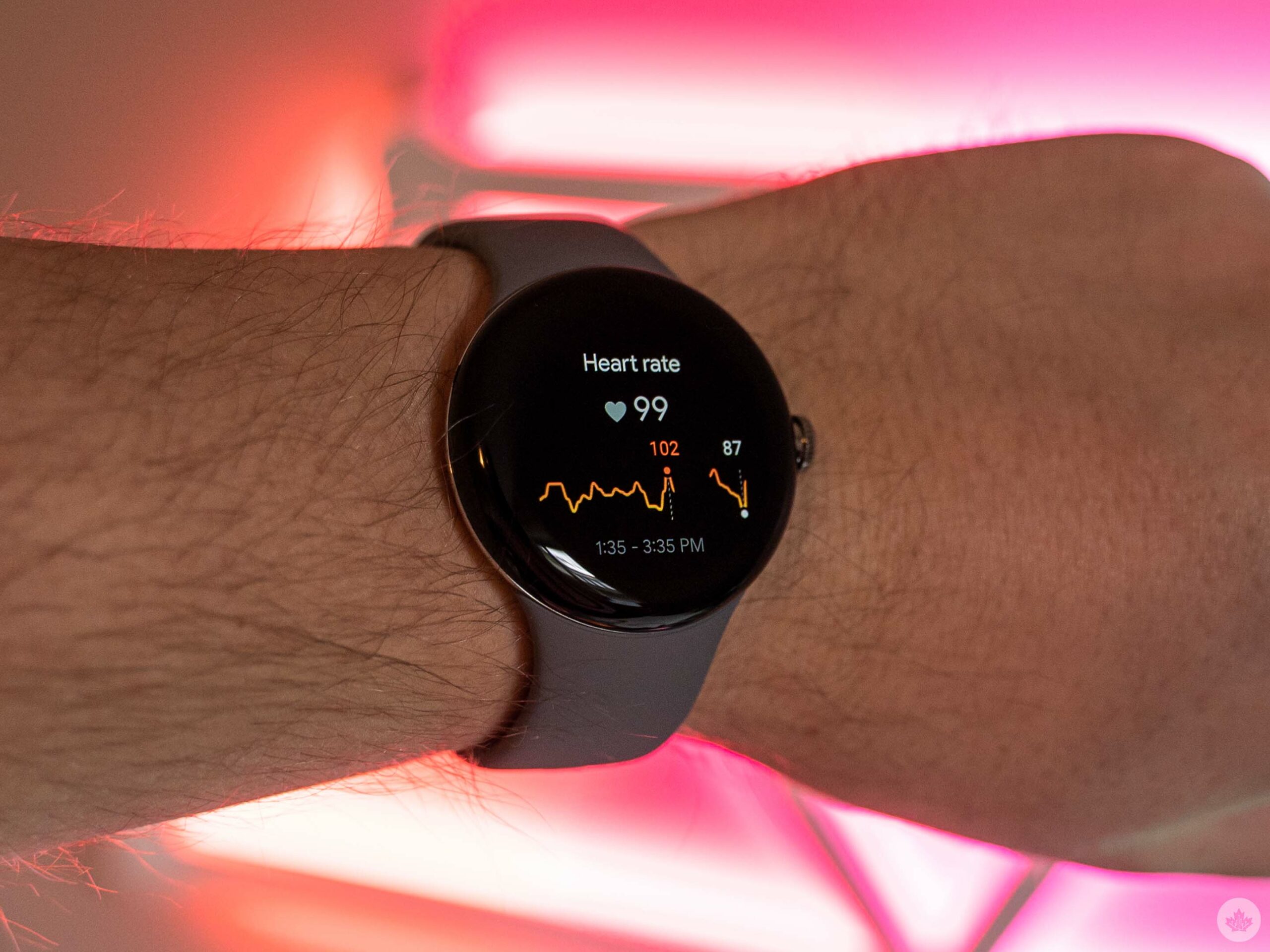
For all the positives with Fitbit on the Pixel Watch, it’s not perfect. Perhaps the biggest criticism is that the Pixel Watch is not the best device if you want all of Fitbit’s best health-tracking features. Notable omissions include SpO2 tracking (although the Pixel Watch has the hardware for it, and Google implied it’d come in a future update), auto-start and stop for exercises, swim stroke tracking, high, low and irregular heart rate notifications, a good chunk of the Sense series’ stress tracking features, Fitbit sleep profiles, smart wake alarms and more.

At the same time, the Sense 2 lacks some of the smart features offered by the Pixel Watch, like Google Assistant (the Sense 2 oddly supports Alexa, however, but the original Sense had both assistants), Google Maps navigation, and Google Wallet (though Fitbit Pay is still available). Maps and Wallet are coming to the Sense 2 “soon,” however. The Sense 2 also lacks a cellular model, losing out on features like Emergency SOS and Fall detection (which won’t be on the Pixel Watch until “this winter”).

“The Pixel Watch’s features fall more in line with typical smartwatch functions”

With that in mind, if you’re trying to pick between a Pixel Watch or Fitbit Sense 2, it’s worth taking the time to compare the features and see which one best meets your needs (both the Google Store and Fitbit website offer compare pages for the devices). In short, those who want the most health features with a dash of smartwatch should consider the Sense 2, while those wanting a smartwatch first with some useful health tracking should go for the Pixel Watch.

Smartwatch
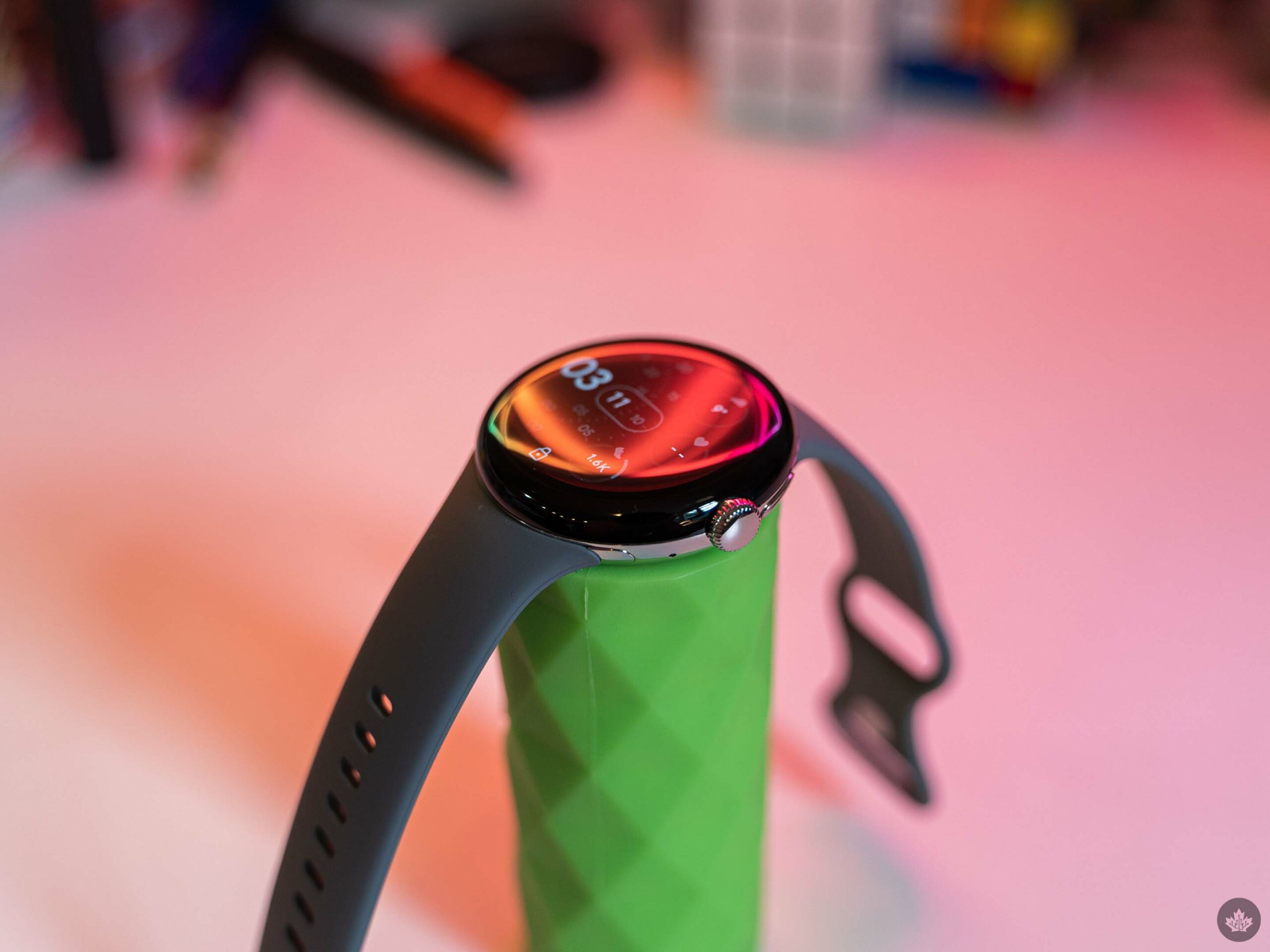
I’ve found that Google does a fairly good job making its smartphones feel smart, and the same is true for the Pixel Watch. Having Google Assistant on my wrist is incredibly helpful, arguably more so than on my phone, for two reasons. First is convenience – the Pixel Watch is almost always on my wrist, but I don’t always have my phone on me. The other reason is that voice control is a much better way to interact with a smartwatch than trying to navigate it by touch.

Assistant isn’t unique to the Pixel Watch, but it still feels great. The experience generally feels smoother and faster than on the Fitbit Sense or the Fossil Gen 6, other wearables I’ve tested with Google Assistant. That said, there is a bit of rhythm to adapt to when using Assistant, as there’s a bit of a pause between activating it and when it will actually register your voice. On more than one occasion, I spoke my command too quickly, and the Assistant missed some or all of what I said.

Having turn-by-turn navigation from Google Maps on my wrist is also incredibly handy. I played around with it a little, and it seemed fairly smooth, but I’m looking forward to trying it more next time I go somewhere and need navigation.

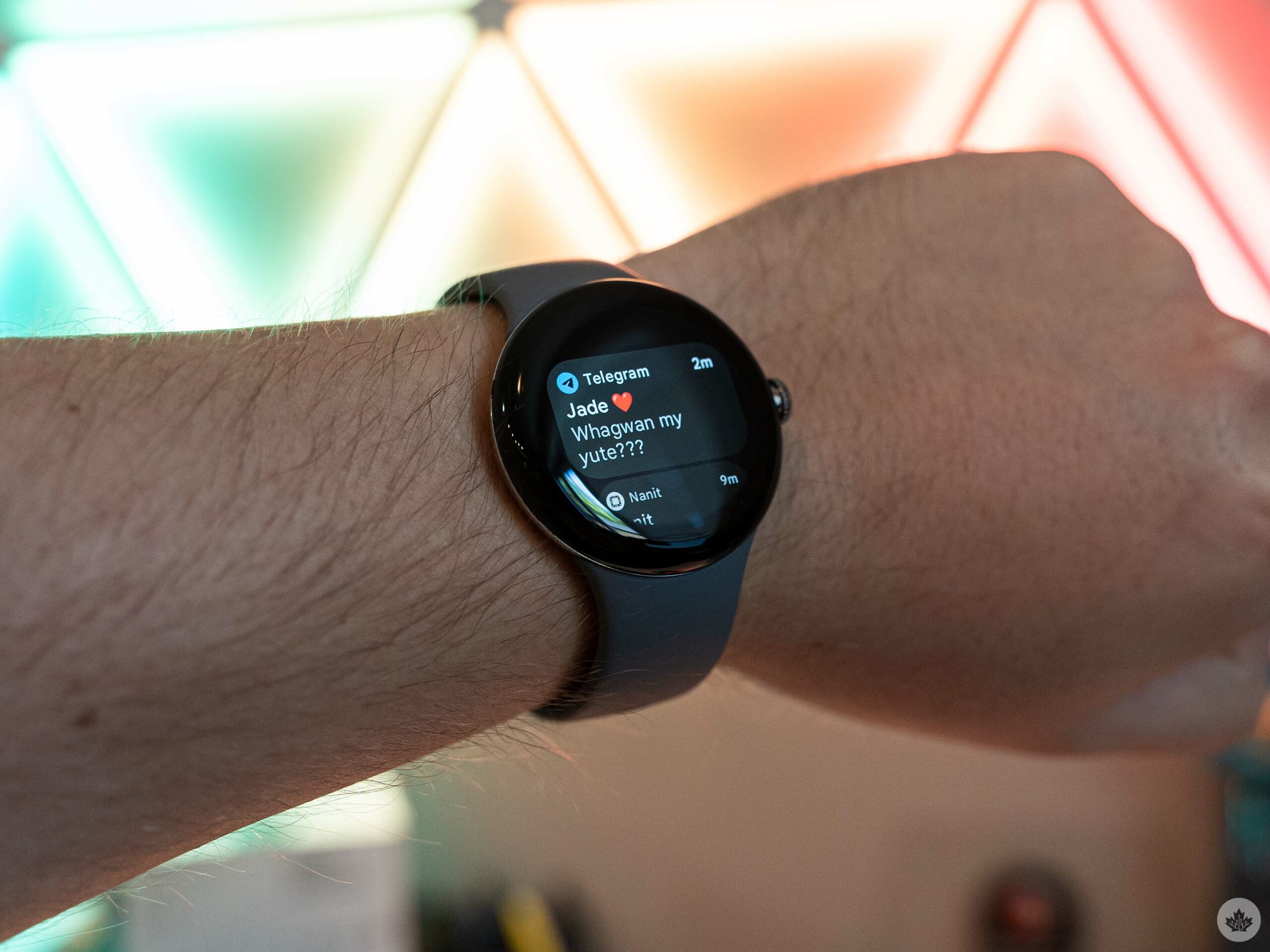
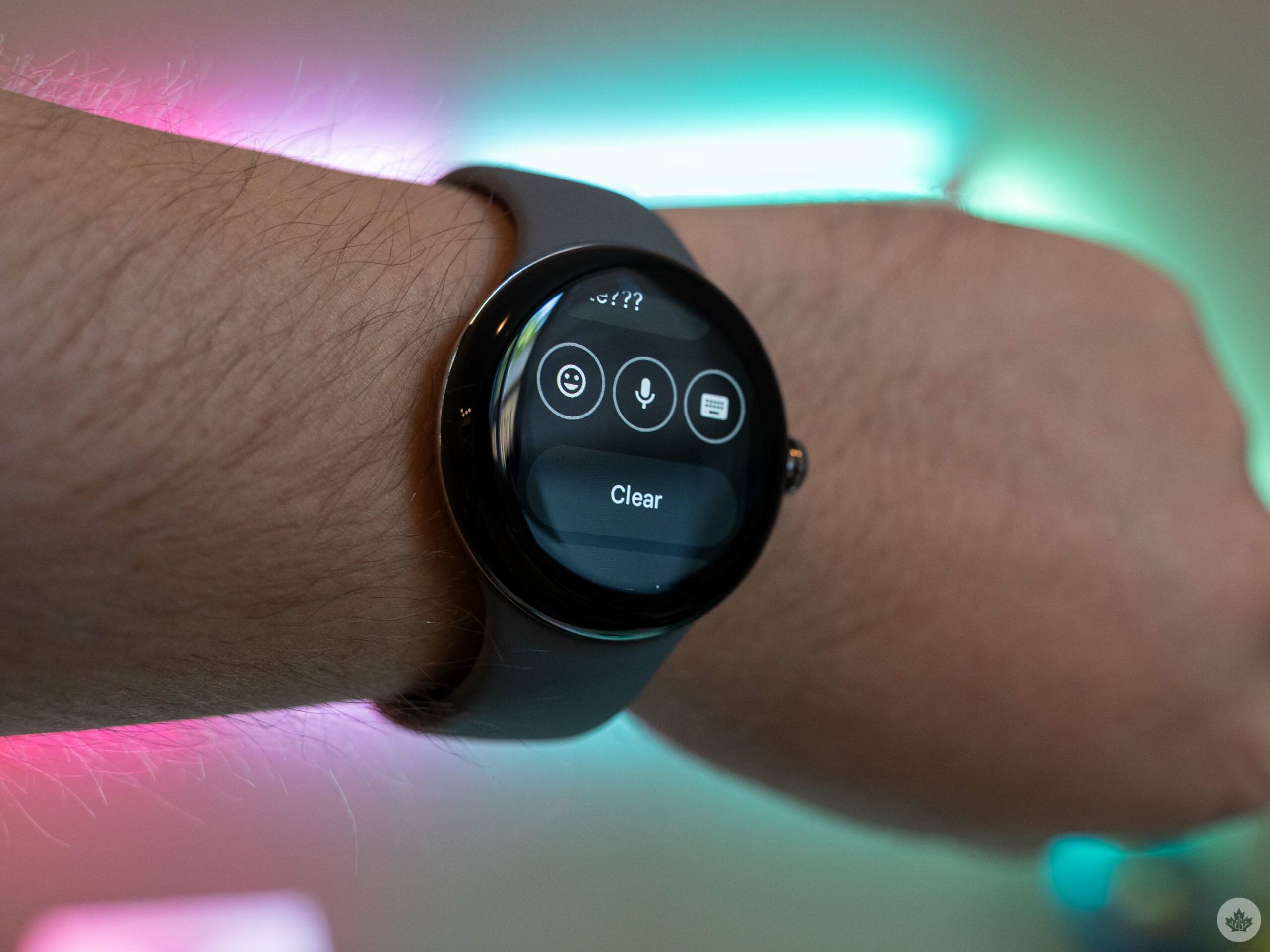
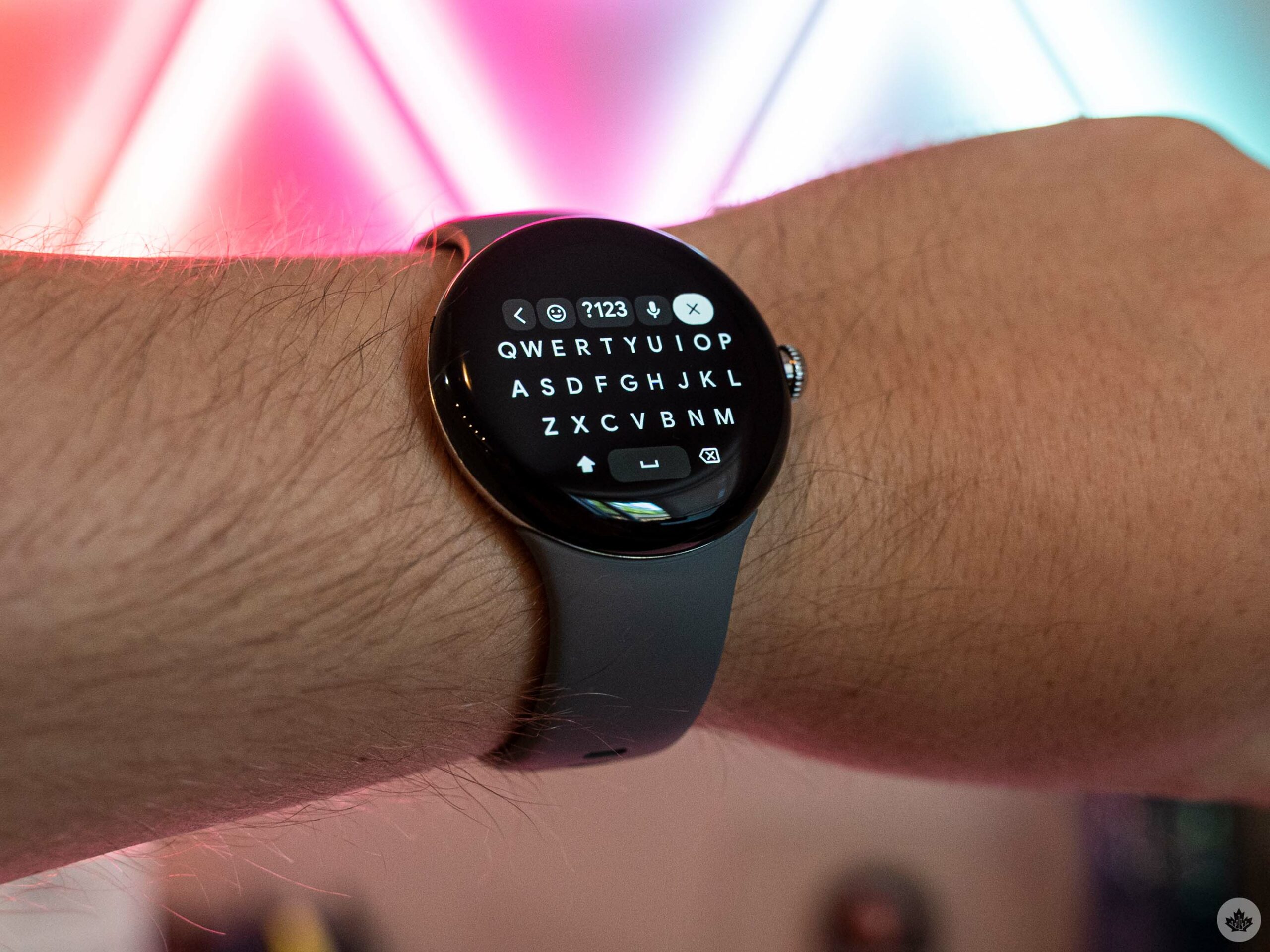
Beyond that, the Pixel Watch’s features fall more in line with typical smartwatch functions. Google Wallet is handy for making payments without digging out your wallet or smartphone, but most smartwatches support payments in some way. You can view incoming notifications from your smartphone and respond to messages with your voice, a surprisingly capable on-watch keyboard, emojis, or contextual auto-responses. Again, this is not necessarily unique to the Pixel Watch, although voice-to-text is very capable (albeit not to the calibre of the Pixel 6 or 7’s Assistant voice typing).

As an aside, responding to messages was one of the few places I noticed any lag or jitter on the Pixel Watch, with the animations that play after sending a message often dropping frames or not even playing at all. However, it never impacted my ability to respond to messages.
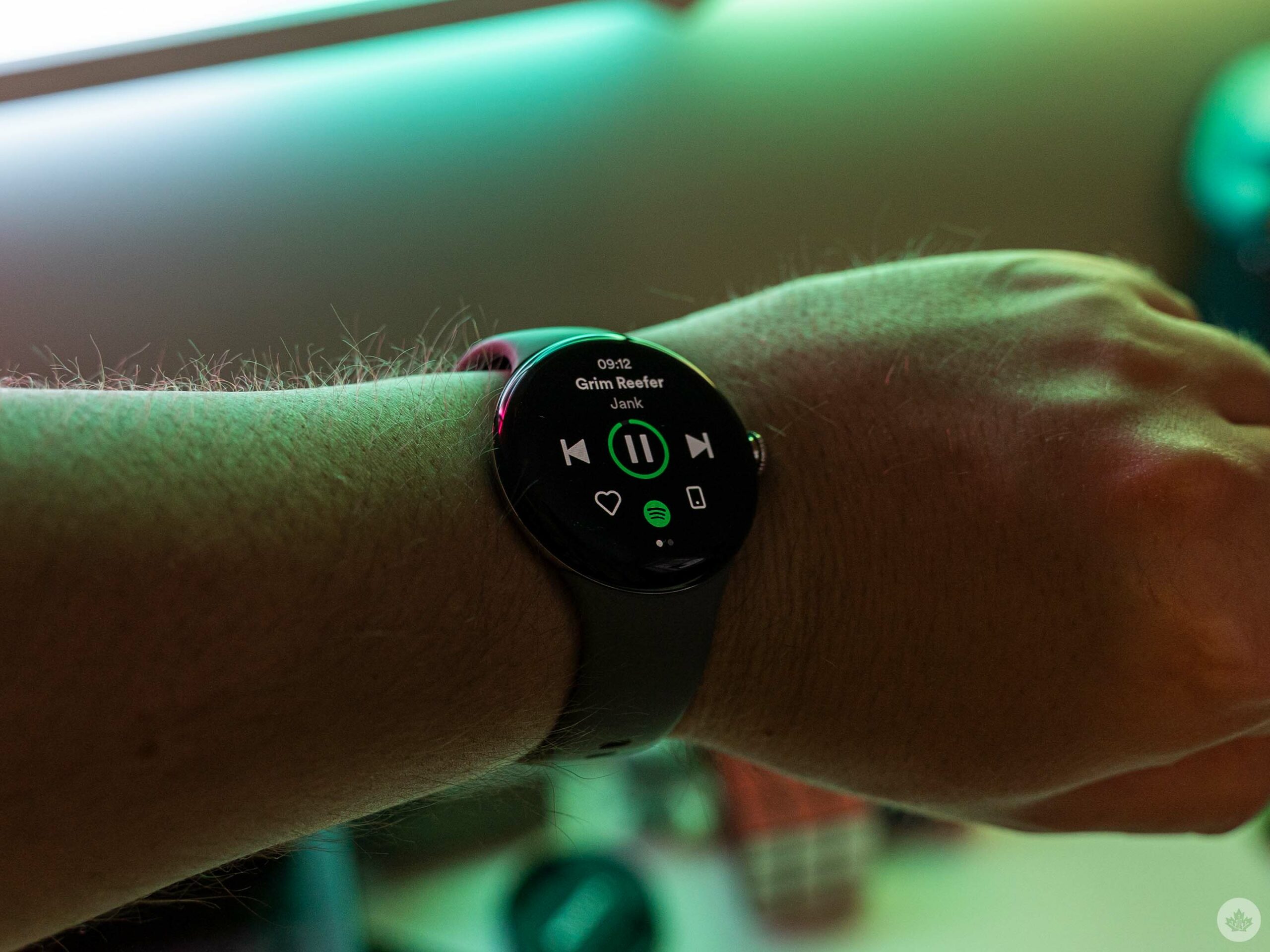
Spotify on Pixel Watch.

The Pixel Watch also features a built-in Play Store for finding and installing Wear OS apps. Most staples are there, from fitness apps like Strava and MyFitnessPal to Spotify, YouTube Music and more. That said, what’s available likely doesn’t stack up to the Apple Watch in part because of Google’s wavering support for the wearable OS. Hopefully, with its renewed commitment through the Pixel Watch, we’ll see more third-party developers brings apps to Wear OS. If you rely on third-party apps, check the Watch apps section on the Play Store (available here) to make sure what you need is available.

That said, most of my needs were covered by the apps that came with the Pixel Watch, and most of my time on the Play Store was spent downloading apps I thought would have come on the Pixel Watch, like the Google Camera app for remote controlling the Pixel 7’s camera.

Battery is a weak spot
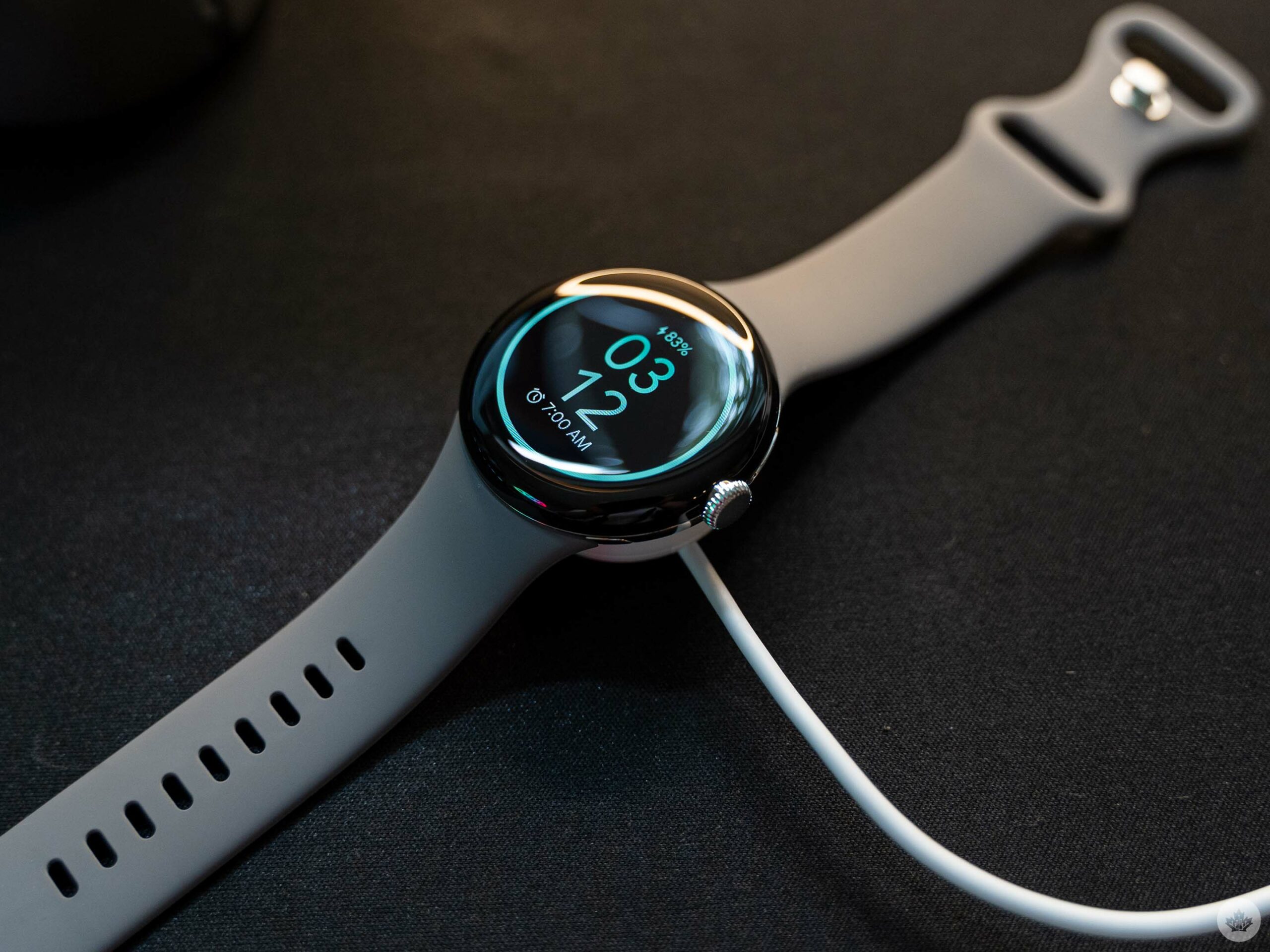
While my experience with the Pixel Watch so far has been mostly positive, one area of frustration is the battery life. Google claims 24 hours of battery, but I never hit that on default settings with always-on display enabled. That might be different on the non-LTE version of the watch, but at least on the cellular model, I saw an average of 21-22 hours of battery life.

Arguably that level of battery life would be more than fine if you didn’t want to wear the Pixel Watch at night, but with Fitbit sleep tracking being one of the main features, you do need to wear the watch overnight. And even with using features like the watch’s Bedtime mode to turn off the display and mute incoming notifications, it still barely lasted through the night. This problem isn’t unique to the Pixel Watch, with Apple’s Watch Series 8 offering a similar battery experience.

In other words, if you want to use the always-on display, you may need to adapt your routine to include charging the watch before bed. In my experience, you need more than a 30 percent charge on the watch if you want it to last through the night. It’s doable, but I ultimately switched off the always-on display to get a few more hours out of a charge and reduce charging anxiety. Coming from a Fitbit Sense, it’s definitely a drawback – my original Sense easily got me through two days on a charge (although Fitbit advertises six days of battery life).

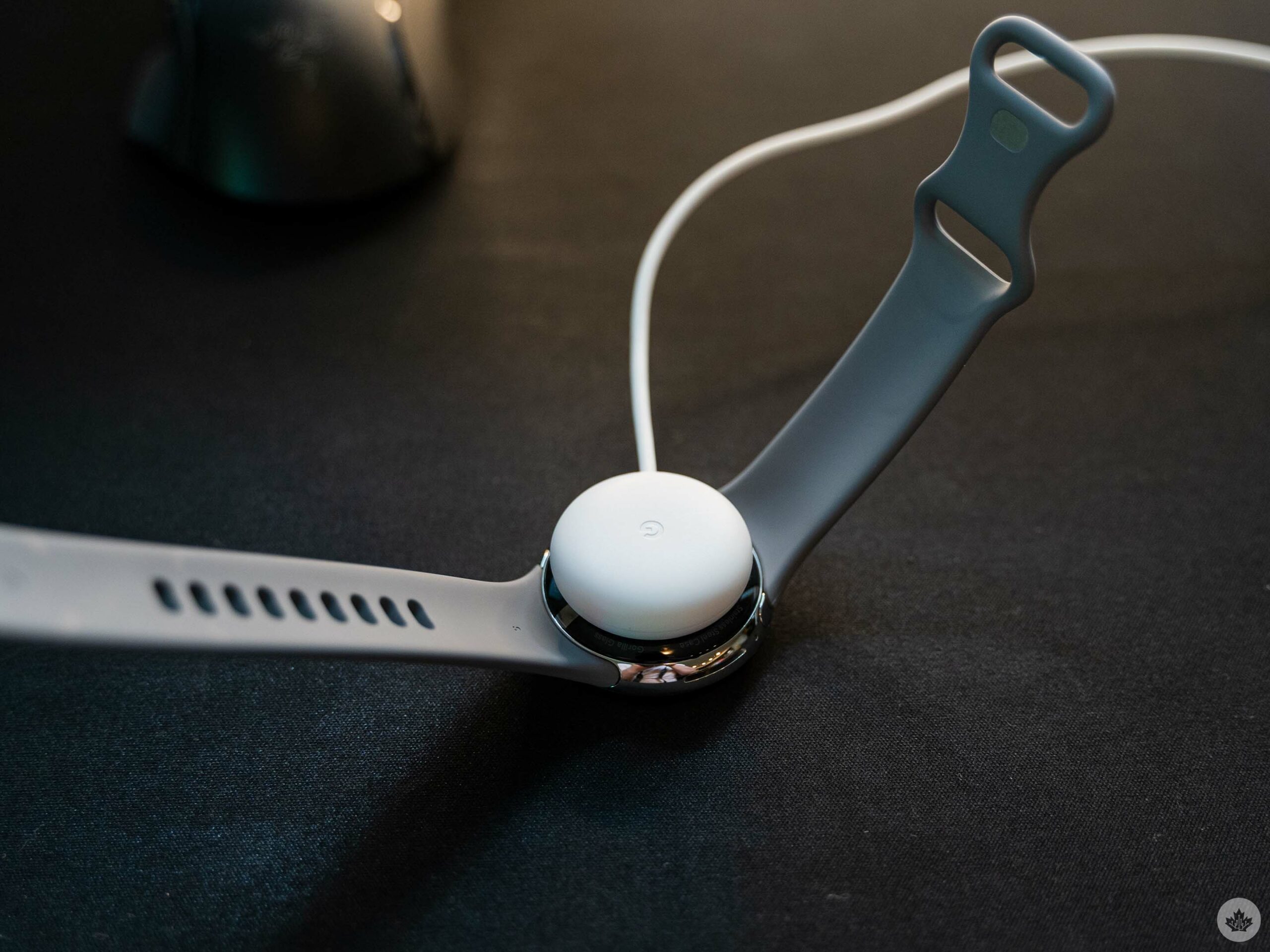
Speaking of charging, the Pixel Watch’s magnetic charger gets the job done, but I was surprised by how weak the magnets were. I found that the band put downward pressure, lifting the watch off the table enough for the charger to disconnect and drop off the bottom of the watch. I ended up charging the Pixel Watch on its side most of the time to help keep the charger connected.

Google says the Pixel Watch can charge 50 percent in 30 minutes, 80 percent in 55 minutes and fully charge in 80 minutes, which is more or less what I experience with my review unit. I did notice that the watch felt warm whenever I put it on after charging – not warm enough to be uncomfortable, but enough for me to notice.

Everything else
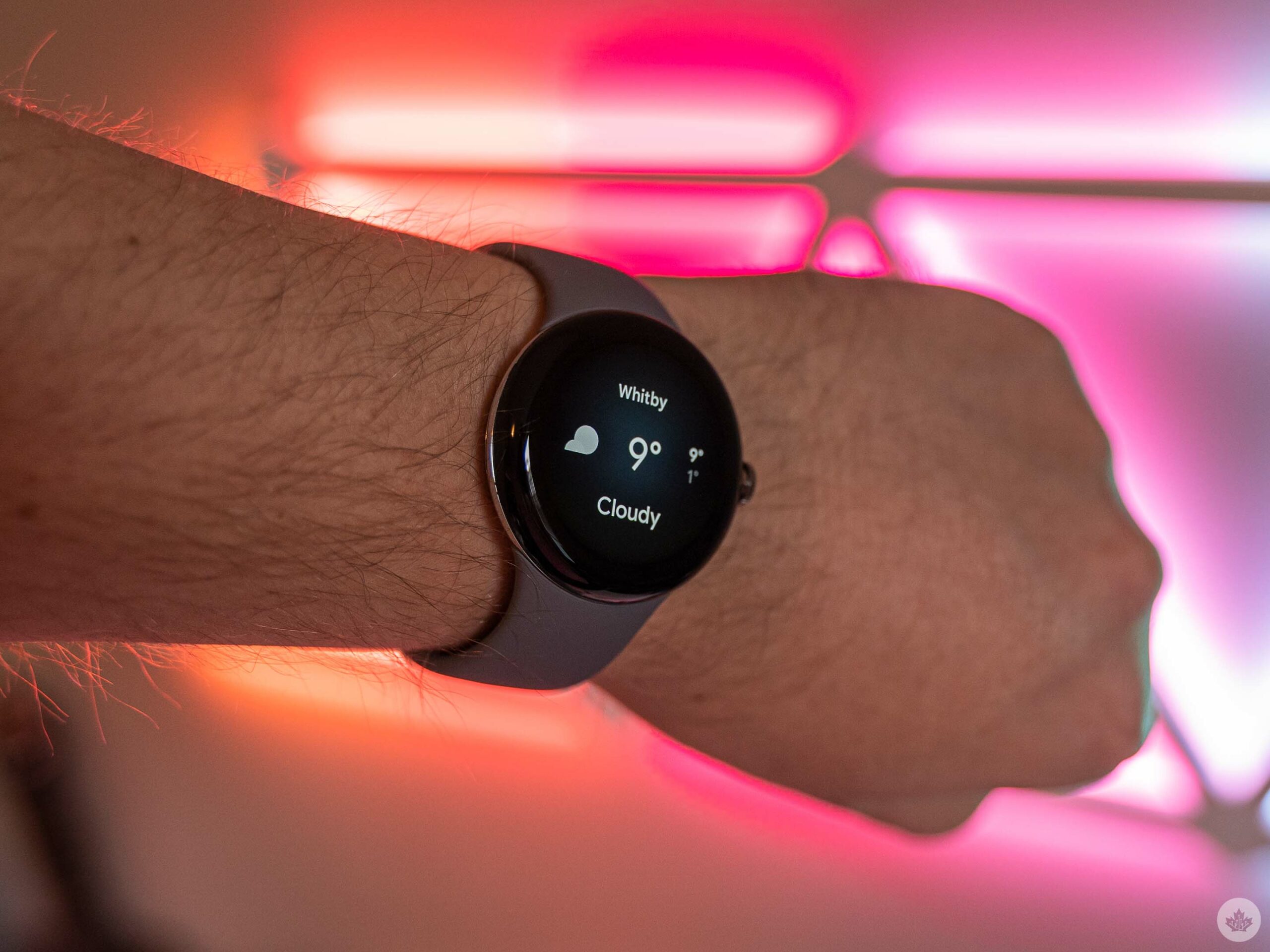
That covers the majority of Google’s Pixel Watch, but there are a few loose ends to tie up. For one, I wasn’t able to put Emergency SOS or fall detection through their paces, the former because I thankfully haven’t been in an emergency while testing the watch (and hopefully never will be) and the latter because it won’t be available until the winter.

It’s also worth pointing out that the speaker on the Pixel Watch is fairly middling. I didn’t expect a groundbreaking audio experience, especially out of the tiny speaker on a smartwatch. The speaker is fine for what you’ll use it for, namely hearing Google Assistant responses and the occasional on-wrist phone call, but that’s about all it’s good for.

“The most notable bug was the Pixel Watch factory reset itself after I connected it to the Fitbit app for the first time”

I’d also like to point out that if you’re aiming to get the cellular Pixel Watch, expect your wireless bill to go up by about $10/mo, depending on the carrier. The Big Three all charge $10/mo for various smartwatch plans, which either extend your smartphone’s number and data bucked to your watch or extend the number and give your watch a separate data bucket.
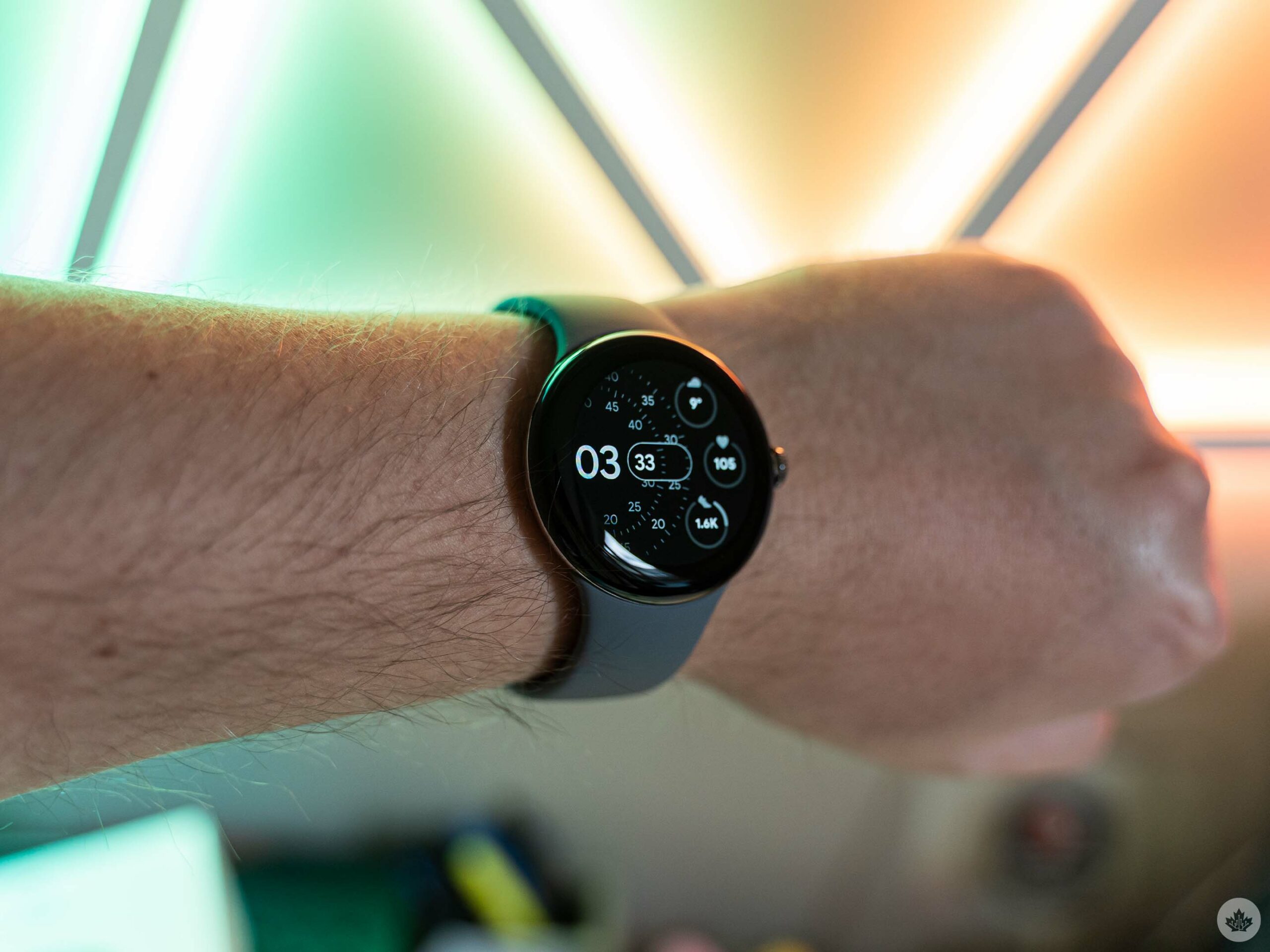
Granted, $10/mo isn’t a ton of money, but it will add up over time and is yet another frustrating fee you’ll need to pay.

Finally, I did encounter a few bugs, although perhaps less than expected for a new Pixel device. The most notable bug was the Pixel Watch factory reset itself after I connected it to the Fitbit app for the first time. I’m not sure what exactly triggered this, but when I set the device up the second time, I didn’t encounter the issue again. The other bug I experienced was that the Fitbit app kept giving me an error whenever I tried to initiate a sync with the Pixel Watch manually. However, background sync worked fine, and the issue went away after some software updates, so I’ll chalk that up to pre-release software.

Stacking up to the competition
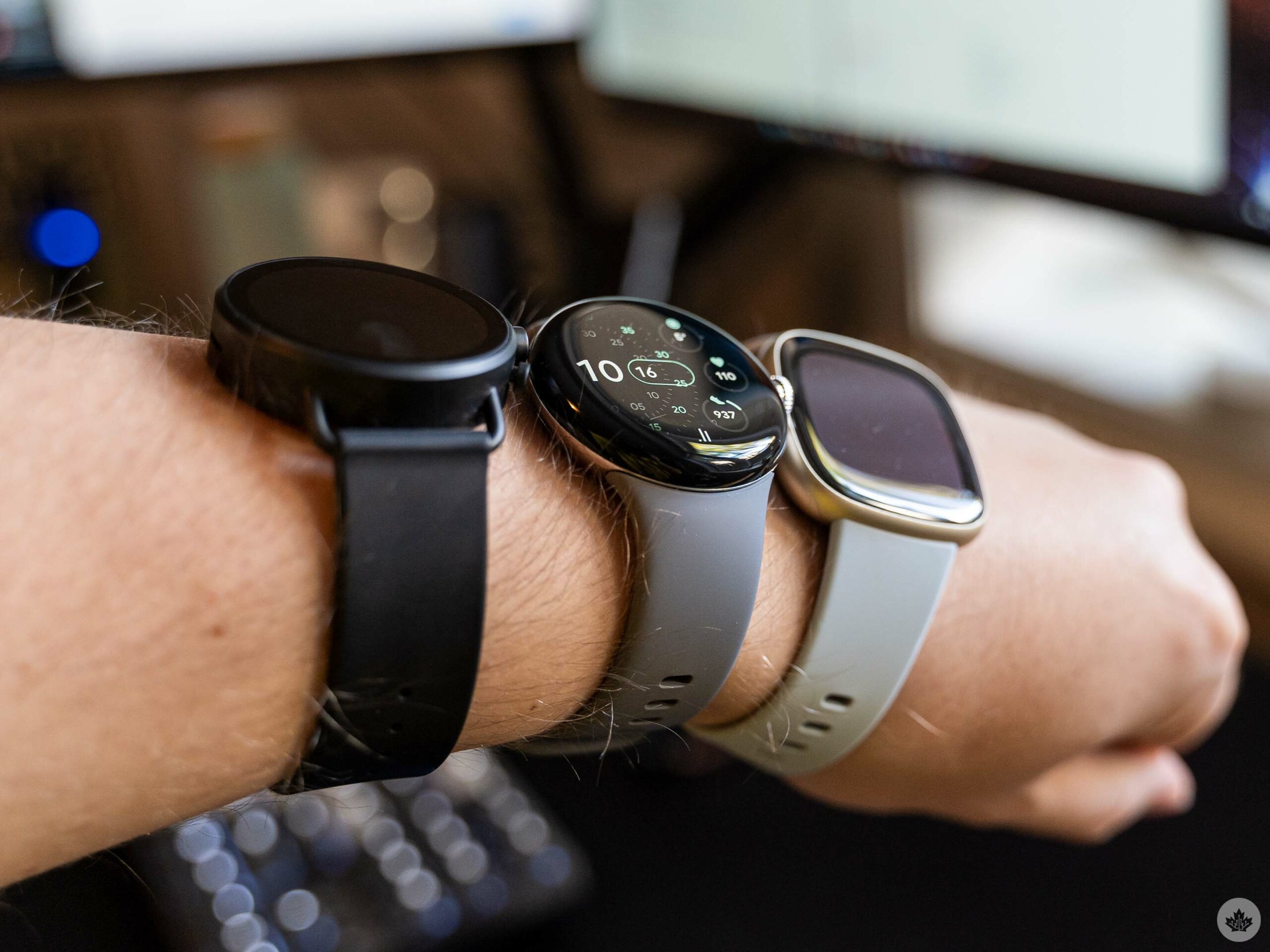
From left to right: Skagen Falster Fossil Gen 6, Pixel Watch, Fitbit Sense 2.

The Pixel Watch starts at $449.99 for the Bluetooth/Wi-Fi variant and $529.99 for the LTE variant, with the only difference being support for LTE and, by extension, cellular features like calling and messaging (without your phone nearby), Emergency SOS and fall detection.

That puts it in an interesting position as it’s more expensive than the Fitbit Sense 2 at $399.95 and some Galaxy Watch 5/5 Pro models, which range from $349.99 to $629.99 depending on size and LTE support. On the Apple side, the Watch Series 8 starts at $529 for the GPS version and $659 for GPS + Cellular. The Watch SE is $329 and $399, respectively, and I’m leaving out the Watch Ultra since it’s arguably in a class of its own at $1,099 (and it doesn’t have always-on display).

Of course, comparisons to the Apple Watch are tricky given that the Apple Watch only works with iPhones and the Pixel Watch only works with Android phones. In other words, you should probably decide whether you want a Pixel smartphone or an iPhone first, then pick your smartwatch accordingly.

That leaves the Fitbit Sense 2 and the Galaxy Watch5 as the only real comparison. Granted, there are other Wear OS smartwatches out there, but as I noted with the Fossil Skagen Falster Gen 6, they’re not great. Wear OS 3 on the Pixel Watch solves many of the complaints I raised about Wear OS 2 on the Gen 6, and I’m excited to see how other watches stack up once more are running Wear OS 3.

Categories
Mobile Syrup

Pixel 7 Pro Review: Long live the hype

Back in May, Google offered a first look at the Pixel 7 and 7 Pro. In the months following the reveal, I’ve been looking forward to the successor to the Pixel 6 Pro, the Pixel 7 Pro. Now that I’ve finally gotten my hands on Google’s new flagship, I can confirm that it’s more of a minor update than a significant step forward.

I think of the device as the Pixel 6 Pro S in some respects — a more refined version of the Pixel 6 Pro that’s a worthwhile purchase depending on what smartphone you’re currently using. This isn’t entirely shocking, especially given Samsung and Apple released more minor updates to their devices this year, too. However, the Pixel 7 Pro takes an even smaller step forward when compared to its competitors. To be clear, I still think the Pixel 7 Pro is a great device, but it’s also not an Android handset worth considering if you already own the Pixel 6 Pro or Samsung’s Galaxy S21.

Nevertheless, the Pixel 7 Pro boasts impressive specs, including Google’s new Tensor G2 chip, 12GB of RAM, a 5,000mAh battery, a 6.7-inch display with a 3120 x 1440-pixel resolution with a 120Hz refresh rate that can drop to 10Hz, a triple camera setup and more.

All of these features, combined with a fresh Material user interface (UI) and an elegant design, make the Pixel 7 Pro a spectacular handset.

Pixel 7 Pro

Samsung Galaxy S22 Ultra

iPhone 14 Pro Max

Display

6.7-inch, (1440 x 3120) QHD+ display, 512ppi, 10-120Hz refresh rate

6.8-inch Curved Dynamic AMOLED, 1,440 x 3,200 pixels, 20:9 aspect ratio, 120Hz display (variable 1-120Hz), HDR10+, 240Hz Touch Sampling in Games

6.7-inch, Super Retina XDR, OLED True Tone display, 2779 x 1290 pixels, HDR 10, Dolby Vision, 120Hz refresh rate

Processor

Tensor G2

Snapdragon 8 Gen 1

A16 Bionic chip

RAM

12GB of RAM

8GB of RAM, 12GB of RAM

N/A

Storage

128GB, 256GB, 512GB

128GB, 256GB, 512GB, 1TB

128GB, 256GB, 512GB, 1TB

Dimensions (in.)

6.4 x 3.0 x 0.3in. (162.9 x 76.6 x 8.9mm)

163.3 x 77.9 x 8.9mm

160.7 x 77.6 x 7.85mm

Weight

212g (7.5oz)

229g

240g

Rear Facing Camera

50-megapixel (primary) + 48-megapixel (telelphoto, x5 zoom) + 12-megapixel (ultrawide)

108-megapixel (f/1.8), 12-megapixel (f/2.2, 120-degree), 10-megapixel (f/4.9, 10x zoom), 10-megapixel (f/2.4, 3x zoom)

48-megapixel (f/1.78, OIS, wide angle) + 12-megapixel (f/2.8, OIS, telephoto 3x optical ) + 12-megapixel (f/2.2, OIS, ultra-wide angle)

Front Facing Camera

10.8-megapixel (ultrawide)

40-megapixel (f/2.2)

12-megapixel (f/1.9)

OS

Android 13

Android 12, One UI 4.1

iOS 16

Battery

5,000mAh

5,000mAh

Up to 29 hours video playback

Network Connectivity

LTE/ 5G

5G, LTE, Wi-Fi 6E

LTE/5G

Sensors

Fingerprint (in-display), Face Unlock, accelerometor, gyro, proximity, compass

Fingerprint (in-display), accelerometor, gyro, proximity, compass

Face ID, Three axis gyro, Accelerometer, Ambient light sensor, Barometer

SIM Type

Dual SIM (single nano-SIM and eSIM)

Nano SIM, eSIM

Nano SIM, eSIM

Launch Date

October 13, 2022

February 25, 2022

September 16, 2022

Misc

Colours: Obsidian, Snow, Hazel

Colours: ‘Phantom Black,’ ‘Phantom White,’ ‘Green,’ ‘Burgundy,’ and Samsung exclusive colours ‘Gray,’ ‘Light Blue,’ and ‘Red.’ & S Pen with 2.8 m/s latency

Colours: Space Black, Silver, Gold, Deep Purple

Display

Pixel 7 Pro

6.7-inch, (1440 x 3120) QHD+ display, 512ppi, 10-120Hz refresh rate

Samsung Galaxy S22 Ultra

6.8-inch Curved Dynamic AMOLED, 1,440 x 3,200 pixels, 20:9 aspect ratio, 120Hz display (variable 1-120Hz), HDR10+, 240Hz Touch Sampling in Games

iPhone 14 Pro Max

6.7-inch, Super Retina XDR, OLED True Tone display, 2779 x 1290 pixels, HDR 10, Dolby Vision, 120Hz refresh rate

Processor

Pixel 7 Pro

Tensor G2

Samsung Galaxy S22 Ultra

Snapdragon 8 Gen 1

iPhone 14 Pro Max

A16 Bionic chip

RAM

Pixel 7 Pro

12GB of RAM

Samsung Galaxy S22 Ultra

8GB of RAM, 12GB of RAM

iPhone 14 Pro Max

N/A

Storage

Pixel 7 Pro

128GB, 256GB, 512GB

Samsung Galaxy S22 Ultra

128GB, 256GB, 512GB, 1TB

iPhone 14 Pro Max

128GB, 256GB, 512GB, 1TB

Dimensions (in.)

Pixel 7 Pro

6.4 x 3.0 x 0.3in. (162.9 x 76.6 x 8.9mm)

Samsung Galaxy S22 Ultra

163.3 x 77.9 x 8.9mm

iPhone 14 Pro Max

160.7 x 77.6 x 7.85mm

Weight

Pixel 7 Pro

212g (7.5oz)

Samsung Galaxy S22 Ultra

229g

iPhone 14 Pro Max

240g

Rear Facing Camera

Pixel 7 Pro

50-megapixel (primary) + 48-megapixel (telelphoto, x5 zoom) + 12-megapixel (ultrawide)

Samsung Galaxy S22 Ultra

108-megapixel (f/1.8), 12-megapixel (f/2.2, 120-degree), 10-megapixel (f/4.9, 10x zoom), 10-megapixel (f/2.4, 3x zoom)

iPhone 14 Pro Max

48-megapixel (f/1.78, OIS, wide angle) + 12-megapixel (f/2.8, OIS, telephoto 3x optical ) + 12-megapixel (f/2.2, OIS, ultra-wide angle)

Front Facing Camera

Pixel 7 Pro

10.8-megapixel (ultrawide)

Samsung Galaxy S22 Ultra

40-megapixel (f/2.2)

iPhone 14 Pro Max

12-megapixel (f/1.9)

OS

Pixel 7 Pro

Android 13

Samsung Galaxy S22 Ultra

Android 12, One UI 4.1

iPhone 14 Pro Max

iOS 16

Battery

Pixel 7 Pro

5,000mAh

Samsung Galaxy S22 Ultra

5,000mAh

iPhone 14 Pro Max

Up to 29 hours video playback

Network Connectivity

Pixel 7 Pro

LTE/ 5G

Samsung Galaxy S22 Ultra

5G, LTE, Wi-Fi 6E

iPhone 14 Pro Max

LTE/5G

Sensors

Pixel 7 Pro

Fingerprint (in-display), Face Unlock, accelerometor, gyro, proximity, compass

Samsung Galaxy S22 Ultra

Fingerprint (in-display), accelerometor, gyro, proximity, compass

iPhone 14 Pro Max

Face ID, Three axis gyro, Accelerometer, Ambient light sensor, Barometer

SIM Type

Pixel 7 Pro

Dual SIM (single nano-SIM and eSIM)

Samsung Galaxy S22 Ultra

Nano SIM, eSIM

iPhone 14 Pro Max

Nano SIM, eSIM

Launch Date

Pixel 7 Pro

October 13, 2022

Samsung Galaxy S22 Ultra

February 25, 2022

iPhone 14 Pro Max

September 16, 2022

Misc

Pixel 7 Pro

Colours: Obsidian, Snow, Hazel

Samsung Galaxy S22 Ultra

Colours: ‘Phantom Black,’ ‘Phantom White,’ ‘Green,’ ‘Burgundy,’ and Samsung exclusive colours ‘Gray,’ ‘Light Blue,’ and ‘Red.’ & S Pen with 2.8 m/s latency

iPhone 14 Pro Max

Colours: Space Black, Silver, Gold, Deep Purple

For our review of the Pixel 7, check out Jon Lamont’s review.

A design that stands out

Google’s Pixel 7 Pro offers a more premium look when compared to its predecessor. The phone features a 162.9 x 76.6 x 8.9mm body, making it shorter in length but also wider and with the same thickness as the Pixel 6 Pro. It’s also only slightly heavier than the Pixel 6 Pro. This is likely because the phone offers a sturdier build, as it’s a bit shorter and broader than the Pixel 6 Pro.

I prefer this look over last year’s model, and I really like that it feels more solid and premium compared to its predecessor.

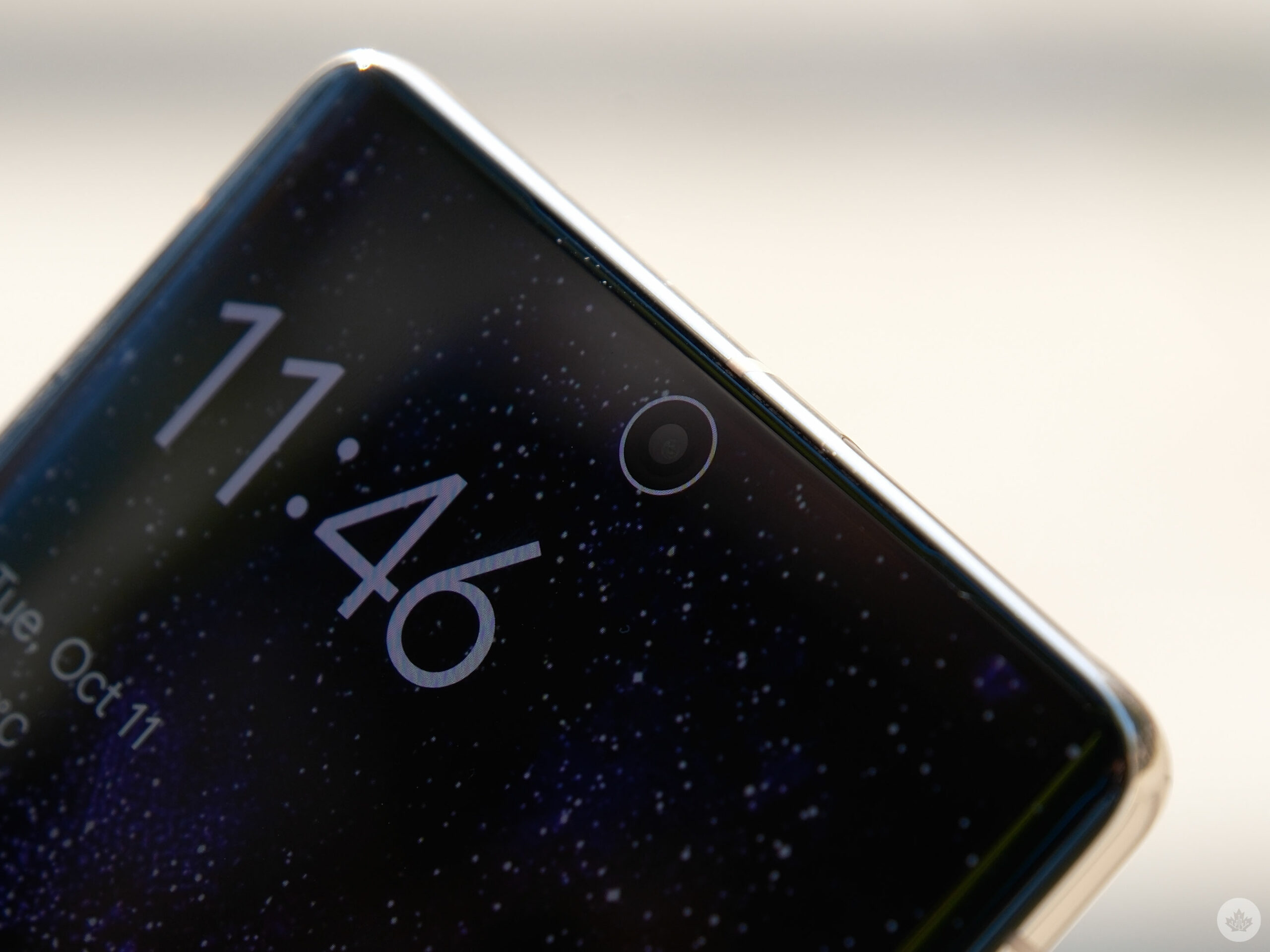
The front of the handset looks familiar to last year’s smartphone, with its large 6.7-inch display and singular front-facing hole-punch camera. The smartphone also features a slightly curved panel, similar to the Pixel 6 Pro. I was looking forward to the rumours indicating the Pixel 7 Pro would feature a flatter screen, but unfortunately, that’s not the case.

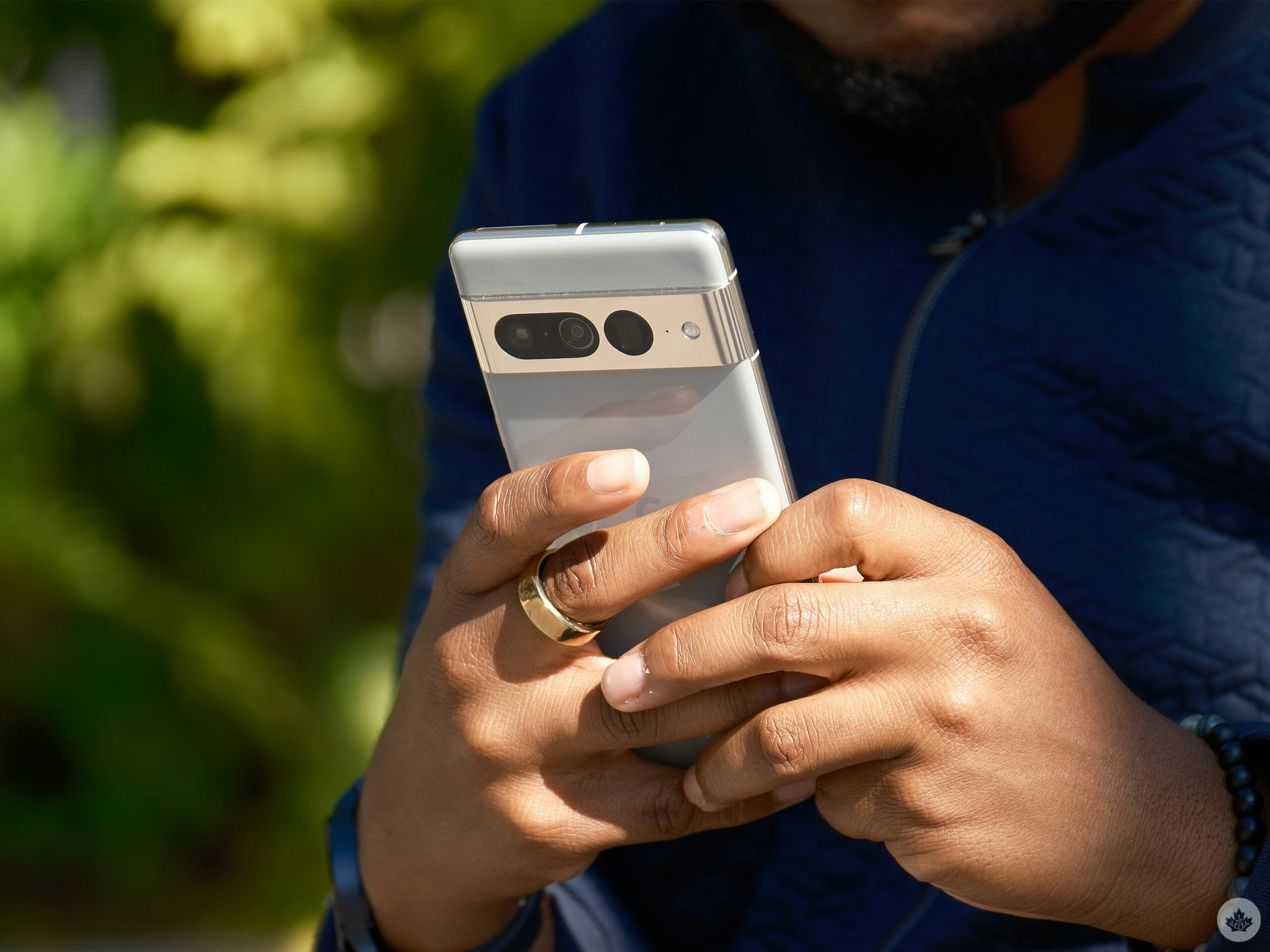
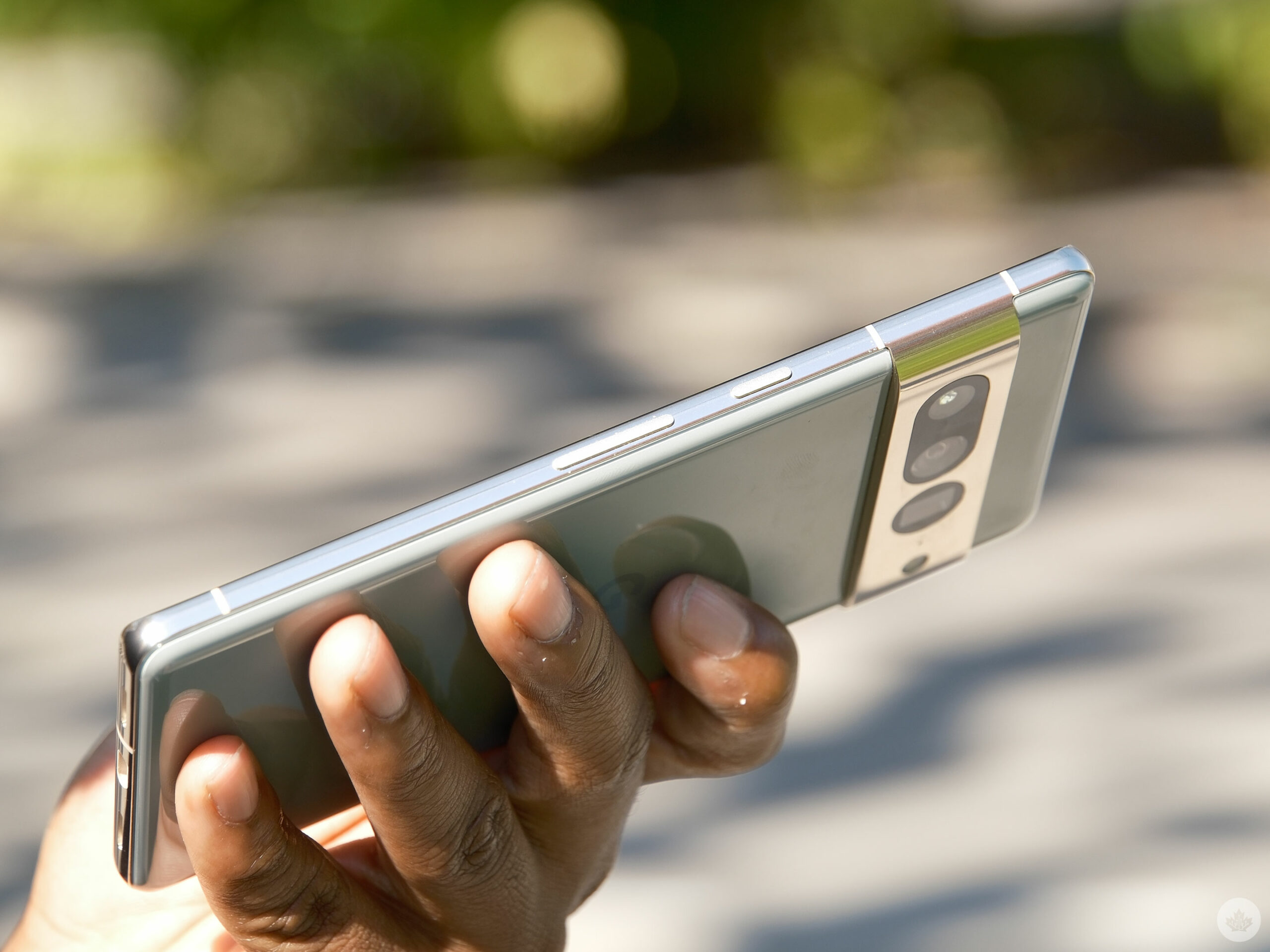
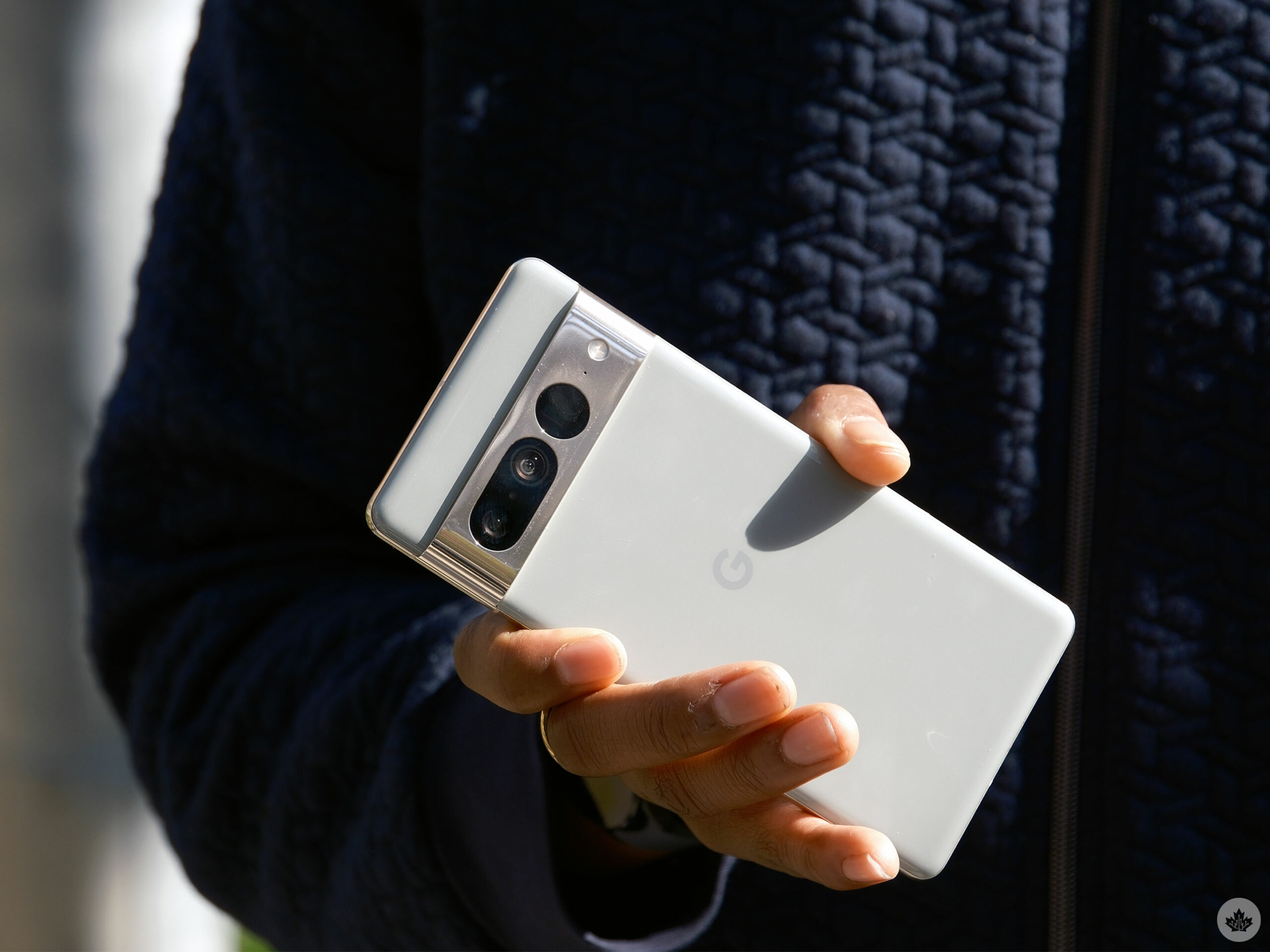
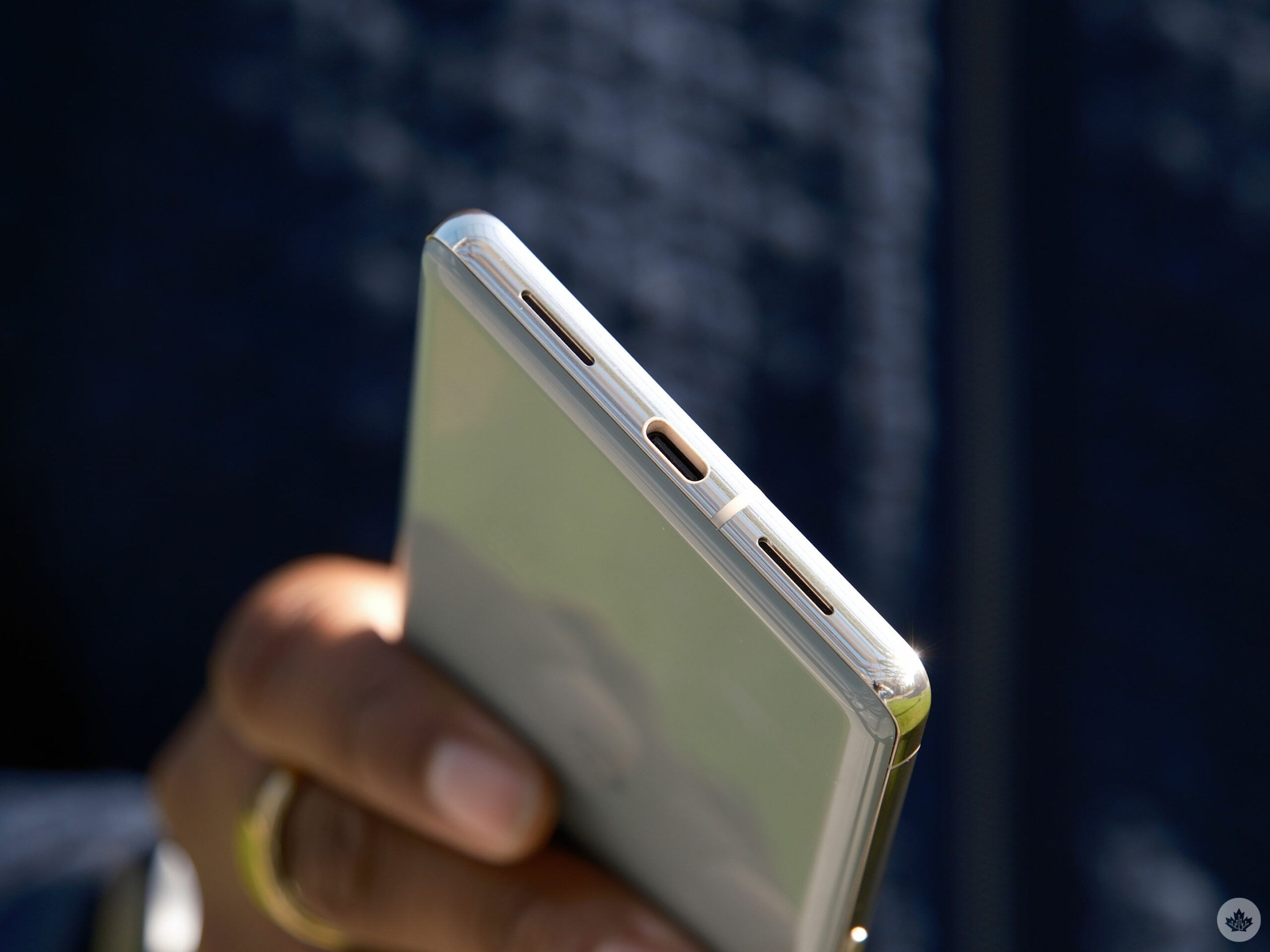
The handset features a polished aluminum frame with a textured power button and volume rocker. The aluminum frame melds into the camera visor on the rear handset. It’s worth noting that the polished aluminum doesn’t feel as nice as the matte aluminum on the Pixel 7, unfortunately.

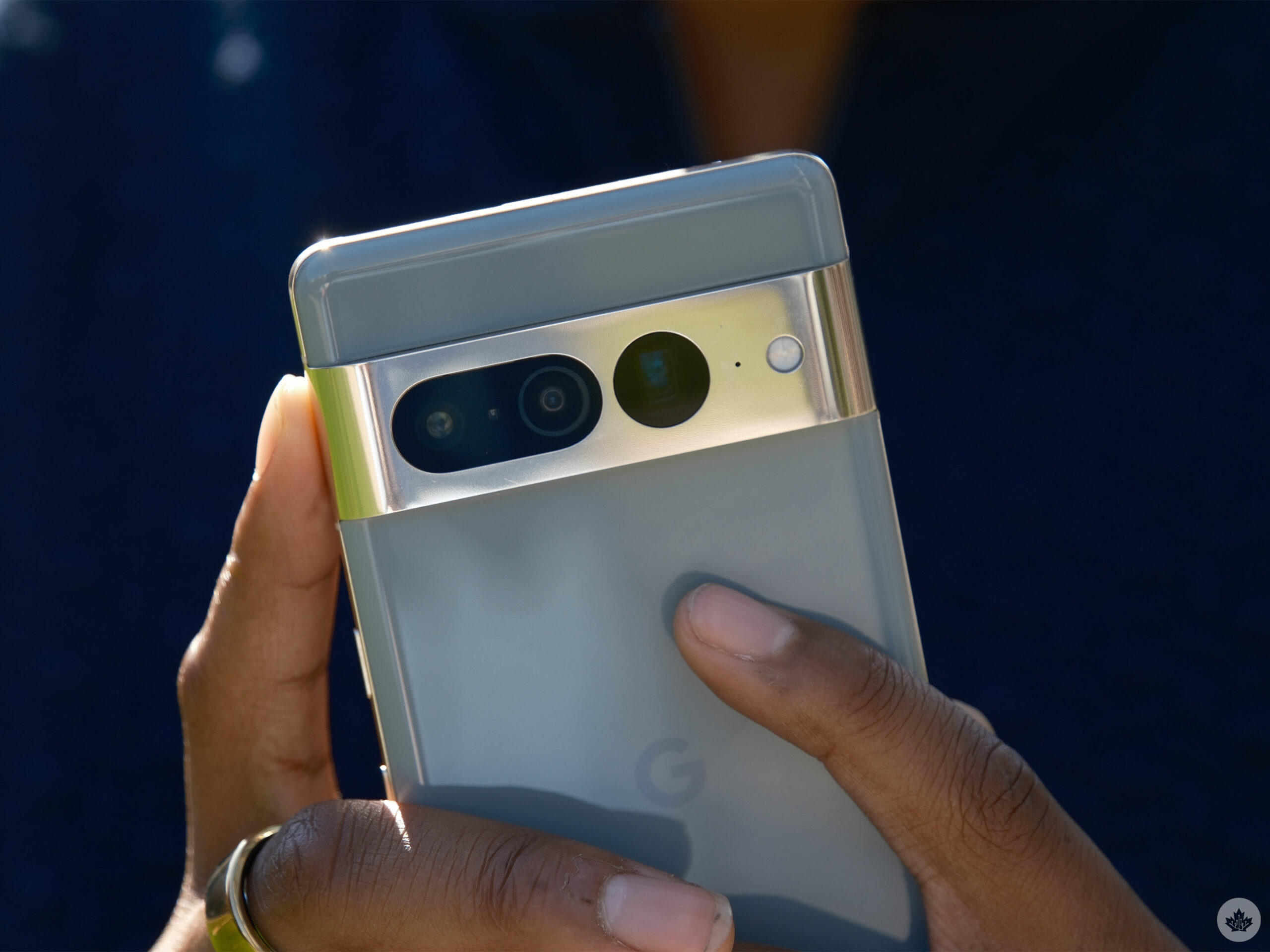
I have the ‘Hazel’ colour variant, which is exclusive to the Pixel 7 Pro and the best of the three. The visor comes in silver with bronze accents that can change depending on the light, but for the most part, it’s pretty much silver. It also features three large lenses with an oval-shaped hole that houses the primary and ultrawide lenses and another singular periscope lens. I’ve had the phone for less than a week, and there are already a few minor scratches on the visor.

The rest of the rear sports a glossy glass material that attracts far too many fingerprints and smudges for my taste, but I’m fond of the grey-green colour. The Pixel 7 Pro also comes in ‘Obsidian’ (black) and ‘Snow’ (white).

Oh, that’s bright

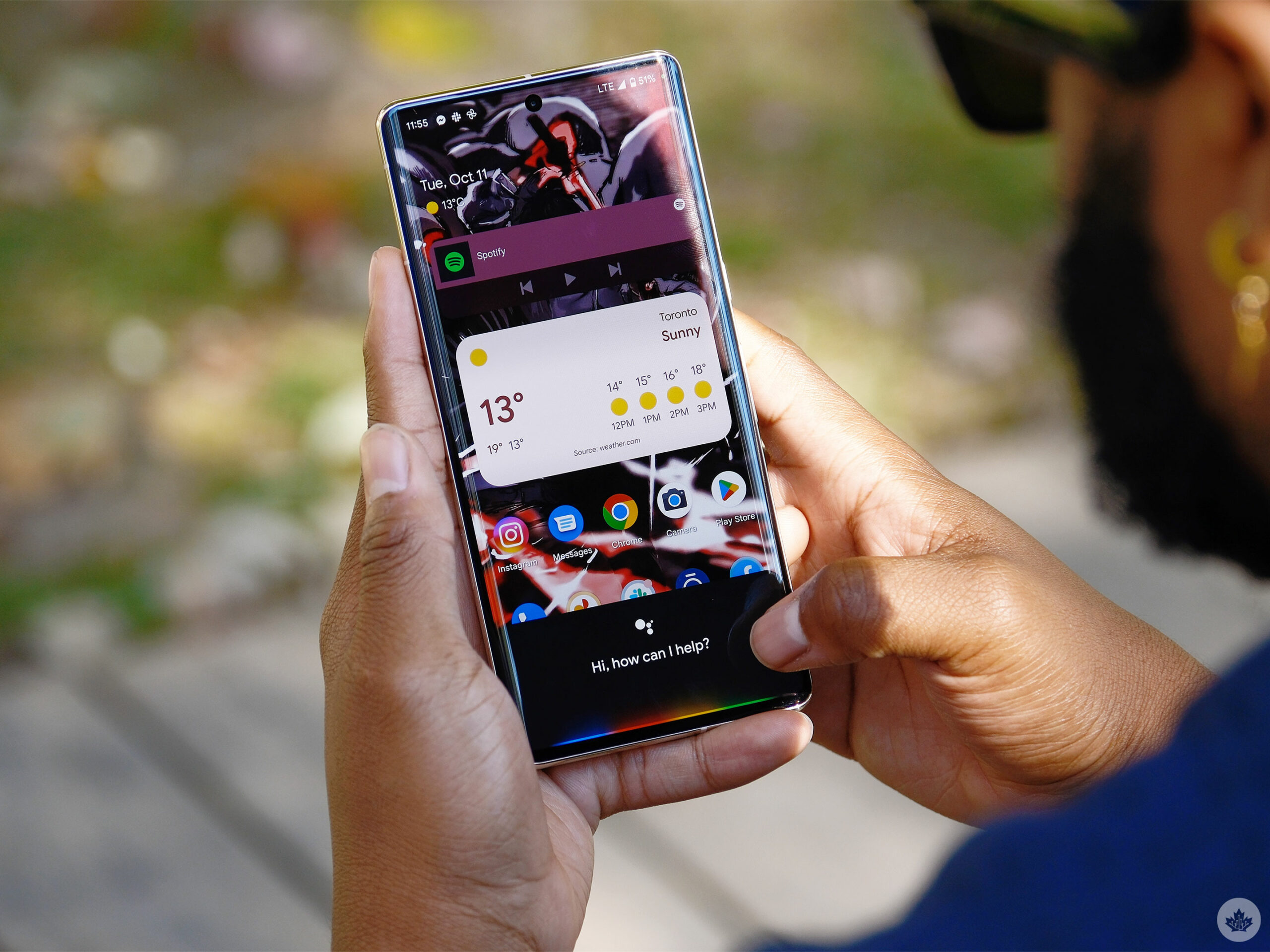
Flipping to the front of the handset, the Pixel 7 Pro features a 6.7-inch screen with a 1440 x 3120-pixel resolution that displays content beautifully. From looking at my own pictures and scrolling through Instagram to playing games, watching Shorts on YouTube and even sitting through part of an episode of Rings of Power, everything on the screen looks great. Colours are beautifully rendered, whites are sufficiently bright, and blacks are as dark as they need to be.

The handset also reaches up to 1,500 nits of brightness, which, while sufficient, is not as high as the peak brightness available in the Galaxy S22 Ultra and the iPhone 14 Pro. The S22 Ultra boasts a peak brightness of 1,750, and the iPhone 14 Pro offers a solid 2,000 nits of brightness. To be fair, 1,500 nits of brightness should be good enough in nearly all situations, and I didn’t experience any issues looking at the Pixel 7 Pro’s screen under bright conditions.

Alongside its pixel resolution and brightness, the Pixel 7 Pro features a 120Hz refresh rate panel that’s capable of dropping to 10Hz when the higher refresh rate isn’t needed. This helps the phone’s battery life and offers buttery smooth scrolling and gaming.

Finally, 5x zoom

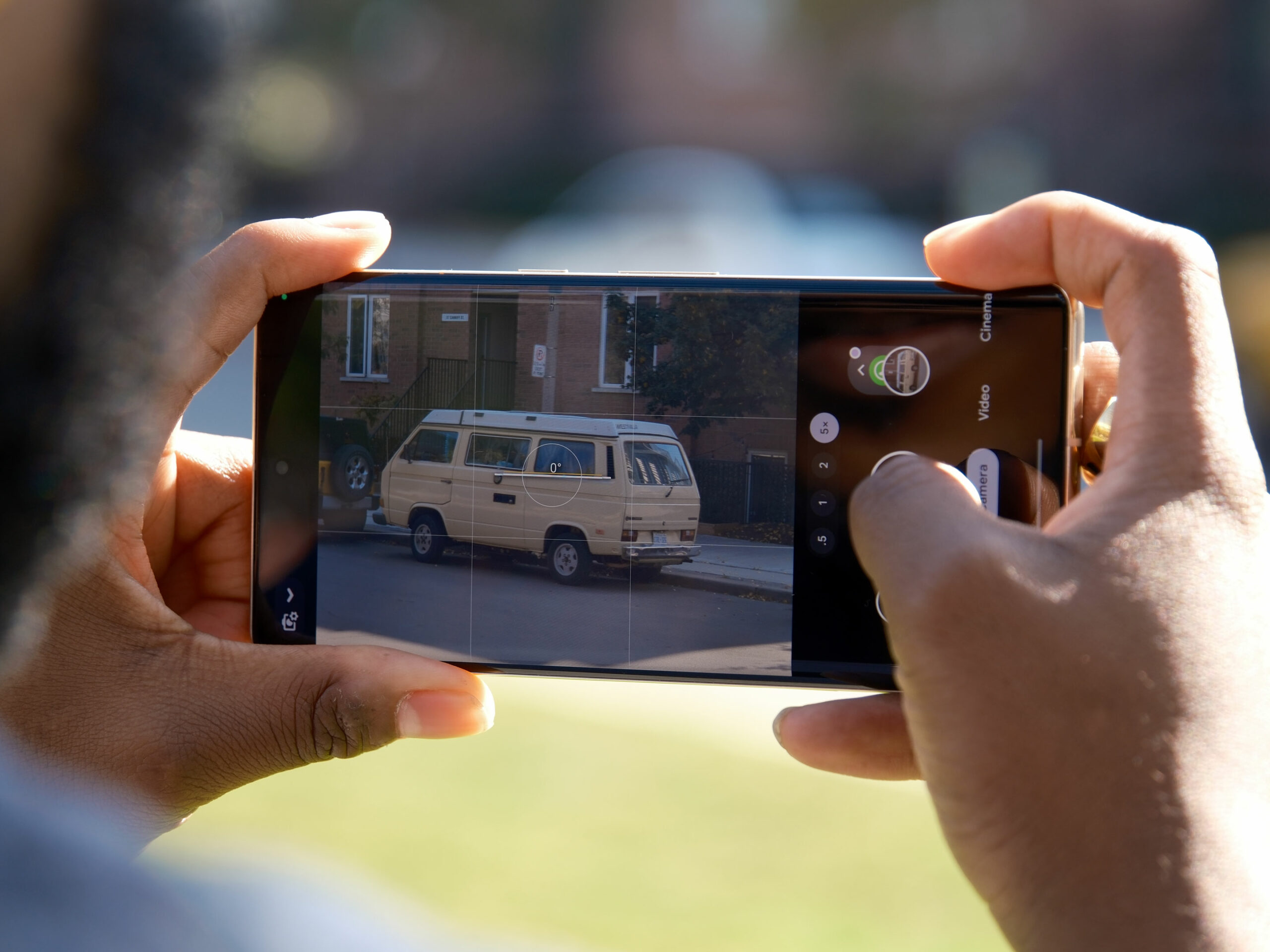
As always, a notable part of any smartphone review is focused on its cameras. Google’s Pixel line has always been known for its camera prowess, and while it might not always feature hardware upgrades, it’s typically great at improving its software. This year, the phone features the same 50-megapixel primary shooter, but we got an upgraded 48-megapixel telephoto camera that offers 5x optical zoom and an ultra-wide shooter with an even wider 126-degree field-of-view.


This slideshow requires JavaScript.

First off, let’s start with the handset’s zooming capabilities. The Pixel 7 Pro uses the 50-megapixel main sensor with a sensor crop technique to achieve what the company claims is equivalent to a 2x optical zoom. For zoom levels between 2x and 5x, the phone fuses data from the cropped primary sensor and from the 48-megapixel telephoto camera. At 5x, the phone uses just the optical zoom provided by the telephoto lens but repeats the sensor crop technique with the 48-megapixel sensor to achieve 10x zoom. The handset uses fusing techniques to improve detail in shots up to the maximum 30x zoom.

2x to 4x zoom also looks pretty good. Google’s cropping technique is very similar to what Apple is doing with the iPhone 14 Pro. At 2x zoom, these shots are nearly as good as regular photos. However, when pushing to 4x zoom, images seem to lose detail; at that point, it might be better to shoot at 5x zoom.

Photos taken with 5x zoom are accurate, detailed and feature accurate colours. These pictures weren’t as good as the standard 50-megapixel camera but looked great nonetheless.

At 10x zoom, images still look okay and are worthy to post on Instagram, but they pale compared to the S22 Ultra’s optical zoom lens. They lack detail and sharpness, so look a bit blurry. It’s worth mentioning that Google’s new camera feature, ‘Photo Unblur,’ actually helps with this issue and can sharpen the image and add detail using the Tensor G2 chip. In combination with unblur, 10x zoom images are pretty good. It’s still not at the same quality as what’s available on the S22 Ultra, but it’s comparable.

Pushing it one step further is the 30x zoom. The 30x zoom is pretty good, and I could snap a clear photo of a construction worker while he was working on a condominium. Further, I could get a much better view of the CN Tower from Whitby, Ontario’s lakeshore, but the images lack detail and are a bit blurry. And unlike the 10x zoom, the unblur feature’s ability to make pictures look better is frivolous here. It’s good, and I can see how it could be useful, but if you want a smartphone solely for its zoom, Samsung’s S22 Ultra is a better choice.

Speaking of unblur, the feature helps add details and sharpening to blurry photos, but it seems hit or miss for the most part, and the functionality isn’t outstanding — helpful, sometimes (like when 10x zooming), but not always.

Pixel shooter

To test the Pixel 7 Pro’s camera, I went out on a nice sunny day along the pier in Whitby. I caught some pictures of the waves, the incredibly blue sky, the very green grass and the red and orange hues of the autumn leaves. Every image I snapped looks great, and you can see a beautifully wide range of colours, and shadows are sufficiently dark and highlighted brightly. Images are also incredibly detailed, and even on closer inspection, you can see a perfect outline of the leaves in some trees.
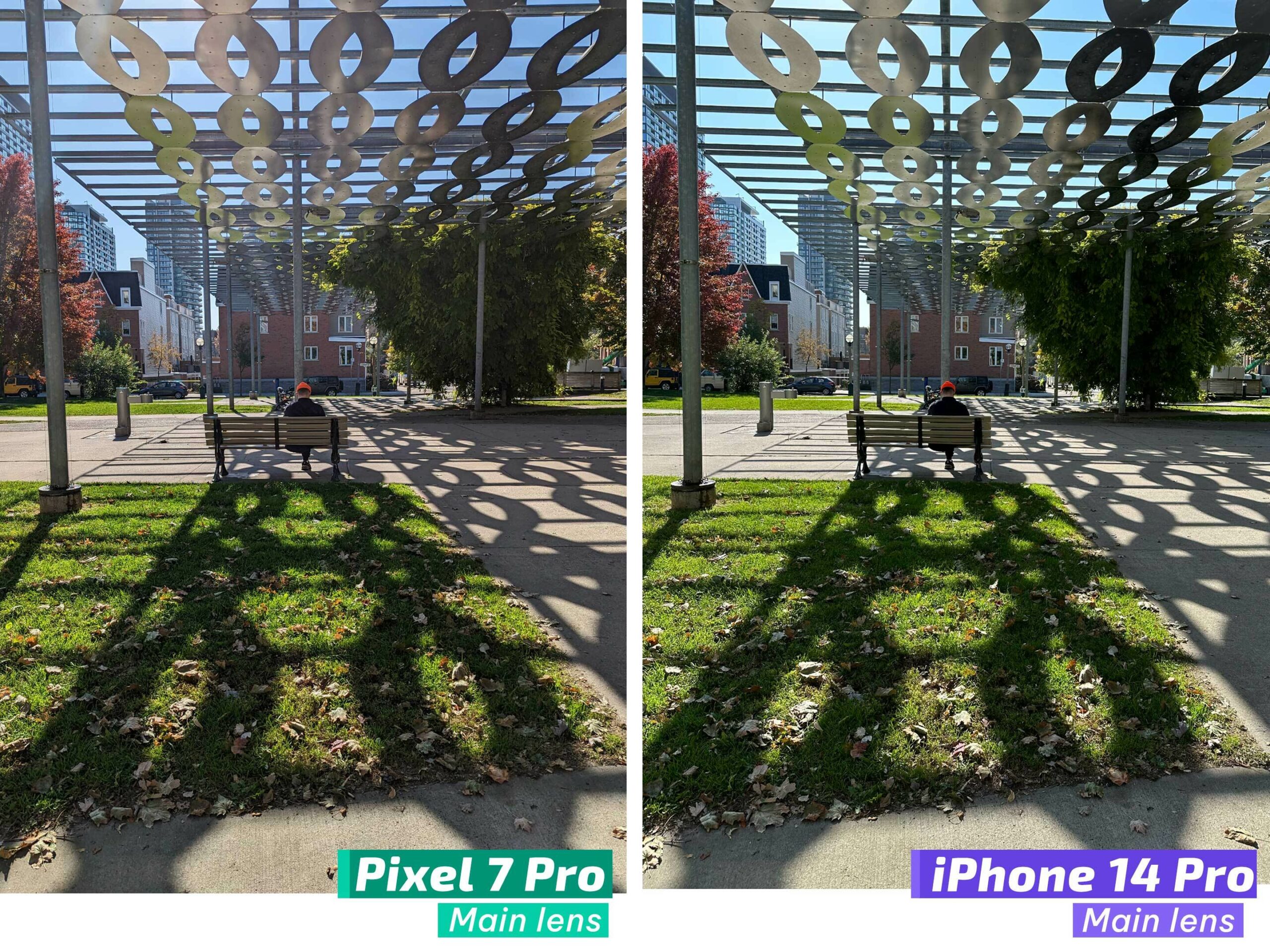


Portrait mode also does a great job of blurring out the background. It’s worth noting that these shots are a bit more saturated than what’s available on Apple’s iPhone 14 Pro, whereas these shots are a bit under-saturated compared to the S22 Ultra. That said, Apple’s iPhone 14 Pro is better at catching the dynamic range than the Pixel 7 Pro, but this was only noticeable when I had both phones in my hands.

pixel-7-pro-selfie
PXL_20221010_200043087
PXL_20221010_195804191
PXL_20221011_022741461
PXL_20221010_200017663
PXL_20221010_195737569
PXL_20221010_194921384
PXL_20221010_195305855
PXL_20221010_191839616
PXL_20221010_194358249
PXL_20221010_194537886
PXL_20221010_194736791
PXL_20221010_194853016
PXL_20221007_151545026.MP
PXL_20221007_151602492
PXL_20221007_151614844
PXL_20221007_151627630
PXL_20221011_033227171

The 126-degree ultrawide shooter is also fantastic at taking incredibly detailed images, similar to the main shooter. The ultrawide camera can also take macro pictures, a feature that isn’t typically included in flagship cameras. The feature works and images are detailed, but I don’t find this functionality all that useful.

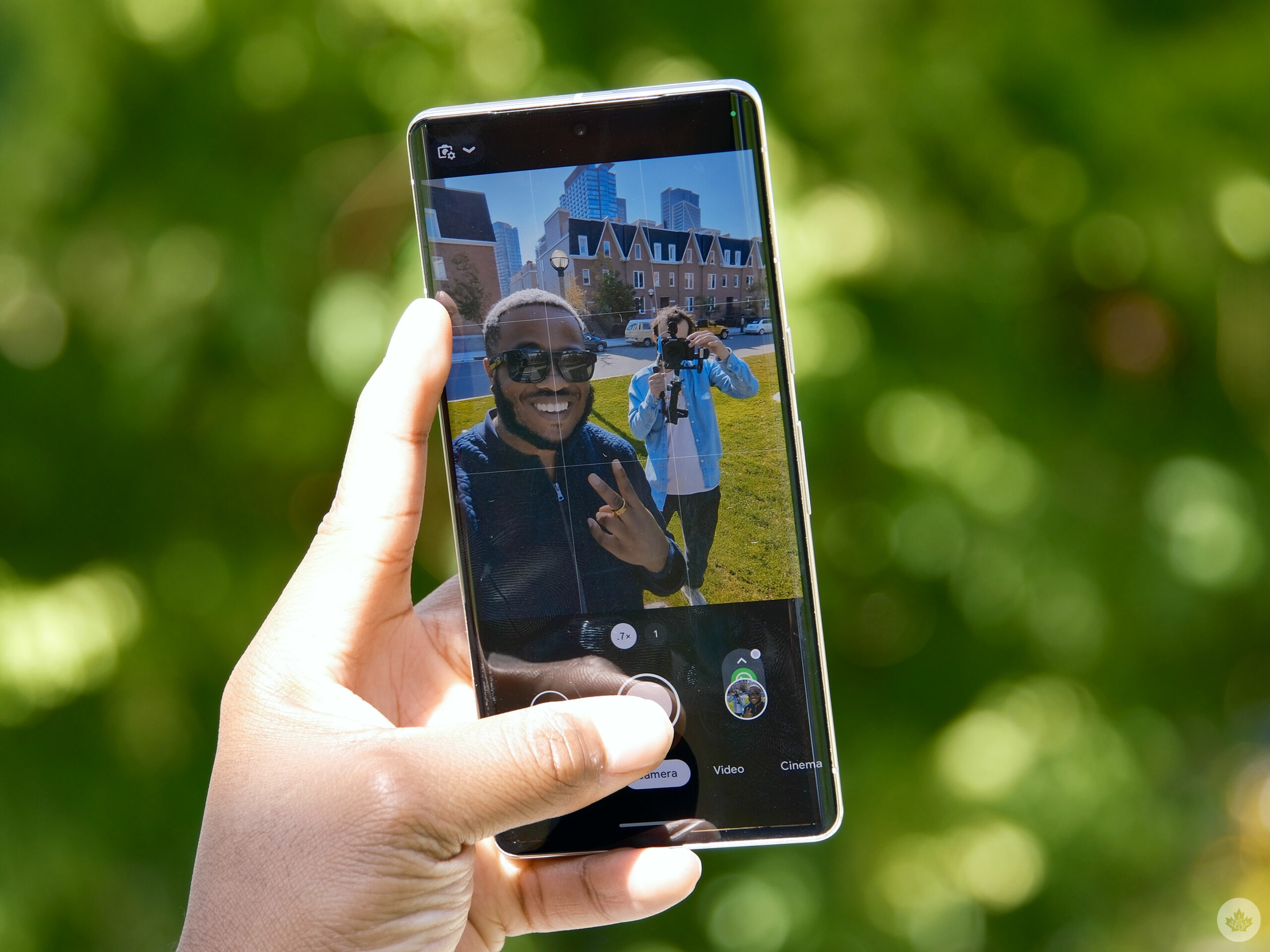
The handset’s front-facing shooter is also pretty great. In some of these pictures, I’m wearing an oversized fleece sweater, and you can clearly see the material and details in my beard. I can capture a lot more in the photo by switching the phone’s selfie shooter to its wide-angle mode. It can definitely help when a selfie stick isn’t available.

Google says that it worked on ‘Real Tone’ by using 10,000 additional portraits of people of colour to make the Pixel camera consistently render skin tones.

With the selfie shooter, I found Real Tone a bit inconsistent. In some shots, it displays my skin tone beautifully, but occasionally, it adds an ashy tone to my skin, greying it out. This didn’t happen much, but it ruined some of my shots.

Low-light photography is as solid as ever, with pictures that look vivid and full of detail. Colour accuracy seems to be on point, and the phone does a good job of brightening only points in the picture. I found that the S22 Ultra brightened the whole image, giving night photos a day-like appearance. With the Pixel 7 Pro, these images are bright, so you can perfectly see the object of your photo, but you can also still tell that it’s shot at night. I prefer this over how the S22 Ultra approaches night photos. The feature works a bit differently this time as it’s a lot faster to take a shot, and you can even choose how long it captures. This above shot is at 3 seconds.

And finally, don’t take pictures with the ultrawide shooter as these images don’t turn out well. This is because the phone’s ultrawide camera seems to lack Night Sight functionality. Combined with the small aperture, it’s not letting in enough light to brighten images.

Google says it improved Real Tone in low-light conditions. In my limited testing, the phone lives up to what Google says. Even in poor lighting, my pictures were still detailed, and my skin tone seemed true to life.
I briefly tried out ‘Cinematic Blur,’ and I believe that it worked well. However, Apple and Samsung’s flagships do a better job. They seem to lock onto the subject better, and the Pixel 7 Pro tends to over blur the background, instead of making the video look more cinematic. On both the S22 Ultra and iPhone 14 Pro, you can change the intensity of the blur, whereas on the Pixel 7 Pro, you can’t. Apple’s Cinematic mode is also available in 4K, while it only works in 1080p on the Pixel 7 Pro. I think the Pixel 7 Pro’s Cinematic Blur will improve in the future, but in its current state, it’s passable but not at the same level as the iPhone 14 Pro and S22 Ultra. You can check out our upcoming Pixel 7 Pro video to see how the Pixel 7 Pro’s Cinematic Blur compares to the iPhone 14 Pro’s.

Google has also added several other video improvements like 10-bit HDR, 4K 60fps recorder support and Active Stabilization, but we’ve had these devices for less than a week, so we’ll need to take a more in-depth look at these video features in a future camera review article.

Tensor G2 gets the job done

Google’s Pixel 7 Pro features Tensor G2 and 12GB of RAM. A flagship processor and 12GB of RAM are becoming the standard among premium Android smartphones. The phone is snappy, and I haven’t experienced any slowdown yet. Thanks to its ample RAM, the Pixel 7 can keep numerous apps open without any issues. The only problem I encountered occurred when I rapidly switched between the ultra-wide, telephoto and primary camera lenses.

I’ve played games like Wild Rift and Apex Legends Mobile without any issues. The Pixel 7 Pro did get slightly warm after playing for roughly 15 minutes, but never too hot.

Benchmark-wise, the Pixel 7 Pro hit a single-core score of 1,028 and a multi-core score of 3,064 on Geekbench. Benchmarks don't necessarily equate to the actual experience of using a smartphone, but it's worth noting that the Samsung Galaxy S22 Ultra and iPhone 14 Pro benchmark better than the 7 Pro. I'm not saying that this makes those two flagships better than the Pixel 7 Pro, but benchmarks are worth considering in some respects.

Battery-wise, the handset lasts roughly a day. If I turn it on at 9am, it stays alive until nighttime with average usage. This isn't the best smartphone battery life out there, but it's similar to the S22 Ultra, which I also needed to charge at night. Google boasts that the battery can survive up to 72 hours with the 'Extreme Battery Saver' turned on.

Extreme Battery Saver pauses most apps and notifications. It can turn off Wi-Fi, hotspots and other network connections, as well as features like "Hey Google" and background activity. You can select important apps to break through the Extreme Battery Saver, but I don't like turning on this feature unless I only have a small amount of power left. If you have this feature turned on from the moment you wake up, the device would last a long time but would lack many features that make smartphones smart. I don't think this is realistic for most people.

One day when my phone's battery was pretty low because of hardcore usage, including gaming, shooting videos and benchmarking, I found myself with about 20 percent battery at around 5pm (I turned on my phone that morning at 10am). When I turned on Extreme Battery Saver, the handset still had approximately 10 percent power left at 11pm. This was pretty useful, but the only functionality I could access during this time was texting. For example, at one point, I was lost and paused Extreme Battery Saver for a short time to use Google Maps.

Surprisingly, the Pixel 7 Pro might also be one of the loudest phones I've used. Using the Sound Meter app, I determined that music consistently peaked around 78-79 decibels. For reference, the S22 Ultra peaked around at its loudest 75 decibels. The only other phone I've reviewed that compares is the Z Flip 3, which reached between 75 to 79 decibels. The sound is punchy, articulate, and loud -- great for emo and pop music -- but seems to lack bass, so you wouldn't want it to be the only device if you're throwing a party.

Google also added features like faster 'Direct My Call' which improves the experience of navigating through the options menu when you're calling a business, and 'Clear Calling,' which uses machine learning to enhance calls, but in my short time with the phone, I haven't been able to test out these features. The Recorder app can also automatically add speaker labels, although similarly, I haven't tested this out yet.

Face Unlock is back

Google has finally brought back 'Face Unlock' after killing it off three years ago. We haven't seen the functionality since the Pixel 4 series, which offers dedicated face unlock hardware and Google's Soli radar chip to make face unlock secure and smooth. However, the Pixel 7 Pro lacks the dedicated security available in the Pixel 4 series.

Face Unlock on the Pixel 7 Pro is quick when it unlocks your handset. It works almost instantly, and you can set it so that it skips the lock screen. I'd estimate that it works 90 percent of the time, with the feature only occasionally failing to unlock my handset. While it's quick, it's not the best face detection out there. For example, I noticed the feature doesn't work when I wear sunglasses or have my gaming headset on.

Google says Face Unlock on this handset only meets level one security clearance. This means that you're not unable to use face unlock in conjunction with Google Pay, and you'll need your pin code or fingerprint to buy items online or from the Play Store.

Connectivity concerns

Google's flagships always seem to feature connectivity issues. This year, I haven't experienced any yet. Bluetooth-wise, the handset has consistently been connected to the Galaxy Watch 5, Oura Ring, and on occasion, the Galaxy Buds Live. Regarding networks, I'm on LTE on Koodo. There was one oddity when the phone kept attempting to connect to a headset that I didn't want to connect to. I kept having to decline the pop-up, but every couple of moments, it'd ask again. This didn't occur often, but it was worth looking into.

Categories
Mobile Syrup

Pokémon taps into influencer power with latest Scarlet and Violet trailer

The Pokémon Company has released a new trailer for Pokémon Scarlet and Violet, and it’s probably the weirdest video we’ve seen about the game so far.

The trailer stars Iono, Levincia’s Gym Leader who specializes in Electric-type Pokémon, and also doubles as an influencer. The virtual influencer has pink and blue hair with matching Magnemite. She calls them hairclips, but I totally think it’s the real Pokémon.

In the video, Levincia talks about her life as an influencer for a couple of seconds and then starts playing ‘Who’s That Pokémon,’ asking her viewers to guess her Pokémon partner.

She describes the Pokémon as having “Squishy” texture and being electric-type. Further, she says it has two bumps on its head that can be mistaken for eyes and says that it has an easygoing vibe. This doesn’t fit any current known Pokémon, so this Pokémon must be a creature native to the Paldea region, and one we haven’t seen before.

And that’s where the trailer ends. We don’t get to see the Pokémon and just get a lengthy video of the gym leader and her V-tuber personality. Hopefully, the Pokémon Company doesn’t wait long to release the second part of this trailer.

Pokémon Scarlet and Violet release on November 18th.

Categories
Mobile Syrup

Apple Music, TV and iCloud Photos integration coming soon to Windows

At its annual Surface event, Microsoft announced that Windows users will soon be able to download two native Apple TV and Apple Music applications on their Windows machines.

Until now, Windows users have had to use either the Apple TV web application to watch their favourite TV shows and movies, or the web app or iTunes app to access their music.

According to Microsoft, users will be able to download the two native apps directly from the Microsoft Store sometime in 2023, with Beta releases for both apps launching soon. Additionally, Apple Music is now available for Xbox users to access.

Further, an upcoming Windows 11 update will integrate iCloud photos directly into your Windows machine’s Photos app, allowing users to browse through their iPhone photos and videos directly on their Windows PC. Users on PC would need to download the iCloud app and log in with their credentials to sync the images and videos.

The Photos app update is rolling out now to Windows Insiders in the Dev Channel, with a wider rollout scheduled for November.


Image credit: Microsoft

Source: Microsoft

Categories
Mobile Syrup

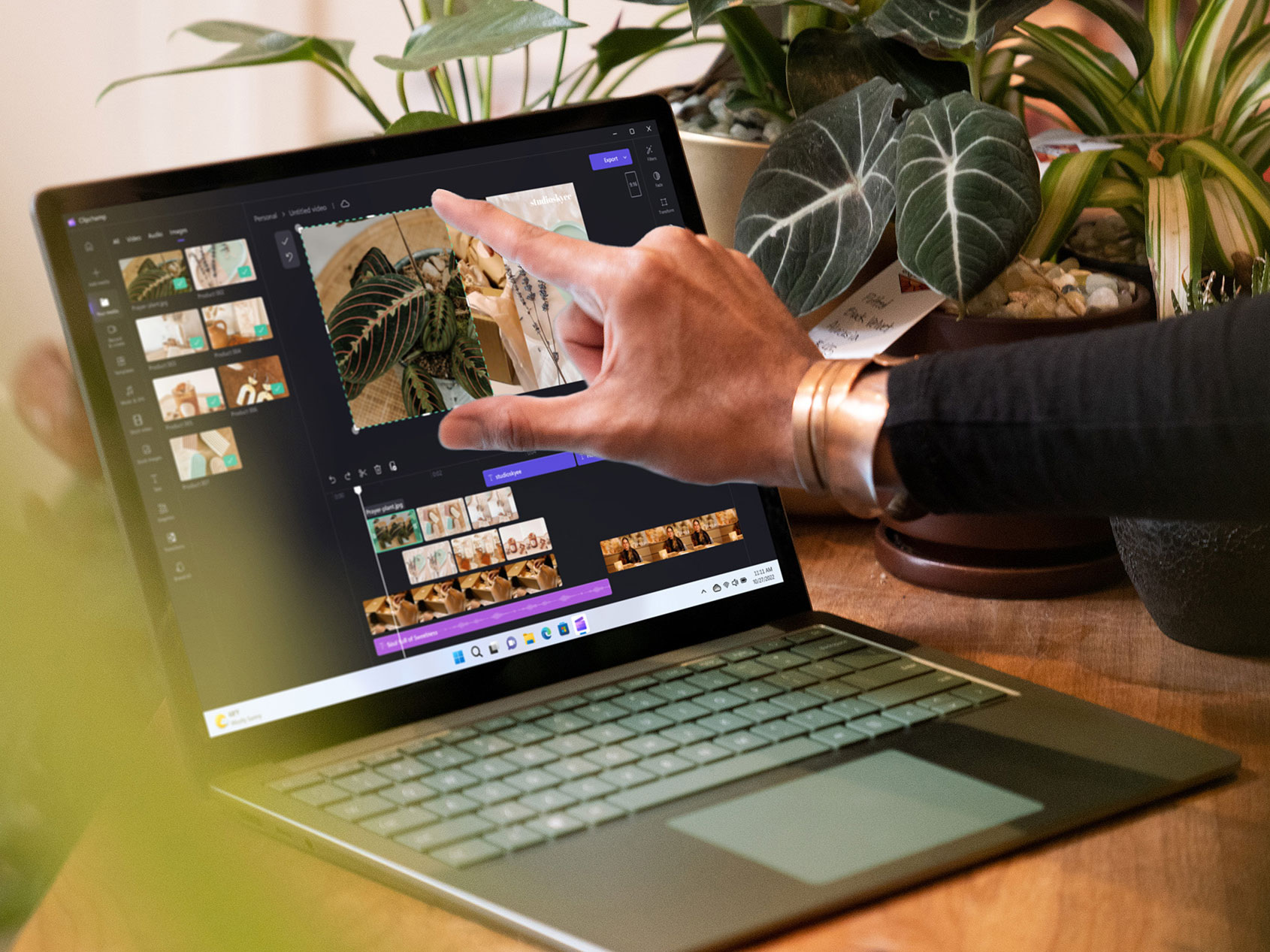
Microsoft reveals new Surface Laptop 5 with 12th Gen Intel processor

Microsoft has announced the latest addition to the Surface Laptop family. The new Surface Laptop 5 is the successor to the 2021-released Surface Laptop 4. The Laptop 5 once again comes in two PixelSense display sizes: 13.5-inch and 15-inch.

The 13.5-inch laptop has a 2256 x 1504 pixel screen resolution, while the larger version boasts a 2496 x 1664 pixel resolution display. Both feature Dolby Vision IQ support, alongside 10-point multi-touch.

Both laptops run on 12th Gen Intel Core i7-1255U processor, while the 13.5-inch Surface Laptop 5 also comes in an optional 12th Gen Intel Core i5-1235U processor variant. Interestingly, it seems there’s no AMD-powered option this year. Microsoft says that the “Surface Laptop 5 is over 50 percent more powerful than its predecessor.”

Intel Iris Xe architecture power the graphics, alongside removable 256GB, 512GB and 1TB storage options. Customers can also pick between 8GB, 16GB and 32GB LPDDR5X RAM for their laptop.

Both, the 13.5-inch and 15-inch Surface Laptop 5 have 17-18 hours of battery life on average and come with a 60W power supply. The laptop has one USB-C  with USB 4.0/Thunderbolt 4 port, one USB-A 3.1 port, one 3.5mm headphone jack and one Surface Connect port.

The Surface Laptop 5 supports Microsoft Pen Protocol and is designed to work with the Surface Pen. Notably, it also features two Omnisonic Speakers with Dolby Atmos 6 for immersive audio alongside dual far-field Studio Mics for video calls and audio recording.

The 13.5-inch Surface Laptop 5 is available in ‘Platinum with Alcantara,’ ‘Sage,’ ‘Matte Black,’ and ‘Sandstone’ colourways, whereas the 15-inch Surface Laptop 5 is available in ‘Platinum’ and ‘Matte Black’ colourways.

MobileSyrup has reached out to Microsoft for more information about Surface Pro 9 Canadian pricing and availability.

Keep an eye out on MobileSyrup next month for more coverage of the Surface Laptop 5.

Microsoft also announced the Surface Pro 9, Surface Studio 2+ and several new accessories.

Image credit: Microsoft

Categories
Mobile Syrup

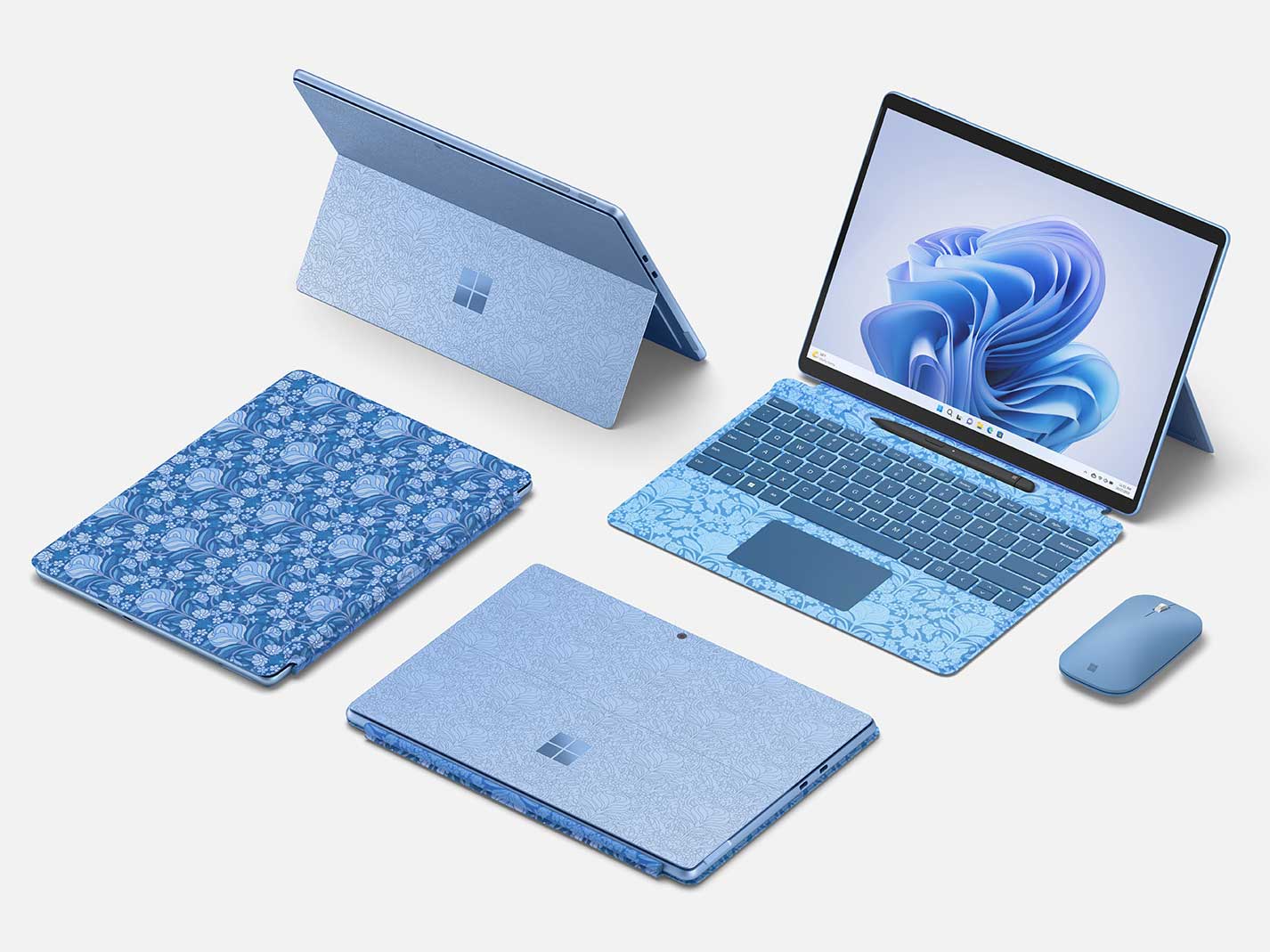
Microsoft unveils new Surface Pro 9 with 5G connectivity

At its fall Surface event, Microsoft unveiled new Surface products, including the Surface Pro 9, the Surface Laptop 5, the Surface Studio 2+, an Audio Dock, Presenter+ remote and more.

The Surface Pro 9 2-in-1 uses high-grade aluminum casing for the machine’s body and is available in ‘Platinum,’ ‘Graphite,’ ‘Sapphire’ and ‘Forest’ colourways.

It features an edge-to-edge 2880 x 1920 pixel resolution display with a 120Hz dynamic refresh rate, alongside sRGB and Vivid colour profiles. The display supports 10-point multi-touch and is made of Gorilla Glass 5 for added durability.

The device offers a choice between the 12th Gen Intel Core processor built on the Intel Evo platform and a Microsoft SQ 3 powered by Qualcomm Snapdragon with 5G connectivity. This marks a major shift for the Surface Pro line, which was previously

The regular Intel device is available in 8GB, 16GB and 32GB LPDDR5 RAM variants, whereas the 5G model is available in 8GB and 16GB LPDDR4X RAM models. On the storage side of things, the Surace Pro 9 is available in 128GB, 256GB, 512GB and 1TB storage models, while the Surace Pro 9 5G is available in 128GB, 256GB, and 512GB storage units.

Similarly, the Surface Pro 9 runs on an Intel Iris Xe graphics card, whereas the Surface Pro 9 with 5G uses the Microsoft SQ 3 Adreno 8CX Gen 3 for graphics.

Both devices feature a front-facing HD camera with Windows Hello face authentication, alongside Omnisonic speakers and directional microphones, with two USB-C with USB 4.0/Thunderbolt 4, one Surface Connect port and one Surface Keyboard port on the Surface Pro 9. The Surface Pro 9 5G sports one nano SIM, two USB-C 3.2 ports, one Surface Connect port and one Surface Keyboard port on. Both variants feature a 10-megapixel autofocus camera with 1080p HD and 4K video recording on the rear.

Both the Surface Pro 9 and Pro 9 5G are compatible with the Surface Slim Pen 2 with integrated storage and wireless charging for the pen with the Surface Pro Signature Keyboard.

Both devices offer up to 17.5 hours of average battery life, with the Surface Pro 9 offering roughly 15.5 hours of typical usage and the Surface Pro 9 offering roughly 19 hours of typical usage.

MobileSyrup has reached out to Microsoft for more information about Surface Pro 9 Canadian pricing and availability.

Keep an eye out on MobileSyrup for more coverage of the Surface Pro 9.

Image credit: Microsoft

Categories
Mobile Syrup

Microsoft reveals new Surface Studio 2+ with updated CPU and GPU

Microsoft’s upgraded Surface Studio 2, the aptly named Surface Studio 2+, features a more powerful CPU and GPU, but otherwise is nearly identical to its predecessor.

New features include Intel’s 11th Gen H35 processor, offering 50 percent faster CPU speed and performance than the Surface Studio 2 and 5x more power than the original Surface Studio.

On the GPU side, the new Studio+ features Nvidia’s GeForce RTX 3060 Laptop GPU, offering double the graphics performance of the Surface Studio 2. Other changes include three USB-C ports with USB 4.0/Thunderbolt 4 and two USB-A 3.1 ports, compared to the Surface Studio 2’s 1 USB-C port and four USB 3 ports.

Of course, the excellent-looking 28-inch PixelSense touchscreen, stylus and very maneuverable ‘Gravity Hinge’ return as well. Storage comes in at 1TB (SSD), alongside 32GB of DDR4 RAM.

Overall, this seems like a relatively expected update to Microsoft’s creativity-focused Studio line, though one that might be of interest to those looking to get more power out of the unique desktop.

MobileSyrup has reached out to Microsoft for more information regarding the Surface Studio 2+ Canadian pricing and availability.

During its recent hardware keynote, Microsoft also revealed its new Surface Laptop 5 and Surface Pro 9.

Image credit: Microsoft

Categories
Mobile Syrup

Microsoft reveals new Audio Dock, Presenter+ and Adaptive Accessories

Alongside its new Surface Pro 9 and Surface Laptop 5, Microsoft also revealed a new Audio Dock, Presenter+ and several Adaptive accessories.

Let’s take a look at each new device:

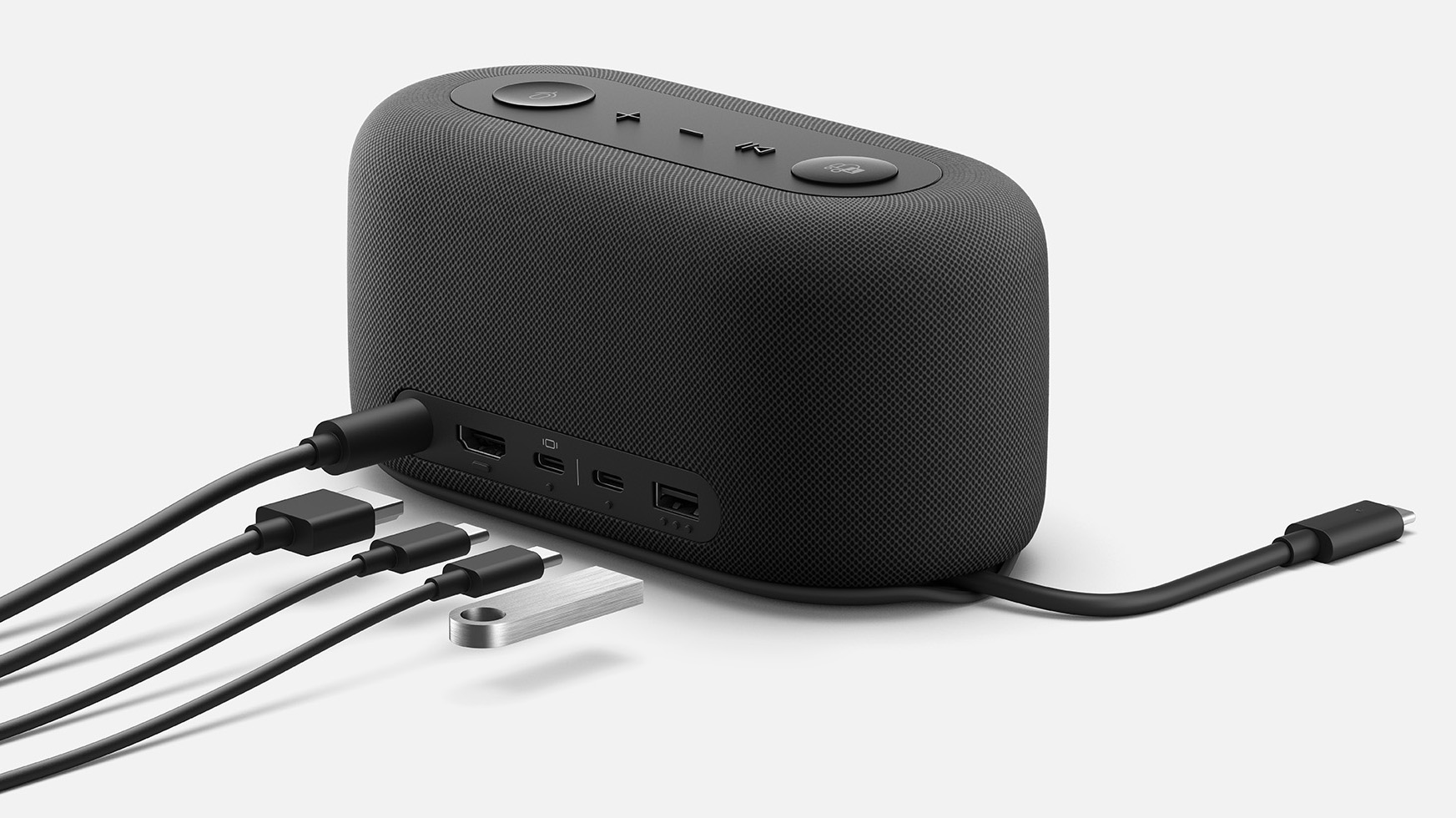
Audio Dock

Audio Dock The Audio Dock features an HDMI port, 2x USB-c ports, a USB-A port and power pass-through. It’s also capable of allowing two monitors to be connected to it via HDMI or USB-C. Other features include dual forward-facing, noise-reducing microphones and a built-in speaker that features a 15-watt woofer and 5-watt tweeter.
It’s worth noting that the accessory’s HDMI 2.0 port only supports 4K at 60Hz.

Presenter+

Presenter+

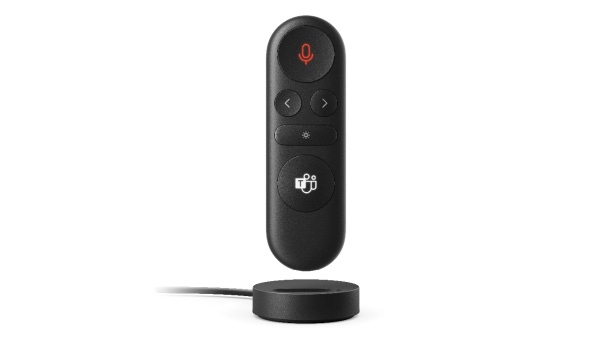
During its keynote, Microsoft also revealed its new Presenter+, a TV remote-like device designed to make presentations an easier process.

The device allows you to move forward or backward during your presentation, a status light indicating when your mic is on, and direct integration with Microsoft Teams. Bluetooth range is up to 10 metres, and it has six days of battery life.

Adaptive Accessories

Adaptive Accessories

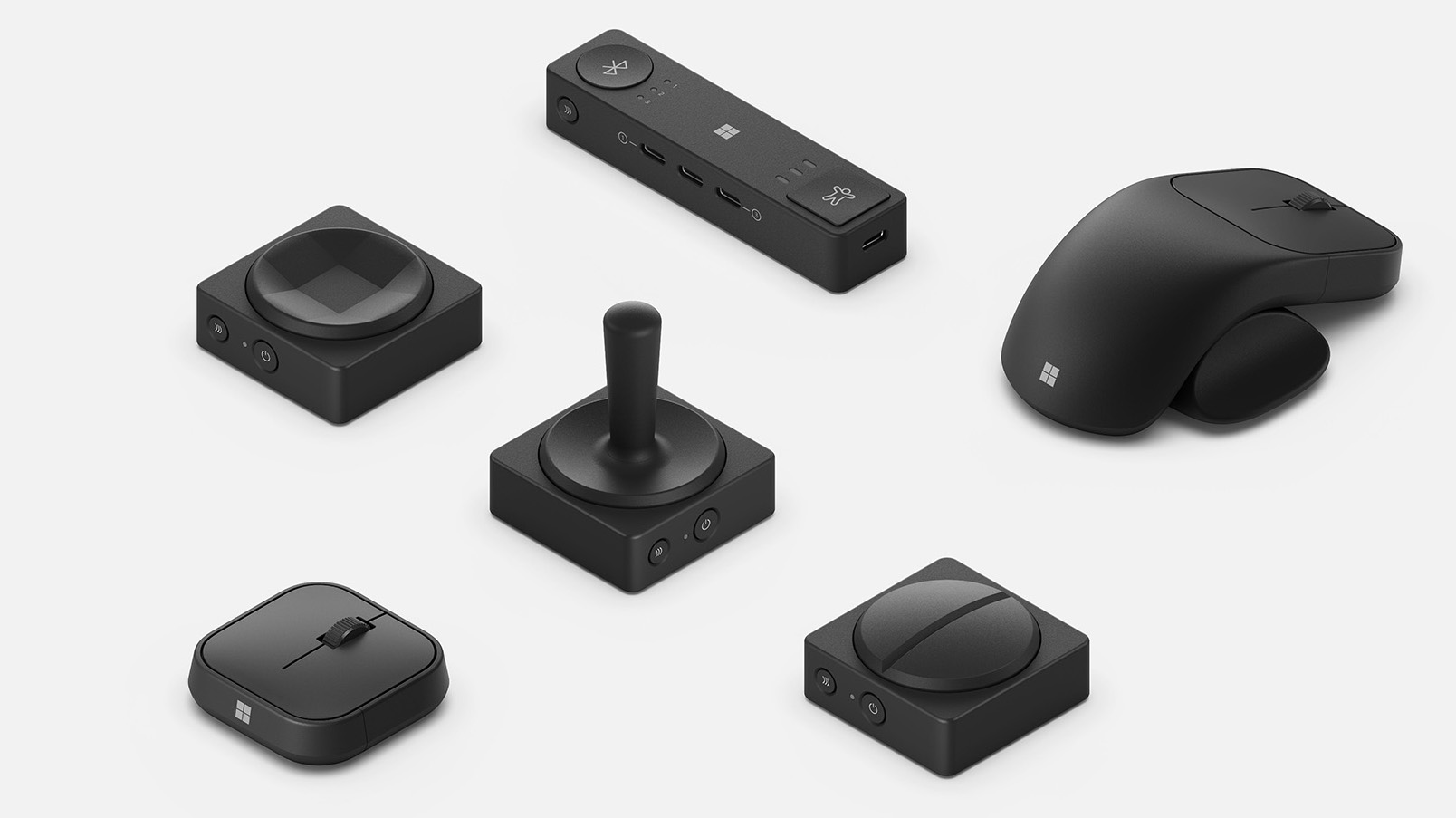
This new line features multiple products, including the Adaptive Mouse, Hub and Buttons. The Adaptive Mouse features a mouse core, tail extension and thumb support, and allows you to swap out the accessories depending on your preferred design.

On the other hand, the new Adaptive Button line includes a joystick-like device, a dedicated mute button and standard buttons. All of these accessories work with Microsoft’s new Adaptive Hub. Up to three accessories (or four Adaptive buttons) can be plugged into the adaptive hub via USB-C or connected wirelessly.

It’s unclear how much these accessories cost or when they’ll release in Canada. MobileSyrup has reached out to Microsoft for more information.

At its fall hardware event, Microsoft also revealed its new Surface Pro 9, Surface Studio 2+ and Surface Laptop 5.

Image credit: Microsoft

Categories
Mobile Syrup

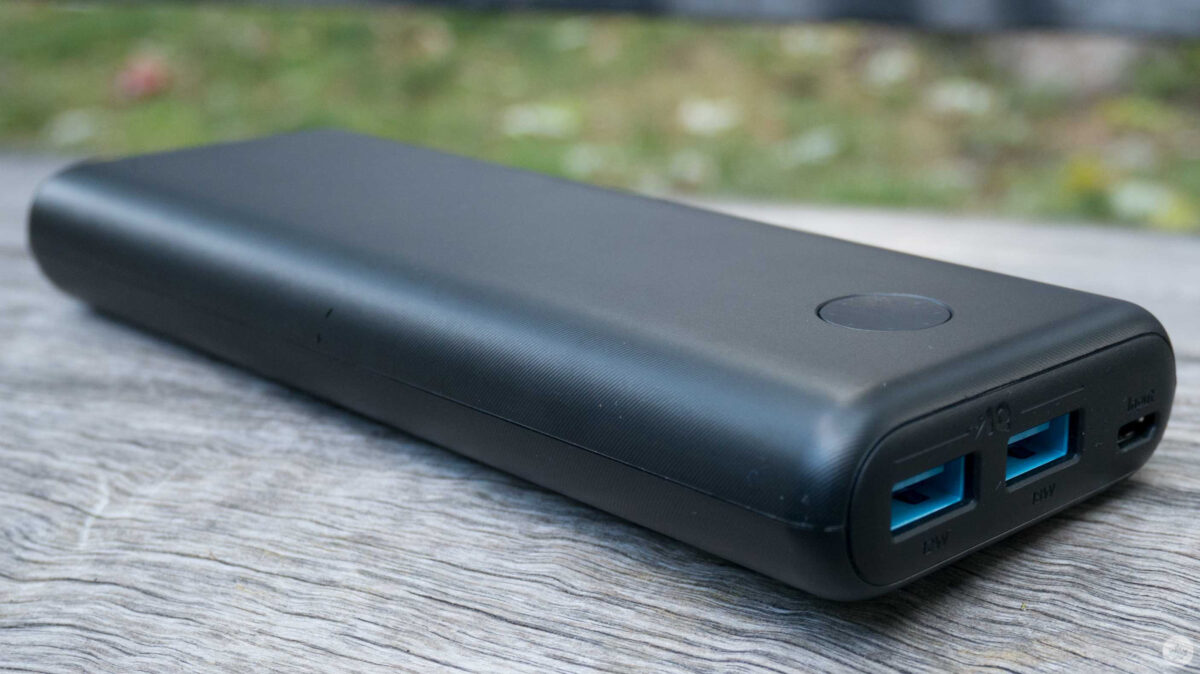
Anker charging accessories are up to 33 percent off

To celebrate Amazon’s ‘Prime Early Access Sale,’ Anker has discounted most of its popular charging accessories.

These seem to be only available for the next day so if you’re looking for an extra boost in savings then have a look below.

MobileSyrup utilizes affiliate partnerships. These partnerships do not influence our editorial content, though we may earn a commission on purchases made via these links that helps fund the journalism provided free on our website.