Categories
Mobile Syrup

HBO’s The Last of Us series gets first full trailer, but no release date

HBO has unveiled the first full trailer for its highly anticipated series based on PlayStation’s popular The Last of Us game.

While the trailer contains little dialogue, we do get a clear look at several characters, including Joel (Pedro Pascal), Ellie (Bella Ramsey), Marlene (Merle Dandridge) and Riley (Storm Reid). A very brief shot of the fearsome Clicker zombie from the game can also be seen at the end.

However, no premiere date was given, so we still only have a general “2023” window to go by. The series is so far only confirmed for HBO Max in the U.S., but we’ve reached out to Bell to confirm whether it’s coming to Crave like many other HBO titles.

HBO is releasing this trailer in celebration of “The Last of Us Day” on September 26th, which is the in-game date on which the outbreak reached critical mass. Set in a post-apocalyptic world ravaged by a viral pandemic, The Last of Us follows a grizzled survivor named Joel as he must escort a young girl named Ellie across America.

The Last of Us series comes from Chernobyl creator Craig Mazin and developer Naughty Dog’s Neil Druckmann, the co-writer and co-director of The Last of Us game. Notably, The Last of Us was filmed in Calgary between July 2021 and June 2022 and is believed to be the most expensive TV production in Canadian history.

In related news, a PS5 remake of The Last of Us was released earlier this month — read our full review on that here.

Categories
Mobile Syrup

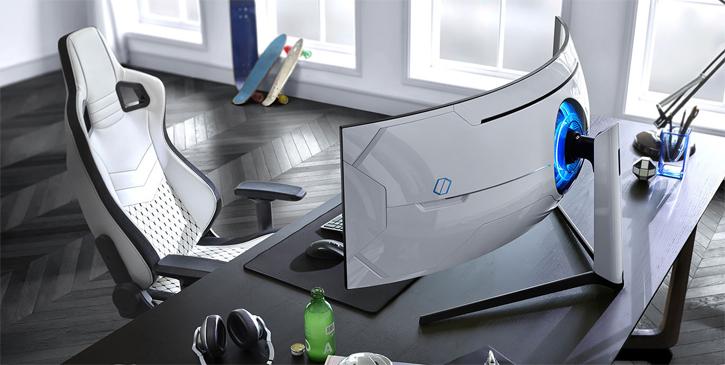
Samsung 49-inch Odyssey G9 gaming monitor is $700 off today, plus other deals

Samsung has some really great deals on monitors that could save you up to $700. If you’re in the market for a new monitor, or possibly a second monitor, check out these deals below from Amazon Canada.

Source: Amazon Canada

MobileSyrup utilizes affiliate partnerships. These partnerships do not influence our editorial content, though we may earn a commission on purchases made via these links that helps fund the journalism provided free on our website.

Categories
Mobile Syrup

Chatr offering 3GB monthly data bonus for six months, one month free

Rogers flanker brand Chatr is back with another limited-time data deal. This time around, new customers can get 3GB of bonus data per month for six months on $35/mo+ plans. Moreover, Chatr is offering one month free on all plans.

Both offers run until September 26th. For the data offer, customers must keep the same plan for the six-month period, and the bonus will expire if the account becomes inactive. In other words, pick a plan you’ll want for at least six months.

As for the one-month credit, Chatr notes it will be applied on the third-anniversary date. To claim the credit, customers will need to reply to a text message they receive from Chatr after activation. Once again, if an account becomes inactive or if customers change the plan, Chatr won’t apply the credit.

It’s worth noting that Chatr still has its $45/mo 5GB plan with a 10GB monthly data bonus for one year available. That offer can’t be combined with the other offers (although I’d argue the 10GB bonus data is the better deal).

Chatr’s website lists the 10GB bonus offer as expiring on October 3rd, which is yet another extension on the deal. Previously, Chatr listed it as ending on September 20th, and before that, it was supposed to end on the 8th.

It’s worth noting that Chatr’s plans cap data at 3G speed, and that customers can get an extra 500MB of data per month if they sign up for auto-pay. Chatr’s ‘Talk, Text & Data’ plans come with either Unlimited Canada/U.S. or Unlimited Canada Talk (depending on the price), and Unlimited texting.

You can check out all the Chatr deals here.

Categories
Mobile Syrup

Google Photos bug corrupted images uploaded between 2013 and 2015

If you’ve saved your old memories on Google Photos, you might want to sift through your library to see if some of the old images look ‘corrupted.’

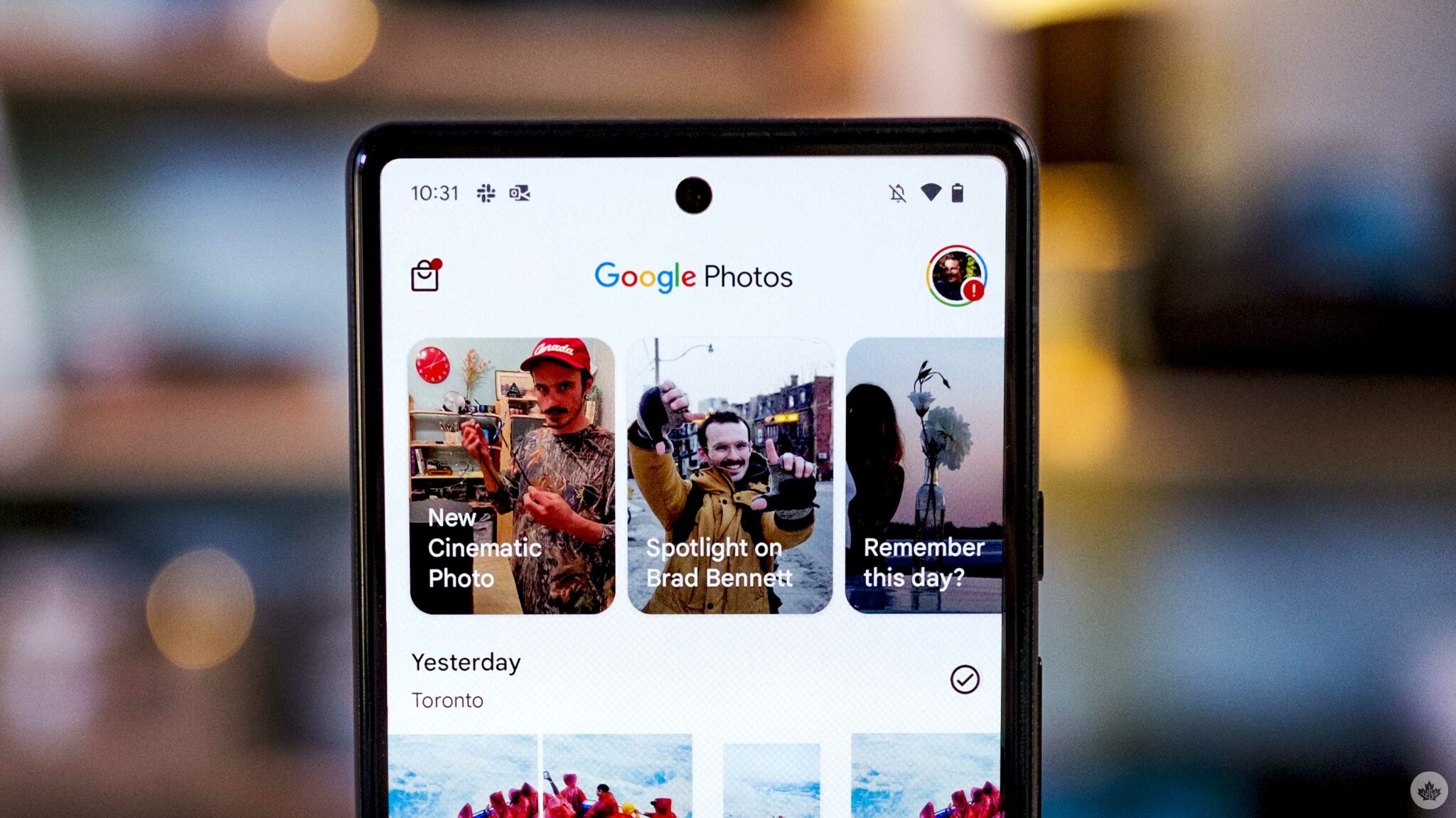
First spotted by Android Police founder Artem Russakovskii, disgruntled Google Photos users flocked to Google Support forums and Reddit over the weekend to complain. Images in all the cases seem to have similar damage, with discolouration, random lines and random dead pixels being the most common, as seen in the images below:

According to users affected, the distortion isn’t just limited to viewing images on Google Photos, and also persists when they download the image, and that isn’t something you want happening to your cherished memories.

“I cannot express how depressing this is right now,” wrote KerryC in Google Support forum. “I tried google’s takeout [sic] to download all my photos, the issue extends there as well.”

A bulk of the affected images were uploaded to the service between 2013 and 2015.

Some users are now reporting that the issue has been resolved, while others, like Daniel Palmans and u/Tushar_007, say that the distorted images have completely disappeared from their Google Photos library. Others reported that clearing the Google Photos app cache resolved the issue.

Not all Google Photos users seem to have this problem, and Google is yet to comment on the issue.

Elsewhere, we found that Google Photos has a hidden folder with custom AI-generated edits of photos that the app has created over the years. Read more about it via the link below:


There's a hidden folder in Google Photos you likely don't know about

Google doesn’t delete the AI-generated edits that it makes in Google Photos, and you can view them all.


Read Now

Source: @ArtemR

Categories
Mobile Syrup

Pixel Watch retail box appears in picture on Reddit

Another day, another Pixel Watch leak.

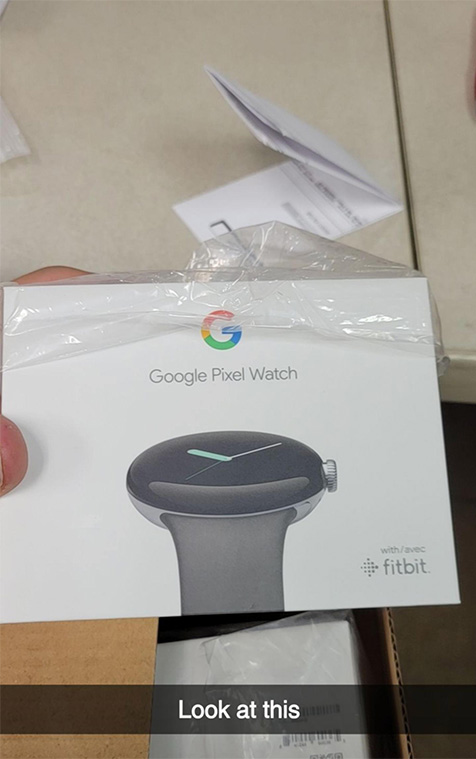
As we draw ever closer to Google’s October 6th Pixel event, more details continue to emerge about the company’s long-rumoured Pixel Watch. This time around, a picture appeared on Reddit showing off the Pixel Watch retail packaging.

According to a post on ‘r/PixelWatch’ from user ‘xXavi3rx,’ the picture was captured at a “Target DC,” which presumably means distribution centre. It shows the Pixel Watch box, which appears fairly compact, and sports a ‘with Fitbit’ logo in the bottom right corner.

Pixel Watch box picture | Image credit: xXavi3rx

Unfortunately, the picture doesn’t reveal much else about the Pixel Watch beyond that the smartwatch will likely get announced next week. Not that there’s much else to know about it. At this point, it seems nearly every detail has leaked.

Google shared a short video showcasing the Pixel Watch design, U.S. pricing has leaked, Google CEO Sundar Pichai appeared at an event with a Pixel Watch on his wrist, and we learned the smartwatch would have a 300mAh battery that would likely last about 24 hours.

What few details we still don’t know will likely get revealed next week at Google’s October 6th event. Alongside the Pixel Watch, Google is expected to unveil the Pixel 7 and 7 Pro.

Header image credit: Google

Source: Reddit

Categories
Mobile Syrup

Amazon announces new 2-day ‘Prime Early Access Sale’ starting October 11

Following up from the popular Prime Day, Amazon Canada has announced a new way to save in October called “Prime Early Access Sale.”

This is a new two-day shopping event exclusive to Prime members happening October 11th and 12th.

According to Amazon, Prime Early Access Sale gives members a chance to kick off the holiday shopping season with exclusive and early with access to thousands of deals from loved brands including Apple, GoPro, iRobot, Mattel, YETI, L’Oreal, Vitamix, Samsung as well as select Amazon devices.

The Amazon Prime membership in Canada costs $9.99 per month, or $99 per year. In addition, Prime Students membership is $4.99 per month.

Source: Amazon

Categories
Mobile Syrup

Ugreen’s Nexode chargers pack plenty of power in petite packages

Accessory maker Ugreen is back again with two new ‘Nexode’ Gallium Nitride (GaN) chargers that want to give you more charging, faster, in a smaller package.

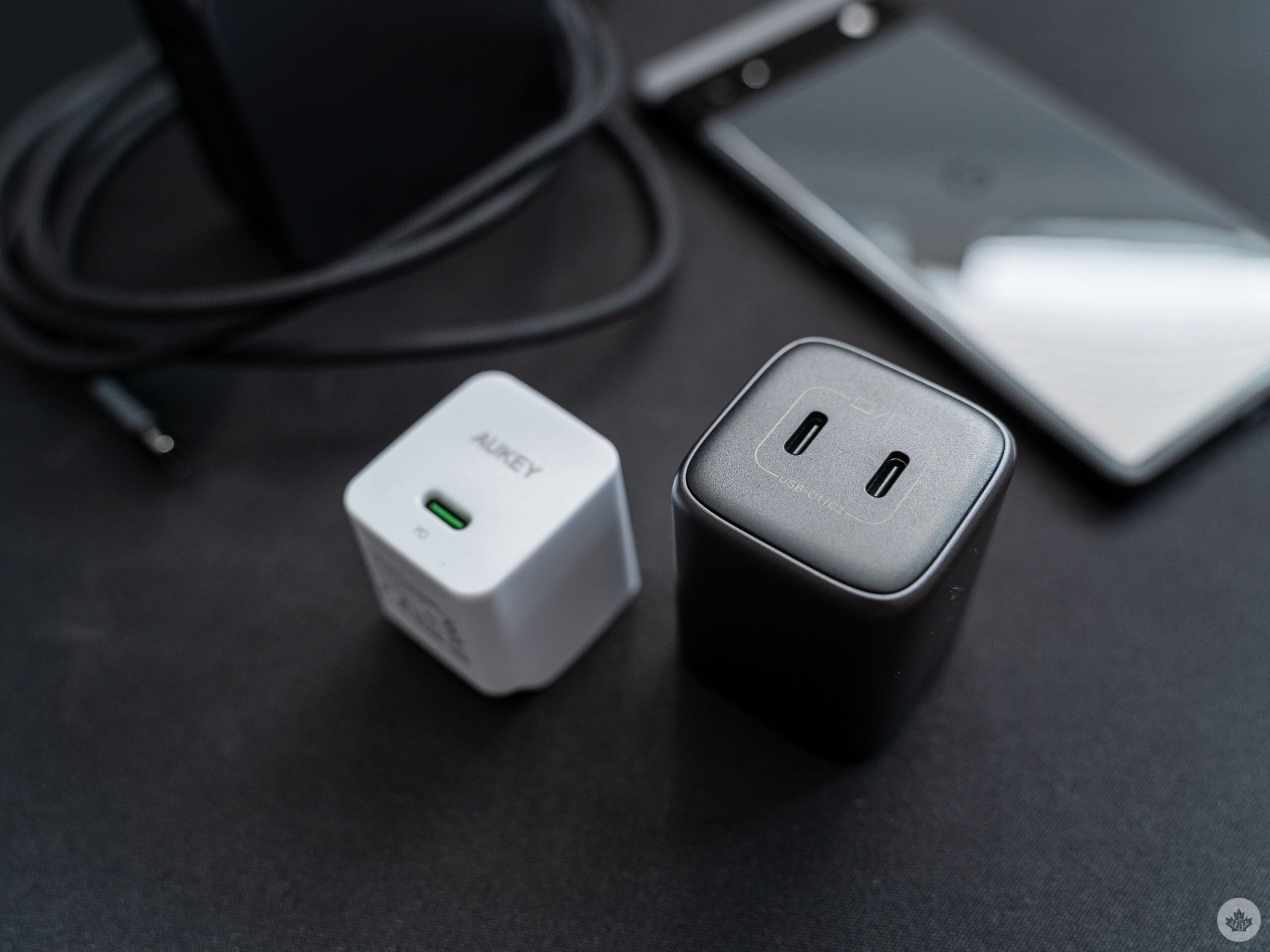
First up, there’s the Nexode Mini 45W Dual USB-C charger, which is about the size of your average power brick but sports two USB-C chargers. This wonderfully compact charger boasts 45W charging output from either port or a 20W and 25W split when using both ports simultaneously.

Per the company’s website, it seems like either of the USB-C ports can output 25W, so the higher power device should pull 25W regardless of which of the two ports you plug it into. For example, if you charge your phone and laptop at the same time, the laptop should get 25W while the phone gets 20W.

Given the small size of the Nexode Mini, it quickly won a spot in my backpack and replaced the slightly smaller Aukey USB-C charger I’ve carried for years — the Nexode Mini has two USB-C ports to the Aukey’s one, plus up to 45W charging.

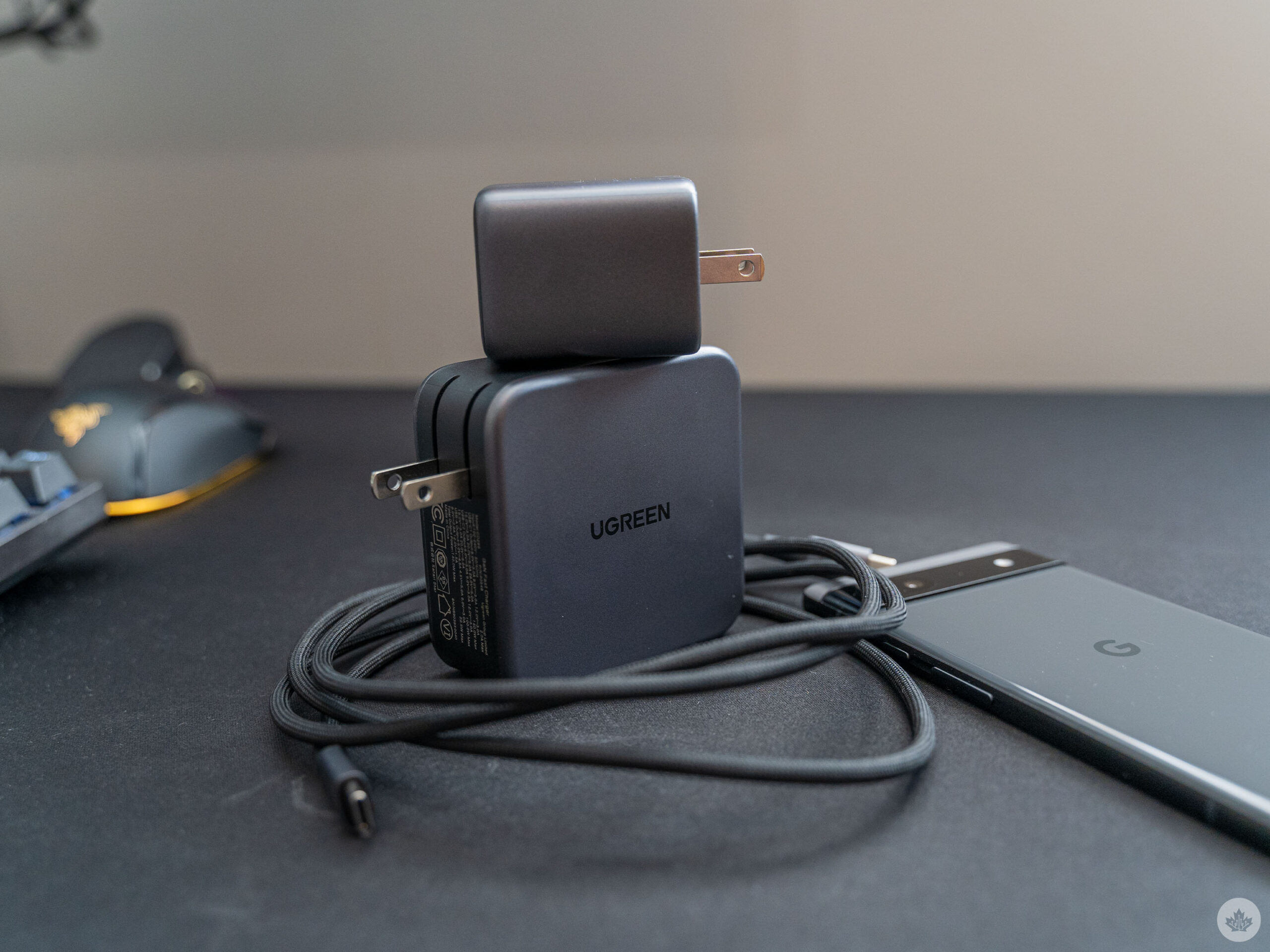
While the Nexode Mini certainly wins points for portability, the Nexode 140W wall charger dominates for sheer capability. It’s about the same size as the power adapter that comes with a MacBook but features two USB-C ports and a USB-A port.

The bottom USB-C port can output the maximum 140W, while the top USB-C port maxes out at 100W. The USB-A port can only do 22.5W, which is still plenty for most things that will charge off that port.

Unfortunately, the power distribution with the Nexode is a little more complex than the Mini. First, if you use the USB-A port, it caps both of the USB-C ports at 100W. If you don’t use the USB-A port, but use both USB-C ports, they both cap at 65W.

And if you use all three ports, then the bottom USB-C caps at 65W, the top USB-C caps at 45W, and the USB-A sticks to 22.5W. Confused? Thankfully, the charger comes with a little chart to highlight the different outputs, although I’d argue if you’re getting into chart territory, your charger might just be too complex.

Anyway, the Nexode all sports a high price tag at $169.99 in Canada. It’s a lot to spend on a charger, but then Apple’s single-port 140W adapter costs $119, so the Nexode isn’t too unreasonable. The Nexode Mini is more affordable at $42.99 in Canada and, in my opinion, is probably the best option for most people (unless you really need more than 45W charging, which you might if you’re rocking a new laptop or MacBook that charges over USB-C).

You can learn more about the Nexode and Nexode Mini on Ugreen’s website (it’s worth noting that prices are slightly lower on Ugreen, but it only ships to the U.S., so Canadians will need to stick with Amazon for now):

MobileSyrup utilizes affiliate partnerships. These partnerships do not influence our editorial content, though MobileSyrup may earn a commission on purchases made via these links.

Categories
Mobile Syrup

LG’s Gram 17-inch (2022) laptop is light on weight, but not performance

LG’s 2022 edition of the 17-inch Gram (179oq-k) is a true workhorse if you’re looking for a productivity-focused Windows laptop.

Its reliable all-day battery life, near-instant boot-up time, ultra-lightweight form and 17-inch QuadHD 2560 x 1440 pixel resolution display make the laptop a formidable option in the large-screen productivity laptop space that can also double as a streaming or scrolling dedicated machine.

Where LG’s Gram 17 (2022) compromises is its build quality. Aesthetically, the matte-finished machine looks sleek and clean, though feels flimsy when held. The lack of a dedicated GPU also weighs the laptop down in the eyes of a gaming enthusiast, while those looking for a work/school laptop likely won’t mind the omission.

Specs

  • 17-inch IPS panel with 2560 x 1600 pixel resolution, DCI-P3 colour gamut
  • Processor: 12th-gen Intel i7-1260P
  • Memory: 16GB LPDDR5 RAM(Dual Channel, 5200MHz)
  • Graphics card: Intel Iris Xe Graphics
  • Storage: 1TB NVME Gen 4 M.2(2280)
  • Dimensions: 14.91 x 10.19 x 0.70 inches / 378.8 x 258.8 x 17.7mm
  • Weight: 1.350kg / 2.98lbs
  • Camera: FHD IR Webcam with Dual Mic (Face recognition)
  • Operating System: Windows 11
  • Battery: 80 Wh Li-Ion 65W battery
  • Connectivity: Dual Band Wi-Fi 6E, Bluetooth 5.1
  • Ports: Two USB 3.2 Gen2x1, two USB 4 Gen3x2 Type C (with Power Delivery, Display Port, HDMI, Thunderbolt 4)

Display, design and delicacy

On the design front, the 2022 LG Gram is identical to its 2021-released predecessor, with the same ‘Obsidian Black’ colourway and a matte black finish to the entire body, with skinny bezels that are thinner than its predecessor. At first glance, the only noticeable difference between the two iterations is in the webcam bulge, likely due to the addition of infrared for face unlock, dual microphones, and an overall better 1920 x 1080 webcam resolution.

The laptop looks clean and professional, with an aesthetic that seems like it was thoroughly thought through. The centre-aligned trackpad is clicky but without the added noise. It’s super responsive and features gesture support, while the keyboard is backlit and includes a numpad and function keys that are easy to identify in a dark room or outdoors at night.
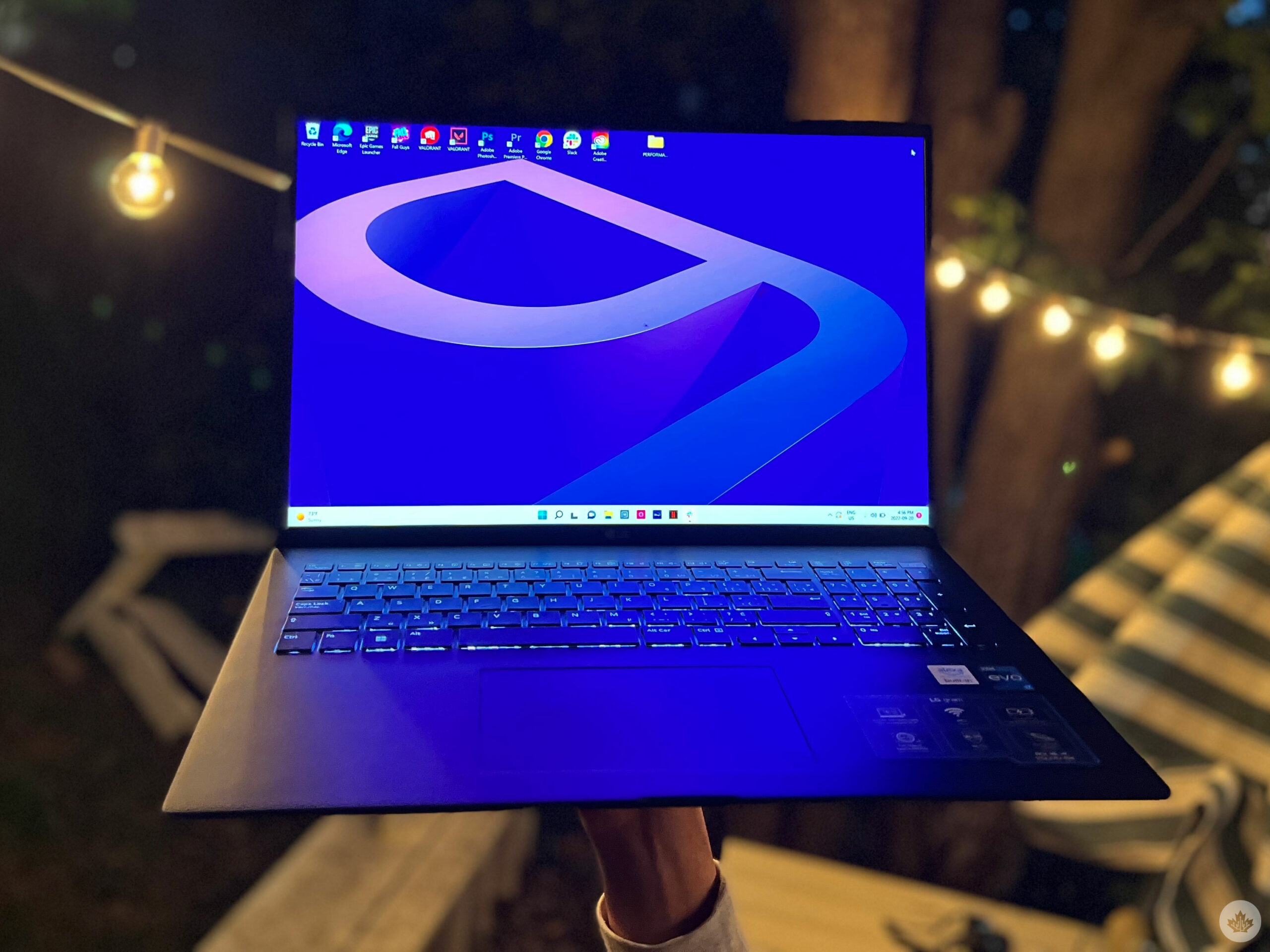
The keys, despite being island-style/chiclet-style, are still easy to press, with a familiar layout.

The 2560 x 1600 pixel resolution display, although only 60Hz (without variable refresh rate), is a visual delight, with vibrant colour reproduction, crisp detail and 350nits peak brightness. It features a non-reflective coating to disperse glare, so streaming movies, scrolling through Twitter, attending virtual meetings, or editing images on Photoshop, all look punchy on the Gram’s 17-inch 16:10 aspect ratio display, be it indoors or outdoors. The laptop can easily double as an entertainment or casual use machine and your daily school or work driver.

“I guess a flimsy frame is a price you pay for an ultra-light 1.350kg / 2.98lbs 17-incher.”

One off-putting aspect of the 2022 Gram, regardless of how professionally built it looks, is that I feel like I could snap it in half without trying. The thin bezels and top lid look aesthetically pleasing but feel flimsy when held, just like the 2021 version of the laptop. Similarly, pressing the chassis around the touch bar makes the laptop bulge in, making it prone to damage over time, especially for clumsy users like me.

Considering that the productivity laptop is to be carried around every day, be it to school or work, I feel it needs to be a tad bit sturdier, but I guess a flimsy frame is a price you pay for an ultra-light 1.350kg / 2.98lbs 17-inch that you can carry around with one hand.

Serious gamers, look away

The 2022 17-inch Gram runs on a 12-core 12th-gen Intel i7-1260P processor with four 4.7GHz performance cores and eight 3.4GHz efficiency cores, alongside 16GB dual channel LPDDR5 RAM (up from last year’s Gram’s LPDDR4X RAM), and a 1TB SSD.

On average, the laptop boots up in 5-7 seconds, and performs everyday tasks like streaming, video conferencing, photo editing, holding several Google Chrome tabs and more without a hiccup. It’s responsive and snappy, with applications like Photoshop starting up without delay. The laptop can handle more strenuous tasks like video editing or 3D rendering easily, without its fans sounding like a jet engine, albeit only while plugged in. When using Premiere Pro on the Gram without it being plugged in, I noticed repeated stuttering and freezing, only for it to go away when plugged into a power supply.

And while the laptop is suitable for multitasking and can be used for work and entertainment, one area where it falls short is gaming. The Gram doesn’t have a dedicated gaming graphics card and instead, uses an integrated Intel Iris Xe GPU, so if you’re someone looking to pick up a laptop that also doubles as a reliable gaming machine, you’ll likely want to pass on the 17-inch Gram.
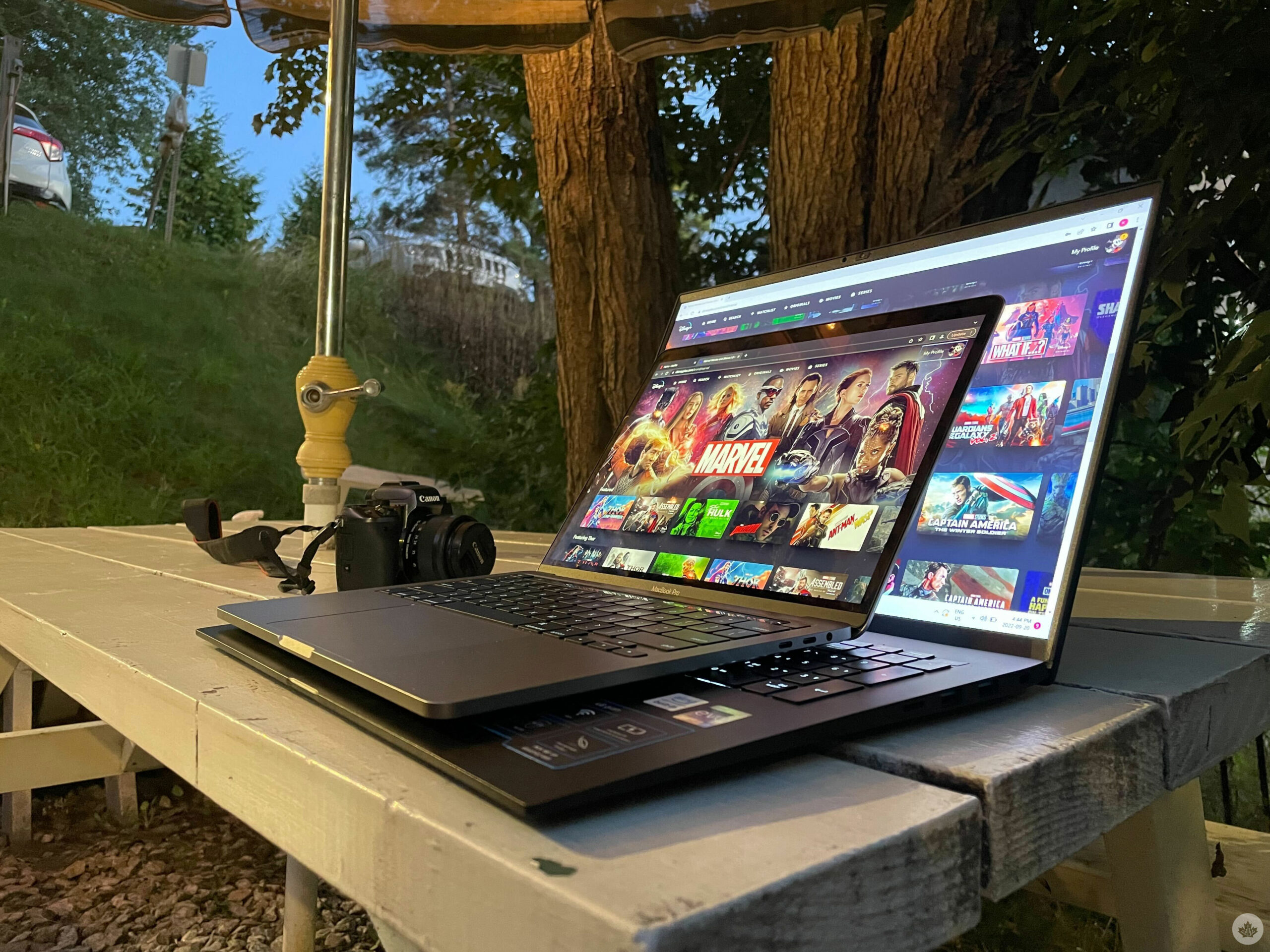
On the other hand, if you’re not a serious gamer, and are fine with playing titles on low settings with 30-50 frames per second on a 60Hz display, like a MacBook owner, or play less intensive titles, like Fall Guys, which by the way, works perfectly on the Gram when plugged in, the laptop can be quite accommodating.

Additionally, game streaming services like Nvidia’s GeForce Now, Xbox Game Pass Ultimate, Amazon Luna, or Sony’s PlayStation Now allow you to bypass the GPU’s limitations.

Running all day, every day

LG’s 2022 17-inch Gram sports an 80 Wh Li-Ion battery that can allow you to forget the charger at home, and not have to worry about your laptop dying.

With regular work use, the laptop takes roughly 15 hours to drain out fully, while more intensive tasks cause the battery to give up in about ten hours, which is more than impressive, considering the laptop’s 17-inch QuadHD display and high brightness.

“Students and those looking to pick up the device for office work should note that he laptop should last you the full day without having to plug it in.”

I used the laptop on a full nine-hour work day that included a roughly 30-minute video meeting, constant image editing on Photoshop, typing on WordPress, with YouTube and Slack in the background, and the laptop still had juice left

Students and those looking to pick up the device for office work should note that the laptop should last you the full day without having to plug it in, while those looking to get the laptop for primarily image/video editing, streaming or other battery-intensive workloads might find themselves having to plug it in towards the end of the day.

Goodbye dongles

Gram 17 offers Wi-Fi 6E, and while I do not have a 6E modem yet, it’s good to know that it is future-proof in a way, and that when I decide to upgrade my modem, the laptop would be able to take advantage of a less congested 6GHz radio band. Bluetooth 5.1 is also a plus, for fast and reliable peripheral and audio devices.

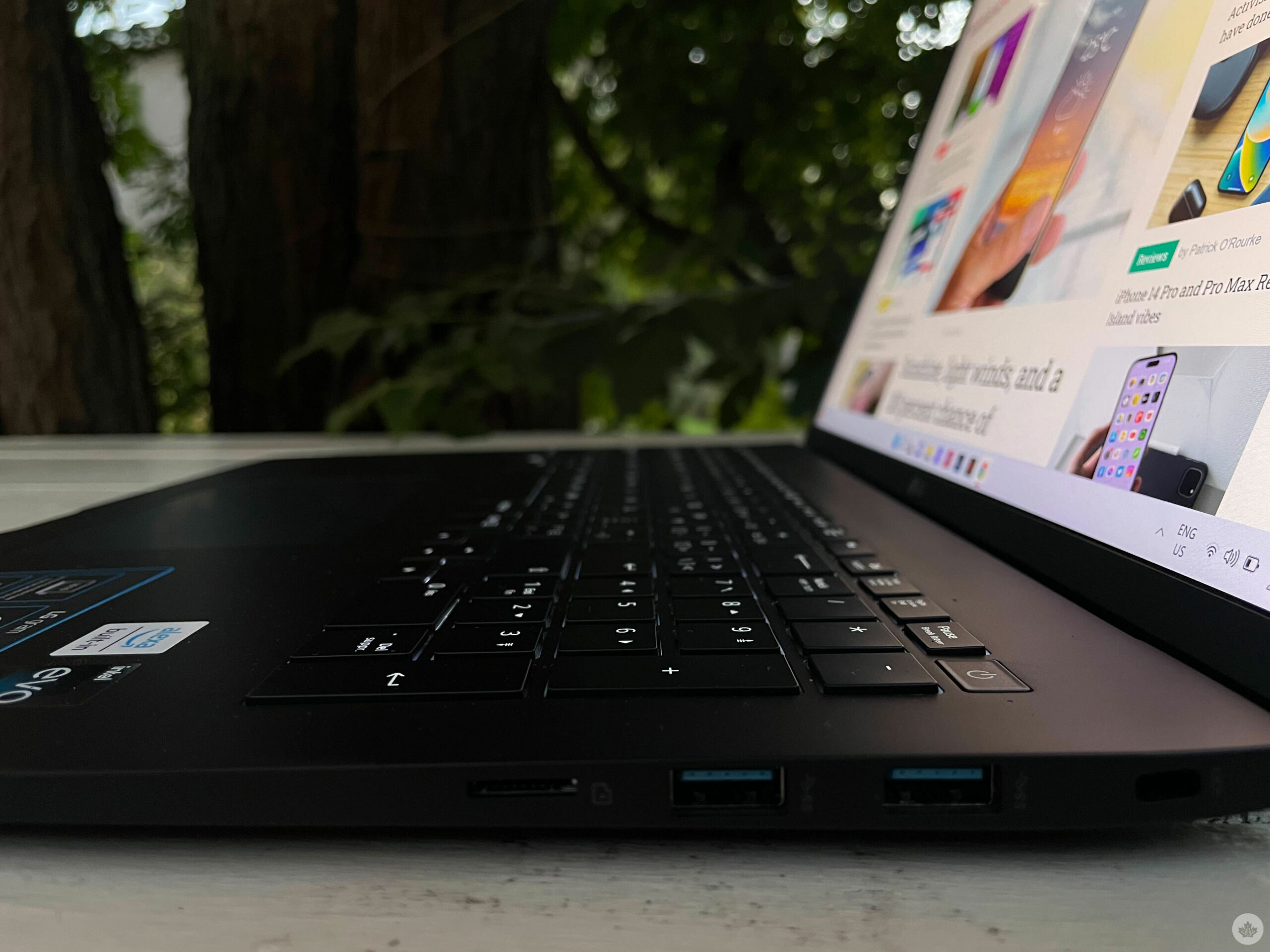
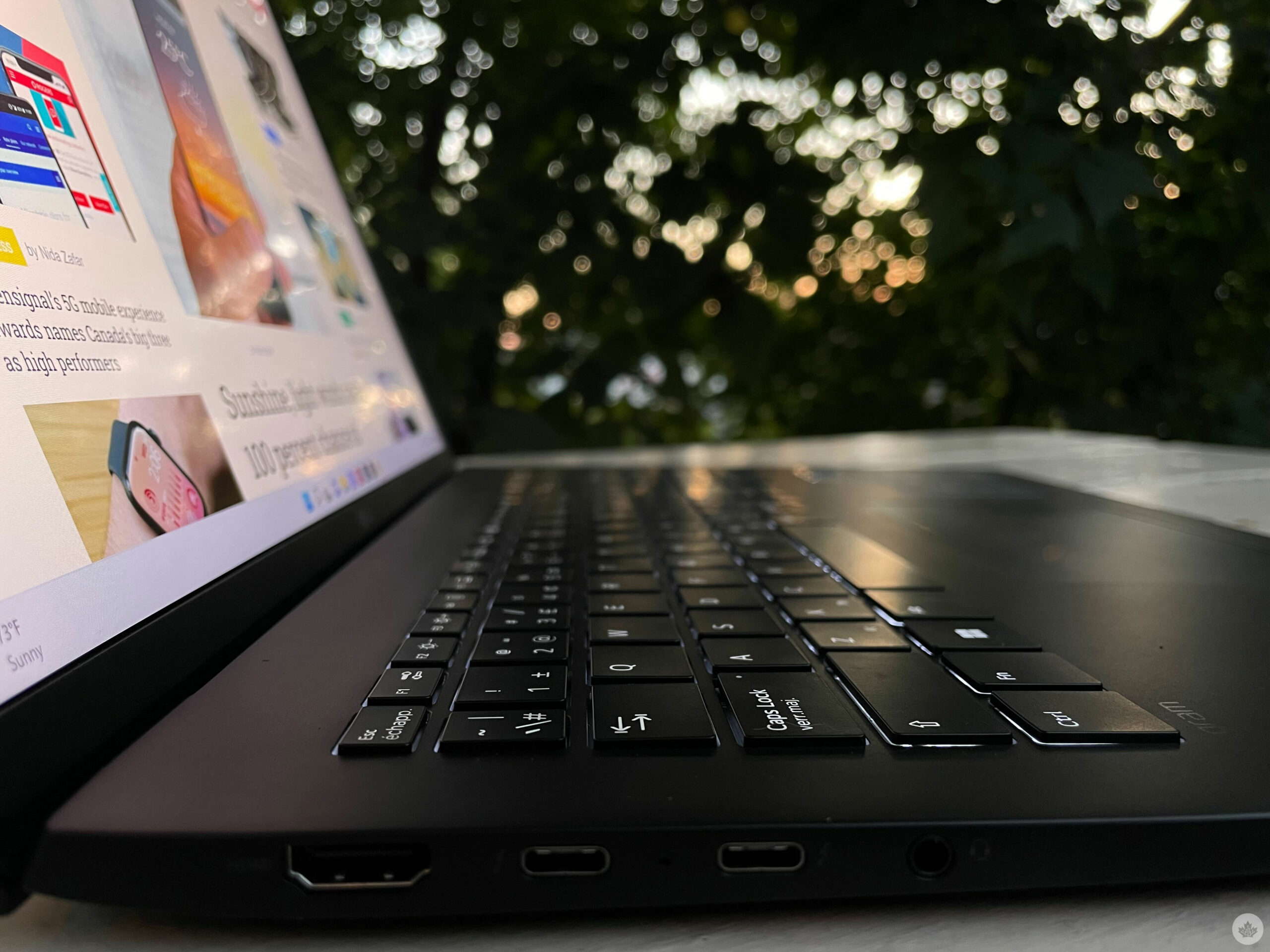
The laptop doesn’t compromise on ports either. On the left sits an HDMI out port, two Thunderbolt 4 USB-C ports and an audio jack, while on the right sits a Kensington lock, two USB 3 ports and a MicroSD card reader, a great addition for those looking to use the laptop to edit images off their DSLRs.

This and that

The Gram is the first laptop I’ve used that has traded out Cortana in favour of Amazon’s Alexa, and it’s safe to say I don’t miss the former. However, that doesn’t mean the Alexa experience is smooth.

I regularly use the Echo Show 15, and it is my daily driver when it comes to background music, reminders, shopping lists, and smart home controls, though the experience doesn’t translate 1:1 on the laptops. For starters, by default, Alexa on the Gram would only listen to you if you have the Alexa app open in the background, which takes up roughly nine percent of the total memory on board. There is an option to wake Alexa when the app is off, but it takes up about 10 seconds, which negates the convenience of a smart voice assistant. On the other hand, having my laptop connected to the same Amazon account as my Echo Show means I can control devices in my house from a different room, and hop back in to my to-lists and calendar without having go near my Echo.

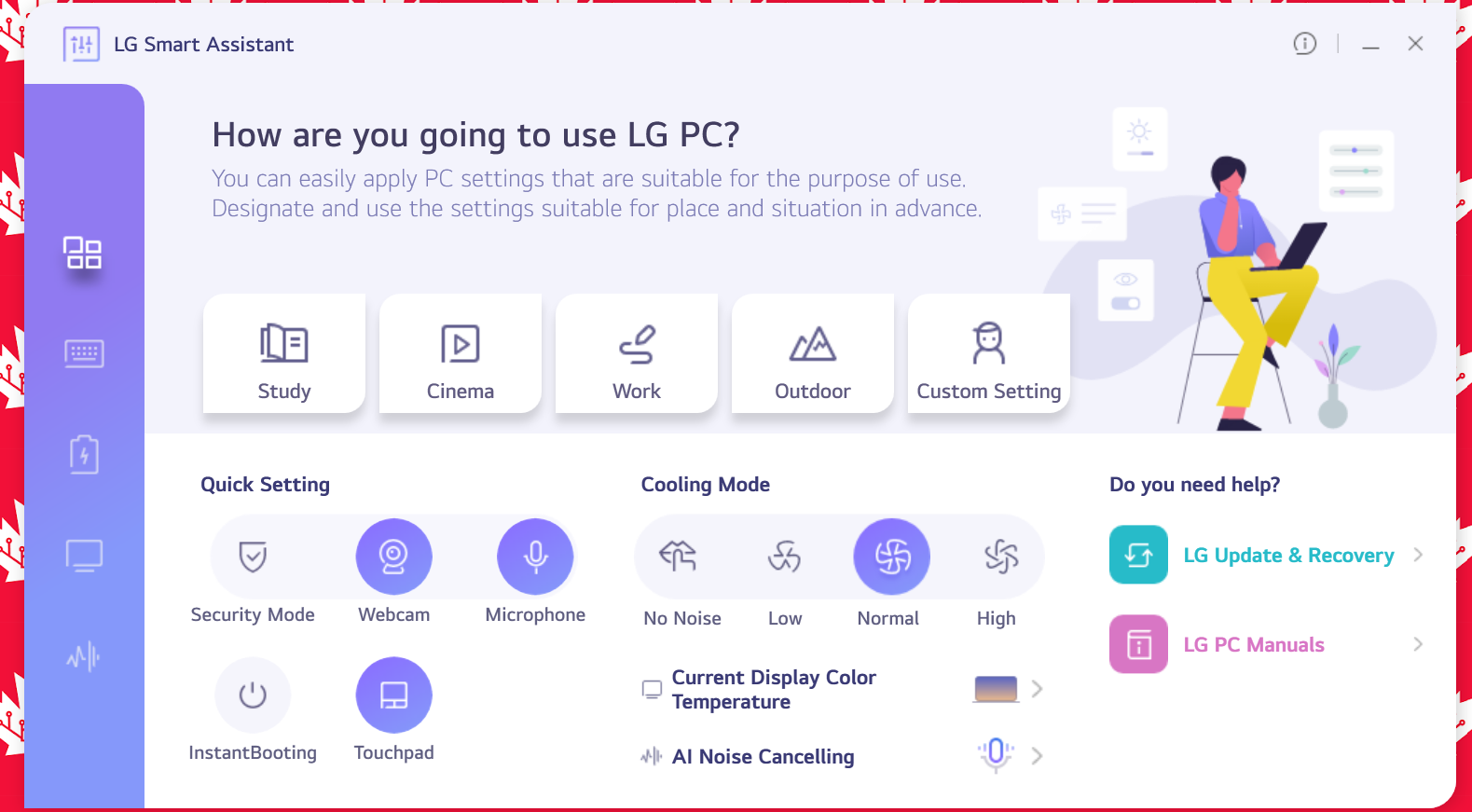
It comes with McAfee Live Scan pre-installed, alongside some LG bloatware, including LG Smart Assistant, which allows you to enable/disable the laptop’s webcam, microphone, and touchpad.

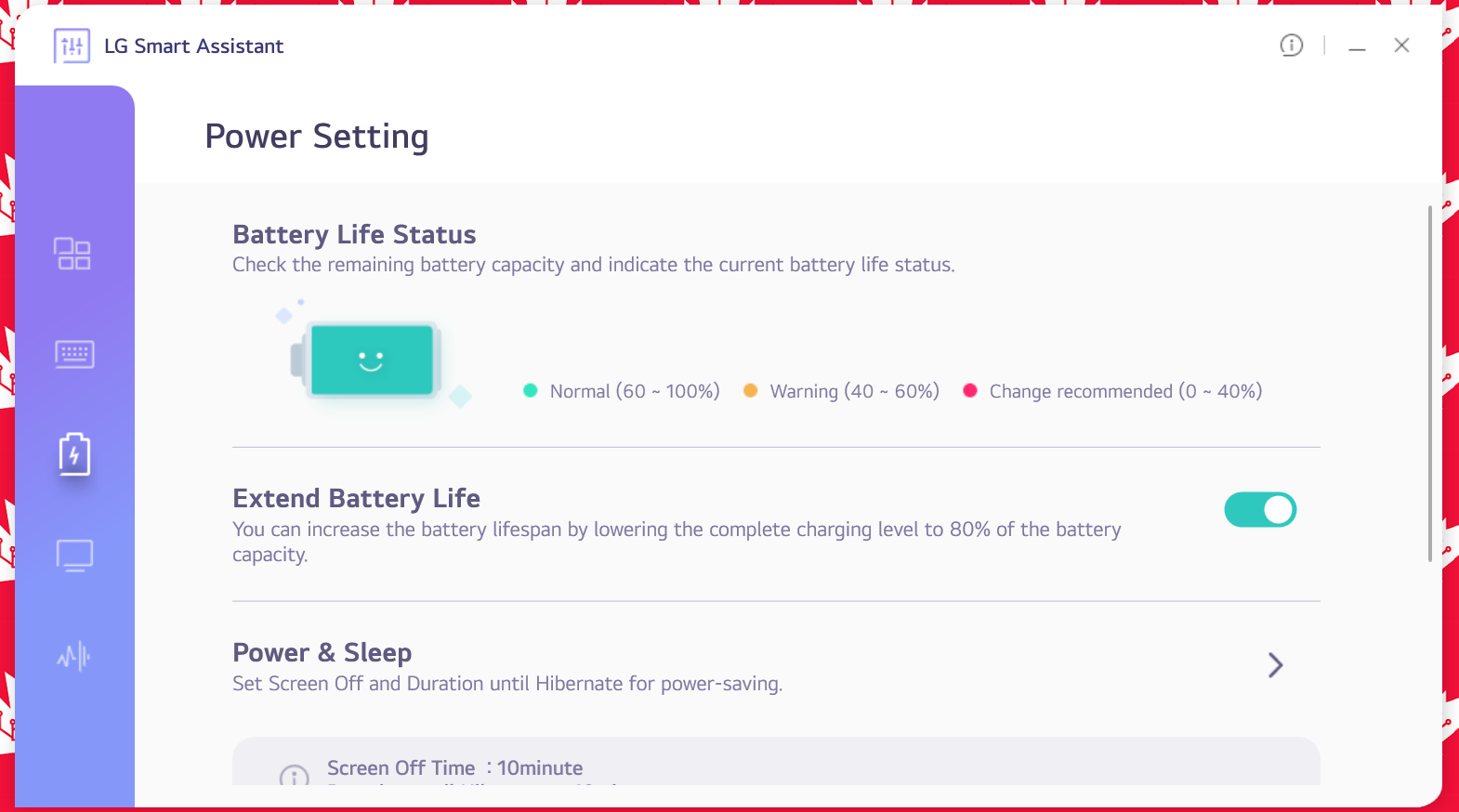
It also features a cooling mode where you can set the laptop’s fan speed, alongside settings for display colour temperature, and AI noise cancelling. Notably, power settings and keyboard settings are also available in the app, making it a one-stop app for several of your laptop customization needs.

Other pre-installed apps include a bunch of software from a company called Cyberlink. For example, ‘Audio Director,’ is like Adobe Audition, ‘Photo Director,’ does what Photoshop does, while ‘Color Director’ is a mix of Photoshop and Illustrator. The pre-installed apps don’t necessarily take up a lot of space, but I feel they don’t offer anything that I can’t find on more reliable apps that I’m already familiar with, like Adobe’s suite of products. Uninstall away.

On the audio side of things, the LG Gram 17 doesn’t offer anything special. It features two bottom-placed 1.5W stereo speakers that get fairly loud, up to 88 decibels, but lack any significant bass. The only thing going well for the speakers is that the audio is clear, with easily decipherable vocals, even when the volume is cranked all the way up, while all the other audio aspects sound lifeless. They’re fine if you want something playing in the background while working or studying, but if you want a rich audio experience, you’ll have to plug your headphones in.

Categories
Mobile Syrup

Are you excited for Google’s Pixel 7 event?

Google’s Pixel 7 and Pixel 7 Pro launch on October 6th, with pre-orders dropping on the same day. Alongside the Pixel 7 series, the tech giant is poised to reveal the Pixel Watch completely.

Google first unveiled the two handsets and the smartwatch at its I/O event back in May. However, we’ve only recently had the chance to look at front of the handset.

The smartphone’s rear features a new aluminum finish on its visor, making it more striking than the current Pixel 6 series.

The Pixel 7 Pro will launch in ‘Obsidian,’ ‘Snow’ and ‘Hazel’ colours, whereas the Pixel 7 will come in ‘Obsidian,’ ‘Snow’ and ‘Lemongrass.’ Additionally, the smartphones’ will run Android 13 and include the next-generation of Google’s Tensor chip and more.

I hope we get a sneak peek at the upcoming Pixel tablet and maybe a few other surprises at Google’s event. However, I’m also very excited to get the Pixel 7 Pro in my hands eventually.

Are you excited for fall’s Made by Google event? Let us know in the comments below.

Categories
Mobile Syrup

There’s a hidden folder in Google Photos you likely don’t know about

If you use Google Photos to back up and store your pictures, you’ll be pleased — or maybe annoyed — to know there’s a hidden page full of AI photo edits.

I was looking for confirmation regarding how Google Photos stacks bracketed images into HDR files and stumbled on this link that takes you to the ‘Google Photos – Unsaved Creations page.’

This page lists all the Google Photos custom AI-generated edits the app has created over the years. You can delete the images permanently from this area if there’s anything you don’t want, but it’s strange Google hides it from the standard Google Photos interface.

Google has been using AI to make animations and collages out of photos since the app launched, and then in 2018, it added more powerful AI-auto-editing features like HDR bracketing, Colour Pop and more. Some people love these features, and others don’t use them, but it’s interesting to go through the full list of Google-generated images and videos and see how good, or bad the edits to your photos are. And yea, even the embarrassing ones are entertaining.

I’m not sure what makes me laugh more, Colour Popped Chris Meloni or Google grouping funeral flowers with house plants.

It’s quite interesting to go through the list since there are a lot of fun collages that I never really paid attention to and amusing comparison shots of my face over the years. Beyond that, there are also a few cool edits I’ve pulled out as well, so I think it’s worth it for everyone to browse their unsaved photos at least once.

I actually like these Google AI edits quite a bit.

Source: Google Photos support