Apple’s AirPods Pro (2nd-Gen) are a worthwhile update to what are already one of the best pairs of Bluetooth wireless earbuds out there.
The new AirPods Pro still don’t deliver audio as crisp as Sony’s more expensive WF-1000XM4s or support high-quality codecs/lossless audio. However, they make up for these shortcomings with vastly improved ‘Active Noise Cancellation’ (ANC), excellent ‘Adaptive Transparency,’ better battery life, surprisingly responsive on-bud volume controls and, of course, the instant connectivity to Apple devices the wireless earbuds are known for.
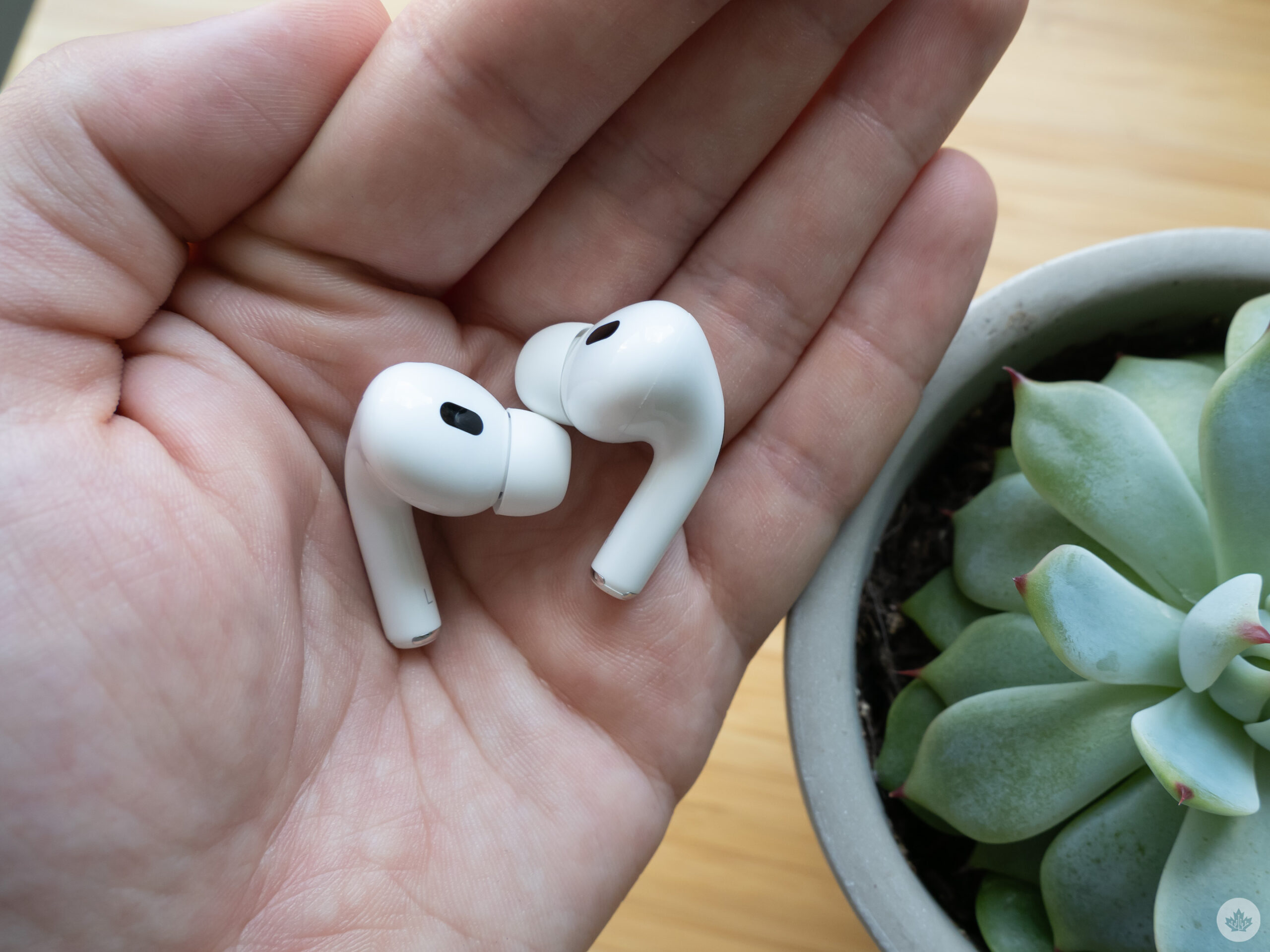
Still, the 2nd-Gen AirPods are not a complete reinvention of the 1st-Gen version of the wireless earbuds. They look and fit the same, and include an identical case offering a few new features like precision ‘Find My,’ thanks to a built-in U1 chip.
For me, the new AirPods Pro are a worthwhile upgrade because I use their predecessor every day and count them among my favourite wireless earbuds. I appreciate the subtle, but meaningful quality-of-life improvements Apple’s 2nd-Gen AirPods Pro offer.
Improved audio, better Active Noise Cancellation and Adaptive Transparency
For what seems like a minor refresh at the outset, there’s a lot to unpack regarding what’s new with the AirPods Pro (2nd-Gen).
“While the 1st-gen AirPods offer decent noise-cancellation, their successor features the best I’ve encountered in a pair of wireless earbuds”
First off, a new low-distortion audio driver, amplifier and Apple’s revamped computational audio results in noticeably clearer sound and a deeper bass across a wide range of frequencies. Whether I’m jamming out to Heart Attack Man or reliving my youth with 50-Cent’s Window Shopper, the new AirPods Pro sound stellar.
While working on this review, I frequently shifted between using the original AirPods Pro and the AirPods Pro (2nd-Gen), and instantly noted sound quality improvements, regardless of what music I was listening to. But is the audio that much better? No, not entirely. Though if you’re the type of person who cares about audio quality, you’ll notice a difference. The level of depth doesn’t match some high-end earbuds, like the WF-1000XM4s I already mentioned, but they’re on par with and surpass Google’s Pixel Buds Pro in the bass department.
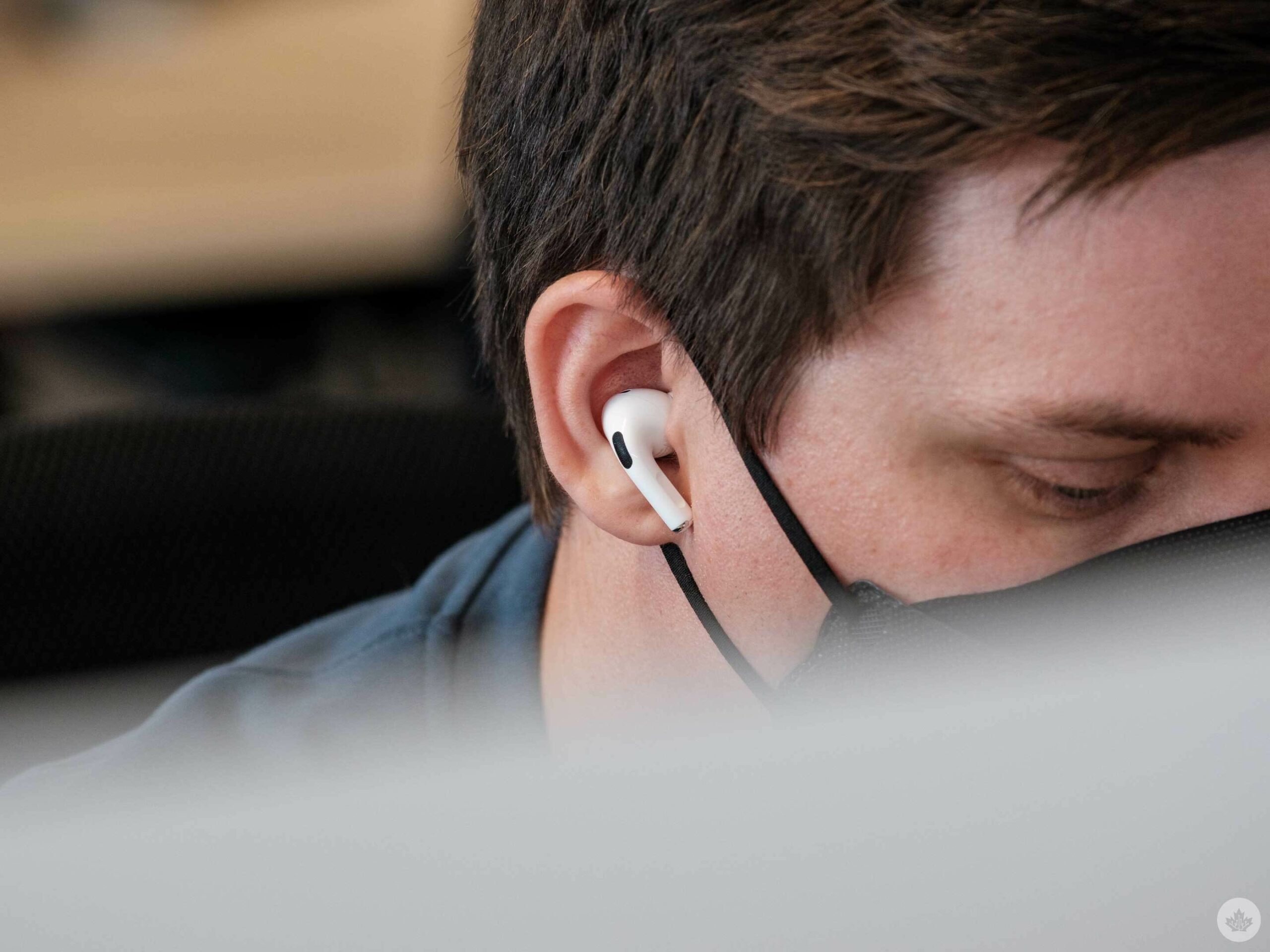
Image credit: Bradley Bennett
While the improved sound quality is in part powered by Apple’s new H2 chip, the updated silicon adds other features to the AirPods Pro (2nd-Gen), including improved noise cancellation. While the 1st-gen AirPods offer decent noise-cancellation, their successors feature the best I’ve encountered in a pair of wireless earbuds, matching even Google’s Pixel Buds Pro.
Whether I was attempting to block out the noise of my partner’s meetings while working in our small at-home office, drowning out chatter at the MobileSyrup office or just walking around my suburban neighbourhood listening to music, the AirPods Pro (2nd-Gen) do a commendable job of blocking out unwanted background noise. The Active Noise Cancellation still isn’t on par with over-ear headphones, but it’s getting there. The best example I can offer of how good the new Pro’s active noise cancellation performs is my experience at Apple’s fall hardware keynote. I tested the 2nd-gen AirPods while standing in the extremely noisy hands-on area at the Steve Jobs Theatre, and nearly all surrounding background audio disappeared. In fact, I couldn’t even hear the Apple rep in front of me outlining the earbuds’ new features.
But sometimes you don’t always want Active Noise Cancellation to be on, especially when it’s this good. This is where ‘Adaptive Transparency’ comes in, a new feature that processes sound 48,000 times per second to adjust harsh environmental noise, while still allowing low-level audio passthrough. This lets you listen to tunes while still being aware of loud noises around you like a siren, motorcycle or construction. In general, Adaptive Transparency works great, but it isn’t perfect. Sometimes it picks up softer noises as louder than they actually are and reduces them, leading to a strange listening experience. This only happened in a few instances but is still worth mentioning.
So far, I haven’t found Adaptive Transparency very useful, but that’s primarily because I use the AirPods Pro (2nd-Gen) while at home or in the office, and in most cases, I want to block out all background noise so I can concentrate on what I’m working on. If I had a lengthy walk to work through busy downtown Toronto like I used to, I’d likely toggle the feature on more frequently.
On the other hand, mic performance remains disappointingly identical. The original AirPods already featured some of the best mic quality I’ve encountered in a pair of Bluetooth wireless earbuds, but I was hoping for some level of upgrade with the new AirPods Pro (2nd-Gen). As far as I can tell, not much has changed in this department.
On-device volume controls
The number of times I’ve been in my backyard mowing my lawn or gardening while listening to music, and I’ve had to go back inside to turn up the volume on my iPhone, is countless at this point (no, I won’t ask Siri to raise the volume). With the addition of the AirPods Pro (2nd-Gen’s) new on-device volume controls, this is no longer a problem.
All you need to do to raise or lower the volume is swipe up/down subtly on an easily identifiable concave section on the front of the AirPods Pro. I found myself using a pinching motion with my index finger on the rear of the AirPods Pro’s stem, but you can also just swipe one finger, and it still works (this more easily knocks the earbud out of your ear, though).
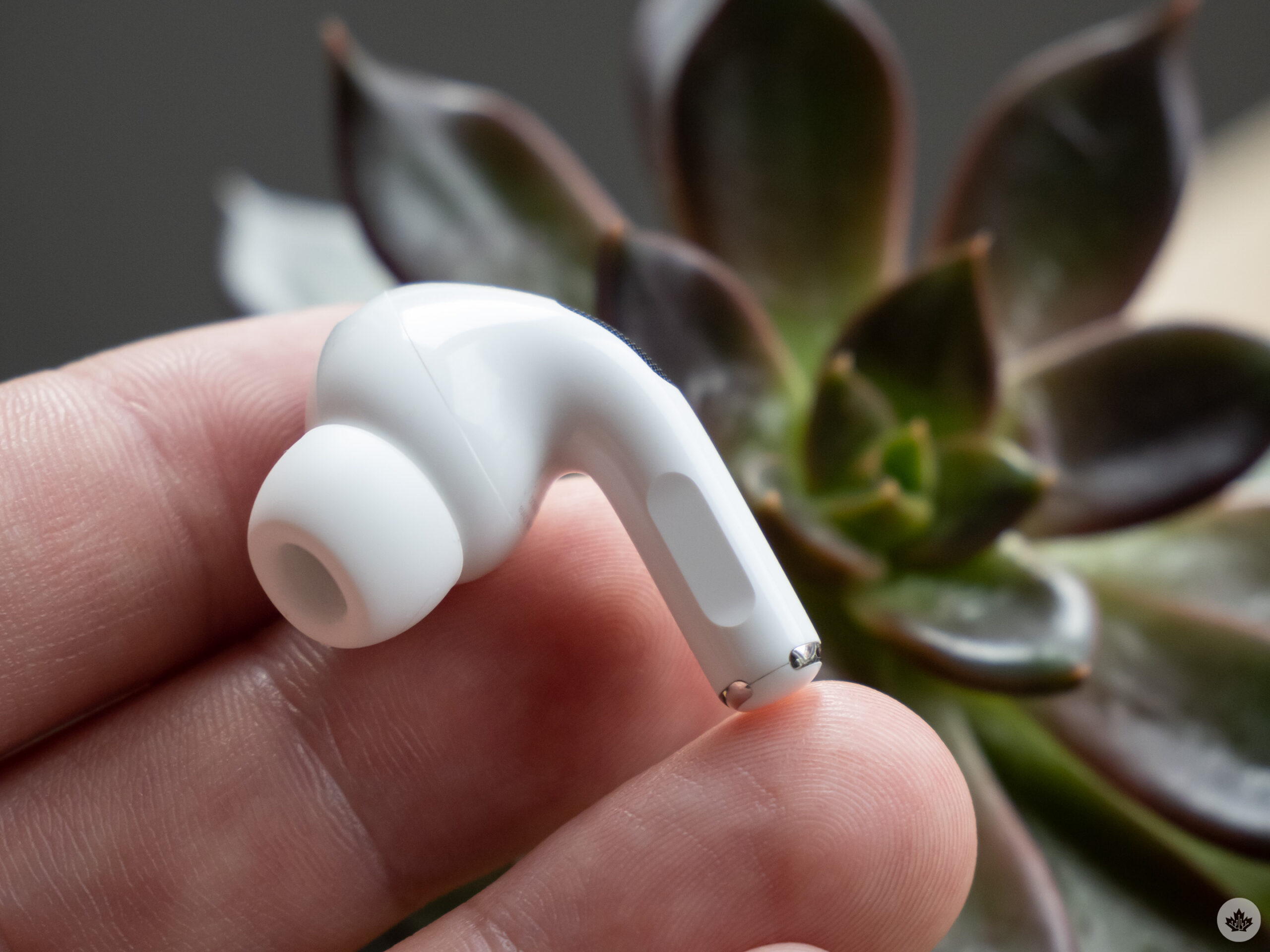 In my experience, the new AirPods Pro volume touch controls are extremely responsive and work with subtle changes. If you, for example, only want to lower or raise the volume by a notch or two, you can do that with a brief swipe. The controls are also marked with a slight clicking noise, indicating they’re active and working. I didn’t run into any accidental presses during my several days with the AirPods Pro (2nd-Gen), even while long-pressing on the stem to toggle Active Noise Cancellation on/off or double-pressing to jump between songs.
On-device touch volume controls are by far my favourite new AirPods Pro feature. The convenience and ease of use of shifting volume levels directly on the AirPods Pro (2nd-Gen) without the need to take out my iPhone, really can’t be understated.
Upgraded charging case
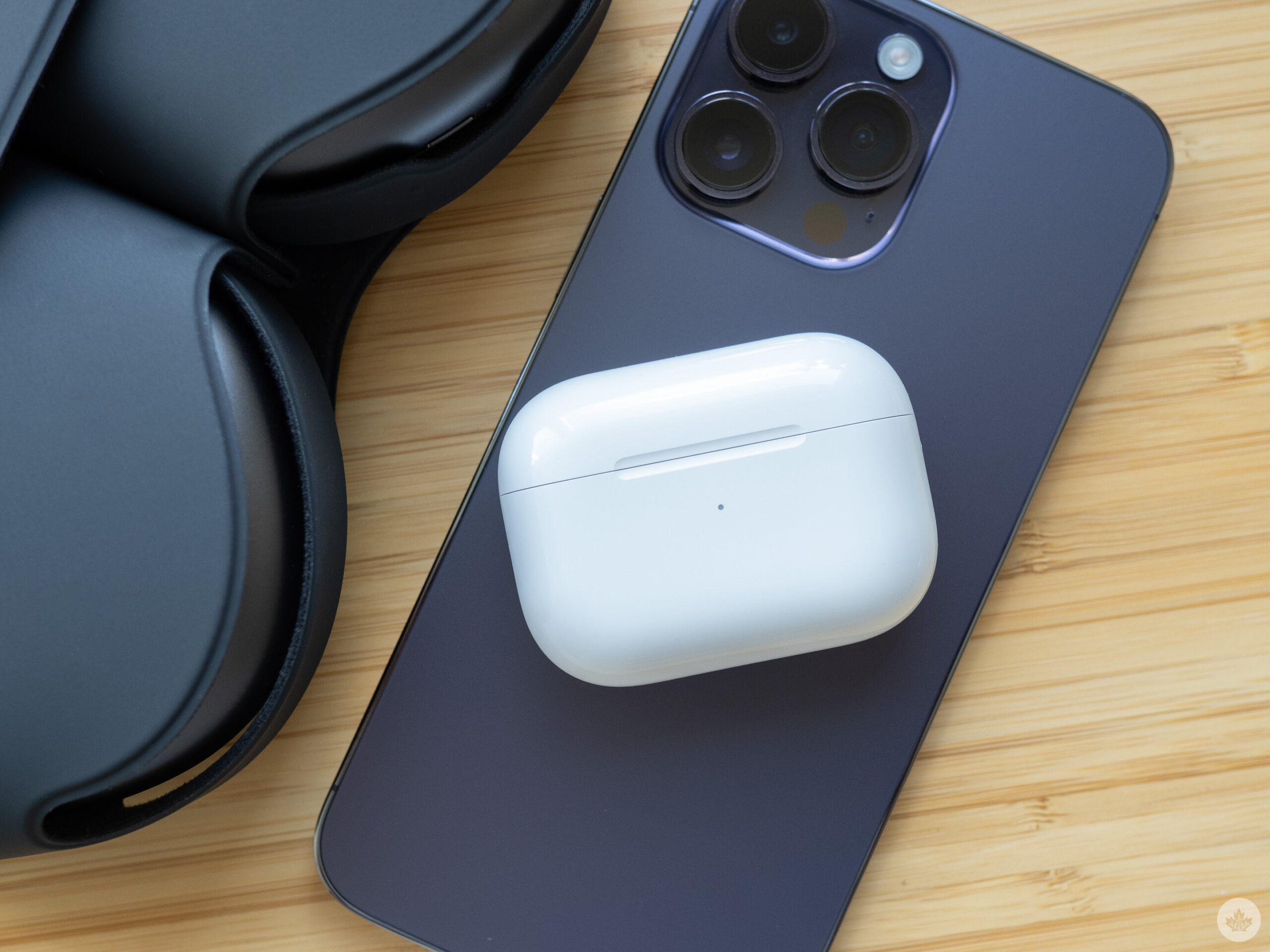
With the AirPods Pro (2nd-Gen), Apple has also updated the wireless earbuds’ MagSafe-compatible charging case. First off, it now features Find My’s precision location technology powered by Apple’s UI chip. This means that if you lose the charging case, your iPhone can point you to where it’s located with an arrow and distance estimate.
Though I’ve never lost my AirPods Pro case, I can see this feature being useful for a lot of people. Personally, I’d rather precision Find My work with individual earbuds since I find myself misplacing them more often than the charging case, but that would require a U1 chip in each individual AirPod.
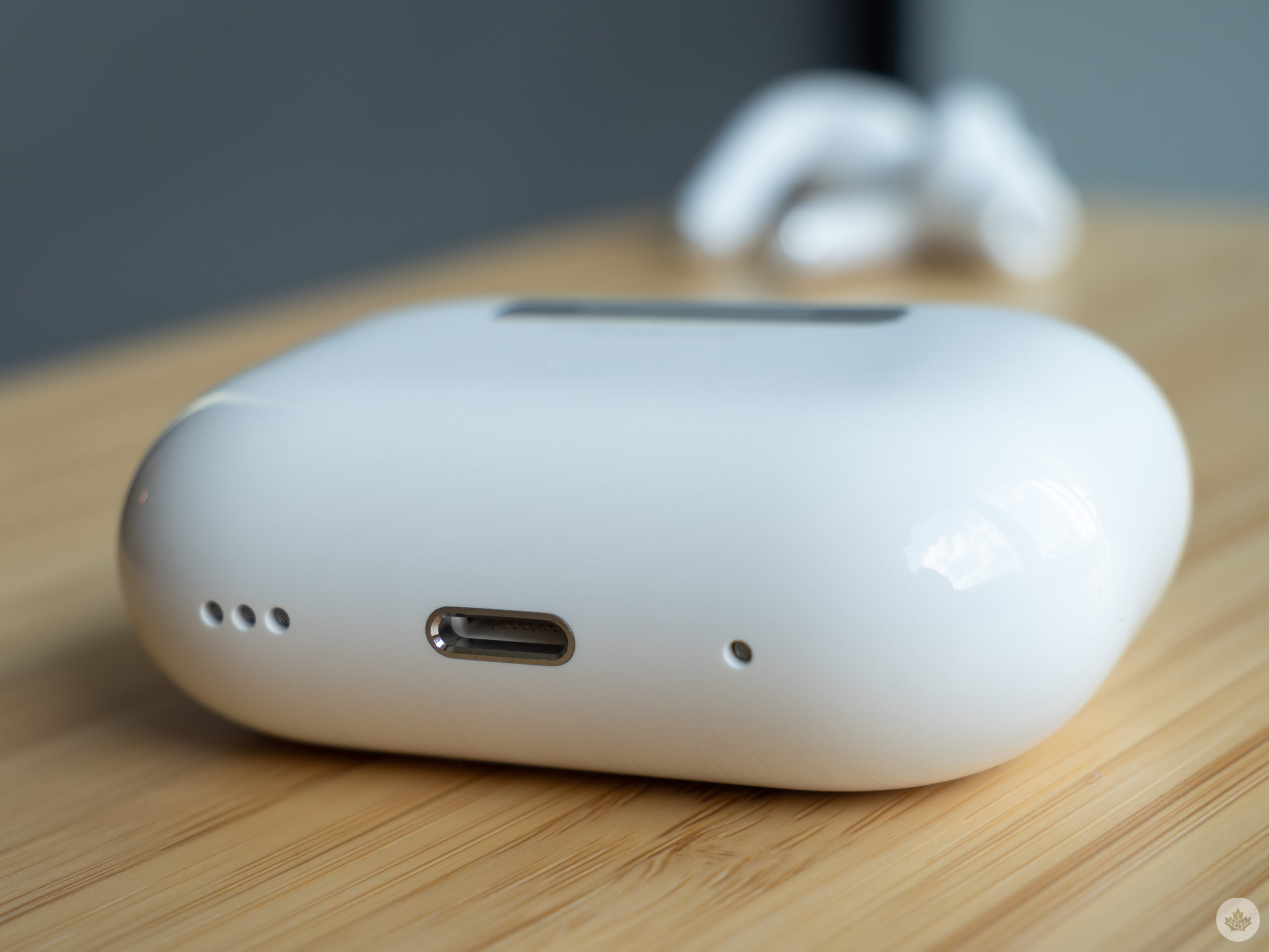
Other upgrades include a built-in speaker that can play a sound to help you locate the earbuds’ case, which, like the new Find My feature, is useful if you happen to misplace it. The case also now features a slot for a lanyard, but unfortunately, the AirPods Pro (2nd-Gen) don’t come with one, and the official Incase loop costs an astounding $17.95 (shipments don’t arrive until mid-October). Of course, you could just use a different lanyard with the AirPods Pro charging case, but given their price tag, they should include one in the box.
The lanyard is a little silly, but it also makes finding the AirPods Pro easier in a backpack or bag, as well as more difficult to misplace accidentally.
“The AirPods Pro (2nd-Gen)’s battery life has also been increased to hit roughly six hours.”
Finally, the case is now IPX4 sweat and water-resistant and can charge via the Apple Watch’s charger. I’m not sure I’ll ever find myself in a situation where I’d use the Apple Watch’s charger to charge the AirPods Pro (2nd-Gen), but it’s still a welcome addition I’m surprised it wasn’t already part of the Pro’s arsenal of features.
Everything else
Apple’s ‘Personalized Spatial Audio’ is far less impactful when compared to the AirPods Pro (2nd-Gen)’s other new features. Through iOS 16 and the iPhone’s TrueDepth camera system, Apple says that Personalized Spatial Audio tunes the new AirPods Pro’s ‘Spatial Audio’ specifically to the shape of your ear. The somewhat finicky process involves scanning your ear with the iPhone being held to the side of your head, which is difficult to line up. You also need to scan the front of your face.
In theory, I like the idea of audio being tuned specifically to the shape of your ear, but in practice, it doesn’t make much of a difference. It’s also worth noting that while I really like Spatial Audio when watching movies or TV shows on platforms like Apple TV+, I find it hit or miss with music, especially when a track wasn’t originally recorded with the technology in mind and has been remastered.
For those who are unaware, Spatial Audio places sound in a 3D space, with audio coming from the front, behind, above and generally, all around you.
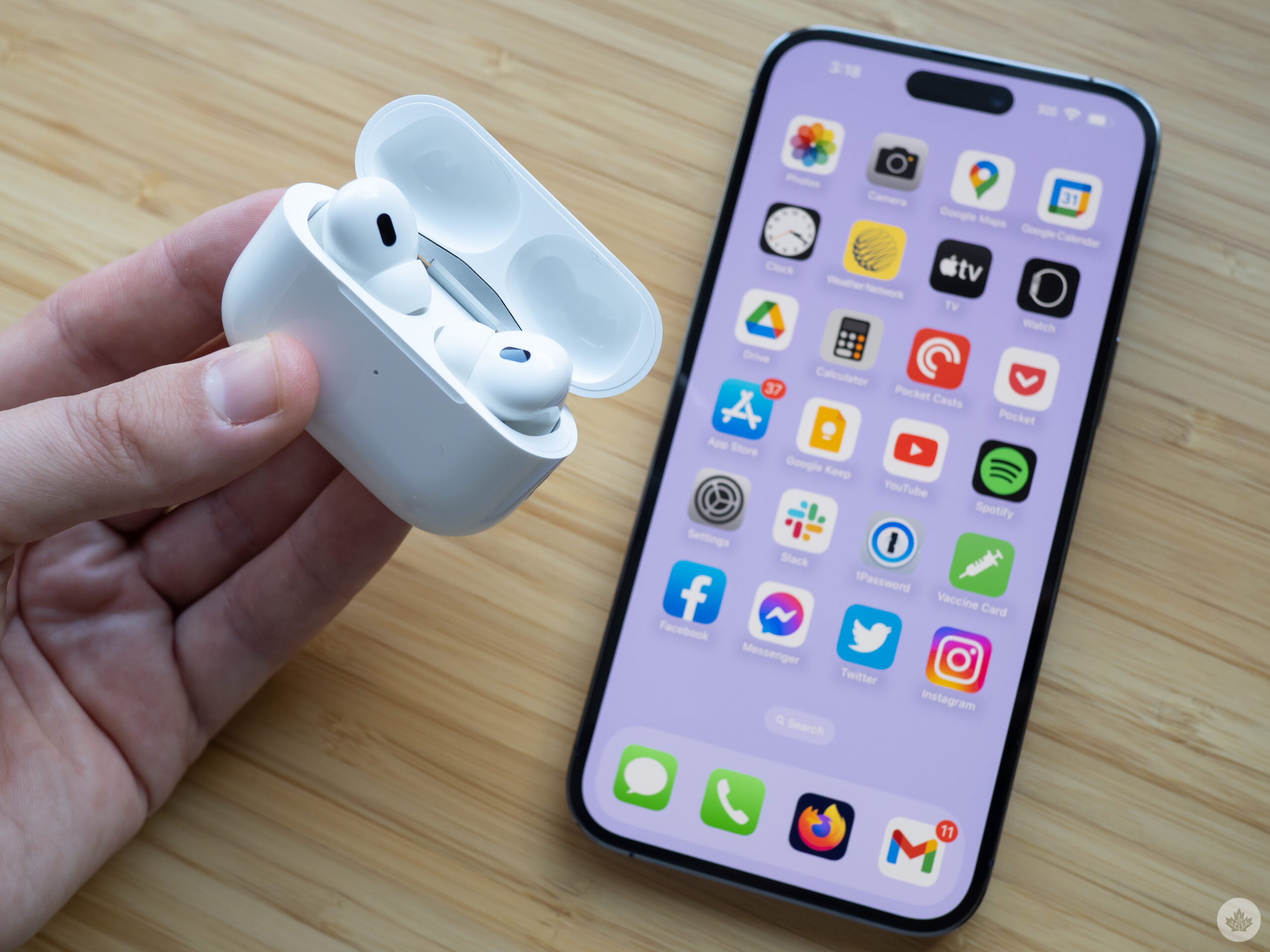
The AirPods Pro (2nd-Gen)’s battery life has also been increased to hit roughly six hours, which is a reasonable increase from the three to four hours (sometimes even less) I typically got with the 1st-Gen version. At this point, six hours is pretty standard for wireless earbuds with noise cancellation, so this upgrade is expected and not very impressive, though still welcome. Talk time comes in at 4.5 hours, and you can get up to 30 hours of charging from the case. I long for a world where Apple’s AirPods feature all-day battery life, but it’s unclear when that reality will arrive, if ever.
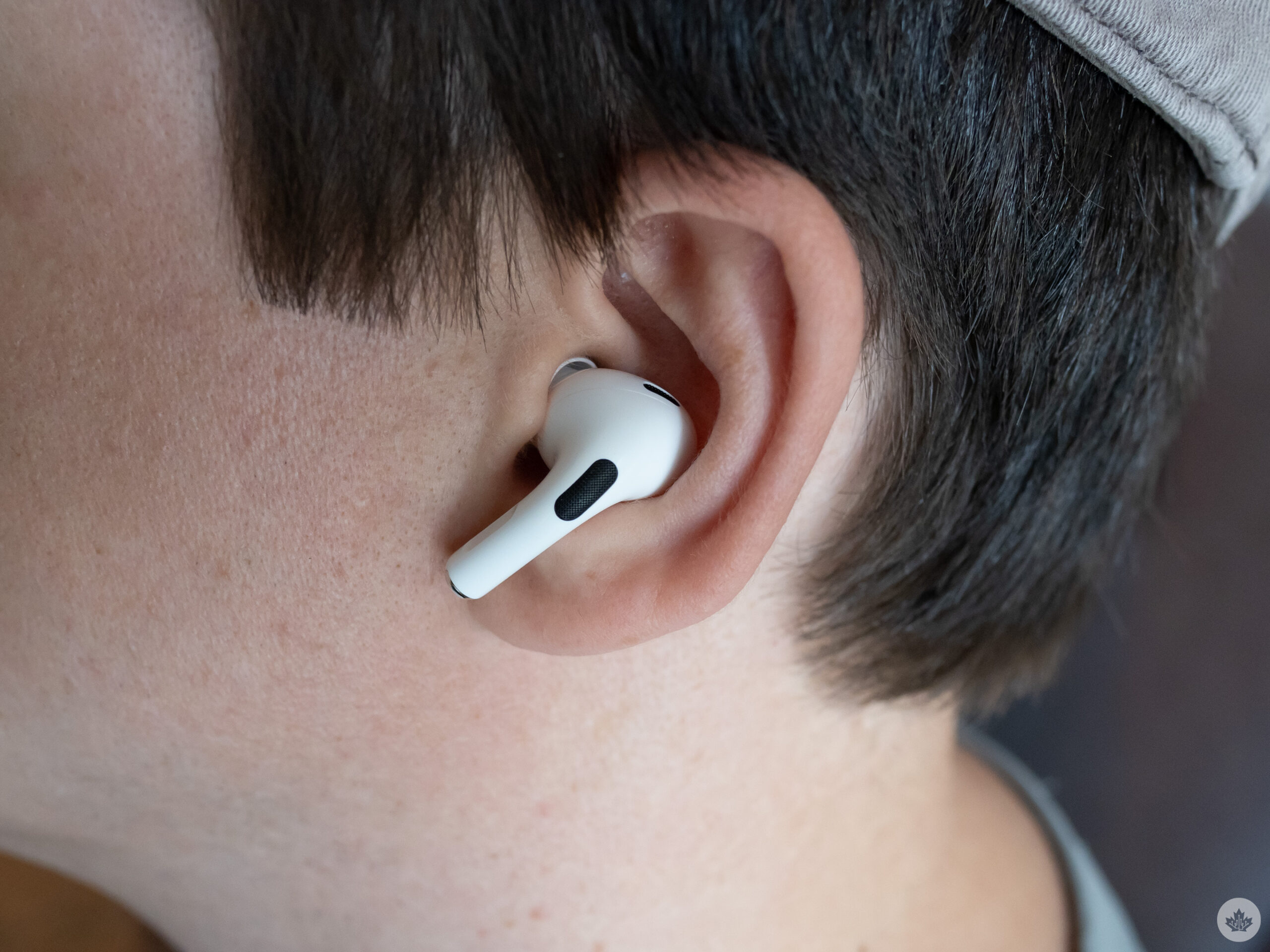
Finally, Apple has also added a fourth ‘Extra-small’ ear tip alongside the ‘Small,’ ‘Medium’ and ‘Large’ tips. As someone who often finds wireless earbuds uncomfortable, this is a welcome move on Apple’s part, though I stuck with the ‘Small’ tips. Speaking of comfort, since the AirPods Pro (2nd-Gen) feature the same exact in-ear design as their predecessor, if you didn’t find the 1st-Gen AirPods Pro comfortable, that won’t change with the refreshed buds.
That said, next to my beloved Samsung Galaxy Buds Live — which remains the most comfortable wireless earbuds I’ve ever used — Apple’s AirPods Pro (2nd-Gen) are some of the most comfortable wireless earbuds out there.
You can also now engrave an emoji on the front of the AirPods Pro (2nd-Gen)’s case, because of course you can. It’s a subtle, albeit silly addition that lets you add a bit of personality to the wireless earbuds.
One aspect I haven’t mentioned yet is durability. Since the release of the original AirPods Pro back in 2019, I’ve gone through two pairs of the buds that were replaced under warranty. In both cases, the right AirPod Pro started making a strange buzzing noise when noise cancellation was turned on.
Sometimes I was able to get rid of the crackle by cleaning the AirPods Pro, but eventually, it just wouldn’t go away. So far, I haven’t encountered this problem with Apple’s new AirPods Pro, so I’m hoping it’s been solved on a hardware level since it remains a widespread issue with the original version of the wireless earbuds and even forced Apple to launch a replacement program. This review will be updated if I encounter this problem or if it becomes common with the 2nd-Gen AirPods Pro.


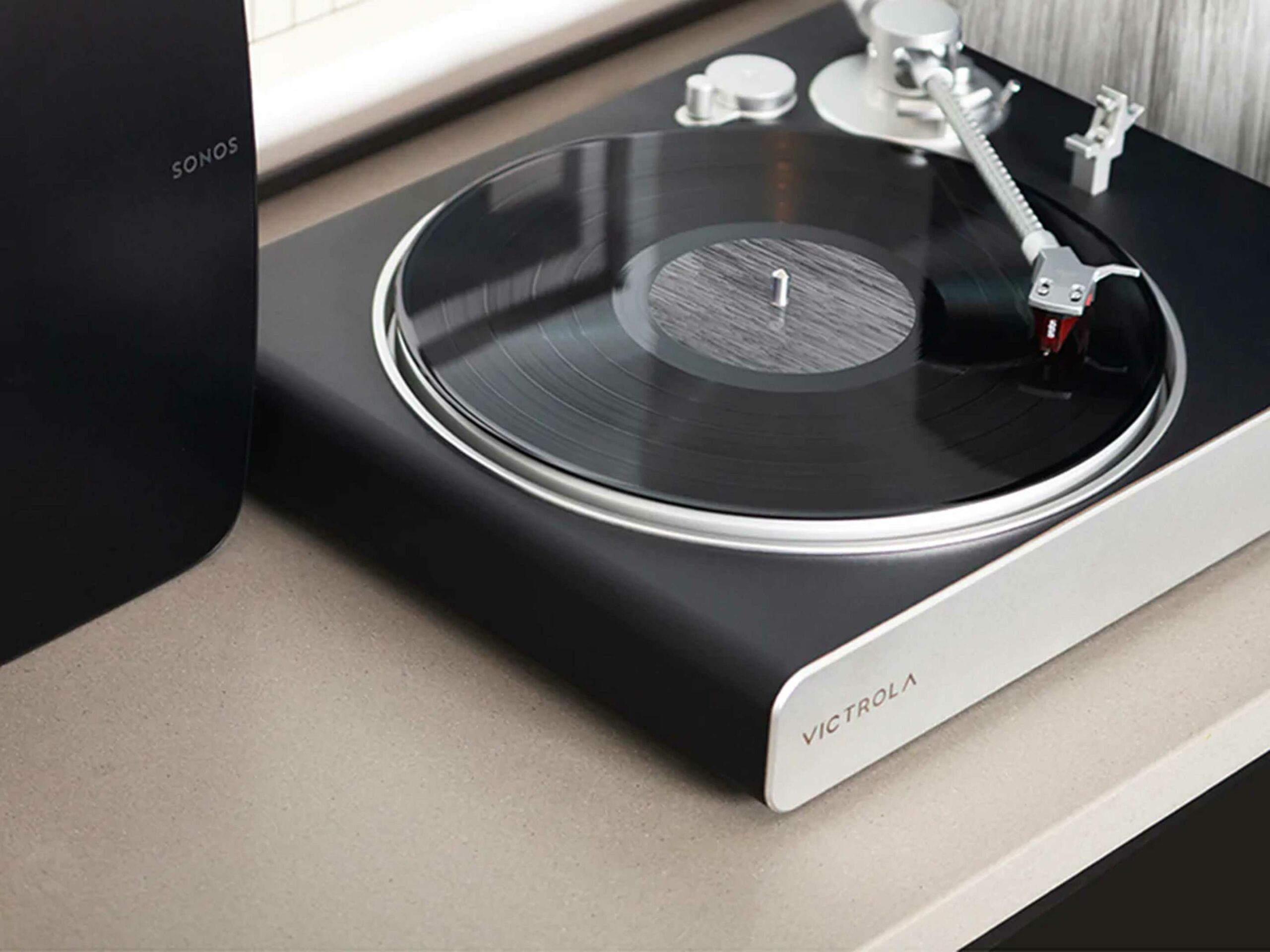 The Victrola features standard RCA jacks on the rear, so you can use it with a normal amp/receiver/speaker combo, and notably, it offers a cool illuminated volume knob on the front that controls the sound levels of your entire Sonos system once it’s connected. This is a rare feature since most Sonos speakers come with touch-sensitive buttons that are not nearly as satisfying to touch as a solid knob is to turn.