Categories
Mobile Syrup

Disney wants the Canadian Government to amend the Broadcasting Act to redefine ‘Canadian’ content

Disney has approached the Canadian federal government in a bid to amend the current Broadcasting Act.

This past week, David Fares, vice-president of global public policy at the Walt Disney, came forward to the senate in hopes of changing what “Canadian” content is defined as.

Fares argues that Disney productions such as the recent Turning Red should fall under the current Canadian content qualifications. The animated film from Pixar tells the story of a Chinese-Canadian teen growing up in Toronto. The film also stars Ottawa’s Sandra Oh. Additionally, National Geographic’s Barkskins was filmed in Quebec. Washington Black, a TV adaptation of Canadian author Esi Edugyan’s work was also produced. However, none of the production qualify as Disney is an American company.

The current Broadcasting Act has strict guidelines that dictate what is defined as “Canadian” made content. The Online Streaming Act (Bill C-11) aims to give companies producing and promoting Canadian content to certain standards financial incentives, tax breaks and other perks. Fares hopes that Bill C-11 could update the Canadian broadcasting laws. This could see Canadian Radio-television Telecommunications Commission (CRTC) regulatory authority over companies and streaming platforms like Disney, Netflix, etc.

During last week’s hearing, Fares claimed that Disney has a “special relationship with Canada.” He says that the company has spent and invested about $3 billion in Canada. Over the past few years, Disney has invested in the country,  on 18 TV series. “We hope to invest further in Canada, and a flexible regulatory regime will allow us to maximize those future investments,” Fares adds.

Heritage Minister Pablo Rodriguez confirms he will ask the CRTC to amend the definition of Canadian content.

Although the wheels are seemingly in motion, there may be pushback. The CEO of the Canadian Media Producers’ Association Reynolds Mastin has said “people sometimes forget that Canadian content rules exist to determine access to financial incentives from the federal government.”

Recently, Spotify made a similar appeal. Representatives from the company argued for similar flexibility in how a Canadian song should fall under Bill C-11. Due to the guidelines, even a song made by a Canadian artist such as Justin Bieber or Drake may not count as “Canadian.”

Image credit: Disney

Source: The Globe and Mail

Categories
Mobile Syrup

Apple exec says repeated iOS 16 copy and paste prompts are a glitch

If you’ve recently upgraded to iOS 16 and started encountering repeated prompts to allow pasting in certain apps, you aren’t alone.

The problem is relatively widespread, and Apple SVP Craig Federighi recently stated that the company will “get to the bottom” of the issue in an email to a MacRumors reader.

The issue seems to occur more frequently when you select the paste action from iOS 16’s clipboard menu, though it doesn’t matter how many times you grant permission, the notification continues to appear within certain apps. In the email, Federighi says that Apple hasn’t internally experienced the problem but that the company is looking into a solution.

For what it’s worth, I’ve been using the public version of iOS 16 on the iPhone 14 Pro for the last few days, and I haven’t run into this issue.

No timeline has been revealed regarding when an update will be released, but it likely won’t be very long given how quickly Apple typically responds to problems like this.

Source: MacRumors

Categories
Mobile Syrup

British network Channel 5 airs The Emoji Movie over Queen Elizabeth II’s funeral

Following the passing of Queen Elizabeth II, a state funeral is being broadcast around the world. As many gather to pay respects to the longest-reigning monarch, broadcasters worldwide are airing coverage surroundingthe event. However, the British network Channel 5 has a different way of mourning.

Channel 5 is instead airing The Emoji Movie.

As September 19th is now a day for those in the United Kingdom to reflect and mourn the loss of Queen Elizabeth, broadcasters are not only airing the funeral receptions conducted by the Dean of Westminster. The venue of the funeral took place at Westminster Abbey hundreds of thousands gathered.

As this is one of the largest broadcasting events in recent history, several channels are exclusively covering the queen’s funeral. Channel 5, however, is instead focusing on providing viewable content for children. Included in the day’s roster of films is The Emoji Movie. The stars are the likes of T.J. Miller, James Corden, and Patrick Stewart, the latter plays Poop, the poop emoji.

Speaking of steaming piles, The Emoji Movie has been critically panned since its release in 2017. The film currently sits at six percent on Rotten Tomatoes. At the 2018 Razzie Awards, The Emoji Movie won ‘Worst Picture of the Year.’

Channel 5’s intentions were in the right place. Its child-friendly lineup of films includes Stuart Little, Ice Age: Dawn of the Dinosaurs, and Sing. However, it doesn’t take away how funny it is to see The Emoji Movie being aired as an alternative to the queen’s funeral. Many British viewers joined in jest to share pictures of Channel 5’s broadcasting choices.

Coverage of Queen Elizabeth II’s funeral began at 6am ET/3am PT.

Image credit: Sony Pictures Animation

Source: The EW

Categories
Mobile Syrup

Upcoming PS5 redesign could feature detachable disc drive

An upcoming PlayStation 5 revision could feature a removable disc drive that connects to the console through USB-C, according to a new report from Insider Gaming.

The report suggests that this refreshed version of the PS5 will launch in September 2024. Sony currently sells two versions of the PS5, including one that features a built-in disc drive ($649) and a cheaper Digital Edition ($519) that doesn’t offer a disc drive.

Though it’s still unclear, it seems like Sony aims to get rid of the disc/disc-less version of the PS5 and plans to sell one version of the console that you can upgrade with an external disc drive.

Given Sony recently increased the PS5’s price in Canada due to inflation in a move that SIE CEO Jim Ryan called a “necessity,” this could be new for Canadian gamers hoping to buy the console at a slightly cheaper cost.

Insider Gaming says that this new version of the PS5 will “completely replace” the current design of the console but that its internal hardware will remain the same. It’s unclear how much Sony intends to charge for this new version of the PS5 or its disc drive accessory.

Though it doesn’t feature the same underlying technology powering it, this rumour reminds me a lot of the ill-fated Xbox 360 HD DVD player that Microsoft released in 2006 and then abruptly cancelled in 2008 when Blu-Ray won the physical format war. While physical discs are still crucial in the gaming space, I’ve shifted nearly all of my gaming to digital. For example, I don’t own a single physical title for the PlayStation 5 or Xbox Series x and don’t plan to change that soon.

For more on Sony’s PlayStation 5, check out our review of the console.

Source: Insider Gaming Via: The Verge

Categories
Mobile Syrup

Google Nest Wifi Pro pricing and colour options leak ahead of official reveal

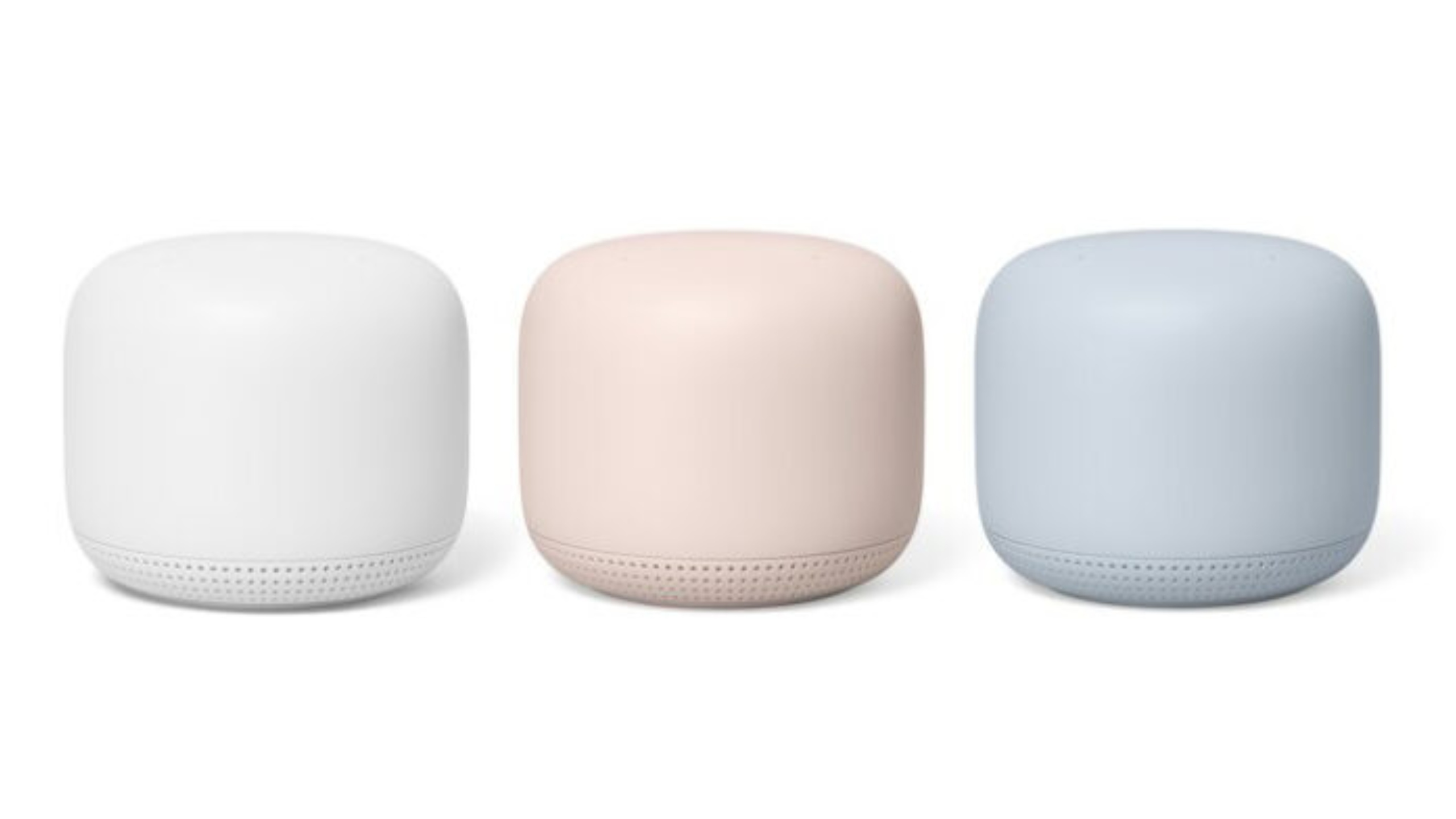
Google is planning to host its big annual hardware keynote on October 6th. It’s here that many assume the company will unveil its rumoured Nest Wifi Pro router. However, ahead of the event, new listings show the device’s pricing and colour variants that look to be available at launch.

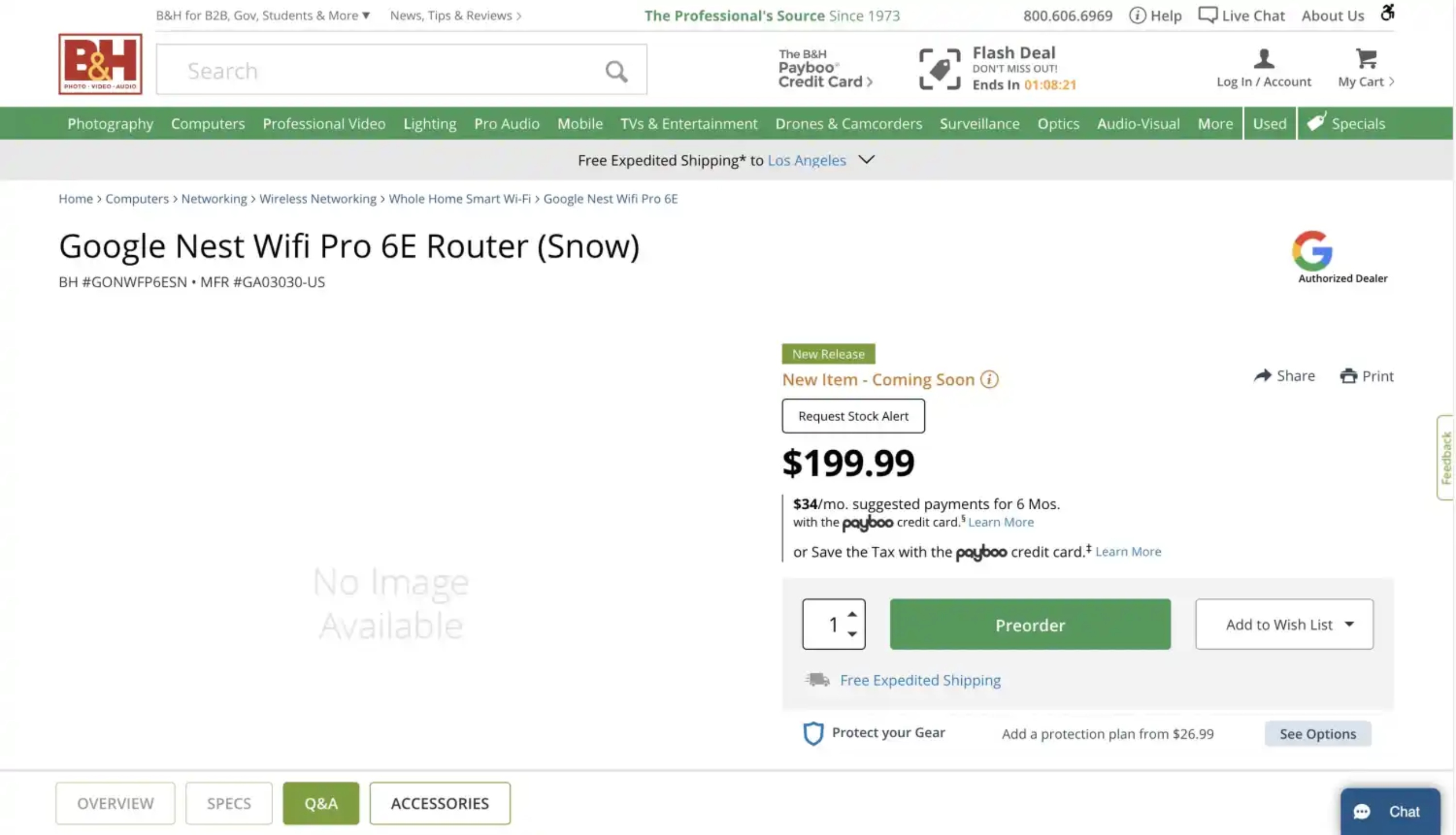
Following a leaked FCC listing, B&H posted listings for a product name “Google Nest Wifi Pro 6E Router.” Given the name, it’s likely Google will retain the Nest Wifi Pro name. The name also suggests what the FFC listing itself notes, Wi-Fi 6E support. If correct, the Google Nest Wifi Pro will support the latest connectivity standard and upwards of 9.6Gbps speeds.

The B&H listing shows a pricing breakdown of a single Nest Wifi Pro unit as costing $199 USD (roughly $264 CAD.) Google also appears to be providing a 2-pack for $299.99 USD (about $397 CAD) and 3-pack for $399.99 USD ($531 CAD.)

Four colour options are suggested to be available at launch as well. According to the listings, Google will be offering the Nest Wifi Pro in ‘Snow’ (white), ‘Fog’ (blue), ‘Linen’ (brown), and ‘Lemongrass’ (yellow). The colours appear to line up with Pixel Buds Pro, Nest Doorbell and likely the Pixel 7 series.

Beyond pricing and colour options, the B&H listing doesn’t include official specs or product descriptions. The listing also doesn’t even show the product itself. Therefore, we may have to wait until Google’s event on October 6th to see it in full.

Google’s October event is expected to feature the official reveal of the Pixel 7, Pixel 7 Pro, and Google Watch.

Image credit: Google

Source: B&H via The Verge

Categories
Mobile Syrup

Welcome to Wrexham, starring Ryan Reynolds, hitting Disney+ in Canada on October 13th

FX’s Welcome to Wrexham is finally making its way to Canada via Disney+ next month. The sports documentary series sees Canadian Ryan Reynolds reviving the third-oldest professional association football team in the world alongside Rob McElhenney.

Starting on October 13th, episodes of Welcome to Wrexham will land on Disney+ on a weekly basis. The first season of the docu-series has 12 episodes, each spanning roughly 30 minutes.

In September 2020, Reynolds and McElhenney announced their intention to purchase Wrexham AFC. The announcement came following the non-league football team found itself in a slump. As the COVID-19 pandemic hit, Wrexham AFC furloughed staff and players. Reynold and McElhenney through their hats into the ring and offered a £2 million (roughly $3 million CAD) takeover from owners Wrexham Supporter’s Trust. The offer was ultimately accepted.

The duo aims to highlight the changes and improvements brought to the team. With no prior experience managing a sports team, Reynolds and McElhenney showcase their “hands-on ownership.” Things have seemingly been boding well for the team and its new owners. Wrexham AFC was even added to FIFA 22 following the purchase.

Reynolds and McElhenney serve as executive producers of Welcome to Wrexham. Maximum Effort, Reynolds’ film company is co-producing the series and handling marketing.

FX has commissioned two seasons of the series. However, there is currently no word on when to expect the follow-up season to begin streaming.

A Disney+ subscription costs $11.99/month or $119.99/year.

Image credit: FX

Source: @DisneyPlusCA

Categories
Mobile Syrup

Entire iPhone 15 series could feature ‘Dynamic Island’ display cut-out

One of the iPhone 14 Pro and iPhone 14 Pro Max’s defining features is the new ‘Dynamic Island’ display cut-out. The iPhone 14, on the other hand, still features the now-familiar screen notch, but according to a new report, that could change with Apple’s inevitable iPhone 15 series.

In a recent tweet, display analyst Ross Young (via MacRumors) said he expects the Dynamic Island to be featured in all of Apple’s 2023 iPhones but that the ‘Pro’ series’ 120Hz ProMotion display will remake exclusive to Apple’s higher-end devices.

However, Young goes on to say that Apple’s base-level iPhone could get a ProMotion display in 2024.

While the Dynamic Island is compelling, few third-party apps currently take advantage of it. That said, we are already starting to see developers utilize the cut-out in unique ways, and Apple’s upcoming iOS 16.1 ‘Live Activities’ API should also encourage third-party app developers to take advantage of the cut-out.

For more on the Dynamic Island, check out my review of the iPhone 14 Pro.

Source: @DSCCRoss Via: MacRumors

Categories
Mobile Syrup

iOS 16.1 beta includes Reachability support for iPhone 14 Pro’s Dynamic Island

Now that people are starting to get their hands on the iPhone 14 Pro and iPhone 14 Pro Max, many are discovering the ins and outs of the ‘Dynamic Island.’ While the cut-out offers novel integrations for first-party support, the Dynamic Island lacks integral Reachability support in its current state.

However, iOS 16.1’s beta proves could change that.

In iOS 16, the Dynamic Island’s current position doesn’t change when the top half of the screen is lowered while using the Reachability feature. However, it’s been discovered by @thetech-up on Twitter that the Dynamic Island’s position changes when using Reachability in the iOS 16.1 beta.

Of course, when the Dynamic Island does move, the reduced camera notch remains intact on the top of the screen. However, all of the activity the Dynamic Island offers is shifted to the bottom half of the screen. This makes tap and hold functionality accessible.

Apple started integrating Reachability as its displays became larger in size. The Reachability option enables users to be able to lower the top half of the screen to the bottom. It’s become a key accessibility feature for those who are unable to access all that a 6.1-inch display offers.

To enable Apple’s Reachability feature, users need to navigate to the ‘Settings’ app and to the ‘Accessibility’ menu. Following that, you need to activate the ‘Reachability’ option. Once active, users can simply swipe down on the bottom edge of the screen to lower the top half. This is applicable to all iPhones with Face ID. For those devices with a Home button, users can lightly double-tap the Home button.

It’s not known why the Dynamic Island doesn’t support Reachability in the current iOS 16 build. That said, it’s great to see Apple quickly addressing the issue.

Image credit: Apple

Source: @thetech_up Via: 9to5Mac

Categories
Mobile Syrup

Should you buy AppleCare+?

To buy or not to buy AppleCare+ is an age-old debate among those buying Apple tech.

On the one hand, AppleCare+ offers many significant benefits beyond the limited manufacturer warranty. While on the other, if you never buy AppleCare+ and never break a device, you may save yourself hundreds or thousands of dollars. Many people feel their credit card’s mobile device coverage or cellphone provider’s warranty is sufficient to protect their device.

While AppleCare+ may seem similar to these other warranties, typically, AppleCare+ offers better value. Some carriers like Telus resell AppleCare+ on Apple’s behalf. Yet, sales reps usually earn fairly substantial commissions for selling the carrier’s extended warranty over AppleCare+.

At its core, AppleCare+ is an extended warranty subscription service offered by Apple. The service has many passionate subscribers and equally many skeptics. However, I’m willing to bet there are a few AppleCare+ benefits you may not be aware of.

Extended Limited Manufacturer Coverage

All Apple devices come with a one-year limited manufacturer’s warranty that covers non-accidental defects. For example, these could be issues like Face ID stopping to work or your battery failing to keep above 80 percent battery health. I’ve heard people say silly things like, “if someone is going to go wrong, it’ll happen within the first year.” Correct me if I’m wrong, but I’ve never seen any data showing this. In fact, I’ve often experienced the opposite, where issues may occur as the device ages, especially with the battery.

AppleCare+ extends to include coverage for limited manufacturer defects. When issues present themselves after the first year of ownership, Apple will still cover these issues at no additional cost when subscribed to AppleCare+. This can save you crazy amounts of money when looking at nearly one thousand dollars due to a Face ID failure or around one hundred dollars for a battery replacement.

24/7 Priority Access to Apple Support

Image credit: Apple

Every new Apple device purchase comes with 90 days of complimentary hardware technical support over the phone. This support is meant to provide basic setup guidance for new device owners. AppleCare+ extends that 90-day benefit to 24 hours per day, seven days a week, for as long as you’re subscribed to AppleCare+. Additionally, AppleCare+ subscribers are pushed to the front of Apple’s support queues frequently, leading to call wait times of under two minutes.

Many of us reading MobileSyrup may be technical enough to not need 24/7 priority access to Apple Support. Yet, consider how valuable access would be for that friend or relative that isn’t as technical as you. They can call up 1-800-MY-APPLE anytime they have questions and get support from Apple experts.

Accidental Damage Coverage

Image credit: Apple

Accidental damage coverage is likely the most commonly known benefit of AppleCare+. Shortly after Apple’s September event wrapped up, the company announced that it would provide unlimited accidental repairs to AppleCare+ subscribers. This is a substantial jump from the previous two claims per twelve-month period limit.

Accidental damage coverage substantially reduces the cost of repairs or replacements due to things like cracked glass or liquid damage. Unlike a limited manufacturer defect, you pay a small deductible for accidental damage. However, this fee is substantially less than if you didn’t have AppleCare+.

For example, suppose you shatter your 5th generation 12.9-inch iPad Pro display. In that case, it would cost you $909 plus taxes out of warranty. Yet, with AppleCare+, only $49 plus tax. An aluminum Apple Watch Series 8 with a cracked display would cost $349 out of warranty but only $69 with AppleCare+. Lastly, the cracked back glass of an iPhone 14 Pro costs $649 out of warranty but will only set you back $39 with AppleCare+.

Express Replacement

Image credit: Apple

Express Replacement is a service offered exclusively to AppleCare+ subscribers, where Apple will deliver a replacement device to you within two business days. If you require a replacement device, call Apple Support and request an express replacement. Apple will place a hold on your credit card for the amount of the replacement device and priority ship you a replacement unit.

This system is excellent because you can still keep using your current device for the two business days it takes for your replacement device to arrive. Once you receive your replacement unit, simply set it up, erase your old device, and place the defective unit in the box with the pre-paid postage label. You can schedule a pickup with the shipping carrier or drop it off at one of their stores. Upon Apple receiving the defective unit, they will remove the hold off your credit card.

While going into an Apple Store for technical support is second nature for most. There are many reasons someone may prefer having a replacement mailed to their home. Perhaps you don’t require the technical expertise of an Apple Genius or don’t enjoy going into physical stores. Both are true in my case. Maybe you need a replacement for a device that Apple doesn’t keep readily available in their stores, such as Apple Watches or Beats headphones. Express Replacement can solve all of those issues.

Assume you have an Apple Watch with a cracked display or a pair of beats that stopped working and opted to go into your local Apple Store instead of using Express Replacement. The Apple Store will have to mail off the unit, which takes 3-5 business days. A separate technician has to evaluate the issue. Assuming they deem the problem accurate, they mail back a replacement unit taking another 3-5 business days. This process may leave you without a device for up to two weeks and requires at least two trips to your nearest Apple Store.

When trying to keep your Apple Watch activity streak going, having your replacement device priority mailed to you within two business days is pretty handy. Even if the Apple Store usually keeps a part in store but happens to be out of replacement units, such as for a higher-end iPad, express replacement is once again a better solution. The Apple Store would have to order the replacement unit, taking 3-5 business days to arrive, and then you’d still have to go back to the store to pick it up. Meanwhile, an express replacement will get you your replacement unit straight to your home in two business days.

Express Replacement is available on all Apple devices (iPad, iPhone, Apple Watch, Apple TV, AirPods, HomePods, and Beats) except for Macs and Apple Displays (Studio Display and Pro Display XDR).

Accessory Coverage
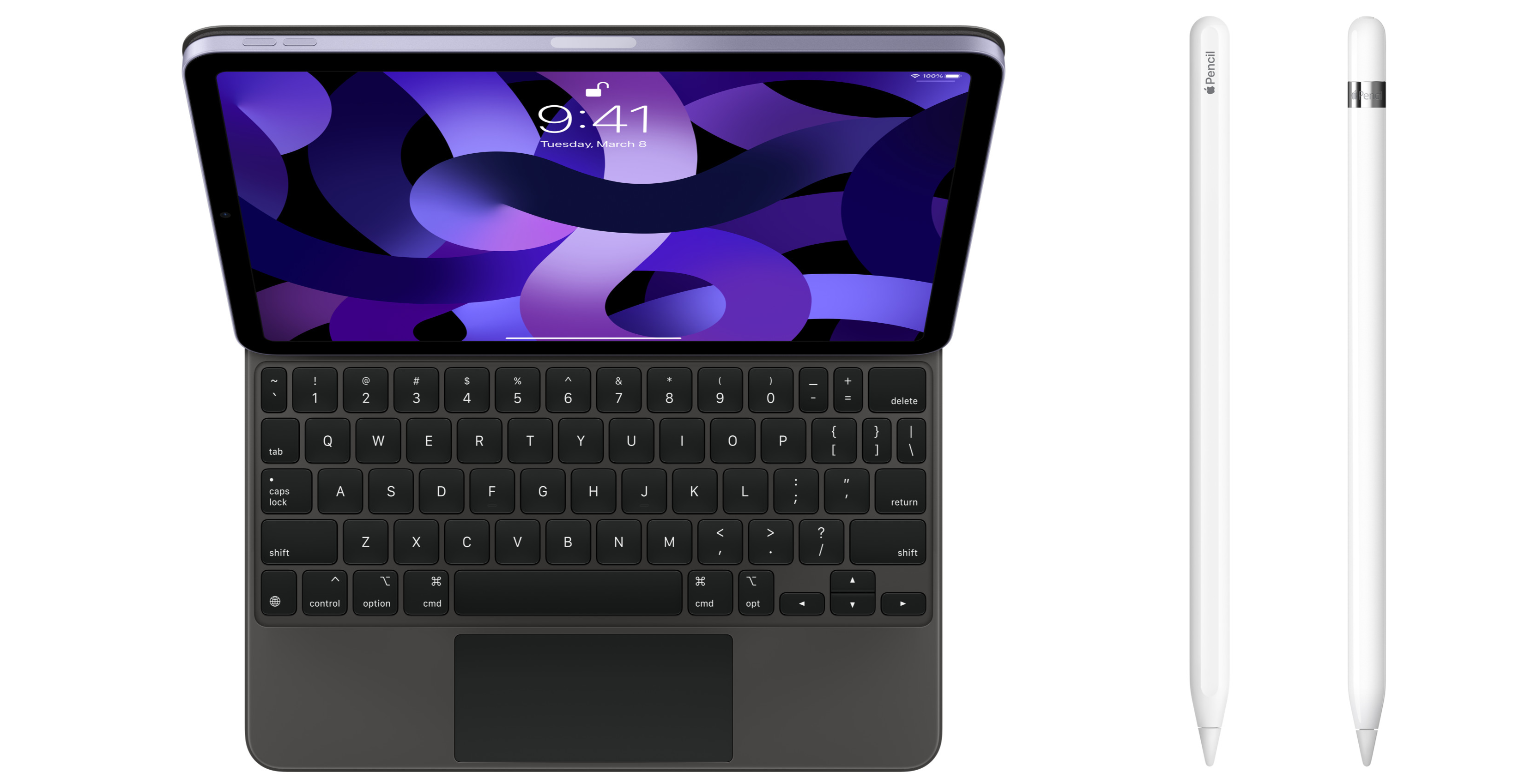
Image credit: Apple

Often forgotten about is how AppleCare+ also covers some accessories. Of course, the charging cables and bricks that come with your devices are covered for non-accidental damage issues for the duration of your AppleCare+ subscription. Mac AppleCare+ will cover the Apple USB SuperDrive and the Apple Magic Mouse, TrackPad and Keyboard when purchased with an iMac. iPad AppleCare+ extends to cover Apple Pencils and Apple Keyboards. Additionally, iPad AppleCare+ also includes a $39 accidental replacement option for its companion accessories.

Pricing & Availability
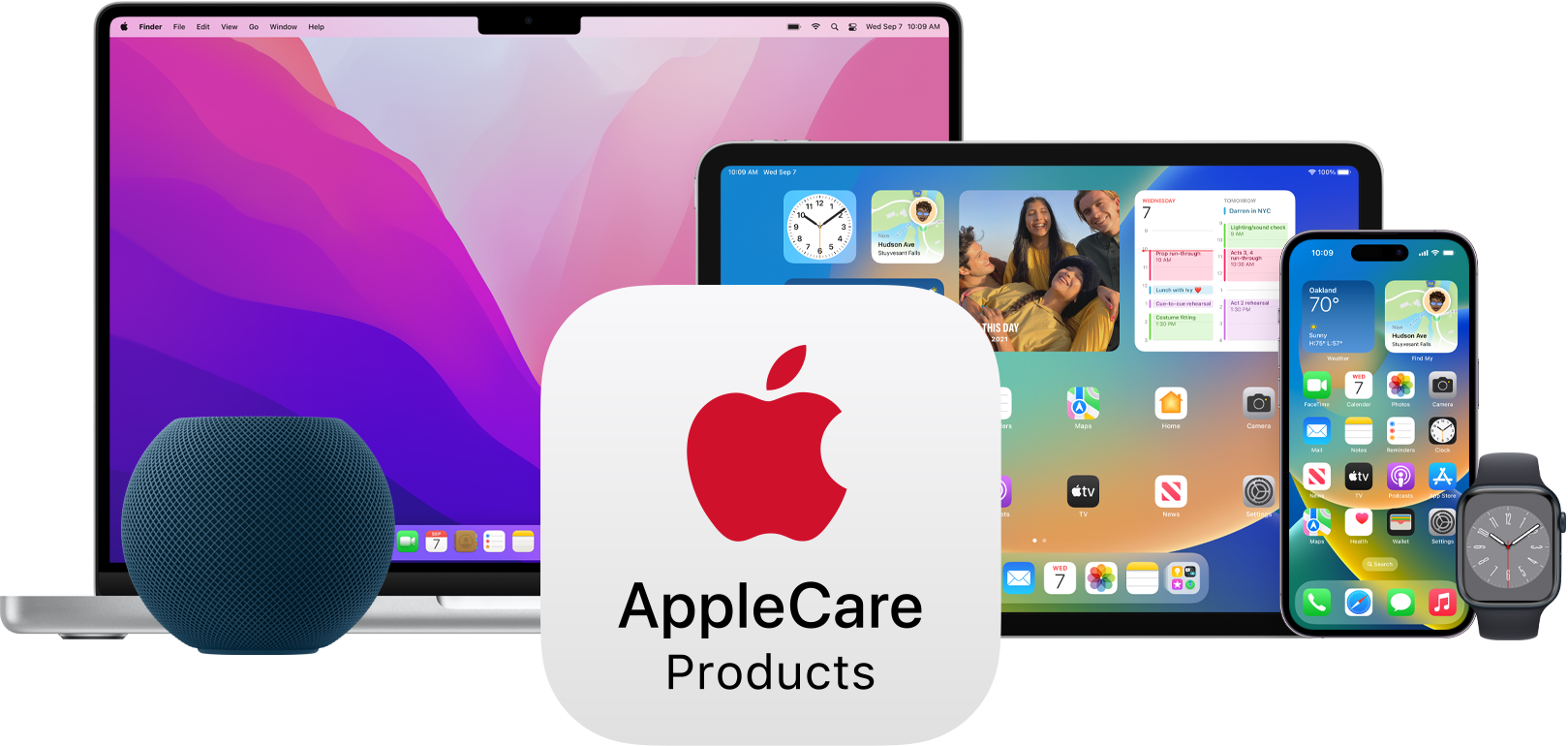
Image credit: Apple

Purchasing AppleCare+ varies a tad between devices here’s a full breakdown of your buying options below when purchasing from Apple:

  • Mac: Either annually or on a three-year fixed-term, pricing varies by model
    iPad: Either monthly or on a two-year fixed-term, pricing varies by model
  • iPhone: Either monthly or on a two-year fixed-term, pricing varies by model
  • Apple Watch: Either monthly or a two-year fixed-term (three-years with Apple Watch Hermes), pricing varies by model
  • Apple TV: $29 for a three-year fixed-term plan (no option for extension)
  • HomePod mini: $19 for a two-year fixed-term plan (no option for extension)
  • AirPods/Beats: $39 ($79 for AirPods Max) for a two-year fixed-term plan (no option for extension)

Purchasing AppleCare+ on a fixed term does save you a little money. For example, an iPhone 14 Pro is $12.49 per month or $249 per year. Saving you about $50 if you keep the monthly plan for two years. Additionally, once your pre-paid AppleCare+ plan expires, you can optionally renew it on the monthly or annual options to ensure you still have coverage.

Monthly and annual plan subscriptions can be cancelled anytime and will continue to auto-renew until then. This effectively gives you coverage until Apple stops service for the device.

Note that AppleCare+ loss and theft is not currently available in Canada.

Refunds

When purchasing AppleCare+ on a fixed-term plan, Apple offers a pro-rated return policy if you’d like to cancel your plan early. Apple will refund you the percentage of unexpired AppleCare+ coverage minus any value of services received. You can request a partial refund by calling 1-800-MY-APPLE.

With monthly, annual, and fixed-term AppleCare+ subscriptions Apple will provide a full refund within 30 days of purchase. After 30-days monthly and annual plans can be cancelled, but you will receive the full coverage until their expiry date.

Categories
Mobile Syrup

5G’s future in Canada [SyrupCast 265]

On this week’s SyrupCastPatrick O’Rourke, Brad Bennett and Jon Lamont take a look at the future of 3,500Mhz 5G in Canada and what the technology means for Canadians.

Real 5G is finally making its way to Canada.

This episode is part of a sponsored two-episode series focused on 5G.

Subscribe on Spotify

Subscribe on Apple Podcasts

Direct download link

This article is part of our The Future with 5G Series. A full-length documentary on 5G airs on BBC Earth Canada and MobileSyrup on August 26th. For more 5G content, check out our new hub focused on the next-generation technology.

This podcast is sponsored by Bell. MobileSyrup publishes sponsored content. These partnerships do not influence our editorial content.