Categories
Mobile Syrup

Develop Nova Scotia to bring high-speed internet to 400 homes through new deals with Eastlink and Bell

Develop Nova Scotia has signed contracts with Eastlink and Bell to bring high-speed internet to 400 homes and businesses in the province.

Eastlink will provide access to 66 homes and businesses in Annapolis Valley. The company is also working with Develop Nova Scotia to reach other areas in the province. Develop Nova Scotia says Eastlink will complete the project between November 2022 and January 2023.

Bell will bring the service to 333 homes and businesses in smaller areas and complete the project by December 2023.

Develop Nova Scotia, a provincial crown corporation, is working to bring high-speed internet projects across the province. It has already provided new or upgraded internet access to 60,000 locations.

“Together with our internet service provider partners, we are working hard to ensure projects underway are delivered on time and to identify solutions for the remaining homes and businesses,” Jennifer Angel, President and CEO of Develop Nova Scotia. “Thanks to this announcement with Bell and Eastlink, we are one step closer to our goal.”

Image credit: Shutterstock

Source: Develop Nova Scotia 

Categories
Mobile Syrup

Samsung rumoured to ditch ‘Classic’ brand for new Watch 5 ‘Pro’ models

Samsung will reportedly ditch its ‘Classic’ design for the still-unannounced Galaxy Watch 5.

In the years past, the South Korean company has released Classic and standard models of its Galaxy Watches, but it looks like this year there will be a Galaxy Watch 5 and Galaxy Watch 5 Pro, according to SamMobile.

At this moment it’s unclear if the Pro model will continue to sport the beloved physical rotating bezel. According to the leak, the Galaxy Watch 5 might come in two sizes, while the Galaxy Watch 5 Pro could be limited to just one size.

A previous leak indicated that the Watch 5 Pro would sport a huge 572mAh battery, which should help solve previous battery complaints. In my review of the Watch 4 Classic, I noted that I could barely get 24 hours out of the battery.

Additionally, the Watch 5 Pro is expected to sport a circular OLED display, GPS, accelerometer, gyro sensor, heart rate sensor, and a body composition sensor like the previous device.

SamMobile will run a new version of One UI Watch on top of Wear OS 3.0.

Source: SamMobile

Categories
Mobile Syrup

Federal investment bringing high-speed internet to 625 Newfoundland and Labrador households

The Government of Canada is investing over a million dollars to fund high-speed internet access to hundreds of rural Newfoundland and Labrador homes.

The government has awarded Bell a $286,155 contract to bring high-speed internet to the communities of Northern Arm, Phillips Head and Point of Bay.

Ottawa awarded a second contract worth $793,275 to Burgeo Broadcasting System to benefit the communities of Codroy, Loch Lomond, Grey River, François, McDougalls, South Branch, St. Andrew’s, Tompkins, Upper Ferry, North Branch, Woodville, Searston, Shoal Point (Cape Anguille), Coal Brook, and The Block.

“Reliable, high-speed internet is integral to the quality of life of every Canadian. This will help to keep the communities connected and allow us to live where we get to enjoy what Newfoundland has to offer,” David MacDonald, Manager of Burgeo Broadcasting System, said.

The $1,079,430 in funding is coming through the Universal Broadband Fund (UBF). The federal program is designed to help pay for internet projects across the country and is part of the government’s initiative to connect 98% of Canadians to high-speed internet by 2026.

A map detailing all of the projects announced through UBF is available here.

Image credit: Shutterstock

Source: Innovation, Science and Economic Development Canada

Categories
Mobile Syrup

Canada’s 13AM Games on making a kaiju beat ’em up that lets you destroy Toronto

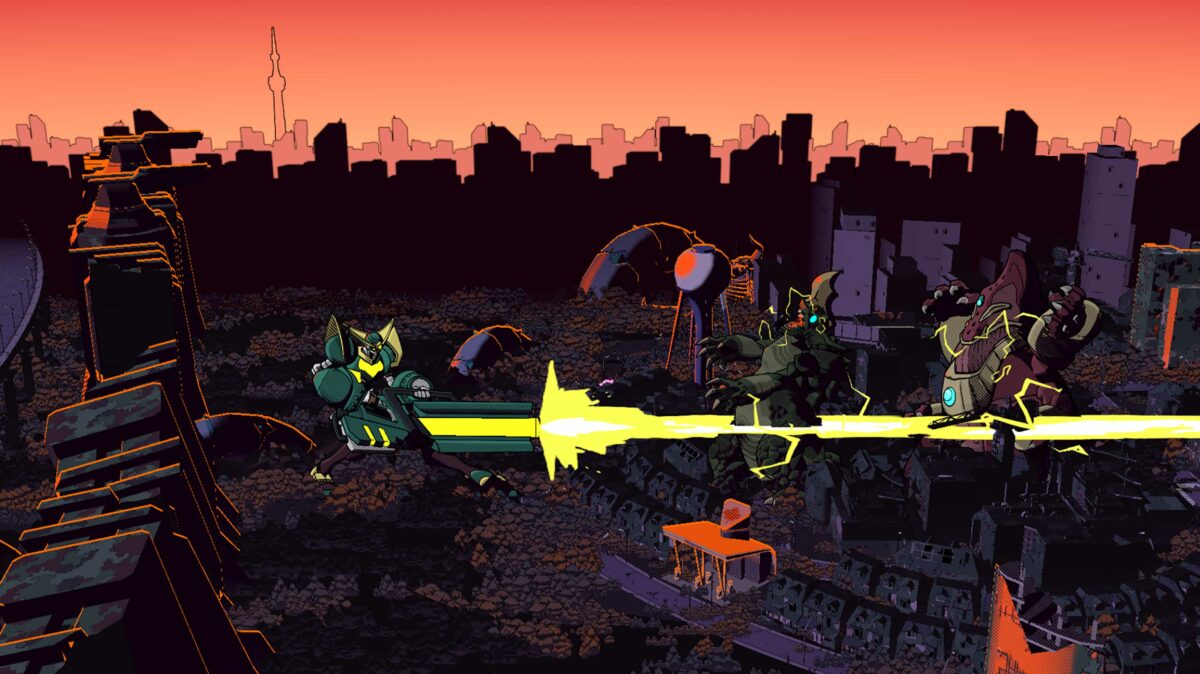
Last month, Toronto-based indie developer 13AM Games released Dawn of the Monsters, an action game in which players assume the role of various hulking behemoths to beat up other fearsome creatures.

For Alex Rushdy, it’s also something of a dream come true. As the co-founder, CEO and creative director of 13AM, Dawn of the Monsters is a chance to finally make a game based on kaiju, the Japanese genre of film and television featuring giant monsters.

“I’m a huge kaiju nerd, and I have been since I was a wee child,” Rushdy admits. He says this all started when his babysitter took him to Zellers when he was around five-years-old. Rushdy, an avid fan of dinosaurs, soon came across something that caught his eye.

“I saw a dinosaur that I couldn’t name. I had an encyclopedic knowledge of dinosaurs, and I was like ‘What is this dinosaur? Why don’t I know this dinosaur’s name?’ And my babysitter, Sharon, told me ‘that’s not a dinosaur, that’s Godzilla.’ Then my mind was just blown that there was a dinosaur that was that big and powerful that lived on Monster Island with other creatures. So she got me that toy and it still sits on my desk to remind me of that.”

Alex Rushdy 13AM Games

Alex Rushdy (Image credit: 13AM Games)

Fast forward a few decades — including early years with the Game Boy, SNES and Sega Genesis and, later, time in the film and video production space — and Rushdy eventually enrolled in a post-grad game design program at Toronto’s George Brown College.

“I always loved gaming, but I never really considered a career path because I don’t like math,” he explains. “I didn’t want to learn how to program — I’m more of a creative mind than a mathematical mind. And then I found out that you don’t need to be a programmer to work in video games — you can do design, you can do art, you can do all these other things.”

At George Brown, he met 13AM’s other co-founders, and the rest, as they say, is history. The team went on to make two games, 2015 platformer-racer Runbow and 2019 action-platformer Double Cross, as well as publish Tokyo-based Dadako’s Pirate Pop Plus in 2018. All told, it’s an impressive start for the small Toronto upstart, but there was one project during all of this that hadn’t gotten realized.

“We had come up with a prototype for a giant monster fighting game, years and years ago, and it never really went anywhere. We built a prototype, but we couldn’t really get it signed, so we put it on the back burner,” says Rushdy of the game that would eventually become Dawn of the Monsters. After Double Cross, the studio eventually revisited the concept with a fresh spin.

“We thought, ‘wouldn’t it be more interesting if it was a kaiju game mixed with a beat ’em up?’ Because that was like a chocolate-peanut butter combo that we thought, ‘why has no one made this? We could smash cities and other monsters with a friend of yours in co-op,’” he says. And when we started pitching that around, it was like almost instantly. People were excited about it because it was a really good fit.”

Ultimately, California-based WayForward, best known for the well-regarded Shantae series, signed on to publish.

Hitting close to home

With a publisher secured, Rushdy says the team quickly got to brainstorming all sorts of design ideas. One, however, stood out in particular. Kaiju stories are often set in Japan or, in the case of the recent Godzilla movies, various parts of America. But what if we got one in Canada?

Dawn of the Monsters Toronto

“Zillers” — now why does that sound familiar?

“Toronto so rarely plays itself in movies, because the big movies that get shot here are often are almost always foreign films, or almost always American films. And what they want is a cheap place to stand in for Philadelphia or New York City or Tokyo or whatever,” says Rushdy.

“And we were just like, ‘you know what? Let’s let Toronto be Toronto. We’re a Canadian studio, this is a Canadian game — we’re putting in Toronto, full stop, and that’s going to be the big city that you get started in, and that’s going to place you smash. I also personally would love to smash the Gardiner and all the high-rise condos in this city, so that allows me to do that. And the excitement that it got out of our team immediately was kind of what sealed it for us.”

Dawn of the Monsters‘ story, which focuses on the Defense Alliance Worldwide Network’s efforts to stop invading creatures known as the Nephilim, begins in “New Toronto,” one of the game’s four major locations. Within that setting, Rushy said the team had fun coming up with all kinds of Canadian easter eggs, ranging from iconography like the CN Tower and TTC to retailers like “Zillers” (Zellers) and “Tom Nortons” (Tim Hortons”) and even such groups as the now-defunct Concerned Children’s Advertisers. As a nice touch, the team also threw in easter eggs for fellow Toronto-made games, including DrinkBox’s Nobody Saves the World, Mighty Yell’s The Big Con and Capybara’s Grindstone.

“So we were just spitballing these ideas and laughing and we’re like ‘if we’re getting a kick out of this, other people will as well.’ and when we released our first trailer, we didn’t even really intentionally mention Toronto, but people caught it and they noticed and we were on BlogTO, we were on This Hour Has 22 Minutes,” Rushdy says. “People were mentioning, ‘oh, wow, there are so many little [easter eggs], like, oh, yeah, that looks like City Hall or there’s the CN Tower. There’s ‘Earnest Ted’s’ — we built Honest Ed’s in our game. People got a kick out of it and I love having that kind of connection to the audience where we actually build these games.”

From Toronto to Tokyo

Dawn of the Monsters combat

Of course, Dawn of the Monsters owes much to Japan, as well, and Rushdy says the team drew from a lot of the country’s media. In terms of gameplay, he says Platinum Games, the beloved Osaka-based Japanese developer behind action hits like Bayonetta, inspired 13AM’s approach to Dawn of the Monsters.

As Rushdy notes, the challenge was creating the massive scale that defines kaiju stories while retaining the speed and depth — combo systems and all — of a Platinum title.

“We tried to look at the whole thing very holistically, and we tried to look at other kaiju games and other action games. And we came to a decision pretty early on that any decision to make the game feel slow or lumbering or sluggish would be in service of trying to make it seem ‘realistic.’ And the truth is that anyone who likes monster movies doesn’t give a shit about realism because, I just want to see a big robot pick up an oil tanker and smack another monster in the face. Realism checked out as soon as the credits rolled, right?”

The design philosophy, then, boiled down to “fun, excitement, action,” explains Rushdy.

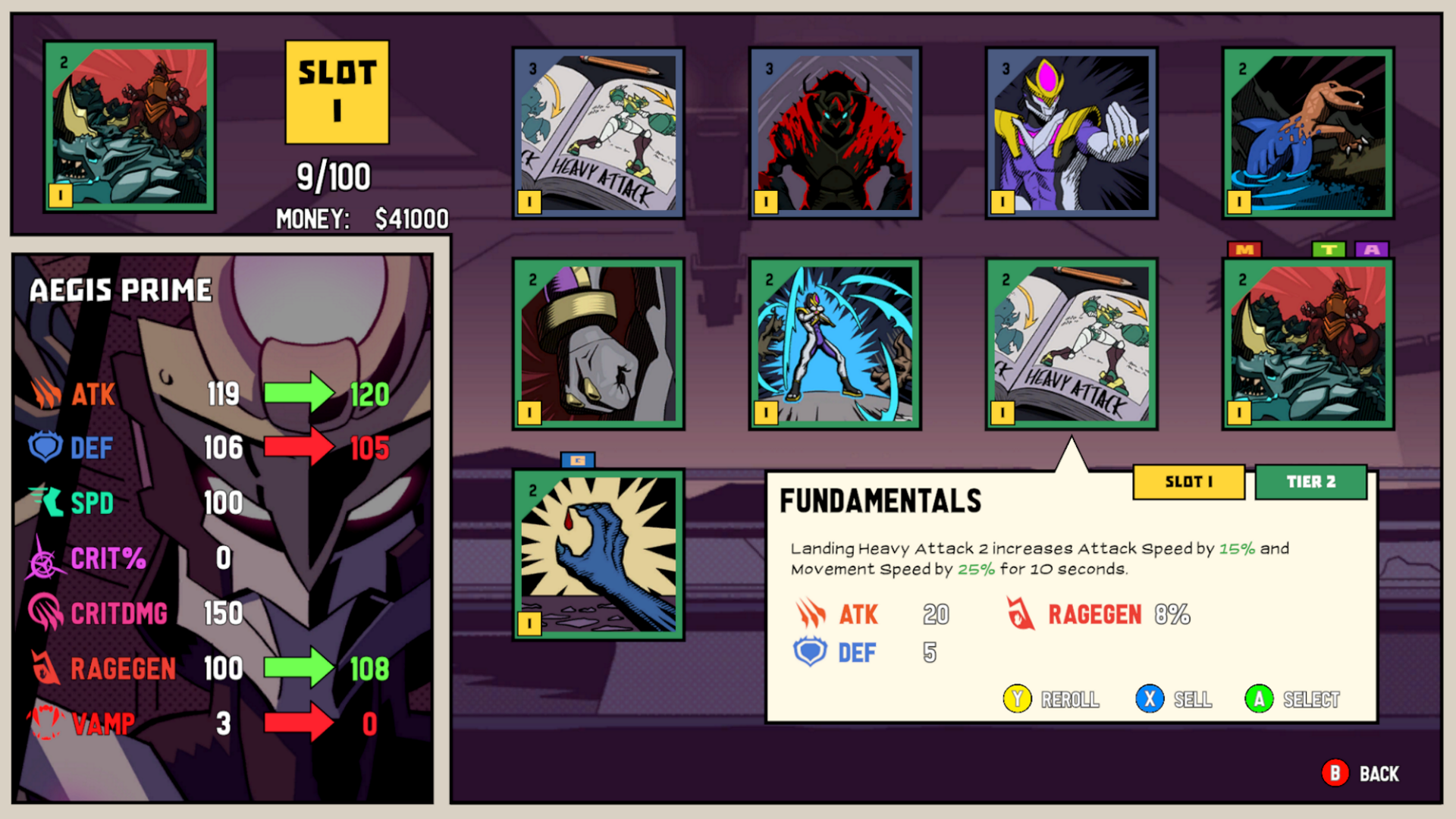
Dawn of the Monsters progression

“Let’s make this fun first — the most satisfying action game we can make, monsters or not. And then to make it feel kaiju, to make it feel heavy and weighty, let’s make those attacks big. So when [playable kaiju] Megadon winds up and delivers a punch, it creates an explosion on impact. You’re not going to see, you know, Cody from [Capcom beat ’em up] Final Fight do that because he’s not big enough. When you pick up a building and smash it over someone’s head, it slows down, and then all the bits fly everywhere. So that was key to us, because we also all love those Platinum games, high-quality action games, and just because they’re giant doesn’t mean they can’t still be snappy and fun.”

Adding authenticity to the experience was the involvement of veteran Japanese artists Yuji Kaida and Shinji Nishikawa, who have both worked on several Godzilla films and other related properties. Surprisingly, Rushdy says it was “pretty easy” to get them on board, as he knew mutual friends through G-Fest, an annual Chicago kaiju convention. He even got a chance to meet Kaida while visiting Tokyo.

“They were really humble guys to work with — really easy to work with. And the process was really smooth. Like, Nishikawa designed one of our bosses. And pretty much the first design he sent over was what we put in the game. We worked with a whole bunch of artists all around the world — it was really fun to get these people involved.”

On 13AM’s official Twitter page, the team regularly spotlights these artists, which, in turn, offers neat behind-the-scenes looks at the game.

That work clearly pays off, with Dawn of the Monsters having a particularly striking art style. According to Rushdy, this came about from an acknowledgment that “kaiju realism” had already been done — the team wanted to do something different.

“We really love anime and comic books and manga and stuff like that. So what we looked at as a key inspiration instead of the movies themselves were the movie posters. There are a lot of hand-painted movie posters for these Godzilla and Gomorrah movies that were really cool and really stylish. And from there, we looked at, ‘okay, how can we simplify this style to make it work for a game?’ And we looked at Mike Mignola from Hellboy. We looked at the recent Gridman, the anime from Studio Trigger, and we’re like, ‘we think we can do something like this. I think this will be interesting and unique enough that even if you’re not a monster movie nut, you’ll look at this game and go, ‘that actually looks pretty neat.’”

In general, Rushdy says the response has been “overwhelmingly positive” to the game.

“It’s been amazing — just overwhelmingly positive. When you get so deep in game development, you kind of get blinders on. And towards the end, you’re like, ‘are people going to like this game? We’ve spent so much time and money on this — will people even care? Or will it just come out and people be like ‘yeah, whatever, it’s like a five out of ten.’” But the response was so good, reviews have been so good, and the passion from the fans has been incredible. It’s become the highest-reviewed kaiju game ever, which isn’t an incredibly high bar, but it’s reviewed very well — it’s not like it’s reviewed poorly. So it’s been a bit of a vindication for us. Certainly, a dream come true for me, personally, to be able to create this world and share it with people and see them resonate with it.”

Dawn of the Monsters is now available on Xbox, PlayStation, Nintendo Switch, PC and Google Stadia.

Image credit: 13AM Games

This is the latest entry in our monthly Canadian game developer series. Last month’s feature focused on Montreal’s Stephanie Marchand of Behaviour Interactive (Dead by Daylight). 

Categories
Mobile Syrup

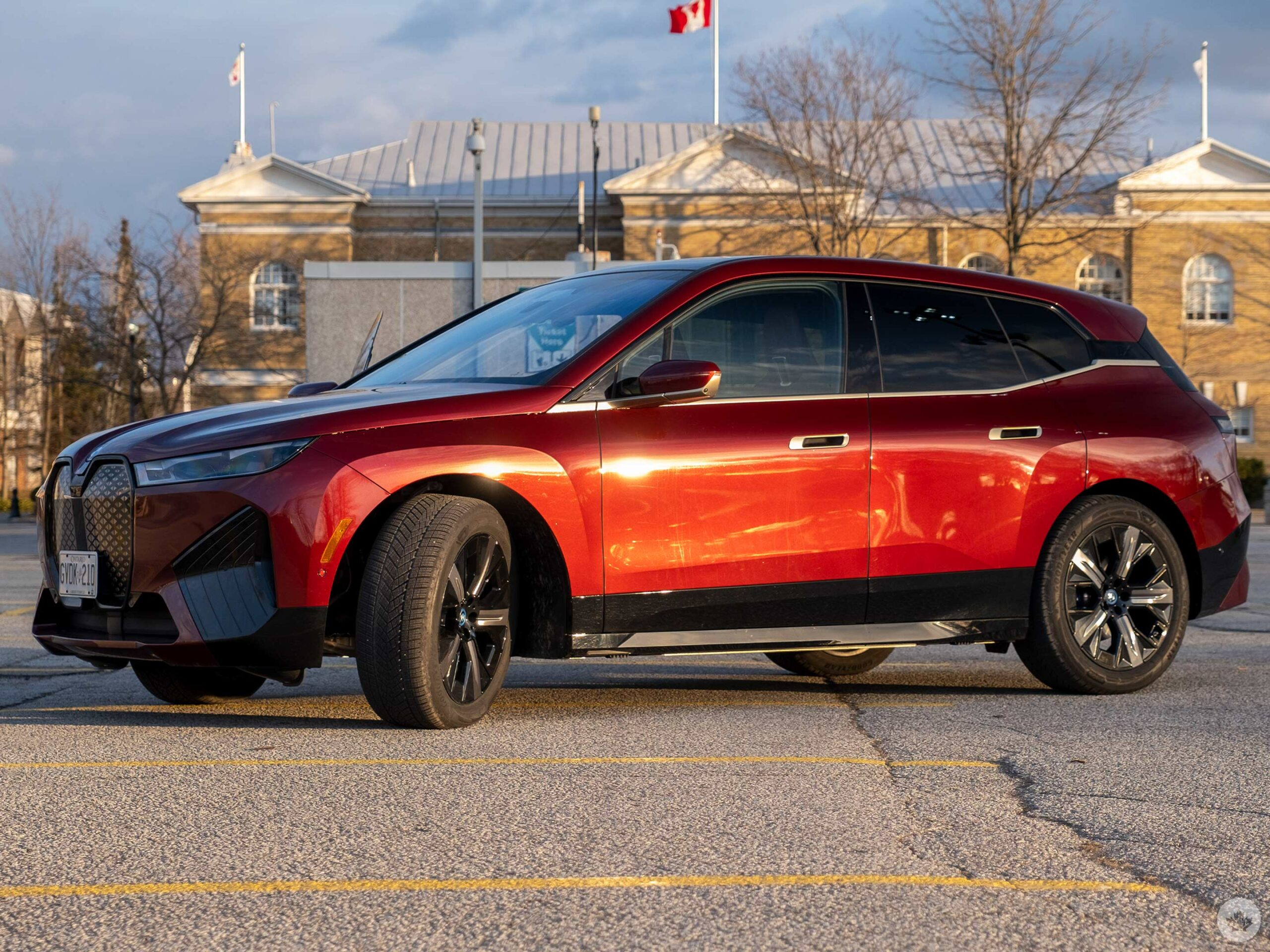
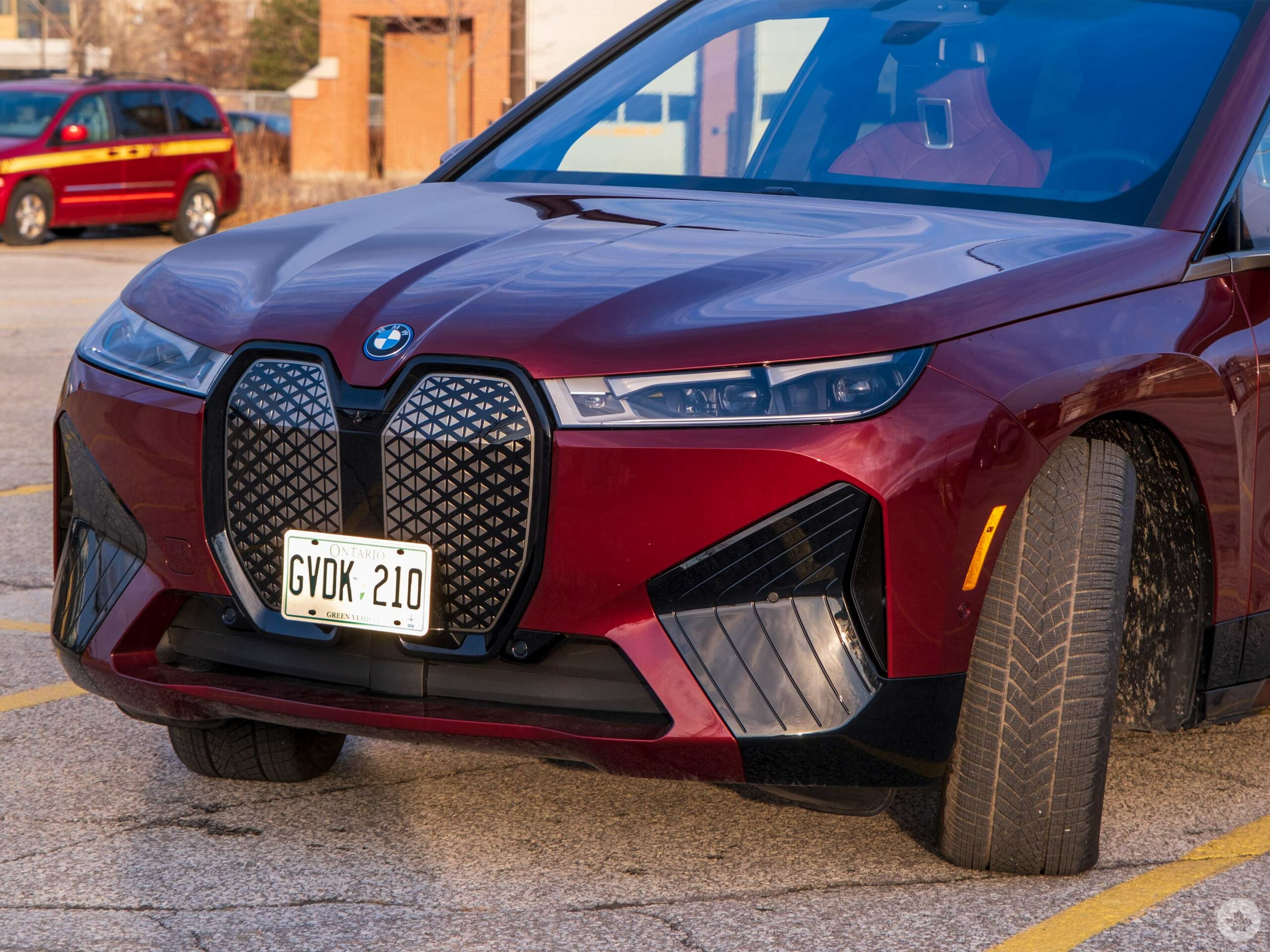
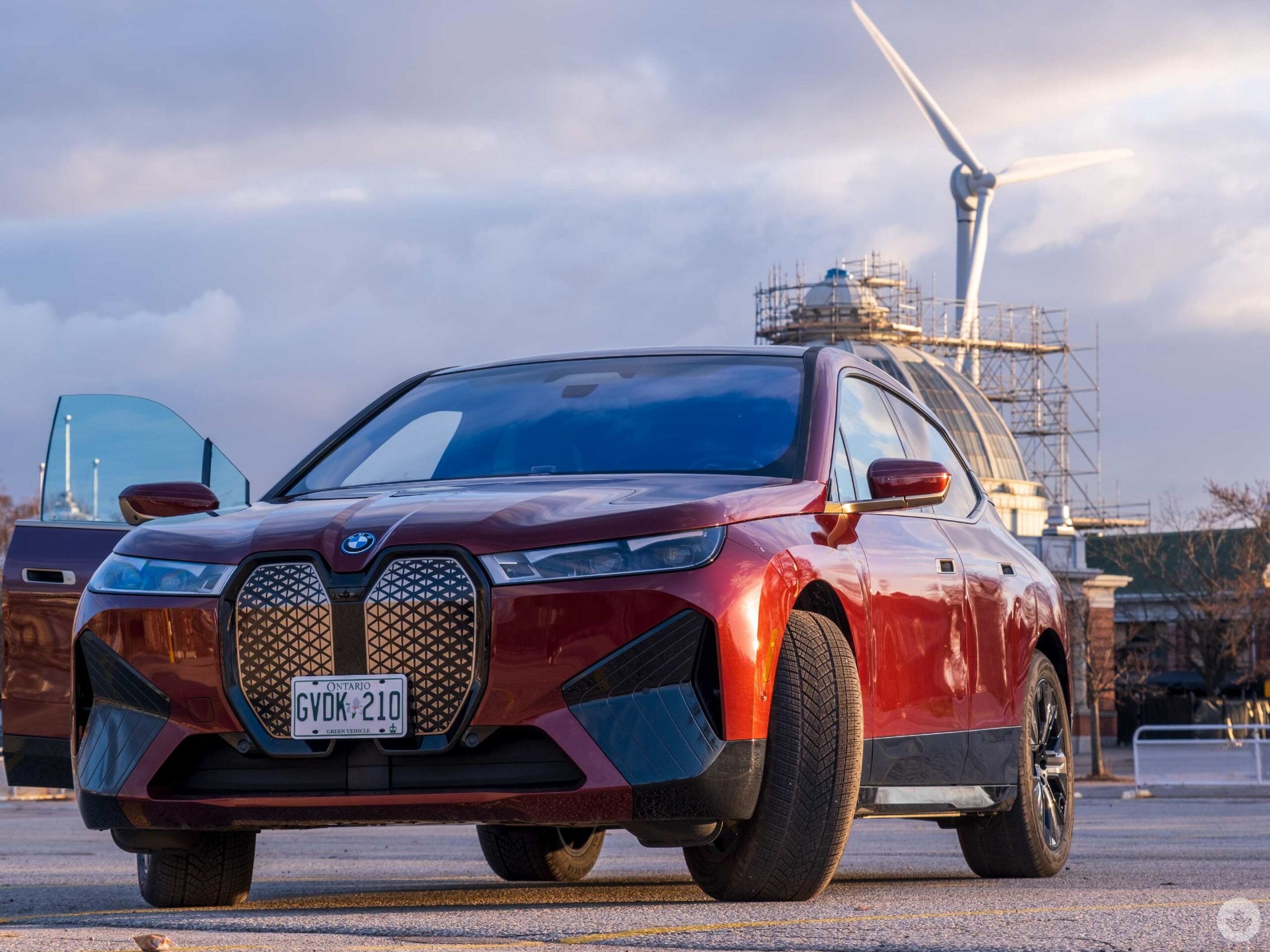
BMW iX Review: A classy EV with great infotainment

BMW’s all-electric SUV is the German automaker giving consumers what they want and more.

North Americans want huge crossovers — check. People want to feel good driving a punchy EV — check. And I want a beautiful infotainment system.

Well, we’re getting there.

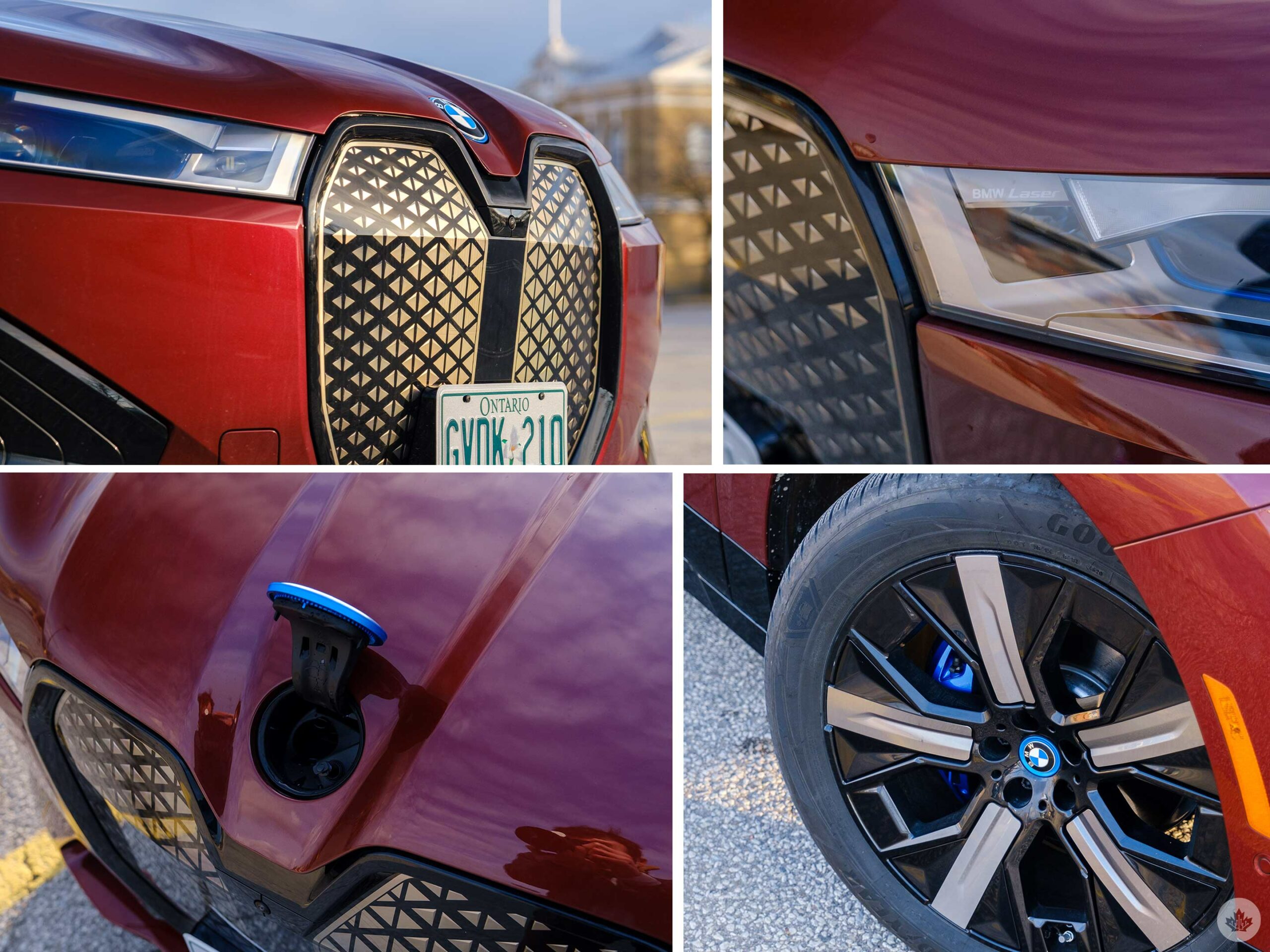
I spent a week with the XDrive 50 trim of the iX, and loved it. It offers more than enough interior space for my friends, a few Ikea shelves and all of my gadgets. And it was a lot more fun to drive than you’d expect from a vehicle that looks like the child of a Suburban and a BMW M-series.

Above all else, the BMW iX is silent. This was the first time that I had an EV for an extended period where I didn’t crank the fake engine sound constantly, and the peaceful atmosphere it creates was difficult to give up at the end of the week. I thought my Jetta was broken when I got back into it and started to hear regular car noises again.

Calm, cool and collected

Driving the iX is a remarkably smooth experience. The large size of the vehicle and the high seat position feels commanding on the road, and having the instant torque that electric vehicles (EVs) produce make it feel like one of the most powerful SUVs out there.

It’s difficult to select an element to hone in on regarding the iX’s driving experience but, perhaps that says more about the EV than anything else. It can be calm and peaceful when you want it to, but it also has the ability to be powerful and aggressive. This isn’t solely achieved by iX being an EV, however. It’s also through the addition of an adaptive air suspension system that changes the way the car feels depending on what driving mode you’ve selected, not to mention the addition of a deeper EV sound that ramps up when ‘Sport mode’ engages.

During my time with the car I drove it mainly in Eco mode, but having the option to kick it into Sport when I wanted to hear the fake sound or just to impress my friends with the EV’s fun torque, was easy to access and nice to have.

BMW’s website rates the iX at 521km of range per charge, but the 21-inch winter tires I rolled on seemed to get me closer to 475km, which was still more than enough. I was even able to drive from my house to the MobileSyrup office three times in a week without needing to charge, and I had ample battery to spare. I know most EVs offer similar estimated ranges of around 300km-400km, but that extra range the iX offers gave me peace of mind as I was driving around the city.

I really like driving around in the BMW iX. It reminds me of a really fancy Hyundai Ioniq 5 in all the right ways. It’s silent, comfortable, and offers a lot of interior space. However, there’s no front trunk or interior 120-volt outlets, which is disappointing. BMW says that the battery is too dangerous to have owners poking around it, so the hood is locked down on the iX. Instead, you can open the front BMW logo and fill up your windshield washer fluid there.

This seems like a miss to me since these small touches are part of what make EVs so fun and futuristic, but it doesn’t take a lot away from the overall impressive nature of the iX.

A giant curved display

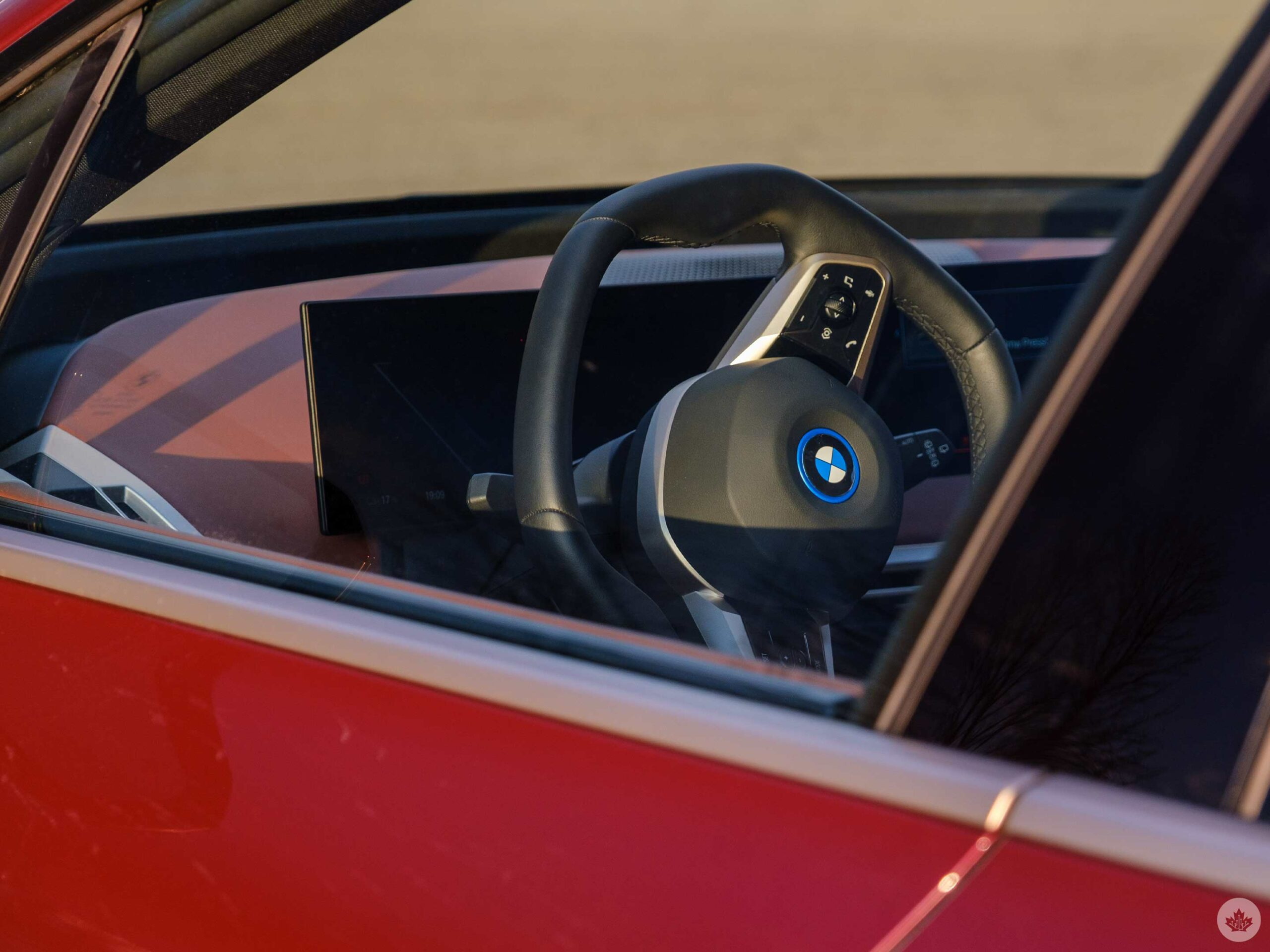
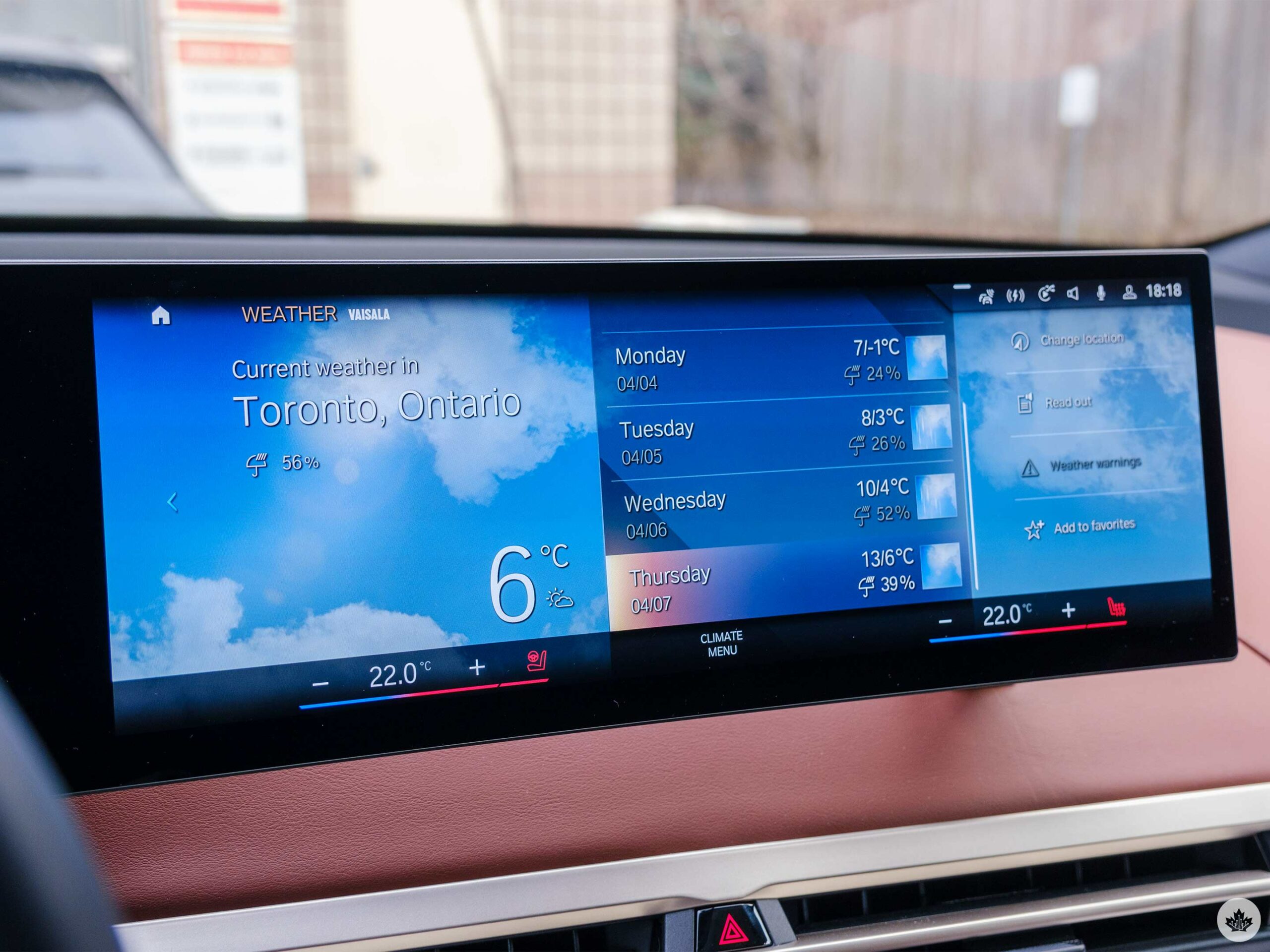
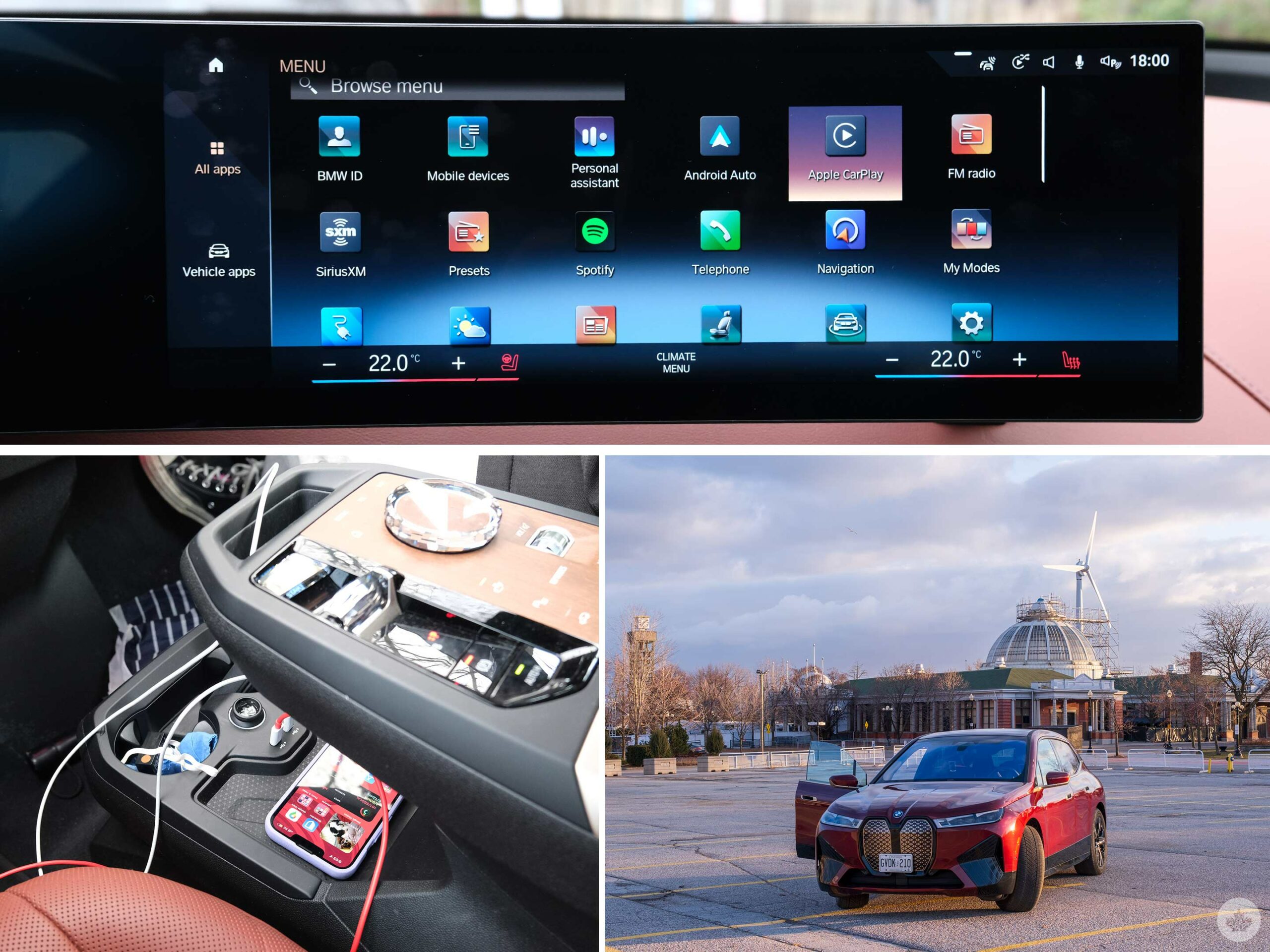
BMW packed a giant screen into the front of this vehicle that stretches from behind the steering wheel, where it acts as the digital instrument cluster over to the car’s centre. The section that sits in the center of the car is where the infotainment system is housed. This includes CarPlay and Android Auto, plus all of BMW’s features.

These features range from a BMW voice assistant, to regular car controls like climate and interior lighting effects, navigation and more. All of this is packed in a cohesively designed package called iDrive 8. This is also in the i4 and will be in other upcoming vehicles from the company.

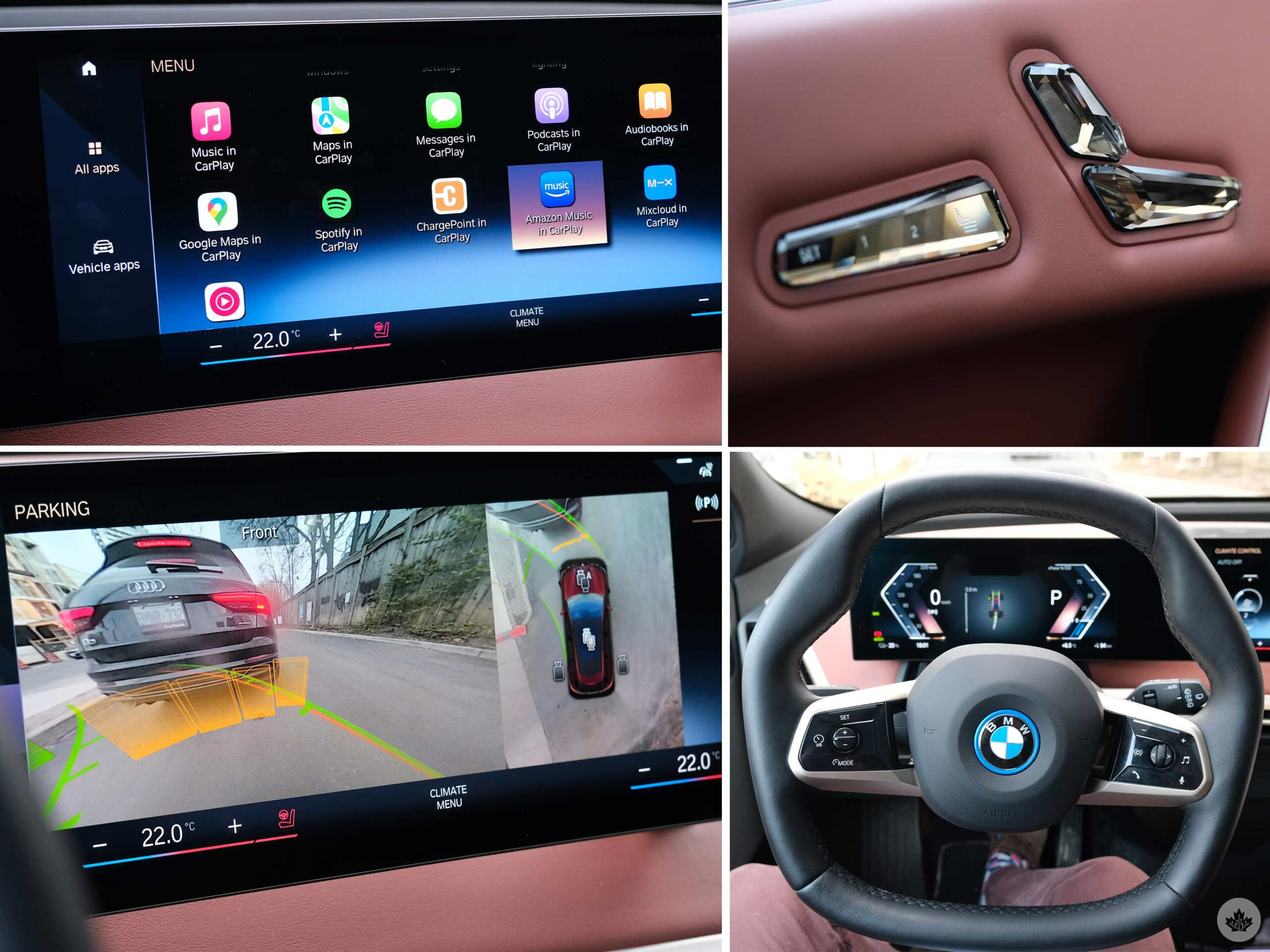
Right off the top, my favourite thing about the new system is the display. I found it a little wide, making it difficult to lean forward to reach the far right side. Beyond that, the text is crisp, and clean and the refresh rate feels smooth and responsive. It isn’t perfect, like tapping an iPhone, but I think it’s a step in the right direction. The sharpness on display here is really nice and even the parking assist cameras look high-definition, which is a welcome step up over the subpar backup cameras I’m used to. This large screen means that CarPlay is overly stretched out, but it’s still usable. Android Auto took advantage of the wide display much better.

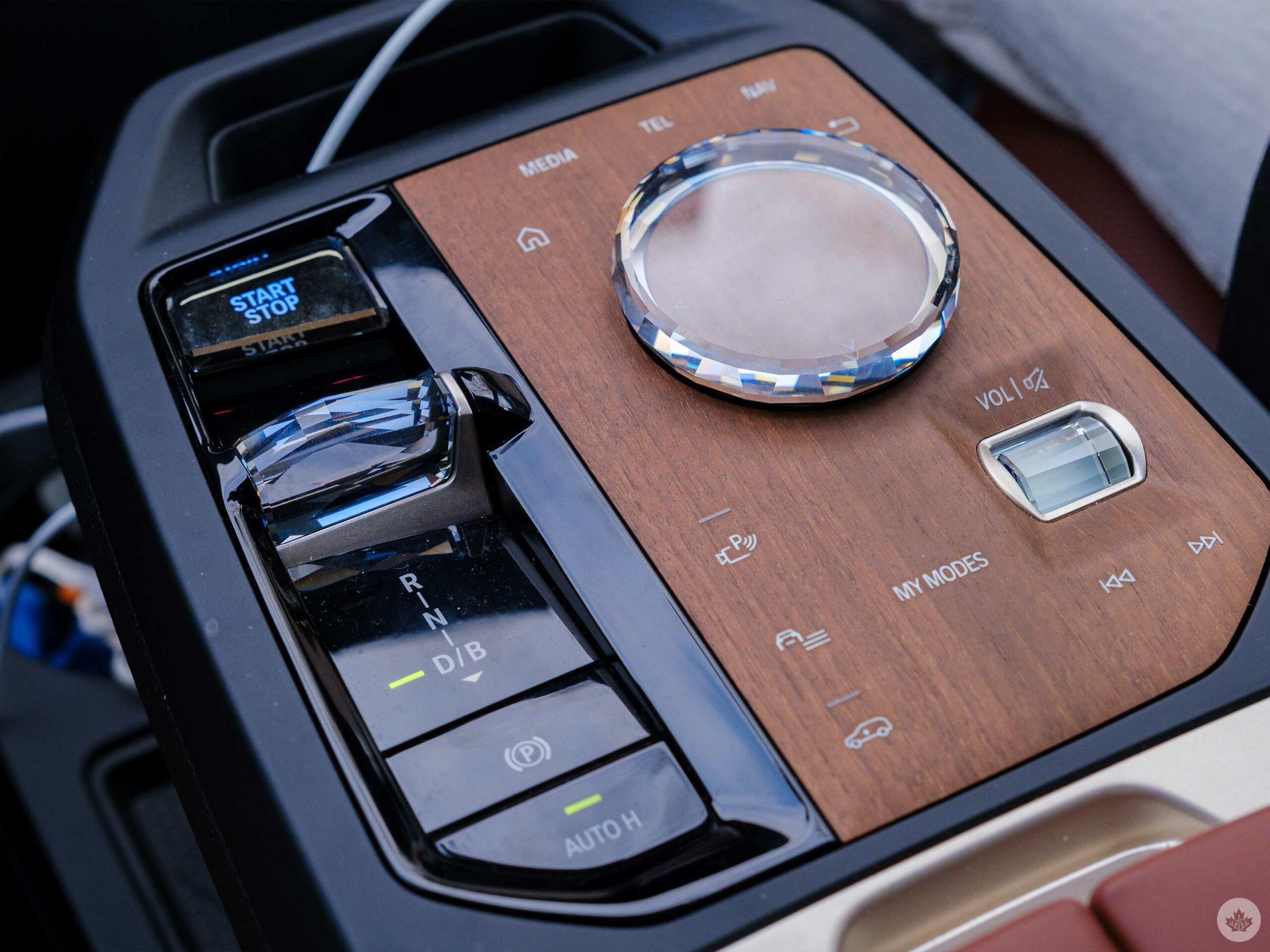
BMW also smartly left a volume knob and other options like defrost as real buttons. I didn’t like the large centre console knob/d-pad device that can be used to navigate the infotainment, but there’s no denying that it looks pretty with the gemstone-type design the XDrive 50 trim featured. I get that it’s there to help people who aren’t used to touch screens, but at this point, I’d be interested to see if people actually find it intuitive. I was able to use it and had no real problems with it, but compared to other cars with trackpads or just touching the screen, it felt pretty useless since touching the screen is so natural now.

What doesn’t feel natural yet, but I hope will in a few years, is the iX’s in-car voice assistant. BMW has a good one, and its natural language processing is fairly dynamic with the ability to understand and adapt to phrases like “Hey BMW, my feet are cold.” However, this system still seems to be in its infancy with some of my potential questions failing to register. Ideally, this will be less of an issue for owners, as you’d be able to get used to the system’s accepted phrases over time. A lot of automakers have been focusing on voice assistants lately, and it’s exciting to see where they go from here.

One oddity with the BMW iX is that it also features Alexa built-in. However, you need to set the voice-activated assistant up via the MyBMW app and in the car’s settings, so I don’t expect a lot of users will take advantage of it. This assistant can play music, work with Alexa compatible garage door openers and perform other basic Alexa tasks. It can’t turn on the heat in the car or lock your vehicle doors, so if you really like voice controls, you’re going to need to talk with two assistants in your car. This is pretty par for the course right now, but as more automakers integrate Android Automotive and Google Assistant into their cars, this two-pronged approach will become outdated.

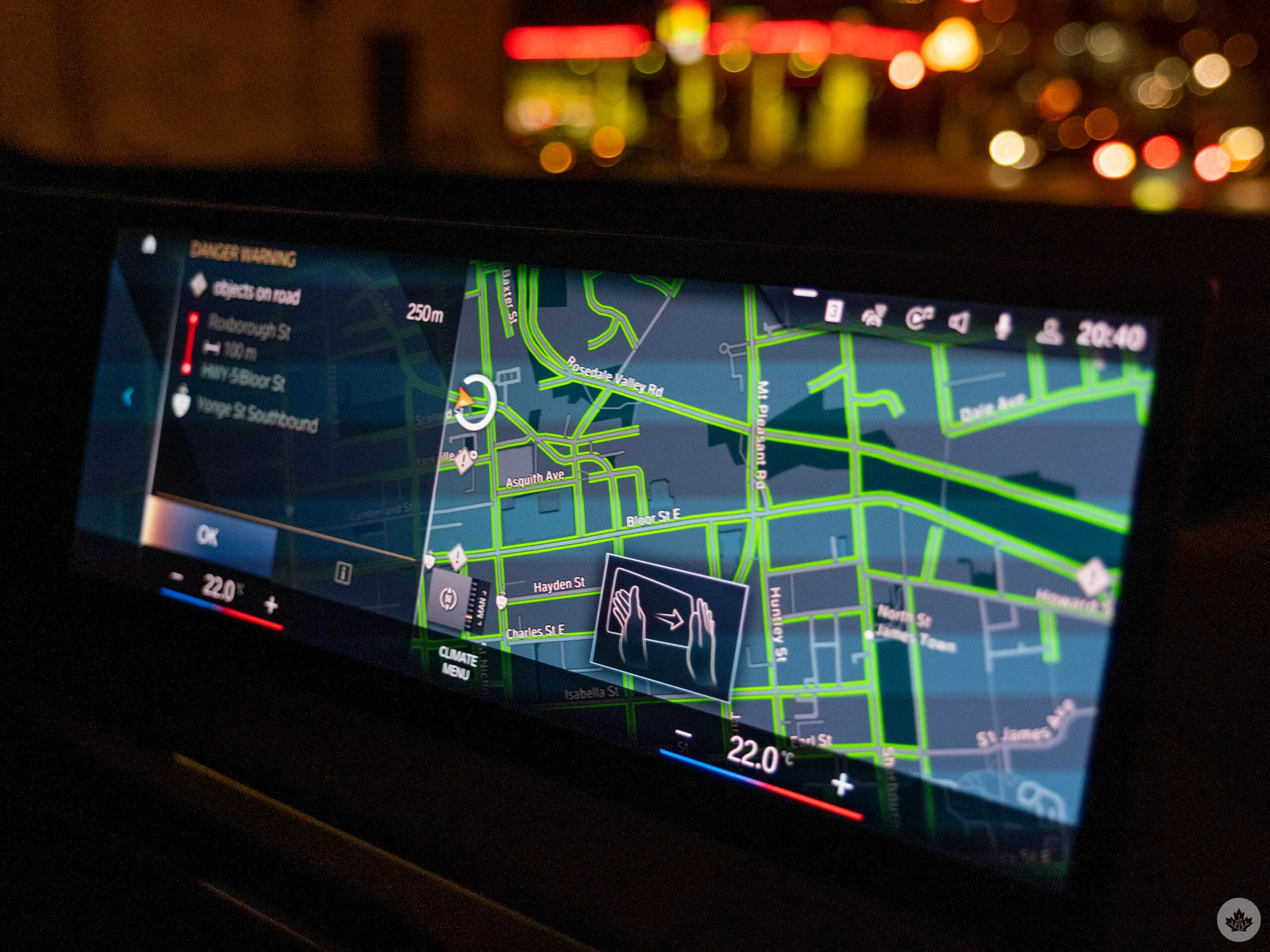
The thing that annoyed me the most is BMW’s insistence on forcing drivers to use its own infotainment systems instead of Apple’s CarPlay or Android Auto. For instance, regardless of the phone-based system I used, if I was navigating somewhere using Google Maps and there was construction ahead, the BMW navigation system would pop up uninvited to let me know of the obstruction that I’d likely already seen on Google Maps. This intrusive map needs to be swiped away using the touch screen or BMW’s unreliable air gestures.

There’s also a grid of apps that I liked on the BMW home screen, but they aren’t all the same. Some are tied to CarPlay or BMW settings and others can only be accessed sometimes or with the right logins or pre-setup. It’s confusing, and I wish the company could find another way to sort all of these items that would make it more clear what’s an actual app, what’s just a vehicle submenu, what can be used while driving and what can’t.

Moving back to the air gestures. They’re both helpful and annoying. Knowing what I do about every phone company that’s ever tried to make gestures work but failed, I’d caution BMW from going down this road, but since we’re here, it’s worth delving into the age-old air gestures speil.

Gestures are fun when they work, but for most things, there’s also a touch screen button and a real button on the centre console or on the steering wheel, that does the same thing. And humans are creatures of habit. If I know that I’m going to have to spin my finger around like a wizard casting a spell three or more times before the car notices that I’m trying to raise the volume, I’m likely just going to use the knob on the centre console or the steering wheel next time.

That’s what happened here. Sometimes the gestures would work, but sometimes they didn’t. On the other hand, the buttons and dials work every single time, so by the end of my drive, I just stuck with those. I like the intention of the gestures of helping smaller people who might have trouble reaching the screen, but perhaps this isn’t the best way to do that. These gestures are an add-on and I wouldn’t recommend anyone pay for them.

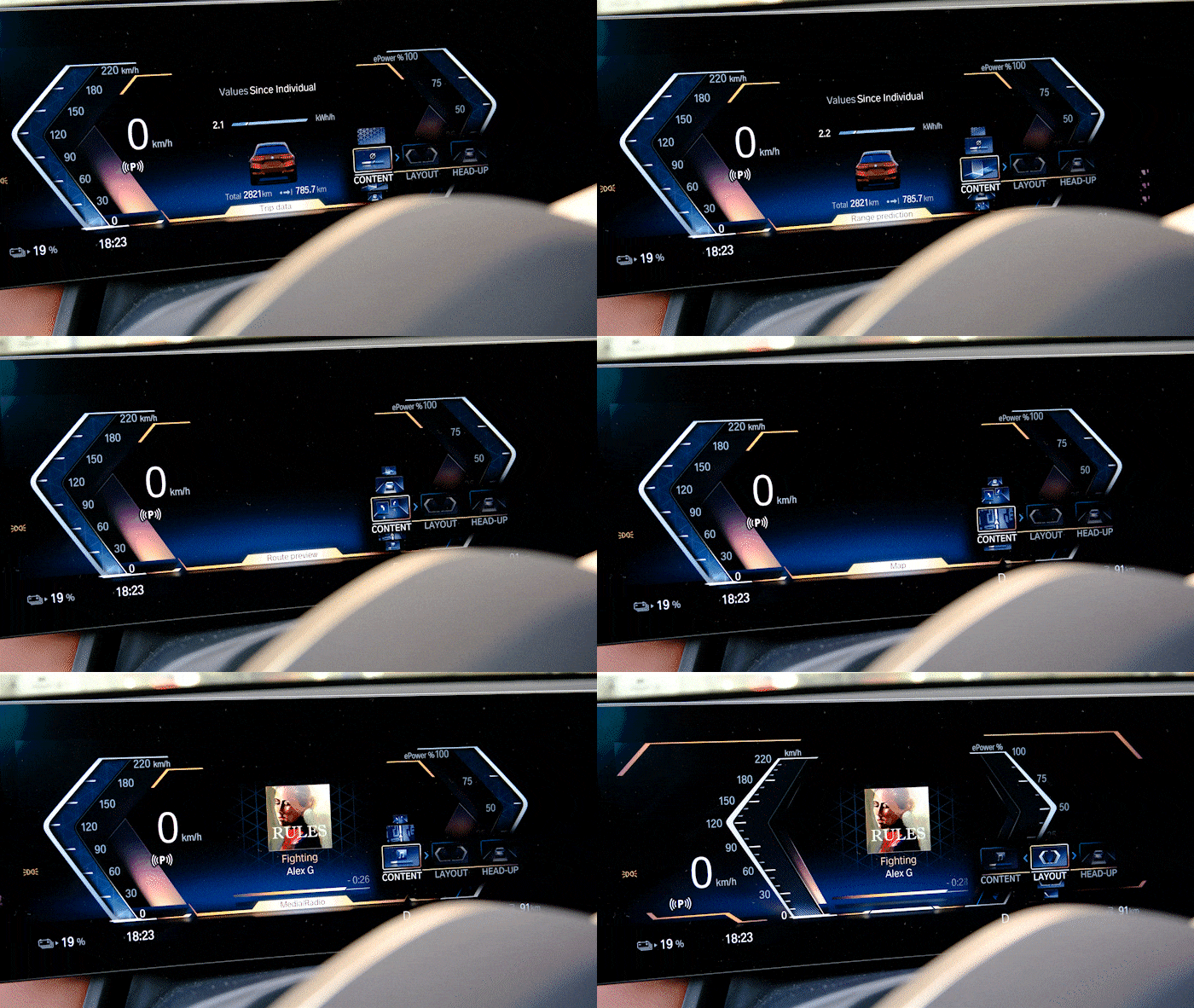
I really liked the customizability of the digital instrument cluster. You can tweak the content shown, its layout and the heads-up display. The customizability and the simplicity of these screens is pleasing.

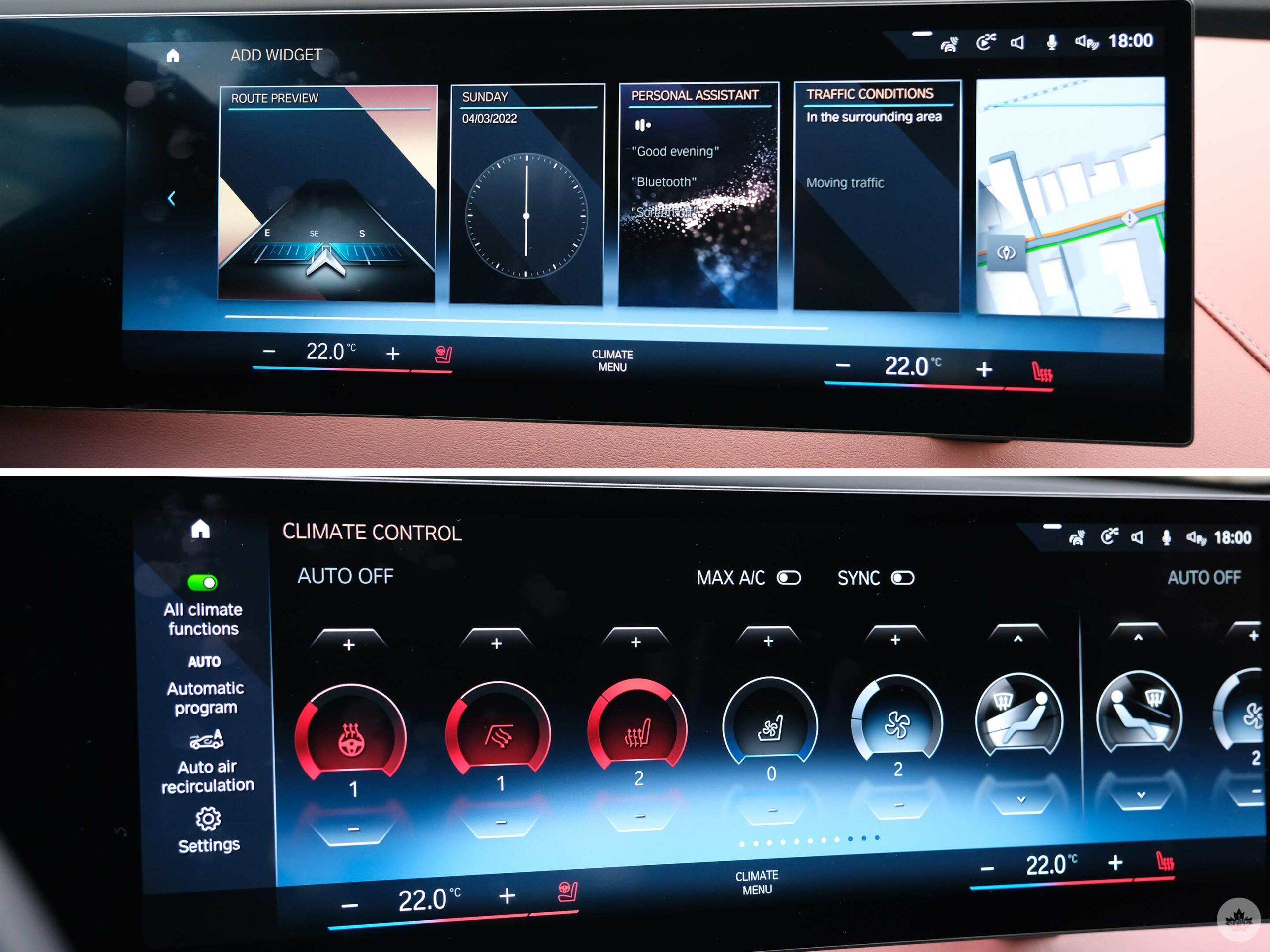
The vehicle’s climate menu was also straightforward and easy to use, a boon as most EVs struggle to incorporate this in an easy-to-understand way. The BMW iX screen always shows two climate settings along the bottom of the display so you can adjust your temperature on the fly. Between those controls is a button to take you to the climate menu.

This menu is a long row of controls for everything from heated seats to the fan power. It’s easy to use and makes sense. The roundedness of the icons does feel a little out of place since a lot of the other aspects of the infotainment are in square boxes with angular designs, but that’s a tiny nitpick on an otherwise simple formula.

Finally, I will say that I liked the vertical widgets of apps that BMW keeps on the homepage of its infotainment, but to me, as someone who mainly uses Google Maps and never in-car navigation software, it was a bit empty and void of much useful info for me.

Charging

The downside of the iX’s massive battery is that it takes a long time to fill it back up. The car can only charge at a maximum of 200kW at its fastest. This takes around an hour to top up. However, if you have the lower-cost BMW XDrive 40 trim, it only tops up at 150kW.

With a 240-volt home charger, you can top the more expensive model up in around 12 hours, according to BMW’s website. However, on the night that I left mine on a level-2 charger, it only got as far as 79 percent in 12 hours. The XDrive 40 has a smaller battery, so it should top up a few hours faster.

I’d blame the experience more on the charger, but I’ve left it in to illustrate that unless you have a really well laid out charging regime, you might end up waiting a long time to top up your battery if you haven’t planned your route accordingly.

That being said, since the iX has such an impressive range, you can make it further and drive longer without needing to charge, so that does take a lot of the stress off.

Categories
Mobile Syrup

EA wants more people to pre-register for Apex Legends mobile game and will reward you

EA is rewarding those who have pre-registered for Apex Legends Mobile with in-game cosmetic items.

  • 15,000,000 pre-registration users will get a “Become Legendary” holospray
  • 25,000,000 pre-registration users will get a ‘Sunfire Initiate’ Epic Skin for Pathfinder

EA says that it’s already at 10,000,000 pre-registrations.

Here are the already unlocked rewards:

  • 500,000 pre-registration users will get a pre-registered badge
  • 1,000,000 pre-registration users will get a ‘Fateful Games’ Banner Frame
  • 2,500,000 pre-registration users will get an ‘On Target’ Banner Pose for Bloodhound
  • 5,000,000 pre-registration users will get a ‘Teeth Cutter’ Epic Skin for the R99
  • 10,000,000 pre-registration users will get the ‘Molten Earth’ Epic Skin for Bloodhound

According to EA, new Legends, maps, gameplay modes, live events and “mobile-first adaptations and innovations” will be part of the upcoming smartphone and tablet take on Apex. The game will not feature cross-play with Apex Legends on other platforms, unlike the popular battle royale title Fortnite.

It’s still unclear when the game will officially release.

Apex Legends Mobile is now available for pre-registration on Google Play, and you can sign up to receive updates regarding the iOS version.

Image credit: EA

Source: EA

Categories
Mobile Syrup

This app lets you invest in real estate around you with as little as $1

A Vancouver-based startup is making it easier for everyday Canadians to invest in real estate. addy lets you do fractional investing in the real estate market, and its app is now available for iOS users.

The app lets Alberta, British Columbia, Ontario and Quebec residents fractionally invest in real estate with as little as $1. It’s kind of like buying a portion of a stock or a commodity. Aneven better example is Bitcoin. One Bitcoin is valued at $42K USD (about $52,ooo CAD) at the moment, but you can still invest just $1,000 in it to own 0.024 of it. Similarly, investing $1 will get you 0.000024 portion of a Bitcoin.

While the real estate market has been dominated by big players, and inaccessible to most people, addy provides a platform for Canadians to start investing in the housing market with no minimum investment requirement. Now, of course, if you’re putting up $1, don’t expect the returns to be grandiose, but the fact that you can put up something as little as $1 towards real estate is impressive.

“We wanted to bring the accessible investing experience we’re known for closer to our members through a mobile app,” said Micheal Stephenson, CEO and co-founder of addy. “From your palm, you can now invest in a commercial complex, business park, or apartment building alongside thousands of other community members. We are thrilled to offer Canadians a simple and fun way to start building their financial future with real estate.”

The addy app offers users the following features:

  • Invest in institutional-grade commercial real estate in Canada
  • Opt in to notifications for every property that drops on addy platform so that you never miss out on an investment opportunity
  • Invest $1-$1500 per property (members can invest in as many properties as they want)
  • No fee transactions
  • Learn about investing in real estate as you go
  • Access to the addyverse – a digital twin of all of a member’s investments made

addyverse is addy’s in-app metaverse where you can see your real estate investment portfolio in an animated layout.

Learn more about addy here. Currently, the app is only available on iOS, with an Android version coming out soon.

Image credit: addy

Source: addy

Categories
Mobile Syrup

Rumoured OnePlus 10 to feature faster charging than the OnePlus 10 Pro

While OnePlus has released its latest OnePlus 10 Pro flagship in international markets, many have been left wondering whether there will be a OnePlus 10 standard ‘non-pro’ model.

According to reliable leaker @OnLeaks, we know the OnePlus 10 isn’t a fable, and some of its features will even leave the OnePlus 10 Pro in the dust.

According to the report, shared by Digitthe OnePlus 10 will release later in 2022 with either a Qualcomm chip or a MediaTek SoC. The report also suggests that the device will feature a 6.7-inch FHD+ AMOLED display with a 120Hz refresh, the same as the OnePlus 10 Pro.

The OnePlus 10 is likely to have a 50-megapixel main camera, as well as a 16-megapixel ultra-wide-angle camera and a 2MP macro camera, in contrast to the OnePlus 10 Pro’s 48-megapixel main camera, 50-megapixel ultra-wide sensor and an 8-megapixel telephoto lens.

Lastly, the OnePlus 10 is expected to feature a 4,800mAh battery along with 150W fast charging, which is smaller than the OnePlus 10 Pro’s 5000mAh battery, but with faster charging than the pro model’s 80W capability, which is limited to 65-watts in North America.

As a reminder, these snippets of information are just leaks, and we recommend that you take them with a grain of salt until something official comes from OnePlus.

You can read our full review on the OnePlus 10 Pro if you want to learn more about OnePlus’ latest device.

Source: Digit

Categories
Mobile Syrup

The OnePlus 10 Pro Review: Lights, camera and not a lot of action

OnePlus has been improving its phones for years. However, the path from “flagship killer” to actual flagship is well-trodden. What’s more difficult is staying at the top and competing with the likes of Samsung and Apple.

The OnePlus 10 Pro competes with other high-end players, but just barely. That’s fine since I still like the unique power of the camera’s colours, even if the resolution and night mode performance isn’t as strong as other high-end smartphones.

The 10 Pro also suffers from bugs, non-commitment from the company and cut corners that you shouldn’t have to deal with at a $1,150 price tag. If you’re a fan of OnePlus, you’ll be familiar with a lot of these annoyances, but you’ll also likely still enjoy the premium design and fun camera that the OnePlus 10 Pro offers.

A camera built for me… kind of
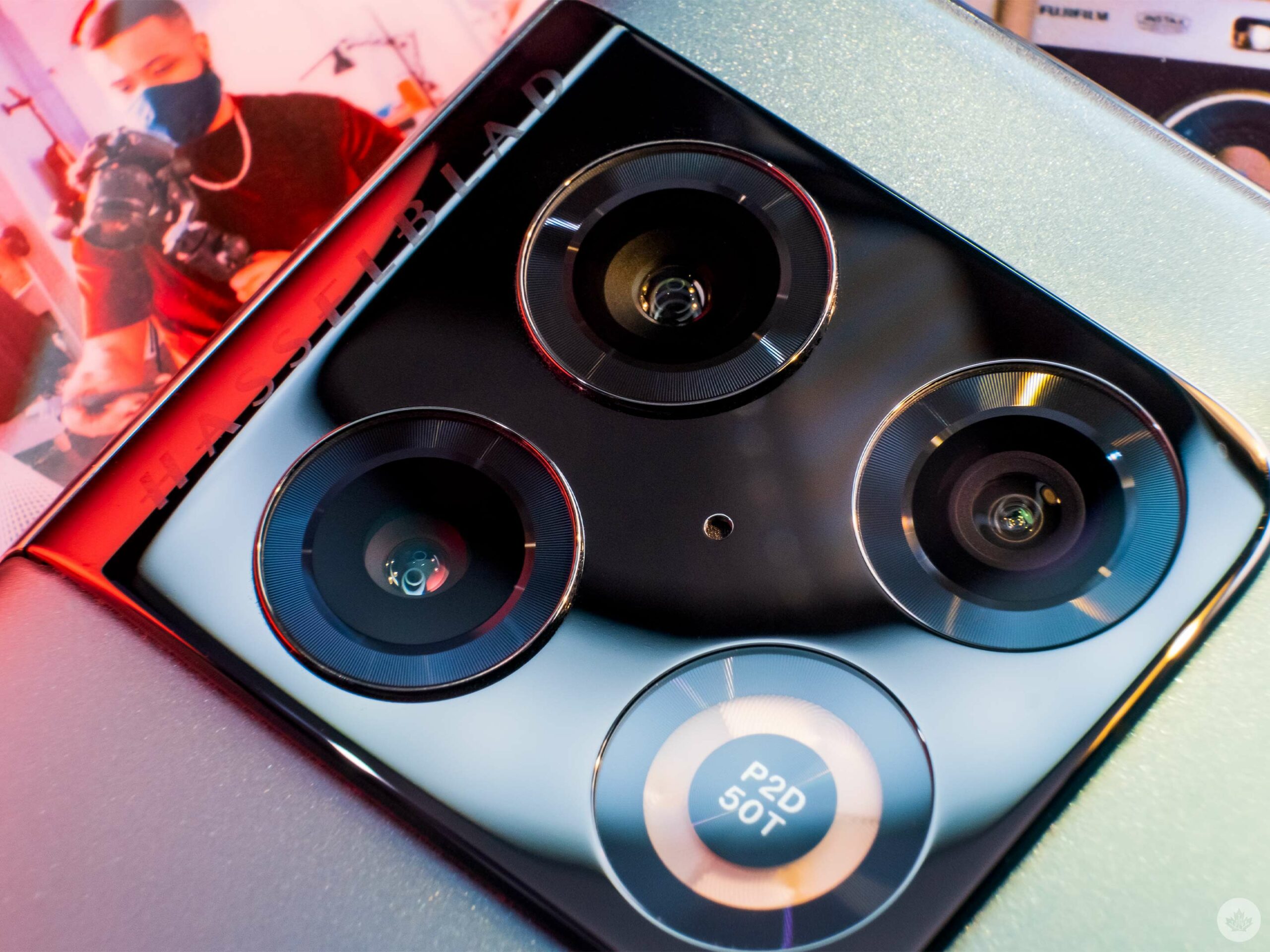
Some people will say it looks like a stove. Those people suck.

Sometimes, I think I might be one of the world’s biggest OnePlus camera fans. I’ve been surprised with images from the company’s phones ever since the OnePlus 7T, and this year is no different.

I’m not saying every other reviewer is wrong. Technically, the Pixel, iPhone and Samsung flagships take cleaner images with sharper focus and more accurate colours. Still, they feel stale compared to the strong character OnePlus photos offer. There’s magic here, and as someone who usually edits my photos before posting them anyways, I really like the colours and sharp contrast that OnePlus gives me as a starting point.
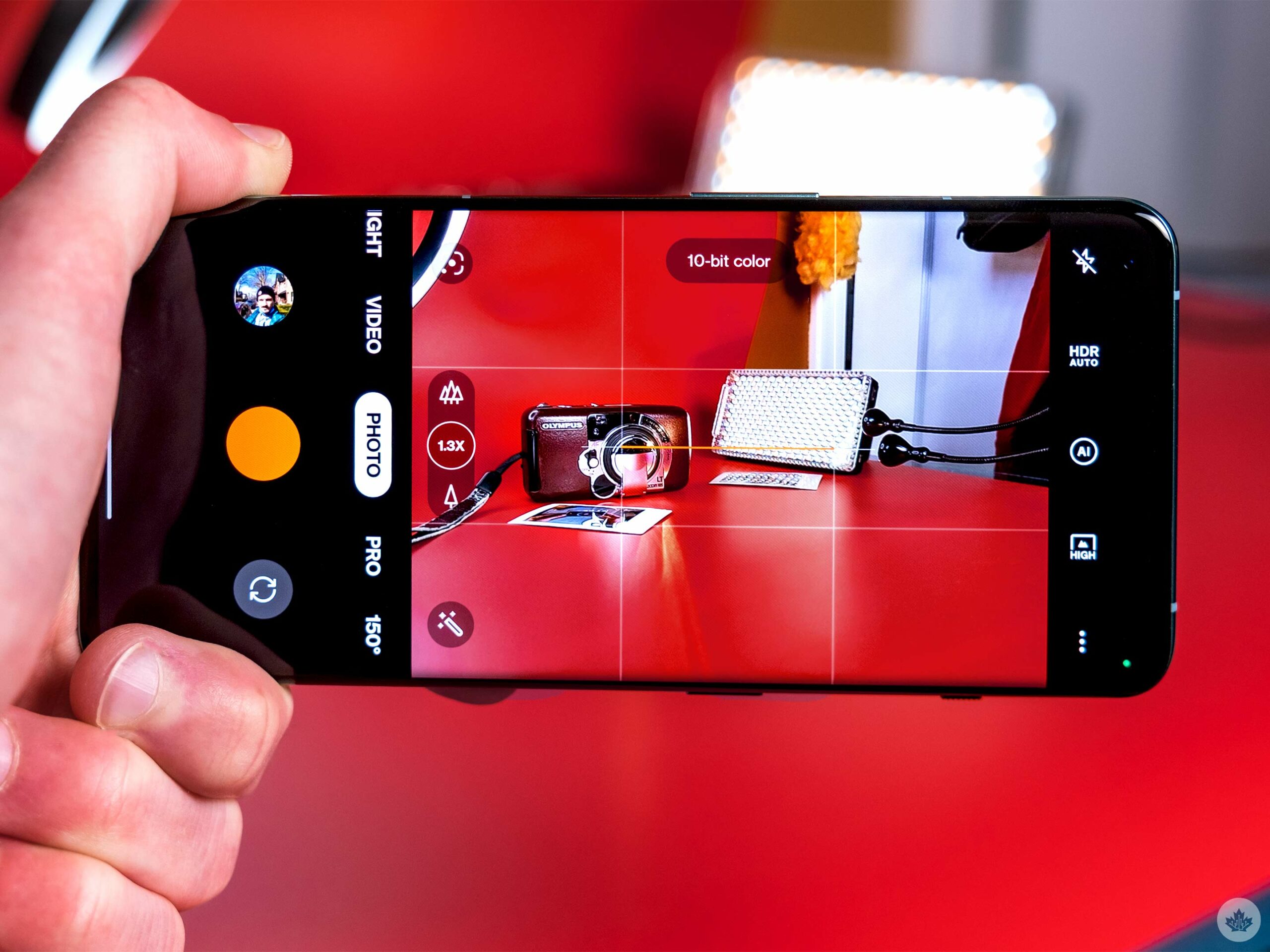
The camera interface still has the Hasselblad orange accents and the sweet leaf shutter sound.

This year, you can even shoot in 10-bit colour, and the images look eye-wateringly gorgeous on any 10-bit screen, including the 10 Pro’s brilliant display. It’s too bad that sharing them requires you to convert images into JPEGs, which is infuriating and makes it a hassle to share photos. That being said, I still did it. It’s a vicious cycle to be forced to degrade a photo before sharing it, but when I get such fun snaps out of the device, I don’t have a choice.

The OnePlus 10 Pro’s primary lens is the star of the show. It’s the same Sony IMX789 sensor from last year, and OnePlus pixel bins it down to 12-megapixels, but you can force it to take a full 48-megapixel shot if you want. None of that is what’s really important though. What matters is that it features a reasonably large sensor with a good lens and great colour science.

This means that in most cases, photos look sharp and vibrant while still retaining true-looking colours. Sometimes the reds and oranges push together a little too much, but the cool blues and cinematic yellows were really pleasing. Even blowing up the images on my 27-inch monitor looked great without the need to capture the full 48-megapixel photo. However, the images look significantly less saturated on my monitor than they do on the OnePlus 10’s vibrant display.

The sensor was even able to get enough light during the last glimpses of sunlight to produce clean images with texture, including some depth and a wide scope of colours. The camera let me down a few times with wacky exposures, but as long as I took a moment and locked exposure on what I wanted in the frame, the images turned out how I wanted them.
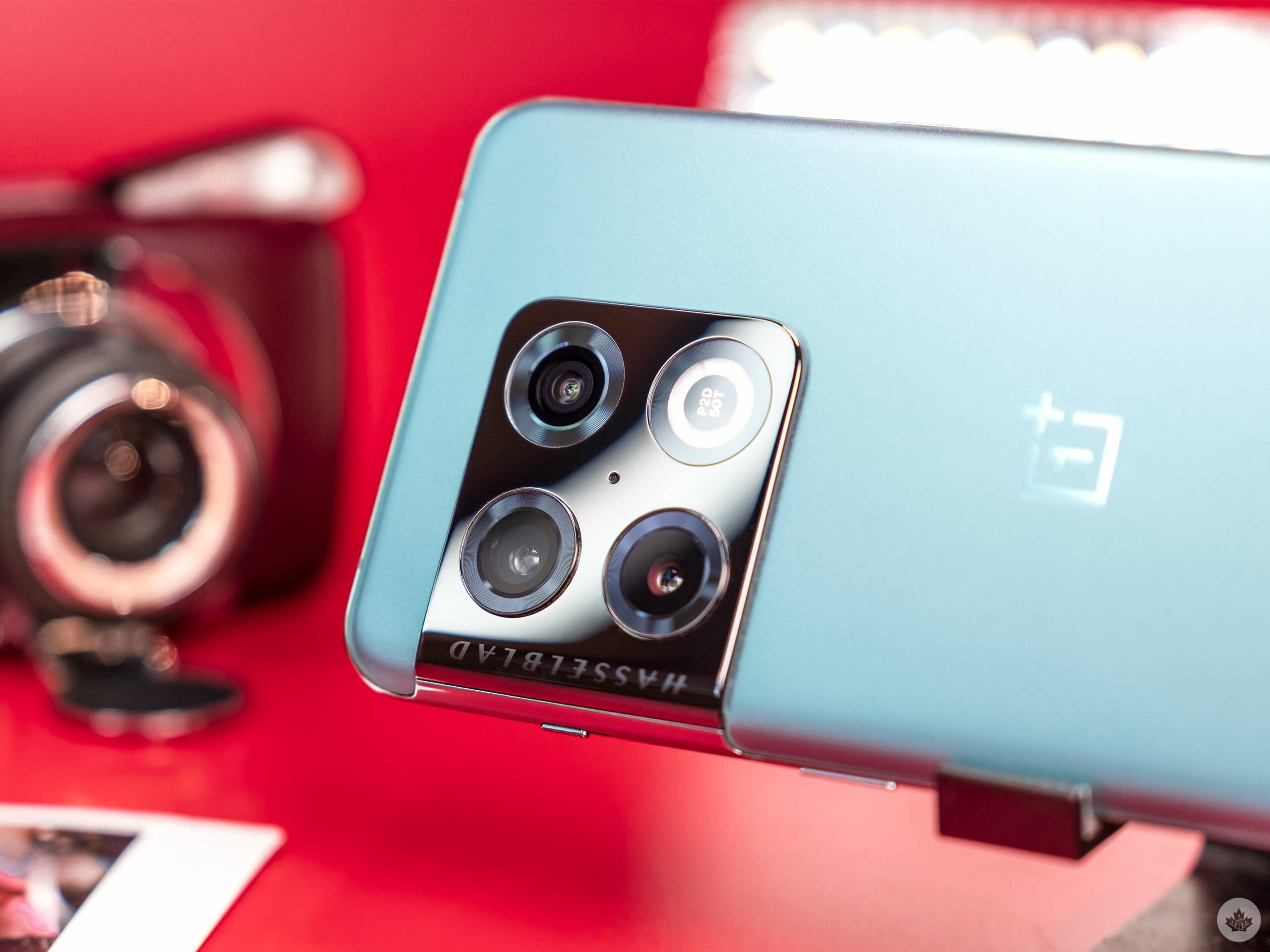
The dark metal contrasts really nicely with the Emerald Forest coloured phone

The camera system could do a better job at making HDR instant though. Sometimes when I want to take a street shot I double press the power button, whip up the phone and snap. But, the OnePlus 10 Pro often doesn’t have enough time to engage HDR if it’s set to auto.

I didn’t mind this since it gave me a blown-out effect reminiscent of point-and-shoot film cameras, but it’s something to be aware of. It’s worth mentioning that the OnePlus 9 Pro features the same issue, and I really liked the way images turned out over the year I spent with it.
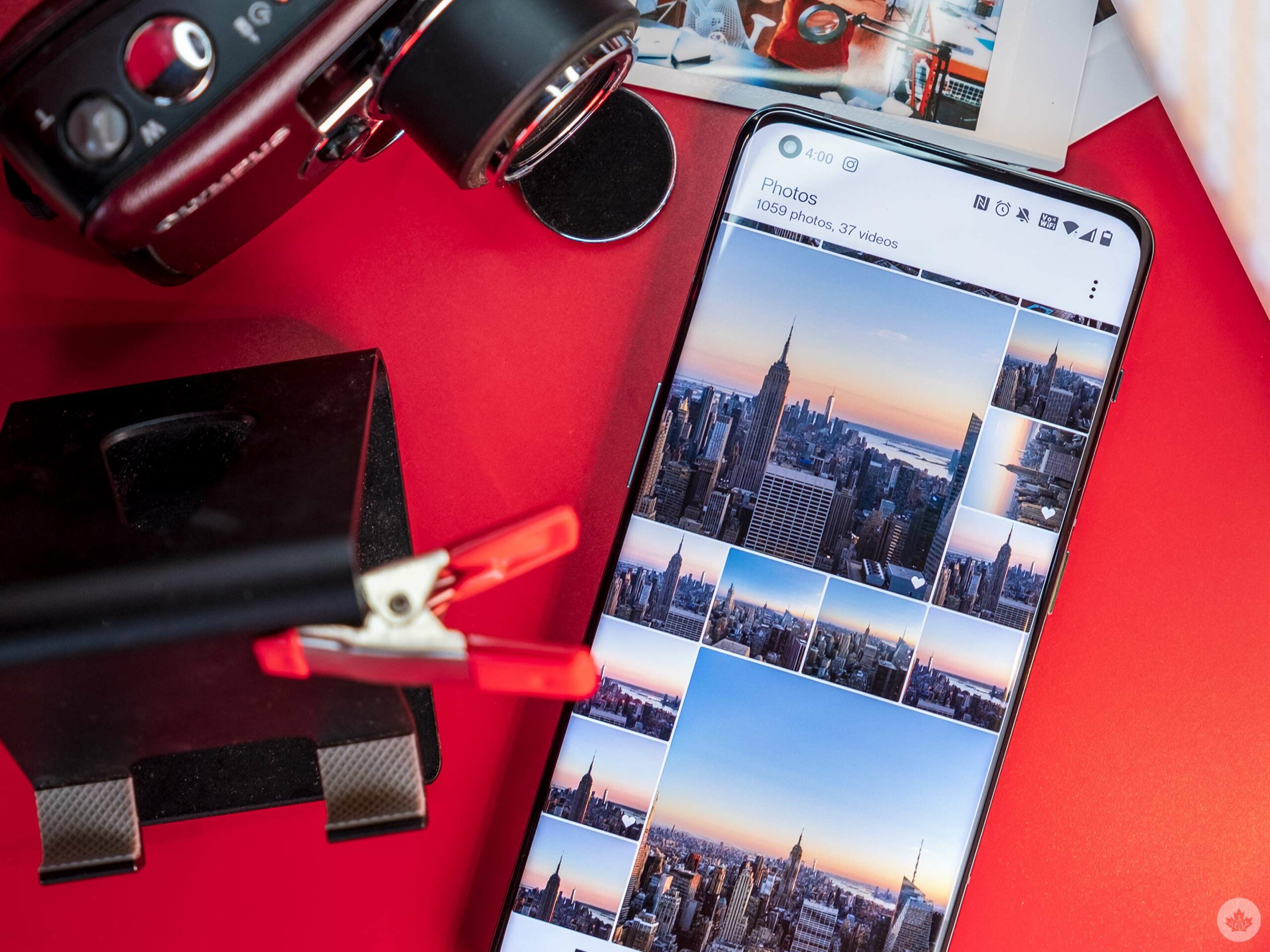
Compared to other flagships, the OnePlus camera desaturates skin tones in bad lighting but in good light, it’s accurate enough, even on darker skin in my limited testing. The OnePlus 9 Pro suffered from this same issue. Now that Google has released Real Tone, OnePlus really needs to step up its skin tone production, especially with the selfie camera.

The eight-megapixel zoom lens offers lots of contrast. This helps make up for its overall lack of sharpness. But at the end of the day, I used this 77mm equivalent lens more than any other. The focal length compression it gives images is tremendous, and it allows me to grab frames from even a few hundred metres away.

Sure, the main camera is great for landscapes, but the zoom lens is more fun so I hope OnePlus can improve it next year. Ideally, the company will follow in the iPhone’s footsteps and just use the same sensor for each lens to help with consistency.

Speaking of inconsistencies, the colour accuracy between the zoom and the primary lens doesn’t perfectly line up. This is an issue OnePlus promised to address years ago, and the fact that it still can’t deliver on it speaks volumes about the company’s software support.

I don’t mind the lower-quality zoom lens since it can still do great things under ideal lighting conditions. In lower light, it gives images some noise/grain, but that combined with its rich colours and dynamic range can often look quite filmic. These images held up the least when blown up on a big display.

The ultrawide took me a while to unlock this year, but once I got used to the new 150-degree lens I had a lot of fun with it. It’s a decent lens/sensor, but it’s a step back from last year’s brilliant 50-megapixel ultrawide.

In most scenarios, I didn’t mind the sensor swap since the ultra-wide shots still look great and maintain last year’s 14mm focal length. But last year’s ultra-wide felt almost as good as the main camera, and this one doesn’t quite hit that mark. It’s still a good camera, but since OnePlus puts so much emphasis on its ultrawide camera system, it’s a shame it’s not as good as the main lens.
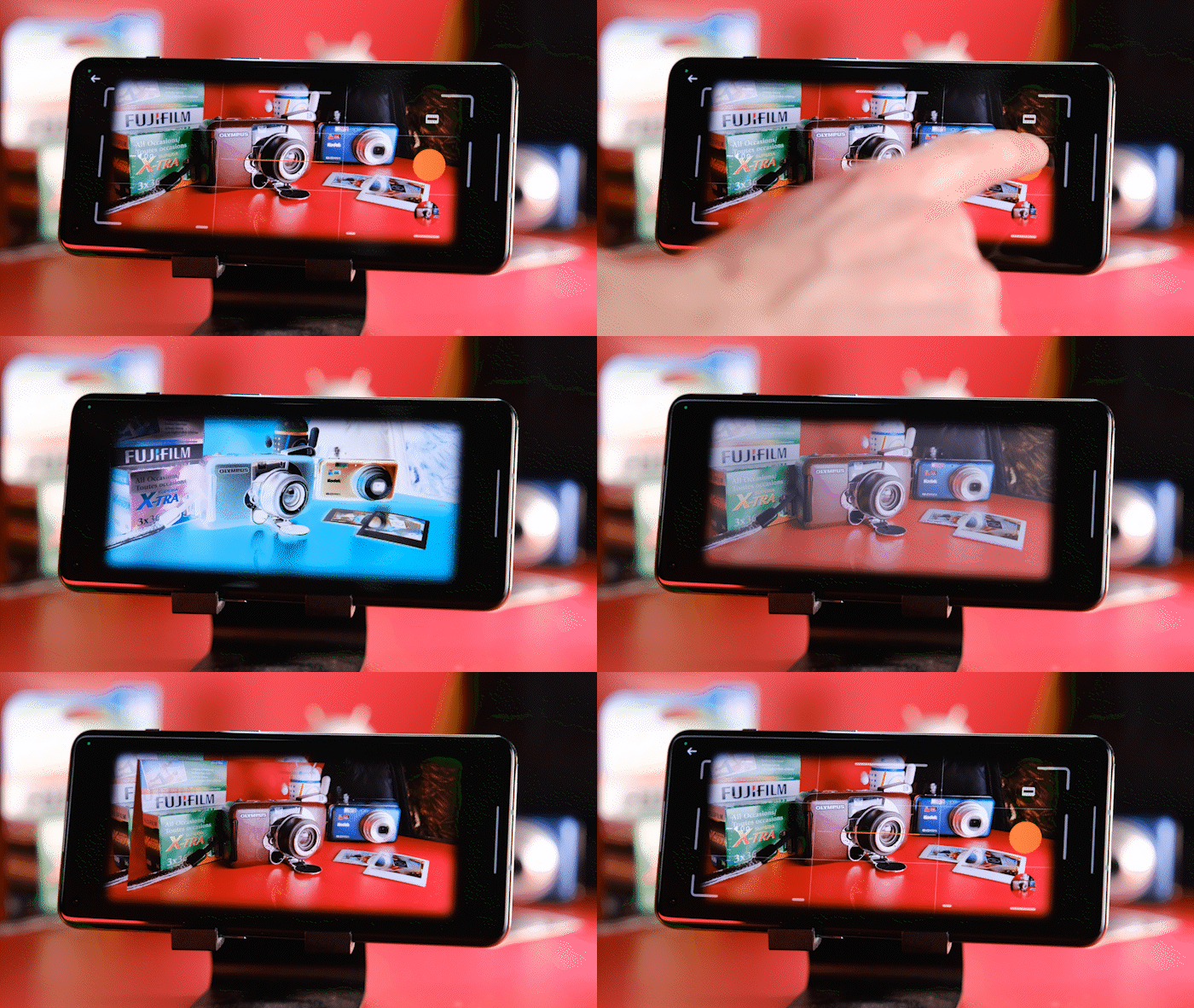
XPAN mode is back! However, it’s missing a lens option this year and still takes a dog’s age to “expose” photo’s between shots.

This ultra-wide switch also means that the XPAN mode is limited to only the 45mm lens option this year. The 9 Pro can shoot in 30mm and 45mm equivalents when in the same mode. I’ll concede that the 30mm mode is the weaker of the two, so I almost never used it, but it sucks to see OnePlus remove features instead of improving them. Another example of this is the lack of a macro mode on the 10 Pro. While it’s not something I used a lot, it was a versatile tool that I appreciated in previous OnePlus handsets.

Instead, of a macro mode, we get a new fisheye camera effect that’s fun to use, but the images aren’t great for sharing since they feature hardcoded black bars around them. I find myself taking the pictures into the desktop version of photoshop to paint the black bars white to make the images look good for Instagram. Similar to sharing 10-bit photos from the OnePlus 10 Pro, it’s not easy.

A photo taken with XPAN mode in Times Square. This mode uses a more film-inspired colour science and basically automatically crops images from the main sensor. It’s a gimmick, but a ton of fun nonetheless.

You can also take 150-degree photos with this new ultrawide mode which I found to be a lot more satisfying to shoot with. It’s not perfect for everything, but for scenes with fun framing or crazy landscapes, it can take really interesting shots.

My most significant complaints about the OnePlus 10 Pro all stem from the same thing. OnePlus made such big strides with the camera in the 9 Pro, and the 10 Pro maintains what OnePlus did last year, but doesn’t notably push the needle forward. The main lens is still great, and the colour science has a lot of character, but the ultra-wide and the zoom lens could have been upgraded more.

The selfie camera has been improved this year from 16 to 32-megapixels, but for some reason, the new camera has a smaller pixel size, and in my testing, looks a little worse in most situations. The 9 Pro is more colourful and detailed. Even in low light, it did a better job at not making my hair look like a blurry mess.

I found the front camera to be pretty lacklustre the day that I used OnePlus 10 Pro to film an Instagram story at the New York Auto show. In my personal life, this matters less since I only really use the front camera for video calls and the odd Snapchat. Professionally, I’d still rather have an iPhone in my pocket for its brilliant Cinematic mode and great selfie camera for making vertical videos.

I will say that since my hands-on post, Google Photos now plays nicer with OnePlus’ 10-bit HEIC files. Other apps and Windows are still troublesome, but my main pain point has been fixed.

I’ll also mention that I didn’t bother with the company’s AI scene detection modes and I’d suggest that most people turn the feature off. The camera is less vibrant than it appears on OnePlus’ screens, so not having another variable in the mix that could potentially oversaturate your photos isn’t worth it. That being said the fact that the screen is so oversaturated means that photos look better on OnePlus phones than they do on other devices like laptops and external monitors. This can be fixed in post, but it’s worth taking note of.

IMG20220411131246
IMG20220411192107_01
IMG20220412071337 (1)
IMG20220412110342_01
IMG20220412114334 (1)
IMG20220412114624
IMG20220412153131
IMG20220412155752 (1)
IMG20220413070149 (1)
IMG20220413104132
IMG20220414192848
IMG20220418185229
IMG20220420090251
IMG20220420092859
IMG20220420204313
IMG20220418090305 (1)
IMG20220329184042
IMG20220412153324
IMG20220412161418
IMG20220412193830
IMG20220412195103_01
IMG20220412210113
IMG20220412210256
IMG20220412223550_01
IMG20220412224803 (1)
IMG20220412230518
IMG20220413174122
IMG20220414194504
IMG20220417100648 (1)
IMG20220417100655 (1)
IMG20220417214327 (1)
IMG20220418084713 (1)
IMG20220418090140 (1)
IMG20220418090428 (1)
IMG20220418105132 (1)
IMG20220418190108
IMG20220418190234
IMG20220418192049
IMG20220418192055
IMG20220420172620
IMG20220420201532
IMG20220420201536
IMG20220420203249
IMG20220412195103_01

~Full resolution camera samples are available on Google Drive in 10-bit.~

The last thing I’ll complain about is the inability to add XPAN mode to the main carousel of camera features. The mode snaps amazing 23-megapixel photos with really pleasing colours, but OnePlus has it hidden behind several menus. I can add the tilt-shift mode to the carousel, but not XPAN for some strange reason. I’ll also mention here that XPAN mode alone kind of makes this camera worth it for me. I love taking panoramic photos and having this in my pocket has really unlocked a new side of photography that I’ve really enjoyed

If you’re after a reliable camera you’re better off looking elsewhere. If you want a camera that offers a ton of character, depth and a super fun experience, then the OnePlus 10 Pro or even the OnePlus 9 Pro, are still great, especially for intentional shooting situations.

Beyond the camera, the OnePlus 10 Pro is still an appealing phone

It features a gorgeous screen with rich colours, pleasing motion and subtly curved edges. I’d still rather have a phone with flat sides like the Pixel 6, but OnePlus’ current flagship is subtle and fits into my hand nicely when it’s not in a case. However, just like the OnePlus 8 Pro, its matte back is extremely slippery. It looks great, especially the Emerald Forest variant, but I’d 100 percent recommend getting a case on it.

“The camera is fun to use, but at this price, most users will be a lot happier with a Galaxy S22+ or a Pixel 6 Pro.”

The battery is also impressive and managed to outlast the Pixel 6 on a recent trip by almost four hours. Combining that with the phone’s ultra-fast 65-watt fast charging, means that you almost never have to worry about being stuck without a charge.
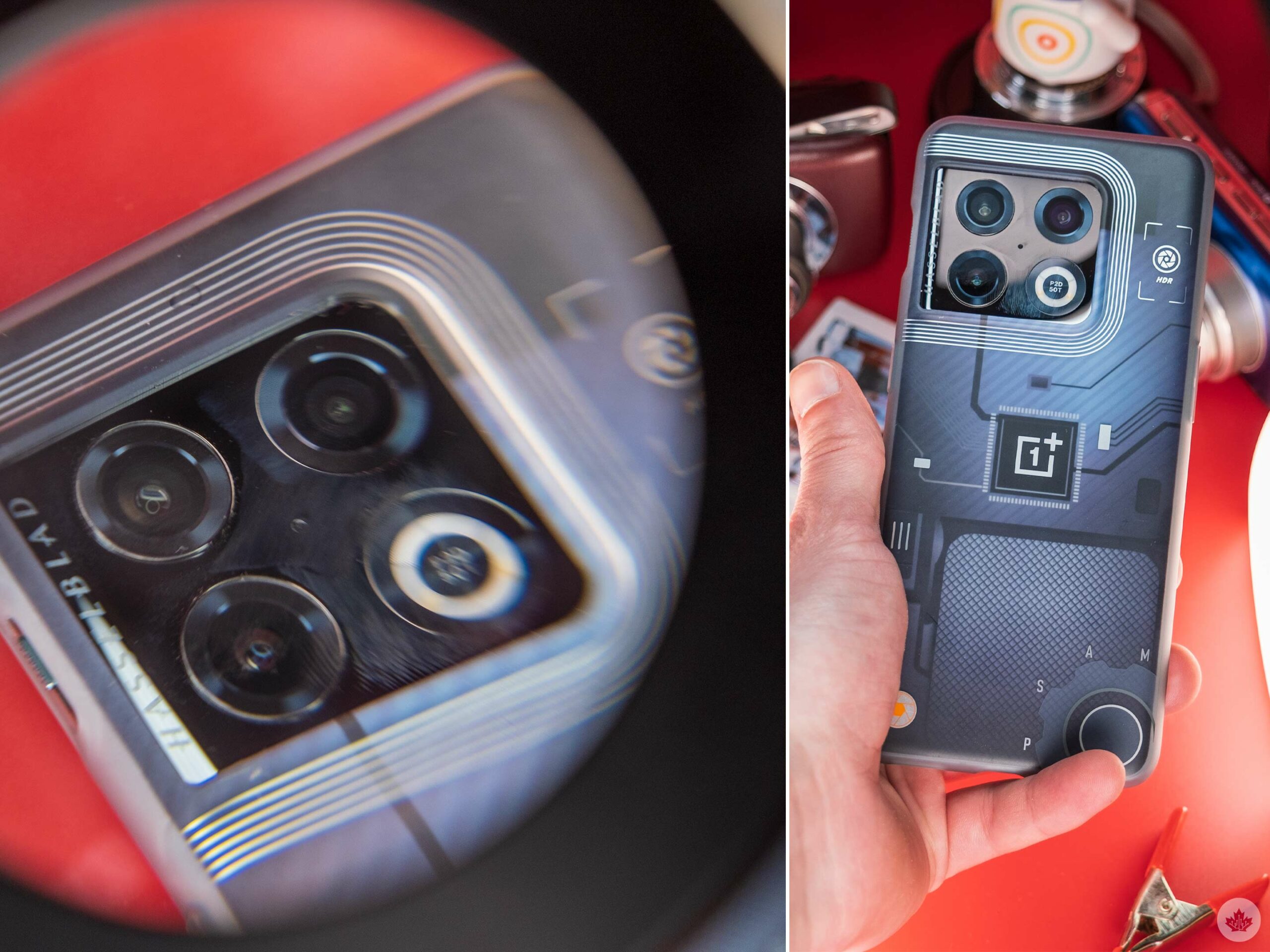
As much as I like looking at the boldly designed camera bump on the back of the OnePlus 10 Pro, it’s also a fingerprint magnet. And since it takes up such a large portion of the device’s rear, my fingers absently touch it a lot. I find this happening less with the Pixel 6’s large camera bar since it’s so pronounced, but still very much at the top edge of the phone. With the OnePlus 10 Pro, I even need to readjust my grip to shoot a landscape photo with its ultrawide camera so I don’t see my fingers in the shot.

The placement of the front-facing camera is annoying too. Within apps that have a status bar, the camera sits right on top of the bottom edge instead of centred. This has been a longstanding issue with smartphones that feature hole-punch camera cutouts, and it still irks me every time I see it.
On the positive side of things, I really liked the power of the OnePlus 10 Pro’s speakers. They sound better than I expected and offer enough oomph to fill my small office with ambient music while I’m working. That also means that they’re more than powerful enough for watching the odd Instagram Reel or YouTube video.

OnePlus also raised the fingerprint sensor this year to make it easier to hit with one hand. I never had any issues with the scanner’s location on the OnePlus 9 Pro, but it’s nice to see OnePlus making a small change like this and listening to feedback.

The haptics are really nice on the 10 Pro this year, with a defined punch that’s still very subdued. I’m a big fan, and it’s safe to say haptics have quietly become something OnePlus does the best.

The OnePlus 10 Pro has been one of the buggiest review units I’ve ever tested. Usually, if I’m working with a phone under embargo, I’ll forgive a few issues since all phones suffer from occasional problems and a simple reset often fixes them.

However, the OnePlus 10 Pro is an entirely different story. During my time with the device, I needed to reset it daily, and sometimes even more than once a day. I usually don’t feel the need to keep a list of bugs when testing phones, but OnePlus has shattered my trust in the brand over the last year, and the OnePlus 10 Pro hasn’t repaired it.

First off, I can’t get 5G to work, and text messages were broken and wouldn’t load images for the first three weeks I tested the device. Android Chat functionality is also broken and won’t connect. To it top off, notifications seem to come to the OnePlus 10 Pro after all my other devices and are unreliable. During testing, I had to silence notifications from TikTok three times, suggesting it didn’t work for an unknown reason the first two instances I did it.
Moving on, the Roku app needs to be forced closed before I use it every time, or it loses connection to the TV and searches for a new one indefinitely. On the morning of my flight to New York, I needed to reset the phone since Google Photos was repeatedly crashing. Then after that reset, my headphones stopped working following Instagram freezing. Then I needed to reset the phone and the headset again. It was super aggravating and represented OnePlus at its worst.

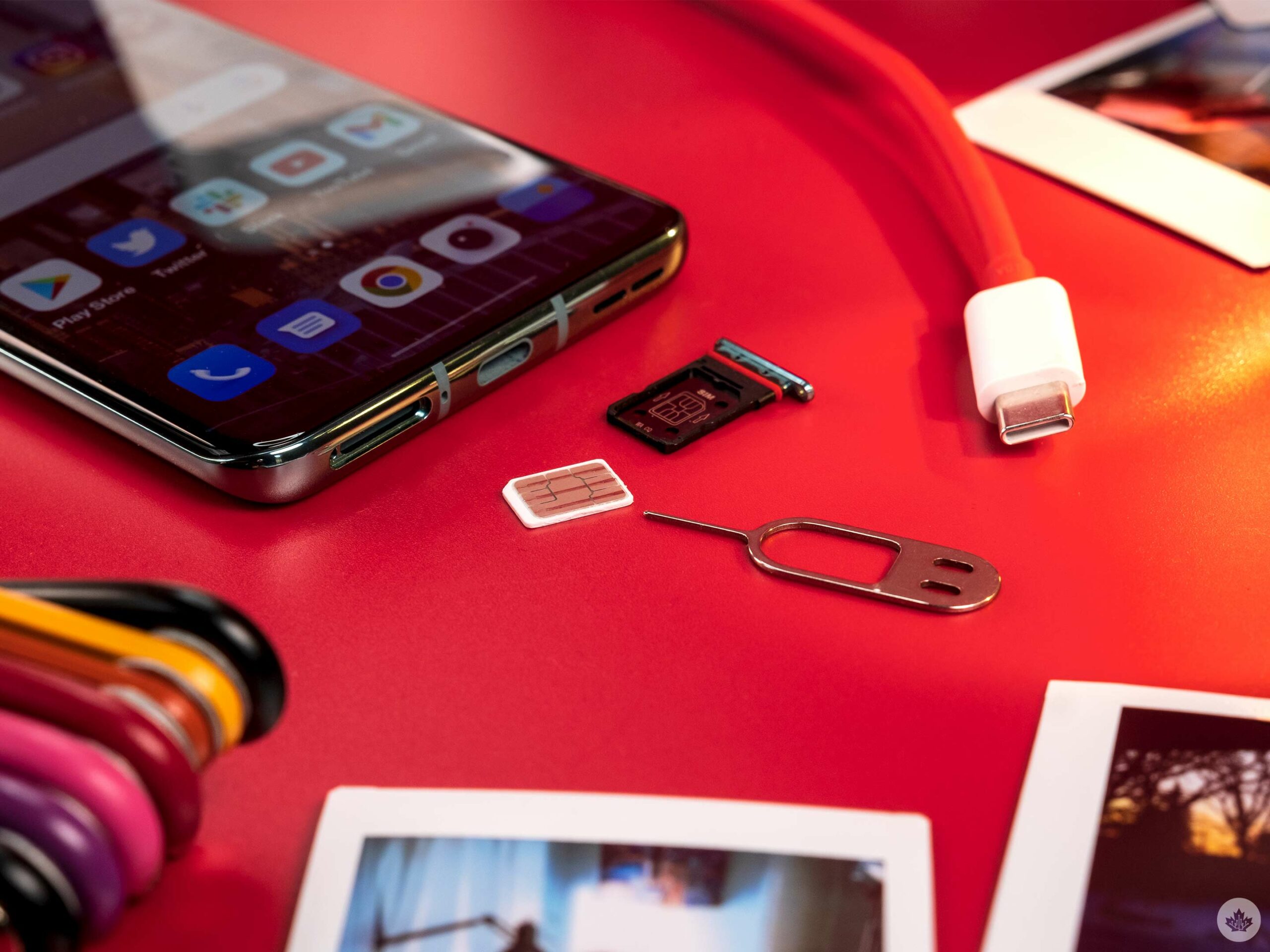
Every time I got into my car, I also needed to manually pull down the notification shade and tell the OnePlus 10 Pro not to charge and use Android Auto instead. No other Android phone has made me do this in the past. The final big glitch that lasted for two days was my GPS being reversed in Google Maps. So whenever I was using it for directions, I needed to go the opposite way it was pointing me (I’ll admit I felt like a detective when I figured that one out).

The device has limped on and continued to take great pictures, but I don’t trust it as my daily driver right now. However, it did get me through a three-day trip, and the battery has been impressive, getting me six hours or more of screen-on time and easily lasting throughout a day and a bit.

I’ll also mention that I’m a huge fan of OnePlus’ Sandstone cases and the newest version that fits on the 10 Pro is still as amazing as ever.

Categories
Mobile Syrup

Rogers is offering some customers 5GB of free data

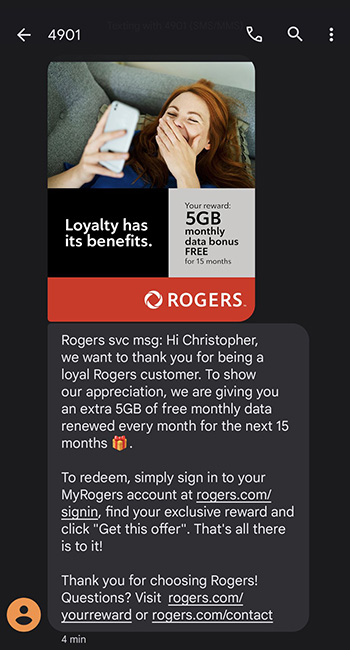
Rogers is offering some wireless customers 5GB of free monthly mobile data every month for the next 15 months, according to a screenshot sent to MobileSyrup by a reader.

To redeem the extra data, sign in to your MyRogers account and select ‘Get this offer.’ If you haven’t received a text from Rogers and you’re a current Rogers customer, it’s worth logging into your MyRogers account just to make sure it hasn’t appeared.

Rogers 5G offer


It’s unclear how widespread this offer is or if it’s regional.

Have you received this offer from Rogers? Let us know in the comment section below.

Thanks Christopher

Image credit: Christopher