Categories
Mobile Syrup

Here are the new games coming to Nvidia GeForce Now this week

Nvidia has announced six new games that are coming to its GeForce Now cloud-streaming platform this week.

Below is a full list of all of the titles arriving shortly:

Check out all other titles coming to Nvidia GeForce Now later in April here.

Additionally, the cloud streaming service now supports game demos that you can try out before purchasing the full title. The first wave of demos added to the service includes titles like Chorus, Ghostrunner, Inscryption, Diplomacy Is Not an Option and The RiftBreaker Prologue, with more to come in the future.

Nvidia’s cloud gaming service offers three membership options. The first is the free route that will give you standard access to the platform with a one-hour gaming limit per session. Once the hour passes, you can queue again to get another hour of free gaming in, although you may have to wait a while.

Nvidia also offers a paid membership option that gives you priority access to gaming servers without any session length limit. This subscription will cost you $12.99/month or $64.99 for six months.

Lastly, the company’s recently-released RTX 3080 tier provides a low ‘click-to-pixel’ latency of 56 milliseconds, and a boost in framerates and overall performance. The subscription is available for $24.99/month or $129.99 for six months.

Learn more about Nvidia GeForce and its subscription options here.

Image credit: Nvidia

Source: Nvidia

Categories
Mobile Syrup

Toronto is getting its own Pokémon-themed maid cafe from April 23-24

Scarborough, Ontario is getting its own Pokémon-themed Japanese maid cafe later this month.

The pop-up will be available from Saturday, April 23rd to Sunday, April 24th at the Oishiii Sweets Cafe on 3376 Kennedy Rd. Unit 2. The maid cafe will be inspired by the cosplay genre concept that involves servers dressing up as maids but in the theme of Pokémon.

The maids will offer table-side games and entertainment.

The idea behind it is the maids/servers will be Pokémon, and the guests are trainers. Guests will have admission to the cafe for one hour, and the $60 tickets include Japanese-inspired treats, drinks and a mini-performance. Additionally, there will be merchandise to purchase.

In the past, Oishii Sweets Café also held a Sailor Moon-themed cafe.

Like any other restaurant, guests have to refrain from asking the servers for any personal information or touching them.

Via: The Daily Hive

Categories
Mobile Syrup

Elden Ring still one of the most downloaded games on PS Store in Canada

Though Elden Ring came out at the end of February, the game is still leading the PlayStation charts in Canada and the U.S. Other titles that made the top 20 list include Gran Turismo 7, WWE 2K22, and Grand Theft Auto V.

Here are the top 20 games downloaded on PS5 and PS4.

PS5 games list:

  1. Elden Ring
  2. Gran Turismo 7
  3. WWE 2K22
  4. Grand Theft Auto V
  5. Tiny Tina’s Wonderlands
  6. NBA 2K22
  7. Stranger of Paradise Final Fantasy Origin
  8. Horizon Forbidden West
  9. Ghostwire: Tokyo
  10. Sifu
  11. FIFA 22
  12. It Takes Two
  13. Madden NFL 22
  14. Assassin’s Creed Valhalla
  15. Star Wars Jedi: Fallen Order
  16. Among Us
  17. Marvel’s Spider-Man: Miles Morales
  18. Dying Light 2
  19. Tom Clancy’s Rainbow Six Siege
  20. Mortal Kombat 11

PS4 Games list

  1. Elden Ring
  2. WWE 2K22
  3. Gran Turismo 7
  4. NBA 2K22
  5. Tiny Tina’s Wonderlands
  6. Grand Theft Auto V
  7. Minecraft
  8. FIFA 22
  9. Batman: Arkham Knight
  10. Horizon Forbidden West
  11. Madden NFL 22
  12. Marvel’s Spider-Man
  13. Star Wars Battlefront II
  14. Red Dead Redemption 2
  15. The Last of Us Part II
  16. Need for Speed Heat
  17. Among Us
  18. Cuphead
  19. The Sims 4
  20. The Forest

PS VR Games

  1. Beat Saber
  2. Job Simulator
  3. Astro Bot Rescue Mission
  4. Batman: Arkham VR
  5. Superhot VR
  6. Marvel’s Iron Man VR
  7. Creed: Rise to Glory
  8. Surgeon Simulator: Experience Reality
  9. Vacation Simulator
  10. Swordsman VR

Free-to-play (PS5 +PS4)

  1. Fortnite
  2. Apex Legends
  3. Call of Duty: Warzone
  4. Bleach Brave Souls Anime Game
  5. Rec Room
  6. Rocket League
  7. PUBG: Battlegrounds
  8. Destiny 2
  9. Genshin Impact
  10. Brawlhalla
Categories
Mobile Syrup

How to watch the 2022 Canadian Game Awards and Canadian Indie Game Awards

The Canadian Game Awards is returning for a second year.

Organized by esports company Northern Arena, the show will honour Canada’s games, developers, esports players and personalities.

Like last year, it will be fully virtual, but a key difference is that there will be two ceremonies, both streamed on Twitch.

Canadian Indie Game Awards

The first is the Canadian Indie Game Awards, taking place on Thursday, April 7th at 7:30pm ET/4:30pm PT.

Hosted by host and presenter Camille Salazar Hadaway, the show is focused on games made by independent developers, including Inscryption (Vancouver’s Daniel Mullins), Moonglow Bay (Bunnyhug, an international team led by Canadian ex-pat Zach Soares) and Echo Generation (Toronto’s Cococucumber).

The five titles up for Indie Game of the Year are:

  • The Big Con (Toronto’s Mighty Yell)
  • Boyfriend Dungeon (Montreal’s Kitfox)
  • Chicory: A Colorful Tale (Vancouver’s Chicory Team)
  • Echo Generation (Cococucumber)
  • Moonglow Bay (Bunnyhug)

The full list of CIGA nominees can be found here.

Canadian Game Awards

The main show, meanwhile, is simply titled the Canadian Game Awards and will be held on Friday, April 8th. A pre-show will begin at 7:30pm ET/4:30pm PT before the main event at 8pm ET/5pm PT.

Hosted by TSN Digital SportsCentre’s Marissa Roberto, the show will feature awards for both indie and AAA games, including the aforementioned Inscryption and Moonglow Bay, as well as titles like Marvel’s Guardians of the Galaxy (Quebec’s Eidos Montreal) and Far Cry 6 (Ontario’s Ubisoft Toronto).

The five games up for Game of the Year are:

  • Boyfriend Dungeon (Montreal’s KitFox)
  • Echo Generation (Cococucumber)
  • Far Cry 6 (Ubisoft Toronto)
  • FIFA 2022 (EA Vancouver)
  • Marvel’s Guardians of the Galaxy (Quebec’s Eidos Montreal)

The full list of CGA nominees can be found here.


What were your favourite Canadian games of 2021? Let us know in the comments.

Disclaimer: Brad Shankar participated in the judging committee for the awards.

Image credit: Square Enix/Devolver Digital

Categories
Mobile Syrup

Valve’s Steam Deck is the handheld of my dreams

I didn’t have high expectations for Valve’s Steam Deck, given the company’s track record in the hardware space with Steam Machines, Steam Link and the Steam Controller.

I assumed the portable would be glitch-filled, game compatibility would be hit or miss, and the dream of turning the portable into the ultimate emulator machine would be far too difficult. It turns out that, for the most part, I was correct, but that’s not the full story.

Buried beneath the Steam Deck’s myriad shortcomings is one of the most capable handheld video game consoles ever — just be prepared to take on the role of a beta tester.
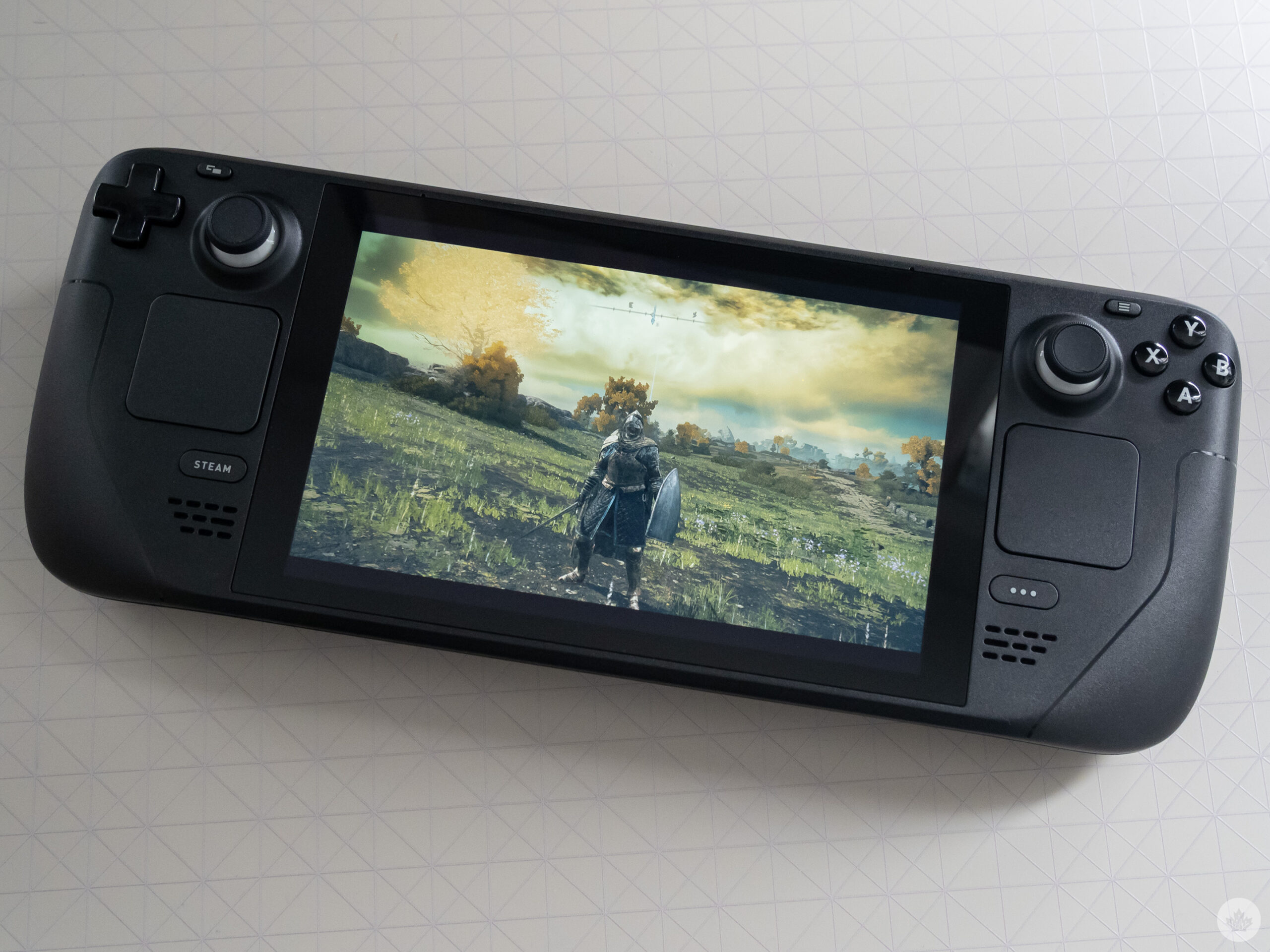
Elden Ring running on the Steam Deck

With this in mind, if you go into the Steam Deck with appropriate expectations and understand that it’s a handheld designed for PC gamers (this isn’t the plug-and-play Nintendo Switch), you’ll walk away very impressed with what Valve has accomplished.

In fact, if the Steam Deck continues to improve on the game compatibility front, I might go so far as to say I prefer it over the Switch.

Be prepared to experiment

My journey with the Steam Deck started back in late February, roughly around when Elden Ring released. Ahead of getting my hands on the Deck, I’d read FromSoftware’s latest runs reasonably well on the handheld, albeit with a few performance hiccups, so I was eager to test it out. To my surprise, Elden Ring played solidly on the Steam Deck even at high graphics settings, though I did experience occasional bouts of lag. It’s also worth mentioning that while I’ve recently fallen off playing Elden Ring, I’m shocked at the amount of fun I’ve had with the game, especially considering I typically have no interest in the ultra-difficult ‘Soulsborne’ genre.

Thankfully, Elden Ring‘s performance issues were solved by joining Proton’s ‘bleeding-edge experimental‘ branch of updates, giving access to the game’s latest compatibility layer courtesy of Valve (Proton is the translation layer that allows Windows games to run on Valve’s Linux-powered SteamOS). This update eventually made its way to the standard version of SteamOS roughly a week later.
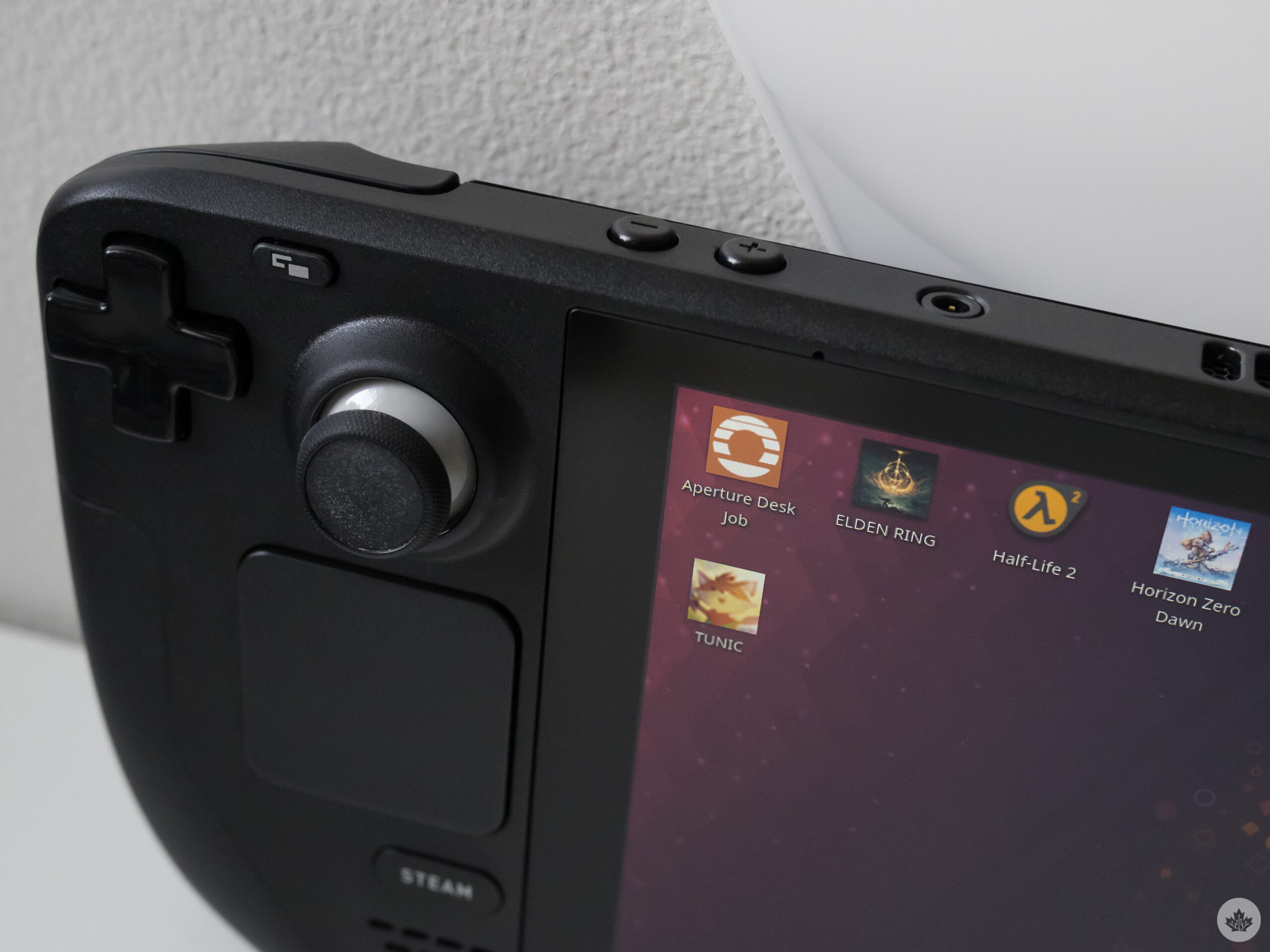
Steam Deck desktop mode

I mention my experience with Elden Ring because it’s the first example of the Steam Deck’s very work-in-progress nature that I encountered. Updates come fast and almost daily, but this also means progress is quick. An issue you’re experiencing with the Deck’s software one day might be fixed the next morning. For example, I was initially unable to format my microSD card to the Steam Deck’s Linux-based ext4 file system, only to have it work the next day after installing the latest SteamOS update. I’ve never used hardware that’s as fluid as this.

Still, even when Elden Ring wasn’t running perfectly on the Deck, I found it difficult not to marvel that I was playing a recently released, modern game on a handheld — something I’ve dreamed of doing since I was a child and first picked up the OG Game Boy.
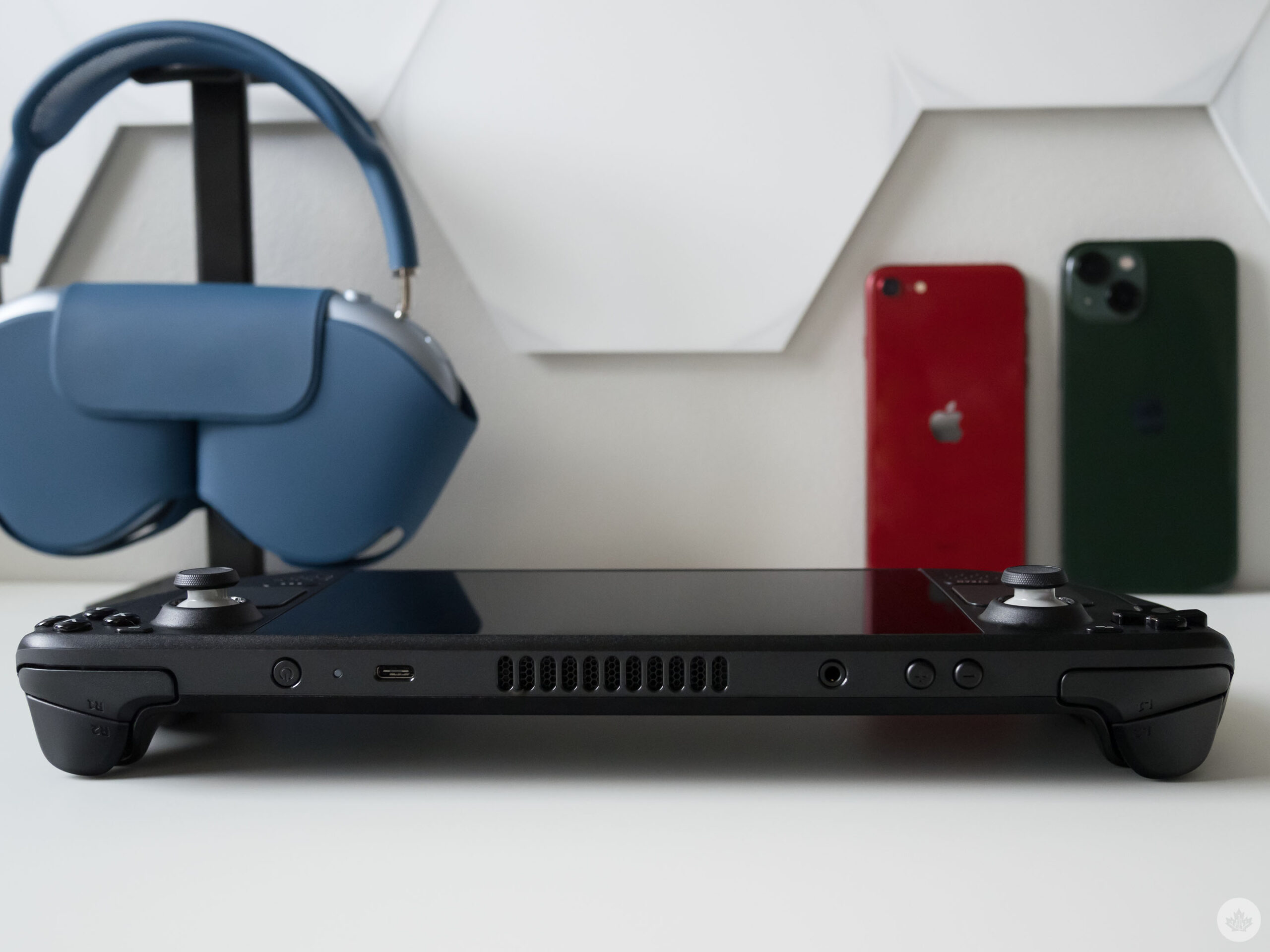
Steam Deck side view

Valve’s ‘Steam Deck Verified’ system makes it relatively easy to figure out what titles are optimized for the handheld while browsing the Steam store. During my time with the Steam Deck, I’ve played Horizon Zero Dawn (I ran into some slowdown during certain open-world areas), Tunic, Half-Life 2, Left 4 Dead, Portal and more, and the experience has been very solid.

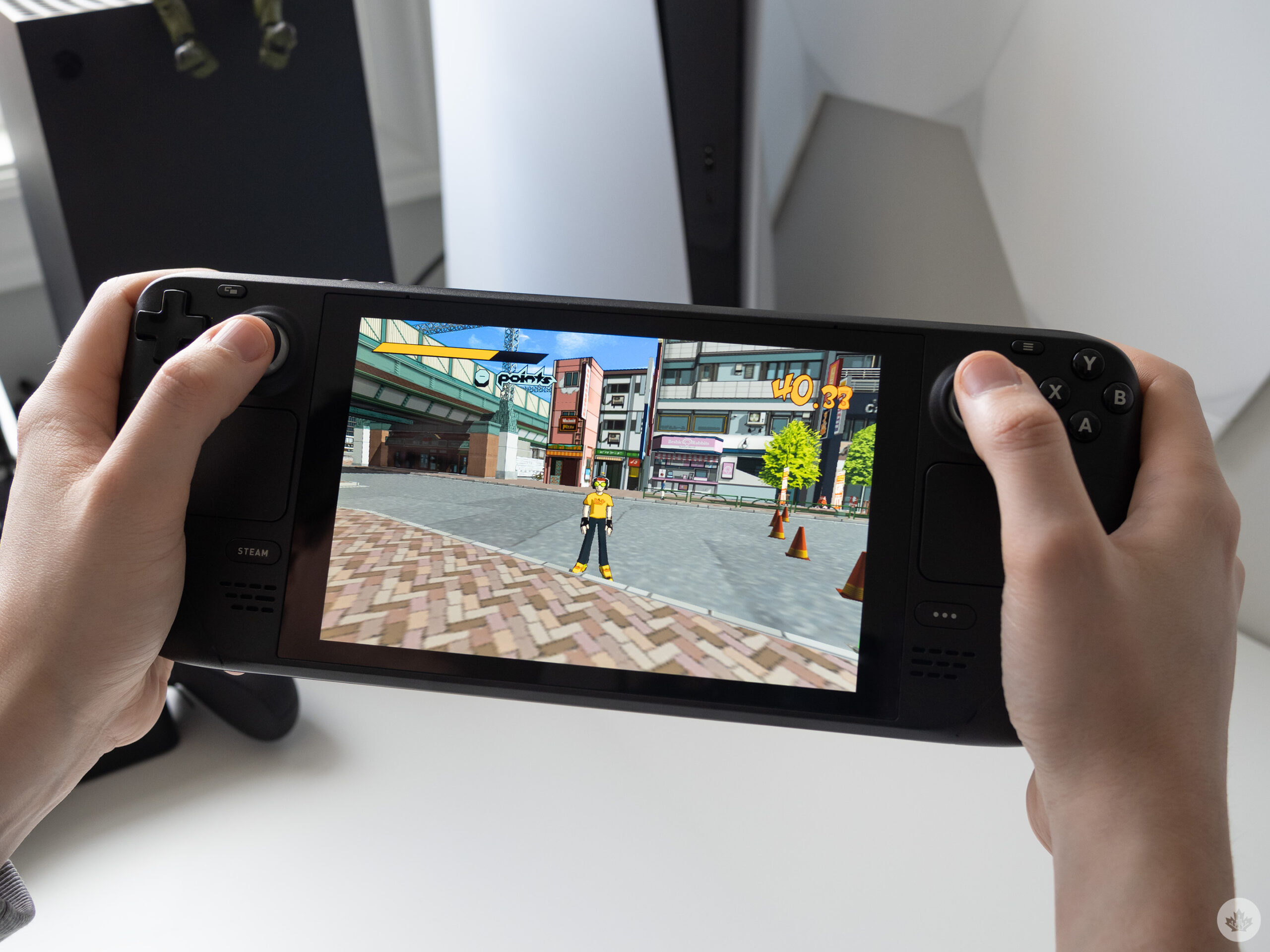
Even games that aren’t listed as ‘Verified’ tend to work relatively well on Steam Deck if you’re willing to spend a bit of time on setting up the controls. However, as a primarily console gamer, my Steam library isn’t very extensive, and I haven’t yet spent a lot of time adjusting controls beyond Jet Set Radio.

There are also several easy-to-access, PC-like Steam Deck settings related to GPU clock frequency, thermal power, limiting the frame rate, scaling filters and more, that can come in handy if a game is pushing the Deck just a little too hard. Of course, some people may find these settings intimidating to play around with, but I was able to grasp what most of them do with a little research.
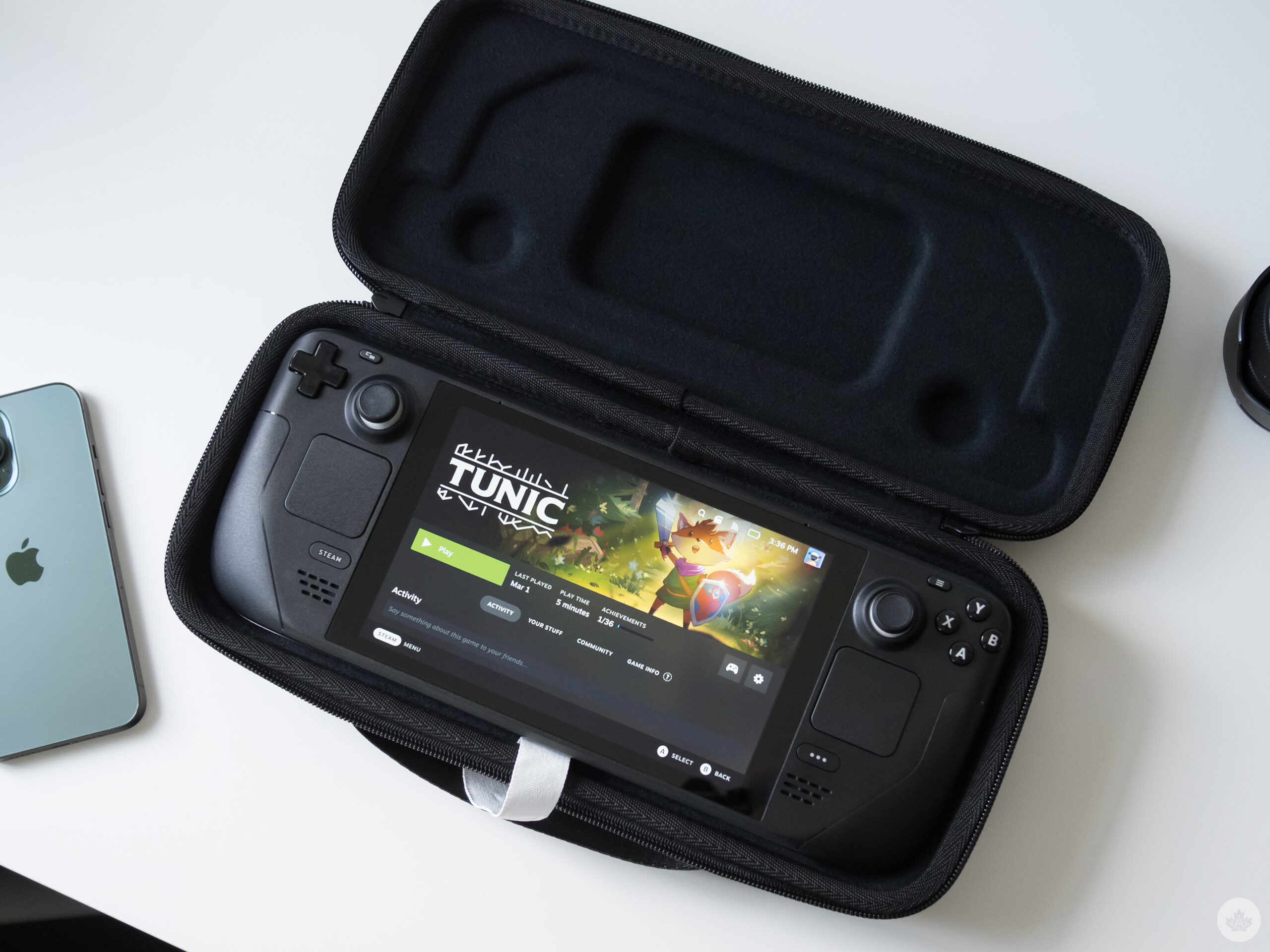
Steam Deck and Tunic

The setting I find myself shifting around the most is the frame rate limiter. For example, I limit Elden Ring to 30fps because it tends to run far more solidly at that frame rate, but bump Tunic up to 60fps because it’s less resource-intensive title.

Big and beautiful

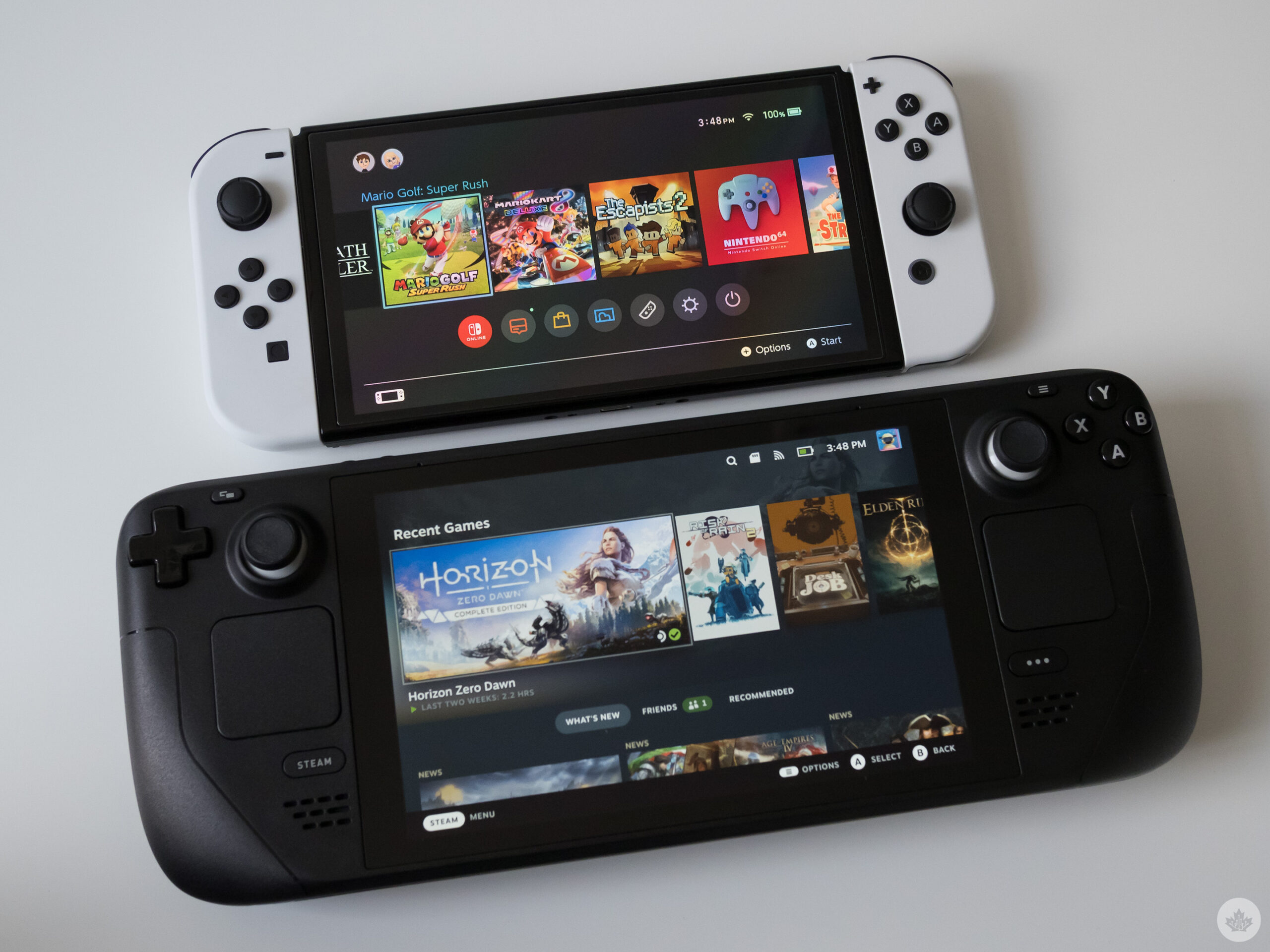
The Steam Deck is massive, especially when you place it beside Nintendo’s Switch. It’s also weighty at 669g, making it difficult to hold up if you’re playing while laying down or not resting the device on a table. That said, the Deck is comfortable in an ergonomic sense thanks to its rear arms that make gripping the handheld easier than a device like the Switch. They help give the deck a more video game controller-like feel.

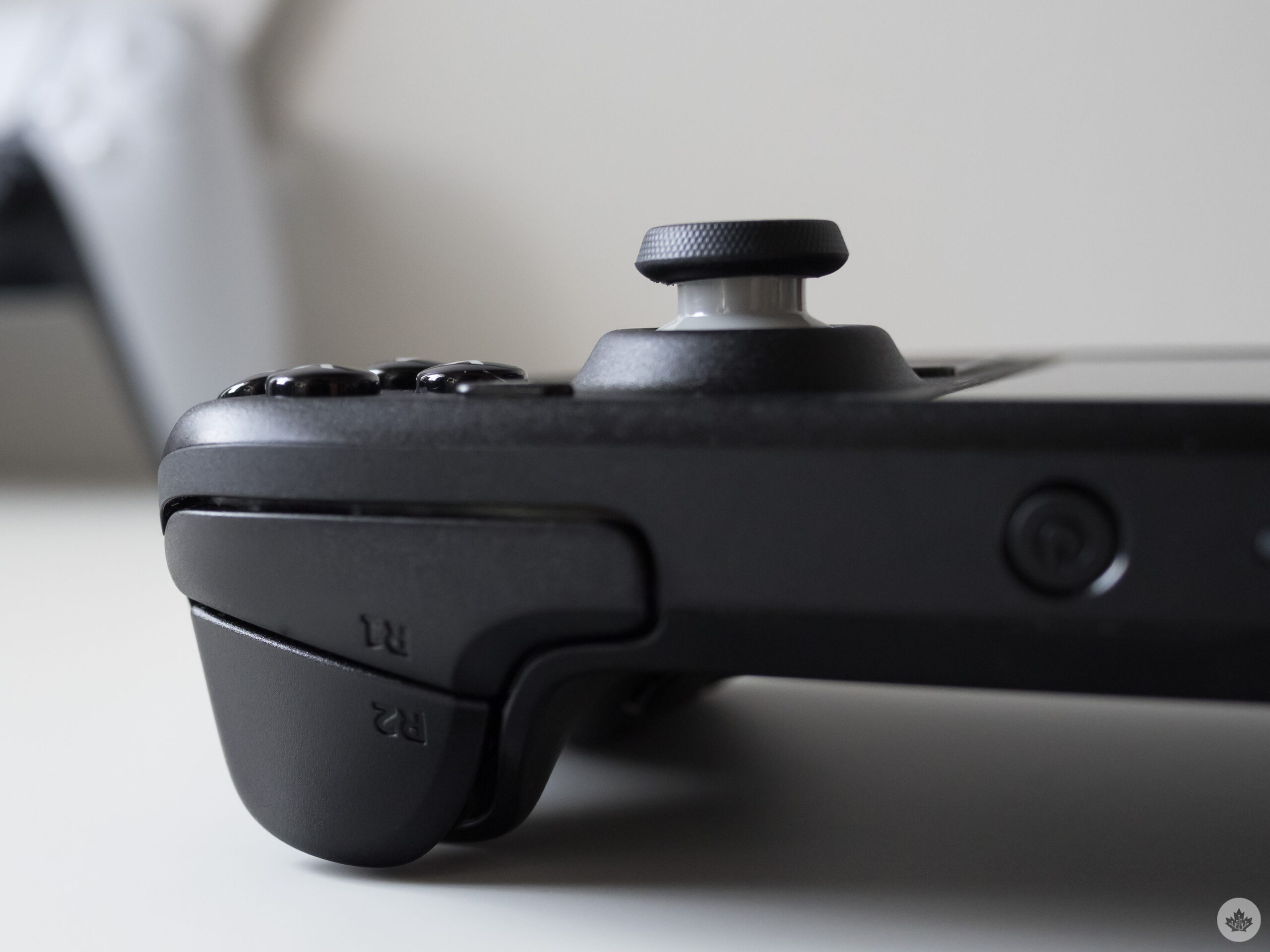
Most of its buttons and joysticks feel high-quality, though there are a few notable exceptions. For example, the two touch panels flanking on either side of the Steam Deck have a decidedly cheap feel to them alongside wonky haptics I’d describe as passable, but far from great (especially when compared to the Switch’s ‘HD Rumble.’ Thankfully, I rarely touch these pads unless I’m using the right one as a mouse replacement in desktop mode. However, the Deck’s haptics are much better in the handheld’s triggers.
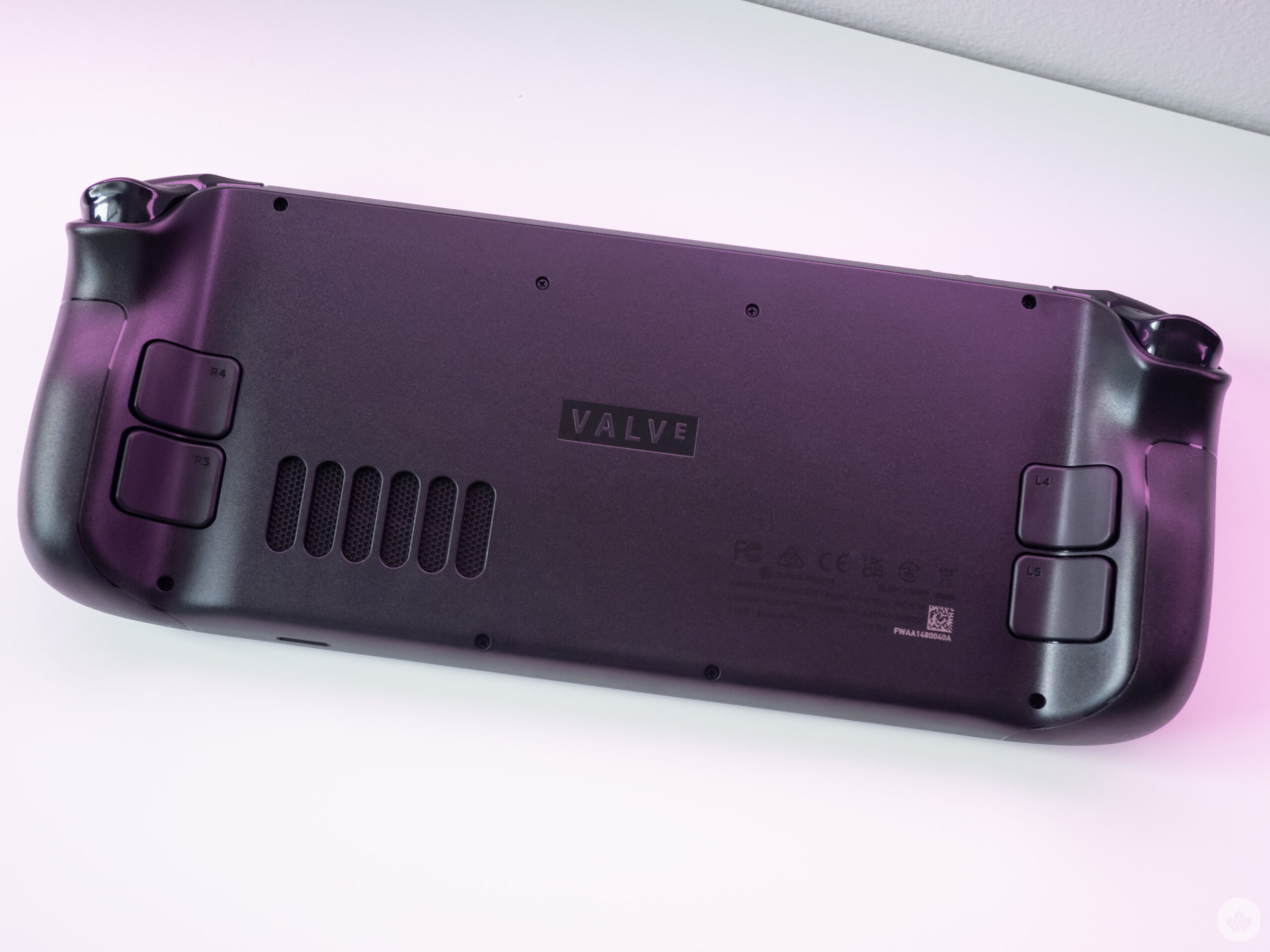
In that same vein, the d-pad is in an awkward position that’s difficult to reach, and as primarily an Xbox player, the parallel, PlayStation-like joysticks feel a little strange to me. To be fair, I did get used to them after a few hours. There are also four back buttons on the rear of the deck that I’ve never used and wish weren’t there at all since this would make its rear arms smoother and easier to grip.

My big takeaway from the Steam Deck’s design is that while the device is heavy and a little bulky, I’ve found it far more comfortable to use for long play sessions than the Nintendo Switch, though, of course, this will vary based on the size of your hands and personal preference.

Things are a little more disappointing on the display front. The Steam Deck’s 7-inch LCD 1280 x 800 pixel resolution screen may measure in at the same size as the Switch OLED model’s 7-inch 1280 x 720 pixel resolution panel, but its colour reproduction, vibrancy and surprisingly chunky bezels can’t compete with Nintendo’s OLED handheld. The Steam Deck’s LCD screen doesn’t look bad, but mid-range smartphones and even the base model Switch feature a better display.
And if you think you can bypass the handheld’s screen and connect directly to a television or monitor for a better experience, you’re half correct. While you can do this with nearly any powered USB-C cable or dongle that supports video out (I used the Genki Covert Switch Dock), your output resolution is stuck at 1280 x 800 when it comes to actually playing games. The resolution of SteamOS’ UI will upscale all the way to 4K, though.

As a side note, the Steam Deck’s included hard case absolutely slaps. It makes me less afraid to take the beast of a portable machine outside of my home, and overall, is probably one of the most solid handheld gaming device cases I’ve ever used (and I’ve used dozens over the years).

Work-in-progress

This is where my ongoing journey with the device comes in again. If you want to use platforms like Xbox Cloud Gaming, install emulators or run any app/software that isn’t available directly through SteamOS on the Steam Deck, prepare to spend ample time figuring things out. For example, while Xbox Cloud Gaming runs on the handheld and gives access to hundreds of titles through Xbox Game Pass Ultimate streamed directly over the internet to the device, there’s a multi-step process to get it running.

The same can be said about emulators and ROMs. Thanks to EmuDeck, an app that automatically configures various emulators for the Steam Deck, the process is far simpler than it was a few weeks ago. For the most part, EmuDeck does everything for you, but it still takes several steps, including formatting an SD card (you can also store ROMs on internal storage), creating SteamOS shortcuts and more, before you’ll be playing N64 classic 1080° on your Deck.
Steam Deck side shot

I’d recommend going the Emulation Station route rather than creating shortcuts to specific ROMs directly in SteamOS because it looks cleaner and is easier to set up. After spending a weekend turning the Steam Deck into the ultimate retro emulation device, I’d argue that it’s worth the effort, but the setup isn’t as straightforward of a process as some guides make it out to be.

Then there’s desktop mode. While I was initially very frustrated with the Steam Deck’s desktop mode — for example, at one point there wasn’t an easy-to-access on-screen keyboard — the operating system and its capabilities have improved significantly over the past few weeks.

Navigating with the right trackpad as your mouse pointer works relatively okay, but clicking the left or right pad doesn’t always work reliably and can often feel inaccurate. Adding to the awkwardness, pulling up the on-screen keyboard isn’t contextual like a smartphone and requires you to press the Steam button and X simultaneously top open and close it.
Steam Deck in hand

Navigation gets easier if you use a wireless mouse and keyboard with the Steam Deck instead. In my case, I use a USB-C-to-A adapter with a Logitech wireless dongle plugged into it to easily jump from using my MacBook Pro to the Steam Deck. Though some people may want to avoid desktop mode entirely, if you plan to delve into the platform’s intricacies and install apps from its ‘Discover’ store, you’ll need to use it.

It’s also worth mentioning that the Steam Deck’s battery life can be abysmal. There were instances where I only managed to get 1.5 to 2 hours out of the handheld and opted to just game away with it plugged in. It depends on what game you’re playing, however. For example, with Tunic, I was getting in the range of four hours, and when I started to mess around with emulators (Crazy Taxi for the Dreamcast has aged remarkably well), I was getting upwards of four hours.
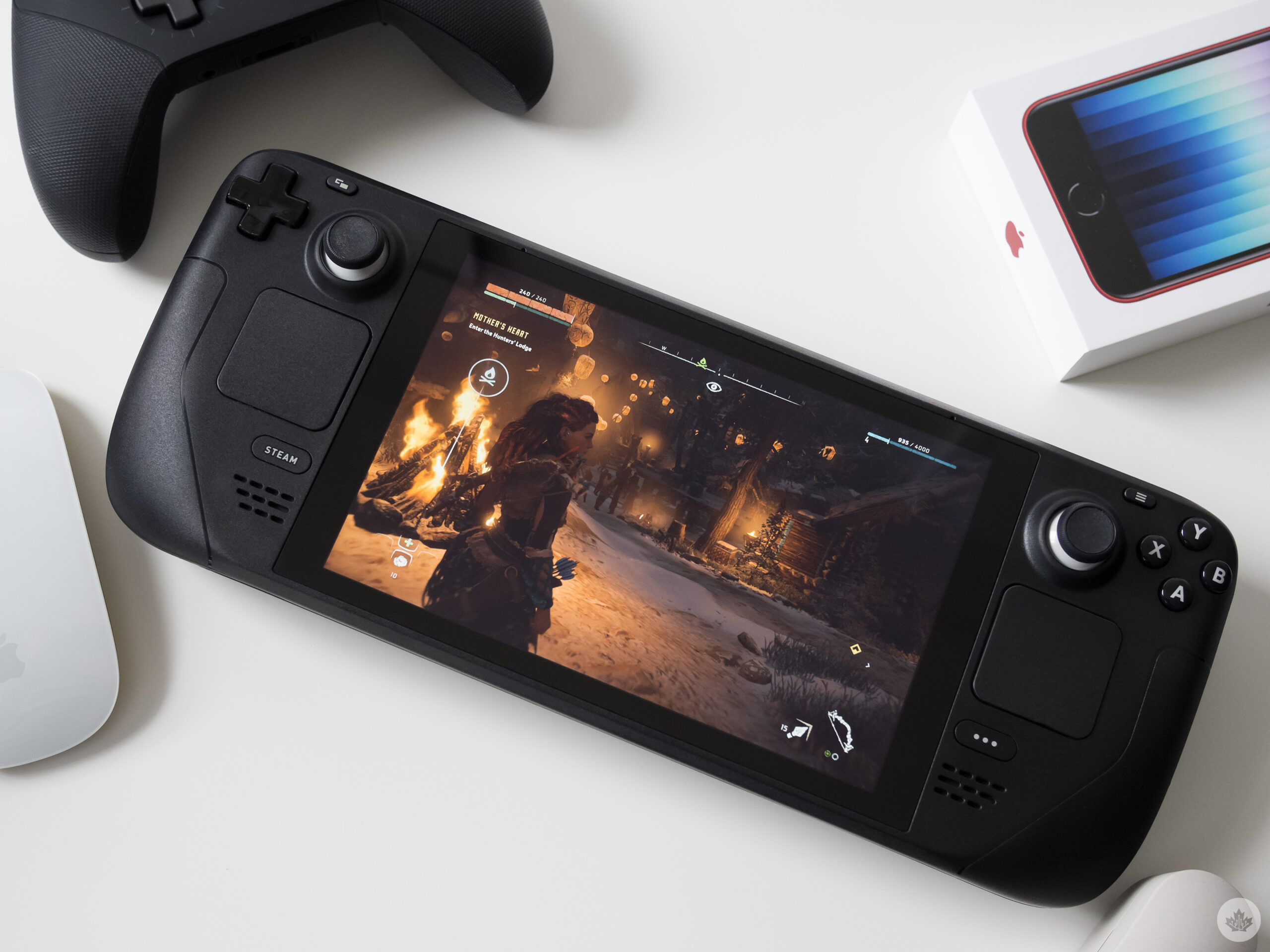
Steam Deck running Horizon Zero Dawn

And finally, there’s the fan. The Steam Deck’s very loud fan is my most significant issue with the device. It’s running nearly all the time regardless of what game you’re playing, and is so loud that, for example, my partner laying beside me in bed can hear it clearly. This led me to use headphones with the handheld in most situations.

Some people may have less of an issue with the low-pitched whine, but I despise it. I’m hoping this is a problem Valve irons out in future versions of the Steam Deck.

Still to come 

I’ve praised the Steam Deck’s game compatibility a lot in this story, but it’s also lacklustre in some respects. For example, Windows can’t easily be installed on Valve’s handheld, though Windows 11 support recently came to the platform (previously, only Windows 10 worked because of the lack of support for the Deck’s TPM module).

Further, some Windows drivers are still missing, and an installation requires you to entirely wipe SteamOS from the device since there’s not yet a dual boot option. Plus, navigating Windows with the Steam Deck’s built-in buttons is reportedly a chore.
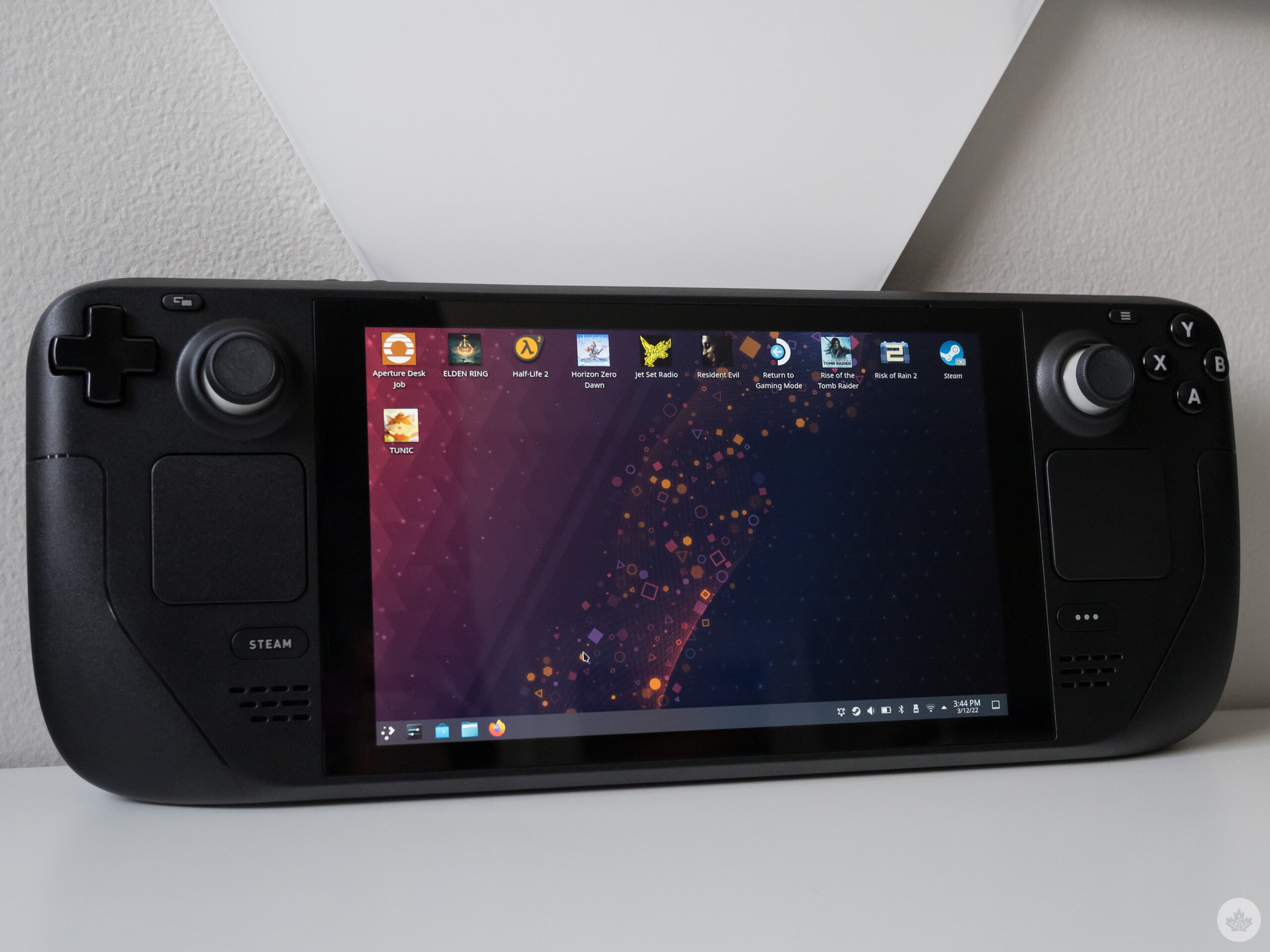
Steam Deck

On the other hand, installing Windows gives you access to Xbox Game Pass titles, Destiny 2, Fortnite and other games that aren’t available directly through Steam. As you likely already guessed, I haven’t taken Windows for a spin on the Steam Deck and likely won’t until a dual-boot option becomes available.

Now that you’ve read this story, you’re probably wondering why the headline is so positive despite the Steam Deck having so many issues. The handheld really is a hardware achievement on Valve’s part and, in a sense, feels like the Switch Pro that still hasn’t materialized. Everything from its versatility and openness to its ability to just straight up play recently released AAA games is impressive.

The current state of the Steam Deck isn’t perfect, but I’m excited to see where Valve takes the device.

The Steam Deck is available on Valve’s website starting at $499, but good luck getting your hands on one if you don’t already have a pre-order. A the time of publication of this story, new Steam Deck orders won’t ship until October 2022.

Categories
Mobile Syrup

You can now switch your TV’s input to an Xbox console with your controller

A new Xbox update adds the ability to switch your TV’s input to your Xbox console using a game controller.

Once the feature is enabled, all you’ll have to do is press the Xbox button on the gamepad.

It’s important to note, however, that this feature is only available on Xbox Series X and S, not the last-gen Xbox One. That’s because the newer systems sport HDMI-CEC, which is required for this functionality.

To turn it on, go to your console’s settings –> TV & A/V power options –> Sleep mode & startup –> Switch TV input using controller.

More information can be found on Xbox’s support page.

Categories
Mobile Syrup

Globalive founder publishes open letter to further push for Freedom Mobile

Speculation has surrounded multiple parties and their interest to acquire Freedom Mobile from Shaw. But the same can’t be said for Globalive and its founder Anthony Lacavera.

Lacavera has been open about his quest to acquire the company he once founded. His latest move comes in an open letter he published Wednesday urging the federal government to ensure Freedom Mobile goes to a “truly independent alternative to the Big Three.”

François-Philippe Champagne, the Minister of Innovation, Science and Industry, made it clear that Rogers must sell Freedom to create a fourth competitor for the Rogers-Shaw merger to be approved.

In an interview with MobileSyrup, Lacavera said the most important thing is for Freedom to run as “a true independent wireless operator.”

He echoed these remarks in the open letter, saying the new buyer has to be a “pureplay mobile carrier…that does not have any other legacy telecom businesses that will slow it down.”

Lacavera founded Wind Mobile in 2008 and sold it to Shaw years later for $1.6 billion amid problems with the company’s then investors, who didn’t receive regulatory approval to continue functioning in Canada.

Lacavera told MobileSyrup much of the capital behind the current offer is based in the U.S “whereas the last go around it was more foreign capital.”

The Globe and Mail reports Globalive has offered $3.75 billion for Freedom Mobile, and investors Twin Point Capital and Baupost Group are funding the bid.

A source told MobileSyrup that up to three investors could be backing the bid, but Lacavera refused to confirm the figure.

The Globe and Mail further reported Xplornet is one of the companies Rogers spoke with about Freedom Mobile. A company spokesperson declined to comment.

Vidéotron, which is also seen as a viable contender by some, including Lacavera, has also declined requests to comment on its position.

Source: anthonylacavera.com

Categories
Mobile Syrup

Critics say Government’s plan to bring $20 a month internet fails to include many

Earlier this week, the Government of Canada expanded the Connecting Families initiative to include seniors.

Initially introduced in 2018, the project offers subscribers a minimum of 100GB of data a month with download speeds of 10Mbps for $10. This part of the project (Connecting Families 1.0) is only available to those who received the maximum Canada Child Benefit (CCB).

The second step of the project is known as Connecting Families 2.0. It includes 50Mbps download speeds and 200GB of data usage for $20 a month. It’s available to families receiving the maximum CCB and seniors receiving the maximum Guaranteed Income Supplement (GIS).

But, as Cartt.ca reports, critics say the expansion doesn’t do enough to address the digital divide.

A recent report by the Hamilton chapter of the Association of Communities for Reform Now (ACORN) says Connecting Families 2.0 “is at best [a] patchwork of internet programs that fail to meet the needs of all low-income people.”

“The federal government has failed to bring forward legislation that builds on the Connecting Families program introduced in 2018,” the report further notes.

OpenMedia further echoed the concern, saying the act shows how some people will always be left behind.

“Affordable connectivity at reasonable speeds should not depend on your eligibility for specific government programs,” Matt Hatfield, OpenMedia Campaigns Director, said. “This piecemeal approach will always leave out many people in need, and falls behind on delivering acceptable basic service.”

Access Communications, Bell, CCAP, Cogeco, Hay Communications, Mornington, Novus, Rogers, SaskTel, Shaw, Tbaytel, Telus, Vidéotron, and Westman Communications are participating in the program voluntarily.

In response to the concerns, a spokesperson from Innovation, Science and Economic Development Canada told Cartt.ca the providers are helping “tens of thousands of low-income Canadians access the internet.”

The comment does little to address the concerns raised by the critics and bring cheaper internet to more low-income Canadians.

Image credit: Shutterstock

Source: Cartt.ca

Categories
Mobile Syrup

Google bans apps with reported data-harvesting code

Google has banned a variety of apps after finding that they were secretly harvesting data, according to The Wall Street Journal. The report indicates that research found that weather apps, highway radar apps, QR scanners, prayer apps and others used a code to harvest a user’s precise location, email, phone numbers and more.

Reportedly, the scanning information was made by Measurement System, a company that’s said to be linked to a Virginia defence contractor that does cyber-intelligence for US national security agencies. The company has denied the allegations.

Researchers Serge Egelman from UC Berkeley and Joel Reardon from the University of Calgary were the first to discover the code. The two researchers spoke to federal regulators, Google and WSJ to confirm that the coding is best described as malware.

Additionally, Measurement Systems reportedly paid developers to add its SDKs to the apps. Then, the developers would get the money and receive information about their user base. The app was reportedly downloaded to at least 60 million mobile devices. An app developer said to WSJ that he was told that the app was collecting data on behalf of ISPs, financial services and energy companies. Further, Measurement Systems said it wanted data mainly from the Middle East, Central and Eastern Europe and Asia.

Google pulled the apps from the Play Store; however, the researchers say the code already exists on millions of devices. However, they found that the SDK stopped collecting user data after their findings went public.

Measurement Systems told WSJ  “the allegations you make about the company’s activities are false. Further, we are not aware of any connections between our company and U.S. defense contractors nor are we aware of… a company called Vostrom. We are also unclear about what Packet Forensics is or how it relates to our company.”

Source: The Wall Street Journal

Categories
Mobile Syrup

Save up to 21 percent on Samsung monitors at Amazon

Amazon Canada’s Daily Deals promotion has a bunch of Samsung products, including monitors, watches, TVs and earbuds on sale.

Check out some notable deals below:

Save up to 21 percent on Samsung monitors

TP-Link AX6600 WiFi 6 Gaming Router (Archer GX90) – Tri-Band Gigabit Wireless Internet Router: $299.99 (regularly $399.99)

Save up to 30 percent on select Samsung TVs and soundbars

All-new Echo Dot (4th Gen) | Smart speaker with Alexa | Charcoal: $39.99 (regularly $69.99)

Save up to 15 percent on select Samsung Galaxy Watches

Shure MV7 USB Microphone with Tripod, for Podcasting, Recording, Streaming & Gaming: $309 (regularly $348.99)

Save up to 30 percent on JBL headphones and portable speakers

Samsung Galaxy Buds Pro: $179.99 (regularly $190.49)

Save up to 33 percent on Microsoft PC Accessories

Corsair Vengeance LPX 16GB (2x8GB) DDR4 DRAM 3200MHz C16 Desktop Memory Kit: $86.99 (regularly $101.99)

Save up to 30 percent on select Garmin Products

MobileSyrup utilizes affiliate partnerships. These partnerships do not influence our editorial content, though we may earn a commission on purchases made via these links that helps fund the journalism provided free on our website.

Image credit: Amazon

Source: Amazon