Revealed only a few months ago, Apple’s M1 Pro and M1 Max MacBook Pro mark a return to form for the tech giant’s MacBook line. As expected, these refurbished models only cut a few hundred dollars of the typical retail cost of the new MacBook Pro.
For example, the 14-inch MacBook Pro with an M1 Pro (8-core CPU/14-core GPU) and a 512GB SSD costs $2,249 ($250 off), and the 16-inch MacBook Pro with an M1 Max chip (10-core CPU/32-core GPU) with a 1TB SSD costs $3,959 ($440 off). On average, the refurbished discount for these particular MacBook Pro models comes in between $250 and $440 depending on the laptop’s configuration.
You can find all of Apple’s refurbished M1 Pro/M1 Max MacBook Pro listings here.
Though the new laptop design is undeniably clunker than its predecessor, it offers ample ports, including an HDMI and an SD card port, minimized display bezels and even a 120Hz screen refresh rate. For more on the new MacBook Pro (2021), check out my in-depth review of the laptop.
Despite their not very steep discount, Apple’s refurbished products have an excellent reputation and, in most cases, look nearly brand new. With this in mind, taking the refurbished route is a great way to save a few hundred dollars off an Apple device if you’re hunting for a discount.
MobileSyrup utilizes affiliate partnerships. These partnerships do not influence our editorial content, though we may earn a commission on purchases made via these links that helps fund the journalism provided free on our website.
Twitter is working on a new feature of its Android app: the ability to select text in tweets.
This feature lands squarely in the “why the hell couldn’t we already do this?” pile, but hey, at least it’s finally happening. Twitter for Android users will finally be able to copy and paste text from tweets. Great!
Leaker Jane Manchun Wong uncovered the work-in-progress feature and tweeted about it over the weekend. Currently, the Twitter for Android app lets users copy a whole tweet (and a link to said tweet), but not highlight and select specific parts of the text.
Twitter for Android is finally working on the ability to select text on Tweet pic.twitter.com/xoqYwc7aeL
Anyway, this incredibly basic feature is finally coming to Android after an embarrassingly long time, adding another level of feature parity between the iOS and Android Twitter apps.
Highway of Tears near New Hazelton BC during a beautiful sunset.
Rogers is adding two additional cellular towers along Highway 16 in B.C.
The move is part of the company’s plan to extend wireless services along part of the highway, also known as the Highway of Tears. The name references the many Indigenous women and girls who go missing along the highway.
A total of 14 cell towers will go up along the highway between Prince Rupert and Prince George under the commitment.
The two new towers will add 26 kilometres of service on top of the 252 kilometres the original 12 towers will bring.
“These towers will provide salvation to many vulnerable people in the area,” Mary Teegee, a Murdered and Missing Indigenous Women and Girls (MMIWG) activist, said. “Connectivity isn’t just cell phones, and this project will be foundational to build further, much needed services like bus routes in the area to make a difference.”
Rogers started constructing the first towers late last year.
The company has also sponsored two memorial Totem Poles that will be placed at each end of the Highway of Tears. The project is known as the Two Sisters Totem poles. The MMIWG and the Indian Residential Schools Survivors Society (IRSSS) started the project.
“Projects like this are key to ensuring women, especially Indigenous women, who are not safe can call for help and receive the services they need,” Gudie Hutchings, Minister of Rural Economic Development, said.
Autonomous car sensor system concept for safety of driverless mode car control . Future adaptive cruise control sensing nearby vehicle and pedestrian . Smart transportation technology .
Rogers and the Ontario Vehicle Innovation Network (OVIN) have launched a challenge to expedite automotive innovations.
Mobility and transportation small and medium-sized enterprises, including designers and strategists, in the province of Ontario, must think about how they can use Rogers 5G network to create an application that utilizes the network, high precision positioning technologies and multi-access edge computing.
“This 5G Transportation Challenge will bring to life innovative new transportation solutions driven by our world-class 5G network,” Jorge Fernandes, chief technology and information officer at Rogers, said. “The whole sector is being transformed by the possibilities that come with 5G, and we’re confident that the smart-city use-cases that will come out of this new challenge will help fuel future innovation.”
Winners will display their applications at the David Johnston Research and Technology Park at the University of Waterloo. They’ll be using Rogers’ 5G-enables testbed, an element of the 5G Smart Campus at the university. Rogers and the University of Waterloo entered a multi-year partnership in 2019.
“Through OVIN, we’re building a network that is driving the future of automotive and mobility sector to build safer, cleaner, and more efficient transportation,” Raed Kadri, head of OVIN, said. “Ontario is at the forefront of this industry transformation, and we are excited to partner with Rogers on this challenge, to continue to drive prosperity for the province through 5G innovation.”
Those interested in participating must submit their ideas by May 2nd. The two organizations will announce the finalists on May 24th. Finalists will then pitch their ideas to a live panel of judges from various organizations, including Ericsson and Hexagon’s Autonomy & Positioning division.
The winner will work closely with Rogers to continue the development of their solution.
About two weeks ago, I received an email about a walk-to-earn smartphone app, and I quickly jumped on it.
Step is a free-to-use fitness-based app based on the Binance Smart Chain which its makers describe as an app to “Track fitness activity, earn crypto, and be the best version of yourself.”
The app’s model is simple. You walk a certain number of steps per day, and you are awarded BNB tokens once every week.
📣ANNOUNCEMENT📣
We are glad to present to you our FRESHLY UPDATED WEBSITE!🔥
It's not yet live on all devices but we couldn't keep it a secret anymore😁
It’s worth noting that the concept of earning money/points (or anything else that can be redeemed for services or currency) while walking, running or doing other fitness activities is not a novel concept. Back in January, I talked about Montreal-based PlayFitt being a great app that helps you stay fit and earn gift cards in the process.
Step builds on the same concept but adds the blockchain, NFTs and a virtual reality metaverse to the mix. That is the broader vision of the app, though a lot of it is yet to materialize.
While the app is free to download and use, the ability to earn while walking only unlocks when you integrate the app with your Binance Smart Chain wallet, and add 20,000 Step tokens to it. When I started the process, 20,000 Step tokens were about $32 USD ($40 CAD).
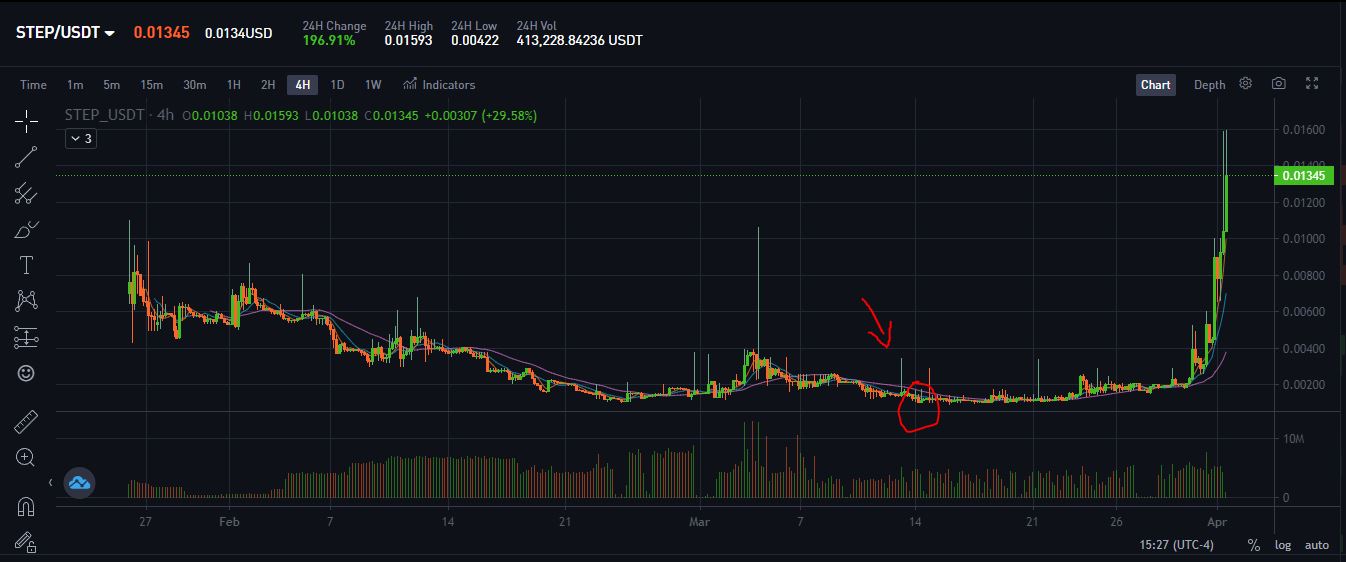
Since then, the walk-to-earn narrative has gained some solid traction, and the same STEP tokens that I hold are now worth upwards of $250 USD ($312 CAD). That’s nice, though this isn’t an investment guide. Instead, I’m here to tell you that the app is a great tool to increase your exposure to crypto (if you’ve been wanting to) with minimal risk, talk about what the future holds for the app, and you can decide if you want to walk with it or not.
First off, the prerequisite of holding 20K STEP tokens is still the same, so while it was rather economical for someone to start using the app and earn through it up until last week (I bought in the red circle in the image above), the barrier to entry has been substantially raised now. As mentioned, 20K STEP tokens are about $250 now ($312 CAD), and I don’t think many would be interested to spend that much to join the app and earn rewards. The ROI (Return on Investment) would just be too low.
I would like to see the Step team lower this barrier to entry if they want to see more people using their app, otherwise, scalability will be a significant issue.
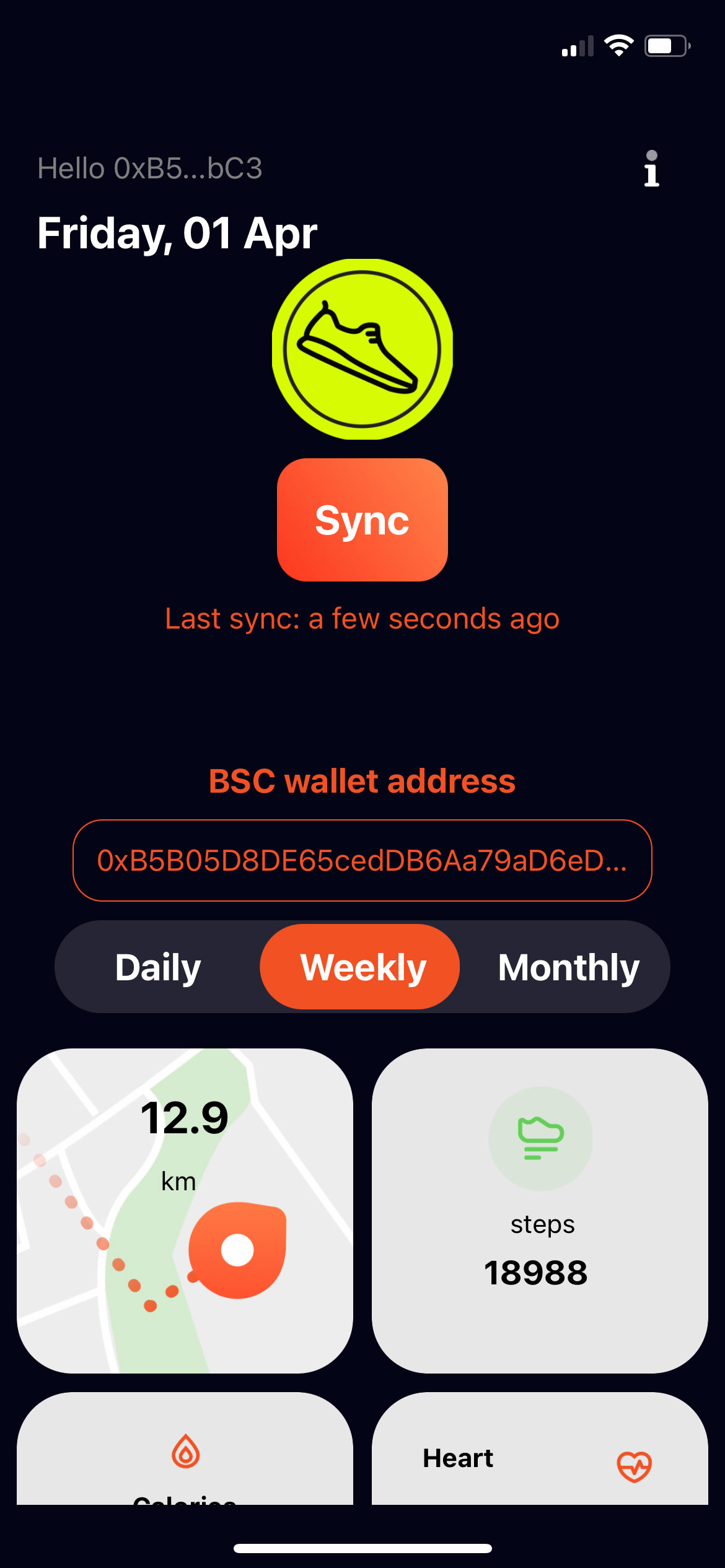
Interface-wise, the app doesn’t offer much, yet. It’s just one page that shows you your daily, weekly and monthly steps, along with the calories burnt and heart rate, which it most likely pulls from your phone’s health app — Apple Health in my case.
The daily minimum steps required to earn rewards are 4000 (28,000 weekly), and preferably outdoors. It seems like the app doesn’t register steps indoors or when you’re walking/running on a treadmill. This is another aspect of the app that I would like the Step team to improve upon, considering that Canadians wouldn’t be too enthusiastic to get their 4K steps in during peak winters.
A fast-growing userbase is also seemingly causing some problems for Step. Even though I completed all the minimum requirements to earn rewards, like holding 20K Step tokens and walking the daily minimum amount, I never received my reward. My issue is echoed on the app’s Twitter page with people having the same problem. A Step spokesperson told me that “The app had some issues with the database last week due to growing usage of the app.”
On the contrary, users also report receiving rewards, leaving me in limbo.
What I like is that the rewards for each week are distributed in BNB, an already established token with multiple use cases. If you’re bullish on BNB, this also might be a good way to accumulate more tokens by doing something you would regularly do for free — walking. On average, you can expect to earn about $5-$20 worth of BNB per week (depending on how much you walk), which isn’t all that bad, though from what I’ve read on the app’s Twitter is that these rewards used to be higher, and are continuously decreasing.
Developers behind the app are currently working on a “Step Fitness Metaverse,” where Step users would be able to walk together. From the information available so far, it looks like users would be able to own billboards in the virtual world, and rent them out to companies looking to advertise to Step users. The addition of the metaverse will also bring along with it different workout features and modes and different virtual terrains to walk or jog on. Said metaverse would likely use Step tokens as the in-game currency, so expect the price action on the charts to follow.
The Step app is free to download for free on Android and iOS.
If you have a smartphone, you’re likely already aware that it’s an incredibly powerful device, but did you know that modern handsets can automatically look for music around you?
Both Apple and Google offer a few ways to make this happen in their mobile ecosystems.
Here’s how:
Android
All Android phones have access to Google Assistant, and it’s likely the best way to find out what song is playing around you quickly. On most phones, you should be able to say, “Ok Google, What song is playing,” and then Assistant will analyze the sounds around you.
Assistant even takes this to the next level with hum-recondition. This means that if you can hum 15-30 seconds of a song, you can sometimes find out what it is. In my experience, this feature is a little hit and miss, but it’s cool functionality nonetheless. The machine learning that makes this possible is pretty fascinating.
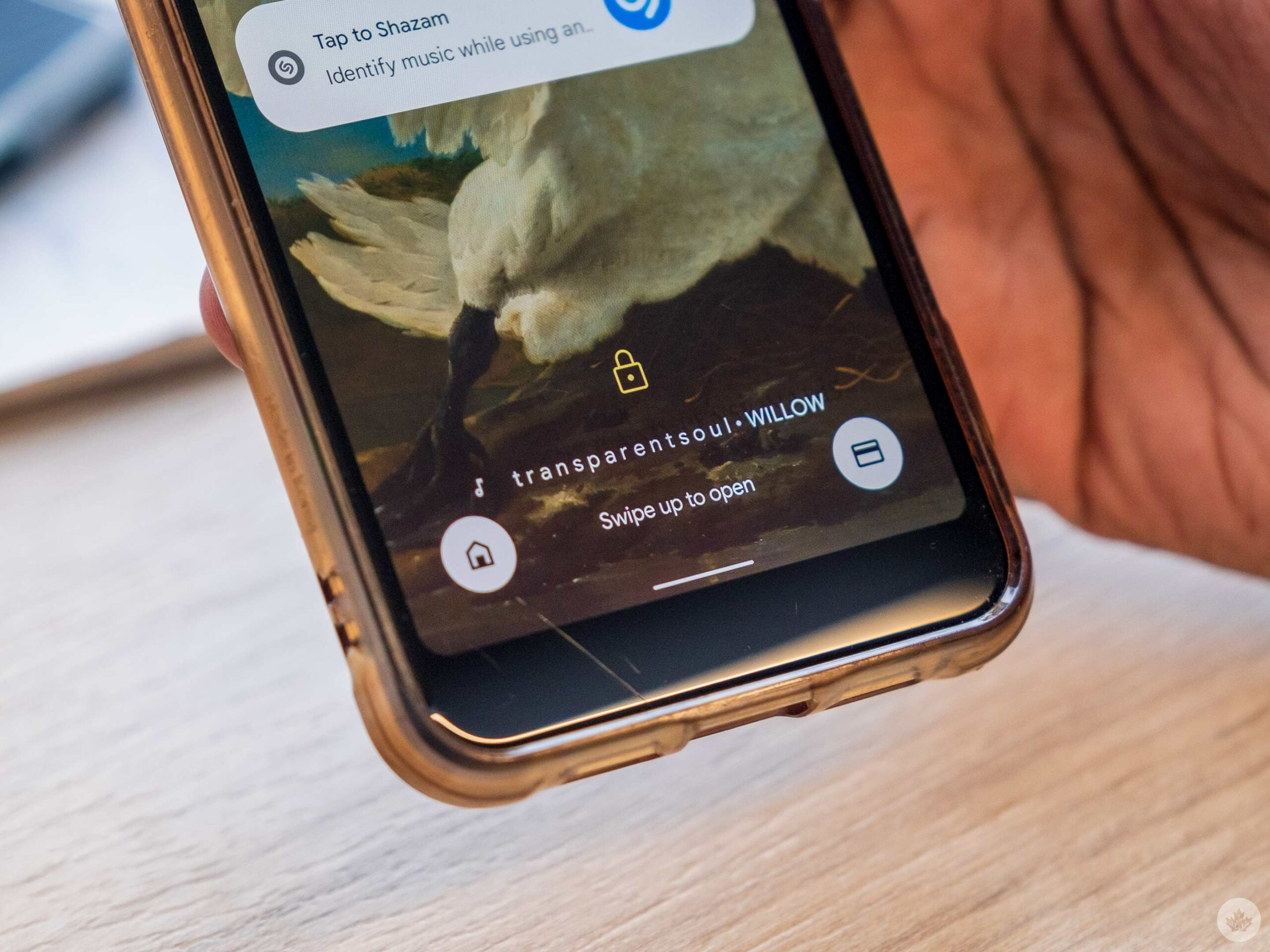
If you have a Google Pixel, your phone may already tell you what songs are playing nearby ambiently on your lock screen. If not, you can enable it by searching for ‘Now Playing’ in settings and making sure it’s enabled. If you want to look for it manually, it’s under the Sound Settings. You can even add a song search button to the lock screen so you can start looking for songs with one simple tap.
iPhones
If you’re on an iOS device, there are three ways to find songs playing around you.
The first method is to use Siri and ask “What song is playing?” This is the simplest way and operates very similar to Google Assitant, but it cant recognize humming or singing.
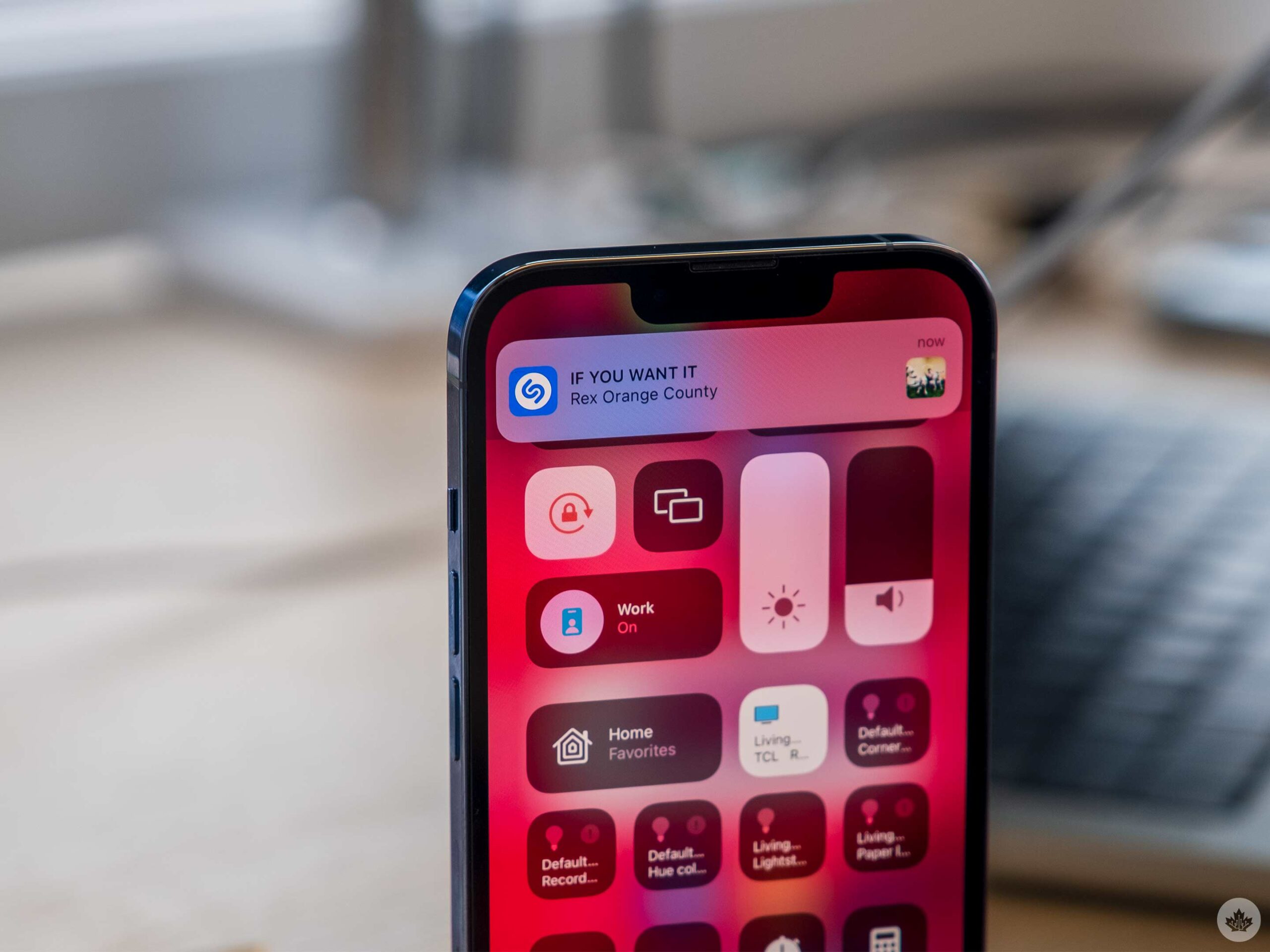
Since Apple also owns Shazam, it can use the app’s technology to figure out what songs are playing around you. However, you need to enable this in the settings first.
The easiest location to access this feature beyond Siri is to add it to Control Center. To do this, go to your Settings app. Next, select ‘Control Center’ and then enable the ‘Music recognition’ toggle. Now you can swipe down from the top right corner of your screen to see these tools. The Shazam music recognition icon looks like a stylized ‘S.’
Alternatively, you can head into the ‘Accessibility’ settings, and select ‘Touch.’ Then, scroll to the bottom of that list and tap on ‘Back Tap.’ Next, you can set the Shazam shortcut to open whenever you tap on the rear of your phone twice. I find this one a little hit-or-miss, but it is handy if you use Shazam a lot. You can find out more of the specifics on Back-Tap here.
Back in 2018, I asked MobileSyrup readers what their favourite smartphone ever was. Many of you mentioned devices like the HTC M7 (this one was mine as well), the Moto X, the Nexus 5, the Nexus One, the Palm Pre and more.
With that in mind, this week’s question will likely exclude a lot of our younger readers. What’s your favourite cellular phone ever? — and yes, I’m talking pre-smartphone.
Living in Toronto and using the TTC a lot, my mom felt it was best for me to get my first cell phone when I was just nine years old. My first phone ever was the old Nokia 3310.
However, my favourite cell phone is the LG Rumor. Who needs T9 texting when you can slide out a full QWERTY keyboard whenever you want? Of course, this cell phone was also exceptionally useful when trying to maintain eye contact with your teacher while texting under the desk.
Let us know your favourite pre-smartphone ever in the comments below.
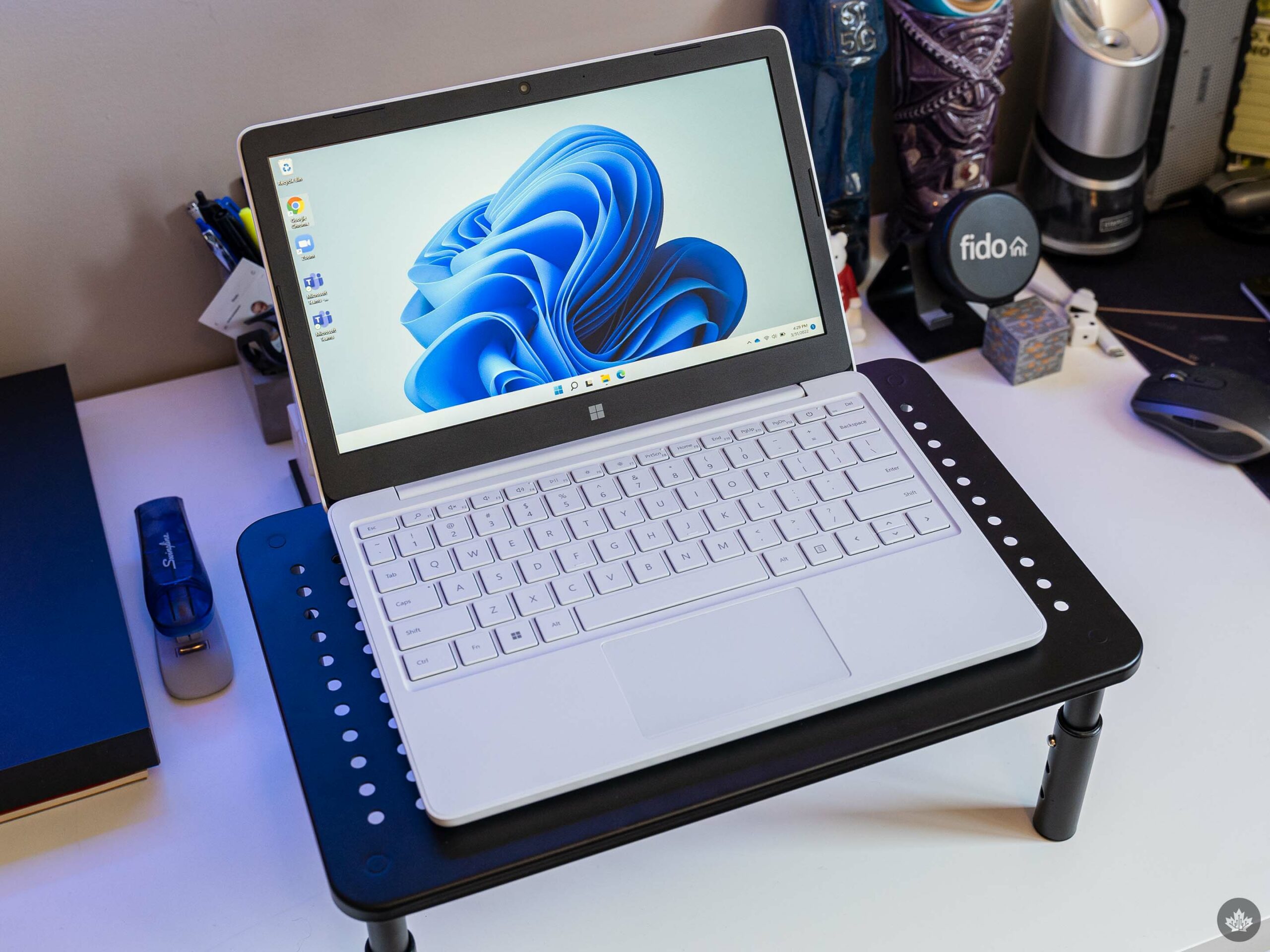
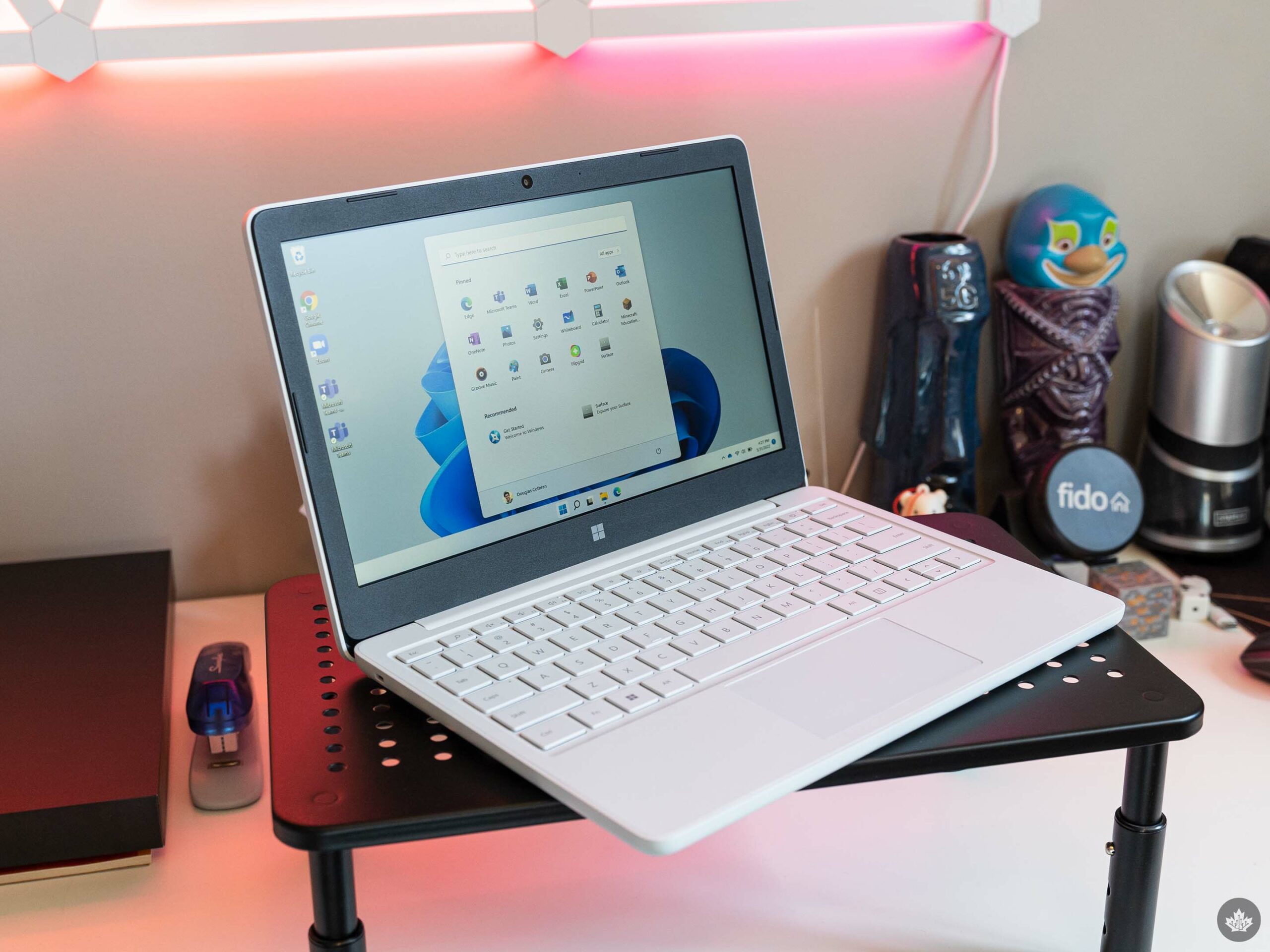
Microsoft unveiled its newest Surface device back in November – the Surface Laptop SE. Designed for students, the new laptop runs Windows 11 SE, boasts compact, portable hardware, and a relatively repairable design.
The announcement made the Laptop SE sound quite appealing, at least from an education standpoint. Repairability is great on any device and should be much more common, while things like Windows 11 SE sound helpful for educators and not much else.
Microsoft sent MobileSyrup a Laptop SE to try out and after playing with it for a few weeks, I think the best way to describe the device is ‘ChrEdgebook.’
You see, the Laptop SE is, for all intents and purposes, a Chromebook. Except, it runs Windows and the browser is Edge, instead of Chrome OS and Google Chrome. Hence, the ‘ChrEdge’ – a somewhat popular term referring to Microsoft’s new Chromium-based Edge browser.
At the same time, the Laptop SE is very much not a Chromebook. Windows 11 SE toes a precarious line between offering the full flexibility of Windows while also blocking access to it for the people using the computer. I’ll dig into it more later, but the short version is you can run third-party apps like Zoom or even Google Chrome on Windows 11 SE (I have both installed on my review unit). The only way to get these apps – or any apps, for that matter – is through an IT admin. There is no way for users to install apps directly on the Laptop SE.
Considering Microsoft positions the Laptop SE as a device for schools to deploy to students, that makes a lot of sense. If the Laptop SE were generally available to anyone to buy, I’d consider this a massive limitation. In the intended use case, however, it might actually be a great feature.
Basic hardware gets the job done
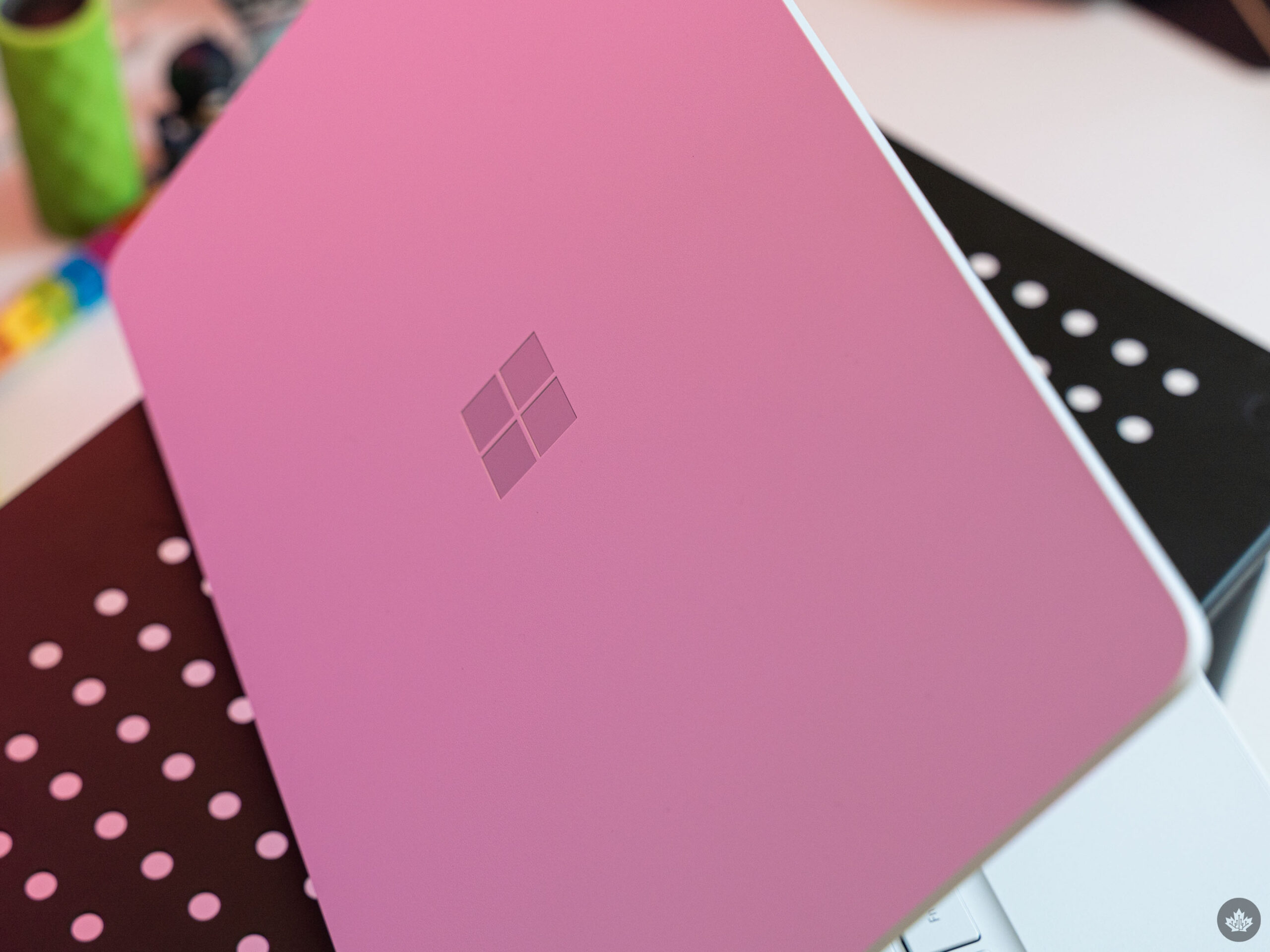
Here’s the thing with the Surface Laptop SE: it offers barebones hardware. It’s not a problem though, since the plastic chassis will likely hold up to abuse from kids much better than other materials. It’ll also be cheaper to replace or repair should that come about.
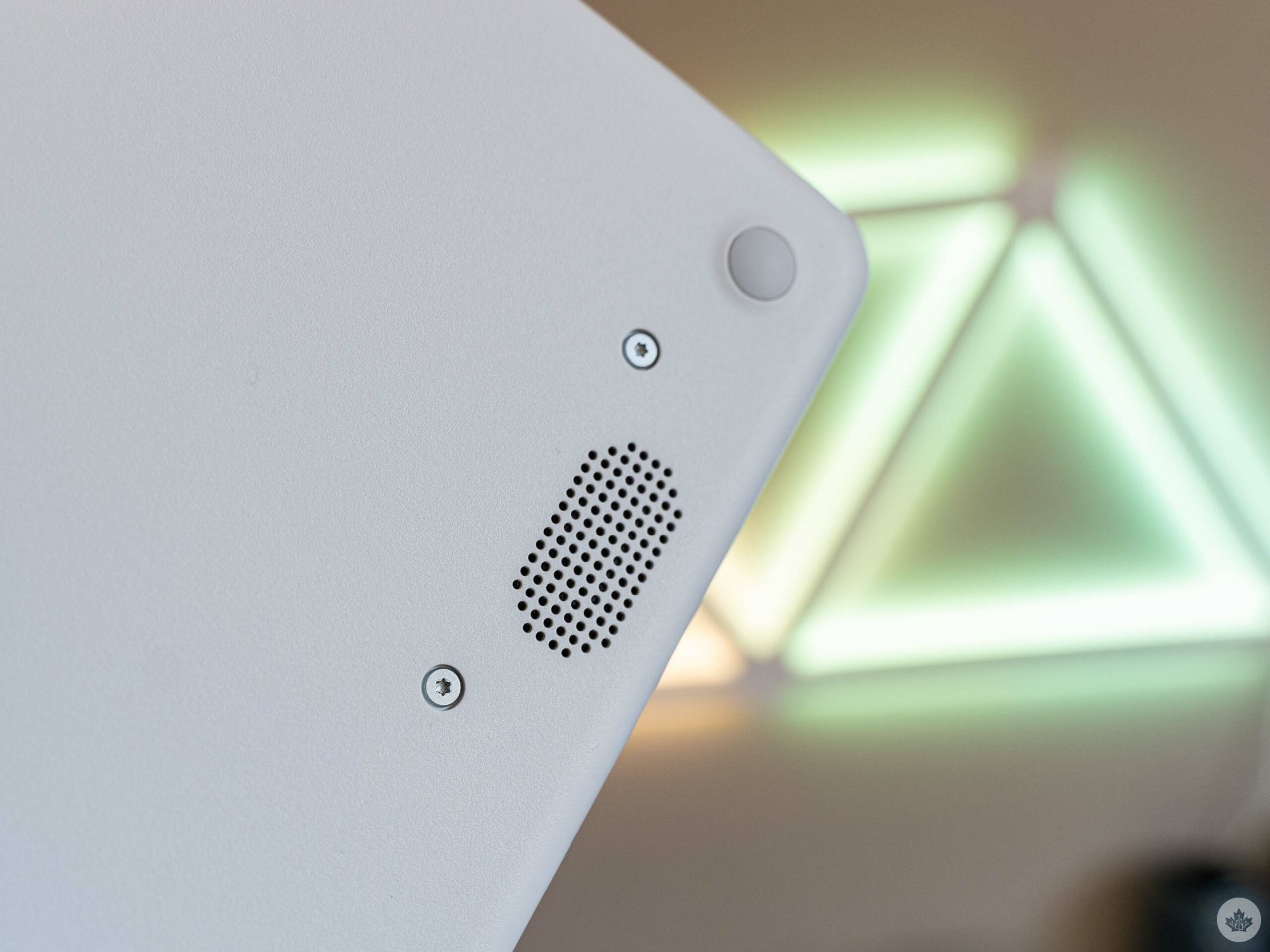
In fact, repairability is a big part of the Laptop SE pitch. Microsoft says it designed the Laptop SE to be repairable on-site by IT admins at schools, with accessible screws. The company even shared a video with me detailing the disassembly process.
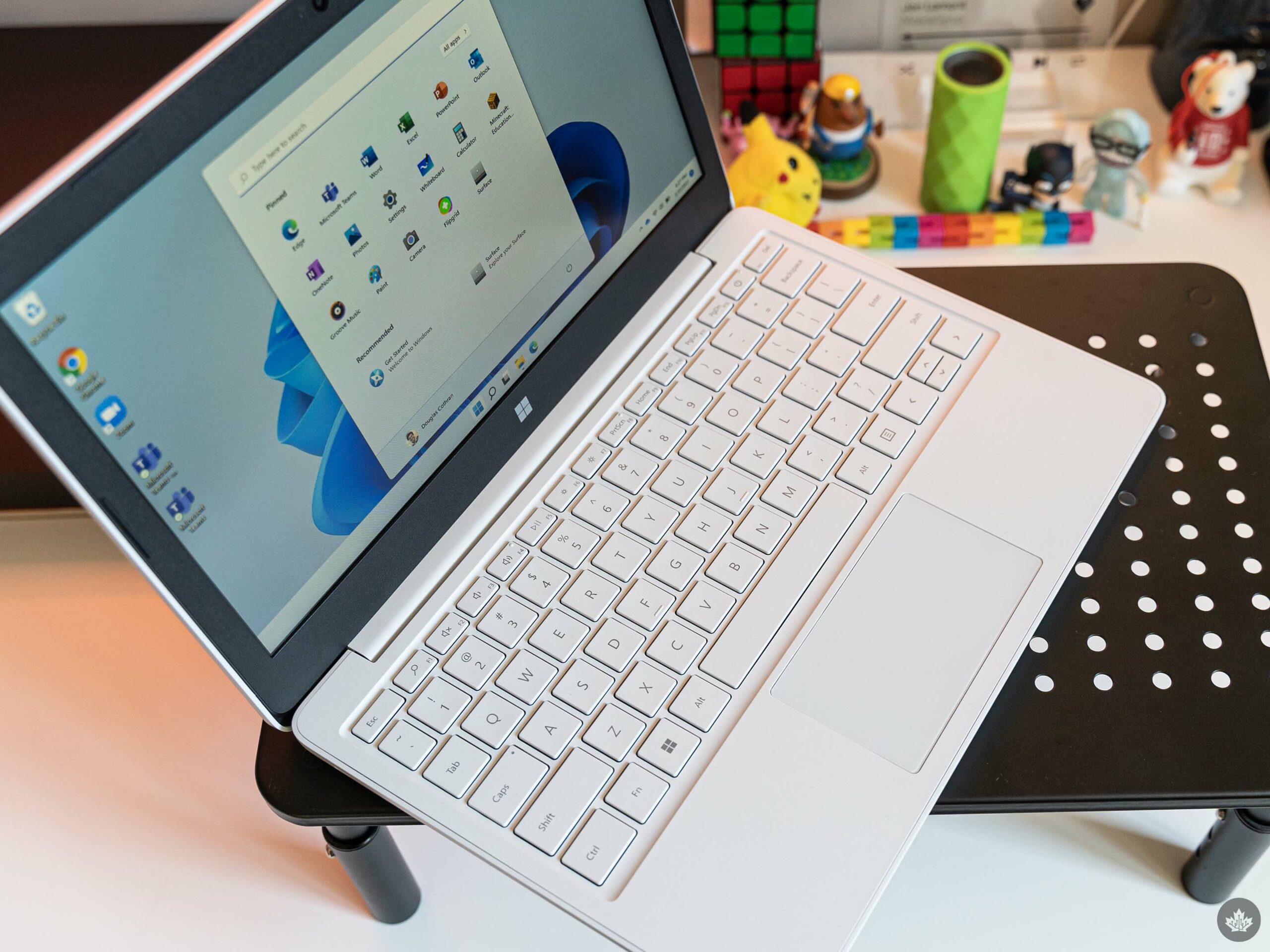
Beyond the repairability factor, there isn’t a whole lot to get excited about with the Laptop SE. The keyboard is great, as per usual with Surface devices (but it’s not as good as Microsoft’s premium Surface options). The trackpad is good, although I’d love if it were larger. The speakers are fine, not the best but not terrible for watching the odd YouTube video. The 11.6-inch LCD TFT display, with its 1366 x 768 resolution and 16:9 aspect ratio, is serviceable, but it doesn’t look great. But then, for a $319.99 laptop aimed at students, these things are all forgivable issues.
On the inside, educational institutions will have their choice of Intel Celeron N4020 or Celeron N4120 CPUs, 4GB or 8GB of RAM, and 64GB or 128GB of eMMC storage. The unit I tested had the N4120, 8GB of RAM and 128GB of storage, although about 13GB of that wasn’t available to me, leaving me with 115GB total storage, less the 36.3GB used by Windows and the pre-installed apps. Suffice to say that the 64GB option will likely be even tighter on storage.
Of course, Microsoft put a big emphasis on using its cloud storage system OneDrive with the Laptop SE. While that will help, I do think most students using the Laptop SE will need to be diligent about managing what’s stored on the device and what’s backed up to the cloud with so little onboard storage.
Performance was about what you’d expect from a Celeron, which is to say, not great. The Laptop SE is more than capable of handling web browsing and word processing, which honestly is all most students will need. Still, scrolling around websites can be janky and slow at times. Due to the restrictions on installing apps, I couldn’t run any of the benchmarking software I typically use to help evaluate performance.
My Laptop SE also came pre-loaded with Minecraft: Education Edition, which ran surprisingly well when I tried it out.
As for ports, the Laptop SE has one USB-C connector, one USB-A port, a proprietary barrel charging port (no Surface Connect here), and a 3.5mm headphone jack. Again, barebones, but it covers the fundamentals.
You can check out a full breakdown of available specifications for the Laptop SE here.
A vessel for Microsoft services
Ultimately, I think the Laptop SE is well-intentioned, if not perfect. It’s exactly what it needs to be – cheap, repairable, and chock-full of helpful tools for IT admins for mass deployment in schools.
For my part, I was a little bummed when I booted up the Laptop SE for the first time and discovered I couldn’t install apps on it from anywhere (not even the Microsoft Store, which isn’t even on the device!). But, again, that’s a choice that makes much more sense for a device you’re handing out to students – I am very much not the target demographic for this.
At the same time, I think the Laptop SE one-ups Google’s Chrome OS simply because it enables IT admins to deploy Windows apps as needed. That opens up a much wider library of software.
Still, it’s important to keep in mind that, like Chromebooks and Google services, the Laptop SE is, at its core, a vessel for Microsoft services.
I also worry the Laptop SE might be too little, too late. Chromebooks have a strong foothold in schools – most students I know already have school-provided Chromebook they use. I’m sure the Laptop SE will find a place, but it may not unseat Google in the education battle.
The Surface SE starts at $319.99 in Canada – you can learn more about it here.
Every week, MobileSyrup outlines some of the most notable movies and TV shows that recently hit Canadian streaming platforms.
Our ‘Streaming in Canada’ column typically focuses on new content from Amazon Prime Video, Crave and Netflix, but other services like Apple TV+ and Disney+ will be mentioned when relevant. Premium video on demand (PVOD) platforms are also fair game as movies continue to come to digital early amid the COVID-19 pandemic.
Finally, we’ll highlight shows or movies that are made by Canadian companies, involve notable Canadian cast or crew and/or are filmed in Canada.
Amazon Prime Video
The Outlaws [Amazon Exclusive]
Seven strangers serve a community service sentence until they find a bag full of money, unaware that dangerous people are seeking it.
The Outlaws was created by Elgin James (Mayans M.C.) and Stephen Merchant (The Office) and stars Christopher Walken (Catch Me If You Can), Merchant, Rhianne Barreto (Honour), Gamba Cole (His House) and Darren Boyd (Spy).
Original TV broadcast run: October to November 2021
Amazon Prime Video premiere date: April 1st, 2022 Genre: Comedy, crime thriller Runtime: Six episodes (57 to 59 minutes each)
The full list of movies and shows that hit Amazon Prime Video in March can be here. A roundup of April’s new content is available here.
Apple TV+
Slow Horses [Apple Original]
Led by an obnoxious boss, a dysfunctional team of MI5 agents works to defend England from sinister forces.
Based on Mick Herron’s novel of the same name, Slow Horses stars Gary Oldman (The Darkest Hour), Olivia Cooke (Bates Motel), Jonathan Pryce (The Two Popes), Kristin Scott Thomas (Four Weddings and a Funeral) and Jack Lowden (Dunkirk).
Apple TV+ Canada premiere date: April 1st, 2022 (first three episodes, new episodes every Friday) Genre: Spy thriller Runtime: 12 episodes (around 40 minutes each)
This drama is based on the life of the late television chef Julia Child.
Created by Daniel Goldfarb (The Marvelous Mrs. Maisel), Julia stars Sarah Lancashire (Happy Valley), David Hyde Pierce (Frazier), Bebe Neuwirth (Cheers), Brittany Bradford (Fear The Walking Dead) and Franz Kranz (The Cabin in the Woods).
Crave premiere date: March 31st, 2022 (first three episodes, new episodes every Thursday)
Genre: Biographical drama Runtime: Eight episodes (around 45 minutes each)
Starting in early 2020, director David France (Welcome to Chechnya) explores the global efforts to develop and roll out the COVID-19 vaccines over the course of the following 18 months.
In dystopian 2044 North America, a Cree woman joins a resistance movement fighting against the military government in an effort to save her daughter.
Written and directed by La Ronge, Saskatchewan’s Danis Goulet (Wakening) in her feature directorial debut, Night Raiders stars Cardston, Alberta’s Elle-Máijá Tailfeathers (The Body Remembers When the World Broke Open), Surrey, B.C.’s Brooklyn Letexier-Hart (Burden of Truth) and Alex Tarrant (NCIS: Hawai’i).
In addition to the mostly Canadian cast and crew, it’s worth noting that the film was shot in and around Toronto.
Original release date: October 8th, 2021 Crave premiere date: April 1st, 2022
Genre: Sci-fi Runtime: 1 hour, 41 minutes
Filmmaker Jay Rosenblatt (Phantom Limb) revisits a bullying event from 50 years prior in an attempt to understand his complicity and the shared nature of such incidents.
A standard Crave subscription is priced at $19.99/month, with Starz costing an additional $5.99/month. A mobile-only subscription is also available for $9.99/month.
The full list of movies and shows that hit Crave in March can be found here. A roundup of April’s new content is available here.
Disney+
Better Nate Than Ever [Disney+ Original]
When 13-year-old Nate doesn’t land the school play, he and his best friend sneak off to New York to hit up Broadway.
Written and directed by Tim Federle, based on his 2013 novel of the same name, Better Nate Than Ever stars Rueby Wood (Broadway’s Charlie and the Chocolate Factory), Aria Brooks (All That) and Lisa Kudrow (Friends).
Disney+ premiere date: April 1st, 2022
Genre: Musical, family comedy Runtime: 1 hour, 31 minutes
Detective Hercule Poirot investigates a murder on a riverboat during a vacation in Egypt.
Death on the Nile was directed by Kenneth Branagh (Murder on the Orient Express) and features an ensemble cast that includes Branagh, Tom Bateman (Murder on the Orient Express), Annette Bening (The Kids Are Alright), Gal Gadot (Wonder Woman) and Rose Leslie (Game of Thrones).
Original theatrical release date: February 11th, 2022
Disney+ premiere date: March 30th, 2022
Genre: Mystery Runtime: 2 hours, 7 minutes
Marc Spector, a mercenary with dissociative identity disorder, is drawn into a deadly mystery with the gods of Egypt.
Based on the Marvel Comics character of the same name, Moon Knight stars Oscar Isaac (Scenes From a Marriage), Ethan Hawke (First Reformed) and May Calamawy (Ramy).
Disney+ premiere date: March 30th, 2022 (first episode, new episodes every Wednesday)
Genre: Superhero Runtime: Six episodes (around 45 minutes each)
The full list of movies and shows that hit Disney+ in March can be found here. A roundup of April’s new content is available here.
Netflix
Apollo 10 1/2: A Space Age Childhood [Netflix Original]
A man narrates his childhood fantasies during the 1969 Apollo 11 Moon landing.
Apollo 10 1/2: A Space Age Childhood was written and directed by Richard Linklater (Boyhood) and stars newcomer Milo Coy, Glen Powell (Scream Queens), Zachary Levi (Shazam!), Josh Wiggins (Giant Little Ones) and Jack Black (School of Rock) as the narrator.
Amid the COVID-19 pandemic, a group of actors travels to a closed set to film the latest entry in a massively popular dinosaur franchise.
The Bubble was co-written and directed by Judd Apatow (Knocked Up) and features an ensemble cast that includes Karen Gillan (Guardians of the Galaxy), Fred Armisen (Portlandia), Maria Bakalova (Borat: Subsequent Moviefilm), David Duchovny (The X-Files) and Pedro Pascal (The Mandalorian).
Netflix Canada premiere date: March 30th, 2022 (first episode, new episodes every Wednesday)
Genre: Comedy Runtime: 2 hours, 6 minutes
Apple’s CODA Oscar win has helped draw a 25 percent increase in new viewers to the company’s Apple TV+ streaming service.
Varietyreported the number, citing a “source close to the tech company.” Along with the 25 percent increase, CODA viewing was up 300 percent compared with the prior week. However, because Apple hasn’t disclosed subscriber numbers for Apple TV+, it’s not clear what the percent increases mean. Apple also hasn’t provided granular data for time spent streaming its content.
CODA beat Netflix to the punch, being the first streaming service film to nab the best picture win at the Oscars. It’s also the first movie starring a predominantly deaf cast in leading roles to win an Oscar for best picture.
While CODA appears to be driving viewership for Apple TV+, it remains unclear how many people are sticking around after watching the film. Apple offers a seven-day free trial for TV+ in Canada (or a one-month free trial with its Apple One bundle, or a three-month trial for customers who purchase Apple devices). On its own, Apple TV+ costs $5.99/mo.
It’s likely that some of the new Apple TV+ viewership is using the free trial to watch CODA — it remains unknown just how many are sticking around and continuing to subscribe.