The durability video starts with submerging the S22 Ultra under shallow water for one minute and then moves on to a scratch test, which reveals the devices start to show scuffs at level 6 with deep grooves at level 8. Interestingly, the video reveals that the smartphone’s fingerprint sensor still works when scratched.
What’s the most fun to watch is the test where the device is face down on the concrete and then driven over by a car. The phone received a couple of scratches from the concrete, but that’s pretty much it.
PBKreviews also performed similar tests on the S22, but they didn’t drive over it. The test revealed that the S22 was slightly less scratch-resistant than the S22 Ultra.
The two phones use the same Gorilla Glass Victus+ display panel, so it’s unclear why.
MobileSyrup will have more on Samsung’s S22 series in the coming weeks.
Last week Google released the Android 13 Developer Preview 1, and with it came a variety of features for developers to play with. One of which seems to let users stream apps to Chromebooks, Windows and Mac computers.
In Android 13 Developer Preview 1, developers have uncovered two new “Cross Device” service apps that make it possible to stream from a Pixel smartphone to Chromebooks and Windows 11 devices.
According to 9to5Google, the feature seems to work better on Windows and Mac than on Chrome OS’. With the web app, users can stream the app their currently using as a virtual second screen for their phone. Then the app then works with the user’s keyboard and mouse.
Alongside showing what’s on the phone’s display, the web app also sports a sidebar on the right that dispalys the notifications. Beside the sidebar are buttons for sending feedback, exiting opened apps, navigating back, and rotating the virtual display. Additionally, 9to5 indicates that you’ll be able to change the screen size, allowing users to emulate a tablet’s display depending on whether the app you’re using features a different layout for smartphones and tablets.
There’s also a shortcut in the bottom left corner that opens up a basic app launcher, which can open any app on the user’s phone.
There’s an integrated app on Chrome OS that replaces the web app you’d find on Windows or Mac. The integrated app is located in the Phone Hub in the bottom right corner and shows the most recently used apps.
Weirdly enough, there’s no access to an app launcher like in the Web or Mac version, and there’s also no way to change the device’s orientation.
It’s likely we’ll learn more about this feature when Android 13 officially launches or during Google’s I/O May developer conference.
The Samsung Galaxy S22’s and S22+’s display isn’t as adaptive as many initially assumed.
Samsung previously told MobileSyrup that both the S22 and S22+ feature an adaptive display refresh rate as high as 120Hz and as low as 10Hz. However, it looks like Samsung has changed its mind.
Not to say I told you so, but Samsung changed their S22 and S22+ spec sheets from 10Hz – 120Hz to 48Hz – 120Hz. Companies have shown below 48Hz as demo's, but not a commercial product, so it would have been a first. Thanks @DylanVHuynh for the link!https://t.co/xop0Dhw78apic.twitter.com/AAR4krHmtp
Samsung has changed the smartphones’ official spec sheets from 10Hz- 120Hz to 48Hz-120Hz, as first spotted by Display Supply Chain Consultant’s CEO, Ross Young.
Samsung has also released a statement to Android Police revealing information about the unreleased smartphones’ display refresh rates:
“The display refresh rate was originally listed between 10 and 120Hz (10 to 120 frames per second), and we later opted to update how we communicate this specification in order to be in line with the more widely-recognized industry standard. Consumers can be assured there has been no change of hardware specifications, and both devices support up to 120Hz for super smooth scrolling.”
What this means is that though S22/S22+’s software is capable of telling the display to refresh as low as 10 times per second (10Hz), the screen will still only refresh at 48Hz.
You can learn more about the Galaxy S22 and S22+ in MobileSyrup staff reporter Jon Lamont’s upcoming review, but until it hits the site, check out our Galaxy S22 series announcement post.
CD Projekt Red (CDPR) dropped the Cyberpunk 2077 version update 1.5 along with the current-gen Xbox Series X/PlayStation 5 patch earlier today.
The update comes in at roughly 50GB. PC and Xbox Series X/S players will receive an update to the existing game, while PlayStation 5 users will need to manually install a separate current-gen version of the title. The update is also available in the Stadia version of Cyberpunk 2077.
All updates are free to those who have already purchased the title. If you didn’t get your hands on Cyberpunk 2077 when it was first released here are some of the best deals available on the title right now:
Check out everything new added to Cyberpunk 2077 in CDPR’s patch notes here.
MobileSyrup utilizes affiliate partnerships. These partnerships do not influence our editorial content, though we may earn a commission on purchases made via these links that helps fund the journalism provided free on our website.
Samsung has announced two new budget smartphones are now available in Canada.
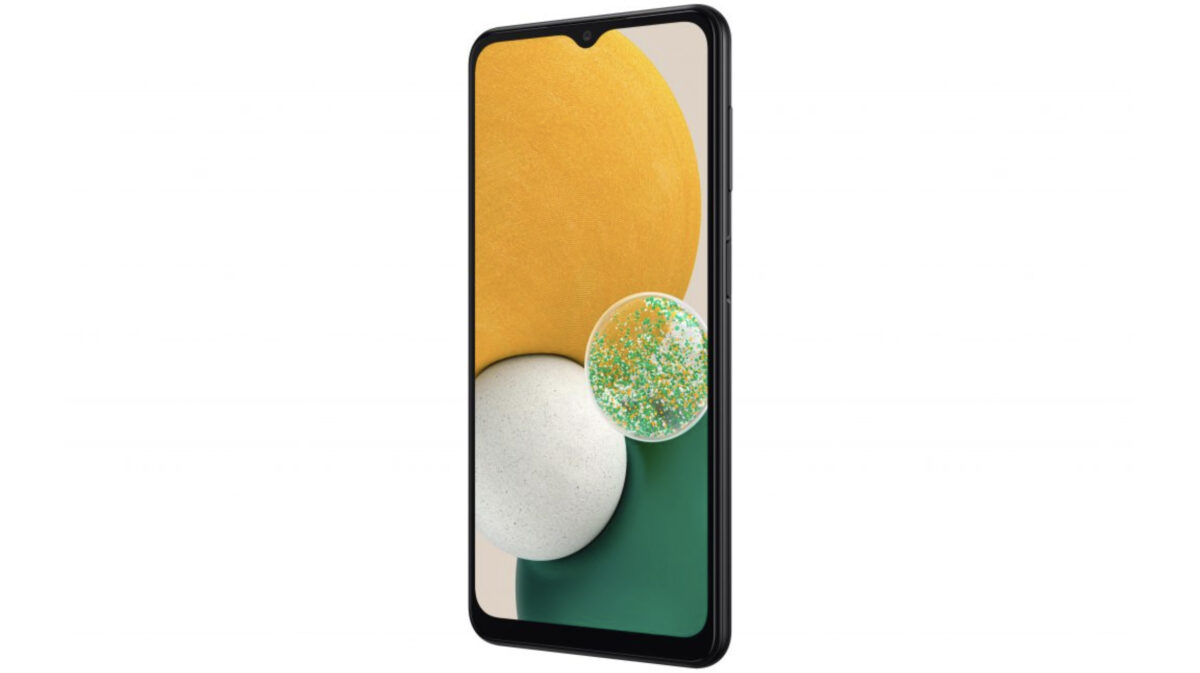
The first of the two new devices is the Galaxy A13 5G, which sports a 6.5-inch ‘Infinity V’ display with a 90Hz refresh rate. Additionally, it offers 64GB of storage with 4GB of RAM, a 5,000mAh battery and more.
The Galaxy A13 5G costs $329.99 and comes in black, sports a 3.5mm headphone jack and a triple camera setup. The handset also features a 50-megapixel primary camera, 2-megapixel depth shooter and a 2-megapixel macro lens.
Next up is the Galaxy A03s, which sports a 13-megapixel primary shooter, a 2-megapixel macro lens and a 2-megapixel depth camera. The smartphone also lacks 5G.
The A03s features a 6.5-inch display with a 90Hz refresh rate, a 5,000mAh battery, 3GB of RAM and 32GB of storage. This handset costs $169.99 and comes in ‘Black.’
Google’s Chrome OS will soon be available to old PCs and Macs through the new ‘Chrome OS Flex’ variant, currently available in early access mode.
Chrome OS Flex looks and feels identical to Chrome OS according to details the company shared with The Verge. Moreover, Google said that Flex is built from the same codebase and follows the same “release cadence.” However, some features may be missing depending on the hardware in the device you’re using.
The Verge notes that when it asked about specific features, including always-on Google Assistant and Android phone syncing, Google said they were hardware dependant. Ultimately, it sounds like many Chrome OS features will depend on hardware, so it’s worth keeping that in mind.
The ability to easily install Chrome OS on old computer hardware has been a long time coming. Google purchased Neverware back in 2020 — the company made software called ‘CloudReady’ that could help convert computers into Chromebooks.
At the time, speculation indicated Google would leverage the Neverware purchase to put out its own take on CloudReady — this appears to be Google doing just that.
The move is arguably a smart one. Many people trade up old computers when old hardware struggles to run new software. Some people choose to install lightweight software that lets them squeeze more life out of old hardware, but that can often be a tricky process, especially for people unfamiliar with Linux.
At the moment, Google is targeting businesses and schools with Chrome OS Flex, which makes sense — it could be a great way to convert existing computer fleets to Chrome OS without needing to purchase new devices. However, Flex could eventually become another option for people to extend the life of ageing computer hardware.
Those interested can learn more about Chrome OS Flex here.
It’s come to light that Samsung will release its ‘Expert RAW’ camera app to even more flagship Samsung phones on February 25th.
This camera extension currently allows the S21 Ultra and S22 Ultra cameras to utilize professional features across all the lenses and sensors. However, after the February 25th update, it’s expected to work with the Galaxy Z Flip 3, Z Fold 3, Note 20 Ultra at the very least.
The report says that Samsung will release a more official list of phones that the app will work with by the 25th. Android Centraldoesn’t expect the app to come to the new Galaxy S22 or S22+.
The Expert RAW app is currently in beta, but it’s supposed to hit the stable release on the 25th.
What is Expert RAW?
This is a separate camera app that sits alongside the Samsung camera app. It allows users with top-end mobile camera systems to control ISO, shutter speed, EV comp, manual focus, white balance and more.
The app also allows some cameras with compatible sensors to capture 16-bit RAW DNG images which should allow for very dynamic colours.
The first big Windows 11 update is now rolling out to users with several new features, including Android apps (in preview), new Notepad and Media Player apps, and more.
As reported by The Verge, the Android apps public preview is available in the U.S. – bad news for any Canadian Windows 11 users eager to start installing Android apps on their PC. The preview will allow users to install apps from Amazon’s Appstore, which is far more limited than the Google Play Store. However, there are unofficial ways to get the Play Store up and running for those who want to.
Next, Microsoft’s redesigned Media Player and Notepad apps arrive with this update. We’ve covered the Media Player changes before (check that out here). As for Notepad, the updated app now supports multi-step undo, has an improved search interface, and supports dark mode.
The Verge highlighted several improvements coming to the taskbar. The Windows 11 taskbar has been a sore point for many since it dropped several basic (yet arguably integral) features for a frankly modest design update.
Taskbar improvements include making the time and date available on multiple monitors, a return of the weather widget, and a new mute/unmute feature available for Microsoft Teams calls. Teams will also get a new, integrated button to share specific apps or windows directly from the taskbar.
For all the improvements, other basic features are still missing. For one, the ability to pin the taskbar to the left, right, or top of your display (a particular sour point for me). Hopefully, future updates will restore these features.
Speaking of future updates, it’s worth noting that Microsoft moved both Windows 11 and 10 to an annual update cycle, but this first big Windows 11 update won’t be the last one for the year. And, despite the change to the update cycle, Microsoft plans to add new features to Windows 11 more frequently.
On the surface, it sounds confusing – an annual update schedule with more frequent feature updates seems counterintuitive – but I understand it to be more like Google’s Pixel Feature Drops. In other words, one big annual update (like Android 12 or 13, but for Windows) and smaller updates with new features dropping regularly.
Still, given how often Windows updates seem to break things, I’m curious to see if this new approach to updates works out or causes Microsoft more problems in the long run.
The first big Windows 11 update is now rolling out to users with several new features, including Android apps (in preview), new Notepad and Media Player apps, and more.
As reported by The Verge, the Android apps public preview is available in the U.S. – bad news for any Canadian Windows 11 users eager to start installing Android apps on their PC. The preview will allow users to install apps from Amazon’s Appstore, which is far more limited than the Google Play Store. However, there are unofficial ways to get the Play Store up and running for those who want to.
Next, Microsoft’s redesigned Media Player and Notepad apps arrive with this update. We’ve covered the Media Player changes before (check that out here). As for Notepad, the updated app now supports multi-step undo, has an improved search interface, and supports dark mode.
The Verge highlighted several improvements coming to the taskbar. The Windows 11 taskbar has been a sore point for many since it dropped several basic (yet arguably integral) features for a frankly modest design update.
Taskbar improvements include making the time and date available on multiple monitors, a return of the weather widget, and a new mute/unmute feature available for Microsoft Teams calls. Teams will also get a new, integrated button to share specific apps or windows directly from the taskbar.
For all the improvements, other basic features are still missing. For one, the ability to pin the taskbar to the left, right, or top of your display (a particular sour point for me). Hopefully, future updates will restore these features.
Speaking of future updates, it’s worth noting that Microsoft moved both Windows 11 and 10 to an annual update cycle, but this first big Windows 11 update won’t be the last one for the year. And, despite the change to the update cycle, Microsoft plans to add new features to Windows 11 more frequently.
On the surface, it sounds confusing – an annual update schedule with more frequent feature updates seems counterintuitive – but I understand it to be more like Google’s Pixel Feature Drops. In other words, one big annual update (like Android 12 or 13, but for Windows) and smaller updates with new features dropping regularly.
Still, given how often Windows updates seem to break things, I’m curious to see if this new approach to updates works out or causes Microsoft more problems in the long run.