Categories
Mobile Syrup

Google working to make videos sent via text less compressed

A new version of the Google Messages app looks like it will use the Google Photos app to send videos instead of relying on older MMS tech that compresses videos so much that they become unwatchable.

Google has been working to solve this problem with RCS chatting over the last few years, but since iPhones and some other Android phones still don’t support this standard, the company has had to find a new way to provide decent quality video transfers.

The latest solution has been discovered by 9to5Google, and so far, all we know is that there’s a new section in the Google Messages app labelled ‘Google Photos’ with the subtext ‘Share sharper clarity video in text (SMS/MMS).’ Since Google Photos already has a link-based video/photo sharing scheme built into it, this update suggests that when you’re using a legacy text service, Google will send these links instead of a highly compressed video.

This is a bit of a weird workaround, but it will allow users to now send and receive video. However, when you do this, it basically means you’re uploading your video to Google Photos, and the other person will stream it or download it on their end. This is fine, but if you don’t have a data plan, you’ll be unable to do this without Wi-Fi.

As of the time of writing, the update isn’t live on my Google Pixel 4a 5G, but it will likely roll out at some point during the next few months.

Source: 9to5Google 

Categories
Mobile Syrup

Disney offering one month of Disney+ for $1.99 for Disney+ Day

Disney has kicked off a limited-time introductory offer for Disney+ ahead of the ‘Disney+ Day’ celebrations of the streaming service on November 12th.

From November 8th to 14th, new and returning subscribers (with no active subscription) in Canada can sign up for one month of Disney+ for $1.99 CAD. The service is normally priced at $11.99/month or $119.99/year. You can claim the offer here.

November 12th has been chosen for Disney+ Day to celebrate two full years since the service’s original launch in the U.S., Canada and the Netherlands. On that day, Disney will release a slew of new content on Disney+, as well as special presentations to tease what’s coming to the service from all of its brands, including Marvel.

The digital celebrations begin at 9am ET on Friday, so stay tuned to MobileSyrup for full coverage.

Categories
Mobile Syrup

Nintendo’s Canadian Black Friday 2021 sales include Mario Kart Switch bundle, $55 games

Nintendo has revealed its lineup of deals for Black Friday 2021.

As in previous years, the company is offering a Mario Kart 8 Deluxe Switch bundle. This means that you can snag a Switch for its regular $379 CAD price tag and get a copy of Mario Kart 8 Deluxe at no additional cost.

Further, Nintendo is throwing in three months of Nintendo Switch Online membership for free. Note that this is the base tier of Switch Online that offers access to online play and select free NES and SNES games, not the service’s recently launched ‘Expansion Pack’ of the service that includes N64 and Sega Genesis titles. Altogether, Nintendo says this bundle offers $89 in savings.

Outside of the Switch bundle, the following Switch games will be available for $54.99 each during Black Friday ($25 off):

  • Bravely Default II
  • Kirby Star Allies
  • The Legend of Zelda: Breath of the Wild
  • The Legend of Zelda: Link’s Awakening
  • New Super Mario Bros. U Deluxe
  • Paper Mario: The Origami King
  • Splatoon 2
  • Super Mario Maker 2

Finally, Mario Kart Live: Home Circuit will be offered for $89.99 ($40 off), while Ring Fit Adventure will be available for $69.99 ($30 off).

Image credit: Nintendo

Source: Nintendo of Canada

Categories
Mobile Syrup

These 13 Marvel movies on Disney+ are getting the IMAX treatment

Disney has announced that on November 12th, the day formally known as Disney+ Day, it will be adding an enhanced IMAX aspect ratio for 13 Marvel movies, including Shang-Chi and the Legend of the Ten Rings.

The new 1.90:1 IMAX aspect ratio covers 26 percent more screen real estate than the standard 2.35:1 widescreen format in Marvel flicks, conveniently getting rid of the extra black bars around the borders.

Here are all the IMAX Enhanced films arriving on Disney+ on November 12th:

  • Ant-Man and the Wasp
  • Avengers: Infinity War
  • Avengers: Endgame
  • Black Panther
  • Black Widow
  • Captain America: Civil War
  • Captain Marvel
  • Doctor Strange
  • Guardians of the Galaxy Vols. 1 & 2
  • Iron Man
  • Thor Ragnarok
  • Shang-Chi and the Legend of the Ten Rings

Disney also announced that in the future, IMAX Enhanced formatting will bring with it immersive DTS (Digital Theater Systems) audio along with Dolby Vision, HDR10, 4K and Dolby Atmos Sound.

For more on Disney+ Day, read what’s hitting the service on that day here. Stay tuned to MobileSyrup for full coverage.

Source: Disney

Categories
Mobile Syrup

Amazon Canada mega-discounts Alexa-enabled devices

Following its foray into Black Friday 2021, Amazon Canada has discounted a number of its own hardware today.

If you’re looking for some interior or exterior smart home devices, check out these deals below:

Source: Amazon Canada

Categories
Mobile Syrup

Apple says it fixed an issue with the T2 security chip that bricked some Macs

Apple’s macOS Monterey update brought a few frustrating bugs with it. However, the company says it’s fixed one of the more frustrating flaws that bricked some older Mac devices after installing the update.

Apple says it identified a problem with the T2 security chip and rolled out an update that fixed the problem. You can read the full statement below (as shared by Rene Ritchie on Twitter):

“We have identified and fixed an issue with the firmware on the Apple T2 security chip that prevented a very small number of users from booting up their Mac after updating macOS. The updated firmware is now included with the existing macOS updates. Any users impacted by this issue can contact Apple Support for assistance.”

9to5Mac elaborates, noting that Apple deployed an updated version of the ‘bridgeOS’ firmware that runs on the T2 chip, which should prevent the problem from happening to other people. However, it, unfortunately, seems like the update won’t fix machines already impacted by the bug. Instead, Apple says affected users should contact Apple Support for assistance.

Below is a list of Mac computers that feature the Apple T2 security chip:

  • iMac (Retina 5K, 27-inch, 2020)
  • iMac Pro
  • Mac Pro (2019)
  • Mac Pro (Rack, 2019)
  • Mac mini (2018)
  • MacBook Air (Retina, 13-inch, 2020)
  • MacBook Air (Retina, 13-inch, 2019)
  • MacBook Air (Retina, 13-inch, 2018)
  • MacBook Pro (13-inch, 2020, Two Thunderbolt 3 ports)
  • MacBook Pro (13-inch, 2020, Four Thunderbolt 3 ports)
  • MacBook Pro (16-inch, 2019)
  • MacBook Pro (13-inch, 2019, Two Thunderbolt 3 ports)
  • MacBook Pro (15-inch, 2019)
  • MacBook Pro (13-inch, 2019, Four Thunderbolt 3 ports)
  • MacBook Pro (15-inch, 2018)
  • MacBook Pro (13-inch, 2018, Four Thunderbolt 3 ports)

Source: Rene Ritchie (Twitter) Via: 9to5Mac

Categories
Mobile Syrup

Black Friday Pricing Creeps into Best Buy’s Top Deals

We can always expect a weekly dose of decent tech discounts from Best Buy through its Top Deals program, but with Black Friday just a couple of weeks away, we’re seeing steeper discounts appearing. Case in point are Sony’s WHXB900N noise-cancelling Bluetooth headphones, which are 48% off this week.

Check out the full list of deals below:

Sony WHXB900N Over-Ear Noise Cancelling Bluetooth Headphones for $179.99 (save $170)

LG 65″ 4K UHD HDR OLED webOS Smart TV for $2,299.99 (save $500)

Sony X85J 75″ 4K UHD HDR LED Smart Google TV for $1,699.99 (save $600)

Acer Nitro 50 Gaming PC for $1,499.99 (save $200)

LG 27″ FHD 75Hz 5ms GTG IPS LED FreeSync Gaming Monitor for $199.99 (save $70)

Jabra Elite 75t In-Ear Active Noise Cancelling Truly Wireless Headphones for $99.99 (save $100)

Garmin 57 1440p HD Dash Cam with LCD Screen & Wi-Fi for $229.99 (save $70)

DJI Mini 2 Quadcopter Drone with Camera & Controller for $519.99 (save $50)

ASUS C204EE 11.6″ Chromebook for $169.99 (save $140)

HP 14″ Laptop in Silver for $599.99 (save $100)

JBL Xtreme 2 Rugged/Waterproof Bluetooth Wireless Speaker for $249.99 (save $149)

Blink Outdoor Wire-Free 1080p IP Security Camera System 3-Pack for $184.99 (save $145)

Blink Outdoor Wire-Free 1080p IP Security Camera System 5-Pack for $279.99 (save $220)

Nanoleaf Shapes Hexagon Light Panels – Smarter Kit – 7 Panels for $199.99 (save $80)

Fitbit Inspire 2 Fitness Tracker with 24/7 Heart Rate for $79.99 (save $50)

Fitbit Versa 3 Smartwatch with Voice Assistant, GPS & 24/7 Heart Rate for $199.99 (save $100)

iRobot Roomba s9+ Wi-Fi Connected Self-Empty Robot Vacuum for $1,249.99 (save $150)

JBL Bar 550-Watt 5.1 Channel Sound Bar with Wireless Subwoofer for $499.99 (save $250)

Kobo Clara HD Pack with 6″ Digital eReader & SleepCover Case for $149.99 (save $35)

Amazon Fire TV Stick 4K (2021) Media Streamer with Alexa Voice Remote for $34.99 (save $35)

Breville Grind Control 12-Cup Coffee Maker for $319.99 (save $80)

Bella Pro Manual Air Fryer Pizza Oven with Rotisserie for $149.99 (save $110)

Fujifilm Instax Mini 11 Instant Camera for $79.99 (save $10)

Seagate Expansion 4TB USB 3.0 Portable External Hard Drive for $99.99 (save $30)

MobileSyrup utilizes affiliate partnerships and publishes sponsored posts. These partnerships do not influence our editorial content, though MobileSyrup may earn a commission on purchases made via these links.

Categories
Mobile Syrup

New to PC gaming? Here are some of the many ways to buy games

One of the main benefits of PC gaming compared to consoles is expanded choice for where you get your games. There are a ton of digital stores for purchasing games, with many also doubling as game launchers, social platforms and more.

Anyone who’s been in the PC gaming space for a while will likely be familiar with most of these digital stores. However, for those new to PC gaming (or for anyone out there buying gifts for a PC gamer this holiday season), it might be helpful to know some of these different platforms.

The focus for this list will focus on some of the more well-known options out there, but if there are any smaller ‘hidden gems’ we haven’t mentioned, feel free to leave a comment below sharing some of your favourite game stores too.

Steam
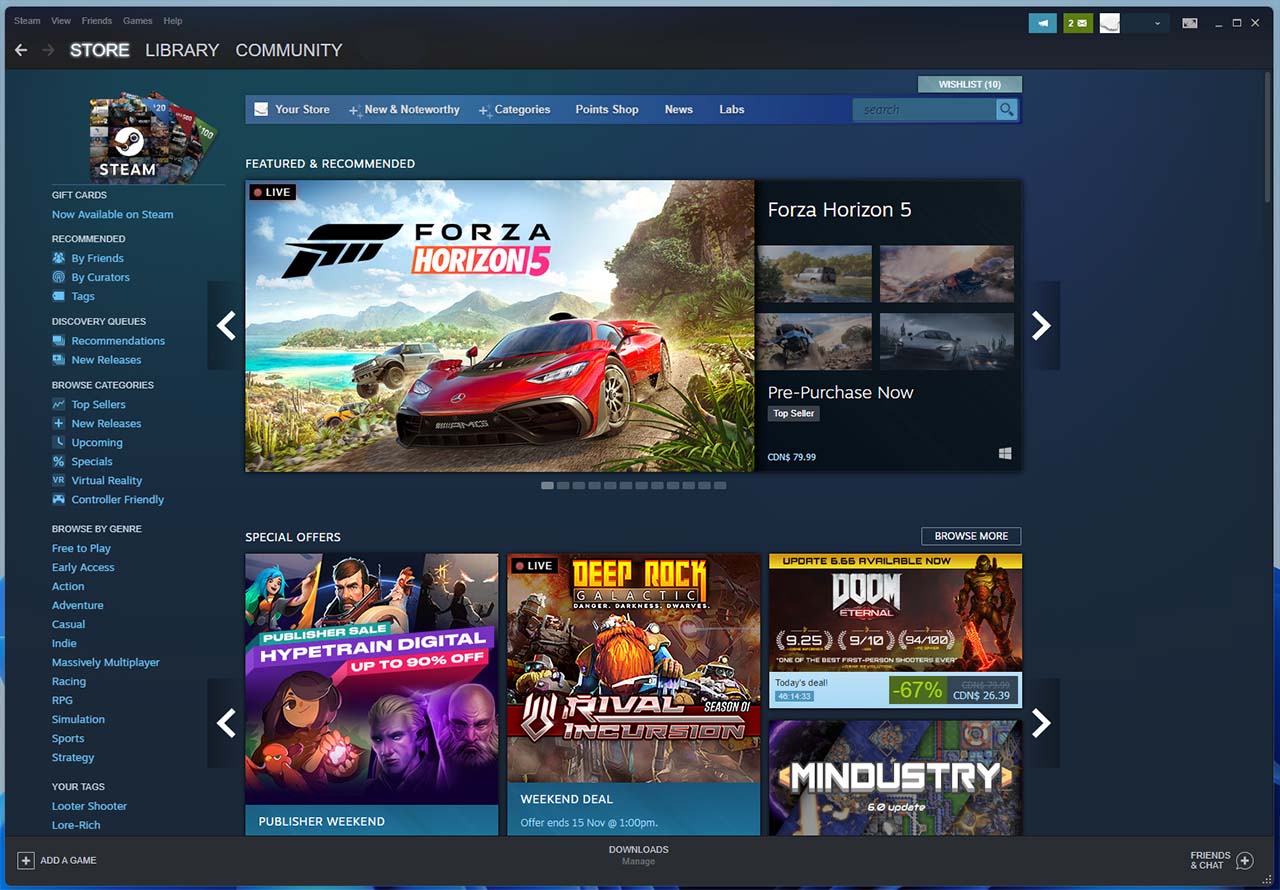
Valve’s Steam platform is one of the largest and perhaps most well-known platforms for PC gaming. The platform offers a massive store (with a penchant for sales), a game library for accessing your titles, chat and other social services and a lot more. If you want to play a game on PC, there’s a very good chance you’ll be able to do it with Steam.

Steam can also act as a game launcher for non-Steam titles, has a ‘Big Picture’ mode for a more console-like experience and interestingly is also involved in a massive effort to make more PC games playable on Linux. Oh, and there’s the Steamdeck portable PC on the way too.

Learn more about Steam here.

Epic Games Store
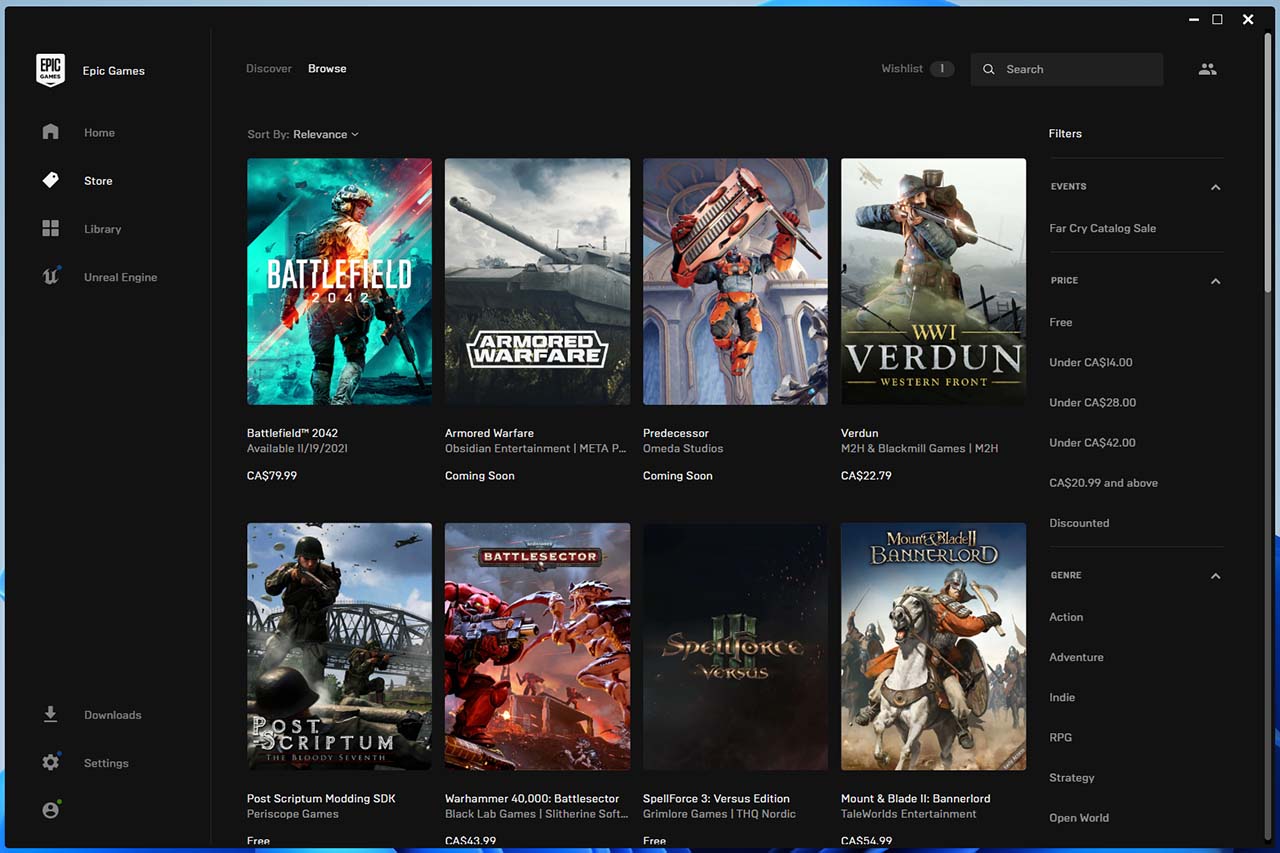
Best known for the wildly popular Fortnite and the Unreal Engine, Epic Games also has a store/game launcher. Epic has tried to position the Epic Games Store (EGS) as a major competitor to Steam. Although some in the PC gaming community dislike EGS, and the client isn’t quite as robust as Steam in terms of social offerings and quality-of-life features, it’s still a pretty good alternative to Steam.

Perhaps one of the biggest benefits of using EGS is the weekly rotation of free games — not just free-to-play, but free-to-keep. That makes the store a great option for people starting out with PC games as it’s a great way to build up your library and try out some older titles without spending a bunch of money or waiting for a sale. EGS also recently became the home for several of Riot’s games (like League of Legends) which traditionally have only been available through Riot’s game launcher.

You can learn more about EGS here.

Xbox Game Pass / Microsoft Store
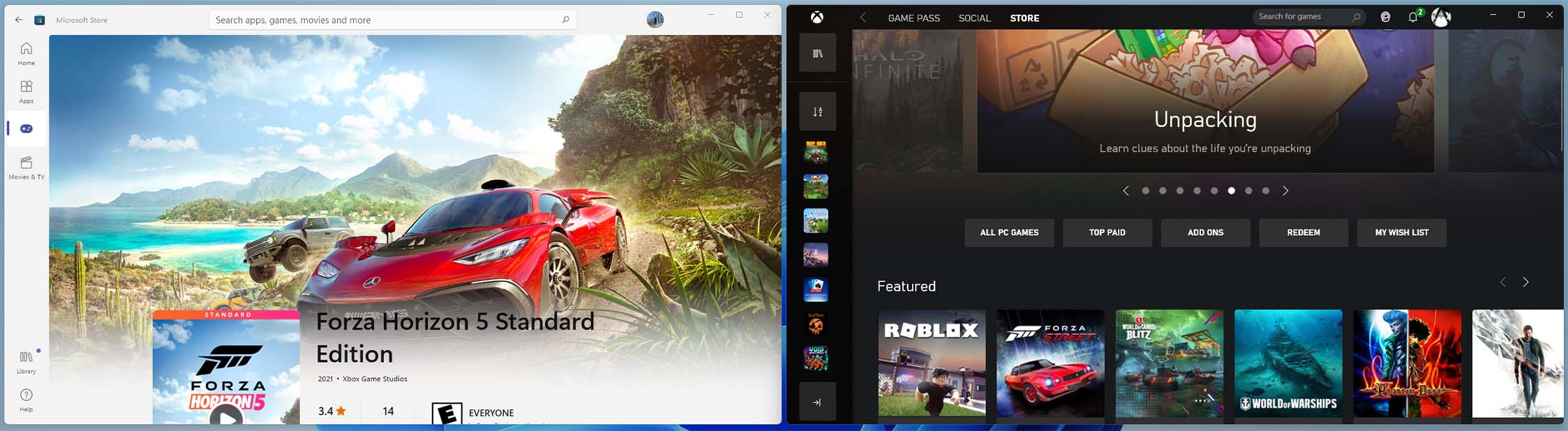
Although these are effectively different platforms, I’m lumping them together since they both come from Microsoft. Xbox Game Pass is another excellent option for someone new to the PC platform as it gives you access to a ton of games for a monthly subscription. Plus, you can get discounts on some games sold via the Xbox Store — for example, if a game you like rotates out of the Game Pass library, you can buy it at a reduced price to keep playing.

Microsoft has been putting a lot of effort into gaming on both its Xbox consoles and on Windows PCs, and while the Xbox app on PC has its issues, it’s also improved a lot over the last year. Whether you buy your games from the Microsoft Store, through the Xbox app or subscribe to Game Pass, it’s a great little game launcher (especially if you have friends that play on Xbox).

Oh, it’s also nice if you’re interested in testing Microsoft’s xCloud game streaming service. And, as an added benefit, if you play a lot of EA games you can gain access to some titles through EA Play as part of Game Pass (more on that below).

Game Pass for PC costs $11.99 per month in Canada, while Game Pass Ultimate (which includes PC, Xbox consoles, EA Play and xCloud) costs $16.99 per month. However, for a limited time Microsoft is offering Game Pass for $1/mo for the first month with Ultimate or the first three months with PC.

You can learn more here.

EA app / Origin
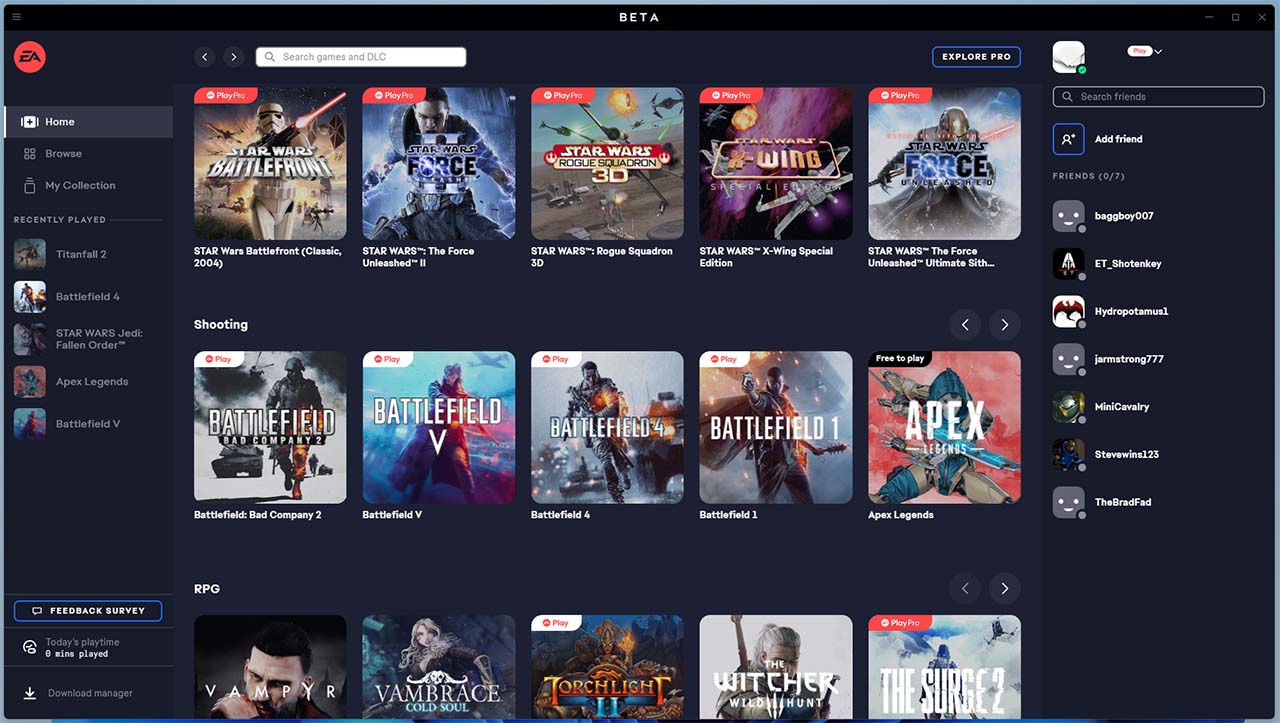
Electronic Arts currently has two PC games platforms — EA app and Origin. My understanding is that EA app will eventually replace Origin, but the software is still in beta at the moment.

Aside from a new design and some other minor changes, there’s not a whole lot different between the two platforms. If you’re okay with running a beta, I’d say go for the EA app to save yourself the hassle of switching if/when Origin bites the dust.

Anyway, the main reason to download Origin was, for a while, that it was the only option for getting EA titles on PC. However, EA has since started offering games on other platforms (like Steam and the EGS, although you still need to use Origin even if you buy the games from other platforms). It’s also worth noting that if you want to connect your Xbox Game Pass Ultimate subscription to gain the EA Play benefits, you’ll need to use the new EA app.

Speaking of EA Play, it’s a subscription service specifically for EA games. It comes in two flavours — Play for $4.99/mo or $29.99/year or Play Pro for $19.99/mo or $129.99/year. Play lets you access new EA releases up to 10 days before launch for up to 10 hours total playtime, as well as up to 10 hours of playtime on all of EA’s latest games. Play Pro gives both those benefits without the playtime cap.

Beyond that, you also get in-game rewards, exclusive member-only content, unlimited access to a collection of premium EA games (look for the ‘Play’ and ‘Play Pro’ logos on games) and a 10 percent discount for purchases on Origin and EA app.

You can learn more about EA app here, Origin here and EA Play here.

Battle.net (Activision and Blizzard)
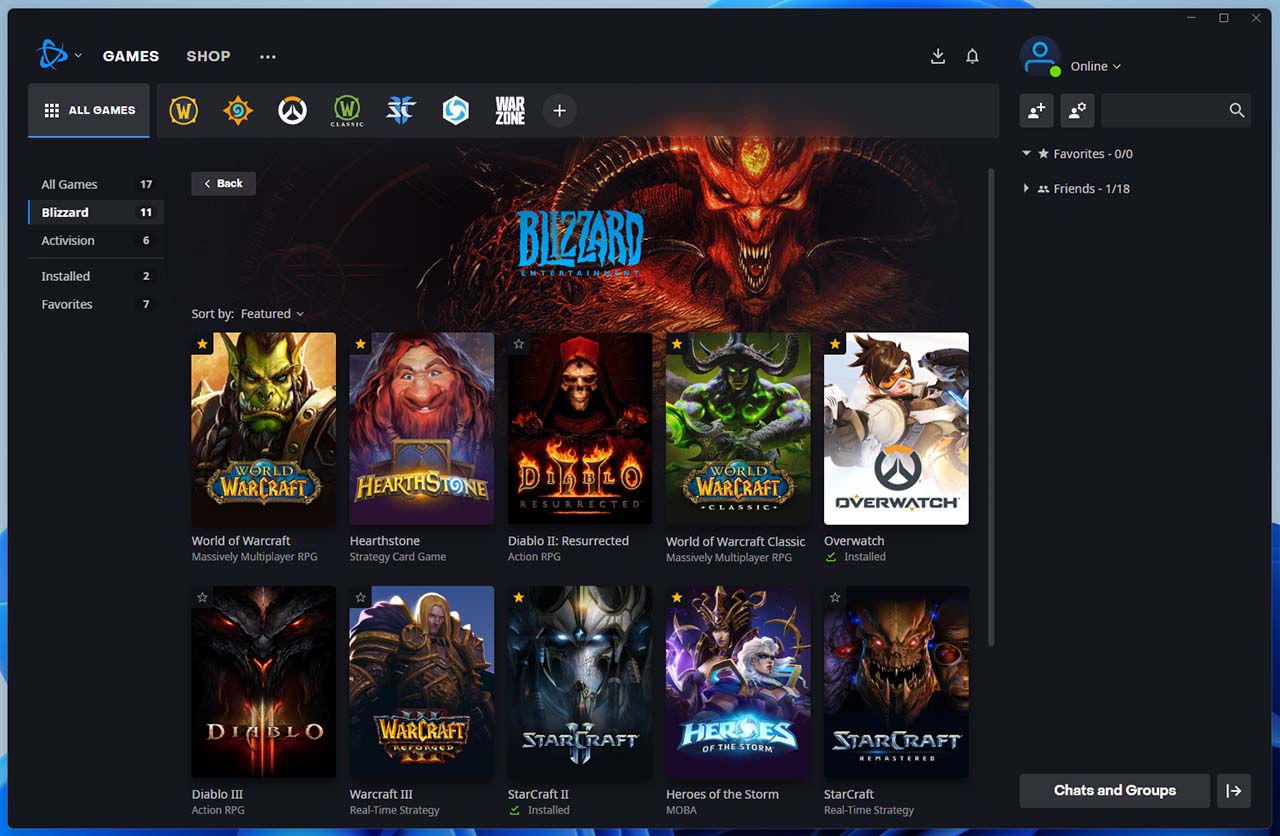
The Battle.net app will be your main destination for Blizzard and Activision games. This has basically always been the case for Blizzard games, while it’s been more recent that Activision has pushed some of its biggest titles to the platform rather than on competing services like Steam.

If you’re not interested in any of Blizzard’s titles, Call of Duty or Crash Bandicoot 4, you can totally skip Battle.net — otherwise, it’s a must-have. Once upon a time, Bungie’s Destiny 2 was exclusively on Battle.net but after Bungie split with Activision, Destiny 2 moved to Steam (it’s also available in the Xbox app).

You can learn more about Battle.net here.

Ubisoft Connect
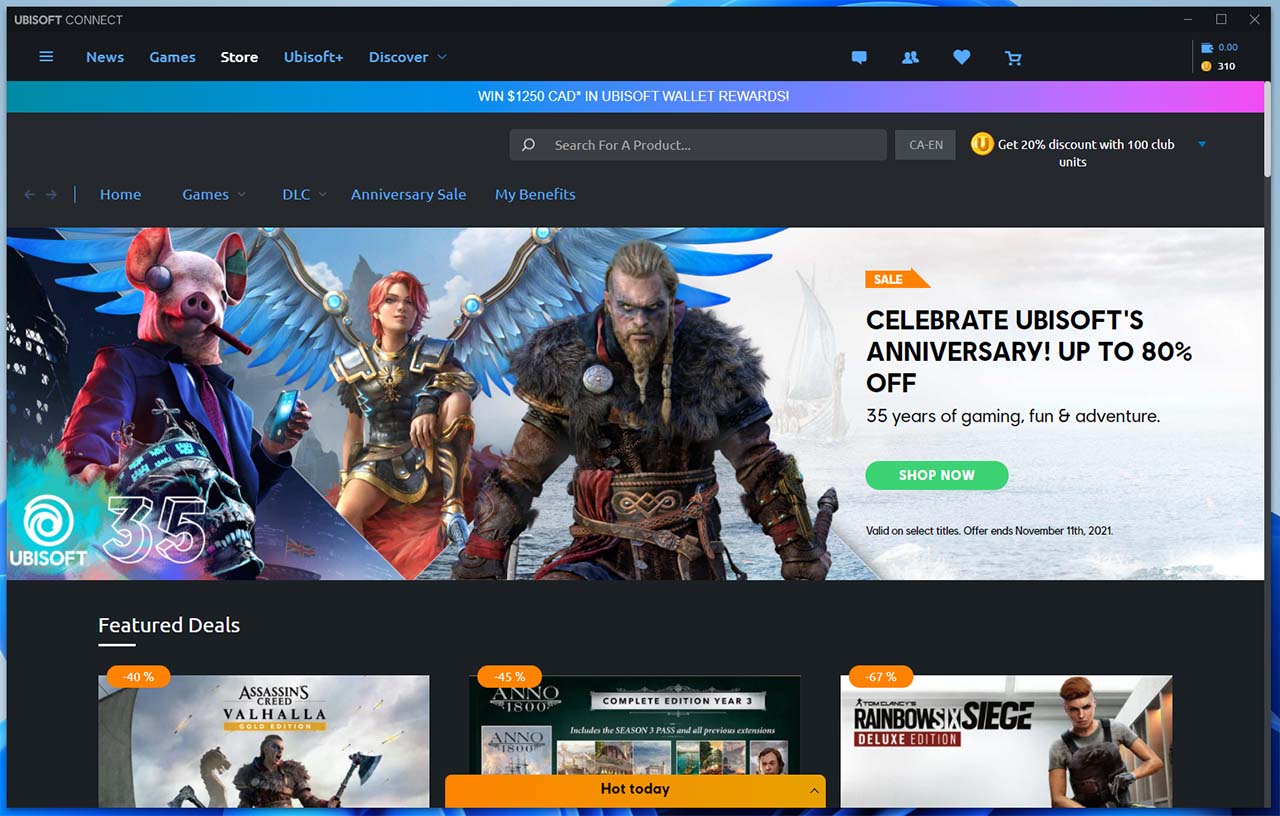
Like some of the other niche game stores/launchers, Ubisoft Connect (formerly UPlay) is completely unnecessary unless you play a lot of Ubisoft games. And while Ubisoft games are available on other platforms like Steam, almost all of them require you also download Ubisoft Connect, even if you never use it.

For my part, I basically only ever interact with Ubisoft Connect when I launch a Ubisoft game from another platform and a pop-up informs me Connect needs an update before I can play. Once the update’s done, I banish Connect back to my list of installed apps and don’t think about it again.

That said, for any big Ubisoft fans, there’s likely some benefit to using Connect. For example, if you buy Ubisoft games through Connect you can collect ‘club units’ for discounts and there’s a whole ‘Ubisoft+’ subscription that lets you play “new releases on day one.” Ubisoft+ costs $19.99/mo in Canada.

You can learn more about Ubisoft Connect here.

GOG
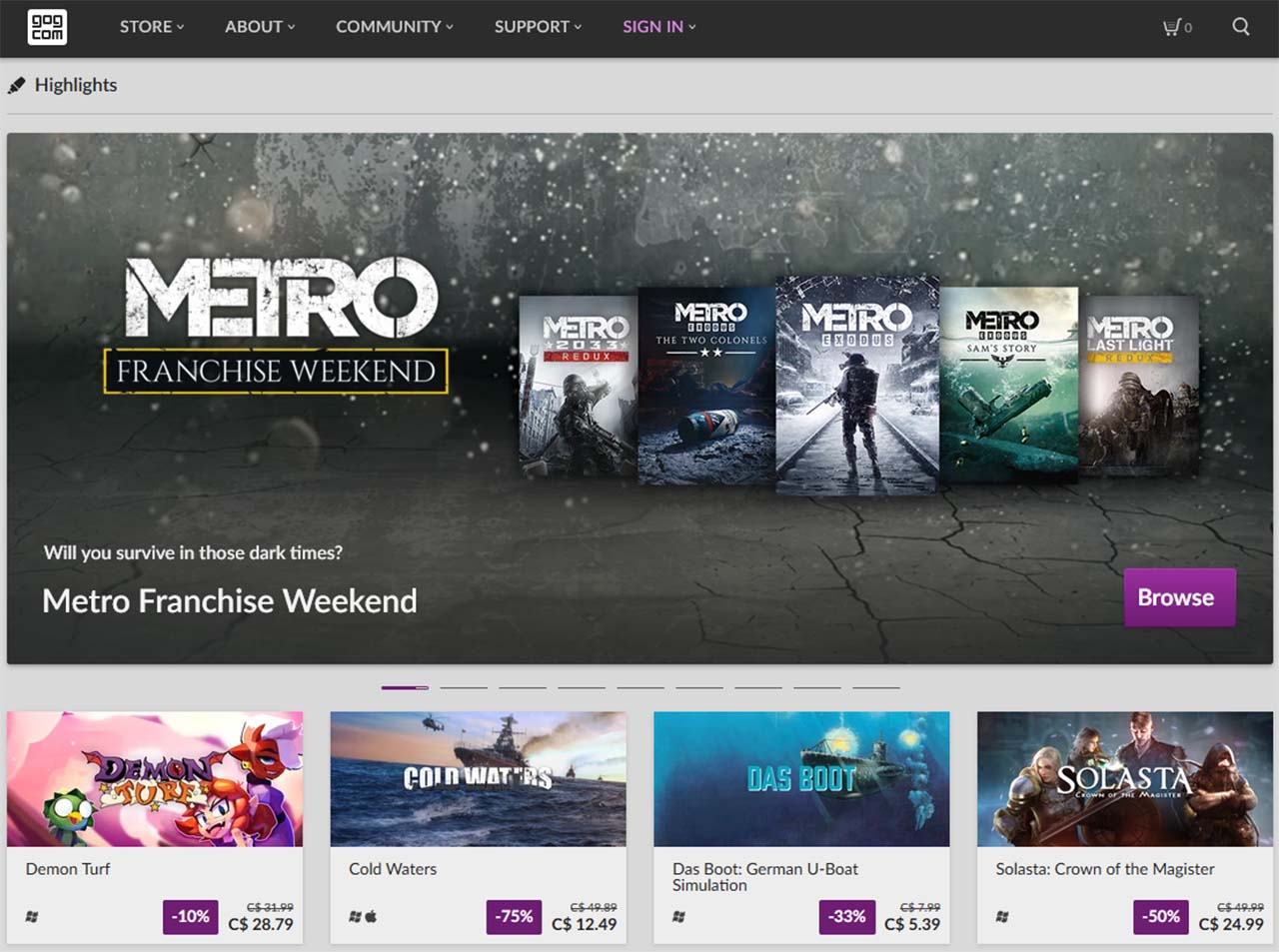
GOG is a game store from CD Projekt, the company behind popular games like The Witcher 3 and Cyberpunk 2077. GOG positions itself as a “DRM-free home for a curated selection of games.” There are some decent titles on GOG and frequent sales. The DRM-free part is a nice bonus too.

There’s also the GOG Galaxy 2.0 app, which looks to be a game launcher that pulls from several sources (Xbox, Epic, etc), which could be a helpful tool in managing your game library if you have a large collection across different apps and services.

You can learn more about GOG here and the Galaxy 2.0 app here.

Humble Bundle
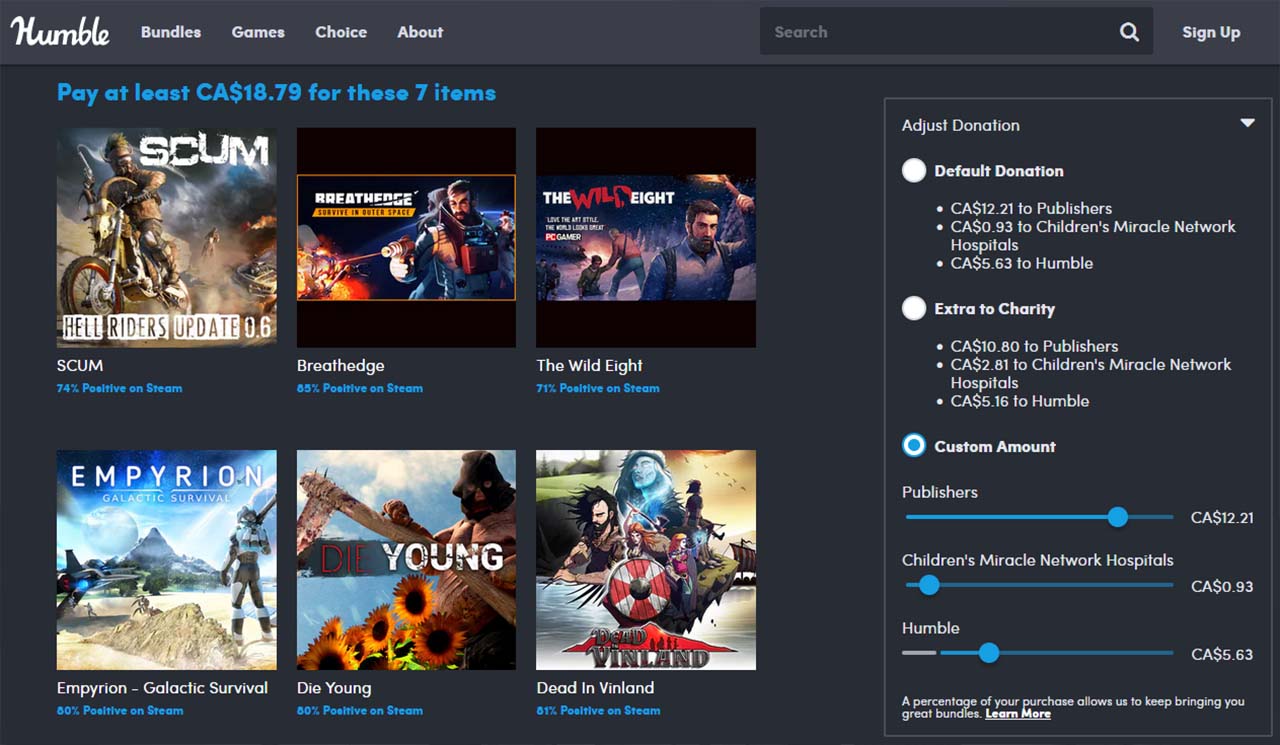
While a potentially lesser-known option, Humble Bundle is a pretty great PC gaming store to keep an eye on. The unique thing with Humble is that it offers limited-time bundles of games (there are software and book bundles) with a focus on charity.

Typically how it works is there will be a bundle of games, usually with a theme (such as a type of game or games from a specific publisher). Customers can “pay what they want” for the bundles to get the games, with many bundles offering tiers (for example, pay at least $2 to get these games). You can also adjust how much of your money goes to the charity, Humble Bundle and game publishers, which is neat.

While not every bundle is a winner, I’ve definitely seen some incredible deals in my time (I once scored a bundle with Civilizations III, IV and V, including DLCs and a host of other Sid Meier titles for less than the cost of just the base Civ V game).

Humble also has a digital games store and a monthly subscription called ‘Humble Choice’ that gives you new games every month.

You can check out Humble here.

Honourable mentions

Finally, to cap things off are a few other PC game stores worth mentioning. There’s Google Stadia (although I’m not sure that really counts) and ‘itch.io‘ for indie games. Bethesda has its own online store and game launcher. There are also a few ‘key resellers’ (most digital games rely on keys that you enter in Steam or other stores to unlock the title). Key resellers can be shady, but if you’re comfortable with the risk can be a great way to pick up games at a discount. Speaking of which, you can often buy digital game keys from Amazon too.

Categories
Mobile Syrup

The best USB hubs for your accessories

As both desktop and laptops continue the race to get thinner and sleeker, there has been a victim watching from the sidelines: the USB port. Whether it’s having fewer ports on the computer or supporting exclusively USB-C ports, you likely need to find a way to get more USB ports on your computer.

The good news is that there are plenty of multi-function USB hubs out there for your needs. Maybe you have a lot of devices to connect to your workstation at home, or you need something portable for on-the-go tasks, there are plenty of options in an affordable range. We’ve included both budget and premium options on this list to meet all of your various needs. These are the best USB hubs to buy in 2021.

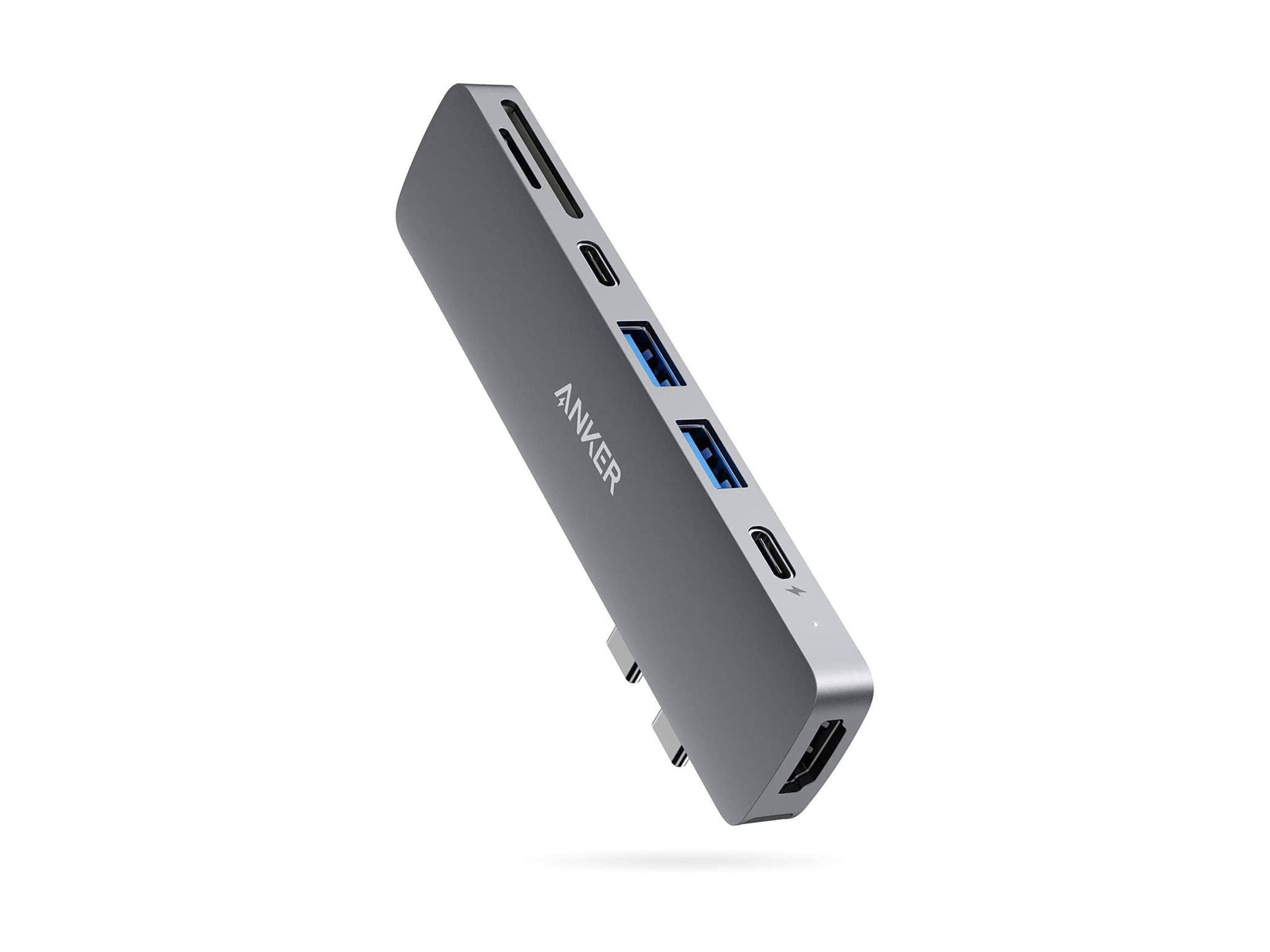
Anker PowerExpand Direct 7-Port USB 3.0 Type-C Hub

Anker USB Hub

If you have a newer MacBook with only USB-C ports, then you’ll know the struggles of trying to connect additional peripherals. Anker — arguably one of the top manufacturers of USB accessories — offers a slick premium hub that gives you plenty of options. It comes with seven ports, including a Thunderbolt USB-C, a USB-C data port, two USB-A ports, one HDMI, one SD card slot and one microSD card slot. This means you can plug in the latest devices with the fastest speeds, attach your MacBook to an external monitor, insert your camera’s SD card, and more. If you have a MacBook and are willing to pay a premium, this is a stylish hub that fits with the Apple aesthetic. If you don’t have a MacBook, this will still work — it just won’t blend in as naturally.

Buy at Amazon Canada for $79.99

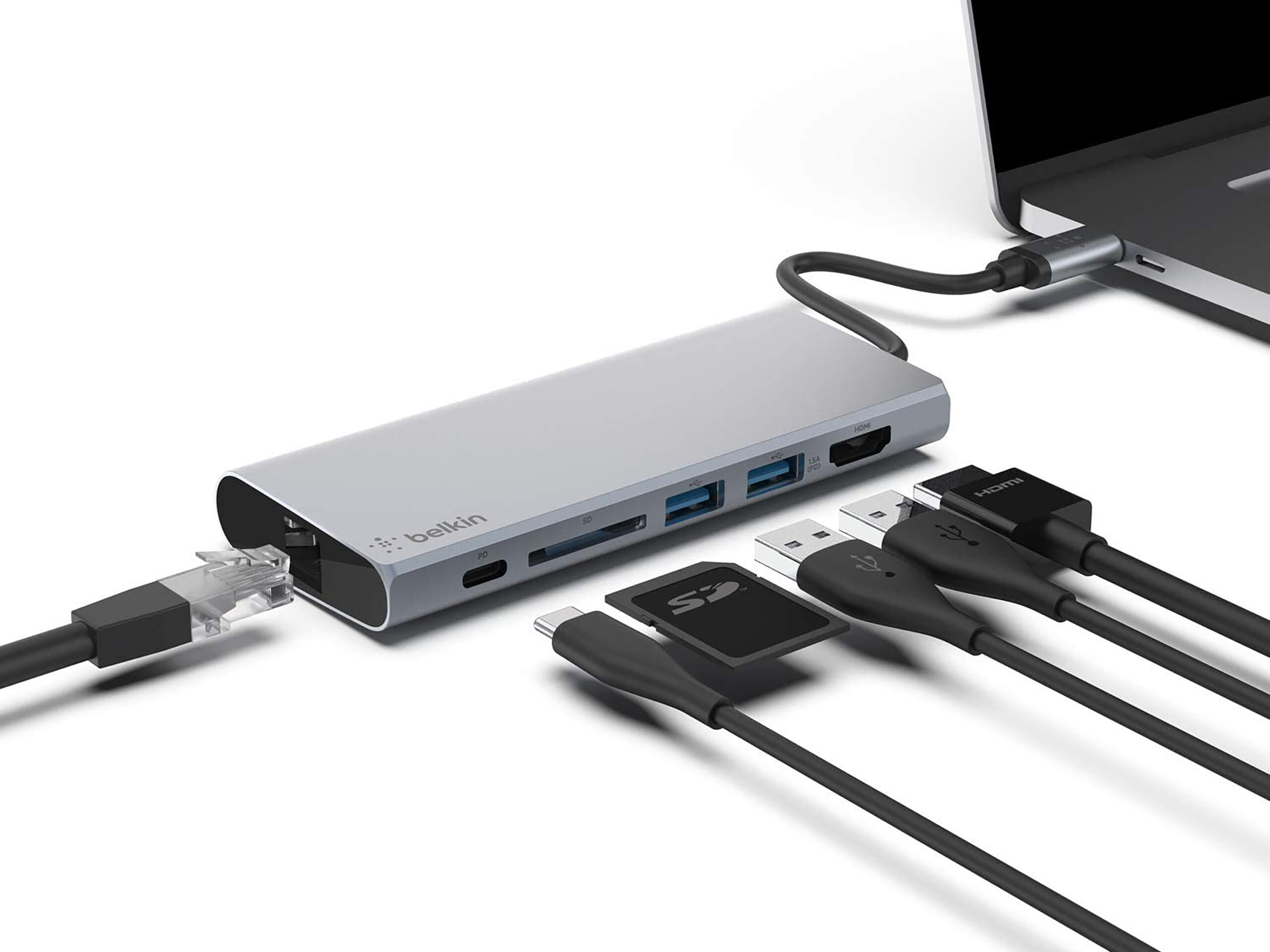
Belkin USB-C Multimedia Hub

Belkin USB hub

Belkin, the other accessory-making juggernaut, has a USB-C multimedia hub to help people add more ports to their laptop when on the go or at home. Built for both Mac and Windows, this hub adds several port options: two USB-A 3.0 ports, one USB-C, one HDMI, one SD Card port, and even a gigabit ethernet port in case you need to connect the old fashioned way. The HDMI supports up to 4K video and there’s even an option for pass-through charging for up to 60W for your devices. This is the most expensive hub on the list, but Belkin has earned its solid reputation, and this is one of the few hubs that offers pass-through charging.

Buy at Amazon Canada for $99.99

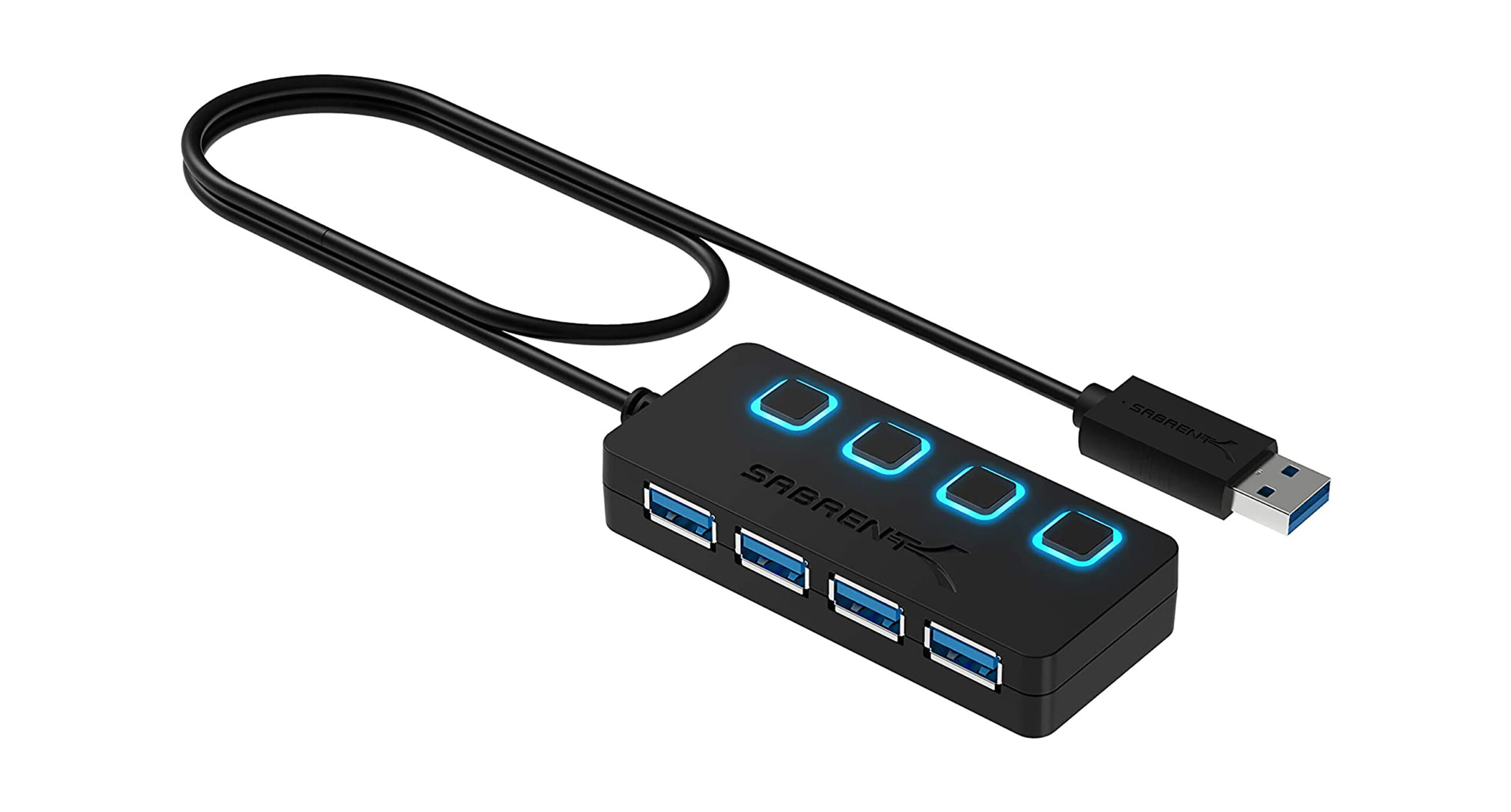
Sabrent 4-Port USB 3.0 Hub

Sabrent USB hub

The Sabrent 4-port hub is cheap, fast, and portable. If all you’re looking for is a few extra ports, this is the cheapest option on the market, while still delivering decent performance. Each port comes with its own power switch, allowing you quickly . Best of all, this hub works with both Windows and Mac, without needing any drivers or installs.

Buy at Amazon Canada for $15.98

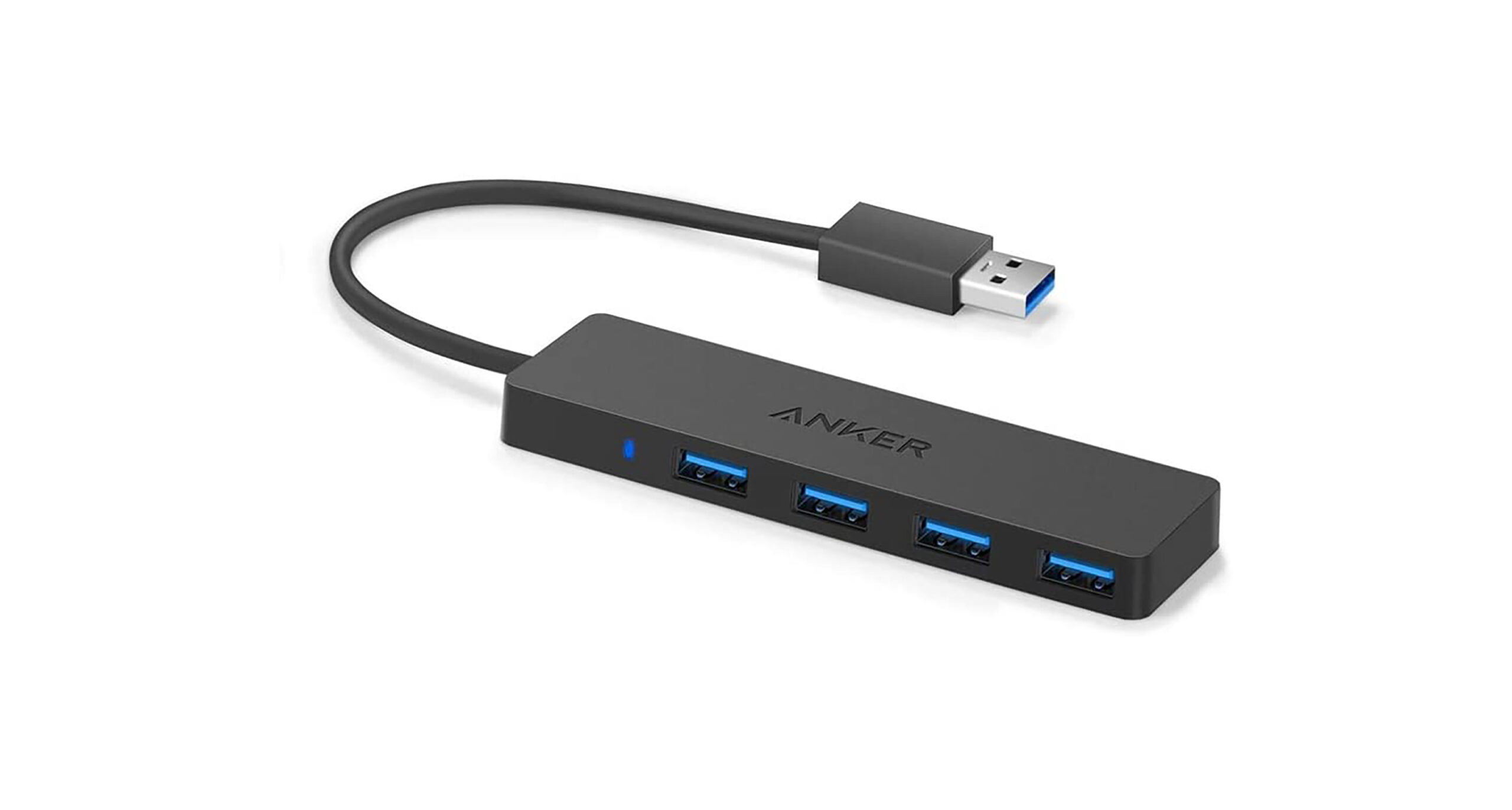
Anker 4-Port USB 3.0 Ultra-Slim Hub

Anker ultra slim usb hub

Anker’s ultra-slim hub is an attractive option that feels like a premium option, while fitting nicely within most budgets. Like the Sabrent hub above, this is a 4-port model that uses USB 3.0. The main differences here are the lack of power switches, and the form factor. While the Sabrent is compact, the Anker model can easily fit in the pocket of a bag for use anywhere. This is also a popular option to attach to the bottom of a desk as an invisible expansion to a desktop PC. For its price, this is the best slim USB hub on the market.

Buy at Amazon Canada for $19.99

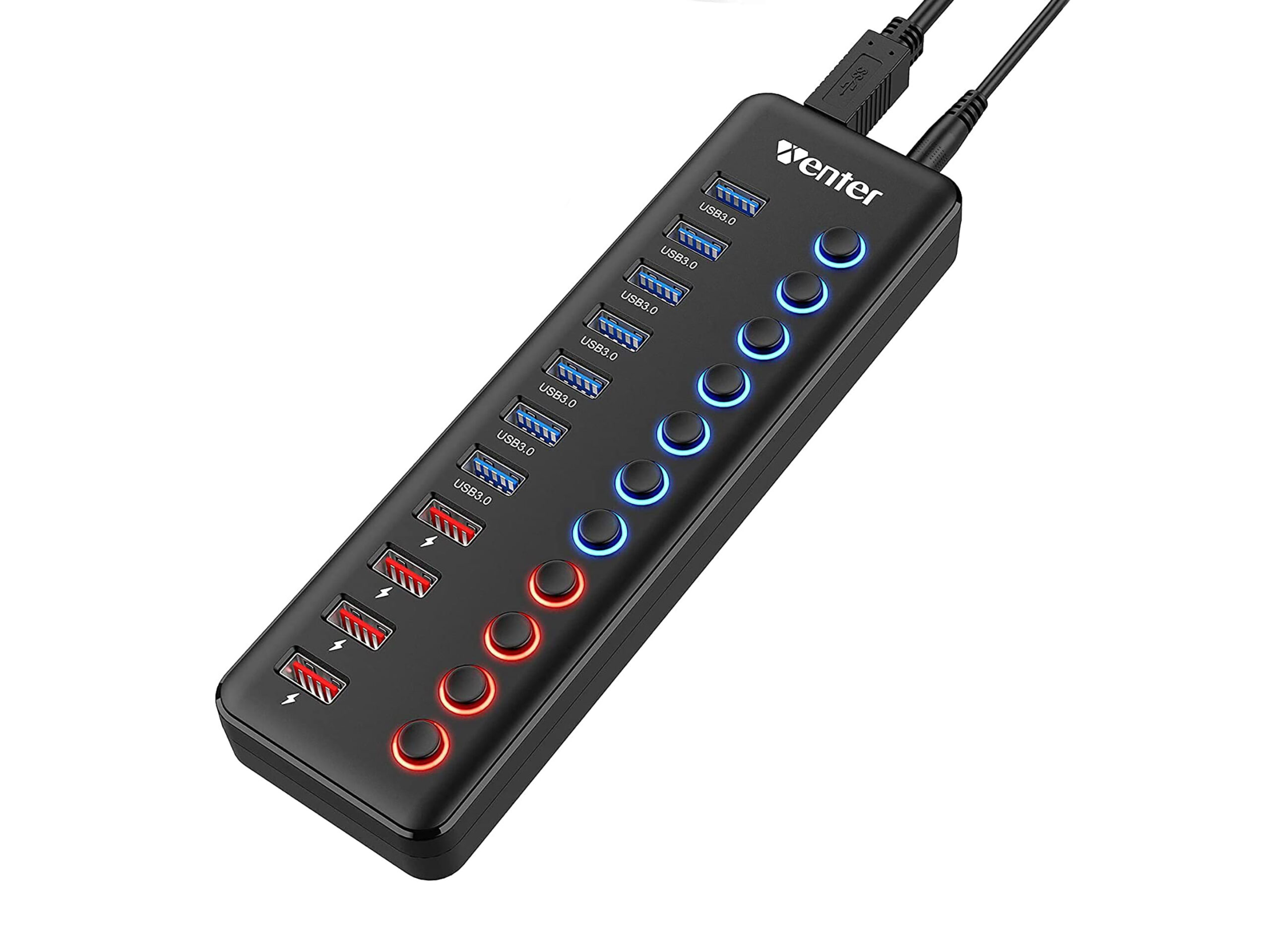
WENTER 11-Port USB Data Hub Splitter

11-port usb hub

If you’re looking for quantity, you won’t need to look any further. Not only does it have 11 — yes, 11 — ports with individual power switches, it also features USB 3.0 for high speed transfers. This hub requires external power though, so you’ll need to plug it into the wall. But for at-home workstations, this is an affordable option with more ports than you’ll ever need.

Buy at Amazon Canada for $54.99

And those are the best USB hubs you can buy in 2021. If you have other tech items you’d like to see tech guides for, be sure to let us know in the comments down below.

MobileSyrup utilizes affiliate partnerships. These partnerships do not influence our editorial content, though MobileSyrup may earn a commission on purchases made via these links.

Categories
Mobile Syrup

Here’s how to use SharePlay with your friends on iOS 15.1

Apple’s SharePlay has finally made its way to devices with its iOS 15.1 update.

SharePlay is essentially real-time screen sharing baked into the iOS that lets you watch movies, live games, listen to music or consume several other types of content with your friends and family via FaceTime — it’s a watch party that doesn’t require third-party software like Houseparty.

Here is how you can start consuming content with your distant friends and family via SharePlay:

Regular screen share

Let’s say you want to guide a friend through a new iOS setting or feature, or you just want to show how you’ve arranged your icons and widgets, and don’t want to go through sending multiple screenshots, FaceTime’s new screen sharing feature can make this simple.

First, both you and your friend(s) need to be running iOS 15.1. Next, initiate a FaceTime call and tap on the screen to pull up the top command bar. On the right of the command bar, you’ll find an icon that looks like a person standing in front of a rectangle. This is the button you want to navigate to for sharing your screen.

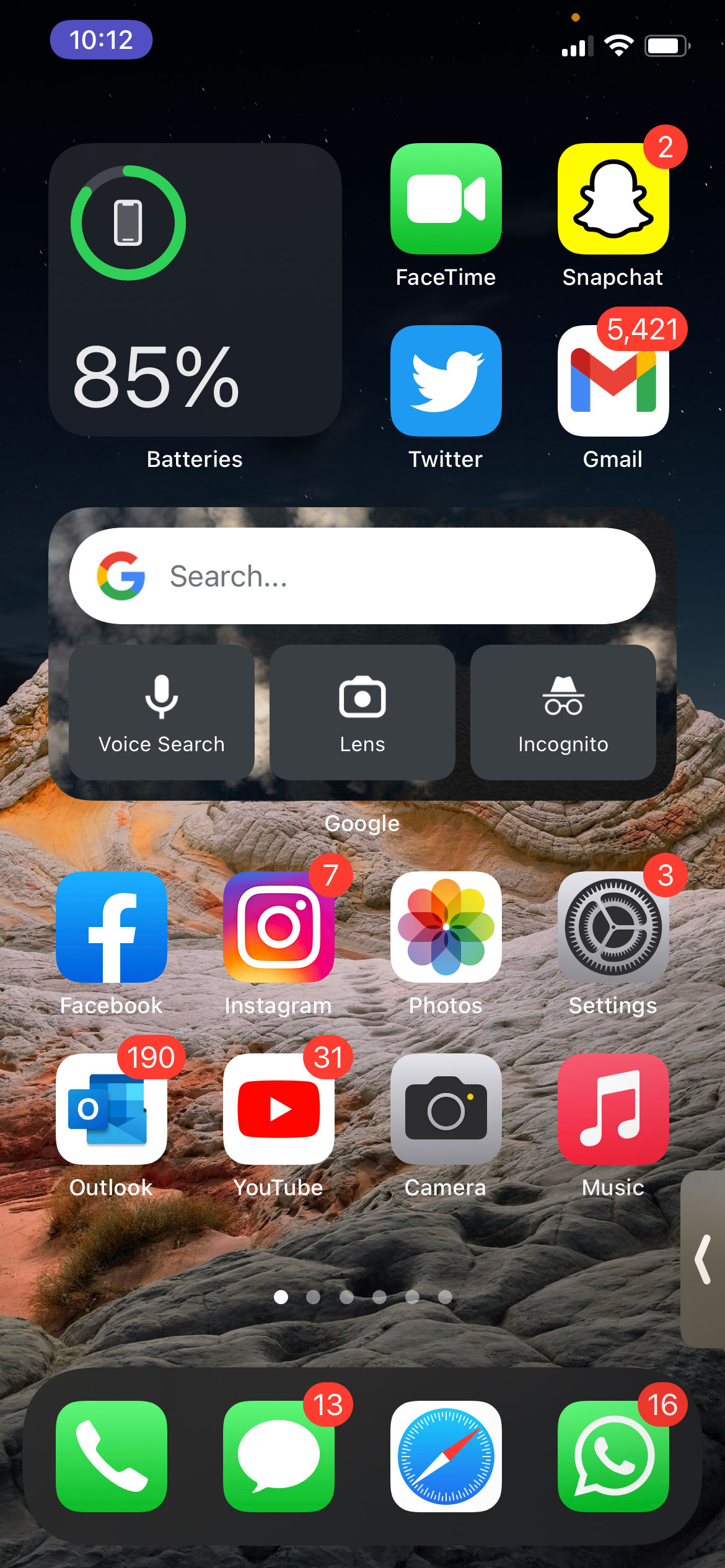
Once you are in screen sharing mode, the person on the other end will be able to see your phone’s screen the way you do. However, any notifications will automatically be muted and invisible to them. It’s worth noting that whoever you’re sharing your screen with can zoom in/out and also take screenshots, whereas the indicator pill on the top left (check the second image above for reference) will turn purple to remind/notify you that you are currently sharing your screen.

SharePlay content

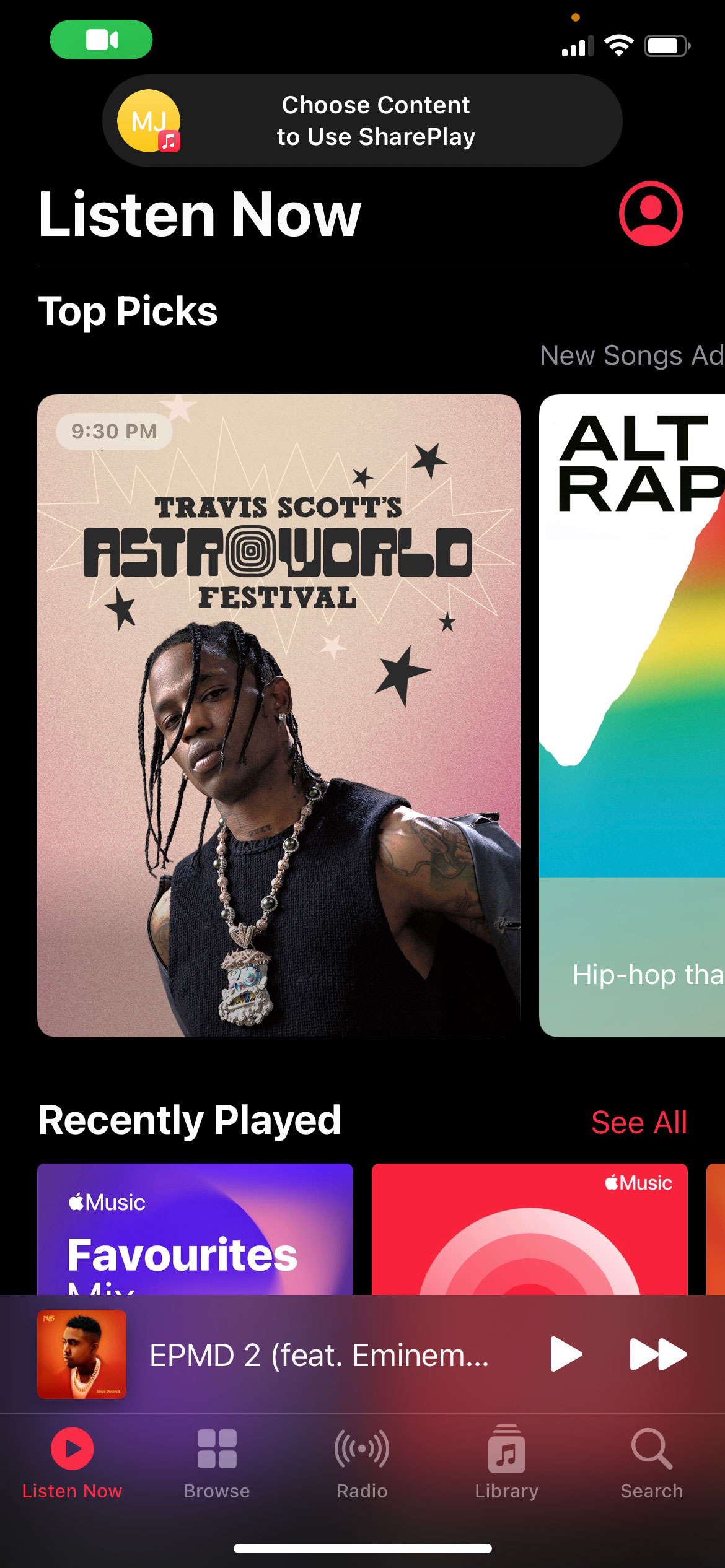
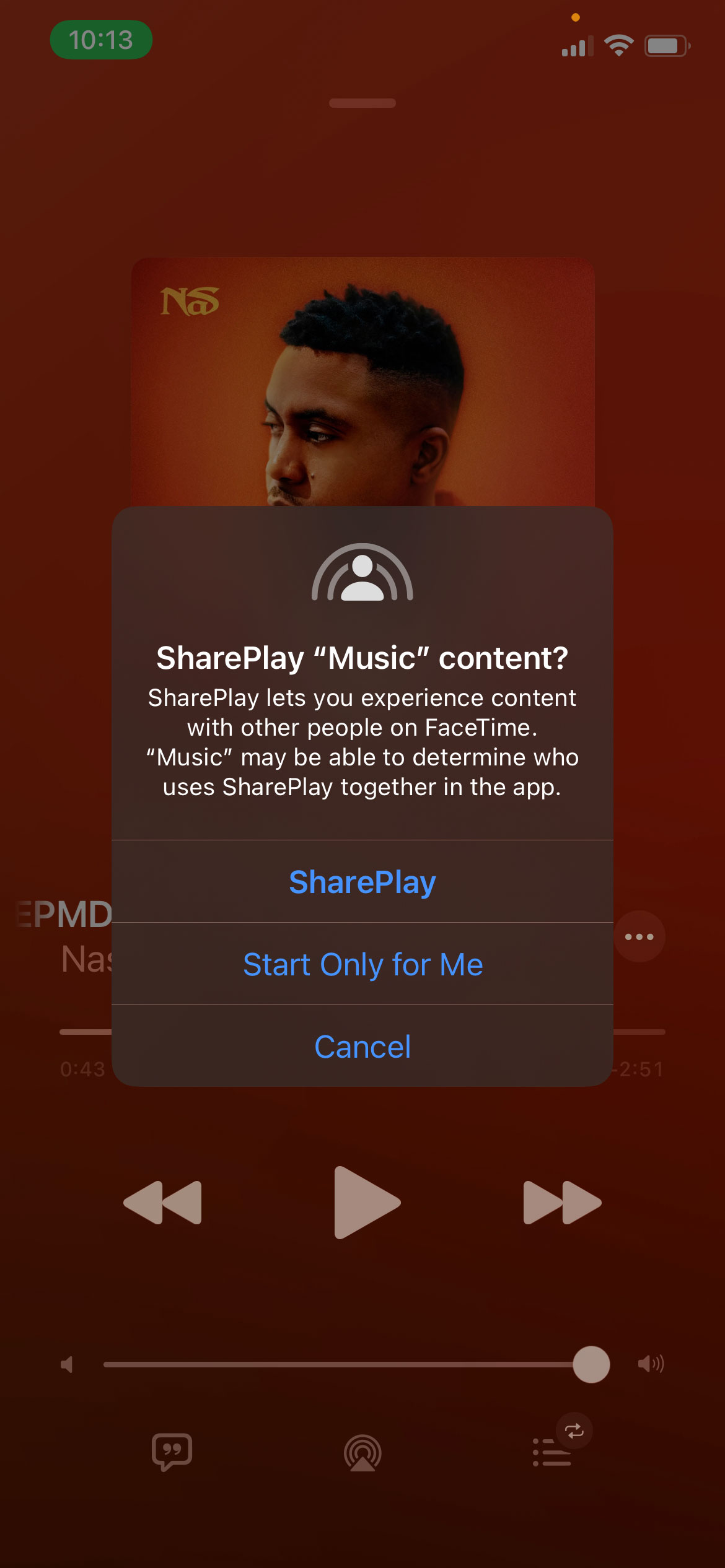
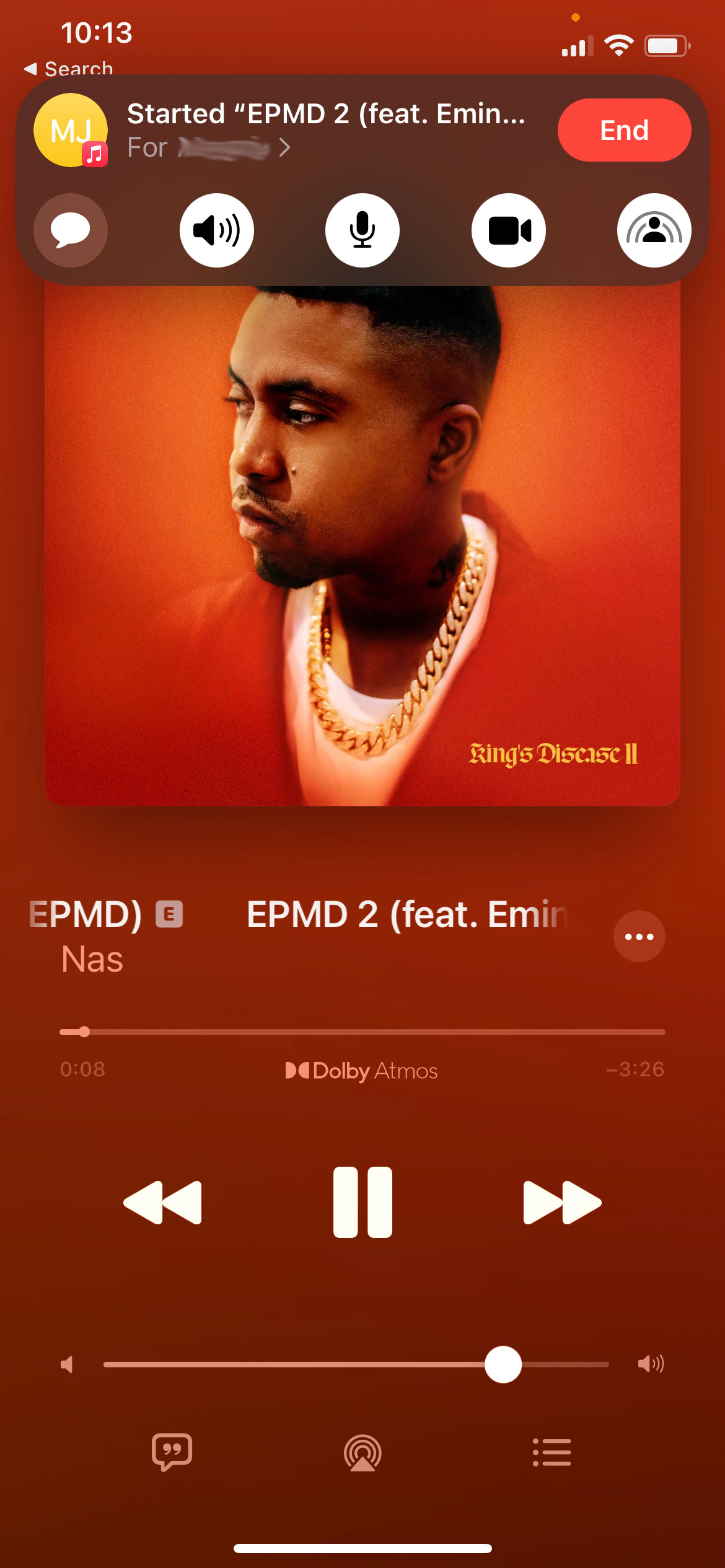
To watch movies, live games or listen to music together, initiate a FaceTime call and head to one of the supported apps, like Apple Music. As soon as you open the app, you’ll be greeted by a pop-up notification on the top-center of the screen asking you to ‘Choose Content to Use SharePlay.’

Pick any track, and a new pop-up will ask for confirmation to SharePlay or play the music for only you. If you choose the latter option, no one in the FaceTime call would be able to hear the music, but selecting SharePlay will play the music in sync for you and your video call companions, allowing everyone to jam together with access to play, pause, skip forward and rewind controls.

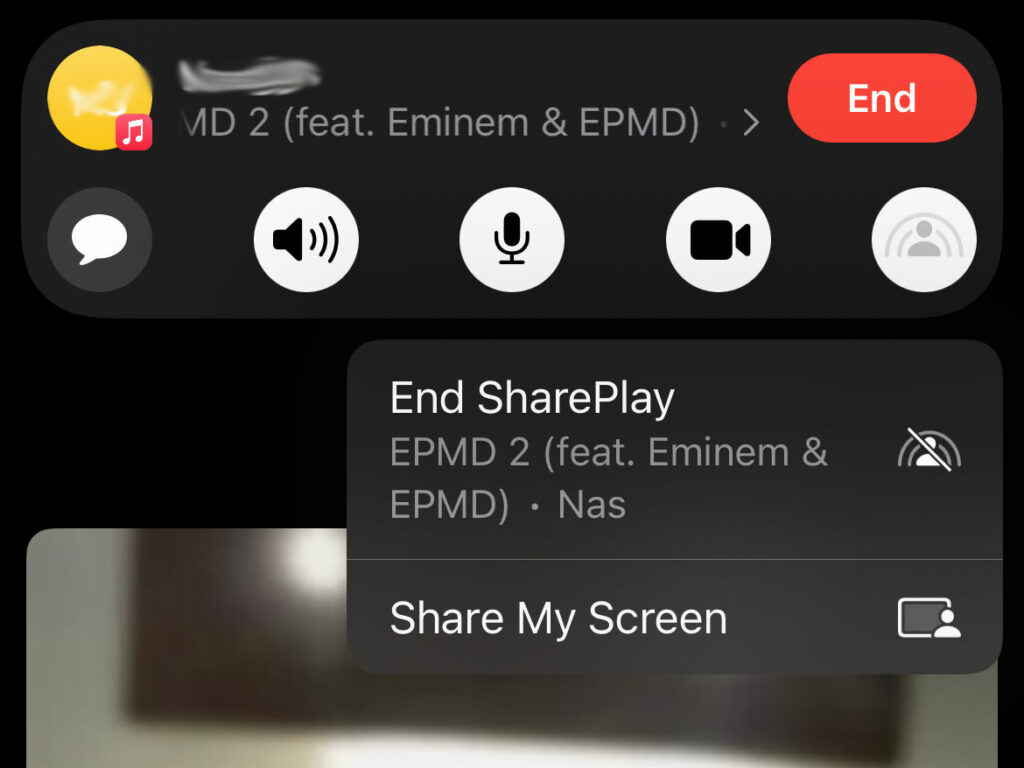
To end sharing music, simply exit Apple Music or head back to the FaceTime call and tap the same extreme right icon and tap on ‘End SharePlay.’

Similarly, opening any other SharePlay compatible app, including Apple TV+, Disney+, ESPN, TikTok, SoundCloud, and even games like Heads Up! will give you an option to SharePlay, with the content playing in sync for everyone along with playback controls for each participant. The participants will need to have the specific app installed, and some apps might even ask for all participants to be subscribed.

When you or a friend starts speaking mid-SharePlay, the content volume will automatically go down so that everyone can hear what you have to say.

It’s worth noting that Apple recently launched support for inviting your Android buddies to FaceTime calls. While the feature is handy to bring your friends over to the other side of the fence, you won’t be able to use the new SharePlay feature with them just yet.

Follow this link to check out all of our iOS 15 coverage, including how you can move the Safari URL bar back to the top, a walkthrough of the new Focus Mode, and how you can use Live Text.