Categories
Mobile Syrup

Coway’s Airmega 250 is decent air purifier, but only if you need one

Air purifiers have become increasingly popular in recent years. There are a few reasons why, such as increasing pollution in some areas, or people who, like me, remain concerned about COVID-19 for various legitimate reasons. Air purifiers have emerged as a way to combat these things, though I remain skeptical about their efficacy.

So, when Coway reached out to me about testing their Airmega 250 air purifier, needless to say, I was intrigued. But after running it essentially non-stop in my apartment for the last month, I’m not sure it really made a difference (though there might not have been much of a difference to make).

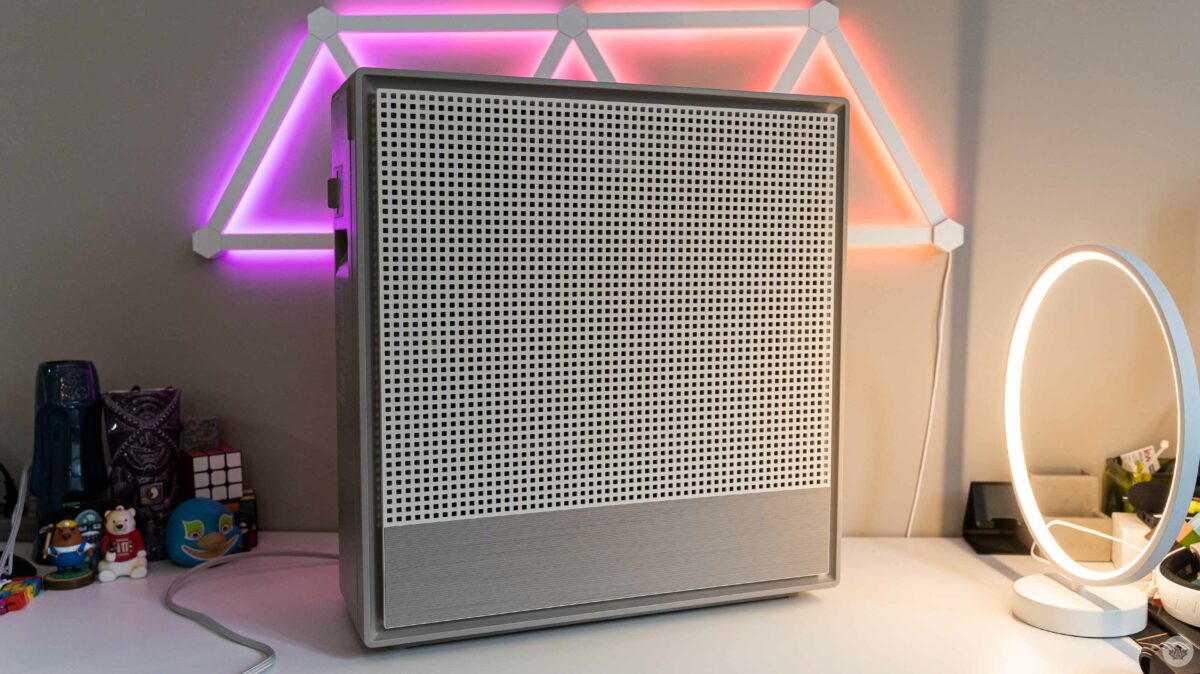
Before I get too much further into my experience with the Airmega 250, I want to quickly go over some of the features and specifications. It’s worth noting that there are two variants, the 250 and the 250S. I tested the 250, but the only difference with the 250S is that it’s Wi-Fi enabled, allowing you to connect it to a smartphone app. Frankly, I don’t think the added cost to get this functionality is needed (keep reading to learn why). Beyond function, the design and build quality are excellent. It feels really sturdy, the pieces fit together well, and it even has a woven cable. Plus, it runs very quietly (more on this below).
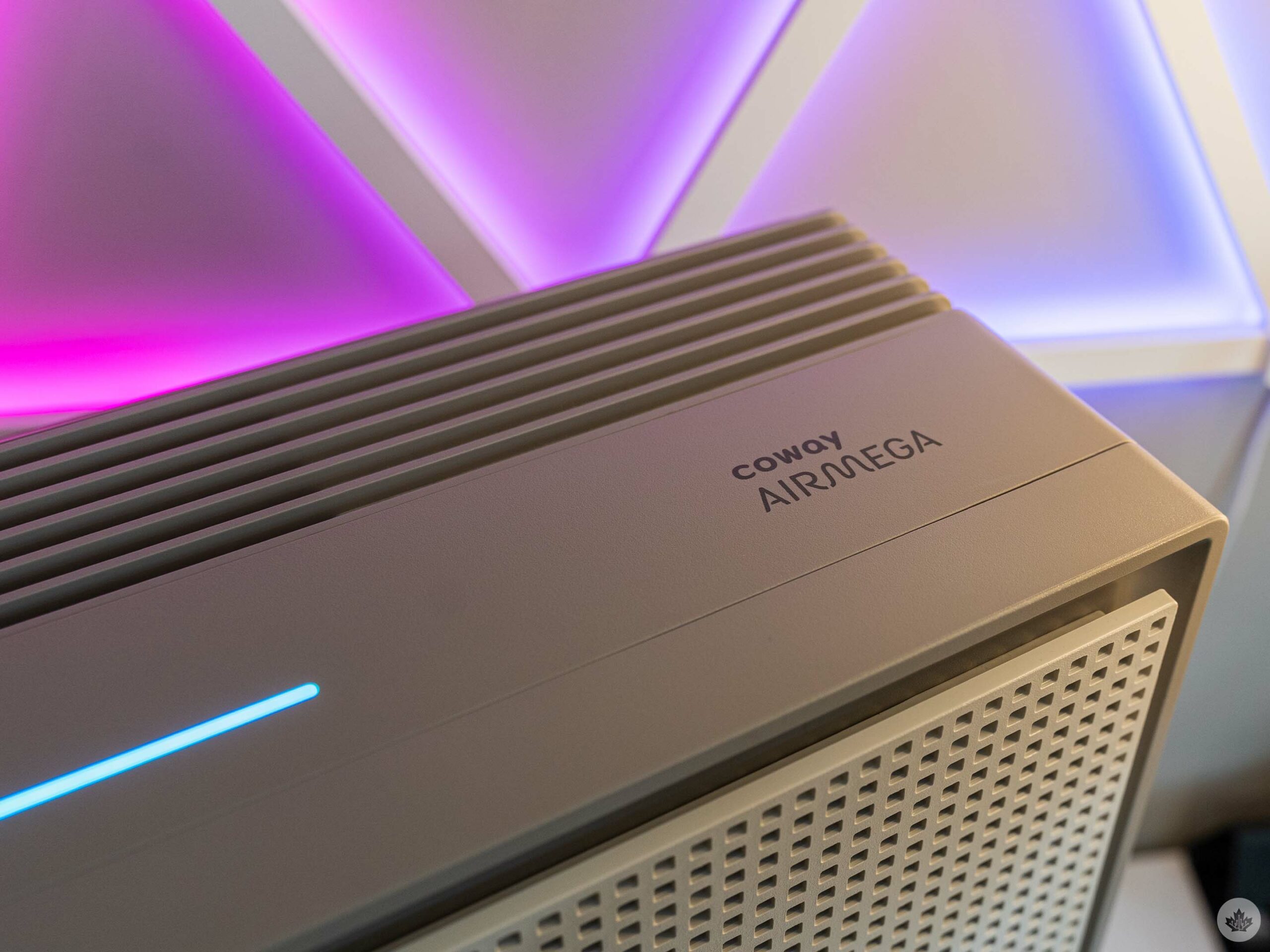
The light-bar changes colour to indicate air quality.

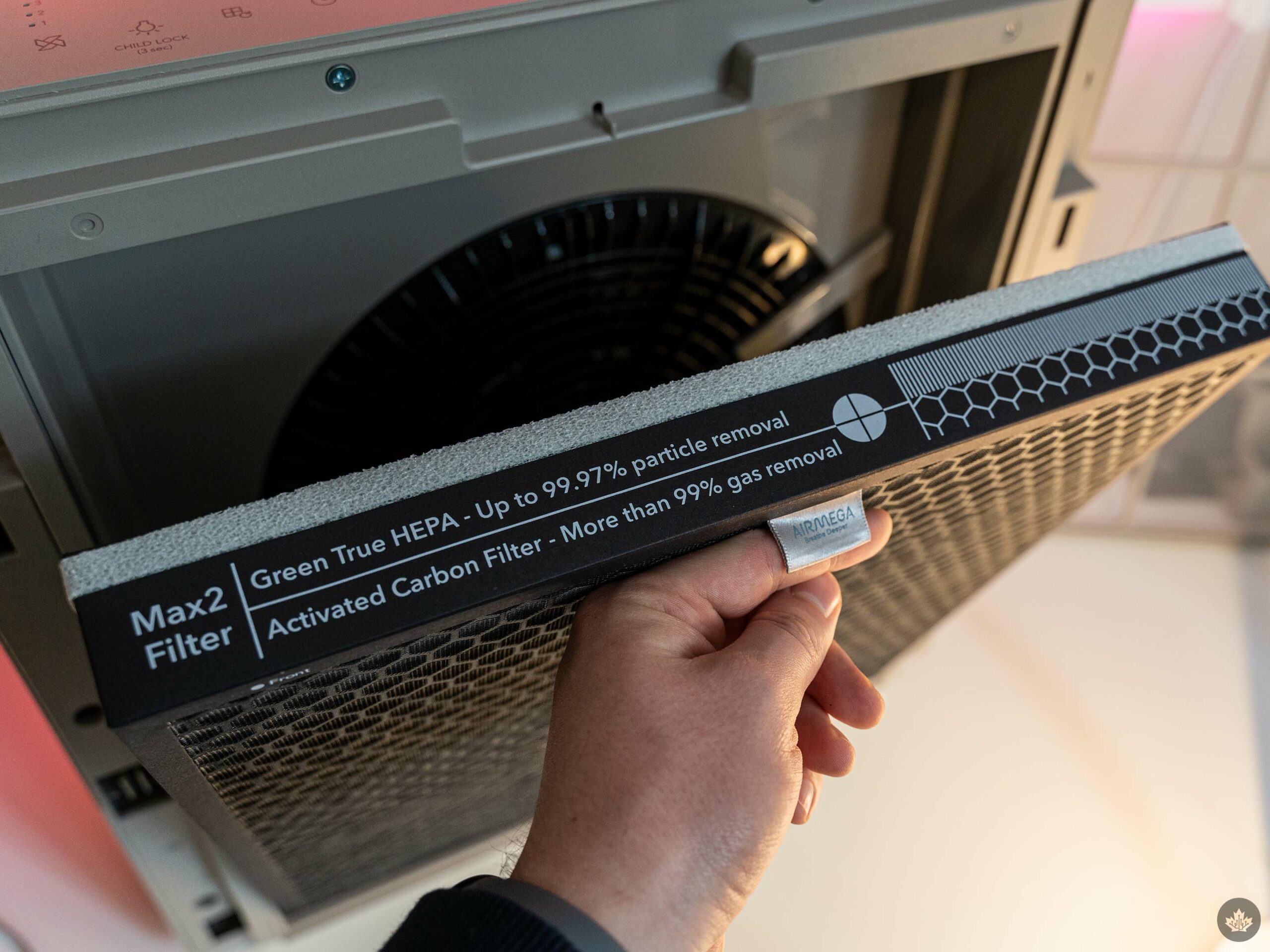
The Airmega covers 930ft² or 86m² and offers three-stage filtration, easy-to-clean filters and more. First up is the pre-filter for catching dust and hair. Then comes the ‘Max2’ filter, which combines a ‘Green True’ high efficiency particulate air (HEPA) filter and an activated carbon filter. The former catches bacteria, mould, viruses and pollen, while the latter captures food smells, cigarette odours, volatile organic compounds (VOCs) and more.

Coway makes some big claims on its website about how well the Airmega can take contaminants and viruses, like COVID, out of the air. Although HEPA filters can capture COVID virus particles, all of Coway’s numbers were based on laboratory tests, which likely won’t translate into real-world use.

Can my air get any more clean?
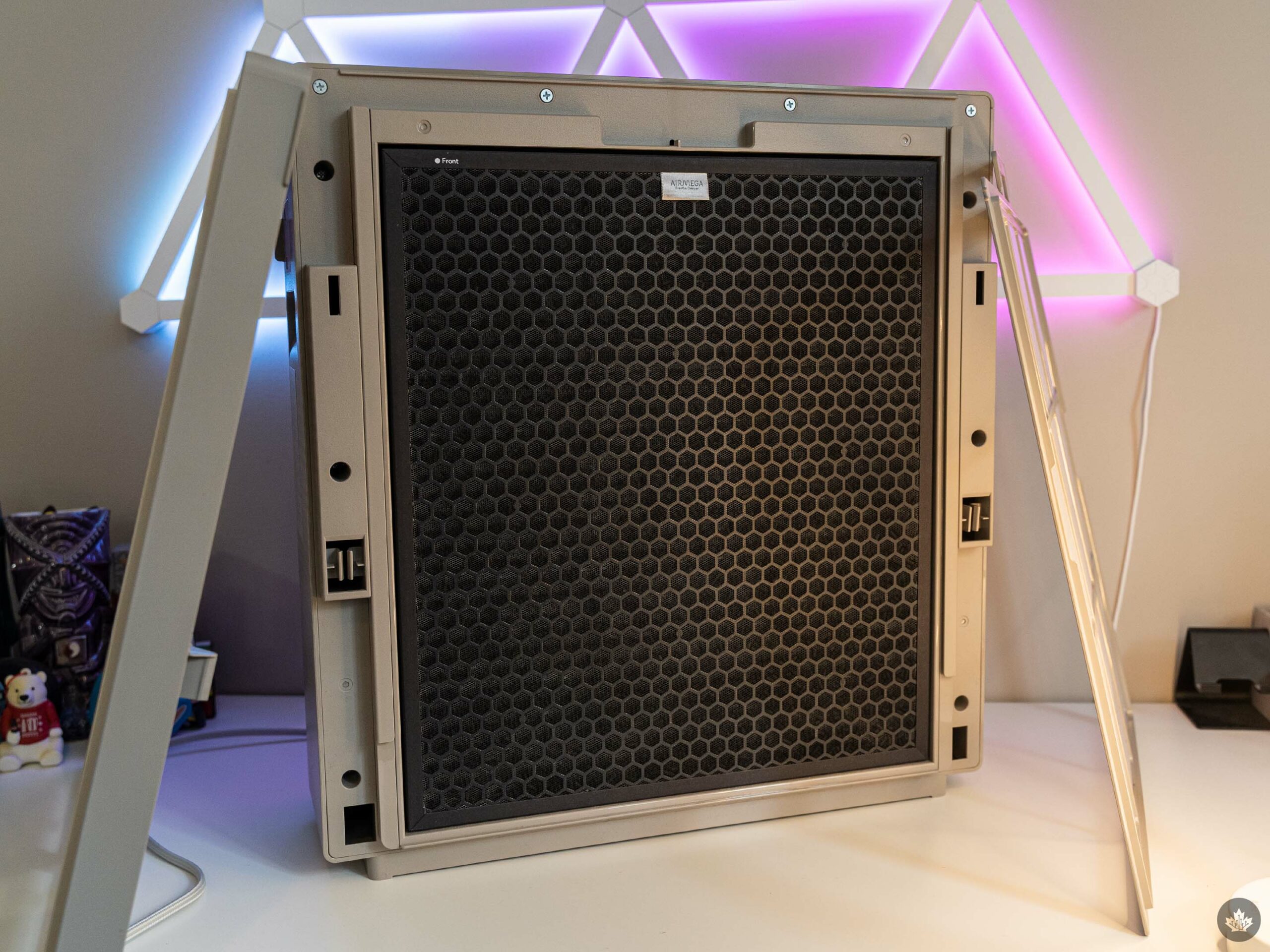
The Airmega 250 with the front panel and pre-filter taken off.

Speaking of real-world use, it’s difficult to quantify how well the Airmega worked in my space. I live in a glorified basement apartment, and while I don’t recall the exact square footage, it’s only 200-300ft² more than the coverage boasted by the Airmega 250.

I started by running the Airmega in the main room of the apartment, which also includes the kitchen. Later I moved it to my bedroom. In both cases, the sensors on the Airmega reported ‘good’ air quality (a blue line on top) or sometimes ‘moderate’ quality (a green line). I never saw it dip into ‘unhealthy’ (yellow) or ‘very unhealthy’ (red).

While it was reassuring to see that the air quality in my apartment wasn’t bad, it also made it more difficult to judge how well the Airmega worked, given there was little for it to improve. When I ran it in my main room/kitchen area, I didn’t notice any difference from using the Airmega, though I had hoped it might help cut down on odours left over from cooking.

When running the Airmega in my bedroom, I did notice a marginal improvement in the ‘freshness’ of the air in my bedroom. It’s not a huge change, but it was welcome since the room doesn’t get as much airflow in the winter — the rest of the year I like to keep a window open and/or a fan running to move air around. (I’ve also got an 11-month-old who loves to explore, so we tend to keep the bedroom door closed to limit where she can go.)

Quiet as a mouse
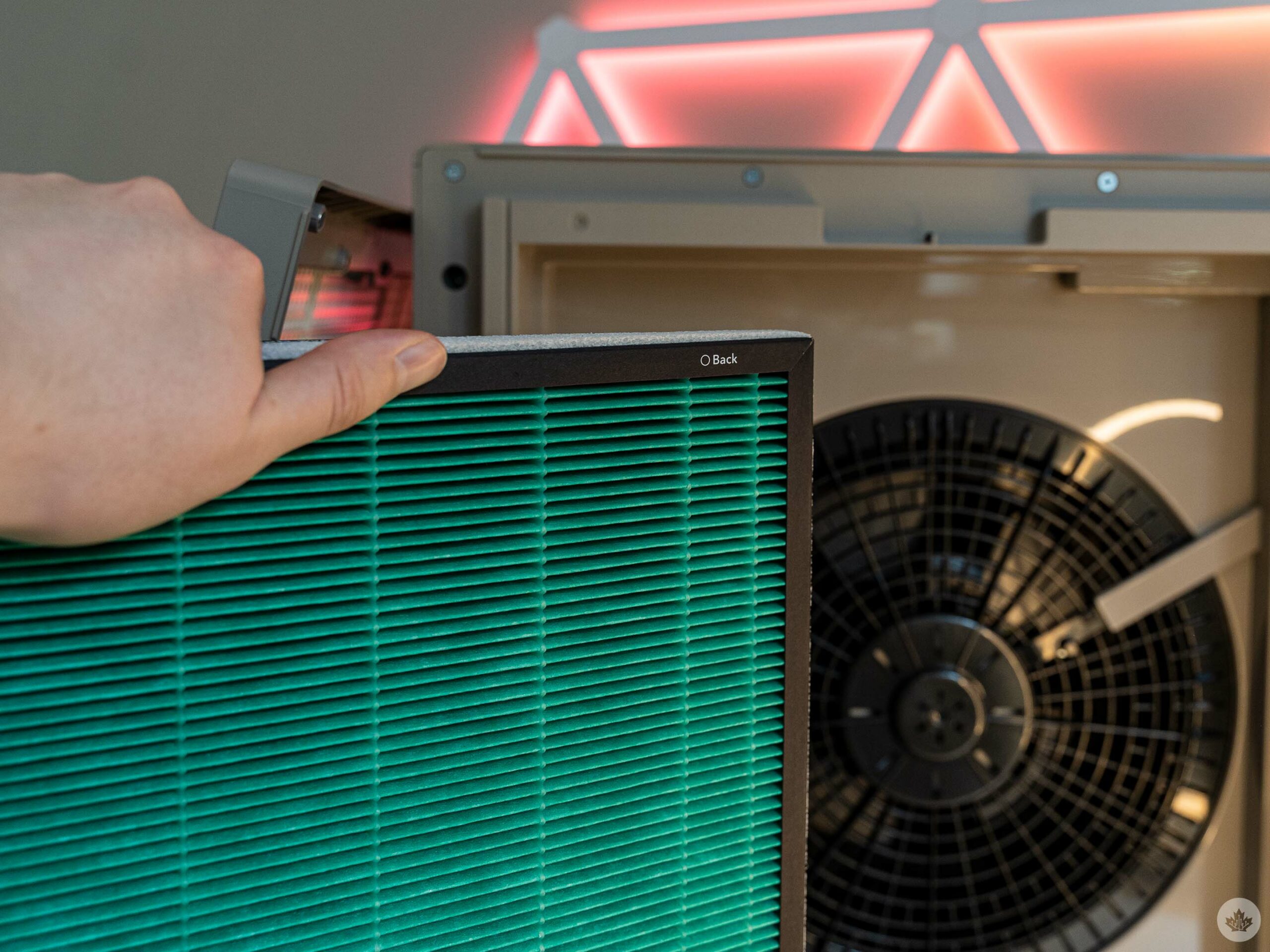
The backside of the air filter.

If running the Airmega in my bedroom didn’t clue you in, then let me lay it out: this thing is quiet!

I almost exclusively ran the Airmega in ‘Smart Mode,’ which automatically adjusts the fan speed based on air quality. As mentioned above, the air quality in my apartment was usually fine, so the Airmega usually kept the fan speed to the lowest of the three levels. It’s quiet enough that you might not hear it running even when standing next to it. Occasionally the speed would ramp up when the Airmega moved from ‘good’ to ‘moderate’ air quality, but it still wasn’t that loud. At level three, it was much more noticeable, but far from the loudest thing in my apartment.

To get more concrete numbers, I downloaded a sound-measuring app on my phone and ran a few tests. With the Airmega off, my apartment ranged in the 30-35dB range, which is pretty quiet (it’s much louder when my daughter isn’t napping, of course). When I ran the Airmega and level one or two speed, it barely made a blip on the sound measuring app, while level three pushed it up to 45-47dB, or the equivalent of a “quiet library,” according to the app. So even at the loudest, the Airmega was quite quiet.

It’s also worth noting that Smart Mode automatically makes adjustments for sleep and energy conservation. Using a light sensor, the Airmega will automatically turn off to reduce noise and power when it detects a dark room and if the air quality is good for at least three minutes. When it detects five minutes of light, or if the air quality becomes moderate or worse, the Airmega will wake up and run.

Likewise, if the Airmega detects good air quality for over 10 minutes, it’ll turn off the fan until it detects air pollution again.

Worth the purchase?
Overall, my experience with the Airmega 250 was generally positive. Still, I’m not sure I could generally recommend it, or any air purifier, for that matter. At least, not to anyone that doesn’t need one. I’m lucky enough to live somewhere with generally good air quality, and frankly, the Airmega hasn’t done much to improve it.

So, ultimately I’d recommend someone interested in an air purifier test their indoor air quality first to see if an air purifier would be beneficial. If you actually need an air purifier, then the Airmega seems like a solid, if pricey, option.

Coway charges $549 for the Airmega 250 in Canada. At the time of writing, the 250S wasn’t listed on Coway’s website, but Amazon Canada had both the 250 and 250S. At the time of writing, both were on sale; the 250 was available for $447.70 (regular $538.02), while the Wi-Fi-enabled 250S was listed for $525.39 (regular $594.94). It’s not clear how long the sale will last, but if you’re dead-set on the Wi-Fi model, then Amazon is the way to go.

For what it’s worth, I’d say skip the Wi-Fi model and save yourself some money. For me, the Airmega 250 was a set-and-forget experience, and when I did want to turn it off or adjust the controls, it wasn’t a big deal to walk over to it and press a button.
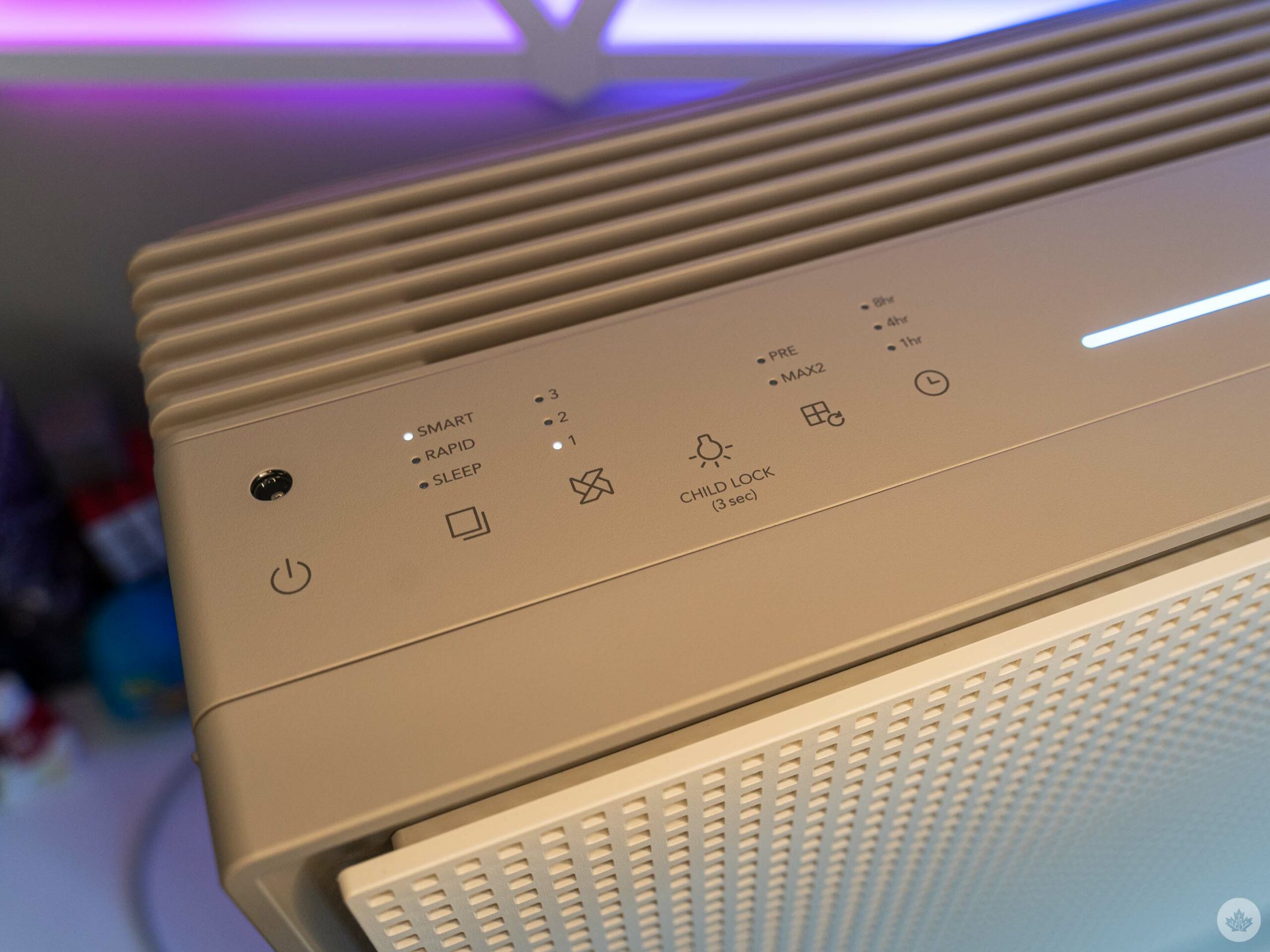
Unfortunately, the cost of the Airmega is only part of the price conversation. It comes with one Max2 filter, but eventually, you’ll need to replace it. Coway advertises that the filters are good for six months to one year, but at $109, that’s a significant repeating cost. (Coway does promote a 20 percent discount on filters if you register your device, but it’s still a lot).

Moreover, Coway offers a variety of air purifiers ranging from $269 to $889 with different coverage areas and features. It’d be worth comparing to see which one would work best for your space and budget if the Airmega 250 doesn’t fit but you still need an air purifier. You can check those out here.

MobileSyrup utilizes affiliate partnerships. These partnerships do not influence our editorial content, though MobileSyrup may earn a commission on purchases made via these links.

Categories
Mobile Syrup

Elden Ring expansion ‘Shadow of the Erdtree’ is in development: Are you excited?

FromSoftware officially revealed the Shadow of the Erdtree expansion for Elden Ring this week, and I’m incredibly excited.

The news was confirmed via tweets from both the Elden Ring and FromSoftware Twitter accounts, offering a glimpse at artwork from the expansion.

The image seems to show Miquella riding on Torrent, the Spectral Steed, and a dying Erdtree in the background.

We don’t know much, but YouTuber VaatiVidya outlines what to expect from the DLC with many of his speculations.

Even though we know little about the DLC so far, I’m hyped. I’m hoping this expansion is massive, though I also want FromSoftware to take its time with it. At The Game Awards, CD Projekt Red was able to win RPG of the year two years in a row (first with The Witcher 3 and then its Blood and Wine expansion), so I’m hoping Elden Ring can take the double crown as well.

Are you excited about the reveal of Elden Ring‘s Shadow of the Erdtree expansion? Let us know in the comments below or tweet us on Twitter @MobileSyrup.

Image credit: FromSoftware

Categories
Mobile Syrup

Telecom news roundup: price hikes and a (possible) strike [Feb. 25-Mar. 3]

Bell and Telus customers will soon pay more for roaming services. The companies are implementing price hikes to their U.S. and international roaming plans. Changes will also apply to flanker brands Virgin Plus and Koodo.

More details, and a recap of almost everything that happened in Canada’s telecom sector this week, are outlined below.

Business

If you haven’t already heard the news, Netflix has changed its password-sharing rules in Canada. Now, the move is having an impact on Telus’ Stream+ bundle. The company said it’s increasing the cost of its Stream+ bundle by $3 for some. The bundle offers customers access to a variety of streaming platforms, including Netflix.

The telecom company is also increasing the cost of its Easy Roam plans come March 8th. U.S. roaming will see a $2/day increase, and international roaming will increase by $1/day. Roaming prices will also increase for its flanker brand Koodo.

Rogers says its wholesale arrangments with Vidéotron aren’t preferential. As MobileSyrup reported a while back, TekSavvy accused Rogers of offering Vidéotron wholesale services, among other services, at a discounted rate. The company said the move violated the Telecommunications Act and asked the Canadian Radio-television and Telecommunications Commission (CRTC) to investigate.

The CRTC has ordered Rogers to disclose more information regarding its July outage. The request specifically refers to five appendices Rogers marked as confidential when it answered the Commission’s first round of questions.

Xplore is expanding its broadband network by bringing 5G home internet access to rural communities in Manitoba, New Brunswick, Prince Edward Island and Newfoundland.

The union representing Telus workers will start holding votes on whether or not employees should strike.

Access Communications has made its gigabit internet available to 25 communities across Saskatchewan, including Biggar and Delisle.

Rogers and Microsoft have partnered to preview Microsoft’s Azure Programmable Connectivity to developers.

In what seems to be a never-ending battle between Bell and Vidéotron, the two companies are now feuding over costs related to 911 services.

The Canadian Internet Registration Authority (CIRA) has rolled out a new program called Net Good in an effort to address ongoing internet challenges in Canada.

Four projects funded by Southwestern Integrated Fibre Technology (SWIFT) have resulted in high-speed internet access for more than 1,000 homes and businesses in Oxford County, Ontario.

The CRTC has approved Tesla Canada’s BITS license request. The approval allows the company to provide various services, including machine-to-machine cellular data service for in-vehicle infotainment access.

Government

The federal government and the Government of Ontario have provided YorkNet with $48 million to fund a high-speed internet project. The funds will benefit nearly 4,000 homes and businesses across 31 communities in Ontario. Bell, Celerity Telecom, K-Net, and Tbaytel have also received project funding.

Deals

Telus customers should check their texts to see if they have a bonus offer waiting for them, as some have received 10GB of extra data at no cost.

Rogers is offering the Galaxy S23 for $0/month when customers trade in eligible Samsung devices. More details are available here.

Koodo and Virgin Plus have bumped their $55/8GB plans to 10GB.

Image credit: Shutterstock 

Categories
Mobile Syrup

Streaming in Canada on Amazon Prime Video, Apple TV+, Crave, Disney+ and Netflix [Feb. 27-Mar. 5]

Every week, MobileSyrup outlines some of the most notable movies and TV shows that recently hit Canadian streaming platforms.

Our ‘Streaming in Canada’ column typically focuses on new content from Amazon Prime Video, Crave and Netflix, but other services like Apple TV+ and Disney+ are mentioned when relevant. Premium video-on-demand (PVOD) platforms are also fair game as movies continue to come to digital early.

Finally, we’ll highlight shows or movies that are made by Canadian companies, involve notable Canadian cast or crew and/or are filmed in Canada.


Amazon Prime Video

Daisy Jones & The Six [Amazon Original]

Amazon Prime Video Canada premiere date: March 3rd, 2023 (first three episodes, new episodes every Friday)
Genre: Drama
Runtime: 10 episodes (around one hour each)

Presented in a documentary style, this series explores why a massively popular ’70s band called it quits.

Based on Taylor Jenkin Reid’s 2019 novel of the same name, Daisy Jones & The Six was created by Scott Neustadter and Michael H. Weber (500 Days of Summer) and stars Riley Keough (Zola), Sam Claflin (Peaky Blinders), Camila Morrone (Valley Girl) and Suki Waterhouse (The Divergent Series: Insurgent).

Stream Daisy Jones & The Six here.

An Amazon Prime Video subscription is included at no additional cost with an Amazon Prime membership, which is priced at $99/year.

The full list of movies and shows hitting Amazon Prime Video Canada this month can be found here.


Apple TV+

The Problem with Jon Stewart (Season 2 Part 2) [Apple Original]

Apple TV+ Canada premiere date: March 3rd, 2023 (first episode, new episodes every Friday)
Genre: Current affairs
Runtime: Six episodes (around 40 minutes each)

Stream The Problem with Jon Stewart here.

An Apple TV+ subscription costs $8.99/month in Canada.


Crave

The Grizzlie Truth [Crave Original]

Crave premiere date: February 27th, 2023
Genre: Documentary
Runtime: 1 hour, 38 minutes

Vancouver’s Kathleen S. Jayme (Born Identities) digs into the mysterious departure of the Vancouver Grizzlies NBA franchise.

Stream The Grizzlie Truth here.

standard Crave subscription is priced at $19.99/month, with Starz costing an additional $5.99/month. A mobile-only subscription is also available for $9.99/month.

The full list of movies and shows hitting Crave this month can be found here.


Disney+

The Mandalorian (Season 3) [Disney+ Original]

Disney+ Canada premiere date: March 1st, 2023 (first episode, new episodes every Wednesday)
Genre: Sci-fi drama
Runtime: Eight episodes (around 30 to 50 minutes each)

Reunited with Grogu, the Mandalorian returns to Mandalore to redeem his past transgressions.

The Mandalorian was created by Jon Favreau (Iron Man) and stars Pedro Pascal (The Last of Us), Katee Sackhoff (Battlestar Galactica), Carl Weathers (Rocky franchise), Giancarlo Esposito (Breaking Bad) and Emily Swallow (SEAL Team). It’s also worth noting that Toronto’s own Paul Sun-Hyung Lee (Kim’s Convenience) appears again this season as Captain Carson Teva.

Stream The Mandalorian here.

A Disney+ subscription costs $11.99/month or $119.99/year.

The full list of movies and shows hitting Disney+ Canada this month can be found here.


Netflix

Chris Rock: Selective Outrage [Netflix Original]

Netflix Canada premiere date: March 4th, 2023 at 10pm ET
Genre: Stand-up comedy special
Runtime: 1 hour

Chris Rock’s latest comedy routine is Netflix’s first-ever live-streamed stand-up comedy special.

The main event starts at 10pm ET, with a pre-show starting half an hour before and an aftershow beginning immediately following the special.

Stream Chris Rock: Selective Outrage here.

Sex/Life (Season 2) [Netflix Original]

Netflix Canada premiere date: March 2nd, 2023
Genre: Drama
Runtime: Eight episodes (44 to 53 minutes each)

Billie encounters new challenges and desires while lusting after her dream life.

Based on B.B. Easton’s novel 44 Chapters About 4 Men, Sex/Life was created by Stacy Rukeyser (Unreal) and Belle Nuru Dayne (An Unfulfilled Love Story) and stars Sarah Shahi (Person of Interest), Mike Vogel (Bates Motel) and Adam Demos (Unreal).

Stream Sex/Life here.

‘Basic with Ads’ subscription costs $5.99/month, ‘Basic’ Netflix subscription costs $9.99/month, a ‘Standard’ subscription (HD-supported) costs $16.49/month and a ‘Premium’ membership is priced at $20.99/month (4K-supported).

The full list of movies and shows hitting Netflix Canada this month can be found here.


What are you planning on streaming this week? Let us know in the comments.

For more suggestions, check out last week’s Streaming in Canada column.

Image credit: Disney

Categories
Mobile Syrup

Where to watch the Demon Slayer theatrical event and new season in Canada

Ufotable and Shueisha’s Demon Slayer Season 3: Kimetsu no Yaiba Swordsmith Village Arc finally has a release date.

The new season is premiering in a theatrical event in Canada, which started Friday, March 3rd. The event will include the last two episodes of the Entertainment District Arc, namely Season 2, Episode 10: “Never Give Up” and Season 2, Episode 11: “No Matter How Many Lives,” followed by an extended version of the first episode of the new ‘Swordsmith Village’ arc.

Following the theatrical event, fans will need to wait until April 9th to catch the release of the new season on streaming websites like Funimation and Crunchyroll. It’s currently unclear if April 9th will mark the release of the same episode that is airing in theatres currently or if Ufotable will release the first two episodes of the new season on the day.

The new season is a direct adaptation of Koyoharu Gotoge’s manga, and will prominently feature two major characters that we haven’t seen much of before — the Mist Hashira Muichiro Tokito, and the Love Hashira Mitsuri Kanroji.

In Canada, Cineplex and Landmark Cinemas are now premiering the movie in both English and Japanese with English subtitles, with tickets starting at $13.50 and $13.25 for general admission, respectively.

Find theatres near you premiering Demon Slayer: Kimetsu no Yaiba – To the Swordsmith Village here.

After April 9th, the rest of the episodes of the season will likely be released on a weekly basis. In Canada, fans will be able to catch the first new episodes on Crunchyroll in both English and Japanese. In Canada, Crunchyroll offers three subscriptions tiers: ‘Fan,’ ‘Mega Fan one-month subscription,’ and ‘Mega Fan 12-month subscription’ for $9.99, $12.49 and $124.99, respectively. Crunchyroll also offers a 14-day free trial with unlimited anime, no ads and new episodes as early as one hour after release in Japan.

Crunchyroll also has all the previous seasons of Demon Slayer in several languages if you need to get up to speed. Crunchyroll is available on iOS, Android, PlayStation, Xbox, Nintendo Switch, Android TV, Chromecast, Apple TV, Roku, Amazon FireTV and more.

Similarly, Funimation is also likely to air the new season in Canada, with plans starting at $7.99 and $9.99 for ‘Premium’ and ‘Premium Plus’ subscriptions, respectively. Like Crunchyroll, Funimation offers a 14-day free trial and is available on iOS, Android, Amazon Fire TV, Apple TV, Chromecast, Roku TV, major consoles, and more.

Image credit: Crunchyroll

Categories
Mobile Syrup

Bell’s Giga Hub is great, until you want to replace it

I’ve used Bell’s Giga Hub router since Black Friday 2022, and my internet experience has been fantastic. This is the successor to the Home Hub 4000 (the two routers look identical), but the Giga Hub offers support for Wi-Fi 6E, which in theory should make it work better with multiple devices, as long as they also support the new Wi-fi standard.

The Giga Hub was released alongside Bell’s faster 8Gbps speeds in late 2022, and I’ve been testing it with a 1.5Gbps connection. The signal consistently covers my entire house, and in the three months I’ve been using it, I’ve had no complaints. However, I recently tried replacing it with a top-of-the-line TP-Link E2000 (review coming soon), and the process has been a tech nightmare.

However, compared to its predecessors from Bell, the Giga Hub is the company’s best router yet and is modern enough to make most subscribers happy.

Solid value, especially if you can get it for free

The giga hubs screen

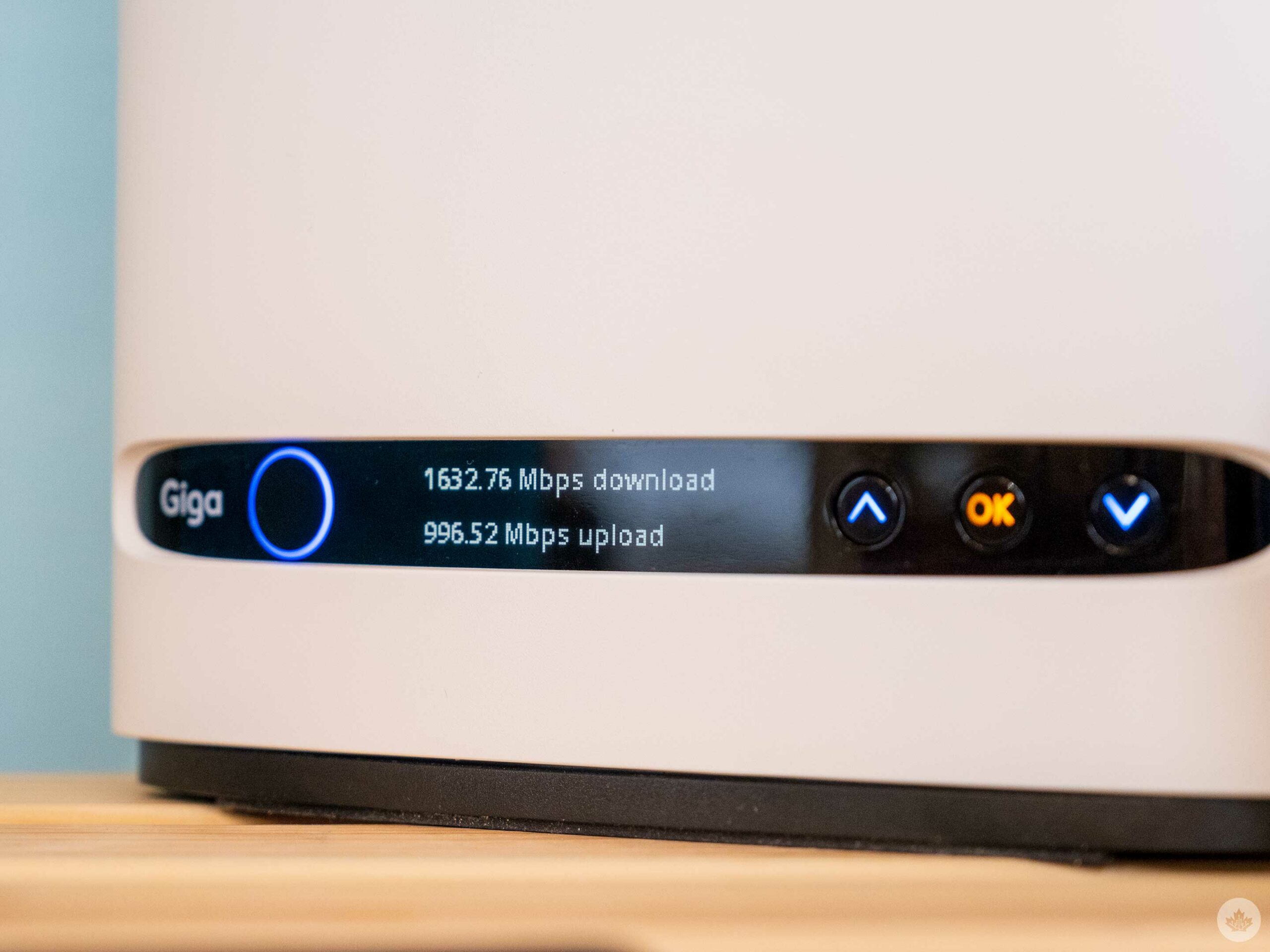
A speed test on the Giga Hub lets you measure speeds coming in from the wall.

Bell’s latest router is incredibly easy to use and set up. Mine was bundled into my plan for free as long as I return it when I cancel my service. After signing up, a technician showed up at my house the next week, installed a fibre line, and I was off to the races.

After he left, I downloaded the Bell Wi-Fi app and set my password and network name with ease. There may not be as many advanced options as I wanted in the app, but setting up a network and monitoring who is online is straightforward, and it’s all most people need. If you need to dive deeper into the advanced settings, you can always visit the traditional modem control panel at Bell.ca/mymodem for full access.

My apartment is on the ground floor of an older Toronto house, and the Giga Hub has no issues blanketing my home with Wi-Fi. I can even use it outside on my back porch or in the basement, so the single unit should offer enough coverage for most smaller homes. Bell sells Wi-Fi extenders for $5 per month if you need more coverage. I haven’t tested these, but the telecom giant uses a model from Plume that supports maximum speeds of 1Gbps via ethernet jacks and slower speeds over Wi-Fi.

I haven’t tried the Wi-Fi extender out, but I’d expect that while they increase your Wi-Fi range, your speed will likely decrease slightly when you’re connected to a Plume pod instead of the main router. Reading about them online, people have mixed opinions. Still, for most, I’d recommend starting with just the router, and then if you need more coverage, look for a cheaper wired access point extender before deciding to pay Bell another $5-$15 per month, depending on how large your home is. A few hundred for an access point you own might seem like a significant upfront investment, but the cost of renting pods can snowball over two-three years.

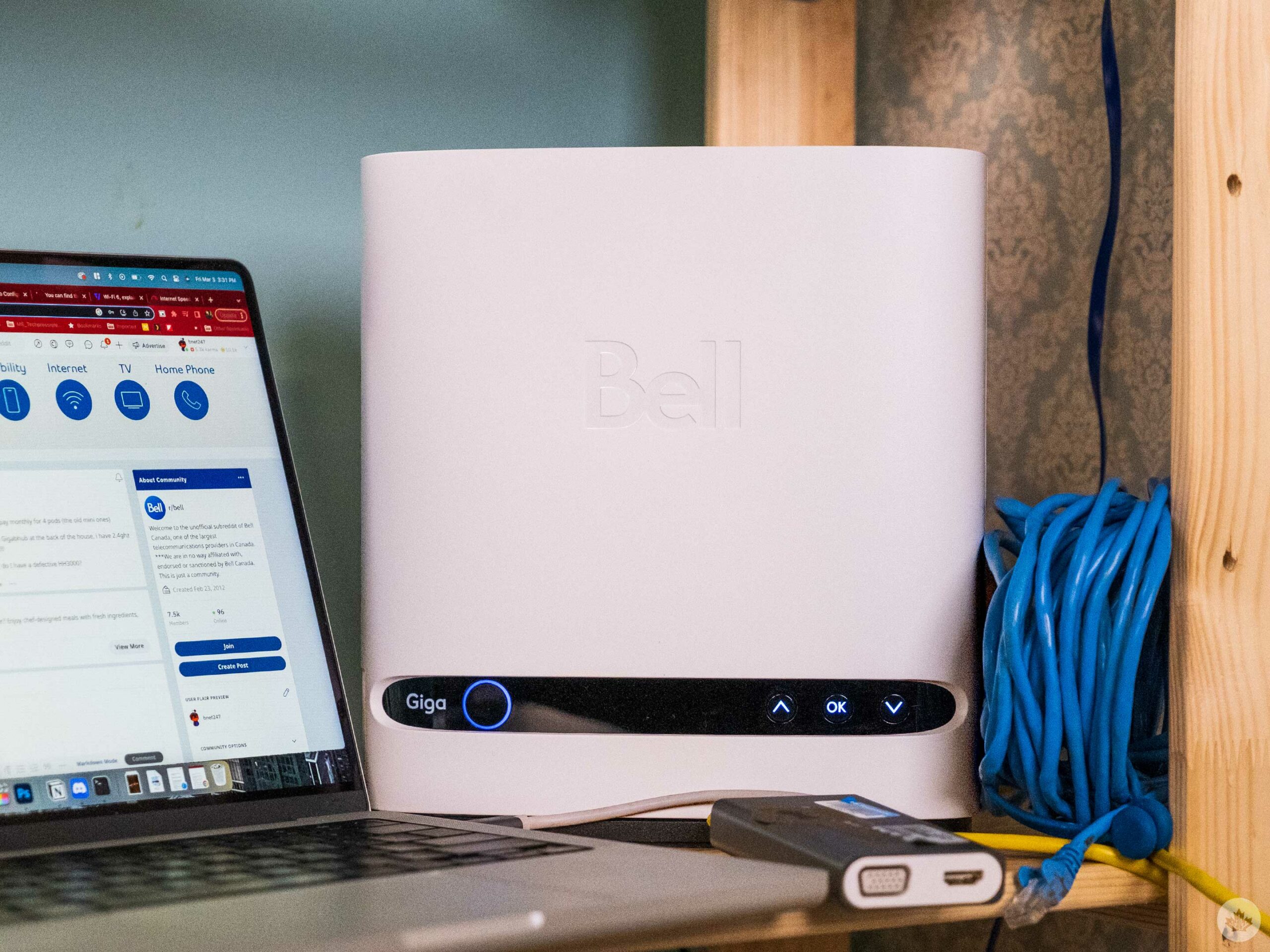
Perhaps my favourite thing about the Giga Hub is the small display on the front. It makes it easy to interact with the router for simple things like resetting it or viewing your password. There’s even a toggle on the router to connect to Bell TV to make that easy for people with an IPTV setup.

Are things too easy

I spent way too much time on a self-imposed tech time out trying to troubleshoot Wi-Fi

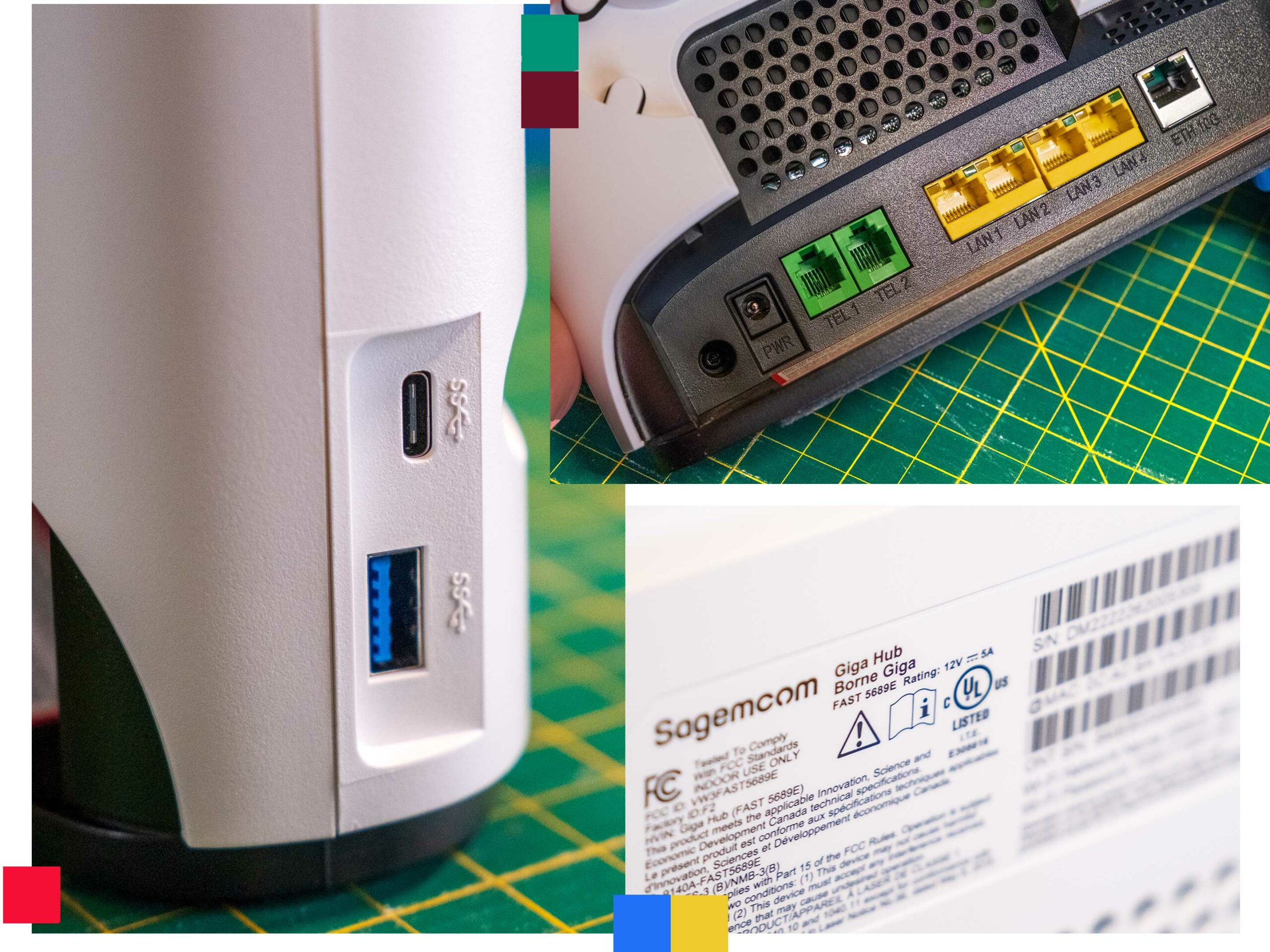
While setting up the Giga Hub is easy, I found that most days, my speeds averaged out to around 400-600Mbps instead of the 1.5Gbps I’m paying for. If I jack in with a Cat6 cable, I can get closer to my full speeds out of the single 10gbps ethernet port, but all the other jacks are only 1Gbps. Beyond that, the promise of modern Wi-Fi has me looking to ditch ethernet cables in the Wi-Fi 6 generation.

I’m not complaining because anything over 500mbps is enough for most of my work, web browsing and streaming videos. Still, since I’m paying for more than twice that speed, it would be nice if the Wi-Fi 6E compatible router could get a little closer to the theoretical maximum, especially since most of my devices now support Wi-Fi 6 at least, which should be able to handle gigabit Wi-Fi speeds. I know I’m unlikely to see those, but even hitting more constantly in the 800Mbps-1Gbps range would feel more like I’m getting my money’s worth from my ISP.

Plus, the speed test on the Giga Hub (pictured above) shows that I was getting a potential 1.6Gbps in from my fibre connection so nothing should stop me from having fantastic network speeds.

There’s also the nerd inside me that wants to experiment with different modems to see how fast I can get my Wi-Fi connection. To do this, I attempted to integrate the TP-Link E2000 into my setup and demote the Giga Hub to modem duty. However, that’s not nearly as easy as it sounds. While you can plug another router into the Giga Hub, it won’t disable the Wi-Fi properties of the Bell-provided router/modem combo machine.

This means upon the first approach, I had two Wi-Fi networks that I’m pretty sure suffered from a double NAT. This led me down a rabbit hole of other Canadians trying desperately to figure out how to use the Giga Hub as a modem. What initially stumped me was that I thought the Home Hub 4000 and the Giga Hub were the same device. In reality, they look the same, but the internal software features several differences, so many of the more in-depth tutorials that work for the Home Hub 4000 didn’t work with the Giga Hub. As I got further invested in this project, I found out that Bell has mostly updated the Giga Hub to be equal to the Home Hub 4000, but the fact that the two modems look the same but feature slight differences was enough to throw another variable, and a lot of doubts, into my troubleshooting.

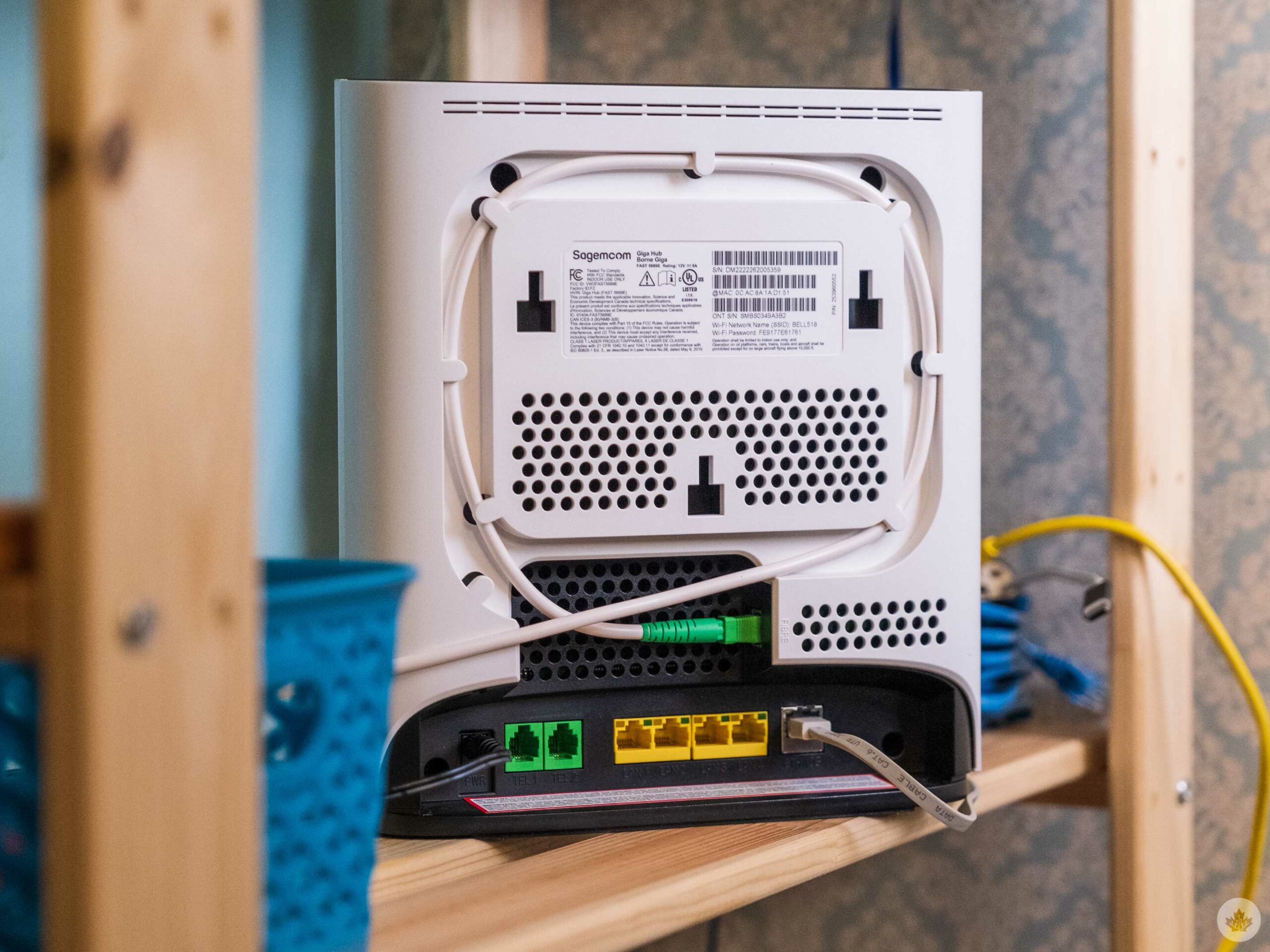
The size of the Giga Hub does allow for a large and safe channel for the fibre wire to sit in.

That said, I found some helpful information on a great blog called The IT Nerd, as well as DSL Reports and Reddit.

At this point in my troubleshooting, I’m way past anything I’d recommend non-techie people do. So for most, I’d say live with the Giga Hub. However, it got me wondering why this was so hard. I’d never had issues like this with my previous ISPs (Cogeco and TekSavvy). However, one difference with Bell is that it sells Wi-Fi extension pods, incentivizing it to keep people on its own tech.

This realization refilled my resolve with enough hatred for Bell that I was able to dive back into the man v. machine troubleshooting battle once again. I read through miles of forum posts where Bell reps tell users to DM them for details and hundreds of Reddit threads from people with other brands of routers before I finally decided to give up and call tech support.

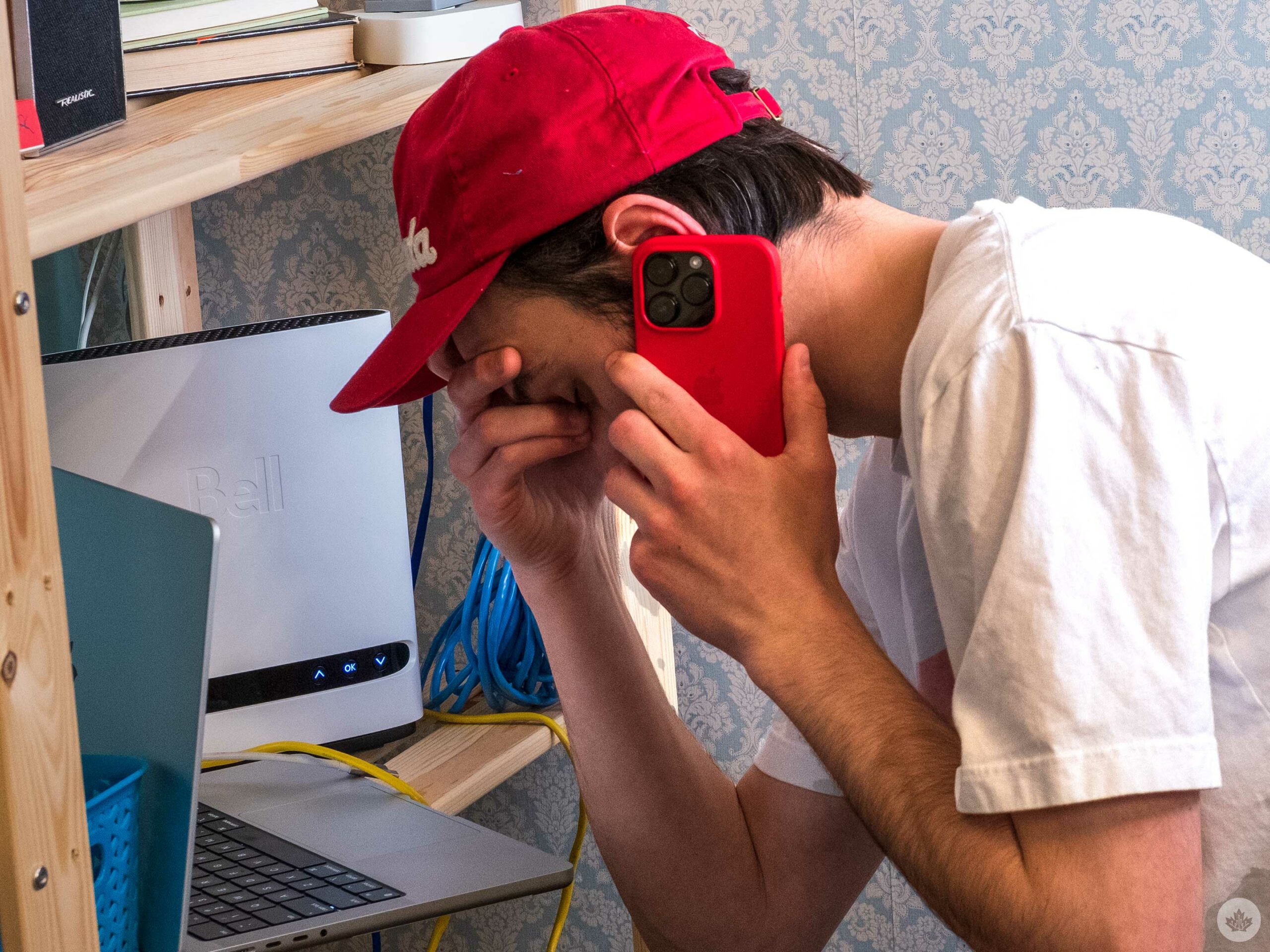
The call didn’t go super well.

All night and all day in the corner…

The person was able to give me Point-to-Point Protocol over Ethernet (PPPoE) credentials but couldn’t walk me through setting up my Giga Hub with a third-party router. Instead, they tried to upsell me on a subscription to Bell’s Tech support Experts, which cost $6 per month. This is a huge rip-off, and it’s anti-consumer to hide full tech support behind a paywall, so I left this call more frustrated than when I started. Still, with my credentials in hand, I returned to one of the first Reddit posts I had tried and attempted again, only to fail once more.

This led me back to the internet, where I noticed that other Bell customers mentioned that their PPPoE credentials started with ‘b1.’ So I opened my Bell account in a new tab and found a number that began with b1 under the internet section. It was different than the username I was just given by tech support, but it worked with the new password. The new router seemed to work a little better. I’m still not getting over 1gbps via Wi-Fi, but I’m consistently hitting 700-800 Mbps, so I guess that’s a win for now.

Categories
Mobile Syrup

Where to stream the John Wick movies in Canada before Chapter 4

After nearly four years, John Wick is back.

The iconic cinematic assassin, played by beloved Canadian actor Keanu Reeves, faces his deadliest challenge yet in John Wick: Chapter 4. With an ever-growing bounty on his head, Wick must fight to survive while embarking on a global journey to take down the High Table.

Chapter 4 was directed by Chad Stahelski (who helmed every movie in the series) and features returning stars Ian McShane (Winston), Laurence Fishburne (The Bowery King) and Lance Reddick (Charon). Joining the cast, meanwhile, are Hong Kong legend Donnie Yen (Ip Man), Hiroyuki Sanada (The Last Samurai), Bill Skarsgård (It series), and Reeves’ fellow Torontonian, Shamier Anderson (Wynonna Earp), among others.

Of course, it’s been a few years since John Wick: Chapter 3, so if you wanted to refresh yourself on the story beforehand — or simply watch Reeves kill hundreds of people in gloriously stylish action — you still have time.

Thankfully, it’s pretty easy to stream the trio of John Wick movies:

John Wick: Chapter 4 opens exclusively in theatres on March 24th.

If you’re looking for something else to watch, check out our round-up of where Canadians can stream the entire Rocky series, including the two Creed films.

Image credit: Lionsgate

Categories
Mobile Syrup

Wii U Mario Kart 8 and Splatoon taken offline over security concern

Two of Nintendo’s Wii U games have been taken offline.

Nintendo has pulled both Mario Kart 8 and Splatoon offline, citing a security vulnerability as the main reason. As reported by VideoGamesChronicle (VGC), both titles were taken offline at 8:30pm PT/11:30pm ET on Thursday, March 2nd, and it might be “days” before they’re back online.

“We have identified vulnerabilities with online play for network and have begun temporary emergency maintenance,” read a message on Nintendo’s Network Maintenance website. “We expect an extended maintenance duration while we address these issues and have not determined when online play will resume. We sincerely apologize for this inconvenience and appreciate your understanding.”

As Dataminer @OatmealDome suggests, the issue could be related to an exploit called ‘ENLBufferPwn’ that allows attackers to take control of a victim’s system by merely being matched with them in an online multiplayer game. The vulnerability has also reportedly been found in several Switch games, including Mario Kart 8 Deluxe, Animal Crossing: New Horizons, Switch Sports, Splatoon 2 and Splatoon 3. To protect gamers, Nintendo has patched all of these titles.

It’s currently uncertain when the games will come back online. Nintendo will close its eShop for the Wii U and 3DS on March 27th, 2023, making all digital games unavailable to purchase on either platform.

Image credit: MarioWiki

Source: VideoGamesChronicle (VGC)

Categories
Mobile Syrup

Upcoming Nothing speaker design leaks in renders

Nothing, the tech company led by Carl Pei, has already made a name for itself with its futuristic-looking gadgets, is now rumoured to be working on a new speaker.

While there’s no official name for the speaker yet, leaker Kuba Wojciechowski recently shared a render of the device with 91mobiles, giving us a look at what the speaker might look like.

From the image, it appears the speaker will feature a clear plastic handle on top and two large woofers toward the bottom. Above those, there are likely two tweeters and a third black circle that features the Nothing logo. On the sides, there are four buttons on the left, likely for volume and skip controls, with a red button that may serve as a multifunction control. On the right side, there are two buttons, with one protruding quite a bit. This suggests it may be a power toggle.

Further, “the device seems to have rubber paddings at the bottom, which should offer good support and grip when placed on flat surfaces.” Other than that, no specs or details about the speaker have been revealed.

We currently don’t know when Nothing plans to announce the new speaker, but considering rge company is working on 2nd-Gen Nothing Ear (2) wireless earbuds, the two audio gadgets could release simultaneously. The devices also might release alongside the Nothing Phone (2) later this year.

Image credit: 91Mobiles

Source: 91Mobiles

Categories
Mobile Syrup

iPhone 15 Pro might sport single, unified volume rocker, mute button

Rumours that Apple will ditch physical buttons on the upcoming iPhone 15 Pro line have swirled for a while, but a new report suggests the company might drop the dual volume buttons and ditch the mute switch.

The detail comes via YouTuber @ZoneOfTech, who posted on Twitter that they are “almost 100% sure” that the iPhone 15 Pro will sport a single unified volume button.

ZoneOfTech made the assertion after comparing previously-leaked CAD renders of the iPhone 15 and iPhone 15 Pro. The 15 Pro shows a single indentation with two pins, whereas the regular iPhone 15 render has two separate slots with four pins total.

Based on the same CAD renders, ZoneOfTech is also “100% sure that the mute switch will also switch to a singular press button” instead of the up/down switch the iPhone uses now.

Admittedly, the CAD renders aren’t much to go on alone. However, 9to5Mac reportedly receive information from a source confirming the single volume button, adding credence to the rumour.

It’ll be interesting to see what else comes out about the iPhone 15 and 15 Pro ahead of the likely September launch. Coupled with rumours about solid-state buttons with haptic feedback for the Pro models, it’s not a stretch to imagine Apple will reimagine other parts of the button too.

Moreover, while some love the mute switch, I could see moving from a switch to a button possibly offering some convenience benefits. For example, it could allow for expanded do not disturb options or automated silencing at specific times since iOS would no longer be restricted by the physical position of the switch.

Source: ZoneOfTech Via: MacRumors, 9to5Mac