Categories
Mobile Syrup

Best Buy Top Deals for the week: Canon printers, Lenovo touchscreen laptop, Samsung Galaxy Tab S8+ and more

Best Buy Canada’s Top Deals for the week are live now with discounts on laptops, headphones, printers, security cameras and more.

The sale starts Friday, March 3rd, and ends on Thursday, March 9th. Check out some of the deals from the sale below:

GoPro HERO11 Black Waterproof 5.3K Sports & Helmet Camera: $579.99 (save $70)

Logitech MK850 Bluetooth Optical Ergonomic Keyboard & Mouse Combo – English: $99.99 (save $10)

Acer Aspire TC-1760-EB13 Desktop PC (Intel Ci5 12400/512GB SSD/12GB RAM/Win 11): $699.99 (save $200)

Canon PIXMA TS3429 Wireless All-In-One Inkjet Printer: $59.99 (save $15)

Acer 27-inch FHD 165Hz 1ms GTG Curved LED FreeSync Gaming Monitor (ED273 PBIIPX) – Black: $199.99 (save $80)

Sennheiser HD 458BT Over-Ear Noise Cancelling Bluetooth Headphones – Black: $129.99 (save $70)

Jabra Elite 4 Active In-Ear Noise Cancelling Truly Wireless Headphones – Black: $119.99 (save $30)

Lenovo IdeaPad 3i 15.6-inch Touchscreen Laptop – Grey (Intel Core i3-1115G4/256GB SSD/8GB RAM/Windows 11 S): $499.99 (save $150)

HP 15-inch Laptop – Jet Black (Intel Core i5-1135G7/512GB SSD/8GB RAM/Windows 11): $629.99 (save $170)

JBL Flip 4 Waterproof Bluetooth Wireless Speaker – Black: $99.99 (save $40)

Arlo Ultra 2 Spotlight Camera Security System Bundle w/ 3 Wire-Free Indoor/Outdoor 4K Cameras – White: $899.99 (save $250)

Arlo Essential Wire-Free Wi-Fi Video Doorbell – White: $134.99 (save $95)

Dyson V11 Absolute Extra Cordless Stick Vacuum – Nickel/Red: $799.99 (save $200)

ASUS Wireless AX5700 Dual-Band Wi-Fi 6 Gaming Router (RT-AX86U): $269.99 (save $30)

Samsung Galaxy Tab S8+ 12.4-inch 256GB Android 11 Tablet – Graphite: $1,199.99 (save $50)

Canon EOS R10 Mirrorless Camera with 18-45mm STM Lens Kit: $1,249.99 (save $180)

Seagate One Touch 4TB USB 3.0 Portable External Hard Drive (STKC4000404) – Grey: $119.99 (save $15)

Marketplace offer

Refurbished (Excellent) Dyson Official Outlet – V15 Detect Cordless Vacuum, Colour may vary: $599.99 (save $200)

Refurbished (Excellent) – Dell Latitude 5420 14-inch FHD Laptop, Intel IRIS XE, Intel Core i5-1145G7, 16GB DDR4, 256GB SSD, WIN 10 PRO (Certified Refurbished): $549 (save $137)

SuperFit 2.25HP 2 in 1 Foldable Under Desk Treadmill/Walking Pad Remote Control: $749.99 (save $670)

Find all the Top Deals for the week here.

MobileSyrup utilizes affiliate partnerships. These partnerships do not influence our editorial content, though we may earn a commission on purchases made via these links that helps fund the journalism provided free on our website.

Image credit: Best Buy

Categories
Mobile Syrup

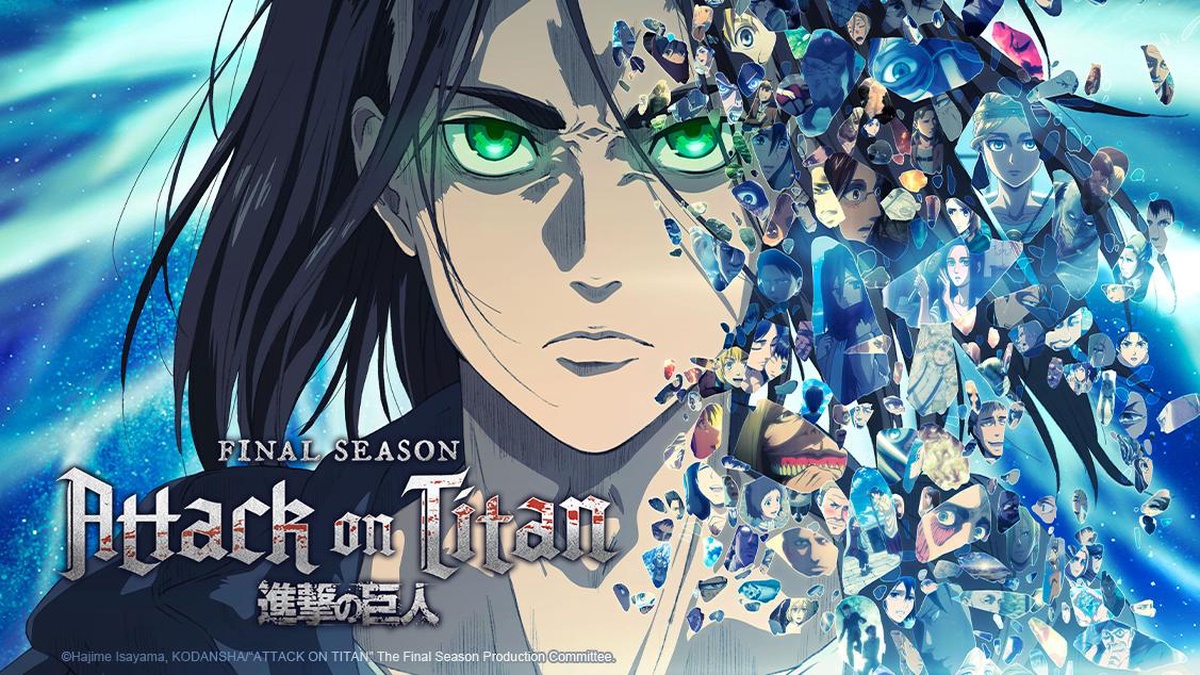
How to watch Attack On Titan: Final Season: Part 3 in Canada

The decade-long anime that is revered as a masterpiece will soon come to a close. Part Three of the fourth and final season of Attack On Titan starts airing this Saturday, March 4th, 2023. The anime, which premiered in 2013, will finally conclude after 10 long years of plot twists, violence, camaraderie, betrayal, and more violence.

The official Attack on Titan Twitter account revealed that the first half of the final season’s part three will start airing in Japan on NHK on Friday, March 3rd as a one-hour special. The second half of Season 4 Part 3 will air sometime later in 2023. There have been rumours that the one-hour special might be divided into three separate episodes in North America, but that hasn’t been confirmed yet.

In Canada, fans will be able to catch the first half of the final season on Crunchyroll at 10:25am ET/7:25am PT. Upon release, it’s likely that the episode/one-hour special will only be available in Japanese with English subtitles without an English dub.

In Canada, Crunchyroll offers three subscriptions tiers: ‘Fan,’ ‘Mega Fan one-month subscription,’ and ‘Mega Fan 12-month subscription’ for $9.99, $12.49 and $124.99, respectively. If you only want to watch the one-hour Attack On Titan special, Crunchyroll also offers a 14-day free trial with unlimited anime, no ads and new episodes as early as one hour after release in Japan.

Crunchyroll also has all the previous seasons of Attack On Titan in several languages if you need to catch up before the finale.

Crunchyroll is available on iOS, Android, PlayStation, Xbox, Nintendo Switch, Android TV, Chromecast, Apple TV, Roku, Amazon FireTV and more.

Elsewhere, Funimation is also likely to stream the one-hour special in Canada, with plans starting at $7.99 and $9.99 for ‘Premium’ and ‘Premium Plus’ subscriptions, respectively. Similar to Crunchyroll, Funimation offers a 14-day free trial, which should be enough if you only want to watch the Attack On Titan special. It’s available on iOS, Android, Amazon Fire TV, Apple TV, Chromecast, Roku TV, major consoles, and more.

Watch the trailer for Attack On Titan‘s Final Season’s Part Three below:

Image credit: Crunchyroll

Categories
Mobile Syrup

Scream’s Ghostface can now give you a personalized phone call

If you’ve ever wanted to talk to Ghostface, Paramount has you covered.

To promote this month’s release of Scream VI, the company has launched a new website through which you can give your name and phone number. Shortly after, you’ll receive a call from none other than Ghostface, who will address you by name.

There are a few possible pre-recorded messages to hear, and they’re all voiced by Roger L. Jackson, the long-running voice of the slasher icon. As a nice touch, the call will even say it’s from a New York number as a nod to the upcoming film’s setting.

It’s worth noting, though, that it does work in Canada. I put in my number — a Toronto area code — and got a call from Ghostface within an hour or so.

Ultimately, it’s an amusing promotional campaign, especially since threatening phone calls are such a big part of the Scream franchise.

Scream VI will open in theatres on March 10th. The film features the return of directors Matt Bettinelli-Olpin and Tyler Gillett and stars Melissa Barrera (Sam), Jenna Ortega (Tara), Jasmin Savoy Brown (Mindy) and Mason Gooding (Chad) from last year’s Scream, as well as Scream series veteran Courteney Cox (Gale). Additionally, Hayden Panettiere reprises her Scream 4 role of Kirby.

However, the movie marks the first time that Guelph, Ontario’s Neve Campbell will not return as Sidney due to a pay dispute. On the other hand, we get two Canadian Scream newcomers: Toronto’s Henry Czerny (Ready or Not) and Brantford, Ontario’s Devyn Nekoda (Degrassi).

Image credit: Paramount

Categories
Mobile Syrup

Unihertz Titan Slim Review: The BlackBerry I never had

I lived through the era when BlackBerry phones were incredibly popular but to this day regret that I never got to be a part of the craze. They were the thing to have and BlackBerry Messenger (BBM) had become a status symbol of sorts among my peers. That’s where the conversation was – if you weren’t on BBM, you were missing out.

I wanted a BlackBerry so badly, but when the time came for me to pick up my first smartphone, the craze had mostly passed, in part because Apple’s iMessage had started taking over the position of defacto messaging platform for the in-crowd, while BBM barely hung on among those who were stuck with BlackBerry phones. I opted to pick up an Android phone instead (the iPhone wasn’t a consideration, not that I could have afforded one anyway).
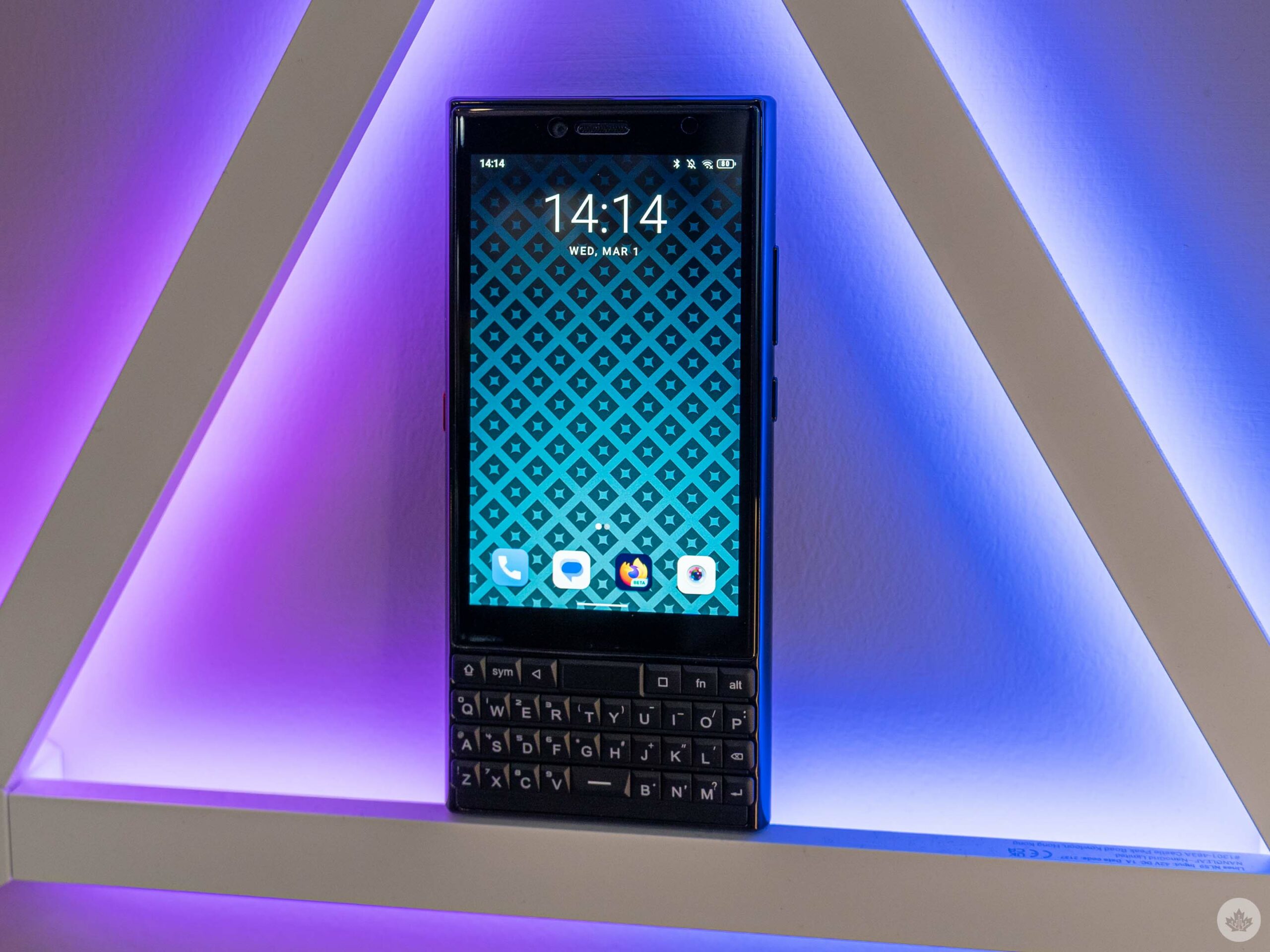
Because of this, I never had the core Canadian experience of click-clacking away on a BlackBerry keyboard. To be clear, I’ve tried BlackBerry keyboards numerous times, but messing around with one for a few minutes is a far cry from it being a key point of interaction with your smartphone. I’ve always thought I’d enjoy using one of these keyboards, but after spending time with the Unihertz Titan Slim, I no longer believe that’s the case.

Unihertz offered me a Titan Slim to test out and I jumped at the chance when I saw the physical keyboard. Nothing else really mattered to me – not the camera, not the lack of 5G (not that Canadian carriers have made 5G compelling in any way), not the middling display. And looking back now, if having a physical keyboard is really important to you, then the Titan Slim might just be the phone for you.

Specs
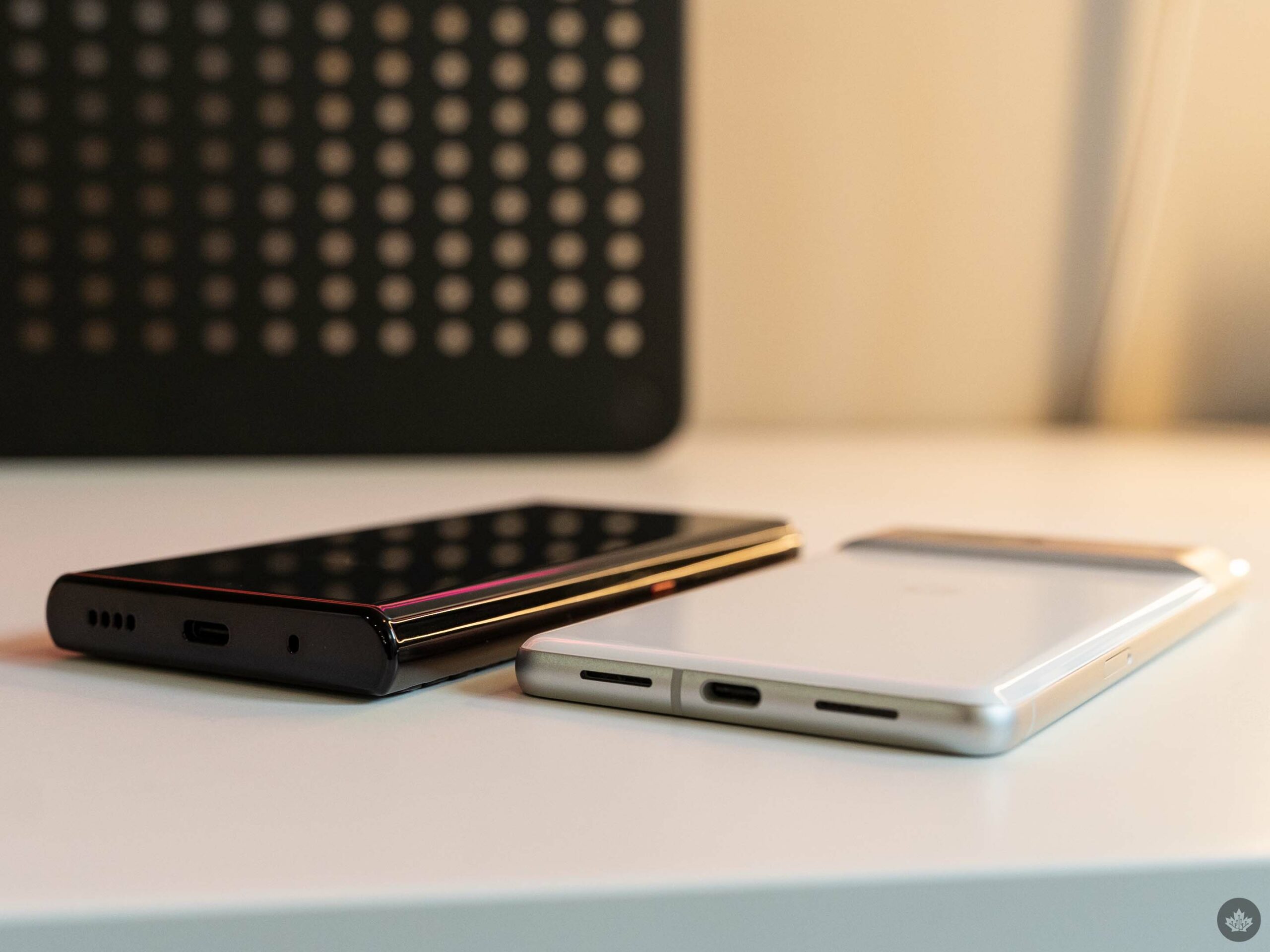
The Titan Slim (left) is an absolute unit.

Unihertz Titan Slim

Display

4.2-inch 768 x 1280 pixel resolution with Corning Gorilla Glass

Processor

MediaTek Helio P70 Octa-Core

RAM

6GB

Storage

256GB

Dimensions (in.)

146.85 × 67.6 × 12.75mm

Weight

204g

Rear Facing Camera

48-megapixel with autofocus

Front Facing Camera

8-megapixel

OS

Android 11

Battery

4100mAh

Network Connectivity

4G LTE, 3G, 2G

Sensors

Fingerprint sensor, G-Sensor, Gyroscope, Proximity, Ambient Light Sensor, Compass

SIM Type

Dual Nano SIM

Launch Date

Misc

Colour: Black

Display

Unihertz Titan Slim

4.2-inch 768 x 1280 pixel resolution with Corning Gorilla Glass

Processor

Unihertz Titan Slim

MediaTek Helio P70 Octa-Core

RAM

Unihertz Titan Slim

6GB

Storage

Unihertz Titan Slim

256GB

Dimensions (in.)

Unihertz Titan Slim

146.85 × 67.6 × 12.75mm

Weight

Unihertz Titan Slim

204g

Rear Facing Camera

Unihertz Titan Slim

48-megapixel with autofocus

Front Facing Camera

Unihertz Titan Slim

8-megapixel

OS

Unihertz Titan Slim

Android 11

Battery

Unihertz Titan Slim

4100mAh

Network Connectivity

Unihertz Titan Slim

4G LTE, 3G, 2G

Sensors

Unihertz Titan Slim

Fingerprint sensor, G-Sensor, Gyroscope, Proximity, Ambient Light Sensor, Compass

SIM Type

Unihertz Titan Slim

Dual Nano SIM

Launch Date

Unihertz Titan Slim

Misc

Unihertz Titan Slim

Colour: Black

Tappity tapping on that board

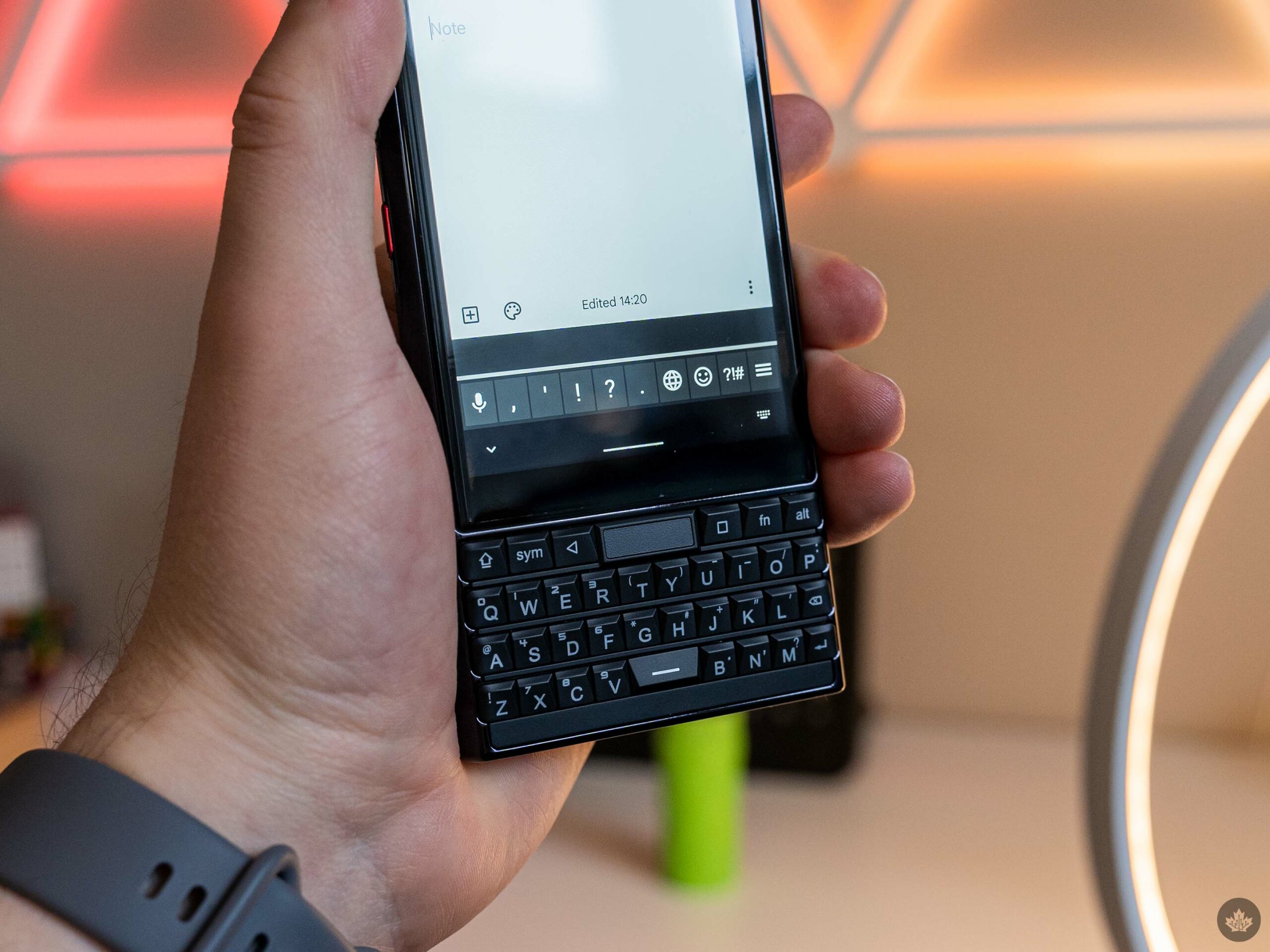
It turns out I really don’t like physical keyboards on smartphones. This isn’t a knock against Unihertz or the Titan Slim, because it’s not that the keyboard is bad. Instead, I found it surprisingly hard to adapt my muscle memory to a keyboard that’s surprisingly different from what I’m used to.

Part of that is the layout, little things like the spacebar sitting between the ‘V’ and ‘B’ keys, or having various punctuation marks hidden behind verbose keyboard commands. I missed the period and comma keys right next to the spacebar. More than that, I’ve come to appreciate the various “intelligent” features available in virtual keyboards, like autocorrect and swipe typing. The Pixel series’ excellent Assistant Voice Typing has also turned me into a big voice-to-text user.

The first thing I noticed with the Titan Slim is the distinct lack of these features. Autocorrect is still there, but it feels odd transitioning between the physical keyboard and the screen to make use of it, not to mention my penchant for fat-fingering the row of navigation keys between the keyboard and the suggestion bar. Speaking of, virtual keyboards have a degree of predicting what you meant to type even when your fingers miss the mark, which has given me a false sense of my own accuracy when typing on my phone.
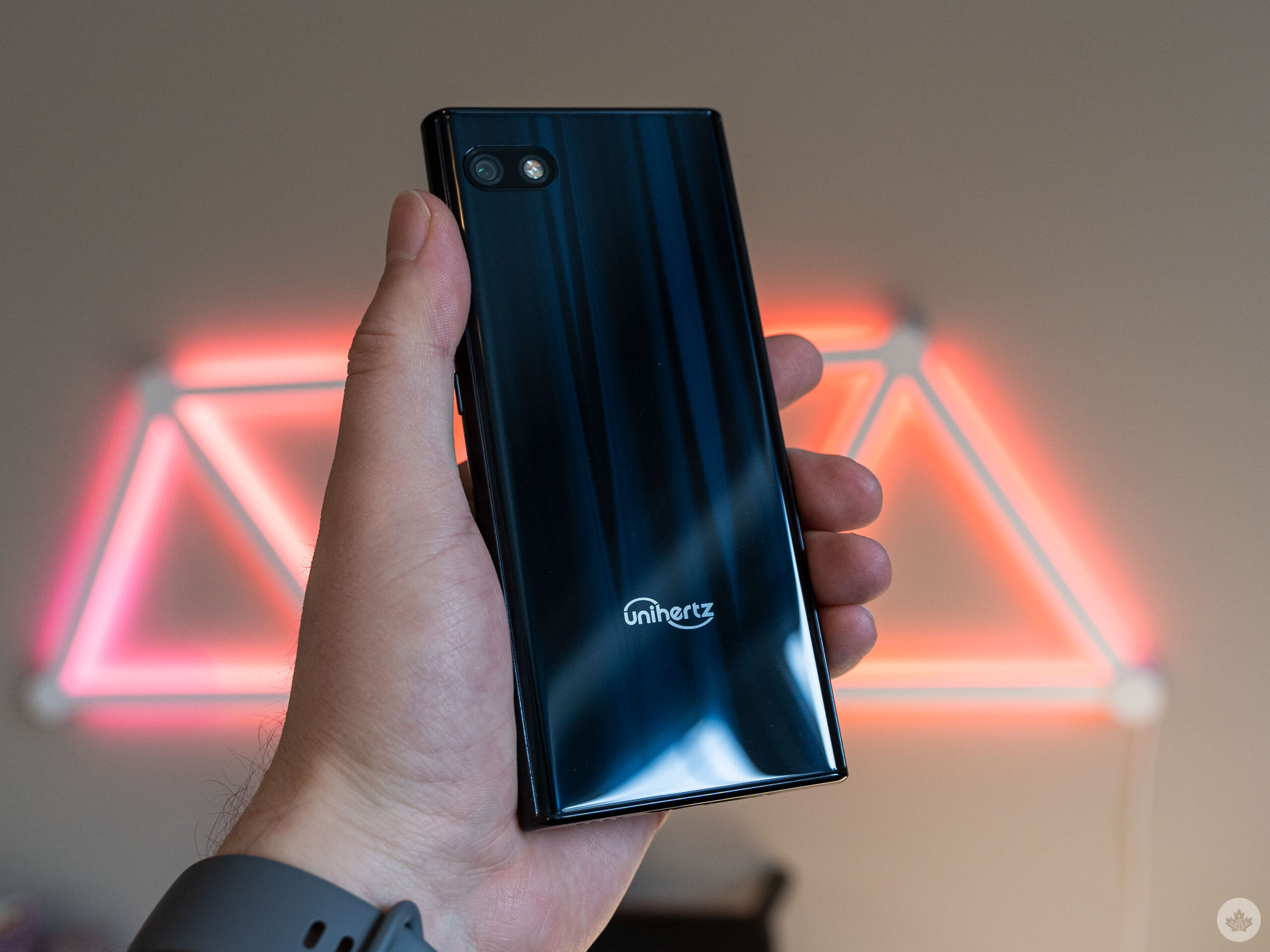
The Titan Slim made it abundantly clear that my thumbs have no clue where any key is and my messages became riddled with typos. This resulted in my slowing down to make sure I was getting the right keys, cratering my typing speed.

To be clear, I don’t think the keyboard is bad. The Titan Slim just doesn’t feature several of the comforts I’ve come to rely on, which made it difficult for me to adapt. For anyone in the opposite boat, who struggle with digital keyboards and doesn’t rely on these intelligence features, the lack of them on the Titan Slim shouldn’t make much difference.

Scroll assistant won my heart, despite issues
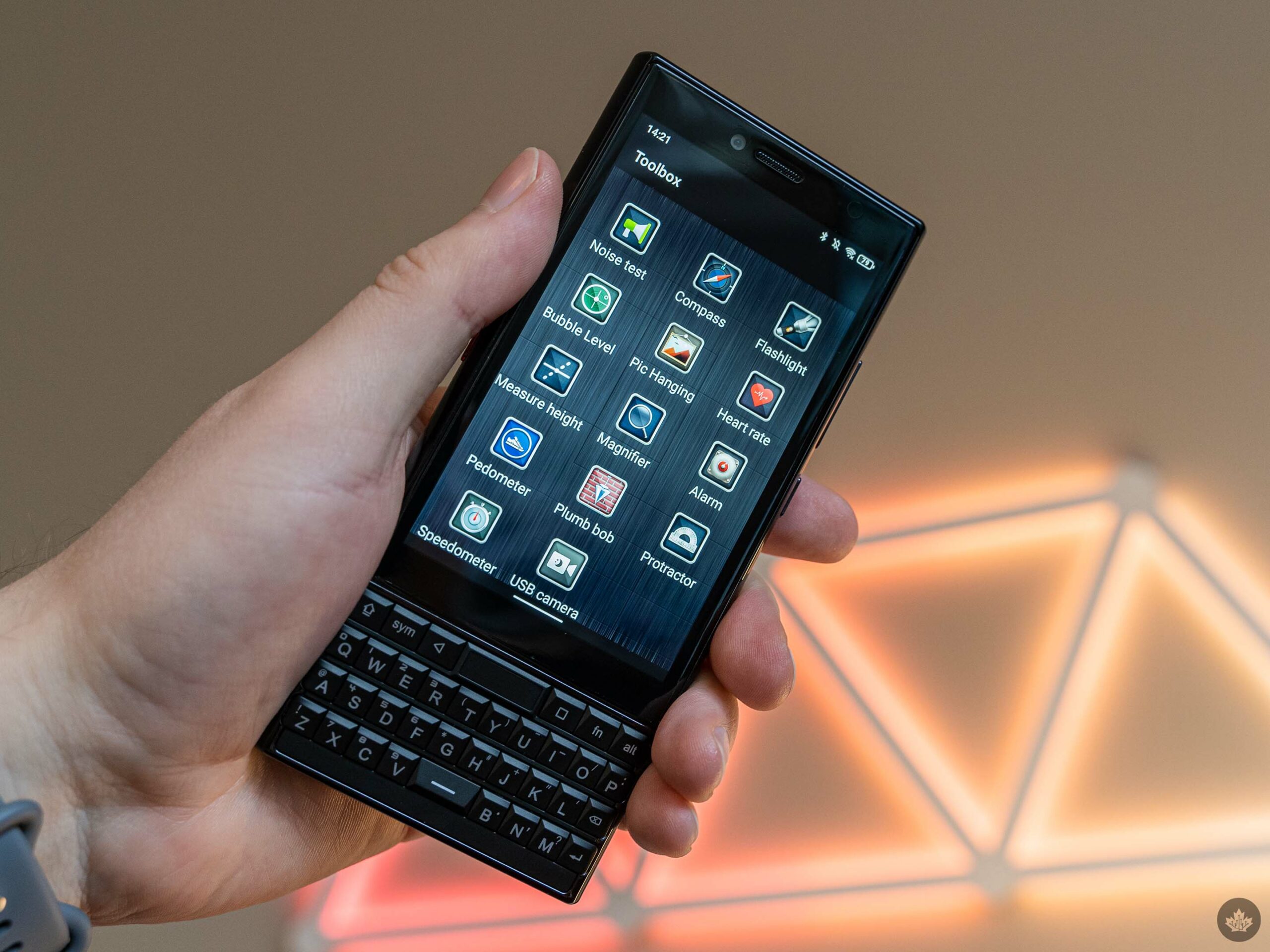
While I may not have enjoyed typing on a physical keyboard, there were some keyboard-related features I really enjoyed. ‘Scroll assistant’ was among the best of these even with glaring imperfections.

Scroll assistant turns the Titan Slim’s physical keyboard into a large touchpad, enabling users to scroll through apps by swiping on the keyboard rather than the screen. In the grand scheme of things, scroll assistant isn’t a game-changer, but it’s nice to have a way to navigate without blocking the screen with a finger, especially on a phone like the Titan Slim that has a smaller display to make room for a keyboard.

The feature includes some thoughtful additions. The Titan Slim will automatically turn off the scroll assistant when the battery falls below five percent. Users can also force-enable scroll assistant on a per-app basis if it doesn’t work in some cases, something you’ll need to do a lot because, at least in my testing, it was a total toss-up if scroll assistant would work. When it does work, it works fairly well, although the scrolling has some quirks. For example, while scrolling down is always smooth, scrolling up feels janky, which I suspect is related to the angle of the keys.
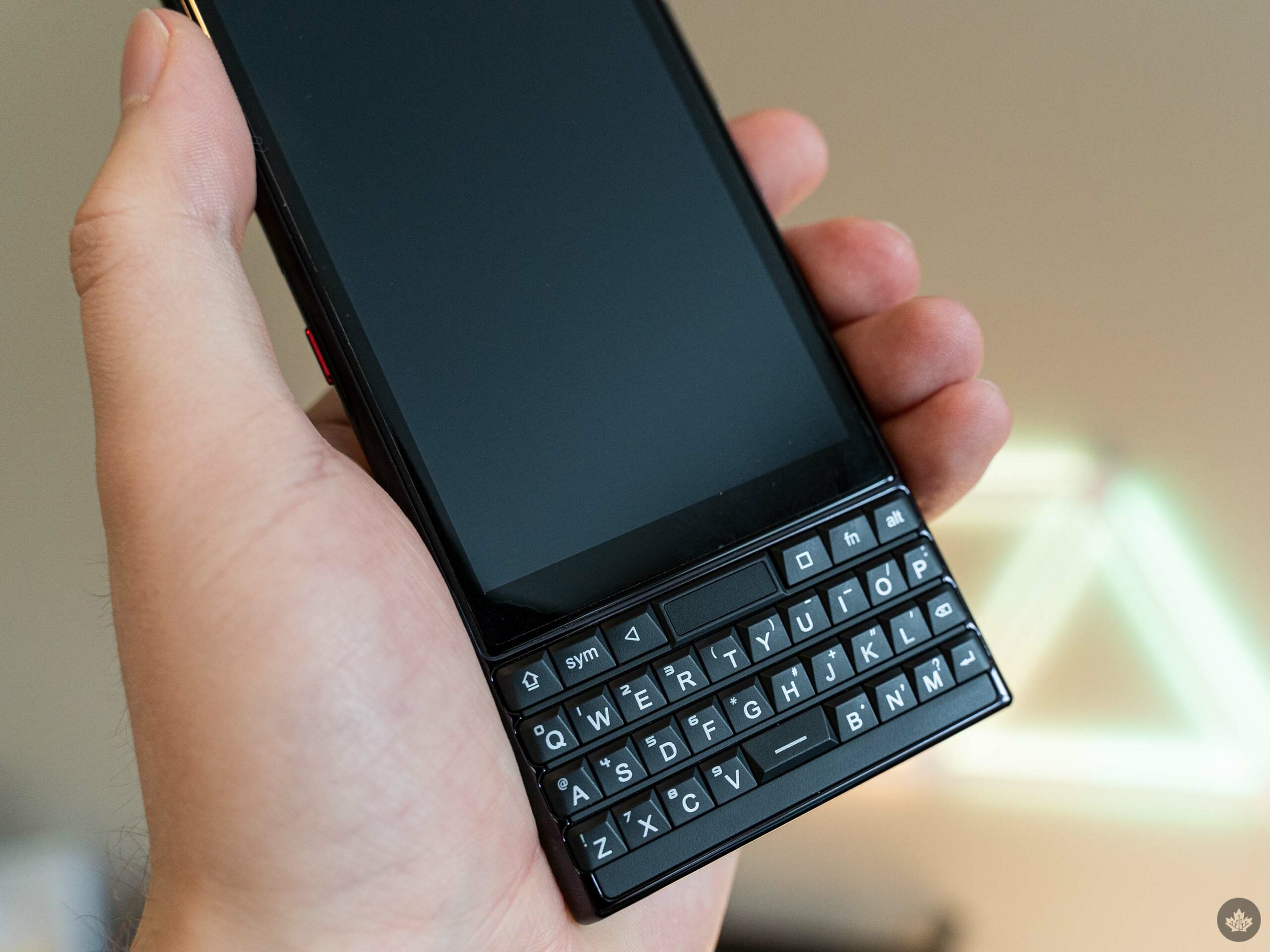
Moreover, it’d be nice if scroll assistant expanded to cover some common navigation gestures. For example, swiping left or right on the keyboard could trigger the back gesture, or switching between feeds in apps like Twitter. As is, swapping between swiping on the keyboard to swiping on the screen to go back (or pressing the back button) felt jarring.

Along with the scroll assistant, the Titan Slim includes several other features nestled away in a Settings menu labelled ‘Intelligent assistance.’ This includes a network manager that lets users block apps from accessing the internet through Wi-Fi or data, customizations for the LED notification light (welcome back, my beloved), configurable keyboard shortcuts, a QR code scanner, flip to mute and more. There’s also a ‘Toolbox’ app loaded with little tools like a compass, flashlight, bubble level and even a plumb bob.
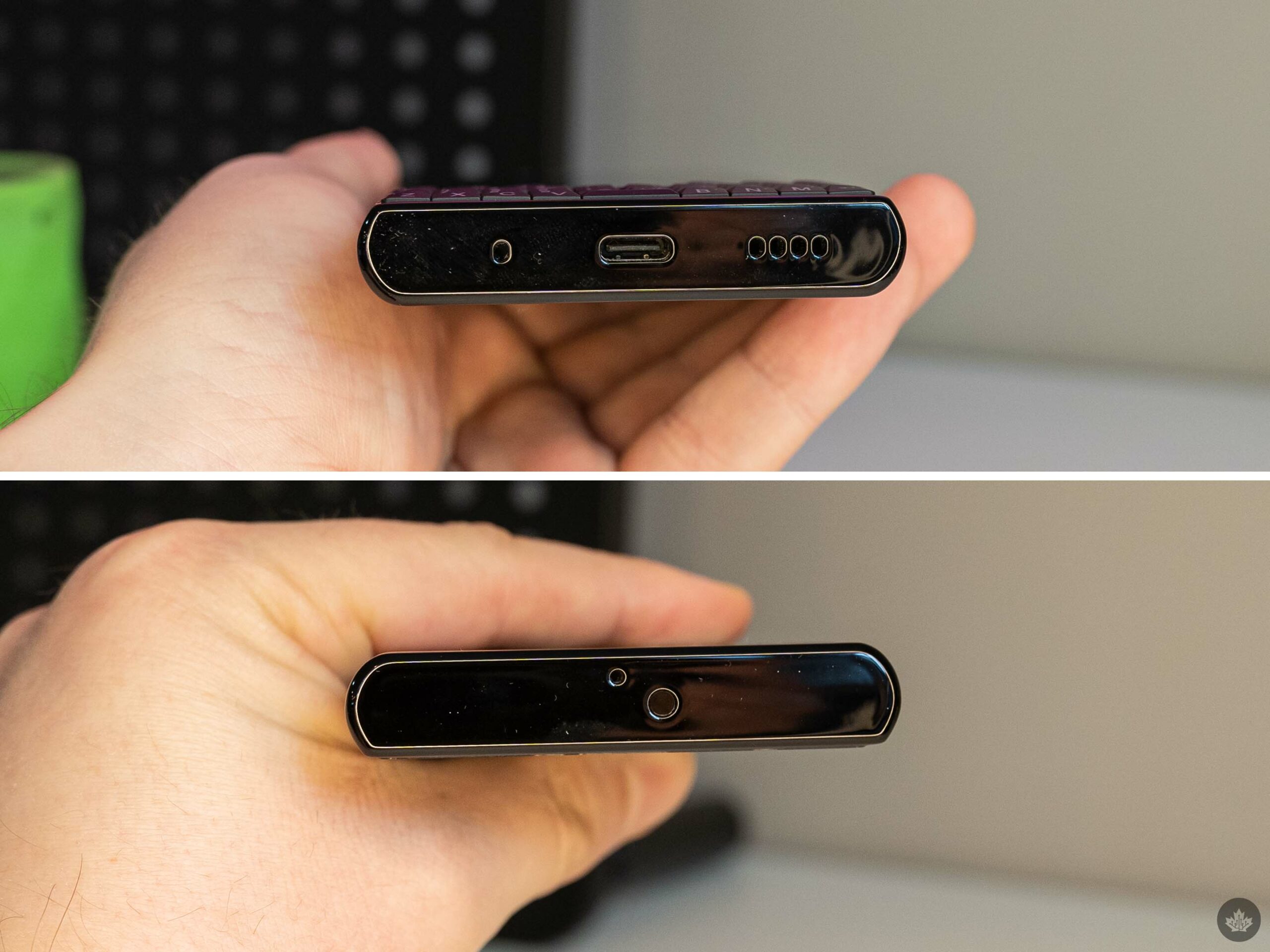
Another notable feature is the programmable ‘utility key.’ It’s a red key on the left side of the device, and users can freely map a variety of functions to it for long, short and double presses. I set it up as a way to open my camera quickly or take a screenshot, but there are plenty of other functions too.

These are all welcome additions, but none of these are must-haves for me. Others might disagree, but I’ve used smartphones for years without any of those things and have been perfectly fine (though I do miss things like the notification light on modern smartphones).

All these features don’t save the Titan Slim from mediocrity
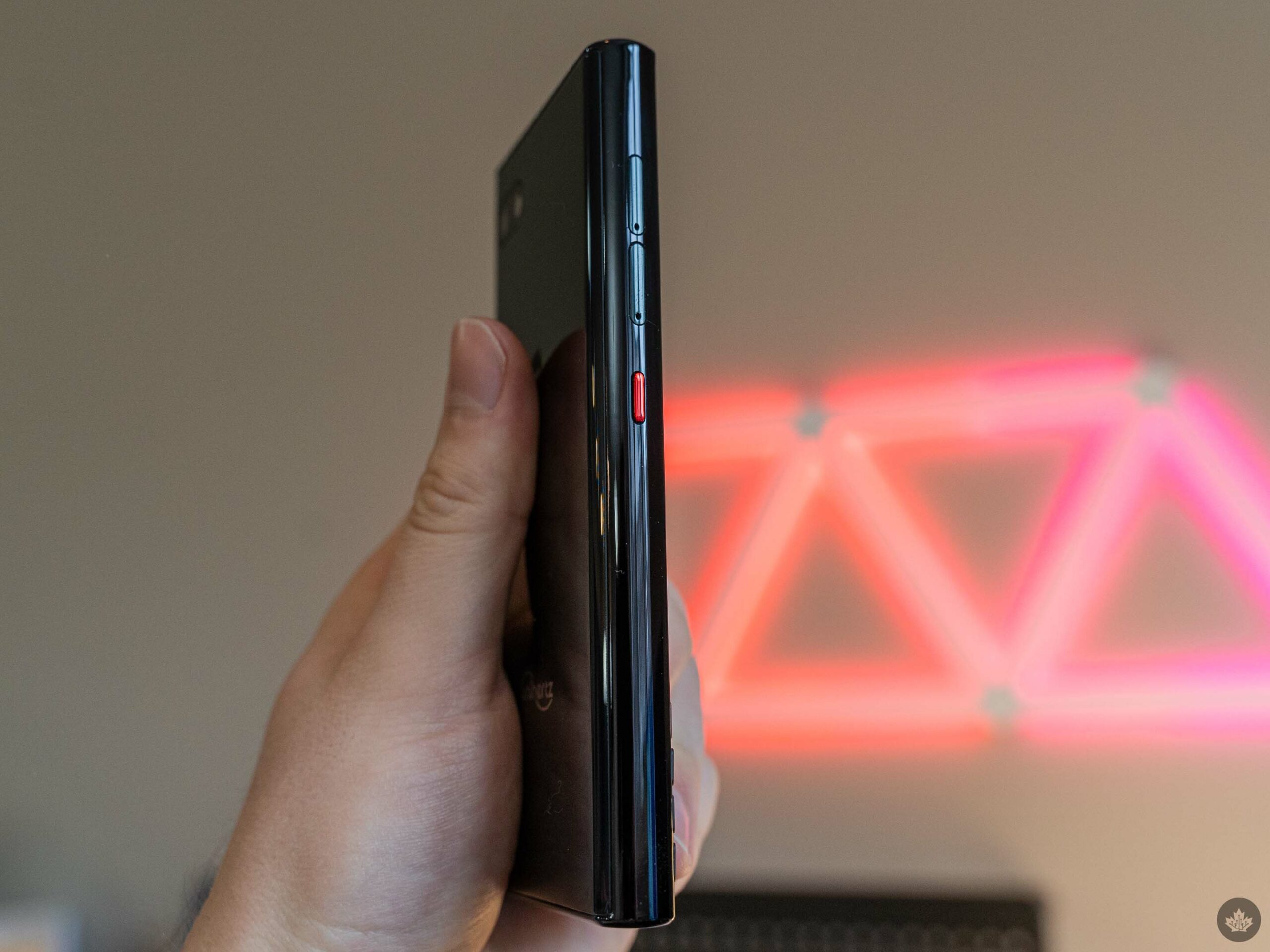
Despite jamming in all these features, it takes more than helpful features to make a good smartphone. Once again, the Titan Slim’s standout feature is the physical keyboard. If you haven’t chosen to die on the physical keyboard hill, this phone is not for you.

The Titan Slim’s performance isn’t great. I didn’t expect groundbreaking performance, given the specs. Of course, the phone is still plenty usable, but standard phone tasks like bouncing around apps, sending messages, browsing the web and scrolling social media didn’t feel as responsive as on other lower-spec phones I’ve tried.

Although benchmarks aren't the be-all and end-all when it comes to measuring performance, they can be helpful for comparisons. Unsurprisingly, the Titan Slim's Helio P70 chip didn't perform as well as other devices in Geekbench 6, though it's worth noting we had limited budget devices to compare against. The Pixel 6a is the closest in terms of price, but benefits from having the same chip as Google's Pixel 6 and 6 Pro, arguably a 'flagship' CPU despite its own underwhelming performance.

Again, the Titan Slim was useable, but that's not a particularly high bar to pass. I'll take slow and reliable, but the Titan Slim didn't meet that level, either. I had some issues with apps not quite working as expected, including Geekbench itself, which errored out and failed to complete the test multiple times before it eventually worked.

Speaking of things not working, I had a number of issues with Wi-Fi on the Titan Slim. On my home network, the Titan Slim would connect for a few minutes and then act like there was no internet connection, despite still being connected to the Wi-Fi. I also tried connecting it to a hotspot from another phone, but that didn’t work either. Data worked fine, however.
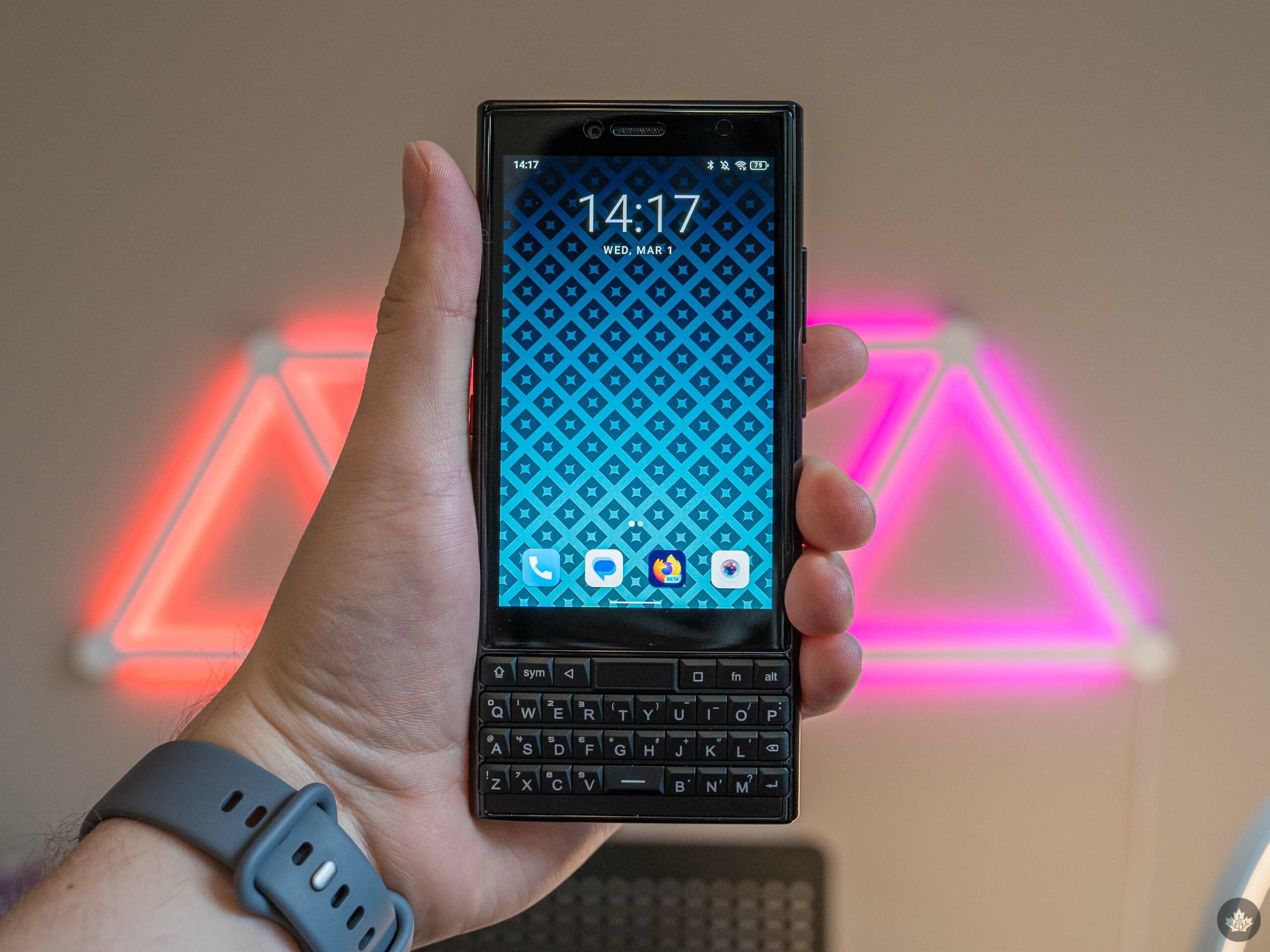
Perhaps the biggest disappointment for me was that the Titan Slim runs Android 11. Now, Android 11 isn’t that old, but coming from a Pixel running the latest version of Android coupled with other niceties like Material You, the Titan Slim’s Android 11 feels positively ancient.

I could forgive the use of Android 11, but it does leave me concerned with the phone’s longevity. Even if Unihertz adheres to a lengthy and rigorous upgrade schedule, it’s still starting off two releases behind.

But what about the 48-megapixel camera?
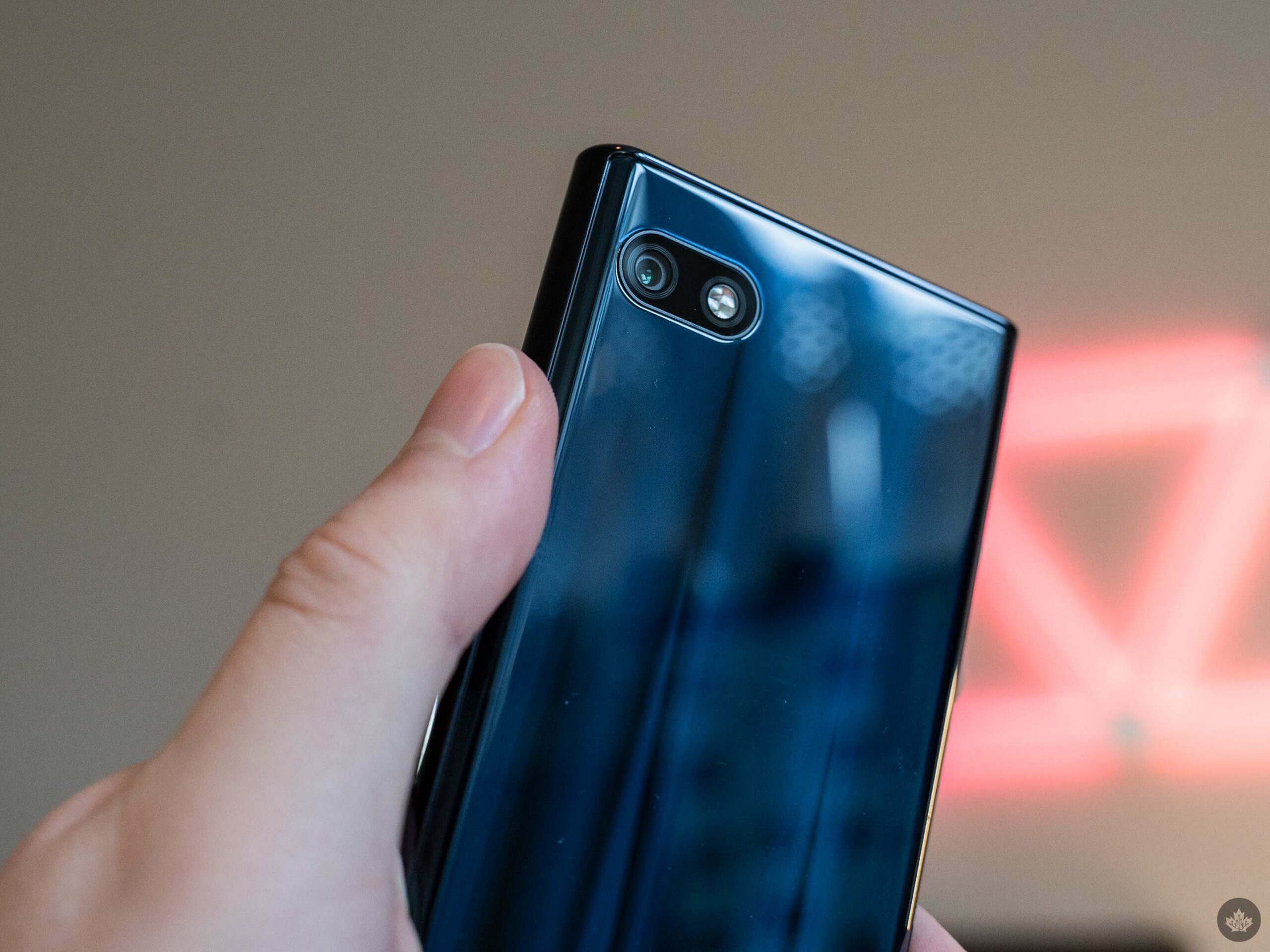
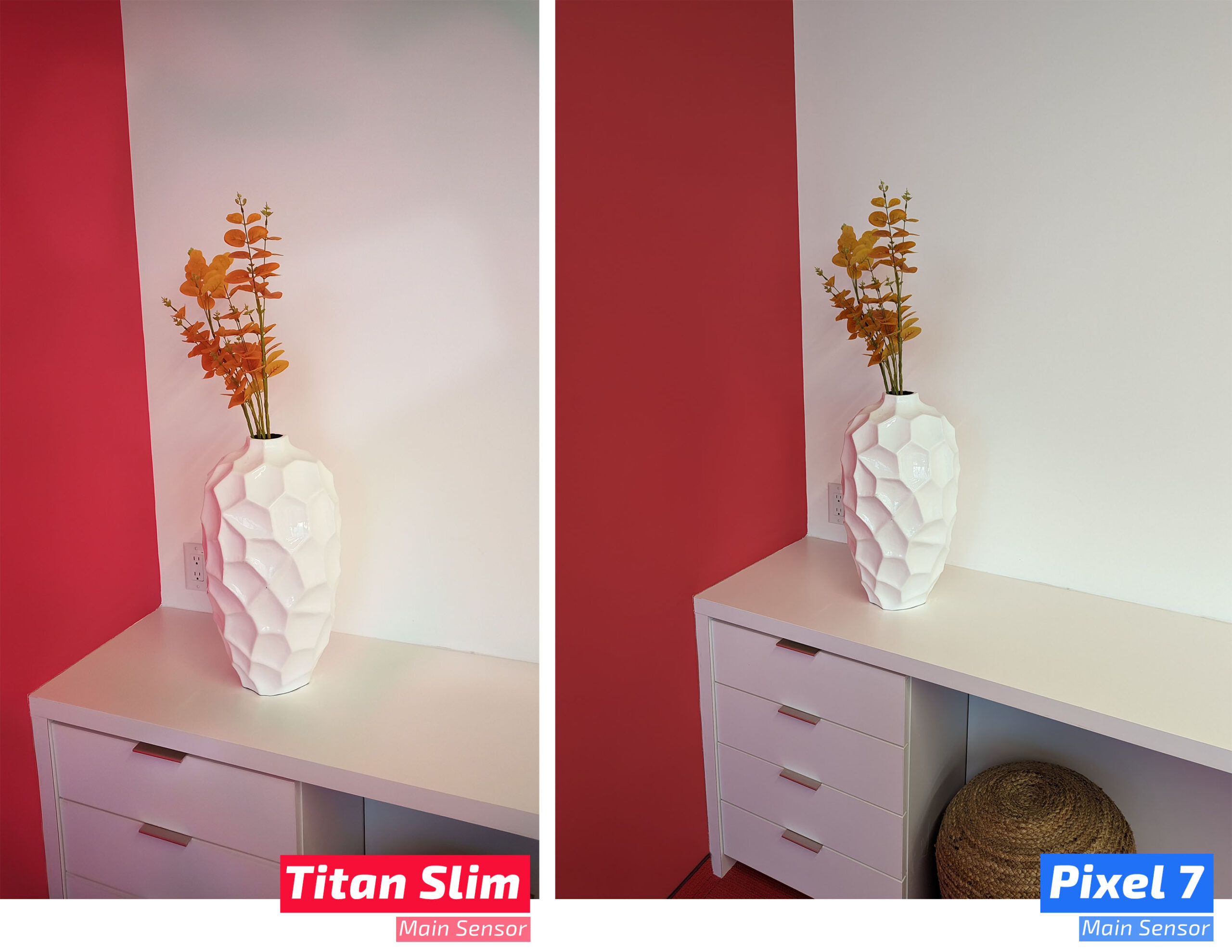
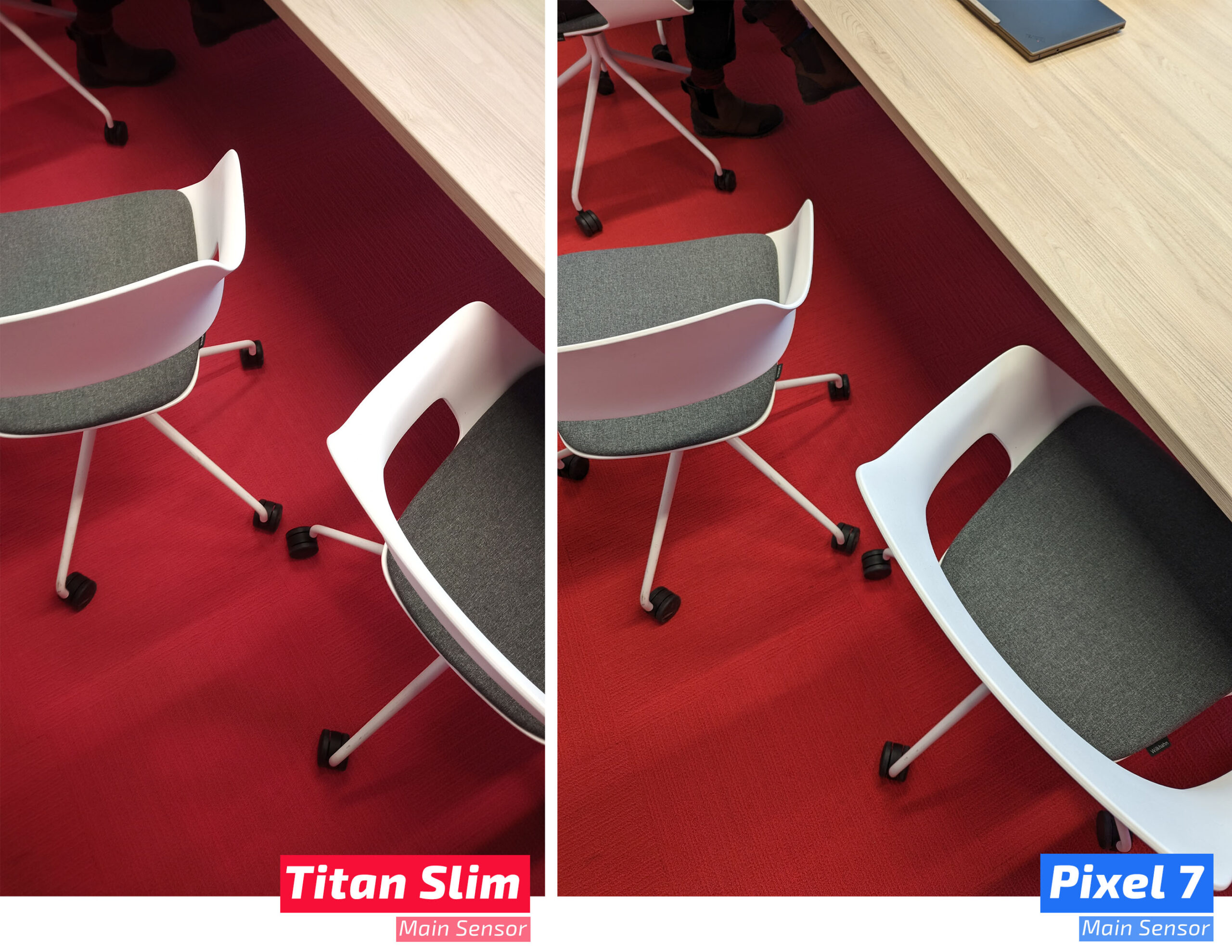
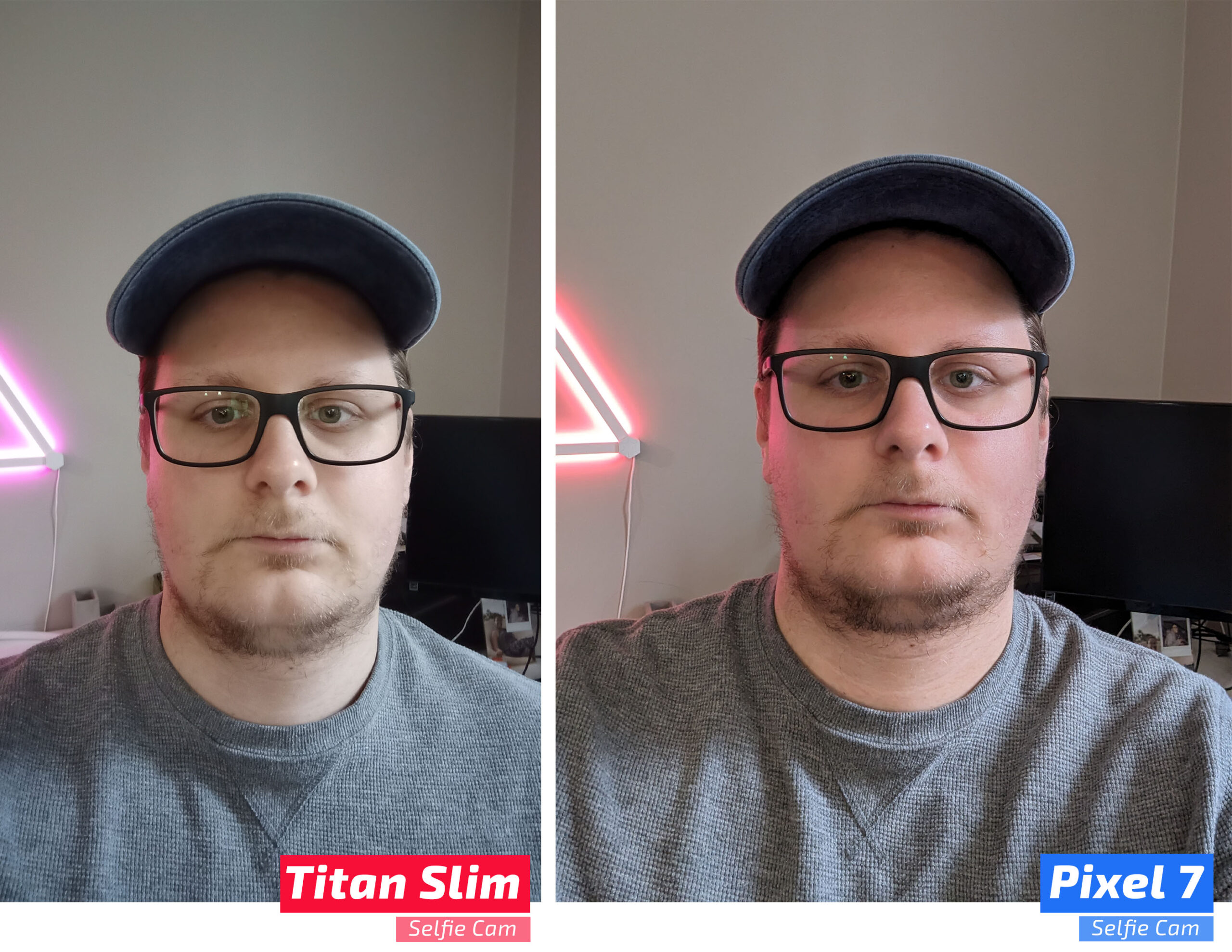
Don’t let the numbers fool you – the Titan Slim’s cameras are not good. Neither the 48-megapixel rear camera or the 8-megapixel front camera take good photos. The most egregious issues are the speed of captures and, for the rear camera, the weird, splotchy marks.

The Titan Slim's weird, splotchy camera.

The rear camera has these bizarre, strange marks/splotches that appear in photos and in the viewfinder when taking a picture. Much to my surprise, they’re not super visible in some images -- somehow, I missed the splotches in the first few pictures I snapped but looking back at them, I can make them out. You can see the splotches clearly in the below photo I snapped of a beige wall.

titan slim camera samples_0009_IMG_20230228_115248_090
titan slim camera samples_0000_IMG_20230124_153305_976
titan slim camera samples_0000_IMG_20230228_104133_510
titan slim camera samples_0001_IMG_20230124_134632_316
titan slim camera samples_0001_IMG_20230228_154507_215
titan slim camera samples_0002_IMG_20230124_134013_901
titan slim camera samples_0002_IMG_20230228_154500_213
titan slim camera samples_0003_IMG_20230228_154353_847
titan slim camera samples_0004_IMG_20230228_154345_851
titan slim camera samples_0005_IMG_20230228_153516_240
titan slim camera samples_0006_IMG_20230228_153442_280
titan slim camera samples_0007_IMG_20230228_115258_212
titan slim camera samples_0008_IMG_20230228_115253_900

There are two prominent white splotches in the upper half of the image and two smaller white splotches towards the bottom, as well as a weird blue splotch that runs a loop from the top right corner down the left side and back to the bottom right corner – the blue discolouration is most visible toward the bottom of the picture. It almost looks like some sort of liquid stain, but the Titan Slim I tested hasn’t touched any liquid while under my care. Wiping down the camera lens also made no difference.

Though the splotches and discolouration are frustrating, I’ll give Unihertz the benefit of the doubt and assume I got a bum unit. It’s also far from the only issue present. As mentioned up top, the camera is slow – not slow to open, but slow to capture. Far too many pictures came out blurry because I moved the phone well after I thought it had finished capturing the image.

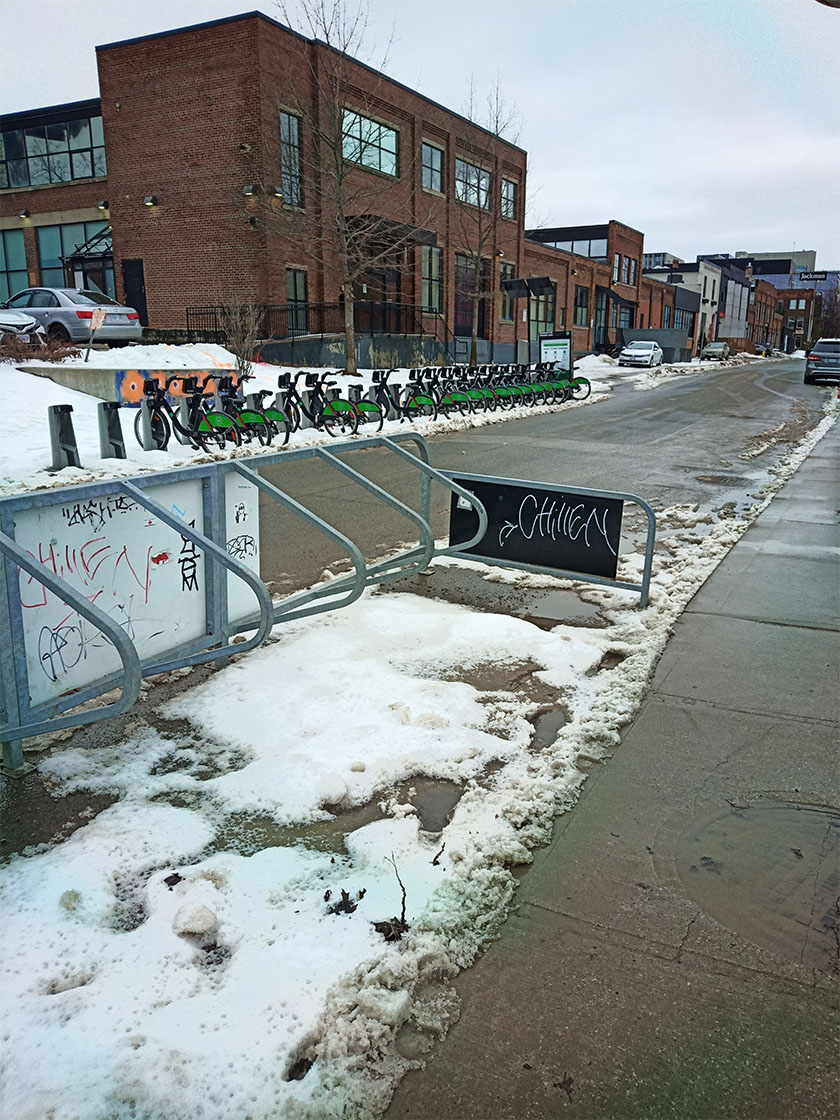
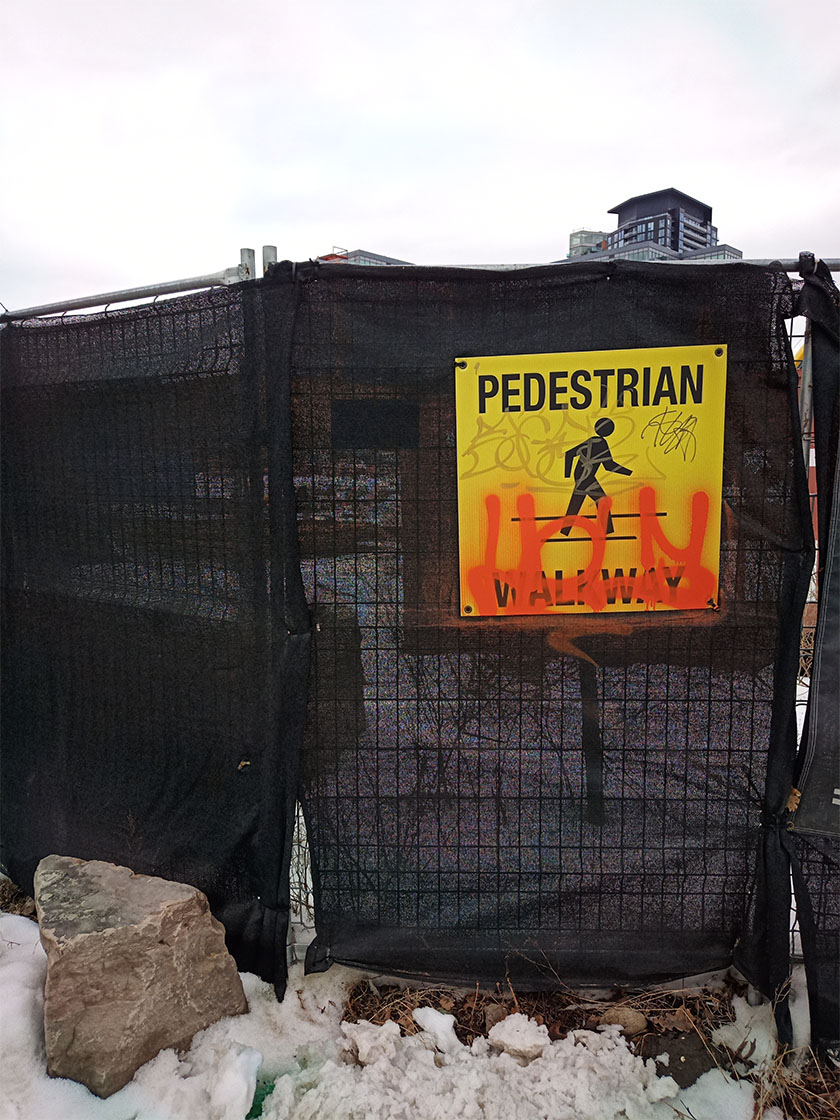
Even when I managed to capture an image that’s half decent, it doesn’t measure up to other options. And sure, maybe it’s not entirely fair to compare a phone like the Titan Slim to a high-end smartphone like the Pixel 7 with a well-regarded camera, but even the Pixel 6a -- a budget phone closer in price to the Titan Slim and arguably worse camera hardware (12-megapixels to the Slim’s 48-megapixels, among other things) -- blows the Titan Slim away.

Categories
Mobile Syrup

Here’s what’s coming to Apple Arcade this March

Apple Arcade is a gaming subscription service designed specifically for Apple devices, including the iPhone, the iPad, the Apple TV and even the Mac.

As Apple does every month, the tech giant has revealed several new Arcade Originals coming to the subscription service this month. While this is a slower month than usual, there still are several titles worth checking out:

Kimono Cats from HumaNature launches on March 3rd. In it, you control a cat walking through a Japanese “matsuri” festival and play several mini-games.

Osmos+ launches on March 17th and is an ambient, cosmic simulator focused on the survival of the fittest. The game is physics-based and offers an electronic-influenced soundtrack.

Clue: Hasbro’s Mystery Game+ from Marmalade Game Studio is a classic murder mystery title focused around six suspects, six weapons, nine rooms and only one killer.

Human: Fall Flat+ from 505 Games is a light-hearted physics platformer that’s set in floating dreamscapes. You can play solo or with up to four players online.

Games getting new content include NBA 2K23 Arcade Edition, Cooking Mama: Cuisine!,  Dead Cells+Football Manager 2023 TouchMini MotorwaysTemple Run: Puzzle AdventureCastle CrumbleLego Star Wars: Castaways, and more.

Apple Arcade is free for the first month and then costs $5.99/month. The platform features over 200 games.

Image credit: Apple

Categories
Mobile Syrup

Samsung trademarks ‘Galaxy Glasses’ and ‘Galaxy Ring’

Samsung has trademarked ‘Galaxy Glasses’ and ‘Galaxy Ring’ with the U.S. Patent and Trademark Office.

The Galaxy Glasses are Samsung’s way of breaking into the AR and VR tech world, as the company announced its own intentions to break into the “extended reality” hardware market last month.

The patent for the Galaxy Glasses reads as follows:

GALAXY GLASSES™ trademark registration is intended to cover the categories of virtual reality headsets; Augmented reality headsets; Headphones; Smartphones; Smart glasses.

I’d hope for something like North’s Focals or something that uses both AR and VR, but we’ll just have to wait to find out.

Here’s what Samsung had down for the other trademark, ‘Galaxy Ring:’

SAMSUNG GALAXY RING™ trademark registration is intended to cover the categories of wearable smart devices in the nature of a smart ring for tracking, measuring, monitoring, and uploading health, fitness and sleep-related information; smart rings; smartphones.

It’s unclear what this will look like, but by the text alone, it may be like the Oura Ring as it offers very similar features.

Even though these devices are being trademarked, it’s possible that we won’t see them for a while. However, 9to5Google suggests that one possibility is that we’ll see a preview of them using an announced version of Android meant to power these wearables at the upcoming Google I/O.

I think that’s a bit too wishful, but I definitely wouldn’t be mad if they were right.

Source: 9to5Google

Categories
Mobile Syrup

The Last of Us cast and crew say Albertans were ‘pissed off’ but ‘so polite’

The creative team behind The Last of Us has opened up about how the people of Alberta responded to their year-long shoot in the province.

The comments came during Sony’s new ‘Creator to Creator’ series, which centres around a roundtable discussion behind some of the key figures behind HBO’s The Last of Us. This includes Neil Druckmann (co-creator of the show and game), Craig Mazin (co-creator of the series), Pedro Pascal (Joel), Bella Ramsey (Ellie) and Asad Qizilbash (head of PlayStation Productions).

In the first part of the series, Pascal mentioned how impressed he was that the production team “dressed entire areas of the downtown Edmonton and Calgary [areas].” In response, Ramsey smiled and said they “pissed off all the residents,” which elicited a chuckle from the group. “We shut off a highway!” Druckmann pointed out.

That said, Mazin noted that “they were so polite about it,” while Ramsey said “they loved it.” Pascal added that “they were really nice about it.”

This isn’t the first time The Last of Us team has praised Alberta. Speaking to MobileSyrup late last year, Mazin said the crew in the province was “fantastic,” while Pascal commended “the warmth and the dedication” of everyone involved. The series leads also said they loved the province’s landscapes, giving a special shoutout to the “magical little town” of Canmore.

Jeffrey Pierce, who plays Perry on the show and Tommy in the video games, also told us that his time in Calgary was “maybe my favourite experience filming [ever].” Meanwhile, production designer John Paino has said he was “shocked” at how “clean” Alberta was compared to the U.S.

Sony says Part 2 of the Creator to Creator series will drop next week, although it’s suggesting you watch the eighth episode, which premieres March 5th, beforehand.

Image credit: Sony

Source: Sony

Categories
Mobile Syrup

Bing Chat now lets you select if it responds creatively or precisely

Microsoft’s Bing Chat will now let users pick a tone for the chatbot’s responses.

The ChatGPT-powered Bing gives users three ‘conversation style’ options: precise, balanced, or creative. The precise style should favour accuracy and relevancy, and produce factual and concise answers, whereas the creative style will allow more “imaginative” responses.

Balanced, of course, tries to strike a balance between the two. It’s also Bing Chat’s new default tone.

Microsoft hopes that the changes will help counter some of Bing’s unhinged outbursts. Last month, several reports emerged about Bing Chat saying all kinds of weird, strange, and vaguely ominous stuff. The company introduced several changes and restrictions in an effort to cut down on Bing’s unhinged responses.

Along with the tone changes, The Verge notes that Microsoft rolled out a new update to Bing Chat that fixed some issues where the chatbot would be unresponsive or refuse to answer some questions. These cases should happen less often now.

These changes come as Microsoft pushes ahead with integrating Bing Chat into its various products. Most recently, Microsoft added the chatbot to the taskbar in Windows 11, giving Windows users quick access to the chatbot. Bing Chat also recently expanded to the Edge mobile browser and Skype.

Source: The Verge

Categories
Mobile Syrup

Samsung’s Galaxy Z Fold 5 is reportedly being tested for 200,000 folds: report

Samsung’s upcoming flagship foldable might be upgraded with improved hinge technology.

According to a report from The Elec, the Galaxy Z Fold 5’s new foldable waterdrop hinge is undergoing testing over the next month as Samsung moves to finalize its design.

Further, The Elec indicates the handset is being tested for 200,000 to 300,000 folds. Two hundred thousand folds is normal wear and tear, while 300,000 folds pushes the device’s build to its limit. Samsung reportedly hopes the smartphone is capable of retaining 85 percent of its strength after 200,000 folds.

Oppo’s Find N2 also features the waterdrop hinge. The company says the foldable can withstand 400,000 folds, a number far ahead of what Samsung’s devices are rated for. Samsung should be able to promise better durability, so this is a bit disappointing.

The new waterdrop hinge offers several benefits over the previous Z Fold 4, including allowing the screen to flex inwards as the handset closes instead of folding at a tight radius. This means the crease should be less noticeable and that there’s no gap between the handset’s displays when it’s folded.

The report indicates that Fold 5 is 14mm thin or less, down from the 16mm thickness of the Fold 4. Samsung’s Fold 5 likely won’t be revealed until this coming summer.

Source: The Elec Via: 9to5Google

Categories
Mobile Syrup

SWIFT project brings high-speed internet access to Oxford County, Ontario

Four projects funded through Southwestern Integrated Fibre Technology (SWIFT) have resulted in high-speed internet access for Oxford County, Ontario.

More than 1,000 homes and businesses benefit from the projects. Execulink completed three fibre networks in Oxford County, benefiting those in various townships and communities, including South-West Oxford and East Zorra-Tavistock.

Quadro Communications completed one project, expanding service along 331 rural homes and businesses in several communities.

“The announcement means even more rural residents, businesses, and industries will have access to reliable high-speed internet, impacting the economy, commerce and social connections of everyone in Oxford County,” Marcus Ryan, the Warden for Oxford County, said.

The expansions are part of SWIFT’s $270 million broadband expansion plan to bring high-speed internet access to 64,000 homes and businesses throughout Southwestern Ontario.

SWIFT has funded various other projects in the past, including one in Bant County, Ontario. 

Image credit: Shutterstock 

Source: SWIFT