I’ve used a lot of iRobot Roomba vacuums over the years, but none have impressed me as much as the relatively recently released Roomba j7+.
Sitting between the high-end s9+ ($1,299) and the lower-end i3+ ($699), the j7+ ($999) seems designed to feature nearly the same functionality as iRobot’s highest-end robot vacuum offering, but at a lower price point. In fact, in terms of navigation and cleaning functionality, I haven’t found any noticeable differences between the j7+ and the s9+ in terms of performance.
First off, just like the s9+ and the i3+, the j7+ features a self-emptying base that charges the robot and holds debris, removing the need to remember to empty the robot after every use. It’s possible to purchase the j7 on its own for $599, but this model ditches some of the magic that makes owning a robot vacuum worthwhile given it lacks a self-emptying base.
The overall design of the j7+ feels very solid and similar to iRobot’s past robot vacuum models, though it most closely resembles the i3+. On its rear, the vacuum features a similar-looking brush on one side that offers three spokes, removable roller brushes and rubberized wheels. However, its looks arguably even better than the s9+’s. The base’s overall footprint is smaller thanks to its shorter height, and its ribbed design gives it a welcome modern flair that helps it blend into more homes better.
What’s different this time around is that it features a built-in camera and accompanying LED light recessed into its front bumper. This gives the robot vacuum obstacle detecting abilities and is a key reason its overall performance is so great — because, after all, what’s the point in a robot vacuum that sucks up socks and rams itself into table legs?
First off, there’s iRobot’s Pet Owner Official Promise, or ‘P.O.O.P’, where the company promises to replace the robot if its object avoidance system faisl to stop it from running over pet poop. Though I haven’t tested this feature out because I own a relatively well-trained cat (at least, most of the time), I buy iRobot’s claims because of how well its obstacle avoidance works with other items.
Though its algorithm is designed specifically to avoid cords, pet waste, socks, shoes, Christmas trees and more, in my experience, it successfully navigated around nearly anything I left on the floor, whether it was a sweater, a box, or simply just shifting my furniture around my living room.
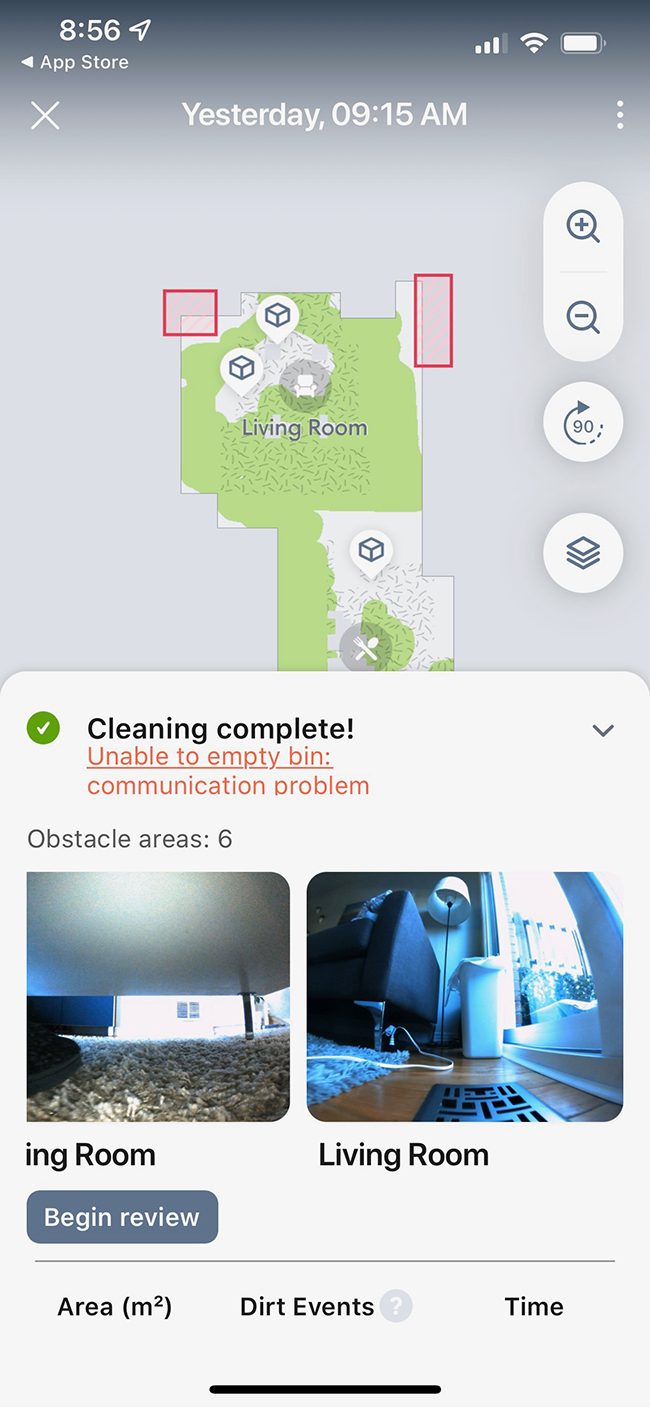
Obstacles the j7+ uncovers show up via an in-app notification, and you’re given the option to change your home map in a few ways. For example, you can identify whatever is in the j7+’s way as a temporary object, add a virtual ‘Keep Out Zone’ or state that there’s no obstacle present.
I found that this feature helped perfect the map of my main floor. To be fair, the Roomba i3 now supports mapping and individual room identification, but the addition of the j7+’s on-board camera helps significantly with accuracy. In fact, I’d even go so far as to say that after a few cleaning runs, the j7+ created a better map of my living room and kitchen than the s9+.
With all of this in mind, the s9+ is likely still a more powerful vacuum given iRobot says that its suction is 40x stronger than the Roomba 600 series, compared to just 10x stronger with the j7+. Still, even when it comes to pet hair and carpets, it gets the job done, so that extra power may just go to waste for most people.
Overall, if you’re looking for a robot vacuum that’s more than capable of cleaning your home efficiently and smartly, the j7+ is one of the best options in iRobot’s lineup.
MobileSyrup utilizes affiliate partnerships. These partnerships do not influence our editorial content, though we may earn a commission on purchases made via these links that helps fund the journalism provided free on our website.
Microsoft is reportedly working towards introducing new family plan options for Xbox Game Pass.
According to Windows Central, multiple sources have confirmed the company is looking into options to launch an Xbox Game Pass Family Plan. The report claims that the new plan will arrive sometime later this year.
“According to trusted sources familiar with Microsoft‘s efforts, we can now confirm that Xbox is moving ahead with an Xbox Game Pass Family Plan, which should be set to launch sometime this year,” the report states.
The report claims that the highest tier of the Xbox Game Pass Family Plan will grant access to five players for games across the entire Xbox Game Pass library. Pricing and availability for the family plan has not been revealed. However, it’s likely that subscribing to the family plan will be cheaper than paying the subscription of five individual accounts.
It also still remains to be seen if Microsoft will launch the family plan globally or if it will receive a regional rollout. Additionally, it’s not yet known if the new plan covers access to both PC Game Pass and Xbox Game Pass. The other unknown is how it will integrate into Xbox Game Pass Ultimate.
Xbox Game Pass currently grants access to a library of over 100 games in a Netflix-style subscription service. Additionally, the service also enables access to online services, cloud saves, and Xbox Games with Gold titles each month. Xbox Game Pass is available on Xbox One, Xbox Series X/S, PC, Android and iOS. Xbox Game Pass and PC Game Pass cost $11.99/month, respectively.
Nintendo currently offers a family plan for its Switch Online subscription service. A 12-month subscription of the family membership costs $44.99 and supports eight Nintendo Accounts.
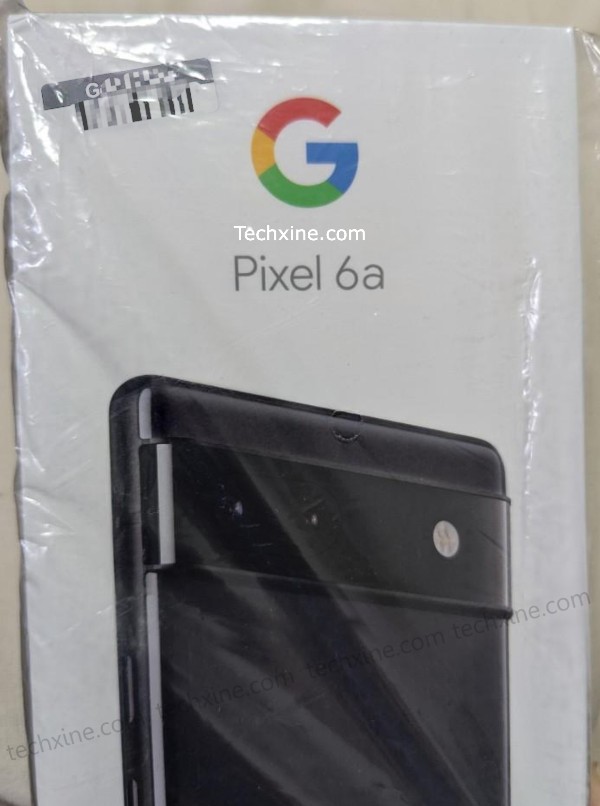
The retail box for Google’s upcoming mid-range phone, the Pixel 6a, has leaked. Pictures of the box show that the phone is going to look like its flagship counterparts. Shared by Techxine, the picture on the box showcases the back of the handset, revealing a visor that comes from the Pixel 6. From the picture, we can see the phone sports only two camera sensors and an LED flash.
Additionally, you’ll notice that the Pixel 6a is lacking a microphone hole and a laser autofocus sensor.
Alongside the Nexus 6P-like visor, the phone is black and has a glossy look. The sides might be coated aluminum, but they are likely plastic, as the phone is rumoured to sport an all-plastic design.
Other than these small changes, the box is nearly the same as the Pixel 6’s box aside from the ‘Pixel 6a’ branding.
Pixel 6a leaks indicate that the phone will sport a 6.2-inch OLED display, two 12-megapixel shooters, a 5,000mAh battery and more. Additionally, the Pixel 6a will reportedly lose its 3.5mm headphone jack, which will be a first for the company’s ‘a’ series.
With over 13 wireless providers in Canada, it can be difficult to keep track of the latest promotions and cell phone rate plan changes.
MobileSyrup will compile the latest weekly rate plan deals every week. You can also check out our guide on plans across Canada to find the right plan for you. You can compare from 47,842 options and 13 providers in Canada to find the best option.
It’s worth noting that rate plans are always subject to change and that we’ll do our best to keep this list updated as accurately as possible.
Canadian carrier rate plan changes this week
New deals:
Get three lines with 120 GB of shareable data for an average of $58.33/mo. (QC, SK and MB)
Get three lines with 120 GB of shareable data for an average of $68.33/mo (Main Provinces Only)
Limited time offer – Discover speed, entertainment and security for $139.89/mo with a Smart Home 3-year contract. (ON only)
Ongoing deals:
Fibe Internet + Fibe TV app – Bonus Get a Bell Streamer, included with the Fibe TV app on a 6-month term (QC only)
Fibe TV app – Bonus Get a Bell Streamer, included with the Fibe TV app on a 6-month term (QC only)
Fibe Internet + Fibe TV app – Bonus Get Crave for 12 months with subscription + Get a Bell Streamer, included with the Fibe TV app on a 6-month term. (ON only)
Online Exclusive – Get a $150 Visa* prepaid card with select TV and Internet bundles on a 2-year TV contract term. (ON only)
limited time offer – Get three months of Apple Fitness+ free when you buy an Apple Watch
Save up to 30% on select devices. With Bell SmartPay on an eligible 2-year plan
Trade in your old device and save. Get a credit up to $700 when you trade in your old phone.
Buy a new phone online and save $100, shop now.
Limited time offer on Unlimited Share plans Essential 20GB, additional 20GB on the 25GB Essential plan and bonus crave mobile for 24 months with Ultimate 50. (QC)
Get 10GB of unlimited data for only $45/mo in QC, MB, SK and $55/mo in main regions.
Limited time offer – Get 25GB plus a bonus 15GB at max. speeds for $85/mo. (main regions)
Promo Plan – Get 10GB of data for only $50/mo in QC, 15GB of data for $65/mo in MB and SK.
Promo on 45, 50, 55 & 65 plan for new activations and upgrades only. (QC)
Get bonus Crave Mobile for 24 months with Unlimited Share Plans Ultimate 45 and Ultimate 50. (main regions)
Limited time offer on the Unlimited Share Plan Essential 25GB. Get an additional 15GB of shareable data. (main regions)
Get three lines with unlimited data and no overages for an average of $43/mo in QC, $48/mo in MB & SK and $63/mo in main regions.
Get 25% off any Samsung Galaxy Watch4 series smartwatch
Save up to 50% on select Android phones
Get Crave Mobile for 24 months
Be one of the first to get the Samsung Galaxy S22 Ultra, Galaxy S22+ and Galaxy S22 Bonus: trade in your current phone and get up to $300 in additional trade-in credit.
Switch your business to Canada’s best 5G network and get a credit of $150 per line.
Get 500MB bonus data/mo. with automatic monthly top-up options with the $30, $40, $45 & $55 prepaid plans
Pay even less per month with the Device Return Option.
Various phone accessories on sale
Trade in your device and get a minimum $100 towards a new one.
Connect your other devices and enjoy unlimited data from $10/mo.
Pair Bell mobility with your Bell service and get 20GB of data for just $50/mo. in QC and for $65/mo. in ON.
Save $25/month for every team member you add to your account.
Get bonus 100MB data/mo with unlimited Canada wide minutes for $25/mo with automatic monthly top-up options.
Get six months of Crave Total on us with new smartphones on Bell SmartPay
Save $15/mo. for every family member you add to your account.
Get up to 500 MB bonus data/mo. when you sign up for Automatic Monthly or Automatic Monthly/Low Balance Top-Up option on eligible plans.
Get iPhone 11, 11 Pro, 12, 12 Pro, 12 Pro Max, XR, SE (2020), iPhone 12 mini and TCL 20 Pro 5G on Clearance
Ongoing deals:
Fido XTRA: Get a chance to instantly win 1 of 100 Seva LG wallets made of recycled and vegan materials! Only on the Fido app
Get the Samsung Galaxy S21 FE 5G at $0 down on approved credit and pay only $30/mo.for 24 months with Fido Payment Program
Get the ultra-sleek Samsung Galaxy S22 for $0 down on approved credit and pay just $30.84/mo. plus taxes for 24 months, 0% interest, with Fido Payment Program on select plans.
Accessories you want for $0 down!
Fido XTRA this week: Celebrate International Women’s Day by giving a gift from a woman-owned business to a woman you love! Only on the Fido app.
For a limited time only, trade in an eligible iPhone 11 to get a new phone with Fido Payment Program and select plans.
A great deal on a sleek new iPhone 12 mini
Save up to $25 per month for 12 months on unlimited Home Internet 75u or 150u when you pair with a Mobile plan. (ON)
Apple iPad 7 is on clearance
Trade in select devices and get a minimum credit of $100
Various smartphones on deals
One Month Free Service when you invite your friends and they join Fido.
Score the Samsung Galaxy S21 FE 5G for $0 down on approved credit, 0% interest for only $10.42/mo for 24 months with financing and Upfront Edge when you return your device within two years.
Ongoing deals:
Get iPhone SE 64GB for $0 down on approved credit, 0% interest for only $24.80/mo for 24 months with financing on Rogers Infinite plans
Score the Samsung Galaxy S22 256GB for $0 down on approved credit, 0% interest for only $15/mo for 24 months with financing and Upfront Edge when you return your device within two years on Rogers Infinite plans. Plus, get an additional up to $300 credit when you trade in an eligible device.
Limited time offer on 20GB $65/mo and 50GB $85/mo Infinite Plans (MB/SK/QC)
Get the iPhone 13 128GB for only $15/mo for 24 months with financing and Upfront Edge when you return your device within two years
Get iPhone 12 mini 128GB for only $12/mo for 24 months, $0 down and 0% interest with Upfront Edge and financing with Rogers Infinite plans when you return your device in 2 years.
Get iPhone 13 128 GB for $0 down on approved credit, 0% interest and pay only $0/mo for 24 months when you trade in an iPhone 11.
Promotional data plan for individual plans on $45/mo 6GB plan, $50/mo 10GB plan and $55/mo 15GB plan.(QC)
Get the iPhone mini 12 256GB for only $7/mo or 24 months with financing and Upfront Edge when you return your device within two years
Save on your Rogers bill with Cash Back Rewards
Stay connected with family – add a line and save $15/mo in (MB,SK,QC) and $20/mo in main regions.
Activate or upgrade on a $75/mo or higher Rogers Infinite plan and get our most premium perks (QC) and $90 for main regions.
For a limited time only, get data plans starting from $40/mo for 3GB of non-shareable data with any phone on financing or when you bring your own phone. (QC)
Stay connected anywhere with the new mobile internet plan
Get two lines for $72.50/mo per line and enjoy 40 GB of data (main regions)
Get the Pixel 6 Series for $0 down on approved credit
Get up to 3 months of Google One when you sign up through Rogers.
Promo on Talk text Unlimited Canada Wide minutes for $30 (was $35)
Get two lines for $60/mo per line for 30 GB of data max speed (QC)
Sign up for Disney+ through Rogers and get six months on select Rogers Infinite plans
Save 10% on the Otterbox 3-in-1 Charging Station. (Main provinces only)
Ongoing deals:
Save up to $478 on like-new phones with Bring-it-Back
Save $240 on LivingWell Companion Go. Ends March 31
Get up to $200 in bill credits and Amazon Echo Show. (QC only)
Save $100 when you shop Mobility online with a $50 bill credit and a $50 connection fee waiver.
Save up to $622 on iPhone 13 with Bring-It-Back. Ends April 4
Get 10GB of data for as low as $45 with a family of four in MB, SK, QC
Get up to 70% off accessories when you buy a smartphone.
Get the Motorola one 5G ace for only $10 per month. Ends April 4
Get a Samsung Tab A7 Lite for $0 per month on a two year plan.
Get TCL 20 Pro 5G for as low as $15 per month. Ends April 4
Get up to $300 bonus Trade-In credit towards a Galaxy S22 device
Get 50GB of CAN-U.S. data with 5G+ speed for $85/mo in MB, SK, QC and $95/mo in main regions.
Enter to win a $1,000 SAIL gift card and get everything you need for your next adventure thanks to TELUS Privilege.
Get iPhone 12 for only $19 per month with Bring-It-Back
Save 20% on TELUS Online Security Standard
Enjoy iPhone 13 family for $22 per month with Bring-It-Back. Ends April 4
Get one month on us, plus a FREE $400 TELUS prepaid Visa. (BC&AB)
Fresh savings with the TELUS Exclusive Partner Program.
For a limited time get 45GB at 5G speeds for $70/mo in MB, SK, QC and 40GB for 85/mo in main regions. Save up to $622 on iPhone 13 with Bring-It-Back. Ends April 4
Get Samsung Galaxy S21 FE 5G for $11 per month with Bring-It-Back. Ends April 4
TELUS Privilege – Win $1,000 just for you. (Quebec Only)
Up to $1,045 off the Samsung Galaxy S22 series with Bring-It-Back
Refer a friend to Telus and get a $50 bill credit
Get PureFibre Gigabit Internet, Optik TV and SmartHome Security from $122/mo. (BC &AB)
Save $840 when you bundle Optik TV and Internet on a two year term (BC & AB)
Get a FREE 55″ Samsung 4K HDR Smart TV (BC &AB)
Telus PureFibre Gig Internet now with Wi‑Fi 6 – from $89/mo. (BC &AB)
Bundle your services and get up to $40 off each month (QC)
Get a $300 bill credit when you sign up for any pro-monitored plan online (ON)
Shop plans and save up to $720 per year with Telus Family Discount
Get three months of Apple TV+ and Apple Arcade with pre-owned certified iPhones.
Bundle a new Apple Watch with TELUS Health Companion from $54/month.
Get up to 6 months of Apple TV+ and Apple Arcade when you buy any iPhone
Save big on the flashiest phones with Bring‑It‑Back
Get a bonus 500MB of data when you sign-up for Auto Top-up on $30, $40, $45 & $55 prepaid talk, text & data plans
Get a bonus 100MB of data when you sign-up for Auto Top-up on $25 prepaid talk & text plan
Spring Savings – Until March 31, you’ll receive a $20 bill credit when you purchase a Certified Pre-Owned phone. Plus, save up to $50 on the most popular devices
Great deals on certified pre-owned iPhone 7 and 8 and Samsung Galaxy S9.
Earn up to 20 points per month by helping the Public Mobile community online.
Earn 10 points for every 12 months you stay
Earn 1 point for every month a friend you refer stays
For every dollar you spend, you’ll make 5% of it back in points.
Free Public Mobile SIM Card included with each purchase of a Certified Pre-Owned phone.
2.5 GB Data at 3G speed +BONUS 500MB with AutoPay for $35/mo
Chat more with free international calling
Connect more with 2GB of free data
500MB bonus with Autopay on all Talk, Text & Data plans except the $15 plan which comes with 250MB bonus (all regions)
Flash Sale (ENDS MARCH 31st) – Get iPhone 12 with 15GB of data for only $59/mo. Price includes TradeUp credit and Digital Discount. 2-year term required.
Flash Sale (ENDS MARCH 31st) Get Samsung Galaxy S21 FE 5G included for $59/mo. 15GB FAST LTE DATA. Price includes TradeUp credit1 and Digital Discount. 2-year term required.
Ongoing deals:
Get iPhone 13 pro in Alpine green and iPhone SE with Big Gig Unlimited data plans starting at $50/mo
iPhone 11 is available for $50/mo. 6GB FAST LTE DATA
iPhone 13 is available for $20/mo. with TradeUp on a $50/mo. plan with 15GB of data.
The Galaxy S22 is available with TradeUp on $50/mo. plan with 15GB of data.
Brining your own phone offers (Limited Time) 15GB for $45/mo, 18GB for $50/mo, 25GB for $55/mo, 30GB for $70/mo and 50GB (Canada/U.S.) for $85/mo.
Bring Your Own Phone and get $5 off for 24 months on select plans.
BYOD Big Gig Unlimited plans Limited time offer : Get 15GB data for $50/mo. and 18GB for $55/mo.
Activate an eligible Samsung phone on a $40+/mo. plan and get a Galaxy Tab A7 Lite with 4GB Fast LTE Data for $0/mo. for six months.
$5/mo. digital discount on the $40 & $45 and $10 digital discount on the $55, $60, $80, $90 and $95 Canada/US Bring your own phone plans.
Prepaid Flash Sale Ends 31st March – Get 25GB of extra data on Prepaid plans12 starting at $19/mo. for 12 months (with Digital Discount). For new Prepaid activations only.
Unlimited 15GB Fast LTE for $50/mo with digital discount
Moto One 5G Ace and Moto G Power are both available for $35/mo.
Add Freedom Internet 150 to your existing mobile plan for only $55/mo. Available in Alberta and BC.
Add a line with 3 GB data for $20/mo.
Unlimited talk & text starting at $99/year annual payment
Refer a friend and get a $25 service credit for each referral. Save up to $250 a year
Enjoy one free month of Visual Voicemail when you sign up in-store or online.
Trade in your current device and buy the Samsung Galaxy S21 FE 5G on a 2-year Voice & Data term and get a bonus $160
Get a bonus $300 when you trade in your old device and save even more with additional in-store offers.
Save up to $200 when you purchase a new iPhone and Apple Watch (GPS + Cellular).
Save $20/mo. off an eligible voice & data plan when you bring your own phone or buy a phone at a full price!
Purchase an eligible Samsung Galaxy device and get the Samsung Galaxy Buds2 for $119.99.
Purchase an eligible Samsung Galaxy device and save 20% on a Samsung Galaxy Watch4.
Get the VIP 20 plan for $80/mo. for up to 24 months.
Get 15% off when you buy two or more regular priced cases, screen protectors, and/or chargers.
Three great ways to save – Save $10 per month off your plan for 24 months or Save $200 on a new device or Get an extra 5 GB of data per month for 24 months.
Get big savings on wireless plans, crazy fast internet speeds, and binge-worthy TV.
Big deals on maxTV Stream media boxes for a limited time.
Get up to $600 in-store credit toward a new wireless device and accessories when you trade in your old device.
Sign up for SaskTel Internet on a monthly plan and save 50% for 3 months + get Optimum In-home Wi-Fi for only $5/mo. for first 3 months
Sign up for maxTV stream & Internet to get big savings. Plus, get Optimum In-home Wi-Fi free for the first 12 months
Sign up for SaskTel Internet on a 2-year contract and get Optimum In-home Wi-Fi free for 12 months
Sign up for Crave with STARZ and get your first month free!
Switch to a 2-year Internet contract plan and save $10/mo. off the regular price
Sign up for SaskTel Internet on the infiNET 300 plan and get this special deal + get Optimum In-home Wi-Fi free for the first 12 months
Upgrade to the next fastest plan at no additional cost for 1 month
For every 5 maxTV Stream theme packs you add, you get $8 in savings
Sign up for Super Channel and get your first month free!
Sign up for maxTV and get 50% off the Filipino 5-pack for 3 months.
Get unlimited calling with our Anytime North America Long Distance plan—all for one low monthly price
Get our 10 most popular calling features, including Call Display & Name Display, for just $10/mo. Add on Voice Mail for only $2/mo. more
Sign up for SaskTel homePHONE and get 3 months of Home Phone Service, Feature Package, and Anytime North America long distance for free
Sign up for Crave with STARZ get your first month free!
Get 3 months of Apple Fitness+ free when you buy an Apple Watch.
Sign up for noSTRINGS Prepaid Auto Top-ups and get a $20 bonus
Bring your Google Pixel and save $600
Sign up for a noSTRINGS Prepaid Talk, Text & Data or Unlimited plan and save $10/mo. for 8 months.
Your future holds a nice 5 GB in perks. Activate a mobile plan before March 31, and this mobile data will be yours
Activate your first mobile or Home Internet plan between now and March 31, 2022, inclusively, using a friend’s referral code, and you’ll both earn a $40 referral bonus instead of the usual $25.
Combine two services and take your rewards to a whole new level
Samsung Galaxy S21FE 5G 128GB available for 39.54/month for 24 months
Any unused mobile data will be rolled over to the next month.
Get an additional 5% of the value of every Top-Up in points when you sign up for Auto-Allowance or Allowance with your PC Financial Mastercard or PC Money
20,000 PC Optimum points after two months of service
Get 1GB of bonus data every month when you sign up for an Automatic Top-Up option, eligible on plans that have data.
Flash Sale – Sign up for a cheap phone plan today and get one month of free service + Get 3 GB mo of bonus data for 6 months with select plans. Plus, Get 5GB bonus data with selected plans (Quebec Only). Offer ends March 31, 2022.
Flash Sale – Sign up for a cheap phone plan today and get one month of free service + Get 3 GB mo of bonus data for 6 months with select plans. Offer ends March 31, 2022 (Main provinces)
Ongoing deals:
You can now buy Lucky Mobile SIM Cards at Dollarama!
Get 5GB of bonus data on select plans
Refer-A-Friend to Lucky Mobile and you can both get up to $50 in credits
250MB bonus with Automatic Top-Up on $15, 1GB bonus with Automatic Top-Up on $25, 3GB bonus with Automatic Top-Up on $35, 5GB bonus with Automatic Top-Up on $40, 10.5GB bonus with Automatic Top-Up on $50, 15.5GB bonus with Automatic Top-Up on $60 and 20.5GB on $70 ( main regions)
For a limited-time, get 50% off your SIM card when you buy it online.
Bring your own phone or buy one starting at $75
Get a cheap phone plan from $15/mo.
500MB bonus with Automatic Top-Up on $24, 3.5GB bonus with Automatic Top-Up on $33, 11.5GB bonus with Automatic Top-Up on $43 plans for QC
We’ve been hearing rumours about Apple adding an under-display Touch ID to the iPhone for a while now.
Reliable Apple analyst Ming-Chi Kuo, who previously had predicted that the 2023/2024 iPhones (likely the iPhone 15 and iPhone 16) would feature under-display Touch ID, is now retracting his statement. In a tweet, Kuo added that Face ID with a mask on is “already a great biometrics solution.”
I previously predicted iPhones would support under-display fingerprint sensing/Touch ID in 2023 at the earliest. But the latest survey indicates new iPhones in 2023 & 2024 may not adopt under-display Touch ID. Face ID with a mask on iPhone is already a great biometrics solution.
Apple did test under-display Touch ID for the iPhone 13, as reported by Mark Gurman in his Power On newsletter back in August 2021, but the company decided to not go forward with the plan.
At this point, leaks about Touch ID coming to iPhones feel extremely fickle, with the bulk of rumours about the feature standing false as per the last few years.
If reports are to be believed, the upcoming iPhone 14 will feature a completely revamped design, with a hole punch camera and under-display Face ID, so it would have been a great opportunity for the company to also add under-display Touch ID to the devices, but now it seems unlikely to happen.
According to several reports and a Linkedin post from Bjorn Dawson, the company’s CEO and co-founder, Waterloo-based cannabis growing device startup Grobo has gone out of business after declaring bankruptcy in early January.
The Business Development Bank of Canada now owns the company’s assets and it’s unclear what the future holds for current Grobo users.
As of right now, the servers powering the company’s automated growth system remain online, however. That said, there are reports of Grobo Grow Box 2nd-generation buyers not receiving their devices and being forced to perform chargebacks on their credit cards. Grobo sold its grow devices in the U.S. and Canada.
I tested out a Grobo for a few months a couple of years ago and was very impressed with the experience, though I cited its high price tag as a significant barrier. The original Grobo launched for $3,214, though the company eventually started selling cheaper alternatives. There was the Click & Grow-like $99 USD (about $123 CAD) Grobo Start and the $1,999 USD (roughly $2,502) Grobo Grow Box Gen 2, which required assembly, unlike the original version of the Grobo
Despite a significant amount of hype and even an appearance on Dragons’ Den, it’s likely that with the legalization of cannabis across Canada, the need for an all-in-one, at-home growing devices like the Grobo dropped dramatically amid the ongoing COVID-19 pandemic.
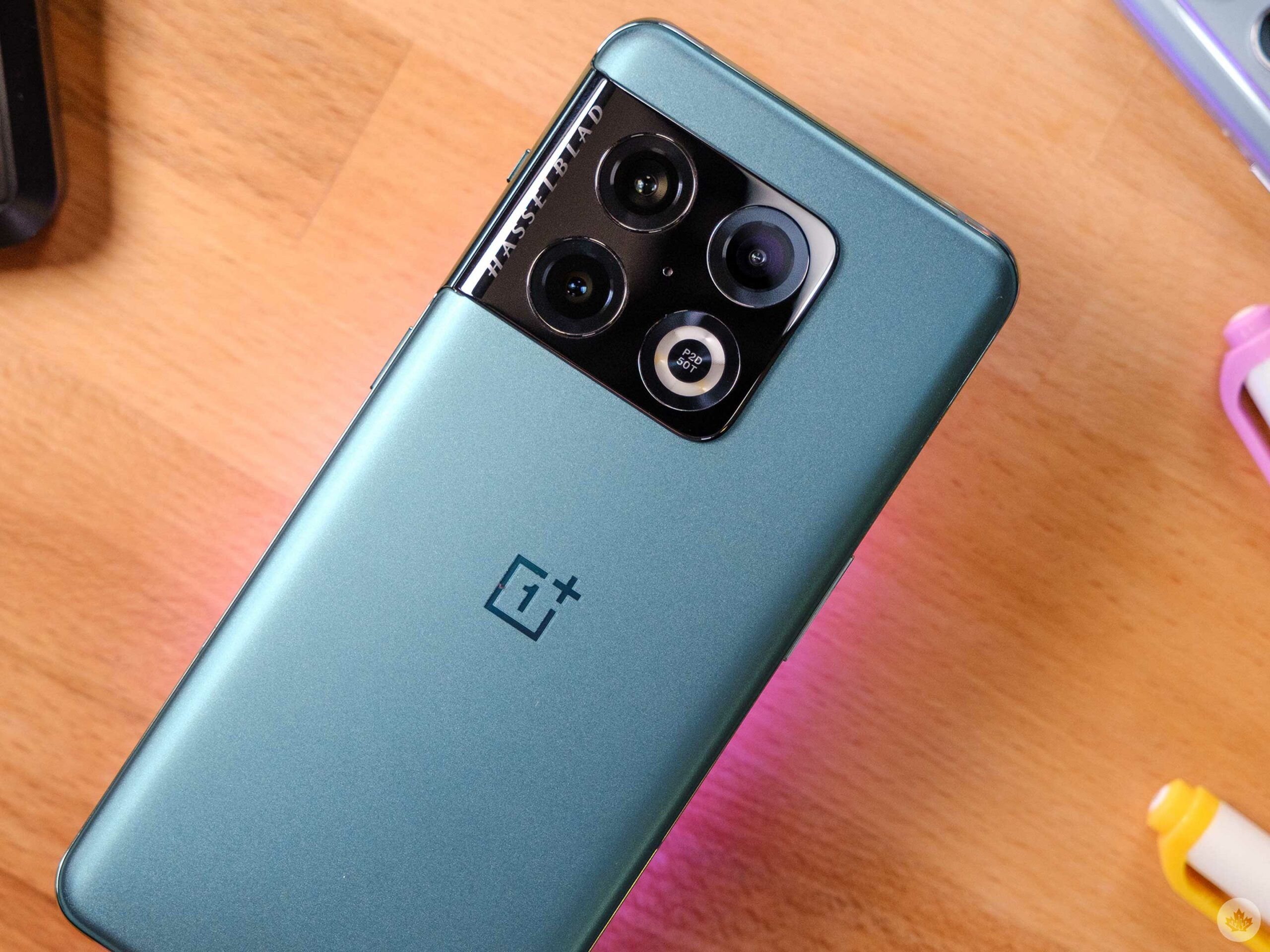
The OnePlus 10 Pro has finally come to North America, but I’m not sure it will push the company’s smartphone line forward in a meaningful way.
Last year’s OnePlus 9 series cemented the upstart brand as a company capable of making top-tier hardware that can compete with the likes of Samsung. Then, after a year of getting closer to, and then further away from Oppo, software support has become a major pain point for OnePlus devices.
Holding the OnePlus 10 Pro is DejaVu. It feels and looks the same as its predecessor from the front, plus it’s impressing me with its camera and battery life. However, after last year, it’s going to take a lot more than a slightly upgraded OnePlus 9 Pro to get the company back on track.
What OnePlus fans really need is a year of trust-building in the form of stable updates.
First impressions can be deceiving
From the front with a case on, it feels and looks just like my 9 Pro.
When I unwrapped the OnePlus 10 Pro and slapped on the classic OnePlus Sandstone bumper case, it felt great in my hand. Then I started to transfer over all my OnePlus 9 data and the device became pretty warm. It wasn’t hot, but warmer than I would have liked. Since then, it’s been fine, but I have yet to spend more than a few minutes gaming on it yet.
It’s worth noting that the OnePlus 10 Pro uses Qualcomm’s new Snapdragon 8 Gen 1 chip. So far, Samsung’s S22 series are the only other flagships we’ve tested this year with the 8 Gen 1. MobileSyrup’s Dean Daley also noted heat issues with the S22 Ultra when running benchmarks, while staff reporter Jon Lamont didn’t experience abnormal temperatures with the S22 and S22+.
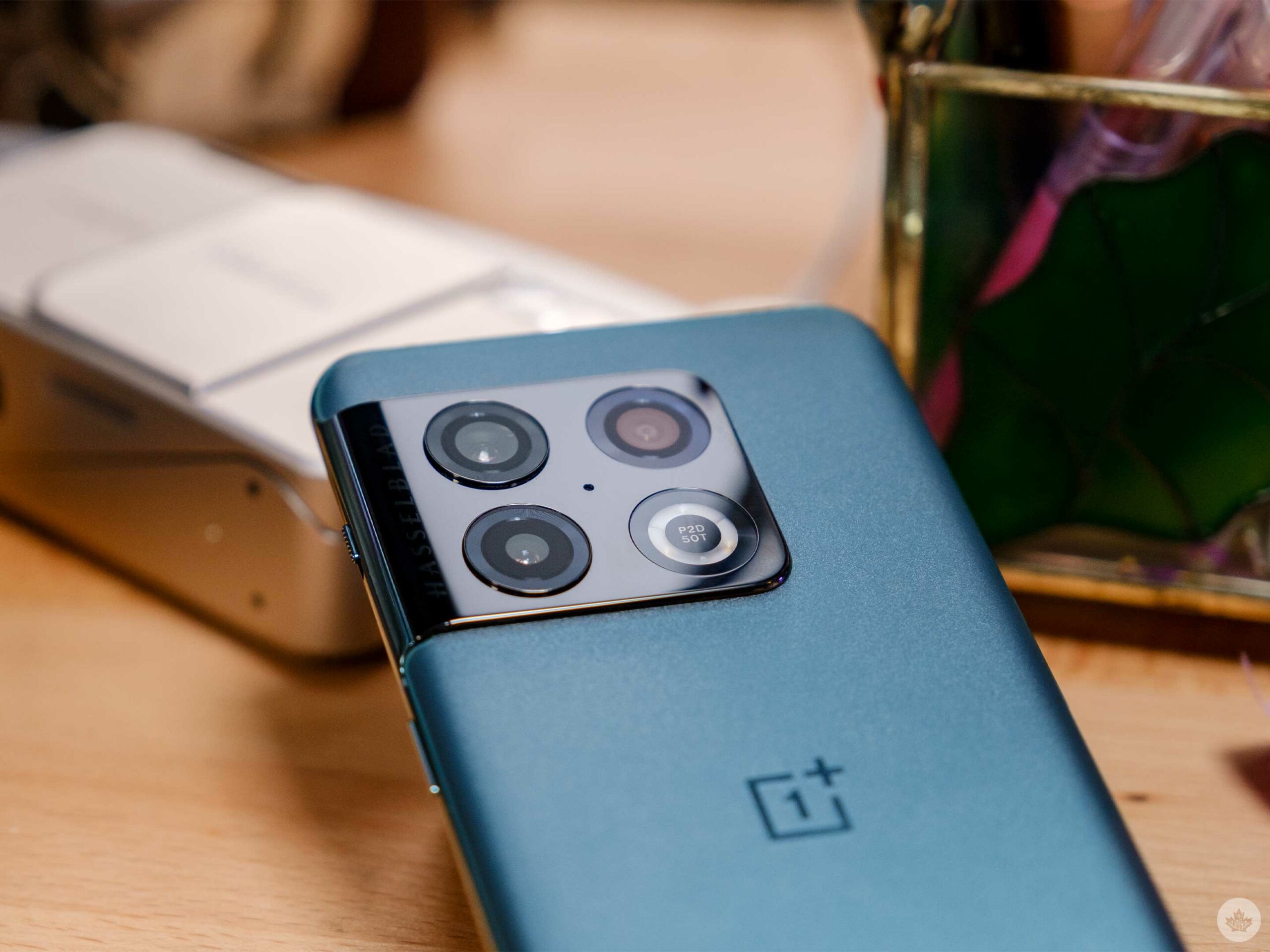
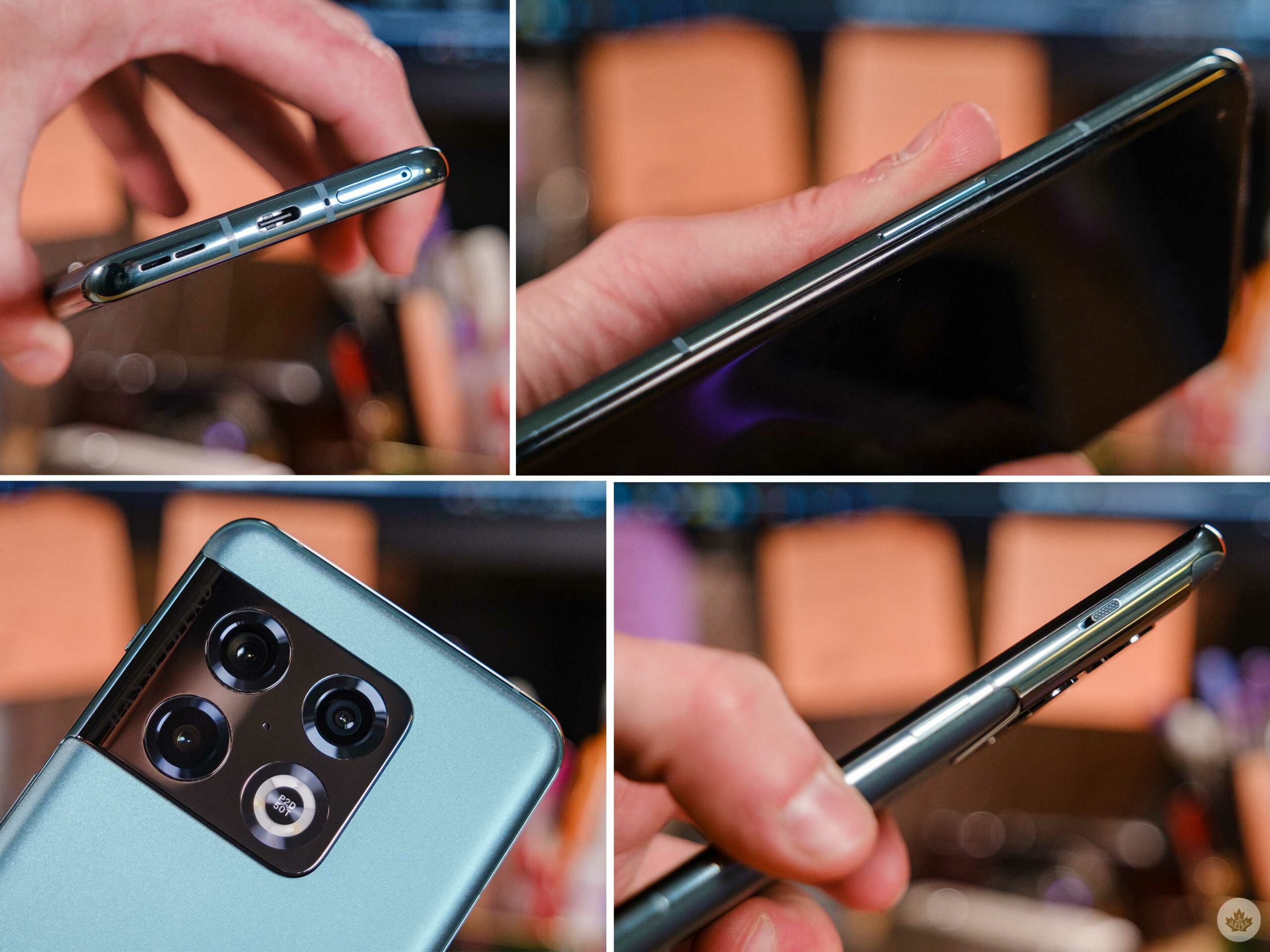
Beyond that, the phone feels solid (even if JerryRigEverything snapped it in half). I’d recommend most users the ‘Emeral Forest’ model since it offers such a nice matte texture on the back. Overall, the smartphone is a great size and feels slightly heavier than the OnePlus 9 Pro since the new camera bump is larger.
We’re now two years into the three-year-long Hasselblad x OnePlus partnership.
Even though this isn’t a OnePlus ‘T’ model, it feels like a subtle improvement over the 9 Pro instead of a generational leap like we’ve seen in the past from the company. This isn’t necessarily entirely bad since the 9 Pro’s hardware is stellar, but it also makes less of a case to upgrade to the OnePlus 10 Pro if you already own the 9 Pro.
Camera performance
The three lenses are equivalent to 14mm, 23mm and 77mm on a full-frame camera.
OnePlus has stuck four lenses on the phone — three on the back and a single 32-megapixel selfie camera on the front. The primary camera features a 48-megapixel sensor, the Ultrawide captures 50-megapixels, and the 3.3x zoom lens is only eight megapixels. Quality-wise, the sensors seem very similar to the OnePlus 9 series.
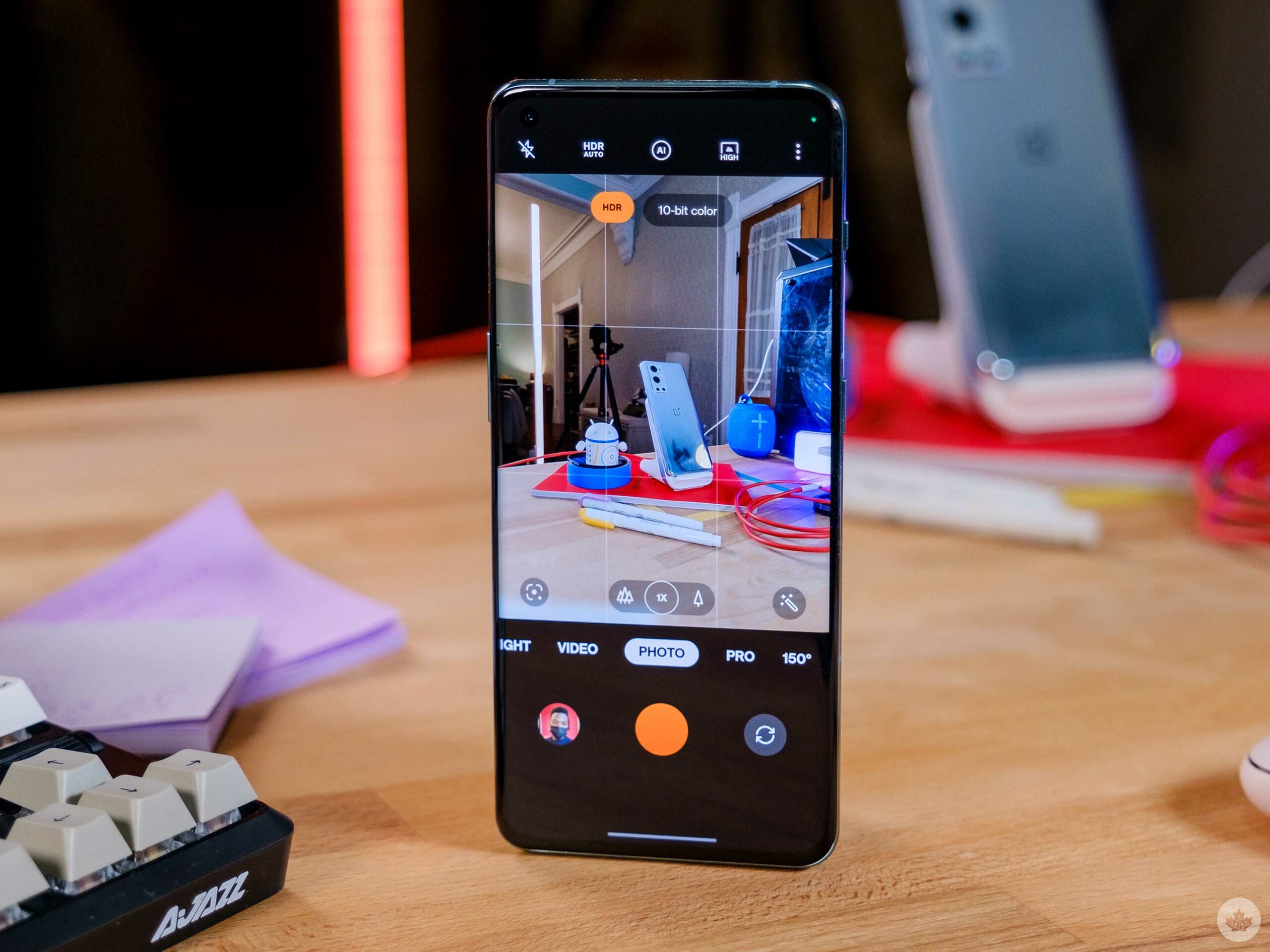
This time the most attention has been paid to software as OnePlus furthers its partnership with Hasselblad. Last year, the company marketed the Hasselblad colour science and its flattened ultrawide shooter that replicated a 14mm full-frame lens. These systems are still in place in the OnePlus 10 Pro, but the company has added a fun dedicated 150-degree wide-angle mode, a new 10-bit colour capture option, and rebranded filters called ‘Master Styles.’
Not to take away anything from the three Hasselblad photographers since these new filters are pretty sweet, but when OnePlus and Hasselblad got together, the companies announced a lot of exciting camera features, and what’s present in the OnePlus 10 Pro is a little lacklustre.
The camera app still features Hasselblad’s Orange accents, but the ‘Expert mode’ has been renamed to ‘Pro mode’ this year.
This year’s most exciting new feature is 10-bit colour in the camera’s ‘Photo’ and ‘Night’ modes. It helps gather 64 times more colour data from all three rear cameras compared to 8-bit photos. This makes getting deep colours a little easier since you no longer need to shoot RAW (12-bit) in the ‘Pro mode’ to achieve it.
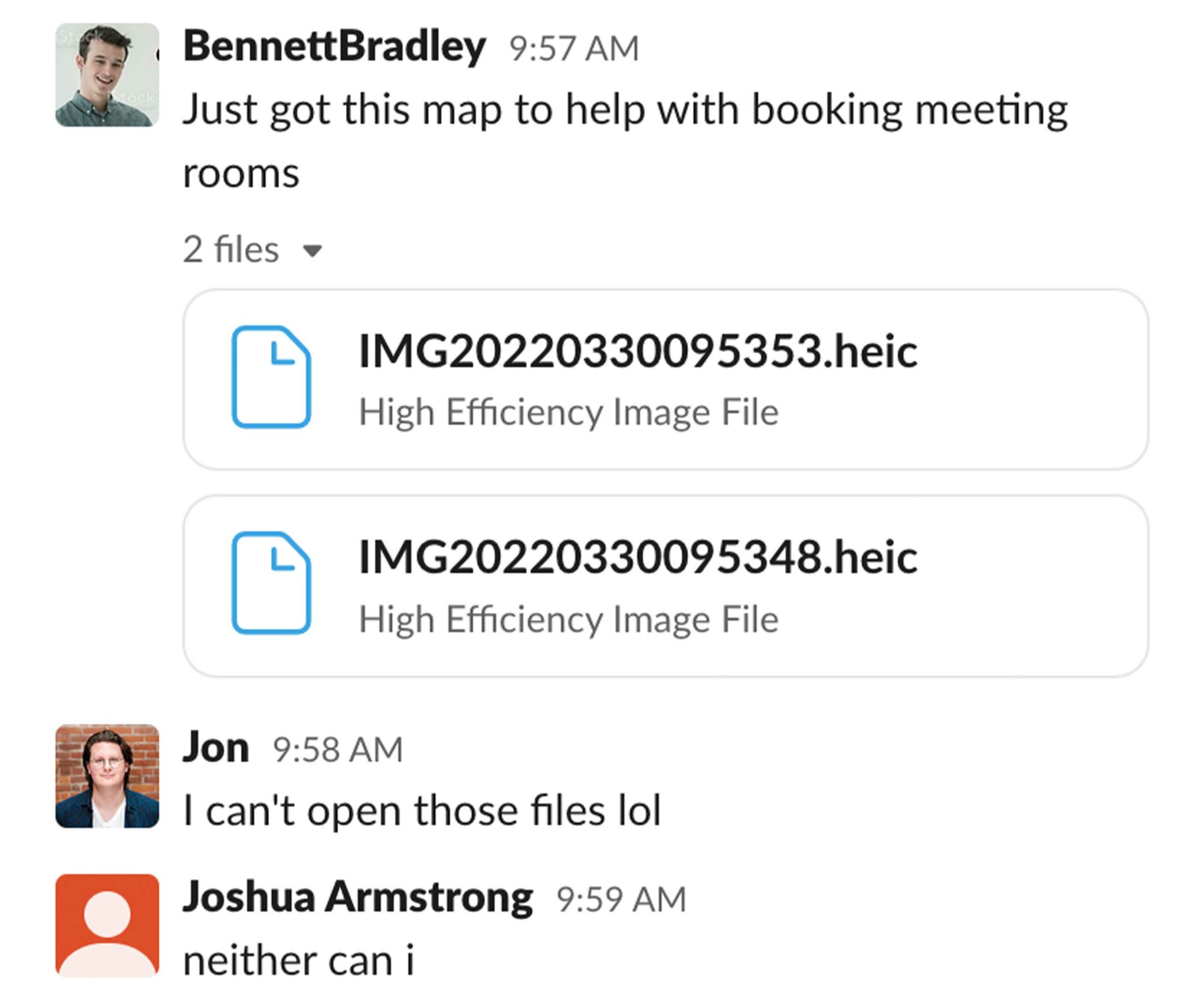
While taking 10-bit snaps is easier than ever (after you enable it from deep in the camera settings), sharing them is enough of a hassle that it almost makes me want to turn the new colour feature off entirely. The 10-bit mode saves files using HEIF/HEIC image compression codec, which is fine, but you’ll likely run into issues once you try and share those files. For instance, most people I sent my pictures to from the OnePlus 10 would just get a link to a file they’d need to download themselves.
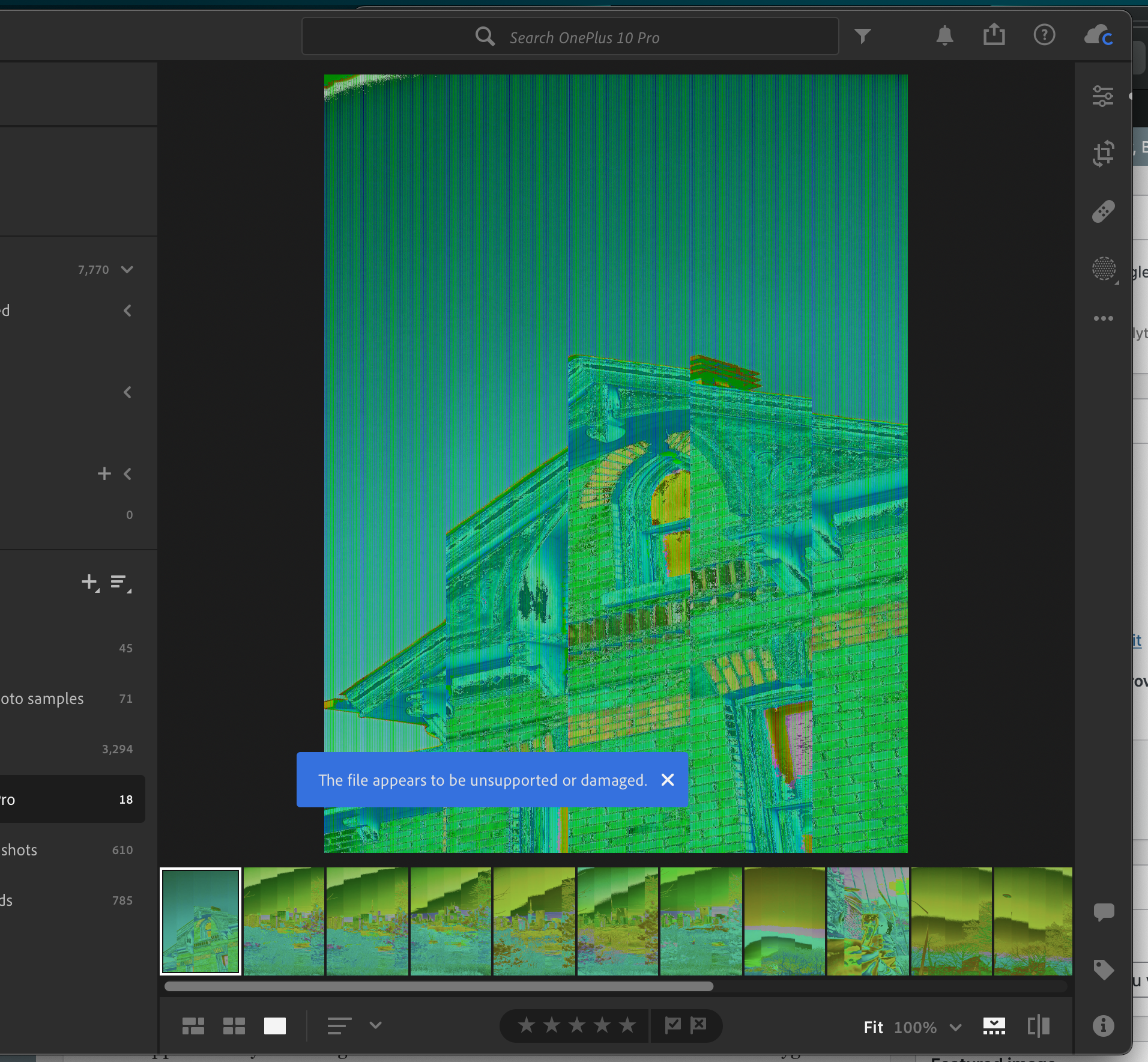
Slack and Windows users
Lightroom
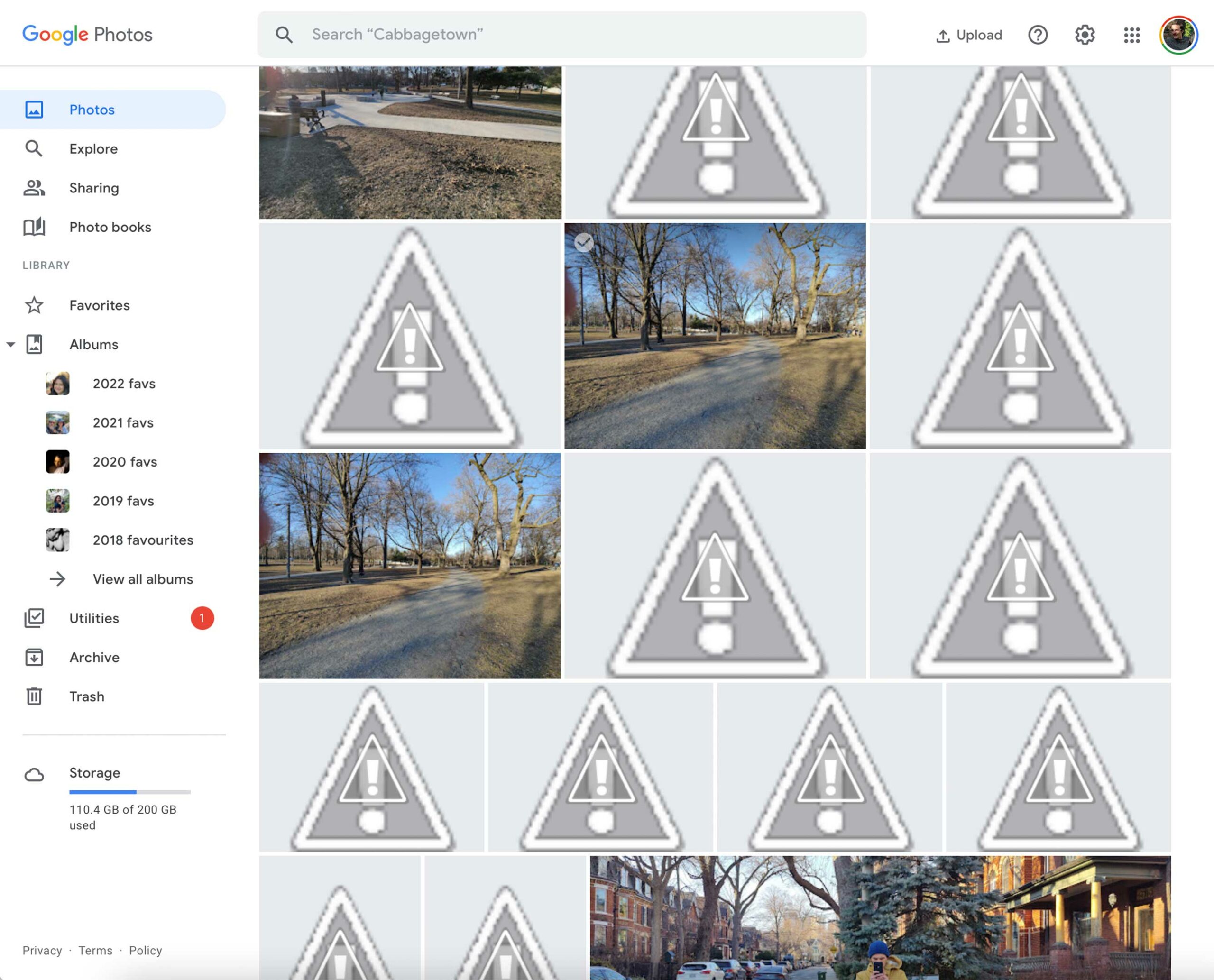
Google Photos
It works, but it’s not nearly as seamless as sharing regular JPGs. On Windows, you even need to download two extensions, one free and one that costs $1.30 in Canada. OnePlus tried to make sharing a little more seamless by adding a toggle to the OnePlus Photos app that will auto convert the HEIC files when you share them from the company’s photo locker. However, it decimated my Google Photos library, which is what I primarily use to manage my digital pictures. This is weird too, since my iPhone 13 Pro also uses HEIC to save photos, and Google reads those. Apple is also better at auto-sharing pictures as JPEGs, something I never even knew was happening until OnePlus tried to do it, and fumbled.
This isn’t necessarily OnePlus’ fault either. The nature of Android kind of necessitates having two photos apps on most phones, except for Pixels. Ideally, OnePlus will be able to find a way around this soon, though. HEIC files on my iPhone store in Google Photos just fine, so I assume there must be a way, but OnePlus has yet to find it.
This slideshow requires JavaScript.
If you want to use RAW (this does backup into Google), the manual shooting controls on the 10 Pro are decent and you can shoot 12-bit colour (you could do 12-bit RAW on the OnePlus 9 Pro too). There’s even a new ‘RAW Plus’ option that works like Apple’s ProRAW format. That means when you snap a picture, the phone still applies some computational tricks to make the shot look as good as possible while retaining all of the photo information and depth from the RAW file. In my limited testing so far, this has been hit and miss. The pictures look a little better than standard pre-edited RAW images, but not as clean as a fully computational image.
This is all extremely exciting for mobile photographers, but in practice, OnePlus’ current camera app is weirdly confusing and lacks some functions that it used to have in OxygenOS 11. For instance, there is no way to set the Pro mode as your default camera experience anymore, and for some reason, the fun XPan and Movie modes are the only camera functions out of 14 that can’t be added to the quick toggle carousel. This is likely a minimal annoyance to most, but to me, it represents OnePlus’ struggle to really hone its software down to the level of a real flagship. All the pieces are here, but they’re not always held together logically.
After all of this, I want you guys to know that these complaints come from the heart. I’ve loved OnePlus’ slightly off-centre colour balancing (for better and worse) since the 7T and at the end of the day, I’m happy with the pictures that the 10 Pro grabs. But compared to the 9 Pro, which has a 12-bit RAW mode, and a very similar lens setup, there doesn’t seem to be a lot to upgrade. Unless you’re obsessed with Fisheye lenses, of course. But in all seriousness, the only people who likely care about 10-bit colour are photographers, who would likely rather shoot 12-bit RAW instead.
Other thoughts
There’s no denying that the Emerald forest version looks great…even with that stovetop camera bump.
Overall the OnePlus 10 Pro is a decent phone but with the company’s current track record for updates, it might be worth waiting to see what happens as it rolls back its ColorOS skin and moves back towards a more stock-inspired Android experience. I have no idea what this even means in 2022, either. Will it look like a Pixel launcher, such as what Nothing attempted, or will it revert to how OxygenOS 11 looked? Or are we going all the way back to OxygenOS 10?
It’s not that I hate ColorOS 12. It looks fine and works ideally 95 percent of the time, but sometimes it’s a little annoying. Especially when I try to do something that I remember from a previous build of OxygenOS only to find it replaced with some other weird feature. For instance, every second time I plug this phone into my car, it starts charging. I then have to manually pull down the notification shade, tap on the system status notification, and then select Transfer files/Android Auto. Almost every other phone I’ve used is able to jump into Android Auto automatically after the initial setup.
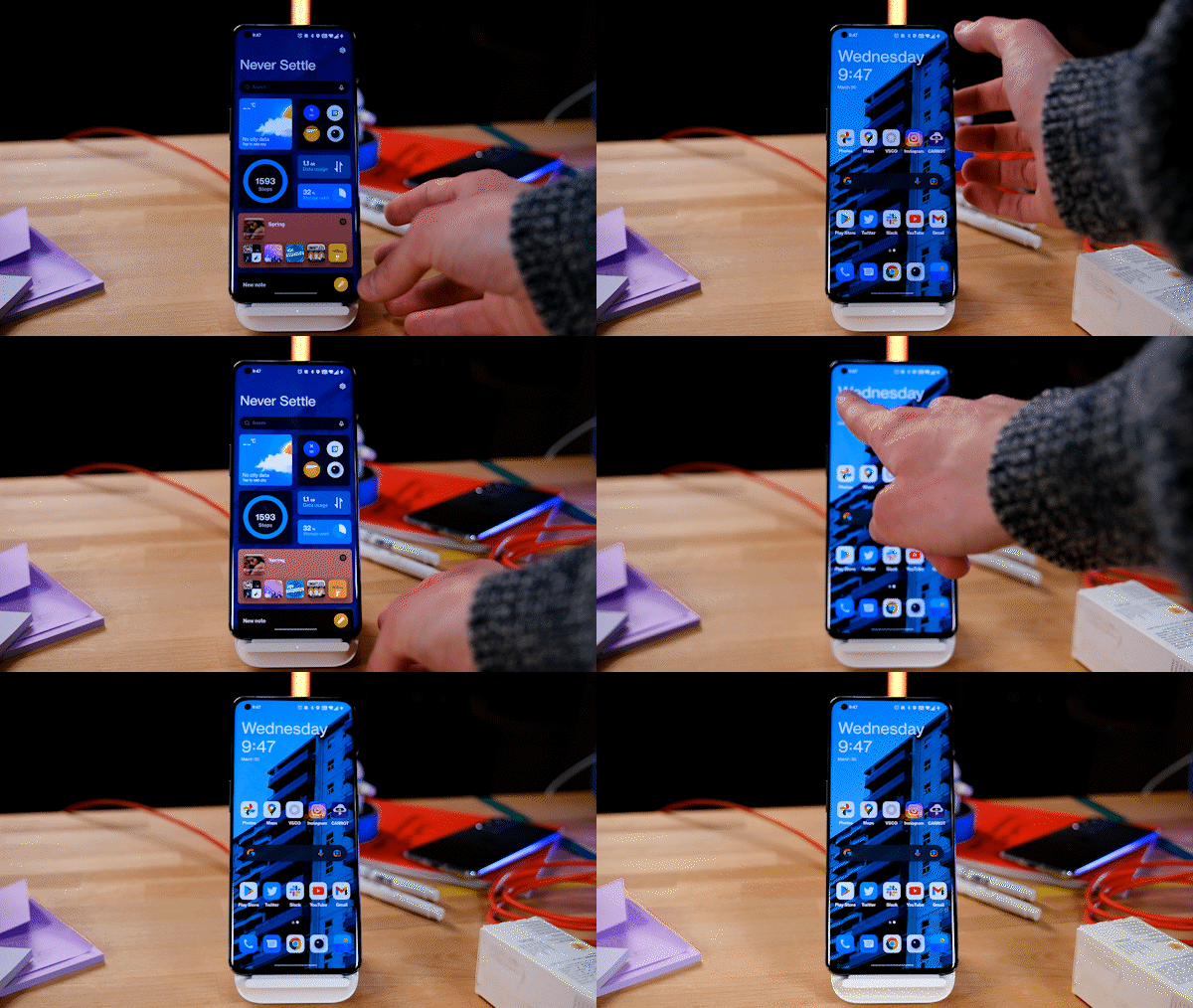
A short gif of the OnePlus Shelf action.
The OnePlus 10 Pro comes pre-loaded with OnePlus Shelf enabled too. This means that swiping down from the top right corner of the screen will bring down an area where OnePlus hides some widgets, a nice system search tool and some weather information. Years ago, this used to sit to the left of your home screen, where the Google discover page now sits. In North America, OnePlus had gotten rid of the Shelf for a few years, but now it’s back in a new place, and that’s the issue.
Since I’m right-handed, when I use my thumb to reach up and swipe down for my notifications, it naturally reaches for the top right corner, but instead of getting notifications I now get the Shelf… which isn’t terrible, but after the 10th time, I just had to disable it. This is annoying since this is where OnePlus’ pretty decent system search, ‘Scout,’ lives, so now I can’t use that. Instead, the company lets non-shelf users search through their installed apps with another search bar in the App drawer.
There’s a lot of potential packed into this phone. Using Gorilla Glass Victus, a variable refresh rate screen, Dolby Atmos and excellent display calibration all make it very impressive, but this year isn’t about OnePlus’ hardware. The real story is if the software problems can be solved and whether the company will win back some user trust.
It’s worth noting that this is actually $200 cheaper than the OnePlus 9 Pro when it was launched last year on March 23rd.
Once you’ve pre-ordered, the OnePlus 10 Pro should arrive on April 14th. It’s also worth noting that OnePlus isn’t partnered with any Canadian carriers so the only place to get one is from the company’s website.
If you want to learn more about the phone and see some sample images, you can read my hands-on with the device here. I’d also recommend reading recent coverage from a few other publications since the operating system has changed significantly since the OnePlus 10 Pro launched in China. With this in mind, early impressions from a month or two ago could shift dramatically.
To protect the new smartphone, OnePlus sells a classic Sandstone bumper case that retails for $34 and a more stylized case with Hasselblad camera iconography that costs $55. You can buy the cases from OnePlus.
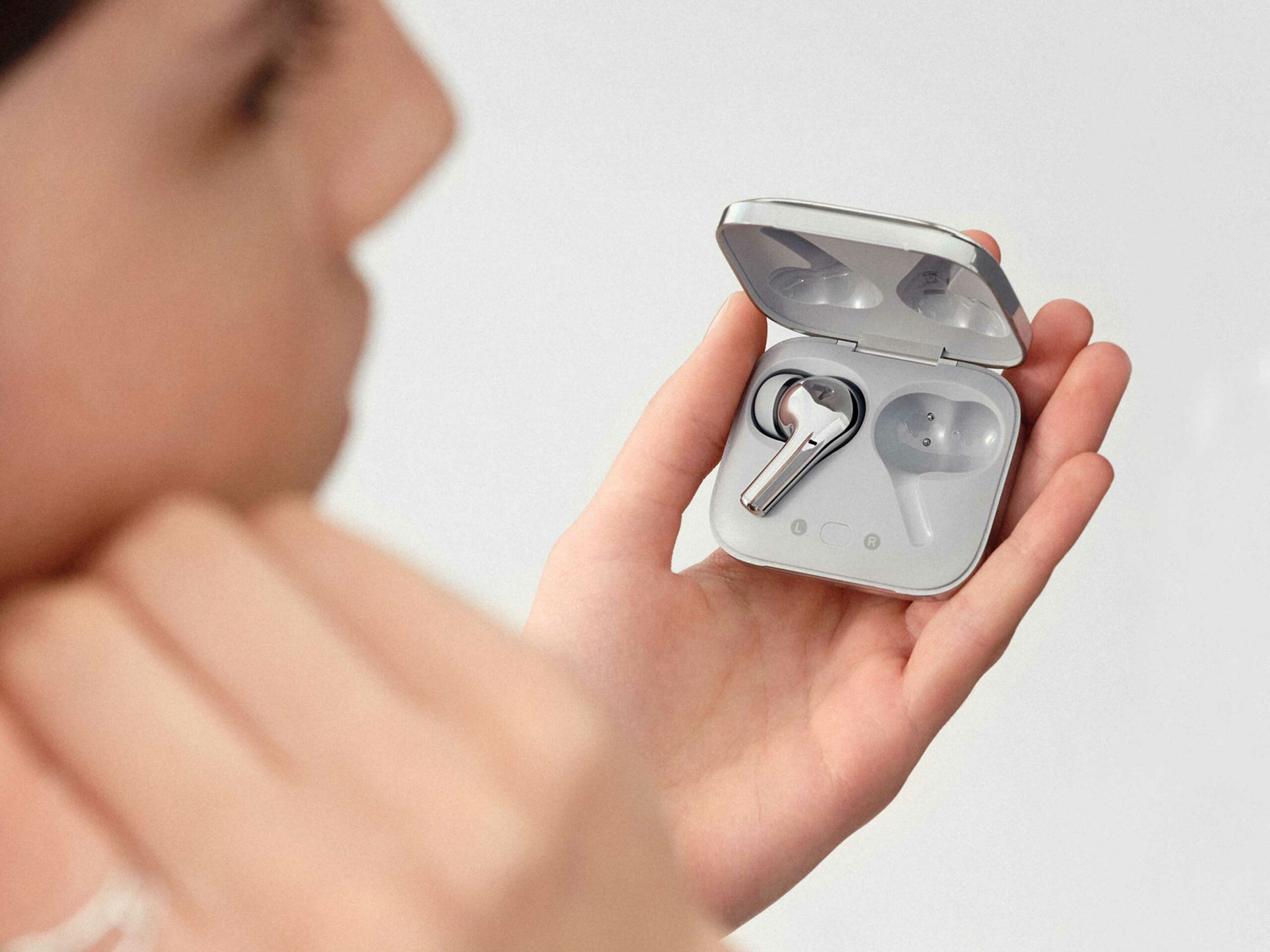
Beyond the new OnePlus 10 Pro , the company is also selling a new colourway of the OnePlus Buds Pro that it’s calling ‘Radiant Silver’ that replicates stainless steel or chrome. These cost $200 CAD and if you’re interested in buying them make sure to check out our full review.
Apple now lets developers of ‘reader’ apps apply for the ability to direct users to the web to manage their accounts and complete subscription purchases.
The change comes as part of a settlement with the Japan Fair Trade Commission (JFTC) from September 2021. However, despite the agreement being with the JFTC, Apple will apply the change globally.
As per a developer support page posted by Apple on March 30th (via Bloomberg’s Mark Gurman), developers with eligible apps can now apply for an entitlement to use external websites to handle subscriptions rather than using Apple’s in-app payment system. That system requires developers to pay a 15 or 30 percent cut of transactions to Apple and has been the core of most of the regulatory action and developer complaints against the company in recent months.
Apple, starting today, will let Reader app developers apply for an entitlement to point users to the web to manage their accounts and complete subscription purchases. https://t.co/3bnrIerAhlhttps://t.co/MWKvIUwmhm
Of course, Apple’s new system has some restrictions. First, it’s only available for ‘reader’ apps, which confusingly, include things like Netflix and Spotify. Apple describes reader apps as apps that provide “one or more of the following digital content types — magazines, newspapers, books, audio, music, or video — as the primary functionality of the app.”
Developers of readers apps then need to fill out this form requesting an ‘External Link Account Entitlement’ to add external linking to an app. Moreover, Apple lists several requirements to be eligible for the entitlement, which you can view below:
As the primary functionality of your app, provide one or more of the following digital content types; magazines, newspapers, books, audio, music, or video.
Allow people to sign in to an account.
Allow people to access content or services previously purchased outside of the app when signed in, such as on your website.
Not offer in-app purchases on iOS or iPadOS while using the External Link Account Entitlement
Not facilitate real-time, person-to-person services (e.g., providing tutoring services, medical consultations, real estate tours, or fitness training).
On top of that, developers will need to configure the entitlement in Xcode, edit their ‘Info.plist’ file, and add an ‘in-app modal sheet’ with a warning for users that the app is taking them to a website to manage their account. Developers can find the full details here.
Overall, it’s good to see Apple finally opening up this functionality in the App Store, even if the process of adding external links is convoluted. It’s also a win for companies like Netflix and Spotify, who can now start adding direct links to their websites for users to sign-up.
It’s also worth noting this change comes after Google announced plans to test a ‘User Choice Billing’ system that would allow developers to offer alternate payment options in the Play Store. Spotify is so far one of the only ones signed on to test the pilot program.