Categories
Mobile Syrup

Elden Ring patch brings new quest lines, bug fixes and nerfs

Bandai Namco and FromSoftware have released a new patch for Elden Ring. Patch 1.03 offers new questlines, a new NPC, and map tracking for characters you’ve met. Additionally, the patch includes a nerf for the Mimic Tear Spirit Ashes (😢) and added bug fixes.

You’ll be able to add an icon and the name of an NPC that you meet on the map. The new NPC is named Jar-Bairn, who you can learn more about here.

FromSoftware also says that it has added some summonable NPCs in multiple situations — hopefully that means you’ll be able to summon an NPC before fighting Malenia, Blade of Miquella because that was one tough battle.

Elden Ring has also fixed a bug with stat scaling on some arcane weapons, and added questlines for Diallos, Nepheli Loux, Kenneth Haight and Gatekeeper Gostoc.

Here are the full patch notes below:

Changes

  • Added a function to record an icon and the name of an NPC on the map when you encounter that NPC.
  • Added NPC Jar-Bairn.
  • Added new quest phases for the following NPCs: Diallos/ Nepheli Loux/ Kenneth Haight/ Gatekeeper Gostoc.
  • Added some summonable NPCs in multiple situations.
  • Increased the number of patterns of objects player can imitate when using Mimic’s Veil.
  • Added night background music for some open field areas.

Bug fixes

  • Fixed a bug that prevented summoned NPCs from taking damage in some boss battles.
  • Fixed a bug that sometimes prevented the player from obtaining items after a boss battle.
  • Fixed a bug that causes dialogue to be skipped when talking to NPCs and using custom key configurations.
  • Fixed a bug that causes the player to freeze when riding.
  • Fixed a bug that causes arcane to scale incorrectly for some weapons.
  • In situations where the player cannot obtain more than 2 talisman pouches, added talisman pouch to Twin Maiden Husks shop line up.
  • Fixed a bug that prevented the user from warping to sites of grace from the map at the end of the game.
  • Fixed a bug that prevented the player from moving to the next area after the battle with the Fire Giant.
  • Fixed a bug which causes some weapons to have incorrect scaling after strengthening.
  • Fixed a bug which causes some weapons to not use stat scaling.
  • Fixed hang-ups in certain occasions.
  • Fixed a bug which incorrectly displays multiplayer area boundary when playing online.
  • Fixed a bug that allows players to activate Erdtree Greatshield’s weapon skill without absorbing an attack using a special combination of item and incantation.
  • Fixed a bug which causes Fire’s Deadly Sin incantation to have a different effect.
  • Fixed a bug with the Ash of War, Determination and Royal Knight’s Resolve, where the damage buff will also apply to other weapons without that skill.
  • Adjusted the visual effect of Unseen Form spell.
  • Deleted the Ragged armor set from the game which was mistakenly obtainable in previous patch.
  • Fixed a bug that causes some hostile NPCs to drop Furlcalling Finger Remedy.
  • Fixed a bug that causes incorrect sound effect to play in some situations.
  • Fixed a bug which causes visual animation and hitboxes to not be displayed correctly on some maps.
  • Fixed bugs which cause incorrect visual and behavior for some enemies.
  • Fixed a bug that causes incorrect stat parameter for some armor.
  • Text fixes.
  • Other performance improvement and bug fixes.

Balance changes

  • Increased the drop rate of Smithing Stone for some enemies.
  • Added Smithing Stone to some early game shop line up.
  • Increased shield’s effectiveness.
  • Increased the damage for all offensive cracked pot items.
  • Increased the damage for the following items: Spark Aromatic/Poison Spraymist.
  • Increased the effect duration for the following items: Uplifting Aromatic/ Ironjar Aromatic.
  • Increased HP healing for Torrent when using the following items: Rowa Raisin/ Sweet Raisin/ Frozen Raisin
  • Reduced FP consumption and increased the damage of the following sorceries: Glintstone Cometshard/ Comet/ Night Comet
  • Increased the damage of the following sorceries: Gravity Well/ Collapsing Stars/ Crystal Barrage
  • Decreased FP consumption of the following sorceries: Star Shower/ Rock Blaster/ Gavel of Haima/ Founding Rain of Stars/ Stars of Ruin/Greatblade Phalanx/Magic Downpour/ Loretta’s Greatbow/ Loretta’s Mastery/ Carian Greatsword/ Carian Piercer/ Shard Spiral
  • Raised projectile speed and range of Great Glintstone Shard
  • Decreased Ash of War, Hoarfrost Stomp’s damage and increase cast time.
  • Increased Ash of War, Bloody Slash’s self-inflict damage while slightly lowering the damage and increasing the cast time.
  • Decreased weapon skill, Sword of Night and Flame’s damage.
  • Increased FP consumption and lower duration of Ash of War, Barricade Shield.
  • Changed FP consumption timing of Ash of War, Prelate’s Charge.
  • Decreased the damage of spirit summoned when using the item Mimic Tear Ash and changed the spirit’s behavior pattern.
  • Other enemy and weapon balance changes
Categories
Mobile Syrup

The four best screen recorders for low-end PCs

Finding the best screen recorder for low-end PCs can be challenging, as it requires some specific knowledge. Fortunately, I’ve faced plenty of issues related to screen recorders, and I’ve used a ton of them in the past five years. So I’m here to make your decision much easier by breaking down the four best screen recorders for low-end PCs.

What is a low-end PC?

A low-end PC is a computer that lacks processing power and memory. PCs that are low-end often have slower processors, less RAM, and smaller hard drives than average PCs. While these computers may be suitable for basic tasks like browsing the internet and word processing, they aren’t ideal for those who want to play demanding games or engage in heavy software usage.

Why do you need a screen recorder for your low-end PC?

When you want to record your gameplay or make a tutorial video, you’ll need to record your screen. But if you have a low-end PC, you won’t be able to run most of the screen recorders that are available. If that’s the case for you, here’s a list of screen recorders that you can use on your low-end PC

1) HitPaw Screen Recorder

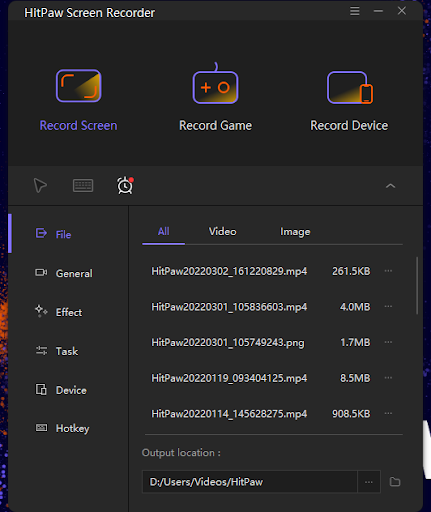
HitPaw Screen Recorder is a highly recommended recorder for low-end PCs. If you want to record gameplay, make an interesting video tutorial, or capture streaming videos, HitPaw Screen Recorder can do all of these things with high quality—all without taxing the limited uses of your CPU. In most cases, it will be your best option.


HitPaw Screen Recorder is a lightweight screen recorder with a wide range of functions, from recording your screen and audio to editing your recorded videos, taking snapshots of your screen, and adding watermarks to the videos.

Compared with other screen recorders, HitPaw is more compatible with low-end PCs. This is because the software consumes very little of your computer’s resources. The software takes less than 20MB of storage in your computer, and you won’t encounter any lagging or delay when you’re using this software to record.

Hardware acceleration is a process that uses the computer’s hardware to perform tasks rather than using the software. The HitPaw Screen Recorder is equipped with this feature, which enhances your recording experience.

You can record games and other video files on your low-end PC without any problems. You can also export video files at a fast speed by using hardware acceleration. That means you’ll save time and energy when working with large video files.

The following features make HitPaw Screen Recorder particularly powerful:

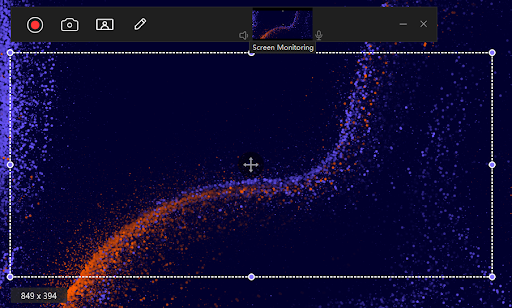
Record Screen: With HitPaw Screen Recorder, you can record your screen and save it in different popular video formats at various quality settings. It also allows you to record your entire screen or only a region.

Record Webcam: If you want to record your webcam, then HitPaw Screen Recorder is your best option, as it offers high-quality video capturing and recording.

Real-Time Monitoring: Hitpaw Screen Recorder also helps users monitor their screen in real time while recording their screen activity. This feature lets you have a quick preview of your recording while saving time on editing later on.


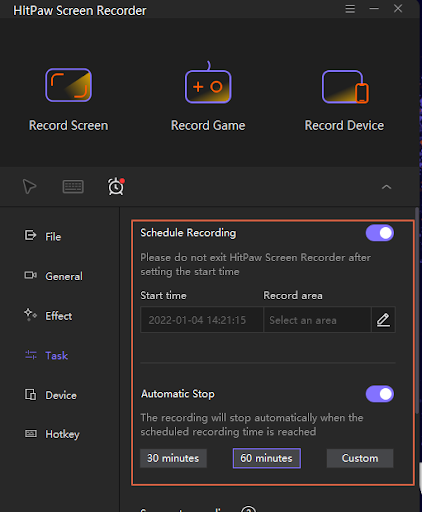
Schedule Recording: You can set a schedule for your recording so that it starts at a particular time automatically and then saves itself in a designated folder when the recording process is finished. That way you won’t need to stay awake all night to start your recording manually to cover an entire live event or conference. You simply set a timer for the schedule and let it do the work.

HitPaw Screen Recorder

Record Quality: It also provides users with the best recording quality without any lag.

2) Xbox Game Bar: the easiest low-end PC screen recorder for Windows

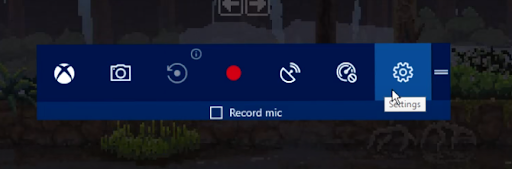
The Xbox Game Bar has been added to Windows 10. The main purpose of this software is to allow players to record their gameplay, but you can also use it as a screen recorder. If you’re looking for the easiest solution for recording your low-end PC, then check out the Xbox Game Bar Screen Recorder.
A few key features make it the easiest screen recorder for low-end PCs:

Fast launch and high performance: Xbox Game Bar on Windows 10 has many features like audio control, game-clip recording, and screenshots. When you press the hotkeys Win + G during games, this game bar will appear immediately. Most importantly, it won’t cause lags by overburdening your CPU.

Record games in HD quality: With Xbox Game Bar, you can record your gameplay videos in high-quality 1080p resolution at 60fps. It has the same quality as other professional screen recorders like OBS Studio and Bandicam Screen Recorder. Also, it provides a good balance between file size and image quality while saving the recording files in MP4.

Multiplatform support: OBS Studio runs on Windows, Mac, and Linux platforms. So no matter what operating system you use, it can help you record videos from your computer with ease.

User-friendly interface: The interface of OBS Studio is neat and well-designed. Everything is intuitively organized so you don’t need to spend much time learning how to use its features.

4) Wondershare DemoCreator: The most powerful low-end PC screen recorder

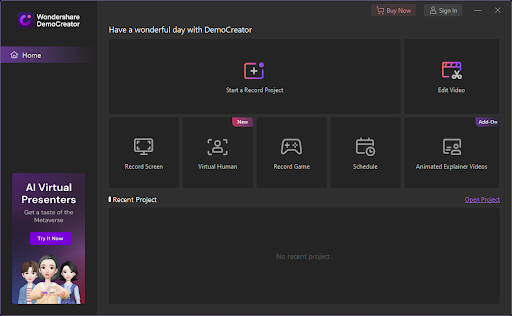
Wondershare DemoCreator is a feature-rich screen recorder for low-end PCs. It’s built with advanced screen recording technology, so it consumes almost no CPU usage and memory to create high-quality screen recordings that you can use in various applications. Regardless of the video format you want to use, you can keep the video quality to a high level. The following features make it especially powerful:

3) OBS: the best free screen recorder for low-end PCs

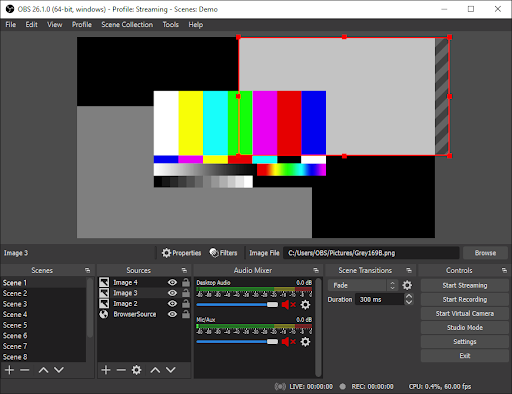
OBS Studio is the best free screen recorder for low-end computers. It’s not only an open-source project that you can modify and distribute freely; it also has multiple output formats, along with various video and audio settings that you can adjust to get a high-quality screen recording. If you’re looking for the best screen recorder software with no watermark, then I highly recommend OBS Studio. Let’s see what makes it the best free screen recorder for low-end PCs.

Multiplatform support: OBS Studio runs on Windows, Mac, and Linux platforms. So no matter what operating system you use, it can help you record videos from your computer with ease.

User-friendly interface: The interface of OBS Studio is neat and well-designed. Everything is intuitively organized so you don’t need to spend much time learning how to use its features.

4) Wondershare DemoCreator: The most powerful low-end PC screen recorder

Wondershare DemoCreator is a feature-rich screen recorder for low-end PCs. It’s built with advanced screen recording technology, so it consumes almost no CPU usage and memory to create high-quality screen recordings that you can use in various applications. Regardless of the video format you want to use, you can keep the video quality to a high level. The following features make it especially powerful:

Optimized settings: Wondershare DemoCreator has optimized settings that allow you to set the output file size, FPS, and other parameters. If you have to record videos frequently, you can use this software without worrying about your slow computer. You can also adjust the brightness of your videos to make sure they look great on your viewers’ screens.

Hotkeys: You can easily record what’s happening on your computer screen with just one click using Wondershare DemoCreator’s hotkeys. To do this, simply go to the settings menu and select hotkeys that you want to use from the list of available options. You can also create your own hotkey combinations based on your preferences or needs.

The bottom line

I’ve assessed the main currently available options, and I think it’s clear that HitPaw Screen Recorder definitely takes the cake as the best screen recorder for low-end PCs. This is due to its convenience in connecting to a webcam, smooth recording, size, and popularity. You can even record on your PC without sound or a mouse cursor, so it’s perfect for when you’re gaming.

Categories
Mobile Syrup

Samsung Galaxy A53 offers expandable storage and lacks charging brick

Samsung’s ‘Awesome’ series is full of mid-range smartphones, and now the company has two new additions to its lineup. Although Samsung announced two new devices, the Galaxy A53 and A33, it seems that only the A53 is coming to Canada.

The Galaxy A53 features a 6.5-inch Super AMOLED display with a 120Hz refresh rate and reduced blue light so your eyes can stay comfortable while looking at your phone.

Samsung emphasized the smartphone’s sound quality, stating that it’s louder than before and supports Dolby Atmos.

The mid-range smartphone features four cameras on the rear with a 12-megapixel ultrawide shooter, 64-megapixel sensor, 5-megapixel depth shooter and another 5-megapixel sensor with a macro lens. The A53 sports a 32-megapixel selfie shooter on its Infinity-O display alongside the quad cameras on the back.

The phone also offers 6GB of RAM and 128GB of expandable storage up to 1TB.

The handset sports a 5,000mAh battery with 25W Super Fast charging. However, in a first for the A series, the device lacks a charging brick in the box. Samsung claims the A53 can last for two days, but we’ll need to try it out to find out if that claim is accurate.

Other features include 5G with supported carriers, Android 12, One UI 4.1 and IP67 water and dust resistance.

The Galaxy A53 is available for pre-order now in its Awesome Black colour variant with the phone officially launching on April 1st. If you pre-order the Galaxy A53 between now and March 31st at Samsung, you’ll also get a free Galaxy Buds Live. 

The mid-range A53 is now available for pre-order for $589.99.

Source: Samsung

Categories
Mobile Syrup

Google developing ‘Switch to Android’ iOS app that could import iCloud data to Google Photos

Google is working on a ‘Switch to Android’ app for iOS that reportedly may be able to pull data directly from users’ iCloud into Google Photos.

9to5Google has been following Google’s Switch to Android app development for a while. It seems similar to Apple’s ‘Move to iOS‘ app for those making the jump from Google’s mobile OS to Apple’s.

The Switch to Android app appears to connect an iOS device to an Android handset using Wi-Fi and copies data that way, rather than the old method of backing up data to Google Drive and then restoring it.

9to5 says the app will be able to copy contacts, messages, and possibly even apps between devices. That said, app transfer is more likely a feature that checks for installed apps on iOS and then attempts to install those same apps from the Play Store — I highly doubt that it would transfer paid apps or anything exclusive to iOS.

The publication says that in a teardown of Google’s ‘Data Transfer Tool‘ app on Android, it found what looks to be an option to migrate iCloud data to Google’s ecosystem. More specifically, it seems Switch to Android will be able to move photos and videos from iCloud to Google Photos automatically.

The main way to move iCloud data like photos to Google services is to use Apple’s data transfer tool (available at privacy.apple.com) and then wait several days for the process to complete. It’s unclear if the Switch to Android app would streamline this process or replace it with something much faster.

Finally, 9to5 also found a line in a description within the Data Transfer Tool Android app that suggests it will work with Lightning cables. My experience with the tool is that it can already use a Lightning cable to connect an iPhone to an Android phone — the app shows an illustration of what appears to be a Lightning cable when telling users to connect a “cable that fits [their] old phone” to transfer data. It seems like this change is more of a clarification than anything.

Ultimately, it sounds like Google’s working hard to make switching from iOS to Android smoother going forward. That’s a win in my books — platform lockdown is incredibly frustrating, and anything that makes it easy for people to switch ecosystems is welcome.

Source: 9to5Google

Categories
Mobile Syrup

Apple enters a new era with its impressive Mac Studio and Studio Display

For years Apple has forced new technology on its users to — at least from the company’s perspective — push the industry forward.

The tech giant believed it knew what’s best for us, whether we liked it or not. This strategy was intrinsically tied to its direction, and to be fair, sometimes these moves were for the better.

Examples from the last few years include the MacBook’s controversial shift to USB-C, starting with the release of the now-dead 12-inch MacBook (2015). Though undeniably frustrating at the time (and sometimes still today – #donglelife), USB-C likely wouldn’t be as prevalent as it is now if Apple didn’t decide the technology was the future of its laptops’ ports. Next, the company ditched the 3.5mm headphone jack from the iPhone, a questionable move blown slightly out of proportion. Years later, most have moved on to wireless headphones, and even major Android manufacturers like Samsung eventually nixed the port.

Other examples of Apple force-feeding change in the tech industry include the haptic trackpad in the MacBook line, increasingly thinner laptop designs and the beleaguered ‘Butterfly’ keyboard, just to name a few.

But recently, we’ve seen a new direction from the tech giant that has resulted in a more self-aware version of Apple that, in some respects, is listening to its most dedicated users.

“Though most of my devices now feature a USB-C connection and accompanying cables, the peace of mind a pair of USB-A ports on the Mac Studio offers can’t be understated.”

What started with a subtle mea culpa regarding the end of the Butterfly Keyboard and the return to the classic Magic Keyboard in its MacBooks, eventually evolved into the chunky, but powerful M1 Pro and M1 Max-powered MacBook Pro (2021), a laptop that was nearly universally well-received (including by me) but, that I’d guess, would make former Apple chief design officer Jony Ive squirm with discomfort.

And now, we have the Mac Studio and Studio Display, two devices Apple users have wanted for years.

The Mac Studios’ glorious ports

Over the past few days, I’ve spent a significant amount of time marvelling at Apple’s Mac Studio. Its brushed silver design is stunning and a clear step above the already sleek-looking Mac mini. In terms of size, think of the Mac Studio as two Mac minis stacked on top of each other. Its footprint isn’t massive, but it’s still substantial at 9.5cm high, 19.7cm wide and 2.7kg.

Still, you’re not going to be carrying the Mac Studio around, so its size doesn’t matter as much. What’s more important is that it’s able to slide under a monitor or fit neatly on a nearby desk, which it easily can.

I’ll get into the Mac Studio’s specs shortly, but one of its best features — and this is where the “Apple is listening” angle comes in — are its ample ports. On the rear, there are four Thunderbolt 4 ports, a 10GB Ethernet port, a power port, an HDMI slot (4K60 and HDR at 60Hz), a high-impedance 3.5mm headphone jack and… two USB-A ports. Yes, you read that correctly. Despite releasing the 24-inch iMac just a few months ago with only a mix of Thunderbolt 4 and USB-C depending on configuration, Apple has opted to bring back USB-A in the higher-end Mac Studio.
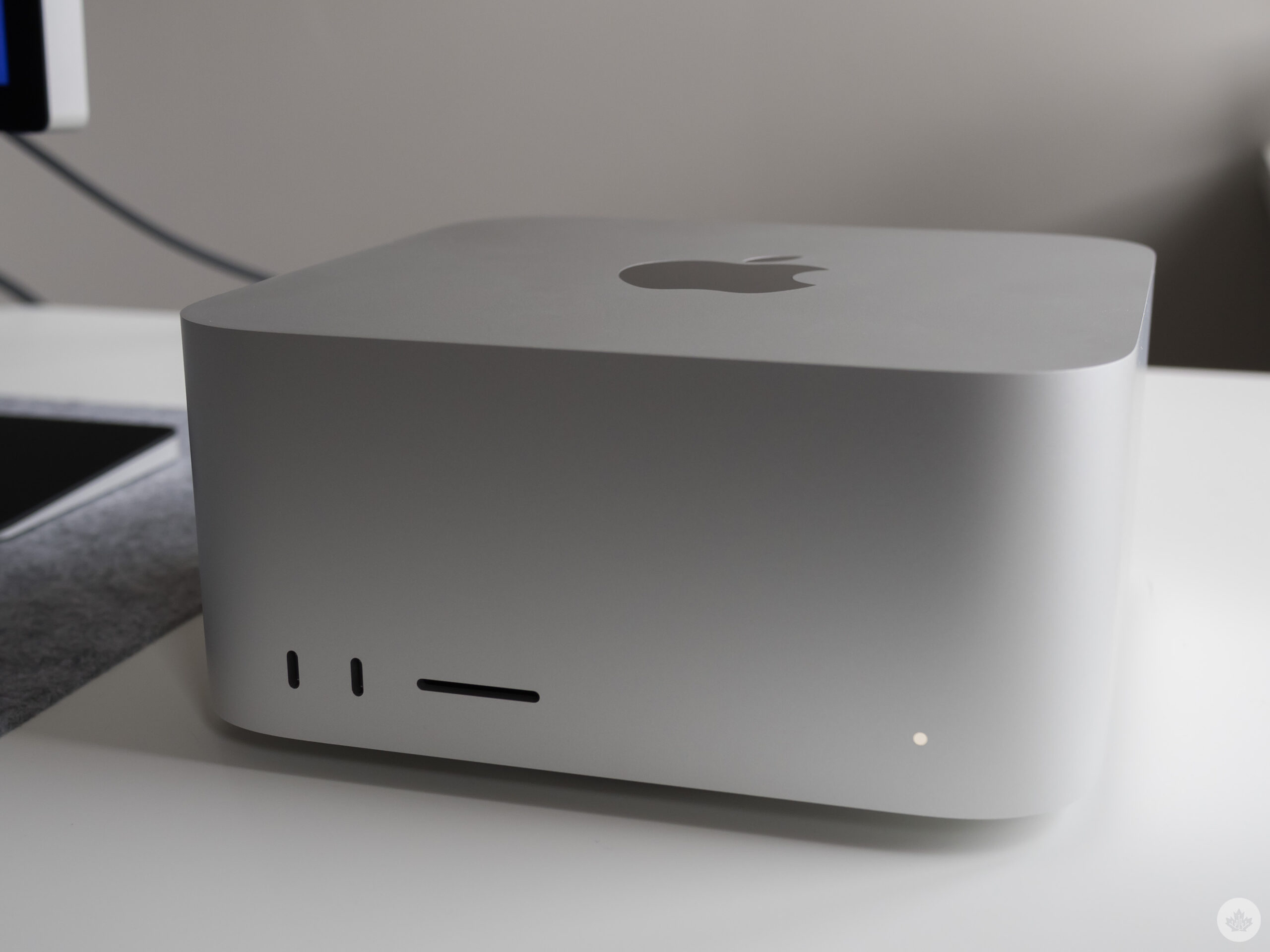
Mac Studio

Though most of my devices now feature a USB-C connection and accompanying cables, the peace of mind a pair of USB-A ports on the Mac Studio offers can’t be understated. On the front of the Mac Studio, there are two USB-C or Thunderbolt 4 ports depending on the configuration and, surprisingly, an SDXC card slot, similar to the most recent MacBook Pro. As an avid photographer, the return of the SD card slot to at least some of Apple’s higher-end devices has streamlined my workflow considerably, and it’s great it’s included in the new Mac Studio.

And did I mention that the unique circular power brick is built directly into the device?
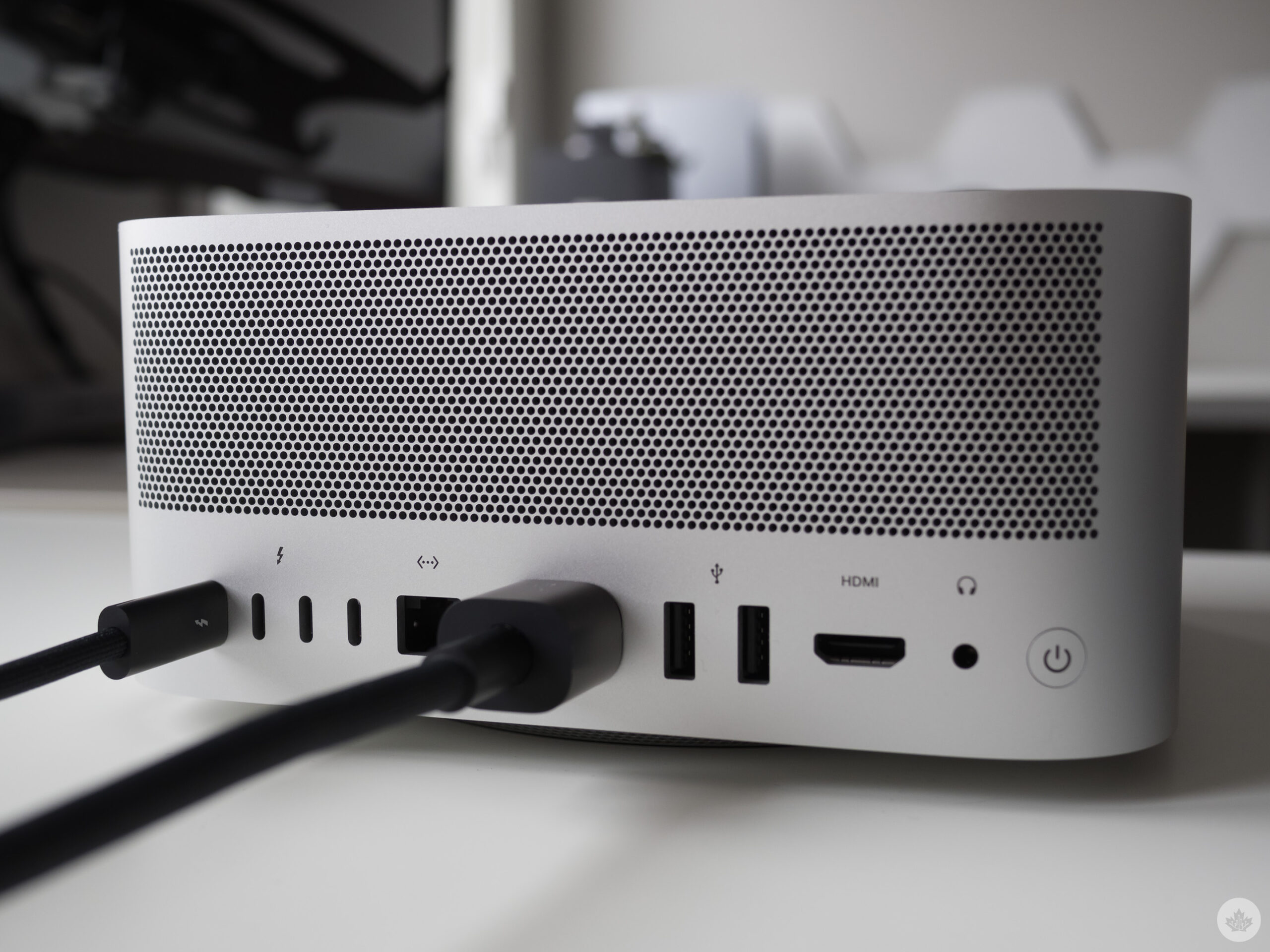
Mac Studio ports

Thanks at least in part to the thermal system that pulls air through the circumference of the Mac Studio’s perforated base (this is where the blower brick is located), so far, I’ve rarely heard the device’s fans come on unless I’m running intensive benchmarking tools. If that doesn’t scream Apple engineering, I don’t know what does.

To be clear, the Mac Studio isn’t perfect since, like most Apple devices, it’s not modular and its RAM can’t be upgraded. But given the direction Apple has headed for the past 10+ years, I’m not surprised. This proves that despite the clear direction shift for several of the company’s product lines, some things still remain the same.

Versatility abound

While Apple is clearly marketing the Mac Studio as a device designed to be used with the pricey 27-inch Studio Display, this isn’t a requirement. If you already have a 4K HDR monitor, mouse and keyboard, all you need is the Mac Studio and you’re good to go, just like with the less powerful M1 Mac mini.

In short, the Mac Studio is the Mac many creatives have been waiting for. And, depending on configuration, the Mac Studio is a cheaper mid-range MacBook Pro (2021). Suppose you don’t need the versatility and portability the MacBook Pro offers. In that case, there’s now a viable alternative that’s very appealing if you already have the required accessories.
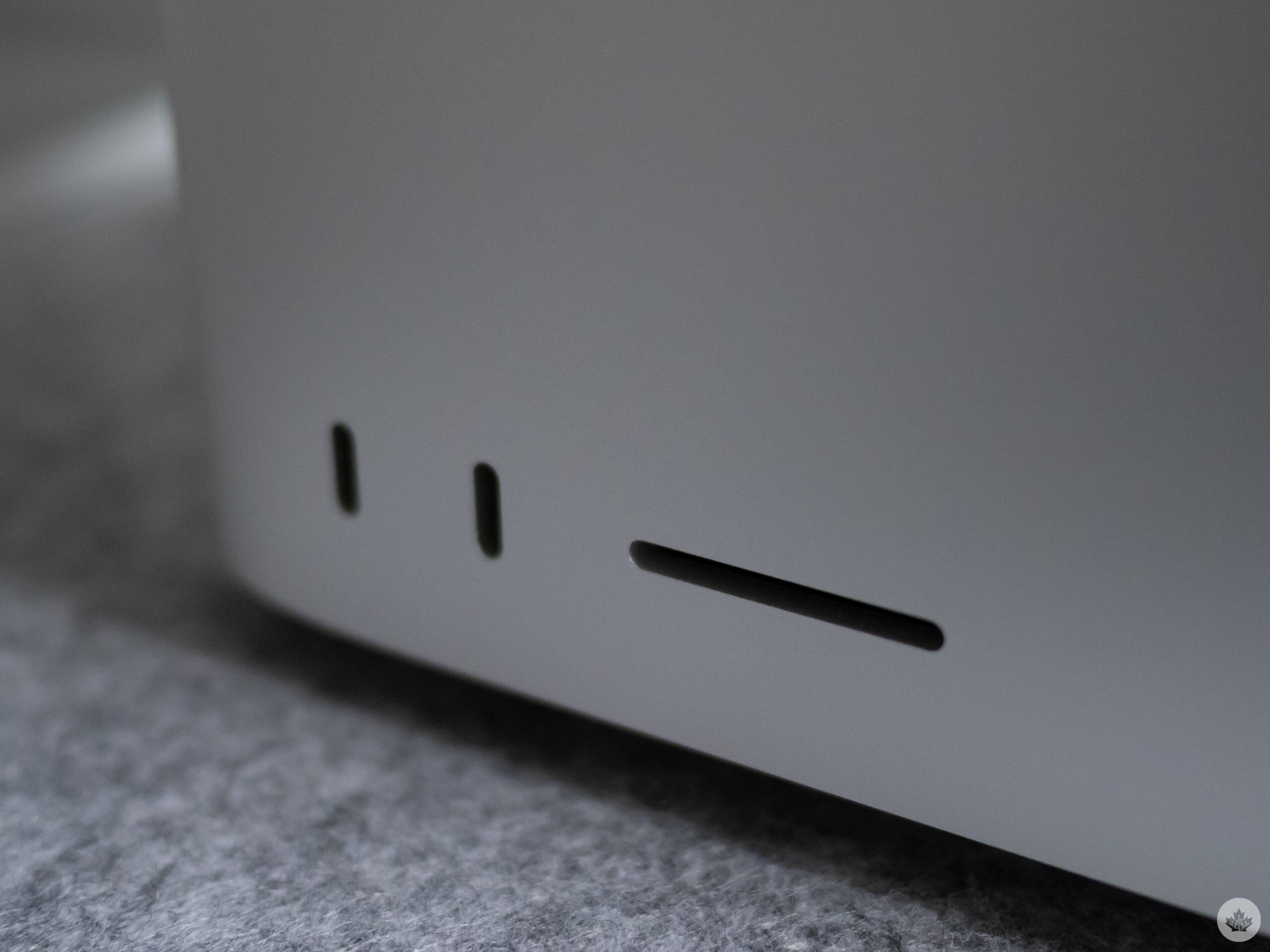
Mac Studio front ports

In my case, the MacBook Pro (2021) I use daily is the 14-inch, 64GB, 1TB M1 Max variant with a 10-core CPU and 32-core GPU that costs $4,149, while the comparable Mac Studio model with identical specs costs $3,499. You could also lower the SSD size and avoid the Apple storage tax given the Mac Studio is designed to be a stationary device, making an external HD a more viable option.

For my purposes, this level of power is a bit of overkill since the most resourced-intensive task I use the MacBook Pro (2021) or Mac Studio for is occasional video/audio editing and a lot of photography work in Adobe Lightroom and Photoshop CC.

The benchmarks


This is likely why many of you clicked on this story given the hype surrounding Apple's M1 Ultra chip. Unfortunately, I can't speak to the power of Apple's highest-end chip that connects two M1 Max processors together through a silicon interposer, because the unit I currently have features a sole M1 Max chip.

That said, as you can tell from our benchmark charts (seen above), the Mac Studio is a beast of a machine that matches the impressive M1 Max MacBook Pro, and because of the additional thermal headroom, it even surpasses the Pro in most respects.

Of course, whether or not the additional power is worth the cost for you will come down to what you intend to do with the Mac Studio. Do you edit a lot of 4K/8K videos and use Final Cut or Adobe Premiere? Maybe you use 3D design software like Vectorworks or 3D/VFX production tools like Houdini FX and Maxon Cinema 4D? If so, the Mac Studio with the M1 Max or M1 Ultra chip could be the device you've been waiting for.

What about the Studio Display?

To start, I want to mention that the 27-inch 5K Studio Display isn't perfect. The base-level version of the display costs $1,999, and it doesn't offer HDR or a 120Hz refresh rate like competing 4K monitors priced well under Apple's offering. Of course, this isn't an entirely fair comparison because ProMotion at 5K would require 53.08Gbps of throughput, a number beyond what Thunderbolt 4 is capable of. Still, Apple could have implemented a feature that allowed ProMotion to work at 120hz for those that don't require the Studio Display's full 5K resolution

To be fair, these features matter to me and how I intend to use the Studio Display, but they may not be an issue for other people.
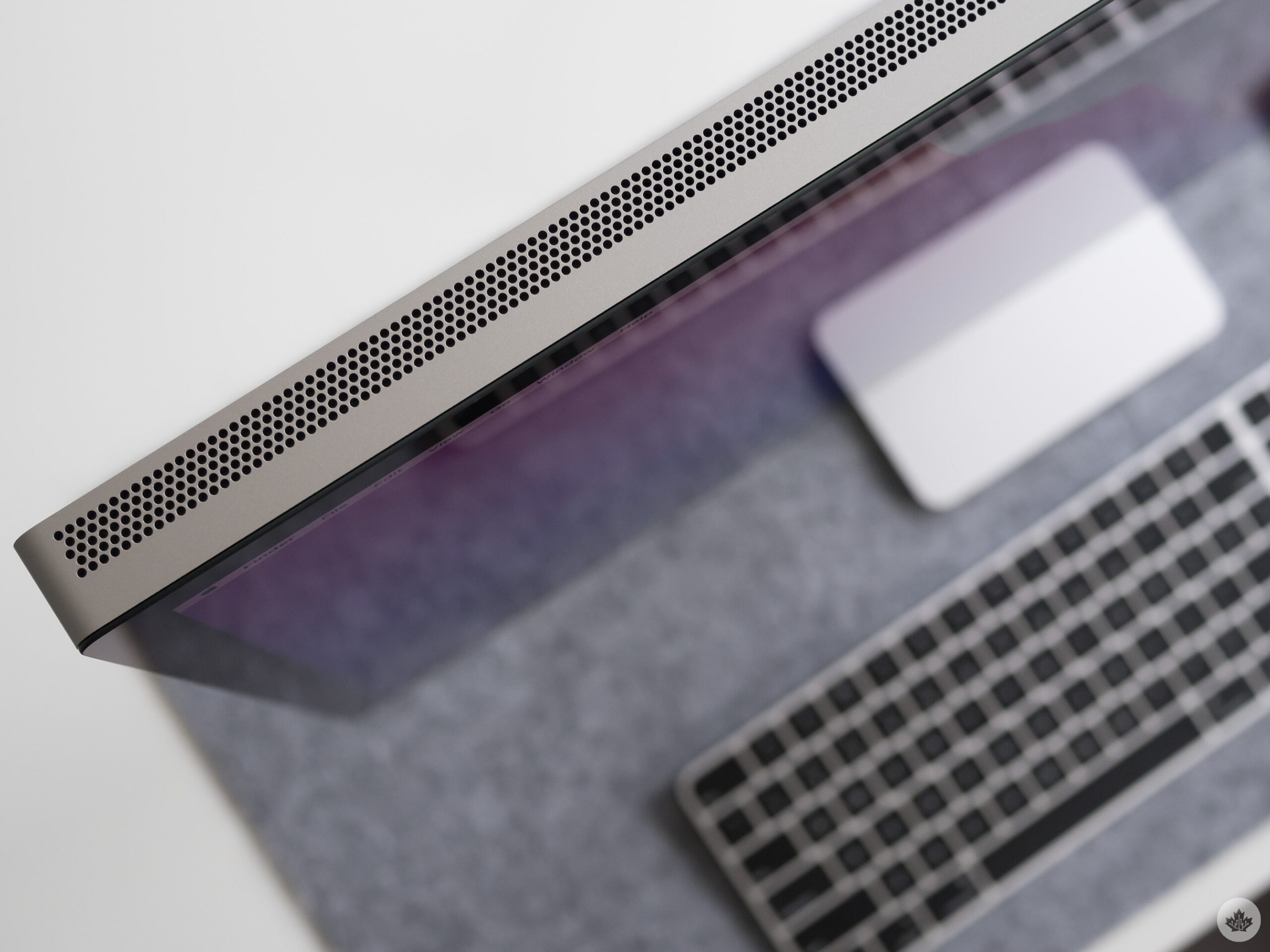
Studio Display

Plus, features like nano-texture glass and the tilt and height-adjustable stand add even more cost to the already pricey screen. For context, in my case, I'd likely opt for the tilt and height-adjustable stand because the standard stand that comes with the Studio Display is a little low for someone of my height. And in true Apple fashion, you need to select whether you want a tilt-adjustable, tilt and height-adjustable or Vesa mount version of the monitor because these features are built directly into the Studio Display and can't be swapped after purchase.

But back to the Studio Display's actual performance. The 5K monitor's colour reproduction is stellar thanks to its P3 wide colour gamut, and overall sharpness is stunning and arguably the best I've encountered in a monitor. Further, despite not supporting HDR, the Studio Display is plenty bright enough at 600 nits, though it's hard not to be disappointed in this spec given the MacBook Pro (2021)'s screen features 1,600 nits of peak brightness with HDR and 1,000 nits of sustained brightness.

There's an iPhone 11 in this monitor

There isn't actually an iPhone 11 in the Studio Display, of course, but it does house an A13 chip that powers its 12-megapixel ultra-wide camera that supports 'Centre Stage' and a microphone. In my testing, the camera's performance is on par with the MacBook Pro (2021)'s excellent built-in shooter. It features excellent automatic white balance/exposure, and Centre Stage is more useful than it may initially seem, especially if you tend to move around a lot during virtual meetings like myself.
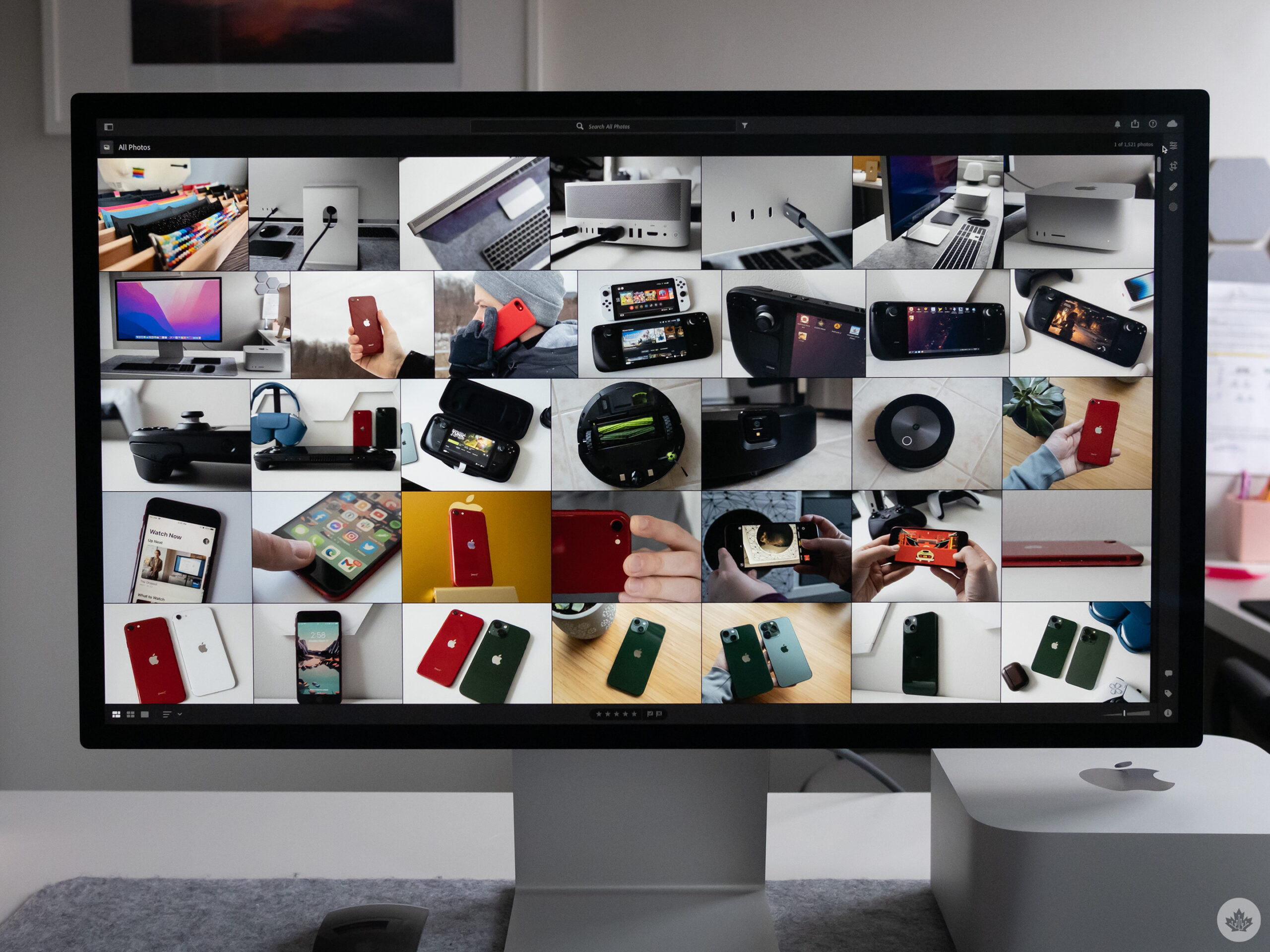
Studio Display front

The Studio Display's sound quality is also impressive. I'd describe its six-speaker/four-woofer set as on par with the MacBook Pro (2021) (there's a theme here). Everything from movies to music sounds full and offers a shockingly wide sound stage for such a small device.

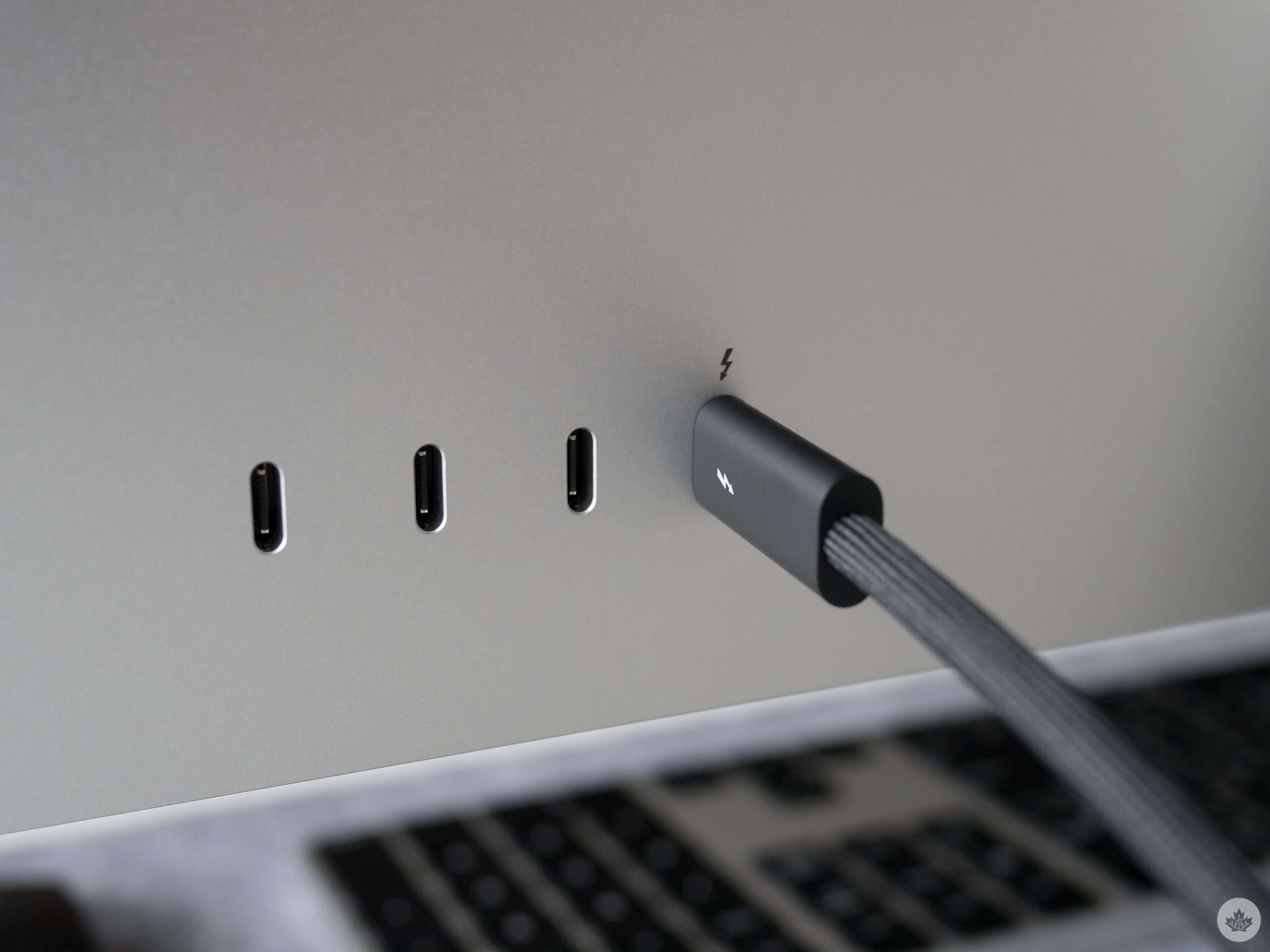
Of course, the Studio Display wouldn't be an Apple product without a few oddities. For example, there's no on/off switch or on-monitor button controls. Settings like brightness and colour are controlled directly through macOS. Further, you can't hook up more than one device through the Studio Display, and there's strangely no HDMI port. That said, the Studio Display can charge devices through Thunderbolt 4 and hooks up to laptops through a single cable.

This may be a new Apple era where performance and design are better balanced, but that still isn't entirely the case for all of the company's products.
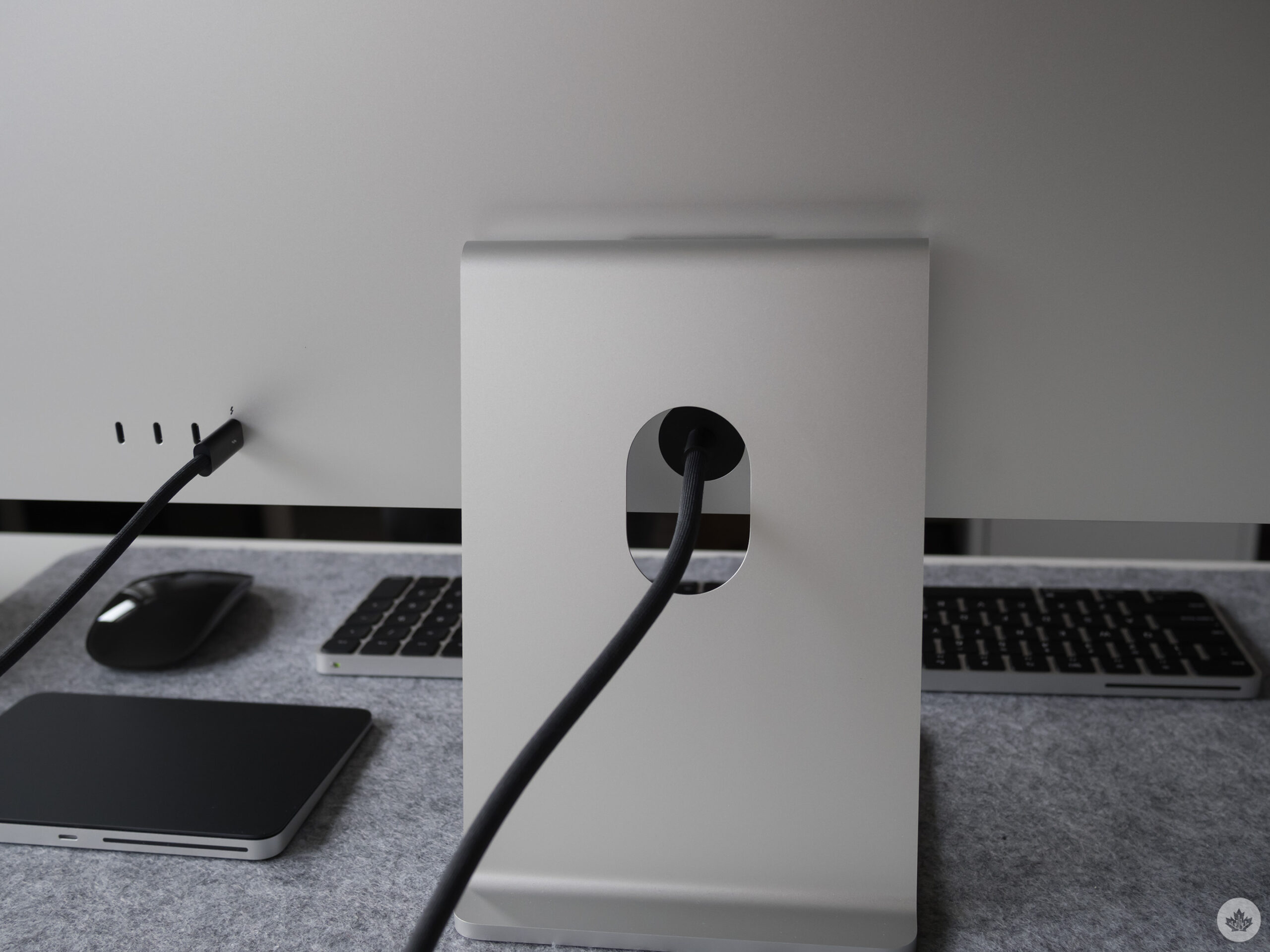
Studio Display cord

Speaking of design, the Studio Display is by far the best-looking monitor I've ever used. It may feature comparable specs to LG's UltraFine 5K display (which Apple no longer sells), but it offers a far sleeker, Apple-like brushed metal aesthetic that's comparable to a thicker version of the 24-inch M1 iMac, but with smaller bezels.

Despite its shortcomings, the Studio Display is an overall worthy successor to the well-received Thunderbolt Display Apple discontinued in 2016 and a viable alternative to the pricey $6,299 32-inch Pro Display XDR Mac users have been asking for.

Everything else

My time with the Mac Studio and Studio Display has been relatively short, and there's still a lot I want to test out in the coming weeks.

For example, how well does the Studio Display work with a Windows PC? What happens when I plug an Xbox Series X into it via a Thunderbolt 4-to-HDMI adapter?
I plan to write about this at some point, but I want to mention how cool Apple's new 'Universal Control' feature is. I feel like I'm in Minority Report when I whip my cursor from my MacBook Pro/BenQ 32-inch EW3280U 4K monitor over to the Studio Display and drag/drop files between both devices.

Keep an eye on MobileSyrup for stories focused on these topics in the coming days.

Balancing style and functionality

It's unclear if Apple's new, more attentive direction will continue with future products, but if its last few devices are any indication, this is a different company with a more consumer-friendly, balance between aesthetic and hardware functionality.

While the Mac Studio embodies this ethos nearly completely, there's still elements of Apple's insistence on pushing the industry forward in a somewhat controversial way present in the Studio Display -- and perhaps that's a good thing because in some cases, the tech giant makes the correct moves, even if it ends up being the target of "bravery" jokes.

MobileSyrup utilizes affiliate partnerships. These partnerships do not influence our editorial content, though we may earn a commission on purchases made via these links that helps fund the journalism provided free on our website

Categories
Mobile Syrup

Your guide to every Apple Watch band in the Apple Store

When Apple released the original Apple Watch in 2015, it knew that it was as much an activity tracker and productivity tool as a fashion piece. While the Apple Watch’s design and operating system have evolved over the last seven years — the watch’s band clasping mechanism has stayed the same.

If you’re like me, you’ve likely amassed quite the collection of watch bands since the very first Apple Watch.

The Apple Watch has always come in two different sizes a ‘small’ and ‘large’ face. The smaller watch face came in 38mm, 40mm, and 41mm, depending on the series of your Apple Watch. The larger watch face came in 42mm, 44mm, and 45mm. These details are essential because your Apple Watch band will fit regardless of the watch’s face size as long as the band is for the ‘smaller’ or ‘larger’ Apple Watch.

You can find Apple Watch bands everywhere. Amazon, Best Buy, Nomad, and many different online retailers. Personally, I’ve found my experience with third-party Apple Watch bands disappointing. You may buy a $12 watch band off Amazon, but the band material is thin, the band doesn’t feel as nice, and the colour may fade.

However, Apple makes quite the assortment of high-quality first-party Apple Watch bands in varying styles and colours. Currently, Apple sells ten different styles of Apple Watch bands, plus their Hèrmes collection. In addition, Apple is known for rotating colours every season, so if you come across a colour you like, jump on it while they have it in stock.

This article is meant to help break down the difference between every Apple Watch band Apple sells to help you pick which bands are best for you!

Here’s your guide to every Apple Watch band style Apple sells:

Solo Loop

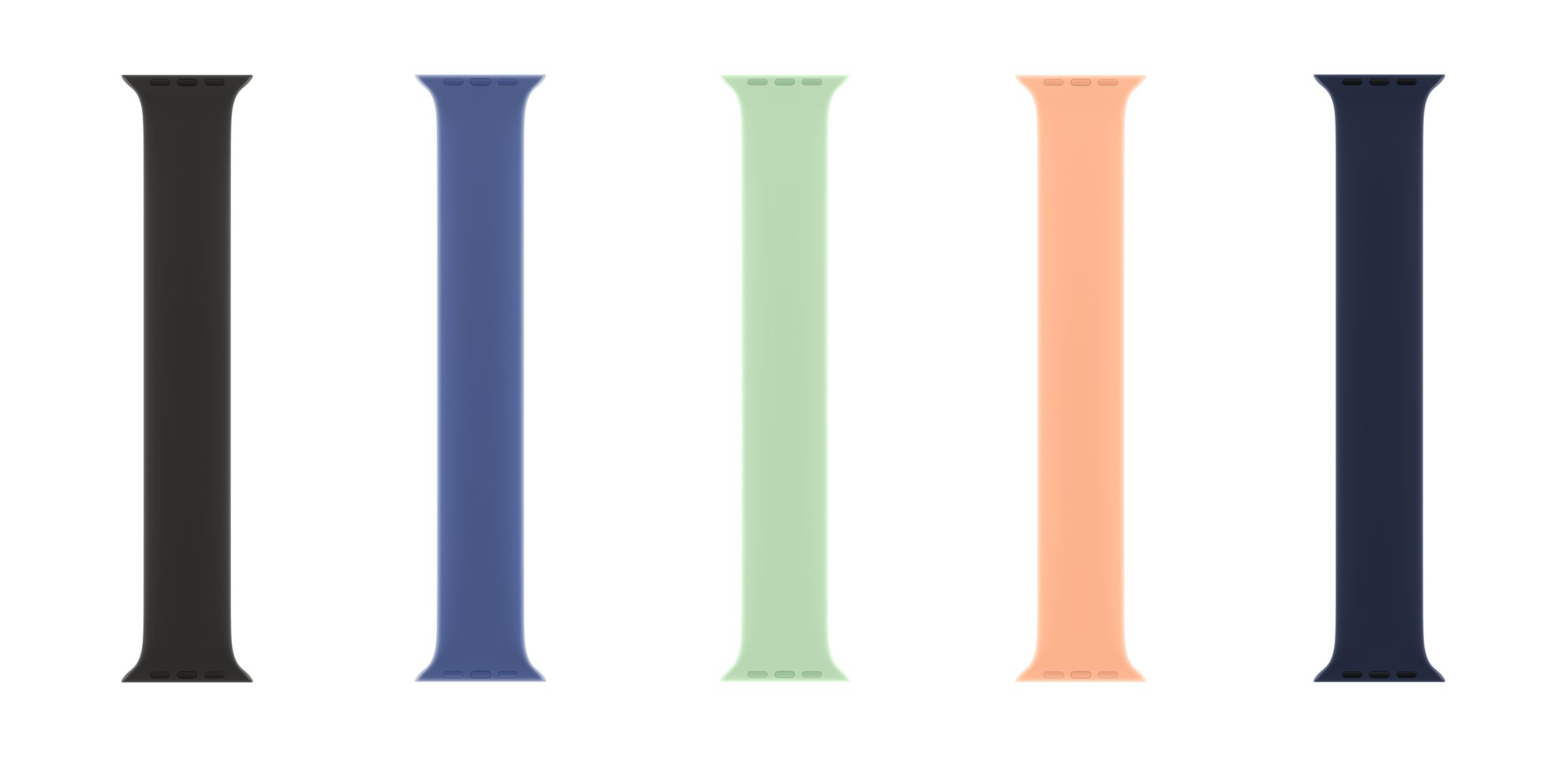
Apple’s Solo Loop launched in September 2020 along with the Apple Watch Series 6. The Solo Loop comes in twelve sizes to accommodate different wrist sizes. Each band is made of one continuous piece of liquid silicone rubber.

Initially, the Solo Loop received critical reviews due to poor sizing assistance. However, Apple has since released a printable paper sizing tool, offered all sizes for try-on at local Apple Stores, and made the exchange process much easier. The Solo Loop is sweat and waterproof.

It’s ideal for someone who doesn’t like buckles or clasps. The band is worth checking out if you’re looking for a band to wear casually, while working out, or while swimming. The Solo Loop is designed to stretch to slide on and off your wrist. The Solo Loop retails for $59 on Apple’s website.

Braided Solo Loop

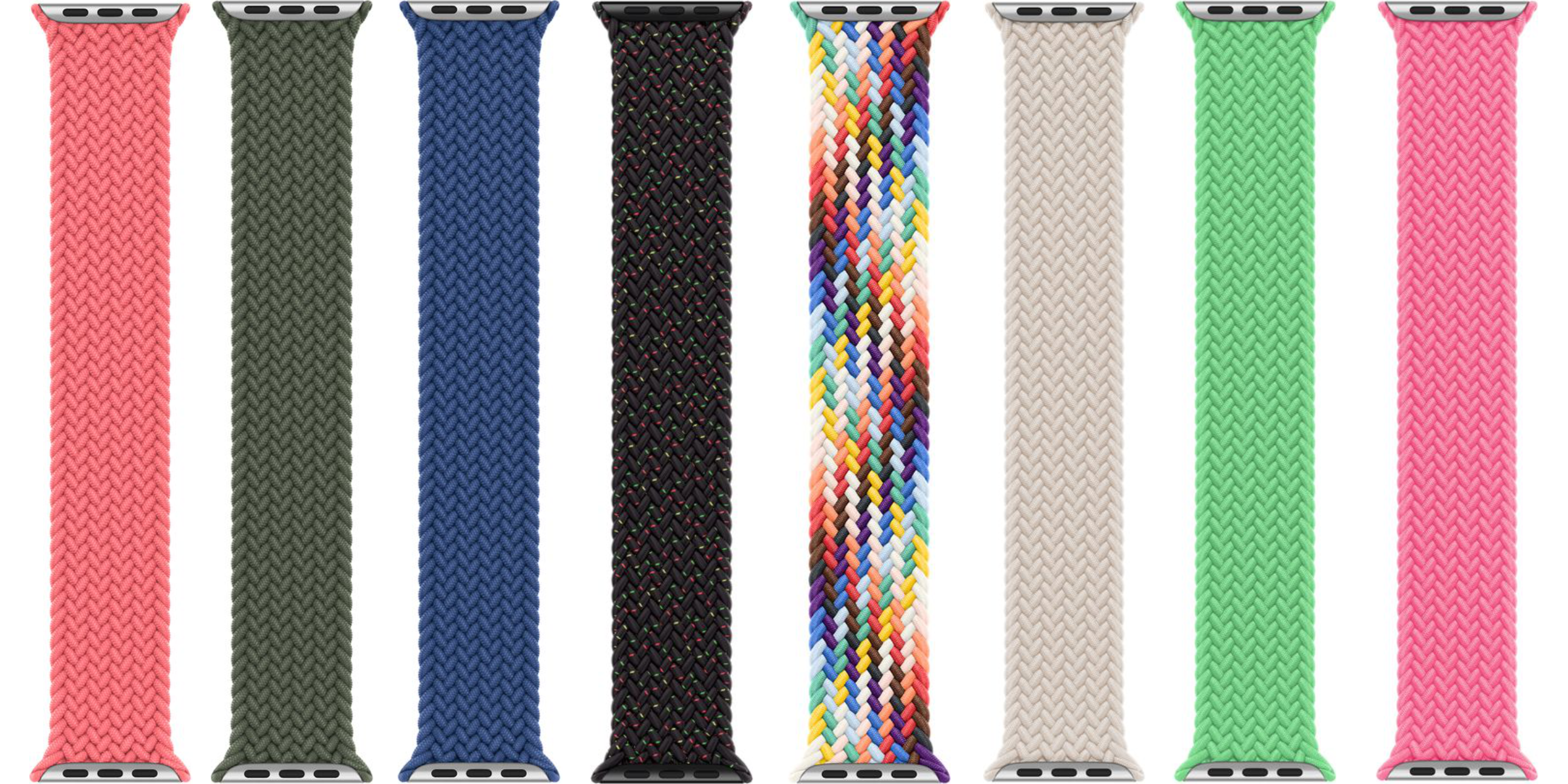
The Braided Solo Loop was released alongside the Solo Loop. The Braided Solo Loop is made up of 16,000 recycled polyester yarn filaments. Apple says that the polyester filaments are wrapped around ultra-thin silicone threads, made using precision-braiding, and are laser cut to the exact length. There are no clasps or buckles, just like the Solo Loop bands.

From personal experience, I can say the Braided Solo Loop is incredibly stretchy, well made, and comfortable to wear. This strap comes in twelve different sizes and ten colours plus a limited edition Black Unity and Pride band.

The Braided Solo Loop is best for someone who wants a casual yet comfortable band. The band is water and sweat-resistant. However, it’s not as easy to clean as a silicon band because the band is fabric. The Braided Solo Loop is the more premium option retailing for $119 on Apple’s website.

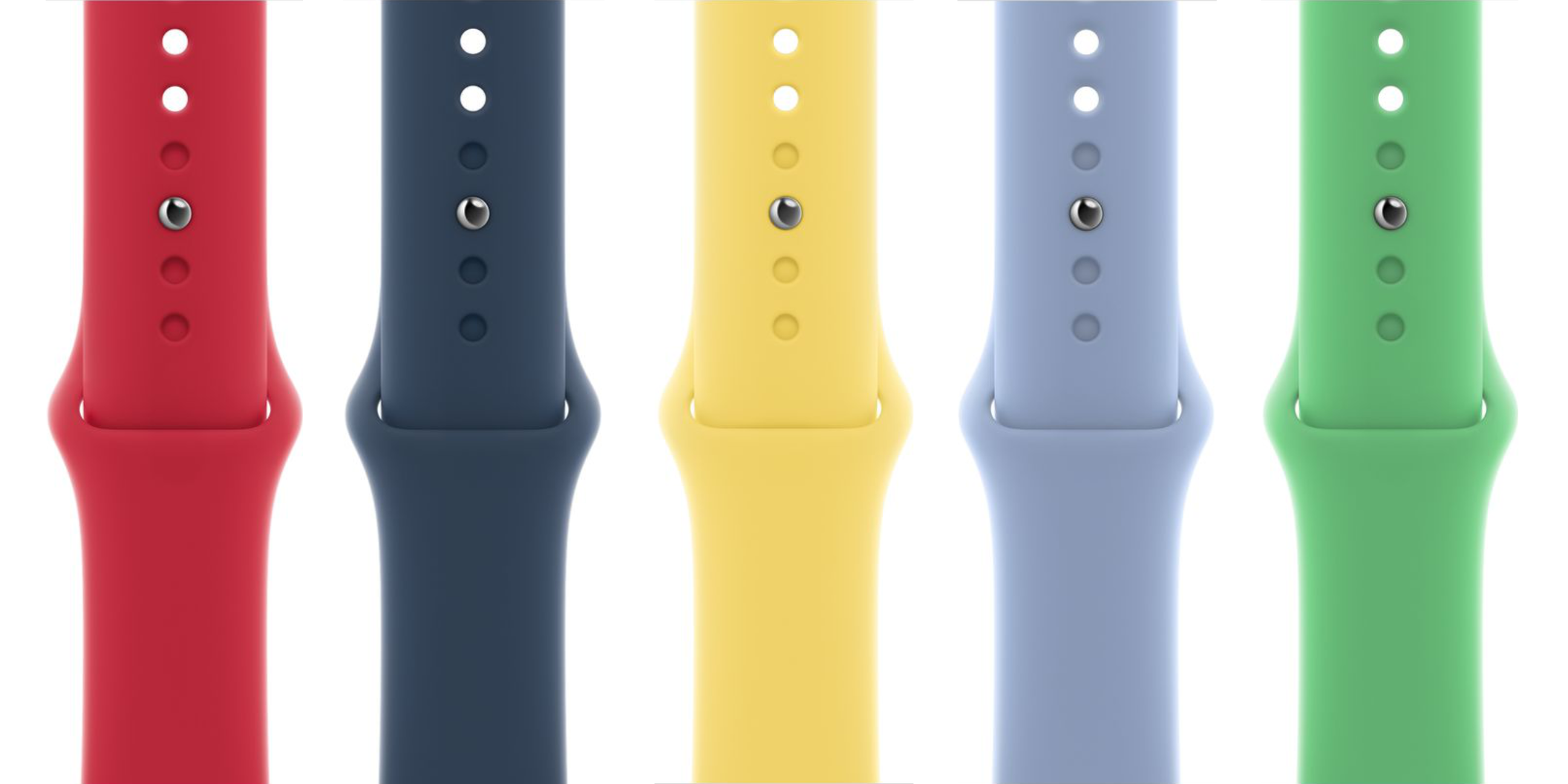
Sport Band

The Sport Band is one of the Apple Watch’s original bands being released all the way back in 2015. The Sport Band is made out of a rubber material called fluoroelastomer, making it sweat and waterproof. In addition, Sport Bands’ feature a unique tucking design that hides the band’s tail. This creates a clean, modern look.

The Sport Band is my top recommendation for a person who wants a flexible strap for all situations. It’s great for working out, playing sports, and casual occasions. Every Sport Band comes with two “tails” that vary in length to account for different wrist sizes. The Sport Band currently comes in eight colours and retails for $59 on Apple’s website.

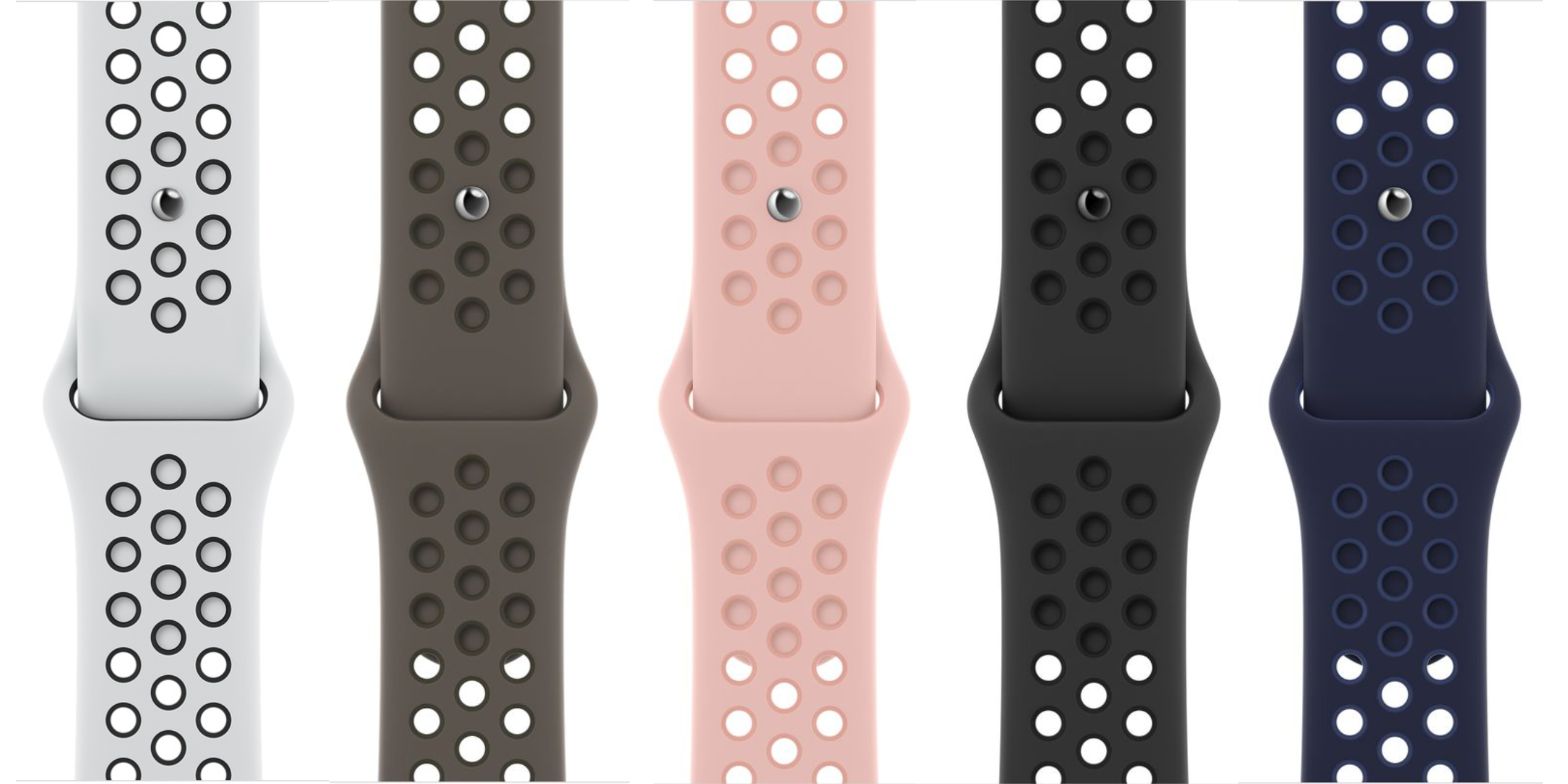
Nike Sport Band

The Nike Sport Band is a spin-off of Apple’s Sport Band. The Nike Sport Band is made in partnership between Apple and the sports apparel brand, Nike. The band is made of fluoroelastomer materials like Apple’s Sport Band. Still, it has holes throughout its design to provide your wrist with more breathability.

The Nike Sport Band currently only comes in five two-tone colour options. This band also features the tail tucking style and two “tail” sizes as Apple’s Sport Band. So if you’re looking for a unique styled strap or are very physically active — this is an excellent band for you. The Nike Sport Band retails for $59 on Apple’s website.

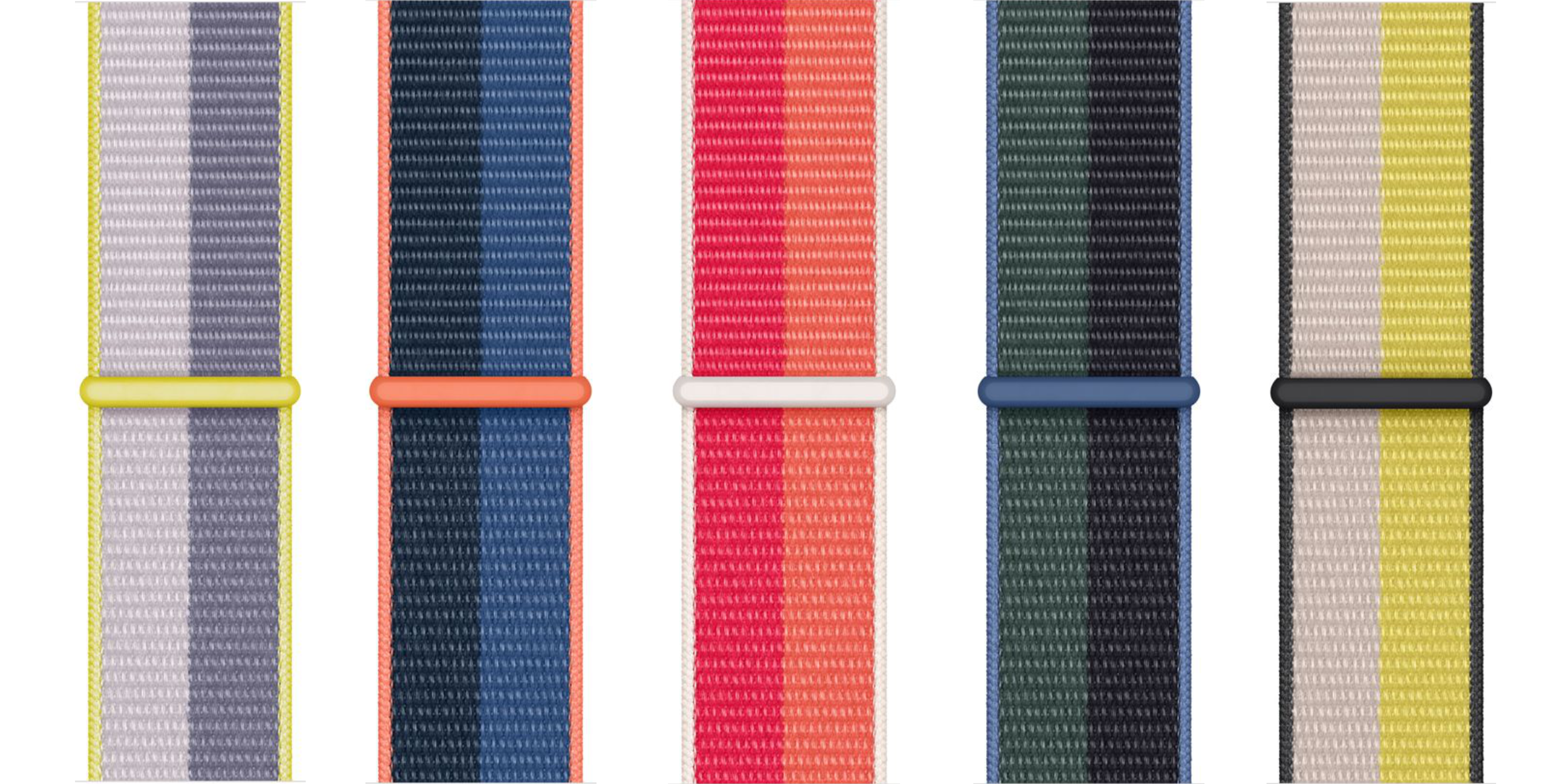
Sport Loop

The Sport Loop was introduced in 2019 and replaced Apple’s now discontinued Woven Nylon Bands. The Sport Loop features a hook-and-loop fastener (aka velcro) design that allows you to tighten the strap to your desired fit. The Sport Loop has been affectionate called the “sweatpants” of Apple Watch bands because of its soft fabric material.

The band is sweat and waterproof. However, similar to the Braided Solo Loops, the fabric is more challenging to clean than the silicone material bands. Each strap has two tones of colour. A lighter shade runs down the band’s left side, and a darker shade runs down the right.

Apple’s Sport Loop is an excellent option for a person looking for a soft, casual strap. I use a Sport Loop when I’m sleep tracking. Currently, there are five different two-tone colour combinations you can purchase. These bands retail for $59 on Apple’s website.

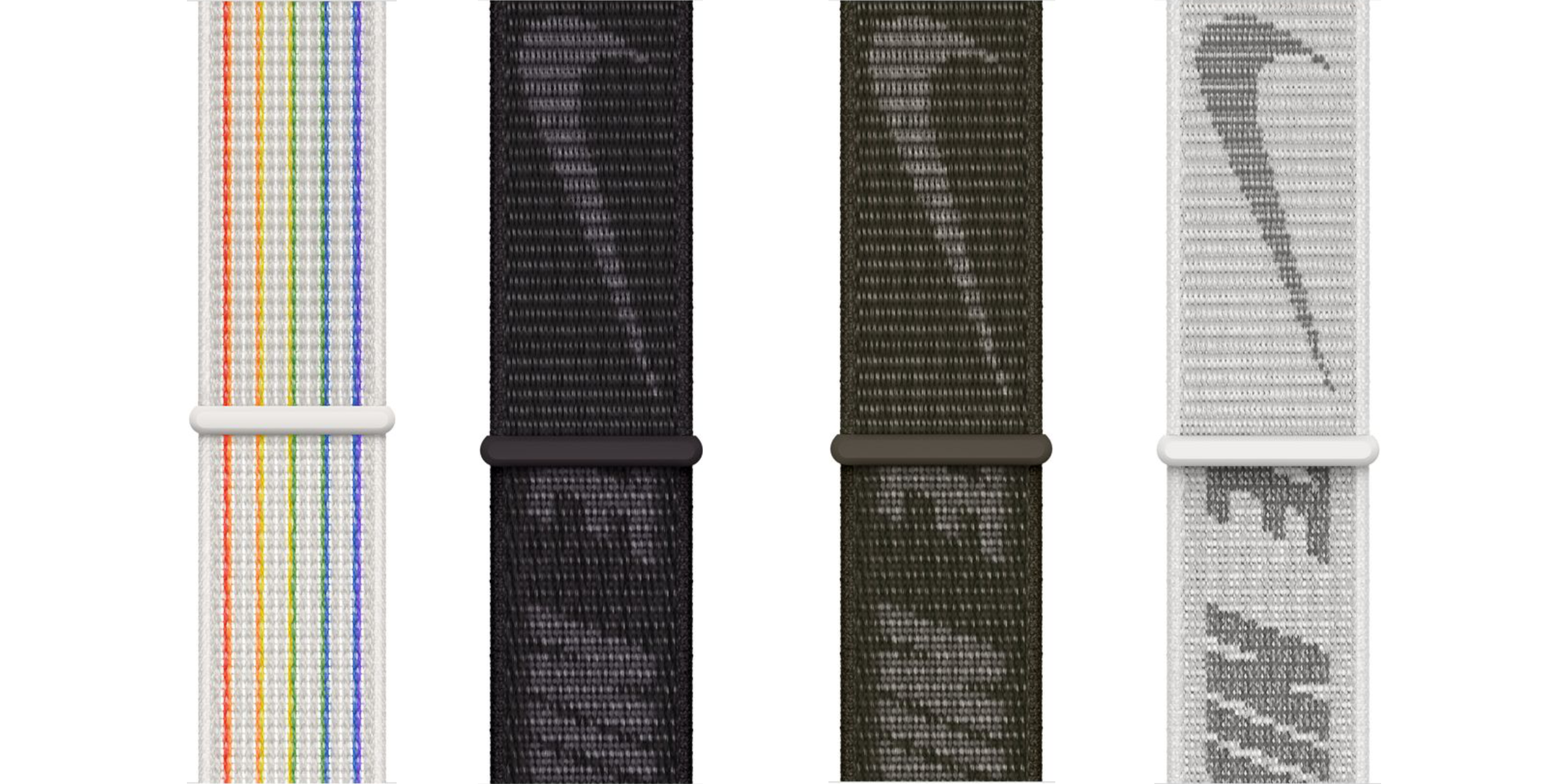
Nike Sport Loop

The Nike Sport Loops is another Nike-Apple partnership band. The band is made of the same materials as Apple’s Sport Loops with one additional benefit. The Nike Sport Loops feature a nylon weave with reflective thread. This means that a shimmer of light will reflect back at the source whenever light strikes the band.

Design-wise, the Nike Sport Loop comes in three different colours plus a Pride edition. The three coloured variants have the word ‘Nike’ and the Nike checkmark. Meanwhile, the Pride Edition band is white with five strips of colour running down it.

The reflective material makes this an excellent strap for outdoor runners. If you’re a huge Nike fan, the Nike logo on the band makes this a steller strap for you too. The Nike Sport Loop retails for $59 on Apple’s website.

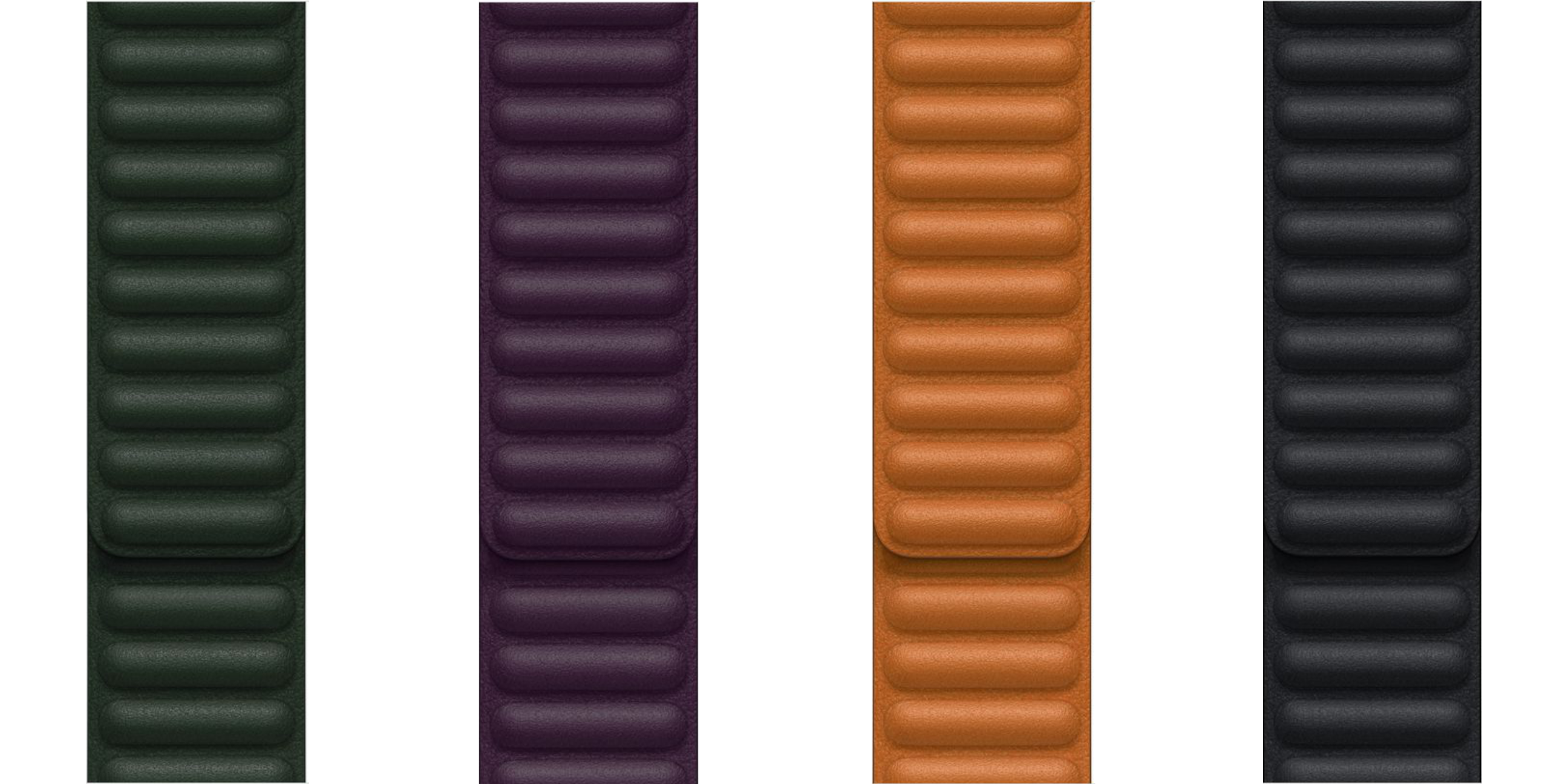
Leather Link

The Leather Link is made of handcrafted French Granada leather and features a unique magnetic clasping design. The two band tails magnetically attach to each other, allowing you to adjust your fit. I really enjoy the Leather Link, personally owning both a black and brown one.

The Leather Link replaces Apple’s Leather Loop that was exclusive to larger-faced Apple Watches. When purchasing the Leather Link, you need to pick between an S/M (130-160mm wrist size) or M/L (140-180mm wrist size) to ensure you get the best fit.

The Leather Link is a fantastic formal and business casual option. The band comes in eight colours and retails for $119 on Apple’s website.

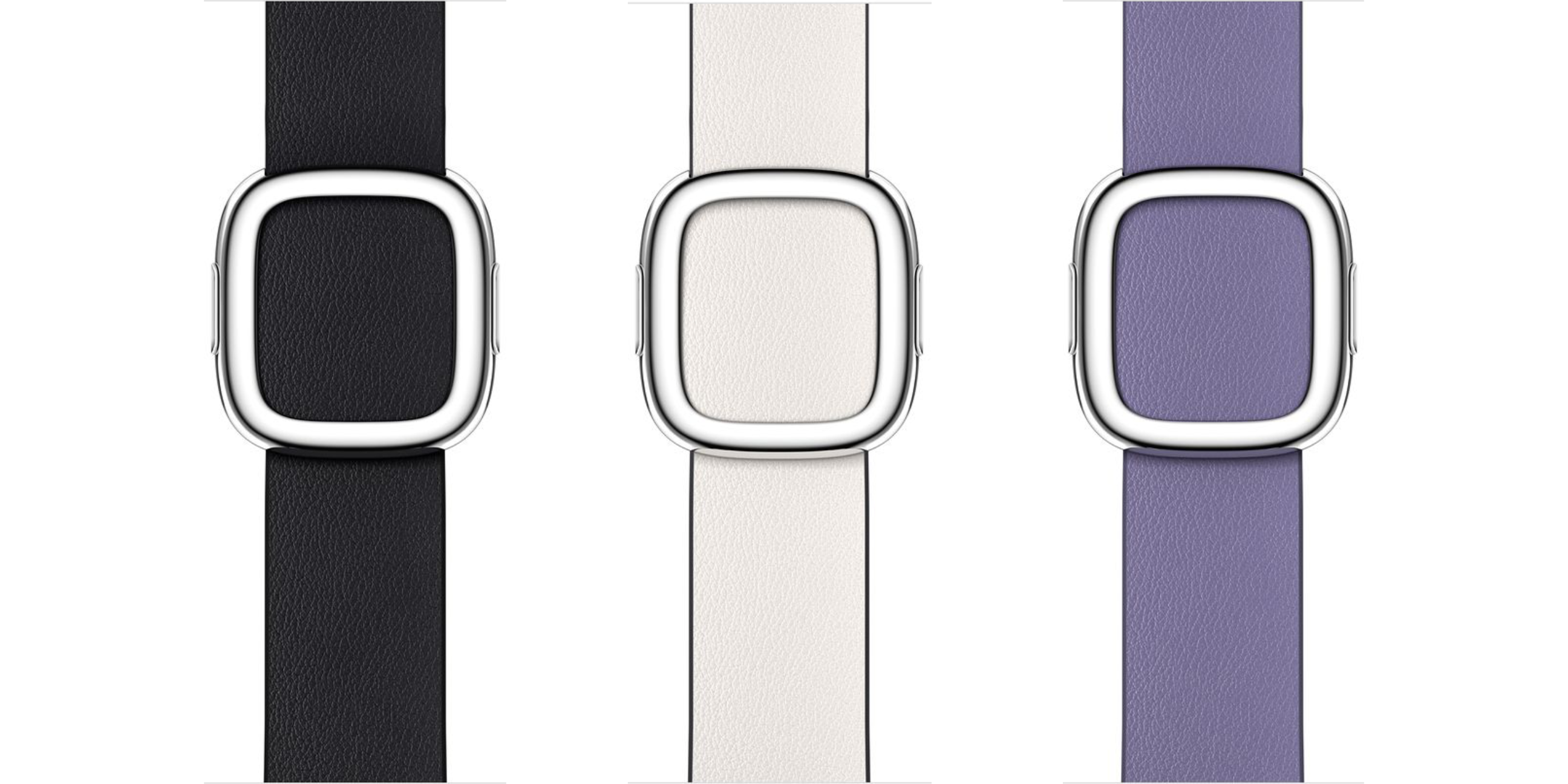
Modern Buckle

Apple’s Modern Buckle is another Apple Watch band that shipped with the original Apple Watch back in 2015. The Modern Buckle is made of Granada leather sourced from a French tannery established in 1803. To give the band strength and stretch, the underside of the band features Vectran weave—a material used by NASA to create airbags for the Mars rover spacecraft.

The Modern Buckle is only compatible with smaller-faced Apple Watches (38mm, 40mm, and 41mm). Therefore, before buying this band, you’ll need to measure your wrist to ensure you purchase the correct size. There are three sizes; small (135-150mm sized wrists), medium (145-165mm sized wrists), and large (160-180mm sized wrists).

The Modern Buckle is an excellent choice for a more formal Apple Watch band. The leather comes together using a unique magnetic buckle. This magnetic buckle makes the band easy to take on and off and very secure on the wrist. Currently, there are six colour options for the Modern Buckle. The band retails for $189 on Apple’s website.

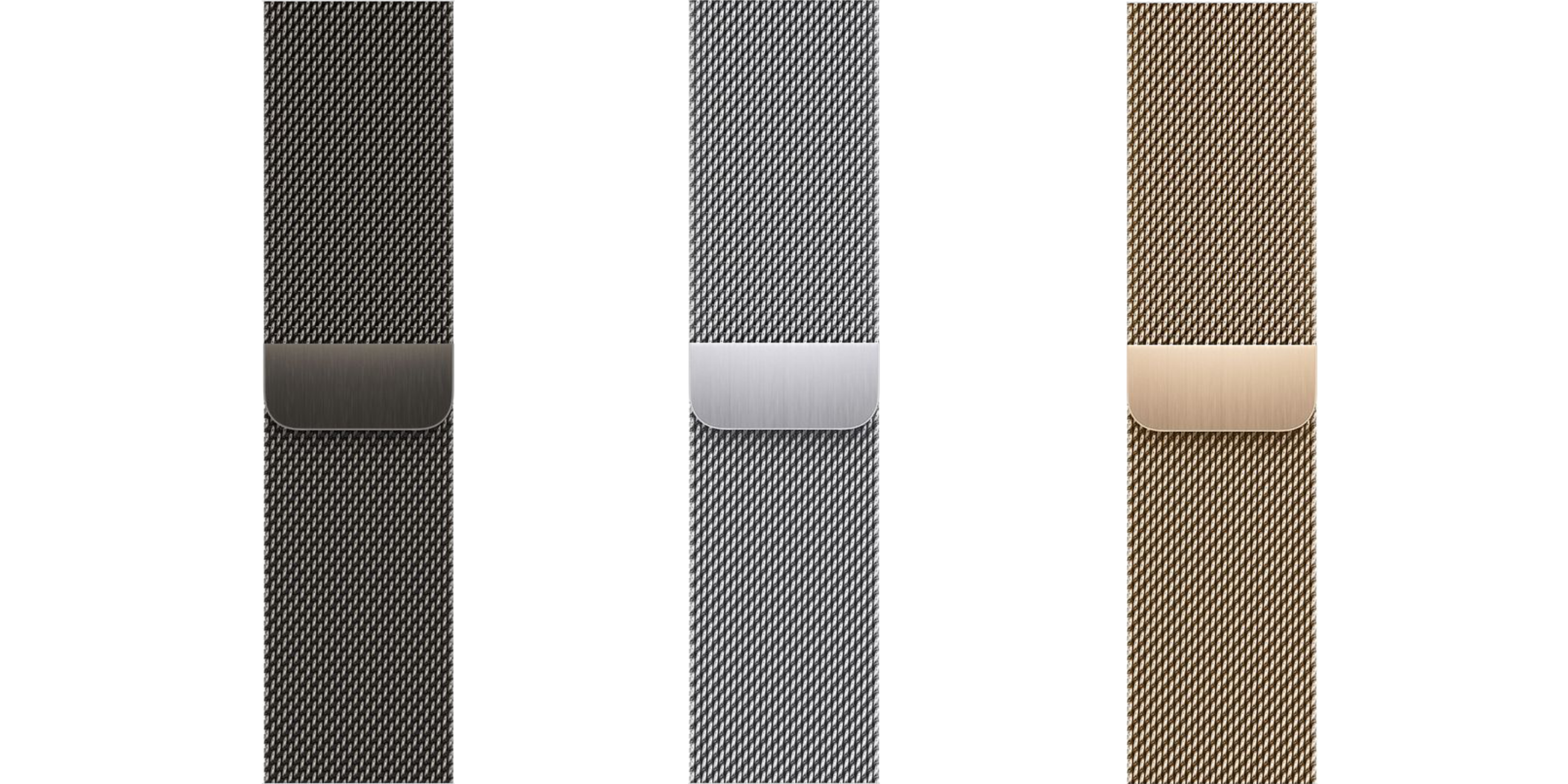
Milanese Loop

The Milanese Loop is made of a woven stainless steel mesh material. Specialized Italian machines make the Milanese Loop. The Milanese Loop features a beautiful design that wraps through one of the Apple Watch’s band clasps and magnetically attaches, giving the perfect fit to every wearer.

This band makes for another tremendous formal or business casual option. In addition, the initial Milanese Loop design got refreshed to allow the band’s magnetic to slip out and the band to lay flat. This is a significant design change by Apple to support flat Apple Watch charging stands.

The Milanese Loop comes in three different colours to match each of the stainless steel Apple Watches. This band fits wrists between 130-180mm and currently retails for $119 on Apple’s website.

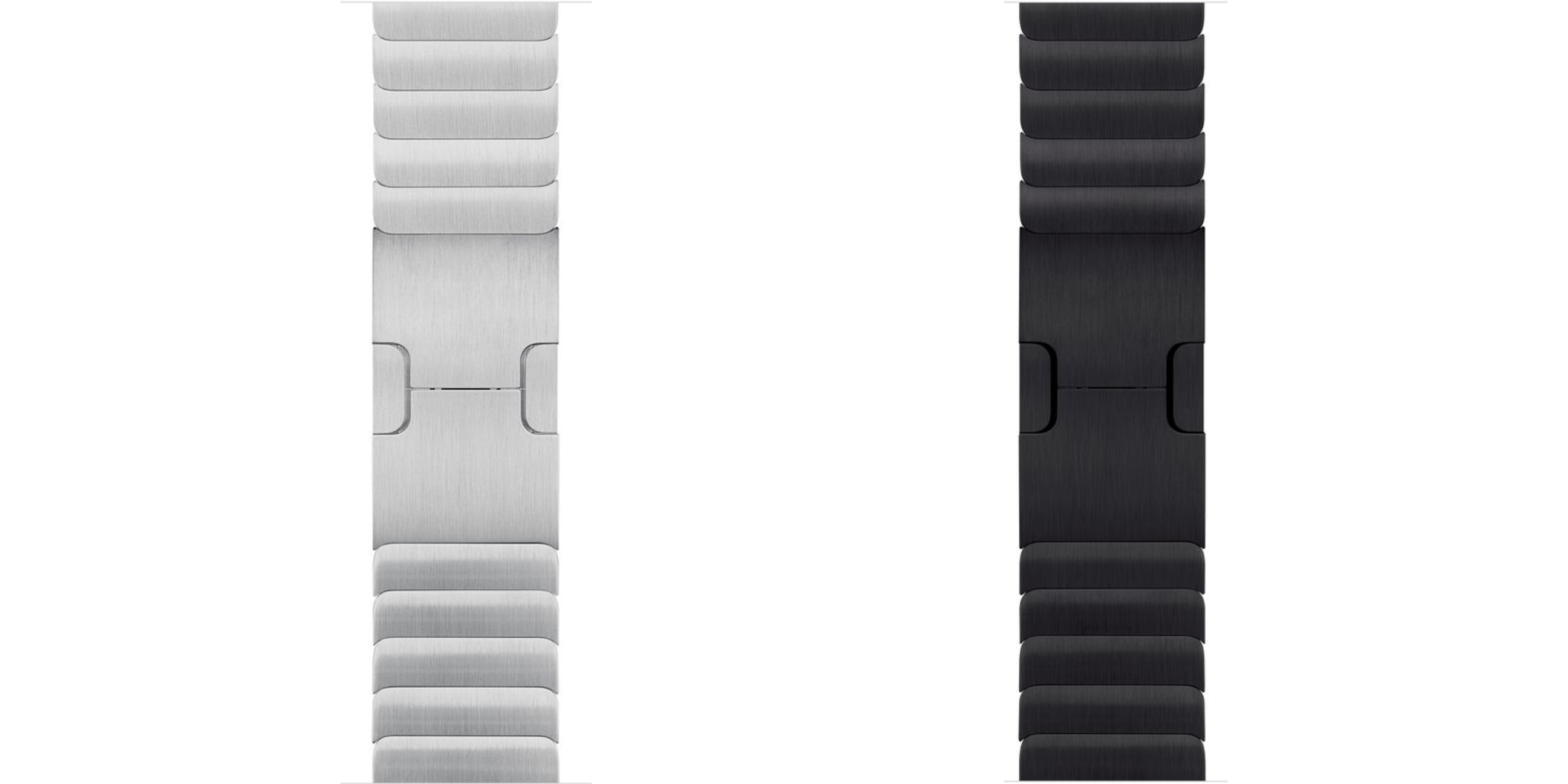
Link Bracelet

The Link Bracelet is Apple’s most expensive band, not counting the Hermes collection. Given that Apple’s website and packaging at the Apple Store still show 38mm and 42mm sizes, it seems that these bands may be from the original Apple Watch days. Given their pricing, it’s not surprising that Apple didn’t sell many of them.

With that said, I did buy one several years ago, and it’s one of my favourite bands. The Link Bracelet is made of 316L stainless steel alloy and features more than 100 components. It takes nearly nine hours for this band to be precision cut. Apple also designed a custom butterfly locking mechanism for each of the band’s links. This allows for easy and quick length adjustments by adding or removing links without a specialty tool.

The Space Black Link Bracelet goes through an additional process to get a diamond-like carbon coating to obtain its unique space black finish. The Link Bracelet is ideal for someone who wants an expensive watch on their wrist. You can purchase the Link Bracelet in Silver for $449 or in Space Black for $579.

Hermès Leather

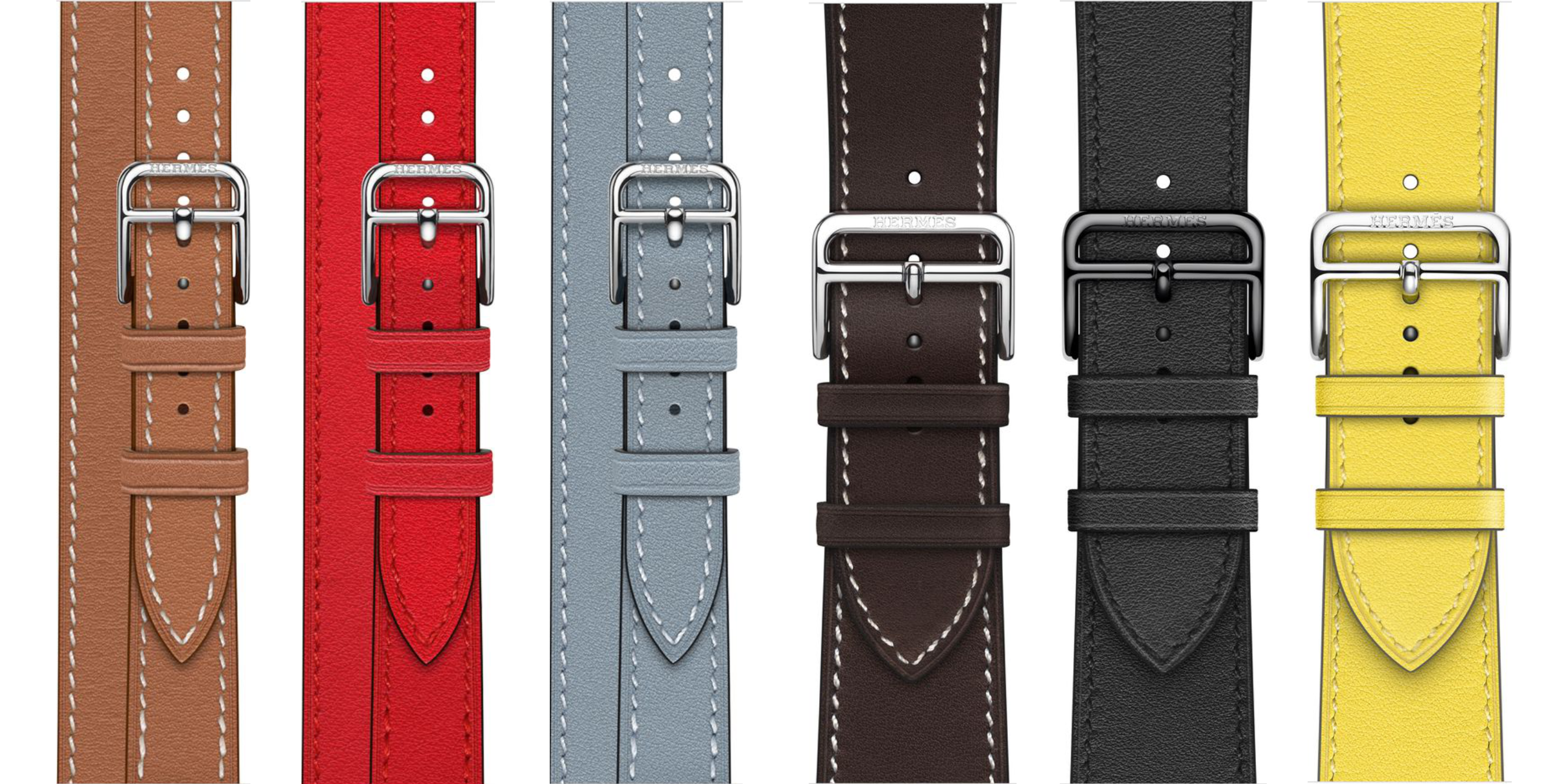
Apple partnered with the French leather goods brand Hermès to create a unique premium collection of Apple Watches and bands. The Hermès Leather bands are handmade by French artisans with supple Swift leather.

The Hermès Leather bands come in a Single Tour and Double Tour style in various colours, buckles, and designs. Hermès Leather bands are best for someone who appreciates designer brands and wants a stylish, formal Apple Watch band. Prices range from $429 to $679 from Apple.

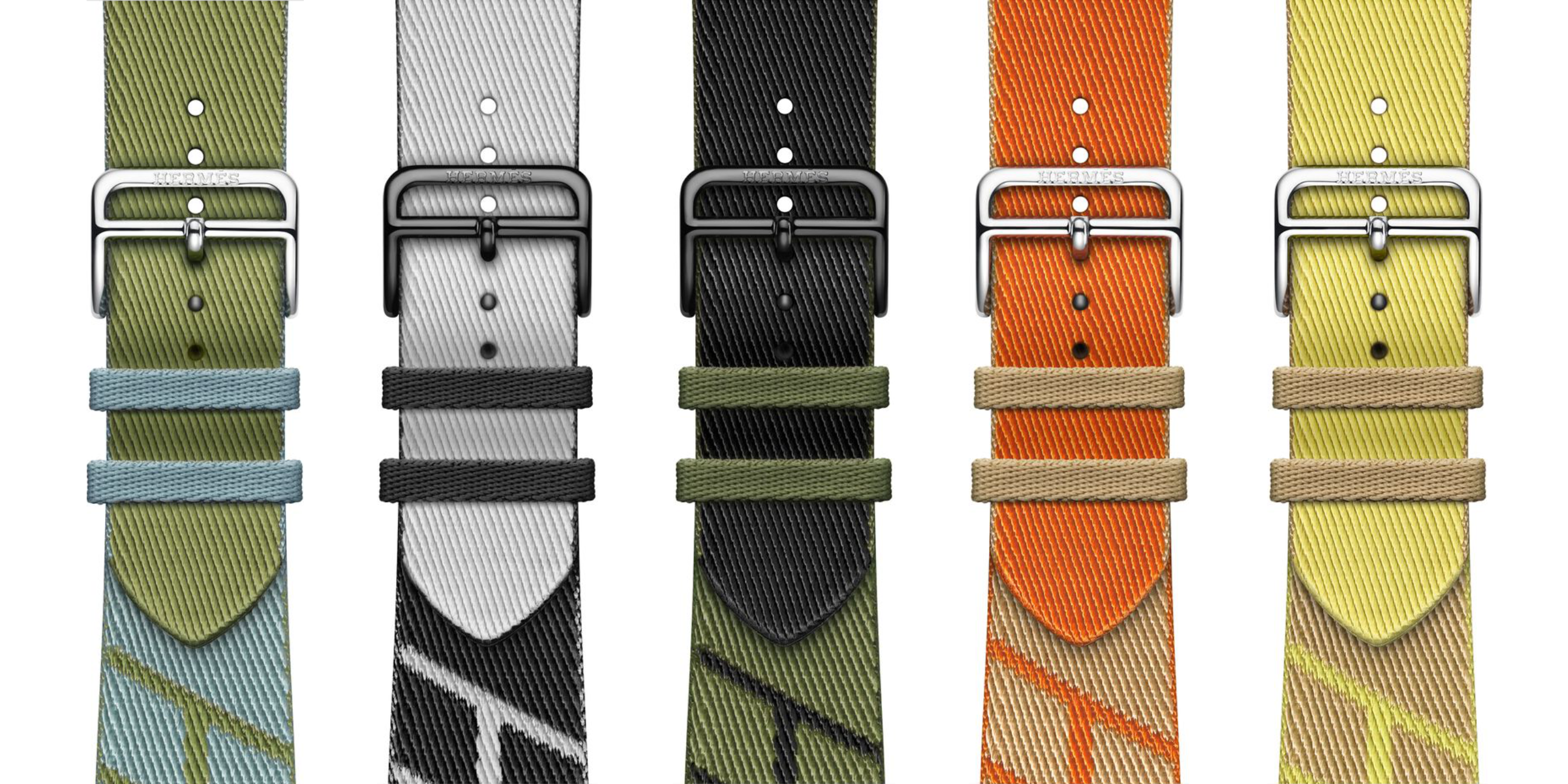
Hermès Jumping Single Tour

Hermès Jumping Single Tour bands are made of a woven textile by Hermès French designers. This newer addition to the Hermès family is meant to bring a little athleticism to their collection. These bands are sweat and waterproof, and are best for someone who appreciates a premium designer brand but wants something more casual or athletic. The Hermès Jumping Single Tour is currently available in seven colourful styles and retails for $399 at Apple.

MobileSyrup utilizes affiliate partnerships. These partnerships do not influence our editorial content, though we may earn a commission on purchases made via these links that helps fund the journalism provided free on our website.

Categories
Mobile Syrup

Samsung’s Galaxy Book 2 Pro series is now available for pre-order

Samsung’s Galaxy Book 2 Pro series is now available for pre-order. On the other hand, the Galaxy Book 2 Pro 360 will be available for purchase on April 1st on Samsung’s Canada’s website, its Experience Store and other major retailers in Canada.

The Galaxy Book 2 Pro starts at $1,599.99 for 256GB of storage and a 15.8-inch display. The laptop is available in ‘Graphite.’

The Galaxy Book 2 Pro 360 starts at $1,469.99 for the 256GB model with a 13.3-inch display with either an i5 or i7 processor. The 512GB variant features a 13.3-inch display and an i5 processor.

Between March 17 and March 31st, you’re able to receive a free pair of Galaxy Buds Pro and Multiport adapter when you pre-order either the Galaxy Book 2 Pro or the Galaxy Book 2 Pro 360. Additionally, you’ll get a bonus Samsung Care+ 2-year plan for a new device when you pre-order either laptops.

Furthermore, you’ll get bonus Air Miles points if you preorder either laptop:

  • 350 Bonus Miles with the purchase of a Galaxy Book 2 Pro.
  • 500 Bonus Miles with the purchase of a Galaxy Book 2 Pro 360.
  • 100 Bonus Miles for customers who purchase Samsung Care+ for an eligible Galaxy Book 2 series device

Samsung says it’s also offering trade-ins for up to $100 in credit when you trade in an old tablet, smartphone, laptop and more.

Image credit: Samsung 

Source: Samsung

Categories
Mobile Syrup

PlayStation’s Mega March sale discounts games up to 70 percent off

The PlayStation Store has launched a new sale just in time for March Break. 

Some of the titles on sale include The Sinking City, A Plague Tale: Innocence, Assassin’s Creed Valhalla, Back 4 Blood, Deathloop and many more.

This sale is available until March 30th.

Below are the notable titles included in the sale:

For a full list of discounted titles, follow this link.

Source: PlayStation

Categories
Mobile Syrup

Honda will spend $1.4 billion to upgrade plants for EV production in Ontario

The governments of Canada and Ontario are investing millions to help fuel domestic hybrid car production.

Each government is investing $131.6 million towards Honda Canada’s plans to upgrade its facilities in Alliston, Ontario.

“As we build a cleaner future, the automotive sector is a key partner in powering the way forward,” Prime Minister Justin Trudeau said at a news conference Wednesday.

Honda is investing $1.38 billion on upgrades over the next six years, including the collective $263.2 million from the two levels of government. The plants will eventually build a hybrid CR-V compact SUV.

“We are so pleased that Honda has made this investment in Ontario and know that the cars of the future will be built here in Alliston and all across Ontario for decades to come,” Ontario Premier Doug Ford said in a statement.

But it’s important to note neither political leader answered questions relating to Ontario’s rebate on electric vehicles, which was pulled in 2018.

“Since we’ve been in office, electric vehicles have tripled in sales, so I guess that was a good decision,” Ford said without answering the question directly.

Trudeau also dodged the question, stating the federal government was happy to collaborate with Ontario on the announcement.

Image credit: Shutterstock

Categories
Mobile Syrup

The Batman’s emo-ness drives Nirvana streams up by 734 percent

One of the standout elements of the marketing for Warner Bros.’ recently released The Batman has been the film’s use of Nirvana’s “Something in the Way.” In addition to featuring in the movie’s trailers, the 1991 song plays twice in the actual film.

Now, all of that exposure has led the track to top music streaming charts. According to music sales data firm MRC Data, The Batman‘s opening weekend (Friday, March 4th through Monday, March 7th) saw “Something in the Way” accumulate 3.1 million on-demand U.S. streams — up 734 percent from the previous four days.

What’s even more impressive is that this only includes “official” streams on platforms like Spotify, and it also only accounts for the U.S. It’s unclear how many people were listening to the song via other means and/or in other countries like Canada.

Earlier this year, The Batman co-writer and director Matt Reeves told Esquire that he chose the song for the film after listening to it early on in the writing process.

“When I considered, ‘How do you do Bruce Wayne in a way that hasn’t been seen before?’ I started thinking, ‘What if some tragedy happened and this guy becomes so reclusive, we don’t know what he’s doing? Is this guy some kind of wayward, reckless, drug addict?’” said Reeves. “And the truth is that he is a kind of drug addict. His drug is his addiction to this drive for revenge. He’s like a Batman Kurt Cobain.”

This isn’t the only DC Comics property that’s recently led to a spike in popularity of an old song. Earlier this year, James Gunn’s use of Wig Wam’s “Do Ya Wanna Taste It” in his Peacemaker series pulled the Norwegian glam metal rock band out from a career slump and allowed it to keep its agent. The song plays during the catchy, meme-worthy opening credits of Peacemaker, which streams on Crave in Canada.

Image credit: Warner Bros.

Via: Billboard