Categories
Mobile Syrup

I replaced Android on a Pixel 3 with an Android-based privacy OS

Some of the more privacy-conscious people out there may be tired of the lack of actually private mobile phones available on the market. There’s the iPhone, which Apple champions as private but isn’t entirely, while Android relies on Google-made software to work well. Ever tried using a pure Android Open Source Project (AOSP) build without Google’s invasive apps?

Yea, it’s not great.

There are, however, options out there. That said, it comes down to a balance of convenience versus privacy. I’ve started trying GrapheneOS, an open-source, free, Android-based mobile operating system focusing on privacy. This will likely be the first of two stories I write about GrapheneOS, focusing on the initial set-up plus some first impressions.

One of the main things that drew me to using GrapheneOS was its built-in compatibility layer that allows users to run Google Play Services, Services Framework, and the Play Store. GrapheneOS has a more in-depth explanation here, but the short version is that unlike many other privacy-focused Android builds, GrapheneOS enables users to install and run apps through the Play Store while also avoiding some of the more invasive behaviours of Google’s software. The compatibility layer effectively coerces Google’s services to run like normal apps that require permissions, preventing them from accessing data in other apps without express user consent.

Installing GrapheneOS on a Pixel 3
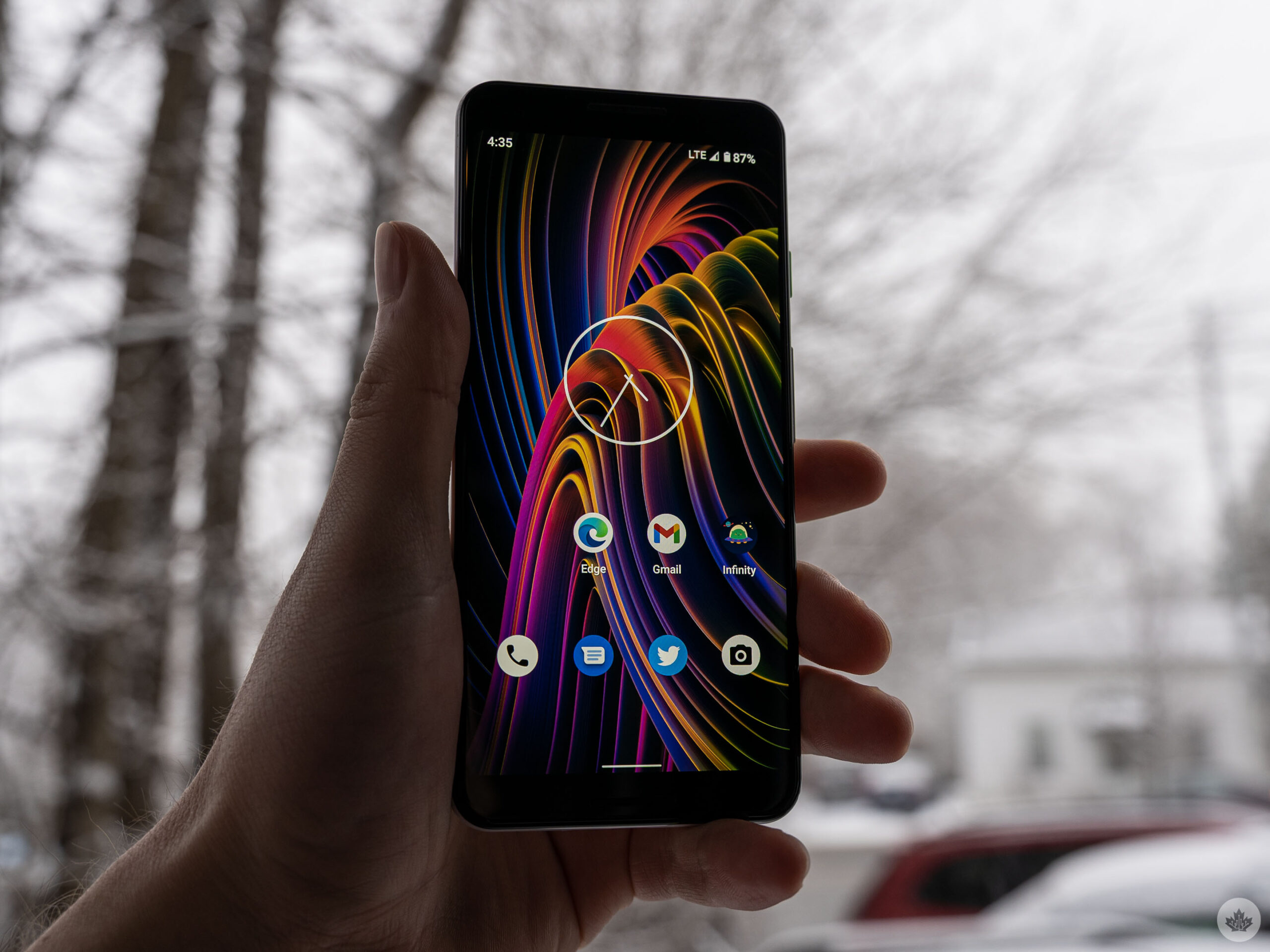
You probably shouldn’t do this.

Not because there’s anything wrong with the GrapheneOS installation process — in fact, as long as you follow the step-by-step guide available on the GrapheneOS website, it’s actually effortless. No, the reason you shouldn’t install GrapheneOS on the Pixel 3 is that it’s on the GrapheneOS extended support list now (you can view a complete list of supported devices here). That means Pixel 3 devices will “no longer receive full security updates” and instead get extended support releases “as a stopgap” while users transition to newer devices.

Unfortunately, I didn’t realize this until after I finished the installation. However, I decided to stick with it since the current version of GrapheneOS is based on Android 12 and I wanted to get a feel for whether I liked it before I attempted installing it on another Pixel.

Plus, although I may have written my final farewell to the Google Pixel 3, I wasn’t entirely ready to let it go.
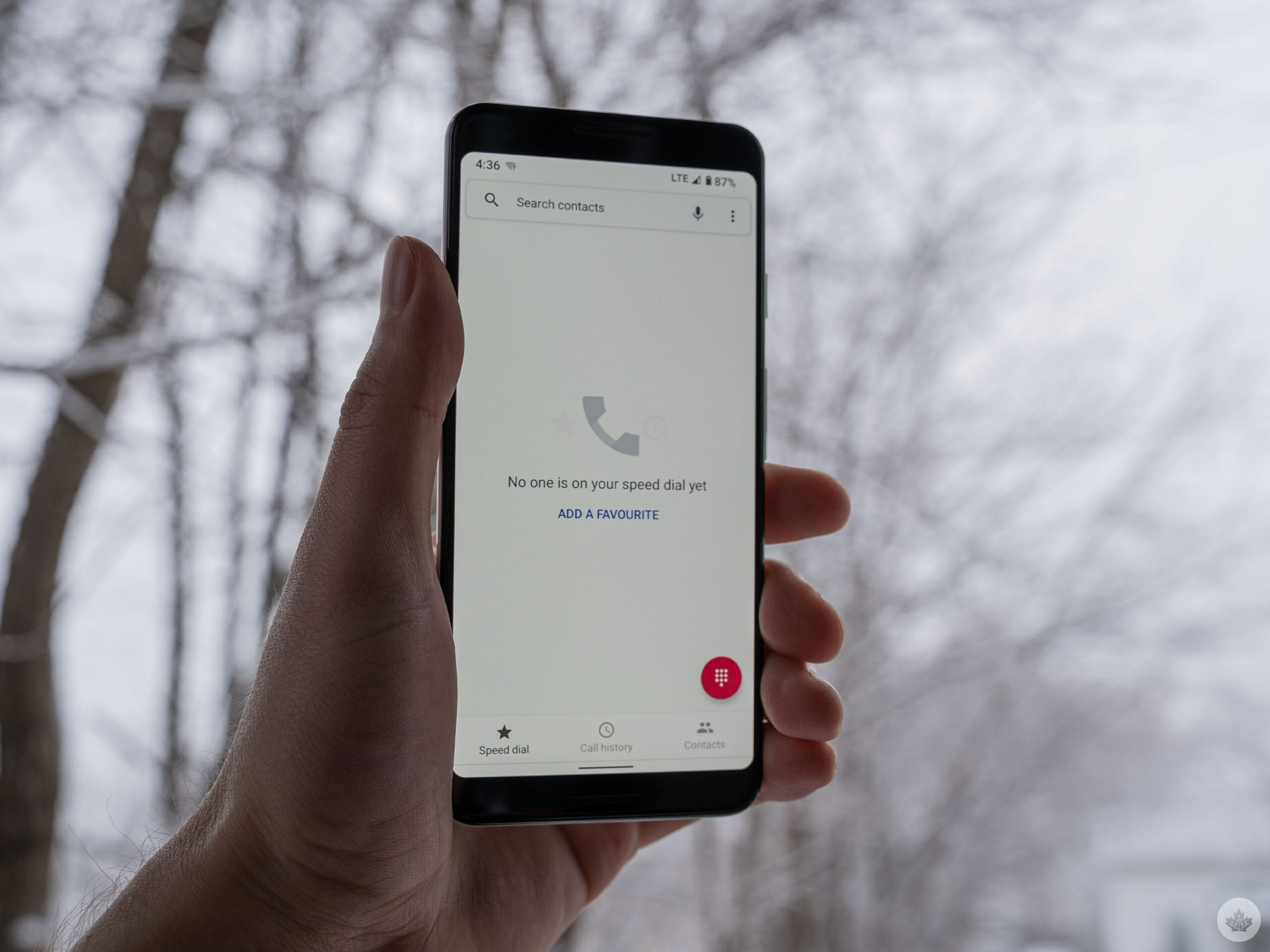
Anyway, the installation process was relatively simple. GrapheneOS put together an excellent guide, and if you use the web-based installation tool, you can effectively do the whole thing by only clicking a few buttons and tweaking a couple settings on your phone. As someone who spent a lot of time rooting Android phones and installing ROMs back in the day, this was a breeze. If you’re not familiar with that process, then installing GrapheneOS might be more challenging. I’d rank it as more difficult than installing an Android beta on a Pixel phone through Google’s Android Beta Program website but easier than manually installing an Android Developer Preview.

All told, the process took maybe 10 minutes total, and I did it while writing some other stories.

First impressions
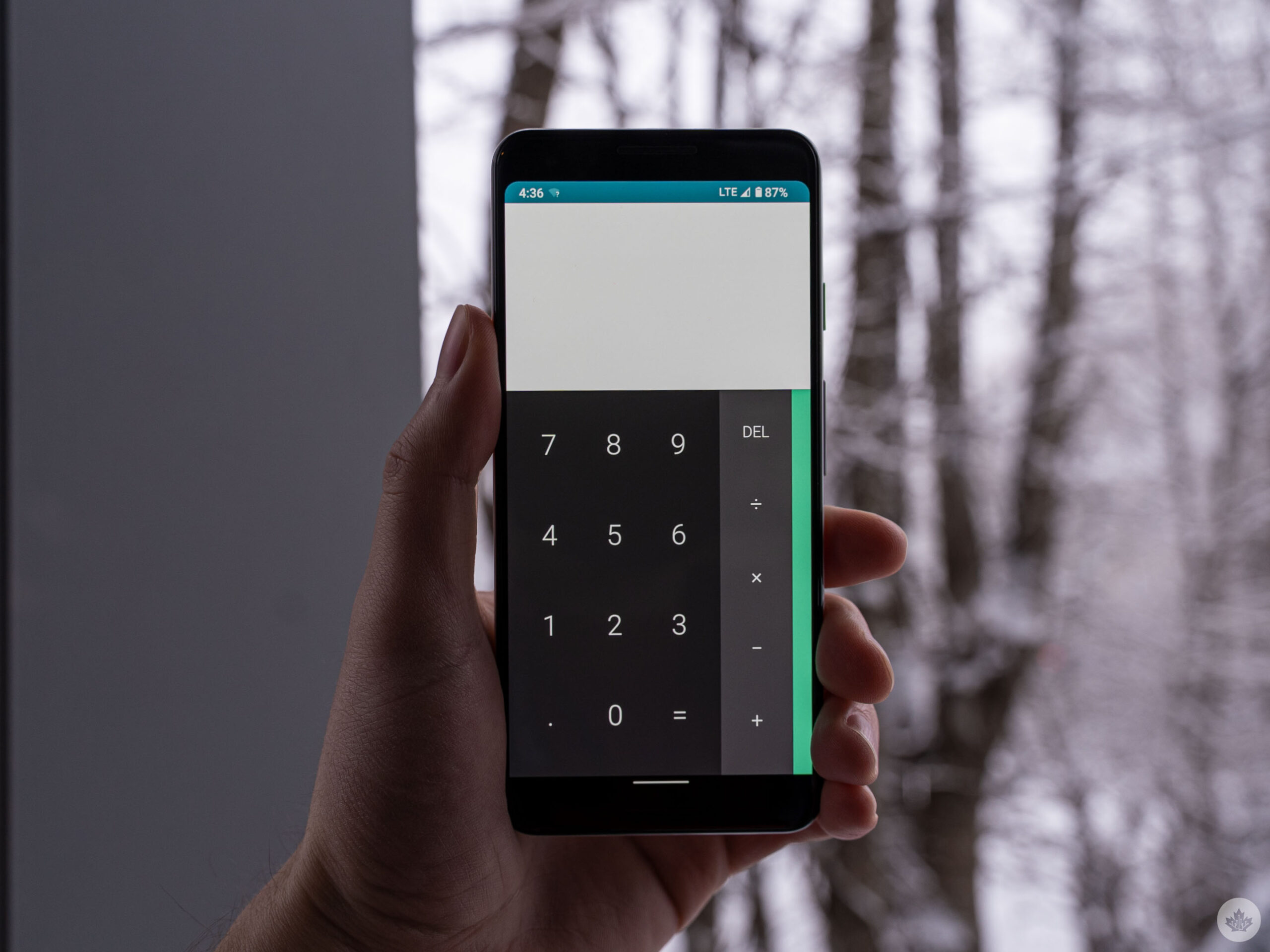
Once the installation was finished, setting up GrapheneOS was similar to setting up any Android phone. You turn it on, connect to Wi-Fi, etc. One issue I encountered here was that I couldn’t copy data over from another phone (GrapheneOS does let you bring data over from another phone with GrapheneOS, but this was my first time trying it).

Following set-up, GrapheneOS greets users with a basic, Pixel-like Android experience, minus all the Google apps. GrapheneOS includes the staples, like apps for phone, messages, files and the camera. These defaults get the job done, but they feel (and look) like they’re from a past era of Android. Thankfully, with Play Store access, I was able to download whatever apps I wanted to use instead, although not without issue.
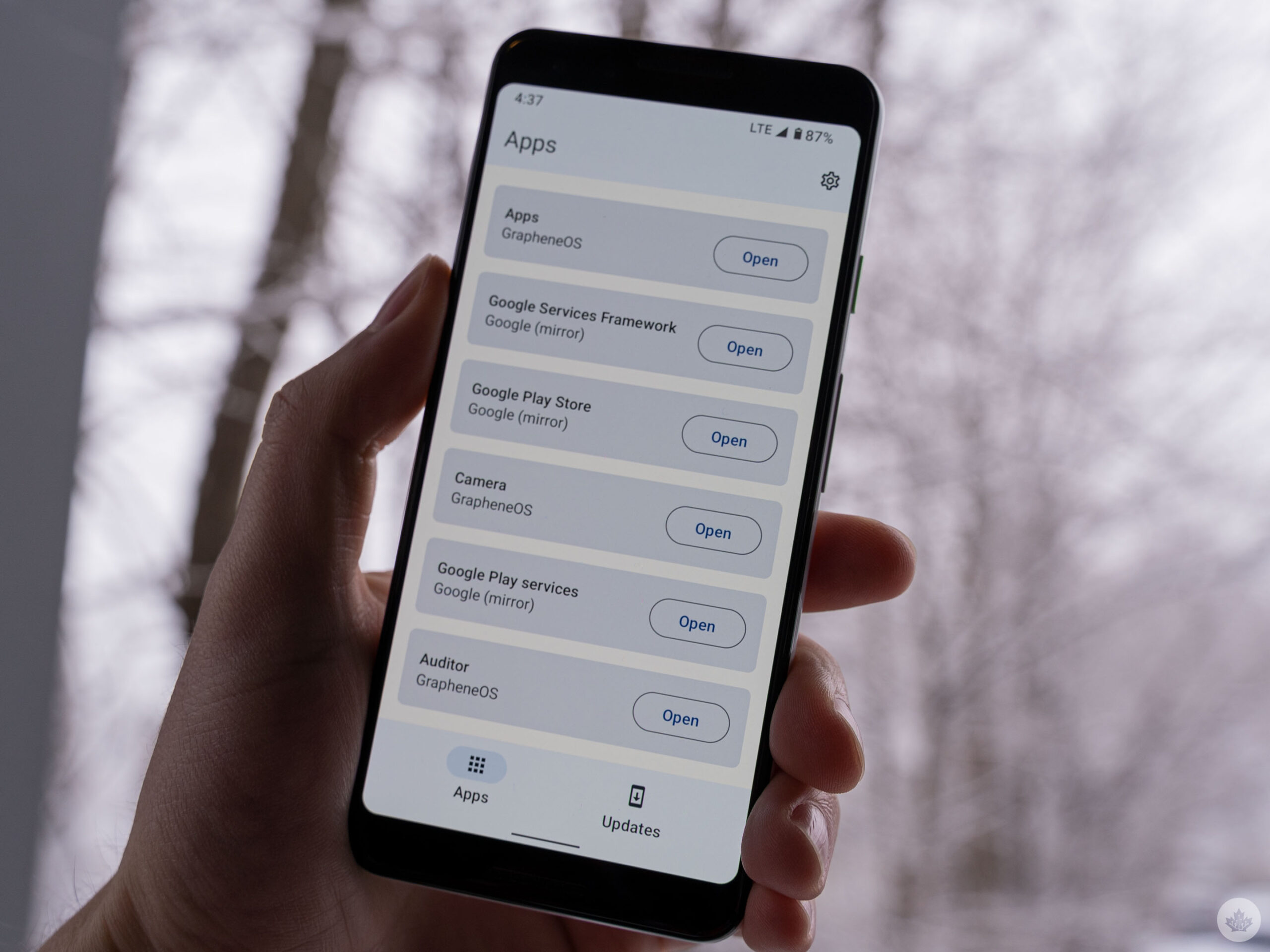
So far, I’ve had no issues downloading and using my password manager app, Twitter, Infinity for Reddit, Gmail, and Discord. I’m well aware that most of these apps aren’t privacy-friendly, but I do feel better using them on GrapheneOS, knowing that the omnipresent Google Play Services is sandboxed away. I had a few issues with Google’s Messages app until I enabled some permissions for the restricted Play Services.

I also ran into issues importing my contacts from the Google account (eventually, I worked around this by exporting them from another phone to my Drive storage then downloading that file to import them back into the contacts app on GrapheneOS).
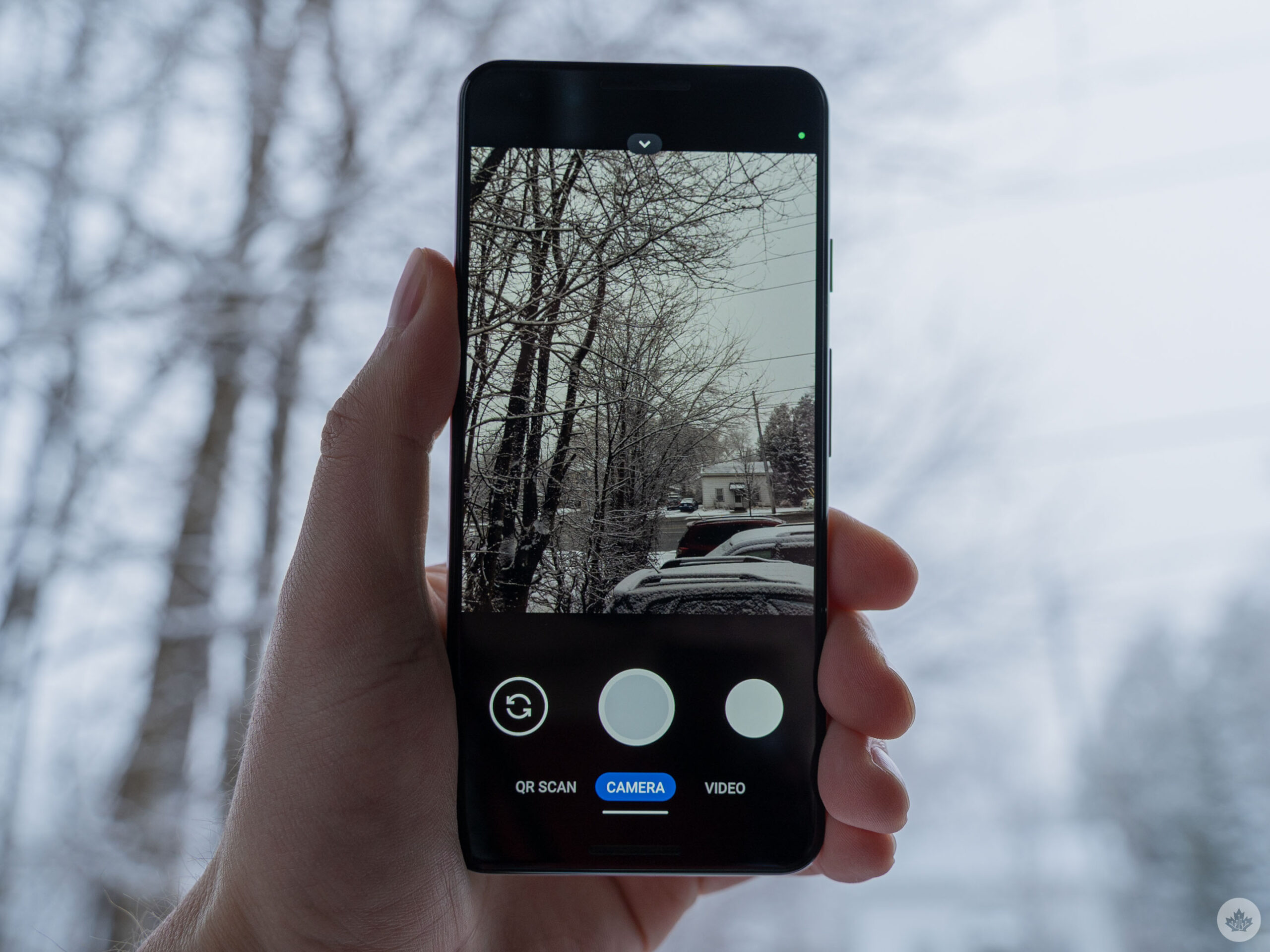
Ultimately, I haven’t encountered any real deal-breakers so far with GrapheneOS. Most of my hiccups in the first few hours came from little conveniences I’ve grown used to. For example, having my contacts sync automatically or using my security key to authenticate myself when signing into accounts (this worked inconsistently and seems like something GrapheneOS is working to improve). I’ve been able to work around these little hiccups so far, but some people may not be able to.

Suffice it to say that GrapheneOS may not need much technical know-how to install, but so far, using it like I would a regular Android phone has required thinking outside the box. Anyone looking for a straightforward experience may want to avoid GrapheneOS or other privacy-oriented Android experiences since the privacy gains often come at the expense of convenience and ease of use. I wish that weren’t the case. However, GrapheneOS has so far been one of the easiest privacy experiences I’ve tried, so maybe it won’t be much longer until people don’t need to make that sacrifice.

I’ll have more thoughts on GrapheneOS soon after spending more time with it.

Categories
Mobile Syrup

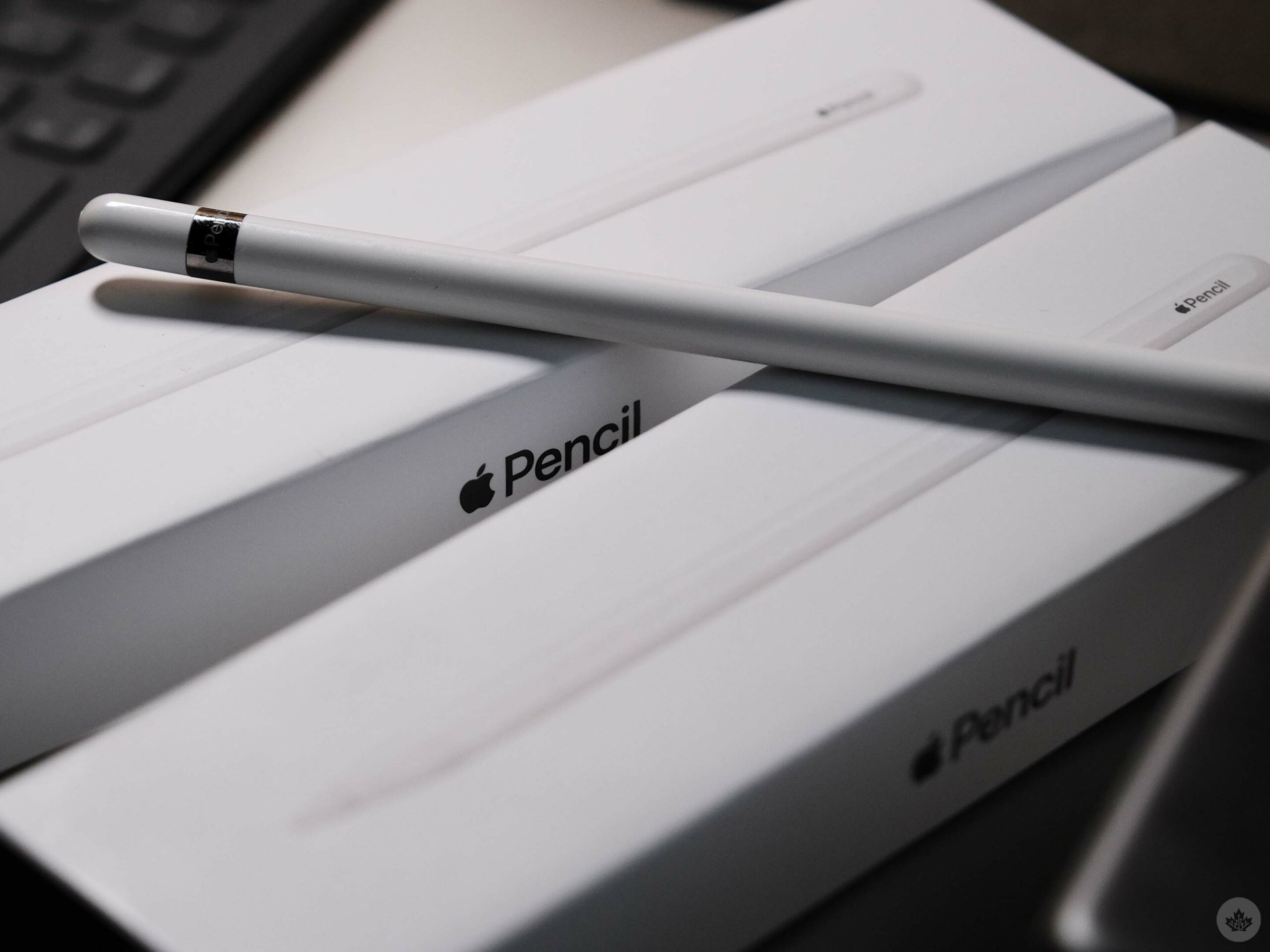
Buying guide: What Apple Pencil is right for you?

This guide is pretty straightforward since each Apple Pencil is only compatible with specific iPads and they’re not interchangeable.

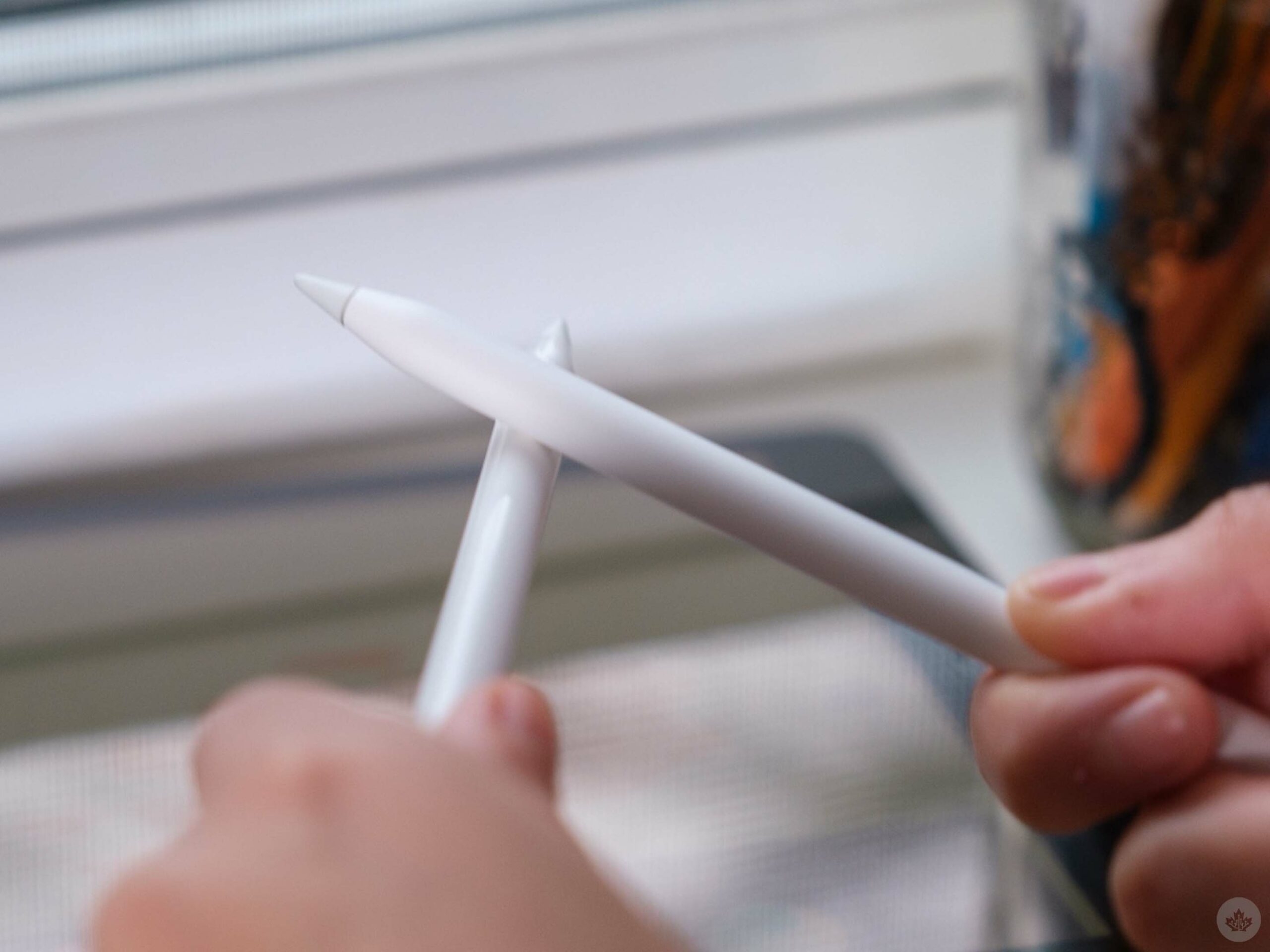
The newer 2nd-gen Apple Pencil that pairs and connects to your iPad via magnets only works with newer iPads that don’t feature a physical ‘Home Button.’ If you have a Home Button and a Lightning port on your iPad, then you’re stuck with the more awkward 1st-gen Apple Pencil.

That said, both pencils function as a pretty great stylus, but the 2nd-gen version offers several improvements that may even tempt some towards buying a more expensive iPad to take advantage of the additional features.

The Apple Pencil showdown

When it comes to navigating iPadOS using an Apple Pencil as a pointer or taking notes, both options hold up well.

They work with minimal lag, feel reassuring in your hand and last a reasonably long time per charge. I will say that the matte texture on the 2nd-gen Apple Pencil feels nicer, but it’s not a game-changer.

What does add considerable value to the 2nd-gen Apple Pencil is that it features an integrated touch button. This button isn’t active in every app since developers need to give it a function, but it can help improve your efficiency, which can sometimes be hard with an iPad.

For example, with apps like Procreate, you can swap tools on the fly and with Photoshop, you can zoom in and out more quickly. Other apps even allow you to customize what the button does. To be clear, the 2nd-gen Apple Pencil doesn’t feature a physical button. Instead, a small section near the bottom of the pencil is tap-sensitive. This works similarly to the back-tap on modern iPhones.

As far as I can tell, drawing is the only professional instance where you’ll really want a 2nd-gen Apple Pencil over the original. Both Pencils feature built-in palm rejection and the same great tip that holds up to years of use and glides over the display with ease. However, due to the nature of the 2nd-gen Apple Pencil being newer and working with modern iPads, it’s rated for lower drawing input latency.

Still, to my eyes, both are great styluses and it’s difficult to notice motion differences between the two Apple Pencils.

Convenience is the real winning factor?

When it comes down to it, the 2nd-gen Apple Pencil includes one major feature that makes me prefer it — magnets.

It may sound simple, but having the Apple Pencil almost always attached to the top of my iPad so I can just peel it off and jot something down, makes it far more convenient. Sure, if you have both Apple Pencils in front of you, they both work very similarly, but good luck finding your first-gen Apple Pencil since there’s no way to attach it to the iPad (unless you have a specific case with a storage slot).

Obviously, I’m overplaying this feature a bit, but over the past few years, I’ve found myself rarely using the 1st-gen Apple Pencil since it was always in another room when I wanted it. By contrast, the 2nd-gen Apple Pencil feels like a natural extension of the iPad since it’s almost always attached to my tablet.

If you want to learn more about what iPad is right for you, check out this guide I put together. The 1st-gen Apple Pencil costs $129 and the 2nd-gen Apple Pencil costs $169 at the Apple Store.

A tale of too many iPads

1st generation Apple Pencil

  • iPad (6th generation)
  • iPad (7th generation)
  • iPad (8th generation)
  • iPad (9th generation)
  • iPad Air (3rd generation)
  • iPad mini (5th generation)
  • iPad Pro 10.5-inch
  • iPad Pro 12.9-inch (1st generation)
  • iPad Pro 12.9-inch (2nd generation)
  • iPad Pro 9.7-inch

2nd generation Apple Pencil

  • iPad Air (4th generation)
  • iPad Pro 11-inch (1st generation)
  • iPad Pro 11-inch (2nd generation)
  • iPad Pro 11-inch (3rd generation)
  • iPad Pro 12.9-inch (3rd generation)
  • iPad Pro 12.9-inch (4th generation)
  • iPad Pro 12.9-inch (5th generation)
  • iPad mini (6th generation)
  • iPad Air (5th generation)

MobileSyrup utilizes affiliate partnerships. These partnerships do not influence our editorial content, though we may earn a commission on purchases made via these links that helps fund the journalism provided free on our website.

Categories
Mobile Syrup

What was your favourite part of Apple’s ‘Peek Performance’ event?

Apple showed off several new devices at its March ‘Peek Performance’ event, including green colour variants for the iPhone 13 series, the iPhone SE (2022), the iPad Air (2022), the M1 Ultra chip, the Studio Display and the Mac Studio.

While the pretty new green iPhone 13 models are cool and the iPad Air now offers an M1 chip, the show’s stars were the Mac Studio and the Studio Display.

The Mac Studio is a high-performance desktop device that features up to 128GB of RAM and Apple’s powerful M1 Ultra chip. On the other hand, the Studio Display sports a 5K resolution and a built-in 12-megapixel webcam powered by Apple’s A13 Bionic chip, the same processor featured in the iPhone 11.

What was your favourite part of the ‘Peek Performance’ event? Let us know in the comments below.

Categories
Mobile Syrup

Toronto-based HVR wants to change the way you browse the internet

Bouncing between social media pages and different websites to access content is a thing of the past, according to the people behind HVR.

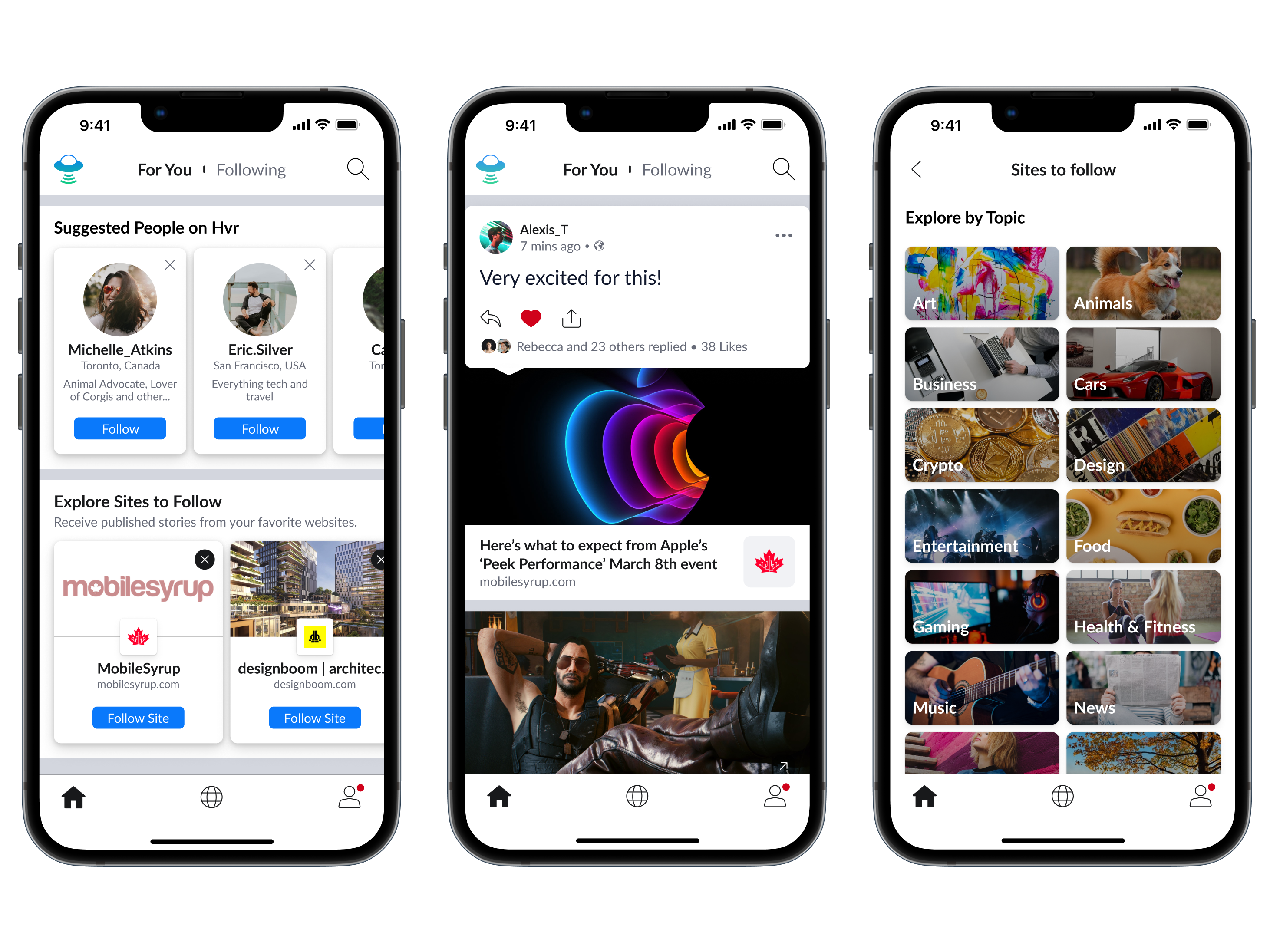
HVR is a Toronto-based social media tech company, and it wants to reinvent the way people browse the internet through a mobile app under the same name.

CEO Nelson Thall describes it as a “mobile browser that’s also social,” which makes it “easy to discover and discuss the web in one place.”

He says the app is the “world’s first social surfing platform.” It’s about having everything available in one place, scrapping the need to go between websites and social media apps, and giving website owners their engagement back.

Internet users wanting to discover new content, publishers and brands serve as the target audience.

Thall says the app allows users to follow people and websites to create a curated web page. Users can post comments and photos on the websites they visit through the app.

Mockups of HVR’s platform. Image credit: HVR

“It’s a streamlined way to discuss the articles, brands and products that you love with other people who share your interests,” Thall told MobileSyrup.

Having the option to do that in one place will benefit users and publishers, who’ve had no choice but to give their engagement to social media giants like Twitter and Facebook.

“Discussing the web by copy-pasting and sharing links to countless other platforms is inefficient for users and debilitating for web publishers who rarely receive the full monetization benefits of the conversations happening as a result of their content.”

Thall previously owned shares of Canada’s largest newspaper, the Toronto Star, along with members of his family. It was a practice that ran in the family ever since his grandfather bought a fifth of the company in the 1950s.

Thall told MobileSyrup user engagement was something his family felt “insecure” about. Instead of wanting Thall and his brother to submit photographs of issues around Toronto, they were told there were photographers and journalists to capture that.

“Because of this, there was no way they were going to thrive on the web.” While the family sold off shares, Thall said things didn’t change. People still have to copy links to emails and multiple networks to share thoughts on the web.

Along with his brother Henry, they thought it would be great to have discussions on the web for anyone to see. They asked people how the web could work better for them. The feedback included users wanting to organize and share their passions more easily. Eventually, HVR was born.

HVR also has a site partner program that allows website owners to host and grow their community through the app. Aimed at bloggers, publishers, and brands, it allows website owners to maximize their engagement and earnings while allowing their followers to easily access their content.

While the app is available to download on iOS and Android at this time, only those sent a link by an existing user can sign up. Users can request to be notified on when they can sign up.

Image credit: HVR

Categories
Mobile Syrup

Streaming in Canada on Amazon Prime Video, Apple TV+, Crave, Disney+ and Netflix [March 7-13]

Every week, MobileSyrup outlines some of the most notable movies and TV shows that recently hit Canadian streaming platforms.

Our ‘Streaming in Canada’ column typically focuses on new content from Amazon Prime Video, Crave and Netflix, but other services like Apple TV+ and Disney+ will be mentioned when relevant. Premium video on demand (PVOD) platforms are also fair game as movies continue to come to digital early amid the COVID-19 pandemic.

Finally, we’ll highlight shows or movies that are made by Canadian companies, involve notable Canadian cast or crew and/or are filmed in Canada. This week is a particularly big one, as four of the major streaming services all have high-profile new originals that were made by Canadians.


Amazon Prime Video

The Mating Game

Sir David Attenborough (Planet Earth) narrates this docuseries about animals’ quests to find the perfect mate, from the producers of A Perfect Planet.

BBC Earth premiere date: March 13th, 2022 (on BBC Earth)
Genre: Nature documentary
Runtime: Five episodes (around 50 minutes each)

Stream The Mating Game on BBC Earth, which is available as a $3.99/month channel on Prime Video.

Upload (Season 2) [Amazon Original]

Nathan finds himself at a crossroads when his ex-girlfriend Ingrid arrives in Lakeview while he still pines for Nora.

Upload was created by Greg Daniels (The Office) and stars Toronto’s own Robbie Amell (The Tomorrow People), Andy Allo (Chicago Fire), Allegra Edwards (Briarpatch) and Zainab Johnson (Last Comic Standing). It’s worth noting that the series is filmed in Vancouver.

Amazon Prime Video Canada premiere date: March 11th, 2022
Genre: Comedy
Runtime: Seven episodes (27 to 39 minutes each)

Stream Upload here.

The full list of movies and shows hitting Amazon Prime Video in March can be here.


Apple TV+

The Last Days of Ptolemy Grey [Apple Original]

A 93-year-old man with dementia temporarily remembers his past, prompting him to investigate the death of his nephew.

Based on the novel of the same name by Walter Mosely, The Last Days of Ptolemy Grey stars Samuel L. Jackson (Pulp Fiction), Dominique Fishback (Judas and the Black Messiah), Walton Goggins (The Righteous Gemstones) and Marsha Stephanie Blake (When They See Us).

Apple TV+ Canada premiere date: March 11th, 2022 (first two episodes, new episodes every Friday)
Genre: Drama
Runtime: Six episodes (around one hour each)

Stream The Last Days of Ptolemy Grey here.

The Snoopy Show (Season 2) [Apple Original]

Snoopy gets distracted cleaning his dog house, Charlie finds an extraordinary potato chip, Lucy throws Rerun a birthday party and more.

It’s worth noting that The Snoopy Show is animated by Vancouver’s WildBrain.

Apple TV+ Canada premiere date: March 11th, 2022
Genre: Animated
Runtime: Six episodes (22 minutes each)

Stream The Snoopy Show here.

An Apple TV+ subscription costs $5.99/month.


Crave

About Last Night

Couples go head-to-head in relationship trivia and games to see who knows their partner best.

The series is hosted by NBA All-Star Stephen Curry and his wife, Markham, Ontario’s Ayesha Curry, and features a variety of other competing celebrity couples, including Ontario-raised Malin Akerman (Billions) and husband Jack Donnelly (Atlantis) and Vancouver-born Jonathan Scott (The Property Brothers) and partner Zooey Deschanel (New Girl).

Crave premiere date: March 11th, 2022
Genre: Reality
Runtime: Eight episodes (22 to 28 minutes each)

Stream About Last Night here.

Letterkenny: International Women’s Day [Crave Original]

In this special new episode of Letterkenny, the ladies celebrate International Women’s Day by competing in an anti-beauty pageant.

Letterkenny was created by Listowell, Ontario’s Jared Keeso (19-2) and stars Keeso, Calgary’s Nathan Dales (Supernatural), Vancouver’s Michelle Mylett (The Drownsmen) and Toronto’s Trevor K. Wilson (Goosebumps).

Crave premiere date: March 8th, 2022
Genre: Comedy
Runtime: 26 minutes

Stream Letterkenny: International Women’s Day here.

A standard Crave subscription is priced at $19.99/month, with Starz costing an additional $5.99/month. A mobile-only subscription is also available for $9.99/month.

The full list of movies and shows hitting Crave this month can be found here.


Disney+

Turning Red [Disney+ Original]

Thirteen-year-old Chinese-Canadian Mei (Clique Wars‘ Rosalie Chiang) finds herself transforming into a red panda whenever she gets too excited or stressed while dealing with her overbearing mother and planning to attend a concert with friends.

Turning Red is notable for quite a few reasons. To start, it’s Pixar’s first Asian-led feature film and the studio’s first to be directed by a woman on her own, Toronto’s own Domee Shi. (2012’s Brave was co-directed by Mark Andrews and Brenda Chapman). For Turning Red, Shi — who won an Oscar for her animated short Bao — draws inspiration from her own life and sets the film in Toronto in 2002.

What’s more, Ottawa’s own Sandra Oh (Killing Eve) voices Mei’s mother and Mississauga’s Maitreyi Ramakrishnan (Never Have I Ever) voices Mei’s friend Priya.

Disney+ Canada premiere date: March 11th, 2022
Genre: Animated comedy
Runtime: 1 hour, 47 minutes

Stream Turning Red here. It’s worth noting that a 48-minute documentary about Turning Red, Embrace the Panda, is also now streaming on Disney+. In it, Shi and other Pixar talent discuss the making of the film, including how Shi drew from her Canadian upbringing.

A Disney+ subscription costs $11.99/month or $119.99/year in Canada.

The full list of movies and shows hitting Disney+ this month can be found here.


Netflix

The Adam Project [Netflix Original]

A time-travelling fighter pilot teams up with his 12-year-old self to save the future.

The Adam Project was directed by Montreal’s own Shawn Levy (Night at the Museum Guy) and stars Vancouver’s own Ryan Reynolds (Deadpool), newcomer Walker Scobell, Jennifer Garner (Alias), Zoe Saldaña (Guardians of the Galaxy) and Mark Ruffalo (The Kids Are Alright). The movie was shot in Vancouver.

This is Levy and Reynolds’ second film together, following last year’s hit Free Guy for Fox.

Netflix Canada premiere date: March 11th, 2022
Genre: Sci-fi, family
Runtime: 1 hour, 46 minutes

Stream The Adam Project here.

The Flash (Season 8)

Following last year’s five-part “Armageddon” crossover event, The Flash‘s eighth season resumes this week, which sees Barry working with Nora and Bart to fix the timeline.

Based on the DC Comics character of the same name, The Flash stars Grant Gustin (Glee), Candice Patton (The Young and the Restless), Danielle Panabaker (Shark) and Jesse L. Martin (Law & Order). It’s worth noting that Calgary’s Jessica Parker Kennedy (Black Sails) recurs as Nora, while the series as a whole is filmed in Vancouver.

Netflix Canada premiere date: March 11th, 2022, one day after it airs on the CW (new episodes on Netflix every Friday)
Genre: Sci-fi, family
Runtime: 18 episodes (around 42 minutes each)

Stream The Flash here.

Following a recent price increase, a ‘Basic’ Netflix subscription costs $9.99/month, a ‘Standard’ subscription (HD-supported) costs $16.49/month and a ‘Premium’ membership is priced at $20.99/month (4K-supported).

The full list of movies and shows hitting Netflix Canada this month can be found here.


What are you planning on watching? Let us know in the comments.

For more suggestions, check out last week’s Streaming in Canada column.

Disclaimer: BBC Earth is owned and operated by Blue Ant Media, the parent company of MobileSyrup.

Image credit: Pixar

Categories
Mobile Syrup

Developers got Windows 11 running on the original Surface Duo

They did it. They finally went and put Windows 11 on the original Surface Duo — and you can too.

Engineering student Gustave Monce and developer Simone Franco have put out a guide explaining how to install Windows 11 on a Surface Duo. But, it’s probably not something you want to do for a variety of reasons.

First, you’ll need at least a 128GB Surface Duo since you’ll have to dual-boot Windows 11 and Android — that gives you 64GB for both operating systems. Moreover, you’ll need a PC to actually boot Windows on the Duo. Otherwise, it just boots Android as usual.

Second, you’ll need to boot Windows 11 on ARM. If you’ve followed the Windows on ARM saga at all, you’ll know that it’s extremely limited, at least compared to x86 Windows.

Oh, and nothing works. Like, at all.

According to Neowin and The Verge, Windows 11 will boot on the Surface Duo, but touch controls, networking, cellular data, and the cameras all don’t function.

Finally, it’s worth noting that installing Windows 11 on a Surface Duo will likely void your warranty and could brick the device. In other words, don’t do it unless you know what you’re doing (and even if you do, proceed at your own risk).

Ultimately, seeing Windows 11 run on the Surface Duo amounts to a cool experiment more than anything. It’s both reminiscent of Microsoft’s old Windows mobile operating systems and dredges up memories of the Surface Neo, Microsoft’s Duo-like tablet that will likely never launch.

You can check out the guide to installing Windows 11 on the Surface Duo here.

Source: GitHub Via: Neowin, The Verge

Categories
Mobile Syrup

The 17 best discounts at Best Buy this week

Best Buy just released another round of its Top Deals, this time featuring GoPro camera bundles, Google Wi-Fi boosters, LG smart TVs, and more. Check out the full list of on-sale items below:

LG NanoCell 65″ 4K UHD HDR LED webOS Smart TV for $1,049.99 (save $250)

GoPro HERO9 Black 5K Sports Camera Bundle for $459.99 (save $140)

Acer 27″ All-in-One PC – Silver for $929.99 (save $370)

Acer 31.5″ FHD 165Hz 1ms GTG Curved VA LED FreeSync Gaming Monitor for $269.99 (save $130)

Sony WF-1000XM4 In-Ear Noise Cancelling Truly Wireless Headphones for $349.99 (save $50)

Jabra Elite Active 75t In-Ear Active Noise Cancelling Truly Wireless Headphones for $129.99 (save $60)

ASUS VivoBook X515 15.6″ Laptop for $499.99 (save $150)

ASUS VivoBook K513 15.6″ Laptop for $799.99 (save $100)

JBL Charge 5 Waterproof Bluetooth Wireless Speaker for $189.99 (save $50)

Google Nest Doorbell (Wired) Wi-Fi Video Doorbell for $239.99 (save $60)

Philips Hue A19 Smart Light Starter Kit for $159.99 (save $90)

Miele Classic C1 Hardfloor Canister Vacuum for $399.99 (save $150)

Google Nest Wifi 5 Router with 2 Points for $349.99 (save $110)

Samsung HW-Q60T 360-Watt 5.1 Channel Sound Bar with Wireless Subwoofer for $399.99 (save $100)

Insignia Air Fryer Oven – 9.46L/10QT for $99.99 (save $100)

ProForm Sport 7.0C Folding Treadmill for $849.99 (save $850)

Kenmore PG-4030400LD 30000 BTU Convertible Propane BBQ for $499.99 (save $50)

Image source: Best Buy

MobileSyrup utilizes affiliate partnerships and publishes sponsored posts. These partnerships do not influence our editorial content, though MobileSyrup may earn a commission on purchases made via these links.

Categories
Mobile Syrup

Uber adding temporary fuel surcharge to rides and Uber Eats deliveries

Uber will add a temporary fuel surcharge to rides and Uber Eats deliveries starting on March 16th to “support drivers and delivery people.”

In a blog post, Uber explained that it would add a $0.50 surcharge on every ride. For Uber Eats, the company will adjust consumers fees to “cover the equivalent of a $0.35 surcharge on every delivery.”

Uber says all of that money will go directly to drivers and delivery people.

Drivers will see the surcharge amounts listed as ‘Temporary Fuel Surcharge’ on their earning statements, while Uber Eats delivery people will see the surcharge lists as ‘Temporary UberEats Fuel Surcharge’ on earnings statements.

Moreover, Uber stressed that the surcharge is temporary and “designed to try and keep earnings consistent during this difficult moment.” The company says it plans to listen to feedback over the coming weeks and continue reviewing gas prices to determine if it needs to make additional changes.

The company also directed drivers to a Natural Resources Canada webpage with tips on how to reduce vehicle fuel consumption.

Uber took an opportunity to reiterate its plans to encourage drivers to switch to electric vehicles as well, including commitments to switch to a zero-emission platform by 2040, partnerships with Plug’n Drive to teach drivers about EV ownership, and Uber’s Green Future Program that can help EV drivers earn more.

You can learn more about Uber’s fuel surcharge here.

Categories
Mobile Syrup

Bell Media laid off CTV Vancouver anchors and radio hosts

Bell Media is once again gutting newsrooms with another round of layoffs, this time targetting Vancouver.

As reported by Daily Hive, several high-profile staffers at CTV Vancouver and Bell-owned radio stations were laid off. Moreover, Daily Hive shared tweets confirming the cuts from several of those who were laid off.

CTV Vancouver’s Scott Roberts, co-host of CTV News at Six, was among those laid off. Roberts, a Jack Webster Award-winning journalist, co-anchored the show since August 2018 alongside veteran journalist Mi-Jung Lee, and had been with the station for over a decade.

CTV Morning Live segment host and traffic reporter Luisa Alvarez was also laid off. Alvarez did traffic updates on TSN 1040 and BNN Bloomberg 1410 as well. She joined CTV Vancouver in 2019 before transitioning to CTV Morning Live the following year.

Outside of CTV Vancouver, Bell Media has let go of at least two employees at radio stations it owns in Vancouver. That includes Olivia Jones, the midday host of Move 103.5 FM. Reports indicate that Amy Beeman, the producer of 94.5 Virgin Radio’s Morning Show, was also laid off. That comes just weeks after longtime morning show host Jonny Staub left the show.

Bell Media came under fire for job cuts around the same time last year, when the company cut an estimated 250 positions in the Greater Toronto Area and beyond. The move came on the heels of Bell’s successful ‘Let’s Talk Day’ in 2021.

Moreover, OpenMedia started a petition in 2021 to make Canadian telecom companies pay back wage subsidies received through the Canada Emergency Wage Subsidy (CEWS) program. OpenMedia accused companies of taking the wage relief and paying it out to investors — Bell took particular ire over the Bell Media layoffs since CEWS was intended to help keep people employed.

Source: Daily Hive

Categories
Mobile Syrup

Triangle Strategy’s greatest strength is its choice-driven narrative

The original Final Fantasy Tactics is one of my all-time favourite games for its mix of deep strategic gameplay and clever, politics and religion-focused storytelling.

Therefore, you can see why I was ecstatic when Square Enix unveiled Triangle Strategy, developer Artdink’s spiritual successor to Tactics with a gorgeous coat of “HD-2D” paint in the vein of producer Tomoya Asano’s other game, Octopath Traveler.

Now that I’ve had two weeks with the surprisingly dense Triangle Strategy, I can say that it’s an overall worthy addition to the strategy genre that scratches the Tactics itch quite nicely.

One of the main issues holding Triangle Strategy back, however, is apparent right from the start: the pacing. As soon as you boot up the game, you’re greeted with narration setting up the premise. The game takes place in the continent of Norzelia, in which three kingdoms — Glenbrook, Aesfrost, and Hyzante — once fought over resources but have since formed an uneasy alliance. To further unite the people, Glenbrook noble Serenoa is set to marry Aesfrost princess Frederica, before a new conflict threatens the lands and drags them all into its centre.

Now, that’s the CliffsNotes version; it’ll take quite a while for that to all unfold in-game. That’s because Triangle Strategy has an incredibly plodding opening stretch that makes it difficult to get into, replete with lengthy cutscenes and woefully stilted voice acting. It doesn’t help that many side events just consist of more people talking. For context, in the span of the first nearly two-and-a-half hours, I encountered just a single battle: the tutorial. As someone who grew up on original PlayStation JRPGs like the Final Fantasy series, or even modern games like Fire Emblem: Three Houses and Persona 5, I’m no stranger to dialogue-heavy games, but those, at least, feature a better mix of cutscenes and gameplay.

Triangle Strategy cutscene

While Triangle Strategy never quite manages to strike that balance, your patience with the game will nonetheless be rewarded as you slowly unravel its rich narrative. Nowadays, anything that features a fantasy-based setting with warring classes will inevitably be compared to Game of Thrones, but that’s actually appropriate here, and not just in a surface-level way. While the main cast is somewhat bland, there’s a surprising amount of nuance to the supporting cast, creating a complex central conflict that actually challenges you with tough, morally grey quandaries.

Nowhere is that more apparent than the ‘Scales of Conviction’ system, Triangle Strategy‘s approach to story-altering player choices. Rather brilliantly, key decisions that Serenoa has to make must be agreed upon by the majority of the party. What this means is that coming to a decision yourself is only half the battle: you have to actually try to convince your allies through dialogue. It’s a remarkably smart way to involve the entire party while rewarding you for understanding their points of view and trying to appeal to them accordingly. When compared to Triangle Strategy, which made the baffling choice to makes each character’s story disconnected from one another, the Scales of Conviction system is all the more engrossing. These all have a tangible impact not just on the inevitable endings you get, but the various level and combat beats that you hit on the path to them.

Triangle Strategy decisions

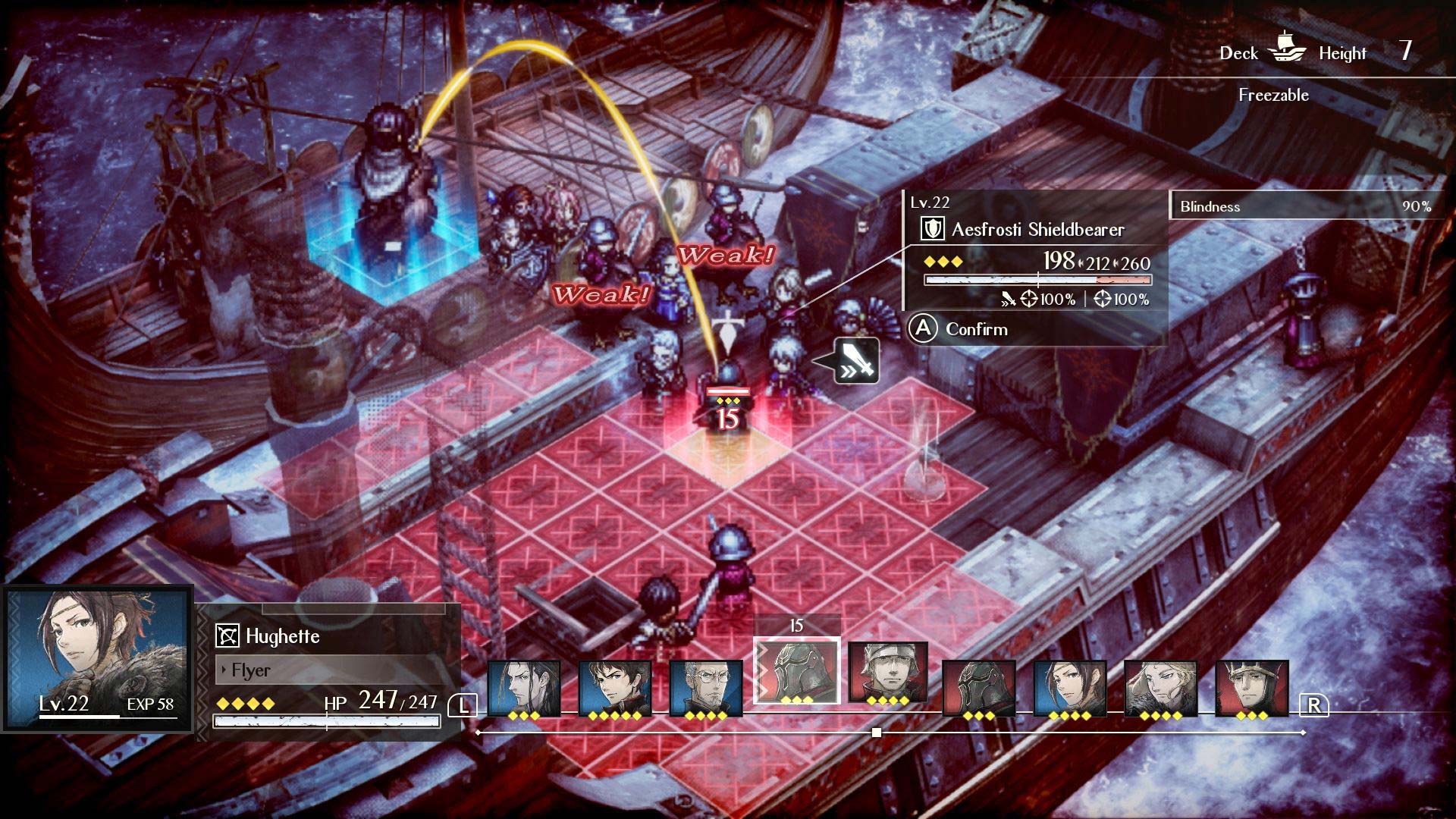
Where Triangle Strategy isn’t quite as innovative is in its core strategy combat, but that’s also not a bad thing at all. On the contrary: it’s tried-and-true Tactics-style turn-based combat in all of its glory. In other words, you’ll be using various class-based units, ranging from heavy-hitting sword users to more nimble mounted knights and spellcasters. They’re pretty standard, admittedly, as is their progression systems, but it’s through that simplicity that Ardink creates rock-solid, engaging battles. If it ain’t broke, don’t fix it.

And that’s not to say that Triangle Strategy doesn’t offer a few fun wrinkles of its own. Firstly, the game’s grid-based terrains grow increasingly intricate and varied over the campaign, featuring different altitudes and hazards that shake up the flow of battle quite nicely. For example, striking an enemy standing on a puddle with a lightning-based spell will deal extra damage. You’ll also want to consider positioning; placing units on either side of an enemy means that attacking with one with have the other perform a follow-up strike. Both you and the enemy can do this, so you have to keep this in mind lest you send a weaker unit off to get ambushed.

Triangle Strategy combat

At the same time, Triangle Strategy feels more approachable than other strategy games for a number of reasons. Chief among these: no Permadeath, so units who are defeated will only remain unavailable for that battle. This serves to simultaneously remove some of the stress while allowing the developers to control when characters die to fit the narrative. Further, Triangle Strategy allows you to retreat from battles to restart them while retaining all accrued XP. While some might think that makes things easy, I appreciate how this cuts back on grinding and doesn’t make you feel like you’ve hit a complete wall, since you’re still progressing through trial-and-error. Concurrently, battles are exceptionally well-balanced, with battles feeling sufficiently — but never overly — difficult.

Ultimately, then, Triangle Strategy‘s real challenge lies in its difficult moral choices. There’s no “easy” or “right” path to take, and you’ll often feel conflicted regardless of what you decide on. Rarely do games with “branching narratives” achieve such a feeling, and Triangle Strategy is all the better for it. It might take some time to get there, and you’ll suffer through sometimes rote dialogue and often-wooden voice acting along the way, but the journey is definitely worth it.

Triangle Strategy is now available exclusively on the Nintendo Switch. The game can be purchased on Amazon for $79.99. It’s worth noting that a meaty free demo, which allows you to carry over your progress to the full game, is also up on the eShop.

MobileSyrup utilizes affiliate partnerships. These partnerships do not influence our editorial content, though we may earn a commission on purchases made via these links that helps fund the journalism provided free on our website.

Image credit: Square Enix/Nintendo